
Recensione di Fetcher: Pro, Contro, Caratteristiche e Prezzi



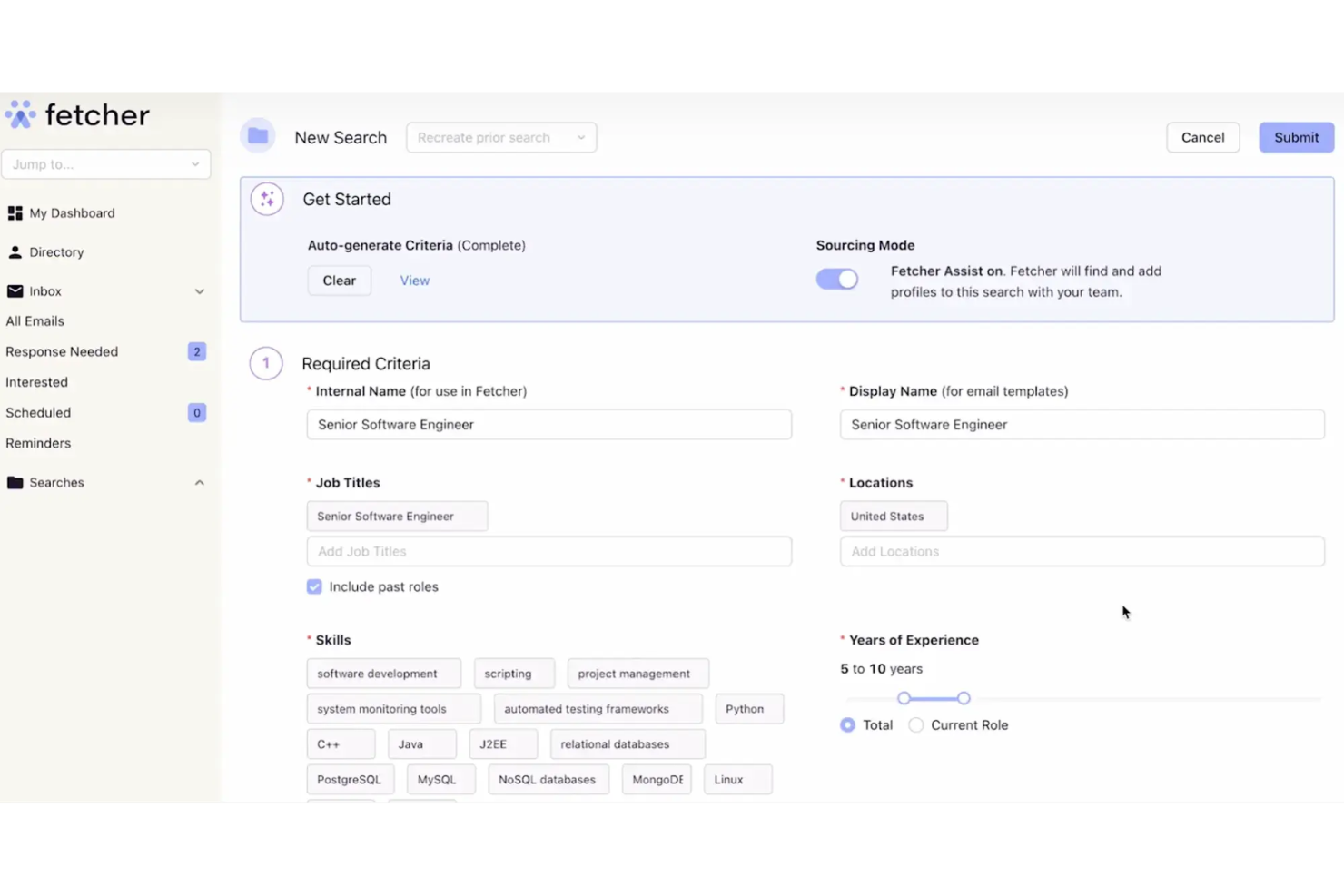
Fetcher is a talent acquisition software that automates candidate sourcing and outreach for recruiting teams. It continuously searches candidate databases and delivers curated profiles directly to your pipeline, without manual boolean searches or hours spent on LinkedIn. I'd consider it if your team is losing too much time at the top of the funnel and not enough time talking to candidates. Compared to a tool like LinkedIn Recruiter, where sourcing is still largely a manual effort, Fetcher takes more of that work off your plate by automating both discovery and initial outreach sequences.
Fetcher Evaluation Summary
- From $115/month (billed annually)
- Free demo available
Perché fidarsi delle nostre recensioni sui software
Il nostro team testa e recensisce software dal 2012. In quanto esperti HR noi stessi, sappiamo quanto sia difficile — e importante — scegliere il software giusto.
Per questa guida, abbiamo valutato gli strumenti attraverso test pratici e ricerche indipendenti, assegnando un punteggio agli strumenti in base ai nostri criteri di selezione. Ci basiamo inoltre sulle competenze di leader di pensiero del settore e di professionisti HR attivi.
Le nostre recensioni riflettono il nostro giudizio editoriale umano, non un discorso di vendita.
Revisori esperti:
Fetcher Overview
In my opinion, Fetcher is a solid choice for teams looking to automate candidate sourcing. Its standout features and ease of use make it appealing for tech startups and mid-sized businesses. Compared to its competitors, Fetcher excels in providing a user-friendly interface and reliable customer support. However, it might not offer as many integrations as some other tools. If your team prioritizes ease of use and efficient sourcing, Fetcher could be a great fit. Its pricing is competitive, making it a valuable option for companies with limited budgets.
pros
-
Automates candidate sourcing, saving your team time.
-
User-friendly interface makes it easy for your team to navigate.
-
Reliable customer support helps resolve your issues quickly.
cons
-
Limited integrations might not fit all your tech stack needs.
-
Some users find the customization options lacking.
-
May not be ideal for very large enterprises with complex requirements.
-

Justworks
Visit WebsiteThis rating combines scores from multiple user review sites to reflect overall customer sentiment about the product.4.6 -
Small Improvements
Visit WebsiteThis rating combines scores from multiple user review sites to reflect overall customer sentiment about the product.4.3 -
HiBob
Visit WebsiteThis rating combines scores from multiple user review sites to reflect overall customer sentiment about the product.4.5





Come Testiamo e Valutiamo i Nostri Strumenti
Abbiamo impiegato anni per costruire, perfezionare e migliorare il nostro sistema di test e valutazione dei software. Il modello è progettato per cogliere le sfumature della scelta del software e per evidenziare cosa rende uno strumento efficace, concentrandosi sugli aspetti più critici del processo decisionale. Di seguito puoi vedere esattamente come funziona la nostra valutazione e attribuzione dei punteggi secondo sette criteri. Questo ci consente di fornire una valutazione imparziale del software basandoci su funzionalità principali, caratteristiche distintive, facilità d’uso, onboarding, assistenza clienti, integrazioni, recensioni dei clienti e rapporto qualità/prezzo.
Funzionalità Principali (25% del punteggio finale)
Il punto di partenza della nostra valutazione sono sempre le funzionalità principali dello strumento. Possiede le funzioni di base che l’utente si aspetta? Alcune di queste funzioni sono disponibili solo in piani a prezzi più alti? In sostanza, ci aspettiamo che uno strumento rispecchi almeno le capacità base dei concorrenti.
Caratteristiche Distintive (25% del punteggio finale)
Successivamente valutiamo le funzionalità particolari che superano le funzionalità di base tipiche degli strumenti della sua categoria. Un punteggio alto riflette caratteristiche specializzate o uniche che rendono il prodotto più veloce, efficiente, o che offrono ulteriore valore all’utente. Valutiamo inoltre quanto sia semplice integrare il software con altri strumenti tradizionalmente presenti nel tech stack per espanderne funzionalità e utilizzo. Gli strumenti che offrono numerose integrazioni native, collegamenti di terze parti e accesso API per creare integrazioni personalizzate ricevono i punteggi migliori.
Facilità d’Uso (10% del punteggio finale)
Consideriamo quanto sia veloce e semplice svolgere i compiti definiti dalle funzionalità principali utilizzando lo strumento. I software con punteggi alti sono ben progettati, intuitivi, dispongono di app mobili, offrono modelli preimpostati e rendono semplici anche i compiti più complessi.
Onboarding (10% del punteggio finale)
Sappiamo quanto sia importante una rapida adozione di una nuova piattaforma all’interno di un team, quindi valutiamo quanto sia facile imparare e utilizzare uno strumento con una formazione minima. Valutiamo quanto rapidamente un membro del team possa iniziare a utilizzare lo strumento senza esperienza. Le soluzioni con punteggio alto richiedono poco o nessun supporto.
Assistenza Clienti (10% del punteggio finale)
Esaminiamo quanto sia facile e veloce ricevere supporto o trovare aiuto tramite telefono, chat dal vivo o knowledge base. Gli strumenti e le aziende che forniscono un’assistenza in tempo reale ottengono i punteggi migliori, mentre i chatbot ottengono i risultati peggiori.
Recensioni dei Clienti (10% del punteggio finale)
Oltre ai nostri test e valutazioni, consideriamo il punteggio net promoter dei clienti attuali e passati. Analizziamo la loro propensione, se potessero scegliere, a selezionare di nuovo lo strumento per le sue funzionalità principali. Un software con un punteggio alto riflette un elevato net promoter score da parte dei clienti attuali o passati.
Rapporto Qualità/Prezzo (10% del punteggio finale)
Infine, considerando tutti gli altri criteri, esaminiamo il prezzo medio dei piani base rispetto alle funzionalità principali e teniamo conto del valore degli altri criteri di valutazione. I software che offrono di più, a meno, ottengono un punteggio più alto.
Core Features
AI-Powered Sourcing: Fetcher uses AI to automate the candidate sourcing process, saving your recruitment team time. It helps you find qualified candidates without manual effort.
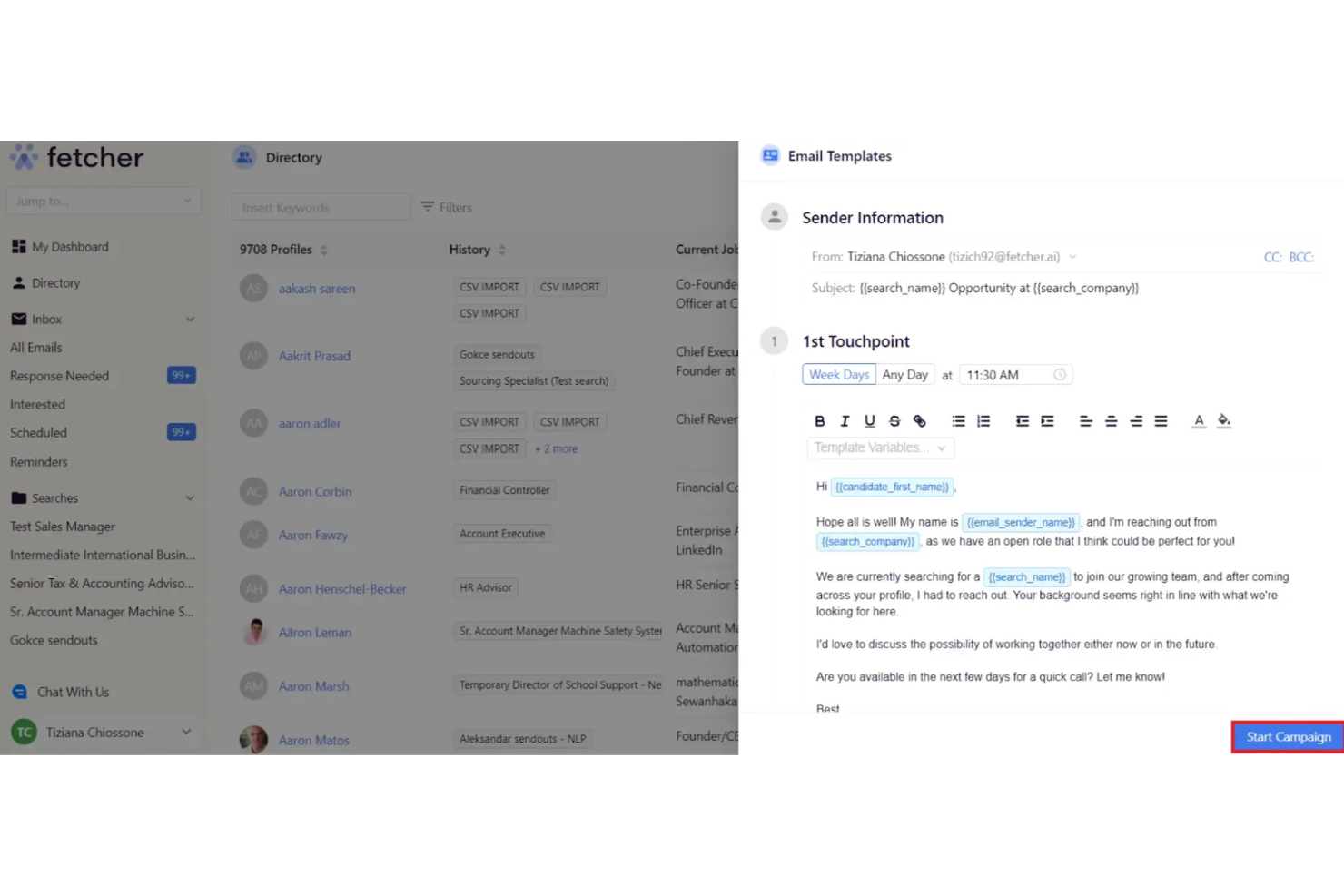
Email Automation: You can schedule and send personalized emails to candidates, making outreach and follow-up consistent without manual effort.
Candidate Tracking: Fetcher provides tools to track your candidates throughout the hiring process. This helps you keep an organized view of your recruitment pipeline.
Analytics Dashboard: Fetcher offers an easy-to-read dashboard with insights into your recruitment metrics. This helps your team make data-driven hiring decisions.
Collaborative Hiring: Your team can collaborate easily with shared notes and feedback. This feature ensures everyone stays on the same page.
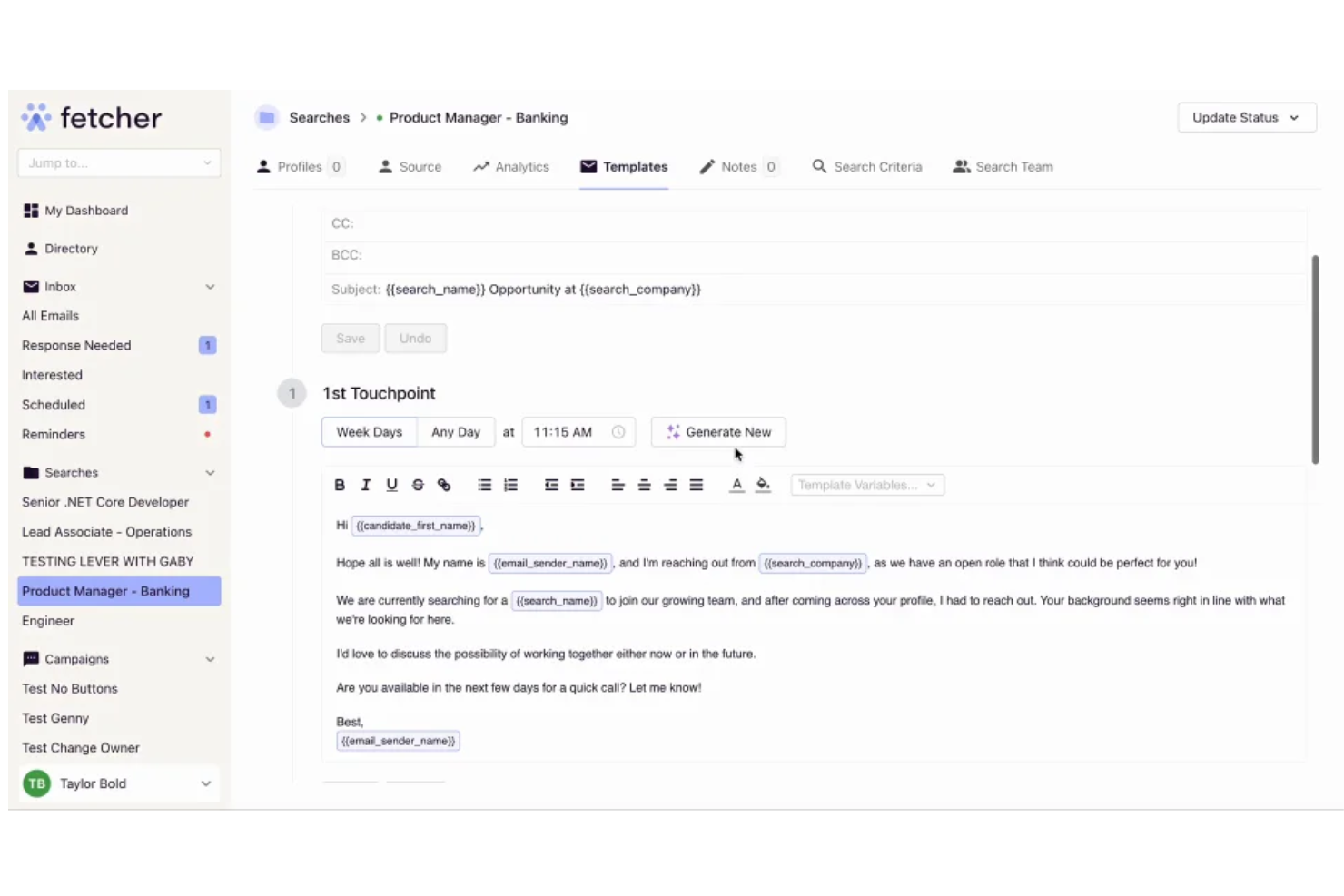
Customizable Templates: Fetcher allows you to use and customize email templates. It speeds up your communication and maintains your brand voice.
Ease of Use
Fetcher is user-friendly, making it easy for your team to navigate and use daily. Its clean interface and intuitive design mean you won't spend much time on training. Users appreciate how quickly they can set up and start using the system. With features like customizable templates and an analytics dashboard, your team can manage recruitment tasks without hassle. Fetcher provides a smooth experience, even for those new to recruiting software.
Integrations
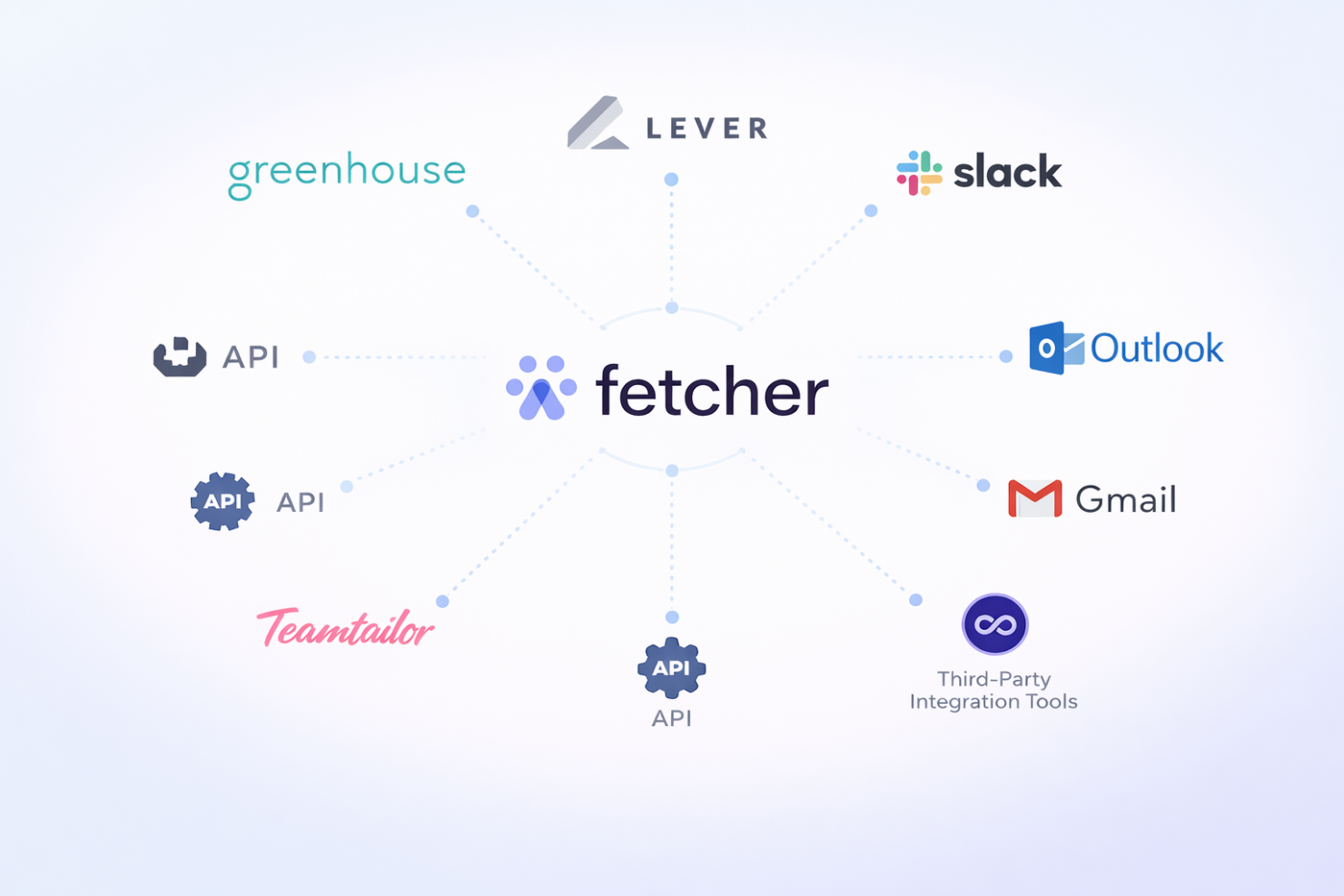
Fetcher integrates with Greenhouse, Lever, Slack, Gmail, Outlook, and Teamtailor. It also has an API for additional integrations and can connect with third-party integration tools.
Fetcher Specs
- 360 Degree Feedback
- API
- Application Tracking
- Batch Permissions & Access
- Behavioral Testing
- Budgeting
- Calendar Management
- Candidate Database
- Cognitive Testing
- Compliance Tracking
- Dashboard
- Data Export
- Data Import
- Data Visualization
- Email Integration
- Employee Database
- Employee Engagement
- Employee Incentive Management
- Employee Onboarding
- External Integrations
- Feedback Management
- Forecasting
- Interview Scheduling
- Multi-User
- Notifications
- Onboarding
- Personality Testing
- Psychometric Testing
- Referral Tracking
- Scheduling
- Soft Skill Testing
- Softphone
- Status Notifications
- Travel Management