


Quantum Workplace Review: Pros, Cons, Features and Pricing Explained



Quantum Workplace is a performance management tool for HR teams that need to manage goals, continuous feedback, recognition, and employee engagement surveys in one connected platform. I'd consider it over Culture Amp if you want performance and engagement workflows tightly integrated rather than leading with a standalone people analytics layer. Quantum Workplace keeps all of that in one place, which makes it easier for managers and employees to act on insights without switching tools.
Quantum Workplace Evaluation Summary
- Pricing upon request
- Free demo available
Why Trust Our Software Recommendations
Our team has been testing and reviewing software since 2012. As HR experts ourselves, we know how difficult—and important—it is to choose the right software.
For this guide, we evaluated tools using hands-on testing and independent research, scoring tools using our selection criteria. We also draw on insights from industry thought leaders and practicing HR experts.
Our reviews reflect our human editorial judgment, not a sales pitch.
Expert reviewers:
Quantum Workplace Overview
In my experience, Quantum Workplace is a strong choice if you value a user-friendly platform with deep analytics, structured 1-on-1s, easy onboarding, and responsive support. Compared to others, I think its continuous feedback and engagement survey tools outperform traditional review-heavy platforms, though its integration options and flexibility can feel limited. If you’re judging a performance management system for mid-sized companies that want to move from annual reviews to ongoing, actionable insights, I’d suggest Quantum Workplace deserves serious consideration, especially if a data-driven culture is your top priority.
pros
-
Real-time feedback tools encourage ongoing dialogue and recognition
-
Actionable analytics make spotting engagement trends straightforward
-
Flexible goal-setting supports individual and team alignment
cons
-
Employee engagement surveys aren’t fully customizable to all needs
-
Advanced reporting options require additional setup and training
-
Lacks built-in compensation or calibration modules for pay decisions
Is Quantum Workplace Right For Your Needs?
Who Would be a Good Fit for Quantum Workplace?
Quantum Workplace works best for growing midsize to large organizations needing structured engagement and performance tools to support rapid change and strong culture. HR teams wanting real-time feedback, advanced analytics, succession planning, and centralized workflows will benefit, especially where goal tracking and manager support are valued. Customizable surveys and templates allow flexibility for diverse and hybrid teams.
-
HR Departments
HR teams get the most out of integrated performance reviews, goal tracking, and analytics for workforce planning.
-
Knowledge-Based Industries
Tech firms, software engineer teams, finance, and consulting practices can drive accountability with clear objectives, feedback, and surveys.
-
Distributed Workforces
Remote and hybrid teams benefit from real-time feedback, digital recognition, and consolidated manager-employee check-ins.
-
Growing Enterprises
Midsize and large businesses with evolving structures use automation and scalable features to maintain engagement at scale.
-
People Managers
Department heads and team leads use one-on-one templates and action planning for coaching and development.
-
Healthcare Organizations
Healthcare teams boost engagement and retention with pulse surveys and recognition for frontline staff.
Who Would be a Bad Fit for Quantum Workplace?
Quantum Workplace isn’t ideal for very small businesses, companies with rigid top-down processes, or those needing heavy regulatory customization. Teams without HR support, those wanting only basic performance tracking, or organizations outside North America or with unique hierarchies may encounter limitations or unnecessary cost.
-
Small Startups
Early-stage companies may find the feature set and pricing unnecessary for their simple performance needs.
-
Highly Regulated Industries
Sectors like government or defense may require compliance or audit features not provided.
-
Nonprofits with Tight Budgets
Organizations with low budgets could struggle to justify premium plans and modules.
-
Hourly Labor Workforces
Retail and manufacturing teams with frontline or hourly employees may not need robust goal setting or survey features.
-
Companies Without HR
Organizations lacking a formal HR function could find setup, admin, and analytics overwhelming.
-
Global Enterprises
International companies needing multi-language or region-specific compliance features may find support and localization lacking.
How We Test & Score Our Tools
We’ve spent years building, refining, and improving our software testing and scoring system. The rubric is designed to capture the nuances of software selection and what makes a tool effective, focusing on critical aspects of the decision-making process.
Below, you can see exactly how our testing and scoring works across seven criteria. It allows us to provide an unbiased evaluation of the software based on core functionality, standout features, ease of use, onboarding, customer support, integrations, customer reviews, and value for money.
Core Functionality (25% of final score)
The starting point of our evaluation is always the core functionality of the tool. Does it have the basic features and functions that a user would expect to see? Are any of those core features locked to higher-tiered pricing plans? At its core, we expect a tool to stand up against the baseline capabilities of its competitors.
Standout Features (25% of final score)
Next, we evaluate uncommon standout features that go above and beyond the core functionality typically found in tools of its kind. A high score reflects specialized or unique features that make the product faster, more efficient, or offer additional value to the user.
We also evaluate how easy it is to integrate with other tools typically found in the tech stack to expand the functionality and utility of the software. Tools offering plentiful native integrations, 3rd party connections, and API access to build custom integrations score best.
Ease of Use (10% of final score)
We consider how quick and easy it is to execute the tasks defined in the core functionality using the tool. High scoring software is well designed, intuitive to use, offers mobile apps, provides templates, and makes relatively complex tasks seem simple.
Onboarding (10% of final score)
We know how important rapid team adoption is for a new platform, so we evaluate how easy it is to learn and use a tool with minimal training. We evaluate how quickly a team member can get set up and start using the tool with no experience. High scoring solutions indicate little or no support is required.
Customer Support (10% of final score)
We review how quick and easy it is to get unstuck and find help by phone, live chat, or knowledge base. Tools and companies that provide real-time support score best, while chatbots score worst.
Customer Reviews (10% of final score)
Beyond our own testing and evaluation, we consider the net promoter score from current and past customers. We review their likelihood, given the option, to choose the tool again for the core functionality. A high scoring software reflects a high net promoter score from current or past customers.
Value for Money (10% of final score)
Lastly, in consideration of all the other criteria, we review the average price of entry level plans against the core features and consider the value of the other evaluation criteria. Software that delivers more, for less, will score higher.
Core Features
Real-Time Feedback
Give and receive instant feedback across the organization, making coaching continuous. Peer and manager feedback is tracked and visible for growth conversations.
Goal Setting and Tracking
Set, align, and update goals at personal, team, or company levels. Progress is clearly visualized, helping everyone see how work connects to outcomes.
Performance Reviews
Run structured, customizable review cycles with digital forms and automated reminders. Review data consolidates in one dashboard for easier performance conversations.
Engagement Surveys
Launch pulse, annual, and employee life cycle surveys with templates focused on workplace engagement. Results show trends, hotspots, and NPS-style engagement scores, supporting targeted action plans.
Recognition and Rewards
Celebrate contributions with built-in employee recognition tools that anyone across the organization can use anytime. Recognition posts can be linked to company values for extra impact.
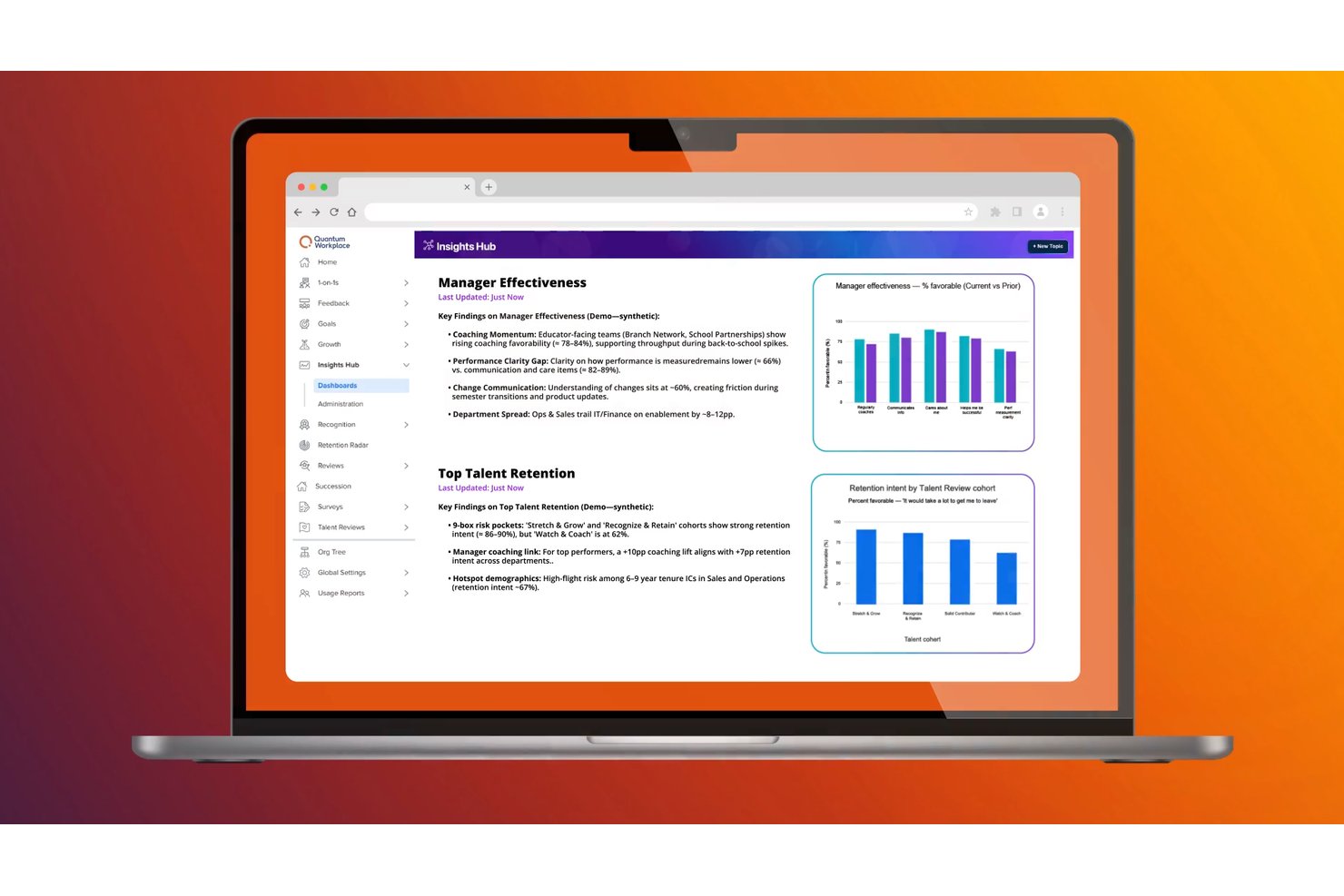
Talent Analytics
Track turnover risks, engagement drivers, talent reviews, and manager effectiveness with robust analytics tools. Data visualizations and people analytics highlight emerging workforce trends for quick decision-making.
Standout Features
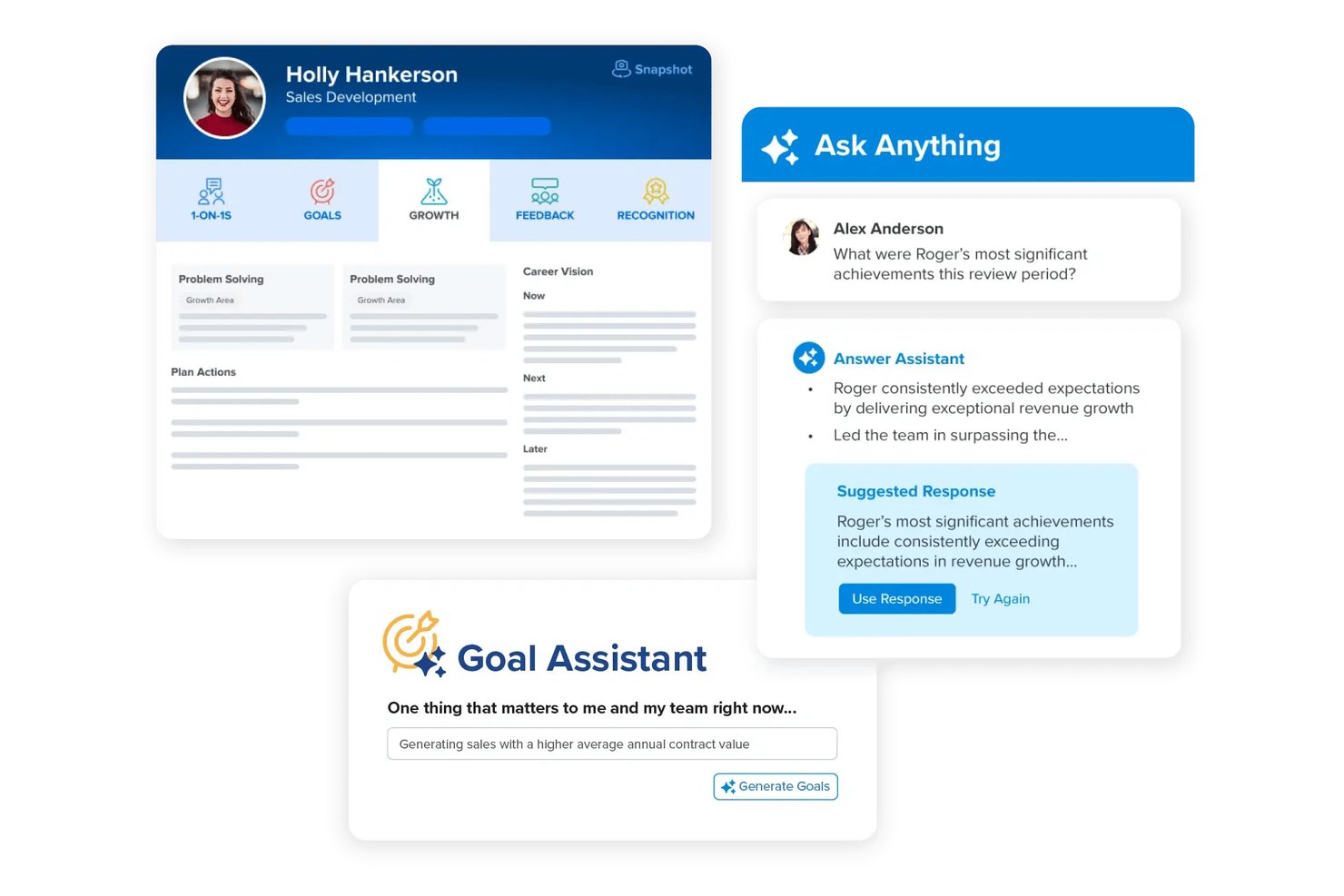
1-on-1 Meeting Templates
Pre-built and customizable templates guide managers and employees through focused, effective one-on-one conversations. Agendas and action items are logged to drive accountability over time.
Automated Action Planning
The platform suggests data-driven, tailored development plans and action items based on survey and feedback results. Leaders can assign and track progress on specific actions linked to engagement priorities, driving continuous improvements across the organization.
Ease of Use
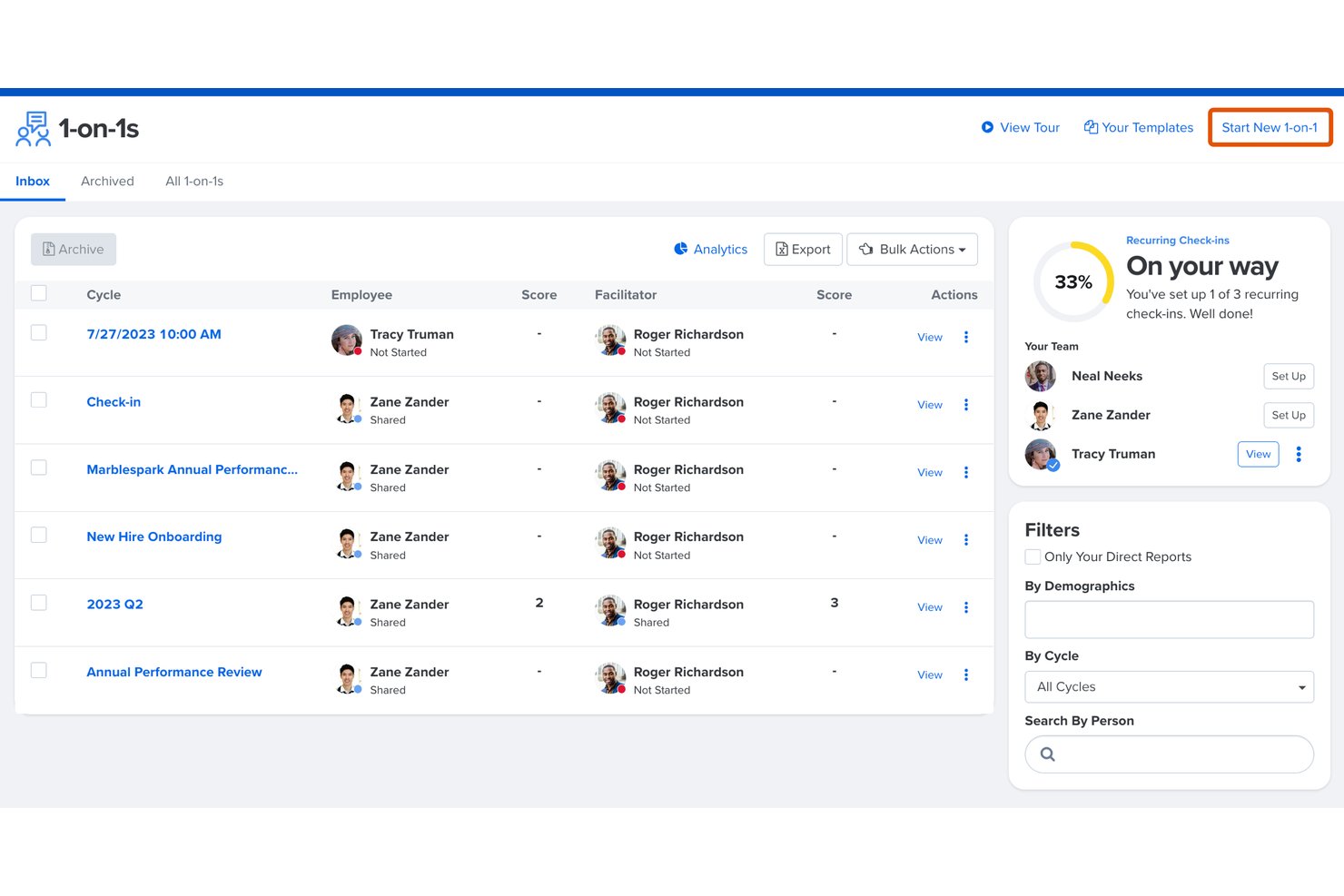
Quantum Workplace offers a visually clean dashboard with intuitive navigation, making performance tracking and feedback easy for both managers and employees. Users consistently highlight the quick adoption curve, drag-and-drop goal setting, and clear prompts on surveys and reviews. I think the simplified workflows reduce admin time, though deeper analytics sometimes require extra training.
Onboarding
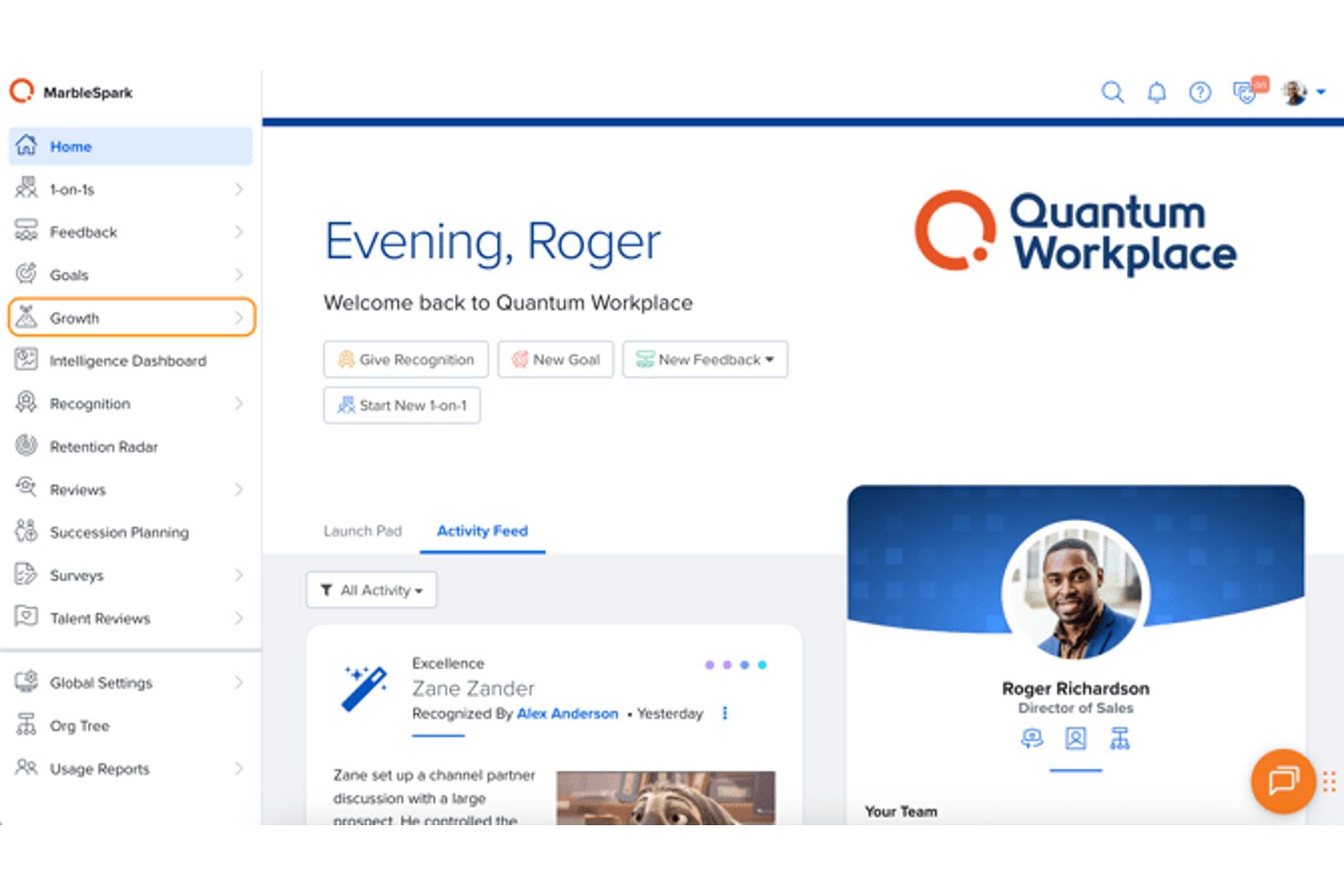
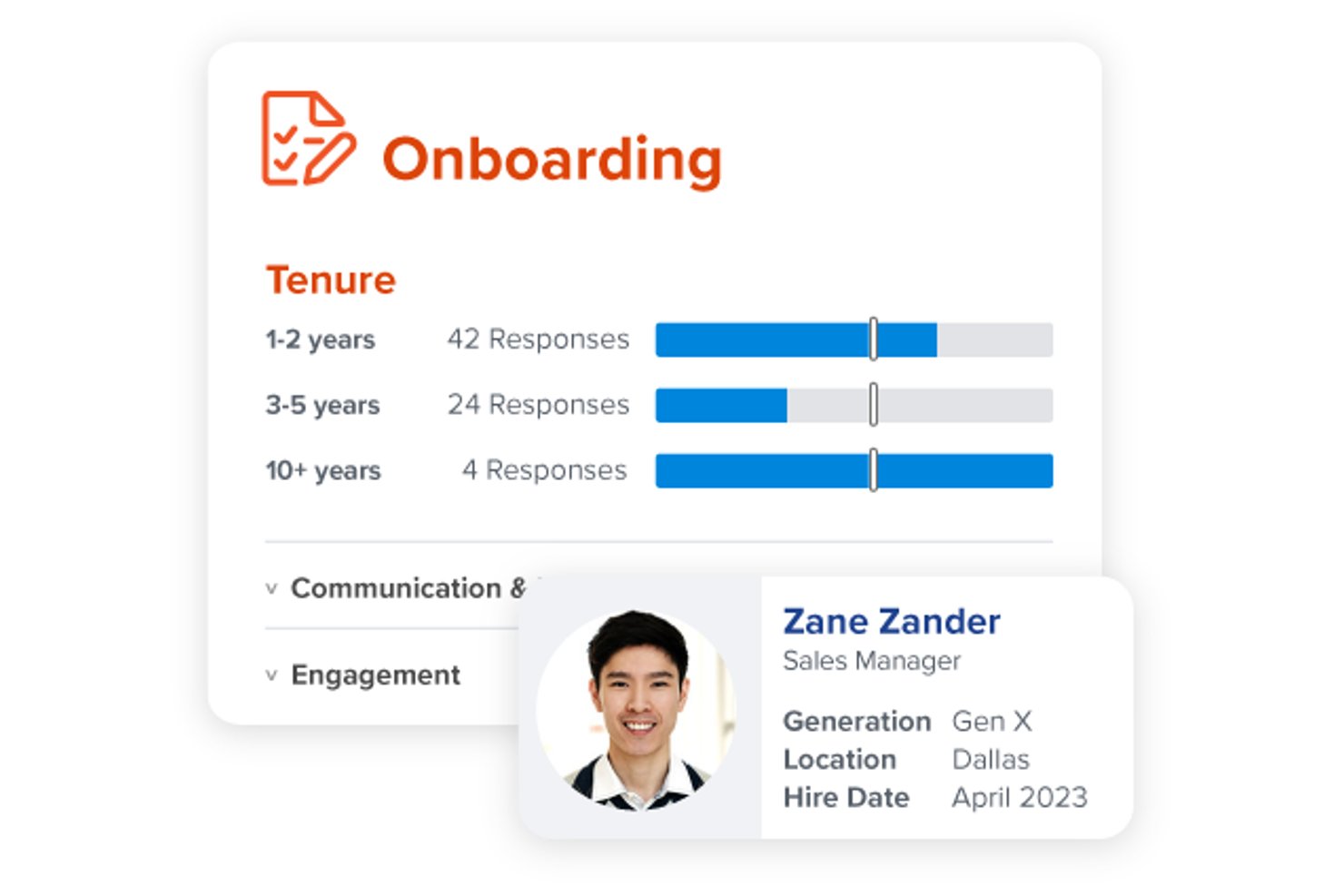
I think Quantum Workplace’s onboarding stands out for its personalized implementation support, clear video tutorials, and hands-on training sessions tailored to each client. Users mention fast response times from support and guided setup steps that help teams get value right away, though some wish in-platform help articles were more robust for self-service questions.
Customer Support
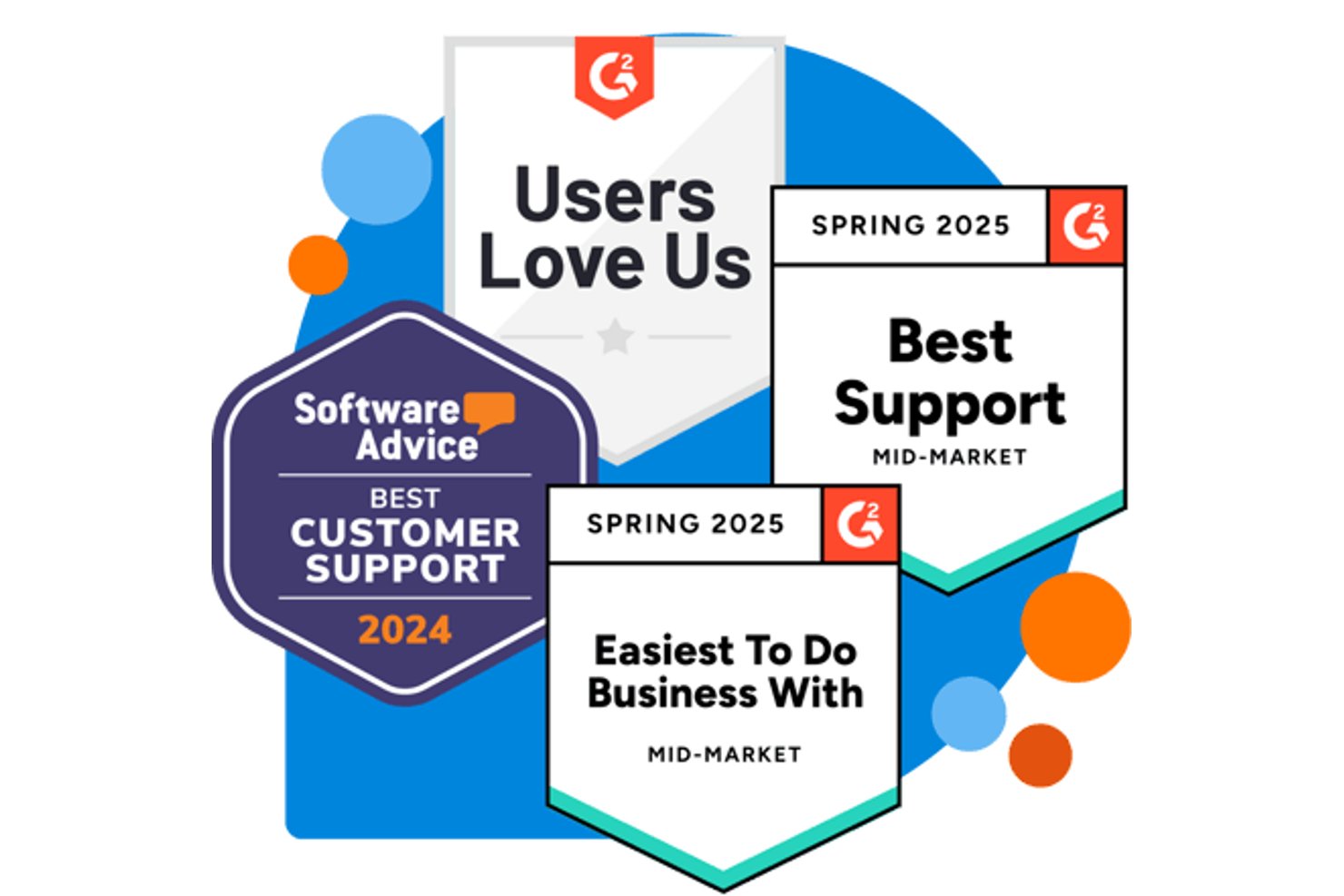
Quantum Workplace earns high marks for responsive, knowledgeable support teams who resolve issues quickly via email, phone, and chat. Many users praise dedicated customer success managers and proactive check-ins, though some report inconsistent experiences with after-hours help or follow-up on technical tickets. Overall, the support feels attentive and committed to customer success.
Integrations
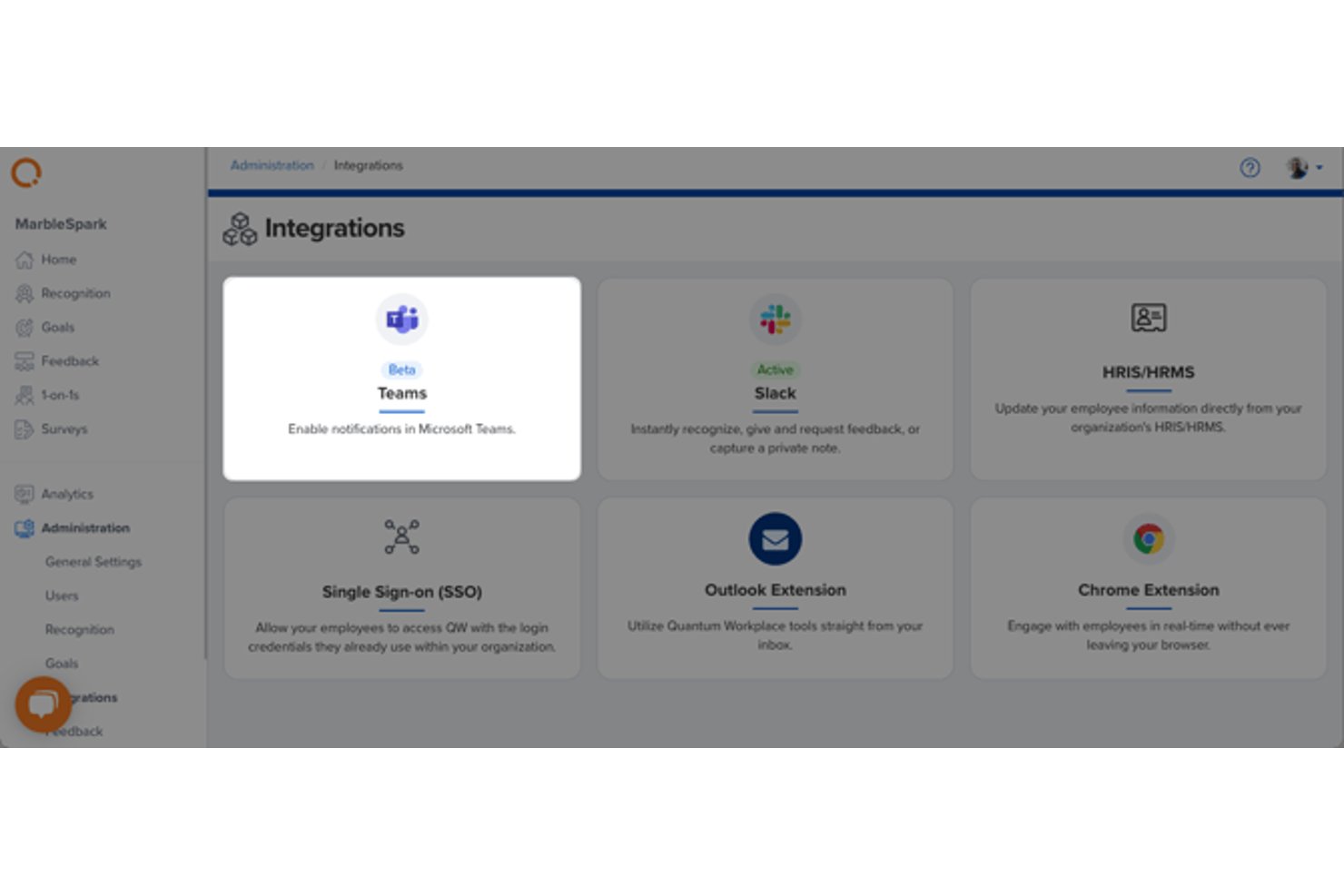
Quantum Workplace integrates with ADP, Workday, BambooHR, UKG Pro, Paylocity, Namely, Okta, Azure Active Directory, Google Workspace, and Slack. The platform also offers an open API for custom data connections.
Value for Money
Quantum Workplace is seen as a premium HR platform, but users value the analytics, support, and flexible survey tools that come with each plan. Transparent pricing is based on modules, letting teams pay only for the performance and engagement features they actually use.
- Engagement Solution: Core surveys, feedback tools, and basic analytics
- Performance Solution: Adds goal management, performance reviews, and talent analytics
- Full Platform: Combines all features for maximum analytics and workflow coverage
Quantum Workplace Specs
- 2-Factor Authentication
- 360 Degree Feedback
- API
- Application Tracking
- Attendance Tracking
- Batch Permissions & Access
- Compliance Tracking
- Dashboard
- Data Export
- Data Import
- Data Visualization
- Employee Database
- Employee Engagement
- Employee Incentive Management
- Employee Onboarding
- Employee Training
- Expense Tracking
- External Integrations
- Feedback Management
- Multi-User
- Notifications
- Payroll
- Performance Appraisal
- Scheduling
- Time Management
- Timesheets
- Travel Management
- Vacation & Absence Calendar
Quantum Workplace FAQs
How customizable are Quantum Workplace’s survey templates?
Does Quantum Workplace offer single sign-on (SSO) and user provisioning?
How does Quantum Workplace ensure data security and compliance?
What implementation and training support is provided?
Can we integrate Quantum Workplace with our current HRIS or payroll systems?
How flexible are performance review workflows in Quantum Workplace?
What analytics and reporting come with the platform?
Is Quantum Workplace suitable for hybrid or remote teams?
Quantum Workplace Company Overview & History
Quantum Workplace is headquartered in Omaha, Nebraska, and employs more than 150 people. The company specializes in employee engagement and performance management software tailored for organizations of all sizes. Quantum Workplace is known for its research-driven toolkit, supportive work environment, and client-focused approach. Notable customers include Fortune 500 companies and fast-growing mid-market businesses across diverse industries.
Quantum Workplace Major Milestones
- 2002: Company founded in Omaha, Nebraska
- 2003: Launched the first version of its engagement survey platform
- 2010: Became the survey technology provider for the nationally recognized Best Places to Work program
- 2014: Introduced performance management tools alongside engagement offerings
- 2021: Recognized as an Inc. 5000 fastest-growing private company
- 2026: Continues expanding platform capabilities with analytics, integrations, and comprehensive manager tools