
Bucketlist Rewards Employee Recognition Platform: Onboarding and Implementation Deep Dive


How to launch your employee recognition and rewards program with Bucketlist Rewards
Implementing a recognition and rewards platform should never feel like guesswork. At its best, it creates excitement among employees, reinforces values from day one, and begins building a culture of appreciation immediately. With Bucketlist Rewards, onboarding is a guided process that helps you plan, configure, test, launch, and scale your employee recognition program with support at every step.
 is a guided process that helps you plan, configure, test, launch, and scale your employee recognition program with support at every step.
This deep dive gives you a clear view of what to expect with Bucketlist onboarding and implementation, what you will do, and how to prepare your team so your launch generates participation and alignment that translates into strong ROI for your organization.
Summary
- Onboarding with Bucketlist follows a structured sequence of stages spread over 6 to 10 weeks with a dedicated onboarding specialist supporting you.
- You and your specialists will define goals, design the program, set up data and integrations, train users, and validate the experience before inviting employees.
- Typical internal effort is 8 to 16 total hours across HR, IT, and Finance.
- HR leads implementation, with light involvement from IT and Finance when importing employee data or configuring identity systems.
- Post-launch support includes ongoing customer support and optional business reviews for eligible plans.
Why a Structured Onboarding Matters
Every new platform brings change. Recognition and rewards programs can fail not because the features are wrong but because people do not understand how or why they should participate.
A structured Bucketlist onboarding process helps you:
- Clarify the purpose of your employee recognition program up front
- Set measurable goals for employee adoption and engagement
- Align HR, IT, and Finance before configuration begins
- Prepare managers and employees with training and communications
- Test and validate the platform so launch surprises are minimized
People are more engaged. We’ve noticed a big boost in morale. People are more optimistic and you can see their smiles when they see recognition being given.

Bucketlist’s implementation model is built around support rather than self-installation. We say this because you do not just configure the recognition platform; you shape how recognition will show up in everyday work.
The Onboarding Journey in Detail
Bucketlist structures onboarding across four main stages. Each stage has clear goals and tasks that help you make intentional decisions rather than reactive ones.
Stage 1: Project Kickoff and Planning
This first stage sets expectations and defines ownership. It ensures your internal team and the onboarding specialist start aligned.
What happens here
- You meet your onboarding specialist.
- The onboarding timeline is reviewed.
- Roles are clarified for HR, IT, and Finance.
- You define program goals and success metrics.
- Early decisions are validated before any technical setup.
Why this matters
This stage stops you from jumping straight into configuration without a clear plan. When goals and ownership are set early, you avoid common issues like unclear responsibilities, delayed data imports, or last-minute design changes.
Highly organized and extremely helpful from day one.

Practical preparation tips
- Identify who will act as Company Admins.
- Decide whether you will integrate with HRIS, single sign-on, Slack, or Teams.
- Draft a recognition vision statement that explains how you want managers and employees to engage with the Bucketlist platform.
Stage 2: Admin Training and Bucketlist Platform Setup
At this stage, you begin building the heart of your employee recognition program inside the Bucketlist Rewards platform.
“The flexibility was great. I liked that is was easier and quicker to build than expected. The Bucketlist team followed up and followed through.” - Leanne Reeves, VP Human Resources | CHA
The flexibility was great. I liked that is was easier and quicker to build than expected. The Bucketlist team followed up and followed through.
Admin Training
Once kickoff is complete, your HR team and admins go through training. This training is usually delivered in manageable modules so learning is gradual and hands-on rather than overwhelming.
Training typically covers:
- Recognition and reward mechanics
- Points and budget configuration
- Incentive and service award design
- Reporting and admin tools
Admins are encouraged to explore the platform, ask questions, and begin planning how their internal context fits within the tools.
Define Your Recognition and Points Strategy
Before you configure anything, map out how recognition should work:
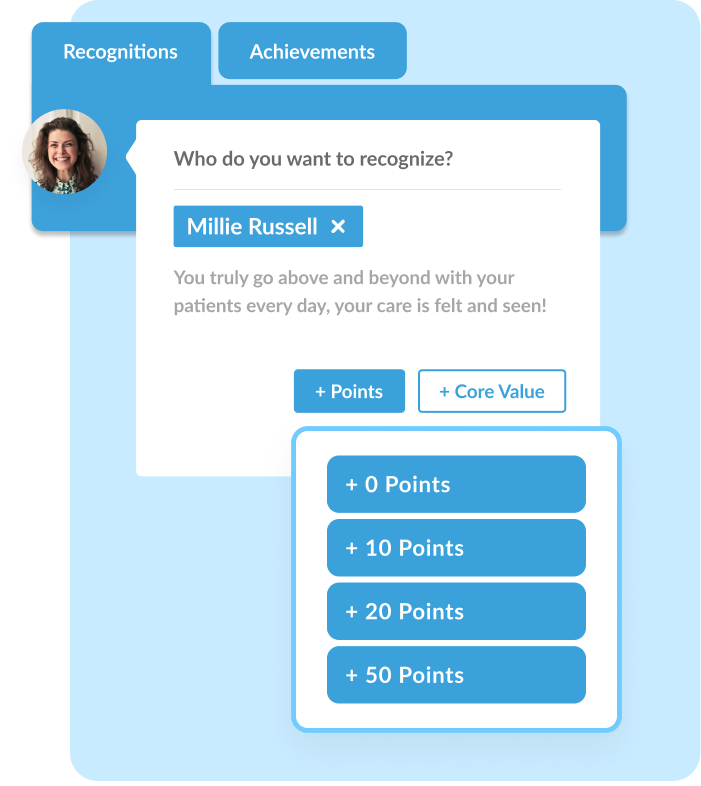
- Decide what types of recognition will be available (peer recognition, manager recognition, milestone awards)
- Determine whether recognitions require points or are zero-point by default
- Choose how points are distributed across roles (employees, managers, admins)
- Set reset rules (monthly, quarterly) and decide whether points roll over or expire
Your Bucketlist onboarding specialist can help you review and refine this strategy so that it aligns with your budget and cultural goals.
Budget and Award Mapping
One of the most critical configuration decisions is how you allocate budget and attach rewards to behaviors. Rather than guessing, Bucketlist provides interactive tools and calculators that help you understand budget implications.
You will decide:
- Which recognition actions should earn points
- How many points they should earn
- Monthly or quarterly budgets by team or user type
- Whether some recognitions remain point-free
Your onboarding specialist reviews your strategy and offers recommendations tailored to norms in your industry and workforce size.
Employee Data and Integrations
Accurate employee data drives access, recognition accuracy, and personalization. At this stage:
- You import employee lists via CSV or connect with your HRIS.
- IT configures single sign-on if desired.
- Slack, Microsoft Teams, and other tools are tested for recognition delivery.
Add or Sync Employees
You cannot launch recognition until your workforce is in the system. Bucketlist supports multiple methods:
- Manual entry for small teams – admins add people one by one
- CSV upload for bulk imports and updates
- HRIS integration for automated employee syncs
Accurate employee profiles matter because information like hire dates and birthdays can power automated awards after launch. Your onboarding specialist will help verify data accuracy before inviting employees.
Light IT involvement ensures the platform works with your existing identity and communication systems without friction.
Configure Roles and Points
Once employees are in the system, you define roles:
- Employee — standard recognition access
- Manager — may have additional recognition power or approval workflows
- Company Admin — full configuration and reporting rights
For each role, determine:
- How many points they can award
- Whether points reset each cycle
- Whether points can carry over

Bucketlist Reward Marketplace Setup
You decide which types of rewards employees can redeem and how flexible redemption will be based on geography and employee preferences.
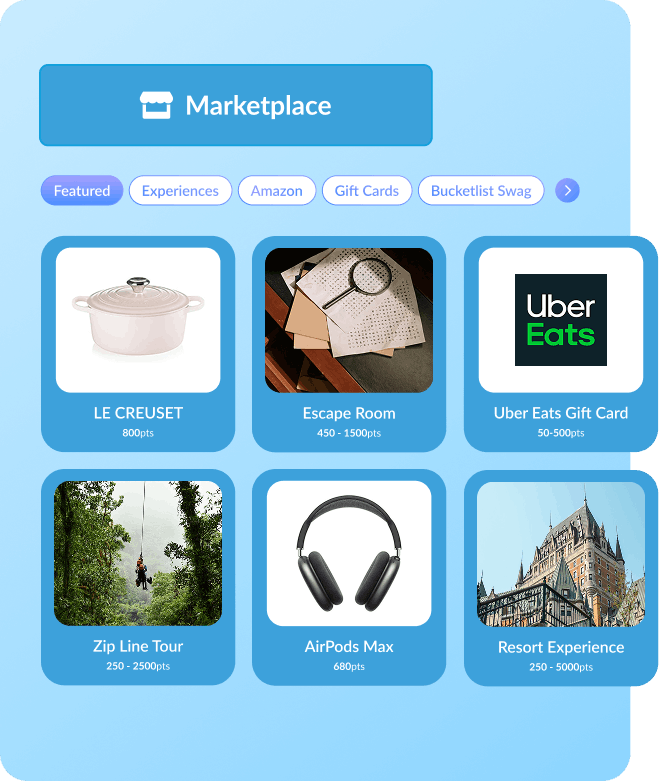
Bucketlist offers thousands of global reward options, including digital gift cards, experiences, donations, and merchandise. Your specialist helps you confirm catalogs that match your workforce.
So, once your points structure is configured, your next step is to prepare the marketplace:
- Choose reward types that are meaningful (digital gift cards, experiences, merchandise, charity options)
- Ensure reward catalogs are enabled for specific regions and currencies
- Add internal reward options (such as lunch with leadership or extra PTO) if desired
Your onboarding specialist reviews marketplace settings to confirm reward availability for your workforce demographics.
Apply Branding and Core Values to Bucketlist
Branding helps your recognition program feel like your company’s experience:
- Set your program name
- Upload your logo
- Configure platform colors
You also tie recognitions to your core values so every praise moment reinforces the behaviors you care about most. Your onboarding specialist can help ensure your values are set up so they appear when someone sends recognition.
Why this matters
Branding makes the program feel familiar and integrated. Values alignment helps make recognition meaningful rather than random.
Recognition should never be generic. If it’s not tied to outcomes, if leaders don’t prioritize it, it won’t drive performance.

Stage 3: Launch Preparation
Preparation before launch ensures you are not merely turning on the Bucketlist Rewards platform but introducing a cultural experience.
Recruiting Internal Ambassadors
Select managers or employees who understand your culture and can model recognition behavior. Ambassadors help share early wins, encourage use, and answer questions.
Communication Planning
Launch communication is more than a single email. You will:
- Use templates to craft launch announcements
- Schedule reminders and announcements across channels
- Create posters or digital banners if needed
- Prepare talking points for leadership reinforcement
- Good communication reduces uncertainty and builds anticipation.
Pre-Launch Training
Training is not limited to HR and admins. Before your launch date, you provide employees and managers with a preview of how to:
- Give recognition
- Redeem rewards
- Navigate the Bucketlist platform
- Use integrations in Slack or Teams
Training can be live, recorded, or hybrid depending on your timeline and audience.
Quality Assurance (QA)
Before inviting employees, you and your onboarding specialist review:
- Award accuracy
- Points behavior
- Integration access
- Employee profiles
QA is intended to catch configuration issues before they impact your launch experience.
Stage 4: Launch and Post-Launch Support
Launch is when employees see your work come to life.
Launch Day Activities
- Send invitations
- Activate integrations
- Turn on social recognition feeds
- Provide launch-day reminders
- Encourage first recognitions
When employees see recognition happening instantly, momentum builds.
Post-Launch Support
Even after launch, you are not alone.
Ongoing support includes:
- Access to customer support channels
- Best practices guidance from your CSM
- Reporting reviews
- For eligible plans, quarterly business reviews that help you show impact and refine strategy
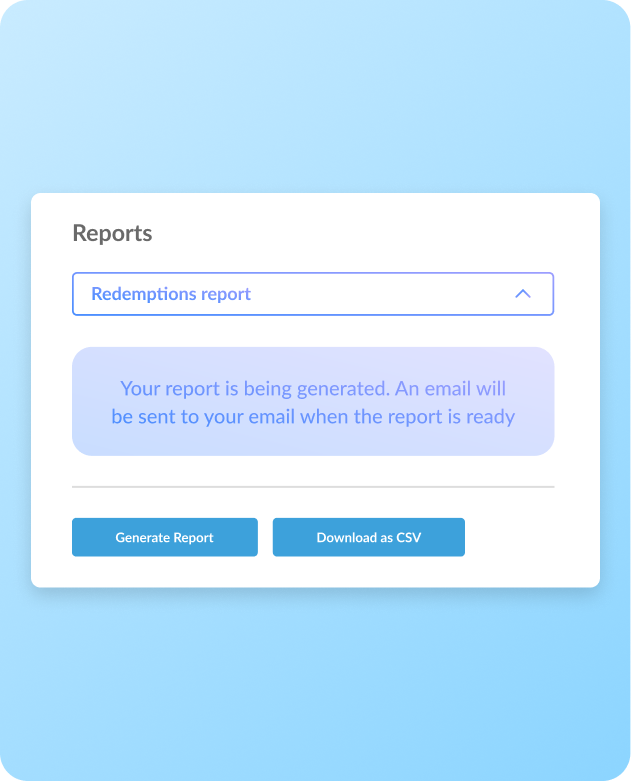
Support after launch helps you adjust and optimize rather than leaving you on your own.
Best Practices for Onboarding with Bucketlist
These practices help ensure your Bucketlist Rewards implementation converts to adoption and ROI.
Start with culture, not screens. Define what good recognition behavior looks like in your company before you begin configuration. That makes setup more intentional.
Get cross-functional alignment early. When HR, IT, and Finance agree on roles and timing, setup goes faster.
Train managers first. Leaders who model recognition help set the tone for broader adoption.
Communicate continuously. Use multiple internal channels and formats so employees know when, why, and how to use the platform.
Validate before inviting. QA prevents surprises that can slow adoption after launch.
Use data to iterate. After launch, dashboards help you see trends, identify gaps, and refine your approach.
Launch Checklist
- Align stakeholders and success metrics
- Assign Company Admins
- Define points and budget strategy
- Import employee data and configure integrations
- Customize reward marketplace
- Recruit ambassadors
- Build communications
- Train employees and managers
- Validate end-to-end experience
- Launch invitations and user access
- Monitor adoption and optimize
Where to Find More Detailed Guidance
Bucketlist’s help center includes step-by-step guides on:
- User provisioning and HRIS sync
- Slack and Teams integration
- Points budgets and award configuration
- Reporting and dashboards
These articles support you beyond the onboarding framework.
Final Notes
Bucketlist’s onboarding process is built on a structured journey that prioritizes meaning, usability, and adoption. A clear rollout plan, defined roles, thoughtful communication, and validation before launch all contribute to adoption success. Most organizations complete implementation in 6 to 10 weeks while requiring limited internal time outside of key decision points. Get started with Bucketlist Rewards.
FAQs
How long does Bucketlist Rewards onboarding take?
Onboarding typically runs 6 to 10 weeks, depending on your organization’s size, integrations, and internal availability. The process is structured across multiple stages so work is spread out rather than front-loaded.
How much time does Bucketlist onboarding require from my team?
Most organizations spend 8 to 16 total hours across the full onboarding period. Time is usually shared between HR, IT, and Finance, with HR owning the majority of setup and decision making.
Who from my organization needs to be involved in my Bucketlist onboarding and implementation?
You will usually need
- An HR or People leader to act as program owner
- One or two Company Admins for configuration and training
- Light involvement from IT for HRIS, SSO, or integrations
- Optional involvement from Finance for budget alignment
- Bucketlist assigns a dedicated onboarding specialist to guide the process.
Do we need IT support to implement Bucketlist?
IT involvement is only required if you choose to set up HRIS integrations, single sign-on, or communication tools like Slack or Microsoft Teams. For organizations without these requirements, onboarding can be handled primarily by HR.
What happens during Bucketlist admin training?
Admin training teaches your internal program owners how to:
- Configure recognition and awards
- Manage points and budgets
- Approve nominations if applicable
- Run reports and review activity
Training is delivered through on-demand content that admins can revisit as needed.
Can we customize our rewards and recognition programs during Bucketlist onboarding?
Yes. During onboarding, you work with your onboarding specialist to:
- Define recognition types and award categories
- Decide which actions are rewardable
- Configure points budgets and approval workflows
- Select reward options for your marketplace
Customization happens before launch and is validated during quality assurance.
When do my employees get access to the Bucketlist platform?
Employees receive access at launch, after setup, training, and quality assurance are complete. This ensures the first experience is smooth and that rewards, recognition, and integrations work as expected.
What training do employees receive before our Bucketlist launch?
Employee training may include:
- Live training sessions
- Recorded walkthroughs
- Written guides or FAQs
- Manager-led introductions
The goal is to ensure employees know how to give recognition, redeem rewards, and access support from day one.
What Bucketlist support is available after launch?
After launch, you continue to have access to:
- Customer support
- Help center documentation
- Guidance on program adjustments
- For eligible plans, quarterly business reviews
Support continues so you can refine your program as participation patterns emerge.
Can we change our Bucketlist employee recognition or rewards program after launch?
Yes. Recognition programs often evolve. You can adjust awards, budgets, communications, and recognition strategies after launch with guidance from the Bucketlist team.