
ActivTrak Review: Pros, Cons, Features & Pricing


Chances are you’re feeling the pressure of trying to understand how your team actually works day-to-day — without micromanaging, without guesswork, and without relying on gut feelings that aren’t always reliable. Maybe you’ve tried time-tracking tools that felt clunky, or analytics dashboards that gave you data but no real insight. Or maybe you’re just tired of wondering whether your team is overloaded, underutilized, or quietly burning out behind the scenes. You want clarity. You want fairness. And you want a tool that actually helps you lead smarter.
That's where ActivTrak enters the conversation. In this in-depth review, I’ll walk you through the pros, cons, features, and use cases of ActivTrak so you can decide with confidence whether it’s the right workforce analytics solution for your team.
ActivTrak Evaluation Summary

- From $10/user/month (billed annually)
- 14-day free trial + free plan + free demo available
Why Trust Our Software Reviews
ActivTrak Overview
ActivTrak provides privacy-focused workforce analytics that analyze productivity, engagement, and resource use without keyboard tracking or email monitoring. You will get real-time visibility into employee activities, AI-powered performance analytics, and capacity planning tools for hybrid teams.
pros
-
Scales easily with flexible tiered pricing and free plan.
-
AI-powered insights help you discover productivity trends and burnout concerns, allowing for more effective coaching and planning.
-
To secure employee data, ActivTrak does not collect keystrokes, monitor emails, record videos, or track personal devices.
cons
-
Integration with HRIS systems are paid add-ons.
-
Lacks deep task context beyond surface-level activity data.
-
ActivTrak’s vast data might be overwhelming, making it difficult to quickly discover the most useful insights.
Is ActivTrak Right For Your Needs?
Who Would be a Good Fit for ActivTrak?
ActiveTrak is a solid choice if you need a privacy-conscious, data-rich workforce analytics tool that helps manage productivity across remote, hybrid, and onsite teams. It’s especially useful when you want to balance employee engagement with operational efficiency in complex environments demanding granular insights to optimize resources and workforce planning.
-
BPO, Call Centers, and Professional Services
Firms that rely on billable hours and need accurate time, activity, and utilization data to protect margins.
-
HR Departments
ActivTrak provides valuable data to help you understand and improve employee engagement.
-
Retail and Ecommerce Businesses
Looking to improve labor allocation, staffing levels, and operational efficiency across stores or support centers.
-
Remote Teams
With accurate activity tracking, you can effectively monitor and support your remote workforce.
-
Financial Services and Insurance
Organizations that monitor activity for compliance while maintaining strong privacy controls.
-
Technology and Software Companies
Managing distributed development and support teams that need detailed productivity and focus-time insights.
Who Would be a Bad Fit for ActivTrak?
ActivTrak is generally not a strong fit for organizations that lack the resources to manage setup and data interpretation, such as very small startups, or for businesses that only need basic time tracking without deeper analytics. It also falls short for industries where most work happens away from computers, like manufacturing or field operations, since its insights depend on digital activity. Companies that require strictly on-premise deployment, or those looking for built-in project or task management capabilities, may also find that ActivTrak doesn’t align with their technical or workflow requirements.
-
Project Management-Centric Firms
Teams that require integrated task or project management capabilities alongside monitoring, which ActivTrak does not offer.
-
On-Premise Deployment Only
Organizations that require strictly on-premise solutions instead of cloud-based platforms.
-
Manufacturing & Field Work
ActivTrak’s desktop-based monitoring won’t capture the non-digital productivity associated with these industries.
-
Basic Employee Monitoring Needs
Businesses seeking only simple time tracking or minimal employee oversight without detailed insights.
-
Small Startups
Without dedicated IT or HR personnel to manage setup and ongoing data analysis, ActiveTrak’s complexity can be a barrier.
-
Creative Agencies
The detailed tracking might limit your team's creative freedom and flexibility.
How We Test & Score Our Tools
We’ve spent years building, refining, and improving our software testing and scoring system. The rubric is designed to capture the nuances of software selection and what makes a tool effective, focusing on critical aspects of the decision-making process.
Below, you can see exactly how our testing and scoring works across seven criteria. It allows us to provide an unbiased evaluation of the software based on core functionality, standout features, ease of use, onboarding, customer support, integrations, customer reviews, and value for money.
Core Functionality (25% of final score)
The starting point of our evaluation is always the core functionality of the tool. Does it have the basic features and functions that a user would expect to see? Are any of those core features locked to higher-tiered pricing plans? At its core, we expect a tool to stand up against the baseline capabilities of its competitors.
Standout Features (25% of final score)
Next, we evaluate uncommon standout features that go above and beyond the core functionality typically found in tools of its kind. A high score reflects specialized or unique features that make the product faster, more efficient, or offer additional value to the user.
We also evaluate how easy it is to integrate with other tools typically found in the tech stack to expand the functionality and utility of the software. Tools offering plentiful native integrations, 3rd party connections, and API access to build custom integrations score best.
Ease of Use (10% of final score)
We consider how quick and easy it is to execute the tasks defined in the core functionality using the tool. High scoring software is well designed, intuitive to use, offers mobile apps, provides templates, and makes relatively complex tasks seem simple.
Onboarding (10% of final score)
We know how important rapid team adoption is for a new platform, so we evaluate how easy it is to learn and use a tool with minimal training. We evaluate how quickly a team member can get set up and start using the tool with no experience. High scoring solutions indicate little or no support is required.
Customer Support (10% of final score)
We review how quick and easy it is to get unstuck and find help by phone, live chat, or knowledge base. Tools and companies that provide real-time support score best, while chatbots score worst.
Customer Reviews (10% of final score)
Beyond our own testing and evaluation, we consider the net promoter score from current and past customers. We review their likelihood, given the option, to choose the tool again for the core functionality. A high scoring software reflects a high net promoter score from current or past customers.
Value for Money (10% of final score)
Lastly, in consideration of all the other criteria, we review the average price of entry level plans against the core features and consider the value of the other evaluation criteria. Software that delivers more, for less, will score higher.
Core Features
Employee Productivity Monitoring
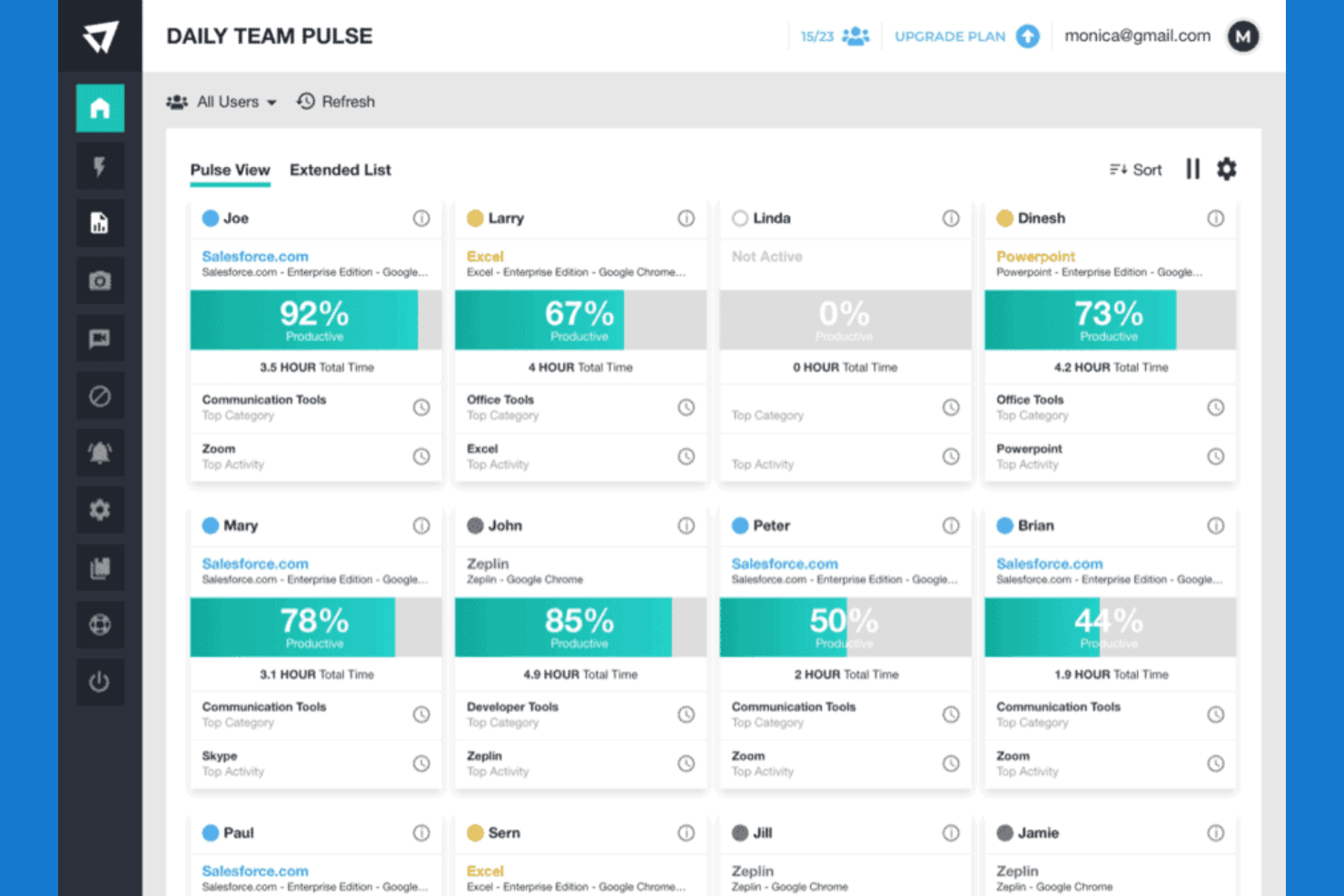
ActivTrak provides real-time visibility into individual and team activity, categorizing time as productive, unproductive, or undefined to help you understand how work hours are spent across devices and applications. This enables precise tracking without intrusive practices like keystroke logging or email monitoring.
Time Tracking and Auditing
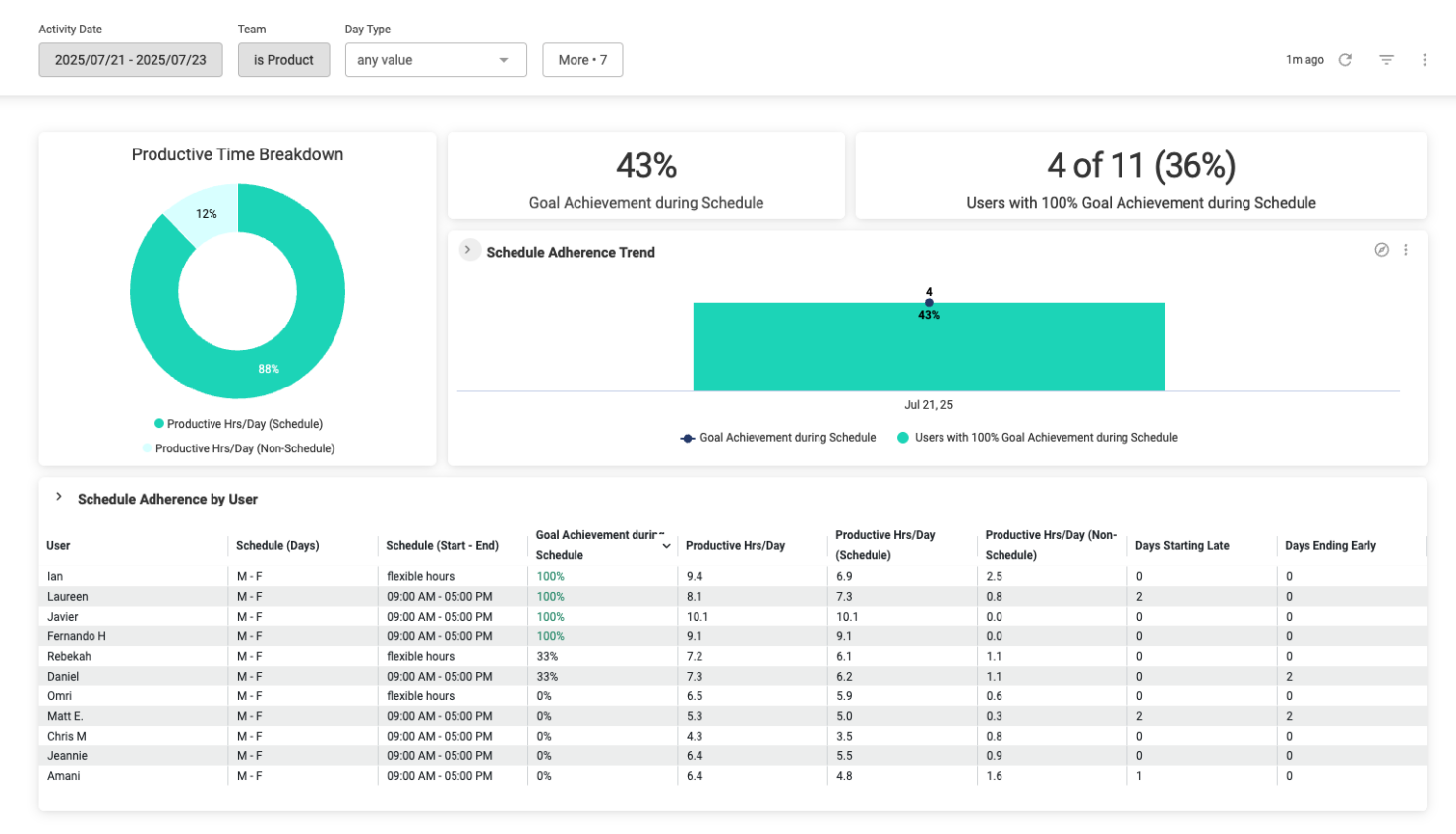
The platform offers detailed time tracking with auditing capabilities, including monitoring schedule adherence, work hours by location, and contractor hour verification, ensuring accuracy and compliance for payroll and billing purposes.
AI-Powered Performance Optimization
ActivTrak leverages AI-driven analytics to detect productivity trends, identify burnout risks, and recommend coaching opportunities, helping managers make data-informed decisions to optimize workforce performance proactively.
Workforce Capacity and Headcount Planning
It allows you to assess workload capacity and resource allocation needs, enabling strategic staffing decisions based on actual data trends rather than assumptions or historical habits.
Technology Usage Tracking
ActivTrak monitors software and hardware utilization to identify unused licenses and technology assets, supporting cost reductions by eliminating unnecessary IT expenditures.
User Behavior Analytics
Analyze how your team interacts with applications and websites. This insight helps you optimize workflows and improve productivity.
Standout Features
Privacy-First Design
ActivTrak is built with a strong emphasis on employee privacy, excluding intrusive methods such as keystroke logging, email monitoring, video recording, or personal device tracking. This design balances productivity monitoring with respect for individual privacy, helping companies maintain trust and comply with privacy regulations.
Advanced Schedule and Privacy Adherence
Beyond basic time tracking, ActivTrak offers sophisticated schedule and policy adherence monitoring, allowing you to track attendance patterns, contractor billing accuracy, and compliance with workplace policies. This feature supports operational consistency and accountability in diverse working environments.
Ease of Use
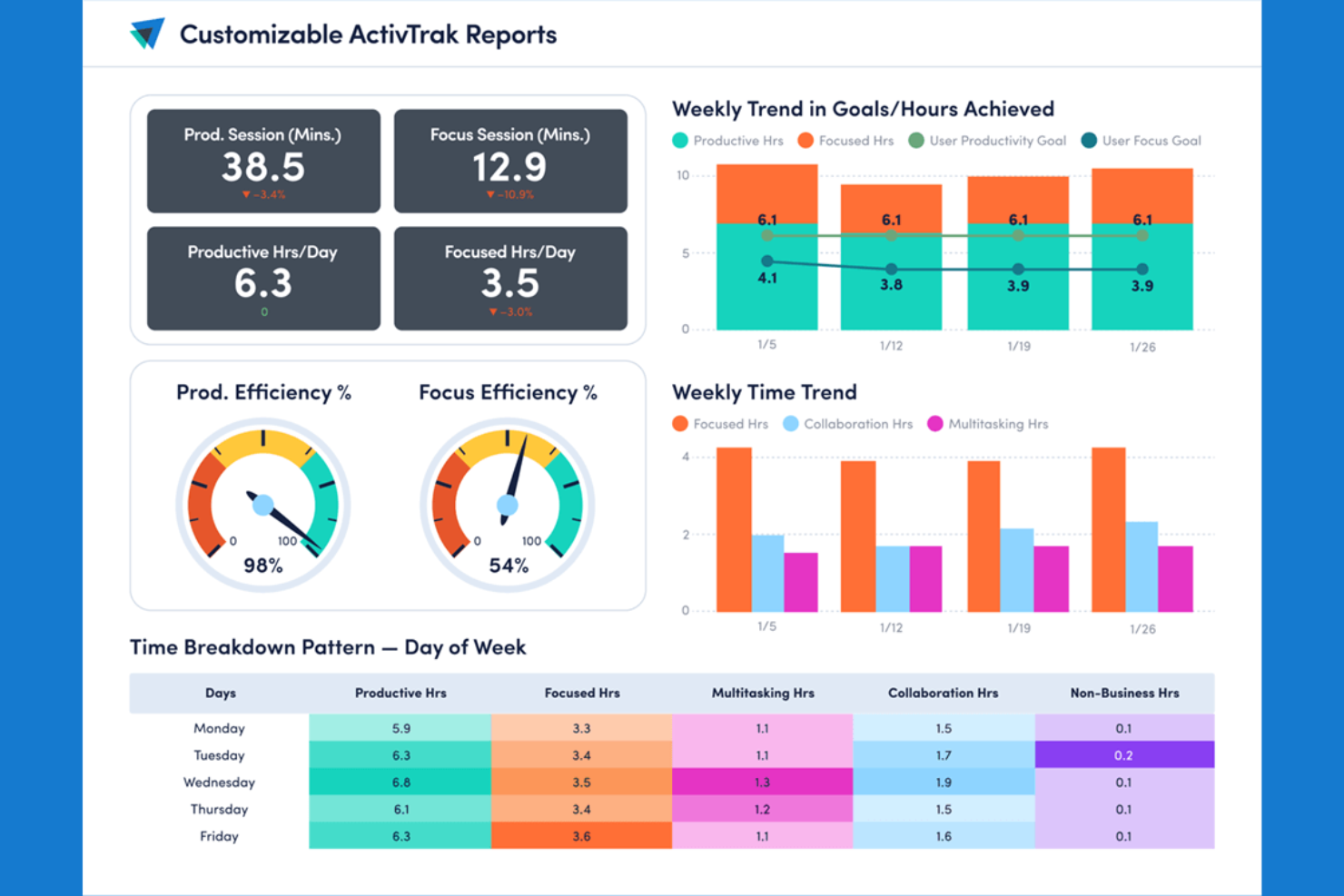
ActivTrak looks clean and simple at first glance, but new users may find themselves overwhelmed with data points and configuration options right after login. You’ll need a few weeks to get comfortable with the more complex dashboards and AI features. Once you get the hang of it, you’ll love being able to tailor dashboards to your needs and pinpoint exactly where your team is crushing it or having a hard time.
Onboarding
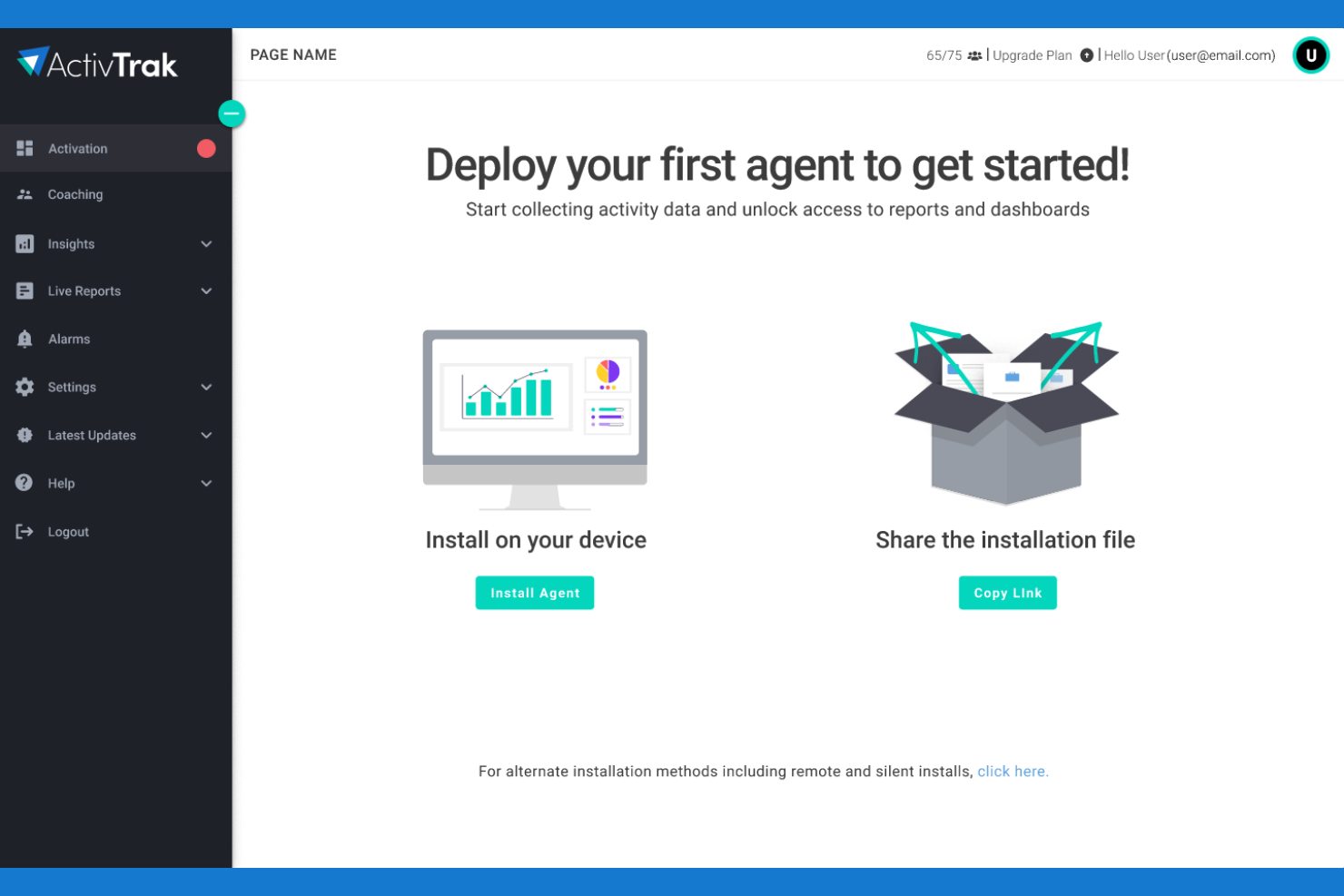
The ActivTrak onboarding approach includes automated setup wizards, thorough documentation, and guided walkthroughs to enable new users to quickly install tracking and reporting. Larger enterprises or complicated installations might benefit from one-on-one onboarding assistance and customer success resources to guarantee an easy integration and faster returns. However, some customers find it difficult to configure their firewalls and security systems without IT support.
Customer Support
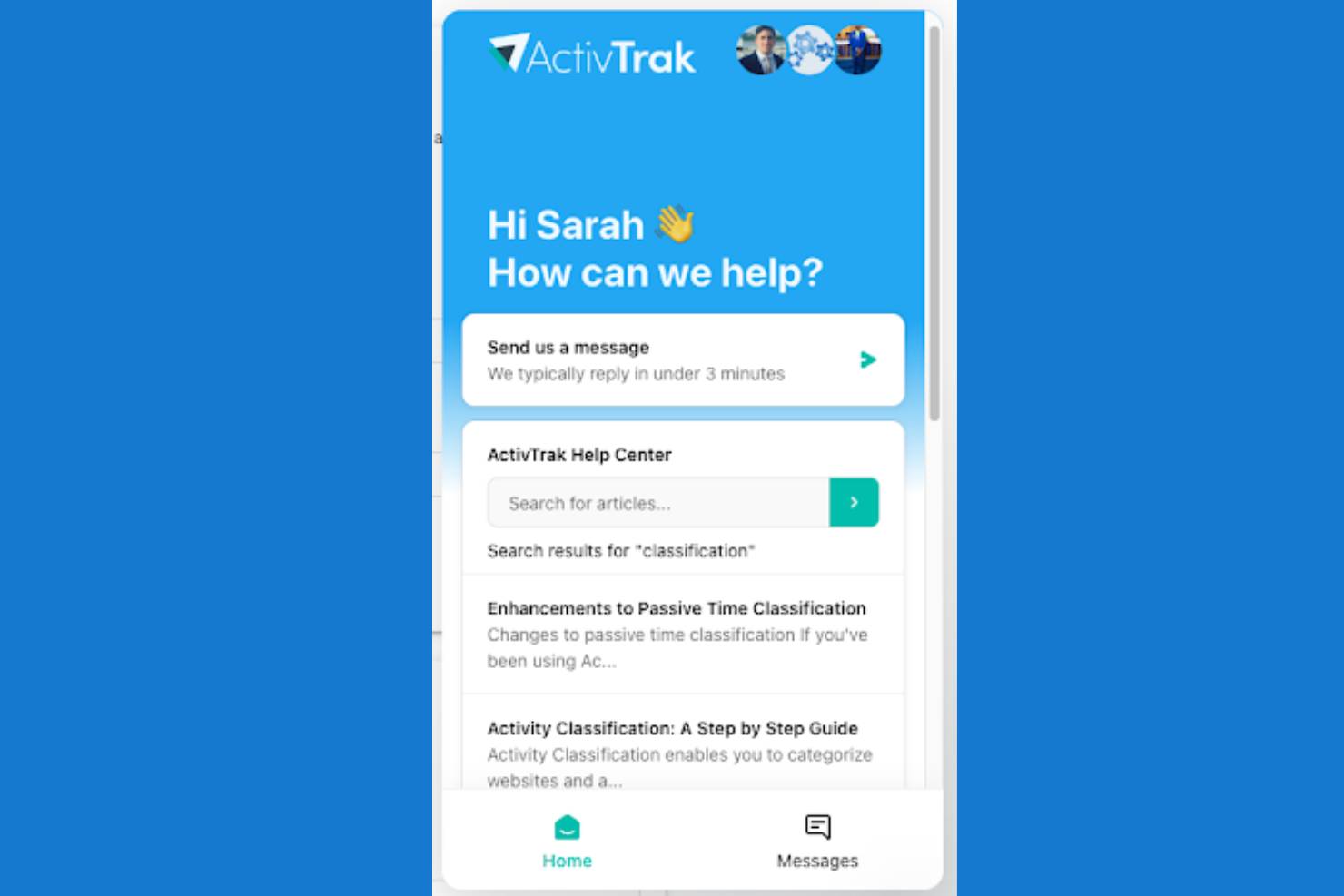
You can reach ActivTrak’s support team via email, live chat, or phone during business hours, with additional self-service options through their knowledge base and community forums. The help center’s step-by-step guides and FAQs are also useful—you can troubleshoot most technical hiccups yourself without sitting in a support queue. Enterprise clients actually get what they pay for: dedicated account managers who cut through red tape when systems crash or urgent problems pop up.
Integrations
Integrations include popular platforms such as Power BI, Entra ID (formerly Azure AD), Salesforce, ServiceNow, Zendesk, Outlook, and Workday, enabling simple data flow between ActivTrak and your existing business systems. Additionally, ActivTrack offers the ActivConnect API, allowing you to customize integrations and automate workflows to fit your organizational needs, making it flexible for diverse IT environments.

Value for Money
ActivTrak uses a tiered, per-user subscription model that scales by more advanced capabilities as you move up each plan. The structure makes it easy for small teams to start free, while offering strong value for growing companies and enterprises that need richer insights, automation, and operational visibility without paying for features they don’t use. Custom setups and enterprise plans are also available if you contact their enterprise solutions team.
- Free: Basic activity visibility and simple time tracking, offering core monitoring and limited data history for up to three users.
- Essentials: Adds meeting tracking, alerts, and organizational performance insights with expanded data history and unlimited users.
- Essentials Plus: Introduces productivity goal-tracking, exception reporting, and work-location visibility for more advanced operational insight.
- Professional: Layers in team performance, capacity planning, and activity alignment tools, along with the longest included data history for full-scale workforce analytics.

ActivTrak Specs
- A/B Testing
- AI Integration
- Analytics
- API
- Comparative Reporting
- Conversion Tracking
- Custom Reports
- Dashboard
- Dashboards
- Data Export
- Data Import
- Data Mining
- Data Visualization
- External Integrations
- Feedback Management
- Forecasting
- Historical Data Analysis
- Keyword Tracking
- Link Tracking
- Multi-Site
- Multi-User
- Notifications
- Process Reporting
- Real-time Alerts
- Referral Tracking
- Reports
- Scenario Planning
- SEO
- Time Series Modeling
- Visualization
- Workflow Management
Partner Spotlight: Stories From ActivTrak
How Companies Use ActivTrak To Recapture Millions in Lost Value


Top 3 Workforce Issues That Are Easy to Misdiagnose

ActivTrak FAQs
What business challenges does ActivTrak’s workforce analytics solve?
How easy is it to deploy ActivTrak?
Can employees see their data?
How is ActivTrak different from employee surveillance tools?
What makes ActivTrak different from its competitors?
How does ActivTrak measure and help improve productivity?
What kind of support does ActivTrak offer?
How does ActivTrak protect sensitive employee data and support compliance?
How accurate is ActivTrak’s time tracking?
Does ActivTrak support hybrid or remote teams?
How long does it take to see results with ActivTrak?
ActivTrak Company Overview & History
ActivTrak, founded in 2009 by Herb Axilrod and Anton Seidler in Dallas, Texas (now headquartered in Austin), develops privacy-first workforce analytics software used by organizations worldwide to track productivity, engagement, and resource utilization without invasive monitoring. Backed by Sapphire Ventures and Elsewhere Partners, the company has grown rapidly through AI-powered insights and hybrid work solutions, earning recognition on Deloitte’s Technology Fast 500 and maintaining SOC 2 compliance.
- 2009: Founded by Herb Axilrod and Anton Seidler as Birch Grove Software in Dallas, Texas.
- 2012: Launched first on-demand software product.
- 2015: Introduced full workforce analytics platform.
- 2019: Raised $20M Series A from Elsewhere Partners; Rita Selvaggi became CEO; achieved 60% YoY revenue growth.
- 2020: Secured $50M Series B led by Sapphire Ventures (total funding $77.5M); 140% YoY revenue growth; launched ActivTrak Productivity Lab.
- 2021: Surpassed 550,000 users; launched ActivTrak Premium, Coach, and Google Cloud Marketplace integration; 100% enterprise revenue growth.
- 2024: Ranked No. 468 on Deloitte Technology Fast 500 for fastest-growing tech companies.