


Collage HR Review: Pros, Cons, Features, and Pricing Explained


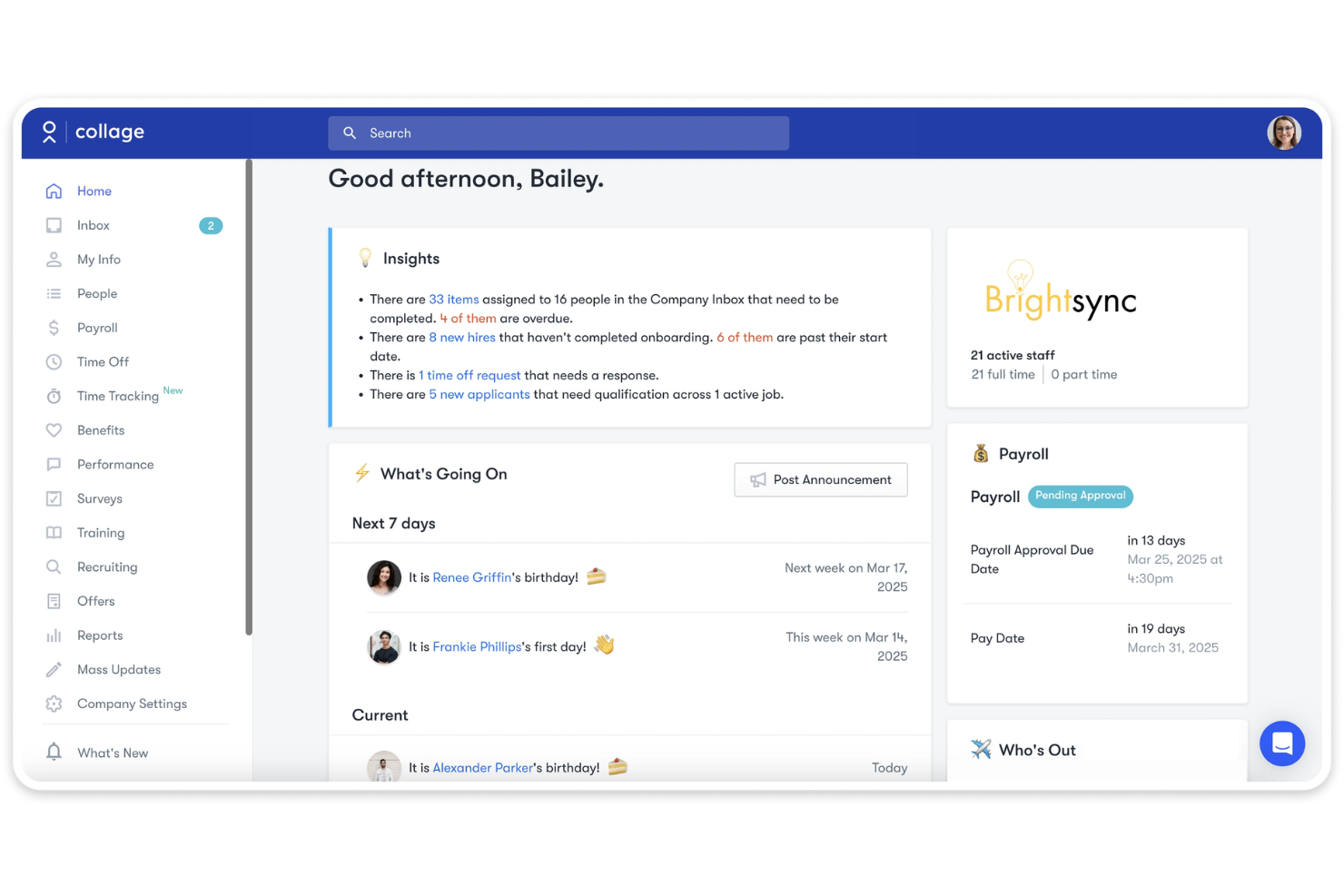
Collage HR is an HR software built for small to mid-sized businesses that need to manage core people operations—hiring, onboarding, payroll, benefits, and time tracking—in one place. It's worth a close look if you're outgrowing spreadsheets but aren't ready for the complexity of a platform like Workday. Where Collage HR pulls ahead is its focus on Canadian employers specifically, with built-in payroll compliance and benefits administration designed for the Canadian market rather than bolted on as an afterthought.
Collage HR Evaluation Summary
- From $8/user/month
- Free demo available
Why Trust Our Software Recommendations
Our team has been testing and reviewing software since 2012. As HR experts ourselves, we know how difficult—and important—it is to choose the right software.
For this guide, we evaluated tools using hands-on testing and independent research, scoring tools using our selection criteria. We also draw on insights from industry thought leaders and practicing HR experts.
Our reviews reflect our human editorial judgment, not a sales pitch.
Expert reviewers:
Collage HR Overview
If you're judging Collage HR against other HR software, you'll notice its clean user interface and Canadian compliance tools set it apart for local businesses. Pricing is transparent, and onboarding is quick—even for teams new to digital HR. While its integrations and advanced analytics aren't as deep as some competitors, support is responsive and the core functionality covers payroll, benefits, and document management well. Collage HR is best for small to midsize Canadian companies who want straightforward HR tools without the complexity or cost of larger platforms.
pros
-
Centralizes HR, payroll, and benefits in one platform
-
Canadian compliance tools are built-in and regularly updated
-
Responsive customer support with HR guidance included
cons
-
Reporting and analytics features are less advanced than others
-
Limited integrations with third-party business tools
-
Lacks advanced workflow automation for complex HR processes
Is Collage HR Right For Your Needs?
Who Would be a Good Fit for Collage HR?
Collage HR is a strong choice for Canadian businesses that want a centralized HR platform with built-in compliance and payroll. It's especially well-suited for small business owners, medium-sized businesses, nonprofits, and organizations with straightforward human resources needs. Teams that value responsive support and need to manage benefits, onboarding, and employee profiles in one place will find Collage HR practical and reliable. If you're looking for a solution that's easy to roll out and keeps you compliant with Canadian regulations, Collage HR is worth considering.
-
Canadian SMBs
Collage HR's compliance tools and payroll features are tailored for Canadian small and midsize businesses.
-
Nonprofit Organizations
Nonprofits benefit from Collage HR's affordable pricing and simple benefits management.
-
HR Departments
HR teams can centralize employee profiles, onboarding, and document management.
-
Remote Teams
Remote teams in Canada can use Collage HR's digital onboarding and self-service features.
-
Professional Services
Firms with straightforward HR needs can automate payroll and benefits easily.
-
Growing Startups
Startups scaling in Canada get quick onboarding and compliance support.
Who Would be a Bad Fit for Collage HR?
Collage HR isn't the best fit for large enterprises, global companies, or organizations with complex HR workflows. If your business relies on deep integrations, advanced analytics, or operates outside Canada, you'll likely find Collage HR's functionality limiting. Companies needing highly customizable workflows or industry-specific compliance may also want to look elsewhere. Collage HR is best for those who want simplicity and Canadian focus, not for those with global or highly specialized needs.
-
Large Enterprises
Collage HR lacks the advanced features and scalability large enterprises require.
-
Global Companies
International businesses won't find support for non-Canadian payroll or compliance.
-
Tech Startups
Tech startups needing deep integrations with other SaaS tools will be limited.
-
Manufacturing Firms
Manufacturers with complex scheduling or union requirements may find features lacking.
-
Healthcare Organizations
Healthcare teams needing industry-specific compliance and workflows won't be fully supported.
-
HR Analytics Teams
Teams focused on advanced analytics and custom reporting will find reporting tools basic.
How We Test & Score Our Tools
We’ve spent years building, refining, and improving our software testing and scoring system. The rubric is designed to capture the nuances of software selection and what makes a tool effective, focusing on critical aspects of the decision-making process.
Below, you can see exactly how our testing and scoring works across seven criteria. It allows us to provide an unbiased evaluation of the software based on core functionality, standout features, ease of use, onboarding, customer support, integrations, customer reviews, and value for money.
Core Functionality (25% of final score)
The starting point of our evaluation is always the core functionality of the tool. Does it have the basic features and functions that a user would expect to see? Are any of those core features locked to higher-tiered pricing plans? At its core, we expect a tool to stand up against the baseline capabilities of its competitors.
Standout Features (25% of final score)
Next, we evaluate uncommon standout features that go above and beyond the core functionality typically found in tools of its kind. A high score reflects specialized or unique features that make the product faster, more efficient, or offer additional value to the user.
We also evaluate how easy it is to integrate with other tools typically found in the tech stack to expand the functionality and utility of the software. Tools offering plentiful native integrations, 3rd party connections, and API access to build custom integrations score best.
Ease of Use (10% of final score)
We consider how quick and easy it is to execute the tasks defined in the core functionality using the tool. High scoring software is well designed, intuitive to use, offers mobile apps, provides templates, and makes relatively complex tasks seem simple.
Onboarding (10% of final score)
We know how important rapid team adoption is for a new platform, so we evaluate how easy it is to learn and use a tool with minimal training. We evaluate how quickly a team member can get set up and start using the tool with no experience. High scoring solutions indicate little or no support is required.
Customer Support (10% of final score)
We review how quick and easy it is to get unstuck and find help by phone, live chat, or knowledge base. Tools and companies that provide real-time support score best, while chatbots score worst.
Customer Reviews (10% of final score)
Beyond our own testing and evaluation, we consider the net promoter score from current and past customers. We review their likelihood, given the option, to choose the tool again for the core functionality. A high scoring software reflects a high net promoter score from current or past customers.
Value for Money (10% of final score)
Lastly, in consideration of all the other criteria, we review the average price of entry level plans against the core features and consider the value of the other evaluation criteria. Software that delivers more, for less, will score higher.
Core Features
HRIS
Centralizes employee records, documents, and HR data in one secure platform. Supports automated workflows to eliminate manual spreadsheets.
Payroll Management
Runs Canadian payroll with automatic syncing of timesheets and time off. Handles tax calculations, direct deposits, and year-end reporting.
Benefits Administration
Manages employee benefits enrollment and updates in one place. Syncs benefits data with providers to reduce manual entry.
Applicant Tracking System
Streamlines recruiting with AI-enabled tools for posting jobs and tracking candidates. Supports collaborative hiring and automated candidate communication.
Employee Onboarding
Automates onboarding workflows, sending forms and tasks to new hires. Securely stores signed documents and tracks completion progress.
Performance Management
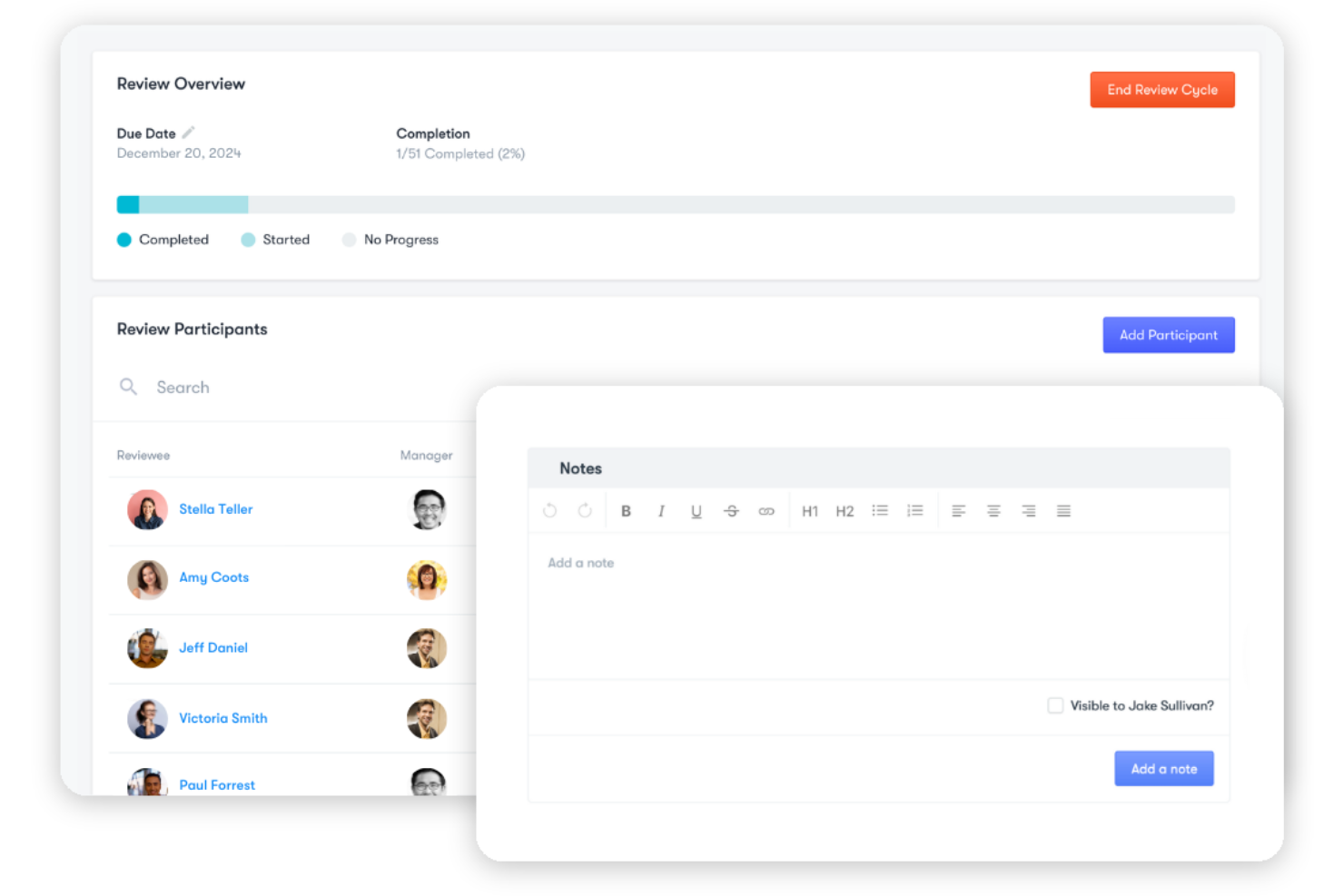
Supports performance reviews with review templates and feedback tools. Enables managers to set goals and document employee achievements.
Standout Features
Built-In Canadian Compliance
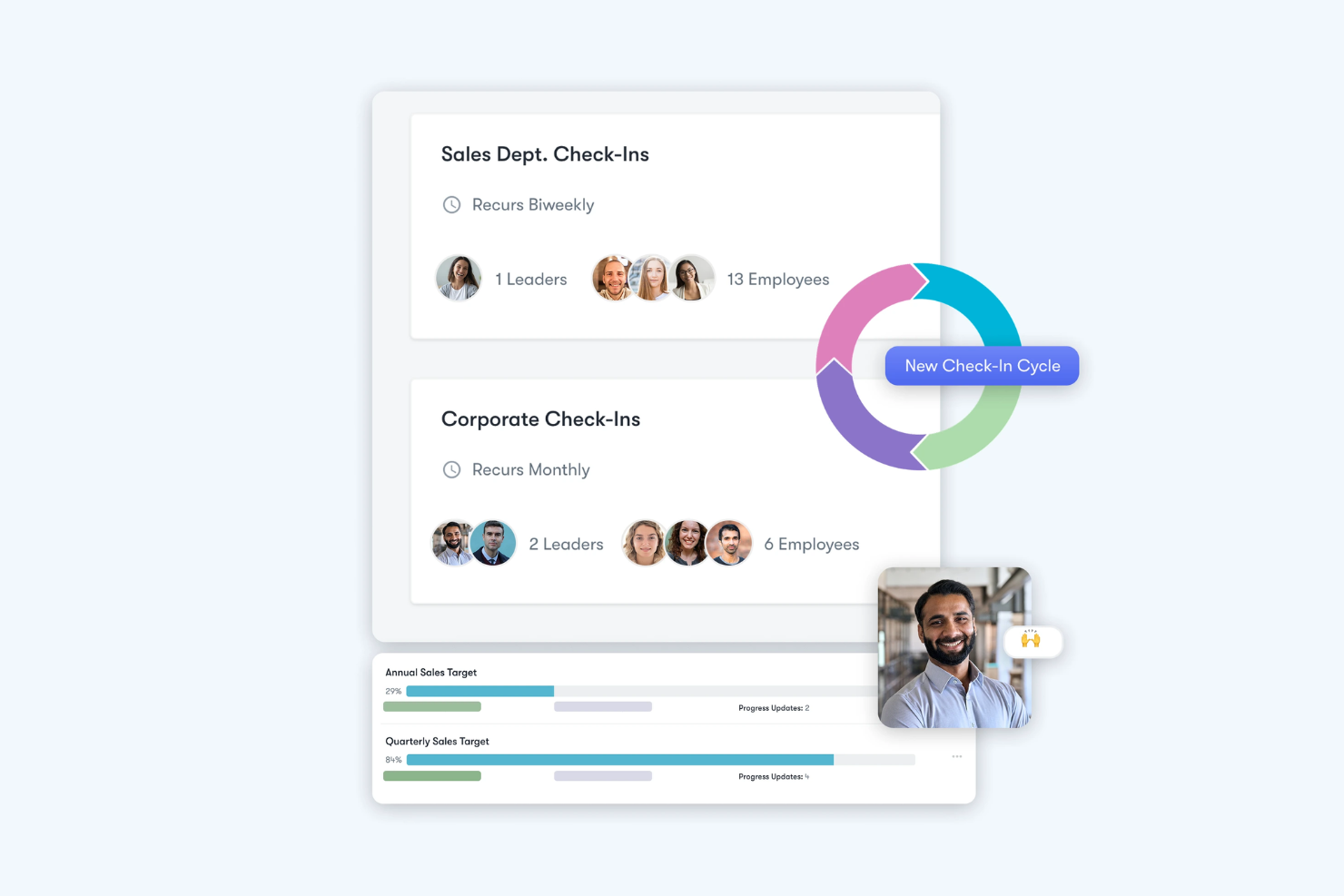
Collage HR automatically updates policies and documents to reflect Canadian employment law changes. This helps HR teams stay compliant without manual research or legal guesswork.
HR Advisory Support
Users get access to certified HR professionals for guidance on policies, documentation, and employee issues. This support is included with the platform, saving time for HR teams.
Ease of Use
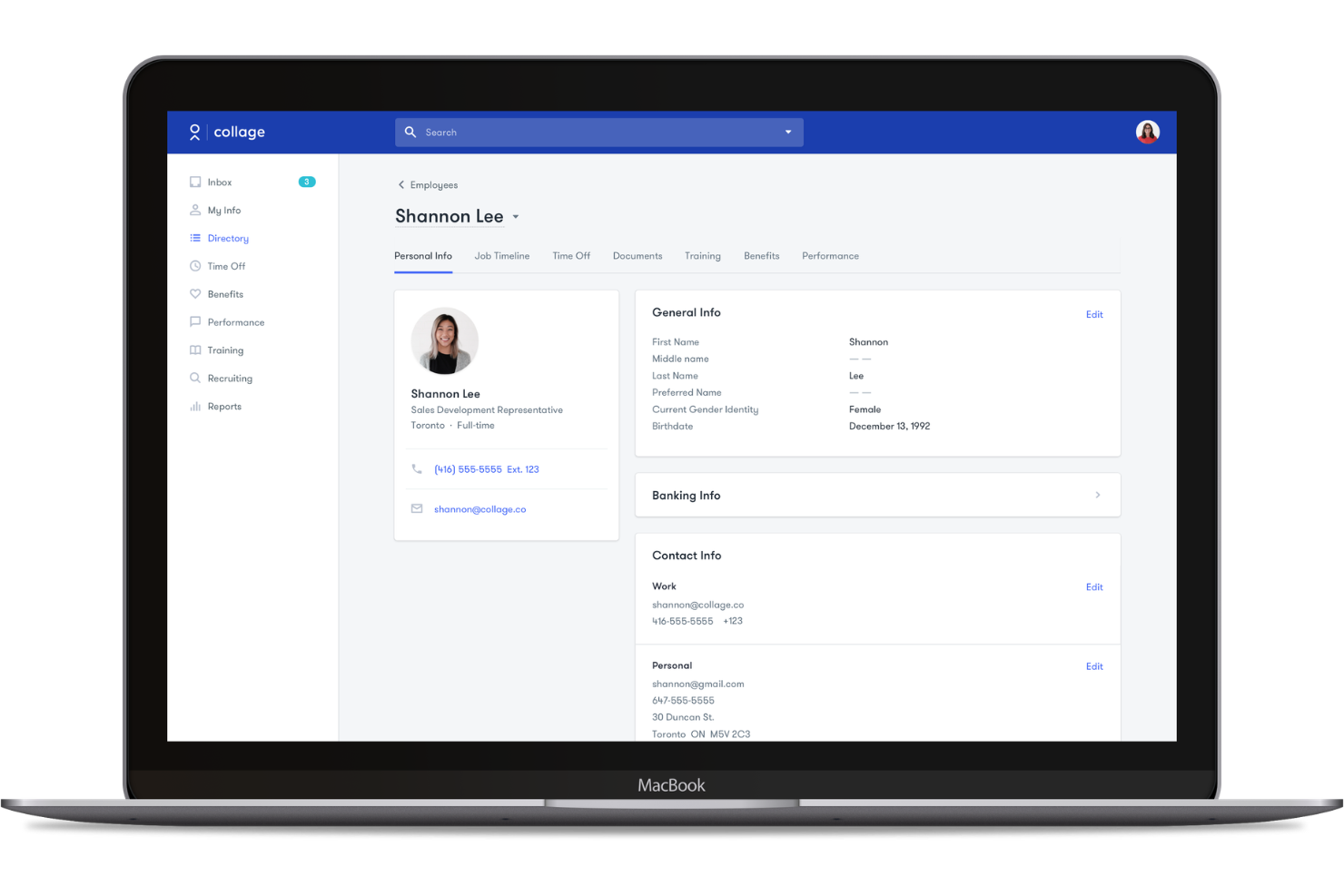
Collage HR is easy to navigate, with a clean user interface and intuitive menus that make daily HR tasks straightforward. User reviews consistently highlight how quickly teams can onboard new employees and manage payroll without extra training. The platform's self-service features—like digital document signing, time-off requests, and benefits enrollment—reduce back-and-forth for HR teams. Collage HR's focus on simplicity makes it a strong choice for teams that want to avoid complexity and get up and running fast.
Onboarding
Collage HR's onboarding process is quick and well-supported, with guided setup steps and clear checklists for new users. Many users highlight the responsive customer support and access to HR advisors during implementation, which helps teams get answers fast. The platform provides helpful resources like video tutorials and documentation, making it easy to import employee data and launch core HR functions. Most teams will see value within days, not weeks, of getting started.
Customer Support
Collage HR stands out for its responsive and knowledgeable customer support, with users frequently praising the quick turnaround on questions and issues. Support is available through chat, email, and phone, and includes access to certified HR advisors for policy and compliance guidance. This level of hands-on assistance is a real advantage, especially for smaller teams that may not have in-house human resources expertise. The support team's proactive approach helps users resolve problems before they escalate.
Integrations
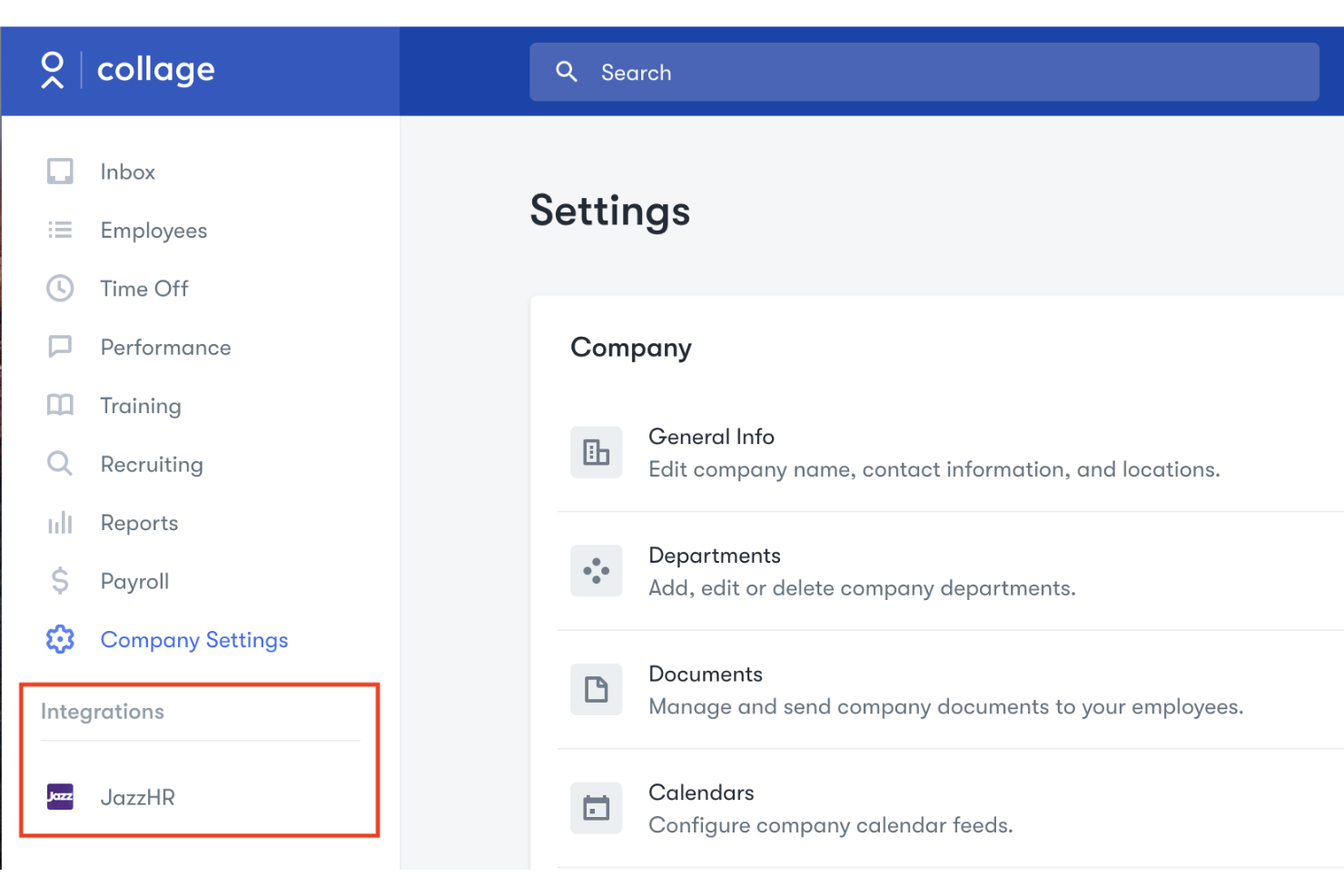
Collage HR integrates with JazzHR, Google Workspace, Okta, Slack, Zapier, and Indeed, among others.
Collage HR offers an API solely to connect with third-party integration tools.
Value for Money
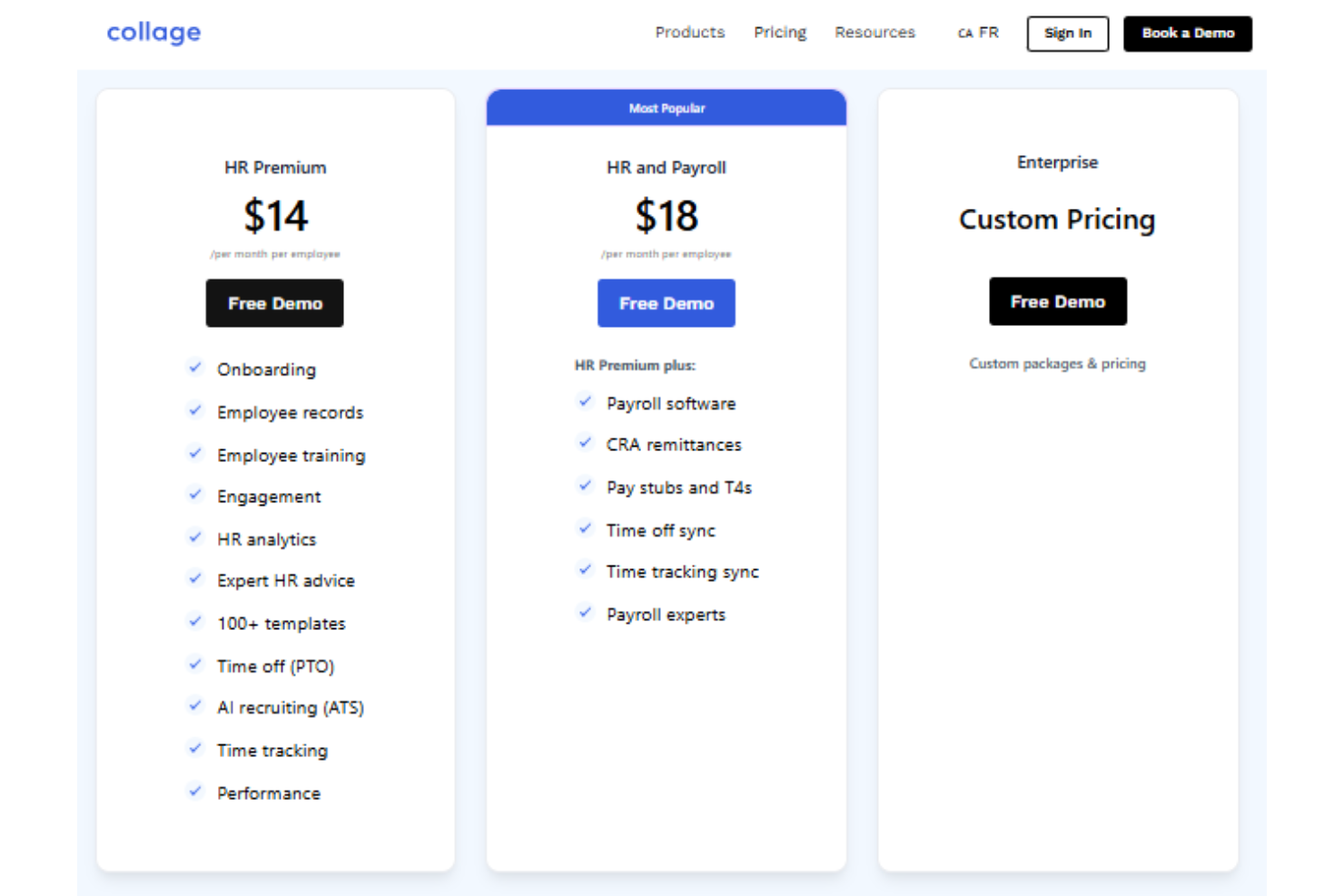
Collage HR offers transparent per-employee pricing, making it easy for Canadian businesses to understand costs upfront. The plans bundle HR and payroll features with built-in compliance support and expert HR advice—a genuine value-add for teams without a dedicated human resources department. Overall, the pricing is clear and scalable, with options suited for growing teams and larger organizations.
- HR Premium: Includes onboarding, employee records, training, employee engagement, and HR advice.
- HR and Payroll: Adds payroll software, tax filings, pay stubs, and time tracking sync.
- Enterprise: Custom pricing with tailored packages and additional support.
Collage HR Specs
- 2-Factor Authentication
- 360 Degree Feedback
- API
- Application Tracking
- Attendance Tracking
- Batch Permissions & Access
- Compliance Tracking
- Dashboard
- Data Export
- Data Import
- Data Visualization
- Employee Database
- Employee Engagement
- Employee Incentive Management
- Employee Onboarding
- Employee Training
- Expense Tracking
- External Integrations
- Feedback Management
- Multi-User
- Notifications
- Payroll
- Performance Appraisal
- Scheduling
- Time Management
- Timesheets
- Travel Management
- Vacation & Absence Calendar
Collage HR FAQs
How does Collage HR help with Canadian HR compliance?
Can Collage HR handle payroll for employees in multiple provinces?
What kind of support is available if I have HR questions or issues?
How secure is employee data stored in Collage HR?
How easy is it to migrate employee data into Collage HR?
Does Collage HR support custom workflows or approvals?
What reporting and analytics features are available?
Is there a minimum contract length or setup fee with Collage HR?
Collage HR Company Overview & History
Collage HR was founded in 2016 in Toronto, Ontario, and remains headquartered there, operating as a remote-first company with team members across Canada. The company is now owned by People Corporation, a major national provider of group benefits and HR solutions. Collage HR is known for its easy-to-use, all-in-one HRIS platform designed specifically for Canadian businesses, serving thousands of clients from startups to organizations with up to 1,000 employees. The company has been featured in The Globe and Mail, Financial Post, Reuters, and other major Canadian news outlets.
Collage HR Major Milestones
- 2016: Founded in Toronto, Ontario, with a mission to modernize Canadian HR.
- 2016: Released its all-in-one HRIS platform for Canadian businesses.
- 2021: Acquired by People Corporation, expanding its reach and resources.
- 2022: Recognized in major Canadian media, including The Globe and Mail and Financial Post.
- 2026: Serves thousands of Canadian businesses and maintains a remote-first, Canada-wide team.