


Microkeeper vs. foundU: Comparison & Expert Reviews For 2026



Workforce issues rarely start with payroll alone—they build up when rosters, timesheets, employee data, and pay rules aren’t aligned. For HR and operations teams, that can mean more manual checks, slower approvals, and greater risk of errors.
If you’re comparing Microkeeper and foundU, you’re likely looking for workforce management software that can bring those moving parts together without adding more admin. Both platforms cover core areas such as rostering, time tracking, payroll, and HR, but they differ in their approaches to usability, payroll configuration, implementation, and support.
In this article, I’ll compare Microkeeper and foundU across features, pros and cons, pricing, security, ease of use, and best use cases to help you decide which platform is the better fit for your workforce.
Microkeeper vs. foundU: An Overview
Microkeeper
foundU
Why Trust Our Software Recommendations
Our team has been testing and reviewing software since 2012. As HR experts ourselves, we know how difficult—and important—it is to choose the right software.
For this guide, we evaluated tools using hands-on testing and independent research, scoring tools using our selection criteria. We also draw on insights from industry thought leaders and practicing HR experts.
Our reviews reflect our human editorial judgment, not a sales pitch.
Expert reviewers:
Microkeeper vs. foundU Pricing Comparison
| Microkeeper | foundU | |
|---|---|---|
| Free Trial | 30-day free trial | Free demo available |
| Pricing | From $6/user/month | From $12/user/month |
Microkeeper vs. foundU Pricing & Hidden Costs
Microkeeper offers three plans: Payroll STP & Super, Standard, and Enterprise, with each tier adding broader workforce management capabilities. foundU charges per active employee, with weekly or monthly billing across three tiers. For Microkeeper, guided implementation, add-ons, and Enterprise requirements can increase the total cost, while foundU buyers should account for minimum charges, SMS fees, and higher tiers for features like API access, SSO, and custom training.
When comparing the two, I’d look beyond the base rate and price out the features, implementation support, and integrations your team actually needs. Microkeeper may offer better value if you want payroll, HR, rostering, and timesheets within the same system, while foundU’s active-user model may suit workforces that fluctuate throughout the year.
Microkeeper vs. foundU Feature Comparison
| Microkeeper | foundU | |
|---|---|---|
| 2-Factor Authentication | ||
| 360 Degree Feedback | ||
| API | ||
| Application Tracking | ||
| Attendance Tracking | ||
| Batch Permissions & Access | ||
| Budgeting | ||
| Calendar Management | ||
| Dashboard | ||
| Data Export | ||
| Data Import | ||
| Data Visualization | ||
| Employee Database | ||
| Employee Engagement | ||
| Employee Incentive Management | ||
| Employee Onboarding | ||
| Expense Tracking | ||
| External Integrations | ||
| Feedback Management | ||
| Forecasting | ||
| Multi-User | ||
| Notifications | ||
| Onboarding | ||
| Payroll | ||
| Project Management | ||
| Scheduling | ||
| Time Management | ||
| Timesheets | ||
| Travel Management | ||
| Vacation & Absence Calendar |
Microkeeper vs. foundU Integrations
| Integration | Microkeeper | foundU |
|---|---|---|
| Xero | ✅ | ✅ |
| Beam | ✅ | ✅ |
| Manatal | ✅ | ❌ |
| One Click Life | ✅ | ❌ |
| Teamtailor | ✅ | ✅ |
| MYOB | ✅ | ❌ |
| MyHub | ❌ | ✅ |
| Apositive | ❌ | ✅ |
| Open API | ✅ | ✅ |
Both platforms support integrations across accounting, payroll, recruitment, and workforce management, with API access for custom connections. Microkeeper’s native integrations cover several common payroll, accounting, and recruitment workflows, while foundU offers a different mix of workforce and HR connections. I’d compare both against your existing tech stack rather than choosing based on integration volume alone.
Microkeeper vs. foundU Security, Compliance & Reliability
| Factor | Microkeeper | foundU |
|---|---|---|
| Data Privacy & Security | ISO 27001:2022 compliant, with Australian hosting across Sydney, Melbourne, and Brisbane, 256-bit SSL in transit, encrypted sensitive fields such as TFNs, and AES-256 encrypted backups. | ISO 27001:2022 certified, hosted in AWS Sydney across multiple Availability Zones, with Australian data residency and encryption in transit and at rest. |
| Payroll Compliance | Supports STP and configurable Modern Award, EBA, overtime, penalty, allowance, and custom pay rules, which businesses must configure and maintain. | Supports STP, configurable award interpretation, and Award Tests for validating pay rules, with customers responsible for maintaining their award setup. |
| System Uptime | Guarantees 99.9% availability for core services, supported by redundancy, load balancing, real-time database replication, and disaster recovery processes. | Guarantees 99.5% monthly platform availability, with AWS redundancy, automated failover, and a public status page. |
| User Access Control | Supports MFA, encrypted sessions, account lockouts, and audit logging, with production access restricted, MFA-protected, and reviewed monthly. | Uses role-based permissions, MFA for sensitive access, and SAML-based SSO on eligible plans. |
| Data Backup | Uses daily AES-256 encrypted backups, real-time database replication, and documented disaster recovery and business continuity procedures. | Uses daily backups, AWS recovery systems, restoration testing, and documented recovery targets for major incidents. |
Both platforms take security and Australian payroll requirements seriously, but I see some meaningful differences in the details. Microkeeper has the stronger documented uptime commitment at 99.9% and provides particularly detailed disaster recovery and access controls, while foundU offers strong role-based permissions, customer data isolation, and AWS-based resilience. For payroll compliance, I wouldn’t treat either platform as a substitute for understanding your Awards and EBAs—both provide tools to automate configured rules, but the employer still has responsibility for getting that interpretation right.
Microkeeper vs. foundU Ease of Use
| Factor | Microkeeper | foundU |
|---|---|---|
| User Interface | Practical, function-first workflows keep HR, rostering, timesheets, and payroll connected, though the interface can feel less visually polished. | Modern interface with centralized workforce workflows and employee self-service tools. |
| Onboarding | Guided implementation covers discovery, configuration, testing, training, parallel payroll, and go-live, while self-setup requires more hands-on effort. | Guided setup is available, with dedicated implementation support on higher-tier plans. |
| Mobile Access | Employees can manage rosters, clocking, timesheets, payslips, leave, availability, and GPS-based attendance from the mobile app. | Mobile access covers rosters, clocking, leave, availability, onboarding, and payslips. |
| Support | Direct onshore Australian support by phone and ticket gives teams access to real people without chatbot triage or multiple support tiers. | Australian-based support includes help resources and added customer success services on eligible plans. |
| Customization | Detailed configuration supports Awards, EBAs, allowances, leave, rostering, and complex payroll rules, though advanced setups take more effort. | Configurable settings cover onboarding, awards, leave, and other workforce workflows. |
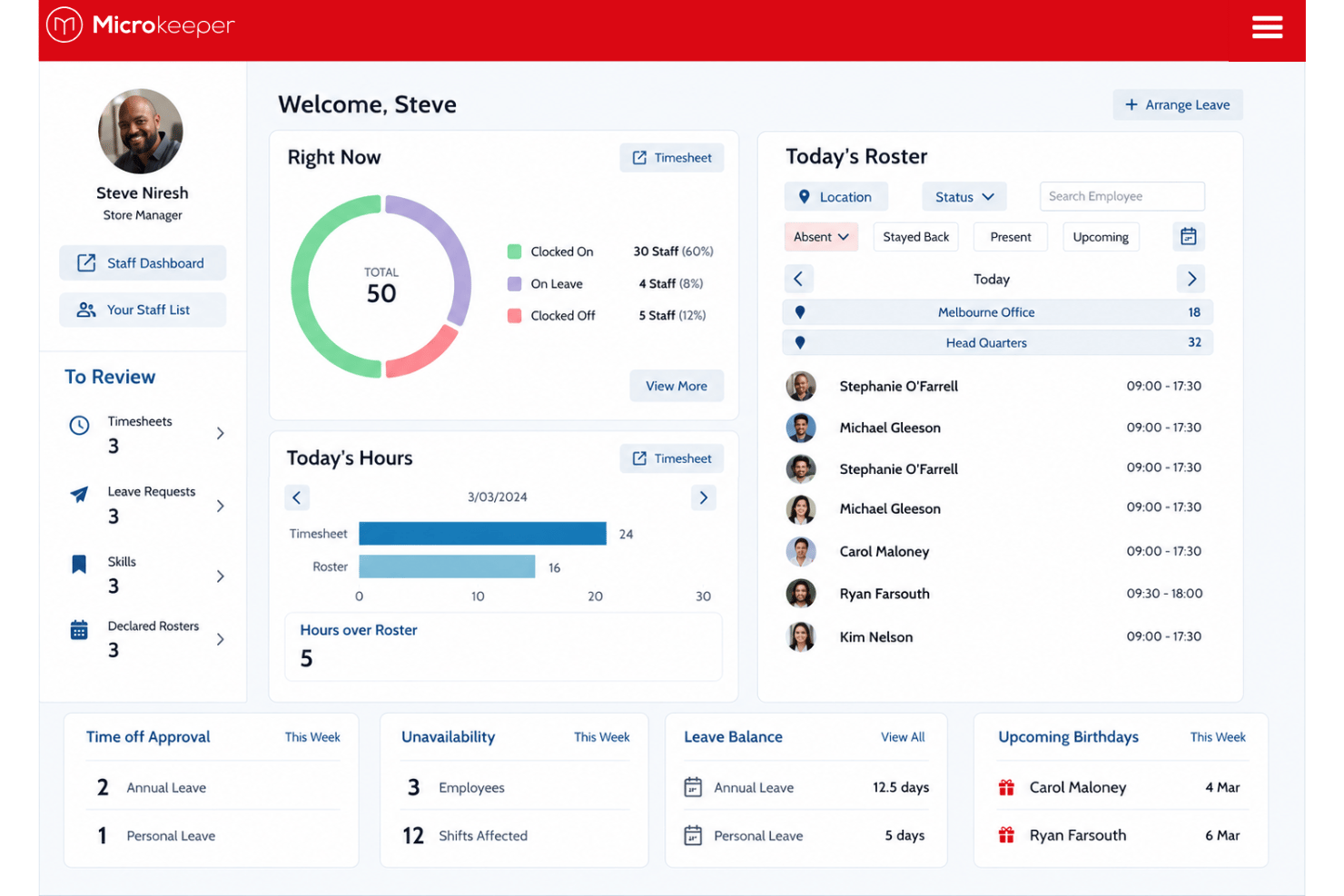
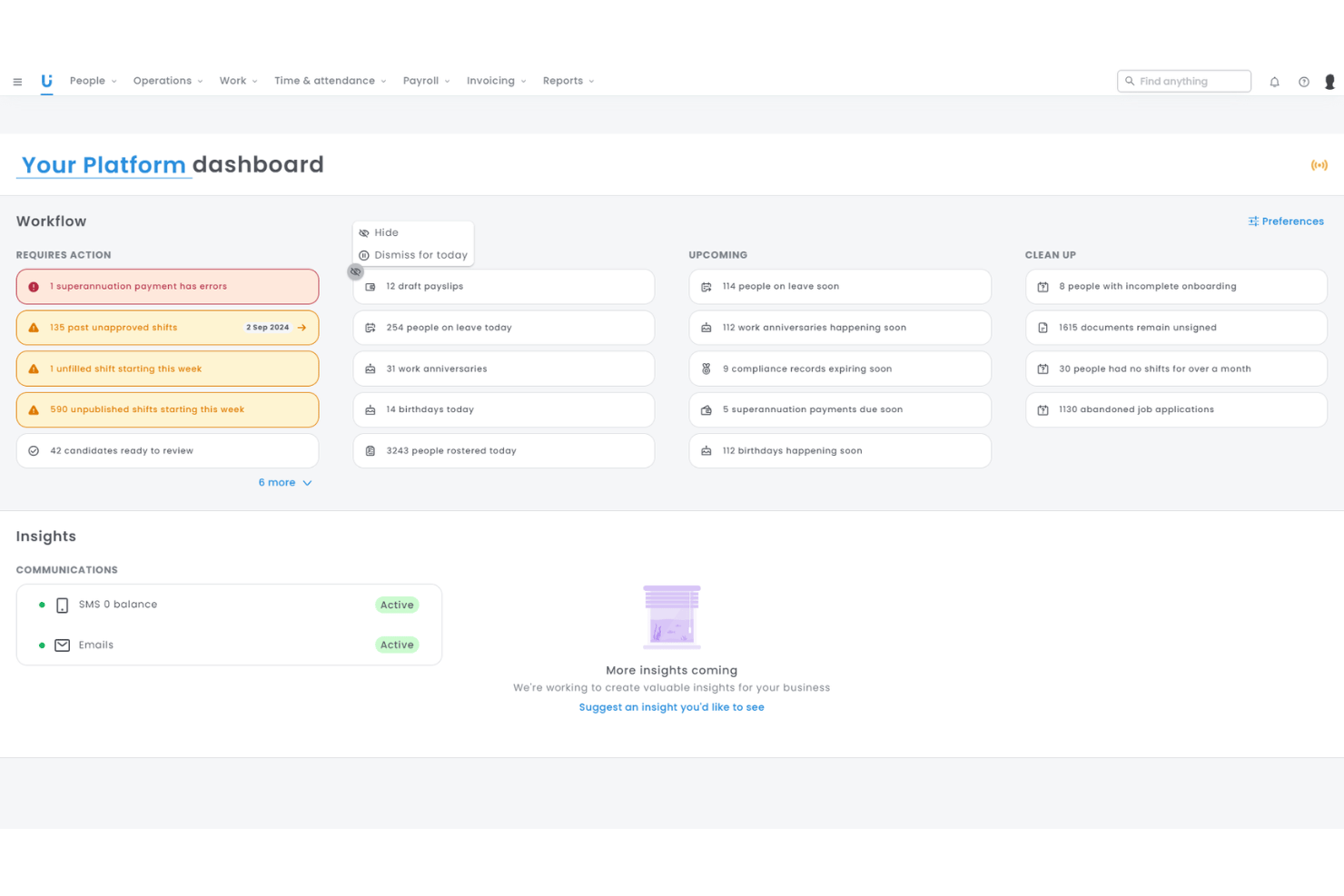
From an ease-of-use perspective, Microkeeper favors a practical, function-first experience, with connected payroll and workforce workflows that reduce handoffs once the system is configured. foundU offers a more polished experience with guided setup and employee-facing tools that may feel easier to adopt initially. For teams with complex pay rules or workforce structures, I’d favor Microkeeper’s deeper configuration and direct local support, while teams prioritizing faster adoption and a more modern interface may prefer foundU.
Microkeeper vs foundU: Pros & Cons
Microkeeper
- Configurable payroll rules handle allowances, penalty rates, overtime, and EBAs for businesses with complex pay structures.
- Rosters and approved timesheets flow directly into payroll, reducing manual data transfer between scheduling, attendance, and pay runs.
- Competitive pricing covers a broad workforce management feature set, with direct support from an onshore Australian team.
- The HR and rostering interface can feel less polished than more modern workforce platforms.
- Native integrations are limited, so businesses with established tech stacks may need custom connections through Microkeeper’s open API.
- Self-setup takes meaningful time to configure pay rules, connect workflows, and test payroll before going live.
foundU
- Automated award interpretation handles complex pay rates easily
- All-in-one scheduling, onboarding, and payroll in one platform
- Real-time compliance alerts help avoid payroll errors
- Limited integration options with external HR or finance tools
- Mobile app updates can lag behind web features
- Reporting options feel basic for larger organizations
Best Use Cases for Microkeeper and foundU
Microkeeper
- Manufacturing Businesses Manufacturers can manage rotating shifts, employee skills and availability, attendance, allowances, and complex pay conditions across production teams.
- Mining and FIFO Operations Mining businesses can use multi-site rostering, workforce location tracking, credential management, and flexible clocking options to manage remote and FIFO teams.
- Labor Hire Agencies Labor hire businesses can onboard workers quickly, schedule staff across client sites, track availability and skills, and process varied payroll requirements from the same system.
- Construction Companies Construction teams can track hours across multiple worksites, manage project-based workers, apply custom pay conditions and allowances, and monitor labor costs by project.
- Hospitality Businesses Hospitality teams can manage changing availability, casual and shift-based staff, roster updates, timesheets, and pay conditions such as penalty rates and allowances.
- Multi-Site Retailers Retail businesses can onboard different employee types, manage rosters across stores and locations, track hours by site, and centralize payroll and workforce records.
foundU
- Hospitality Groups Award management and shift rostering meet the needs of venues with high turnover and multiple roles.
- Healthcare Providers Compliance tracking and document management help clinics and care facilities ensure credentialing and training.
- Labor Hire Firms Simple bulk onboarding, credential collection, and payroll integrations make high-volume hiring manageable.
- Retail Chains Store managers can handle leave, rosters, and time capture with minimal admin overhead.
- Education Providers Automated contract setup and onboarding support for sessional and casual teaching staff.
- Franchise Networks Supports centralized workforce processes while allowing local franchise control and HR autonomy.
Who Should Use Microkeeper, and Who Should Use foundU?
If you need a workforce management system with deeper payroll configuration, strong support for EBAs and custom pay conditions, and tightly connected rostering, timesheets, and payroll, Microkeeper is likely the better fit. It’s especially well-suited to mid-sized and enterprise Australian businesses in industries such as manufacturing, mining, construction, labor hire, hospitality, and retail, where complex scheduling and pay rules are common.
If, instead, your priority is a more polished employee experience with strong onboarding, award management, compliance alerts, and self-service tools, foundU may suit you better. It’s a strong option for HR and operations teams in hospitality, healthcare, retail, education, labor hire, and franchise environments that want more automation around onboarding and workforce compliance.
Differences Between Microkeeper and foundU
| Microkeeper | foundU | |
|---|---|---|
| Implementation | Offers either self-setup or a guided implementation covering configuration, testing, training, parallel payroll, and go-live. | Uses self-managed, assisted, or managed implementation depending on the selected pricing tier. |
| Payroll Configuration | Built for deep configuration around custom pay conditions, EBAs, allowances, penalties, and business-specific calculation logic. | Uses a configurable award and pay-rule engine with Award Tests to automate and validate payroll calculations. |
| Pricing Model | Offers fixed payroll-only pricing plus per-user Standard and Enterprise plans, with no lock-in contracts. | Charges per active employee weekly or monthly across tiered plans, with minimum charges for smaller workforces. |
| Product Structure | Supports app, browser, GPS, facial recognition, fingerprint, NFC, and dedicated clocking stations. | Brings payroll, rostering, onboarding, compliance, and other workforce functions together within its broader workforce management platform. |
| Support Structure | Direct onshore support by phone and ticket without chatbot triage, offshore call centers, or multiple escalation tiers. | Includes local phone and email support, with dedicated customer success and additional services available on higher tiers. |
| Visit MicrokeeperOpens new window | Read foundU ReviewOpens new window |
Similarities Between Microkeeper and foundU
| Australian Data & Security | Both host customer data in Australia and maintain ISO 27001 information security credentials for protecting workforce and payroll data. |
|---|---|
| Employee Onboarding | Both support digital onboarding workflows for collecting employee details and preparing new hires for payroll and workforce administration. |
| Employee Self-Service | Both give employees access to tasks such as rosters, leave, payslips, availability, and personal workforce information. |
| Multi-Site Workforce Management | Both support scheduling and workforce administration across multiple teams, locations, and shift-based operations. |
| Timesheet-to-Payroll Workflows | Both pass approved attendance and timesheet data directly into payroll to reduce manual entry and keep pay calculations connected to hours worked. |
| Visit MicrokeeperOpens new window Read foundU ReviewOpens new window | |