

I 10 migliori software per il monitoraggio dei permessi retribuiti recensiti nel 2026

Elenco dei migliori software per il monitoraggio delle ferie retribuite


Monitorare le ferie retribuite (PTO) dei dipendenti può essere un grattacapo per qualsiasi team delle risorse umane (HR). Tra innumerevoli richieste e problemi di conformità, è facile sentirsi sopraffatti. Il software per il monitoraggio delle ferie retribuite può essere d'aiuto semplificando il processo e mantenendo tutto organizzato.
Ho dedicato del tempo a testare e analizzare diverse soluzioni per il monitoraggio delle ferie retribuite e sono qui per condividere le mie migliori scelte. Il mio obiettivo è offrirti una guida imparziale e basata su una ricerca approfondita, che ti aiuti a prendere una decisione informata.
In questo articolo troverai una selezione dei migliori strumenti per il monitoraggio delle ferie retribuite, ciascuno con funzionalità uniche per soddisfare le tue esigenze. Che tu gestisca un piccolo team o una grande organizzazione, troverai una soluzione adatta a te. Iniziamo e troviamo lo strumento giusto per il tuo team.
Perché fidarsi delle nostre recensioni sui software
Il nostro team testa e recensisce software dal 2012. In quanto esperti HR noi stessi, sappiamo quanto sia difficile — e importante — scegliere il software giusto.
Per questa guida, abbiamo valutato gli strumenti attraverso test pratici e ricerche indipendenti, assegnando un punteggio agli strumenti in base ai nostri criteri di selezione. Ci basiamo inoltre sulle competenze di leader di pensiero del settore e di professionisti HR attivi.
Le nostre recensioni riflettono il nostro giudizio editoriale umano, non un discorso di vendita.
Riepilogo dei migliori software per il monitoraggio delle ferie retribuite
Questa tabella comparativa riassume i dettagli dei prezzi delle mie migliori selezioni di software per il monitoraggio delle ferie retribuite, per aiutarti a trovare quello più adatto al tuo budget e alle esigenze della tua azienda.
| Tool | Best For | Trial Info | Price | ||
|---|---|---|---|---|---|
| 1 | Ideale per l'integrazione con Slack e Teams | Demo gratuita disponibile | A partire da $5/dipendente/mese | Website | |
| 2 | La soluzione migliore con integrazioni API aperte e personalizzabili | Dimostrazione gratuita disponibile | A partire da $8/utente/mese | Website | |
| 3 | Ideale per ferie illimitate | Piano gratuito disponibile | A partire da $2/utente/mese (fatturato annualmente) | Website | |
| 4 | Ideale per team remoti | Prova gratuita di 14 giorni + piano gratuito + demo gratuita disponibili | A partire da $2/utente/mese | Website | |
| 5 | Migliore opzione gratuita | Prova gratuita di 14 giorni + piano gratuito + demo gratuita disponibile | A partire da $4.49/utente/mese (fatturazione annuale) | Website | |
| 6 | Ideale per la personalizzazione | Demo gratuita disponibile | Prezzo su richiesta | Website | |
| 7 | Ideale per l'integrazione con le paghe | Prova gratuita di 30 giorni | Da $38/mese | Website | |
| 8 | Ideale per grandi aziende | Demo gratuita disponibile | Prezzo su richiesta | Website | |
| 9 | Ideale per aggiornamenti in tempo reale sul saldo ferie | Piano gratuito disponibile | Da $1.50/utente/mese (fatturato annualmente) | Website | |
| 10 | Ideale per le piccole imprese | Prova gratuita disponibile | Da $10/dipendente/mese | Website |
Recensioni dei migliori software per il monitoraggio delle ferie retribuite
Di seguito trovi i miei riepiloghi dettagliati dei migliori software per il monitoraggio delle ferie retribuite inclusi nel mio elenco. Le mie recensioni offrono un’analisi approfondita delle funzionalità principali, dei pro e dei contro, delle integrazioni e dei casi d’uso ideali di ogni strumento, per aiutarti a trovare quello più adatto a te.

Deel HR
Ideale per l'integrazione con Slack e Teams
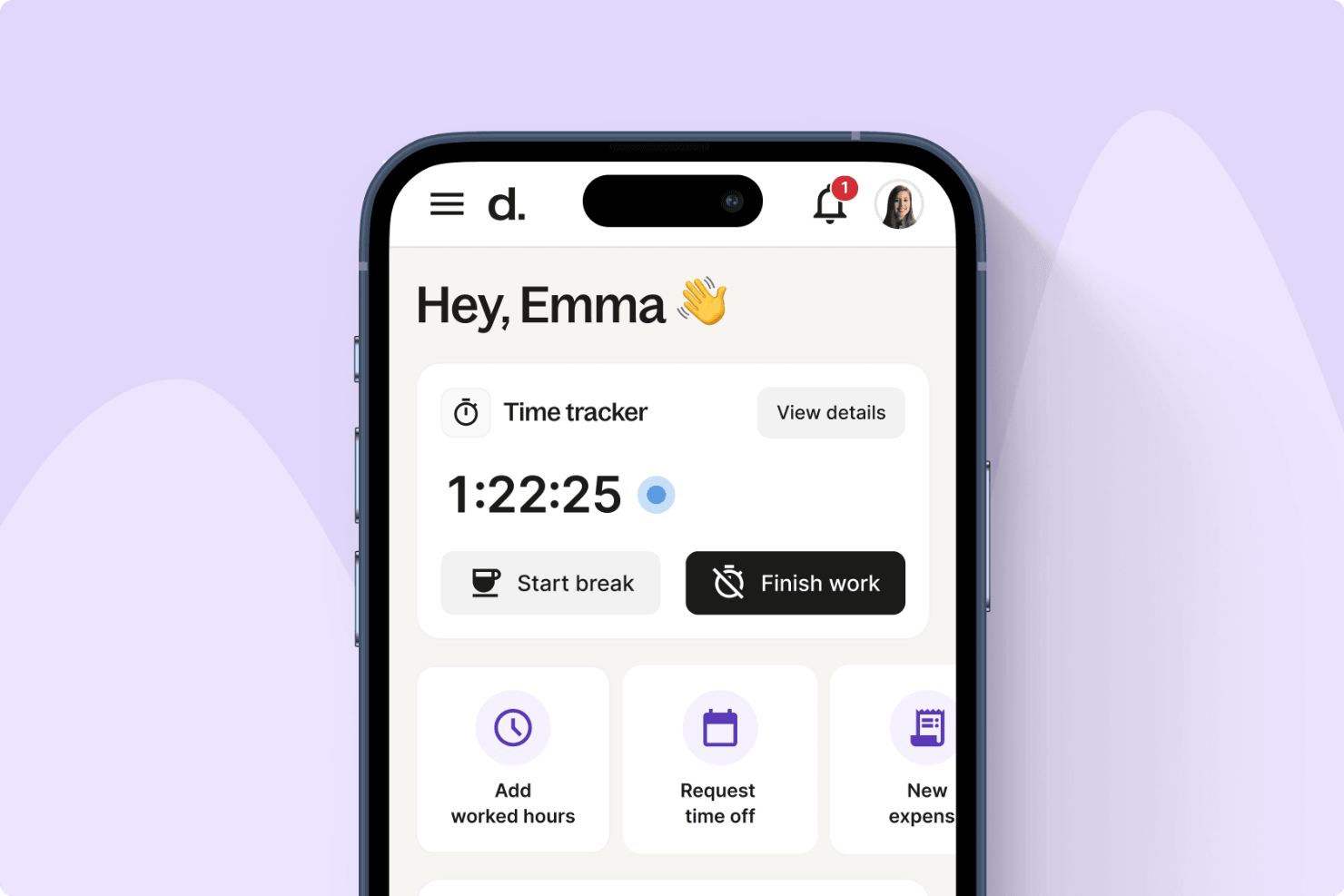
Per le aziende che gestiscono team globali, Deel offre il monitoraggio delle assenze che si integra con strumenti di collaborazione come Slack e Microsoft Teams. I dipendenti possono inviare e gestire le richieste di permesso direttamente dalle piattaforme che utilizzano già, contribuendo a ridurre le comunicazioni superflue. Deel supporta inoltre la conformità alle leggi locali sul lavoro e può riflettere il tempo libero approvato nelle buste paga, il che può essere particolarmente utile per i team distribuiti a livello internazionale.
Perché ho scelto Deel
Ho scelto Deel perché permette di gestire le assenze direttamente all'interno di Slack e Microsoft Teams, rendendo così più accessibile la gestione dei permessi per i team distribuiti. Inoltre, mi piace che il tempo libero approvato venga sincronizzato automaticamente con le buste paga, aiutando a mantenere i registri accurati in tutte le regioni. Se operi a livello internazionale, Deel può aiutarti a monitorare diversi tipi di permessi restando conforme alle normative locali e alle policy interne.
Caratteristiche principali di Deel
Oltre all'integrazione con le piattaforme di comunicazione, Deel offre varie altre funzionalità chiave per il monitoraggio delle assenze:
- Richieste di permesso: I dipendenti possono richiedere e approvare permessi istantaneamente tramite la piattaforma, semplificando il processo di approvazione.
- Aggiornamenti dati dei dipendenti: Approva gli aggiornamenti dei dipendenti in pochi secondi, garantendo che i registri siano sempre aggiornati.
- Monitoraggio del tempo: Tieni traccia delle ore di lavoro senza sforzo, ottenendo preziose informazioni sulle abitudini lavorative e sull'utilizzo dei permessi dei dipendenti.
- Gestione delle spese: Rimborso delle spese più rapido, integrando la gestione finanziaria con i processi HR.
Integrazioni di Deel
Le integrazioni includono Slack, Microsoft Teams, BambooHR, Greenhouse, QuickBooks, Xero, Workday, Gusto, Lever ed Expensify.
Pros and Cons
Pros:
- Gestione del payroll globale in 150 paesi
- Conformità e gestione dei contratti integrate
- Si integra con i principali sistemi HR
Cons:
- Le funzionalità di reportistica mancano di filtri avanzati
- Opzioni limitate di personalizzazione dell'elenco dipendenti
New Product Updates from Deel HR

Deel Expands Stablecoin Wallet to 80+ Countries
Deel expands its Stablecoin Wallet to 80+ countries with dollar-backed balances and optional rewards. This gives eligible contractors more ways to hold and manage earnings inside Deel. For more information, visit Deel’s official site.
 .
.
La soluzione migliore con integrazioni API aperte e personalizzabili
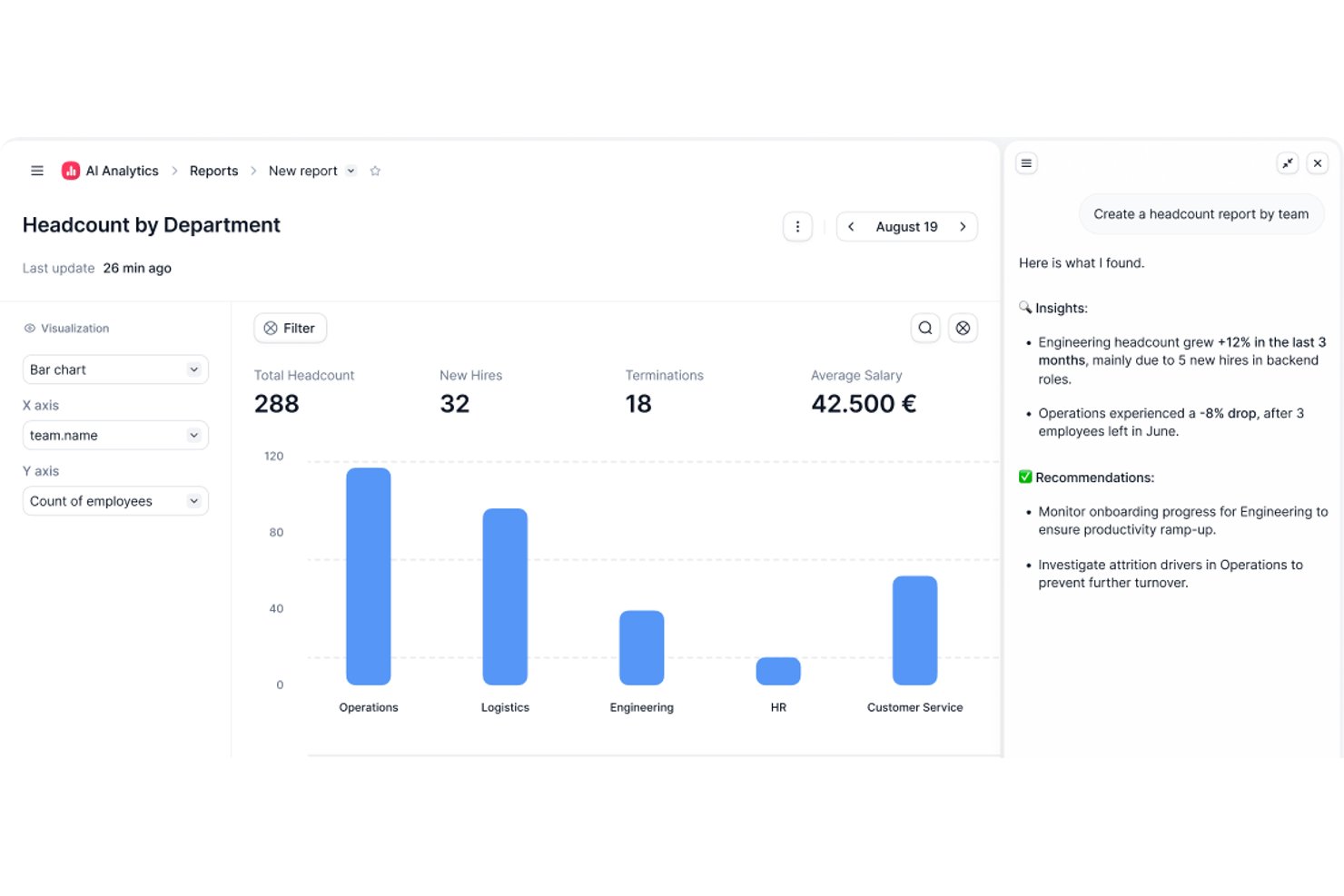
Factorial è una soluzione per le risorse umane progettata per le aziende che necessitano di un monitoraggio flessibile dei permessi retribuiti, della personalizzazione delle politiche, di calendari della squadra in tempo reale e di flussi di lavoro automatizzati per la gestione delle assenze.
A chi è più adatto Factorial?
Ai team delle risorse umane di aziende piccole e medie che desiderano un monitoraggio centralizzato dei permessi retribuiti e una gestione flessibile delle politiche sulle assenze.
Perché ho scelto Factorial
Ho scelto Factorial come una delle soluzioni migliori perché posso personalizzare le politiche sui permessi retribuiti e i flussi di approvazione per più Paesi e sedi, nonché collegare rapidamente il modulo per i permessi retribuiti alle applicazioni paghe esistenti utilizzando le integrazioni API aperte e personalizzabili di Factorial.
Funzionalità principali di Factorial
- Calendario delle assenze della squadra: Visualizza tutti i permessi retribuiti e le assenze della squadra in un'interfaccia di calendario centralizzata e filtrabile.
- Monitoraggio in tempo reale del saldo delle assenze: Monitora immediatamente per ogni dipendente le maturazioni, l'utilizzo e il saldo residuo dei permessi retribuiti.
- Gestione delle assenze con più politiche: Configura e gestisci un numero illimitato di tipologie e regole sulle assenze per diversi gruppi di dipendenti.
- Notifiche sullo stato delle richieste: Invia automaticamente notifiche a responsabili e dipendenti in merito alle richieste di permessi retribuiti in sospeso, approvate o rifiutate.
Integrazioni di Factorial
Factorial offre integrazioni native con ADP, PayFit, Sage, QuickBooks, Google Calendar, Slack e Microsoft Outlook. È disponibile un'API aperta per le integrazioni personalizzate.
Pros and Cons
Pros:
- L'automazione delle politiche gestisce la conformità alle normative sulle assenze in più Paesi
- Catene di approvazione avanzate per strutture di squadra complesse
- Saldo dettagliato delle assenze e calendari della squadra
Cons:
- La creazione di relazioni personalizzate può essere limitata
- Occasionali ritardi nelle risposte dell'assistenza clienti

Ideale per ferie illimitate
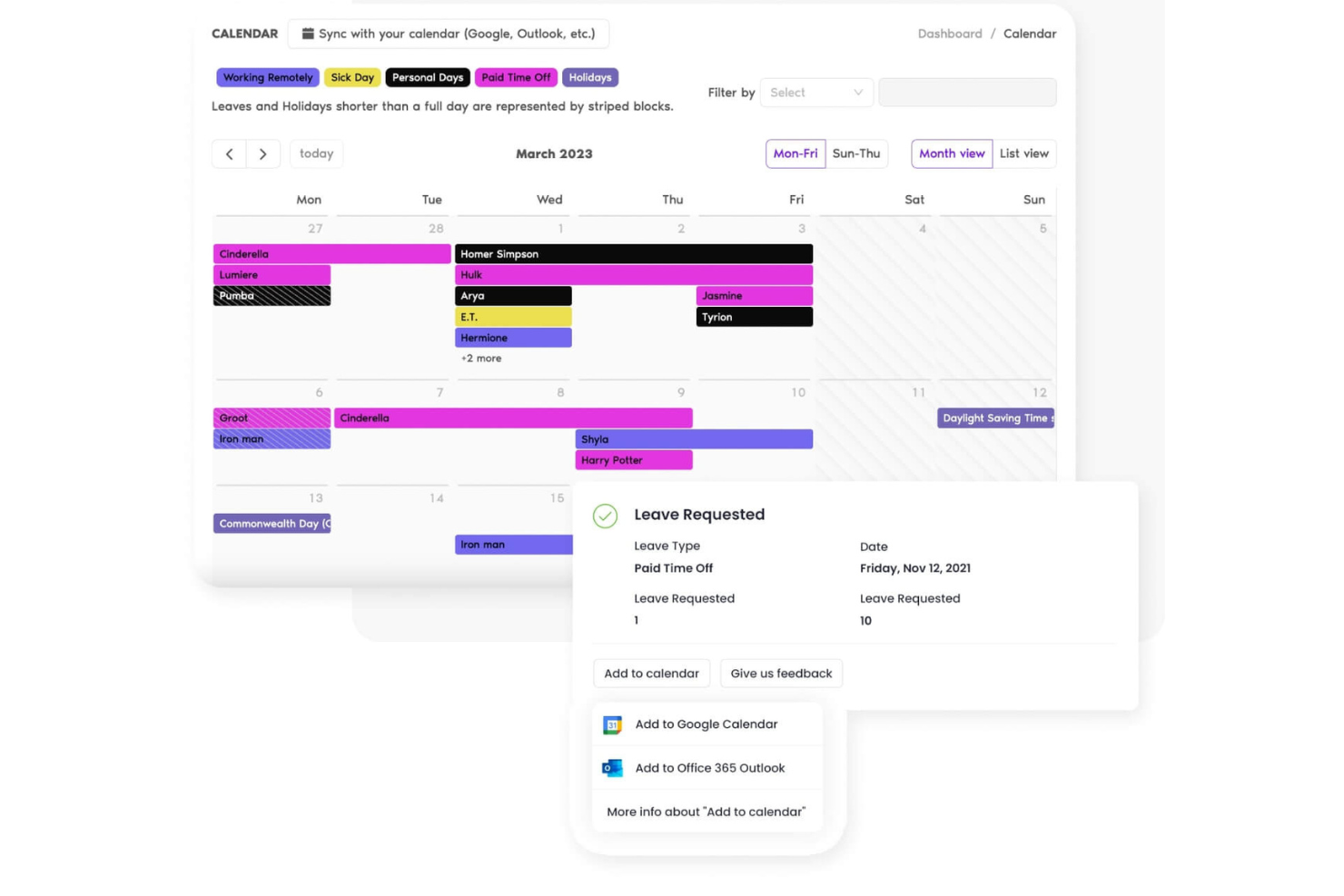
Vacation Tracker è uno strumento di gestione delle assenze progettato per i team che utilizzano Slack. Semplifica la gestione delle ferie consentendo agli utenti di richiedere e approvare i giorni di vacanza dei dipendenti direttamente all'interno di Slack, rendendolo ideale per team esperti di tecnologia.
Perché ho scelto Vacation Tracker: Questo strumento si integra con Slack, risultando perfetto per i team che già utilizzano la piattaforma per comunicare. Puoi gestire le notifiche e visualizzare lo storico delle assenze, tutto all'interno di Slack. Questa integrazione diretta garantisce che la gestione delle ferie non interrompa il flusso di lavoro del tuo team.
Funzionalità e integrazioni principali:
Le funzionalità includono tipi di assenza personalizzabili che permettono di definire categorie specifiche di permessi per adattarsi alle politiche della tua organizzazione. Puoi inoltre stabilire politiche di assenza differenti per vari dipartimenti o sedi, offrendo grande flessibilità. Lo strumento fornisce report dettagliati sulle assenze, aiutandoti a monitorare tutte le richieste e le approvazioni di ferie.
Le integrazioni includono Slack, Microsoft Teams, Google Workspace e altri ancora.
Pros and Cons
Pros:
- Ottima visibilità sul calendario
- Politiche di assenza personalizzabili
- Accessibile in più fusi orari
Cons:
- Report e personalizzazioni basici
- Supporto limitato per configurazioni di assenza flessibile

TalentHR
Ideale per team remoti
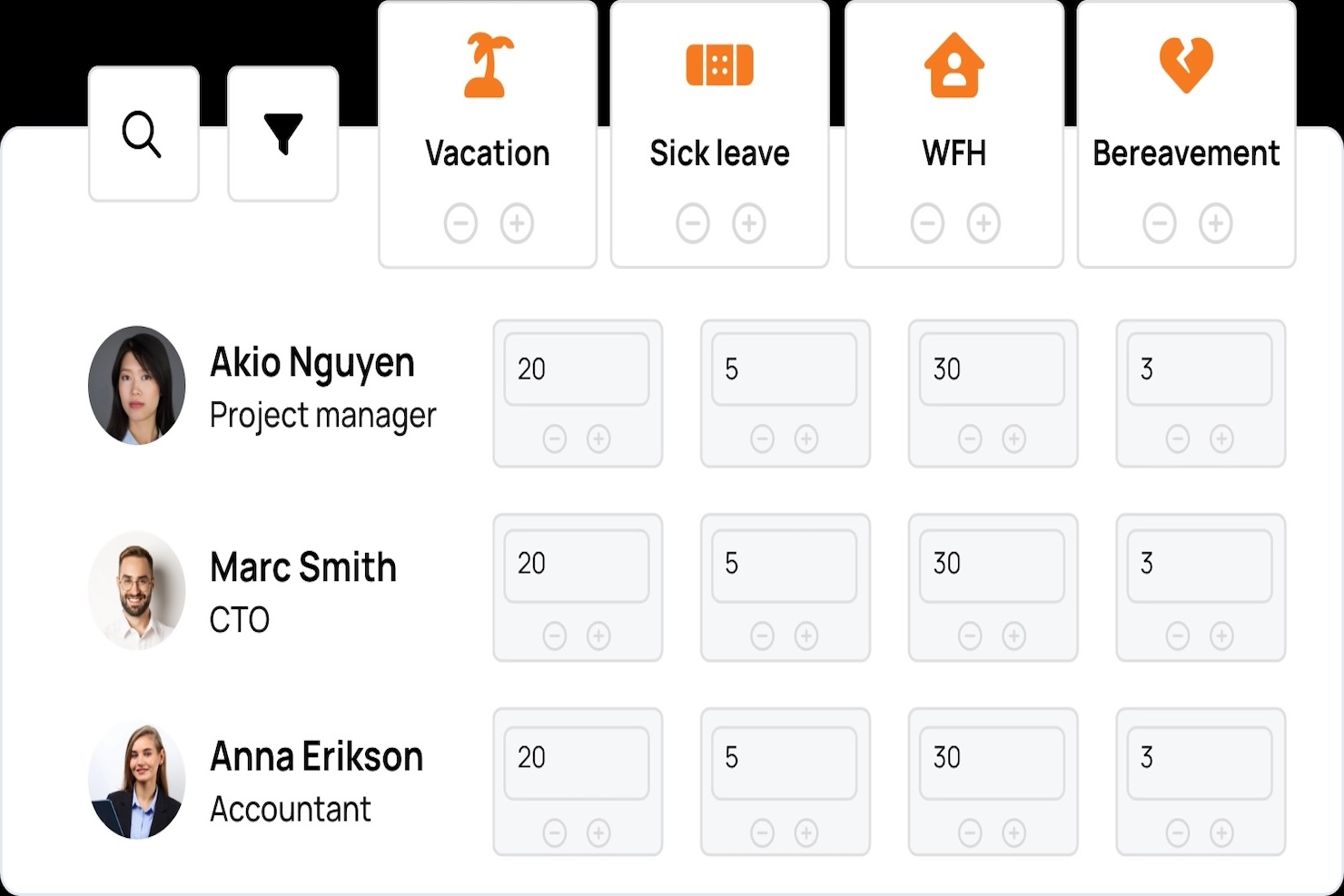
TalentHR è una piattaforma di gestione delle risorse umane pensata per i team remoti. Fornisce strumenti per la gestione delle ferie, dei dati dei dipendenti e delle performance, rendendola ideale per le forze lavoro distribuite.
Perché ho scelto TalentHR: TalentHR si distingue nel supportare i team remoti grazie alle sue funzioni intuitive per il monitoraggio delle vacanze. Le analisi della piattaforma offrono approfondimenti sui modelli di assenza e il suo design facile da usare la rende accessibile anche ai team senza un reparto HR dedicato.
Funzionalità e integrazioni principali:
Le funzionalità includono notifiche in tempo reale che tengono aggiornato il team sui cambiamenti dello stato delle assenze. È possibile impostare diversi tipi di permessi per rispondere a varie esigenze dei dipendenti. La piattaforma offre anche il monitoraggio delle performance, aiutandoti a tenere traccia della crescita e dello sviluppo dei dipendenti.
Le integrazioni includono Slack, Microsoft Teams, Google Workspace, WordPress e molte altre.
Pros and Cons
Pros:
- Informazioni su dipendenti e permessi centralizzate
- Strumenti di reportistica integrati
- Prezzi trasparenti
Cons:
- Monitoraggio limitato dei permessi parziali
- Richiede molto tempo per la configurazione iniziale

Jibble
Migliore opzione gratuita
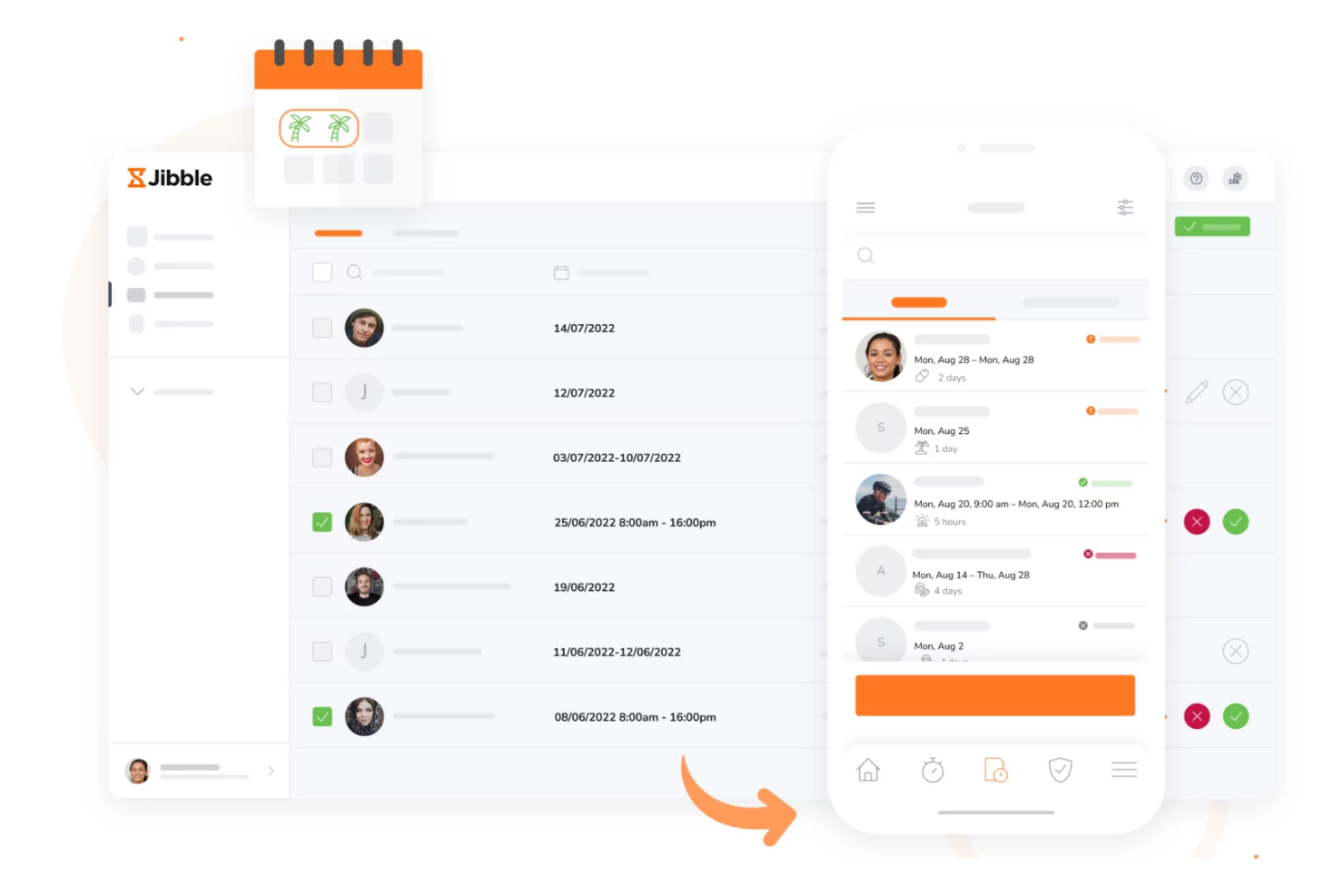
Jibble è uno strumento per la gestione delle presenze e il monitoraggio del tempo, rivolto a imprese di tutte le dimensioni. Include un sistema di monitoraggio delle ferie (PTO) che consente ai team di gestire in modo efficiente le richieste di assenza.
Perché ho scelto Jibble: Jibble offre un piano gratuito, rendendolo una scelta ideale per i team attenti al budget. Puoi monitorare le ferie insieme alle ore di lavoro per risparmiare tempo. Lo strumento fornisce promemoria automatici per le approvazioni in sospeso, tenendo tutti aggiornati. L’interfaccia intuitiva semplifica il processo sia per i manager che per i dipendenti.
Funzionalità principali e integrazioni:
Le funzionalità includono report dettagliati che aiutano ad analizzare gli andamenti delle assenze e a prendere decisioni informate. È inoltre possibile impostare flussi di approvazione personalizzabili per adattarsi alle specifiche esigenze del team. Lo strumento supporta la rilevazione presenze biometrica, aggiungendo un ulteriore livello di sicurezza al monitoraggio del tempo.
Le integrazioni includono Slack, Microsoft Teams, Google Workspace, Asana, Trello, monday.com, Xero, QuickBooks Online, Salesforce e altre ancora.
Pros and Cons
Pros:
- Piano gratuito per utenti illimitati
- Accessibilità da più dispositivi
- Supporto per la rilevazione presenze biometrica
Cons:
- Personalizzazione avanzata limitata
- Nessuno strumento di comunicazione integrato

HR Cloud
Ideale per la personalizzazione

HR Cloud è una piattaforma di gestione delle risorse umane progettata per le aziende che necessitano di soluzioni personalizzabili. Offre strumenti per il monitoraggio delle ferie, l'onboarding e il coinvolgimento dei dipendenti, adattandosi alle più diverse esigenze organizzative.
Perché ho scelto HR Cloud: HR Cloud offre ampie opzioni di personalizzazione, rendendolo ideale per le aziende con esigenze particolari. Puoi adattare le politiche di ferie alle tue necessità specifiche e la flessibilità della piattaforma garantisce l'adattabilità a vari tipi di strutture organizzative. I suoi strumenti di analisi forniscono informazioni sul coinvolgimento dei dipendenti e sulle tendenze relative alle assenze, aiutandoti a prendere decisioni consapevoli.
Funzionalità e integrazioni principali:
Le funzionalità includono flussi di lavoro personalizzabili che consentono di automatizzare le attività ripetitive. Questo riduce l'errore umano e aiuta a prevenire il sovraccarico amministrativo. Puoi anche utilizzare gli strumenti di coinvolgimento della piattaforma per aumentare il morale del team e migliorare la comunicazione. Le analisi dettagliate forniscono una panoramica sull’utilizzo delle ferie e sulle tendenze tra i dipendenti, aiutandoti a ottimizzare le strategie HR.
Le integrazioni includono Slack, Microsoft Teams, Google Workspace, QuickBooks e molte altre.
Pros and Cons
Pros:
- Fornisce flussi di lavoro automatizzati
- Include strumenti di coinvolgimento
- Supporta diverse strutture organizzative
Cons:
- Funzionalità mobile limitata
- Funzionalità di reportistica di nicchia complesse

Ideale per l'integrazione con le paghe
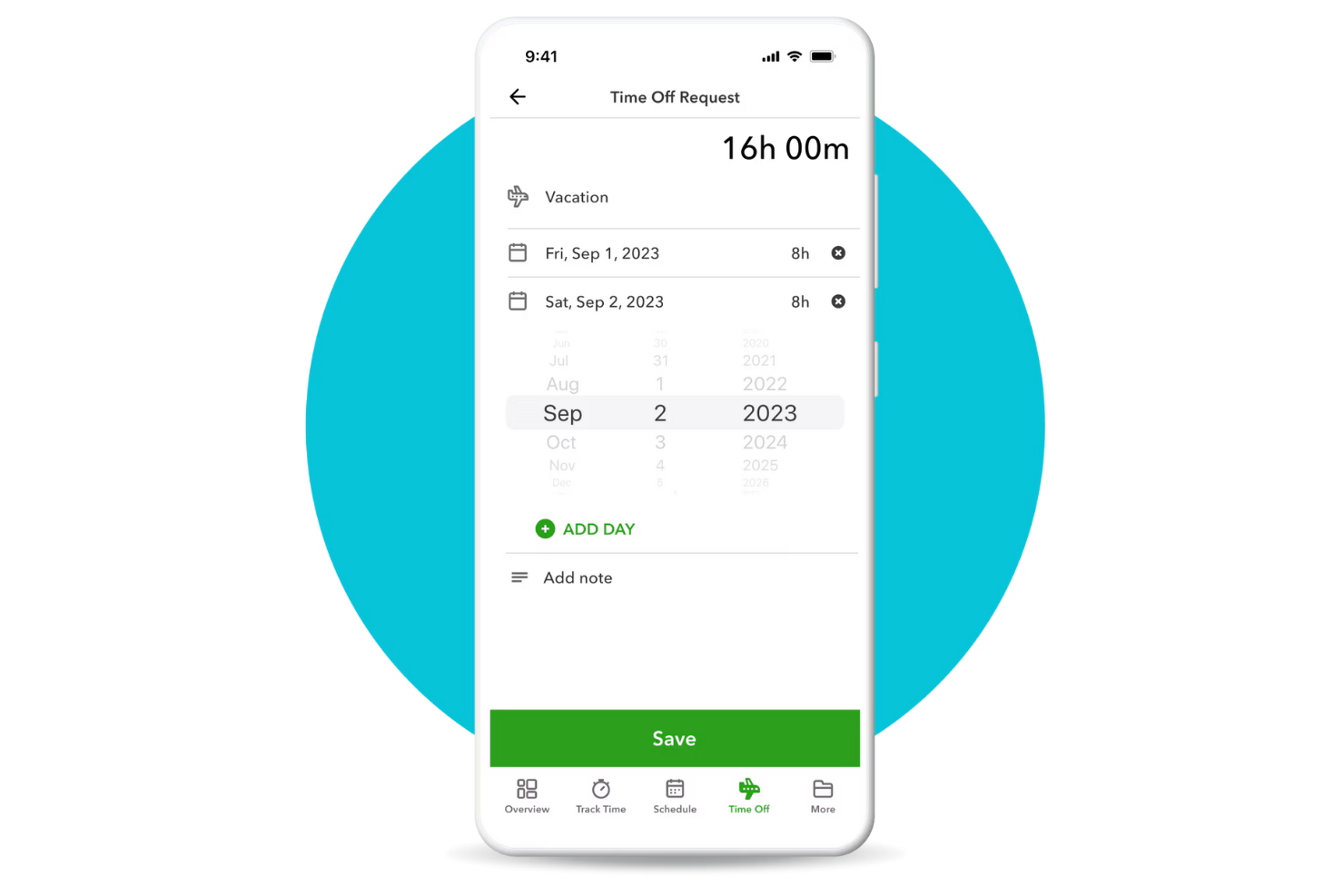
QuickBooks è un software di gestione finanziaria utilizzato principalmente da piccole e medie imprese. Offre funzionalità di monitoraggio delle ferie (PTO) che si integrano direttamente con le paghe, semplificando la gestione dei permessi dei dipendenti e garantendo calcoli salariali accurati.
Perché ho scelto QuickBooks: QuickBooks è ideale per le aziende che desiderano integrare il monitoraggio delle ferie con l'elaborazione delle paghe. Lo strumento aggiorna automaticamente le buste paga con i permessi approvati, riducendo gli errori e facendo risparmiare tempo. L'integrazione con le paghe assicura il mantenimento di registri accurati e la conformità normativa.
Funzionalità e integrazioni principali:
Le funzionalità includono politiche di congedo personalizzabili che consentono di definire regole secondo le esigenze dell'azienda. Lo strumento fornisce aggiornamenti in tempo reale sui saldi delle ferie, così il team saprà sempre quanti giorni di permesso sono disponibili. Inoltre, notifiche automatiche tengono informati manager e dipendenti sui cambiamenti di stato dei permessi.
Le integrazioni includono QuickBooks Time, Shopify, Square, PayPal, Amazon, HubSpot, Salesforce, Mailchimp, Etsy, Stripe e altre ancora.
Pros and Cons
Pros:
- Integrazione semplificata con le paghe
- Notifiche automatizzate
- Funzionalità self-service per i dipendenti
Cons:
- Configurazione accumulo ferie limitata a politiche annuali
- Nessun supporto professionale diretto

ADP
Ideale per grandi aziende
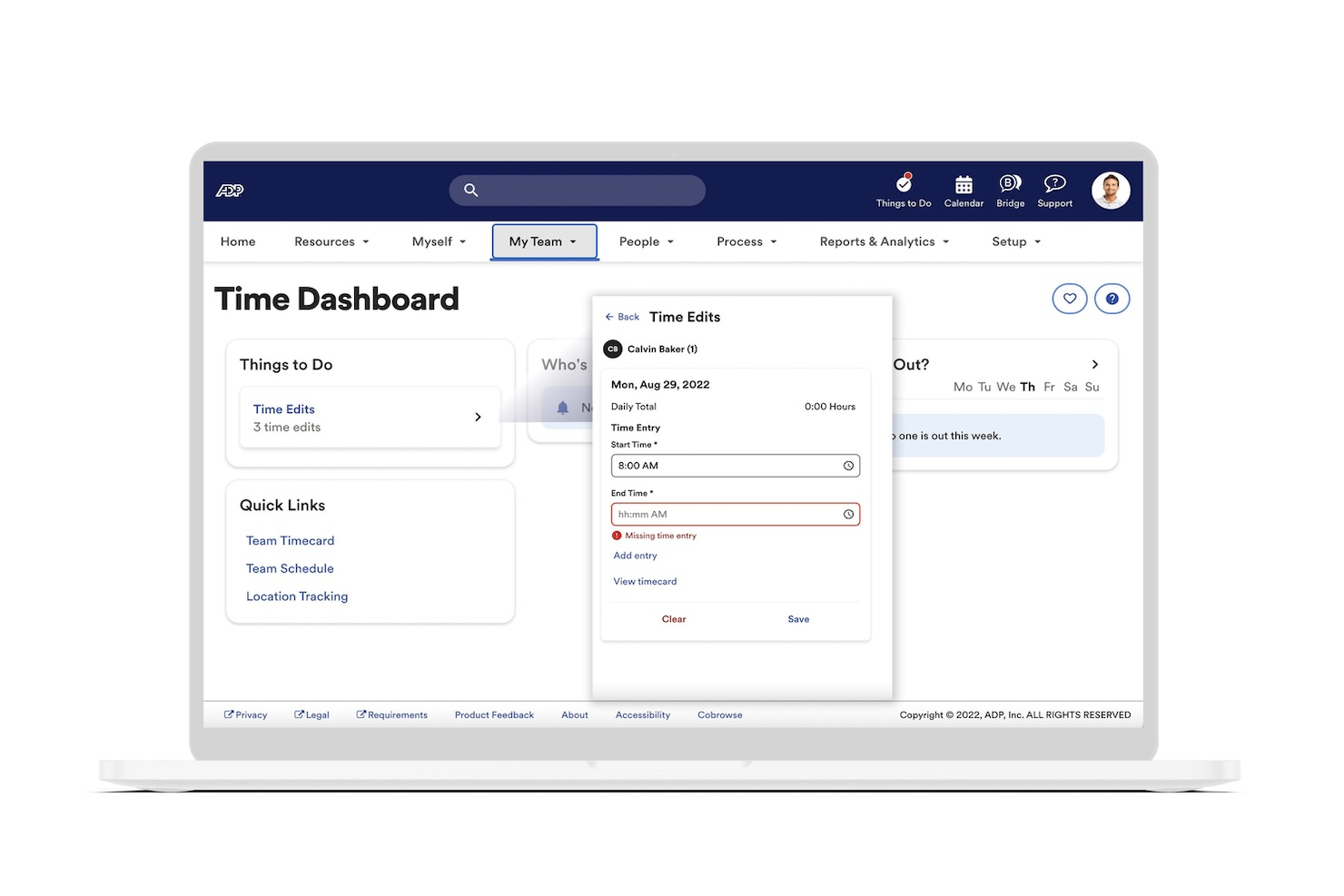
ADP è una soluzione di gestione della forza lavoro progettata per le grandi imprese. Gestisce il monitoraggio di presenze e tempi, il libro paga e l'amministrazione delle ferie, offrendo una piattaforma unificata per le operazioni HR.
Perché ho scelto ADP: ADP è adatto alle grandi aziende che necessitano di una soluzione di monitoraggio delle ferie scalabile. La sua capacità di gestire requisiti complessi di elaborazione stipendi insieme al tracciamento delle ferie garantisce operazioni HR senza intoppi. È possibile configurare politiche di permesso personalizzate in base alle esigenze organizzative.
Funzionalità e integrazioni principali:
Le funzionalità includono funzionalità avanzate di pianificazione che consentono di gestire turni e richieste di assenza con facilità. Lo strumento offre anche analisi in tempo reale che forniscono informazioni su presenze e dati sulle ferie. La gestione della conformità assicura che il tuo team rispetti le normative sul lavoro.
Le integrazioni includono Workday, Oracle, SAP SuccessFactors, Microsoft Dynamics, QuickBooks, Salesforce, Xero, BambooHR, Netsuite e altri ancora.
Pros and Cons
Pros:
- Scalabilità per grandi aziende
- Funzionalità avanzate di pianificazione
- Gestione della conformità automatizzata
Cons:
- I dettagli sui prezzi non sono trasparenti
- Le interfacce mobile e web possono non essere sincronizzate
Ideale per aggiornamenti in tempo reale sul saldo ferie
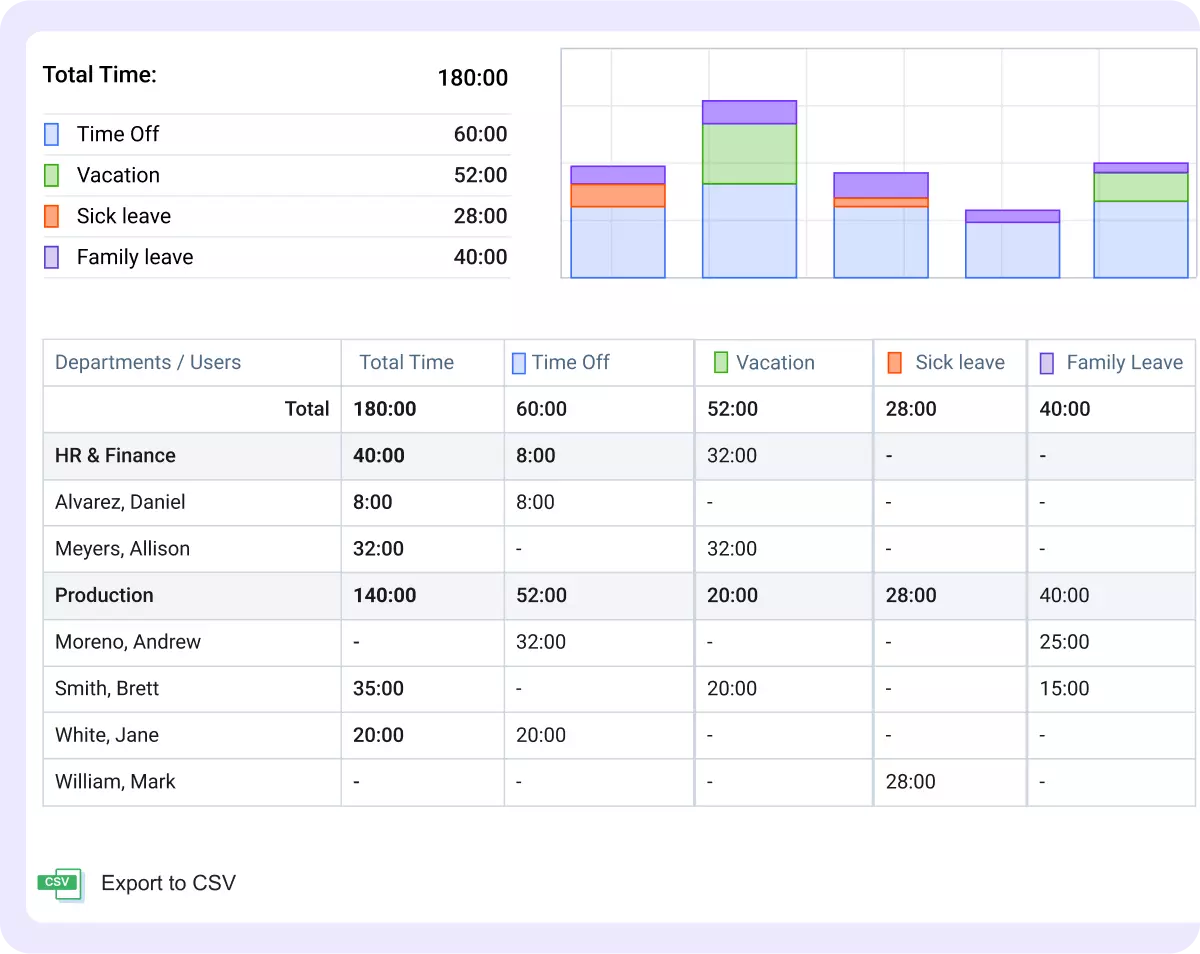
actiPLANS semplifica la gestione dei giorni di ferie del tuo team. Progettato per organizzazioni di ogni dimensione, actiPLANS è perfetto per i team di risorse umane e payroll che desiderano automatizzare la gestione delle assenze e semplificare la pianificazione. Che tu debba gestire policy di ferie complesse o semplicemente voglia un modo più efficiente per tracciare i permessi, actiPLANS offre le soluzioni di cui hai bisogno per mantenere il tuo team organizzato e informato.
Perché ho scelto actiPLANS
Ho scelto actiPLANS per la sua capacità di fornire aggiornamenti in tempo reale sul saldo delle ferie, una funzione che risponde alla sfida di mantenere sia i dipendenti che il management costantemente informati. Le routine automatizzate di gestione delle assenze riducono le attività manuali, liberando tempo prezioso per i professionisti HR. Inoltre, la centralizzazione dei dati sulle assenze rende tutte le informazioni facilmente accessibili, rappresentando una scelta pratica per chi desidera migliorare i processi di monitoraggio delle ferie.
Caratteristiche principali di actiPLANS
Oltre alle routine automatizzate e agli aggiornamenti in tempo reale, ho trovato diversi altri aspetti che rendono actiPLANS un prodotto distintivo:
- Pianificazione visiva delle attività: Permette di visualizzare e gestire facilmente orari e disponibilità dei dipendenti.
- Assegnazione dei turni senza sforzo: Semplifica la distribuzione dei turni, assicurando sempre una copertura adeguata del team.
- Pianificazione semplice degli eventi: Aiuta a organizzare eventi e riunioni di squadra senza sovrapporsi ai periodi di assenza.
- Raggruppamento illimitato dei membri del team: Consente di suddividere i dipendenti in gruppi per una gestione e reportistica più agevoli.
Integrazioni di actiPLANS
Le integrazioni includono iCal, Microsoft Outlook, Google Calendar e altre ancora.
Pros and Cons
Pros:
- Le routine automatizzate per le ferie riducono il carico di lavoro manuale per i team HR
- La pianificazione visiva delle attività facilita la gestione efficace delle risorse
- Regole personalizzabili adatte a policy organizzative specifiche
Cons:
- La mancanza di integrazioni native può limitare le opzioni di connettività
- I saldi ferie non sono disponibili nel piano gratuito

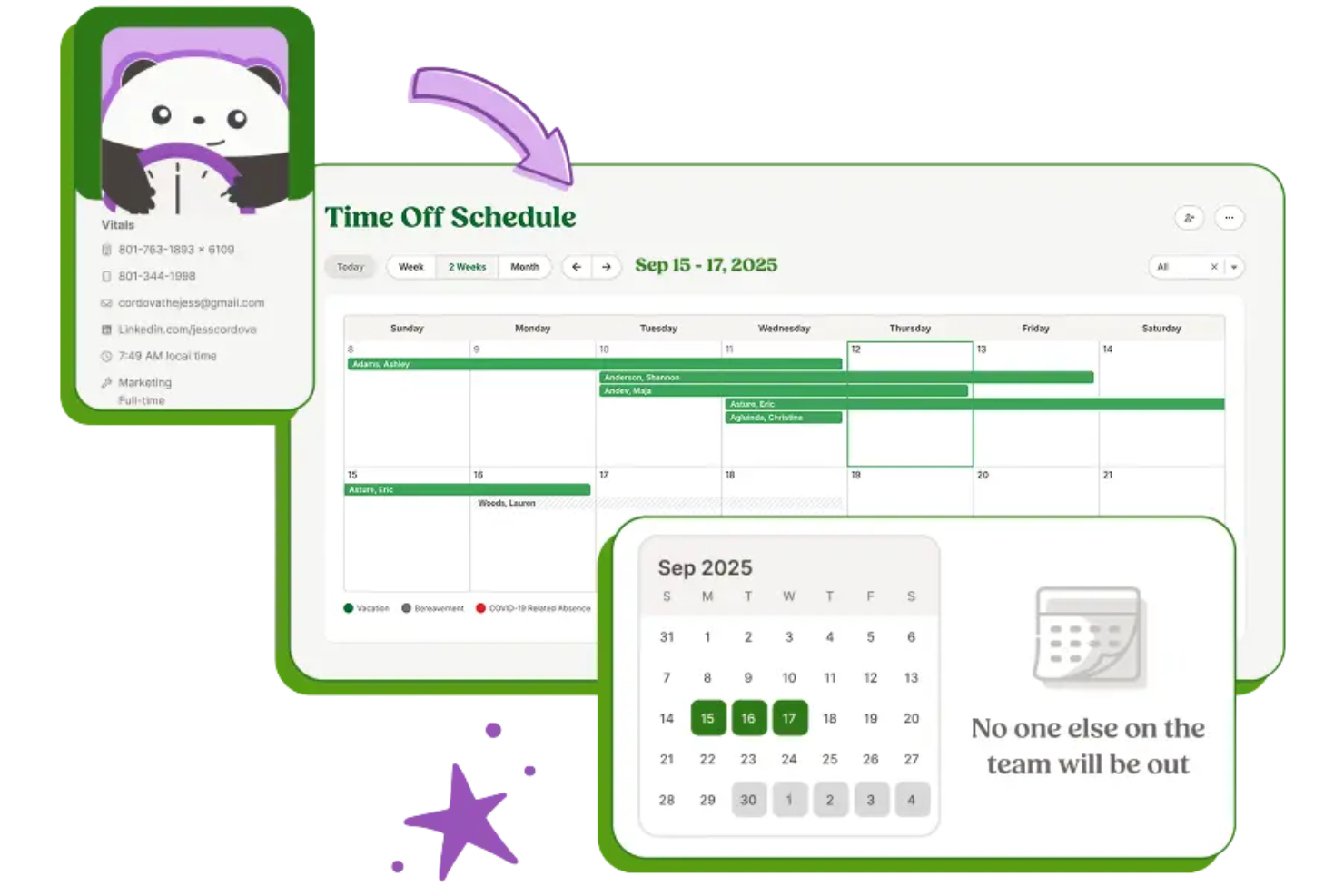
BambooHR è una soluzione software per le risorse umane pensata per le piccole e medie imprese. Offre strumenti per la gestione delle ferie, la gestione dei dati dei dipendenti e le valutazioni delle prestazioni per semplificare le funzioni HR.
Perché ho scelto BambooHR: BambooHR è perfetto per le piccole imprese che cercano una piattaforma HR completa. Offre richieste e approvazioni di ferie semplici, facilitando la gestione dei giorni di assenza dei membri del team. I promemoria automatici assicurano che nessuna richiesta di ferie venga dimenticata e i suoi strumenti di reportistica permettono di analizzare le tendenze relative alle assenze. L’interfaccia intuitiva della piattaforma la rende accessibile anche ai team senza personale HR dedicato.
Funzionalità e integrazioni principali:
Le funzionalità includono registri dei dipendenti personalizzabili, permettendo di conservare tutte le informazioni essenziali in un unico posto e ridurre l’uso di fogli di calcolo. È inoltre possibile monitorare la performance dei dipendenti con strumenti di valutazione integrati. Le analisi dettagliate forniscono informazioni sui diversi indicatori HR, aiutandoti a prendere decisioni consapevoli.
Le integrazioni comprendono QuickBooks, Xero, Slack, Okta, Google Workspace, LinkedIn e altri.
Pros and Cons
Pros:
- App mobile disponibile per Android
- Opzioni di reportistica flessibili
- Registri personalizzabili
Cons:
- Nessuna pianificazione dei turni integrata
- Personalizzazione limitata del workflow per le ferie
Altri software per il monitoraggio delle ferie retribuite
Ecco alcune opzioni aggiuntive per il monitoraggio delle ferie retribuite che non sono state incluse nel mio elenco, ma che vale comunque la pena prendere in considerazione:
- TimeOff
Ideale per la semplicità
- Flamingo
Ideale per l'integrazione con Slack
- Buddy Punch
Ideale per la facilità d'uso
- Connecteam
Ideale per team mobili
- Paycom
Ideale per la gestione self-service dei dipendenti


Come Valuto i Software di Monitoraggio delle Ferie
Valuto gli strumenti per la gestione delle ferie su due livelli: se gestiscono in modo affidabile gli accumuli, i flussi di richiesta e il monitoraggio dei saldi, e cosa rende un'opzione davvero migliore di un'altra.
Funzionalità di Base (Requisiti Minimi per Questa Lista)
Quando seleziono gli strumenti per la mia lista, attribuisco a ciascuno un punteggio da 0 (non offre la funzionalità) a 5 (eccelle in quest'area) per ogni funzionalità essenziale elencata di seguito. Poi converto il punteggio totale dello strumento in una percentuale. Ogni strumento deve raggiungere un punteggio minimo totale del 65% per essere considerato per l'inclusione.
- Automazione delle Regole di Accumulo: Verifico se ogni strumento può gestire logiche di accumulo stratificate—come livelli basati sull'anzianità, accumuli orari o limiti di riporto—senza necessità di aggiustamenti manuali ad ogni ciclo di paga.
- Flussi di Richiesta delle Ferie: La catena di approvazione è importante, quindi cerco percorsi configurabili, opzioni di delega manageriale e promemoria integrati che evitino che le richieste rimangano inevase.
- Visibilità del Saldo Ferie: Sia i dipendenti che i responsabili dovrebbero poter vedere i saldi in tempo reale, le richieste in sospeso e lo storico utilizzi senza dover contattare le risorse umane per un semplice saldo.
- Supporto Multi-Policy: Valuto quanto bene lo strumento gestisce diversi tipi di permessi—ferie, malattia, congedo parentale, lutto—ognuno con proprie regole di accumulo, criteri di ammissibilità e limiti.
- Calendario del Team & Rilevamento dei Conflitti: Un calendario condiviso delle assenze con avvisi di sovrapposizione aiuta i responsabili a evitare di approvare tre persone assenti la stessa settimana su un team di cinque.
- Integrazione con Paghe & HRIS: Verifico se i dati delle assenze si sincronizzano con i sistemi payroll e HR in modo che saldi e detrazioni rimangano corretti senza doppie registrazioni.
Una volta che ho una lista di strumenti che soddisfano questi criteri, considero cosa distingue ciascuna piattaforma.
Fattori Differenzianti (Cosa Distingue i Fornitori)
Ecco come confronto e metto a confronto i diversi fornitori:
Funzionalità Distintive
Le integrazioni con Slack e Microsoft Teams fanno veramente la differenza: quando i dipendenti possono controllare i saldi o inviare richieste direttamente dalla chat, l’adozione aumenta e le risorse umane ricevono meno domande ripetute. Guardo anche la profondità dei report, soprattutto se uno strumento può evidenziare tendenze di assenza per reparto o segnalare team con un uso insolitamente basso delle ferie. Per i team distribuiti, la localizzazione dei calendari festivi è un aspetto da valutare, perché evita alle risorse umane di dover assegnare manualmente le festività pubbliche in più regioni.
Oltre le Funzionalità
In questo ambito, la profondità dell’integrazione conta molto. Uno strumento di gestione ferie che si connette nativamente con paghe e HRIS garantisce che le detrazioni restino accurate senza bisogno di riconciliazioni manuali a fine mese. Valuto inoltre il supporto all’onboarding: migrare saldi accumulati e politiche legacy da fogli di calcolo è noioso, quindi i fornitori che offrono configurazioni guidate o modelli di migrazione fanno risparmiare davvero tempo alle risorse umane. Un altro fattore che controllo è la trasparenza dei prezzi, in particolare se il costo per dipendente rimane prevedibile all’aumentare dell’organico o se funzioni chiave vengono bloccate in livelli più alti.
Come scegliere il software per il monitoraggio delle ferie retribuite
È facile perdersi in lunghi elenchi di funzionalità e strutture tariffarie complesse. Per aiutarti a rimanere concentrato mentre affronti il tuo esclusivo processo di selezione del software, ecco un elenco di fattori da tenere a mente:
| Fattore | Cosa considerare |
|---|---|
| Scalabilità | Il software può crescere insieme al tuo team? Considera le future espansioni e valuta se lo strumento è in grado di gestire un aumento degli utenti e dei dati senza costi aggiuntivi o problemi tecnici. |
| Integrazioni | Si integra con gli strumenti che già utilizzi? Verifica la compatibilità con i sistemi per le buste paga, i sistemi HR e le piattaforme di comunicazione per evitare interruzioni dei flussi di lavoro. |
| Personalizzazione | Puoi adattare il software alle tue esigenze? Cerca strumenti che ti consentano di personalizzare le politiche sulle ferie, i flussi di approvazione e i ruoli degli utenti in base ai processi della tua azienda. |
| Semplicità d'uso | L'interfaccia è intuitiva per tutti gli utenti? Scegli un software dal design chiaro e immediato per ridurre i tempi di formazione e aumentare l'adozione. |
| Implementazione e avviamento | Quanto tempo occorre per configurarlo? Valuta il supporto del fornitore durante l'avviamento, come le risorse per la formazione e l'assistenza clienti, per garantire una transizione senza problemi. |
| Costo | Qual è il costo totale di proprietà? Considera non solo il prezzo dell'abbonamento, ma anche i costi nascosti, come gli addebiti per utenti aggiuntivi o l'assistenza premium. |
| Misure di sicurezza | In che modo il software protegge i tuoi dati? Assicurati che sia conforme alle normative sulla protezione dei dati e che offra crittografia, autorizzazioni degli utenti e aggiornamenti regolari della sicurezza per proteggere le informazioni sensibili. |
| Disponibilità dell'assistenza | L'aiuto è facilmente disponibile quando ne hai bisogno? Cerca fornitori che offrano assistenza 24 ore su 24, 7 giorni su 7, diverse modalità di contatto e un team del servizio clienti reattivo, in grado di risolvere qualsiasi problema. |
Che cos'è il software per il monitoraggio delle ferie retribuite?
Il software per il monitoraggio del PTO è uno strumento che gestisce e monitora il PTO dei dipendenti. I professionisti delle risorse umane e i manager utilizzano generalmente questi strumenti per semplificare la gestione delle ferie e garantire la conformità alle politiche aziendali.
Le richieste di ferie automatizzate, il monitoraggio dei saldi e le funzionalità di integrazione aiutano a tenere i registri, ridurre gli errori e migliorare l'efficienza. Nel complesso, questi strumenti forniscono una soluzione centralizzata per gestire efficacemente le assenze dei dipendenti.
Funzionalità
Quando selezioni un software per il monitoraggio del PTO, presta attenzione alle seguenti funzionalità chiave:
- Monitoraggio del saldo ferie: Aggiorna e visualizza automaticamente i saldi ferie dei dipendenti, aiutando manager e dipendenti a rimanere informati.
- Richieste di ferie automatizzate: Semplifica il processo di richiesta e approvazione, riducendo le attività amministrative e minimizzando gli errori.
- Politiche ferie personalizzabili: Adatta le politiche alle esigenze specifiche della tua organizzazione, garantendo la conformità alle regole aziendali.
- Notifiche in tempo reale: Mantiene tutti informati sulle variazioni dello stato delle ferie, garantendo trasparenza e riducendo le incomprensioni.
- Funzionalità di integrazione: Si collega ai sistemi HR e alle buste paga esistenti, garantendo un flusso di dati fluido e riducendo l'inserimento manuale.
- Report dettagliati: Fornisce informazioni sui modelli e sulle tendenze delle ferie, aiutando i manager a prendere decisioni informate.
- Accessibilità da dispositivi mobili: Consente a dipendenti e manager di accedere alle informazioni e alle richieste PTO ovunque si trovino, migliorando la flessibilità.
- Misure di sicurezza: Protegge i dati sensibili dei dipendenti mediante la crittografia e la conformità alle normative sulla protezione dei dati.
- Interfaccia intuitiva: Garantisce facilità d'uso per tutti i dipendenti, riducendo la curva di apprendimento e incoraggiandone l'adozione.
- Monitoraggio delle presenze biometrico: Aggiunge un livello di sicurezza e precisione al monitoraggio del tempo verificando la presenza dei dipendenti.
Vantaggi
L'implementazione di un software per il monitoraggio del PTO offre diversi vantaggi al tuo team e alla tua azienda. Eccone alcuni:
- Maggiore precisione: Il monitoraggio automatizzato del saldo ferie riduce gli errori e garantisce registri accurati.
- Risparmio di tempo: Le richieste e le approvazioni delle ferie automatizzate liberano tempo per il personale HR e i manager riducendo le attività manuali.
- Maggiore conformità: Le politiche ferie personalizzabili aiutano a garantire che l'organizzazione rispetti le leggi sul lavoro e le regole aziendali.
- Comunicazione migliorata: Le notifiche in tempo reale mantengono tutti informati, riducendo le incomprensioni e migliorando la trasparenza.
- Decisioni informate: I report dettagliati forniscono informazioni sulle tendenze delle ferie, aiutando i manager a prendere decisioni basate sui dati.
- Maggiore flessibilità: L'accesso da dispositivi mobili consente a dipendenti e manager di inviare comodamente le richieste PTO ovunque si trovino.
- Sicurezza dei dati: Le misure di sicurezza proteggono le informazioni sensibili dei dipendenti e garantiscono la conformità alle normative sulla protezione dei dati.
Costi e prezzi
La scelta di un software per il monitoraggio del PTO richiede la comprensione dei vari modelli e piani tariffari disponibili. I costi variano in base alle funzionalità, alle dimensioni del team, agli extra e ad altri fattori. La tabella seguente riassume i piani più comuni, i relativi prezzi medi e le funzionalità tipicamente incluse nelle soluzioni software per il monitoraggio del PTO:
Tabella comparativa dei piani per il software di monitoraggio del PTO
| Tipo di piano | Prezzo medio | Funzionalità comuni |
|---|---|---|
| Piano gratuito | $0 | Monitoraggio di base delle ferie, accesso limitato per gli utenti e report semplici. |
| Piano personale | $1-$19/user/month | Monitoraggio delle ferie, accesso da dispositivi mobili, politiche ferie personalizzabili e integrazioni di base. |
| Piano aziendale | $25-$57.50/month | Report avanzati, notifiche automatizzate, integrazioni multiple e assistenza prioritaria. |
| Piano per grandi aziende | $8.99+/user/month | Personalizzazione completa, gestione dedicata dell'account, ampie funzionalità di sicurezza e analisi avanzate. |
Domande frequenti sul software per il monitoraggio dei PTO
Ecco alcune risposte alle domande comuni sul software per il monitoraggio dei PTO.
Come può il software per il monitoraggio dei PTO integrarsi con i sistemi esistenti?
Il software per il monitoraggio dei PTO può integrarsi con i sistemi esistenti, come le piattaforme per le paghe e HR, per semplificare il flusso dei dati e ridurre l’inserimento manuale. Quando scegli uno strumento software, verifica la sua compatibilità con gli strumenti che il tuo team utilizza già. Questo garantisce una transizione fluida e contribuisce a mantenere accurati i dati. Molti fornitori offrono API o integrazioni dirette con piattaforme diffuse come QuickBooks, ADP e Google Workspace.
Sono necessarie competenze tecniche per configurare il software per il monitoraggio dei PTO?
No, la maggior parte delle soluzioni software per il monitoraggio dei PTO è progettata per essere facile da usare, quindi non sono necessarie competenze tecniche avanzate. Tuttavia, possono essere utili competenze informatiche di base. I fornitori spesso mettono a disposizione guide alla configurazione, tutorial e assistenza. Se hai dubbi, chiedi al fornitore informazioni sul processo di onboarding e sulle risorse disponibili.
Il software per il monitoraggio dei PTO può gestire diversi tipi di assenza?
Sì, il software per il monitoraggio dei PTO può gestire vari tipi di assenza, come ferie, assenze per malattia e giorni personali. Puoi personalizzare le categorie e le politiche relative alle assenze in base alle esigenze specifiche della tua azienda. Questa flessibilità contribuisce a garantire la conformità alle politiche aziendali e alle leggi sul lavoro. Quando valuti un software, verifica se offre una personalizzazione semplice e supporta diversi tipi di assenza.
I dati archiviati nel software per il monitoraggio dei PTO sono sicuri?
Sì, i fornitori affidabili di software per il monitoraggio dei PTO danno priorità alla sicurezza dei dati. Implementano misure come la crittografia, i controlli degli accessi e aggiornamenti regolari della sicurezza per proteggere le informazioni sensibili dei dipendenti. Prima di procedere all’acquisto, esamina i protocolli di sicurezza del fornitore e la sua conformità alle normative sulla protezione dei dati.
Prossimi passi:
Se stai cercando un software per il monitoraggio dei PTO, contatta gratuitamente un consulente di SoftwareSelect per ricevere consigli.
Compili un modulo e fai una breve conversazione durante la quale il consulente approfondisce le tue esigenze specifiche. In seguito, riceverai una selezione ristretta di software da esaminare. Ti assisterà anche durante l'intero processo di acquisto, comprese le negoziazioni sul prezzo.