


Othership Review: Features, Pros & Cons, and Pricing



Othership is an office space management software built for hybrid teams that need to coordinate office attendance, book desks, and track how their space is actually being used day to day. I'd consider it if you want a tool that puts the employee scheduling and coordination experience front and center—more so than something like Robin, which leans heavier toward the facilities and space planning side of the equation.
Othership Evaluation Summary
- From $32.58/user/month (billed annually)
- Free plan available
Why Trust Our Software Recommendations
Our team has been testing and reviewing software since 2012. As HR experts ourselves, we know how difficult—and important—it is to choose the right software.
For this guide, we evaluated tools using hands-on testing and independent research, scoring tools using our selection criteria. We also draw on insights from industry thought leaders and practicing HR experts.
Our reviews reflect our human editorial judgment, not a sales pitch.
Expert reviewers:
Othership Overview
In my opinion, Othership is a stellar workplace management software that excels in providing flexible workspace solutions. It stands out for its intuitive interface and robust customer support, making it a strong contender among its competitors.
Othership is particularly well-suited for remote and hybrid teams looking for an efficient tool to manage workspace logistics and enhance collaboration. While its pricing might be a consideration, the value it offers in terms of flexibility and support justifies the investment for those seeking a comprehensive solution.
pros
-
Othership offers an intuitive interface that makes managing workspace logistics straightforward.
-
It enhances team collaboration by providing adaptable workspace solutions for remote and hybrid environments.
-
Users praise its strong customer support that quickly addresses inquiries and issues.
cons
-
Some users find the initial setup requires time to fully customize to specific needs.
-
The platform may lack certain advanced features compared to other specialized tools.
-
Occasional updates can disrupt workflow for teams relying on constant access.
-

Justworks
Visit WebsiteThis rating combines scores from multiple user review sites to reflect overall customer sentiment about the product.4.6 -
Eletive
Visit WebsiteThis rating combines scores from multiple user review sites to reflect overall customer sentiment about the product.4.6 -
Prevue Assessments
Visit WebsiteThis rating combines scores from multiple user review sites to reflect overall customer sentiment about the product.4.6



How We Test & Score Our Tools
We’ve spent years building, refining, and improving our software testing and scoring system. The rubric is designed to capture the nuances of software selection and what makes a tool effective, focusing on critical aspects of the decision-making process.
Below, you can see exactly how our testing and scoring works across seven criteria. It allows us to provide an unbiased evaluation of the software based on core functionality, standout features, ease of use, onboarding, customer support, integrations, customer reviews, and value for money.
Core Functionality (25% of final score)
The starting point of our evaluation is always the core functionality of the tool. Does it have the basic features and functions that a user would expect to see? Are any of those core features locked to higher-tiered pricing plans? At its core, we expect a tool to stand up against the baseline capabilities of its competitors.
Standout Features (25% of final score)
Next, we evaluate uncommon standout features that go above and beyond the core functionality typically found in tools of its kind. A high score reflects specialized or unique features that make the product faster, more efficient, or offer additional value to the user.
We also evaluate how easy it is to integrate with other tools typically found in the tech stack to expand the functionality and utility of the software. Tools offering plentiful native integrations, 3rd party connections, and API access to build custom integrations score best.
Ease of Use (10% of final score)
We consider how quick and easy it is to execute the tasks defined in the core functionality using the tool. High scoring software is well designed, intuitive to use, offers mobile apps, provides templates, and makes relatively complex tasks seem simple.
Onboarding (10% of final score)
We know how important rapid team adoption is for a new platform, so we evaluate how easy it is to learn and use a tool with minimal training. We evaluate how quickly a team member can get set up and start using the tool with no experience. High scoring solutions indicate little or no support is required.
Customer Support (10% of final score)
We review how quick and easy it is to get unstuck and find help by phone, live chat, or knowledge base. Tools and companies that provide real-time support score best, while chatbots score worst.
Customer Reviews (10% of final score)
Beyond our own testing and evaluation, we consider the net promoter score from current and past customers. We review their likelihood, given the option, to choose the tool again for the core functionality. A high scoring software reflects a high net promoter score from current or past customers.
Value for Money (10% of final score)
Lastly, in consideration of all the other criteria, we review the average price of entry level plans against the core features and consider the value of the other evaluation criteria. Software that delivers more, for less, will score higher.
Core Features
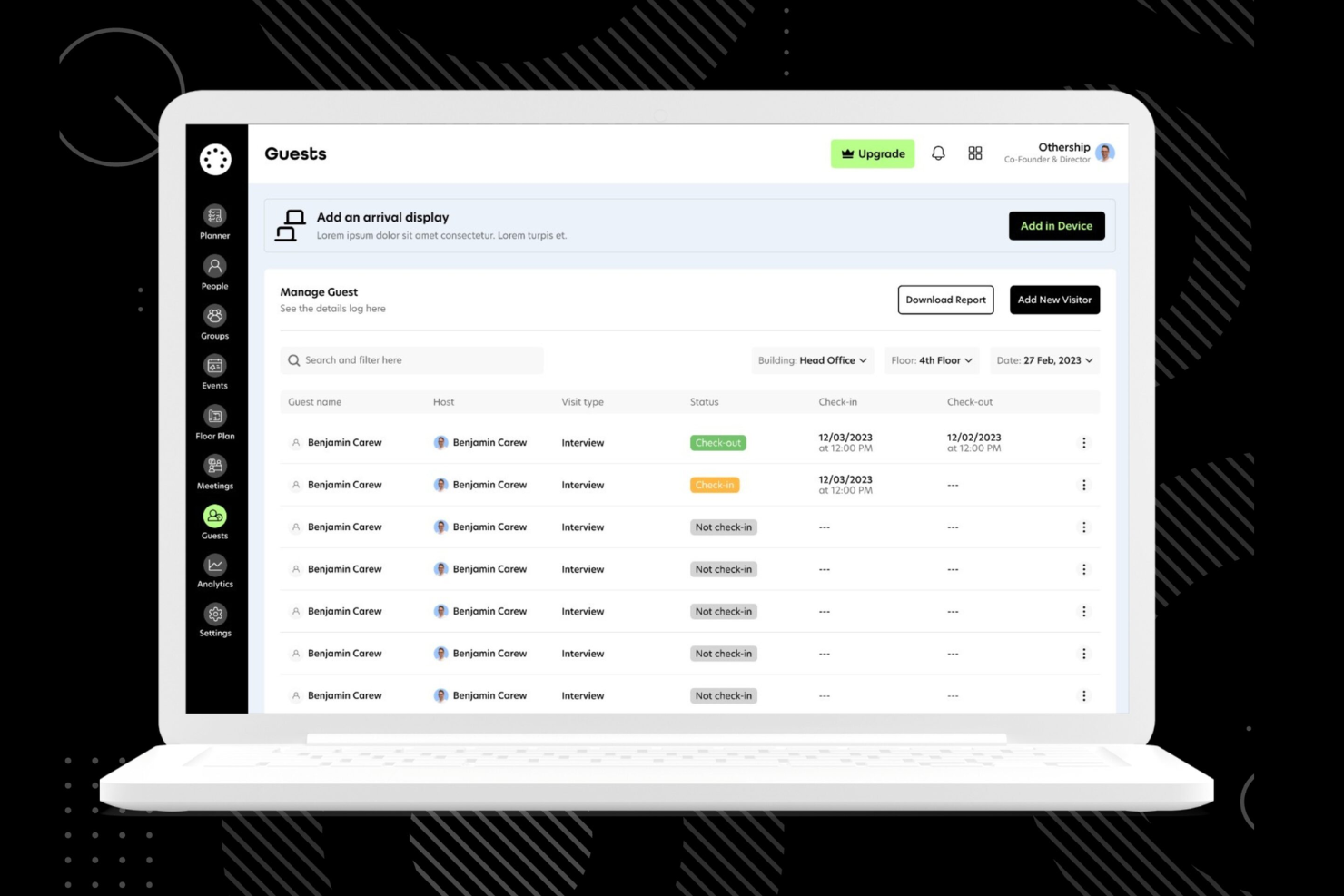
Workspace Booking: Easily reserve desks and meeting rooms, ensuring your team has the space they need when they need it. This feature simplifies workplace scheduling and reduces conflicts.
Team Collaboration: Facilitate seamless communication and project management with tools designed to keep your team connected. It's perfect for remote and hybrid work environments.
User Management: Manage user roles and access level permissions with ease, keeping your workspace secure and organized. This feature helps you control who can access what.
Analytics Dashboard: Access insights on workspace usage to optimize your resource management processes. This helps you make informed decisions about space allocation.
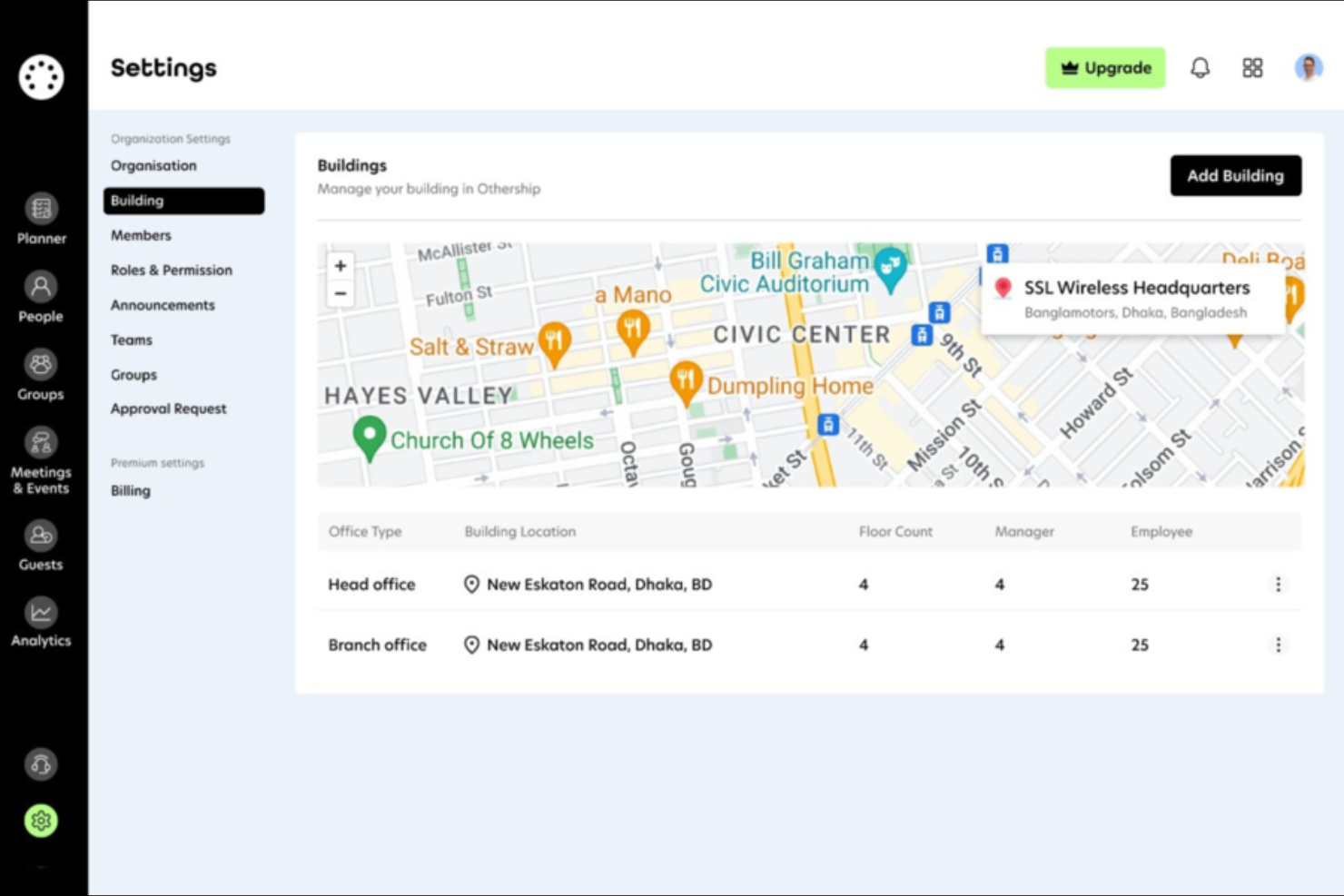
Customizable Layouts: Adapt your digital workspace layout to fit your team's unique needs, preferences, and floor plans. This flexibility supports diverse working styles and occupancy needs.
Mobile Access: You can access Othership from Android and iOS devices, making it easy for your team to stay connected on the go. It's perfect for teams that need flexibility and mobility.

Ease of Use
Othership is incredibly user-friendly, making it easy for your team to navigate and manage workspace logistics. Its intuitive interface requires minimal training, allowing you to get started quickly. Users appreciate the straightforward booking system and clear analytics dashboard, which simplify daily tasks.
Compared to other tools, Othership's design focuses on ease of use, ensuring that even non-tech-savvy team members can manage bookings and collaborate efficiently.
Othership Specs
- Access Management
- API
- Appointment Scheduling
- Batch Permissions & Access
- Calendar Management
- Chat
- Click-to-Dial
- Contact Management
- Custom Data Forms
- Custom Reports
- Customer Management
- Dashboard
- Dashboards
- Data Export
- Data Import
- Data Visualization
- Email Integration
- External Integrations
- Forecasting
- Google Apps Integration
- Lead Management
- Map Visualization
- Marketing Automation
- Mobile App
- Multi-User
- Notifications
- Resource Management
- Scheduling
- Self-service Portal
- Workflow Management
Alternatives to Othership




Othership FAQs
How does Othership support remote work?
Can Othership handle hybrid work models?
Is Othership secure for handling sensitive data?
How customizable is Othership for different team sizes?
How does Othership improve team collaboration?
What kind of customer support does Othership provide?
How does Othership ensure data compliance?
Can Othership be accessed on mobile devices?
What's Next?
To remain up to date on all the latest in people management, subscribe to our newsletter for leaders and managers. You'll receive insights and offerings tailored to leaders and HR professionals straight to your inbox.