

Zinc Review: Pros, Cons, Features, and Pricing Explained



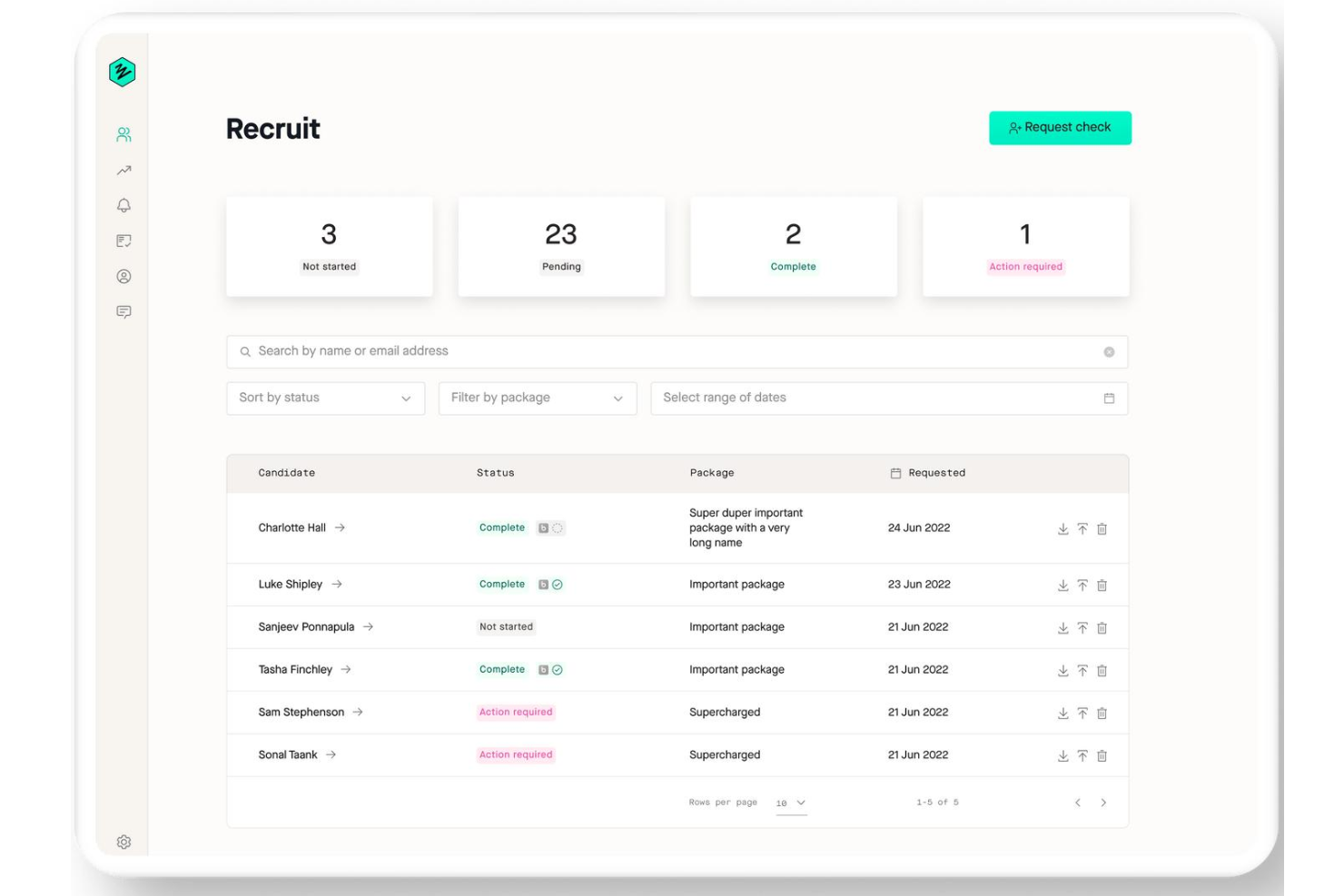
Zinc is a pre-employment testing software built around automated reference checking. It collects structured feedback from a candidate's references through digital surveys, cutting out the manual back-and-forth. I'd consider it if your team wants faster, more consistent reference data without chasing candidates and their contacts by phone or email. Compared to broader screening platforms like HireRight, Zinc is a better fit when reference intelligence is your core priority rather than managing full background report workflows.
Zinc Evaluation Summary
- Pricing upon request
- Free demo available
Why Trust Our Software Recommendations
Our team has been testing and reviewing software since 2012. As HR experts ourselves, we know how difficult—and important—it is to choose the right software.
For this guide, we evaluated tools using hands-on testing and independent research, scoring tools using our selection criteria. We also draw on insights from industry thought leaders and practicing HR experts.
Our reviews reflect our human editorial judgment, not a sales pitch.
Expert reviewers:
Zinc Overview
If you’re judging pre-employment testing software on transparency, automation, and candidate experience, Zinc is a top contender. I think its automated reference and background checks, clean interface, and fast onboarding make it easy for HR teams to adopt. Pricing is straightforward, and integrations with major ATS platforms help it fit into existing workflows. While it doesn’t offer deep skills testing, Zinc outperforms on compliance and candidate communication. I’d suggest it’s best for teams who want to speed up hiring without losing the human touch—especially in fast-moving, high-volume environments.
pros
-
Automates reference and background checks for faster hiring
-
Offers transparent candidate communication and real-time status updates
-
Supports a wide range of global compliance checks
cons
-
Lacks in-depth skills or cognitive testing features
-
Customer support response times can be slow
-
Limited customization for complex or unique screening workflows
Is Zinc Right For Your Needs?
Who Would be a Good Fit for Zinc?
Zinc is a strong choice for organizations that need fast, automated reference and background checks, especially when hiring at scale or across multiple regions. Its transparent candidate communication, global compliance support, and easy integration with applicant tracking systems make it ideal for HR teams and recruiters in fast-paced, high-volume environments, including those in information technology and other digitally driven industries. If your hiring process relies more on verifying work history and compliance than on technical or skills testing, Zinc is likely to fit your needs.
-
High-Volume Recruiting
Zinc automates reference checks, saving time for teams hiring many candidates at once.
-
Staffing Agencies
Agencies benefit from Zinc’s fast turnaround and global compliance features.
-
Tech Startups
Startups can quickly verify candidates’ backgrounds without heavy admin work.
-
Healthcare Providers
Healthcare organizations use Zinc for right-to-work and regulatory checks.
-
Remote-First Companies
Remote teams appreciate Zinc’s digital-first, candidate-friendly experience.
-
HR Departments
HR teams needing to streamline background screening find Zinc’s automation valuable.
Who Would be a Bad Fit for Zinc?
Zinc isn’t the best fit for organizations that require deep skills assessments, highly customized workflows, or niche industry-specific screening. If your hiring process depends on technical testing, psychometric analysis, or complex, multi-stage evaluations, you’ll likely find Zinc’s focus on reference and background checks too limited. Companies with unique compliance needs or highly specialized roles may also need more tailored solutions.
-
Software Engineering Roles
Zinc doesn’t offer coding or technical skills assessments.
-
Financial Services
Firms needing advanced credit or financial checks may find Zinc lacking.
-
Large Enterprises
Enterprises with complex, multi-stage workflows may need more customization.
-
Manufacturing Plants
Plants requiring physical ability or safety testing won’t find those features here.
-
Academic Institutions
Universities needing credential verification or academic testing need more specialized tools.
-
Executive Search Firms
Firms seeking psychometric or leadership assessments won’t find them in Zinc.
How We Test & Score Our Tools
We’ve spent years building, refining, and improving our software testing and scoring system. The rubric is designed to capture the nuances of software selection and what makes a tool effective, focusing on critical aspects of the decision-making process.
Below, you can see exactly how our testing and scoring works across seven criteria. It allows us to provide an unbiased evaluation of the software based on core functionality, standout features, ease of use, onboarding, customer support, integrations, customer reviews, and value for money.
Core Functionality (25% of final score)
The starting point of our evaluation is always the core functionality of the tool. Does it have the basic features and functions that a user would expect to see? Are any of those core features locked to higher-tiered pricing plans? At its core, we expect a tool to stand up against the baseline capabilities of its competitors.
Standout Features (25% of final score)
Next, we evaluate uncommon standout features that go above and beyond the core functionality typically found in tools of its kind. A high score reflects specialized or unique features that make the product faster, more efficient, or offer additional value to the user.
We also evaluate how easy it is to integrate with other tools typically found in the tech stack to expand the functionality and utility of the software. Tools offering plentiful native integrations, 3rd party connections, and API access to build custom integrations score best.
Ease of Use (10% of final score)
We consider how quick and easy it is to execute the tasks defined in the core functionality using the tool. High scoring software is well designed, intuitive to use, offers mobile apps, provides templates, and makes relatively complex tasks seem simple.
Onboarding (10% of final score)
We know how important rapid team adoption is for a new platform, so we evaluate how easy it is to learn and use a tool with minimal training. We evaluate how quickly a team member can get set up and start using the tool with no experience. High scoring solutions indicate little or no support is required.
Customer Support (10% of final score)
We review how quick and easy it is to get unstuck and find help by phone, live chat, or knowledge base. Tools and companies that provide real-time support score best, while chatbots score worst.
Customer Reviews (10% of final score)
Beyond our own testing and evaluation, we consider the net promoter score from current and past customers. We review their likelihood, given the option, to choose the tool again for the core functionality. A high scoring software reflects a high net promoter score from current or past customers.
Value for Money (10% of final score)
Lastly, in consideration of all the other criteria, we review the average price of entry level plans against the core features and consider the value of the other evaluation criteria. Software that delivers more, for less, will score higher.
Core Features
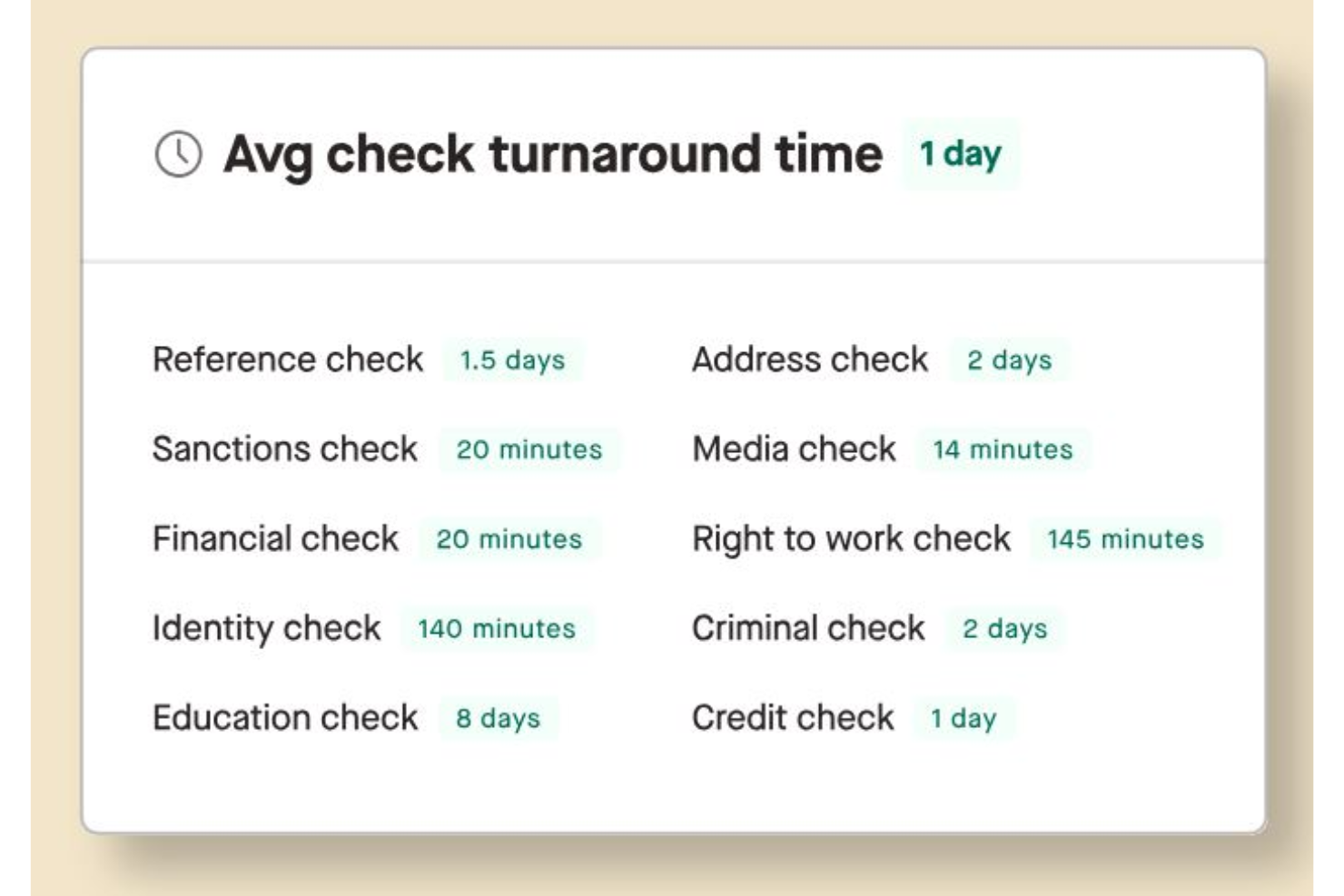
Automated Reference Checks
Zinc automates collecting and verifying references, reducing manual follow-up for HR teams.
Criminal Record Checks
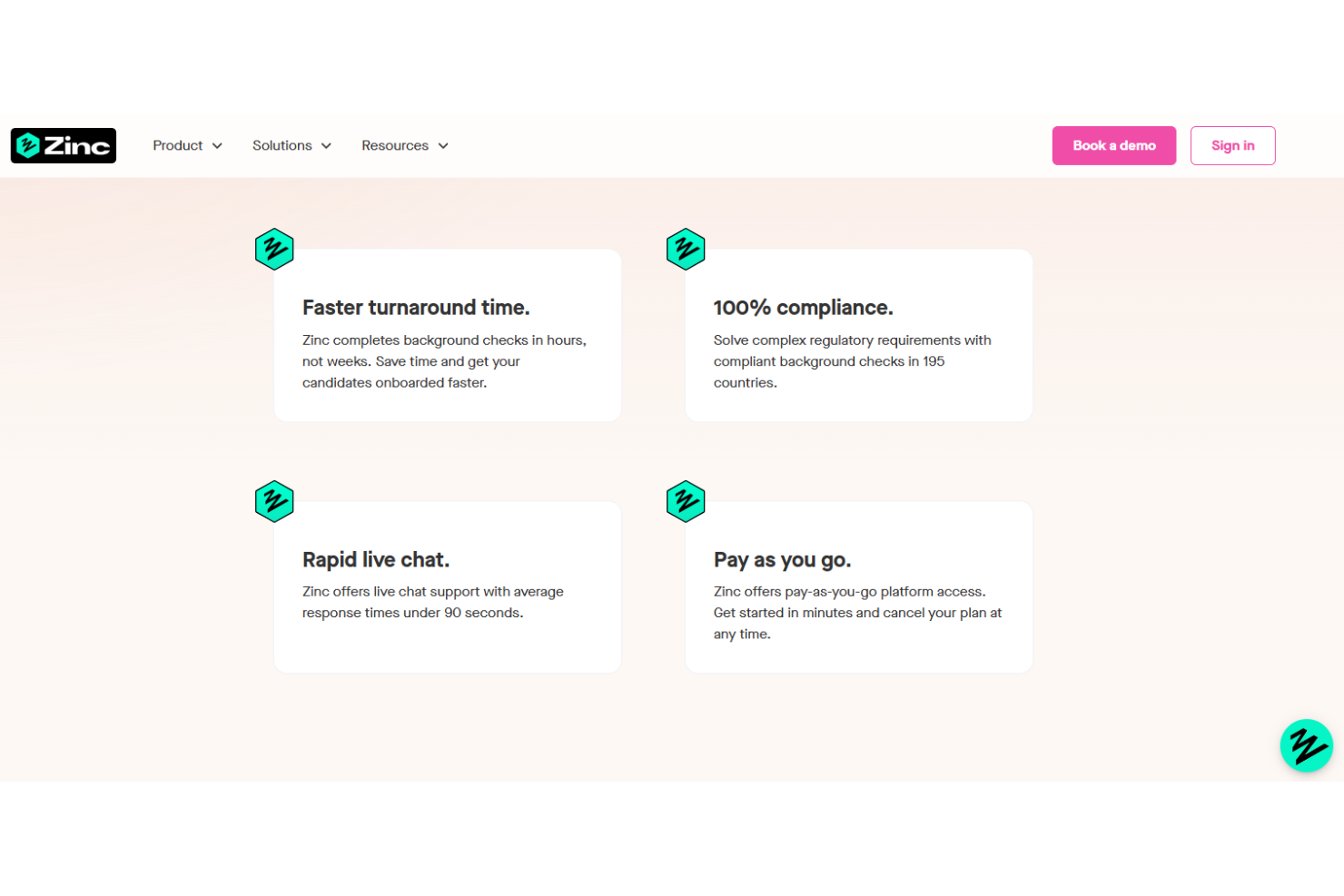
Run criminal background checks across 195 countries to support global hiring and compliance.
Right-to-Work Verification
Easily confirm a candidate’s right to work in any country, helping you stay compliant with local regulations.
Education and Credential Checks
Validate global qualifications and certifications to ensure candidates meet role requirements.
Custom Check Packages
Build and save custom screening packages for different roles and job titles, then launch checks with one click.
Real-Time Candidate Updates
Candidates receive live status updates, improving transparency and reducing uncertainty during the screening process.
Standout Features
Blockchain-Backed References
Zinc uses blockchain technology to create tamper-proof, reusable reference reports that candidates can share with future employers. This adds a layer of trust and transparency.
Candidate Self-Service Portal
Candidates can manage their own checks, upload documents, contact details like their phone number, and track progress in real time. This self-service approach reduces HR admin work.
Ease of Use
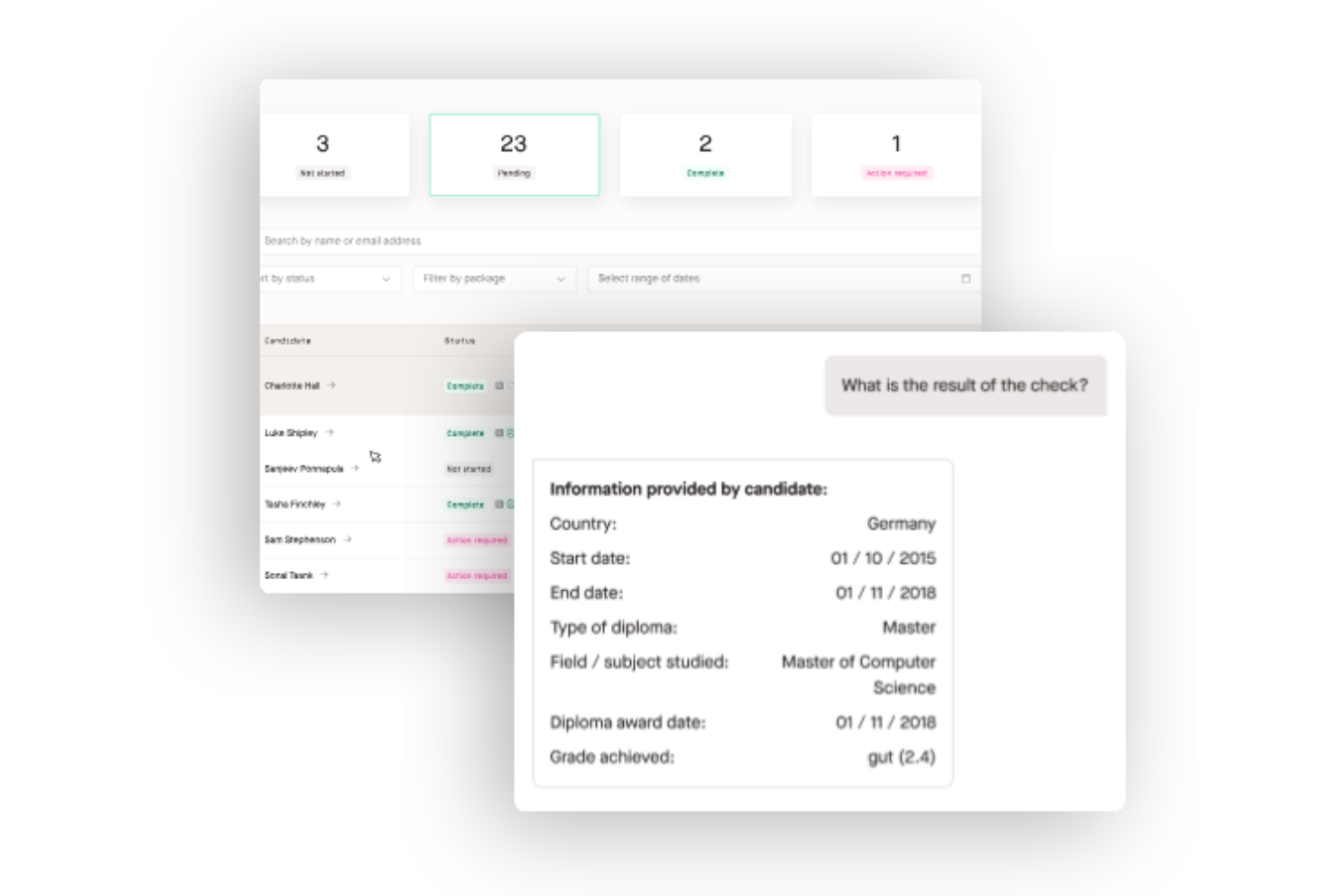
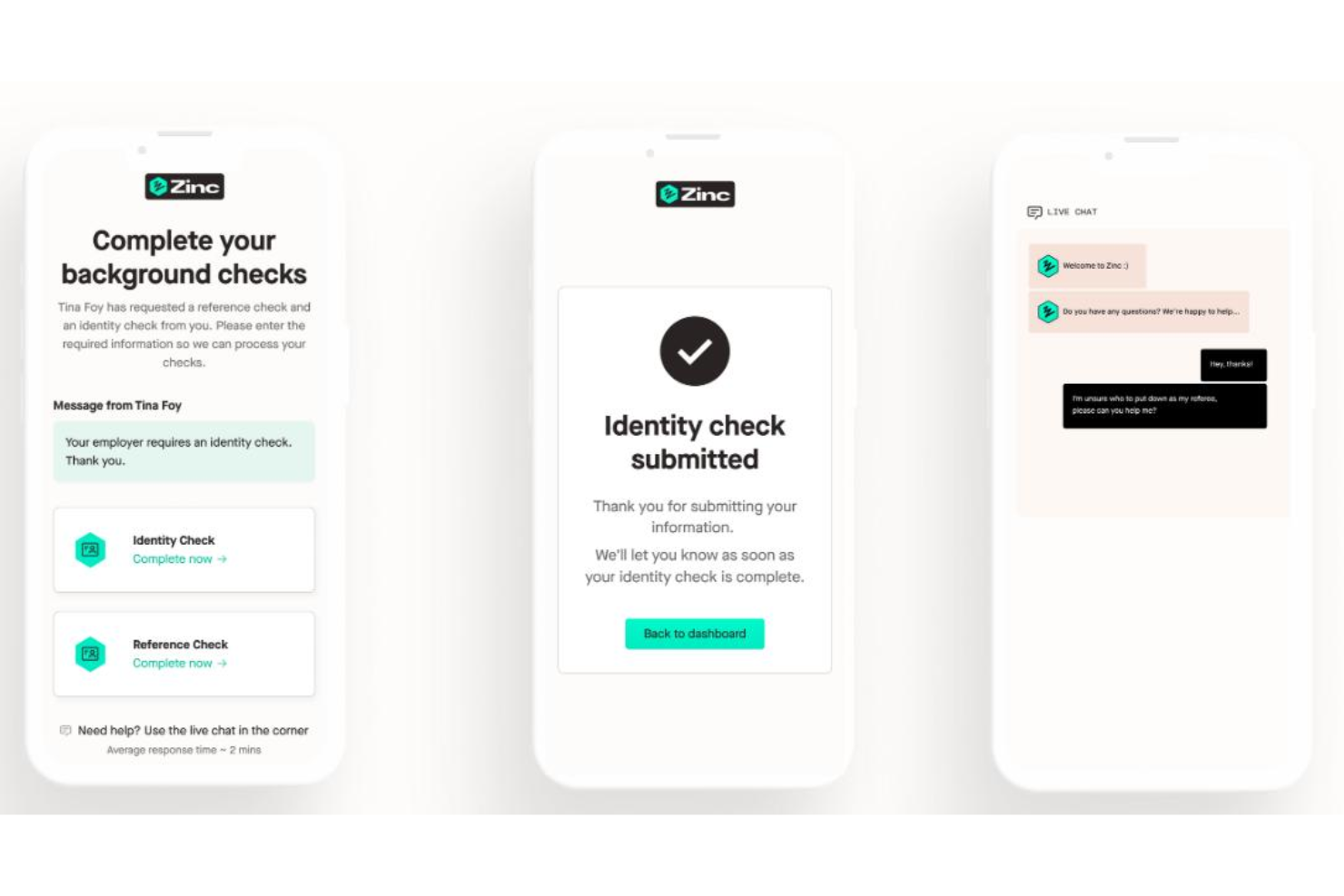
Zinc is refreshingly straightforward, with a clean dashboard and intuitive workflows that let HR teams launch checks in just a few clicks. Users often mention how easy it is to set up and navigate, even for those new to digital screening tools. The candidate self-service portal and automated status updates cut down on back-and-forth emails, making the process smoother for both HR and applicants. Overall, Zinc’s usability stands out in a crowded market.
Onboarding
Zinc’s onboarding is quick and approachable, with most users able to get started in under an hour. The platform offers clear step-by-step guides, video tutorials, and a responsive help center to answer common questions. Many HR teams mention that the setup process is painless and that support staff are helpful when needed. This fast time to value makes Zinc especially appealing for teams that want to implement new screening processes without a lengthy ramp-up.
Customer Support
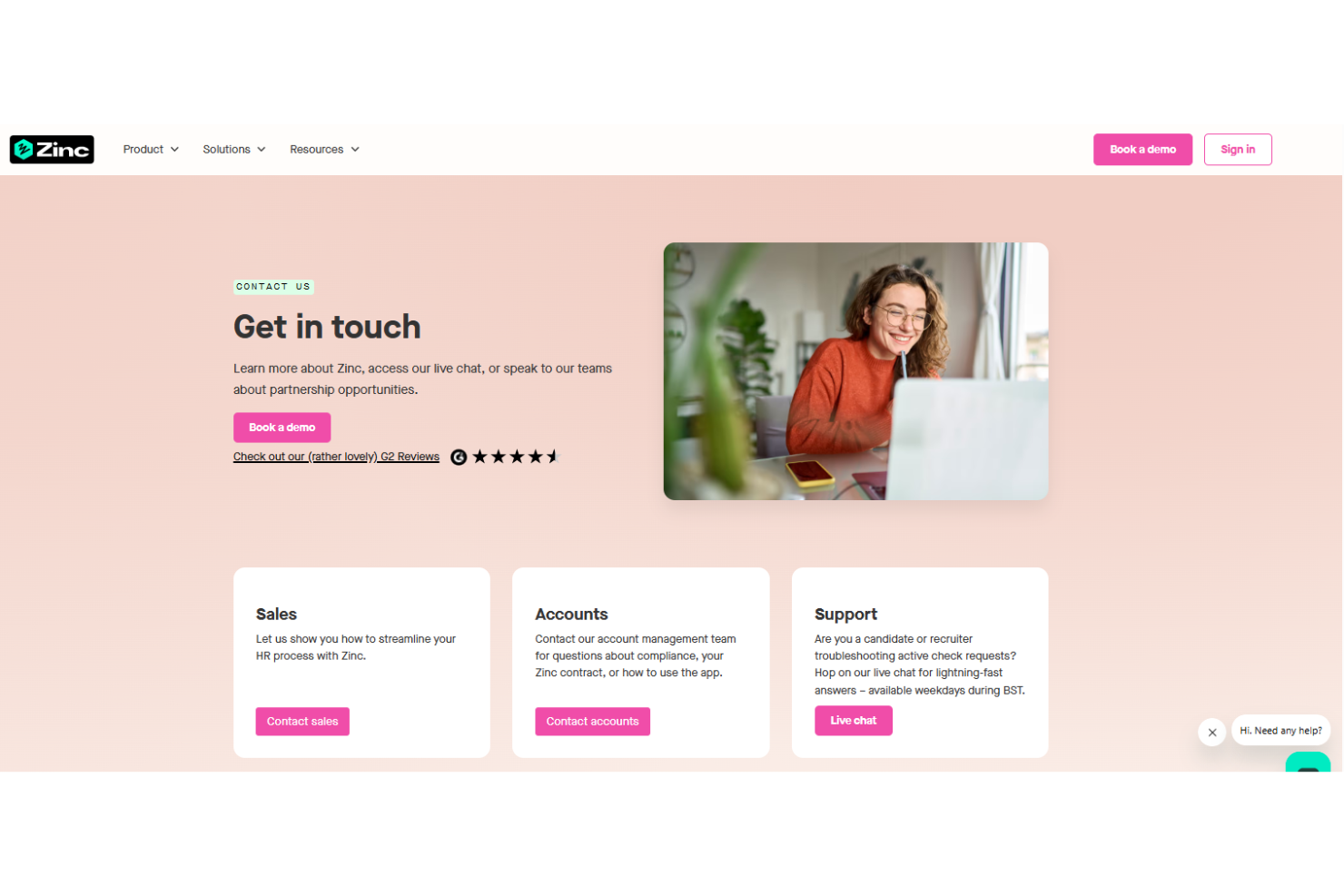
Zinc offers live chat, email, and a detailed help center, giving users multiple ways to get assistance. While many users appreciate the knowledgeable support team and helpful resources, some mention occasional delays in response times during busy periods. The platform’s documentation and onboarding materials answer most common questions, but for urgent or complex issues, you may need to wait longer than expected. Overall, support is solid but could be faster at peak times.
Integrations
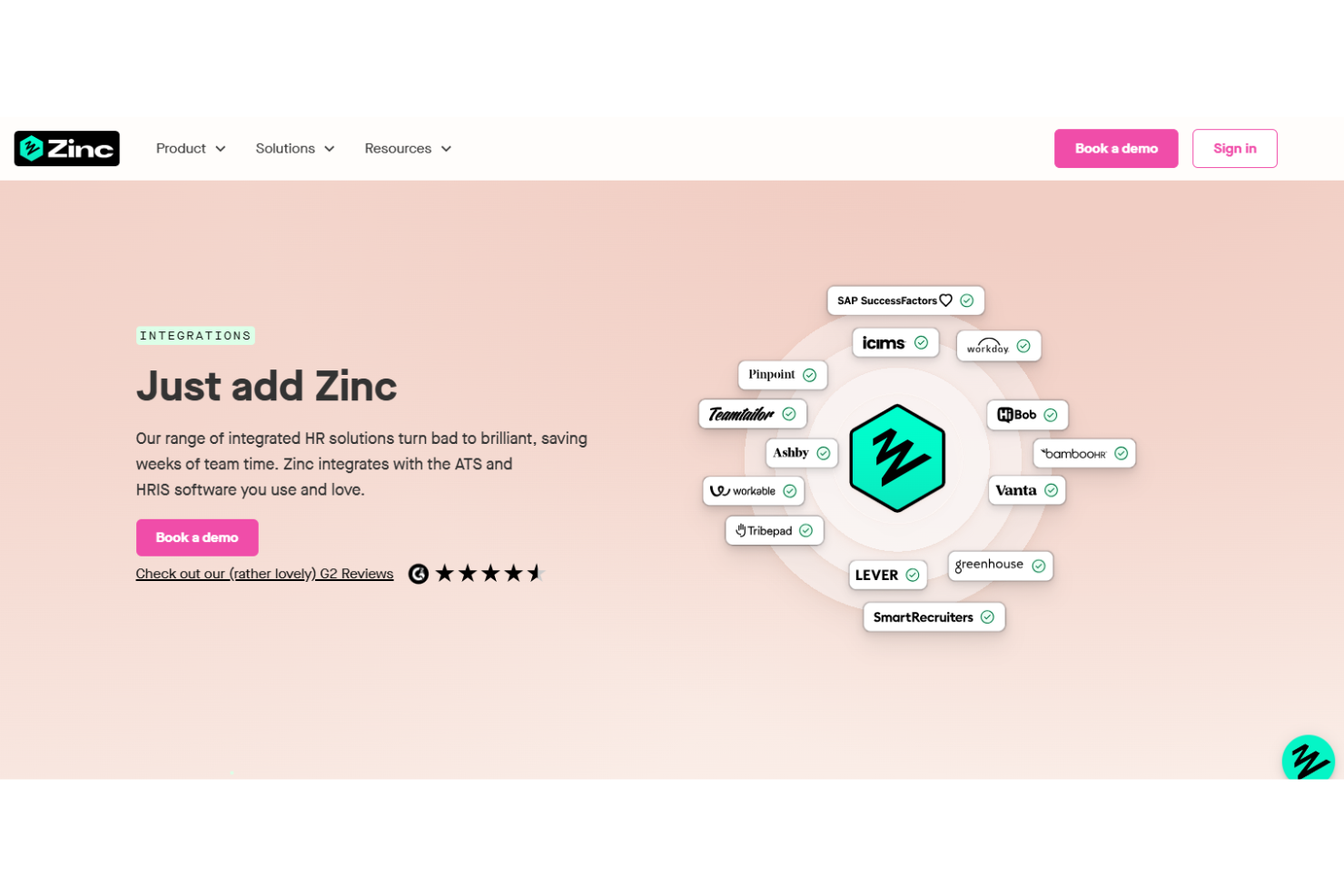
Zinc integrates with popular HRIS platforms like Greenhouse, Workday, Workable, Lever, Greenhouse, and HiBob, among others.
Zinc also offers a Rest API for custom integrations and can connect with additional HRIS and ATS platforms through enterprise solutions.
Value for Money
Zinc uses a pay-as-you-go pricing model, allowing teams to pay only for the checks they run. Pricing is not publicly listed, and costs vary based on usage or company size. This makes it flexible for different hiring volumes, but pricing details are not fully transparent upfront.
Zinc Specs
- API
- Application Tracking
- Calendar Management
- Contact Management
- Dashboard
- Data Export
- Data Import
- Data Visualization
- Database
- Employee Onboarding
- External Integrations
- Feedback Management
- Multi-User
- Notifications
- Scheduling
Zinc FAQs
How long does it take to complete a typical reference or background check with Zinc?
Is Zinc compliant with GDPR and other global data privacy regulations?
Can I customize the types of checks included in my screening packages?
Does Zinc support international background checks?
What support is available if I have questions or issues during the screening process?
How does Zinc ensure the authenticity of references and background information?
Can candidates track the progress of their checks?
Does Zinc integrate with my existing applicant tracking system (ATS)?
Zinc Company Overview & History
Zinc is a London-based company specializing in automated background and reference checks for global employers. The company focuses exclusively on its flagship product, Zinc, and does not list any other owned products or affiliations. Zinc is known for its candidate-first approach, transparent turnaround times, and a strong reputation for customer support. Notable clients include Darlington Building Society and other organizations highlighted in their case studies, but specific financial or workforce size details are not publicly disclosed.
Zinc Major Milestones
- 2017: Zinc founded in London, UK.
- 2018: Launched its automated background and reference checking platform.
- 2022: Surpassed 1,000,000 checks completed for customers.
- 2023: Featured in customer success stories with organizations like Darlington Building Society.