
13 Best Job Description Management Software in 2026

Job Description Management Software Shortlist
Here’s my shortlist of the best job description management software:


Job description management software helps you create, organize, and update job descriptions so your HR team can keep hiring processes clear, compliant, and consistent. If you’re searching for the best job description management software, you’re likely looking to save time, reduce manual errors, and make sure every role in your organization is accurately represented. In this guide, you’ll find trusted tools that help you standardize job postings, collaborate with stakeholders, and stay up to date with changing requirements—so you can focus on attracting and retaining the right talent.
Why Trust Our Software Reviews
We’ve been testing and reviewing HR software systems since 2019. As HR experts ourselves, we know how critical and difficult it is to make the right decision when selecting software.
We invest in deep research to help our audience make better software purchasing decisions. We’ve tested more than 2,000 tools for different HR management use cases and written over 1,000 comprehensive software reviews. Learn how we stay transparent & our software review methodology.
Best Job Description Management Software Summary
This comparison chart summarizes pricing details for my top job description management software selections to help you find the best fit for your budget and hiring needs.
| Tool | Best For | Trial Info | Price | ||
|---|---|---|---|---|---|
| 1 | Best for job descriptions within ATS systems | Free demo available | Pricing upon request | Website | |
| 2 | Best for HR-integrated job descriptions | From $29/month | From $29/month | Website | |
| 3 | Best for compensation-based job descriptions | Free plan + free demo available | Pricing upon request | Website | |
| 4 | Best for inclusive job description guidance | Free demo available | Pricing upon request | Website | |
| 5 | Best for compliant job description management | Not available | Pricing upon request | Website | |
| 6 | Best for AI job description creation | Free demo + free plan available | From $980/month (billed annually) | Website | |
| 7 | Best for centralized job description libraries | Free demo available | Pricing upon request | Website | |
| 8 | Best for inclusive job description analysis | Free demo available | Pricing upon request | Website | |
| 9 | Best for branded job description templates | Free demo available | From $4900/year | Website | |
| 10 | Best for pre-built job description templates | Not available | From $360/year (billed annually) | Website |
-

Checkr
Visit WebsiteThis is an aggregated rating for this tool including ratings from Crozdesk users and ratings from other sites.4.5 -
Kudoboard
Visit WebsiteThis is an aggregated rating for this tool including ratings from Crozdesk users and ratings from other sites.4.8 -
Native Teams
Visit WebsiteThis is an aggregated rating for this tool including ratings from Crozdesk users and ratings from other sites.4.6





Job Description Management Software Reviews
Below are my detailed summaries of the best job description management software that made it onto my shortlist. My reviews offer a detailed look at the features, integrations, and best use cases of each platform to help you find the best one for you.

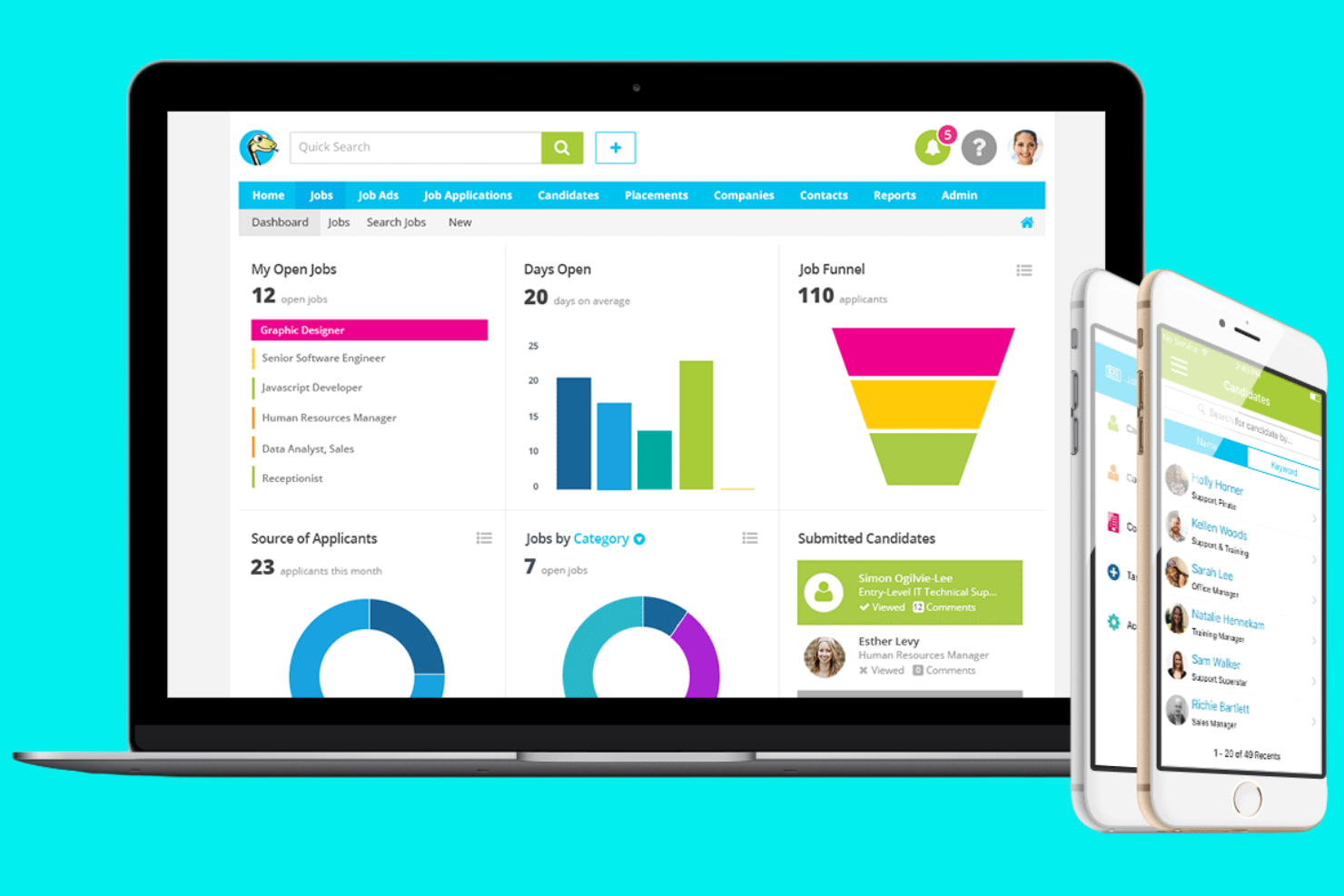
JobAdder is a cloud-based recruitment platform designed for staffing agencies and in-house talent teams who want to centralize job postings, manage candidate pipelines, and simplify job description workflows.
Who Is JobAdder Best For?
Staffing agencies and internal talent acquisition teams in fast-growing companies that need to manage high volumes of job postings and candidates.
Why I Picked JobAdder
I picked JobAdder as one of the best because I can automate repetitive recruitment tasks and keep job descriptions organized alongside candidate pipelines. I like that my team can post jobs to multiple boards from one dashboard and quickly update job details as requirements change. The workflow tools let us move candidates through stages while keeping job documentation accurate and accessible.
JobAdder Key Features
- Custom job templates: Create and reuse standardized job description templates for consistent postings.
- Document storage: Attach and manage job-related documents within each job record.
- User permissions: Set access levels for team members managing job descriptions.
- Audit trail: Track changes and updates made to job descriptions over time.
JobAdder Integrations
Native integrations are not currently listed.
Pros and Cons
Pros:
- Advanced search filters help pinpoint candidates quickly
- Multi-job board posting reduces manual sourcing effort
- Combines ATS + CRM to centralize candidate and client data
Cons:
- Mobile app has limited functionality vs desktop
- Reporting requires manual exports for deeper insights

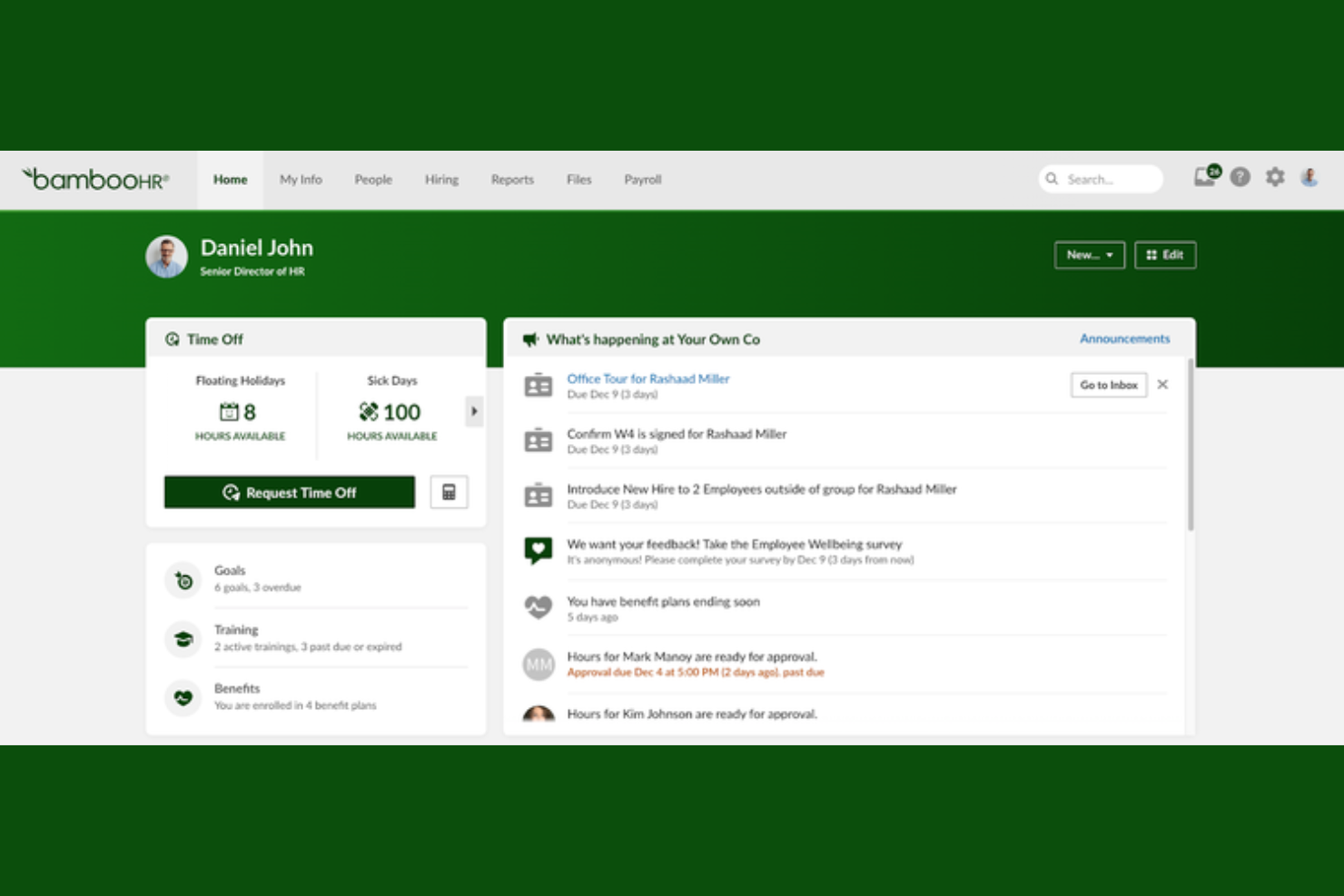
BambooHR is a cloud-based HR platform designed for small and midsize businesses that want to centralize job descriptions, simplify updates, and keep hiring teams aligned throughout the recruitment process.
Who Is BambooHR Best For?
HR teams are growing small to midsize businesses that need centralized job description management and easy integration with existing HR workflows.
Why I Picked BambooHR
I picked BambooHR as one of the best because I can quickly pull from built-in job description templates and push updates directly into our HR workflows. My team uses the platform to keep job descriptions consistent across departments, and we rely on its template library to speed up new role creation.
BambooHR Key Features
- Approval workflows: Route job descriptions for review and approval before publishing.
- Version history: Track changes and access previous versions of job descriptions.
- Role-based permissions: Control who can view, edit, or approve job descriptions.
- Document storage: Store and organize all job descriptions in a centralized, searchable library.
BambooHR Integrations
Integrations include Slack, Checkr, Remote, Evolia, and more. An open API is also available for custom integrations.
Pros and Cons
Pros:
- Approval workflows for job description updates
- Centralized storage for all job descriptions
- Built-in job description template library
Cons:
- Limited customization of template fields
- No bulk editing for multiple descriptions
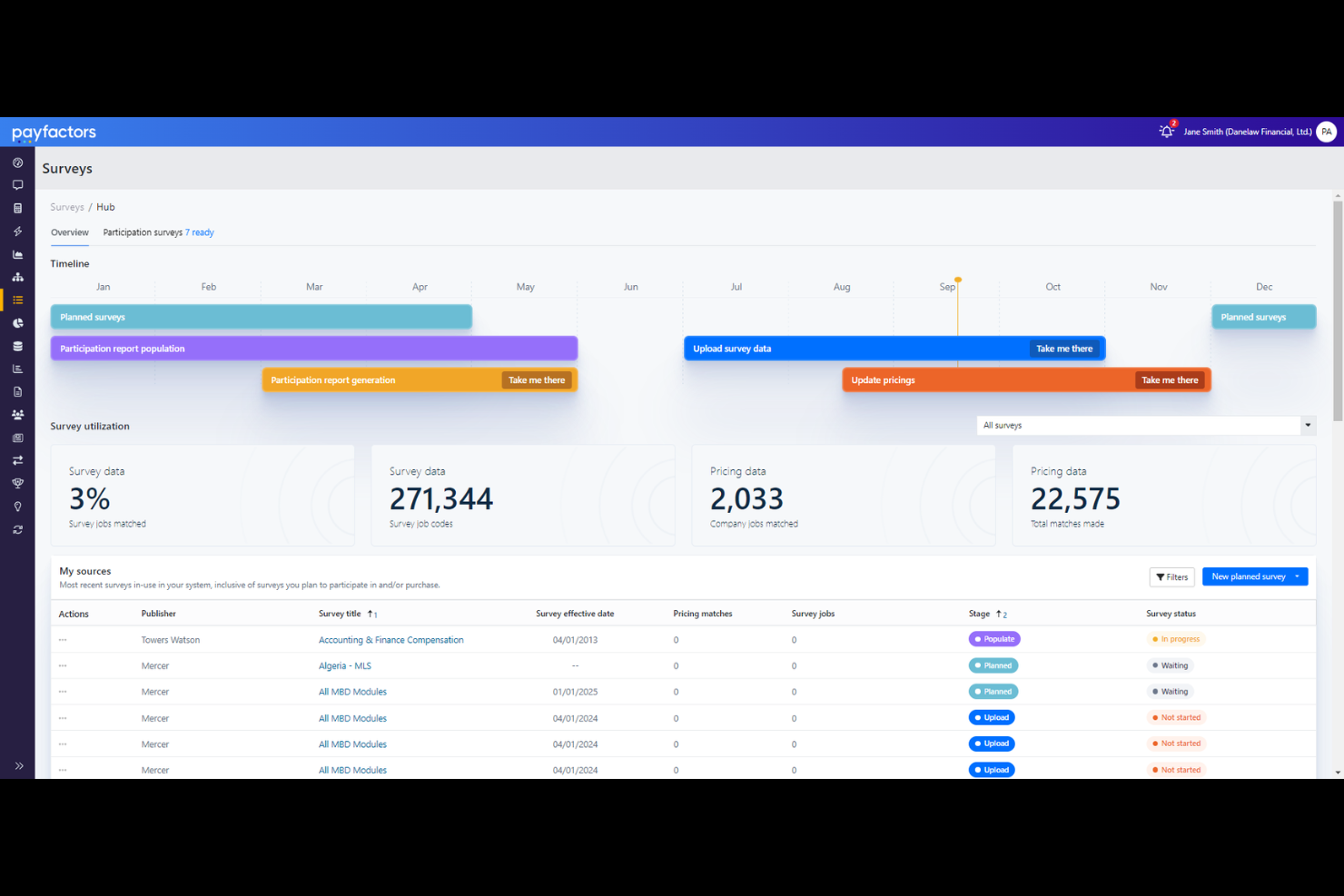
Payscale is a cloud-based platform for HR and compensation professionals who need to manage job descriptions, align roles with market data, and simplify compensation analysis in one centralized system.
Who Is Payscale Best For?
HR and compensation teams at mid-sized to large organizations that need centralized job data and market pricing insights.
Why I Picked Payscale
I picked Payscale as one of the best because I can manage job descriptions and market pricing in one place, which saves my team from juggling multiple systems. I like that I can link job descriptions directly to real-time market data and salary benchmarks. My team uses the platform’s centralized library to keep job data organized and accessible for compensation planning.
Payscale Key Features
- Job description version control: Track changes and maintain a history of job description edits.
- Role-based access permissions: Set user access levels for editing or viewing job data.
- Bulk job import: Upload multiple job descriptions at once from spreadsheets.
- Custom job fields: Add organization-specific fields to job descriptions for tailored data capture.
Payscale Integrations
Integrations include Workday, ADP, Gusto, and more.
Pros and Cons
Pros:
- Enables custom fields for organization-specific data
- Provides audit trails for job description changes
- Supports export to HRIS and ATS systems
Cons:
- Lacks workflow automation for approvals
- Contract terms and pricing lack flexibility

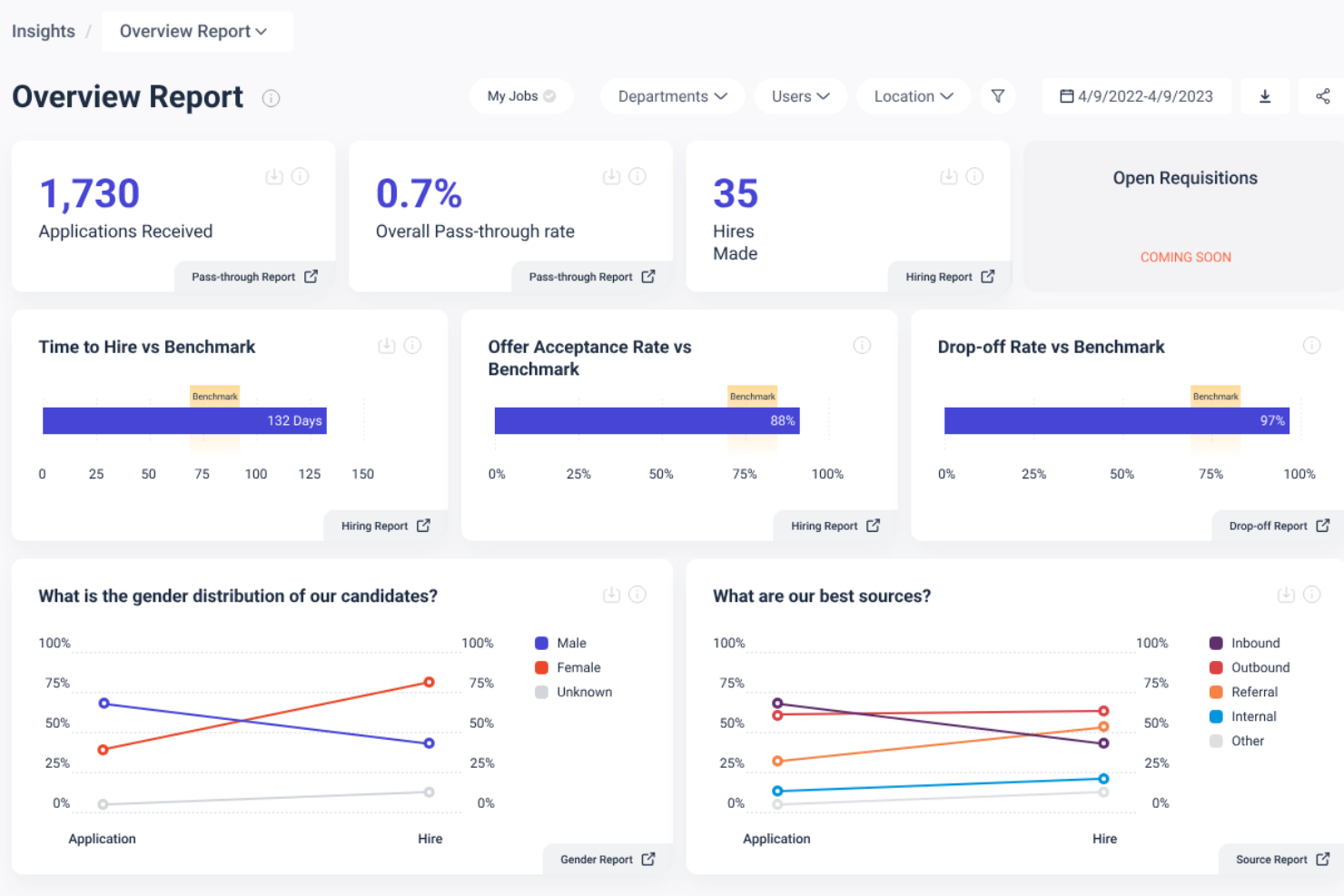
Datapeople is a job description management platform designed for talent acquisition teams who want to write clear, inclusive job postings and gain actionable insights into their hiring content.
Who Is Datapeople Best For?
Datapeople is a strong fit for in-house recruiting teams at mid-sized and large organizations seeking data-driven job description optimization.
Why I Picked Datapeople
I picked Datapeople as one of the best because I can get real-time guidance while writing job descriptions, which helps my team avoid biased or unclear language before publishing. I like that I can access analytics on job post performance and candidate flow, so we can see what’s working and what needs improvement. My team uses Datapeople’s collaborative editing tools to review and refine postings together, making our process more consistent and data-driven.
Datapeople Key Features
- Bulk job import: Upload multiple job descriptions at once for faster onboarding.
- Custom branding: Apply your organization’s logo and colors to all job postings.
- Role-based permissions: Control access and editing rights for different team members.
- Audit trails: Track all changes and edits made to job descriptions.
Datapeople Integrations
Native integrations are not currently listed.
Pros and Cons
Pros:
- Data-driven insights improve job post performance
- Standardizes job content across teams and roles
- Improves inclusivity and bias in job language
Cons:
- Scoring system can be overly strict
- AI suggestions can feel generic for niche roles
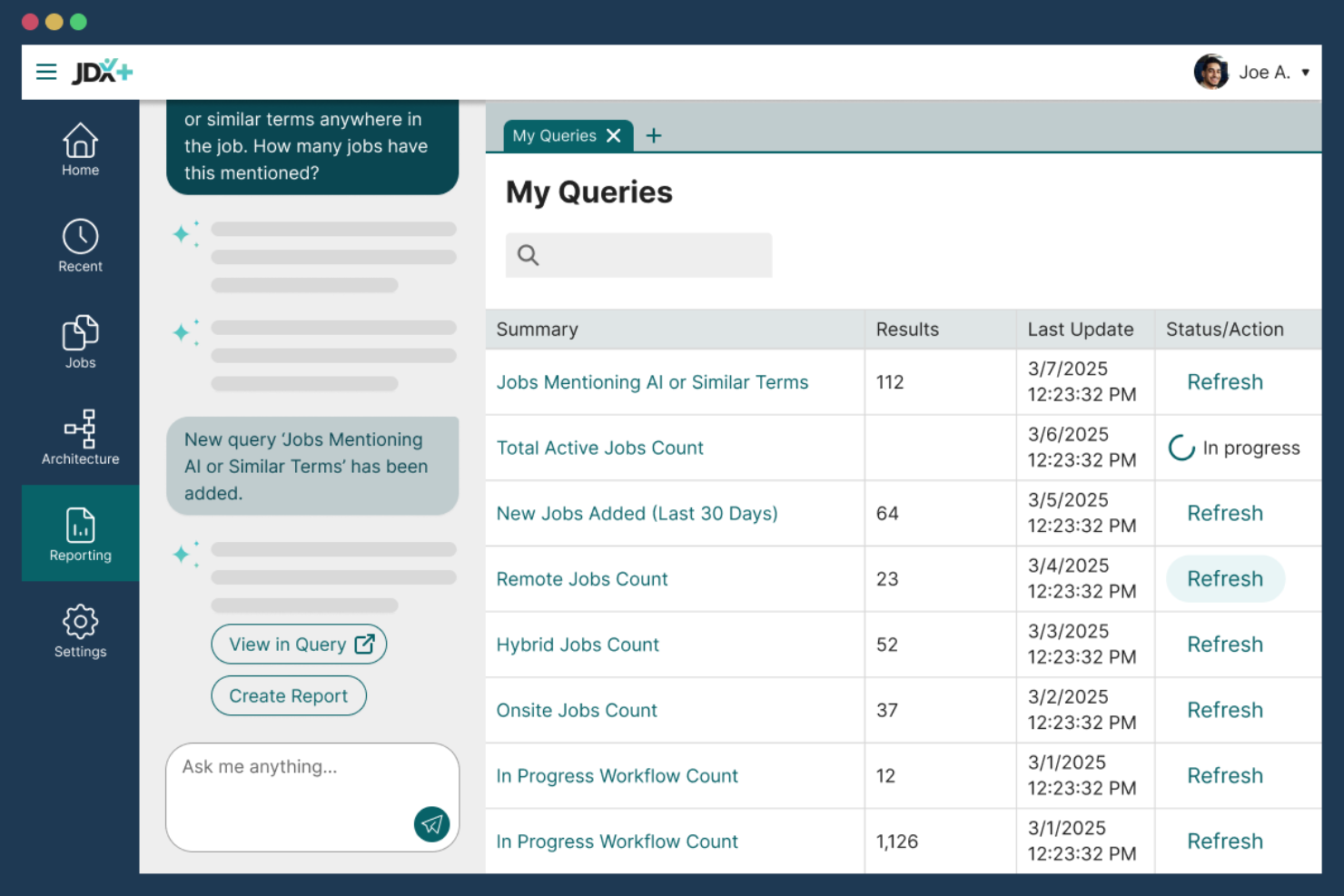
JDXpert is a specialized platform for HR teams and compensation professionals in midsize to large organizations who need to centralize, standardize, and maintain detailed job descriptions while supporting compliance and collaboration.
Who Is JDXpert Best For?
HR and compensation teams at large organizations that need advanced job description management and compliance support.
Why I Picked JDXpert
I picked JDXpert as one of the best because I can configure detailed workflows for job description creation, review, and approval—something my team needs for compliance-heavy environments. I rely on its audit trails and compliance tracking to document every change and meet regulatory requirements. The platform’s granular permission controls let me assign editing and approval rights by role, which keeps our process secure and organized.
JDXpert Key Features
- Job description library: Store and organize all job descriptions in a searchable repository.
- Content modularization: Build job descriptions using reusable content blocks for consistency.
- Bulk editing tools: Update multiple job descriptions at once with batch actions.
- Custom reporting: Generate reports on job description data and activity.
JDXpert Integrations
Native integrations are not currently listed.
Pros and Cons
Pros:
- Strong compliance support (pay equity, DEI, audits)
- Structured approval workflows track changes clearly
- Large content database speeds role creation
Cons:
- Requires upfront training due to feature depth
- Finding specific content can be difficult at scale
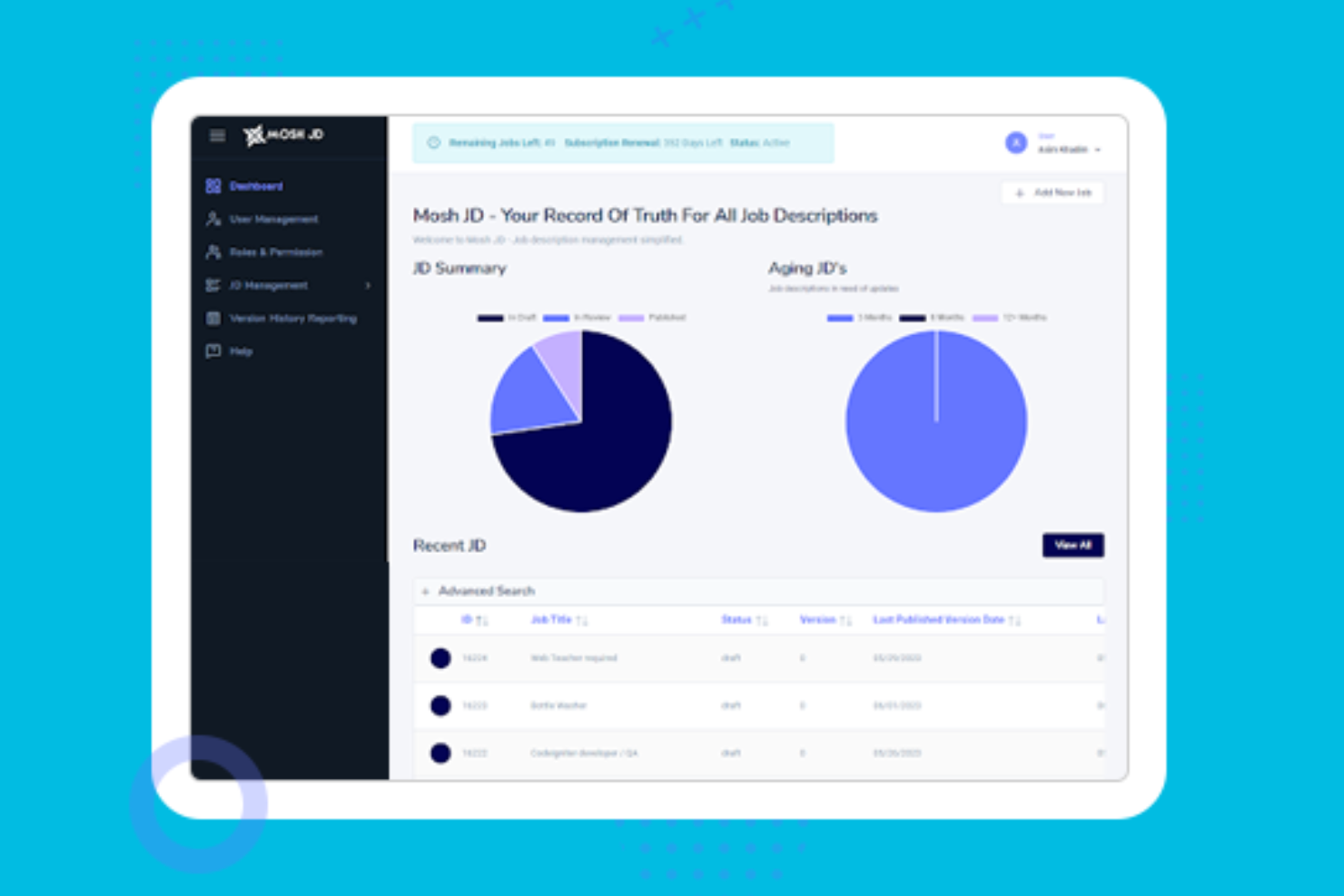
MoshJD is a cloud-based platform designed for HR teams and recruiters who want to quickly generate, edit, and manage job descriptions using AI-driven tools and collaborative workflows.
Who Is MoshJD Best For?
HR teams and recruiters at mid-sized to large organizations who want to automate and standardize job description creation.
Why I Picked MoshJD
I picked MoshJD as one of the best because I can use its AI-powered writing assistant to instantly draft and refine job descriptions based on my requirements. My team is able to collaborate in real time, suggest edits, and track changes directly in the platform. I like that I can pull from a library of pre-built content and tailor it to our organization’s needs.
MoshJD Key Features
- Job description version control: Track and manage changes to job descriptions over time.
- Role-based access permissions: Set user permissions for viewing, editing, or approving content.
- Export to multiple formats: Download job descriptions as PDF, Word, or plain text files.
- Customizable job description templates: Use and modify templates to fit organizational standards.
MoshJD Integrations
Native integrations are not currently listed.
Pros and Cons
Pros:
- Real-time collaboration for editing and approvals
- Built-in library of industry-specific templates
- AI generates job descriptions from minimal input
Cons:
- Bulk editing for multiple jobs is not supported
- No direct integration with major ATS platforms
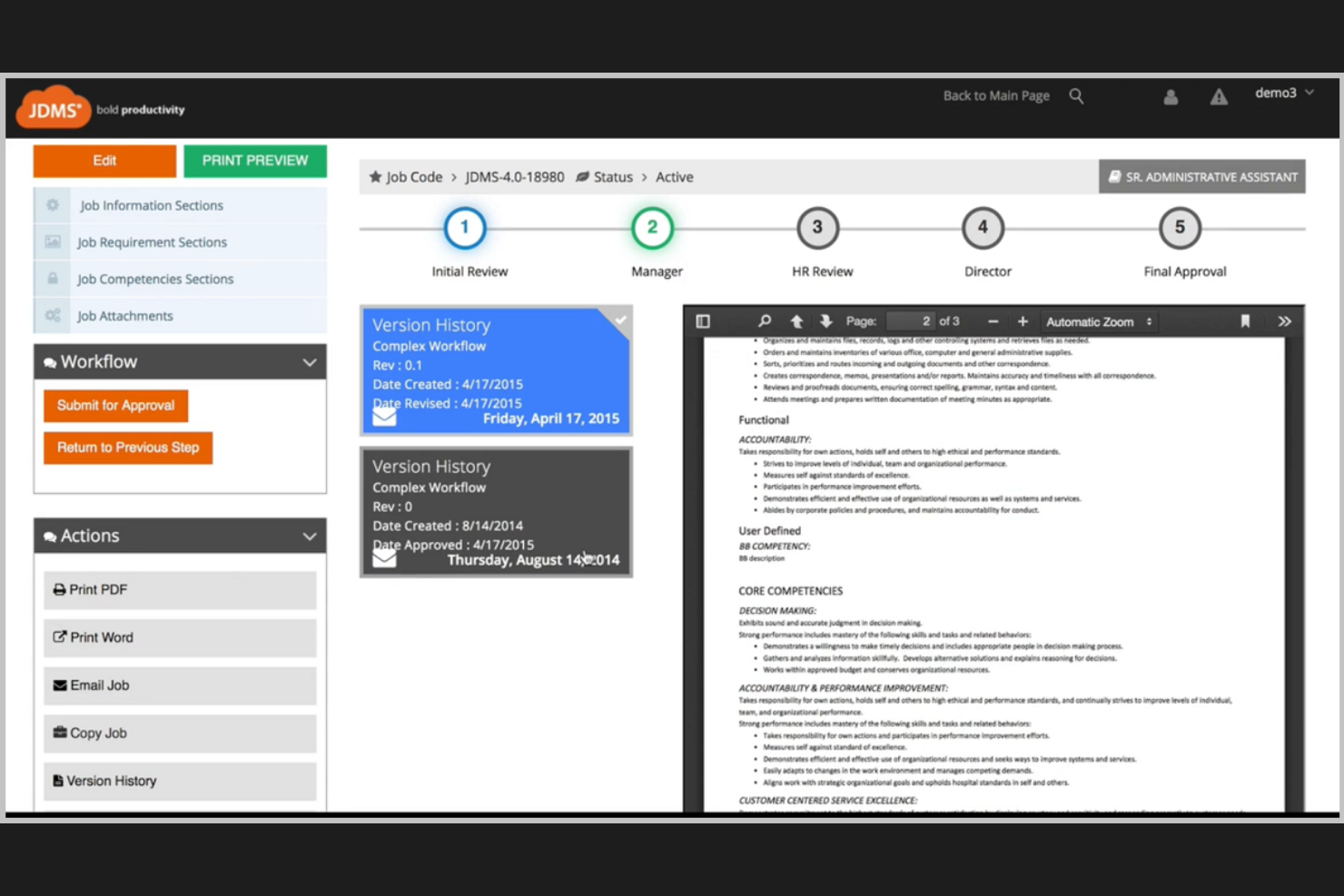
HRIZONS JDMS is a cloud-based job description management platform built for HR teams in large organizations who need to centralize, standardize, and align job content across multiple business units.
Who Is HRIZONS JDMS Best For?
HR leaders and HRIS teams at enterprise organizations who need to manage job descriptions at scale.
Why I Picked HRIZONS JDMS
I picked HRIZONS JDMS as one of the best because I can sync job descriptions directly with SAP SuccessFactors, keeping our HR systems aligned and up to date. My team uses its workflow automation to route approvals and manage version control across departments. I like that we can standardize job content and competencies for compliance and audits.
HRIZONS JDMS Key Features
- Competency library: Access a built-in library of standardized competencies for job descriptions.
- Role-based permissions: Assign user access levels for editing, viewing, or approving job content.
- Audit trail: Track all changes and edits made to job descriptions over time.
- Bulk job import: Upload and manage multiple job descriptions at once using import tools.
HRIZONS JDMS Integrations
Native integrations are not currently listed.
Pros and Cons
Pros:
- Automated workflow for approvals and updates
- Built-in competency and skills frameworks
- Role-based access for HR and managers
Cons:
- Reporting features are basic compared to peers
- Customization options require vendor support
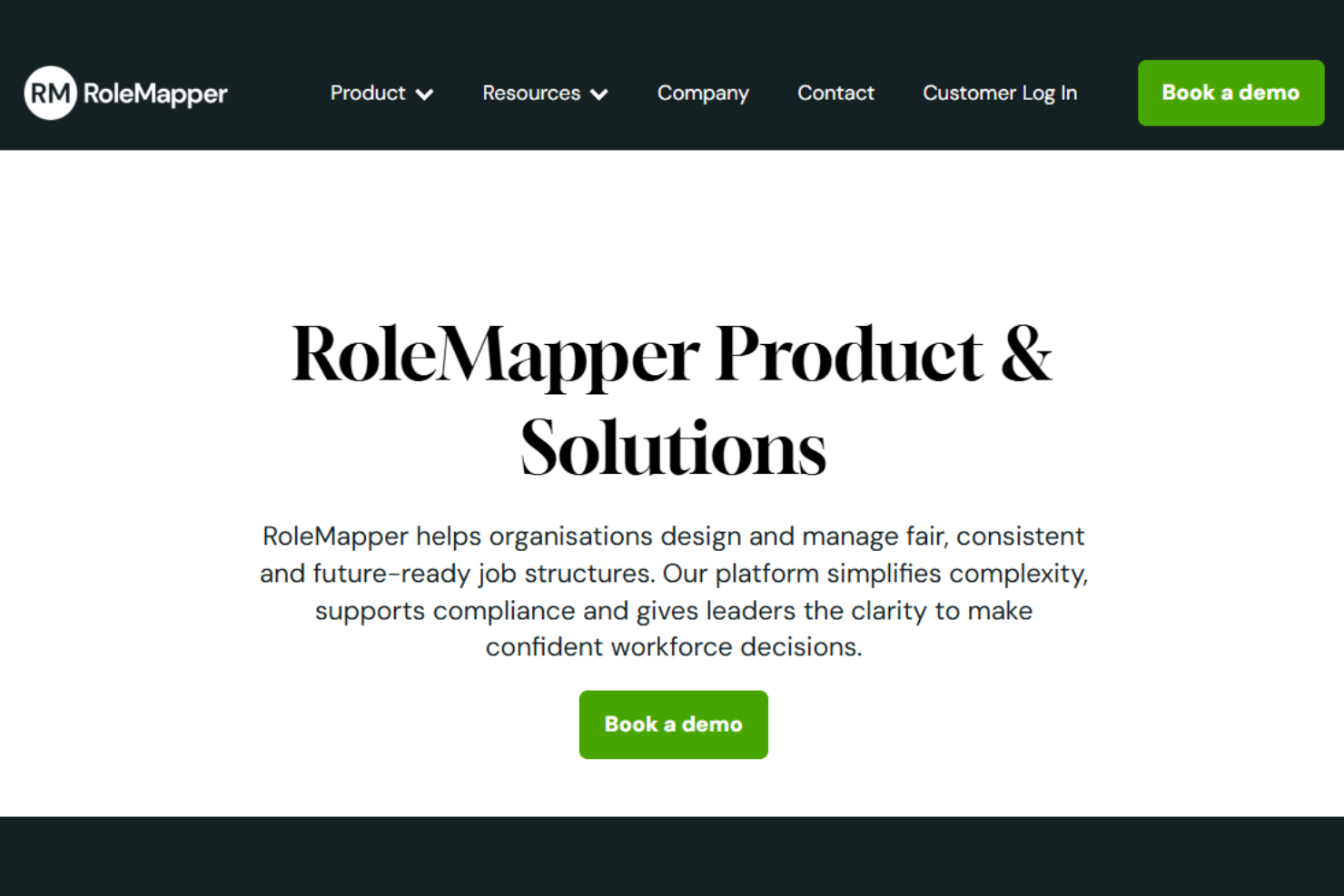
RoleMapper is a cloud-based platform designed for HR teams and talent leaders who need to create, manage, and optimize job descriptions while ensuring consistency and compliance across large, complex organizations.
Who Is RoleMapper Best For?
RoleMapper is a strong fit for HR teams in large enterprises and public sector organizations focused on inclusive, compliant job documentation.
Why I Picked RoleMapper
I picked RoleMapper as one of the best because I can use its AI-powered language analysis to flag and rewrite non-inclusive or biased language in job descriptions. My team relies on its structured templates and content libraries to keep job specs consistent and audit-ready. I like that I can benchmark roles for compliance and equity, which helps us meet organizational and regulatory standards.
RoleMapper Key Features
- Bulk job import: Upload and manage multiple job descriptions at once.
- Version control: Track changes and maintain a full history of job description edits.
- Approval workflows: Route job descriptions for review and sign-off within the platform.
- Role library: Access a structured library of standardized job roles and templates.
RoleMapper Integrations
Native integrations are not currently listed.
Pros and Cons
Pros:
- Multi-hierarchy support manages global job structures
- Connects job data directly to pay and skills frameworks
- Built-in bias detection improves inclusive job design
Cons:
- Advanced job architecture setup requires HR expertise
- Limited user review volume makes evaluation harder
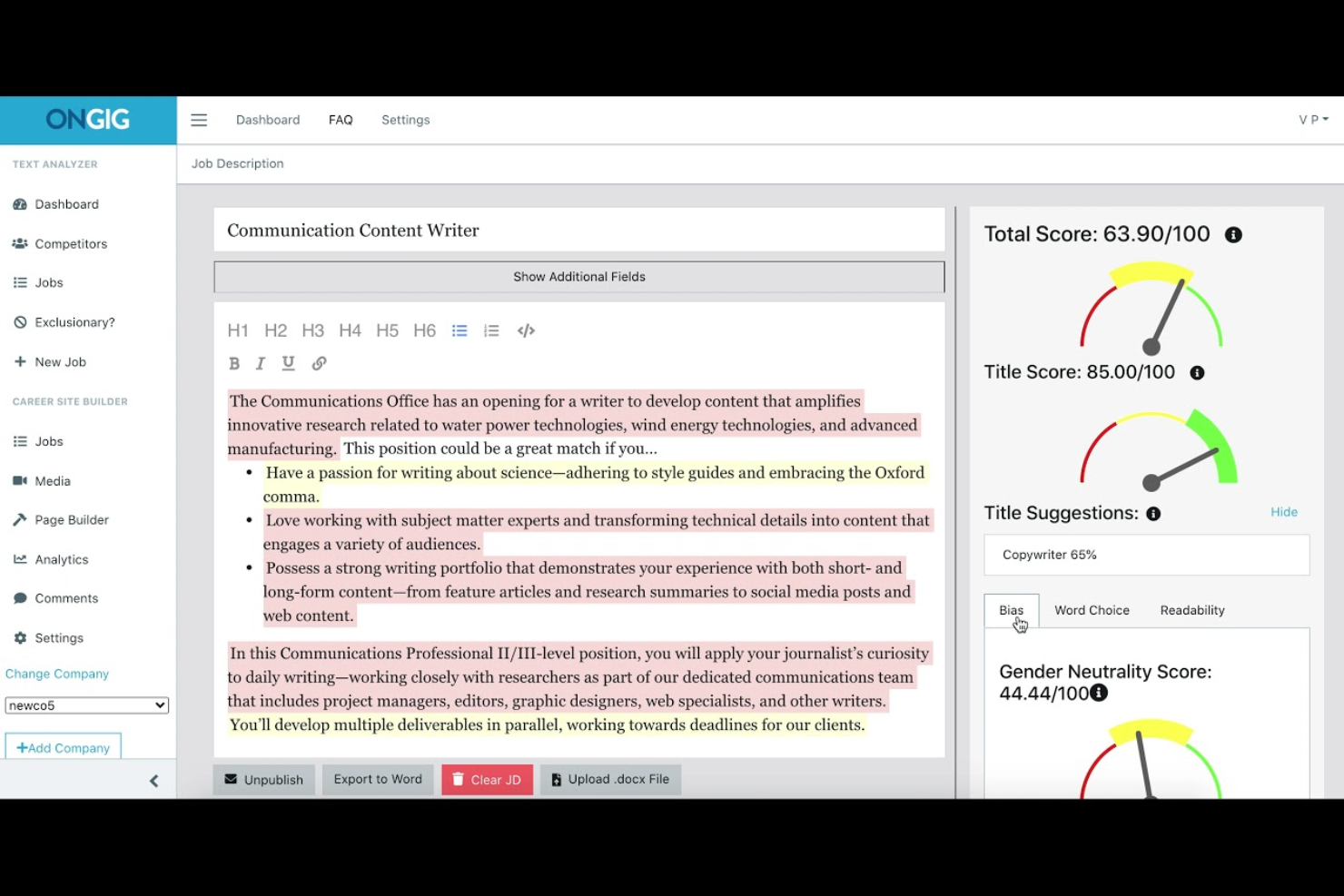
Ongig is a job description management platform built for HR and talent acquisition teams who want to create, optimize, and manage inclusive job postings at scale while reducing bias and improving candidate engagement.
Who Is Ongig Best For?
Ongig is a strong fit for enterprise HR and talent acquisition teams focused on large-scale, inclusive job description management.
Why I Picked Ongig
I picked Ongig as one of the best because I can use its advanced bias detection to flag problematic language in job descriptions before they go live. I like that I can optimize content for readability and engagement using its real-time content scoring. My team relies on its collaborative editing tools to review and update postings together.
Ongig Key Features
- Bulk job import: Upload multiple job descriptions at once for faster onboarding.
- Custom branding: Apply your organization’s logo and colors to all job postings.
- Role-based permissions: Control access and editing rights for different team members.
- Audit trails: Track all changes and edits made to job descriptions.
Ongig Integrations
Native integrations are not currently listed.
Pros and Cons
Pros:
- ATS/HRIS integration automates job posting workflows
- Centralized job library improves consistency across roles
- AI flags biased or exclusionary language in job posts
Cons:
- Limited beyond job description workflows
- Customization options limited in some implementations

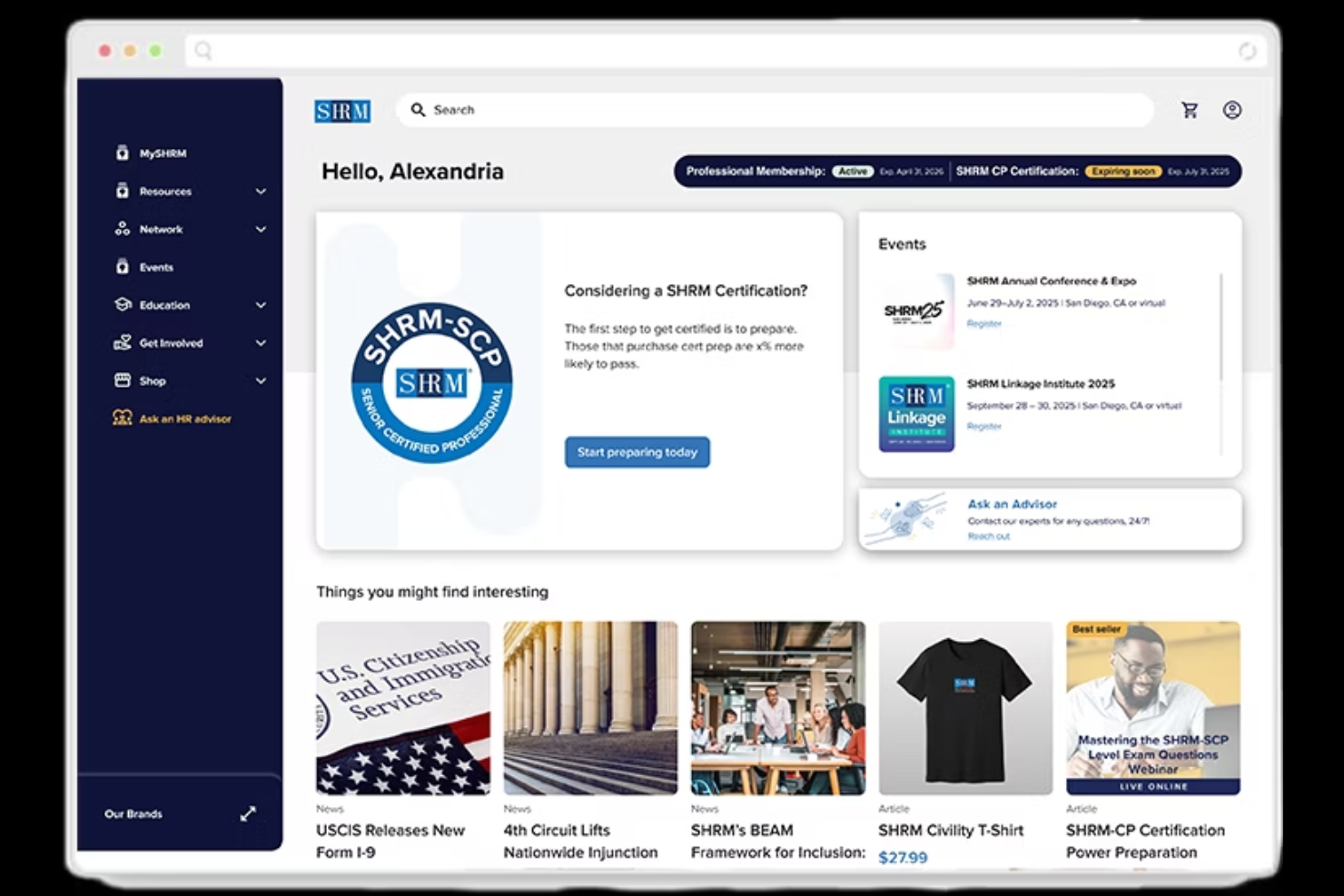
SHRM Job Description Manager is a web-based platform designed for HR professionals who need a centralized solution to create, store, and manage job descriptions across a wide range of roles and industries.
Who Is SHRM Job Description Manager Best For?
HR teams at small to mid-sized organizations who want a ready-to-use library of job description templates.
Why I Picked SHRM Job Description Manager
I picked SHRM Job Description Manager because I can access a huge library of pre-built, customizable job description templates that save my team hours of drafting from scratch. I like that I can quickly search by job title or industry and tailor templates to our needs. My team uses the built-in editing tools to collaborate and keep our job descriptions consistent and up to date.
SHRM Job Description Manager Key Features
- Version history: Track and restore previous versions of job descriptions.
- Export to Word or PDF: Download job descriptions in multiple file formats for sharing or recordkeeping.
- Job description search: Find specific job descriptions quickly using a keyword or title search.
- FLSA status guidance: Get Fair Labor Standards Act classification suggestions for each role.
SHRM Job Description Manager Integrations
Native integrations are not currently listed.
Pros and Cons
Pros:
- Supports keyword and title-based search
- Provides version history for job descriptions
- Includes hundreds of pre-written job templates
Cons:
- Pricing is only available with annual billing
- No mobile app for remote access
Other Job Description Management Software
Here are some additional job description management software options that didn’t make it onto my shortlist, but are still worth checking out:
- Wizehire
For simple job description templates
- JobArchitect
For compensation-aligned job descriptions
- Textio
For inclusive job description writing


Job Description Management Software Selection Criteria
When selecting the best job description management software to include in this list, I considered common buyer needs and pain points like keeping job descriptions consistent across teams and tracking changes over time. I also used the following framework to keep my evaluation structured and fair:
Core Functionality (25% of total score)
To be considered for inclusion in this list, each solution had to fulfill these common use cases:
- Create and edit job descriptions
- Store and organize job description documents
- Search and filter job descriptions
- Track version history and changes
- Assign permissions for editing and viewing
Additional Standout Features (25% of total score)
To help further narrow down the competition, I also looked for unique features, such as:
- AI-powered job description suggestions
- Built-in compliance and language checks
- Automated approval workflows
- Integration with compensation data
- Analytics on job description usage
Usability (10% of total score)
To get a sense of the usability of each system, I considered the following:
- Simple and intuitive navigation
- Clean and modern interface design
- Minimal clicks to complete core tasks
- Responsive design for mobile and desktop
- Clear labeling and helpful tooltips
Onboarding (10% of total score)
To evaluate the onboarding experience for each platform, I considered the following:
- Availability of training videos and tutorials
- Access to pre-built job description templates
- Interactive product tours for new users
- In-app chatbots or guided help
- Live or recorded onboarding webinars
Customer Support (10% of total score)
To assess each software provider’s customer support services, I considered the following:
- Fast response times to support requests
- Multiple support channels available
- Access to a searchable help center
- Availability of dedicated account managers
- Proactive communication about updates
Value For Money (10% of total score)
To evaluate the value for money of each platform, I considered the following:
- Transparent and flexible pricing plans
- Features included at each pricing tier
- No hidden fees or surprise charges
- Free trial or demo availability
- Discounts for annual or volume contracts
Customer Reviews (10% of total score)
To get a sense of overall customer satisfaction, I considered the following when reading customer reviews:
- Positive feedback on job description features
- Reports of reliable system uptime
- Comments on ease of adoption
- Praise for customer support quality
- Critiques of any missing or weak features
How to Choose Job Description Management Software
It’s easy to get bogged down in long feature lists and complex pricing structures. To help you stay focused as you work through your unique software selection process, here’s a checklist of factors to keep in mind:
| Factor | What to Consider |
|---|---|
| Scalability | Will the software handle your current and future volume of job descriptions and users as you grow? |
| Integrations | Does it connect natively to your ATS, HRIS, or document management tools without extra middleware? |
| Customizability | Can you tailor templates, workflows, and permissions to match your organization’s processes? |
| Ease of use | Will your HR team and hiring managers adopt it quickly, or will training and support be required? |
| Implementation and onboarding | How long will it take to get up and running, and what resources or support will you need internally? |
| Cost | Are pricing tiers clear, and do they align with your usage patterns and budget constraints? |
| Security safeguards | Does the vendor offer role-based access, audit trails, and compliance with data privacy standards? |
| Support availability | Is live support available during your business hours, and what channels (chat, phone, email) exist? |
What Is Job Description Management Software?
Job description management software is a digital tool that helps human resources teams create, organize, update, and store job descriptions in a centralized location. It supports talent management and integrates with applicant tracking systems to attract qualified candidates through consistent, well-structured job ads. These platforms simplify collaboration, manage revisions, and standardize HR processes with features like templates, approval workflows, and version control. They also help teams use inclusive language and support hiring initiatives, ensuring compliance while simplifying the job description lifecycle.
Features
When selecting job description management software, keep an eye out for the following key features:
- Centralized repository: Store all job descriptions in one secure, searchable location for easy access and organization.
- Version control: Track edits and maintain a history of changes to each job description, allowing you to review or revert to previous versions.
- Template library: Access and customize pre-built job description templates to ensure consistency and save time when creating new roles.
- Approval workflows: Route job descriptions through customizable approval processes to ensure accuracy and compliance before publishing.
- Role-based permissions: Assign different access levels to users, so only authorized team members can edit, approve, or view sensitive job descriptions.
- Document attachment: Add supporting documents, such as competency frameworks or interview guides, directly to each job description record.
- Search and filter: Quickly locate job descriptions using keyword search, filters, or tags based on department, location, or job family.
- Export and sharing: Download or share job descriptions in various formats, making it easy to distribute them internally or externally.
- Audit trail: Maintain a detailed log of who made changes, when, and what was updated for accountability and compliance purposes.
Common Job Description Management Software AI Features
Beyond the standard job description management software features listed above, many of these solutions are incorporating AI with features like:
- AI-driven language analysis: Automatically reviews job descriptions for biased or exclusionary language and suggests more inclusive alternatives to attract a broader talent pool.
- Automated content suggestions: Recommends relevant skills, qualifications, and responsibilities based on the role, industry, and current market trends to help you build stronger job descriptions.
- Predictive compliance checks: Uses AI to flag potential legal or regulatory risks in job descriptions, helping you stay compliant with labor laws and internal policies.
- Smart benchmarking: Analyzes your job descriptions against industry data to suggest adjustments for competitiveness in compensation, requirements, or responsibilities.
- Real-time readability scoring: Evaluates the clarity and complexity of your job descriptions, offering AI-powered tips to improve readability and candidate engagement.
Benefits
Implementing job description management software provides several benefits for your team and your business. Here are a few you can look forward to:
- Consistency across roles: Centralized templates and approval workflows help ensure every job description follows your organization’s standards.
- Faster updates and collaboration: Real-time editing, version control, and audit trails make it easy for teams to update and review job descriptions together.
- Improved compliance: Built-in approval processes and audit logs support adherence to legal, regulatory, and internal policy requirements.
- Improved transparency: Role-based permissions and detailed change histories provide clear visibility into who made updates and when.
- Easier access and organization: Searchable repositories and tagging features let you quickly find, filter, and manage job descriptions as your organization grows.
- Better candidate attraction: Consistent, well-written, and inclusive job descriptions help you reach and engage a wider, more qualified talent pool.
- Reduced administrative burden: Automated workflows and document management features save time and reduce manual effort for HR teams.
Costs & Pricing
Selecting job description management software requires an understanding of the various pricing models and plans available. Costs vary based on features, team size, add-ons, and more. The table below summarizes common plans, their average prices, and typical features included in job description management software solutions:
Plan Comparison Table for Job Description Management Software
| Plan Type | Average Price | Common Features |
|---|---|---|
| Free Plan | $0 | Basic job description creation, limited storage, single-user access, and community support. |
| Personal Plan | $5-$15/user/month | Template library, version control, basic search, limited integrations, and email support. |
| Business Plan | $20-$40/user/month | Multi-user collaboration, approval workflows, advanced permissions, reporting tools, and live chat support. |
| Enterprise Plan | $50-$100/user/month | Custom integrations, dedicated account manager, advanced security, audit trails, and priority support. |
Job Description Management Software FAQs
Here are some answers to common questions about job description management software:
How does job description management software help with compliance?
Job description management software helps with compliance by providing approval workflows, audit trails, and version control. These features make it easier to track changes, ensure legal and policy alignment, and document who approved each job description.
Can job description management software integrate with my existing HR systems?
Yes, most job description management software can integrate with HRIS, ATS, and document management tools. This allows you to sync job data, automate updates, and reduce manual entry across your HR tech stack.
What should I look for when evaluating job description management software?
Focus on scalability, ease of use, integration options, security safeguards, and the ability to customize templates and workflows. Consider how well the software fits your team’s processes and whether it supports your compliance and reporting needs.
Is it possible to restrict editing access to certain users?
Yes, most solutions offer role-based permissions. You can assign editing, viewing, or approval rights to specific users or groups, helping you control who can make changes to sensitive job descriptions.