

The best Paychex alternatives will help you manage payroll, HR, and employee administration with the flexibility, features, and pricing that best match your business needs.
While Paychex is a well-known platform trusted by many employers, it may not always offer the ideal combination of services, user experience, or cost structure for every organization. Exploring other options helps you find a solution that better aligns with your workflow, company size, and priorities.
Drawing on my hands-on experience evaluating HR and payroll systems, I’ve compiled a list of top Paychex alternatives that deliver reliability, automation, and scalability. In this guide, you’ll find platforms that streamline payroll and HR tasks, improve compliance, and give you confidence in your people operations.
What is Paychex?
Paychex is an HR and payroll platform that helps businesses manage payroll, employee benefits, tax compliance, and core HR tasks like onboarding and time tracking.
It’s used by HR teams and small business owners who want to simplify payroll processing, stay compliant with regulations, and outsource time-consuming HR functions. Paychex also offers additional services like PEO and HR consulting for companies needing more hands-on support.
Why Look for a Paychex Alternative?
Paychex can cost more than your first quote and leave you waiting on support, especially once you add time tracking or connect other HR tools. Here’s when another tool might fit better:
- You want quick answers when payroll goes wrong. Some users report waiting days for replies and dealing with several people for the same issue. Platforms such as Justworks offer round-the-clock live support, and Patriot Payroll provides US-based support.
- You need to know your full cost upfront. Paychex prices its packages by quote and sells time and attendance as an add-on, so your total can climb as you add modules. Tools like TimeTrex bundle time, attendance and payroll in one package, and Patriot Payroll offers full-service tax filing at a lower cost.
- You rely on custom payroll reports. Some users find it hard to locate specific reports or build custom ones. Options like Dayforce add predictive analytics for workforce decisions.
- Your hours and time off live in other HR tools. Some users find time-off and time-tracking data don't always flow smoothly into payroll. Apps like Paycom keep time, benefits, HR and payroll in one database, so there’s nothing to sync.
Paychex is still the right choice if you want payroll, tax filing and HR support from one provider, with HR outsourcing available as you grow. For businesses that expect their HR needs to expand, that can outweigh paying extra for time tracking or digging for custom reports.
Why Trust Our Software Recommendations
6,700+
Reviews
20
Industry experts
16+
Evaluation factors
14
Years
Our team has been testing and reviewing software since 2012. As HR experts ourselves, we know how difficult—and important—it is to choose the right software.
For this guide, we evaluated tools using hands-on testing and independent research, scoring tools using our selection criteria. We also draw on insights from industry thought leaders and practicing HR experts.
Our reviews reflect our human editorial judgment, not a sales pitch.
Expert reviewers:
- Phil GrayCOO
 Kim BehnkeHR Tech Editor & Analyst
 Josh BarkerPeople Ops Manager

Paychex Alternatives Comparison Table
This comparison table summarizes pricing, trial, and demo details for my top Paychex alternative selections.
Score legend (out of 5)
- Excellent4.5–5
- Good4–4.4
- Average3–3.9
- Below average2–2.9
- Poor1–1.9
Sorted by: Default
| Tool | Starting Price | Website | |||||||
|---|---|---|---|---|---|---|---|---|---|
Best for automated payroll management | 3.8 out of 5 | 4 | 4 | 3 | 4 | 4 | 4 | Pricing upon request Free demo available | Website |
Best for payroll across multiple countries | 3.7 out of 5 | 4 | 3 | 3 | 4 | 4 | 4 | $29/user/month Free demo available | Website |
Best for AI-assisted payroll error review | 4.0 out of 5 | 4 | 4 | 4 | 4 | 4 | 4 | Pricing upon request Not available | Website |
Best for payroll automation and tax compliance | 3.7 out of 5 | 4 | 4 | 4 | 4 | 3 | 3 | $49/month Free trial + free demo available | Website |
Best with integrated time tracking | 3.0 out of 5 | 4 | 3 | 3 | 3 | 2 | 3 | $79/user/month Free demo available | Website |
Best for employee engagement tools | 3.8 out of 5 | 4 | 4 | 4 | 4 | 3 | 4 | Pricing upon request Free demo available | Website |
Best for linking time data to payroll | 3.2 out of 5 | 4 | 3 | 2 | 2 | 3 | 5 | $50/user/month 30-day free trial + free demo available | Website |
Best for comprehensive tax filing | 3.2 out of 5 | 4 | 4 | 2 | 4 | 2 | 3 | $17/month 30-day free trial + demo available | Website |
Best for workforce cost and skills planning | 3.8 out of 5 | 4 | 4 | 4 | 3 | 4 | 4 | Pricing upon request Free demo available | Website |
Best for payroll-to-accounting workflows | 4.2 out of 5 | 4 | 4 | 4 | 5 | 4 | 4 | $8/user/month Free demo available | Website |


Best Paychex Alternatives Reviews
Below are my detailed summaries of the best Paychex alternatives that made it onto my shortlist. My reviews offer a detailed look at the key features, pros & cons, integrations, and ideal use cases of each tool to help you find the best one for you.
 Best for automated payroll management
- Free demo available
- Pricing upon request
Visit WebsiteCustomer Rating:4.3/5
Paycom centralizes payroll, time, and employee updates in one dashboard. Paycom is a single-database HCM platform that automates payroll end-to-end, letting employees catch and resolve their own paycheck errors before submission—making it a strong fit for HR and payroll teams that want fewer manual corrections and more reliable pay runs.
Who Is Paycom Best For?
Paycom is a strong fit for HR and payroll teams at growing companies—from small businesses to large enterprises—that want a single system to run payroll with minimal manual intervention.
Why I Picked Paycom
I picked Paycom as one of the best because its approach to automated payroll management goes further than scheduling runs: Beti, its built-in payroll tool, identifies errors and alerts employees to resolve them before submission, which cuts down the correction cycle that payroll admins typically handle after the fact. Payroll also starts automatically each pay period, pulling live timecard data, benefit deductions, and expense approvals directly into the run without manual reentry.
Paycom Key Features
- Automated tax filing: Paycom automatically debits, remits, and files federal and state payroll taxes, including Forms 941 and 940, across all 50 states.
- GL Concierge: Generates mapped payroll general ledger reports formatted for direct import into accounting software.
- Report Center: Offers predefined and customizable reports across HR and payroll data, with Push Reporting that delivers recurring reports on a set schedule to authorized users.
- Dedicated support specialist: Every client gets a single point of contact for payroll support, reachable by phone through live in-house operators during business hours.
Paycom Integrations
Paycom doesn't have any native integrations. It offers custom data converters for importing data from other providers and mapped general-ledger reports for direct import into accounting software, but it doesn't document a public API.
Pros and Cons
Pros:
- Dedicated payroll specialist supports administrators
- One database reduces duplicate HR entry
- Employees catch payroll errors before submission
Cons:
- Complex reports take effort to build
- Implementation configuration can demand substantial staff time
 Best for payroll across multiple countries
- Free demo available
- From $29/user/month
Visit WebsiteCustomer Rating:4.9/5
Deel centralizes payslips, payments, and tasks in one dashboard. Deel Payroll is a global payroll platform that lets HR and finance teams pay employees and contractors across 130+ countries, handling multi-currency payments, local tax compliance, and payroll consolidation in one place.
Who Is Deel Payroll Best For?
Deel Payroll is a strong fit for companies managing employees and contractors across multiple countries who need local tax compliance and multi-currency payments handled in one place.
Why I Picked Deel Payroll
I've included Deel Payroll in my top picks because it handles what Paychex simply can't match at scale: running payroll across 130+ countries from a single platform, with local tax calculations, statutory filings, and multi-currency payments all built in. I appreciate that you can run payroll for employees, contractors, and EOR workers side by side, and consolidate third-party payrolls into one dashboard. If your team is paying people in, say, the Philippines, Germany, and Brazil simultaneously, Deel manages each country's compliance rules without you stitching together separate regional providers.
Deel Payroll Key Features
- Multi-currency payouts: Pay workers in local currencies across 130+ countries using local payment rails after a single payroll approval.
- Payroll consolidation dashboard: View Deel-run and third-party payrolls side by side in one dashboard with consolidated reporting across countries and worker types.
- AI-powered payroll risk checks: Flag anomalies, missing data, and potential compliance risks automatically before payroll runs.
- Hourly time tracking with approval workflows: Employees submit worked hours with shift start, end, and break times, which managers review and approve directly for payroll processing.
Deel Payroll Integrations
Deel Payroll offers 130+ native integrations, including Workday, BambooHR, HiBob, UKG, and NetSuite. It also provides an API and real-time webhooks for custom integrations.
Pros and Cons
Pros:
- Reviewers praise straightforward, usually timely payments
- Local compliance reduces cross-border admin work
- Consolidates employee and contractor payroll globally
Cons:
- Tax issues can take weeks to resolve
- Some users report delayed or inaccessible transfers
Learn more about Deel Payroll: Best for AI-assisted payroll error review
- Not available
- Pricing upon request
Visit WebsiteCustomer Rating:3.4/5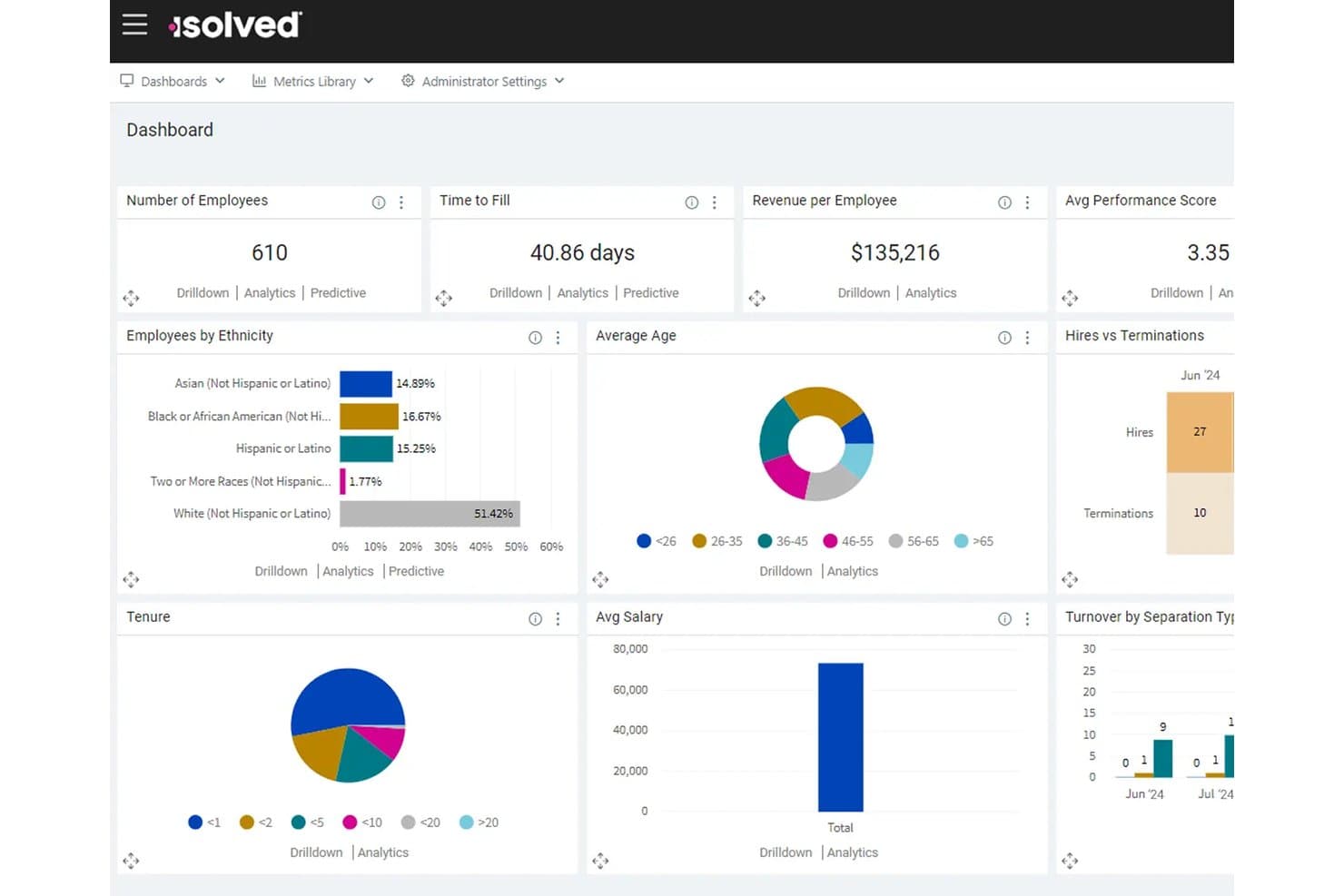
isolved centralizes workforce metrics like headcount, salary, and turnover in one dashboard. isolved People Cloud™ is an HCM platform that brings payroll, HR, benefits, and time tracking into one connected system, making it a strong fit for HR teams and payroll administrators who want to cut down on manual data entry and system-switching.
Who Is isolved Best For?
HR teams and payroll administrators at mid-sized organizations who want payroll, benefits, time tracking, and HR data managed in one connected platform.
Why I Picked isolved
I picked isolved as one of the best because of how it handles payroll error detection before anything goes wrong. The Guardian, its AI payroll agent, scans payroll activity, flags potential mistakes, and queues corrections for administrator review, all before you hit submit. I also like that it prioritizes issues by severity, so my team isn't sifting through noise to find what actually needs attention.
isolved Key Features
- Payroll tax management: Handles federal, state, and local tax calculations, filings, and payments automatically each pay cycle.
- Benefits enrollment and administration: Lets employees compare, select, and enroll in benefits plans through a self-service portal integrated with payroll.
- Predictive People Analytics: Uses AI to surface HR trends and identify retention and workforce planning insights from your employee data.
- Time and attendance tracking: Captures workforce time and attendance data and feeds it directly into payroll processing.
isolved Integrations
isolved offers marketplace integrations with Sage Intacct through HCMConnect and QuickBooks Online. It also provides a REST API for custom integrations.
Pros and Cons
Pros:
- Employees value self-service pay and PTO
- HR, benefits, time, and payroll connect
- AI flags payroll errors before submission
Cons:
- Reports can require manual data merging
- Employees report login and verification delays
Learn more about isolved: Best for payroll automation and tax compliance
- Free trial + free demo available
- From $49/month
Visit WebsiteCustomer Rating:4.6/5
Gusto lets users review and process biweekly payroll for all employees. Gusto is a payroll platform built for small and mid-sized businesses that want to handle payroll, benefits, and HR in one place—without the complexity or pricing opacity that often comes with enterprise-grade providers like Paychex.
Who Is Gusto Best For?
Gusto is a strong fit for small to mid-sized businesses that want payroll, taxes, and benefits managed in one place without enterprise-level complexity.
Why I Picked Gusto
Gusto earns its spot on my shortlist because its payroll automation genuinely removes the manual work that makes Paychex feel heavy. I appreciate how AutoPilot handles recurring payroll runs without intervention, and how federal, state, and local taxes are calculated, filed, and paid automatically with each run. For businesses managing multi-state teams, Gusto's built-in state tax registration across all 50 states means I'm not scrambling to set up compliance in a new jurisdiction every time someone relocates.
Gusto Key Features
- Employee self-onboarding: New hires enter their own payroll and benefits information directly into Gusto, reducing manual data entry for HR teams.
- Benefits administration: Gusto acts as a licensed broker, managing medical, dental, vision, and other benefit enrollments with payroll deductions synced automatically.
- Global contractor payments: Pay international contractors in local currency or USD, with estimated delivery dates shown before submission.
- Payroll integrations: Connect Gusto to tools like QuickBooks Online, Xero, and Homebase to sync payroll data across your accounting and HR systems.
Gusto Integrations
Gusto lists 153 marketplace integrations, including QuickBooks Online, Xero, Clover, and Homebase. Its API supports developers and partners for integrations and embedded payroll, but customers can’t connect their own company systems directly to Gusto.
Pros and Cons
Pros:
- Gives employees access to pay records
- Simplifies payroll compared with Paychex
- Automates routine payroll tax filings
Cons:
- Support delays complicate urgent payroll issues
- Tax corrections can be hard to resolve
 Best with integrated time tracking
- Free demo available
- From $79/user/month
Visit WebsiteCustomer Rating:4.6/5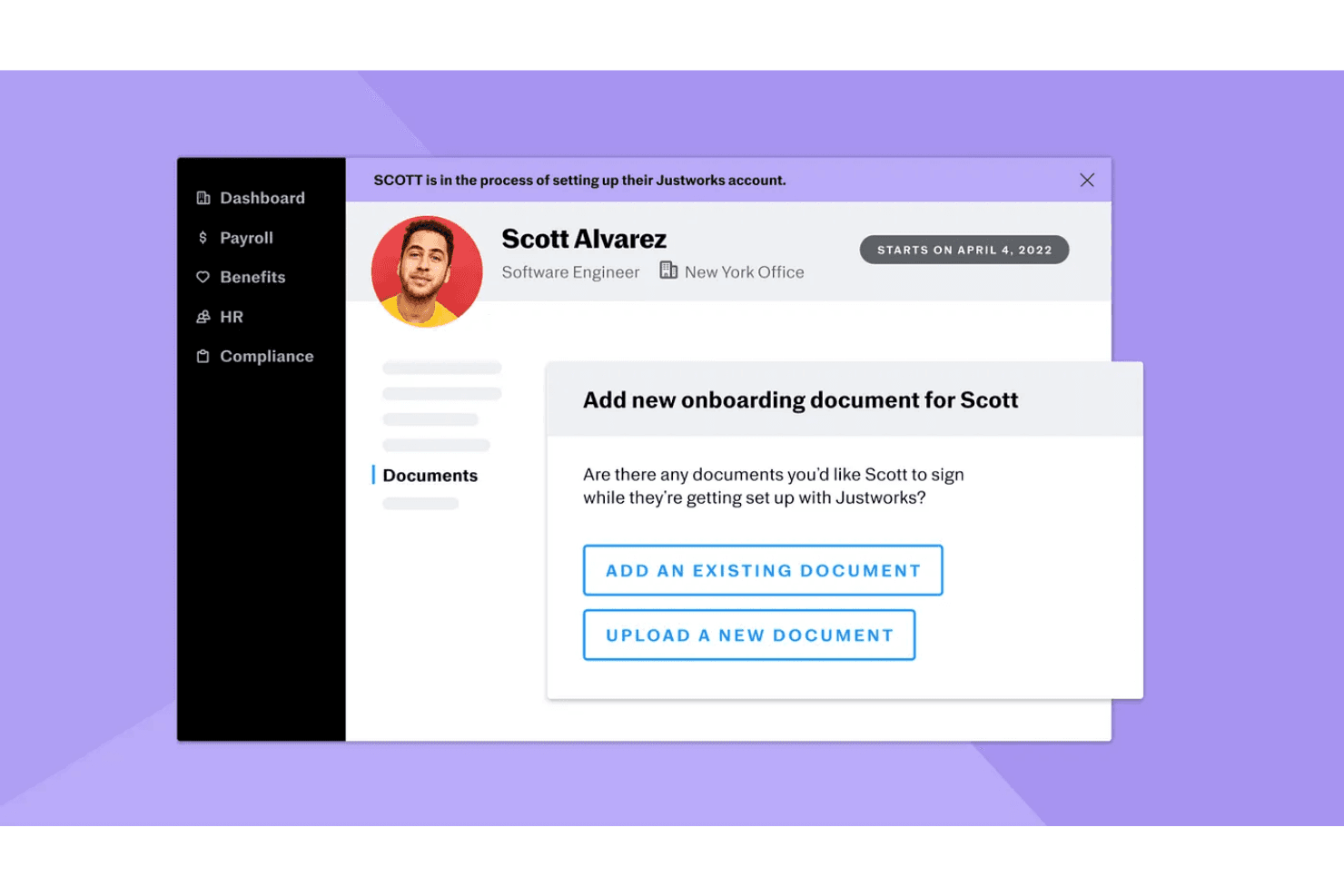
Justworks lets users add onboarding documents for new hires to sign. Justworks Payroll is a flat-rate payroll solution built for small businesses and first-time founders who need multi-state payroll, tax filing, and HR tools without the complexity of a co-employment arrangement.
Who Is Justworks Best For?
Justworks Payroll is a strong fit for small business owners and first-time founders who want flat-rate payroll pricing and the option to add time tracking as their team grows.
Why I Picked Justworks
I've included Justworks in my top picks because it's one of the few payroll solutions that makes time tracking feel like a natural extension of payroll rather than a bolted-on afterthought. Approved shifts sync directly into payroll runs, so hourly employees' hours flow through without manual re-entry. I also like that the time tracking side includes overtime alerts and geofencing, which means you're not just capturing hours but catching compliance issues before they become payroll errors.
Justworks Key Features
- Multi-state payroll processing: Run payroll across multiple states with support for multiple pay rates, custom pay periods, and off-cycle payments.
- Accounting integrations: Connect payroll data directly to QuickBooks, NetSuite, Xero, or Sage Intacct for automated expense tracking.
- Federal and state compliance alerts: Receive automatic alerts for federal and state compliance requirements to stay ahead of regulatory changes.
- 30-day payment forecasting: View a rolling 30-day forecast of scheduled payments and detailed estimates from the admin dashboard.
Justworks Integrations
Justworks offers native integrations with QuickBooks, NetSuite, Xero, and Sage Intacct, plus a partner API. Its integration directory also lists Greenhouse Software, Checkr, and Culture Amp, though integration behavior isn’t specified.
Pros and Cons
Pros:
- Reviewers praise straightforward payroll navigation
- Payroll supports multi-state and off-cycle runs
- Approved shifts sync into payroll timecards
Cons:
- Four-business-day processing limits last-minute payroll changes
- Company reviewers report payroll and tax errors
Learn more about Justworks: Best for employee engagement tools
- Free demo available
- Pricing upon request
Visit WebsiteCustomer Rating:4.3/5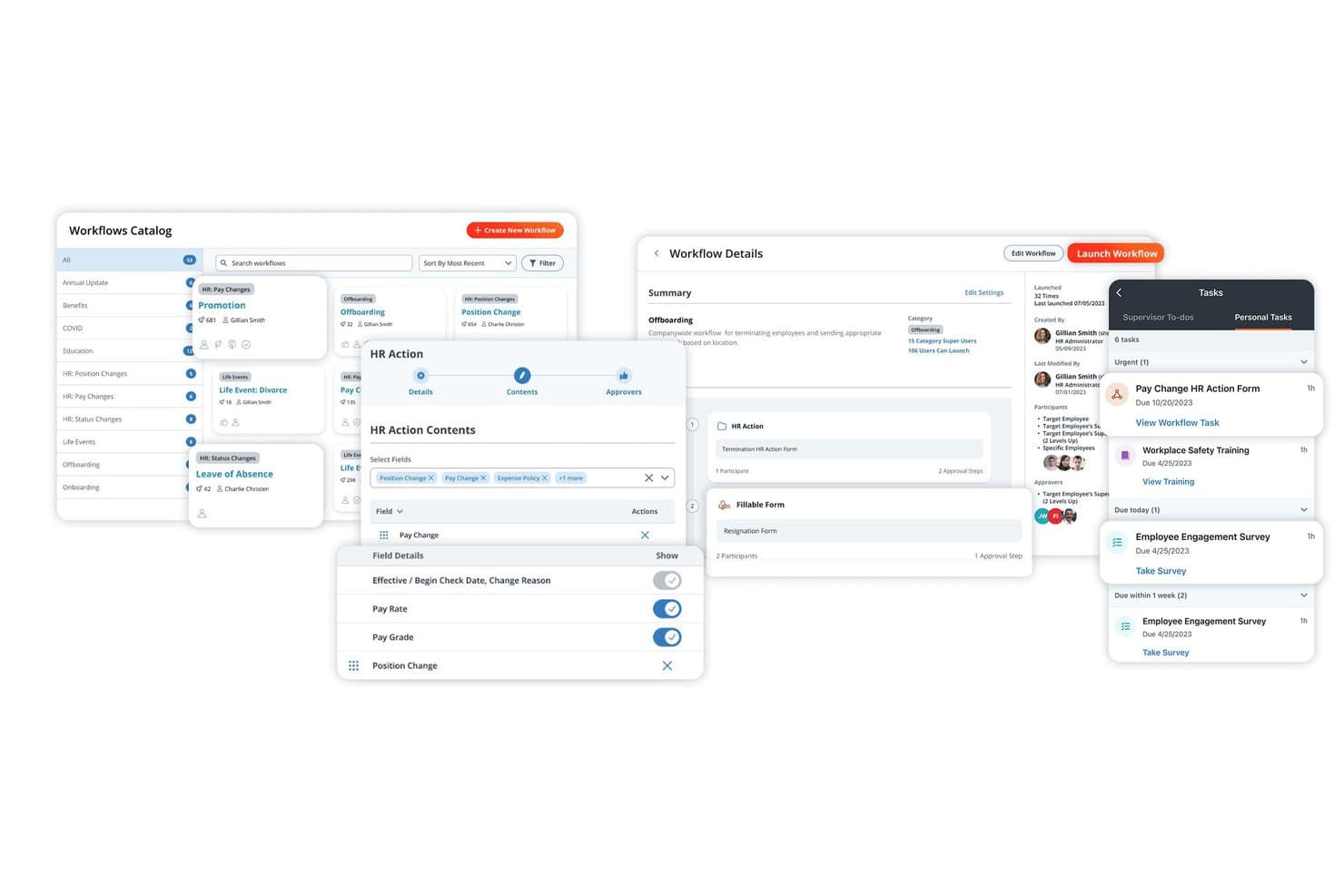
Paylocity lets users build, manage, and assign HR workflows in one place. Paylocity is an HR and payroll platform built for mid-market organizations that want to consolidate payroll, benefits, time tracking, and employee engagement into a single system.
Who Is Paylocity Best For?
Paylocity is a strong fit for mid-market HR teams that want payroll, time tracking, benefits, and employee engagement tools in one place.
Why I Picked Paylocity
I've included Paylocity in my top picks because its employee engagement tools set it apart from Paychex in ways that matter day-to-day. The Community feature gives employees a social hub for recognition, group chats, and company-wide communications, all inside the same app they use for pay stubs and time-off requests. I also appreciate how the Employee Voice tool surfaces sentiment data and ties it directly to retention insights, so HR teams aren't guessing why engagement is slipping.
Paylocity Key Features
- Payroll Readiness Dashboard: A pre-submission dashboard that runs 40+ automated audits to flag payroll variances, tax issues, and deduction errors before you finalize a pay run.
- Multi-jurisdiction tax filing: Automated electronic filing of federal, state, and local tax returns across all 50 states, Puerto Rico, the U.S. Virgin Islands, and Guam.
- Configurable check types: Administrators can update default check types or create custom ones, with control over direct deposit eligibility, accruals, labor distribution, and tax rate settings.
- On-demand pay: Employees can access earned wages before payday through the Paylocity app, with automated deductions and administrator-controlled eligibility settings.
Paylocity Integrations
Paylocity offers hundreds of marketplace integrations, including QuickBooks, NetSuite, Microsoft Entra, Google Workspace, and Okta. It supports custom connections through API, EDI, and SFTP.
Pros and Cons
Pros:
- HR, time, and payroll reduce handoffs
- Payroll audits flag variances before submission
- Community supports employee recognition and communication
Cons:
- Support follow-ups can be slow or inconsistent
- Custom reports can be hard to extract
 Best for linking time data to payroll
- 30-day free trial + free demo available
- From $50/user/month
Visit WebsiteCustomer Rating:4.5/5
TimeTrex tracks employee punch times and overtime in a weekly timesheet view. TimeTrex is a workforce management platform built for small businesses that want payroll, time tracking, scheduling, and HR in one place—without juggling separate tools.
Who Is TimeTrex Best For?
TimeTrex is a strong fit for small businesses that want time tracking and payroll to run through the same system, without managing two separate tools.
Why I Picked TimeTrex
I picked TimeTrex as one of the best because it's one of the few platforms where time data flows directly into payroll without any manual hand-off between systems. The payroll wizard pulls verified timesheet data, checks for exceptions, and locks the pay period before generating pay stubs, so what employees clock gets calculated accurately. I also like that the facial recognition time clock and geofencing work together to confirm punches at authorized locations before that data ever reaches payroll.
TimeTrex Key Features
- Employee scheduling: Build simple or complex multi-week rotating schedules using a drag-and-drop interface and shift templates.
- Leave and absence management: Centralize time-off requests, track leave accruals automatically, and reflect approved absences in workforce schedules.
- Employee self-service portal: Lets employees view pay stubs, W-2s or T4s, PTO balances, and schedules through a browser or mobile app.
- Customizable payroll reports: Generate workforce reports covering attendance, labor trends, and earnings, with export formats for ADP, QuickBooks, Sage, and Paychex.
TimeTrex Integrations
TimeTrex lists integrations with Paychex, ADP, Intuit QuickBooks, Sage, Ceridian, and other payroll and HR systems. Its API supports custom connections between TimeTrex and other business systems.
Pros and Cons
Pros:
- Reviewers praise responsive, knowledgeable support
- Labor reports clarify attendance and costs
- Time punches flow into payroll calculations
Cons:
- Setup and navigation can feel complicated
- Employers handle tax filing steps manually
Learn more about TimeTrex: Best for comprehensive tax filing
- 30-day free trial + demo available
- From $17/month
Visit WebsiteCustomer Rating:5/5
Patriot Payroll gives users a clear overview of recent payroll runs and taxes. Patriot Payroll is an online payroll solution built for small businesses that want straightforward payroll processing, automated tax filings, and transparent pricing—without the complexity or cost of enterprise-grade platforms.
Who Is Patriot Payroll Best For?
Patriot Payroll is a strong fit for small business owners who want to hand off federal, state, and local tax filings without paying for features they'll never use.
Why I Picked Patriot Payroll
I picked Patriot Payroll as one of the best because its Full Service plan handles federal, state, and local tax filings across all 50 states, including year-end Forms 940, 941, W-2, and W-3, at no extra fee. I appreciate that it backs this up with a tax-filing reliability guarantee, covering penalties and interest if Patriot's own error causes a late or inaccurate filing. That's a level of accountability I find genuinely reassuring when managing payroll tax deadlines across multiple jurisdictions.
Patriot Payroll Key Features
- Auto Payroll: Automatically processes recurring payroll for hourly and salaried employees using saved schedules, with advance notifications before each run.
- Multi-state payroll support: Assigns employees to multiple work locations and calculates payroll taxes based on where each person works.
- Employee self-onboarding: Lets new W-2 hires complete their own onboarding through the employee portal after initial account setup is complete.
- Unlimited payroll runs: Supports off-cycle, contractor, and regular payroll runs at any frequency without charging per-run fees.
Patriot Payroll Integrations
Patriot Payroll offers native integrations with Patriot Accounting, QuickBooks Online, QuickBooks Desktop, SimplyInsured, Vestwell, ERGO NEXT, and Patriot Time & Attendance. No public API is documented.
Pros and Cons
Pros:
- Off-cycle payrolls support changing pay needs
- Routine payroll runs feel dependable
- Tax filing reduces deadline follow-up
Cons:
- Tax reports may require extra checking
- Four-day ACH can delay employee pay
Learn more about Patriot Payroll: Best for workforce cost and skills planning
- Free demo available
- Pricing upon request
Visit WebsiteCustomer Rating:4.2/5
Dayforce centralizes HR tasks, team requests, and resources in one dashboard. Dayforce is an HCM platform built for mid-market and enterprise teams that need payroll, HR, time, benefits, and workforce planning connected in a single system—with continuous payroll calculation and real-time analytics doing the heavy lifting.
Who Is Dayforce Best For?
Dayforce is built for mid-market and enterprise HR and payroll teams that need workforce cost management, skills planning, and people analytics in one connected platform.
Why I Picked Dayforce
Dayforce earns its spot on my shortlist because of how it handles workforce cost and skills planning at a level most payroll platforms don't attempt. I particularly like that workforce planning lets you model scenarios across roles, skills, labor costs, and headcount capacity using natural-language questions, so you can see the financial impact of a hiring decision before you make it. The continuous payroll calculation also means pay updates in real time as hours are captured, not just at the end of a pay cycle.
Dayforce Key Features
- Continuous payroll calculation: Pay updates in real time as time is captured, so your numbers are always current before you commit a pay run.
- People Analytics dashboards: Pre-calculated workforce KPIs and visualizations give you a live view of workforce trends and performance.
- Absence management: Tracks absence patterns and flags potential unplanned overtime before it affects your labor costs.
- Global payroll support: Connects payroll operations across more than 200 countries and territories through in-country compliance partners.
Dayforce Integrations
Dayforce lists marketplace integrations with BenefitScape, AdminaHealth, TELUS Health, Checkr, and Cloud Data Xchange, plus native Mastercard connectivity for Dayforce Wallet. Integration Studio supports custom integrations through REST, Open APIs, OData, and event services.
Pros and Cons
Pros:
- Workforce planning models skills and labor costs
- Employees access pay and schedules in-app
- Continuous payroll links time and pay
Cons:
- Smaller teams report costly, complex setup
- Report creation can demand SQL knowledge
Learn more about Dayforce: 10Best for payroll-to-accounting workflows
Rippling
- Free demo available
- From $8/user/month (billed annually)

Rippling lets users add and preview custom mental health benefit plans. Rippling Payroll connects payroll, HR, benefits, and time tracking in one platform, making it a strong fit for growing businesses that want to automate tax filing, sync employee data across systems, and manage global or multi-state payroll without juggling separate tools.
Who Is Rippling Best For?
Rippling suits finance and operations teams that need payroll to automatically post journal entries to QuickBooks, Xero, or NetSuite without manual reconciliation.
Why I Picked Rippling
I picked Rippling as one of the best because it closes the gap between payroll and accounting without any manual reconciliation. When a pay run completes, Rippling automatically posts journal entries to QuickBooks, Xero, or NetSuite, so finance teams aren't copying figures by hand at month-end. I also appreciate the pay-run comparison view, which lets me inspect changes in gross pay, taxes, and deductions against the prior period before approving anything.
Rippling Key Features
- Tax filing across all 50 states: Rippling automatically calculates, files, and remits federal, state, and local payroll taxes, including W-2s, 1099s, and new-hire reporting.
- Benefits deduction syncing: Benefits elections for insurance, 401(k), FSA, and commuter plans sync directly with payroll, updating deductions automatically when elections change.
- Global payroll and contractor payments: Pay employees and contractors across 185+ countries and 50+ currencies, with native payroll available in key markets including the US, UK, Canada, and Australia.
- Custom report builder: Build payroll and workforce reports using no-code filters and formulas, then export results to CSV or PDF or pull data through the API.
Rippling Integrations
Rippling lists 650+ integrations, including Xero, QuickBooks, and NetSuite for accounting workflows. It also offers a REST API, webhooks, and a JavaScript SDK for custom connectivity.
Pros and Cons
Pros:
- Connected HR, benefits, time, and payroll workflows
- Tax filing covers all 50 states
- Payroll previews flag changes before approval
Cons:
- Complex support cases may need repeated follow-up
- Implementation can require substantial configuration
Learn more about Rippling:
Other Paychex Alternatives
Here are some additional Paychex alternatives that didn’t make it onto my shortlist, but are still worth checking out:
- 11QuickBooks PayrollBest for 200+ health carrier choices
- 12ADP Workforce NowBest for workforce benchmarking and retention
- 13TriNetBest for shared employer responsibilities
- 14HomebaseBest for adding shift planning to Paychex
- 15GoCoBest for adding benefits workflows to Paychex
- 16UKG ProBest for multi-entity payroll rules
- 17OnPayBest for Paychex switches with free migration
- 18PaycorBest for switching payroll with parallel runs
- 19Workday HCMBest for Insperity-backed PEO support
- 20PeopleGuruBest for U.S.-based implementation support
How I Evaluate Paychex Competitors
I split my evaluation into three parts. First—and most important—I check whether a tool can run automated payroll and handle tax filing and remittance across jurisdictions, since those are the baseline capabilities any Paychex alternative needs to match. Then I look for standout features like global payroll support or a PEO co-employment option. Finally, I consider pricing transparency and support quality.
Core Functionality (Table Stakes For This List)
When I'm selecting tools for my list, I score each one on a scale from 0 (does not offer the functionality) to 5 (excels in this area) for each core functionality listed below. I then convert the total into a percentage to help assess each tool's overall fit, with extra weight on any functionalities I’ve deemed essential.
- Payroll Processing (Essential): I look for flexible pay runs that handle different schedules, pay types, deductions, and direct deposits without repeated manual adjustments.
- Tax Filing (Essential): I check whether the platform calculates, files, and remits payroll taxes across applicable jurisdictions, including when employees work in different locations.
- Benefits Administration: I consider whether benefits enrollment and records connect to payroll deductions, so changes carry through when employees enroll or update coverage.
- Time & Attendance: I assess how hours, attendance, and PTO flow into payroll, including approval steps that catch discrepancies before a pay run.
- Employee Self-Service: I look for a portal where employees can access pay stubs and tax documents, and update their own personal information.
- HR Reporting: I evaluate reports on payroll costs, labor, and workforce metrics, including whether HR teams can use the data to answer operational questions.
Once I have a list of tools that meet the criteria, I consider what sets each platform apart.
Differentiating Factors (What Sets Vendors Apart)
Here's how I compare and contrast different vendors:
Standout Features
I look for a PEO co-employment option, which lets smaller teams access group benefits rates and share compliance liability with the provider. Global payroll support matters too—if you're paying contractors in multiple currencies, I check whether the platform handles local tax rules or requires workarounds. I also evaluate whether pricing is transparent and flat-rate, since quote-based models make it hard to forecast costs as headcount grows. Finally, a dedicated support specialist beats a generic queue when you're mid-migration or troubleshooting a pay run.
Beyond Features
I check whether pricing is flat per-employee-per-month or quote-based, since opaque costs make it hard to budget as headcount changes. Integration support matters just as much—if your payroll tool doesn't sync with your accounting platform or HRIS, you're stuck re-entering data across systems. I also evaluate onboarding resources, because migrating payroll history and tax records mid-cycle without a dedicated specialist can delay pay runs and erode employee trust.
Paychex Competitors Key Features
When selecting Paychex competitors, keep an eye out for the following key features:
- Professional HR support: Many Paychex alternatives offer access to certified HR professionals who can provide guidance on employee relations, compliance issues, policy creation, and best-practice HR strategies tailored to your business.
- Employee self-service: Competitors should empower employees with tools to manage personal information, submit PTO requests, view pay stubs, update tax forms, and access HR documents—all without needing HR intervention.
- Centralized data administration: Strong alternatives maintain a unified HRIS where all employee data lives in one secure system. This centralization improves accuracy, simplifies reporting, and makes collaboration across HR functions more efficient.
- Compliance expertise: Leading competitors help businesses stay compliant with ever-changing employment laws, payroll regulations, benefits rules, and documentation requirements. Automated alerts and guided workflows help reduce the risk of penalties.
- Performance management: Many Paychex competitors offer modern performance tools—such as customizable review templates, continuous feedback features, goal tracking, and performance analytics—to support employee development and alignment.
- Workflow approvals: Look for systems that automate approvals for pay changes, benefits updates, time-off requests, and employee record modifications. This ensures transparency, maintains data integrity, and speeds up decision-making.
- Real-time analytics: Competitors often include visual dashboards and interactive reports that give you immediate insight into workforce trends such as turnover, hiring pipeline metrics, attendance patterns, and labor costs.
- Events calendar: HR platforms frequently include integrated calendars that track upcoming milestones like probation period endings, renewals, training deadlines, employee anniversaries, and compensation review dates.
- Flexible punch-in options: Competitors may offer multiple clock-in methods—such as mobile apps, web punch, PIN pads, badge swipes, and biometric time clocks—to support hybrid teams, field workers, and on-site staff.
- Time off management: Alternatives provide clear visibility into PTO balances, automate accrual calculations, streamline approval workflows, and reduce conflict or confusion around leave policies.
Common Paychex Competitor AI Features
Many Paychex alternatives now incorporate AI to increase efficiency, accuracy, and insights, for example:
- AI-powered compliance monitoring: AI tracks changes in federal, state, and local labor laws and alerts HR teams to new requirements, reducing compliance risk.
- Automated data validation: AI reviews employee data, payroll entries, and benefit updates to detect inconsistencies, missing fields, or potential errors before they cause issues.
- Predictive analytics for turnover and hiring: AI identifies patterns that signal employee turnover risk, forecasts future hiring needs, and suggests ways to optimize workforce planning.
- Intelligent scheduling and attendance insights: AI detects attendance anomalies, predicts staffing shortages, and recommends optimal schedules to reduce overtime costs and maintain productivity.
- AI-driven performance insights: By analyzing feedback, reviews, and engagement patterns, AI surfaces performance trends, skill gaps, and training needs across teams.
- Smart onboarding automation: AI recommends onboarding checklists, automates document routing, assigns training modules, and personalizes onboarding flows based on role and department.
- Chatbot-driven employee support: AI chatbots help employees answer questions about PTO balances, tax forms, payroll timing, benefits details, and company policies—reducing HR workload.
- Enhanced reporting and interpretation: AI uncovers hidden trends in workforce data, highlights potential issues, and provides recommendations instead of just raw reporting.
- Fraud and risk alerts: AI flags unusual time-clock behavior, suspicious payroll changes, unauthorized account access, or inconsistent documentation to protect business integrity.