Borderless AI Review: Pros, Cons, Key Features and Updated Pricing


Borderless AI is an employer of record (EOR) service designed to help HR teams hire, pay, and manage international employees without setting up local entities. If you’re navigating complex compliance rules, payroll regulations, and the pressure to deliver a smooth onboarding experience across borders, finding a reliable EOR partner is essential. Borderless AI uses automation to simplify global hiring and payroll, aiming to reduce manual work and compliance risks. In this review, you’ll find a clear breakdown of Borderless AI’s features, best and worst use cases, pros and cons, and how its pricing compares to other EOR solutions.
Borderless AI Evaluation Summary
- From $579/month
- Free demo available
Why Trust Our Software Reviews
We’ve been testing and reviewing HR software systems since 2019. As HR experts ourselves, we know how critical and difficult it is to make the right decision when selecting software.
We invest in deep research to help our audience make better software purchasing decisions. We’ve tested more than 2,000 tools for different HR management use cases and written over 1,000 comprehensive software reviews. Learn how we stay transparent & our software review methodology.
Borderless AI Overview
When judging Borderless AI as an cloud-based employer of record platform, its automation-first approach and intuitive interface set it apart for teams prioritizing speed and compliance. Pricing is competitive, and onboarding is straightforward, making it easy to get started. However, support can feel less personalized than some alternatives, and integration options are still growing. If you’re selecting a solution for fast-moving, tech-savvy HR teams or startups expanding globally, Borderless AI is a strong choice. For example, companies needing quick onboarding in multiple countries will appreciate its streamlined workflows, but those requiring deep customization or hands-on support may want to compare further.
pros
-
Responsive customer support for compliance and payroll questions
-
No upfront security deposits required for payroll processing
-
Fast onboarding process for international employees
cons
-
Fewer in-depth country-specific HR resources than some other providers
-
Limited advanced reporting and analytics functionality
-
Support may feel less personalized for complex cases
-

Remote People
Visit WebsiteThis is an aggregated rating for this tool including ratings from Crozdesk users and ratings from other sites.5 -
Checkr
Visit WebsiteThis is an aggregated rating for this tool including ratings from Crozdesk users and ratings from other sites.4.5 -
Deel HR
Visit WebsiteThis is an aggregated rating for this tool including ratings from Crozdesk users and ratings from other sites.4.8





How We Test & Score Our Tools
We’ve spent years building, refining, and improving our software testing and scoring system. The rubric is designed to capture the nuances of software selection and what makes a tool effective, focusing on critical aspects of the decision-making process.
Below, you can see exactly how our testing and scoring works across seven criteria. It allows us to provide an unbiased evaluation of the software based on core functionality, standout features, ease of use, onboarding, customer support, integrations, customer reviews, and value for money.
Core Functionality (25% of final score)
The starting point of our evaluation is always the core functionality of the tool. Does it have the basic features and functions that a user would expect to see? Are any of those core features locked to higher-tiered pricing plans? At its core, we expect a tool to stand up against the baseline capabilities of its competitors.
Standout Features (25% of final score)
Next, we evaluate uncommon standout features that go above and beyond the core functionality typically found in tools of its kind. A high score reflects specialized or unique features that make the product faster, more efficient, or offer additional value to the user.
We also evaluate how easy it is to integrate with other tools typically found in the tech stack to expand the functionality and utility of the software. Tools offering plentiful native integrations, 3rd party connections, and API access to build custom integrations score best.
Ease of Use (10% of final score)
We consider how quick and easy it is to execute the tasks defined in the core functionality using the tool. High scoring software is well designed, intuitive to use, offers mobile apps, provides templates, and makes relatively complex tasks seem simple.
Onboarding (10% of final score)
We know how important rapid team adoption is for a new platform, so we evaluate how easy it is to learn and use a tool with minimal training. We evaluate how quickly a team member can get set up and start using the tool with no experience. High scoring solutions indicate little or no support is required.
Customer Support (10% of final score)
We review how quick and easy it is to get unstuck and find help by phone, live chat, or knowledge base. Tools and companies that provide real-time support score best, while chatbots score worst.
Customer Reviews (10% of final score)
Beyond our own testing and evaluation, we consider the net promoter score from current and past customers. We review their likelihood, given the option, to choose the tool again for the core functionality. A high scoring software reflects a high net promoter score from current or past customers.
Value for Money (10% of final score)
Lastly, in consideration of all the other criteria, we review the average price of entry level plans against the core features and consider the value of the other evaluation criteria. Software that delivers more, for less, will score higher.
Core Features
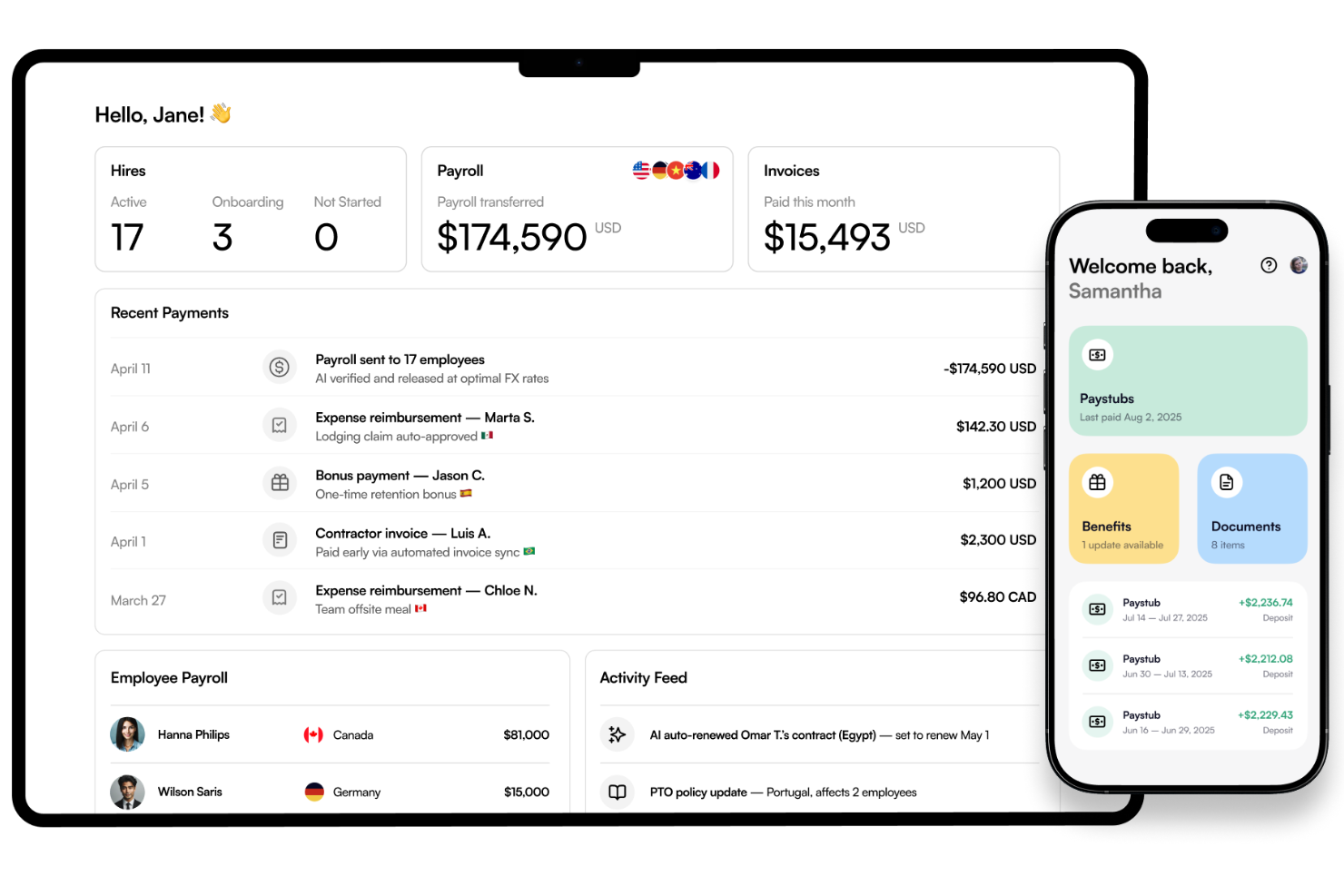
Automated Global Payroll: Borderless AI calculates, processes, and distributes payroll for international employees in local currencies. This reduces manual errors and ensures timely, compliant payments.
Compliance Management: The platform monitors and updates local labor laws, tax regulations, and employment requirements. Users get alerts and automated adjustments to stay compliant in each country.
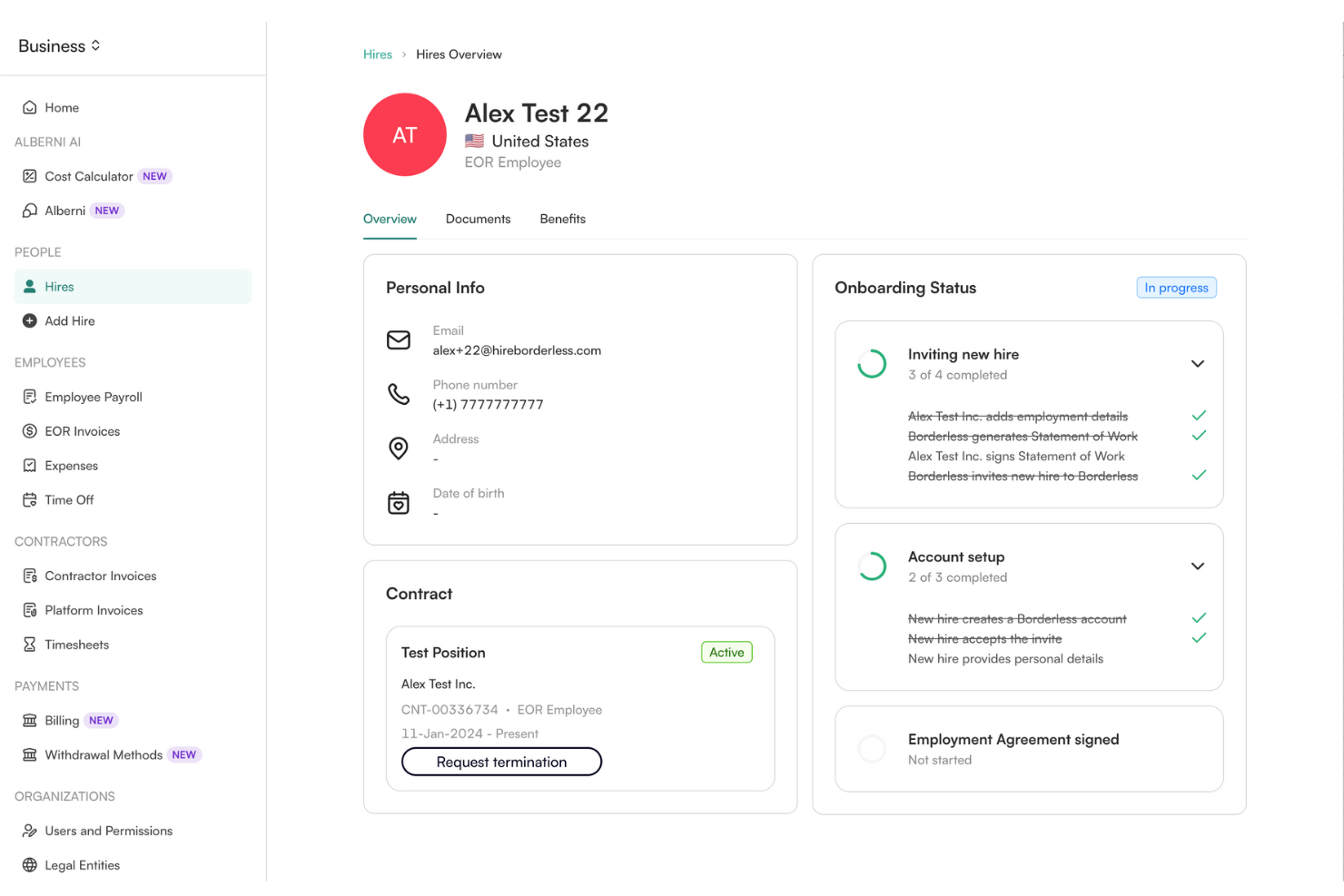
Employee Onboarding: Borderless AI streamlines document collection, contract generation, and onboarding tasks for new hires. Employees can complete onboarding digitally, speeding up the hiring process.
Benefits Administration: Users can offer and manage country-specific benefits packages through the platform. Borderless AI handles enrollment, eligibility, and ongoing benefits compliance.
Contractor Management: The system supports onboarding, paying, and managing international contractors alongside full-time employees. This helps teams handle mixed workforces from a single dashboard.
Document Management: Borderless AI securely stores employment contracts, tax forms, and compliance documents. Users can access, share, and update documents as needed for audits or HR processes.
Ease of Use
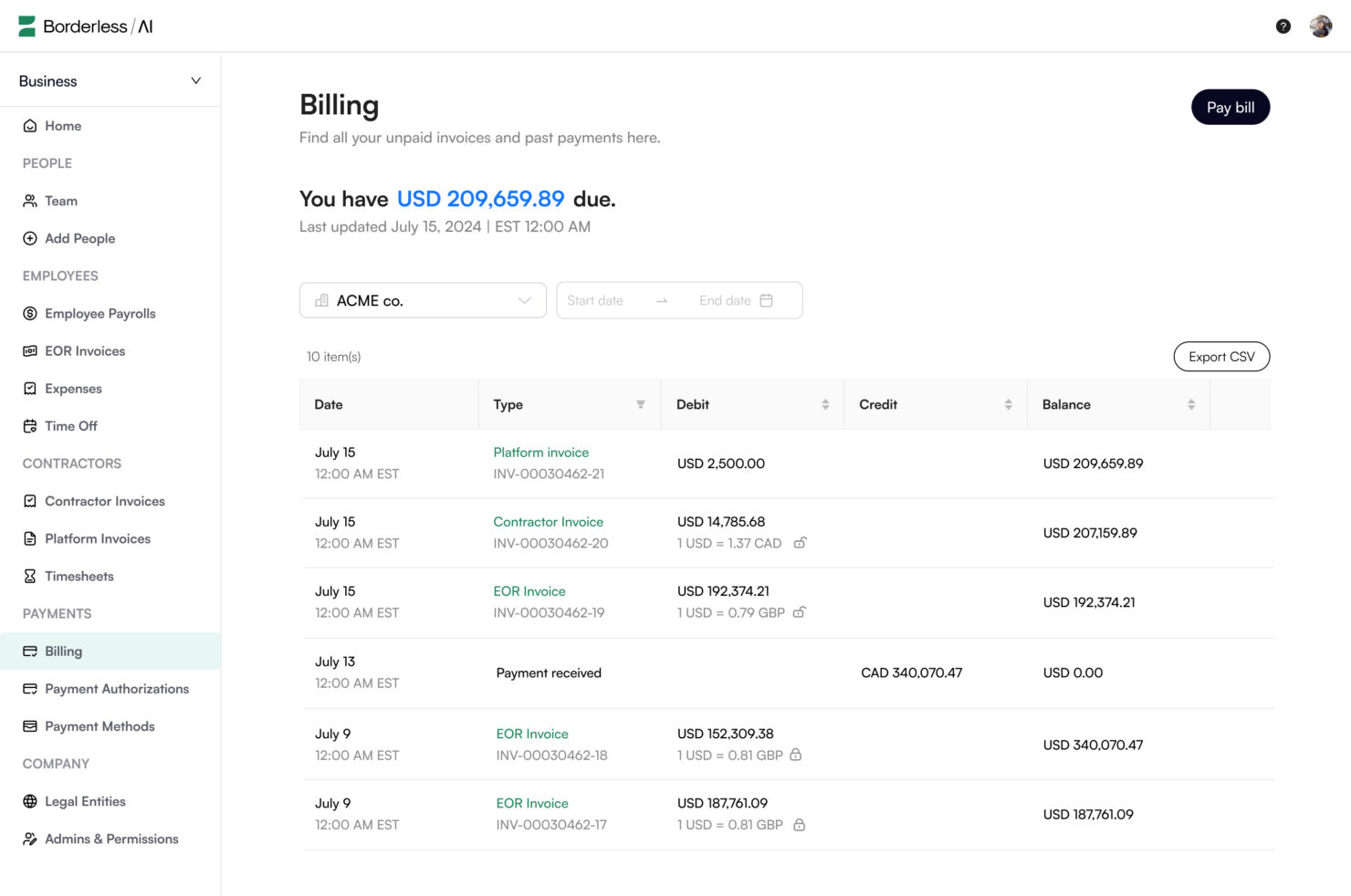
Borderless AI offers a clean, modern interface that makes navigating payroll, onboarding, and compliance tasks straightforward for HR teams. Users often mention the intuitive dashboard and clear workflows, which help reduce time spent on manual processes. Automated document management and guided onboarding steps further simplify complex tasks. While I found some user reviews that note occasional delays in support response, most users find this EOR platform easy to adopt, especially for teams new to global hiring.
Integrations
Borderless AI integrates with ADP Workforce Now and is available on both the U.S. and Canadian ADP Marketplace.
Borderless AI also offers an API for custom connections, but there is no public evidence of additional native integrations or support for third-party integration tools at this time.
Borderless AI Specs
- API
- Application Tracking
- Batch Permissions & Access
- Compliance Tracking
- Contract Management
- Data Export
- Data Import
- Data Visualization
- Database Search
- Document Management
- Employee Database
- Employee Onboarding
- Employee Training
- External Integrations
- HRIS Integration
- Mobile App
- Multi-Currency
- Multi-User
- Notifications
- Password & Access Management
- Payroll
- Report & Compliance
- Risk Assessment
- Scheduling
- Tax Management
- Timesheets