

deskbird Review: Pros, Cons, Features & Pricing


Hybrid work brings flexibility, but it also creates real problems: people arriving with nowhere to sit, uncertainty about who’s in the office, and unused office space costing more than it should. If you’re evaluating deskbird as a workplace management and desk booking software, you’re likely trying to solve these exact challenges.
In this review, I’ll walk you through what the platform does well, where it has limitations, and whether it’s a strong fit for your team. I’ll cover its features, usability, pricing structure, and how it stacks up for companies trying to streamline hybrid work.
deskbird Evaluation Summary

- From $5/user/month (billed annually)
- Free trial + free demo available
Why Trust Our Software Reviews
We’ve been testing and reviewing HR software systems since 2019. As HR experts ourselves, we know how critical and difficult it is to make the right decision when selecting software.
We invest in deep research to help our audience make better software purchasing decisions. We’ve tested more than 2,000 tools for different HR management use cases and written over 1,000 comprehensive software reviews. Learn how we stay transparent & our software review methodology.
deskbird Overview
deskbird is a workplace management and hybrid scheduling platform that lets employees book desks, reserve meeting rooms, plan office days, and monitor how office space is being used. It brings together essential features such as desk booking, office maps, team scheduling, and attendance tracking, all within a clean and easy interface. Its main purpose is to help you avoid wasted space, streamline scheduling, and give everyone a clear view of where people are working at any given time.
pros
-
Fast and easy desk and room booking that most employees can use without guidance.
-
Smooth connections with Outlook, Google Calendar, Slack, and Teams for quicker adoption.
-
Helpful workspace insights that show how often your office is actually being used.
cons
-
Reporting depth may fall short for companies that need advanced or highly customized analytics.
-
Mobile app can feel less polished than the desktop experience.
-
Room scheduling may not fully support teams that rely on complex or highly structured recurring reservations.
Is deskbird Right For Your Needs?
Who Would be a Good Fit for deskbird?
deskbird works well for teams that want a simple way to manage hybrid work without the complexity of enterprise-level workplace systems. It is a strong option if you want employees to book desks easily, coordinate office days, and understand who is in the workspace at any time. Small and midsize companies benefit the most because the setup is light, the interface is intuitive, and the analytics provide enough clarity without overwhelming your team. It can also serve enterprise teams who are not looking for heavyweight options.
-
Tech Startups
deskbird’s flexibility supports rapid growth and changing team dynamics.
-
Creative Agencies
You can easily manage shared spaces for project-based work with deskbird.
-
HR Departments
deskbird simplifies workspace management for diverse and dynamic teams.
-
Small and Mid-Sized Organizations
A good choice for companies that want visibility, structure, and reliable scheduling without heavy administrative overhead.
-
Remote Workers
deskbird’s mobile app lets remote staff book desks on the go.
-
Hybrid Teams
Employees can share and view office schedules so everyone knows who will be on-site for collaboration.
-
Enterprises with Basic Needs
deskbird now serves multiple enterprise customers with over 5,000 employees with features such as SSO, role-based access controls, and top-tier data protection
Who Would be a Bad Fit for deskbird?
deskbird might not suit large corporations with complex, multi-floor office setups that need advanced reporting and customization capabilities. If your business requires detailed analytics for workspace utilization or extensive customization to match specific corporate policies, deskbird’s more straightforward feature set may fall short. Manufacturing industries with fixed workstations won’t benefit from its desk booking features either.
-
Large, Complex Corporations
You might need more advanced reporting and customization than deskbird offers.
-
Manufacturing Industries
Fixed workstations mean deskbird’s flexibility isn’t necessary for your setup.
-
Financial Services
You may require higher security features than what deskbird provides.
-
Legal Firms
Your need for detailed client confidentiality reporting might not align with deskbird’s capabilities.
-
Public Sector
Your compliance and reporting requirements might be too extensive for deskbird.
-
Healthcare Teams
You likely need specialized software for managing clinical and administrative spaces.
How We Test & Score Our Tools
We’ve spent years building, refining, and improving our software testing and scoring system. The rubric is designed to capture the nuances of software selection and what makes a tool effective, focusing on critical aspects of the decision-making process.
Below, you can see exactly how our testing and scoring works across seven criteria. It allows us to provide an unbiased evaluation of the software based on core functionality, standout features, ease of use, onboarding, customer support, integrations, customer reviews, and value for money.
Core Functionality (25% of final score)
The starting point of our evaluation is always the core functionality of the tool. Does it have the basic features and functions that a user would expect to see? Are any of those core features locked to higher-tiered pricing plans? At its core, we expect a tool to stand up against the baseline capabilities of its competitors.
Standout Features (25% of final score)
Next, we evaluate uncommon standout features that go above and beyond the core functionality typically found in tools of its kind. A high score reflects specialized or unique features that make the product faster, more efficient, or offer additional value to the user.
We also evaluate how easy it is to integrate with other tools typically found in the tech stack to expand the functionality and utility of the software. Tools offering plentiful native integrations, 3rd party connections, and API access to build custom integrations score best.
Ease of Use (10% of final score)
We consider how quick and easy it is to execute the tasks defined in the core functionality using the tool. High scoring software is well designed, intuitive to use, offers mobile apps, provides templates, and makes relatively complex tasks seem simple.
Onboarding (10% of final score)
We know how important rapid team adoption is for a new platform, so we evaluate how easy it is to learn and use a tool with minimal training. We evaluate how quickly a team member can get set up and start using the tool with no experience. High scoring solutions indicate little or no support is required.
Customer Support (10% of final score)
We review how quick and easy it is to get unstuck and find help by phone, live chat, or knowledge base. Tools and companies that provide real-time support score best, while chatbots score worst.
Customer Reviews (10% of final score)
Beyond our own testing and evaluation, we consider the net promoter score from current and past customers. We review their likelihood, given the option, to choose the tool again for the core functionality. A high scoring software reflects a high net promoter score from current or past customers.
Value for Money (10% of final score)
Lastly, in consideration of all the other criteria, we review the average price of entry level plans against the core features and consider the value of the other evaluation criteria. Software that delivers more, for less, will score higher.
Core Features
Desk Booking
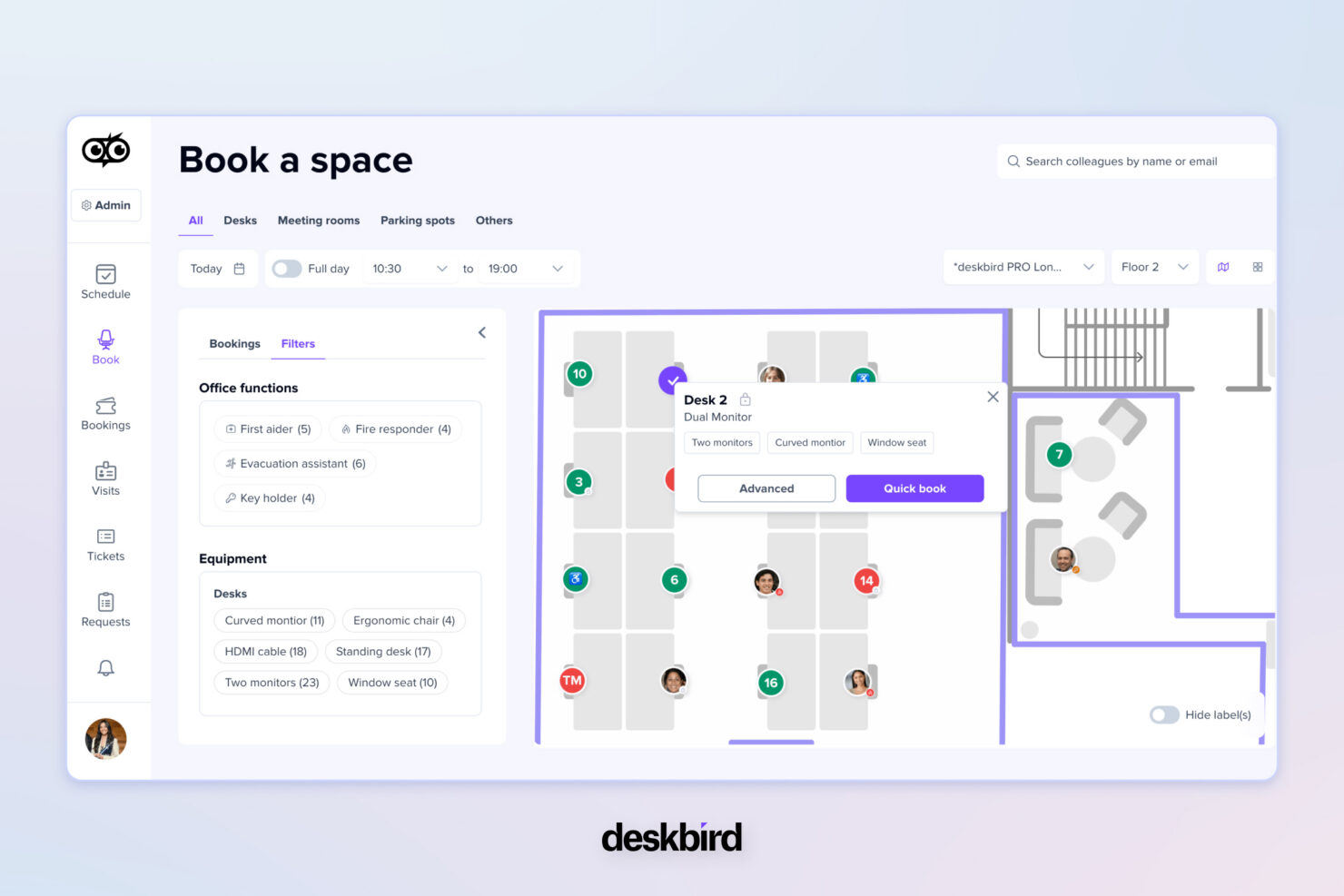
Gives teams a simple way to choose workspaces through an interactive floor plan that prevents seat conflicts and supports smoother in-office days.
Room Booking
Makes meeting coordination easier with real-time room availability that cuts down on double bookings and scheduling hassles.
Hybrid Scheduling
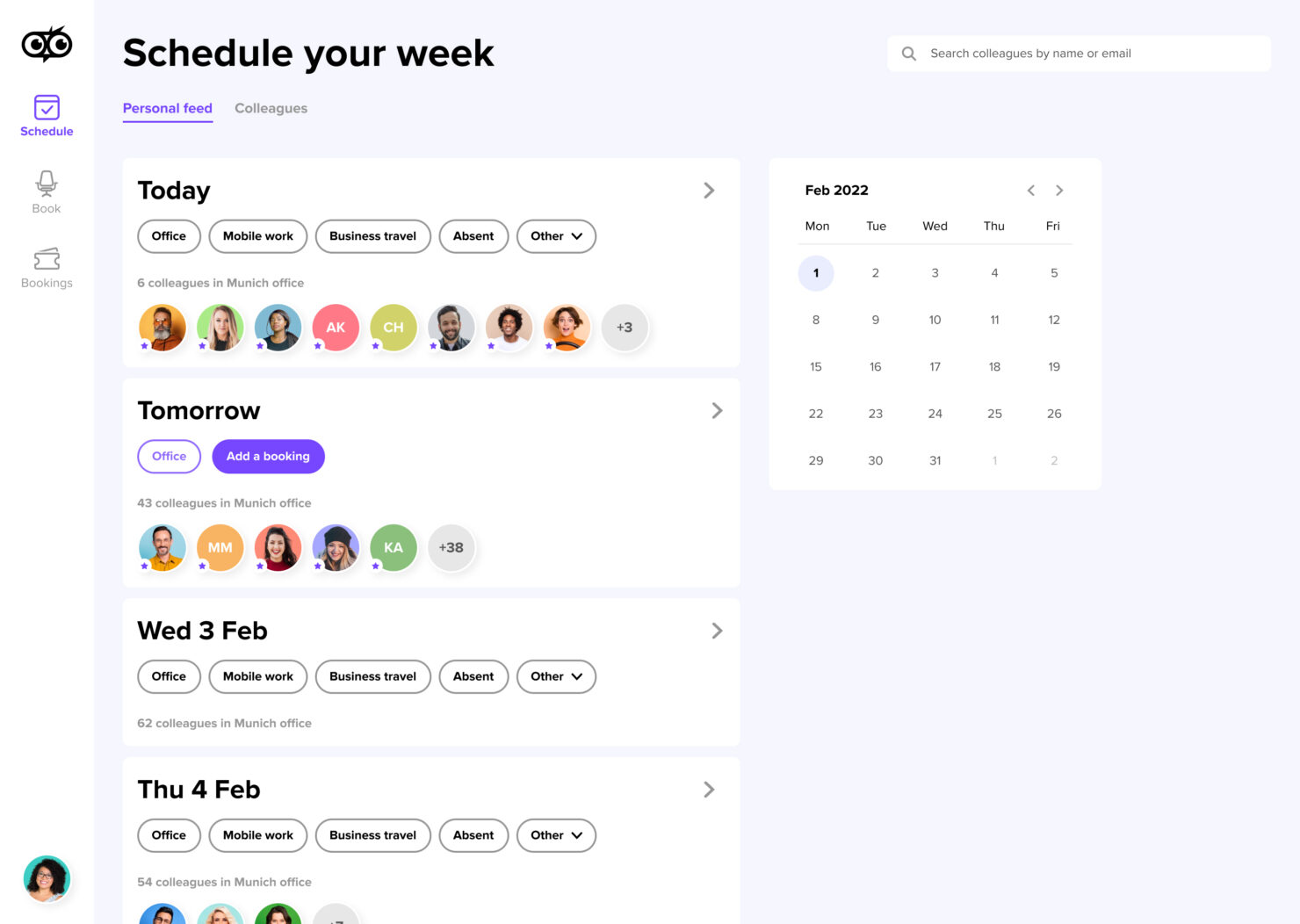
Helps teams align office days by sharing weekly schedules in one place, reducing guesswork around who will be on-site.
Visitor Management
Creates a smoother front-desk experience through pre-registration and tracked check-ins that improve security and predictability.
Workplace Analytics
Offers clear insights into attendance and space usage, allowing teams to optimize layouts and make smarter decisions about office needs.
Resource & Parking Booking
Centralizes the booking of shared resources like parking spaces and equipment, giving teams one place to manage all workspace needs.
Standout Features
Customizable Booking Rules
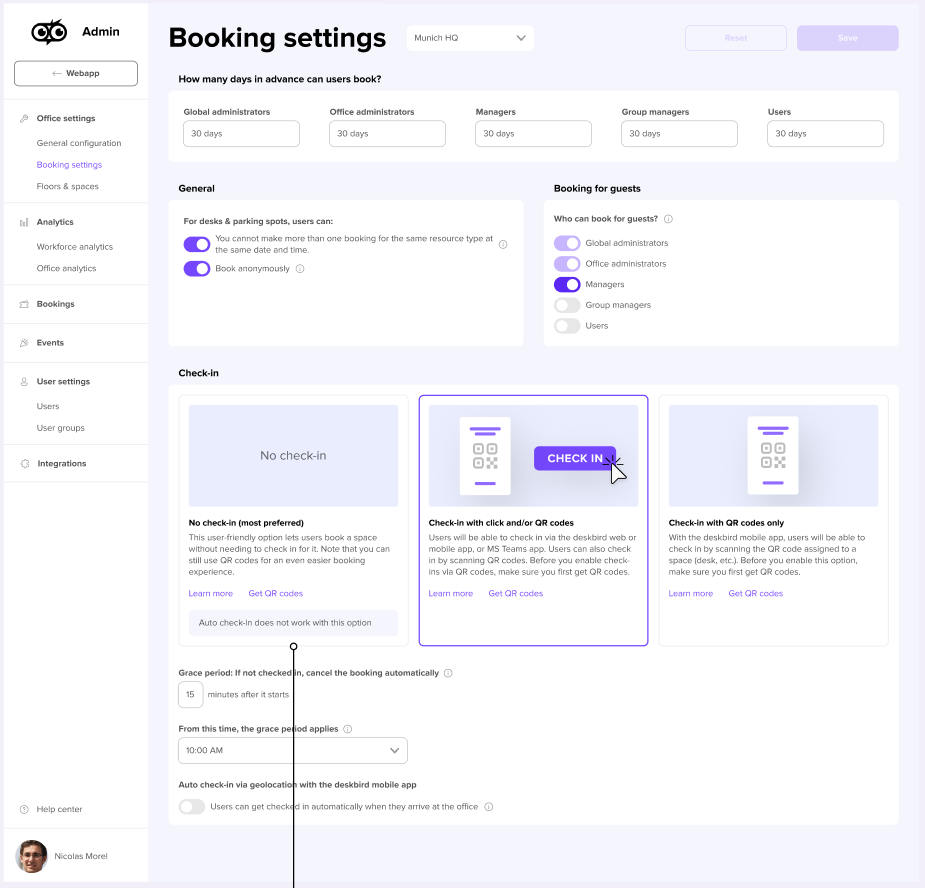
Set specific booking rules to match your office policies. deskbird allows you to customize booking limits and parameters, ensuring smoother operations.
Interactive Maps
Navigate your office with interactive maps that guide users to their booked desks. This feature enhances user experience by making it easier to find and secure their workspace.
Auto Release for No Shows
Keeps desks and rooms available by freeing spots when someone forgets to check in.
Ease of Use
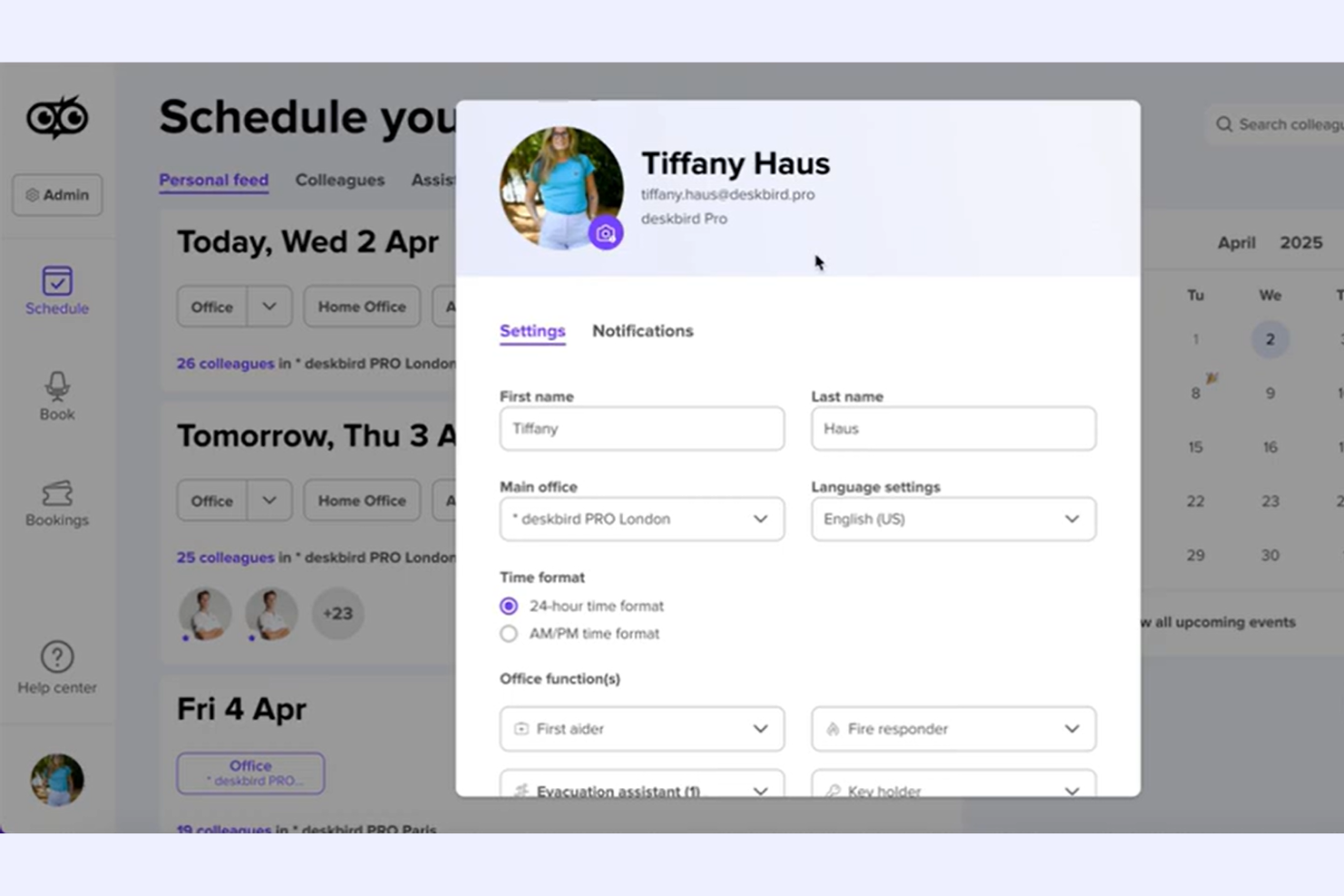
deskbird stands out for its user-friendly interface, making it easy for your team to book desks quickly. The intuitive design and clear navigation simplify the booking process, reducing time spent on logistics. deskbird’s mobile app enhances usability by allowing desk bookings on the go, ensuring flexibility for remote workers. Compared to other tools, deskbird’s real-time updates and interactive maps improve your team’s experience by making desk reservations straightforward and efficient.
Onboarding
deskbird offers a straightforward onboarding process that helps your team get started quickly. The setup is intuitive, with clear instructions and helpful guides to assist new users. deskbird’s support resources, including tutorials and customer service, make it easy for your team to understand and use the platform efficiently. Compared to others, deskbird’s onboarding ensures a smooth transition, minimizing downtime and maximizing the value you get from the software.
Customer Support
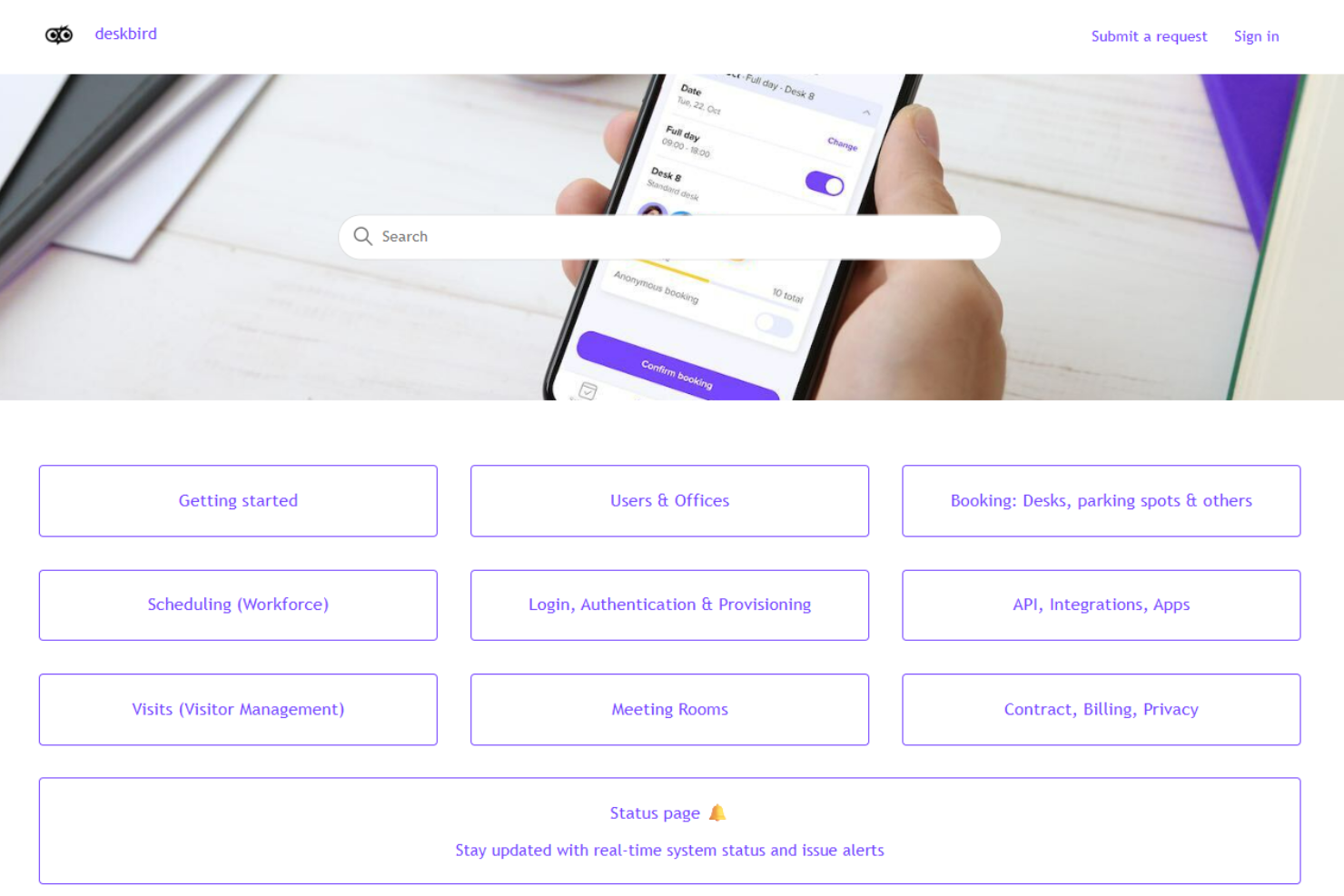
deskbird provides reliable customer support that ensures your team can resolve issues quickly. Users appreciate the responsive helpdesk and access to comprehensive online resources. With options like live chat and email support, deskbird assists you in navigating any challenges you face. The availability of clear tutorials and a knowledgeable support team helps your team feel confident in using the platform, making it a dependable choice for workplace management.
Integrations
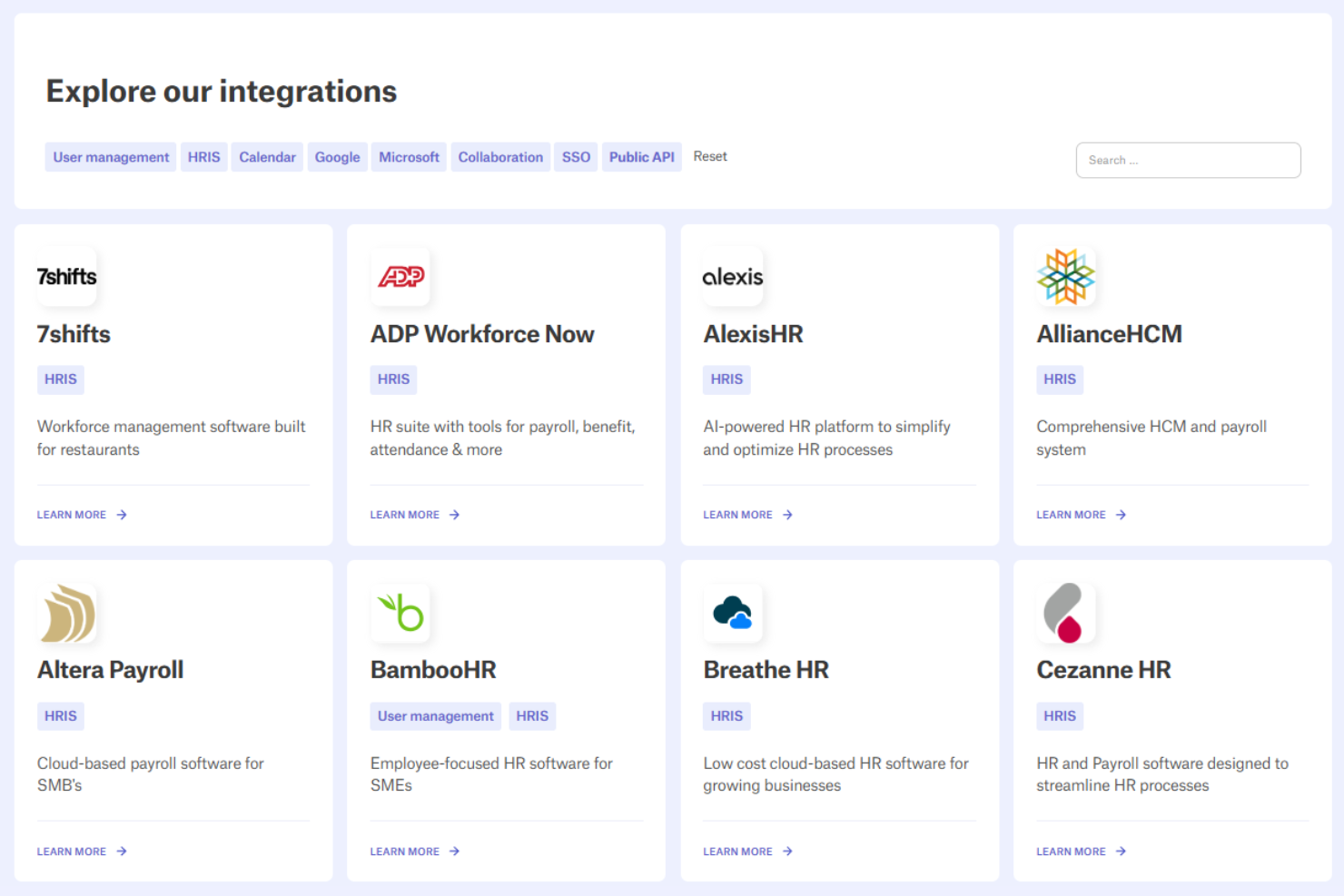
Integrations include Google Calendar, Outlook, Microsoft Teams, Slack, SSO providers, and several HRIS systems. An API is available for custom integrations if needed.
Value for Money
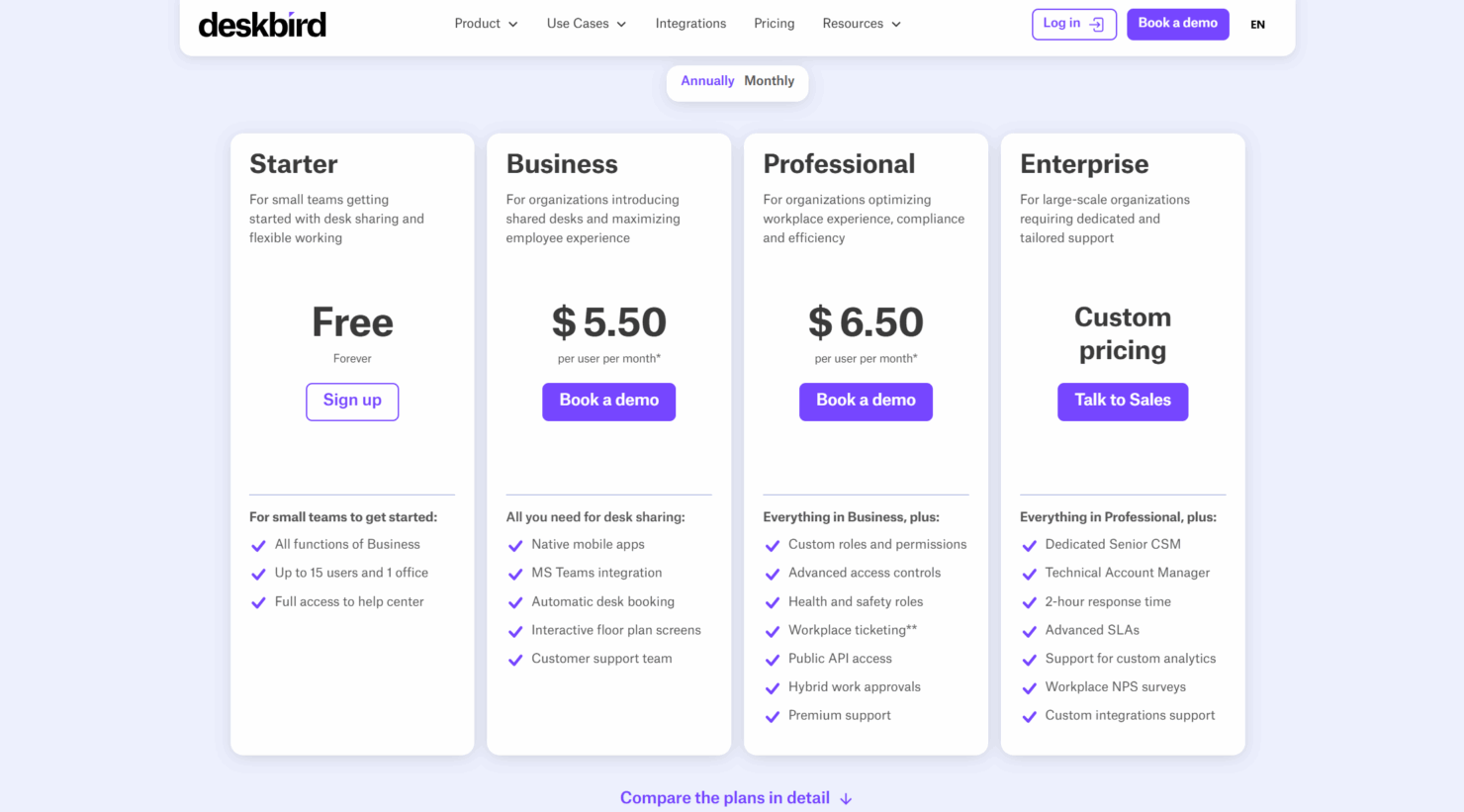
deskbird offers strong value for teams that want simple, reliable tools for hybrid work without committing to a heavy enterprise platform. Its pricing structure gives small teams an easy way to get started while offering larger organizations the option to scale into more advanced controls, permissions, and support as needed.
- Starter (Free Forever): For small teams that want essential desk sharing and scheduling tools
- Business: Adds mobile booking and integrations to support growing teams
- Professional: Unlocks advanced controls, permissions, and support options
- Enterprise: Comes with tailored assistance, higher service levels, and customization for complex organizations
deskbird Specs
- Access Management
- API
- Appointment Scheduling
- Batch Permissions & Access
- Calendar Management
- Chat
- Click-to-Dial
- Contact Management
- Custom Data Forms
- Custom Reports
- Customer Management
- Dashboard
- Dashboards
- Data Export
- Data Import
- Data Visualization
- Email Integration
- External Integrations
- Forecasting
- Google Apps Integration
- Lead Management
- Map Visualization
- Marketing Automation
- Mobile App
- Multi-User
- Notifications
- Resource Management
- Scheduling
- Self-service Portal
- Workflow Management
deskbird FAQs
What kind of support can I expect from deskbird?
How does deskbird ensure data security and compliance?
Can deskbird handle large-scale office environments?
How quickly can my team start using deskbird?
Is deskbird suitable for remote work settings?
What customization options does deskbird offer?
How does deskbird improve space management?
Does deskbird provide analytics for workspace utilization?
Does deskbird work across multiple office locations?
deskbird Company Overview & History
deskbird was founded in 2020 in St. Gallen, Switzerland, as companies began shifting heavily into hybrid work. The platform grew quickly by focusing on fast booking workflows and an intuitive user experience. Today, it offers a full suite of features, including desk and room booking, hybrid scheduling, visitor management, and workplace analytics.
Timeline of Key Milestones
- 2020: deskbird was founded in Switzerland as a modern solution for shared-office booking.
- 2021: Expanded its platform with desk booking, interactive floor plans, and early workplace management tools.
- 2022: Introduced deeper integrations and hybrid scheduling features to support growing hybrid teams.
- 2023: Added workplace analytics, visitor tools, and more advanced admin controls.
- 2024: Continued global expansion and strengthened support for mid-size and enterprise-level organizations.
- 2025: Serves a wide range of companies across Europe and beyond with ongoing platform improvements.