


Gusto vs. QuickBooks Payroll: Comparison and Expert Reviews for 2026


Juggling payroll, compliance, and employee questions can leave you feeling stretched thin—especially when your current system slows you down. Gusto and QuickBooks Payroll both promise to simplify your workload, but each takes a different approach to payroll software. Payroll software like Gusto stands out for its user-friendly automation and people-first features, while QuickBooks Payroll shines with seamless accounting integration and flexible payroll options. In this article, you’ll get a side-by-side look at how these two solutions compare, so you can confidently choose the right fit for your team and business goals.
Gusto vs. QuickBooks Payroll: An Overview
Gusto


QuickBooks Payroll
Why Trust Our Software Reviews
We’ve been testing and reviewing HR software systems since 2019. As HR experts ourselves, we know how critical and difficult it is to make the right decision when selecting software.
We invest in deep research to help our audience make better software purchasing decisions. We’ve tested more than 2,000 tools for different HR management use cases and written over 1,000 comprehensive software reviews. Learn how we stay transparent & our software review methodology.
Gusto vs. QuickBooks Payroll Pricing Comparison
| Gusto | QuickBooks Payroll | |
|---|---|---|
| Free Trial | Free plan + free demo available | 30-day free trial |
| Pricing | From $49/month + $6/user/month (billed annually) | From $44/month |
Gusto vs. QuickBooks Payroll Pricing & Hidden Costs
Gusto uses a tiered monthly subscription model, where you pay a base fee plus a per-employee charge. The platform offers several plan levels, each with different features, and you can add services like time tracking, HR resources, or benefits administration for an extra cost. While Gusto advertises transparent pricing, you may encounter additional fees for add-ons such as next-day or same-day pay, global contractor payments, or specialized HR support.
QuickBooks Payroll also follows a subscription model with a base fee and a per-employee charge, and it’s available in multiple plan tiers. Some features, like tax penalty protection or same-day direct deposit, are only available in higher-tier plans. You might also see extra costs for integrating with other Intuit products, using advanced HR features, or accessing expert support.
To choose the right payroll software, look beyond the sticker price. List the features and services your team actually needs—like multi-state payroll, benefits administration, or HR support—and compare which plan tier covers those essentials. Ask vendors about add-on fees, contract terms, and what’s included in support. This approach helps you avoid surprises and ensures you’re paying for value, not just a low entry price.
Gusto vs. QuickBooks Payroll Feature Comparison
Gusto and QuickBooks Payroll overlap heavily in their core functionality, as both are full-service payroll platforms designed for small businesses. Each offers automated payroll runs, same-day direct deposit, payroll tax calculations and filings, and year-end forms like W-2s and 1099s, along with employee self-service portals and basic HR features like time tracking and benefits administration. These shared capabilities help reduce manual errors, ensure compliance, and centralize payroll and workforce management in one system.
Where they diverge is in their focus areas. Gusto stands out for its built-in HR ecosystem, including robust onboarding tools, broad benefits administration (like health plans and 401(k)s), and a more intuitive, all-in-one employee management experience. QuickBooks Payroll, on the other hand, differentiates itself with deep native integration into the QuickBooks accounting ecosystem for unified bookkeeping and payroll, making it especially appealing for businesses already using QuickBooks for finances.
| Gusto | QuickBooks Payroll | |
|---|---|---|
| API | ||
| Application Tracking | ||
| Attendance Tracking | ||
| Compliance Tracking | ||
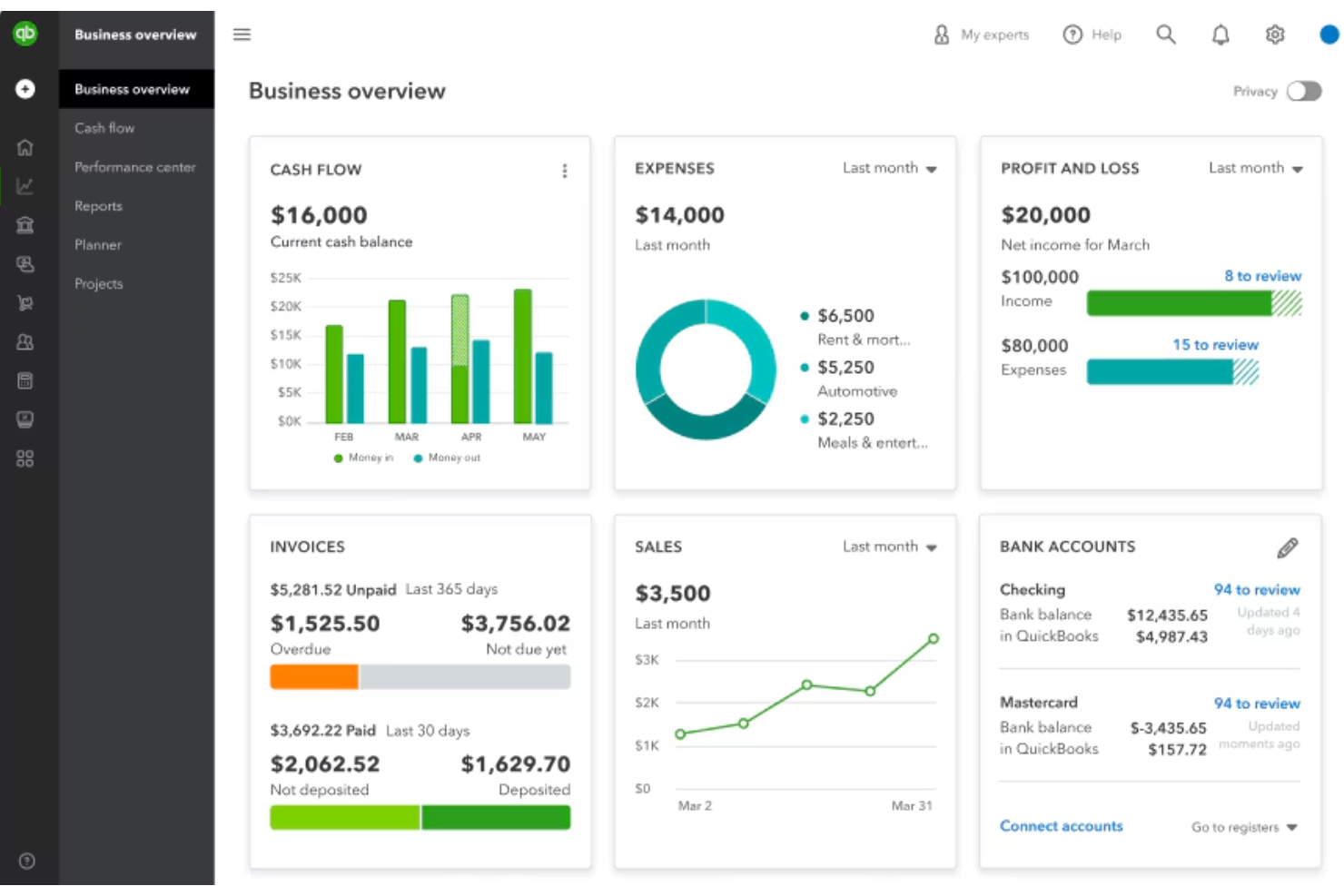
| Dashboard | ||
| Data Export | ||
| Data Import | ||
| Data Visualization | ||
| Employee Database | ||
| Employee Incentive Management | ||
| Employee Onboarding | ||
| Expense Tracking | ||
| External Integrations | ||
| Feedback Management | ||
| Multi-User | ||
| Notifications | ||
| Payroll | ||
| Scheduling | ||
| Time Management | ||
| Timesheets | ||
| Travel Management | ||
| Vacation & Absence Calendar |
Gusto vs. QuickBooks Payroll Integrations
| Integration | Gusto | QuickBooks Payroll |
| QuickBooks Online | ✅ | ✅ |
| Xero | ✅ | ❌ |
| FreshBooks | ✅ | ❌ |
| TSheets (QuickBooks Time) | ❌ | ✅ |
| Expensify | ✅ | ✅ |
| Deputy | ✅ | ✅ |
| Shopify | ✅ | ✅ |
| Square | ✅ | ✅ |
| API | ✅ | ✅ |
| Zapier | ❌ | ✅ |
Gusto offers a broader range of integrations, especially with accounting, time tracking, and ecommerce tools, while QuickBooks Payroll focuses on deep integration with QuickBooks products and select partners. Both provide API access, which gives you more flexibility to connect with other apps, making both a good fit if you rely on a diverse software stack.
Gusto vs. QuickBooks Payroll Security, Compliance & Reliability
| Factor | Gusto | QuickBooks Payroll |
| Data Encryption | Uses bank-level encryption to protect sensitive payroll and employee data. | Secures data with 256-bit encryption and regular security audits. |
| Regulatory Compliance | Maintains SOC 1 and SOC 2 reports, follows HIPAA security guidelines for benefits data, and uses ongoing security testing and monitoring to maintain compliance. | Benefits from Intuit’s certifications and compliance standards, like SOC 1, SOC 2, ISO 27001, and PCI DSS. |
| Uptime & Reliability | Uses cloud infrastructure with continuous monitoring and security testing to maintain service availability and stability. | Maintains high uptime and offers dedicated support for outages. |
| Access Controls | Offers customizable user permissions and two-factor authentication. | Provides role-based access and multi-factor authentication. |
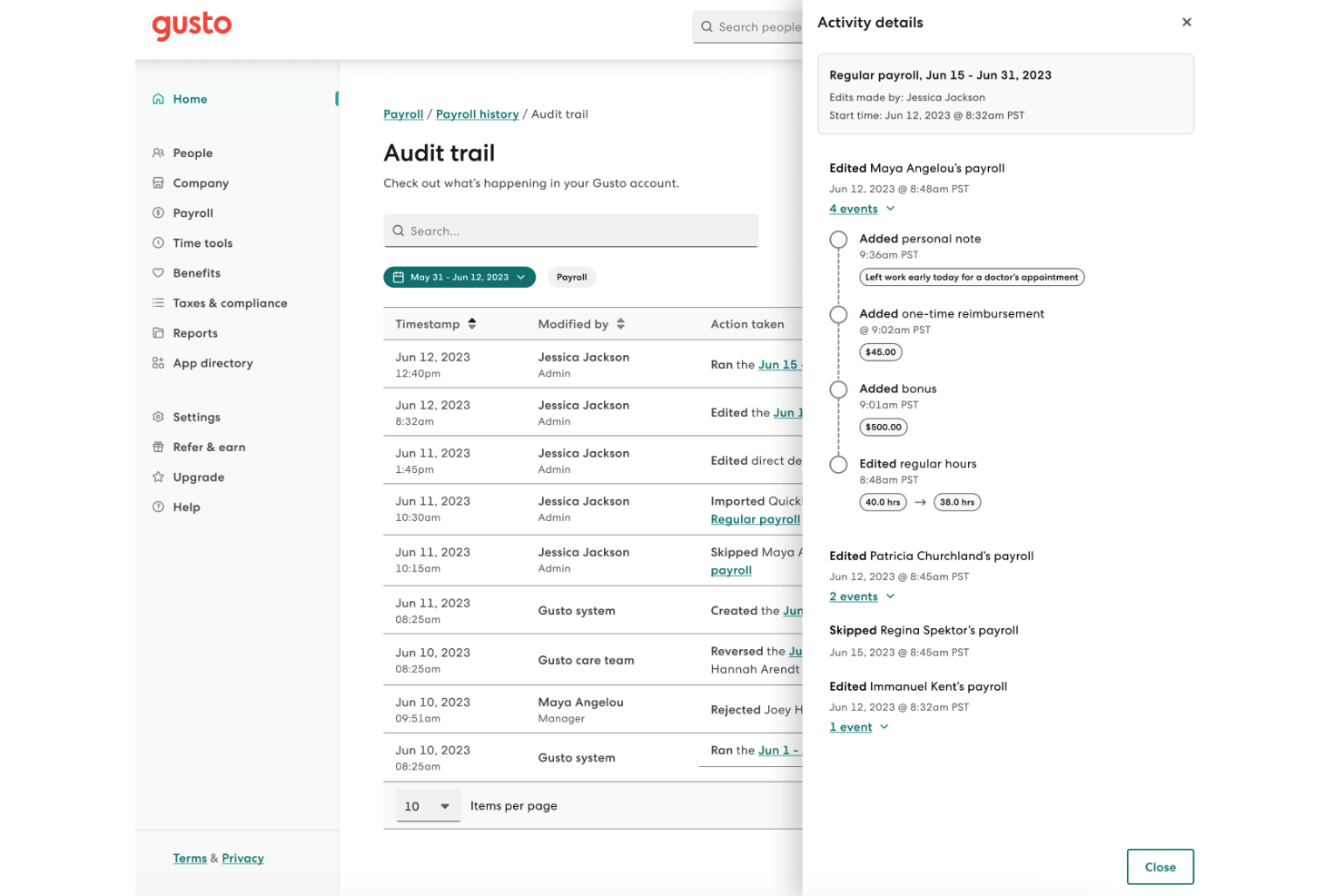
| Audit Trails | Tracks all payroll changes and user actions for transparency. | Logs payroll activities and changes for compliance and review. |
Both Gusto and QuickBooks Payroll provide strong security, compliance, and reliability features across key areas like data encryption, regulatory standards, uptime, access controls, and audit logging. Each platform uses industry-standard encryption to protect sensitive payroll data, maintains widely recognized compliance certifications (such as SOC reports), and offers features like multi-factor authentication and role-based access. They also both track payroll activity through audit logs to support transparency and accountability.
While the two platforms take slightly different approaches, Gusto emphasizes usability and integrated compliance features within its broader HR platform, whereas QuickBooks Payroll benefits from Intuit’s established security infrastructure and ecosystem.
Gusto vs. QuickBooks Payroll Ease of Use
| Factor | Gusto | QuickBooks Payroll |
| User Interface | Features a clean, intuitive dashboard with clear navigation and helpful prompts. | QuickBooks Payroll offers a familiar interface for QuickBooks users, but can feel cluttered for newcomers. |
| Onboarding | Provides step-by-step setup guides and in-app tips for a smooth start. | Includes guided setup, but some users find the process less intuitive without prior QuickBooks experience. |
| Customer Support | Delivers responsive chat and email support, plus a detailed help center. | Offers phone and chat support, with priority service on higher-tier plans. |
| Mobile Access | Allows basic payroll tasks from mobile devices, though not all features are mobile-optimized. | Provides a mobile app for payroll processing and approvals, especially useful for QuickBooks users. |
Both Gusto and QuickBooks Payroll are designed to simplify payroll management, with user-friendly interfaces, guided onboarding, and accessible support options. The main differences come down to user familiarity and design approach. Gusto focuses on a clean, intuitive interface with built-in guidance that can be especially helpful for first-time users, while QuickBooks Payroll aligns closely with the QuickBooks ecosystem, which may feel more straightforward for those already using Intuit products.
Gusto vs QuickBooks Payroll: Pros & Cons
Gusto
- Health insurance premiums and 401(k) contributions are automatically deducted and synced with payroll.
- Employees can access pay stubs, tax forms, and update personal details without HR help.
- You can run payroll using guided steps, even without prior payroll experience.
- Support response times can be slower outside standard business hours.
- Costs can rise quickly as you add employees and features.
- May feel limiting if you need enterprise-level scalability and controls.
QuickBooks Payroll
- You get automatic pay reminders so you don’t miss deadlines.
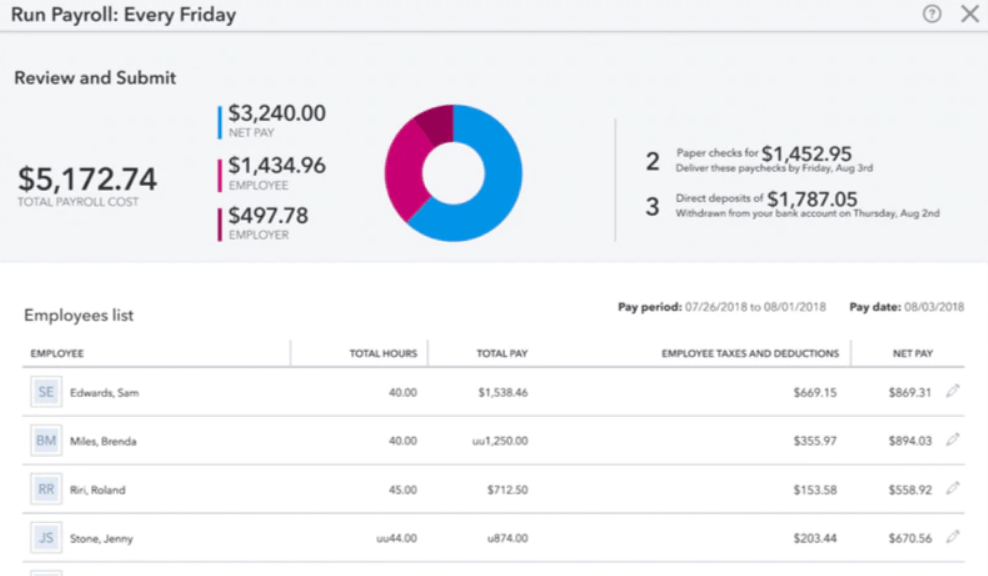
- It calculates and files your payroll taxes for you.
- You can run payroll in just a few clicks.
- You might wait a while to get help from support.
- It struggles with handling complex pay structures.
- You can't easily customize reports to fit your needs.
Best Use Cases for Gusto and QuickBooks Payroll
Gusto
- One Employee Teams Suitable for solo employers who need to run compliant payroll and handle taxes without complex HR tools.
- New Businesses Ideal if you want to set up payroll quickly, stay compliant from the start, and avoid manual payroll processing.
- Accountants Helps accountants manage payroll for multiple clients from one system with automated tax filing and reporting.
- Contractor Business Useful if you pay freelancers or contractors regularly and need simple 1099 generation and payment tracking.
- Mid-Sized Business Works well for growing teams that need automated payroll, benefits management, and support for multiple pay schedules.
- Small Businesses Good fit if you want an easy way to run payroll, file taxes, and manage employee records without needing payroll expertise.
QuickBooks Payroll
- Small Businesses It handles pay, taxes, and filings without needing a dedicated payroll team.
- Remote Teams It offers direct deposit and online access so everyone gets paid on time.
- Accountants It syncs with QuickBooks, helping you keep payroll and books in one place.
- Retail Stores It supports hourly workers, time tracking, and quick tax filing.
- Freelancer Clients It works well for contractors, handling 1099 filings with ease.
- Growing Teams It’s simple to scale payroll as you add more employees over time.
Who Should Use Gusto, and Who Should Use QuickBooks Payroll?
Gusto is a great fit for solopreneurs, startups, small businesses, and mid-sized organizations that want an easy, people-focused payroll solution with built-in HR tools and a friendly, approachable interface. If you value automation, benefits management, and a smooth onboarding experience—especially in creative, tech, or service-driven industries—Gusto will likely feel like a natural fit.
QuickBooks Payroll, on the other hand, is a better fit for business owners already using QuickBooks for accounting or those that prioritize tight financial integration. It’s particularly useful for small to mid-sized businesses that want to run payroll and directly connect it to their books, job costing, and financial reporting.
Differences Between Gusto and QuickBooks Payroll
| Gusto | QuickBooks Payroll | |
|---|---|---|
| Accounting Integration | Integrates with multiple accounting platforms like Xero and FreshBooks. | Designed for seamless use with QuickBooks accounting software. |
| Benefits Administration | Offers built-in health insurance, 401(k), and other employee benefits in most plans. | Limited benefits support, often requires third-party providers or higher-tier plans. |
| Contractor Payments | Supports both employee and contractor payments in the same system with flexible options. | Supports contractors, but features are more limited and less centralized. |
| HR Tools | Includes built-in HR features like onboarding, benefits, and compliance support. | Focuses mainly on payroll, with limited HR features in higher-tier plans. |
| International Payroll | Supports international payments through Gusto Global (Gusto’s EOR powered by Remote). | Payroll features focus on the US. Limited support for international payments. |
| Visit GustoOpens new window | Read QuickBooks Payroll ReviewOpens new window |
Similarities Between Gusto and QuickBooks Payroll
| Automated Tax Filing | Each payroll provider automatically calculates, files, and pays local payroll taxes on behalf of users. |
|---|---|
| Cloud-Based Access | Both are fully cloud-based, letting you manage payroll from anywhere with an internet connection. |
| Direct Deposit | Each offers direct deposit options, including faster deposit speeds on higher-tier plans for quicker employee payments. |
| Employee Self-Service | Both provide employee portals where staff can access pay stubs, tax forms, and update personal information. |
| Payroll Automation | Both automate payroll runs and tax filings, reducing manual work and helping you stay compliant with regulations. |
| Visit GustoOpens new window Read QuickBooks Payroll ReviewOpens new window | |