

Hirevue Review: Pros, Cons, Features, and Pricing Explained



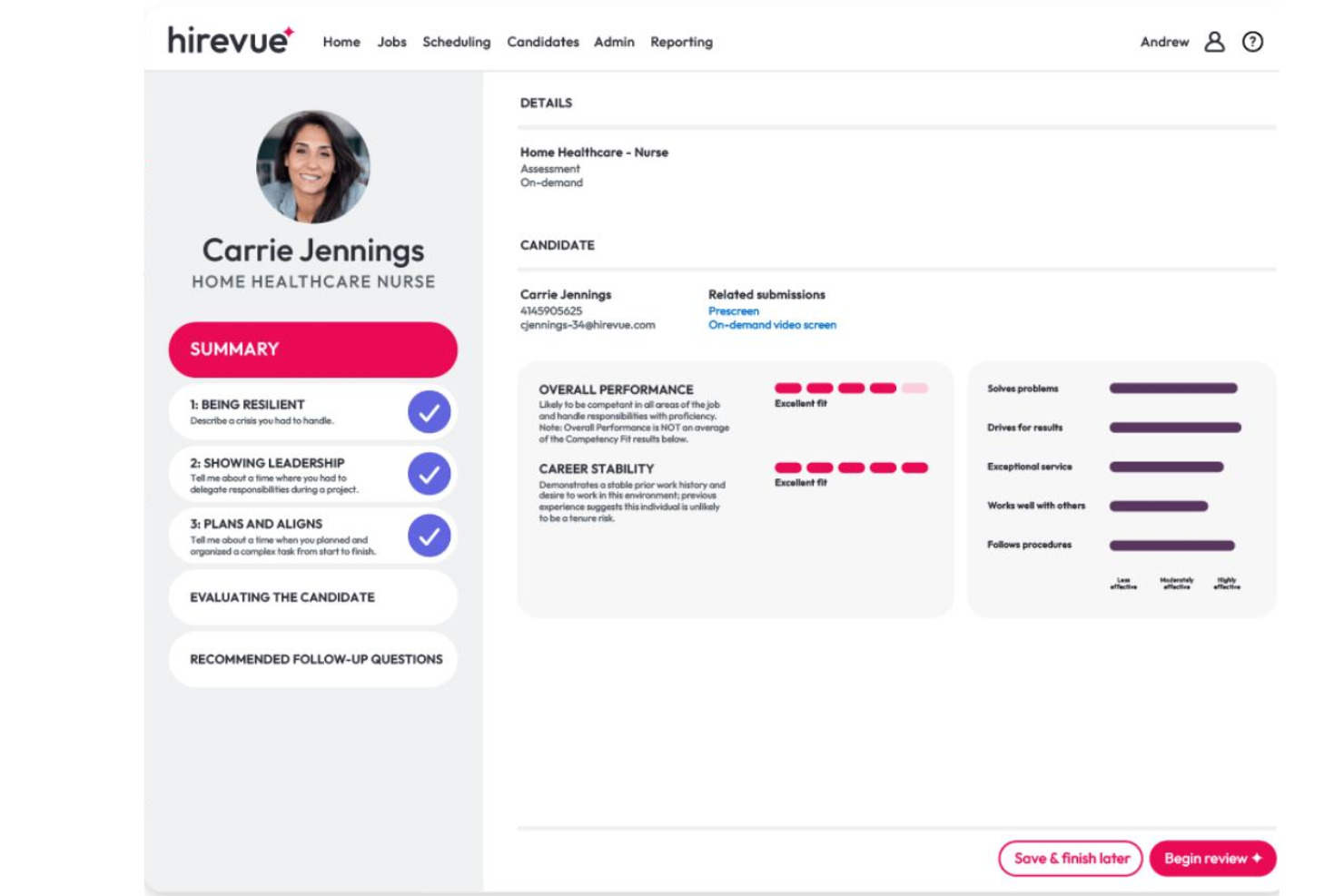
HireVue is a recruiting software built around AI-powered video interviewing and candidate assessments. It's designed for organizations that need to screen high volumes of applicants without relying entirely on resume reviews or manual scheduling. I'd consider HireVue over a tool like Spark Hire if your team needs more than one-way video interviews—specifically, AI-driven scoring, game-based assessments, and structured interview guides that help reduce bias in early-stage candidate evaluation.
HireVue Evaluation Summary
- Pricing upon request
- Free demo available
Why Trust Our Software Reviews
We’ve been testing and reviewing HR software systems since 2019. As HR experts ourselves, we know how critical and difficult it is to make the right decision when selecting software.
We invest in deep research to help our audience make better software purchasing decisions. We’ve tested more than 2,000 tools for different HR management use cases and written over 1,000 comprehensive software reviews. Learn how we stay transparent & our software review methodology.
HireVue Overview
I think Hirevue is a top pick if you want AI-driven video interviews and assessments that streamline high-volume hiring. Its interface is modern and user-friendly, and onboarding is straightforward, but pricing can be higher than some alternatives. I've found its ATS integrations and connections with HRIS platforms reliable, and support is responsive. If you're judging interviewing software for structured, scalable screening—like campus recruiting or hourly roles—Hirevue stands out. However, if you need deep customization or nuanced candidate evaluation, it may underperform compared to more hands-on solutions.
pros
-
AI-driven assessments speed up high-volume candidate screening
-
Supports video interviews and virtual job tryouts
-
Offers 40+ languages for global hiring needs
cons
-
AI scoring can feel impersonal to candidates
-
Pricing is higher than many other recruiting tools
-
Limited flexibility for highly specialized or nuanced roles
Is HireVue Right For Your Needs?
Who Would be a Good Fit for HireVue?
Hirevue is a strong choice for organizations that need to screen large candidate pools quickly and consistently, especially when hiring for roles with repeatable requirements or high turnover. Its AI-driven video interviews and assessments are ideal for teams that value structured, scalable processes and want to reduce manual screening time across the entire screening process. Industries with global reach or distributed teams also benefit from its multilingual support and virtual hiring capabilities.
-
High-Volume Retail
Hirevue automates early screening for hourly roles, saving time for busy retail recruiters.
-
Campus Recruiting
The platform's video interviews help universities and employers assess large student applicant pools efficiently.
-
Call Centers
AI assessments quickly identify candidates with the right communication skills for customer service roles.
-
Healthcare Support
Standardized assessments ensure fair evaluation for entry-level healthcare positions.
-
Franchise Operations
Centralized hiring tools help franchises maintain consistency across multiple locations.
-
Global Enterprises
Multilingual support and virtual interviews make international hiring easier and more consistent.
Who Would be a Bad Fit for HireVue?
Hirevue may not be the best option for organizations that require highly personalized candidate interactions or need to assess complex, nuanced skills that don't translate well to automated video or AI scoring. Teams hiring for niche, senior, or creative roles may find its structured approach too rigid, and smaller companies may not justify the investment given the pricing. Roles that depend heavily on human interaction and real-time dialogue with real people may also feel the limitations of an automated digital interview format.
-
Executive Search
Senior roles often require in-depth, personalized in-person interviews that Hirevue's automation can't provide.
-
Creative Agencies
Creative skills are hard to assess through standardized video or AI-driven questions.
-
Small Startups
The cost and scale of Hirevue may not fit limited hiring needs or budgets.
-
Legal Departments
Legal roles often demand nuanced judgment that's difficult to evaluate with automated assessments.
-
Research Teams
Specialized research positions need tailored interviews and technical assessments beyond Hirevue's scope.
-
Boutique Consulting
Consulting firms hiring for unique, high-touch roles may find Hirevue's process too impersonal.
How We Test & Score Our Tools
We’ve spent years building, refining, and improving our software testing and scoring system. The rubric is designed to capture the nuances of software selection and what makes a tool effective, focusing on critical aspects of the decision-making process.
Below, you can see exactly how our testing and scoring works across seven criteria. It allows us to provide an unbiased evaluation of the software based on core functionality, standout features, ease of use, onboarding, customer support, integrations, customer reviews, and value for money.
Core Functionality (25% of final score)
The starting point of our evaluation is always the core functionality of the tool. Does it have the basic features and functions that a user would expect to see? Are any of those core features locked to higher-tiered pricing plans? At its core, we expect a tool to stand up against the baseline capabilities of its competitors.
Standout Features (25% of final score)
Next, we evaluate uncommon standout features that go above and beyond the core functionality typically found in tools of its kind. A high score reflects specialized or unique features that make the product faster, more efficient, or offer additional value to the user.
We also evaluate how easy it is to integrate with other tools typically found in the tech stack to expand the functionality and utility of the software. Tools offering plentiful native integrations, 3rd party connections, and API access to build custom integrations score best.
Ease of Use (10% of final score)
We consider how quick and easy it is to execute the tasks defined in the core functionality using the tool. High scoring software is well designed, intuitive to use, offers mobile apps, provides templates, and makes relatively complex tasks seem simple.
Onboarding (10% of final score)
We know how important rapid team adoption is for a new platform, so we evaluate how easy it is to learn and use a tool with minimal training. We evaluate how quickly a team member can get set up and start using the tool with no experience. High scoring solutions indicate little or no support is required.
Customer Support (10% of final score)
We review how quick and easy it is to get unstuck and find help by phone, live chat, or knowledge base. Tools and companies that provide real-time support score best, while chatbots score worst.
Customer Reviews (10% of final score)
Beyond our own testing and evaluation, we consider the net promoter score from current and past customers. We review their likelihood, given the option, to choose the tool again for the core functionality. A high scoring software reflects a high net promoter score from current or past customers.
Value for Money (10% of final score)
Lastly, in consideration of all the other criteria, we review the average price of entry level plans against the core features and consider the value of the other evaluation criteria. Software that delivers more, for less, will score higher.
Core Features
AI Video Interviewing
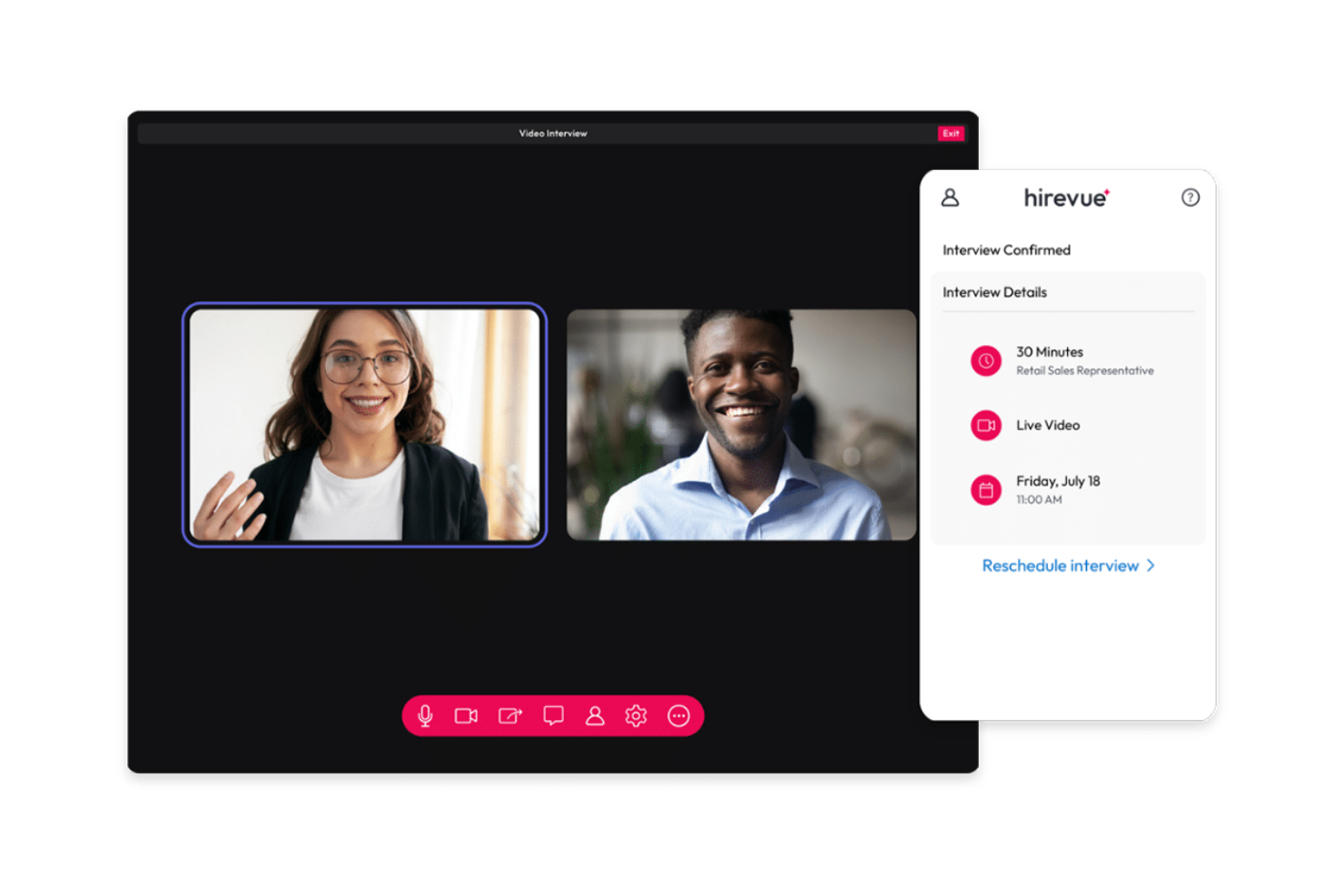
Hirevue lets job candidates record video responses to structured interview questions, which are then scored by AI algorithms for key competencies. This speeds up screening and helps reduce unconscious bias.
Game-Based Assessments
Candidates complete interactive games that measure cognitive abilities and job-relevant traits. Results give recruiters objective data to compare applicants.
Virtual Job Tryouts
Simulated job tasks let candidates demonstrate real-world skills before moving forward. This helps hiring teams see how applicants might perform on the job.
Automated Scheduling
Hirevue's scheduling tool syncs with calendars and lets candidates book interview slots online. This reduces back-and-forth and shortens time-to-hire.
Structured Interview Guides
Interviewers get standardized question sets and scoring rubrics to ensure fair, consistent evaluations. Especially useful for large teams or distributed hiring panels.
Multilingual Support
The platform supports over 40 languages, making it accessible for global hiring. This helps multinational companies reach a wider talent pool.
Standout Features
AI-Powered Candidate Insights
Hirevue provides detailed analytics on candidate performance, including communication style and engagement metrics. Helps recruiters make more informed hiring decisions beyond resume data.
Compliance and Bias Monitoring
Built-in tools monitor and document compliance with hiring regulations and reduce bias. Especially valuable for organizations with strict legal or diversity requirements.
Ease of Use
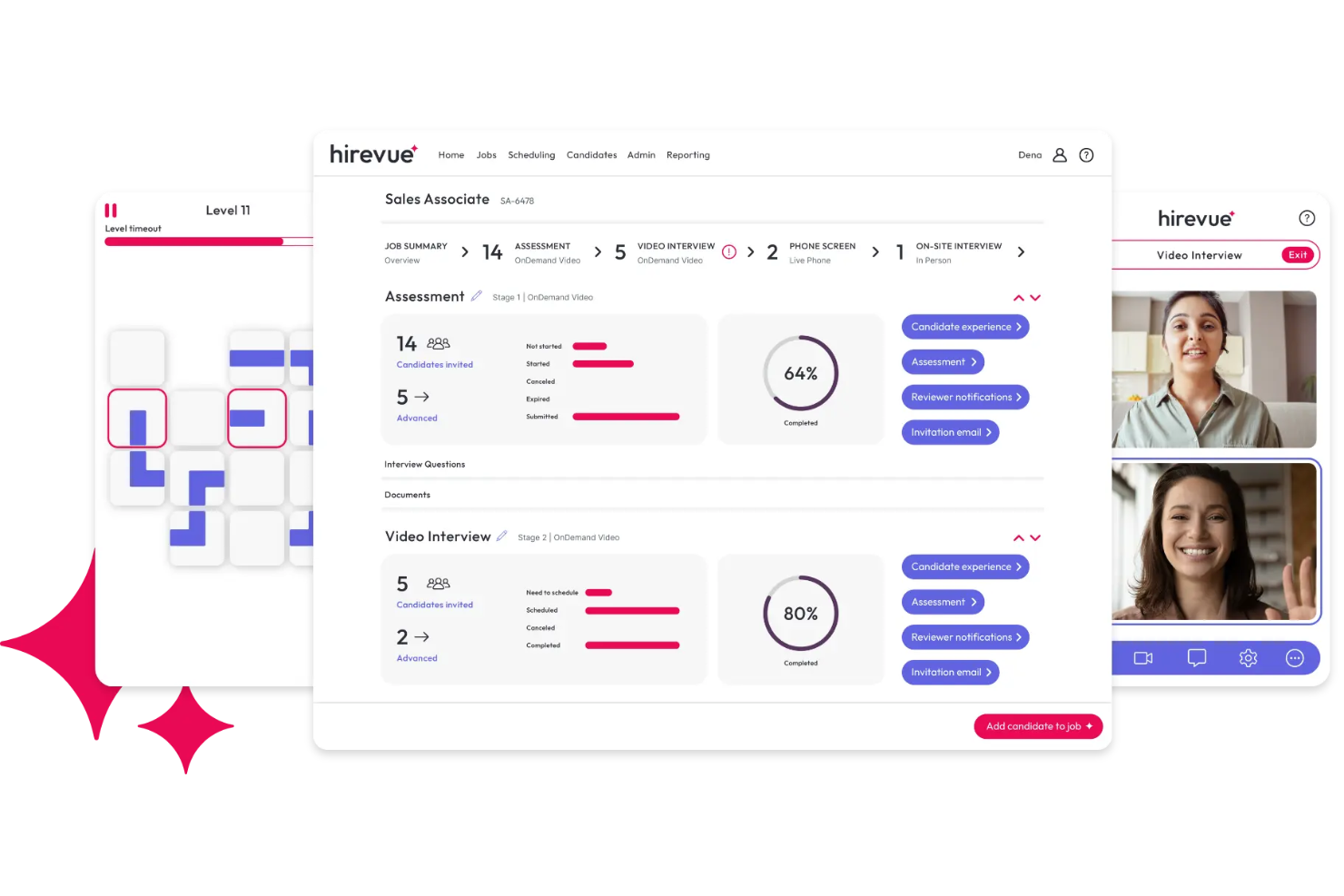
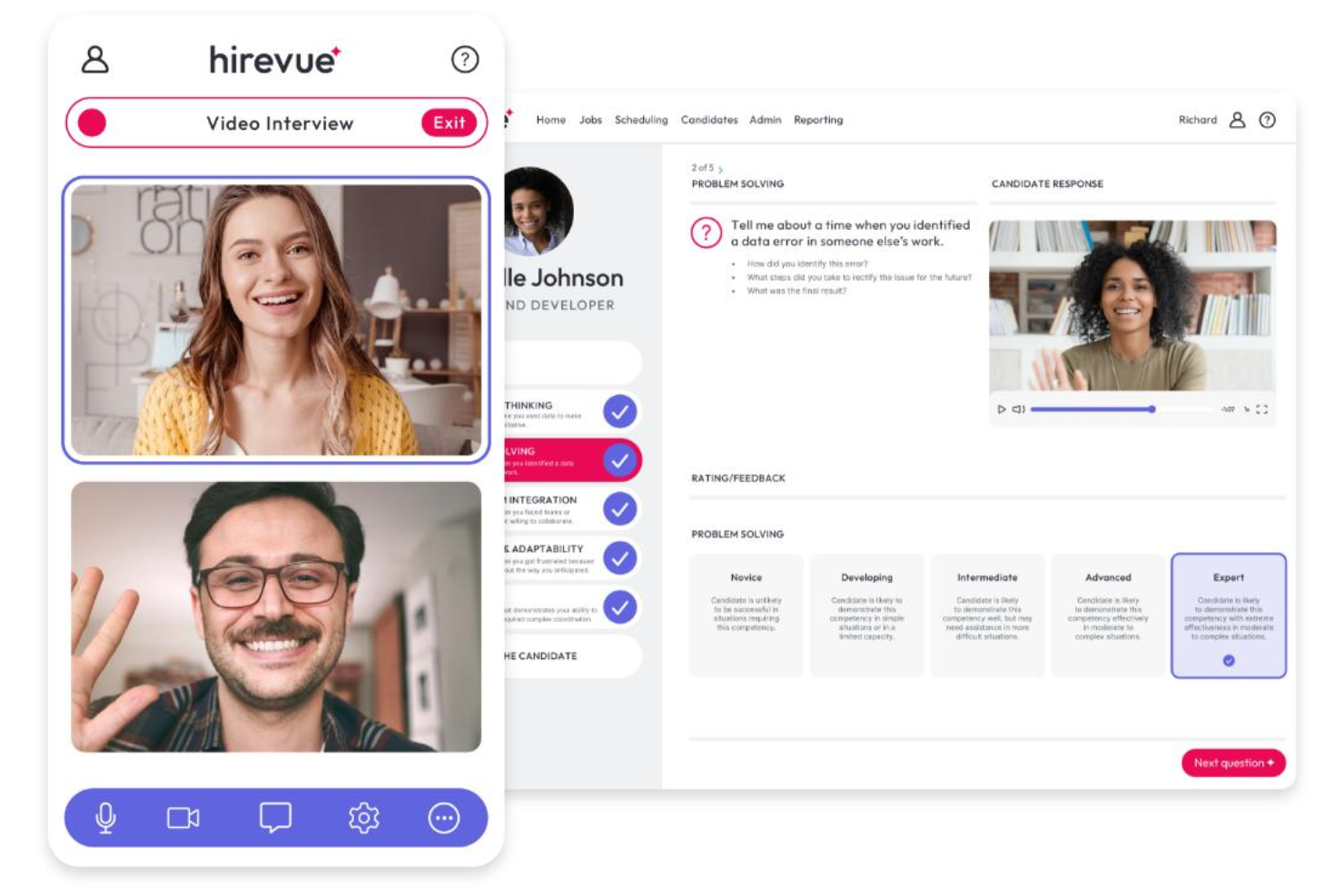
Hirevue's interface is clean, intuitive, and user-friendly, making it easy for recruiters and job candidates to navigate the hiring process. Most users say setup and onboarding are straightforward, with clear prompts and helpful resources throughout. Automated scheduling and structured interview guides reduce manual work, while the platform's mobile compatibility ensures candidates can complete interviews anywhere. Some users mention occasional glitches, but overall, Hirevue offers a smooth candidate experience compared to many recruiting tools.
Onboarding
Hirevue's onboarding process is well-structured, with guided setup, training modules, and a dedicated customer success team for new users. Many reviewers highlight the responsive support and extensive help center, which includes video tutorials and FAQs. Most teams report getting up and running quickly, thanks to clear documentation and proactive onboarding calls. While some users wish for more tailored training, the overall experience helps HR teams reach value fast and feel supported from day one.
Customer Support
Hirevue offers responsive customer support through live chat, email, and phone, with many users praising the quick resolution of technical issues. The help center is comprehensive, featuring step-by-step guides and troubleshooting resources. I've seen reviewers mention that support staff are knowledgeable and proactive, especially during implementation and high-volume hiring periods. While some users report occasional delays during peak times, most find the support team reliable and helpful for both recruiters and candidates.
Integrations
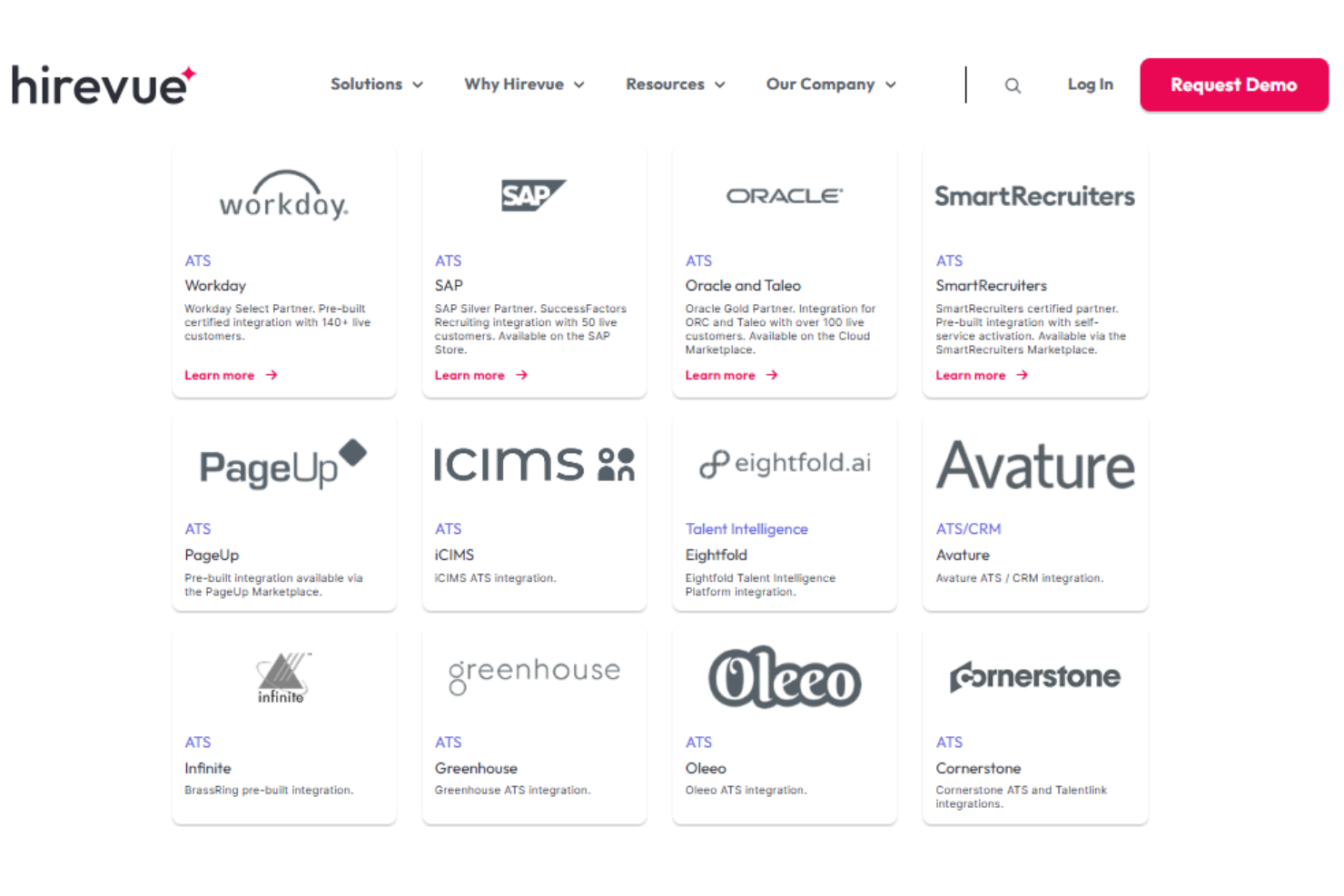
Hirevue integrates with Workday, SAP SuccessFactors, Oracle and Taleo, SmartRecruiters, PageUp, iCIMS, and Greenhouse, among others.
Hirevue also offers an API and supports connections with third-party integration tools, making it straightforward to plug into your existing talent acquisition stack.
Value for Money
Hirevue uses a custom pricing model with no public rates, and plans are tailored based on company size, hiring volume, and features. It is positioned as a premium solution, with hirevue pricing that reflects its AI-driven assessments and enterprise capabilities. The platform delivers the most value for large organizations, while smaller teams may find the cost less accessible.
HireVue Specs
- 2-Factor Authentication
- 360 Degree Feedback
- API
- Application Tracking
- Attendance Tracking
- Batch Permissions & Access
- Compliance Tracking
- Dashboard
- Data Export
- Data Import
- Data Visualization
- Employee Database
- Employee Engagement
- Employee Incentive Management
- Employee Onboarding
- Employee Training
- Expense Tracking
- External Integrations
- Feedback Management
- Multi-User
- Notifications
- Payroll
- Performance Appraisal
- Scheduling
- Time Management
- Timesheets
- Travel Management
- Vacation & Absence Calendar
HireVue FAQs
How does Hirevue's AI video interviewing work?
Can Hirevue help reduce unconscious bias in hiring?
What types of roles is Hirevue best suited for?
How does Hirevue handle data security and compliance?
Is Hirevue accessible for candidates with disabilities?
How customizable are Hirevue's assessments and interview guides?
What support is available for candidates during the interview process?
How quickly can we implement Hirevue and start using it?
HireVue Company Overview & History
Hirevue is a leading provider of AI-powered hiring solutions, headquartered in Salt Lake City, Utah. The company is known for its science-backed video interviewing, assessments, and workflow automation tools, serving global clients across industries. Organizations that use Hirevue include major brands across retail, aviation, and consumer goods, and the platform is recognized for its commitment to security, compliance, and global reach with support for over 40 languages. The company is privately held and does not publicly disclose its workforce size or financials on its website.
Hirevue Major Milestones
- 2004: Hirevue founded in Salt Lake City, Utah.
- 2005: Launch of the first video interviewing platform.
- 2019: Achieved FedRAMP authorization, becoming the only public sector-approved hiring solution.
- 2023: Expanded global reach with support for over 40 languages and continued innovation in AI-driven assessments.