


iSpring LMS vs. TalentLMS: Comparison & Expert Reviews For 2026


Teams often turn to iSpring LMS or TalentLMS after running into the same problem: their current training processes are getting too manual, and they need to scale, or their existing learning management systems are too slow, too limited, or too scattered to support real growth. The need for faster onboarding, better learner engagement, and a setup that does not require constant manual work pushes them to look for a stronger LMS.
iSpring and TalentLMS both stand out as reliable options, but each one approaches training in a different way. This breakdown gives you a clear look at how they compare so you can choose the platform that fits your workflow and goals.
iSpring LMS vs. TalentLMS: An Overview
iSpring LMS


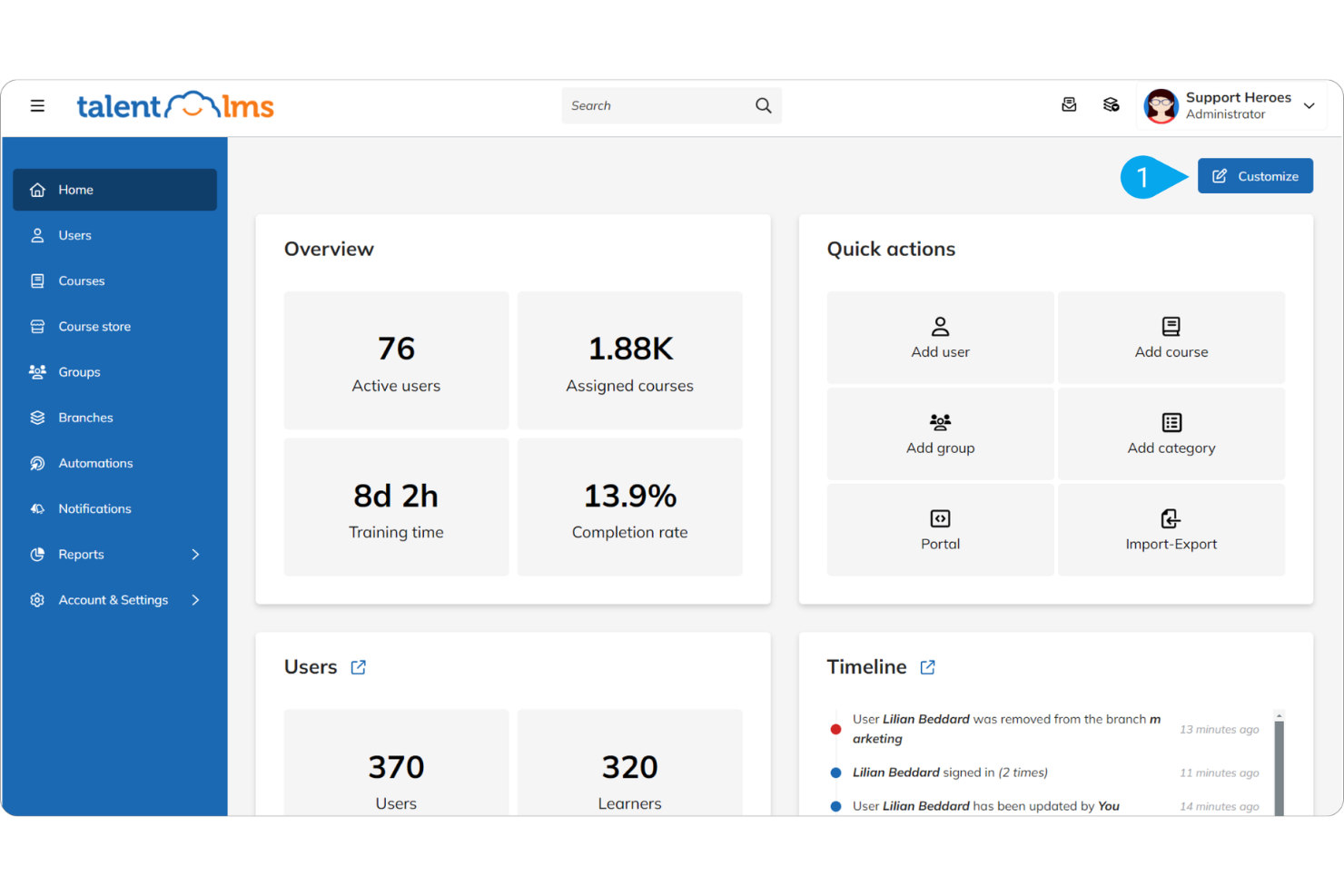
TalentLMS


Why Trust Our Software Reviews
iSpring LMS vs. TalentLMS Pricing Comparison
| iSpring LMS | TalentLMS | |
|---|---|---|
| Free Trial | Free 30-day trial | Free plan + free demo available |
| Pricing | From $3.58/user/month (billed annually) | From $119/month (billed annually) |
iSpring LMS vs. TalentLMS Hidden Costs
iSpring LMS uses a per-active-user subscription model, which makes pricing feel straightforward at first. The hidden cost comes from moving into higher user tiers as your training program grows, plus any add-on needs like storage or extra tools from the iSpring ecosystem.
TalentLMS works on fixed tiered plans, giving you a clear price for each level. The hidden cost appears when you outgrow your plan, since features like higher user limits, premium support, custom reports, AI content creation, or advanced automations only unlock on more expensive tiers. TalentLMS also has a free plan for up to five users and ten courses, allowing you to explore the platform and decide on your own time when to upgrade as you scale.
iSpring LMS vs. TalentLMS Feature Comparison
Both iSpring LMS and TalentLMS offer a strong set of core LMS features, including SCORM support, quizzes and assessments, learning paths, certifications, progress tracking, reporting, and mobile access. These shared capabilities make both platforms suitable for onboarding, compliance training, and ongoing employee development.
TalentLMS offers ease of setup and strong learner engagement, with streamlined course creation, automated enrollments, customizable portals, and built-in gamification tools such as points and badges. iSpring LMS is part of the broader iSpring ecosystem and integrates directly with iSpring Suite, which includes a dedicated course authoring tool. This integration supports organizations that prefer to create and manage training content using a native authoring solution rather than relying on external tools.
| iSpring LMS | TalentLMS | |
|---|---|---|
| API | ||
| Class Management | ||
| Comparative Reporting | ||
| Corporate/Business | ||
| Dashboards | ||
| Data Export | ||
| Data Import | ||
| Data Visualization | ||
| Document Comparison | ||
| Employee Training | ||
| External Integrations | ||
| Feedback Management | ||
| Gamification | ||
| Gradebook | ||
| Mobile App | ||
| Multi-User | ||
| Notifications | ||
| Personal Learning | ||
| Report & Compliance | ||
| Report Cards | ||
| SCORM | ||
| Scheduling | ||
| Student Registration | ||
| Video Courses |
iSpring LMS vs. TalentLMS Integrations
| Integration | iSpring LMS | TalentLMS |
| Salesforce | ✅ | ✅ |
| Microsoft Teams | ✅ | ✅ |
| Slack | ❌ | ✅ |
| Zoom | ✅ | ✅ |
| Google Meet | ✅ | ✅ |
| HubSpot | ✅ | ✅ |
| BambooHR | ✅ | ✅ |
| Shopify | ✅ | ✅ |
| API | ✅ | ✅ |
| Zapier | ✅ | ✅ |
Both iSpring LMS and TalentLMS integrate with widely used business and communication tools such as Salesforce, Microsoft Teams, Zoom, Google Meet, BambooHR, and Shopify, and offer API access for custom integrations. These connections help organizations sync learner data, streamline user management, and connect training activities with existing workflows
iSpring LMS vs. TalentLMS Security, Compliance & Reliability
| Factor | iSpring LMS | TalentLMS |
| Data Encryption | Encrypts data in transit using SSL/TLS and stores it on secure AWS infrastructure that supports encryption at rest. | TalentLMS uses SSL/TLS protocols to encrypt data during transmission. |
| Regulatory Compliance | Fully GDPR compliant with strict data-handling and privacy measures. | GDPR compliant with added tools for secure authentication and data management requests. Partially compliant with WCAG 2.2 Level AA, supporting accessible use of the platform. |
| Uptime Reliability | Runs on AWS and certified data centers with redundancy and monitoring to maintain stable performance. | Maintains a 99.9% uptime commitment through monitored cloud hosting. |
Both platforms offer strong security and reliable performance. iSpring LMS focuses on encrypted data transfer, GDPR compliance, and redundant certified hosting, while TalentLMS adds uptime guarantees and built-in compliance tools. The right choice depends on your security priorities.
iSpring LMS vs. TalentLMS Ease of Use
| Factor | iSpring LMS | TalentLMS |
| User Interface | Features a clean, intuitive layout that keeps navigation simple and easy to follow. | Offers a modern, customizable interface designed to improve engagement. |
| Onboarding Experience | Provides clear tutorials and helpful guidance to get new users up to speed quickly. Onboarding plans are tailored for specific roles with dedicated mentors and an opportunity to compare employee training stats. | Includes easy setup, allowing you to go live quickly. |
| Customer Support | Delivers 24/7 assistance through live chat, along with extensive online resources. In-house support is provided, and you'll also have access to a dedicated customer success manager. | Provides email and ticket support for all plans, with chat and phone available on higher tiers (within specified hours), along with a detailed knowledge base. |
iSpring LMS is easy to navigate and backed by 24/7 live chat, making it a strong fit for teams that want hands-on support. TalentLMS stands out for its modern look, quick setup, and guided onboarding, though it doesn't offer 24/7 support for round-the-clock questions and issue resolution.
iSpring LMS vs TalentLMS: Pros & Cons
iSpring LMS
- The interface is very easy for both admins and learners to use.
- Customer support is exceptionally responsive and helpful.
- Course creation is smooth with built-in AI microlearning course creation and the iSpring Suite.
- Limited integrations compared to larger or more modern LMS platforms.
- Customization options are minimal.
- Reporting is basic compared to data-rich LMS competitors.
TalentLMS
- It offers a variety of training materials to improve your learning experience.
- The interface is intuitive, making it simple for your team to navigate.
- You can quickly set up and start using it without much hassle.
- Larger teams might find the reporting features and notifications lacking in detail.
- Advanced customization options are limited compared to other systems.
Best Use Cases for iSpring LMS and TalentLMS
iSpring LMS
- Manufacturing Well-suited for manufacturing organizations that need to deliver standardized training across roles, shifts, and locations. iSpring LMS supports safety training, SOPs, equipment operation basics, and compliance programs.
- Sales and Product Training Teams Great for delivering consistent sales onboarding and product training for internal teams and external audiences.
- Healthcare Training Ideal for basic compliance modules, skill refreshers, and standardized internal training programs in healthcare environments. iSpring LMS supports consistent content delivery while making it easy to track completion for audits and regulatory requirements.
- Tech Companies Great for tech companies requiring on-premise installation, especially those with strict security, data privacy, or compliance requirements. iSpring LMS allows organizations to keep full control over their infrastructure.
- Consulting Firms Consulting firms can easily invite their clients to iSpring LMS, making it simple to deliver training, documentation, or enablement programs as part of an engagement.
- Government Agencies Government agencies can benefit from iSpring LMS’s on-premise installation, which supports tighter data control, regulatory compliance, and internal security policies.
TalentLMS
- Small Businesses TalentLMS offers a cost-effective solution for small businesses needing a simple, efficient training platform.
- HR Departments Its ease of use and onboarding capabilities make it ideal for HR teams managing the training of new recruits.
- Training Providers TalentLMS supports various training materials, making it suitable for providers offering diverse learning content.
- Tech Startups Startups can benefit from its scalability and flexibility as teams grow and training needs evolve.
- Nonprofits Its affordable pricing means nonprofits can access quality learning tools without straining their budgets.
- Remote Teams The accessibility of its online learning ensures remote teams stay connected and up to date with their training, regardless of location.
Who Should Use iSpring LMS, and Who Should Use TalentLMS?
Based on what I’ve discussed so far, iSpring LMS is great if you want to build structured training programs and create detailed learning content because you can manage onboarding, compliance, and internal workflows in a straightforward interface with strong support behind you.
If you prefer a more flexible setup that can adapt to different learner groups or training styles, then TalentLMS will suit you better. Its customizable interface and multi-audience structure make it ideal for teams that want a more dynamic and engaging learning environment.
Differences Between iSpring LMS and TalentLMS
| iSpring LMS | TalentLMS | |
|---|---|---|
| Artificial Intelligence | Primarily supports course creation and platform usage by helping teams author content faster and navigate the LMS more efficiently. | Actively powers the learning workflow by automating course creation, skills mapping, assessments, and personalized learner support across the entire training experience. |
| Content Authoring | Uses an authoring-first approach, pairing the LMS with iSpring Suite to create rich, PowerPoint-based, interactive courses that are built externally and then published to the LMS as standards-compliant packages. | Takes an in-platform approach, allowing users to create, assemble, and enhance courses directly inside the LMS using multimedia lessons, assessments, and AI-assisted tools rather than a dedicated authoring application. |
| Customer Support | Provides 24/7 assistance through live chat, with extensive online resources for those who prefer self-service. | Provides support through email and tickets, along with live chat and phone support on higher-tiered plans (within specified hours). No 24/7 support is available, though they have a detailed knowledge base. |
| Pricing Model | Uses a user-based subscription approach designed for predictable scaling. | TalentLMS offers tiered pricing plans that accommodate different needs. |
| User Interface | Uses a clean, straightforward layout that keeps navigation simple for admins and learners. | Offers a modern, highly customizable interface with options to tailor the visual experience. |
| Visit iSpring LMSOpens new window | Visit TalentLMSOpens new window |
Similarities Between iSpring LMS and TalentLMS
| API Integration | Both offer API access, allowing you to connect the LMS with the other tools and systems your organization uses. |
|---|---|
| Cloud-Based Access | Both iSpring LMS and TalentLMS offer cloud-based platforms, allowing your team to access training anywhere with internet connectivity. |
| Compliance Standards | Each supports GDPR compliance to help protect user data and meet privacy requirements. |
| User Management | iSpring LMS and TalentLMS provide robust user management features, letting you easily add, track, and manage learners. |
| Analytics | Each platform includes reporting and analytics tools that help you monitor learner progress and measure course effectiveness. |
| Visit iSpring LMSOpens new window Visit TalentLMSOpens new window | |