


Mo Review 2026: Pros, Cons, Features, and Pricing



Mo is an employee recognition software designed to help HR teams create a more connected and engaged workplace. If you’re struggling to boost morale, foster a recognition-rich culture, or make appreciation a daily habit for your teams, you know how tough it can be to choose a platform that actually drives engagement instead of just adding noise. The tool addresses these goals by offering peer-to-peer recognition, real engagement analytics, and customizable reward options—all designed to make recognition meaningful and easy to integrate into your existing workflow.
In this Mo article, I’ll break down the features, share which use cases it fits best (and worst), weigh its pros and cons, and detail its pricing for 2026.
Mo Evaluation Summary
- Pricing upon request
- Free demo available
Why Trust Our Software Reviews
We’ve been testing and reviewing HR software systems since 2019. As HR experts ourselves, we know how critical and difficult it is to make the right decision when selecting software.
We invest in deep research to help our audience make better software purchasing decisions. We’ve tested more than 2,000 tools for different HR management use cases and written over 1,000 comprehensive software reviews. Learn how we stay transparent & our software review methodology.
Mo Overview
When I compare Mo to other employee recognition tools, I think its approachable interface and built-in habit prompts make it easier for teams to actually use recognition daily. Mo really shines in user adoption and its simple, transparent pricing. While I’d like to see broader integrations, its onboarding support stands out, especially for companies with limited HR resources.
I’d suggest Mo is best suited for businesses who want a straightforward, feedback-focused approach—like fast-growing startups or distributed teams looking to keep engagement high without building a complex rewards program.
pros
-
Peer-to-peer recognition built into daily team routines
-
Recognition moments can be tied directly to company values
-
Comprehensive engagement analytics help track participation trends
cons
-
No in-app rewards marketplace for automating rewards delivery
-
Limited language support for international teams
-
The reporting features could be more robust for detailed analytics.
-

Justworks
Visit WebsiteThis is an aggregated rating for this tool including ratings from Crozdesk users and ratings from other sites.4.6 -
Homebase
Visit WebsiteThis is an aggregated rating for this tool including ratings from Crozdesk users and ratings from other sites.4.2 -
Paycom
Visit WebsiteThis is an aggregated rating for this tool including ratings from Crozdesk users and ratings from other sites.4.3





How We Test & Score Our Tools
We’ve spent years building, refining, and improving our software testing and scoring system. The rubric is designed to capture the nuances of software selection and what makes a tool effective, focusing on critical aspects of the decision-making process.
Below, you can see exactly how our testing and scoring works across seven criteria. It allows us to provide an unbiased evaluation of the software based on core functionality, standout features, ease of use, onboarding, customer support, integrations, customer reviews, and value for money.
Core Functionality (25% of final score)
The starting point of our evaluation is always the core functionality of the tool. Does it have the basic features and functions that a user would expect to see? Are any of those core features locked to higher-tiered pricing plans? At its core, we expect a tool to stand up against the baseline capabilities of its competitors.
Standout Features (25% of final score)
Next, we evaluate uncommon standout features that go above and beyond the core functionality typically found in tools of its kind. A high score reflects specialized or unique features that make the product faster, more efficient, or offer additional value to the user.
We also evaluate how easy it is to integrate with other tools typically found in the tech stack to expand the functionality and utility of the software. Tools offering plentiful native integrations, 3rd party connections, and API access to build custom integrations score best.
Ease of Use (10% of final score)
We consider how quick and easy it is to execute the tasks defined in the core functionality using the tool. High scoring software is well designed, intuitive to use, offers mobile apps, provides templates, and makes relatively complex tasks seem simple.
Onboarding (10% of final score)
We know how important rapid team adoption is for a new platform, so we evaluate how easy it is to learn and use a tool with minimal training. We evaluate how quickly a team member can get set up and start using the tool with no experience. High scoring solutions indicate little or no support is required.
Customer Support (10% of final score)
We review how quick and easy it is to get unstuck and find help by phone, live chat, or knowledge base. Tools and companies that provide real-time support score best, while chatbots score worst.
Customer Reviews (10% of final score)
Beyond our own testing and evaluation, we consider the net promoter score from current and past customers. We review their likelihood, given the option, to choose the tool again for the core functionality. A high scoring software reflects a high net promoter score from current or past customers.
Value for Money (10% of final score)
Lastly, in consideration of all the other criteria, we review the average price of entry level plans against the core features and consider the value of the other evaluation criteria. Software that delivers more, for less, will score higher.
Core Features
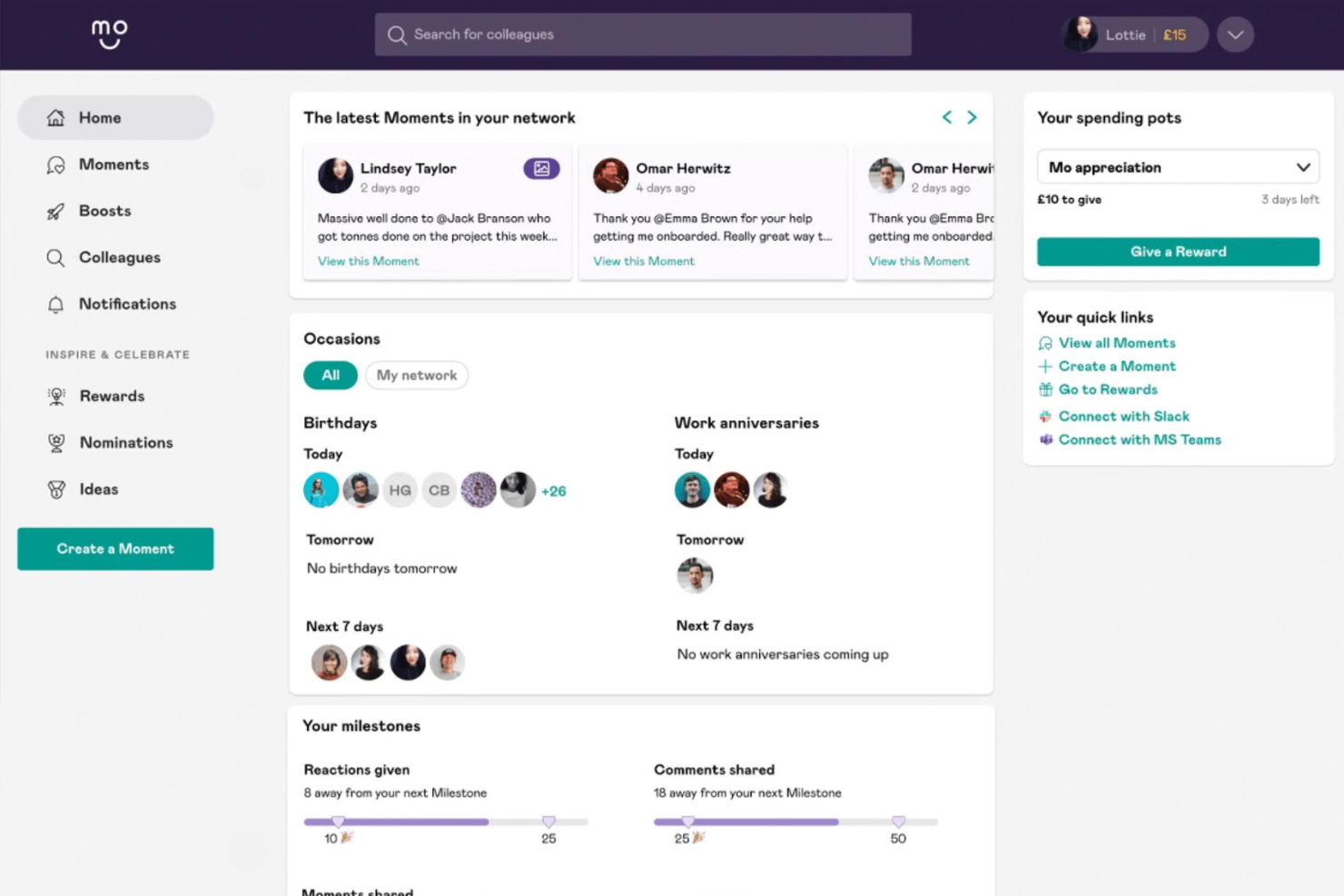
Moments Recognition
Let your team send recognition messages to peers in real time. Each Moment can be linked to specific company values to reinforce positive behaviors.
Habit Nudges
Automated prompts and reminders help recognition become a regular habit. Managers and employees get personalized nudges to encourage meaningful appreciation.
Awards and Milestones
Set up custom awards for employee achievements or work anniversaries. Celebrate individual or team milestones to boost morale and retention.
Employee Engagement Analytics
Access interactive dashboards tracking recognition frequency and participation. Spot engagement gaps quickly with visual reports and trend analysis.
Manager Insights
Managers get targeted analytics and suggestions tailored to their teams. These insights make it easier to spot overlooked contributions and foster inclusion.
Company Values Integration
Build recognition around your organization’s core values. Tie every recognition message to a value, so culture is reinforced in everyday interactions.
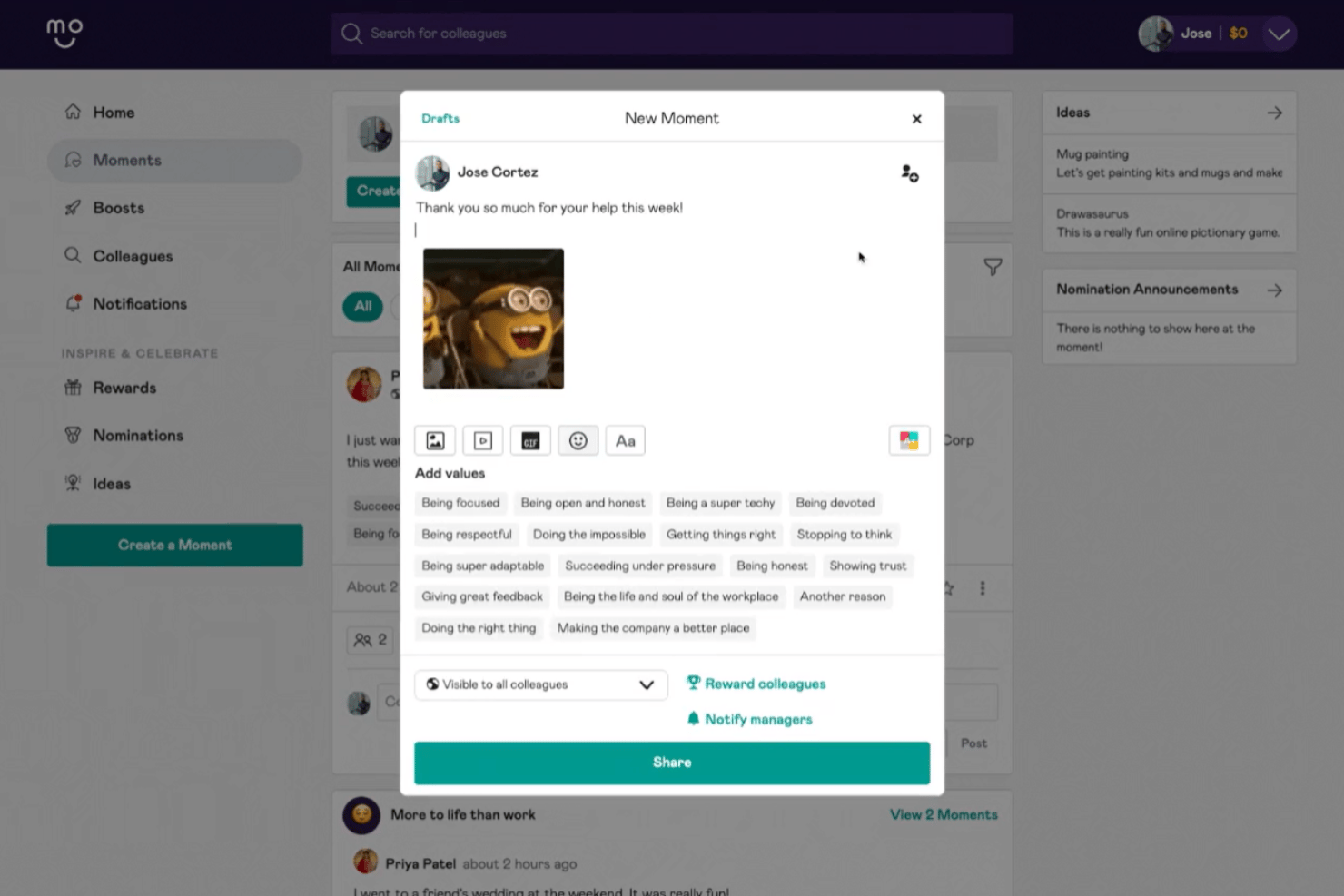
Ease of Use
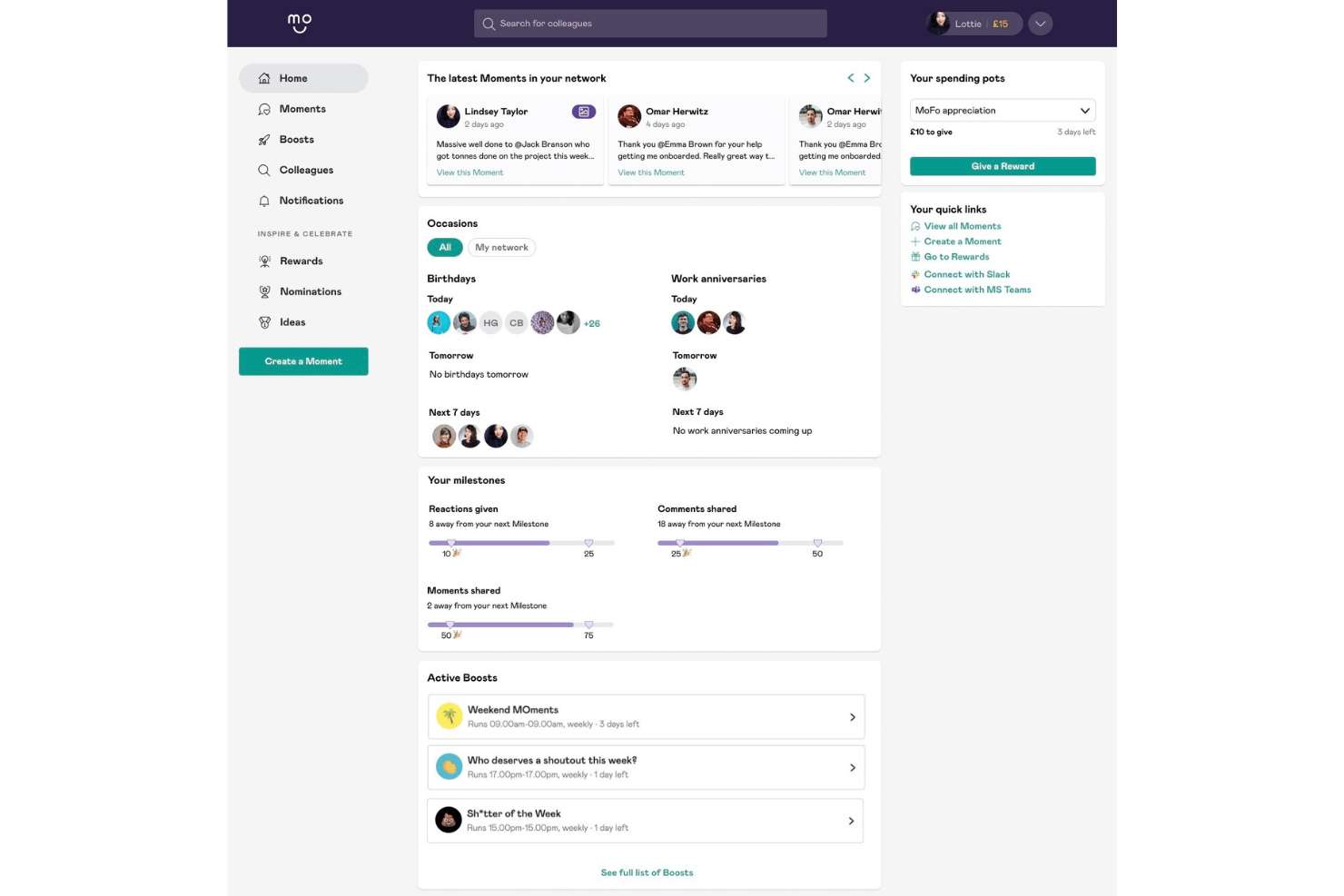
Mo is genuinely easy to navigate, thanks to its clutter-free dashboard and clear habit prompts that keep teams engaged.
Users consistently point out how setting up recognition routines or tracking engagement is simple, with value-based moments and instant feedback features making it intuitive for new users and busy managers alike.
Integrations
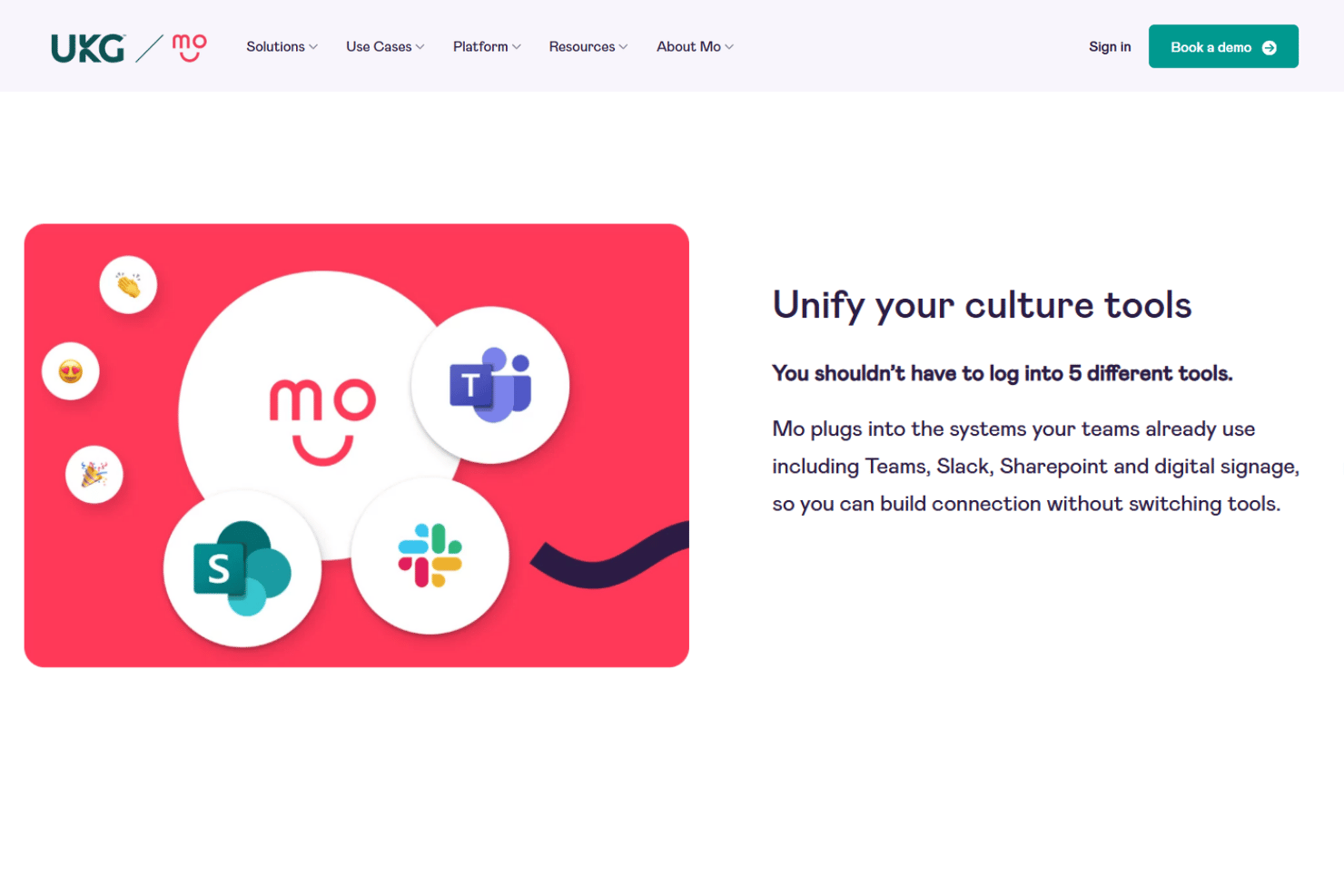
Mo integrates with Microsoft Teams, Slack, Outlook, Google Workspace, Azure Active Directory, Workday, BambooHR, Okta, Zapier, and Personio.
Mo also offers an open API for custom integrations and can connect with third-party integration tools like Zapier.
Mo Specs
- 360 Degree Feedback
- API
- Application Tracking
- Attendance Tracking
- Budgeting
- Calendar Management
- Dashboard
- Data Export
- Data Import
- Data Visualization
- Employee Database
- Employee Engagement
- Employee Incentive Management
- Employee Onboarding
- External Integrations
- Feedback Management
- Forecasting
- Multi-User
- Notifications
- Scheduling
- Timesheets
- Vacation & Absence Calendar
- 10 Tips to Support Mental Health in Remote WorkplacesOpens new window
- 17 Virtual Team Building Activities for Remote TeamsOpens new window
- 32 Proven Tips To Help You Work From Home More EffectivelyOpens new window
- 86 HR Quotes to Motivate Teams And Managers in 2026Opens new window
- Clarity, Responsibility, And Accountability (CRA) Model Of LeadershipOpens new window
- HR Manager Salary Guide 2026 (And How You Could Earn More)Opens new window
- The 14 Most Impactful Ways To Improve Employee Retention In 2026Opens new window
- The Benefits of Remote Teams: For Employers and EmployeesOpens new window
- What Is Employee Monitoring?Opens new window
- Why You Feel Unmotivated At Work And How To Feel InspiredOpens new window