


Spott ATS Review 2026: Pros, Cons, Features and Pricing Explained



Recruitment agencies often juggle candidate sourcing, client management, and business development across disconnected tools. As workloads grow, staying organized and moving candidates through the hiring process efficiently becomes increasingly difficult.
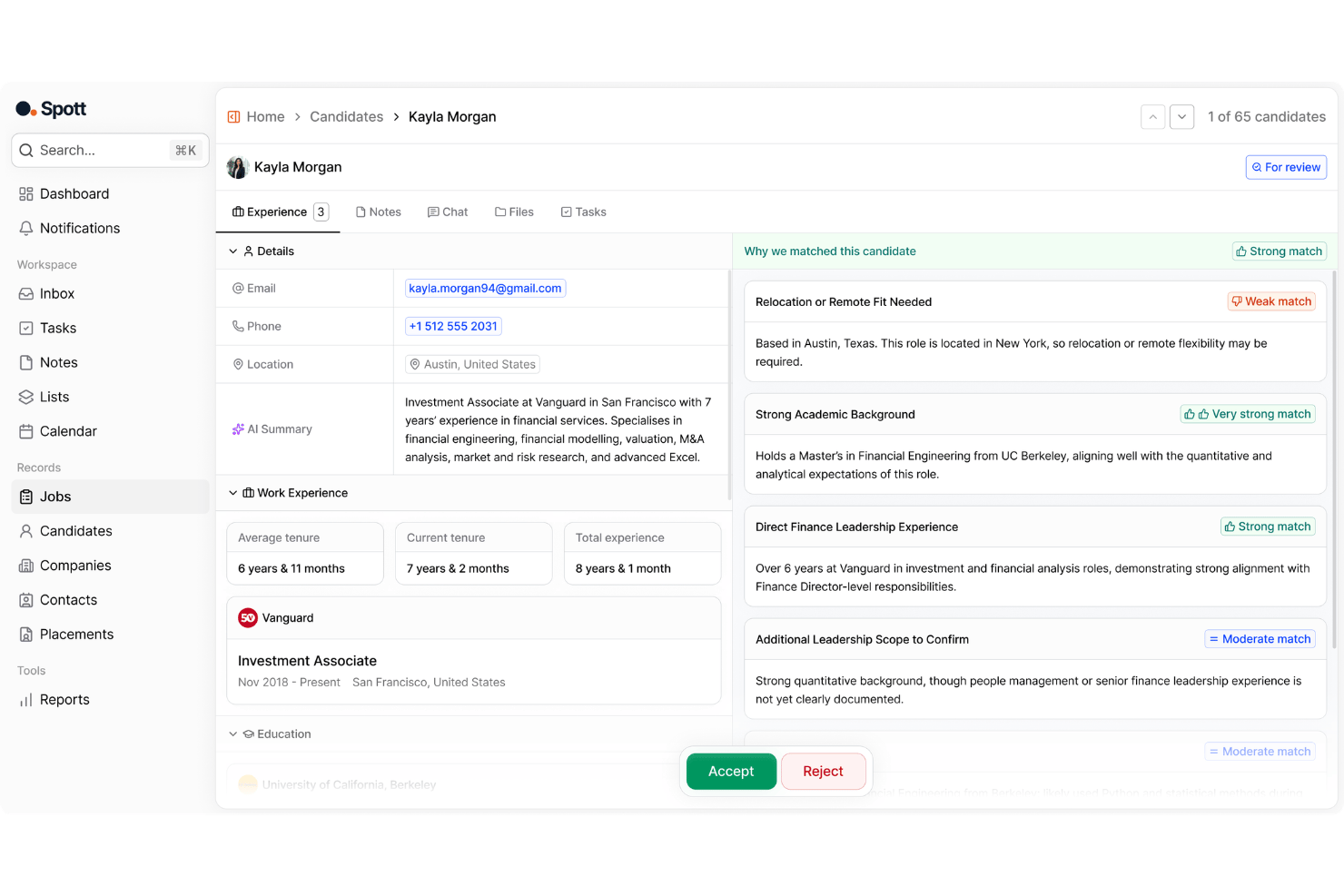
Spott is an AI-native applicant tracking system and CRM built for recruitment agencies and staffing firms. It combines recruiting, client management, AI-powered matching, and automation to help agencies manage placements more efficiently.
In this review, I’ll break down Spott's features, real-world use cases, pros and cons, and pricing to help you decide whether it's the right fit for your agency in 2026.
Spott ATS Evaluation Summary
- From $139/user/month (billed annually)
- Free trial available
Why Trust Our Software Recommendations
Our team has been testing and reviewing software since 2012. As HR experts ourselves, we know how difficult—and important—it is to choose the right software.
For this guide, we evaluated tools using hands-on testing and independent research, scoring tools using our selection criteria. We also draw on insights from industry thought leaders and practicing HR experts.
Our reviews reflect our human editorial judgment, not a sales pitch.
Expert reviewers:
Spott ATS Overview
In my opinion, Spott stands out as an AI-native ATS and CRM built for recruitment agencies and staffing firms. Its strongest features include context-based AI matching, Conversation Memory, Unibox, outreach campaigns, candidate presentations, and an AI-powered recruiting database that keeps recruiting data useful over time. Strong onboarding, white-glove migration, and 24/7 human chat also make it appealing for agencies moving from legacy systems, though teams needing a complete contracting module, stronger mobile tools, or built-in external database sourcing should confirm fit before buying.
pros
-
AI-powered candidate matching based on context, not just keywords
-
Unified platform for recruiting, CRM, outreach, and automation
-
Flexible workflows with extensive customization options
cons
-
Contracting features are still being rolled out
-
Mobile app offers limited functionality
-
External candidate sourcing relies on third-party integrations
Is Spott ATS Right For Your Needs?
Who Would be a Good Fit for Spott ATS?
Spott is a good fit for recruitment agencies, staffing firms, executive search teams, RPO providers, and consulting firms that need an ATS and CRM for managing candidates, clients, outreach, placements, and business development.
-
Recruitment Agencies
Spott helps recruitment agencies manage candidates, clients, pipelines, outreach, and placements from one system built for agency operations.
-
Staffing Firms
Staffing firms can use Spott to support candidate management, client communication, business development, and placement workflows across multiple open roles.
-
Executive Search Firms
Spott’s AI matching, conversation memory, and candidate presentation tools can help executive search teams manage high-touch relationships with candidates and clients.
-
Permanent Placement Firms
Permanent placement firms can use Spott to track candidate pipelines, manage client submissions, and keep recruitment activity connected to revenue outcomes.
-
RPO and Consulting Teams
RPO providers and recruitment consultants can use Spott to manage client-facing workflows, outreach campaigns, reporting, and candidate communication.
-
Temp Staffing Teams
Temp staffing teams can benefit from Spott’s recruiting workflows, communication tracking, and reporting tools when managing ongoing candidate and client activity.
Who Would be a Bad Fit for Spott ATS?
Spott is not a good fit for in-house HR teams, internal talent acquisition teams, companies with more than 1,000 employees, or buyers looking for a free ATS.
-
In-House HR and Talent Acquisition Teams
Spott is not designed for companies hiring only for their own internal roles, since its workflows are built around agency recruiting, clients, candidates, placements, and business development.
-
Companies With 1,000+ Employees
Very large organizations may need deeper enterprise HR workflows, internal hiring governance, and talent acquisition structures beyond Spott’s primary fit.
-
Teams Looking for a Free ATS
Spott is not a fit for teams looking for a free applicant tracking system or a very low-cost entry-level hiring tool.
-
Contract-Heavy Staffing Agencies
Spott’s full contracting module is still being implemented, so agencies that rely heavily on contractor management should confirm whether the current functionality supports their workflow.
-
Mobile-First Recruiting Teams
Teams that rely heavily on mobile recruiting may find Spott limiting because its mobile app functionality is currently limited.
-
Database-Led Sourcing Teams
Spott currently supports external database sourcing through integrations, so teams that depend on built-in external sourcing may find it less suitable.
How We Test & Score Our Tools
We’ve spent years building, refining, and improving our software testing and scoring system. The rubric is designed to capture the nuances of software selection and what makes a tool effective, focusing on critical aspects of the decision-making process.
Below, you can see exactly how our testing and scoring works across seven criteria. It allows us to provide an unbiased evaluation of the software based on core functionality, standout features, ease of use, onboarding, customer support, integrations, customer reviews, and value for money.
Core Functionality (25% of final score)
The starting point of our evaluation is always the core functionality of the tool. Does it have the basic features and functions that a user would expect to see? Are any of those core features locked to higher-tiered pricing plans? At its core, we expect a tool to stand up against the baseline capabilities of its competitors.
Standout Features (25% of final score)
Next, we evaluate uncommon standout features that go above and beyond the core functionality typically found in tools of its kind. A high score reflects specialized or unique features that make the product faster, more efficient, or offer additional value to the user.
We also evaluate how easy it is to integrate with other tools typically found in the tech stack to expand the functionality and utility of the software. Tools offering plentiful native integrations, 3rd party connections, and API access to build custom integrations score best.
Ease of Use (10% of final score)
We consider how quick and easy it is to execute the tasks defined in the core functionality using the tool. High scoring software is well designed, intuitive to use, offers mobile apps, provides templates, and makes relatively complex tasks seem simple.
Onboarding (10% of final score)
We know how important rapid team adoption is for a new platform, so we evaluate how easy it is to learn and use a tool with minimal training. We evaluate how quickly a team member can get set up and start using the tool with no experience. High scoring solutions indicate little or no support is required.
Customer Support (10% of final score)
We review how quick and easy it is to get unstuck and find help by phone, live chat, or knowledge base. Tools and companies that provide real-time support score best, while chatbots score worst.
Customer Reviews (10% of final score)
Beyond our own testing and evaluation, we consider the net promoter score from current and past customers. We review their likelihood, given the option, to choose the tool again for the core functionality. A high scoring software reflects a high net promoter score from current or past customers.
Value for Money (10% of final score)
Lastly, in consideration of all the other criteria, we review the average price of entry level plans against the core features and consider the value of the other evaluation criteria. Software that delivers more, for less, will score higher.
Core Features
AI-Powered Recruiting Database
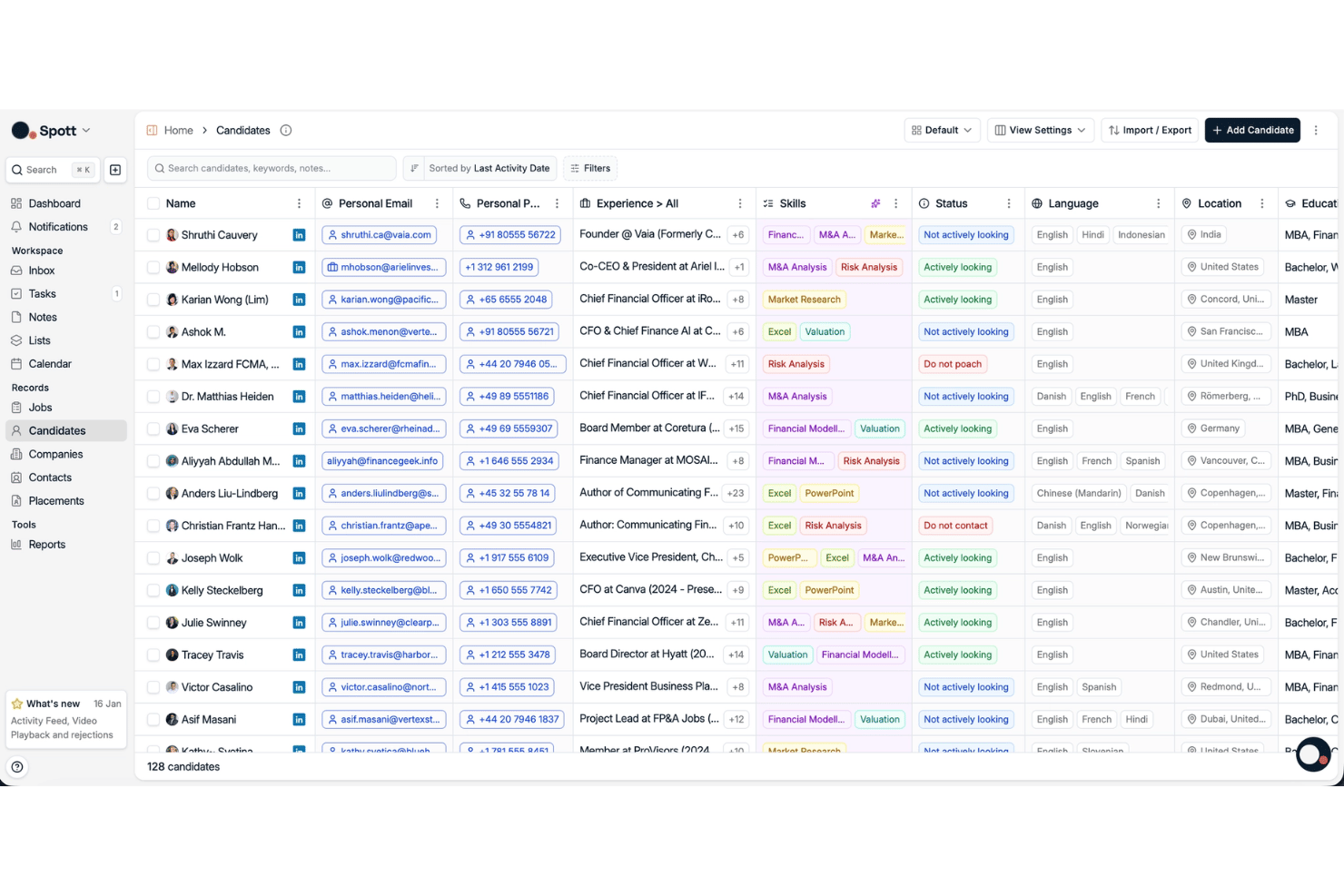
Spott uses AI to keep candidate and client records more complete and organized. It supports auto-updating profiles, contact data enrichment, AI tagging, smart filtering, and custom views so recruiters can work with cleaner data across sourcing, matching, outreach, and relationship management.
Conversation Memory
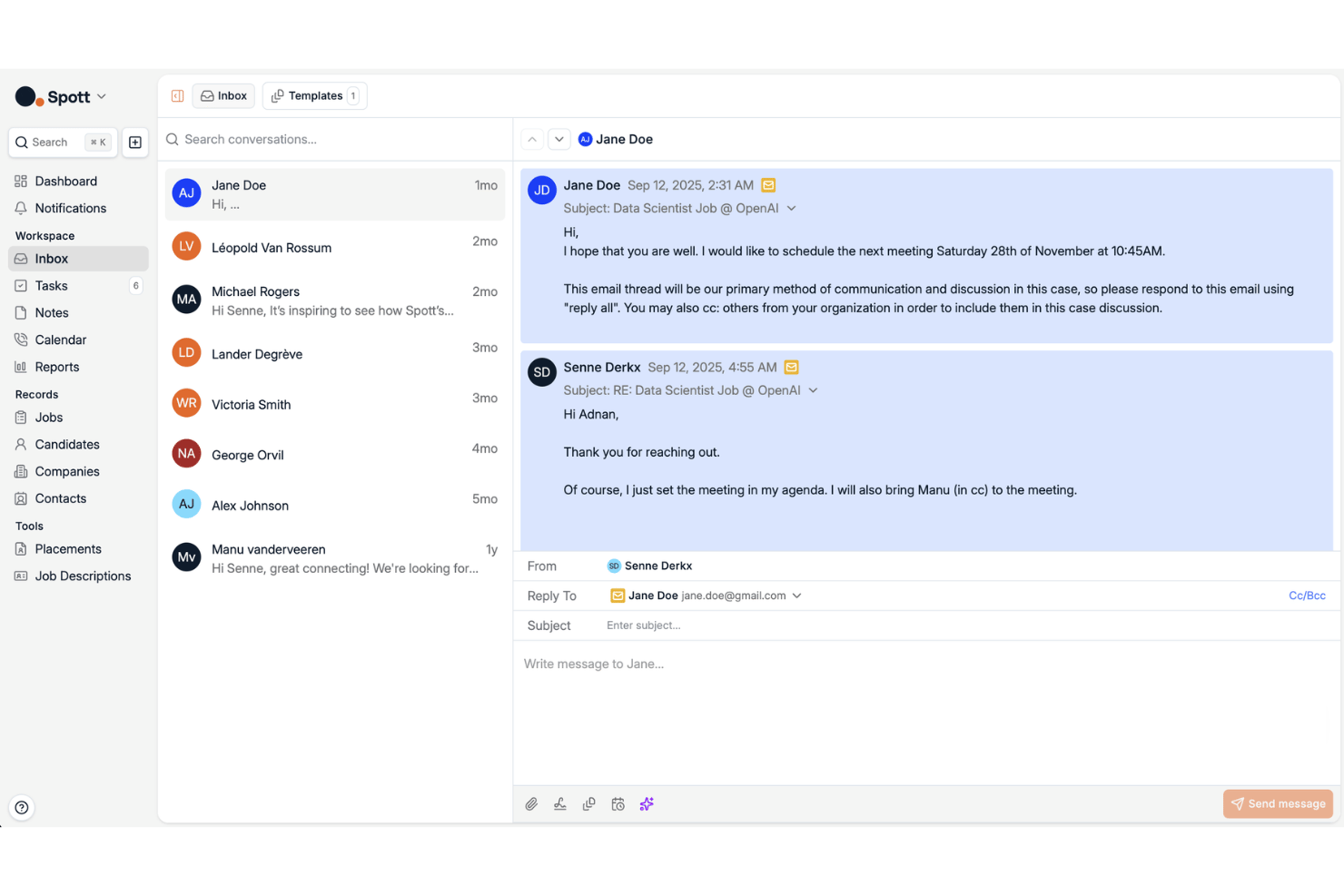
Spott captures calls, meetings, emails, WhatsApp messages, LinkedIn conversations, and notes, then connects them to the right candidate, client, or job record. This gives recruiters a fuller history of past interactions without relying on manual note-taking.
AI Matching
Spott matches candidates to roles based on context rather than keywords alone. It can use job descriptions, intake conversations, CVs, LinkedIn profiles, notes, calls, and other database records to rank candidates and explain why each match is a good fit.
Smart Pipeline Management and Business Development Tools
Spott supports both recruitment and business development workflows for agencies. It includes outreach campaigns, AI candidate presentation reports, CV reformatting, and client and candidate portals to help teams manage placements and client-facing work.
Decision Intelligence
Spott uses connected recruitment data to surface insights, suggestions, and next steps across candidate, client, and job workflows. This helps recruiters act on information already stored in their database rather than manually digging through disconnected records.
Advanced Reporting
Spott provides reporting on ratios, user KPIs, and placement-related performance. These insights help agencies understand where recruiter effort leads to placement fees and where there may be room to improve.
Standout Features
Unibox
Unibox brings email, SMS, WhatsApp, scheduling, and other supported communications into one recruiting inbox. It helps recruiters manage conversations with full context while keeping each interaction linked to the right candidate or client profile.
Workflow Automation
Spott’s workflow automations help reduce repetitive recruiting tasks with custom triggers and actions. For example, recruiters can automate next steps when candidates move between pipeline stages, helping teams keep work moving with fewer manual updates.
Ease of Use
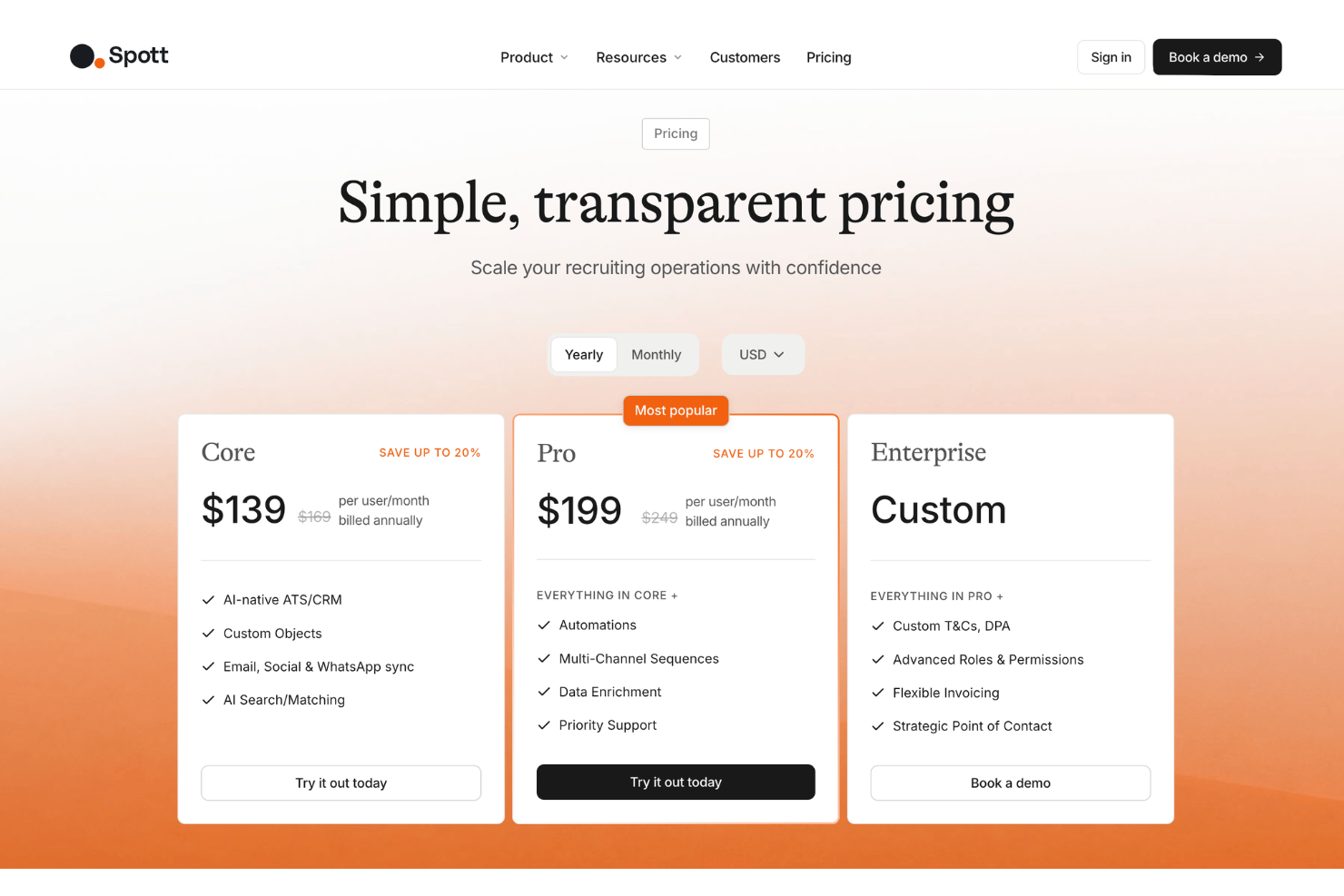
Spott is designed with an intuitive UX, clear navigation, and low-click workflows that make day-to-day recruiting tasks easier to manage. Its clean layout, well-placed buttons, and customizable views help recruiters move through candidate, client, and pipeline work with less friction. Once the team’s data is in place, the platform should be fairly easy for recruitment teams to adopt.
Onboarding
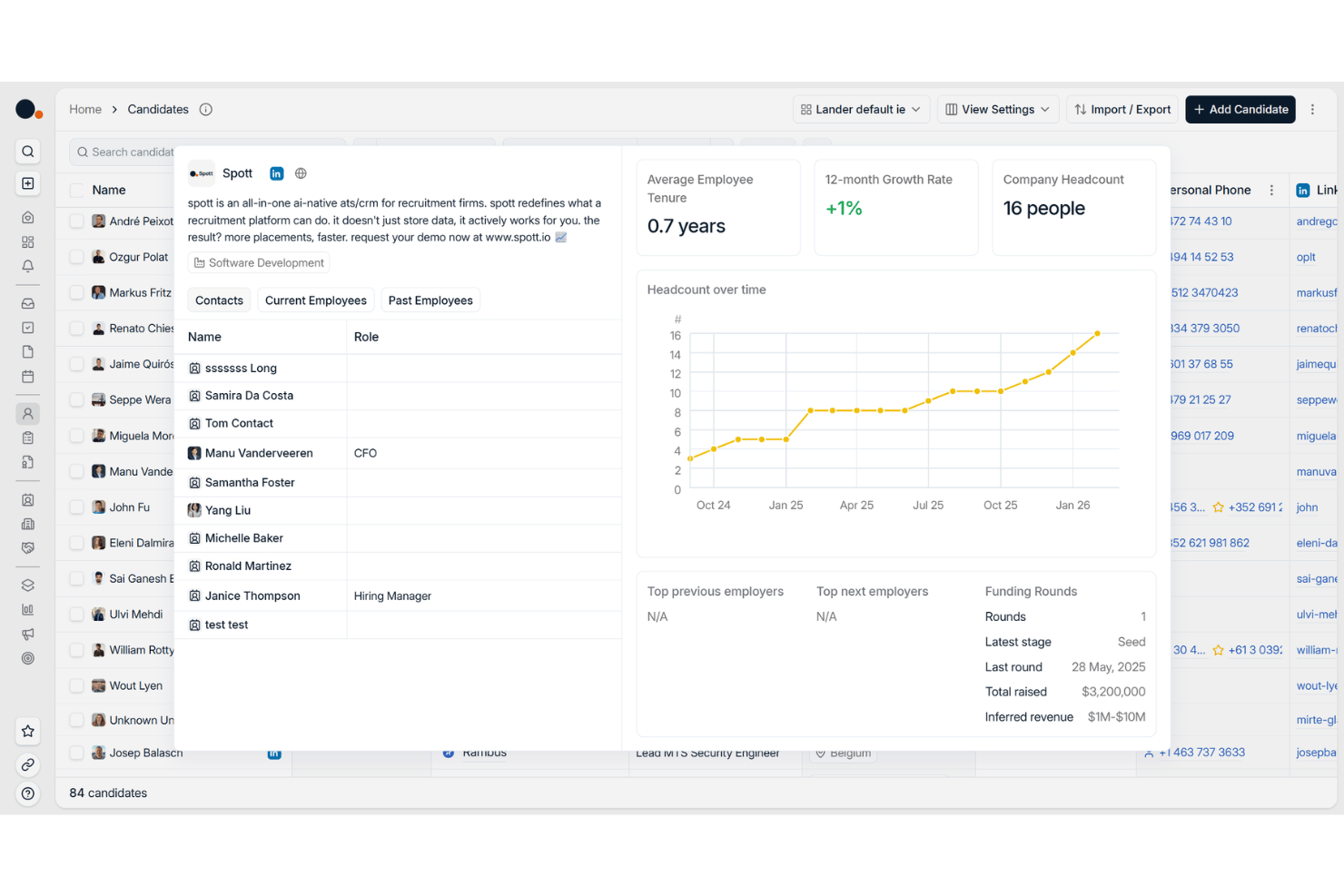
Spott offers guided onboarding with dedicated support, in-house white-glove migration, and live human help through in-platform chat. The migration process typically includes data export, a kickoff call, validation rounds, and a planned go-live, with timelines depending on database size and complexity. This makes onboarding more structured for recruitment agencies moving from legacy ATS or CRM systems.
Customer Support
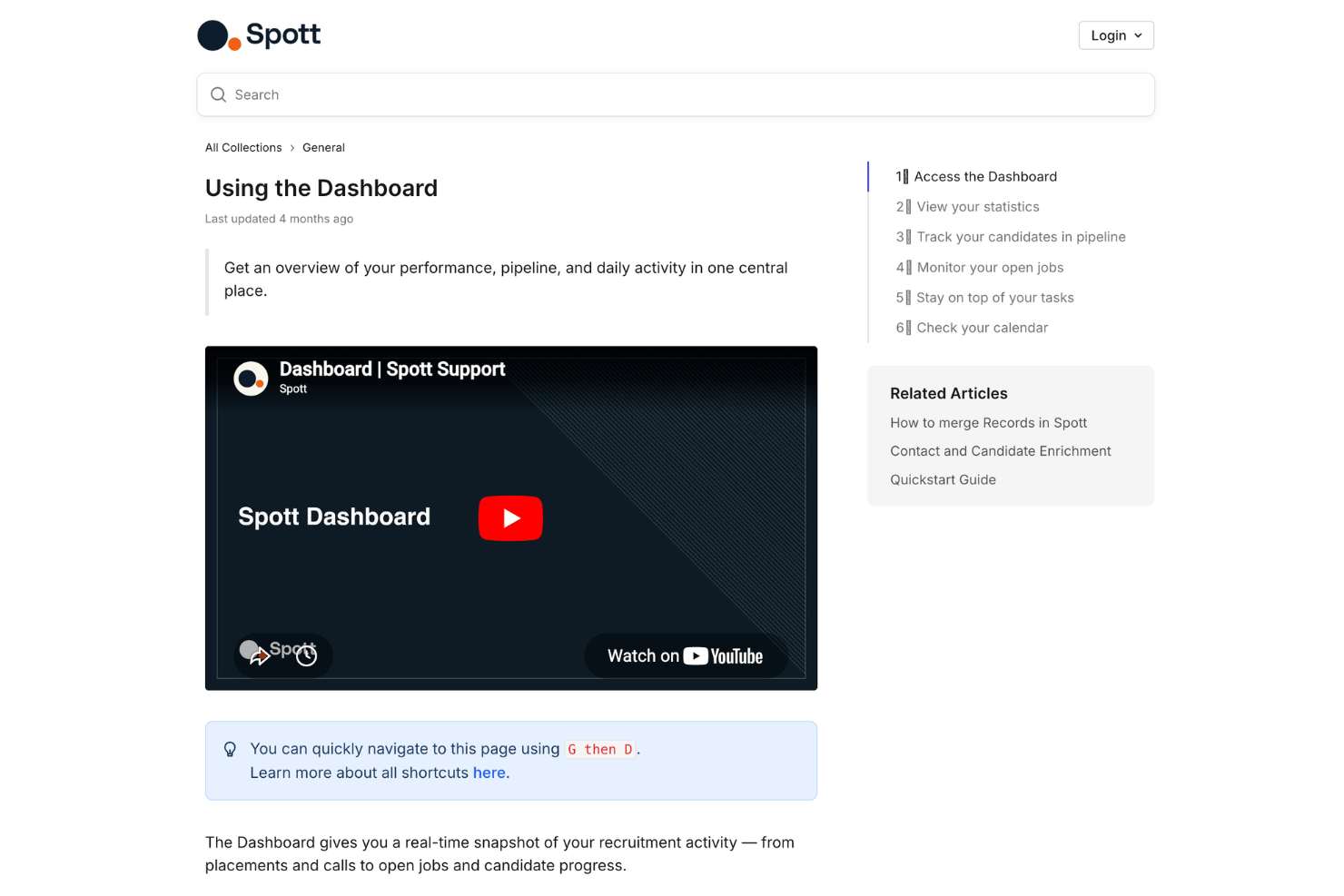
Spott offers 24/7 human support through in-platform chat, giving users direct access to people who understand both recruitment workflows and the product. Its customer success resources also include a recruiter-focused help center, AI-powered answers based on documentation, structured onboarding, and masterclasses for agencies that want guidance beyond basic troubleshooting.
This support model is useful for recruitment teams switching from another ATS or managing active hiring workflows, as it provides help with setup, migration, daily processes, and more advanced use cases without relying solely on ticket-based support.
Integrations
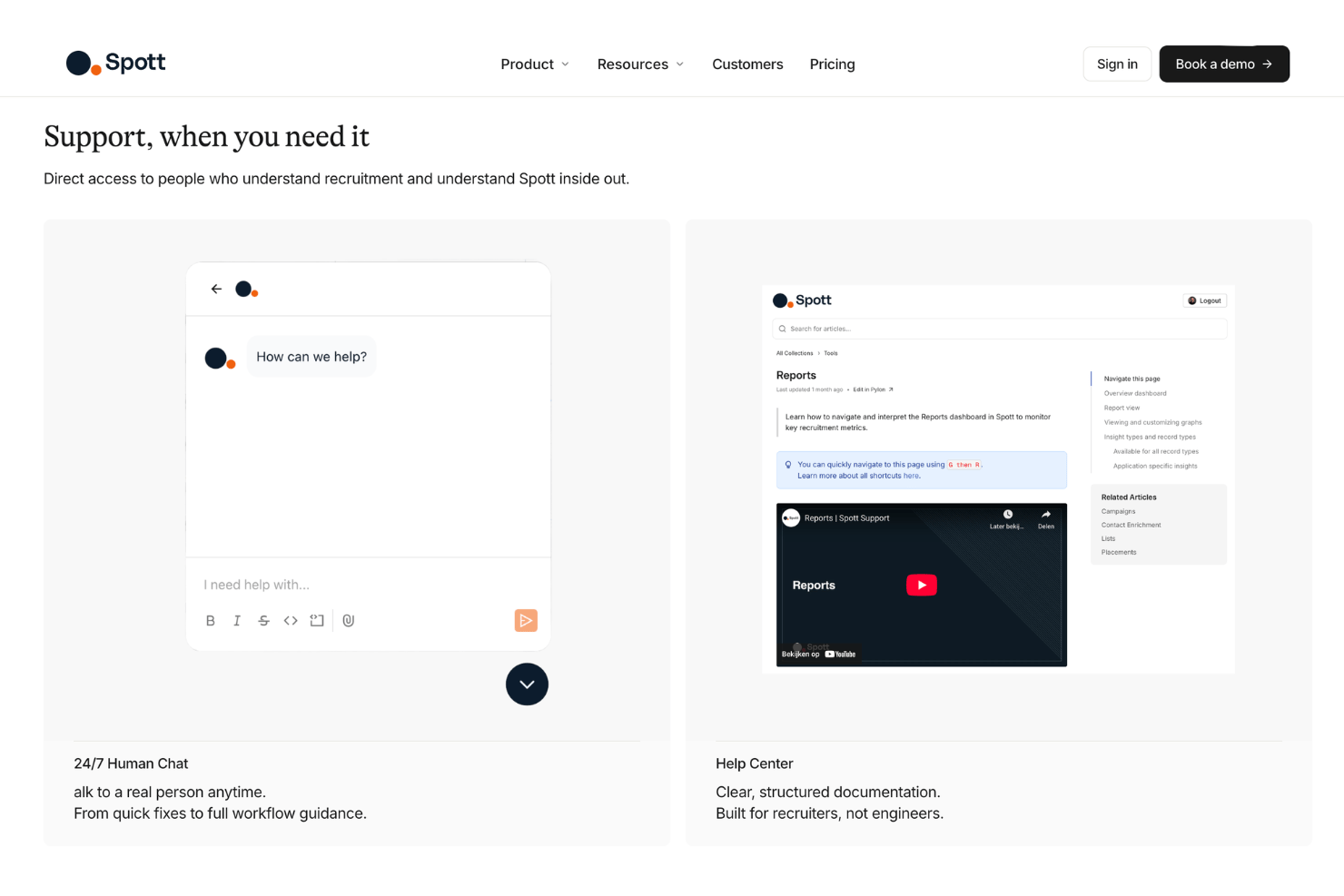
Spott integrates with Google, Microsoft, WhatsApp, Zoom, Aircall, RingCentral, Dialpad, Broadbean, idibu, and other sourcing, phone, messaging, email, calendar, and job board tools. It also offers an open API for custom integrations and an MCP server for connecting with Claude and ChatGPT.
Value for Money
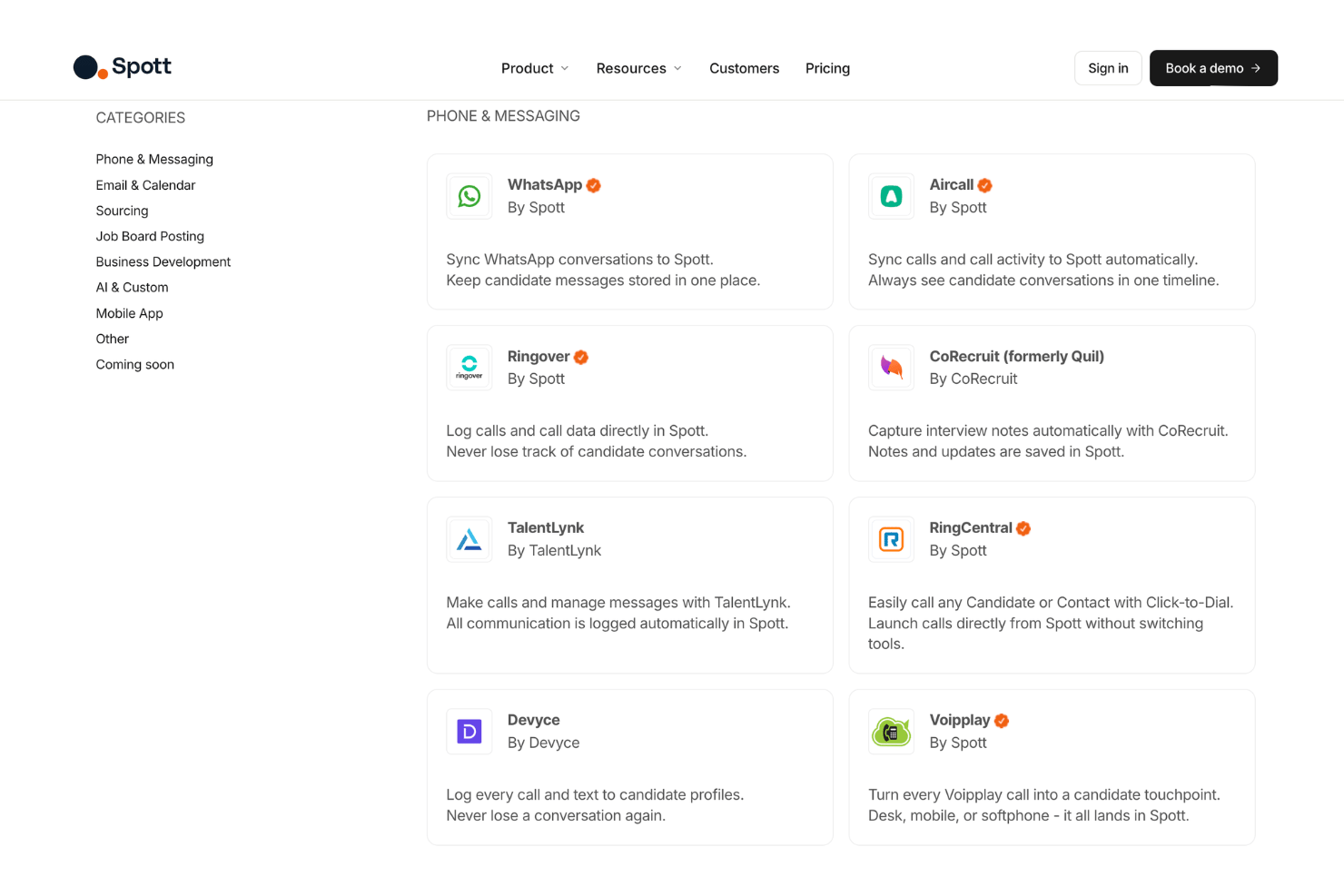
Spott’s pricing is built around agency recruiting teams that want an AI-native ATS and CRM that scales. The lower tier covers the core recruiting database, communication sync, and AI matching, while higher tiers add more advanced automation, outreach, enrichment, permissions, and support. Overall, buyers should expect the cost to reflect a more complete recruiting platform rather than a basic ATS.
- Core: Includes Spott’s AI-native ATS/CRM, custom objects, email, social and WhatsApp sync, and AI search and matching.
- Pro: Includes everything in Core, plus automations, multi-channel sequences, data enrichment, and priority support.
- Enterprise: Includes everything in Pro, plus custom terms and DPA, advanced roles and permissions, flexible invoicing, and a strategic point of contact.
Spott ATS Specs
- API
- Application Tracking
- Behavioral Testing
- Budgeting
- Calendar Management
- Candidate Database
- Cognitive Testing
- Contact Management
- Custom Assessments
- Dashboard
- Dashboards
- Data Export
- Data Import
- Data Visualization
- Email Integration
- Employee Database
- Employee Onboarding
- External Integrations
- Feedback Management
- Forecasting
- Interview Scheduling
- Multi-Source Feedback
- Multi-User
- Notifications
- Personality Testing
- Psychometric Testing
- Scheduling
- Status Notifications
- Travel Management
Spott ATS FAQs
How quickly can recruitment teams implement Spott?
What makes Spott different from traditional applicant tracking systems?
What recruiting workflows does Spott support?
What reporting does Spott provide?
How does Spott manage candidate data security and compliance?
What support does Spott provide?
How customizable is Spott?
Does Spott integrate with other recruiting tools?
What are Spott’s main limitations?
Spott ATS Company Overview & History
Spott is an AI-native ATS and CRM founded in 2024 in Leuven, Belgium by Lander Degrève, Manu Vanderveeren, and Samuel Smeys — with offices in New York, Leuven and Sydney and work with hundreds of agencies across Europe, the US and APAC. The founders met at KU Leuven and later worked in management consulting before building Spott to address the limitations they saw in legacy recruiting ATS and CRM systems.
The company builds recruitment software for agencies and staffing firms rather than in-house HR teams, with features for candidate management, client management, AI matching, outreach, reporting, candidate presentations, and business development.
Spott Major Milestones
- 2024: Spott was founded in Leuven, Belgium by Lander Degrève, Manu Vanderveeren, and Samuel Smeys.
- 2025: Spott joined Y Combinator’s Winter 2025 batch and developed from a candidate report writer into a broader AI-native ATS and CRM for recruitment firms.
- 2025: Spott raised $3.2 million in seed funding led by Base10 Partners, with participation from Y Combinator, True Equity, and Fortino Capital.
- 2026: Spott announces $21M Series A on 22 September, led by Balderton Capital, with Base10 Partners, Y Combinator and Fortino also participating.