



Tactic is a hot desk booking software for hybrid teams that need to coordinate office attendance, reserve desks, and manage shared spaces across locations. I'd consider it if you want clear visibility into who's in the office and when—without the enterprise setup complexity you'd get from a tool like Robin. It's a good fit for teams that need a fast, intuitive way to manage flexible seating without needing IT involvement to get up and running.
Tactic Evaluation Summary

- From $3000/year
- Free demo available
Why Trust Our Software Reviews
Our team has been testing and reviewing software since 2012. As HR experts ourselves, we know how difficult—and important—it is to choose the right software.
For this guide, we evaluated tools using hands-on testing and independent research, scoring tools using our selection criteria. We also draw on insights from industry thought leaders and and practicing HR experts.
Our reviews reflect our human editorial judgment, not a sales pitch.
Tactic Overview
Tactic is a solid choice for small to medium-sized businesses seeking a straightforward and efficient hot desk booking solution. Its ease of use, combined with effective space utilization features, makes it a reliable tool in the realm of workspace management.
However, larger companies or those with more complex office setups may need to explore alternatives offering greater customization and advanced features. I encourage you to share your experiences or thoughts on Tactic or similar tools, as your insights can be valuable for others considering their options in this space.
pros
-
The desk maps are clean and easy to follow, so your team books spaces without confusion.
-
Check-ins and booking flows move fast, which helps your workday stay smooth.
-
The reporting tools give you clear insight into how people use desks across your office.
cons
-
Desk and room updates can feel slow when your layout changes often.
-
Some users want more customization in how booking rules work for different teams.
-
Reporting feels limited if you need deeper analytics for larger or complex workplaces.
-

Justworks
Visit WebsiteThis rating combines scores from multiple user review sites to reflect overall customer sentiment about the product.4.6 -
HiBob
Visit WebsiteThis rating combines scores from multiple user review sites to reflect overall customer sentiment about the product.4.5 -
Homebase
Visit WebsiteThis rating combines scores from multiple user review sites to reflect overall customer sentiment about the product.4.2




How We Test & Score Our Tools
We’ve spent years building, refining, and improving our software testing and scoring system. The rubric is designed to capture the nuances of software selection and what makes a tool effective, focusing on critical aspects of the decision-making process.
Below, you can see exactly how our testing and scoring works across seven criteria. It allows us to provide an unbiased evaluation of the software based on core functionality, standout features, ease of use, onboarding, customer support, integrations, customer reviews, and value for money.
Core Functionality (25% of final score)
The starting point of our evaluation is always the core functionality of the tool. Does it have the basic features and functions that a user would expect to see? Are any of those core features locked to higher-tiered pricing plans? At its core, we expect a tool to stand up against the baseline capabilities of its competitors.
Standout Features (25% of final score)
Next, we evaluate uncommon standout features that go above and beyond the core functionality typically found in tools of its kind. A high score reflects specialized or unique features that make the product faster, more efficient, or offer additional value to the user.
We also evaluate how easy it is to integrate with other tools typically found in the tech stack to expand the functionality and utility of the software. Tools offering plentiful native integrations, 3rd party connections, and API access to build custom integrations score best.
Ease of Use (10% of final score)
We consider how quick and easy it is to execute the tasks defined in the core functionality using the tool. High scoring software is well designed, intuitive to use, offers mobile apps, provides templates, and makes relatively complex tasks seem simple.
Onboarding (10% of final score)
We know how important rapid team adoption is for a new platform, so we evaluate how easy it is to learn and use a tool with minimal training. We evaluate how quickly a team member can get set up and start using the tool with no experience. High scoring solutions indicate little or no support is required.
Customer Support (10% of final score)
We review how quick and easy it is to get unstuck and find help by phone, live chat, or knowledge base. Tools and companies that provide real-time support score best, while chatbots score worst.
Customer Reviews (10% of final score)
Beyond our own testing and evaluation, we consider the net promoter score from current and past customers. We review their likelihood, given the option, to choose the tool again for the core functionality. A high scoring software reflects a high net promoter score from current or past customers.
Value for Money (10% of final score)
Lastly, in consideration of all the other criteria, we review the average price of entry level plans against the core features and consider the value of the other evaluation criteria. Software that delivers more, for less, will score higher.
Core Features
Desk Booking
Lets your team reserve desks in seconds through a simple visual map, so people don’t waste time guessing what’s free. You get a clear view of who’s sitting where, which helps you plan your workday better.
Room Reservations
Gives you an easy way to book meeting rooms without back-and-forth chats. It prevents double bookings and helps your team quickly find the right space for calls or group work.
Capacity Management
Shows real-time numbers on how many people are onsite, helping you avoid overcrowding. You can set limits per floor or zone so teams stay safe and workplaces stay balanced.
Interactive Floor Plans
Displays your office layout in a clean, visual format so your team always knows where they’re headed. You can zoom in to see desk details, amenities, and available spaces at a glance.
Check-In & Check-Out
Lets users confirm desk or room use with one tap, which keeps your space data accurate. This helps you track actual usage and free up unused spots quickly.
Analytics & Reporting
Gives you insights on desk demand, peak days, and space trends. You can use this data to cut unused space or plan expansions based on real behavior, not guesses.

Ease of Use
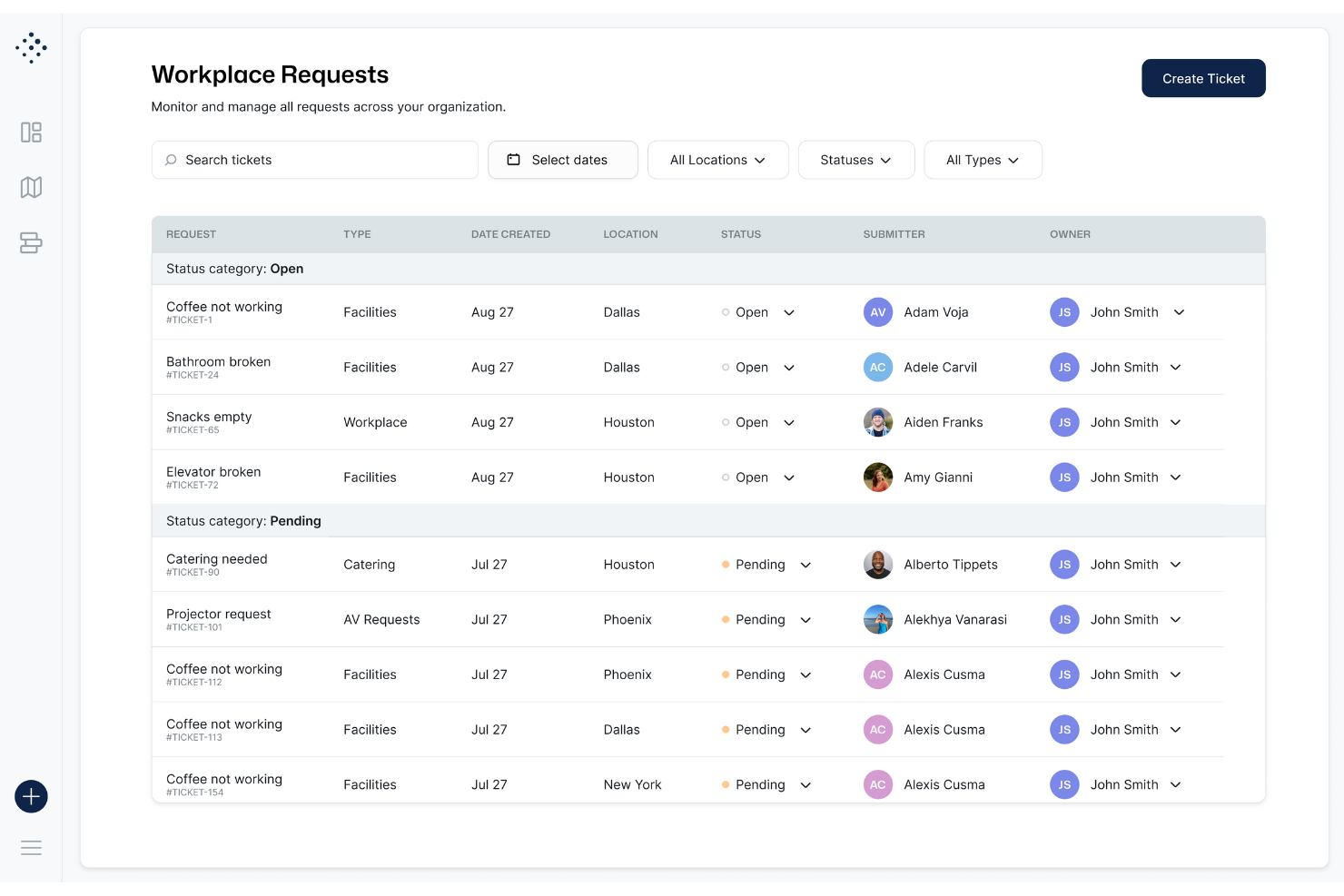
Tactic feels simple because the desk map is clean, loads fast, and lets you reserve a spot in a few taps. You don’t dig through menus to book, check in, or see who’s onsite. Users say the interface removes guesswork, which helps your team move through daily desk booking without friction.
Integrations
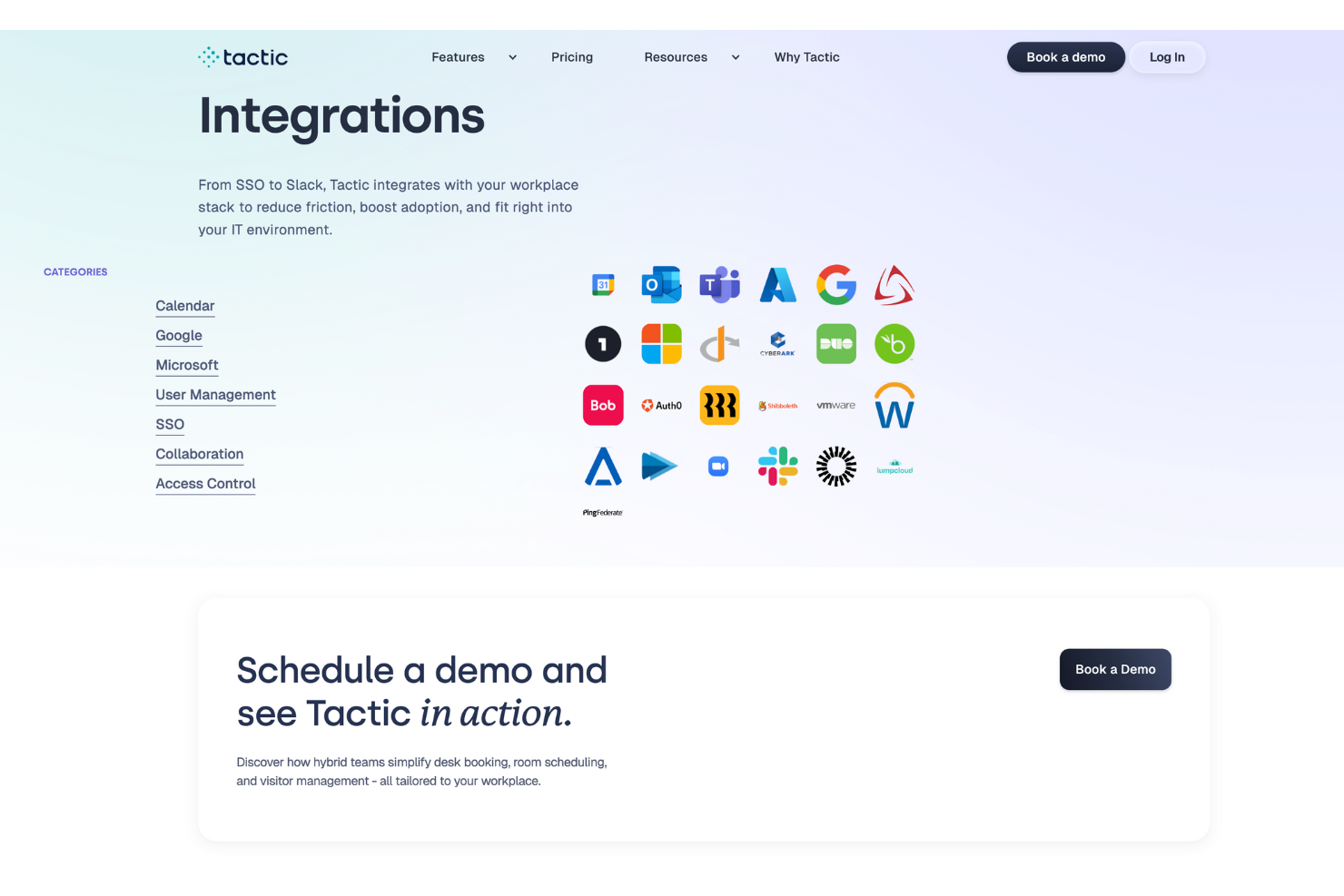
Tactic integrates natively with Microsoft Teams, Outlook, Slack, Google Workspace, SSO (Single Sign-On), and Directory Sync. Tactic also has an API and can connect with third-party integration tools like Zapier for extended workflows.
Tactic Specs
- Access Management
- API
- Appointment Scheduling
- Batch Permissions & Access
- Calendar Management
- Chat
- Click-to-Dial
- Contact Management
- Custom Data Forms
- Custom Reports
- Customer Management
- Dashboard
- Dashboards
- Data Export
- Data Import
- Data Visualization
- Email Integration
- External Integrations
- Forecasting
- Google Apps Integration
- Lead Management
- Map Visualization
- Marketing Automation
- Mobile App
- Multi-User
- Notifications
- Resource Management
- Scheduling
- Self-service Portal
- Workflow Management

Tactic FAQs
How does Tactic help coordinate hybrid work schedules for teams?
How can HR teams manage desk assignments and seating policies with Tactic?
What compliance or data security protections does Tactic offer for employee information?
How does Tactic handle visitor check-ins and guest management for HR staff?
Can HR teams see reports on how office space is being used?
What options do HR teams have if someone doesn’t check in after booking a desk?
How does Tactic support onboarding new employees into the office booking flow?
What happens if there’s a conflict between desk reservations and meeting room bookings?
What's Next?
To remain up to date on all the latest in people management, subscribe to our newsletter for leaders and managers. You'll receive insights and offerings tailored to leaders and HR professionals straight to your inbox.