

Tracker vs. Avionte: Comparison and Expert Reviews for 2026


Wrangling an applicant tracking system (ATS) that feels more like a maze than a tool, with awkward dashboards, missing insights, and features buried three clicks too deep, can test any recruiter’s patience. Maybe it’s time to upgrade to something that actually works with you, rather than against.
Tracker and Avionte both stand out for their unique approaches, Tracker offers a flexible, user-friendly platform designed for agencies that need customization, while Avionte focuses on staffing firms with deep integrations and workflow automation.
In this article, you’ll get a clear, side-by-side look at how each solution tackles the challenges you face, so you can confidently decide which ATS will help your team hire smarter and faster.
Tracker vs. Avionté: An Overview
Tracker
Avionté
Why Trust Our Software Reviews
Tracker vs. Avionté Pricing Comparison
| Tracker | Avionté | |
|---|---|---|
| Free Trial | Free demo available | Free trial + free demo available |
| Pricing | Pricing starts at $95/user/month | Pricing upon request |
Tracker vs. Avionte Pricing & Hidden Costs
Tracker typically uses a subscription-based tiered pricing model, with the higher tiers often tailored to the size and needs of your staffing agency. You may encounter additional costs for advanced features, integrations, or premium support. Avionte’s pricing isn’t public and requires a custom quote that reflects your agency’s needs and desired features. Both platforms may charge extra for onboarding, data migration, or specialized training, so it’s important to review contracts carefully.
To select the right vendor, look beyond the base subscription fee. Ask for a detailed breakdown of what’s included and what counts as an add-on. Consider your agency’s growth plans, the features you’ll actually use, and the level of support you expect. Request a sample invoice or a total cost of ownership estimate to avoid surprises and ensure the solution fits your long-term needs.
Tracker vs. Avionté Feature Comparison
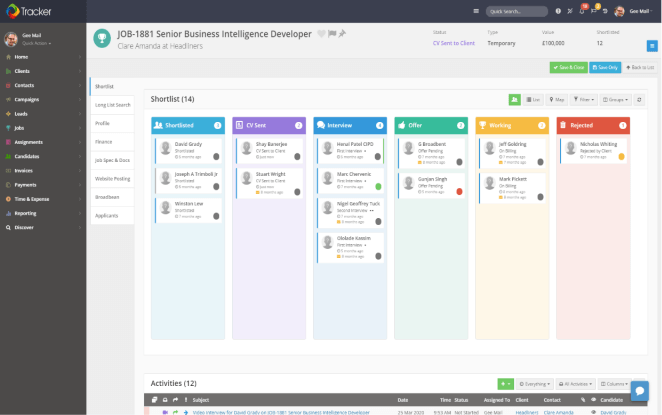
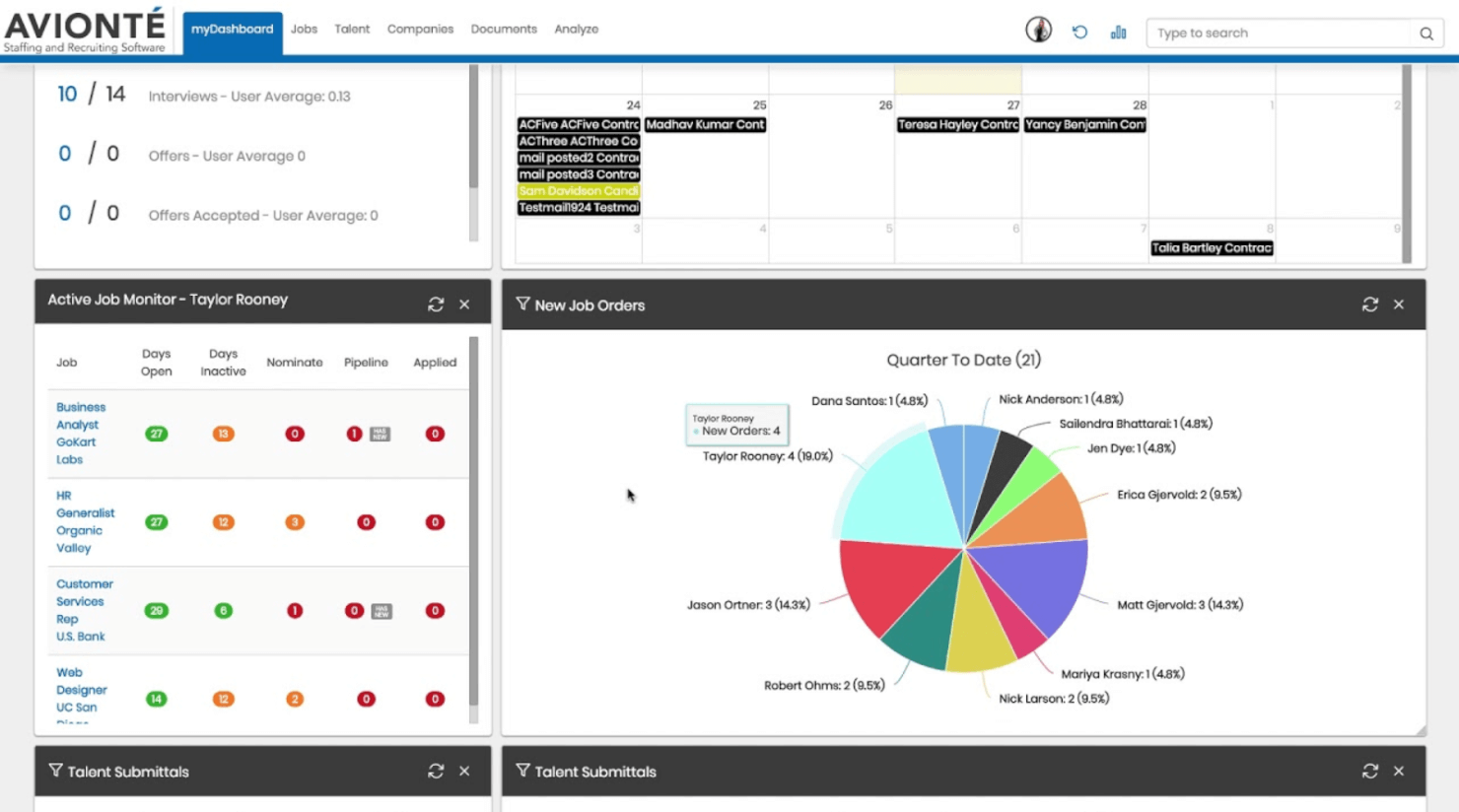
Tracker’s intuitive candidate management and automated workflow tools help you quickly match applicants to open roles and keep hiring tasks organized throughout the day. In contrast, Avionte’s integrated onboarding and time management features make it easy to process new hires and track employee hours, streamlining daily staffing operations for busy teams.
| Tracker | Avionté | |
|---|---|---|
| API | ||
| Application Tracking | ||
| Dashboard | ||
| Data Export | ||
| Data Import | ||
| Data Visualization | ||
| Employee Database | ||
| Employee Onboarding | ||
| External Integrations | ||
| Feedback Management | ||
| Multi-User | ||
| Notifications | ||
| Scheduling | ||
| Travel Management |
Tracker vs. Avionte Integrations
| Integration | Tracker | Avionte |
| ✅ | ❌ | |
| Indeed | ✅ | ✅ |
| Microsoft Outlook | ✅ | ✅ |
| Gmail | ✅ | ✅ |
| DocuSign | ✅ | ❌ |
| QuickBooks | ✅ | ❌ |
| ADP | ❌ | ✅ |
| Ringover | ❌ | ✅ |
| API | ✅ | ✅ |
| Zapier | ✅ | ❌ |
Tracker and Avionte overlap on a few core integrations like Indeed, Microsoft Outlook, Gmail, and API access, but their strengths split in different directions. Tracker supports LinkedIn, DocuSign, QuickBooks, and Zapier, giving it an edge for sourcing and workflow automation, while Avionte leans into staffing-focused tools like ADP and Ringover. Ultimately, the better fit depends on whether your team prioritizes broader business integrations or more specialized staffing and payroll connections.
Tracker vs. Avionte Security, Compliance & Reliability
| Factor | Tracker | Avionte |
| Data Encryption | Uses end-to-end encryption for data in transit and at rest. | Encrypts sensitive data both in transit and at rest. |
| Regulatory Compliance | Supports GDPR and CCPA compliance with built-in reporting tools. | Offers GDPR and ACA compliance features for staffing firms. |
| Uptime & Reliability | Guarantees 99.9% uptime with cloud-based hosting and regular backups. | Provides high uptime, disaster recovery, and dedicated support teams. |
| Access Controls | Offers customizable user permissions and multi-factor authentication. | Includes granular user roles and multi-factor authentication options. |
| Audit Trails | Maintains detailed logs of user activity for accountability. | Tracks all system changes and user actions for compliance audits. |
Both Tracker and Avionte deliver strong security and compliance, but Avionte’s focus on staffing regulations and disaster recovery gives it an edge for agencies with complex needs. Tracker’s strengths lie in its customizable permissions and transparent audit trails, while Avionte stands out for its comprehensive compliance features and reliability for larger staffing operations.
Tracker vs. Avionte Ease of Use
| Factor | Tracker | Avionte |
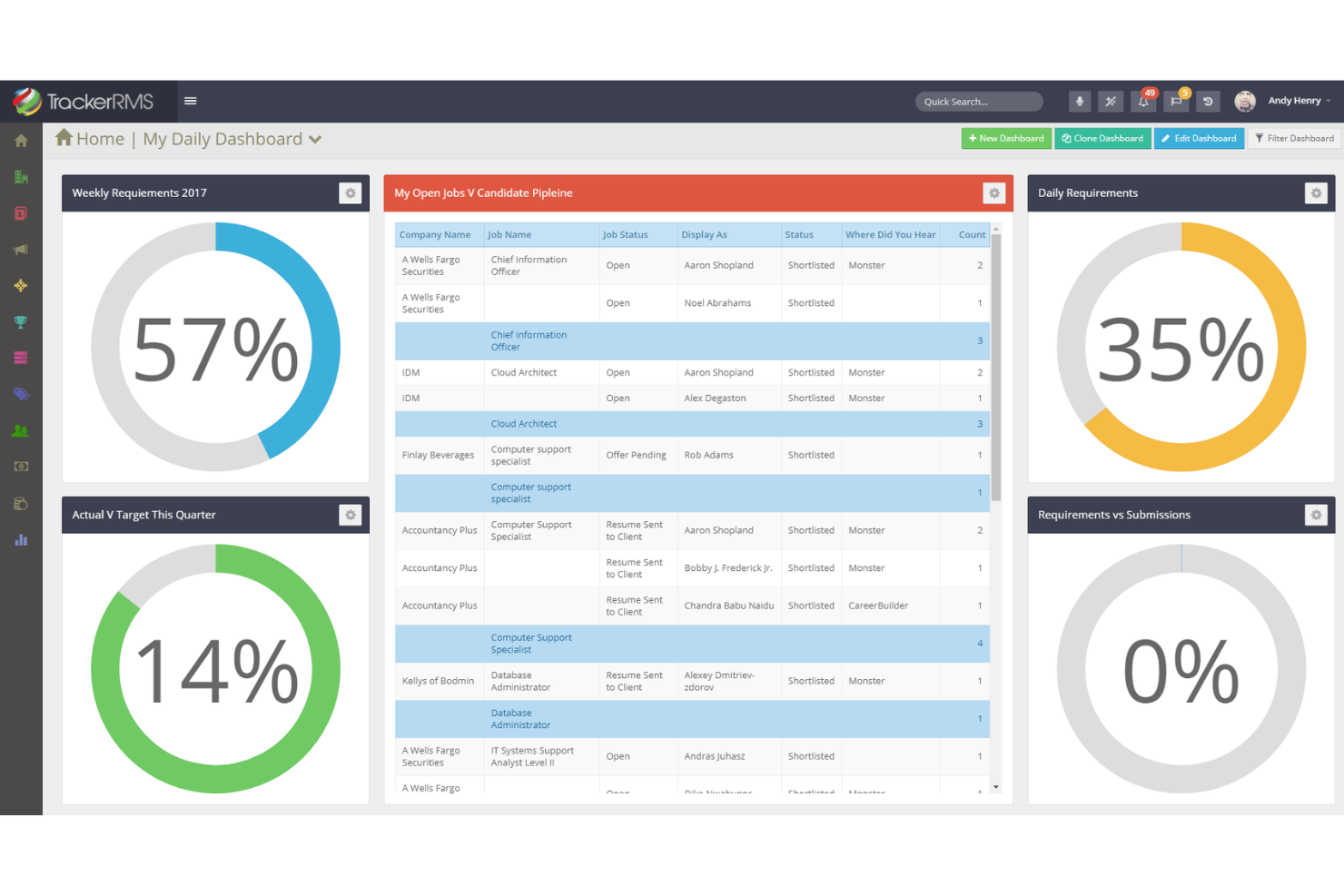
| User Interface | Features a clean, intuitive dashboard with customizable views. | Offers a robust interface with more options, which can feel complex. |
| Onboarding | Provides guided onboarding and helpful in-app tutorials. | Includes dedicated onboarding support but may require more training. |
| Navigation | Streamlined menus make it easy to find candidates and tasks quickly. | Navigation is comprehensive but can be overwhelming for new users. |
| Customization | Allows users to tailor workflows and fields to fit their process. | Customization is possible but often requires admin assistance. |
Tracker is easier to pick up and use day-to-day, while Avionte’s depth may require more training but pays off for complex staffing needs. Tracker shines with its intuitive interface and quick support, while Avionte’s strength is in its powerful, customizable workflows for experienced teams.
Tracker vs Avionté: Pros & Cons
Tracker
- Integrations with job boards streamlines multiple job postings.
- Customizable workflows adapt to different recruiting processes.
- Built-in CRM supports end-to-end client and candidate management.
- Mobile experience is less robust than desktop version.
- Reporting tools require setup and configuration to maximize value.
- There is something of a learning curve.
Avionté
- Automated workflows speed up high-volume placements
- Mobile app for candidate engagement and job alerts
- Built-in payroll and back office features for staffing agencies
- Limited bulk upload and download capabilities
- Some features require additional fees to access
- Reporting tools lack depth for advanced analytics
Best Use Cases for Tracker and Avionté
Tracker
- Staffing Agencies Tracker’s CRM and ATS integration streamlines client and candidate management in one place.
- Recruitment Firms Customizable workflows and automation support complex, multi-stage hiring processes.
- Healthcare Staffing Tracker handles credential tracking and compliance for regulated industries.
- Multi-Location Companies Branch management features allow oversight across multiple offices or regions.
- Sales Recruitment Built-in sales pipeline tools help track both job orders and placements.
- Executive Search Advanced search and reporting support long, relationship-driven hiring cycles.
Avionté
- Construction Staffing Integrated time tracking and payroll support field-based placements.
- Hospitality Staffing Mobile app and job alerts help fill last-minute roles quickly.
- Recruitment Agencies Multi-client management and candidate engagement tools are included.
- IT Contracting Firms Automated onboarding and payroll simplify contract worker management.
- Healthcare Staffing Compliance tracking and credential management are built for regulated industries.
- Light Industrial Staffing Avionté supports high-volume placements and shift scheduling for temp workers.
Who Should Use Tracker, and Who Should Use Avionte?
Tracker is a great fit for small to mid-sized staffing agencies or HR teams that want a flexible, easy-to-use ATS with fast setup and responsive support. If your team values customization, quick adoption, and a straightforward experience, Tracker will help you stay organized without a steep learning curve. Avionte, on the other hand, is built for larger staffing firms or agencies with complex workflows, high compliance demands, and a need for deep payroll and back-office integrations. Choose Avionte if your organization prioritizes advanced features, regulatory support, and scalability—even if it means investing more time in training and setup.
Differences Between Tracker and Avionté
| Tracker | Avionté | |
|---|---|---|
| Customization | Highly customizable workflows and fields for flexibility. | Customization available but often requires admin support. |
| Payroll | Integrates with QuickBooks but lacks built-in payroll tools. | Offers built-in payroll and time tracking for staffing firms. |
| Pricing Model | Transparent, tiered subscription-based model. | Pricing isn’t transparent and requires a quote. |
| User Interface | Simple, modern, and easy to navigate for new users. | Feature-rich but more complex, with a steeper learning curve. |
| Visit TrackerOpens new window | Read Avionté ReviewOpens new window |
Similarities Between Tracker and Avionté
| API Availability | Both offer API access, so you can build custom integrations with your existing HR and business systems. |
|---|---|
| Candidate Sourcing | Both connect with major job boards like LinkedIn and Indeed, making it easy to source and import candidates. |
| Cloud-Based Access | Tracker and Avionte are fully cloud-based, allowing secure access from anywhere with an internet connection. |
| Compliance Support | Each platform offers built-in tools for GDPR and EEOC compliance, helping you manage regulatory requirements. |
| Reporting & Analytics | Both provide customizable dashboards and reporting features to track hiring metrics and team performance. |
| Visit TrackerOpens new window Read Avionté ReviewOpens new window | |