

10 Best Video Interviewing Software Reviewed for 2026

10 Best Video Interviewing Software Shortlist


The best video interviewing software helps HR professionals streamline candidate screening, reduce scheduling conflicts, and ensure fair, consistent hiring decisions.
If you’re still relying on phone screens, juggling manual scheduling, or struggling with inconsistent interviews, you already know how time-consuming and frustrating these challenges can be. Video interviewing platforms help eliminate these issues by enabling on-demand candidate recordings, structured interview guides, and built-in collaboration tools so your team can make faster, more confident hiring decisions.
As a former in-house recruiter, who has used and researched dozens of recruiting platforms, I’ve seen first-hand how the right tool can transform hiring outcomes.
In this article, I’ll highlight the best video interviewing software available today, explain what makes each one stand out, and give you practical insights to help you choose the right solution for your organization.
Why Trust Our Software Recommendations
Our team has been testing and reviewing software since 2012. As HR experts ourselves, we know how difficult—and important—it is to choose the right software.
For this guide, we evaluated tools using hands-on testing and independent research, scoring tools using our selection criteria. We also draw on insights from industry thought leaders and practicing HR experts.
Our reviews reflect our human editorial judgment, not a sales pitch.
Expert reviewers:
Video Interviewing Software Comparison Table
This comparison table summarizes pricing, trial, and demo details for my top video interview software selections
| Tool | Best For | Trial Info | Price | ||
|---|---|---|---|---|---|
| 1 | Best for multi-tiered video interviewing | Free demo available | Price upon request | Website | |
| 2 | Best with AI interview scheduling and screening | Free demo available | Pricing upon request | Website | |
| 3 | Best for one-way video interviews | 30-day free trial | From $75/month | Website | |
| 4 | Best for AI-driven candidate analysis | 7-day free trial + free demo available | From $99/month (billed annually) | Website | |
| 5 | Best for GDPR-compliant remote interviewing | 7-day free trial + free demo available | From $35/month (billed annually) | Website | |
| 6 | Best for AI video interviews with transcripts | 14-day free trial + free demo available | From $15/user/month (billed annually) | Website | |
| 7 | Best for conversational AI candidate screening | Free demo available | Pricing upon request | Website | |
| 8 | Best for asynchronous video interviewing | Free demo available | From $335/month (billed annually) | Website | |
| 9 | Best for high-volume candidate screening and hiring | 15-day free trial | From $75/month | Website | |
| 10 | Best for usability | Free plan available | From $14.16/user/month (billed annually) | Website |
Best Video Interviewing Software Reviews
Here’s a brief description of the 10 best video interviewing software that showcases what each system does best, including screenshots to highlight some of their features. There are also another 20 options below too, if you’d like more systems to consider.
Best for multi-tiered video interviewing
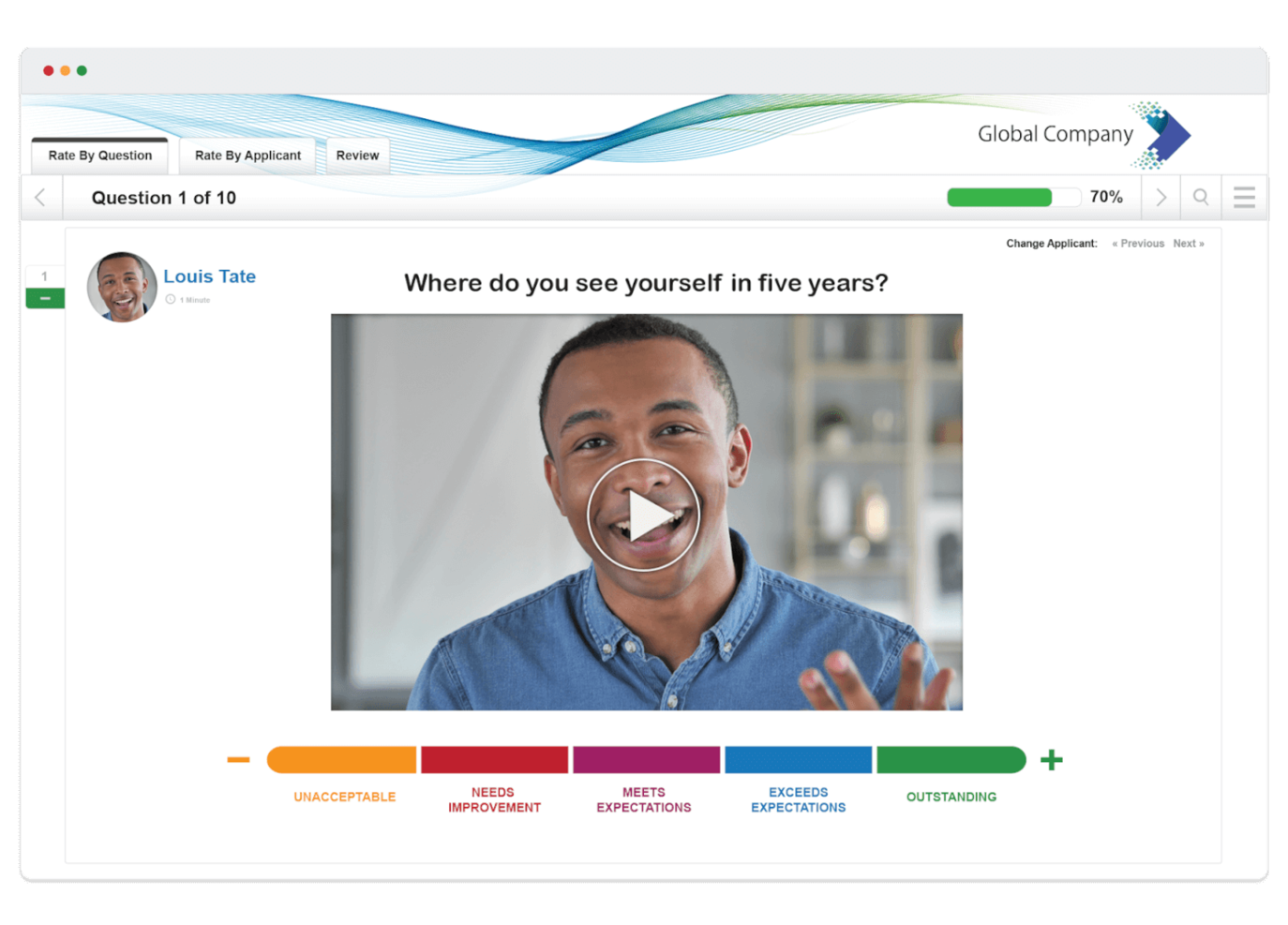
VidCruiter is a video interviewing platform designed for HR teams and recruiters who need to manage structured, virtual hiring processes with customizable workflows and automated scheduling.
Who Is VidCruiter Best For?
VidCruiter is a good fit for mid-to-large organizations with high-volume hiring needs that require structured, multi-stage interview processes across recruiting teams.
Why I Picked VidCruiter
VidCruiter earns its spot as one of the best on my shortlist because of how well it handles multi-tiered interview workflows. I like that you can combine pre-recorded screening interviews with live video interviews in a single, structured pipeline—so candidates move through each stage without your team having to manually coordinate handoffs. The built-in competency-based rating guides carry through every tier, which means evaluators at each stage are scoring against the same criteria. I've also found the automated scheduling tools genuinely useful here, since they remove the back-and-forth that typically slows down multi-stage processes.
VidCruiter Key Features
- Private panel chat: Interviewers on a panel or group interview can message each other privately during a live session without the candidate seeing the conversation.
- Branded candidate waiting room: Set up a custom-branded waiting room with a built-in tech check and interview tips before candidates enter a live interview.
- AI interview notes and transcripts: Automatically capture transcripts and generate AI-assisted interview summaries focused on job-related competencies during live interviews.
- Skills testing: Assess candidates with built-in skills tests that can be incorporated into the hiring workflow alongside video interviews.
VidCruiter Integrations
Integrations include Workday, Dayforce, ADP, Oracle, UKG, SAP SuccessFactors, SmartRecruiters, iCIMS, Greenhouse, and Lever.
Pros and Cons
Pros:
- Standardized scoring improves consistency across interview rounds
- Combines one-way and live interviews in one platform
- Supports structured, multi-stage interview workflows
Cons:
- UI can feel busy for occasional interviewers
- Setup effort increases with complex, multi-stage workflows
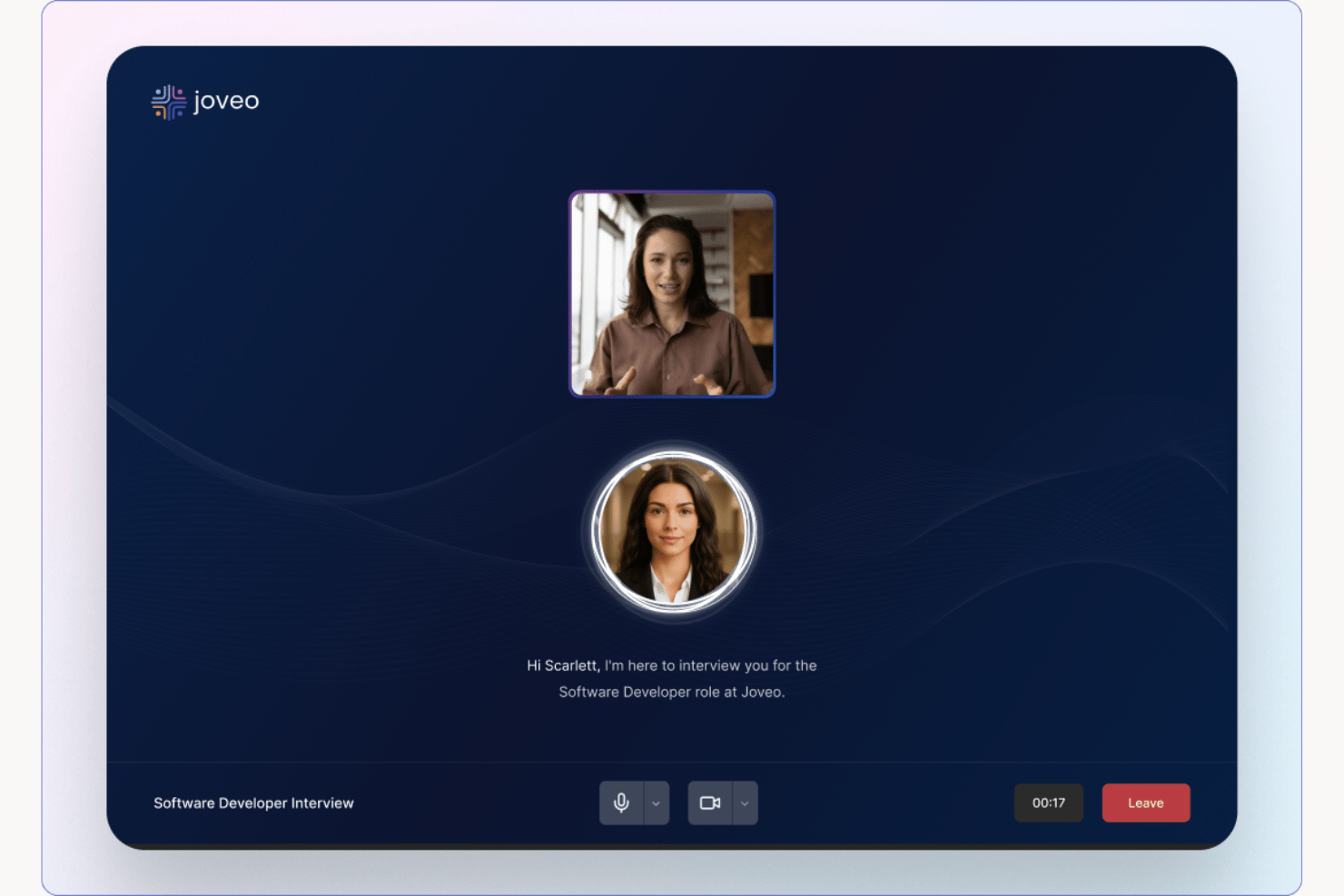
Joveo is an AI recruiting platform that handles candidate screening through conversational AI interviews, automated interview scheduling, and programmatic job advertising, all connected to your ATS.
Who Is Joveo Best For?
Joveo is well-suited for high-volume hiring teams and staffing agencies that need to screen large candidate pools without adding recruiter headcount.
Why I Picked Joveo
I picked Joveo as one of the best because its AI Interviewer doesn't just ask preset questions — it probes deeper with adaptive follow-ups and scores responses against a competency rubric in real time. The AI Scheduling feature then handles the full coordination chain, from single-screen to multi-round panel sequences, with candidate self-scheduling via SMS, email, or WhatsApp. I particularly like that both functions sync directly to the ATS, so nothing requires a manual handoff between steps.
Joveo Key Features
- AI job advertising: Distributes job postings to a wide network of publishers using automated campaign optimization.
- Career site builder: Lets organizations create and customize branded career pages with no-code tools.
- Multi-channel candidate engagement: Connects with candidates via web, SMS, email, and WhatsApp through automated, conversational touchpoints.
- ATS integrations: Offers direct integration with over 100 applicant tracking systems for seamless candidate data syncing.
Joveo Integrations
Joveo offers native integrations with over 100 applicant tracking systems, including iCIMS, Greenhouse, Workday, Bullhorn, SAP SuccessFactors, Oracle Recruiting Cloud, and Cornerstone. An API is available for custom integrations.
Pros and Cons
Pros:
- Conversational AI adapts questions based on responses
- Candidate self-scheduling reduces recruiter time
- AI screening handles high-volume candidate pipelines
Cons:
- Less structured evaluation depth
- Built primarily for sourcing, not interviewing
Hireflix
Best for one-way video interviews
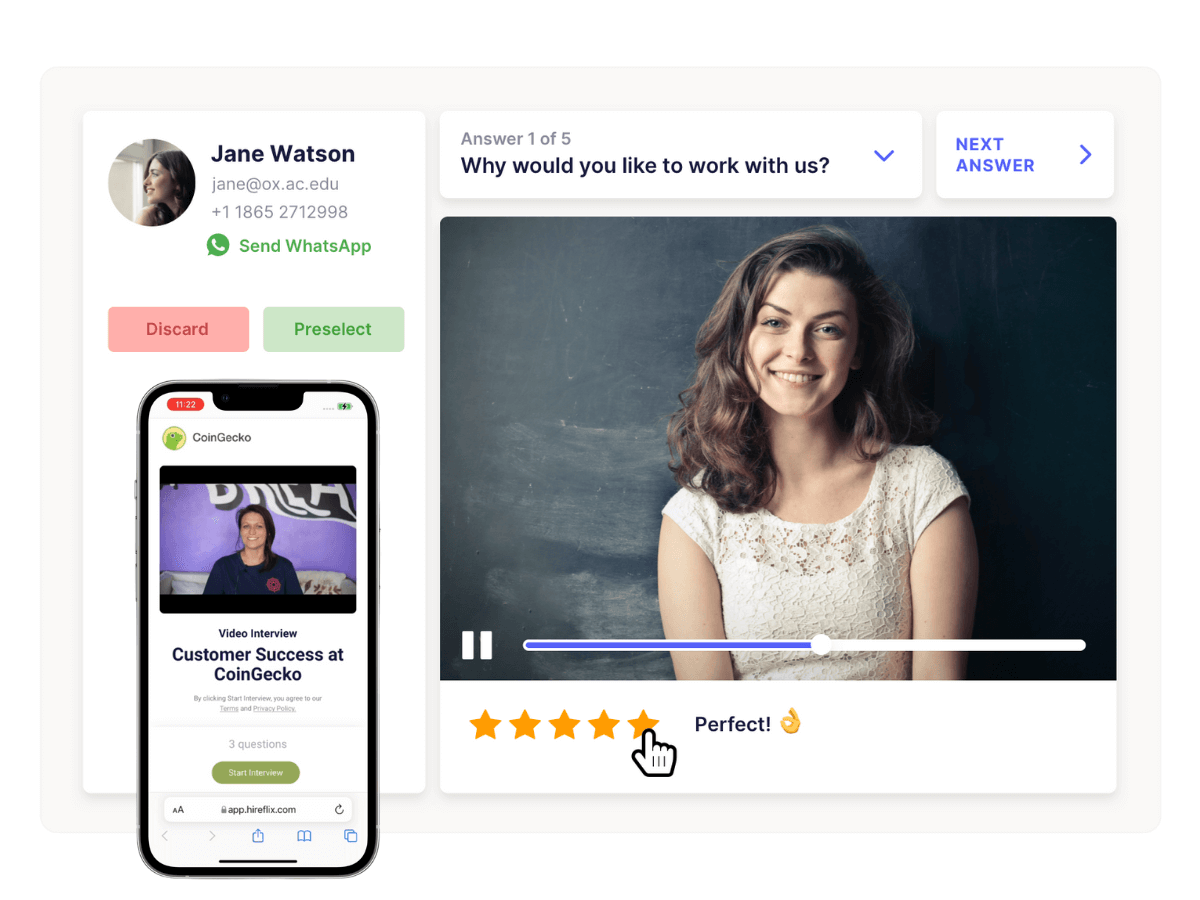
Hireflix is a video interviewing platform for HR teams and recruiters who want to simplify candidate screening and speed up virtual hiring by letting applicants record responses on their own time.
Who Is Hireflix Best For?
Hireflix is a good fit for small to mid-sized companies that need a straightforward way to screen high volumes of candidates without scheduling live interviews.
Why I Picked Hireflix
Hireflix earns its spot as one of the best on my shortlist because it's purpose-built for one-way video interviews and nothing else. I like that you record your interview questions once and send them to as many candidates as you want—no rescheduling, no time zone juggling. Candidates respond on their own time from any device, with no app download or account registration required. I also find the response-sharing feature genuinely useful: you can pass recorded interviews directly to hiring managers or clients for collaborative review without pulling anyone into a live call.
Hireflix Key Features
- Customizable question time limits: Set a maximum response duration for each interview question to keep candidate answers focused and on-topic.
- ATS integration: Connect Hireflix to your existing applicant tracking system so you can invite candidates directly without changing your current hiring workflow.
- Multi-device compatibility: Candidates can record responses from any smartphone, tablet, or computer without downloading an app or creating an account.
- 30-day free trial: Access all platform features for a full month with no credit card required to test the tool before committing.
Hireflix Integrations
Integrations include Lever, BambooHR, Teamtailor, Recruitee, JazzHR, SmartRecruiters, Greenhouse, Workable. They also offer an API for custom integrations.
Pros and Cons
Pros:
- Custom intro/outro and question settings tailor screening to roles
- Candidates can use any device without downloads or accounts
- Eliminates interview scheduling
Cons:
- Editing responses post-submission can be awkward
- Doesn’t support live or two-way interviewing


Truffle is a video interviewing platform built for HR teams and recruiters who want to streamline virtual interviews, automate candidate evaluation, and make smarter hiring decisions using AI-powered insights.
Who Is Truffle Best For?
Truffle suits growing companies and in-house recruiting teams that need a structured, scalable way to run high-volume virtual interviews without sacrificing candidate quality.
Why I Picked Truffle
I chose Truffle because of how it handles AI-driven candidate analysis during the video interview process. After candidates complete an on-demand video interview, Truffle's AI scores their responses and surfaces insights that let my team compare candidates side by side without rewatching every recording. I also like the structured question libraries, which keep evaluations consistent across interviewers and reduce bias that appears when interviewers assess candidates differently.
Truffle Key Features
- Candidate Shorts: Truffle auto-generates a 30-second video recap of each candidate's interview for brief review.
- Talent assessments: Three structured assessments — Personality (Big Five), Situational Judgment, and Environment Fit — measure real role alignment.
- AI Check: A built-in signal that flags when candidate responses show patterns of AI-generated answers.
- Customizable branding: Candidate-facing screens, including interview landing pages and confirmation emails, can display your logo, brand colors, and messaging.
Truffle Integrations
Integrations include Ashby, Breezy HR, and Indeed.
Pros and Cons
Pros:
- Cuts review time with transcripts and summaries
- Reduces bias with consistent screening criteria
- Evaluates candidates using role-specific AI scoring
Cons:
- Fewer integrations outside popular ATS tools
- Focused on screening, not full interview lifecycle
Best for GDPR-compliant remote interviewing
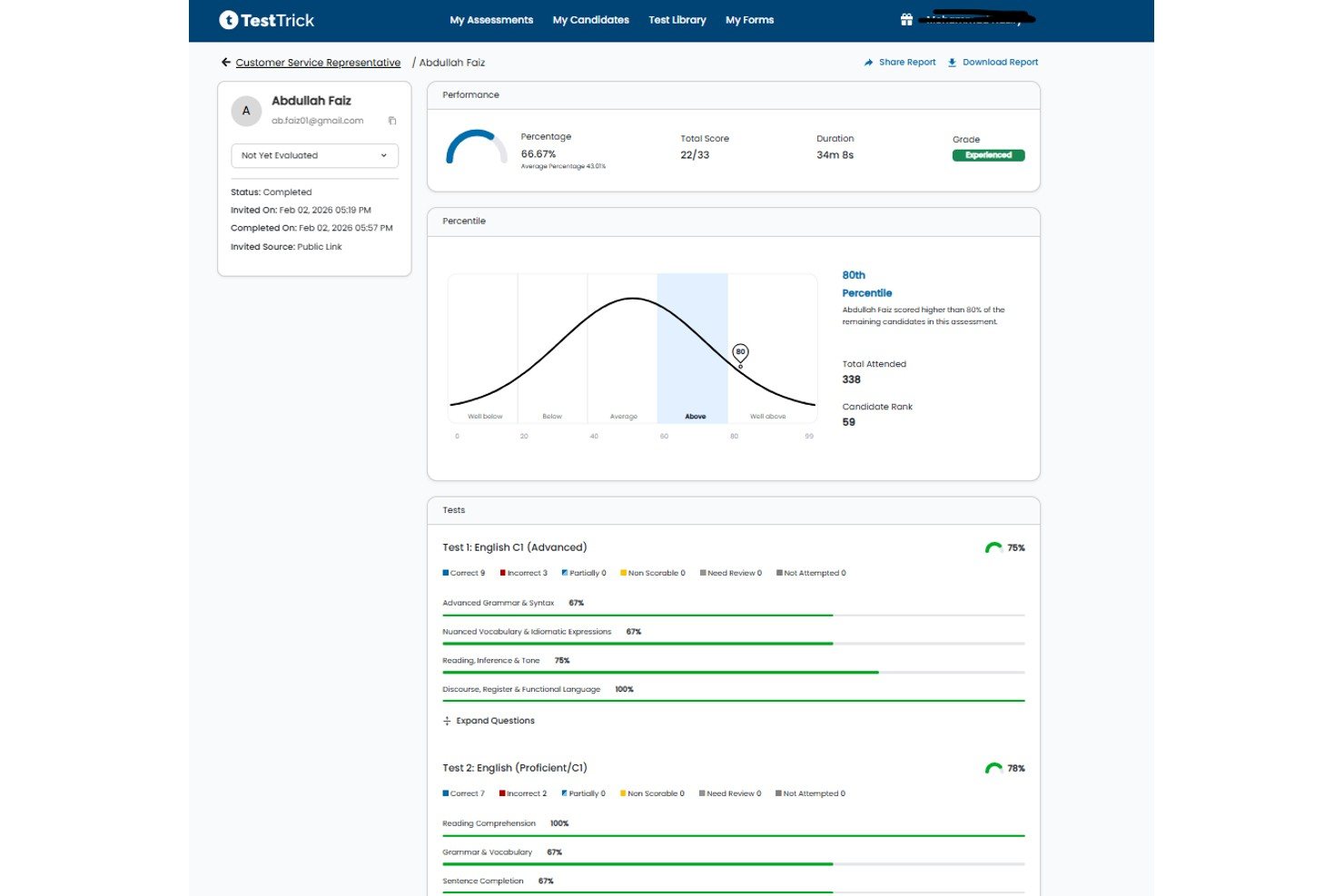
TestTrick is a pre-employment assessment platform that combines one-way async video interviewing with skills testing, coding assessments, and AI-powered candidate evaluation.
Who Is TestTrick Best For?
TestTrick is a good fit for talent acquisition teams at mid-sized companies that want to screen candidates with structured assessments and async video in one platform.
Why I Picked TestTrick
I've included TestTrick in my top picks because its GDPR compliance goes well beyond a basic privacy policy. The platform gives recruiters built-in consent controls that trigger before any candidate assessment begins, custom data retention settings, and tools to export, anonymize, or delete candidate data on demand. For teams hiring across the EU or EEA, that means video responses are encrypted at rest and in transit, and a Data Processing Agreement is available for every customer account, not just enterprise tiers.
TestTrick Key Features
- AI-backed video evaluation: TestTrick analyzes facial cues, voice clarity, and soft skill signals in recorded candidate responses without requiring a separate integration.
- Standardized interview kits: Build consistent question sets with fixed time limits and think time to reduce unconscious bias across all candidates reviewing the same role.
- Webcam and screen monitoring: During async video sessions, TestTrick captures webcam feeds and session screenshots to flag suspicious behavior before you score a response.
- White-label branding: Apply your company logo, colors, and personalized email messaging to the entire candidate-facing interview experience.
TestTrick Integrations
TestTrick offers native ATS integrations with Greenhouse, Lever, Manatal, JazzHR, and Teamtailor, with scores and video recordings syncing to your ATS in real time. An API is also available for custom integrations.
Pros and Cons
Pros:
- Automates candidate scoring
- Can attach custom recruiter intro video
- Allows bulk candidate invitations
Cons:
- Lacks live two-way video interviews
- No interview scheduling or calendar sync
Manatal
Best for AI video interviews with transcripts
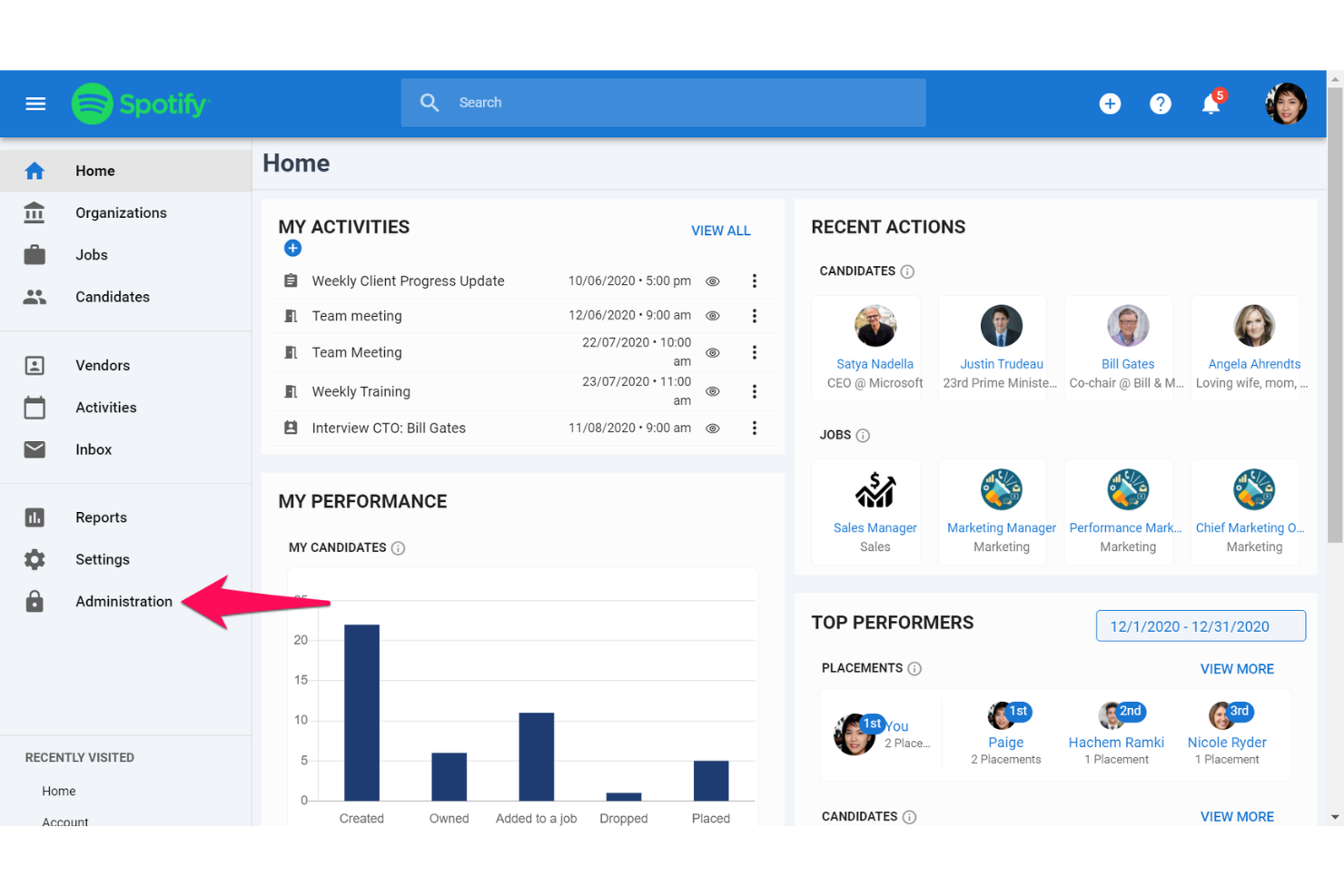
Manatal is a recruitment platform designed for HR teams and staffing agencies who want virtual interviews, automated candidate screening, and to manage the entire hiring process in one place.
Who Is Manatal Best For?
Manatal is a strong fit for small to mid-sized HR teams and staffing agencies that need an all-in-one recruiting platform with built-in virtual interview tools.
Why I Picked Manatal
Manatal earns its spot as one of the best on my shortlist because of how well it handles AI-powered video interviews with automatic transcription built directly into the hiring workflow. I like that candidates can record video responses asynchronously, and Manatal's AI then generates transcripts that my team can review, search, and annotate without rewatching every clip. That transcript layer is genuinely useful when comparing multiple candidates across a high-volume role. The AI scoring on top of that adds another signal, flagging responses based on relevance and communication quality.
Confirmed key features include: candidate pipeline/ATS, AI recommendations, candidate enrichment, collaboration tools, branded career pages, reports & analytics, and recruitment CRM. The list below excludes the AI video interview and transcript features already discussed above.
Manatal Key Features
- AI candidate recommendations: Manatal's AI automatically surfaces and ranks candidates from your database based on job requirements.
- Candidate enrichment: Pulls publicly available data from social profiles to build out candidate profiles beyond what's on a resume.
- Branded career page builder: Create and customize a career page with your own branding and embed custom application forms.
- Reports and analytics dashboard: Track hiring metrics like time-to-hire, pipeline stage conversion, and sourcing channel performance.
Manatal Integrations
Integrations include Indeed, Codility, Mailchimp, Google Suite, Microsoft 365, LinkedIn Premium, ZipRecruiter, Monster, Talent.com, and Google for Jobs.
Pros and Cons
Pros:
- Custom pipelines adapt to your hiring stages
- AI candidate scoring highlights best fits
- Built-in asynchronous video interviews with transcripts
Cons:
- Higher-tier plans needed for full feature access
- Advanced reporting less detailed than competitors
New Product Updates from Manatal

Manatal Adds Candidate Login and Employee Portal to Career Pages
Manatal has added Candidate Login, Internal Employee Portal, and internal job visibility controls for Career Pages. These features help teams simplify applications, support employee mobility, and manage internal hiring workflows. For more information, visit Manatal’s official site.
 .
.
Humanly
Best for conversational AI candidate screening
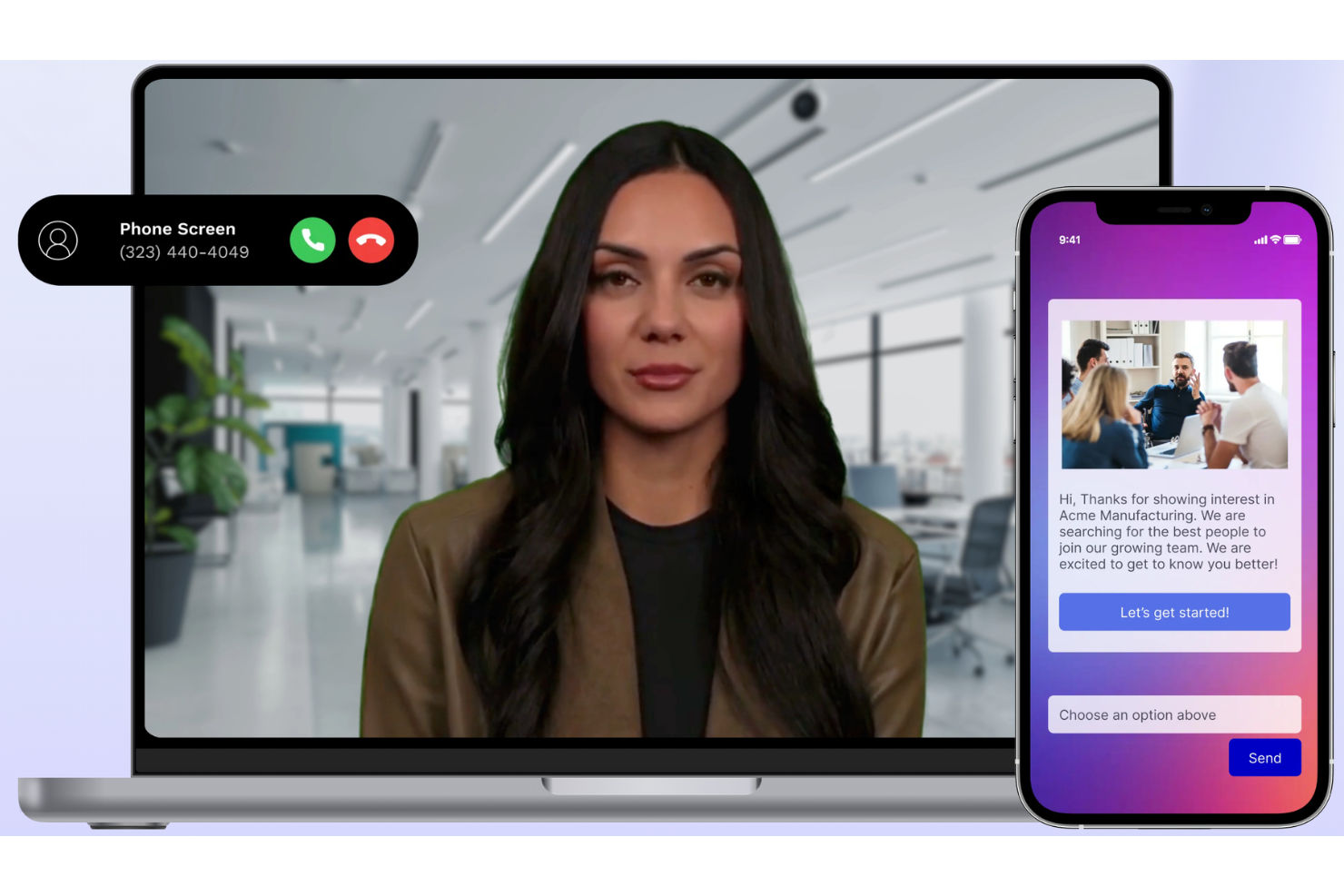
Humanly is an AI-powered hiring platform designed for HR teams and recruiters who want to automate candidate screening, streamline virtual interviews, and improve the overall candidate experience in remote and hybrid hiring environments.
Who Is Humanly Best For?
Humanly is a strong fit for mid-sized to enterprise recruiting teams that handle high application volumes and need to automate early-stage candidate engagement without sacrificing a personal touch.
Why I Picked Humanly
Humanly is on my shortlist because of how it handles conversational AI screening before a human interview. The platform uses an AI chat interface to engage candidates immediately after they apply, asking role-specific screening questions and automatically advancing or declining candidates based on their responses. My team can set up structured video interview stages that follow directly from those AI conversations; by the time a recruiter reviews a candidate, early filtering is complete. The automated interview scheduling feature eliminates the back-and-forth that slows down high-volume hiring pipelines.
Humanly Key Features
- Structured interview summaries: The AI Notetaker generates role-aligned candidate summaries immediately after each interview, surfacing key strengths, risks, and behavioral cues.
- Candidate scoring and ranking: AI automatically scores and ranks applicants based on screening responses, so recruiters can prioritize the most qualified candidates.
- Customizable disqualification rules: Set role-specific criteria to automatically filter out unqualified applicants before they reach the interview stage.
- Interview analytics: Post-interview data captures talk-time balance, candidate sentiment, and topic coverage against recommended competencies.
Humanly Integrations
Integrations include major ATS platforms such as Greenhouse, Lever, Workday, and iCIMS.
Pros and Cons
Pros:
- Saves recruiting time by collecting candidate responses before live interviews
- Simplifies candidate communication during early recruitment stages and scheduling steps
- Automates early candidate conversations, reducing manual screening work for recruiters
Cons:
- Occasional software bugs affecting question order, formatting, or audio quality
- Navigation challenges when locating specific candidate reports or screening data

SparkHire’s one-way video interview platform is designed for hiring teams that want to replace phone screens with a more structured asynchronous process. Candidates record responses to standardized questions on their own time, and hiring managers can review submissions without coordinating schedules. The platform is well-suited for organizations screening candidates across multiple roles or locations while maintaining consistency in early-stage evaluations.
Who Is SparkHire Best For?
SparkHire is a good fit for HR teams and recruiters at small to mid-sized businesses that need to screen candidates consistently across multiple roles or locations without adding scheduling overhead.
Why I Picked SparkHire
I picked SparkHire because it allows recruiters to send standardized interview prompts that every candidate answers under the same conditions. Hiring managers can review submissions in batches, and the platform also offers optional AI-assisted transcription, candidate summaries, and competency-based scoring tools to support candidate review workflows.
SparkHire Key Features
Some other features that make SparkHire a strong choice for video interviewing include:
- Standardized one-way video interviews: Candidates answer the same questions in a consistent format for structured early-stage evaluation.
- Live video interviews: Conduct real-time interviews directly within the platform, supporting both panel and one-on-one formats.
- AI-assisted review: Optionally transcribe responses, generate candidate summaries, and score submissions against selected competencies.
- Branded interview experience: Customize the interview interface with your company’s logo, colors, and messaging.
SparkHire Integrations
Integrations include Greenhouse, Lever, iCIMS, BambooHR, Bullhorn, JazzHR, ApplicantStack, Avature, Ceipal, and Crelate Talent.
Pros and Cons
Pros:
- Customizable branded interview experience
- Supports multiple hiring managers per interview
- Built-in candidate evaluation and rating tools
Cons:
- Reporting features are less advanced than some peers
- Limited candidate experience customization options
Willo
Best for high-volume candidate screening and hiring

Willo is a video interviewing platform built for HR teams and recruiters who need to screen and evaluate candidates remotely, making it easier to manage large applicant pools and streamline the early stages of hiring.
Who Is Willo Best For?
Willo is a strong fit for mid-size to enterprise recruiting teams that regularly handle high applicant volumes across multiple roles or locations.
Why I Picked Willo
I picked Willo as one of the best because it's purpose-built for high-volume hiring, and the "invite at scale" feature is where it shines. My team can upload a CSV of hundreds of candidates and Willo handles the email and SMS invitations, plus automated reminders, without any manual follow-up. I also like the anti-cheat tools, which flag deepfakes and scripted responses, so when we're reviewing a large pool of candidates, we can trust that what we're watching is authentic. The Showcase link feature lets you share shortlisted responses with hiring managers in one click, which cuts down on the back-and-forth that typically slows down high-volume screening rounds.
Willo Key Features
- Custom question builder: Create structured interview questions using text, video, or multiple-choice formats tailored to each role.
- Candidate response playback: Review recorded video responses at adjustable playback speeds with the option to leave timestamped comments.
- Branded interview experience: Add your company logo, colors, and a welcome video to create a consistent candidate-facing interview environment.
- Collaborative scoring: Rate and score candidates individually before comparing evaluations across your hiring team.
Willo Integrations
Integrations include Greenhouse, Lever, Workable, Teamtailor, BambooHR, Bullhorn, JazzHR, Ashby, SmartRecruiters, and Recruitee.
Zoom
Best for usability
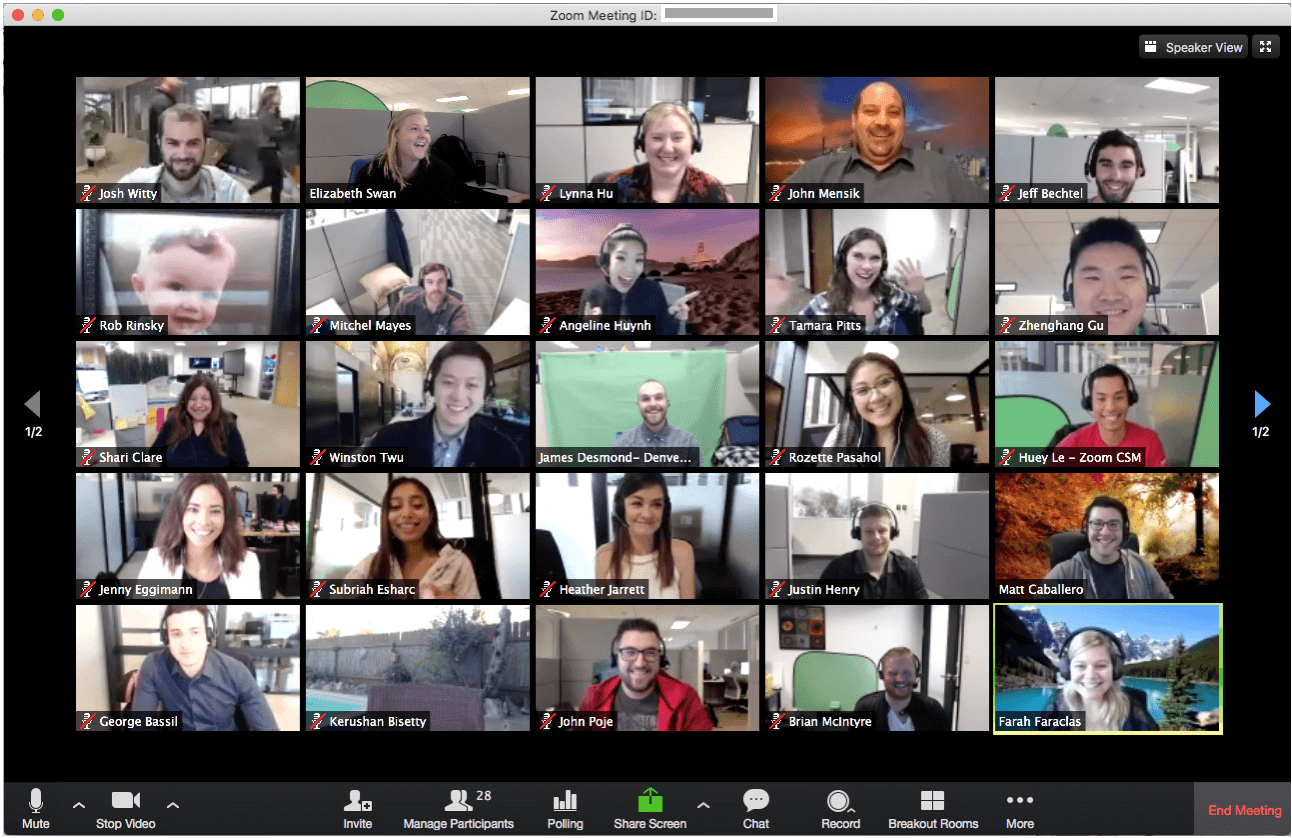
Zoom gives HR teams and recruiters a reliable way to conduct virtual interviews, offering secure video meetings, easy scheduling, and features that help businesses of all sizes connect with candidates anywhere.
Who Is Zoom Best For?
Zoom is a strong fit for recruiting teams and HR professionals at mid-sized to enterprise companies who need a familiar, low-friction video platform for interviewing candidates at scale.
Why I Picked Zoom
Zoom is on my shortlist because its usability makes virtual interviewing straightforward. I've run interviews where candidates joined from their phones with no setup required—no account needed, just a link. I also like the waiting room feature, which lets me control exactly when a candidate enters the call, keeping back-to-back interview slots clean and professional. In-meeting controls—muting, recording, and screen sharing—are placed intuitively, avoiding fumbling mid-interview.
Zoom Key Features
- HD video and audio: Conduct interviews with clear, high-quality video and audio across devices and connection types.
- Meeting recording: Record interviews locally or to the cloud for later review or sharing with hiring teams.
- Breakout rooms: Split a single meeting into separate rooms, useful for panel interviews or multi-stage interview formats.
- Virtual backgrounds: Candidates and interviewers can set a background to maintain a professional appearance from any location.
Zoom Integrations
Google Workspace, Microsoft 365, Slack, Calendly, Salesforce, HubSpot, Notion, Figma, Confluence, and Jira.
Other Video Interviewing Software
Here are a few more virtual interview tools that didn’t make it into my top 10 list, but are still worth checking out:
- Riverside
With local device recording
- myInterview
AI screening for zero-touch hiring
- Jobma
For video interviews and skill assessments
- Vervoe
For integrations
- Skype
Microsoft users
- Zoho Meeting
For collaborative video interviews
- eSkill
For customizable video and skill assessments
- XOR
Video interviewing with SMS support
- HireVue
For enterprises
- Google Classroom
Free learning tool for classroom
- HRBLADE
For AI-assisted video interviews with plagiarism checks
- Harver
For high volume recruitment
- Interviewstream
Integrated interview scheduler
- Haystack Pro
For interactive application elements
- Workable
For comparing hiring team feedback
- Canditech
For integrating video interviews with auto-scored skill tests
- Zoho Recruit
For its multiple video interview formats and collaborative hiring features
- Screenz
For built-in anti-cheating measures
- Breezy HR
For small teams & startups
- Codility
Video interviewing for engineering teams


Related HR Software Reviews
If you still haven't found what you're looking for here, check out these other related tools that we've tested and evaluated:
- HR Software
- Payroll Software
- Employer of Record Services
- HRMS Systems
- HCM Software
- Workforce Management Software
How I Evaluate Video Interviewing Platforms
I split my evaluation into two layers: the baseline features every platform must have—async recording, live video, ATS sync—and the differentiators that set certain tools apart.
Core Functionality (Table Stakes For This List)
When I'm selecting tools for my list, I rank each one on a scale from 0 (does not offer the functionality) to 5 (excels in this area) for each core functionality listed below. Then, I calculate the tool's total score into a percentage. Each tool needs to achieve a minimum total score of 65% to be considered for inclusion.
- Live Video Interviewing: I check whether the platform supports native, browser-based video calls with panel capability, screen sharing, and calendar sync—so hiring teams can run structured rounds without pushing candidates to a third-party app.
- One-Way Video Interviews: Async interviewing is where I look at how candidates receive, record, and submit responses to preset questions, including whether the platform offers configurable time limits, retake options, and branded prompts.
- Interview Recording & Playback: I evaluate how recordings are stored, shared, and searched—for example, whether a recruiter can tag a specific moment in a playback and send a timestamped link to a hiring manager for review.
- Structured Interview Kits: Scorecard templates, rating scales, and question libraries matter here. I look for tools that let talent teams build role-specific kits so every interviewer evaluates candidates against the same competency criteria.
- Collaborative Evaluation Tools: I look at how hiring panels share feedback—whether reviewers can rate independently, compare candidates side by side, and leave comments without anchoring each other's assessments.
- ATS/HRIS Integrations: A platform's value drops fast if interview data lives in a silo. I check for native, two-way integrations with major systems like Greenhouse, Workday, Lever, and iCIMS to keep candidate records in sync.
Once I have a list of tools that meet the criteria, I consider what sets each platform apart.
Differentiating Factors (What Sets Vendors Apart)
Here's how I compare and contrast different vendors:
Standout Features
AI-powered candidate insights are a major differentiator. I look for platforms that transcribe responses and surface skill signals, so recruiters can revisit a specific answer without rewatching an entire recording. Automated scheduling with time-zone detection and self-service booking cuts the back-and-forth emails that slow down high-volume hiring. Bias mitigation tools also carry real weight—structured scoring prompts and anonymization features help panels evaluate competency data rather than gut reactions.
Beyond Features
Compliance and data privacy top my list. Video interviews capture biometric and personal data, so I check for SOC 2 certification, configurable retention policies, and transparent AI disclosures. Scalability matters too—a platform that handles a 20-person team's hiring needs may buckle during a seasonal surge of thousands of candidates. I also evaluate analytics depth, looking for dashboards that track interview-to-offer ratios and interviewer calibration so HR leaders can spot bottlenecks and report on hiring consistency.
How to Choose Video Interviewing Software
Video interviewing software can help you enhance your hiring process and connect with top talent around the world, either face-to-face or asynchronously. To help you figure out which video interviewing software best fits your needs, keep the following points in mind:
- What hiring challenges are you trying to solve? Start by identifying the challenges you're trying to overcome. This will help you clarify the features and functionalities the video interviewing software needs to provide.
- Who are your main users? Consider who will use the software and how many licenses you'll need. For video interviewing software, you may want access for your entire workforce, or you may choose to limit access to your in-house recruiters and hiring managers. Once that's clear, it's also useful to rank the needs of your different users to identify the key priorities for your power users, managers, and employees, to ensure they're all met.
- Do you require specific software integrations? Clarify whether your new video interviewing software will replace any tools or need to integrate with them. Key systems to note include your recruiting software, single sign-on applications, or digital calendars through work operating systems like Microsoft 365 or Google Workspace.
- What outcomes are important and how will you measure success? Being clear on your desired outcomes upfront is crucial to avoid wasting valuable time. For example, you may want to enhance your ability to connect with remote job seekers or start conducting pre-recorded video interviews.
- Does the new software satisfy your technical requirements? Consider the software selection alongside your existing workflows and systems. Evaluate what's working well, and any problem areas that need to be addressed. Will the new software integrate with your work operating system, such as Microsoft 365 or Google Workspace? Does it offer the security features or mobile-friendly capabilities you need?
Remember, every business is different — don’t assume that a video interviewing system will work for your organization just because it's popular.
Trends in Video Interviewing Software
As organizations continue to compete aggressively for the best talent internationally, the tools that help to enhance recruitment efforts have evolved to support these needs. Here are several key trends that are shaping the future of video interviewing software:
- Enhanced AI-driven Analysis: There's a noticeable trend towards incorporating advanced AI algorithms to analyze candidate responses more deeply. This technology helps evaluate non-verbal cues and speech patterns, providing a more holistic view of the candidate's suitability.
- Predictive Analytics: Leveraging big data and machine learning, certain tools now offer predictive analytics features, forecasting the success of candidates within specific roles based on historical data and performance metrics.
- Asynchronous Interview Options: Flexibility is key in today's job market, and features that allow candidates to complete interviews at their convenience are highly valued. This functionality is particularly important for engaging with top talent across different time zones.
- Virtual Reality (VR) Interview Environments: Some platforms are beginning to experiment with VR to simulate real-life interview settings, aiming to make the experience more immersive for candidates and interviewers alike.
As video interviewing software continues to advance, it's clear that the focus is on creating more efficient, engaging, and insightful recruitment experiences. By investing in a tool that taps into these developments, you'll enhance your strategic ability to attract and assess top candidates effectively.
What is Video Interviewing Software?
Video interviewing software is a digital tool that helps HR teams and recruiters conduct job interviews remotely through video. It streamlines the hiring process by replacing phone screens and in-person meetings with recorded or live video interviews.
These platforms are used by employers to save time, reduce scheduling conflicts, and ensure more consistent, scalable candidate evaluations—especially useful for remote and global hiring.
Features of Video Interviewing Software
In today's globalized job market, finding and engaging top talent requires innovative tools and strategies. Video interviewing software helps companies conduct structured live or asynchronous interviews with candidates from anywhere in the world. To ensure these interviews are effective and efficient, here are the most important features to look for:
- High-Quality Video and Audio: The clarity of video and audio is fundamental in assessing a candidate's verbal and non-verbal cues, which are crucial for understanding their responses and ensuring effective communication.
- One-Way & Two-Way Video Interviews: The best video interviewing platform will let you set up one-way interviews where candidates answer pre-written questions into a camera and the footage is saved and reviewed later. Top candidates selected to move forward in the process should be able to attend live, one-on-one, or group interviews for the next step.
- Recording Capabilities: Recording interviews enables hiring teams to review responses more thoroughly, ensuring a fair and comprehensive evaluation of each candidate.
- Customizable Interview Templates: The ability to customize and standardize interview questions ensures that all candidates are assessed equally, making the selection process fairer and more objective.
- Time Control: Some questions or tests are meant to be performed under time constraints and the best video interviewing software will have built-in mechanics for this.
- Easy Set-Up & Adoption: Interviewees may not have or be familiar with your video interviewing app of choice; therefore, it's imperative that the invite process, set-up, and usability are super friendly for first-time users, providing a positive user experience.
- Collaboration Tools: Features that help interviewers and hiring managers share notes, scores, and impressions about candidates help teams make collaborative and consensus-based hiring decisions.
- Mobile Compatibility: Ensuring the software is compatible with mobile devices allows candidates and interviewers to connect from anywhere, increasing accessibility and participation rates.
- Security and Privacy Features: Strong security measures, including data encryption and compliance with privacy laws, are essential to protect the personal information of all participants involved in the interview process.
- Scheduling Tools: By offering scheduling tools or calendar integrations, the software simplifies the coordination of interview times, accommodating time zone differences and candidate availability and reducing scheduling hassles.
- Software Integrations: Interview platforms rarely work in a vacuum so functionality with other apps is important. You'll want the software to connect with third-party tools like your applicant tracking system, social messaging systems like email or Slack, recruiting software, and your HRIS software.
Selecting video interviewing software with these features is crucial for organizations aiming to attract and evaluate top talent from around the globe. These tools can help you create a positive experience for candidates, which reflects well on your employer's brand.
Benefits of Video Interviewing Software
Video interviewing software has become a cornerstone for HR departments aiming to enhance their hiring processes. Here are several benefits you can expect to gain by implementing the right video interviewing software for your needs:
- Cost Reduction: By conducting interviews online, organizations can save on the substantial costs associated with in-person interviews, including travel, lodging, and time, making this software subscription cost-effective in the long run.
- Reduced Time-to-Hire: By making interviews more accessible and easier to schedule, video interviewing software can significantly reduce the time it takes to fill a position, helping organizations secure the best talent quickly.
- Better Quality Hires: The convenience of video interviews can lead to more interactions with candidates, providing a deeper understanding of their capabilities and fit for the role.
- Expanded Global Reach: By enabling companies to interview candidates from anywhere in the world, these tools break down geographical barriers, allowing businesses to find the best fit for their team, regardless of their location.
- Enhanced Candidate Experience: Offers convenience and flexibility to candidates. Candidates appreciate the flexibility of video interviews, as they can participate from the comfort of their own homes and at a time that suits them, which can improve their perception of the company.
Adopting video interviewing software helps organizations improve the efficiency and effectiveness of their hiring process, offer a flexible candidate experience, and easily connect with the best talent from around the world. As the workforce becomes increasingly global and remote, the importance of integrating such innovative solutions into HR practices continues to grow.
Costs & Pricing for Video Interviewing Software
Video interviewing software offers a variety of plans designed to meet the needs of different organizational sizes and hiring volumes, from small startups to large enterprises. Understanding the plan options and their pricing is crucial for selecting a software package that not only fits your budget but also supports your recruitment goals effectively. Below is a detailed overview of typical plan options you might encounter when exploring video interviewing software.
Plan Comparison Table for Video Interviewing Software
| Plan Type | Average Price | Common Features |
|---|---|---|
| Free | $0 | Basic video interviewing capabilities, limited number of interviews per month, and access to standard support |
| Basic | $50 - $100 per month | Enhanced video quality, increased interview limits, email support, and access to basic analytics |
| Professional | $100 - $250 per month | Custom branding, advanced scheduling options, integration with HR software, and priority support |
| Enterprise | Custom Pricing | Unlimited interviews, dedicated account manager, custom integrations, advanced analytics and reporting, and 24/7 support |
When considering which plan to choose, you should assess your current and future hiring needs against the features and limitations of each plan. It's important to select a plan that not only fits within your budget but also scales with your organization's growth and evolving recruitment strategies.
Video Interviewing Software: FAQ
Still wondering how video interviewing software can help you assess your qualified candidates? These answers to frequently asked questions are a good place to start:
Do video interviewing platforms integrate with other HR software or ATS systems?
Yes, most leading video interviewing platforms integrate with popular HR software and applicant tracking systems (ATS), like Greenhouse, Workday, or Lever. Integrations automate candidate tracking, interview scheduling, and feedback collection. Confirm the specific integrations offered before choosing a provider to ensure a seamless workflow.
Are there any free video interviewing platforms?
Yes, a few video interviewing platforms offer free plans or trials, but these usually come with limitations like fewer interviews or restricted features. Free options are best for small hiring rounds or pilot programs. Most established vendors charge for full functionality, especially integrations and analytics. Always check if the free version fits your workflow before committing.
How long does it take to implement video interviewing software?
Most platforms take between a few days and two weeks to set up, depending on the system’s complexity and integrations. If you need to connect your ATS or customize workflows, expect a longer timeline. Vendors often offer onboarding support or account managers to speed up rollout. Planning team training in advance helps make implementation smoother.
How do I prepare candidates for a video interview?
Share clear instructions, including tech requirements and deadline details, in advance. Suggest candidates test their webcam, microphone, lighting, and internet connection. Provide sample questions or practice links when available. This ensures a smooth interview experience and helps candidates perform at their best.
How can employers ensure a fair evaluation process in video interviews?
Develop structured rubrics and standardized questions for every candidate. Consider blind review features, which hide identifying information. Educate your hiring team on best practices for unbiased evaluation, and regularly audit hiring outcomes to spot unintended bias. Many platforms provide built-in fairness tools you can use to support these efforts.
Can video interviewing tools help reduce bias in the hiring process?
Yes, many platforms support structured interviews, blind reviews, and standardized ratings, which help minimize unconscious bias. Some also offer analytics to highlight potential bias patterns in hiring. Ultimately, pairing these tools with interviewer training is key to driving more equitable decisions.
How does video interviewing software handle data privacy and compliance?
Most platforms comply with international data protection regulations (like GDPR, SOC 2, and CCPA), offering secure video storage, encrypted transmissions, and customizable access controls. Look for solutions with clear data retention policies, consent features, and audit trails so you can meet your organization’s compliance standards.
How do video interviewing platforms support remote and global hiring?
These platforms let you schedule, record, and review interviews across time zones, enabling hiring for distributed teams. Features like automated interview scheduling, language options, and asynchronous interviews help you connect with global candidates efficiently. Built-in collaboration tools allow remote teams to review and score candidates from anywhere.
Here are three specific ways in which video interviewing supports remote and global hiring:
- Accessibility and Convenience: Video interviews allow candidates from any part of the world to participate in the hiring process without the need for travel. This accessibility opens up a global talent pool, making it easier for companies to find the best candidates regardless of their location.
- Time and Cost Efficiency: These platforms reduce the time and costs associated with traditional hiring methods. By conducting interviews online, companies save on travel expenses and reduce the time spent on scheduling and conducting in-person interviews.
- Enhanced Candidate Assessment: Video interviewing tools often come with advanced ATS features like recorded interviews, AI-powered analytics, and structured interview formats. These features help in better evaluating a candidate’s communication skills, personality, and suitability for the role, beyond just their resume.
In short, companies should embrace video interviewing platforms as a key tool in their recruitment arsenal if they want to effectively tap into a diverse and talented global workforce,.
How reliable is AI video interview assessment, and should I use it?
AI assessments can speed up screening by scoring answers and flagging top candidates, but accuracy and fairness can vary. Use AI as a supplement, not a replacement for human assessment. Always review AI recommendations critically, ensure transparency, and check that vendors regularly evaluate their algorithms for bias.
What are the advantages and disadvantages of asynchronous or one-way video interviews?
Asynchronous interviews save time by letting candidates record responses on their own schedules and allow reviewers to assess interviews flexibly. However, you lose real-time interaction and may miss non-verbal cues or follow-up opportunities. Use them as a pre-screening tool or in early interview rounds to optimize time without sacrificing candidate experience.
To break it down further, here are some pros and cons of this practice:
| Pros of One-Way Video Interviews | Cons of One-Way Video Interviews |
| Streamlines the candidate screening process | Is literally one-sided, and can make candidates feel unvalued |
| Allows candidates to review questions and prepare answers in advance | Lacks a human element and takes away the chance for spontaneous discussions to occur |
| Ensures consistency to a set selection of questions for every candidate | Eliminates the possibility for follow-up questions and clarification |
Other Software Reviews to Help Your Recruitment Process
Video interviewing isn’t the only type of software that can help you improve your recruiting process. Here are some other options you might need: