

QuickBooks Online vs. Xero: Expertenvergleich und Bewertungen für 2026


The wrong HR and accounting setup can turn simple tasks into a daily grind. When payroll, reporting, and employee admin all compete for your attention, choosing the right platform starts to matter fast.
If you’re stuck choosing between QuickBooks Online and Xero, you’re not alone. Maybe you need clear HR processes, powerful payroll, or more control over accounting—both platforms promise to help, but each takes a different approach to HR and accounting software.
In this article, you’ll see a head-to-head comparison of both tools. I’ll walk you through their pros, cons, ideal use cases, pricing, security, and day-to-day usability so you can make the right call for your team.
QuickBooks Online vs. Xero: An Overview
QuickBooks Online
Xero
Warum Sie unseren Software-Bewertungen vertrauen können
Unser Team testet und bewertet Software seit 2012. Als HR-Experten wissen wir selbst, wie schwierig – und wichtig – es ist, die richtige Software auszuwählen.
Für diesen Leitfaden haben wir Tools mithilfe von praktischen Tests und unabhängiger Recherche bewertet und dabei unsere Bewertungskriterien angewendet. Zudem greifen wir auf Erkenntnisse von Branchenvordenkern und praktizierenden HR-Experten zurück.
Unsere Bewertungen spiegeln unser menschliches redaktionelles Urteilsvermögen wider, keine Verkaufsstrategie.
Expertenprüfer:
QuickBooks Online vs. Xero Pricing Comparison
| QuickBooks Online | Xero | |
|---|---|---|
| Free Trial | Free plan + 30-day free trial available | 30-day free trial |
| Pricing | From $38/month | From $25/month |
QuickBooks Online vs. Xero: Preise & versteckte Kosten
QuickBooks Online bietet mehrere Abo-Stufen an, die jeweils zusätzliche Funktionen für Buchhaltung und einige grundlegende Personalaufgaben freischalten. Lohnabrechnung, Spesenmanagement und erweiterte Berichte sind oft kostenpflichtige Zusatzmodule, sodass die Kosten steigen können, wenn Ihr Team wächst oder Ihre Anforderungen sich ändern. Xero verwendet ebenfalls ein gestaffeltes Preismodell, bei dem zentrale HR- und Buchhaltungsfunktionen enthalten sind. Funktionen wie Projektmanagement, Lohnabrechnung oder zusätzliche Benutzer können jedoch Ihre Gesamtrechnung erhöhen. Beide Tools verlangen gelegentlich, dass Sie für Integrationen oder erweiterten Support auf ein höheres Paket upgraden oder extra zahlen.
Um das beste Preis-Leistungs-Verhältnis zu finden, achten Sie nicht nur auf den Basispreis, sondern listen Sie Ihre unverzichtbaren Funktionen auf – denken Sie an HR-Anforderungen, Berichterstattung, Benutzeranzahl, Integrationen und künftiges Wachstum. Ich empfehle, eine Übersicht der tatsächlich genutzten Features zu erstellen und daraus die realen Monats- oder Jahreskosten inklusive aller Zusatzleistungen abzuleiten. So vermeiden Sie unerwartete Überraschungen und gewinnen einen klaren Überblick darüber, welcher Anbieter Ihre aktuellen sowie zukünftigen Pläne ohne versteckte Gebühren am besten unterstützt.
QuickBooks Online vs. Xero Feature Comparison
| QuickBooks Online | Xero | |
|---|---|---|
| 2-Factor Authentication | ||
| API | ||
| Accounts Payable | ||
| Accounts Receivable | ||
| Balance Sheet | ||
| Billing/Invoicing | ||
| BitCoin | ||
| Budgeting | ||
| CRM Integration | ||
| Calendar Management | ||
| Contact Management | ||
| Customer Management | ||
| Dashboard | ||
| Data Export | ||
| Data Import | ||
| Data Visualization | ||
| Expense Tracking | ||
| External Integrations | ||
| Forecasting | ||
| General Account Ledger | ||
| Inventory Tracking | ||
| Multi-Currency | ||
| Multi-User | ||
| Notifications | ||
| P&L | ||
| PayPal | ||
| Payroll | ||
| SAP Integration | ||
| Stripe | ||
| Supplier Management | ||
| Tax Management |
QuickBooks Online vs. Xero Integrationen
| Integration | QuickBooks Online | Xero |
|---|---|---|
| Shopify | ✅ | ✅ |
| PayPal | ✅ | ✅ |
| BillBjorn | ✅ | ✅ |
| Expensify | ✅ | ✅ |
| Square | ✅ | ✅ |
| HubSpot | ✅ | ✅ |
| Stripe | ✅ | ✅ |
| Deputy | ✅ | ✅ |
| API | ✅ | ✅ |
| Zapier | ✅ | ✅ |
Beide Plattformen sind hinsichtlich der Integrationen praktisch ebenbürtig und bieten starke Anbindungsmöglichkeiten an Buchhaltung, Lohnabrechnung, E-Commerce, HR und gängige Business-Tools. Da sowohl QuickBooks Online als auch Xero Zapier- sowie API-Schnittstellen für individuelle Workflows bereitstellen, hängt die bessere Wahl letztlich davon ab, wie Ihr Team im Alltag arbeitet und welche Lösung sich natürlicher in Ihre bestehenden Abläufe einfügt.
QuickBooks Online vs. Xero Sicherheit, Compliance & Zuverlässigkeit
| Faktor | QuickBooks Online | Xero |
|---|---|---|
| Datenverschlüsselung | Verwendet AES256- und TLS-Verschlüsselung für alle ruhenden Daten sowie RSA-Verschlüsselung für Daten während der Übertragung. | Schützt Daten mit TLS-Verschlüsselung sowohl während der Übertragung als auch im Ruhezustand. |
| Regulatorische Compliance | Erfüllt PCI DSS, wird SOC-Prüfungen und Berichten unterzogen und ist nach ISO 27001 zertifiziert. | SOC 2 und ISO 27001-konform sowie PCI DSS-konform für Zahlungen. |
| Benutzerzugriffskontrollen | Bietet anpassbare Berechtigungen und rollenbasierte Zugriffe für alle Nutzer. | Unterstützt Benutzerrollen und granulare Berechtigungseinstellungen. |
| Datensicherungen | Automatische tägliche Backups mit implementierten Notfallwiederherstellungsprotokollen. | Tägliche Datensicherungen mit soliden Notfallwiederherstellungsmaßnahmen. |
| Service-Zuverlässigkeit | 99,9 % Verfügbarkeit und kontinuierliches Performance-Monitoring. | Hohe Verfügbarkeit und proaktives Monitoring in allen Regionen. |
Sowohl QuickBooks Online als auch Xero bieten starke Sicherheits- und Compliance-Maßnahmen, aber QuickBooks Online hat aufgrund der robusteren Verschlüsselung und des umfassenderen Sicherheitsrahmens einen leichten Vorteil. Xero ist dennoch eine gute Wahl für Teams, die detaillierte Benutzerrechte benötigen, während QuickBooks besser passt, wenn höchste Sicherheit für sensible Finanzdaten Priorität hat.
QuickBooks Online vs. Xero Benutzerfreundlichkeit
| Faktor | QuickBooks Online | Xero |
|---|---|---|
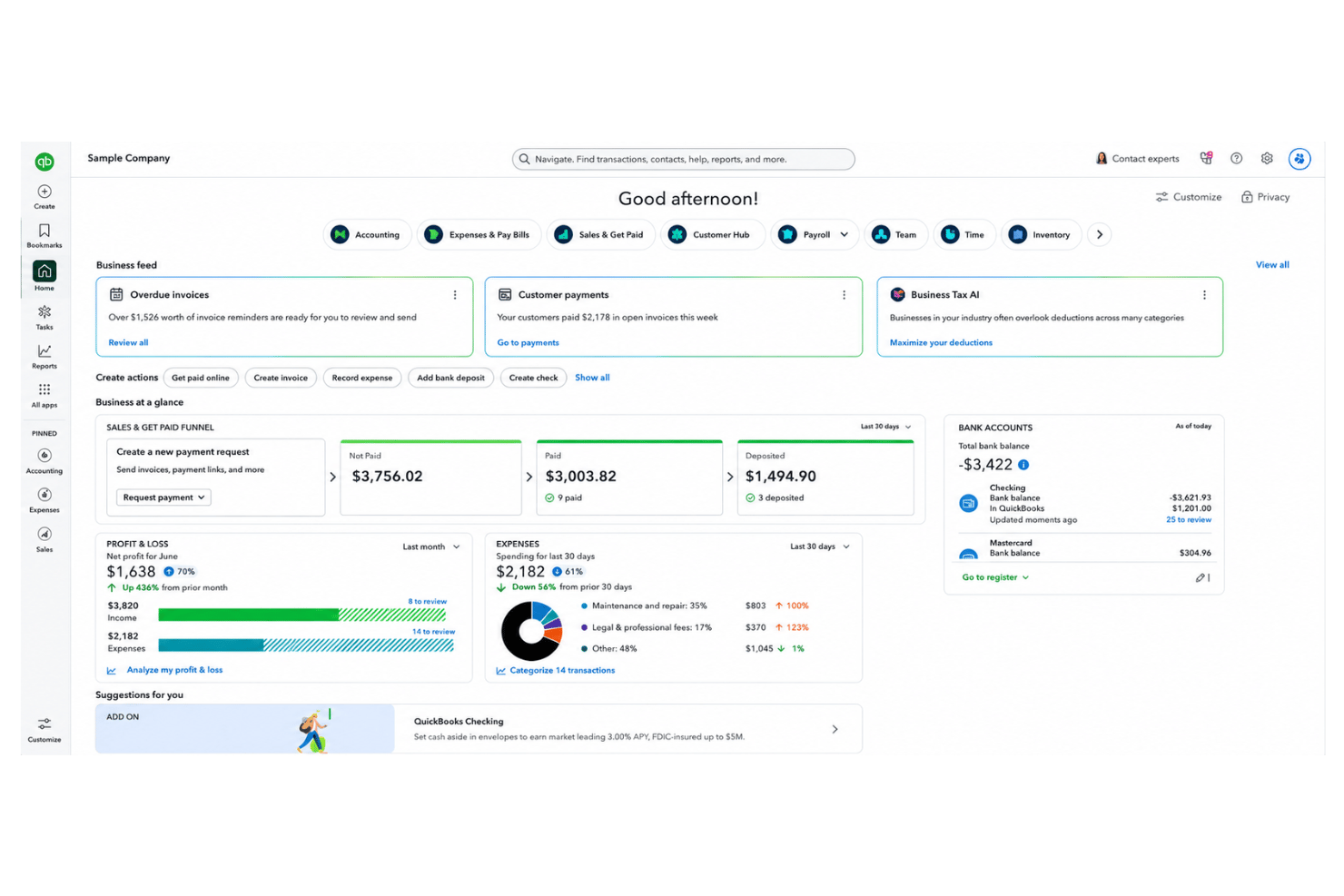
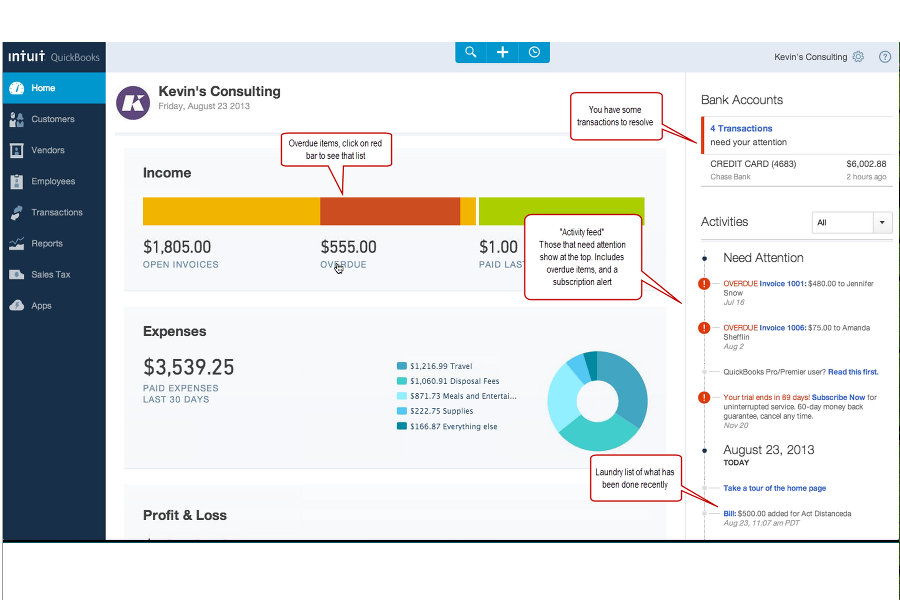
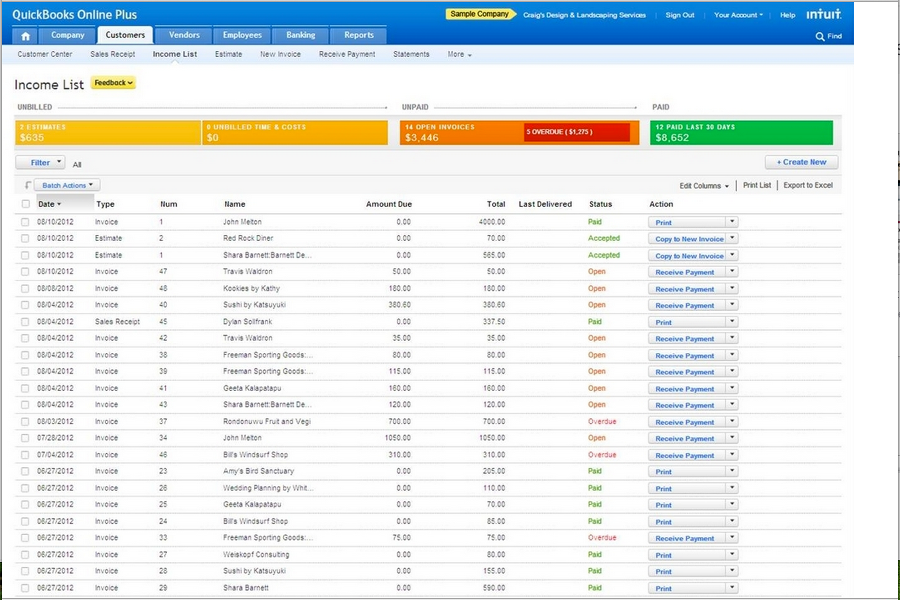
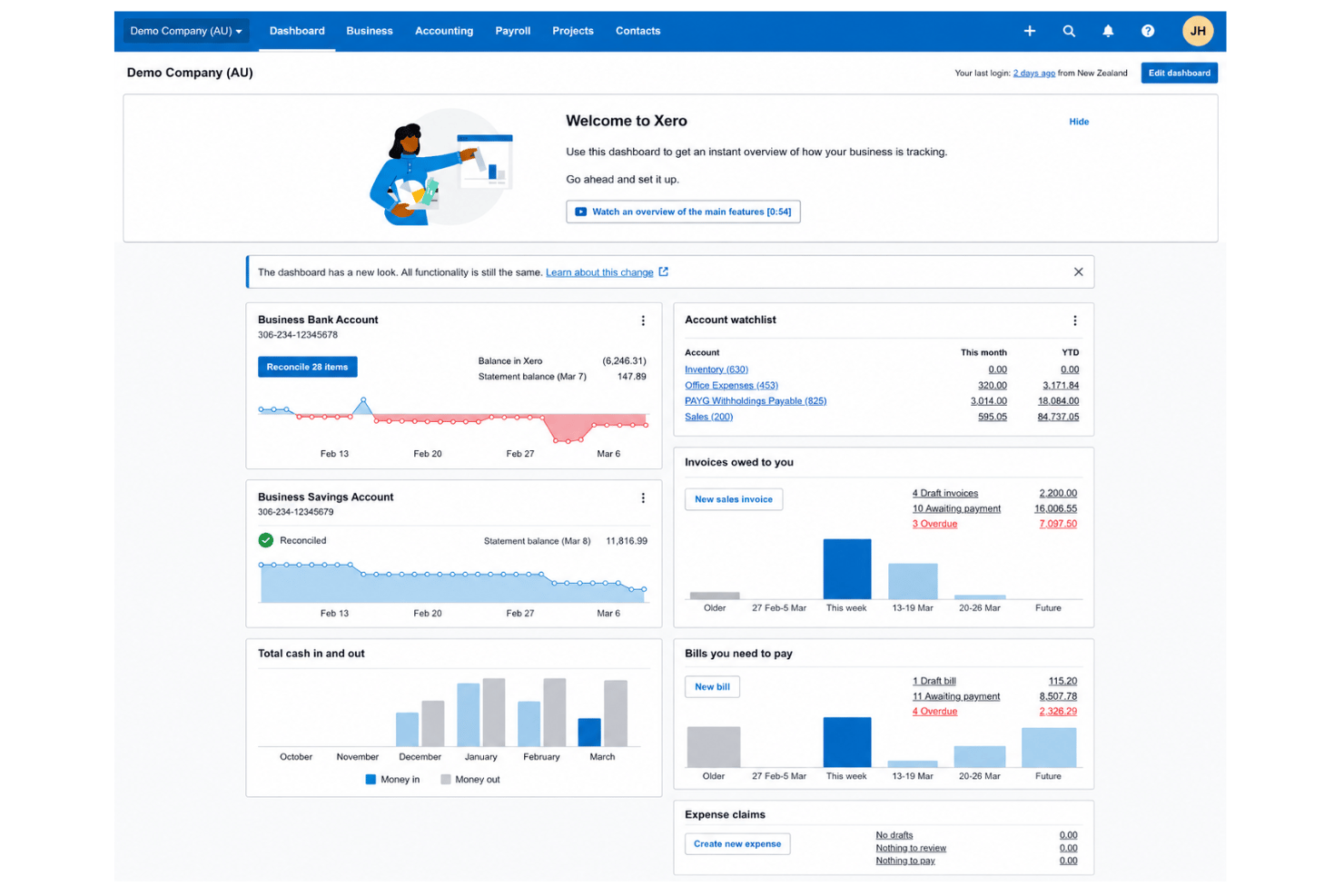
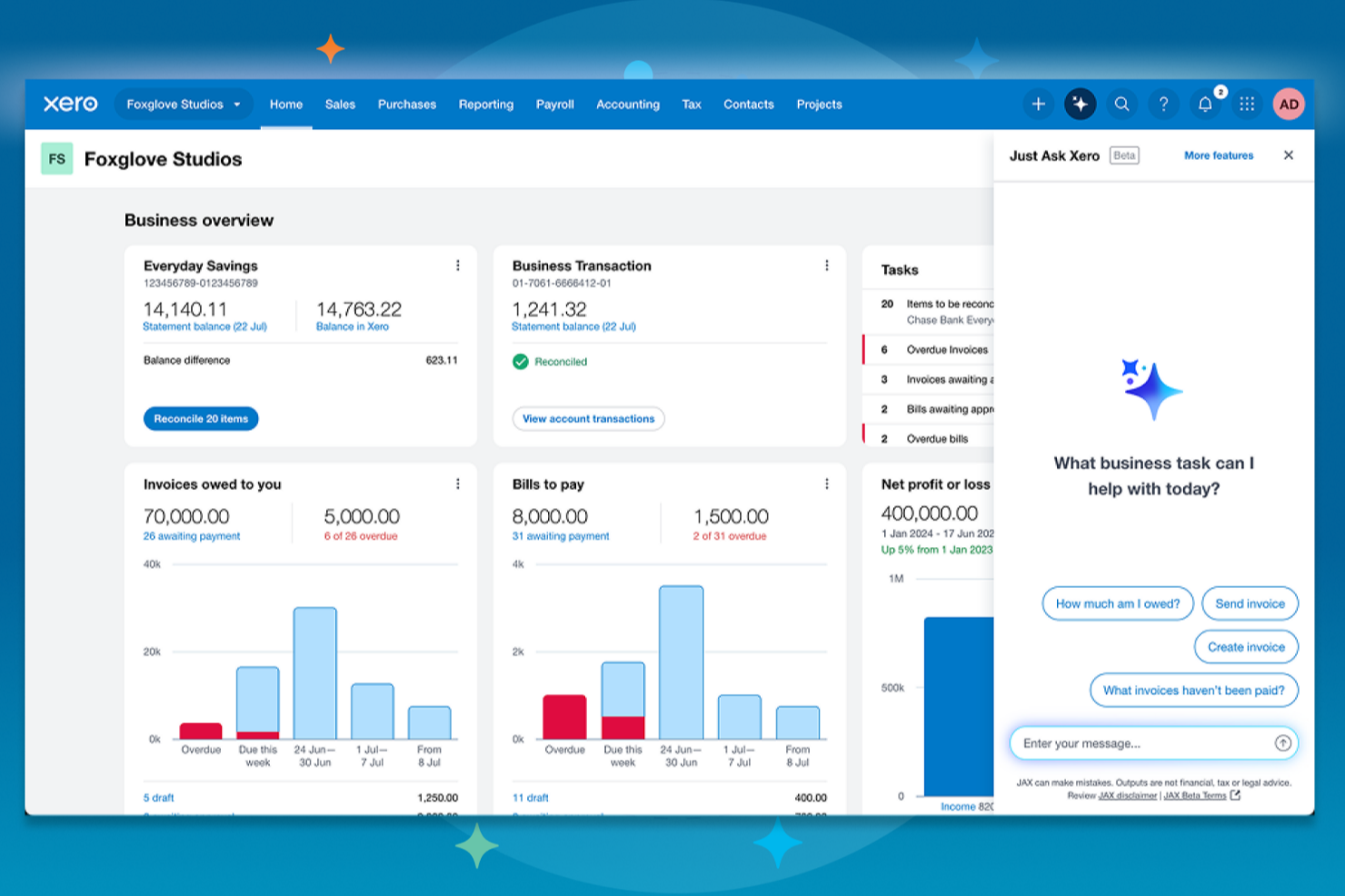
| Benutzeroberfläche | Modernes Design, kann jedoch für neue Nutzer durch die Vielzahl an Funktionen zunächst überladen wirken. | Übersichtliches, intuitives Layout mit minimalistischer Menüführung und visuellen Dashboards. |
| Onboarding | Schritt-für-Schritt-Anleitungen und In-App-Tipps erleichtern den Einstieg. | Bietet eine klare Onboarding-Checkliste und ausgezeichnete Video-Tutorials. |
| Anpassung | Hochgradig anpassbares Dashboard und Berichte zur Unterstützung individueller Geschäftsanforderungen. | Flexible Kontoeinrichtung und einfache Anpassung von Arbeitsabläufen für verschiedene Nutzer. |
| Kundensupport | Live-Chat und Telefonsupport in den meisten Tarifen inklusive sowie ein umfassendes Hilfezentrum. | 24/7 E-Mail-Support, eine umfangreiche Online-Wissensdatenbank und aktive Community-Foren. |
| Mobile App | Voll ausgestattete App für iOS/Android, inklusive Rechnungsstellung und Belegerfassung. | Einfache, zuverlässige mobile App mit Fokus auf die wichtigsten Buchhaltungsaufgaben. |
Xero bietet ein reibungsloseres Erlebnis für neue Nutzer und eine übersichtlichere Oberfläche, während QuickBooks Online viel Unterstützung bereitstellt, sofern man bereit ist, sich einzuarbeiten. Für neue Teams ist Xero die einfachste Wahl, während QuickBooks Online vorteilhaft ist, wenn Sie erweiterte Funktionen sofort verfügbar haben möchten.
QuickBooks Online vs Xero: Pros & Cons
QuickBooks Online
- Payroll runs and tax filings are automated and accurate
- Dashboards and reports give real-time insight into expenses and payroll
- Employee self-service portal reduces HR admin workload
- Some advanced reporting features are only available with higher-tier plans
- Not ideal for advanced ERP or global organizations
- May require time to learn for new users
Xero
- Payroll and expense management are fully integrated with accounting.
- Automated bank feeds save time on reconciliation tasks.
- Mobile app gives access to core HR features on the go.
- HR reporting options are limited compared to other software.
- Payroll features are not available in all countries.
- Customer support response times can be slow during peak periods.
Best Use Cases for QuickBooks Online and Xero
QuickBooks Online
- Retail Stores Easy inventory tracking and sales management make it simple to keep up with daily operations.
- Professional Services Automated payroll and project profitability tools help agencies and consultancies track client costs and pay staff on time.
- Startups Startups love the fast onboarding, mobile app, and all-in-one dashboards for managing payroll, expenses, and taxes.
- Nonprofit Organizations QuickBooks Online supports grant management and basic fund tracking to simplify nonprofit bookkeeping and reporting.
- Remote Teams The cloud-based platform and mobile access let remote or distributed teams handle payroll and HR tasks from anywhere.
- Bookkeepers Bookkeepers appreciate the straightforward workflows, reporting, and role-based access in QuickBooks Online.
Xero
- Small Retailers Xero’s inventory, POS integrations, and simple invoicing make daily accounting tasks much easier for small retail operations.
- Growing Startups Automated bank feeds, scalable payroll, and advanced reporting let startups manage growth without constantly upgrading platforms.
- Professional Services Consultants and agencies appreciate quick invoicing, easy expense claims, and project tracking tools that pair HR and finance.
- Nonprofits Budget tracking, grant accounting, and multi-user access make Xero approachable for nonprofits with limited financial expertise.
- In-House Accounting Teams Finance teams get real-time insights, streamlined reconciliation, and audit-ready records, which speeds up month-end work.
- Remote Teams Cloud access and mobile tools support distributed teams who need approval workflows and secure access from anywhere.
Für wen eignen sich QuickBooks Online bzw. Xero?
QuickBooks Online eignet sich am besten für Unternehmen, die umfassende Buchhaltungsfunktionen, integrierte Lohnabrechnung oder die Einbindung anderer Intuit-Produkte benötigen – zum Beispiel Buchhalter, Steuerberater oder größere Teams mit komplexen Anforderungen. Xero ist ideal für wachsende Teams, die Wert auf einfache Bedienung, eine nutzerfreundliche Oberfläche und unbegrenzte Benutzer legen oder die neben der Buchhaltung ein leistungsstarkes Workflow-Management benötigen. Falls Sie branchenspezifische, fortgeschrittene Tools wünschen, ist QuickBooks Online im Vorteil. Für einfaches Onboarding und flexible Alltagshandhabung ist Xero jedoch kaum zu schlagen. Ihre Entscheidung sollte sich nach der Komplexität der Anforderungen, der Teamgröße und dem Stellenwert von Nutzerfreundlichkeit im Vergleich zum Funktionsumfang richten.
Differences Between QuickBooks Online and Xero
| QuickBooks Online | Xero | |
|---|---|---|
| Automation Options | Automates invoicing, billing, and expense tracking. | Advanced automation for routine transactions and bank feeds. |
| Interface Style | Information-rich but can feel overwhelming to newcomers. | Minimalist layout that’s easier for teams just starting out. |
| Payroll | Built-in U.S.and Canadian payroll and tax filing available as an add-on. | Payroll is a third-party add-on, not included in all regions. |
| User Limits | User numbers depend on your plan and can be restrictive. | Unlimited users on every plan. |
| Visit QuickBooks OnlineOpens new window | Read Xero ReviewOpens new window |
Similarities Between QuickBooks Online and Xero
| Bank Reconciliation | Each platform automatically imports and reconciles bank transactions, making daily bookkeeping much faster with user guidance. |
|---|---|
| Cloud-Based Access | Both offer 24/7 access from any device, supporting real-time collaboration and mobile work for HR and accounting tasks. |
| Invoicing & Billing | Both provide customizable invoices, recurring billing, and online payment options so your team can manage cash flow with ease on either tool. |
| Security Standards | QuickBooks Online and Xero use strong data encryption, two-factor authentication, and regular backups to keep business data protected. |
| Third-Party Integrations | Both connect to a broad range of external HR, payroll, and business tools—letting users expand features through API and Zapier. |
| Visit QuickBooks OnlineOpens new window Read Xero ReviewOpens new window | |