


QuickBooks Online vs. Zoho Books: Vergleich und Bewertungen für 2026


When HR and finance live in separate corners, even simple tasks can start to feel messy fast. The right platform brings payroll, accounting, and daily admin into one smoother workflow before the small headaches turn into bigger problems.
Trying to choose between QuickBooks Online and Zoho Books? If you’re juggling HR and finance tasks, picking the right HR and accounting software can make or break your workflow. You want reliable payroll, benefits, and accounting tools without endless setup or missing features.
In this article, you’ll get a side-by-side look at both platforms. I’ll cover how each one stacks up for HR and accounting, share the pros and cons, highlight use cases, compare pricing, dig into security, and talk through ease of use—so you can decide which is best for your team.
QuickBooks Online vs. Zoho Books: An Overview
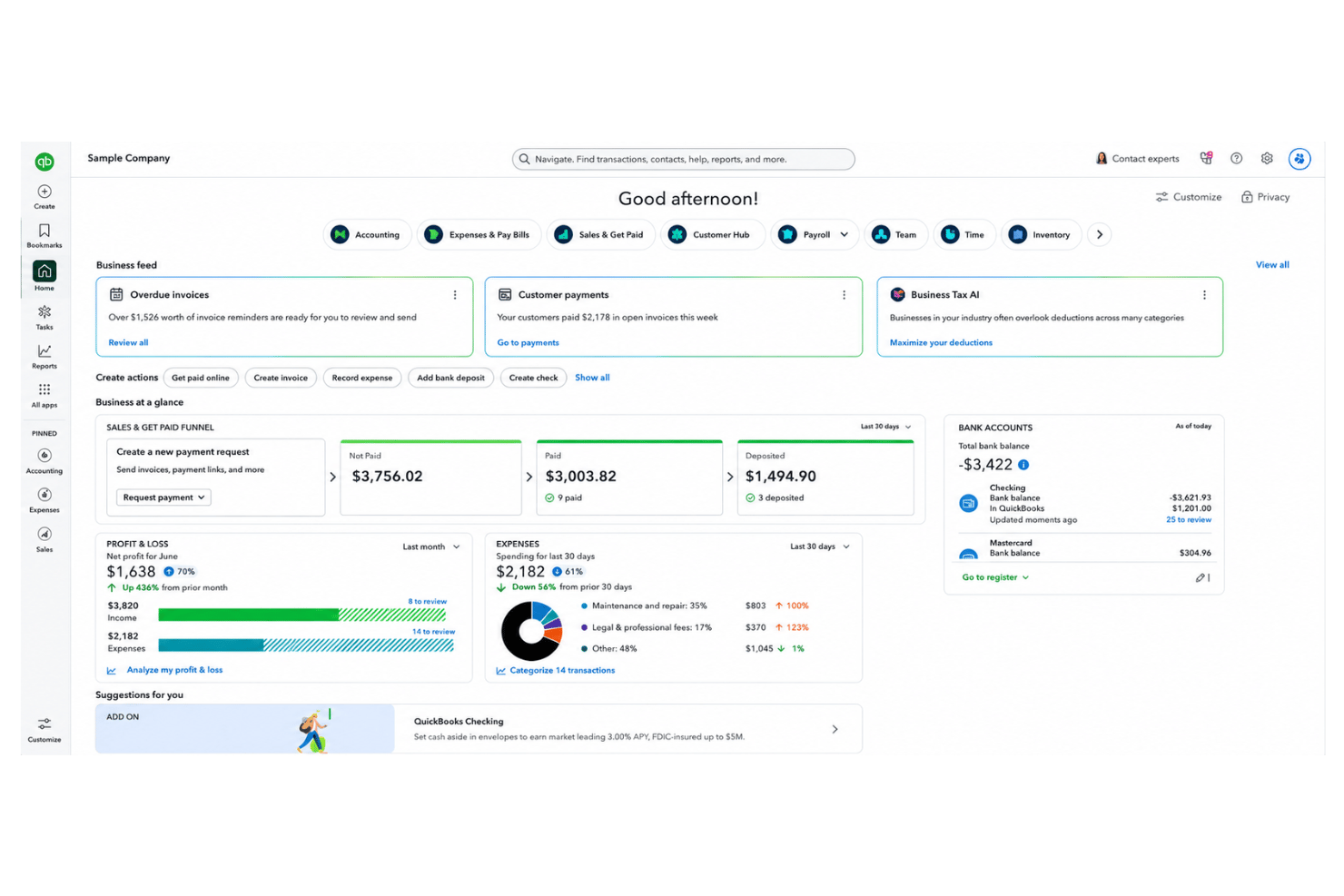
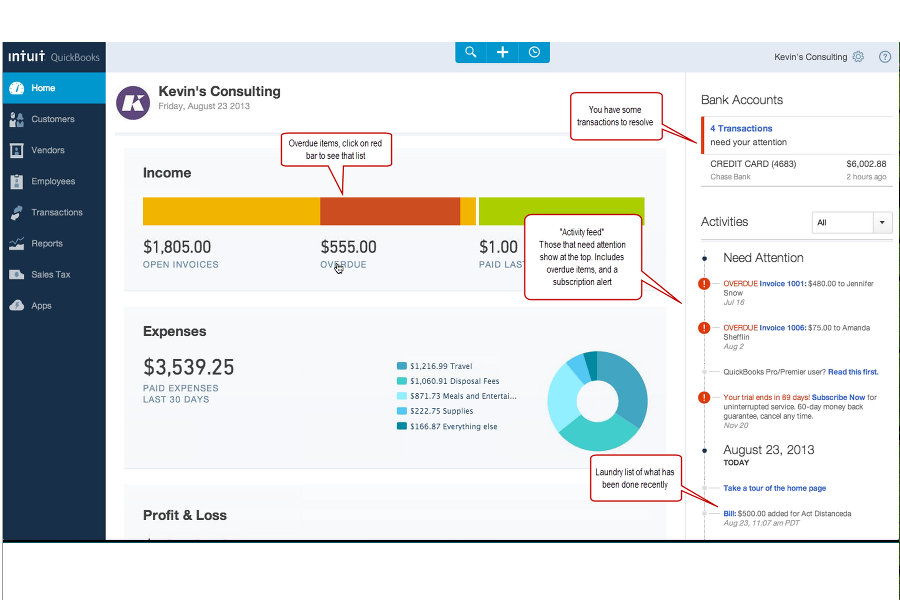
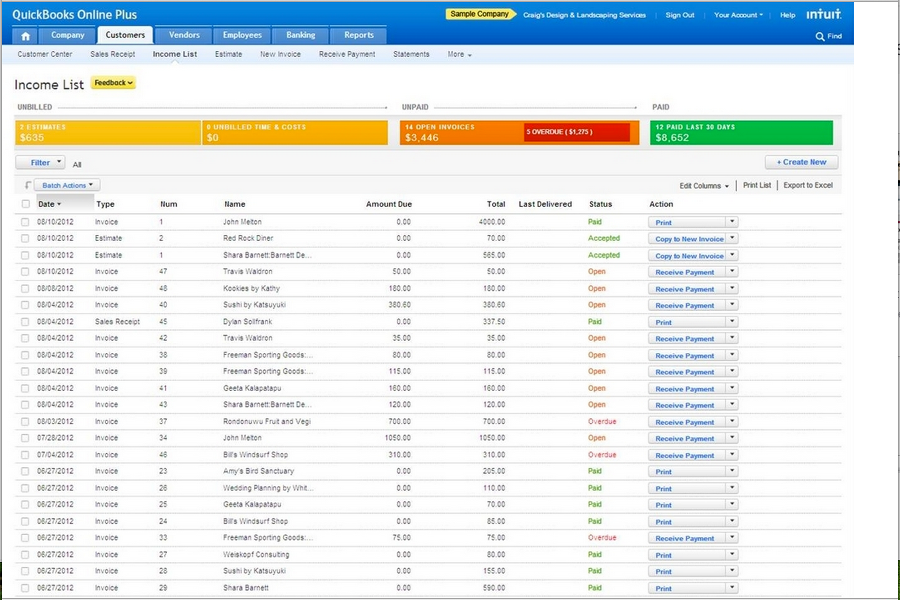
QuickBooks Online
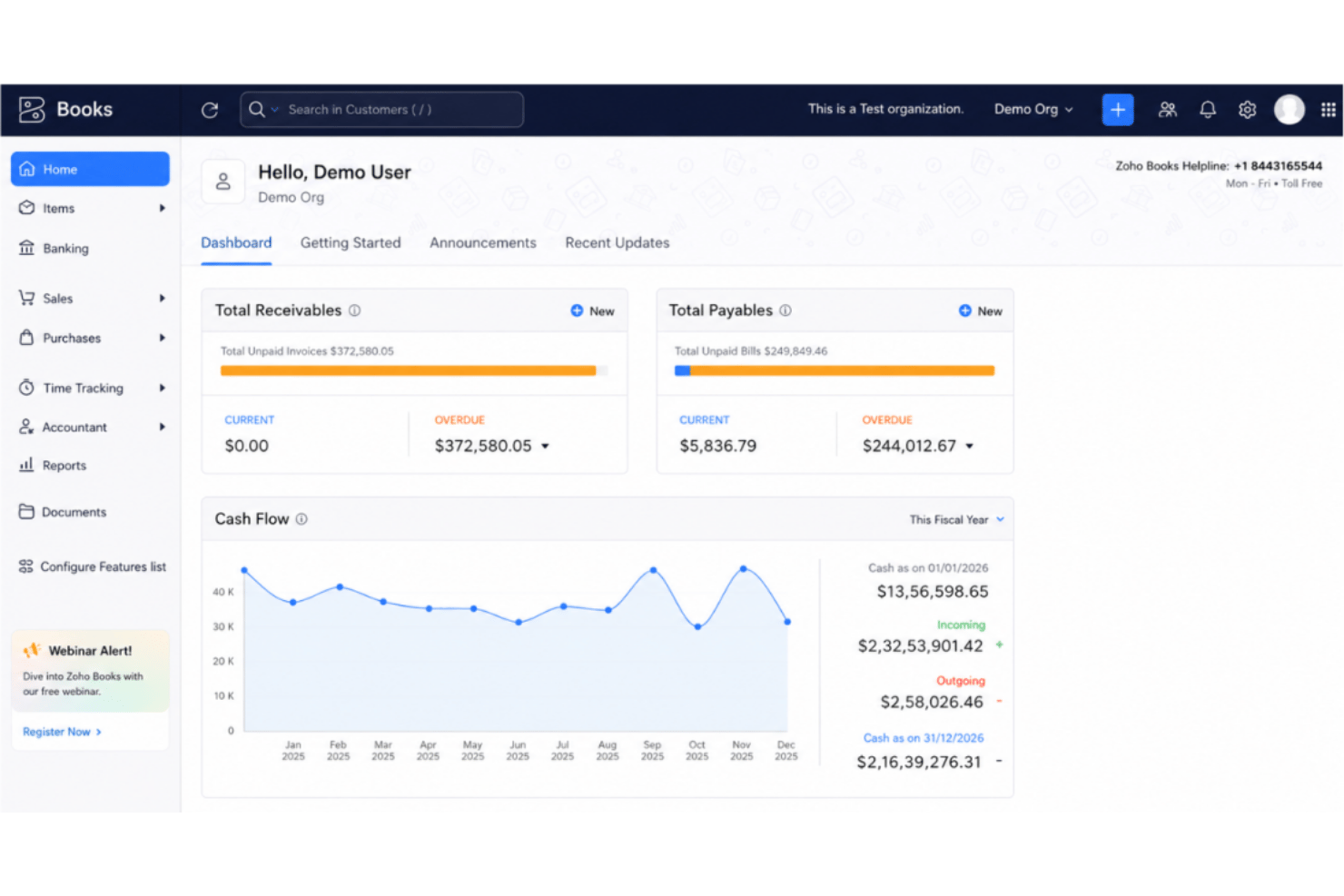
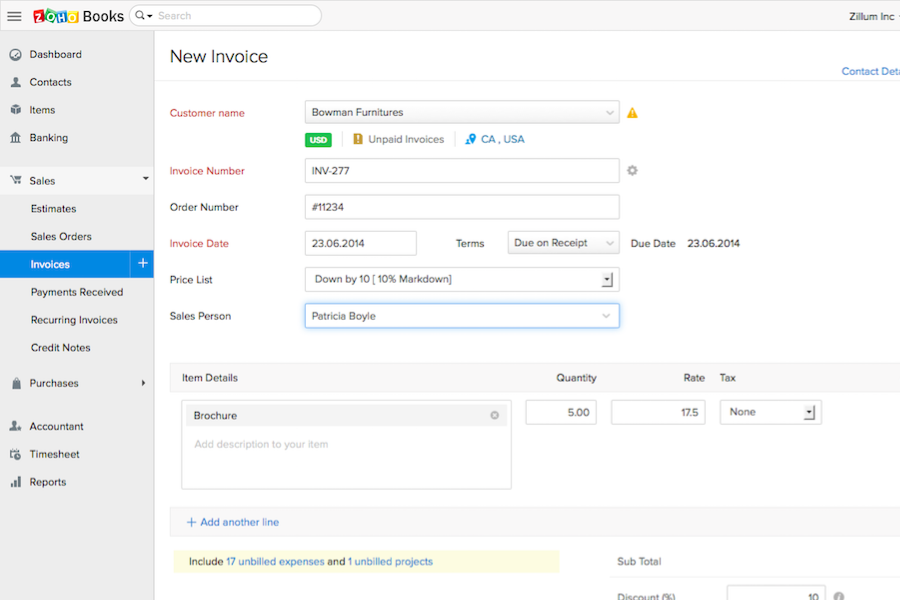
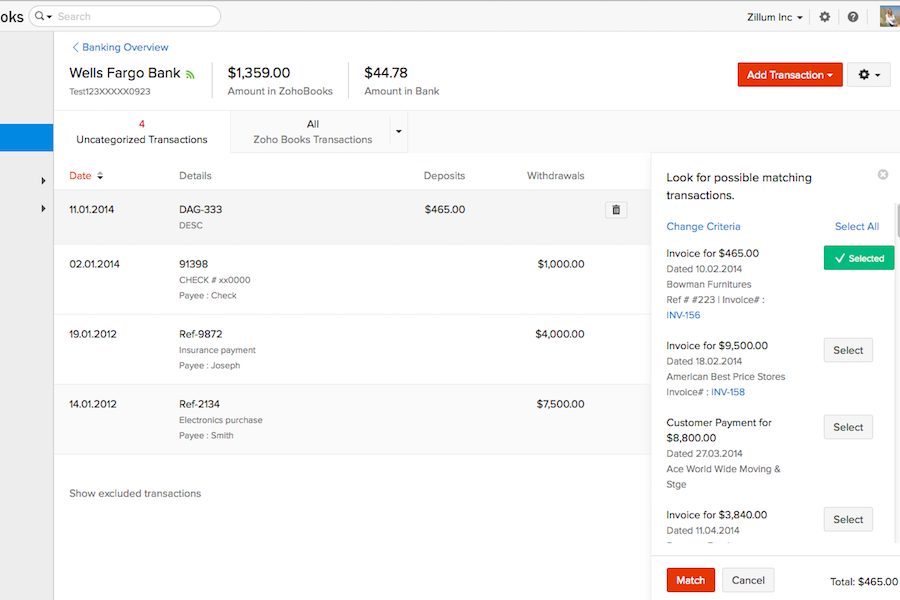
Zoho Books



Warum Sie unseren Software-Bewertungen vertrauen können
Unser Team testet und bewertet Software seit 2012. Als HR-Experten wissen wir selbst, wie schwierig – und wichtig – es ist, die richtige Software auszuwählen.
Für diesen Leitfaden haben wir Tools mithilfe von praktischen Tests und unabhängiger Recherche bewertet und dabei unsere Bewertungskriterien angewendet. Zudem greifen wir auf Erkenntnisse von Branchenvordenkern und praktizierenden HR-Experten zurück.
Unsere Bewertungen spiegeln unser menschliches redaktionelles Urteilsvermögen wider, keine Verkaufsstrategie.
Expertenprüfer:
QuickBooks Online vs. Zoho Books Pricing Comparison
| QuickBooks Online | Zoho Books | |
|---|---|---|
| Free Trial | Free plan + 30-day free trial available | Free plan + free demo available |
| Pricing | From $38/month | From $15/month (billed annually) |
QuickBooks Online vs. Zoho Books Preise & versteckte Kosten
QuickBooks Online verwendet ein gestaffeltes Abonnement-Modell, bei dem mit jeder Stufe mehr Funktionen für wachsende Teams freigeschaltet werden. Bestimmte HR-bezogene Fähigkeiten und erweiterte Integrationen können jedoch zusätzliche Kosten verursachen. Auch Zoho Books bietet mehrere Preismodelle an, die sich hauptsächlich nach der Anzahl der Benutzer und Automatisierungsfunktionen richten. Zusatzmodule für die Lohnabrechnung oder erweiterte Analysen können die monatlichen Ausgaben ebenfalls steigern. Beide Tools verlangen möglicherweise Gebühren für zusätzliche Benutzer, Integrationen oder Premium-Kundensupport, sodass sich die tatsächlichen Kosten leicht unterschätzen lassen, wenn man nicht genau hinsieht.
Um das passende Preismodell zu wählen, sollten Sie genau prüfen, was Sie für HR und Buchhaltung wirklich benötigen. Erstellen Sie eine Liste mit den wichtigsten Funktionen und Nutzerplätzen, die Sie brauchen, und fragen Sie die Anbieter gezielt nach häufigen Zusatzmodulen oder zukünftigen Upgrades, falls Ihr Team wächst. Achten Sie besonders darauf, ob gewünschte Integrationen und Module – wie Lohnabrechnung, Benefits oder Berichte – bereits enthalten sind oder ob hierfür später Mehrkosten entstehen. So vermeiden Sie unerwartete Gebühren und wählen das Tool, das wirklich zu Ihren Arbeitsabläufen passt – und nicht nur zum Basis-Tarif.
QuickBooks Online vs. Zoho Books Feature Comparison
| QuickBooks Online | Zoho Books | |
|---|---|---|
| 2-Factor Authentication | ||
| API | ||
| Accounts Payable | ||
| Accounts Receivable | ||
| Balance Sheet | ||
| Billing/Invoicing | ||
| BitCoin | ||
| Budgeting | ||
| CRM Integration | ||
| Calendar Management | ||
| Contact Management | ||
| Customer Management | ||
| Dashboard | ||
| Data Export | ||
| Data Import | ||
| Data Visualization | ||
| Expense Tracking | ||
| External Integrations | ||
| Forecasting | ||
| General Account Ledger | ||
| Inventory Tracking | ||
| Multi-Currency | ||
| Multi-User | ||
| Notifications | ||
| P&L | ||
| PayPal | ||
| Payroll | ||
| SAP Integration | ||
| Stripe | ||
| Supplier Management | ||
| Tax Management |
QuickBooks Online vs. Zoho Books Integrationen
| Integration | QuickBooks Online | Zoho Books |
|---|---|---|
| Gusto | ✅ | ❌ |
| Avalara | ✅ | ✅ |
| PayPal | ✅ | ✅ |
| Dropbox | ❌ | ✅ |
| Stripe | ✅ | ✅ |
| Square | ✅ | ❌ |
| Slack | ❌ | ✅ |
| Zoho Analytics | ✅ | ✅ |
| API | ✅ | ✅ |
| Zapier | ✅ | ✅ |
Beide Plattformen bieten die wichtigsten Integrationen für Zahlungsabwicklung, E-Commerce und Automatisierung – jedoch liegt QuickBooks Online bei Lohnabrechnung und Einzelhandel vorn, während Zoho Books eine tiefe Verbindung zu Zoho CRM bietet. Dank API-Schnittstellen und Zapier-Support bei beiden Systemen finden Sie in der Regel die entscheidenden Integrationen für Ihren Bedarf – das optimale System hängt letztendlich von Ihrem sonstigen Technologiestack ab.
QuickBooks Online vs. Zoho Books: Sicherheit, Compliance & Zuverlässigkeit
| Faktor | QuickBooks Online | Zoho Books |
|---|---|---|
| Datenverschlüsselung | Nutzt AES256- und TLS-Verschlüsselung für alle ruhenden Daten sowie RSA-Verschlüsselung für Datenübertragungen. | Verwendet 256-Bit-SSL-Verschlüsselung und regelmäßige Schwachstellenanalysen. |
| Regulatorische Compliance | Erfüllt PCI DSS, unterzieht sich SOC-Prüfungen und -Berichten und ist ISO 27001-zertifiziert. | DSGVO-konform und unterstützt lokale Steuer-Compliance in zahlreichen Ländern. |
| Datensicherung | Automatisierte nächtliche Backups mit redundanter Speicherung zur Notfallwiederherstellung. | Automatische tägliche Backups mit geo-redundanter Speicherung. |
| Zugriffssteuerung | Detaillierte Benutzerrechte und Zwei-Faktor-Authentifizierung für alle Konten. | Individuelle Benutzerrollen, Multi-Faktor-Authentifizierung und detaillierte Prüfprotokolle. |
| Verfügbarkeitsgarantie | 99,9 % Verfügbarkeit und ständige Leistungsüberwachung. | 99,9 % monatliche SLA-Verfügbarkeit mit kontinuierlicher Infrastrukturüberwachung. |
Sowohl QuickBooks Online als auch Zoho Books überzeugen bei grundlegender Sicherheit und Compliance, doch Zoho Books bietet eine breitere internationale Konformität, während QuickBooks Online den Fokus auf Schutzmaßnahmen für Kanada und die USA legt. Für Unternehmen, die Wert auf nordamerikanische Standards legen, vertraue ich auf die Zuverlässigkeit von QuickBooks Online. Zoho Books empfehle ich Teams, die Flexibilität in verschiedenen Regionen und starke globale Datenschutzfunktionen benötigen.
QuickBooks Online vs. Zoho Books: Benutzerfreundlichkeit
| Faktor | QuickBooks Online | Zoho Books |
|---|---|---|
| Benutzeroberfläche | Übersichtliches, vertrautes Dashboard mit geführten Menüs für Einsteiger. | Intuitives, anpassbares Layout mit Drag-and-Drop-Widgets. |
| Einstieg | Schritt-für-Schritt-Einrichtungsassistent und In-App-Anleitungen. | Kontextbezogene Tipps, Videoanleitungen und interaktive Tutorials. |
| Mobile Nutzung | Vollwertige mobile App mit einfacher Navigation und Benachrichtigungen. | Optimierte mobile App mit Automatisierung und schnellen Aktionen. |
| Kundensupport | Rund um die Uhr Telefon-, Chat- und Community-Support sowie umfangreiche Hilfedokumentation. | E-Mail-, Live-Chat und direkter Zugang zum Zoho-Supportteam. |
| Lernkurve | Minimal für grundlegende Nutzung, etwas steiler bei fortgeschrittenen Funktionen. | Schnell für die meisten Funktionen zu erlernen, mit tiefergehenden Anpassungsoptionen. |
Sowohl QuickBooks Online als auch Zoho Books ermöglichen einen reibungslosen Einstieg, wobei QuickBooks Online etwas vertrauter wirkt und Zoho Books durch Anpassbarkeit und flexibles Onboarding punktet. QuickBooks Online finde ich schneller bei Routineaufgaben in HR und Buchhaltung, während Zoho Books ideal für Nutzer ist, die ihren Arbeitsbereich individuell gestalten möchten.
QuickBooks Online vs Zoho Books: Pros & Cons
QuickBooks Online
- Payroll runs and tax filings are automated and accurate
- Dashboards and reports give real-time insight into expenses and payroll
- Employee self-service portal reduces HR admin workload
- Some advanced reporting features are only available with higher-tier plans
- Not ideal for advanced ERP or global organizations
- May require time to learn for new users
Zoho Books
- Automated expense categorization saves time on payroll prep
- Strong audit trails support HR compliance and reporting
- Payroll module supports multi-level approval workflows
- Employee performance tracking is not included
- Time-off management features are basic and limited
- No built-in applicant tracking or recruiting tools
Best Use Cases for QuickBooks Online and Zoho Books
QuickBooks Online
- Retail Stores Easy inventory tracking and sales management make it simple to keep up with daily operations.
- Professional Services Automated payroll and project profitability tools help agencies and consultancies track client costs and pay staff on time.
- Startups Startups love the fast onboarding, mobile app, and all-in-one dashboards for managing payroll, expenses, and taxes.
- Nonprofit Organizations QuickBooks Online supports grant management and basic fund tracking to simplify nonprofit bookkeeping and reporting.
- Remote Teams The cloud-based platform and mobile access let remote or distributed teams handle payroll and HR tasks from anywhere.
- Bookkeepers Bookkeepers appreciate the straightforward workflows, reporting, and role-based access in QuickBooks Online.
Zoho Books
- Small Businesses Affordable pricing, quick setup, and features tailored for small, fast-growing companies.
- Startups Easy expense tracking, online payments, and scalable payroll tools that grow with minimal upfront costs.
- Remote HR Teams Multi-user support and portals enable simplified collaboration and payroll management for distributed or freelance teams.
- Professional Services Timesheet management, invoicing templates, and expense tracking tools help firms manage billable work and payroll.
- Finance Departments Automated reporting, compliance workflows, and integrations offer a unified platform for all transactions.
- Nonprofits Streamlined expense approvals and donor reporting enable transparent fund and payroll management.
Für wen eignet sich QuickBooks Online, und wer sollte Zoho Books nutzen?
QuickBooks Online ist die klare Wahl für Teams in Nordamerika, die eine starke Lohnabrechnung, umfassende Drittanbieter-Integrationen und eine vertraute Oberfläche benötigen – also wachsende Unternehmen mit klassischen HR- und Buchhaltungsanforderungen. Zoho Books eignet sich hervorragend für internationale Teams, Start-ups oder alle Gruppen, die bereits andere Zoho-Produkte nutzen und flexible Workflows oder internationale Compliance benötigen. QuickBooks Online ist ideal für Unternehmen, die sofort einsatzbereite Funktionen wollen, während Zoho Books für jene glänzt, denen Individualisierung und kosteneffiziente Skalierbarkeit wichtig sind. Letztlich sollten technischer Aufbau, Standort und der Wunsch nach Anpassung die Entscheidung leiten.
Differences Between QuickBooks Online and Zoho Books
| QuickBooks Online | Zoho Books | |
|---|---|---|
| Customization | Limited reporting and workflow customization. | Highly customizable workflows, fields, and automations. |
| Ecosystem Support | Integrates mainly with third-party platforms outside Intuit. | Connects natively with Zoho’s suite for CRM, HR, and more. |
| Payroll Integration | Built-in payroll available for U.S. users. | Payroll integration as an add-on, more global coverage. |
| Pricing Flexibility | Fixed pricing tiers with costs for add-ons and extra users. | Modular pricing based on user needs and region. |
| User Experience | Streamlined, easy navigation for accounting beginners. | More options to tailor dashboards and user roles. |
| Visit QuickBooks OnlineOpens new window | Read Zoho Books ReviewOpens new window |
Similarities Between QuickBooks Online and Zoho Books
| Automation Features | Both automate repetitive tasks like billing, reminders, and reporting to free up HR and finance teams. |
|---|---|
| Cloud-Based Access | Both solutions are fully cloud-based, letting users manage HR and accounting from any device, anywhere. |
| Core Accounting Tools | Each platform provides invoicing, expense management, recurring billing, and reconciliation features out of the box. |
| Integration Support | Each offers a strong set of APIs and works with Zapier, so you can connect them to many other business tools. |
| Role-Based Permissions | QuickBooks Online and Zoho Books let admins set role-based access, protecting sensitive financial and employee data. |
| Visit QuickBooks OnlineOpens new window Read Zoho Books ReviewOpens new window | |