

QuickBooks Online Test: Vorteile, Nachteile, Funktionen und Preise


Payroll headaches have a way of showing up at the worst possible time, don't they? If you're tired of juggling spreadsheets and scrambling to stay on top of compliance, then it might be time for an all-in-one solution.
QuickBooks Online is an HR and accounting software that helps HR leaders and finance teams operating in SMBs manage payroll, benefits, expenses, and compliance in one platform. As the cloud-based counterpart to QuickBooks Desktop, it gives you real-time insight, simple automation, and customizable workflows that scale as your company grows if you're looking to centralize your people and finance operations.
In this review, I break down its features, ideal and less ideal use cases, pros, cons, and pricing so you can decide if QuickBooks Online fits your organization’s needs.
QuickBooks Online Evaluation Summary
- From $38/month
- Free plan + 30-day free trial available
Warum Sie unseren Software-Bewertungen vertrauen können
Unser Team testet und bewertet Software seit 2012. Als HR-Experten wissen wir selbst, wie schwierig – und wichtig – es ist, die richtige Software auszuwählen.
Für diesen Leitfaden haben wir Tools mithilfe von praktischen Tests und unabhängiger Recherche bewertet und dabei unsere Bewertungskriterien angewendet. Zudem greifen wir auf Erkenntnisse von Branchenvordenkern und praktizierenden HR-Experten zurück.
Unsere Bewertungen spiegeln unser menschliches redaktionelles Urteilsvermögen wider, keine Verkaufsstrategie.
Expertenprüfer:
QuickBooks Online Overview
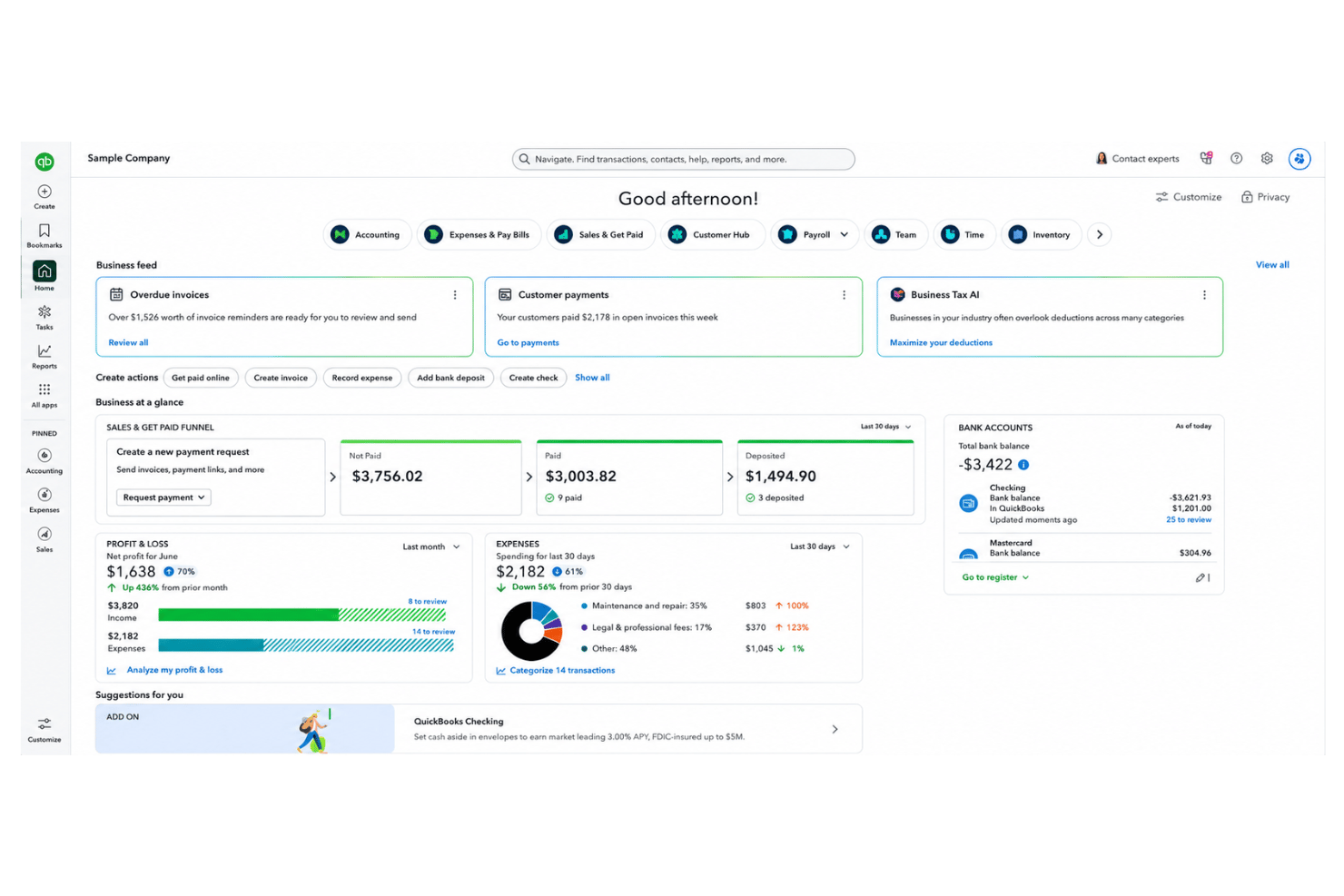
If you’re judging QuickBooks Online against other HR and accounting solutions, I think its ease of use, automated workflows, and payroll integration make it a smart pick for small to midsize businesses. The interface is intuitive, onboarding is quick, and the pricing is transparent. While its customization and advanced HR tools sometimes don’t match dedicated HRIS platforms, I’d choose QuickBooks Online if you want strong accounting, fast onboarding, and solid support in one place. I’ve seen teams appreciate the integrations with HR apps and the clarity of financial dashboards for running quick reports.
pros
-
Payroll runs and tax filings are automated and accurate
-
Dashboards and reports give real-time insight into expenses and payroll
-
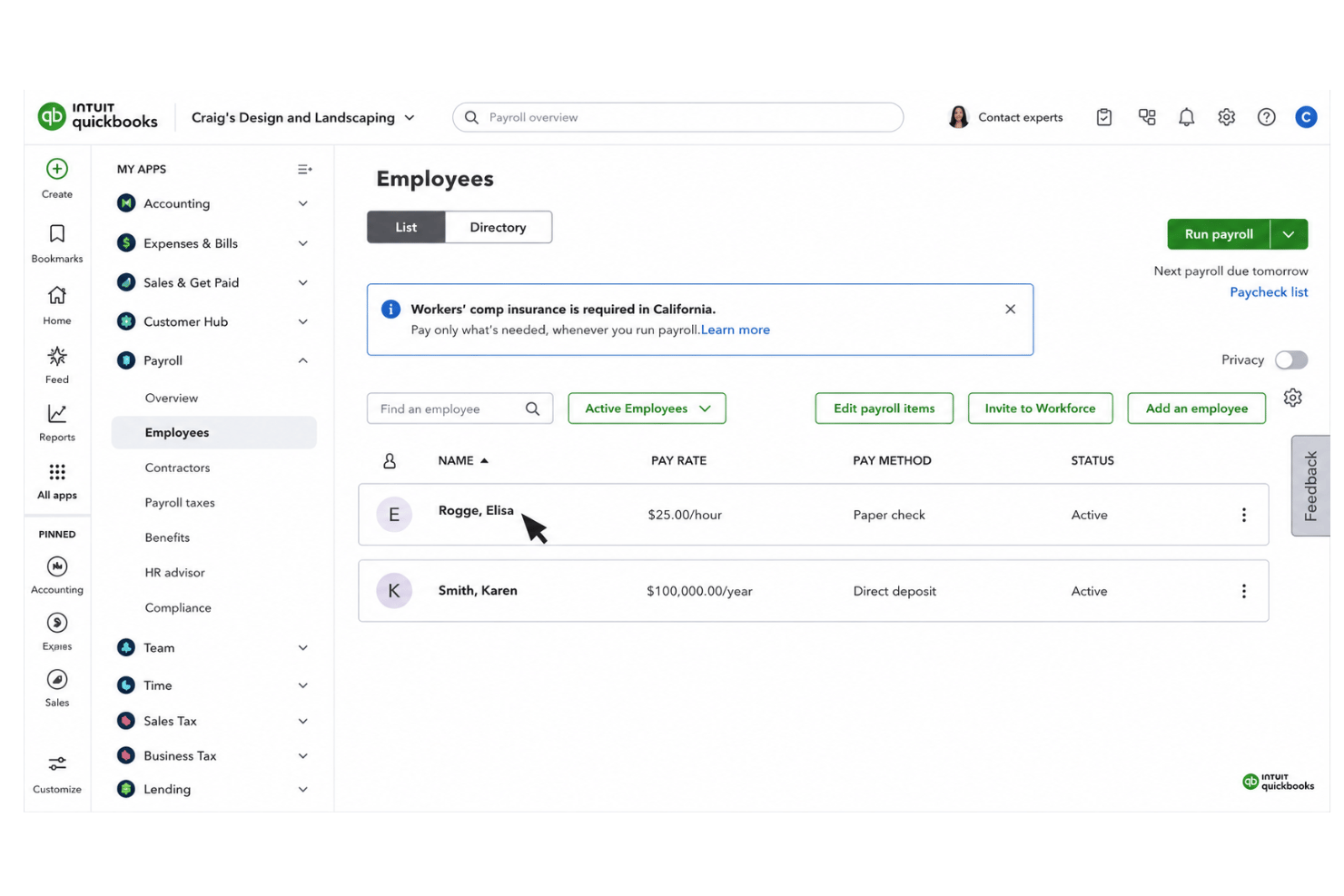
Employee self-service portal reduces HR admin workload
cons
-
Some advanced reporting features are only available with higher-tier plans
-
Not ideal for advanced ERP or global organizations
-
May require time to learn for new users
Is QuickBooks Online Right For Your Needs?
Who Would be a Good Fit for QuickBooks Online?
QuickBooks Online works best for small to midsize and growing businesses that want all-in-one accounting and HR tools without lengthy setup or IT support. I think it’s a strong fit for service providers, retail businesses, and startups because of automated payroll, clear expense tracking, and extensive third-party app integrations. HR managers, bookkeepers, and business owners who need to manage financials and basic HR functions in one place will get solid value out of it.
-
Retail Stores
Easy inventory tracking and sales management make it simple to keep up with daily operations.
-
Professional Services
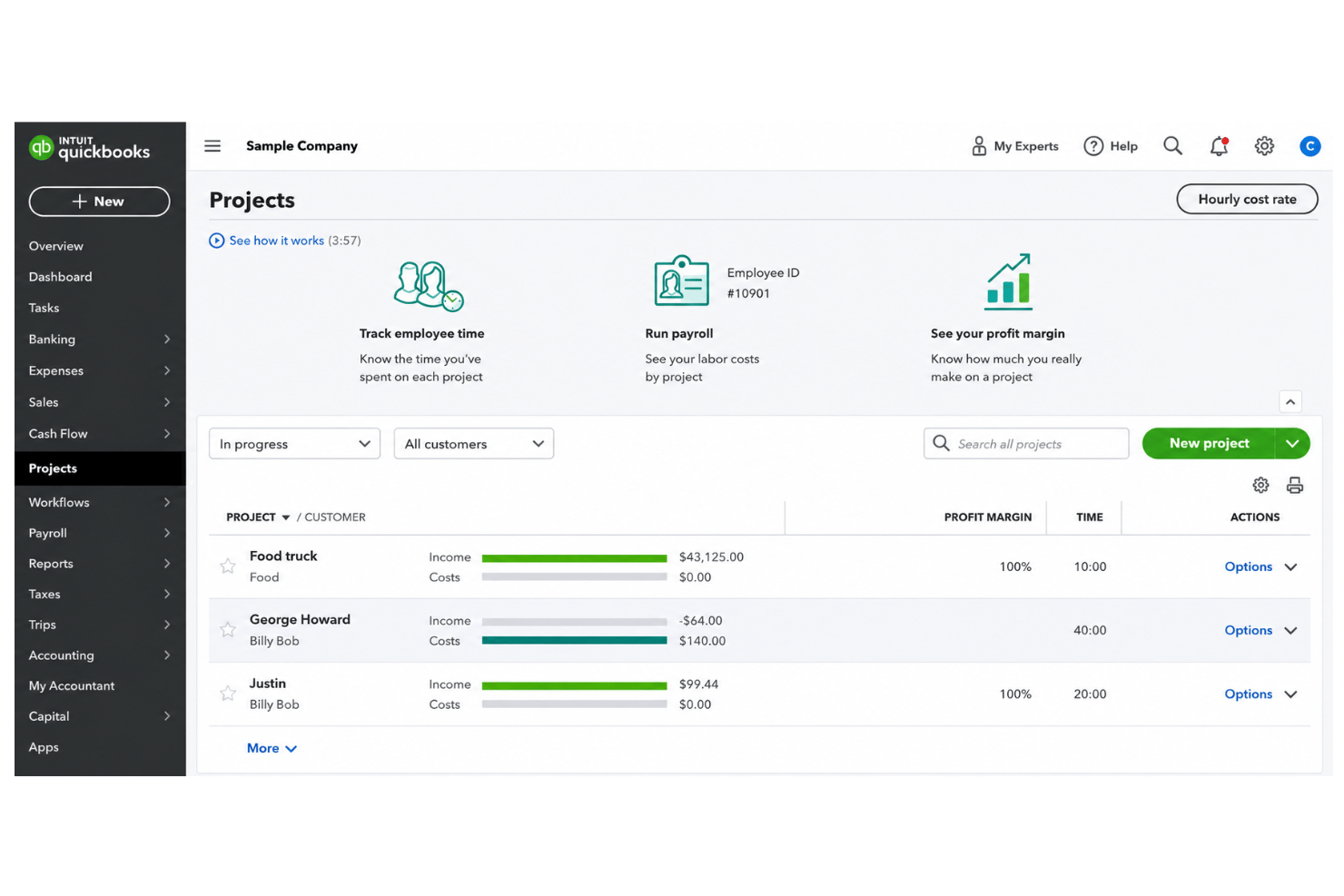
Automated payroll and project profitability tools help agencies and consultancies track client costs and pay staff on time.
-
Startups
Startups love the fast onboarding, mobile app, and all-in-one dashboards for managing payroll, expenses, and taxes.
-
Nonprofit Organizations
QuickBooks Online supports grant management and basic fund tracking to simplify nonprofit bookkeeping and reporting.
-
Remote Teams
The cloud-based platform and mobile access let remote or distributed teams handle payroll and HR tasks from anywhere.
-
Bookkeepers
Bookkeepers appreciate the straightforward workflows, reporting, and role-based access in QuickBooks Online.
Who Would be a Bad Fit for QuickBooks Online?
QuickBooks Online is less suited for large enterprises or organizations with complex ERP requirements that extend beyond accounting and payroll. Businesses with advanced reporting, regulatory, approval, or highly customized financial workflows may eventually outgrow the platform's capabilities. Companies operating across multiple countries, managing sophisticated financial consolidations, or requiring deep HR functionality beyond payroll and basic employee records may also find QuickBooks Online too limited for their needs.
-
Large Enterprises
QuickBooks Online’s user and data limits make it tough for companies with hundreds of employees or complex hierarchies.
-
Global Teams
No true multi-country payroll support or robust localization for international workforces.
-
Educational Institutions
Doesn’t offer specialized features for managing grants, tuition billing, or academic payroll structures.
-
HR Departments Scaling
Growing HR teams needing applicant tracking, advanced benefits admin, or performance management will find QuickBooks Online too basic.
-
Government Contractors
Missing specific compliance and audit features required for public sector or defense contracts.
Wie wir unsere Tools testen und bewerten
Wir haben jahrelang unser System zur Überprüfung und Bewertung von Software aufgebaut, verfeinert und verbessert. Das Bewertungsschema ist darauf ausgelegt, die Nuancen der Softwareauswahl und die Wirksamkeit eines Tools abzubilden, wobei der Fokus auf wesentlichen Aspekten des Entscheidungsprozesses liegt. Unten sehen Sie genau, wie unsere Tests und Bewertungen anhand von sieben Kriterien funktionieren. Damit können wir eine unvoreingenommene Bewertung der Software hinsichtlich zentraler Funktionen, herausragender Merkmale, Benutzerfreundlichkeit, Onboarding, Kundensupport, Integrationen, Kundenrezensionen und Preis-Leistungs-Verhältnis bieten.
Kernfunktionen (25% der Endnote)
Der Ausgangspunkt unserer Beurteilung ist immer die Kernfunktionalität des Tools. Verfügt es über die grundlegenden Funktionen, die ein Benutzer erwarten würde? Sind einige dieser Funktionen in teureren Tarifen eingeschlossen? Im Kern erwarten wir, dass ein Tool den grundlegenden Fähigkeiten seiner Mitbewerber standhält.
Herausragende Funktionen (25% der Endnote)
Danach bewerten wir außergewöhnliche Funktionen, die über das Übliche hinausgehen, das normalerweise in ähnlicher Software zu finden ist. Eine hohe Punktzahl spiegelt spezialisierte oder einzigartige Funktionen wider, die das Produkt schneller, effizienter oder für den Benutzer wertvoller machen. Wir bewerten auch, wie einfach es ist, sich mit anderen im technischen Ökosystem üblichen Tools zu integrieren, um die Funktionalität und Nützlichkeit der Software zu erweitern. Tools mit vielen nativen Integrationen, Drittanbieter-Anbindungen und API-Zugängen für individuelle Integrationen erhalten die beste Bewertung.
Benutzerfreundlichkeit (10% der Endnote)
Wir betrachten, wie schnell und einfach die Aufgaben im Bereich der Kernfunktionen mit dem Tool erledigt werden können. Hoch bewertete Software ist gut designt, intuitiv zu bedienen, bietet mobile Apps, Vorlagen und macht komplexe Aufgaben einfach.
Onboarding (10% der Endnote)
Uns ist bewusst, wie wichtig eine schnelle Einführung eines neuen Systems im Team ist. Deshalb bewerten wir, wie leicht ein Tool mit minimalem Training erlernt und genutzt werden kann. Wir prüfen, wie schnell ein Teammitglied ohne Vorerfahrung mit dem Tool starten kann. Lösungen mit hoher Bewertung erfordern wenig bis keine Unterstützung.
Kundensupport (10% der Endnote)
Wir überprüfen, wie schnell und einfach Hilfe telefonisch, per Live-Chat oder Wissensdatenbank erhalten werden kann. Tools und Unternehmen, die Echtzeit-Support bieten, schneiden am besten ab – Chatbots am schlechtesten.
Kundenrezensionen (10% der Endnote)
Zusätzlich zu unseren eigenen Tests berücksichtigen wir den Net Promoter Score aktueller und ehemaliger Kunden. Wir prüfen, wie wahrscheinlich sie, falls es zur Wahl käme, das Tool für die Kernfunktionen erneut wählen würden. Eine hohe Bewertung der Software spiegelt einen hohen Net Promoter Score wider.
Preis-Leistungs-Verhältnis (10% der Endnote)
Abschließend berücksichtigen wir unter Einbeziehung aller anderen Kriterien den durchschnittlichen Preis der Einstiegstarife im Vergleich zu den Kernfunktionen und zum Wert der anderen Bewertungskriterien. Software, die mehr für weniger bietet, erhält höhere Bewertungen.
Core Features
Automated Payroll Processing
Calculate wages, withhold taxes, and deposit pay automatically. I think you’ll appreciate how it runs payroll on a schedule and keeps compliance updated.
Time Tracking
Track employee hours and sync them directly to payroll. You’ll avoid manual entry errors and capture accurate time data for every pay period.
Benefits Management
Manage health, dental, vision, and retirement benefits in one place. QuickBooks Online lets you handle deductions and enrollments, though options may vary by plan.
Customizable Financial Dashboards
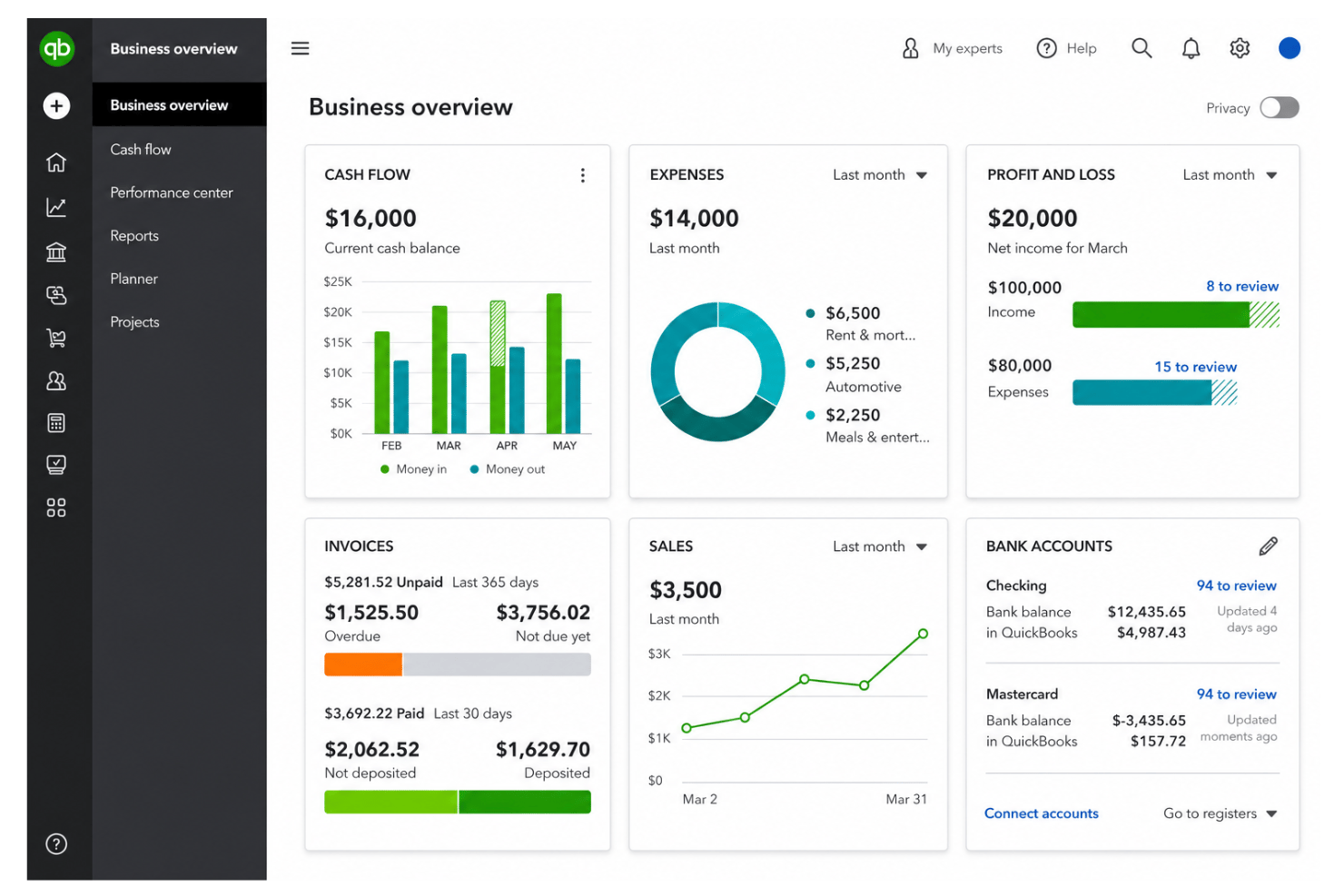
See your payroll, HR, and financial data on one dashboard. You can quickly spot trends, run audits, and share reports with executives.
Automated Tax Filing
QuickBooks Online calculates, files, and pays payroll taxes for you. This helps you stay compliant and avoid late fees or manual calculations.
Standout Features
Workforce Cost Tracking by Project
Allocate labor costs to specific projects for accurate budgeting and cash flow management. This feature makes it easy to see which clients or departments drive payroll and HR expenses.
QuickBooks Live Bookkeeping
Work with a dedicated bookkeeper to keep your finances accurate and up to date. Get expert help with categorizing transactions, reconciling accounts, and preparing your books.
Ease of Use
QuickBooks Online stands out for its intuitive interface and clear navigation, even for HR tasks like onboarding or payroll. I find most users agree that setup is fast, and dashboards make complex data easy to digest. There can be a learning curve for teams transitioning from spreadsheets or legacy accounting systems, but most users find the platform straightforward once they're up and running. The mobile app and self-service portal add extra flexibility, so even teams new to digital HR and accounting can get up and running fast.
Onboarding
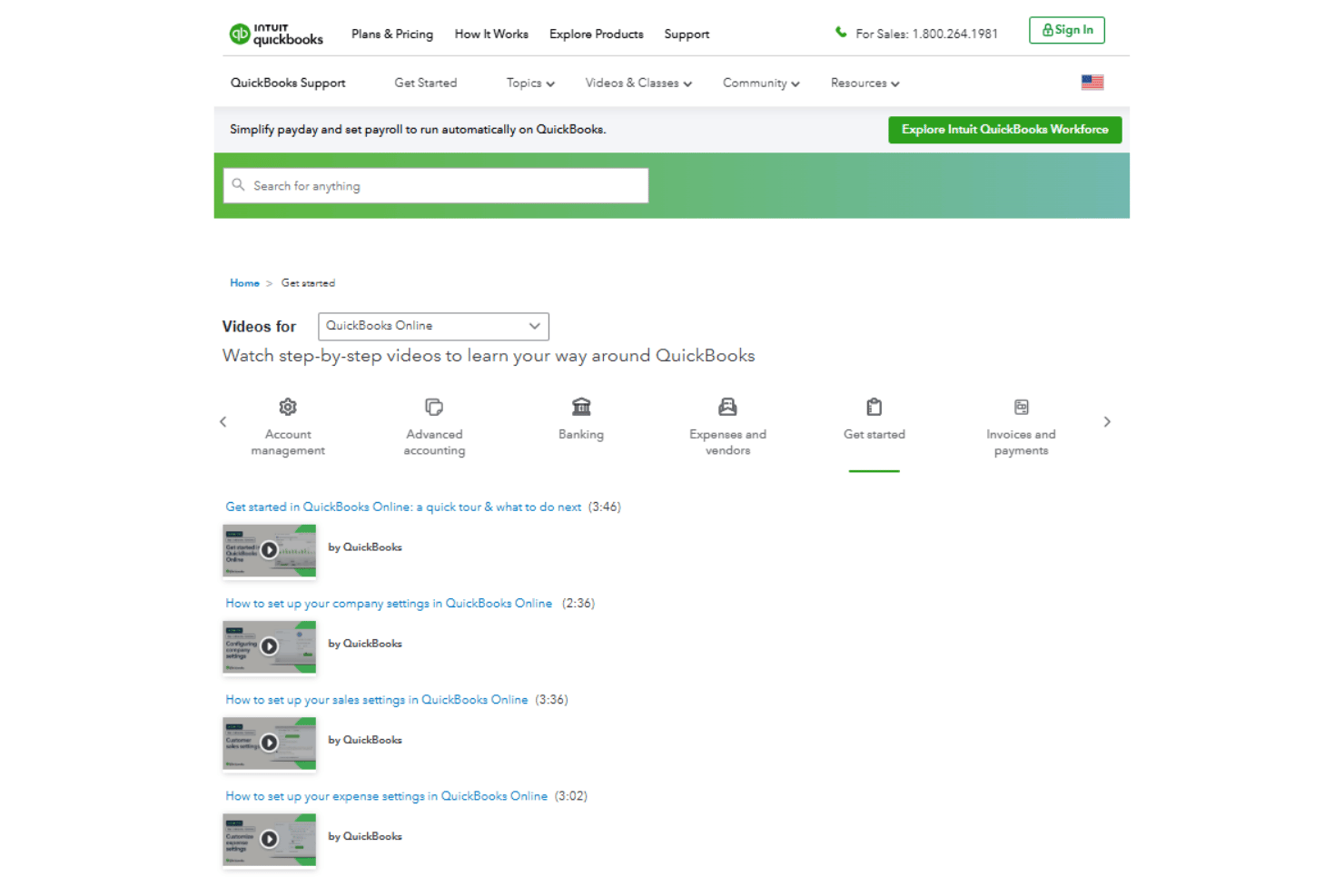
QuickBooks Online offers guided setup, detailed help articles, and a responsive support team, making onboarding straightforward. Most businesses can complete the initial setup within hours by connecting bank accounts, importing financial data, and configuring key settings, while more complex migrations from spreadsheets or legacy accounting systems may take longer. In my experience, most new users can begin processing payroll or managing core accounting tasks within days. The built-in chat and phone support, training resources, and access to accounting professionals help answer questions quickly, speeding up time to value and reducing confusion.
Customer Support
QuickBooks Online gives you chat, phone, and community support, plus a deep knowledge base. I see users mention helpful agents, fast responses, and plenty of self-serve resources, especially during onboarding or payroll crunch times. Some find complex issues can take longer to resolve, but overall, support availability and responsiveness are strong points.
Integrations
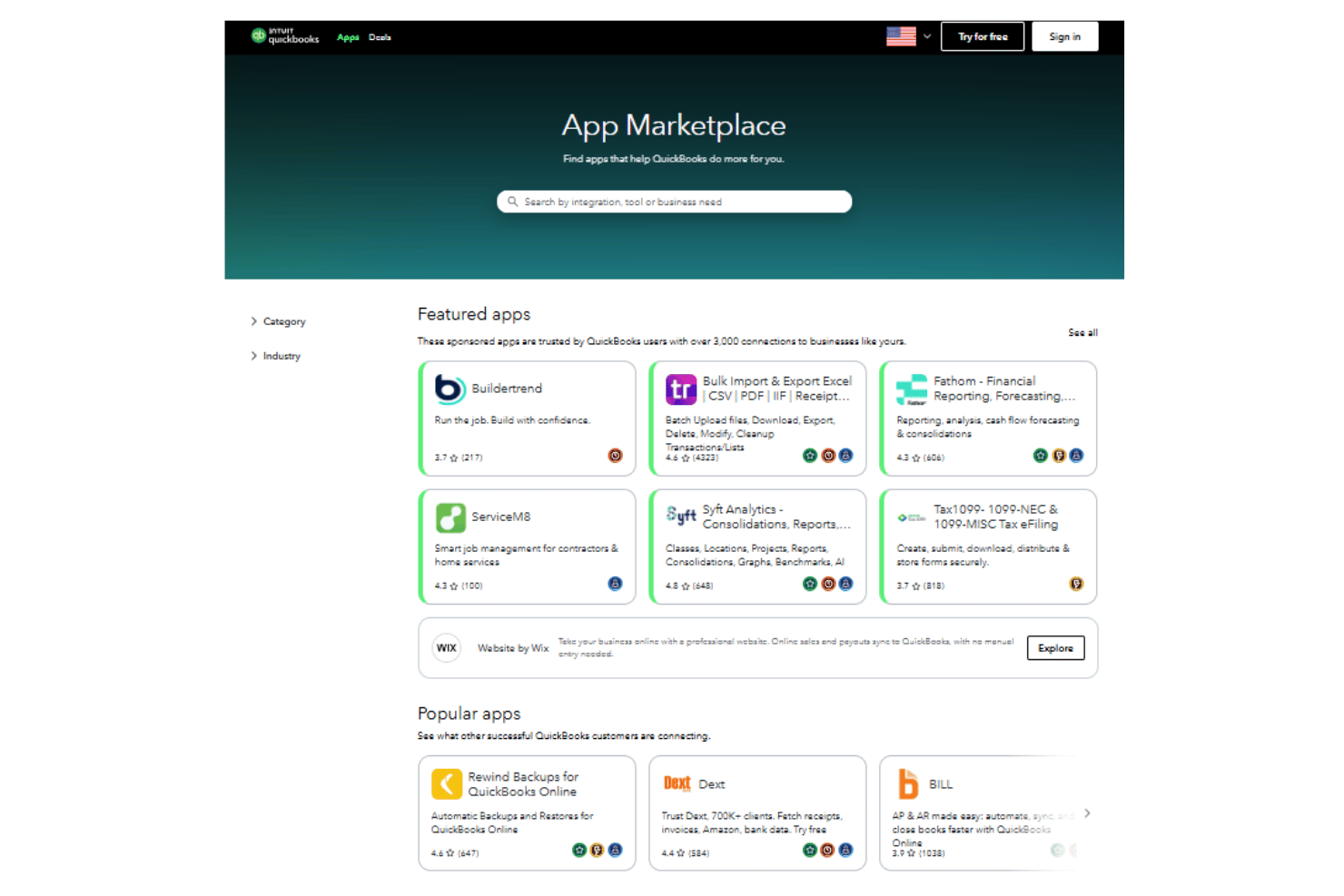
QuickBooks Online integrates with PayPal, Shopify, Square, Amazon Business, QuickBooks Time, QuickBooks Payments, Expensify, TSheets, Gusto, HubSpot, and Avalara, among others.
QuickBooks Online also offers an open API and connects with third-party integration tools like Zapier.
Value for Money
QuickBooks Online pricing is transparent and offers good value for small businesses, especially given its accounting, bank reconciliation, and simple inventory management features. I see users say the cost is justified for accounting plus payroll, but advanced HR features require higher-tier plans, which may stretch budgets as teams grow.
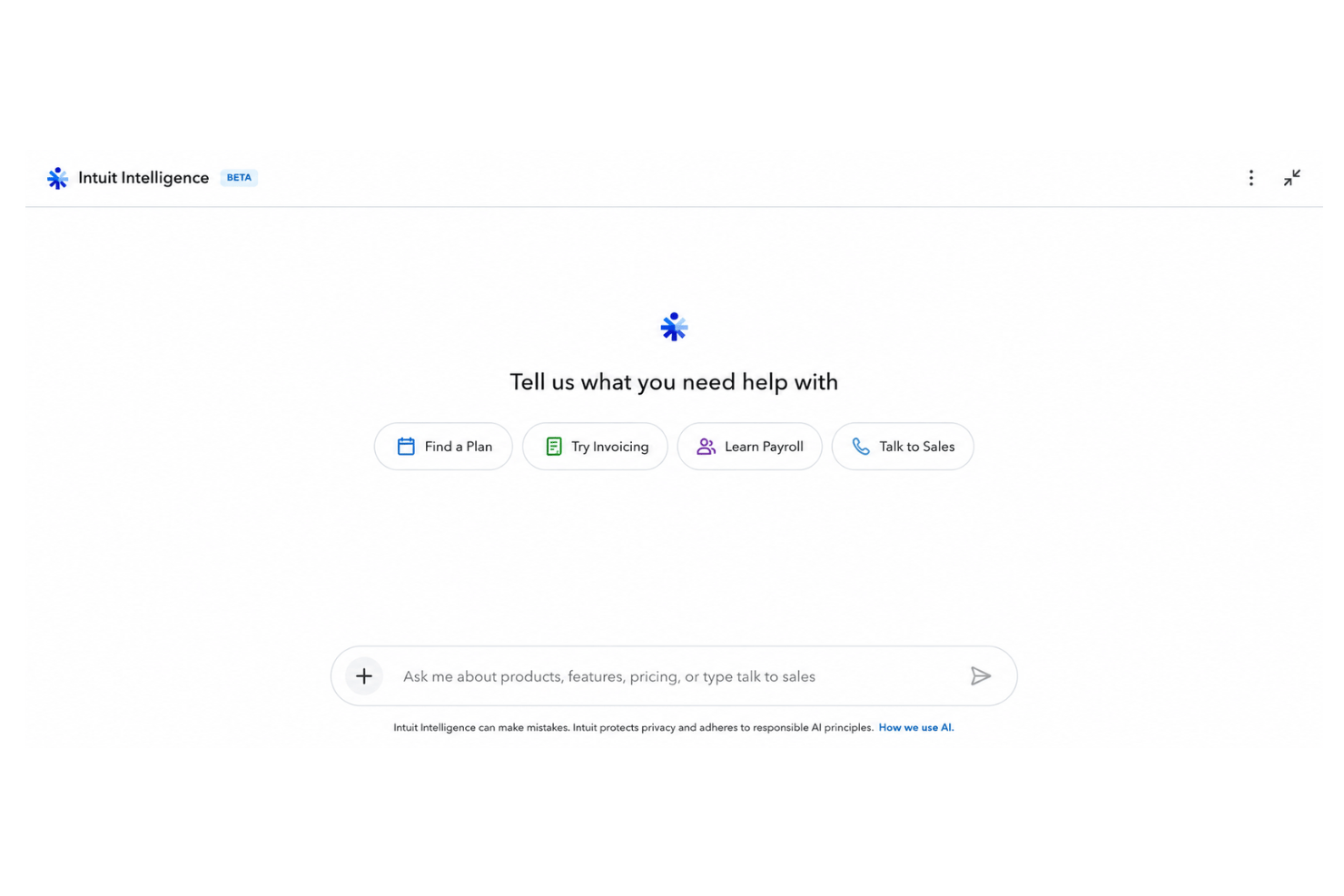
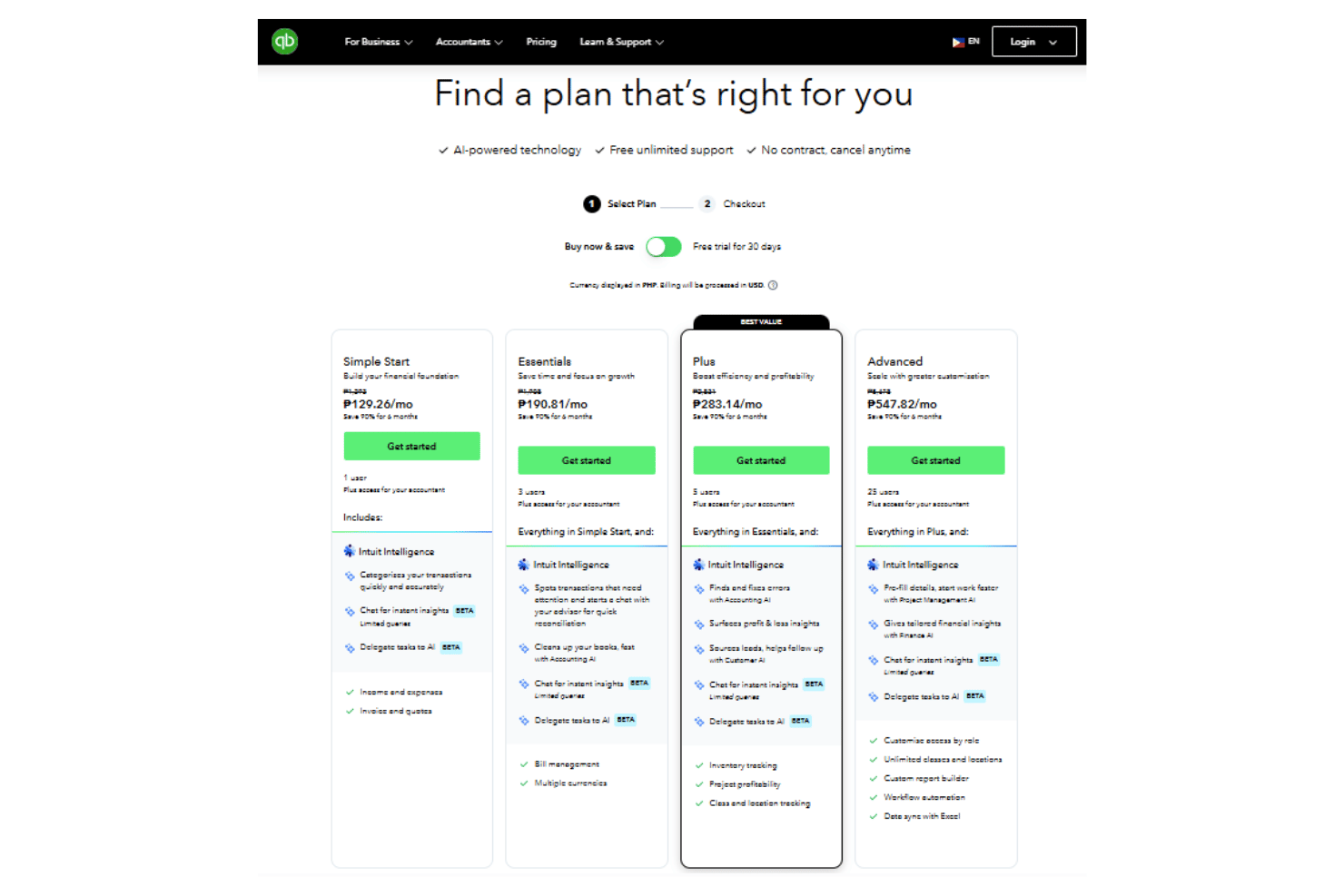
- Simple Start: Includes automated bookkeeping & bank feeds, receipt capture, general business reports, and access to Intuit Intelligence.
- Essentials: Adds bill management, time tracking, and enhanced reports.
- Plus: Includes inventory tracking, project profitability, and budget planning.
- Advanced: Provides deeper analytics, custom permissions, workflow automation, and premium support for more than five users.
- QuickBooks Payroll add-ons: Enables full-service payroll and tax filing, available at additional monthly cost per employee.
New Product Updates from QuickBooks Online

QuickBooks Adds Vendor Credits, Payroll Uploads, and Job Costing Controls
QuickBooks adds vendor credit application during Bill Pay, CSV and Excel payroll uploads through Intuit Intelligence, and service-item classification across employee hours and paychecks. These updates improve payment handling, payroll preparation, and job costing across customers, projects, and other dimensions. Highlights include:
- Vendor Credits in Bill Pay: Apply selected vendor credits while scheduling a payment and show applied credits on remittance advice.
- Spreadsheet Payroll Uploads: Upload CSV or Excel payroll data for Intuit Intelligence to extract, review, and add to payroll.
- Service Item Tracking: Classify employee hours by service item and carry those details into payroll and job costing reports.
- Split Paycheck Allocation: Divide a single paycheck across multiple service items when labor spans different work.
- Payroll Adjustments: Edit or reassign service items while running payroll or correcting a paycheck.
Visit QuickBooks Online’s official site for more details.
 for more details.
QuickBooks Online Adds Two-Way Shopify Inventory Sync
QuickBooks Online now syncs inventory changes between QuickBooks and Shopify as purchases and sales occur. Stock updates from purchase orders, sales receipts, and invoices flow across both systems with audit visibility in Shopify. Highlights include:
- Two-Way Inventory Sync: Keeps QuickBooks Online and Shopify inventory aligned automatically.
- Purchase Order Updates: Syncs received stock to Shopify, including partial shipments.
- Sales Order Sync: Imports Shopify orders into QuickBooks as sales receipts or invoices.
- Inventory Accounting: Updates on-hand quantities, cost of goods sold, and inventory asset values.
- Source of Truth: Keeps QuickBooks as the primary inventory record.
- Audit Trail: Records QuickBooks inventory adjustments in Shopify’s audit log.
Visit QuickBooks Online’s official site for more details.

QuickBooks Time Now Built Into QuickBooks Online
QuickBooks Online now has QuickBooks Time rebuilt directly inside the product, delivering a more seamless way to track time and connect it to payroll and accounting. This reduces switching between tools and helps ensure time data flows through your books with fewer gaps and delays. Highlights include:
- Built-In Time Tracking: Brings QuickBooks Time functionality directly into QuickBooks Online for managing timekeeping and scheduling.
- Real-Time Data Connection: Keeps time, payroll, and accounting data connected without manual imports, exports, or syncing.
- Integrated Payroll Workflows: Automatically carries tracked hours into payroll and related QuickBooks workflows.
Visit QuickBooks Online's official site for more details.

QuickBooks Online Adds Smarter Automation, Banking, and Bill Pay
QuickBooks Online now supports AI-powered invoice drafting and custom automations created through plain-language instructions, while banking updates improve transaction matching and reconciliation safeguards. Bill Pay also requires fewer steps, with additional improvements to reports, bank connections, and mobile workflows. Highlights include:
- Custom Automations: Lets users create scheduled workflows through Intuit Intelligence using plain-language instructions.
- Invoice Automation: Drafts invoices from saved documents and prepares reminders for review.
- Bank Matching: Surfaces likely transaction matches first and expands the search window for delayed or batched payments.
- Reconciliation Controls: Flags changes to reconciled transactions before they affect balances.
- Bill Pay Improvements: Reduces steps in the payment flow and removes check as the default payment method.
- Reporting and Reliability: Improves reports, bank connections, receipt capture, mileage tracking, and mobile stability.
Visit QuickBooks Online’s official site for more details.
QuickBooks Online Adds AI Payments and Affirm BNPL
QuickBooks Online adds Payments with AI, Affirm BNPL, and enhancements to Bill Pay Elite. Payments with AI introduces more intelligent support for payment workflows, while Affirm BNPL gives customers another way to pay over time. Bill Pay Elite also receives updates aimed at making bill management and payment processing more efficient. Highlights include:
- Payments with AI: Adds AI-powered capabilities to help businesses manage payment-related tasks more efficiently.
- Affirm BNPL: Gives eligible customers a buy now, pay later option when making payments.
- Bill Pay Elite: Adds enhancements to the premium bill payment experience.
Visit QuickBooks Online’s official site for more details.

QuickBooks Adds Lending Overview With Real-Time Eligibility Insights
QuickBooks adds Lending Overview and real-time lending eligibility insights, giving businesses a clearer view of how lenders may assess their financial health. These updates help users identify approval factors, review potential funding options, and plan financing decisions earlier. Highlights include:
- Lending Overview: Shows real-time insights into business lending health, approval factors, and potential financing options.
- Intuit Intelligence: Explains which financial factors may help or hurt approval chances using QuickBooks data.
- Funding Options: Surfaces potential loans, credit lines, and other financing offers directly within QuickBooks for eligible users.
Visit QuickBooks Online’s official site for more details.
QuickBooks Online Advanced Adds AI Automation and Growth Tools
QuickBooks Online Advanced adds Bill Pay Elite, Construction Financials, Enhanced Project Financials, Books Upkeep, Conversational Forecasting, and Two-Way Spreadsheet Sync, bringing more accounting, project management, and reporting capabilities into a single platform. These updates reduce manual work, improve financial visibility, and help businesses manage operations more efficiently. Highlights include:
- Bill Pay Elite: Manage bill payments, approvals, 1099 filing, and vendor payments directly within QuickBooks Online Advanced.
- Construction Financials: Track job costs, budgets, change orders, and profitability in a unified workflow.
- Enhanced Project Financials: Monitor budgets, margins, and project performance with AI-assisted project management tools.
- Books Upkeep: Uses AI to automate bookkeeping tasks, surface exceptions, and keep books current throughout the month.
- Conversational Forecasting: Lets users ask natural-language questions to analyze scenarios and forecast business performance.
- Two-Way Spreadsheet Sync: Syncs transactions, budgets, and reports between QuickBooks and Excel to reduce manual data entry.
Visit QuickBooks Online's official site for more details.

QuickBooks Adds AI Bank Feeds, Payroll Tools, and Built-In Time Tracking
QuickBooks has added AI bank feed review signals, payroll updates, and QuickBooks Time integration to simplify financial and team management tasks. These updates help businesses improve transaction accuracy, streamline payroll processes, and reduce tool switching. Highlights include:
- AI Bank Feed Review Signals: Identify transactions that need attention with improved AI suggestions, review indicators, and inline editing.
- Payroll Management Updates: Create certified payroll reports and submit payroll tax amendments faster through QuickBooks Workforce.
- Built-In Time Tracking: Access QuickBooks Time features directly in QuickBooks Online for timekeeping, scheduling, and team management.
Visit QuickBooks’ official site for more details.

QuickBooks Online Adds Smarter Automation and Payment Options
QuickBooks Online adds recurring bill autopay, Affirm buy now pay later for invoices, and account locking in the Chart of Accounts. These updates help businesses reduce manual work, improve payment workflows, and prevent accounting errors. Highlights include:
- Bill Pay Autopay: Users can automate recurring bill payments with customizable schedules and free standard ACH payments.
- Affirm Integration: Businesses can offer buy now, pay later options for invoices while receiving payment upfront.
- Chart of Accounts Locking: Teams can lock parent accounts to prevent incorrect transaction postings and reduce manual corrections.
Visit QuickBooks Online’s official site for more details.
QuickBooks Online Specs
- 2-Factor Authentication
- Accounts Payable
- Accounts Receivable
- API
- Balance Sheet
- Billing/Invoicing
- BitCoin
- Budgeting
- Calendar Management
- Contact Management
- CRM Integration
- Customer Management
- Dashboard
- Data Export
- Data Import
- Data Visualization
- Expense Tracking
- External Integrations
- Forecasting
- General Account Ledger
- Inventory Tracking
- Multi-Currency
- Multi-User
- Notifications
- P&L
- PayPal
- Payroll
- SAP Integration
- Stripe
- Supplier Management
- Tax Management
QuickBooks Online FAQs
How does QuickBooks Online handle payroll tax compliance?
Can I control who sees sensitive HR and payroll data?
Is QuickBooks Online secure for storing employee and financial data?
How long does it take to transition payroll and accounting to QuickBooks Online?
Does QuickBooks Online support multi-state payroll?
Can employees access their pay stubs and tax forms online?
What kind of support can I expect as an HR lead using QuickBooks Online?
Is QuickBooks Online scalable as my business grows?
QuickBooks Online Company Overview & History
QuickBooks Online is part of Intuit Inc., a global company headquartered in Mountain View, California, with over 18,000 employees worldwide. Intuit is known for brands like TurboTax, Credit Karma, and Mailchimp, in addition to QuickBooks. The company is publicly traded on the NASDAQ under the symbol INTU and is recognized for its innovation-driven work culture. Small businesses, self-employed professionals, and midsize firms across industries use QuickBooks Online for accounting and payroll.
QuickBooks Online Major Milestones
- 1983: Intuit founded by Scott Cook and Tom Proulx.
- 1992: Original QuickBooks software released.
- 2001: Original QuickBooks Online
- 2013: QuickBooks Online re-released as a cloud accounting solution.
- 2021: Intuit acquired Mailchimp to expand SMB solutions.