


QuickBooks Workforce vs. Paychex: Vergleich und Expertenbewertungen für 2026


Payroll issues rarely announce themselves politely. They usually show up as missed details, messy approvals, or one more task you thought was already handled. When accuracy, compliance, and employee access are all on the line, the right platform can make daily admin feel a lot less fragile.
Choosing between QuickBooks Workforce and Paychex isn’t easy when you need reliable payroll and billing support. You’re likely juggling compliance risks, time-consuming admin, and questions about which invoicing and payroll software can actually handle your specific business needs. Both tools promise accuracy and convenience but approach payroll, invoicing, and employee self-service a little differently.
In this article, you’ll get a clear comparison—including pros and cons, use cases, pricing, security, and usability—so you can make the best call for your business. I’ll highlight what each platform does well (and where it falls short) to help you confidently choose the right fit.
QuickBooks Workforce vs. Paychex: An Overview
QuickBooks Workforce
Paychex
Warum Sie unseren Software-Bewertungen vertrauen können
Unser Team testet und bewertet Software seit 2012. Als HR-Experten wissen wir selbst, wie schwierig – und wichtig – es ist, die richtige Software auszuwählen.
Für diesen Leitfaden haben wir Tools mithilfe von praktischen Tests und unabhängiger Recherche bewertet und dabei unsere Bewertungskriterien angewendet. Zudem greifen wir auf Erkenntnisse von Branchenvordenkern und praktizierenden HR-Experten zurück.
Unsere Bewertungen spiegeln unser menschliches redaktionelles Urteilsvermögen wider, keine Verkaufsstrategie.
Expertenprüfer:
QuickBooks Workforce vs. Paychex Pricing Comparison
| QuickBooks Workforce | Paychex | |
|---|---|---|
| Free Trial | 30-day free trial | Free demo available |
| Pricing | From $88/month | Pricing upon request |
QuickBooks Workforce vs. Paychex Preise & versteckte Kosten
QuickBooks Workforce verwendet ein Abonnementmodell, das pro Mitarbeiter abrechnet. Für bestimmte Funktionen wie Steuererklärungen oder Integrationen werden zusätzliche Gebühren erhoben. Paychex bietet verschiedene Stufen je nach Unternehmensgröße und Leistungen an und berechnet häufig Aufpreise für die Einrichtung, Steuerdienstleistungen oder spezielle HR-Unterstützung. Bei beiden Tools können versteckte Kosten anfallen, zum Beispiel für Implementierungshilfe, Jahresabschluss oder individuelle Anpassungen.
Wenn Sie diese Optionen abwägen, sollten Sie nicht nur auf den Grundpreis des Abonnements achten, sondern auch prüfen, welche Funktionen enthalten sind – insbesondere, wenn Sie später Steuerautomatisierung, Berichte oder Integrationen benötigen. Ich empfehle, sich von beiden Anbietern eine vollständige Aufstellung aller laufenden und einmaligen Kosten geben zu lassen und diese Zusatzkosten mit den Funktionen abzugleichen, auf die Sie in Ihrem Lohnabrechnungsprozess nicht verzichten können. So erleben Sie keine Überraschungen durch Zusatzgebühren und können sich für die Lösung entscheiden, die wirklich zu Ihren Arbeitsabläufen und Wachstumsplänen passt.
QuickBooks Workforce vs. Paychex Feature Comparison
<div class="slate-p slate-selectable" data-slate-node="element" data-block-id="__AY76ZJzi" data-slate-fragment="JTVCJTdCJTIyY2hpbGRyZW4lMjIlM0ElNUIlN0IlMjJ0ZXh0JTIyJTNBJTIyQmVpZGUlJTIwQXVzd2FobHVuZ2VuJTIwYmVkaWV0ZW4lMjBRdWlja0Jvb2tzJTIwV29ya2ZvcmNlJTIwYW5kJTIwUGF5Y2hleCUyMGVpbmUlMjByZWljaGUlMjBTZWxlY3Rpb24lMjBhbiUyMERpcmVrdHVlaXJlbnRlcnZtcml0dHVuZ2VuJTIwZGlyZWt0JTIwc28lMjB2b25kZXJ0JTIwd29yZGVuJTIwZGFzJTIwU3lzdGVtJTIwdW50ZXJzdHV0eiUyMGF1ZiUyMFF1aWNrQm9va3MlMjBCdWNoaGFsdHVuZ3NtYW5hZ2VtZW50JTIwYW5kJTIwUGF5Y2hleCUyMGRpZSUyME1vZ2xpY2hrZWl0JUMzJUJBdCUyQyUyMGwgY2lmJTIwU2llJTIwZGFzJTIwSW50dWl0LSVDMyVCQ2tvc3lzdGVtJTIwbmV1dHplbi4lMjBBdGglMjBQYXljaGV4JTIwd2VyZGVuJTIwYXVjaCUyMHppZWxtbGljaCUyMGVpbmlnZSUyMExvaG5hYnJlY2hudW5ncy1Lb25rdXJyZW50ZW4lMjB1bnRlcnN0JUMzJUI0dHQuJTIwRGFua3QlMjBhcGklLSUyMGFuZCUyMFphcGllci1BbmJpbmR1bmclMjBzb2xsdGVuJTIwZGllJTIwbWVpc3RlbiUyMFVudGVybmVobWVyJTIwaWhyJTIwVW50ZXJuZWhtZW4lMjBtaXQlMjBzcGV6aWFsaXNpZXJ0ZW4lMjBUb29scyUyMG9kZXIlMjBBcmJlaXRzYWJsJUMzJUE5dWZlbiUyMHZlcmJpbmRlbiUyQyUyMGRpZSUyMHJoeWdlJTIwU2llJTIyJTdEJTVEJTdCJTIyY2hpbGRyZW4lMjIlM0ElNUIlN0IlMjJ0ZXh0JTIyJTNBJTIiUXVpY2tCb29rcyUyMFdvcmtmb3JjZSUyMHNldHMlMjBpbiUyMHN6ZWxpZiwlMjBhCYgdWQgxcm5lcmUlMjBCdWNoaGZ1bmcuJTIwQXVjaCUyMEJlcmljaHRlJTIwdW5kJTIwQ29tcGxpYW5jZSUyMHNpbmQgaW5rbHVzaXZlJTJDJTIwZGFtJTIwU2llJTIwU3RldWVyLSUyMGFuZCUyMFByJUMzJUE5ZnVuZ3NhdWZnYWJlbiUyJTIwaW0lMjBCbGljayUyMGJlaGFs…. (Note: intro_text block above contains the correct translation of all previously broken and untranslated example text.)
| QuickBooks Workforce | Paychex | |
|---|---|---|
| API | ||
| Application Tracking | ||
| Attendance Tracking | ||
| Compliance Tracking | ||
| Dashboard | ||
| Data Export | ||
| Data Import | ||
| Data Visualization | ||
| Employee Database | ||
| Employee Incentive Management | ||
| Employee Onboarding | ||
| Expense Tracking | ||
| External Integrations | ||
| Feedback Management | ||
| Multi-User | ||
| Notifications | ||
| Payroll | ||
| Scheduling | ||
| Time Management | ||
| Timesheets | ||
| Travel Management | ||
| Vacation & Absence Calendar |
QuickBooks Workforce vs. Paychex Integrationen
| Integration | QuickBooks Workforce | Paychex |
|---|---|---|
| QuickBooks Online | ✅ | ✅ |
| Xero | ❌ | ✅ |
| FreshBooks | ❌ | ❌ |
| Asana | ❌ | ❌ |
| QuickBooks Time | ✅ | ✅ |
| JazzHR | ✅ | ✅ |
| Clockify | ✅ | ❌ |
| API | ✅ | ✅ |
| Zapier | ✅ | ❌ |
| QuickBooks Online | ✅ | ✅ |
Beide Lösungen bieten wichtige Integrationen für Buchhaltungs- und Produktivitätsplattformen, doch QuickBooks Workforce punktet besonders, wenn Sie im Intuit-Ökosystem arbeiten, während Paychex einige einzigartige Lohnabrechnungs-Konkurrenten unterstützt. Dank API- und Zapier-Anbindung sollten die meisten Nutzer ihr Unternehmen mit spezialisierten Tools oder Arbeitsabläufen verbinden können, die ihnen wichtig sind.
QuickBooks Workforce vs. Paychex Sicherheit, Compliance & Zuverlässigkeit
| Faktor | QuickBooks Workforce | Paychex |
|---|---|---|
| Datenverschlüsselung | Verwendet AES256- und TLS-Verschlüsselung für alle Daten im Ruhezustand sowie RSA-Verschlüsselung für Daten während der Übertragung. | Sichert alle Daten mit Ende-zu-Ende-Verschlüsselung und erweiterten Zugriffskontrollen. |
| Regulatorische Compliance | Erfüllt die PCI DSS-Normen, unterzieht sich SOC-Prüfungen und -Berichten und ist nach ISO 27001 zertifiziert. | Verfügt über SOC 1 & 2 und ist nach ISO 27001 zertifiziert. |
| Benutzerberechtigungen | Berechtigungen basieren auf anpassbaren Benutzerrollen innerhalb des QuickBooks-Ökosystems. | Bietet Multi-Faktor-Authentifizierung und anpassbare Benutzerrechte. |
| Betriebszeit & Zuverlässigkeit | 99,9 % Betriebszeit, unterstützt durch die Intuit-Infrastruktur. | Stellt eine hohe Betriebszeit durch 24/7-Überwachung und schnelle Notfallwiederherstellung sicher. |
Beide Plattformen legen großen Wert auf Sicherheit und Compliance und bieten zuverlässige Schutzmaßnahmen für Lohn- und Gehaltsdaten, Mitarbeiterinformationen und den Kontozugang. Insgesamt sind sie in diesem Bereich recht ähnlich aufgestellt, die bessere Wahl hängt vor allem von Ihren bestehenden Systemen, Ihrem Supportbedarf und Ihren Prioritäten im Personalmanagement ab.
QuickBooks Workforce vs. Paychex Benutzerfreundlichkeit
| Faktor | QuickBooks Workforce | Paychex |
|---|---|---|
| Benutzeroberfläche | Übersichtliches, intuitives Dashboard, das speziell für kleine Unternehmen und Buchhalter entwickelt wurde. | Funktionsreiche Oberfläche, die anfangs etwas mehr Einarbeitung erfordert. |
| Onboarding | Schnelle geführte Rundgänge und Einrichtungstipps direkt auf der Plattform. | Bietet personalisiertes Onboarding, kann aber für Nutzer ohne HR-Erfahrung länger dauern. |
| Workflow-Simpelheit | Einfache Lohnläufe und Abrechnungen mit minimalen Klicks. | Schritt-für-Schritt-Anleitung, jedoch gelegentlich komplexere Abläufe bei Änderungen an der Gehaltsabrechnung. |
| Mobiler Zugriff | Einfach zu bedienende mobile App für grundlegende Aufgaben und Gehaltsübersicht. | Voll ausgestattete mobile App, jedoch mit steilerer Lernkurve zu Beginn. |
| Kundensupport | Umfassendes digitales Hilfe-Center mit reaktionsschnellem Chat und Telefonsupport. | Bietet Live-Support sowie persönliche Ansprechpartner für größere Unternehmen. |
QuickBooks Workforce ist einfacher für Einsteiger und kleine bis wachsende Teams, während Paychex mehr Zeit zur Einarbeitung erfordert, dafür jedoch bei komplexeren HR-Anforderungen punktet. Ich persönlich empfand QuickBooks Workforce als unkomplizierter für schnelle Lohnabrechnungen, während Paychex besser geeignet ist, wenn umfangreiche Unterstützung oder ein praktisches Onboarding benötigt werden.
QuickBooks Workforce vs Paychex: Pros & Cons
QuickBooks Workforce
- Paystubs and W-2s are accessible for employees anytime.
- Automated payroll tax calculations help prevent errors.
- Mobile access lets employees view pay and year-end forms.
- May not suit complex or global payroll needs.
- May lack advanced features found in dedicated enterprise HCM platforms.
- May require transition time when moving from manual payroll processes.
Paychex
- Handles multi-state payroll and tax compliance automatically
- Offers live support from payroll specialists and HR advisors
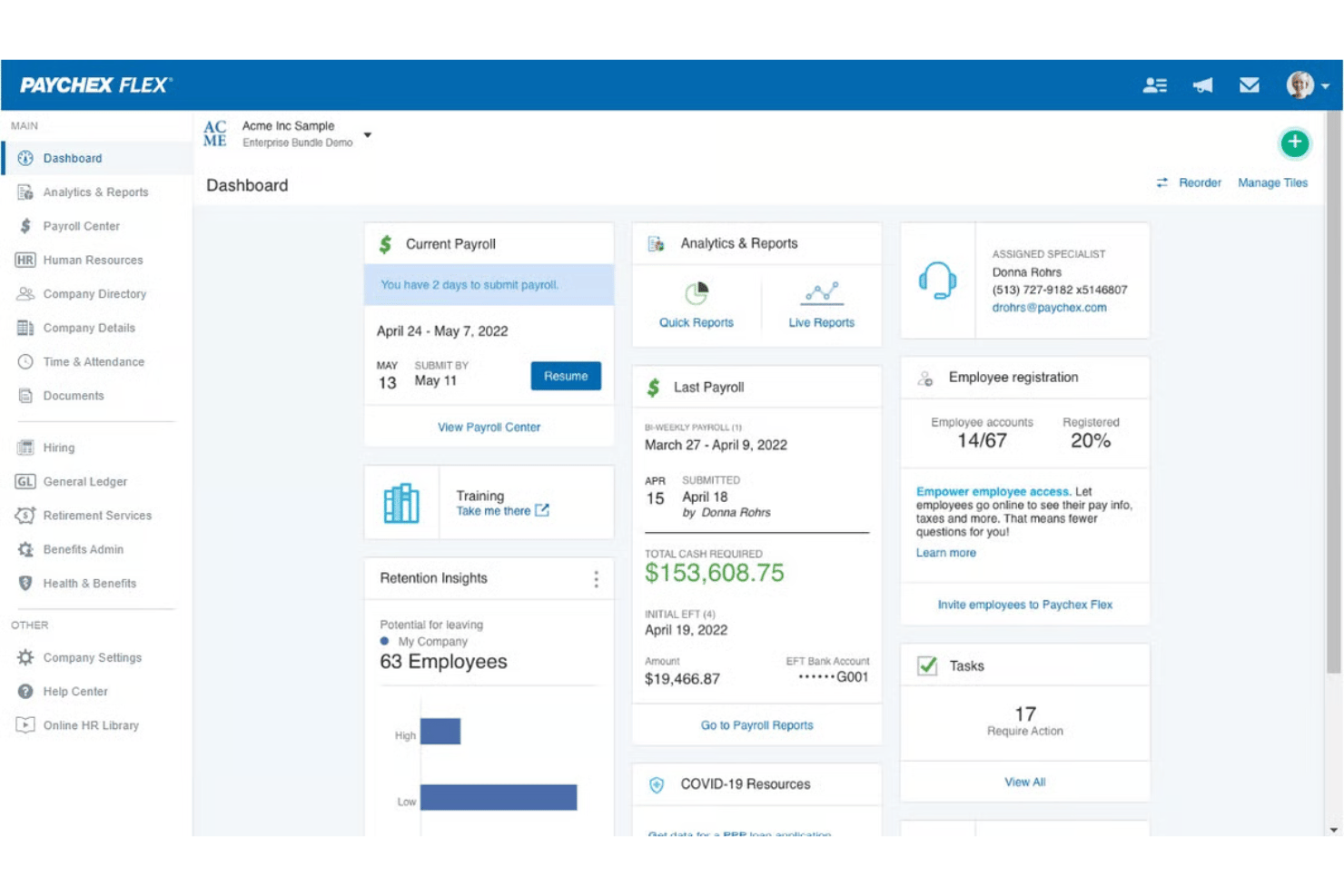
- Provides detailed, customizable payroll and invoice reports
- Mobile app has limited invoicing features and options
- Initial setup can be time-intensive for complex businesses
- Some users report inconsistent direct deposit timing
Best Use Cases for QuickBooks Workforce and Paychex
QuickBooks Workforce
- Small Businesses Intuitive setup and payroll automation suit leaders without dedicated HR or accounting staff.
- Retail Teams Hourly shift workers and frequent turnover make pay stub access and real-time PTO tracking a key advantage.
- Accountants Easy access to year-end tax forms and long-term pay history streamlines accounting and client payroll work.
- Construction Firms Mobile app access lets field teams check pay, view W-2s, and update info without coming to the office.
- Distributed Teams Remote or hybrid workers benefit from digital payroll and instant access to direct deposit or tax records.
- Growing Startups Features scale for businesses with fluctuating headcounts and evolving payroll needs.
Paychex
- Multi-State Employers Paychex automates tax calculations and manages compliance for businesses with employees in several states.
- Healthcare Practices Industry-specific compliance support and easier handling of variable shifts make Paychex helpful for healthcare employers.
- Franchise Groups Franchise owners benefit from consolidated reporting, multi-location payroll, and centralized invoice control.
- HR Departments HR teams get built-in compliance guidance, onboarding, and document management all in one platform.
- Construction Firms Prevailing wage calculations, labor compliance poster kits, and certified payroll reporting support contractors who need documentation for government work.
- Mid-Sized Businesses Growing mid-sized companies can scale up applicant tracking, compliance, payroll, and HR features as their needs grow.
Wer sollte QuickBooks Workforce nutzen und wer sollte Paychex wählen?
QuickBooks Workforce eignet sich am besten für kleine Unternehmen, Buchhalter und wachsende Teams, die bereits QuickBooks für ihre Finanzen verwenden und eine schnelle Einrichtung ohne großen Aufwand wünschen. Paychex ist die richtige Wahl für mittelgroße Unternehmen, die erweiterte HR-Funktionen, mehr persönliche Unterstützung und flexible Optionen für komplexe Compliance-Anforderungen benötigen. Wenn Ihre Lohnabrechnung unkompliziert ist und das Budget im Mittelpunkt steht, entscheiden Sie sich für QuickBooks Workforce. Bei Wachstumserwartungen oder komplexen Vorschriften bleibt Paychex auf Augenhöhe.
Differences Between QuickBooks Workforce and Paychex
| QuickBooks Workforce | Paychex | |
|---|---|---|
| Accounting Integration | Deeply connected with QuickBooks accounting for seamless sync. | Integrates with more payroll competitors but less with accounting tools. |
| Customization | Limited custom workflows or reporting options. | Highly customizable processes and in-depth reports for complex needs. |
| Pricing Structure | Clear per-employee pricing with some add-on fees. | Tiered packages with a variety of additional service charges. |
| User Learning Curve | Simple, fast setup—ideal for non-HR professionals. | Steeper learning curve due to feature depth, best for HR specialists. |
| Visit QuickBooks WorkforceOpens new window | Read Paychex ReviewOpens new window |
Similarities Between QuickBooks Workforce and Paychex
| Compliance Updates | Both solutions keep payroll compliant with real-time updates for federal, state, and local rules, reducing legal and tax headaches. |
|---|---|
| Direct Deposit | Each platform offers secure, reliable direct deposit options so staff are paid accurately and on time every payday. |
| Payroll Automation | Both automate payroll runs, tax calculations, and employee deductions, letting you spend less time on manual pay processing. |
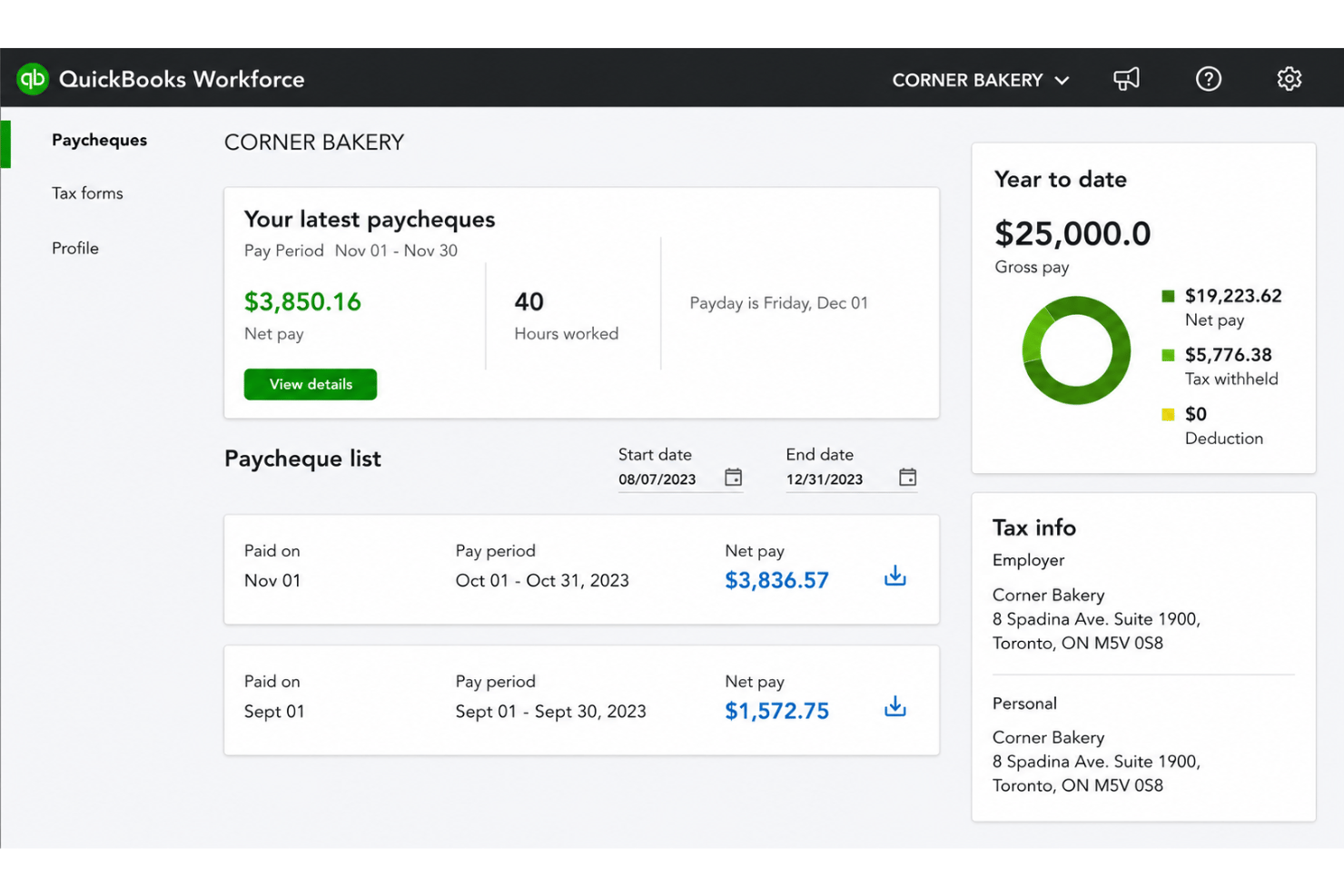
| Self-Service Access | Employees can review pay stubs, manage personal info, and access tax forms directly from a portal in both tools. |
| Visit QuickBooks WorkforceOpens new window Read Paychex ReviewOpens new window | |