

10 mejores software de gestión de RRHH analizados en 2026

10 Mejor Software de Gestión de RRHH - Lista Corta


¿Gestionar las tareas de RRHH puede ser un verdadero dolor de cabeza, verdad? Entre manejar la nómina, registrar la asistencia y garantizar el cumplimiento, es fácil sentirse abrumado. Ahí es donde el software de gestión de RRHH entra en juego. Te ayuda a gestionar estas tareas de manera eficiente, dándote más tiempo para enfocarte en tu equipo.
He pasado mucho tiempo probando y revisando software de RRHH, y he visto de primera mano cómo puede facilitarte la vida. Quiero compartir mis hallazgos contigo, ofreciendo una visión imparcial de las mejores opciones disponibles.
En este artículo, te guiaré por mis principales recomendaciones, destacando lo que hace único a cada uno. Ya seas una pequeña empresa o una organización más grande, aquí encontrarás algo para ti.
Por qué confiar en nuestras reseñas de software
Nuestro equipo lleva probando y evaluando software desde 2012. Como expertos en RR. HH., sabemos lo difícil —y lo importante— que es elegir el software adecuado.
Para esta guía, evaluamos las herramientas mediante pruebas prácticas e investigación independiente, puntuando las herramientas según nuestros criterios de selección. También nos basamos en la experiencia de líderes de opinión del sector y de profesionales de RR. HH. en activo.
Nuestras reseñas reflejan nuestro criterio editorial humano, no un discurso de ventas.
Revisores expertos:
Resumen del Mejor Software de Gestión de RRHH
Esta tabla comparativa resume los detalles de precios de mis selecciones principales de software de gestión de RRHH para ayudarte a encontrar el mejor para tu presupuesto y necesidades empresariales.
| Tool | Best For | Trial Info | Price | ||
|---|---|---|---|---|---|
| 1 | Mejor software de gestión de RRHH con funciones de TI integradas | Demostración gratuita disponible | Desde $8/empleado/mes | Website | |
| 2 | Ideal para la administración de beneficios | Demostración gratuita disponible | Desde $8/empleado/mes + tarifa base de $50/mes | Website | |
| 3 | Ideal para la gestión global de RR. HH. | Demo gratuita disponible | Desde $5/empleado/mes | Website | |
| 4 | Ideal para la gestión de permisos | Demo gratuita disponible | Desde $8/usuario/mes | Website | |
| 5 | Mejor para integración de nómina y recursos humanos | Demostración gratuita disponible | Desde $49/mes + $6/mes por persona | Website | |
| 6 | Mejor para integración de nómina | Demo gratuita disponible | Precio bajo solicitud | Website | |
| 7 | Mejor para pequeñas y medianas empresas | Prueba gratuita + demo gratis | Precio a consultar | Website | |
| 8 | Mejor para incorporar nuevos empleados | Disponible demostración gratuita | Precios a consultar | Website | |
| 9 | Ideal para necesidades de RR. HH. escalables | Demo gratuita disponible | Precios a consultar | Website | |
| 10 | Ideal para un flujo alineado de HRIS a desempeño | Demostración gratuita disponible | Precio a consultar | Website |


Reseñas del Mejor Software de Gestión de RRHH
A continuación, tienes mis resúmenes detallados de los mejores softwares de gestión de RRHH que entraron en mi lista corta. Mis reseñas ofrecen un análisis detallado de las características clave, pros y contras, integraciones y casos de uso ideales de cada herramienta para ayudarte a encontrar la mejor para ti.

Rippling
Mejor software de gestión de RRHH con funciones de TI integradas
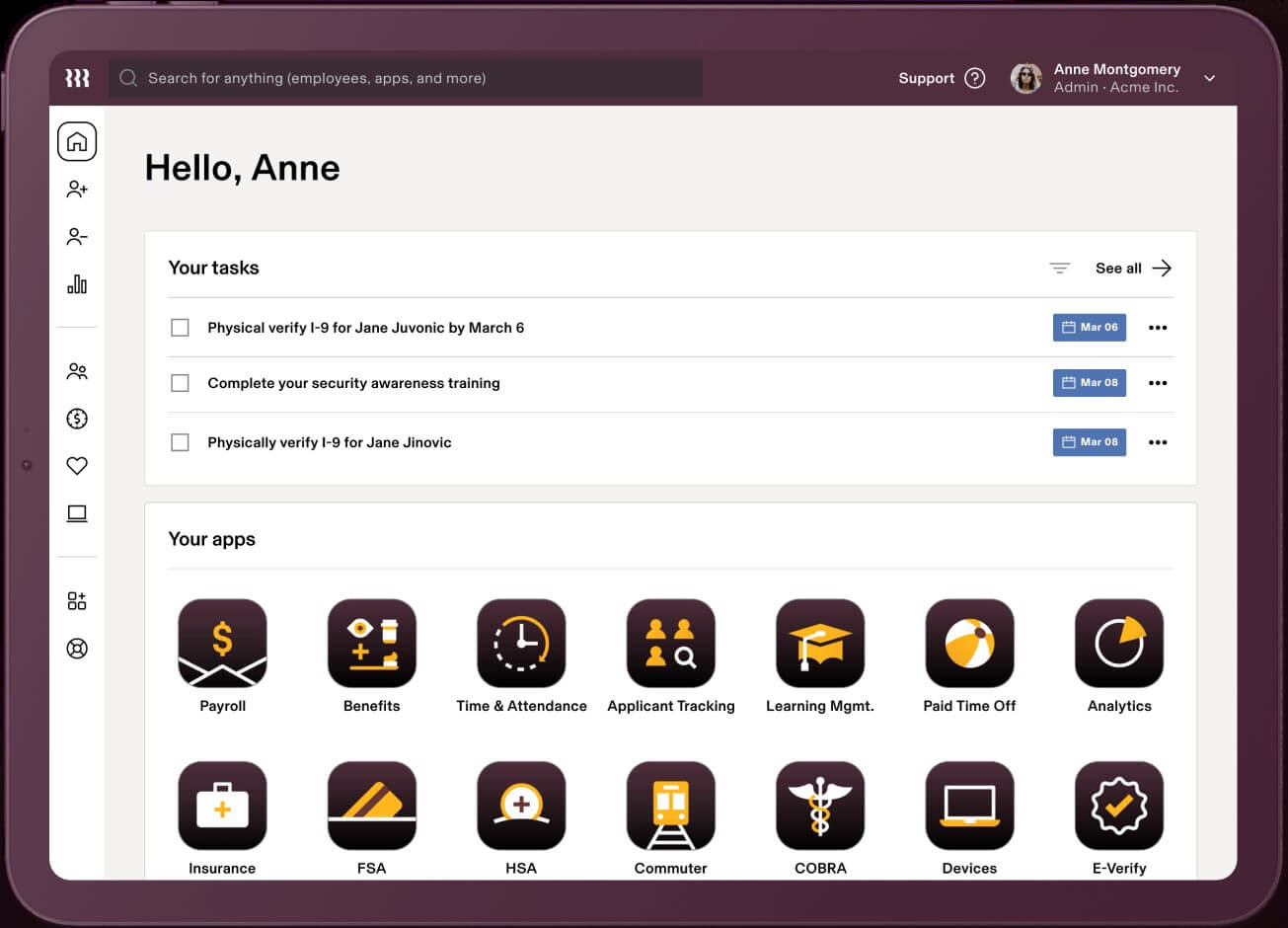
Rippling es un sistema de gestión de recursos humanos basado en la nube que actúa como una fuente única de verdad para los datos de los empleados, con numerosas automatizaciones para reducir el trabajo manual.
Por qué elegí Rippling: Su software de gestión de RRHH está disponible en tres paquetes distintos: Workforce Platform, HR Cloud e IT Cloud. Los tres productos funcionan de manera fluida o pueden adquirirse de forma independiente, dependiendo de las necesidades de tu empresa. Debido a sus sofisticadas funciones de TI y capacidades globales, su software es ideal para apoyar plantillas distribuidas.
Características destacadas e integraciones de Rippling:
Su Workforce Platform ofrece sólidas automatizaciones de flujos de trabajo y herramientas para la mejora de procesos en la gestión de la fuerza laboral, incluyendo herramientas para incorporación y desvinculación, y aprobaciones de documentos usando firmas electrónicas.
Su HR Cloud incluye un conjunto de módulos flexibles para las tareas principales de RRHH, entre ellos un software de nóminas de servicio completo con control de tiempo y administración de beneficios que se sincronizan automáticamente con la nómina para mejorar la productividad y precisión del pago. Incluso ofrecen servicios de organización profesional de empleadores (PEO) para organizaciones interesadas en contratar talento internacional, incluyendo planes de beneficios internacionales, seguimiento del cumplimiento normativo y procesamiento de nómina global.
Aún dentro de HR Cloud, el módulo de gestión del talento y reclutamiento incluye la publicación de ofertas laborales en múltiples bolsas de trabajo con un solo clic, un sistema de seguimiento de candidatos para organizar postulantes y programación automática de entrevistas a través de integraciones de calendario. Para complementar todo esto, su HR Cloud también incluye un sistema flexible de gestión de aprendizaje (LMS) con más de 1.000 cursos preconstruidos y herramientas para crear los tuyos propios, además de automatizaciones para asignar, recordar y hacer seguimiento de la finalización de cursos.
Por último, pero no menos importante, su oferta de IT Cloud realmente los distingue de otras plataformas tradicionales de sistemas de información de recursos humanos (HRIS). En ella, ofrecen funciones avanzadas de gestión de dispositivos e inventarios para rastrear, actualizar, bloquear y borrar dispositivos, gestionar amenazas de seguridad y organizar software (incluida la compra de apps y hardware) para nuevos empleados. Además, cuentan con herramientas de gestión de aplicaciones e identidades para la gestión de contraseñas, ciclo de vida de software, aprovisionamiento y desaprovisionamiento de licencias de software, autenticación multifactor y servicios de inicio de sesión único.
Las integraciones están disponibles con más de 500 sistemas de software de terceros a través de su App Shop. Si es necesario, también puedes configurar integraciones personalizadas mediante su API.
También tienen dos aplicaciones móviles: “Rippling - Time Clock” para fichar la entrada/salida, y “Rippling - Simplify HR & IT” para ver recibos de sueldo, gestionar ausencias, acceder al directorio de empleados y manejar contraseñas y aplicaciones.
New Product Updates from Rippling

Rippling AI Adds Plugins, Skills, and Automations
Rippling AI now supports plugins, skills, and automations so employees can connect approved third-party tools, package repeatable work into reusable AI instructions, and run recurring workflows under existing Rippling policies and permissions. For more information, visit Rippling's official site.

Ideal para la administración de beneficios
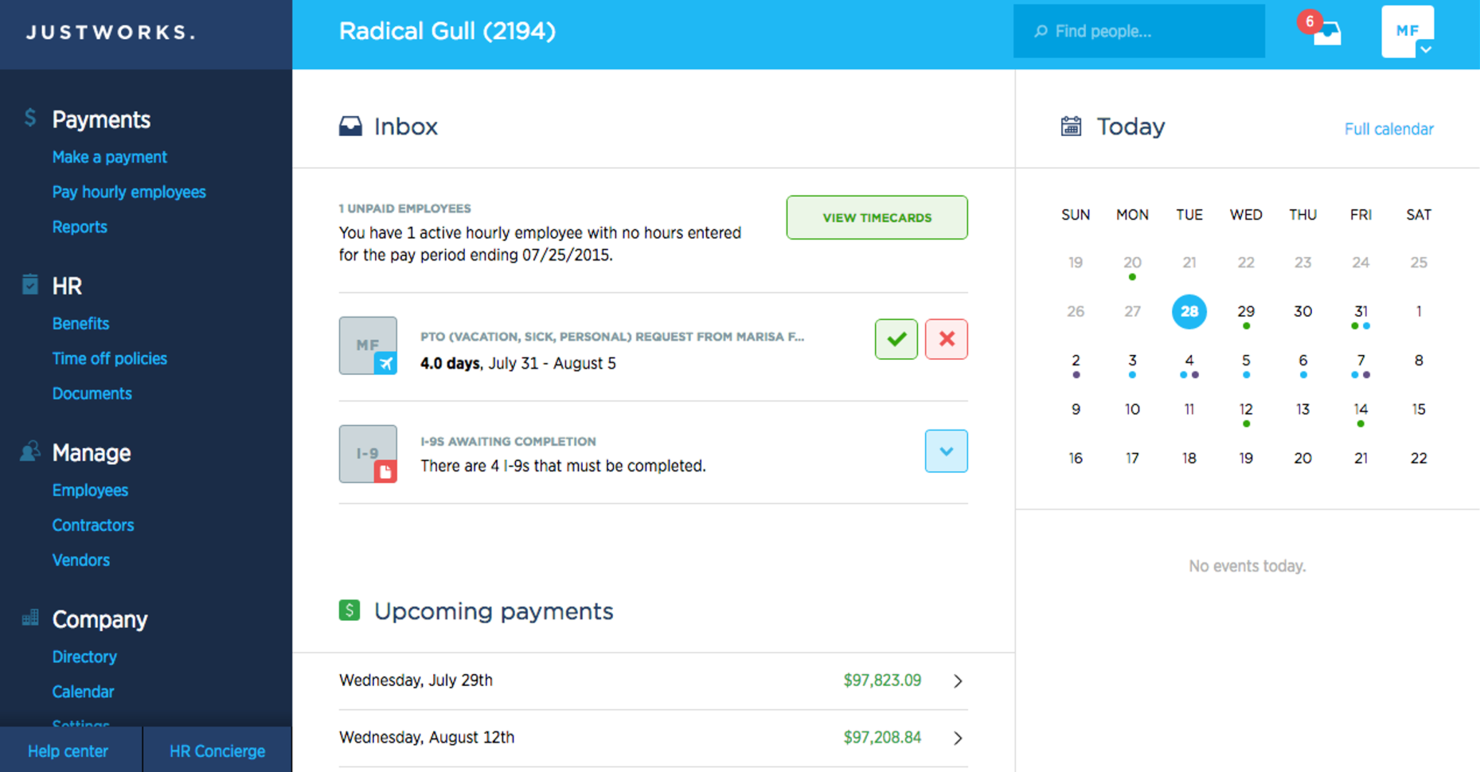
Justworks es una plataforma de nómina y recursos humanos diseñada para pequeñas y medianas empresas, que ofrece soluciones para la administración de beneficios, cumplimiento normativo y procesamiento de nóminas. Te ayuda a gestionar los beneficios de los empleados y a garantizar el cumplimiento de las regulaciones.
Por qué elegí Justworks: Justworks destaca en la administración de beneficios, ya que proporciona acceso sencillo a seguros de salud, planes 401(k) y otros beneficios. Puedes gestionar el cumplimiento normativo con facilidad gracias a sus herramientas y recursos integrados.
El software gestiona la nómina y las declaraciones de impuestos, asegurando que tus finanzas estén en orden. También ofrece apoyo para la incorporación de empleados, lo que facilita la integración de nuevas contrataciones en tu equipo.
Funciones y integraciones destacadas:
Funciones incluyen procesamiento automatizado de nóminas, soporte para cumplimiento normativo y autoservicio para empleados. Estas funciones permiten que tu equipo gestione las tareas de RR.HH. de manera eficiente. Justworks ofrece soporte 24/7, asegurando que la ayuda siempre esté disponible cuando la necesites.
Integraciones incluyen QuickBooks, Xero, Slack, Expensify, TSheets, Google Workspace, Microsoft Teams, BambooHR, Gusto y ADP.
Pros and Cons
Pros:
- Administración de beneficios sólida
- Atención al cliente 24/7
- Incorporación de empleados sencilla
Cons:
- Algunas funciones necesitan mejorar
- Fallos ocasionales del software

Deel HR
Ideal para la gestión global de RR. HH.
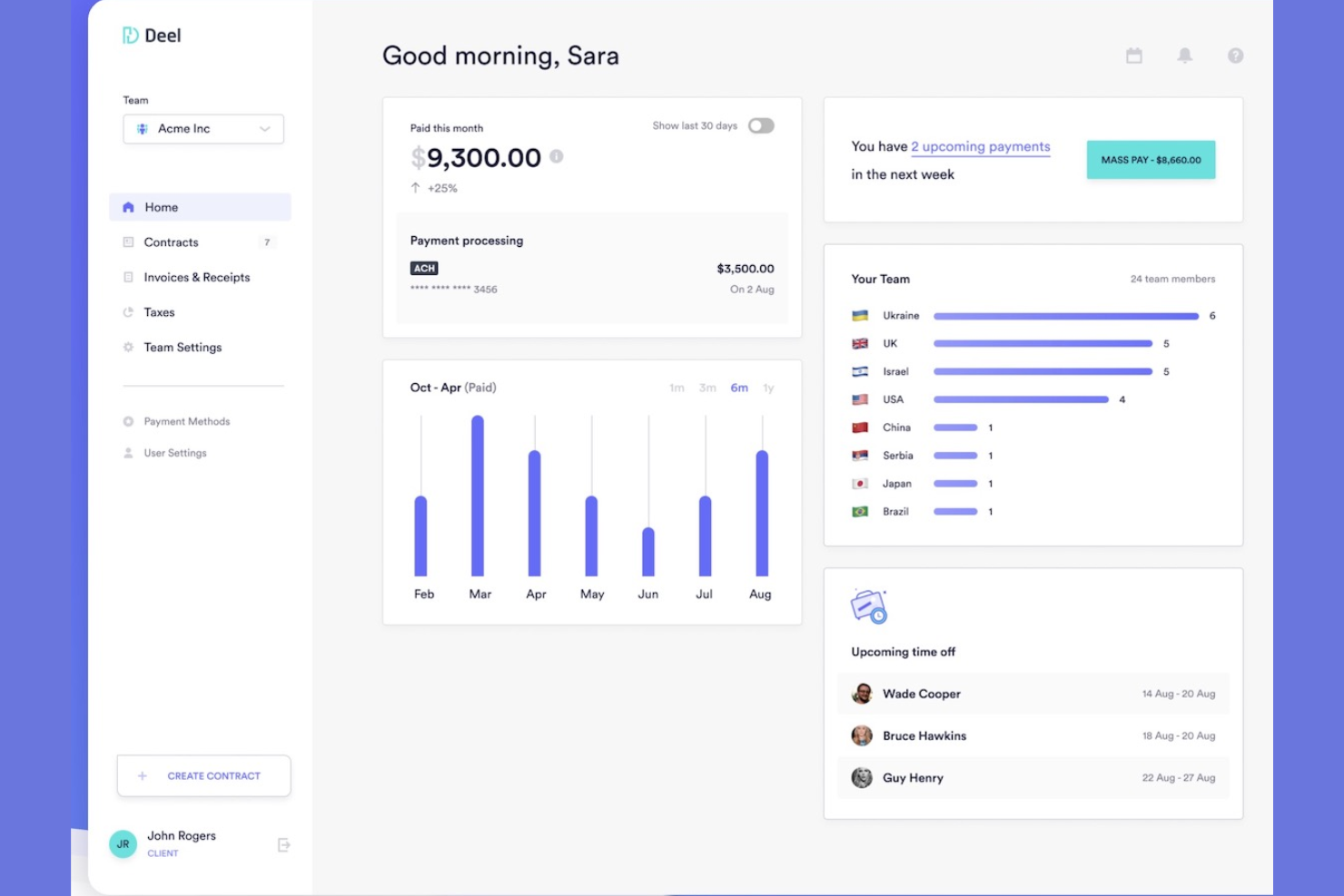
Deel está diseñado para empresas que contratan en múltiples países y necesitan una plataforma confiable para nómina global, cumplimiento y administración de RR. HH. en un solo lugar. Es especialmente útil para equipos que gestionan empleados o contratistas distribuidos y buscan centralizar la incorporación, pagos y documentación.
Por qué elegí Deel
Elegí Deel porque te ofrece un solo sistema para gestionar RR. HH., nómina y cumplimiento en más de 150 países sin tener que coordinar con proveedores locales. Puedes gestionar permisos, hacer seguimiento de la documentación de desempeño y automatizar la incorporación mediante flujos de trabajo estructurados que aseguran que cada contratación cumpla con los requisitos locales.
También me gusta que puedes ofrecer paquetes de beneficios localizados y gestionar políticas globales de compensación directamente en la plataforma. El motor de nómina de Deel garantiza el cumplimiento automático de impuestos, recibos de salario y pagos a contratistas, reduciendo tu carga administrativa.
Características clave de Deel
Aquí tienes algunas características destacadas:
- Generación de facturas: Crea facturas y pagos de contratistas que cumplan la normativa desde un solo panel.
- Gestión de impuestos y cumplimiento: Aplica automáticamente las reglas fiscales y requisitos de declaración de cada país.
- Gestión de recibos de salario: Genera recibos localizados y legalmente válidos para cada incorporación.
- Integraciones contables: Sincroniza la nómina y los pagos a contratistas directamente con tus sistemas financieros.
Integraciones de Deel
Las integraciones incluyen BambooHR, Ashby, Expensify, Greenhouse, Hibob, Netsuite, Okta, OneLogin, QuickBooks, Xero, Workday y Workable.
Pros and Cons
Pros:
- Compatible con RR. HH. y nómina reglamentarios en más de 150 países
- Gestión de beneficios localizados para equipos globales
- Flujos de trabajo de incorporación automatizados con documentación requerida
Cons:
- Algunas herramientas de RR. HH. (como desempeño) menos avanzadas
- Personalización limitada en ciertas regiones
New Product Updates from Deel HR

Deel Expands Stablecoin Wallet to 80+ Countries
Deel expands its Stablecoin Wallet to 80+ countries with dollar-backed balances and optional rewards. This gives eligible contractors more ways to hold and manage earnings inside Deel. For more information, visit Deel’s official site.
 .
.
Ideal para la gestión de permisos
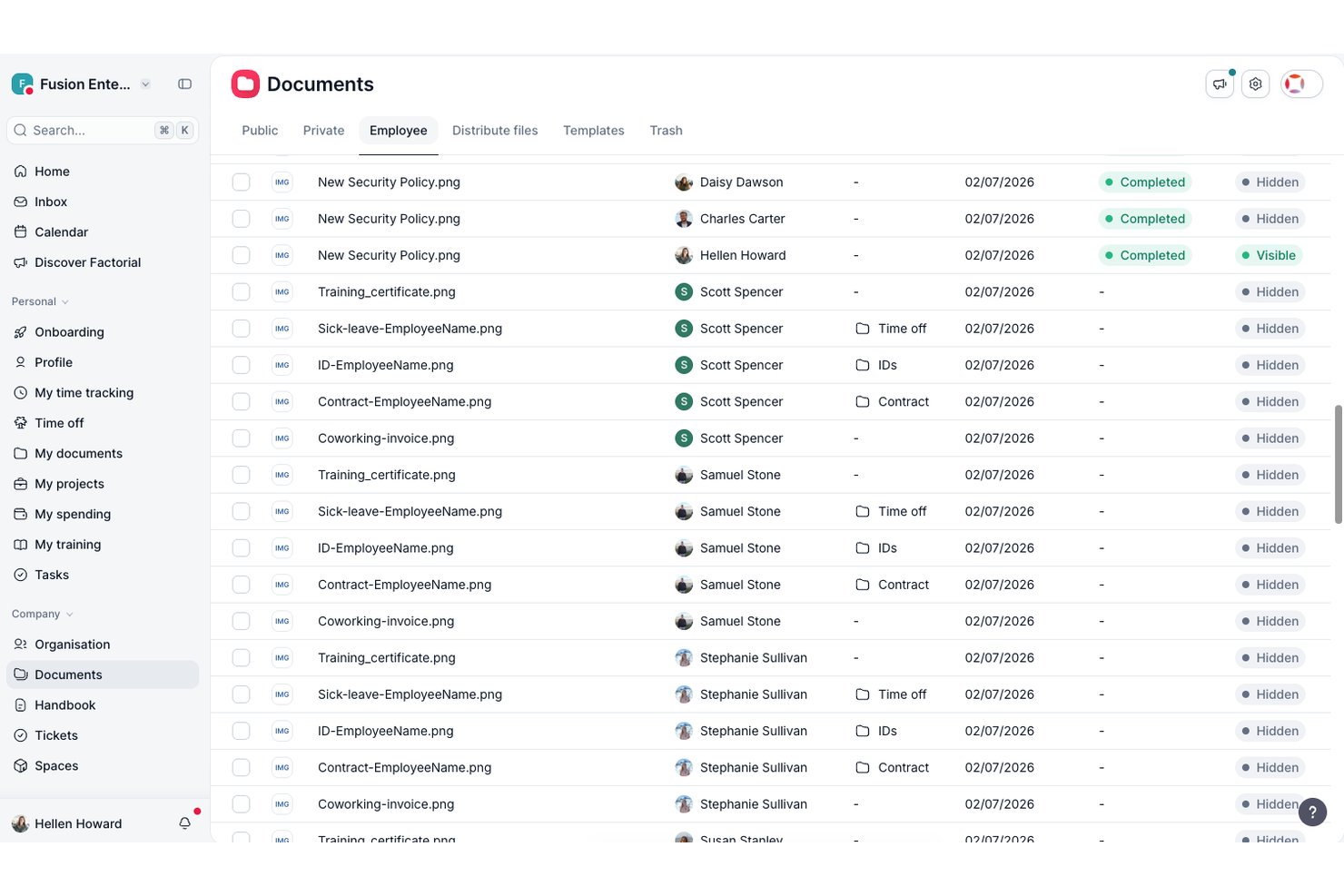
Factorial es un software de gestión de recursos humanos diseñado para pequeñas y medianas empresas. Se centra en simplificar las tareas de RR. HH., incluida la gestión de permisos, la gestión de datos de los empleados y el procesamiento de nóminas.
Por qué elegí Factorial: Factorial destaca en la gestión de permisos, ya que ofrece una forma sencilla de gestionar las solicitudes de ausencia de los empleados. Cuenta con funciones como el seguimiento automatizado de las ausencias y políticas de permisos personalizadas que se adaptan a las necesidades específicas de tu equipo.
Puedes aprobar o rechazar solicitudes fácilmente y llevar un registro de todas las ausencias de los empleados en un solo lugar. Factorial también proporciona información sobre las tendencias de las ausencias, lo que te ayuda a gestionar los recursos de manera eficaz.
Funciones e integraciones destacadas:
Las funciones incluyen evaluaciones de rendimiento, gestión de documentos e informes personalizables. Estas funciones te permiten evaluar el rendimiento de los empleados y gestionar los documentos de RR. HH. de manera eficaz. Las capacidades de generación de informes de Factorial te proporcionan información valiosa sobre tus procesos de RR. HH.
Las integraciones incluyen Slack, Google Calendar, Microsoft Outlook, BambooHR, Zapier, QuickBooks, Xero, Sage, LinkedIn e Indeed.
Pros and Cons
Pros:
- Gestión eficaz de permisos
- Políticas de permisos personalizables
- Análisis detallado de las ausencias
Cons:
- Requiere conocimientos técnicos para la personalización
- Algunas funciones necesitan mejoras

Gusto
Mejor para integración de nómina y recursos humanos
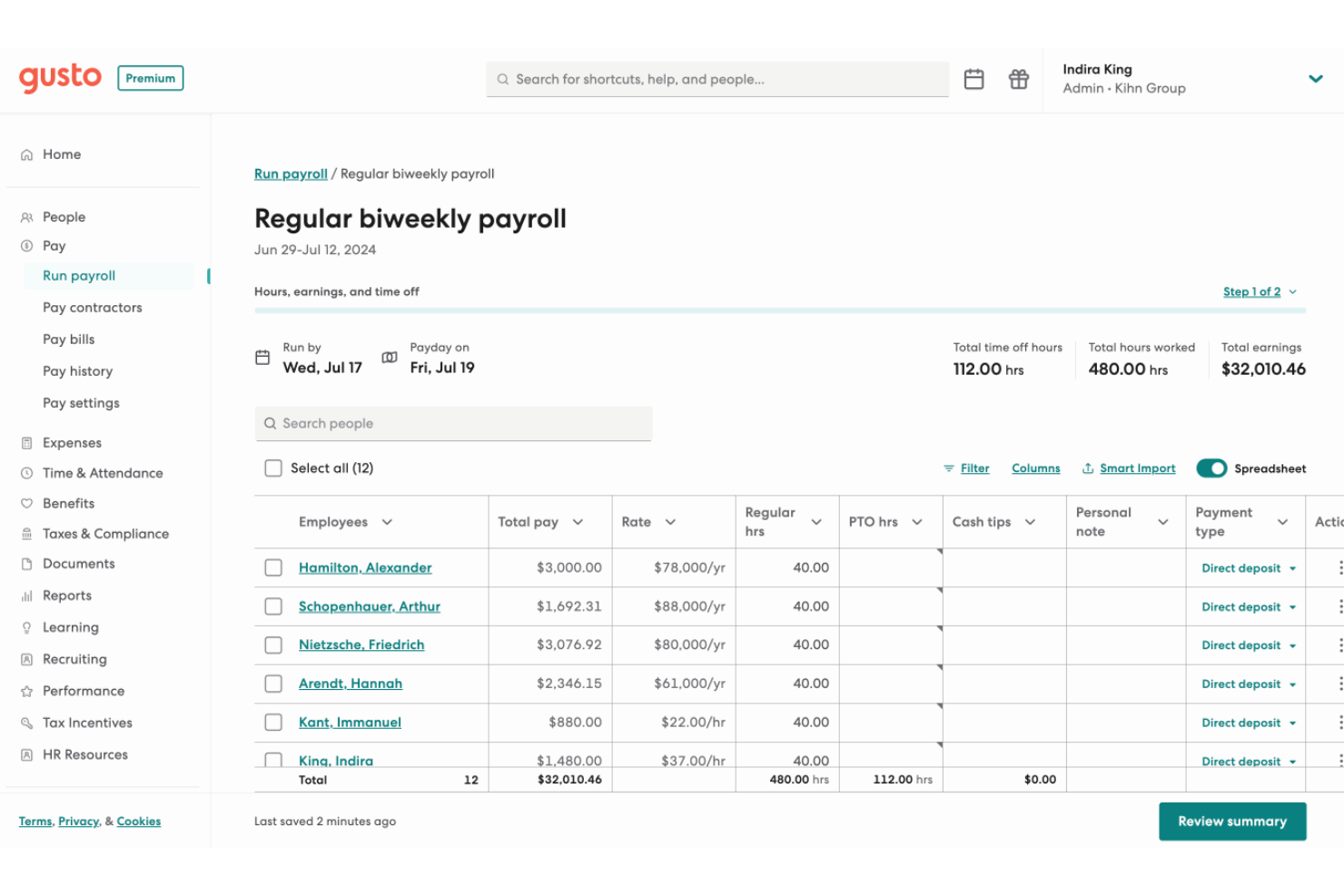
Gusto ofrece una experiencia limpia y todo en uno de nómina y recursos humanos que puede ayudarte a gestionar la nómina, los beneficios y los datos de los empleados en un solo lugar, ideal si quieres simplificar la contratación, la incorporación y el pago de personal sin tener que compaginar múltiples herramientas. Resulta especialmente atractivo para pequeñas y medianas empresas, startups y otros equipos que quizás no cuentan con un departamento de recursos humanos completo, pero aún necesitan una gestión fiable de nómina, beneficios y cumplimiento.
Por qué elegí Gusto
Elegí Gusto porque combina funciones de nómina, beneficios y recursos humanos en una sola plataforma, lo que significa que tu equipo no necesita sistemas separados para nómina y recursos humanos: tienes depósito directo, declaración de impuestos y gestión de deducciones de beneficios todo bajo un mismo techo. El sistema automatizado de nómina de Gusto garantiza que todos los cálculos y presentaciones se manejen con precisión, reduciendo el riesgo de errores. Además, su completa gestión de beneficios te permite ofrecer planes de salud y jubilación sin complicaciones, alineados con los objetivos de tu empresa. Estas características hacen de Gusto una opción ideal para las empresas que buscan mejorar sus procesos de recursos humanos.
Características clave de Gusto
Además de la gestión de nómina y beneficios, Gusto ofrece otras funciones valiosas:
- Control de tiempo y asistencia: Gestiona fácilmente las horas de los empleados y solicitudes de tiempo libre, asegurando un registro preciso.
- Contratación e incorporación: Agiliza el proceso de incorporación con herramientas para crear cartas de oferta y gestionar la documentación de nuevos empleados.
- Gestión del talento: Realiza evaluaciones de desempeño y seguimiento del desarrollo de los empleados para fomentar un ambiente de trabajo productivo.
- Información y reportes: Accede a informes basados en datos para tomar decisiones informadas sobre tu personal y estrategias empresariales.
Integraciones de Gusto
Las integraciones incluyen QuickBooks, Xero, FreshBooks, Clover, TSheets, Trainual, Deputy, Expensify, Homebase y When I Work.
Pros and Cons
Pros:
- Nómina, beneficios y recursos humanos en una sola plataforma unificada.
- La presentación automática de impuestos y el depósito directo simplifican el cumplimiento de la nómina.
- El portal de autoservicio para empleados permite que el personal consulte sus pagos y formularios.
Cons:
- El precio por persona puede resultar costoso a medida que el equipo crece.
- Las pymes que necesitan cumplimiento avanzado o módulos de recursos humanos específicos para su sector pueden encontrar Gusto limitado.
New Product Updates from Gusto
Gusto Adds Solo Advisory Tools and Mobile Money Features
Gusto adds Solo S-Corp Advisory Tools and Gusto Money on Mobile for tax guidance, invoicing, and bill payments. These updates help accountants advise solopreneurs and let users manage business finances from their phones. For more information, visit Gusto’s official site.

Mejor para integración de nómina

Paylocity es una plataforma de recursos humanos y nómina diseñada para empresas de todos los tamaños. Ofrece procesamiento de nómina, administración de beneficios y soluciones para la gestión de empleados.
Por qué elegí Paylocity: La sólida integración de nómina de Paylocity es una característica clave, lo que la hace ideal si necesitas una solución de nómina confiable. Proporciona procesamiento automatizado de nómina y presentación de impuestos, lo que simplifica la gestión financiera.
El software también ofrece opciones de autoservicio para empleados, reduciendo la carga administrativa de tu equipo de recursos humanos. Puedes administrar beneficios y hacer seguimiento del desempeño de los empleados desde un solo lugar.
Funciones destacadas e integraciones:
Las funciones incluyen un sistema de gestión de aprendizaje, herramientas de encuestas y evaluaciones de desempeño. Estas funciones te ayudan a desarrollar y comprometer a tu fuerza laboral de manera efectiva. Las herramientas de encuestas de Paylocity te permiten recopilar valiosos comentarios de los empleados.
Las integraciones incluyen QuickBooks, ADP, Workday, Salesforce, Microsoft Dynamics, BambooHR, Xero, NetSuite, Oracle y G Suite.
Pros and Cons
Pros:
- Presentación de impuestos automatizada
- Opciones de autoservicio para empleados
- Sistema de gestión de aprendizaje
Cons:
- Problemas técnicos ocasionales
- Acceso limitado sin conexión
New Product Updates from Paylocity

Paylocity Expands Expense and Purchase Request Tools
Paylocity adds connected personal cards, smarter expense categorization, and a streamlined purchase request experience. This reduces manual entry and helps finance teams manage expenses and approvals more efficiently. For more information, visit Paylocity’s official site.
 .
.
Mejor para pequeñas y medianas empresas
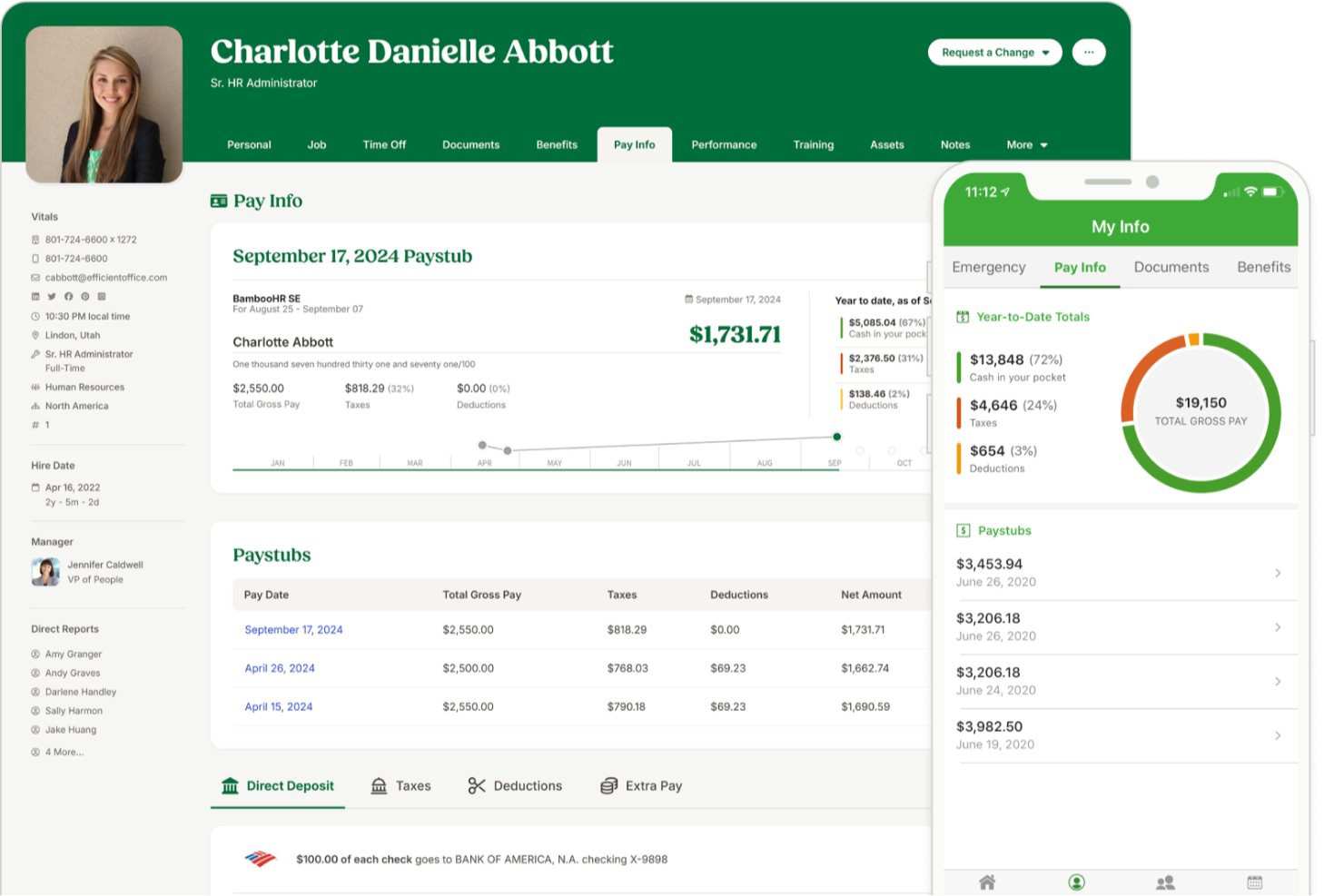
BambooHR es ideal para pequeñas y medianas empresas que desean un solo lugar para gestionar los datos de los empleados, simplificar las tareas cotidianas de RRHH y brindar al personal fácil acceso de autoservicio. Es especialmente útil para equipos que buscan una mayor visibilidad del sentimiento del personal, flujos de incorporación más sólidos y herramientas móviles que los empleados realmente usen.
Por qué elegí BambooHR
Elegí BambooHR porque ofrece a tu equipo un sistema centralizado para los registros de empleados, la gestión de ausencias, la contratación y la incorporación, sin añadir trabajo administrativo extra. Sus herramientas de autoservicio permiten a los empleados solicitar días libres, actualizar su propia información y acceder a diagramas organizativos o directorios a través de la app móvil, reduciendo la carga diaria de tu equipo.
También me gustan sus herramientas integradas de compromiso, que combinan encuestas eNPS, chequeos de bienestar y análisis de sentimientos para que puedas tener una mejor comprensión de cómo se siente tu plantilla. Para la contratación, su sistema ATS completa automáticamente plantillas de ofertas de trabajo con los datos del candidato y del puesto, y permite firmas electrónicas para acelerar el proceso. Y como los datos se sincronizan en toda la plataforma, evitas la entrada duplicada y mantienes toda la información de empleados de forma coherente.
Funciones clave de BambooHR
Estas son algunas funciones clave que vale la pena destacar:
- Encuestas de bienestar para empleados: Recoge retroalimentación anónima mediante chequeos breves y respuestas de texto abierto.
- App móvil para empleados: Gestiona ausencias, consulta calendarios, completa tareas de incorporación y firma documentos desde iOS o Android.
- Plantillas de incorporación personalizables: Crea listas de tareas previas y de incorporación adaptadas a roles, departamentos o ubicaciones.
- Complemento de registro de horas: Registra horas, aprueba hojas de tiempo y sincroniza datos directamente con la nómina cuando está habilitado.
Integraciones de BambooHR
Las integraciones incluyen Slack, Microsoft Teams, Google Workspace, Indeed, Checkr, Greenhouse, Okta, OneLogin, NetSuite y Trainual.
Pros and Cons
Pros:
- Potentes herramientas de eNPS y análisis de sentimiento mejoran el conocimiento del compromiso
- Las plantillas de preincorporación reducen el tiempo de configuración de nuevos empleados
- La app móvil para empleados permite gestionar ausencias, documentos y anuncios
Cons:
- La nómina es un complemento opcional
- Personalización limitada en ciertos flujos de trabajo de RRHH
New Product Updates from BambooHR®

BambooHR Adds Enrollment Waivers and Plan Year Continuity
BambooHR adds automatic enrollment waivers and plan year continuity for Benefits Administration. These updates help admins handle missed deadlines and prepare benefit renewals with less manual work. For more information, visit BambooHR’s official site.
 .
.
HiBob
Mejor para incorporar nuevos empleados

HiBob está diseñado para empresas que buscan una forma moderna y centrada en las personas para gestionar tareas básicas de RR. HH. Es ideal para equipos medianos y en rápido crecimiento que necesitan procesos de incorporación claros, herramientas de desempeño confiables y un solo lugar para mantener los datos de los empleados.
Por qué elegí HiBob
Elegí HiBob porque ofrece herramientas prácticas para respaldar todo el ciclo de vida del empleado sin añadir carga administrativa. Puedes incorporar nuevos empleados con pasos guiados que ayudan a tu equipo a establecer expectativas, asignar tareas y seguir el progreso desde el primer día.
Sus funciones de establecimiento de objetivos y evaluaciones te ayudan a vincular el desempeño individual con los objetivos de la empresa, brindando a los gerentes una estructura clara con la que trabajar. Me gusta que HiBob incluya herramientas para la planificación de la compensación, permitiéndote comparar datos salariales y gestionar aumentos en un solo lugar. Su análisis interno de personas proporciona información real sobre la fuerza laboral que puedes usar para tomar decisiones informadas en RR. HH.
Funciones Clave de HiBob
Estas son algunas funciones clave que vale la pena destacar:
- Centro de Nómina: Centraliza los datos de nómina y se conecta con los principales proveedores para un procesamiento consistente.
- Seguimiento de Tiempo y Asistencia: Permite a los empleados registrar horas y enviar solicitudes de días libres, brindando a los gerentes una supervisión clara.
- Flujos de trabajo personalizables: Ayuda a automatizar tareas recurrentes de RR. HH., como aprobaciones, recordatorios y acuses de recibo de políticas.
- Herramientas de compromiso de empleados: Facilita el reconocimiento, las actualizaciones y las encuestas para mantener conectado al equipo.
Integraciones con HiBob
Las integraciones incluyen Slack, Microsoft Teams, Zoom, LinkedIn Learning, Deel, CloudPay, Culture Amp, Capdesk, ClickTime y NetSuite.
Pros and Cons
Pros:
- Los procesos guiados de incorporación reducen el trabajo administrativo para los gerentes
- Las herramientas para establecer objetivos ayudan a alinear los equipos con los objetivos empresariales
- El modelado de compensaciones respalda decisiones salariales justas y coherentes
Cons:
- Algunas funciones requieren complementos según tu plan
- La configuración de reportes puede tomar tiempo para nuevos administradores

Paycor
Ideal para necesidades de RR. HH. escalables
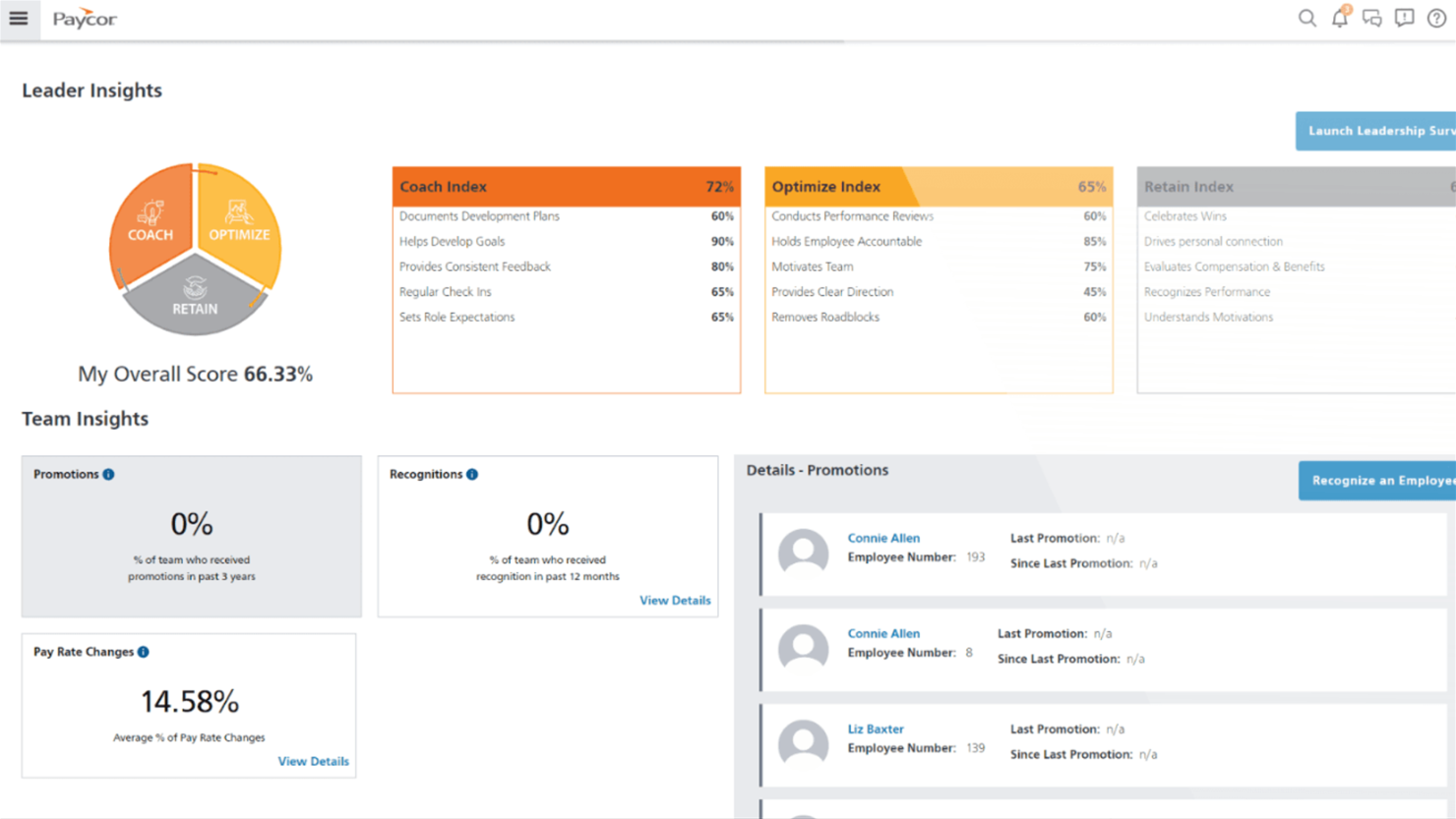
Paycor está diseñado para pequeñas y medianas empresas que necesitan herramientas de RR. HH. y nómina capaces de escalar a medida que la organización crece. Es especialmente útil si tu equipo busca un sistema que respalde la contratación, la nómina y el cumplimiento normativo, mientras te permite ampliar funcionalidades con el tiempo.
Por qué elegí Paycor
Elegí Paycor porque ofrece a las organizaciones en crecimiento la base de RR. HH. que necesitan sin añadir una complejidad innecesaria. Puedes ejecutar la nómina con confianza gracias a los cálculos fiscales integrados y las presentaciones automáticas, lo que ayuda a reducir errores manuales.
Sus herramientas de contratación—como el seguimiento de candidatos y la incorporación estructurada—facilitan la integración fluida de nuevos empleados a medida que tu fuerza laboral se expande. También me gusta que sus herramientas de gestión de personal, incluyendo la planificación de horarios y el control de asistencia, te den visibilidad de las necesidades de personal en diferentes tamaños de empresa.
Y porque Paycor ofrece complementos modulares, puedes ampliar funcionalidades—como beneficios, desempeño o herramientas de formación—cuando tu equipo lo necesite.
Características clave de Paycor
Estas son algunas características clave a destacar:
- Listas de verificación de incorporación: Crea experiencias consistentes para nuevos empleados con tareas personalizables y paso a paso.
- Autoservicio para empleados: Permite a los empleados actualizar sus datos personales, ver la información de pago y gestionar solicitudes de ausencia.
- Gestión del desempeño: Haz seguimiento de objetivos y comparte comentarios utilizando evaluaciones y herramientas integradas.
- Administración de beneficios: Gestiona la inscripción abierta, elegibilidad y selección de planes en un solo lugar.
Integraciones de Paycor
Las integraciones incluyen QuickBooks, Xero, NetSuite, ADP, Salesforce, Indeed, Glassdoor, BambooHR, Microsoft Dynamics y Workday.
Pros and Cons
Pros:
- Gestión efectiva del cumplimiento
- Interfaz fácil de usar
- Los módulos adicionales te permiten ampliar las capacidades de RR. HH. conforme creces
Cons:
- La configuración puede tomar tiempo para equipos con necesidades complejas de nómina
- Personalización limitada en tableros e informes

Leapsome
Ideal para un flujo alineado de HRIS a desempeño

Leapsome es ideal para equipos que desean que sus datos de RRHH, procesos de desempeño y flujos de trabajo de desarrollo estén conectados en un solo lugar.
Por qué elegí Leapsome
Elegí Leapsome porque combina un sistema moderno de información de recursos humanos (HRIS) con herramientas para potenciar a las personas, logrando que tus operaciones sean compatibles sin sacrificar la cultura. Obtienes un sistema unificado de registros de empleados vinculado directamente a objetivos, evaluaciones y desarrollo, de modo que todo permanece consistente y conectado durante el ciclo de vida del empleado.
También aprecio su asistente de IA, Leapy, que redacta políticas, proporciona información y sugiere próximos pasos, lo que permite reducir el trabajo manual y centrarse en conversaciones de mayor valor.
Principales características de Leapsome
Aquí algunas características clave que vale la pena mencionar:
- Registros de empleados y gestión de documentos: Te permite almacenar datos de empleados, archivos y firmas en un lugar centralizado y compatible.
- Seguimiento de ausencias y tiempos: Ofrece a tu equipo visibilidad clara del tiempo libre, la asistencia y la programación sin depender de hojas de cálculo.
- Flujos de trabajo de incorporación y pre-incorporación: Proporciona flujos de trabajo guiados para que los nuevos empleados tengan experiencias de integración consistentes, con menos tareas manuales para RRHH.
- Sincronización de nómina y comprobaciones automáticas: Conecta los principales datos de los empleados a la nómina y ejecuta validaciones automáticas para ayudar a reducir errores y el trabajo administrativo repetitivo.
Integraciones de Leapsome
Las integraciones incluyen Slack, Microsoft Teams, Google Workspace, Jira, BambooHR, Personio, Okta, OneLogin, Rippling y Workday.
Pros and Cons
Pros:
- Conecta los datos de HRIS directamente con los objetivos, evaluaciones y flujos de desarrollo
- Automatiza la integración, el seguimiento de tiempo y la sincronización de nómina para reducir tareas manuales
- Las encuestas de compromiso incluyen puntos de referencia y próximos pasos recomendados y accionables
Cons:
- La experiencia móvil es menos pulida que en el entorno de escritorio
- Limitada personalización para requisitos empresariales de nicho
Otros Softwares de Gestión de RRHH
Aquí tienes algunas opciones adicionales de software de gestión de RRHH que no entraron en mi lista corta, pero que aún valen la pena revisar:
- monday AI Workspace
Ideal para la gestión detallada de tareas + automatizaciones
- Breathe HR
Mejor opción para pymes que buscan soluciones de RR. HH.
- Workable HR
Ideal para flujos de trabajo de incorporación personalizables
- Sloneek
Ideal para retroalimentación de 360 grados
- RemoFirst
Mejor sistema de gestión de RRHH para administración de beneficios globales
- Lattice
Ideal para evaluaciones de desempeño personalizables
- factoHR
Mejor para la gestión del cumplimiento normativo
- GoCo
Mejor para pequeñas y medianas empresas
- IntelliHR
Ideal para análisis avanzados y funciones de gestión de cumplimiento que ahorran tiempo
- edays
Ideal para calendarios de equipo compartidos
- Oracle HCM Cloud
Ideal para gestionar el ciclo de vida de la fuerza laboral
- Workleap
Ideal para retroalimentación y análisis en tiempo real
- Workday
Ideal para gestionar el capital humano
- Personio
Ideal para herramientas de flujos de trabajo de personal que aumentan la productividad
- Kallidus Sapling
Mejor software de RR.HH. con un sistema integrado de gestión de aprendizaje
- UKG Pro
Software avanzado de HCM con herramientas de gestión del talento y análisis de sentimiento de retroalimentación respaldados por IA
- OrangeHRM
Ideal para flexibilidad de código abierto
- Odoo (HR module)
Ideal para escalabilidad modular
- Dayforce
Ideal para decisiones de RR. HH. basadas en datos
- Namely
Ideal para empresas medianas
- Sage HR
Software de RRHH adaptable con pipelines ilimitados de candidatos y una app de gestión de gastos
- SAP SuccessFactors
Suite de software de gestión de RR.HH. a nivel empresarial enfocada en la gestión de la experiencia humana.
- Cezanne HR
Mejor para mercados europeos
- Vault ERP
Software de gestión de RRHH escalable con complementos para presupuestos, operaciones, gestión de activos, gestión de clientes y más
- Zoho People
Mejor para soporte multilingüe


Cómo evalúo el software de gestión de RR. HH.
Divido mi evaluación en criterios básicos, como la profundidad de la base de datos de empleados y la gestión de ausencias, y en diferenciadores que distinguen a los proveedores según el tamaño de equipo o las necesidades de cumplimiento.
Funcionalidad principal (Requisitos mínimos para esta lista)
Al seleccionar herramientas para mi lista, califico cada una en una escala de 0 (no ofrece la funcionalidad) a 5 (destaca en esta área) para cada funcionalidad principal que aparece a continuación. Luego, calculo la puntuación total de la herramienta en porcentaje. Cada herramienta necesita alcanzar una puntuación mínima total del 75% para ser considerada para su inclusión.
- Base de datos y registros de empleados: Busco un directorio centralizado donde los equipos de RR. HH. puedan almacenar y recuperar perfiles, documentos e historiales laborales sin tener que alternar entre hojas de cálculo o sistemas de archivos.
- Flujos de trabajo de incorporación y salida: Cada herramienta debe admitir secuencias de tareas estructuradas para nuevas incorporaciones y salidas, incluyendo la recolección de cartas de oferta, firmas electrónicas, listas de verificación para el aprovisionamiento de TI y programación de entrevistas de salida.
- Gestión del tiempo y ausencias: Evalúo cómo maneja la plataforma las solicitudes de PTO, las políticas de acumulación y el enrutamiento de aprobaciones, especialmente en organizaciones que gestionan múltiples tipos de permisos como licencia parental, días por enfermedad y festivos flotantes.
- Herramientas de gestión del desempeño: Son importantes el establecimiento de objetivos, los ciclos de revisión y los mecanismos de retroalimentación. Verifico si la herramienta permite formatos como evaluaciones 360, seguimiento 1:1 o alineación con OKR, en lugar de limitarse a formularios de revisión anual.
- Cumplimiento y reportes: La plataforma debe generar informes de fuerza laboral y responder a requisitos regulatorios como reportes EEO-1 o exportaciones de datos listas para auditoría, no simplemente resúmenes básicos de plantilla.
- Integración de nómina y beneficios: Analizo si la administración de nóminas y beneficios está incorporada o conectada mediante integraciones con proveedores como ADP, Gusto o Paychex, y qué tan fluido es el flujo de datos entre sistemas.
Una vez que tengo una lista de herramientas que cumplen con estos criterios, considero qué distingue a cada plataforma.
Factores diferenciadores (Qué distingue a los proveedores)
Así es como comparo y contrasto los diferentes proveedores:
Características destacadas
Los portales de autoservicio para empleados son un gran factor de diferenciación. Cuando los empleados pueden actualizar sus propias direcciones, descargar documentos fiscales o enviar solicitudes de PTO sin tener que escribir a RR. HH., se liberan horas cada semana. También analizo la calidad de la aplicación móvil, especialmente para equipos sin escritorio o trabajadores de campo que necesitan fichar, consultar horarios o ver recibos de sueldo desde sus teléfonos. Las encuestas pulso y las herramientas eNPS también merecen ser evaluadas, ya que brindan a los equipos de operaciones de personal datos de sentimiento en tiempo real en lugar de depender de encuestas de compromiso anuales.
Más allá de las características
El ecosistema de integraciones es muy importante aquí. Verifico si una plataforma se conecta con tu proveedor de nómina, ATS y herramientas como Slack o Microsoft 365, ya que los sistemas desconectados generan duplicidad de datos. El cumplimiento y la seguridad de los datos son igualmente relevantes; busco certificación SOC 2, controles de acceso basados en roles y registros de auditoría que resistan revisiones internas o externas. El soporte de implementación es otro factor que valoro, ya que migrar registros de empleados desde un antiguo HRIS puede ser complejo y contar con un equipo dedicado a la incorporación marca una verdadera diferencia.
Cómo Elegir un Software de Gestión de RRHH
Es fácil perderse entre largas listas de características y estructuras de precios complejas. Para ayudarte a mantenerte enfocado mientras avanzas en tu propio proceso de selección de software, aquí tienes una lista de factores a tener en cuenta:
| Factor | Qué considerar |
|---|---|
| Escalabilidad | ¿El software crecerá con tu empresa? Considera si puede manejar un aumento de empleados o funciones adicionales de RRHH a medida que tu negocio se expande. |
| Integraciones | ¿Funciona con tus herramientas actuales? Revisa la compatibilidad con tu conjunto actual de software para evitar interrupciones en tus flujos de trabajo. |
| Personalización | ¿Puedes adaptar el software a tus necesidades? Busca opciones para ajustar flujos de trabajo, campos e informes según tus procesos de RRHH. |
| Facilidad de uso | ¿Es fácil de usar para tu equipo? Asegúrate de que la interfaz sea intuitiva y requiera mínima capacitación para reducir la curva de aprendizaje de tu personal. |
| Implementación y onboarding | ¿Qué tan rápido puedes empezar? Evalúa el tiempo y los recursos necesarios para la implementación y capacitación inicial, y revisa las opciones de soporte del proveedor. |
| Costo | ¿Está dentro de tu presupuesto? Compara los planes de precios y considera el costo total de propiedad, incluidos cargos ocultos o por funciones adicionales. |
| Garantías de seguridad | ¿Tus datos están protegidos? Verifica que el software cumpla con los estándares de la industria y ofrezca cifrado, controles de acceso y actualizaciones regulares de seguridad. |
| Requisitos de cumplimiento | ¿Cumple con las normas legales? Asegúrate de que el software se adhiera a las leyes laborales locales y regulaciones para evitar posibles problemas legales. |
¿Qué es un Software de Gestión de RRHH?
El software de gestión de recursos humanos es una herramienta diseñada para ayudar a las organizaciones a gestionar sus funciones de recursos humanos de manera eficiente. Los profesionales de RR. HH., incluidos gerentes y reclutadores, suelen utilizar estas herramientas para simplificar tareas como la nómina, la administración de beneficios y la gestión de datos de empleados. Las funciones de control de tiempo, evaluaciones de desempeño y gestión de cumplimiento ayudan a mantener los registros y garantizar la adhesión legal. Estas herramientas, en última instancia, ahorran tiempo y reducen errores, haciendo que los procesos de RR. HH. sean más eficientes.
Características
Al seleccionar un software de gestión de recursos humanos, presta atención a las siguientes características clave:
- Gestión de datos de empleados: Organiza y almacena la información de los empleados, facilitando el acceso y la actualización de los registros.
- Procesamiento de nóminas: Automatiza los cálculos salariales y las deducciones fiscales, reduciendo errores y ahorrando tiempo.
- Seguimiento de tiempo y asistencia: Monitorea las horas y la asistencia de los empleados, asegurando una nómina precisa y el cumplimiento normativo.
- Administración de beneficios: Gestiona los beneficios de los empleados, incluyendo seguros de salud y planes de jubilación, simplificando la inscripción y el seguimiento.
- Evaluaciones de desempeño: Facilita las revisiones periódicas de los empleados, ayudando a los gerentes a seguir el progreso y establecer objetivos.
- Gestión de cumplimiento: Garantiza la adhesión a las leyes laborales y regulaciones, reduciendo el riesgo de problemas legales.
- Herramientas de incorporación: Optimiza el proceso de contratación, facilitando la integración de nuevos empleados en la empresa.
- Portales de autoservicio: Permite a los empleados acceder y actualizar su información, reduciendo la carga administrativa del personal de RR. HH.
- Funcionalidad de aplicación móvil: Ofrece acceso a herramientas de RR. HH. en cualquier momento y lugar, aumentando la flexibilidad y comodidad para los usuarios.
- Flujos de trabajo personalizables: Permite adaptar procesos y campos para satisfacer las necesidades específicas de una organización.
Beneficios
Implementar un software de gestión de recursos humanos aporta varios beneficios a tu equipo y a tu empresa. Aquí tienes algunos de los que puedes esperar:
- Mejoras en la eficiencia: Automatiza tareas como la nómina y el seguimiento de asistencia, ahorrando tiempo y reduciendo errores manuales.
- Mayor cumplimiento: Garantiza la adhesión a las leyes laborales con funciones de gestión de cumplimiento, minimizando riesgos legales.
- Mayor compromiso de los empleados: Ofrece portales de autoservicio y acceso móvil, empoderando a los empleados para gestionar su propia información.
- Incorporación simplificada: Facilita el proceso de contratación con herramientas de incorporación, haciendo más sencillo integrar a los nuevos empleados.
- Toma de decisiones informada: Proporciona información a través de evaluaciones de desempeño y herramientas de informes, ayudando a los gerentes a tomar decisiones basadas en datos.
- Ahorro de costos: Reduce la carga administrativa al automatizar y centralizar tareas de RR. HH., lo que lleva a posibles reducciones de costos.
- Escalabilidad: Se adapta al crecimiento de la empresa con flujos de trabajo personalizables y opciones escalables, asegurando su utilidad a largo plazo.
Costos y precios
Seleccionar un software de gestión de recursos humanos requiere comprender los distintos modelos y planes de precios disponibles. Los costos varían según las características, el tamaño del equipo, complementos y más. La siguiente tabla resume los planes más comunes, sus precios promedio y las características típicas incluidas en las soluciones de software de gestión de recursos humanos:
Tabla comparativa de planes para software de gestión de recursos humanos
| Tipo de plan | Precio promedio | Características comunes |
|---|---|---|
| Plan gratuito | $0 | Gestión básica de datos de empleados, informes limitados y seguimiento sencillo del tiempo. |
| Plan personal | $5-$25/user/month | Gestión de datos de empleados, procesamiento de nóminas y gestión básica de cumplimiento. |
| Plan empresarial | $30-$60/user/month | Informes avanzados, evaluaciones de desempeño, administración de beneficios y acceso a la aplicación móvil. |
| Plan corporativo | $70-$100/user/month | Flujos de trabajo personalizables, soporte dedicado, funciones avanzadas de cumplimiento y capacidades de integración. |
Preguntas frecuentes sobre software de gestión de RR. HH.
Aquí tienes respuestas a algunas preguntas comunes sobre el software de gestión de RR. HH.:
¿Puede el software de gestión de RR. HH. integrarse con plataformas de nómina y beneficios?
Sí, la mayoría de los principales software de gestión de RR. HH. ofrecen integración directa con proveedores populares de nómina y beneficios. Esto reduce la introducción manual de datos y ayuda a evitar errores. Siempre verifica si el software es compatible con tus proveedores actuales o consulta si ofrecen exportaciones de datos fáciles y acceso a API para integraciones personalizadas.
¿Qué tan fácil es migrar los datos existentes de los empleados a una nueva plataforma de RR. HH.?
La mayoría de los software de gestión de RR. HH. proporcionan herramientas de importación paso a paso o incorporación guiada para ayudar a migrar tus registros actuales. Algunos proveedores ofrecen soporte dedicado de migración o servicios de mapeo de datos, lo que puede ahorrarte tiempo y evitar errores. Programa una importación de prueba antes de hacer el cambio completo para asegurarte de que los datos se transfieran correctamente.
¿Qué tan amigables para móviles son los sistemas de gestión de RR. HH.?
La mayoría de los sistemas de gestión de RR. HH. ofrecen aplicaciones móviles que permiten a los empleados acceder a su información desde cualquier lugar. Esta función es útil para el trabajo remoto, ya que permite al personal gestionar tareas como solicitudes de permisos y seguimiento de tiempo desde sus teléfonos inteligentes. Asegúrate de que la app sea fácil de usar y compatible con tus dispositivos.
¿Cómo puede el software de gestión de RR. HH. mejorar el compromiso y la retención de empleados?
El software de gestión de RR. HH. ofrece herramientas para retroalimentación frecuente, programas de reconocimiento y encuestas rápidas, facilitando tomar acciones basadas en los comentarios del personal. Los flujos de trabajo automatizados liberan tiempo del equipo de RR. HH. para enfocarse en interacciones más significativas. Al seguir métricas de compromiso y riesgos de rotación, puedes abordar problemas de forma proactiva y retener a tu mejor talento.
¿Qué sigue?
Si estás en el proceso de investigar software de gestión de RR. HH., conéctate gratis con un asesor de SoftwareSelect para obtener recomendaciones.
Solo tienes que llenar un formulario y tener una breve charla donde te preguntarán sobre tus necesidades específicas. Luego, recibirás una lista corta de software para que la revises. Incluso te acompañarán durante todo el proceso de compra, incluyendo la negociación de precios.