

HiBob AI Features: From Employee Self-Service to Org-Wide Governance

The HR software market is full of AI claims. What's harder to find is a live, unscripted look at what those features do when a real user sits down and starts asking questions without a polished script. That's exactly what we set up with HiBob, an AI-powered human capital management platform built for modern, fast-growing organizations.
Tim Fisher, VP of AI at People Managing People, put Josh Rod, HiBob's product marketing lead, through his paces in a live session. HiBob's philosophy, as Josh put it, is about democratizing AI access across the organization, making the tools HR creates available to every manager and employee, not just system admins.
The platform achieves this through a single conversational interface that routes queries across specialized agents running in the background, all governed by the same permission structure that controls what each user can see in the platform. Below is a breakdown of HiBob's key AI capabilities, drawn from the live session.

Deep Dive into HiBob's AI Features
Before the demo, Josh shared data from HiBob's analysis of 160,000 customer and prospect calls, an attempt to map where organizations actually land on AI readiness.
The breakdown:
- Roughly 10% are at the advanced, agentic level
- About 30% are still determining whether AI is safe to introduce
- Approximately 60% are in the middle, focused on making existing work faster and more efficient.
If you're in that 60%, you're in the majority and HiBob's AI features are built precisely for where that group is right now.
1. Bob AI Companion: Employee Self-Service
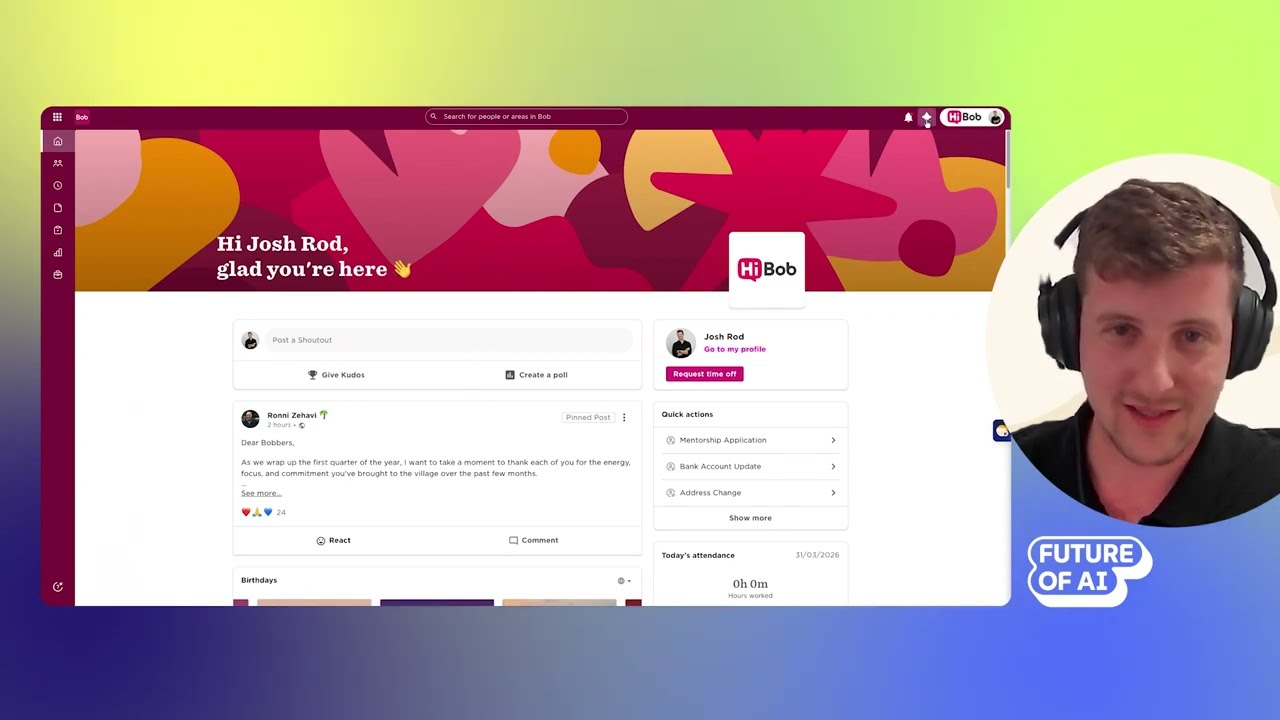
The Bob AI Companion is a single conversational interface that routes queries across specialized agents: document management, performance management, and others. Employees interact with one chat window; the routing happens behind the scenes.
The self-service use case is where this delivers immediate, measurable value. Rather than sending a Slack message to HR, searching an internal knowledge base, or waiting for a response to a ticket, employees can ask the companion directly.
In the live demo, Josh asked about the company's dogs-in-the-office policy. The system surfaced the specific policy for the Tel Aviv office, knowing from Josh's profile which location applied to him. The New York policy, which has different rules, didn't appear.
He then asked about his paternity leave entitlement and requested a day off, completing the full transaction in the same interface. When he accidentally selected a Saturday, the system flagged it before submission.

How to get the most value from the Bob AI Companion:
- Feed it your actual policies. The companion's accuracy depends on what's in the system. Well-structured policy documents produce context-aware, role-specific answers.
- Think about ticket volume, not just ticket cost. The ROI calculation isn't just time saved per ticket — it's the compounding effect across every employee, every month.
- Use it to extend HR's reach. The companion gives employees direct access to HR knowledge at any hour, without creating a new workload for your team.
2. AI-Assisted Manager Coaching

One of the harder problems in HR is the gap between performance data and meaningful coaching. Managers often look at the most recent review and move on, leaving a wealth of longitudinal data untouched. When a manager inherits a new team, the problem compounds as historical context simply isn't passed on.
HiBob's AI companion addresses this by allowing managers to query their team's performance review history and peer feedback directly, then translating that data into coaching actions.
In the live demo, Josh asked the companion to pull his own performance reviews and peer feedback, then asked it to identify three areas for improvement and suggest goals. The system synthesized the historical record into specific, actionable recommendations — including a note that he should be delegating more.
The framing Josh offered for this use case is worth holding onto: imagine if every manager had an organizational coach in the room with them at all times, drawing on everything that's ever been documented about their team.
You're sitting on a wealth of data that AI is going to help you unlock and help you be a better manager — help you guide your team.
How to get the most value from AI-assisted manager coaching:
- Use it when inheriting a team. Querying historical performance data gives new managers context they'd otherwise spend months building informally.
- Treat the output as a starting point. AI-generated coaching suggestions are only as good as the data behind them. Use them to prompt conversation, not to replace judgment.
- Integrate it into recurring rhythms. Connecting review cycles to AI coaching nudges creates a continuous feedback loop rather than an annual event.
3. Natural Language Reporting for HR Admins

HR teams spend a significant amount of time on reports — pulling data, formatting it, and distributing it to stakeholders who needed it yesterday. HiBob's AI companion allows admins to generate reports through natural language queries, directly inside the platform.
Josh logged in as an admin in the full demo environment and asked the companion to create a salary breakdown by department. The report was generated in the same interface, without opening a separate reporting module or exporting to a spreadsheet.
An important distinction surfaced here around permissions. In his personal HiBob environment, Josh noted that asking about the CEO's salary would return nothing because he doesn't have permission to see it. In the admin environment, that query becomes available. The AI doesn't override the permission structure, it operates entirely within it.
This is what separates embedded AI from exporting data to an external tool. The governance layer doesn't disappear when you switch to AI mode.
A lot of the time, HR teams and managers are spending too much time on reports. This is something that AI can help you do in a matter of minutes.
Josh Rod, Product Marketing Lead, HiBob
How to get the most value from AI-powered reporting:
- Define who gets admin-level companion access early. The AI is only as valuable as the permissions you've thought through. Build your permission structure before rolling out the feature broadly.
- Replace standing report requests with self-service prompts. Train stakeholders to pull their own reports via natural language rather than routing requests through your team.
- Use it for ad hoc questions. The highest-value use is often not the scheduled report — it's the unplanned question from a VP at 4pm that would otherwise wait until the next morning.
4. Skills Frameworks and L&D Course Creation

Skills catalogs and learning and development programs have historically been enterprise-grade capabilities requiring consultants, months of setup, and significant budget before they deliver any value. HiBob's AI changes that calculus for organizations at any size.
Josh generated a skills framework for a product marketing manager role in HR tech by inputting a job description. Within seconds, the system returned a tiered competency framework with proficiency levels, a process that would typically require a specialist and weeks of work.
He then demonstrated course creation by specifying a topic, tone, and desired length, causing the system to scaffold an entire learning course. These aren't generic templates, the AI draws on the job and role context already in the system to produce outputs relevant to the organization.
For companies starting from scratch or trying to build structure before they've hit the headcount threshold that would traditionally justify the investment, this is one of the more practically useful capabilities in the platform.
With AI, it's no longer the case that these capabilities are restricted to the big players in the industry.
Josh Rod, Product Marketing Lead, HiBob
How to get the most value from AI-generated skills and learning:
- Start with your most critical roles. Use AI to generate skills frameworks for the positions where competency gaps are most costly, then expand outward.
- Treat AI outputs as drafts, not finished products. Have a people expert review and refine what the system generates before publishing internally.
- Use skills data to connect to performance and hiring. Skills frameworks are most powerful when they inform how you evaluate, develop, and recruit — not when they sit in isolation.
5. Governance and Permissions Architecture

Governance doesn't make for exciting demos. But it's the reason HR leaders can actually deploy AI features rather than keeping them on an IT approval wishlist indefinitely.
HiBob's approach is built on three principles:
Data isn't stored or used for training. HiBob has an agreement with OpenAI that customer data is processed per query and not retained on OpenAI's servers or used to train their models. That distinction matters when the data in question is compensation history, performance records, and sensitive employee information.
Permissions govern everything, including the AI. Every query the companion runs is scoped to the requesting user's permission profile. The AI doesn't access a broader data set and filter — the permission layer determines what information is even included in the query. Josh described the principle as "permissions first, AI second."
Features can be toggled individually. Not all AI capabilities carry the same regulatory risk. In Europe, using AI in hiring or compensation decisions sits in a different regulatory environment than using it to answer policy questions.
HiBob allows individual AI features to be turned on or off, so organizations can enable what they're confident about and hold off on what they're still evaluating without being forced into an all-or-nothing decision.
Your HCM, your HR system needs to be that source of control. This is your company's most sensitive data — there's no company in the world that would share their HR data publicly, because it doesn't belong to them. It belongs to every individual employee.
Josh Rod, Product Marketing Lead, HiBob
How to get the most value from HiBob's governance architecture:
- Map permission groups before you go live. The permission structure governs what the AI can and can't surface. Get it right during implementation rather than after a data concern surfaces.
- Assign AI governance ownership explicitly. Josh's recommendation for any organization: create a dedicated AI governance function — a team or individual whose role is to ensure AI is being used responsibly. Don't make it an afterthought.
- Use feature-level controls for staged rollouts. Rather than launching everything at once, use individual feature toggles to expand access deliberately as confidence builds.
HiBob AI Features vs. Other HR Platforms
HiBob's approach prioritizes AI embedded directly in the system of record — where the data already lives — over standalone AI layers bolted onto separate tools.
- General-purpose AI tools (ChatGPT, Copilot, Claude used independently) can be useful for analysis and drafting, but they operate outside the operational system. The moment you export HR data to use with an external model, you've introduced a governance gap and a security risk. You've also lost the real-time context that makes AI recommendations actionable.
- Point solution AI tools may offer strong capabilities in one area — hiring, engagement, or performance — but lack the cross-functional data that gives HiBob's AI its contextual accuracy. A policy query needs to know who you are, where you work, and what applies to your role. A siloed tool typically can't connect those dots.
- Legacy HCMs with AI add-ons often face the challenge of retrofitting AI onto a data architecture that wasn't designed for it. HiBob's conversational interface sits on top of a modern data model, which allows permissions, context, and query routing to work together rather than against each other.
The meaningful differentiator is that HiBob functions as both the system of record and the AI layer simultaneously. When the AI surfaces a recommendation or answers a question, the action happens in the same workflow, not after an export, a handoff, or a separate tool login.
The Future of AI in HR Software
Josh was deliberately careful about long-range predictions — a reasonable position given the pace of change in this space. He suggested six months as about as far as confident forecasting goes.
What he did confirm for HiBob's roadmap and the broader direction of the category:
- External data integration. Bringing sales performance, engineering output, and other operational data into HiBob alongside HR data, connecting objective performance signals to the subjective HR picture.
- Deeper existing capabilities. Expanding what's already in the platform rather than adding surface-level features.
- Vibe coding and API extensibility. Building toward a model where organizations can create lightweight applications that interact with HiBob, making it extensible for teams with technical capability.
- MCP integration. Connecting HiBob to external AI tools like Claude or Cursor through Model Context Protocol, allowing those tools to query HiBob's data responsibly through the platform's own governance layer. (For context: MCP, or Model Context Protocol, is a standard that allows AI agents to interact with business system data securely — similar in function to an API, but designed specifically for AI.)
The underlying direction is consistent: move HR from reactive reporting to proactive intelligence, and extend that intelligence to every level of the organization, not just the people with admin access.
I'd be very hesitant to make any prediction longer than six months," Rod said. "The rate of evolution in this industry has been insane.
Ready to see HiBob's AI features in your environment, with your data?


