
10 beste programvarer for HR-administrasjon vurdert i 2026

10 Kortliste over beste programvare for HR-administrasjon


Det kan være litt av en hodepine å håndtere HR-oppgaver, ikke sant? Mellom lønnskjøring, oppfølging av oppmøte og sikring av at regelverket følges, er det lett å føle seg overveldet. Det er her programvare for HR-administrasjon kommer inn. Den hjelper deg med å håndtere disse oppgavene effektivt, slik at du får mer tid til å fokusere på teamet ditt.
Jeg har brukt mye tid på å teste og vurdere HR-programvare, og jeg har selv sett hvordan den kan gjøre hverdagen enklere. Jeg vil dele funnene mine med deg og gi en objektiv gjennomgang av de beste alternativene som finnes.
I denne artikkelen går jeg gjennom mine beste anbefalinger og fremhever hva som gjør hver av dem unik. Enten du driver en liten bedrift eller en større virksomhet, finner du noe som passer for deg her.
Hvorfor du kan stole på våre programvareanbefalinger
Teamet vårt har testet og anmeldt programvare siden 2012. Vi er selv HR-eksperter, så vi vet hvor vanskelig og hvor viktig det er å velge riktig programvare.
I denne guiden har vi vurdert verktøyene gjennom praktisk testing og uavhengig research og gitt dem poeng ut fra våre utvelgelseskriterier. Vi bygger også på innsikt fra ledende eksperter i bransjen og erfarne HR-eksperter.
Anmeldelsene våre bygger på vår egen redaksjonelle vurdering. De er ikke et salgsargument.
Ekspertanmeldere:
Sammendrag av den beste programvaren for HR-administrasjon
Denne sammenligningstabellen oppsummerer prisopplysningene for mine beste utvalgte programmer for HR-administrasjon, slik at du kan finne det beste alternativet for budsjettet og virksomhetens behov.
| Tool | Best For | Trial Info | Price | ||
|---|---|---|---|---|---|
| 1 | Best for worldwide HR management | Free demo available | From $5/user/month | Website | |
| 2 | Best for benefits administration | Free demo available | From $79/user/month | Website | |
| 3 | Best for small and medium businesses | Free demo available | From $10/user/month | Website | |
| 4 | Best HR management software with integrated IT functions | Free demo available | From $8/user/month | Website | |
| 5 | Best as AI for business | Free trial + Free demo available | From $8/user/month | Website | |
| 6 | Best for payroll-HR integration | Free demo available | From $49/month | Website | |
| 7 | Best for payroll integration | Free demo available | Pricing upon request | Website | |
| 8 | Best for onboarding new hires | Free demo available | Pricing upon request | Website | |
| 9 | Best for scaling HR needs | Free trial available | From $99/month | Website | |
| 10 | Best for aligned HRIS-to-performance flow | Free demo available | From $10/employee/month | Website |


Anmeldelser av den beste programvaren for HR-administrasjon
Nedenfor finner du mine detaljerte sammendrag av den beste programvaren for HR-administrasjon som kom med på kortlisten. Anmeldelsene mine gir et detaljert innblikk i de viktigste funksjonene, fordelene & ulempene, integrasjonene og ideelle bruksområdene for hvert verktøy, slik at du kan finne det beste alternativet for deg.
Deel HR
Best for worldwide HR management
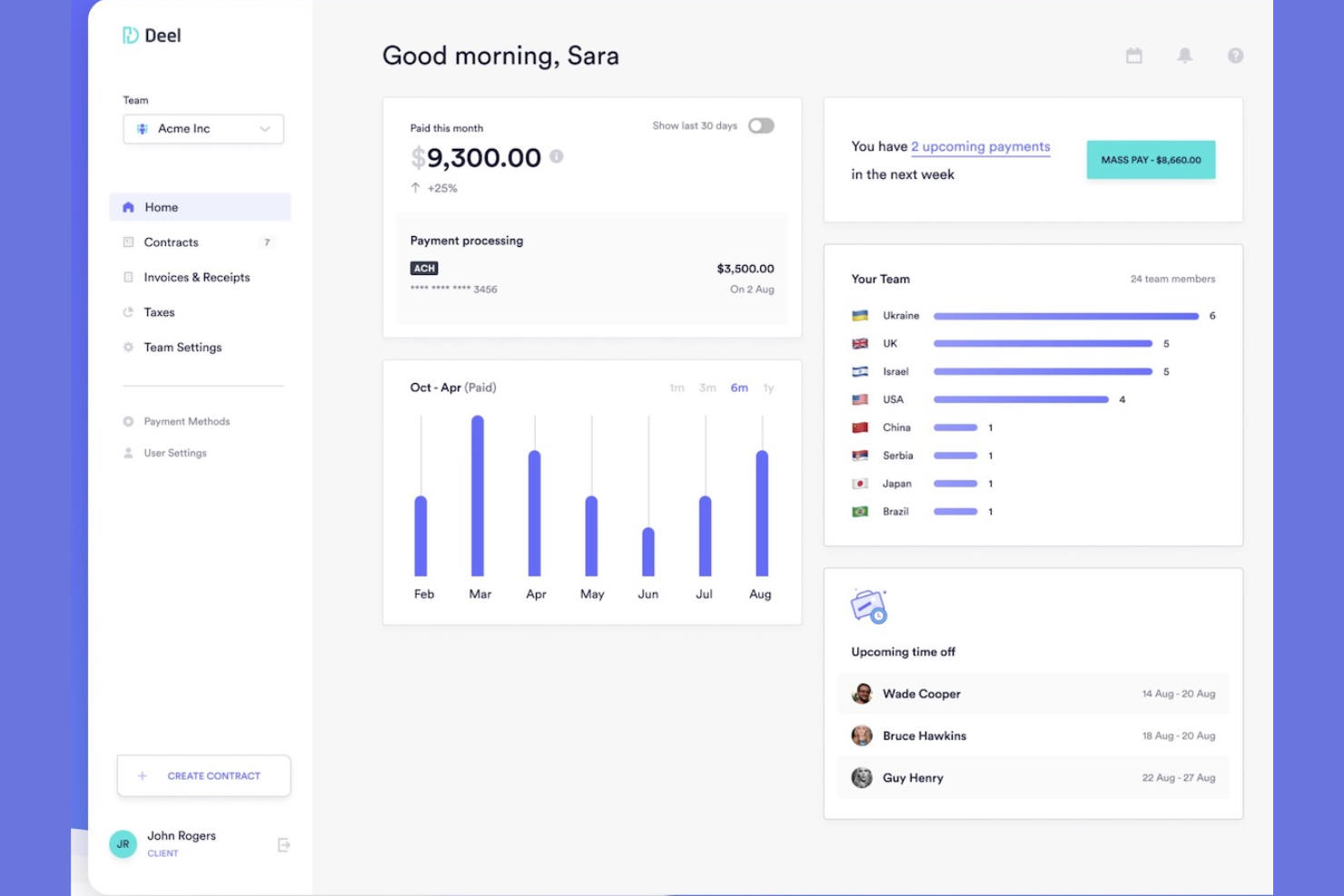
Deel is designed for companies hiring across multiple countries who need reliable global payroll, compliance, and HR administration in one platform. It’s especially useful for teams managing distributed employees or contractors and looking to centralize onboarding, payments, and documentation.
Why I Picked Deel
I picked Deel because it gives you a single system to run HR, payroll, and compliance across 150+ countries without juggling local vendors. You can manage time off, track performance documentation, and automate onboarding through structured workflows that ensure every hire meets local requirements.
I also like that you can offer localized benefits packages and manage global compensation policies directly in the platform. Deel’s compliant payroll engine handles taxes, payslips, and contractor payments automatically, reducing your admin workload.
Deel Key Features
Here are some key features worth highlighting:
- Invoice Generation: Create compliant contractor invoices and payouts from one dashboard.
- Tax and Compliance Management: Automatically applies country-specific tax rules and filing requirements.
- Payslip Management: Generates localized, legally compliant payslips for every hire.
- Accounting Integrations: Sync payroll and contractor payments directly into your finance systems.
Deel Integrations
Integrations include BambooHR, Ashby, Expensify, Greenhouse, Hibob, Netsuite, Okta, OneLogin, QuickBooks, Xero, Workday, and Workable.
Pros and Cons
Pros:
- Automated onboarding workflows with required documentation
- Localized benefits management for global teams
- Supports compliant HR and payroll in 150+ countries
Cons:
- Limited customization in certain regions
- Some HR tools (like performance) less advanced
New Product Updates from Deel HR

Deel Expands Stablecoin Wallet to 80+ Countries
Deel expands its Stablecoin Wallet to 80+ countries with dollar-backed balances and optional rewards. This gives eligible contractors more ways to hold and manage earnings inside Deel. For more information, visit Deel’s official site.
 .
Best for benefits administration
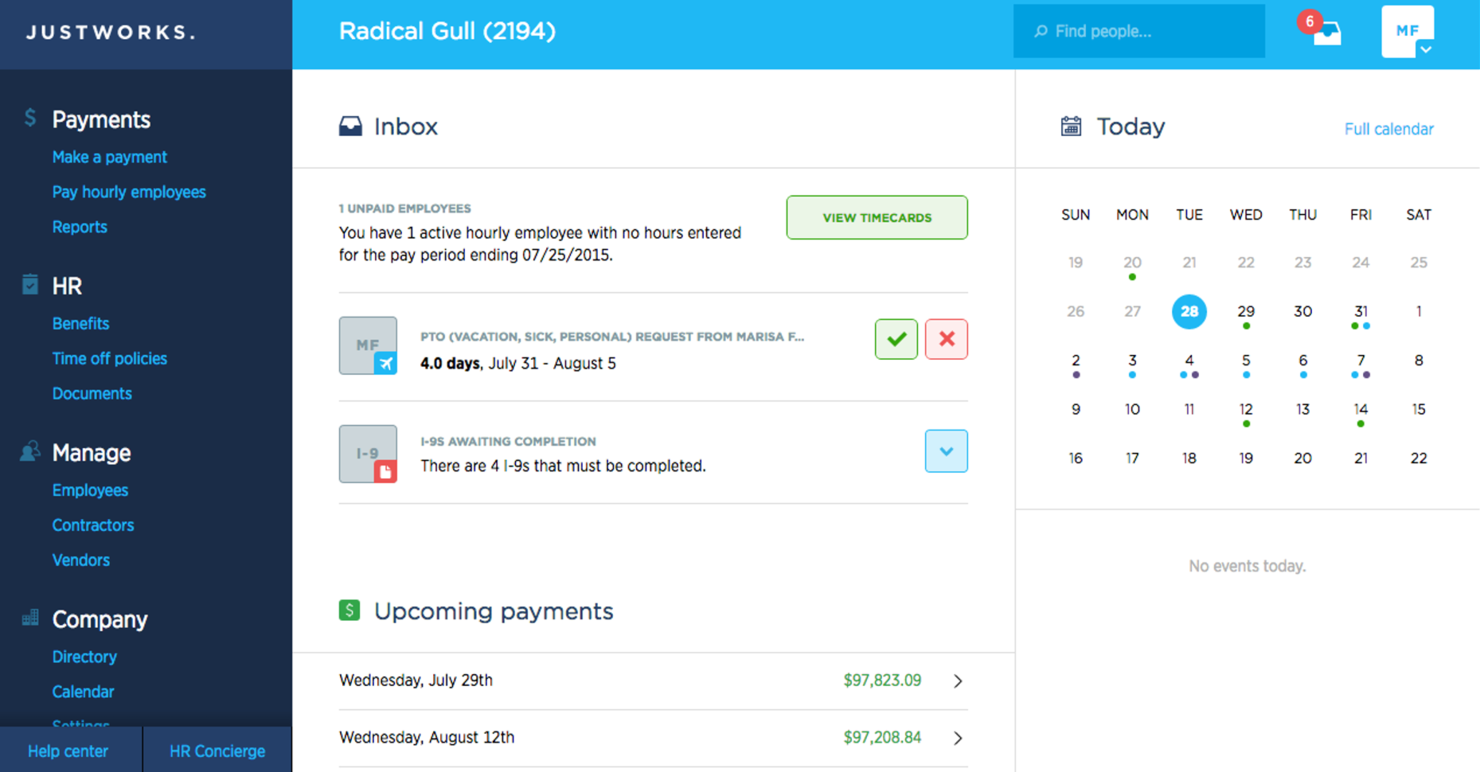
Justworks is an HR and payroll platform designed for small to medium-sized businesses, offering solutions for benefits administration, compliance, and payroll. It helps you manage employee benefits and ensure compliance with regulations.
Why I picked Justworks: Justworks excels in benefits administration, providing straightforward access to health insurance, 401(k) plans, and other benefits. You can manage compliance with ease, thanks to its built-in tools and resources.
The software handles payroll and tax filings, ensuring your finances are in order. It also offers support for employee onboarding, making it easier to integrate new hires into your team.
Standout features & integrations:
Features include automated payroll processing, compliance support, and employee self-service. These features allow your team to manage HR tasks efficiently. Justworks offers 24/7 support, ensuring that help is always available when you need it.
Integrations include QuickBooks, Xero, Slack, Expensify, TSheets, Google Workspace, Microsoft Teams, BambooHR, Gusto, and ADP.
Pros and Cons
Pros:
- Easy employee onboarding
- 24/7 customer support
- Strong benefits administration
Cons:
- Occasional software glitches
- Some features need improvement
BambooHR
Best for small and medium businesses
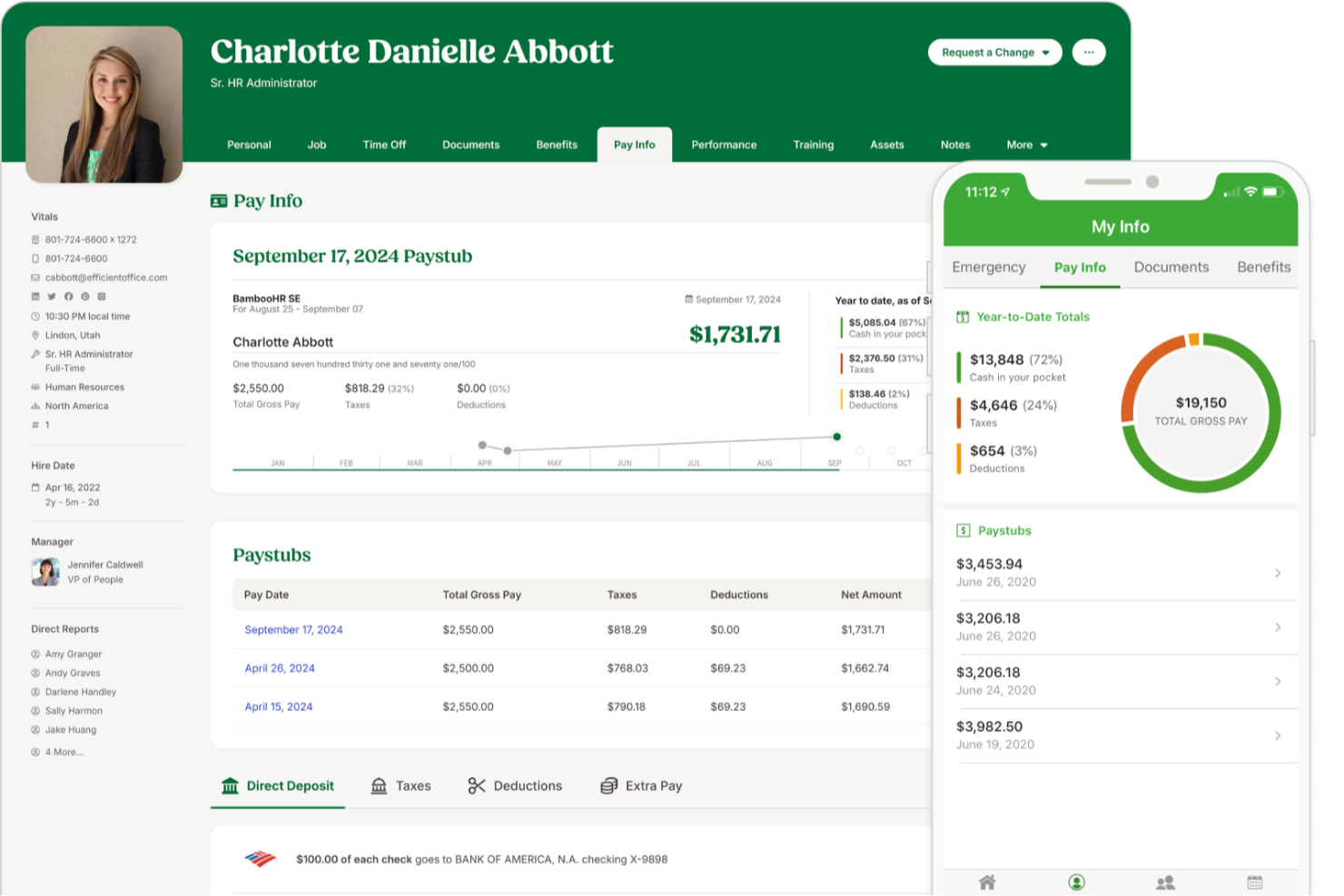
BambooHR is a good fit for small and mid-sized companies that want a single place to manage employee data, simplify everyday HR tasks, and give staff easy self-service access. It’s especially useful for teams that want clearer visibility into employee sentiment, stronger onboarding workflows, and mobile-friendly tools employees will actually use.
Why I Picked BambooHR
I picked BambooHR because it gives your team one centralized system for employee records, time-off management, hiring, and onboarding without adding extra admin work. Its self-service tools let employees request time off, update their own information, and access org charts or directories through the mobile app—reducing your team’s day-to-day workload.
I also like its built-in engagement tools, which combine eNPS surveys, well-being check-ins, and sentiment analysis so you can better understand how your workforce is doing. For hiring, its ATS auto-fills offer letter templates with candidate and job details and supports e-signatures to help you move faster. And because data syncs across the platform, you avoid duplicate entry and keep all employee information consistent.
BambooHR Key Features
Here are some key features worth highlighting:
- Employee Well-Being Surveys: Collect anonymous feedback using short recurring check-ins and open-text responses.
- Mobile App for Employees: Manage time off, view calendars, complete onboarding tasks, and sign documents from iOS or Android.
- Customizable Onboarding Templates: Build pre-boarding and onboarding task lists tailored to roles, departments, or locations.
- Time Tracking Add-On: Track hours, approve timesheets, and sync data directly into payroll when enabled.
BambooHR Integrations
Integrations include Slack, Microsoft Teams, Google Workspace, Indeed, Checkr, Greenhouse, Okta, OneLogin, NetSuite, and Trainual.
Pros and Cons
Pros:
- Employee mobile app supports time off, docs, and announcements
- Pre-boarding templates shorten new hire setup time
- Strong eNPS and sentiment tools improve engagement insights
Cons:
- Limited customization in certain HR workflows
- Payroll is an add-on
New Product Updates from BambooHR

BambooHR Improves Time Off Importer
BambooHR redesigns its Time Off Importer with automatic column mapping suggestions, full-file previews, and clearer import results. These updates help teams review bulk time off changes before import and resolve errors more easily. For more information, visit BambooHR’s official site.
 .

Rippling
Best HR management software with integrated IT functions
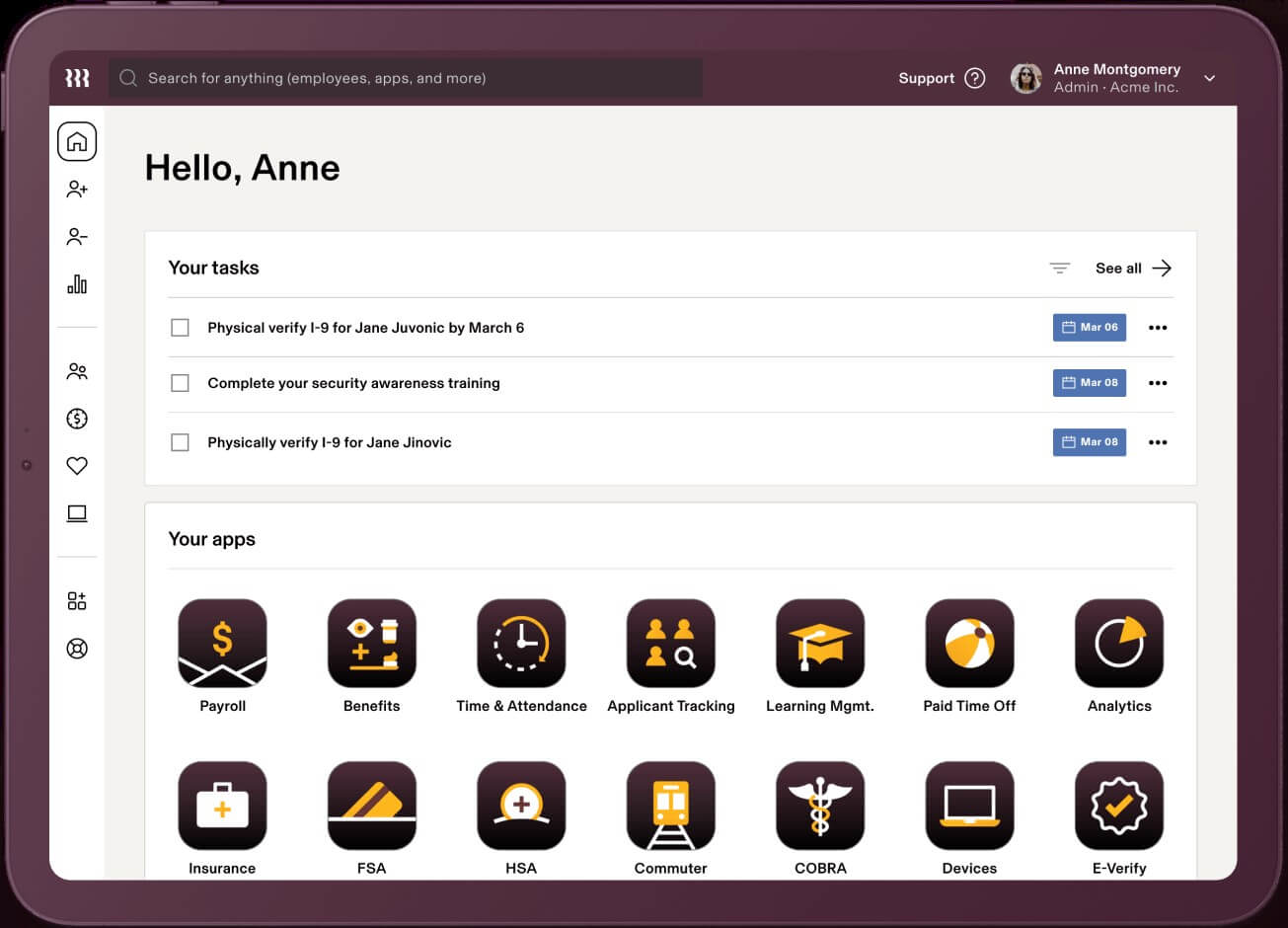
Rippling is a cloud-based HR management system that acts as a single source of truth for employee data with numerous automations to reduce manual work.
Why I picked Rippling: Its HR management software is available in three distinct bundles: Workforce Platform, HR Cloud, and IT Cloud. All three products operate seamlessly or can be purchased independently, depending on your business needs. Due to their sophisticated IT and global features, their software is well-suited to support distributed workforces.
Rippling Standout Features and Integrations:
Their Workforce Platform offers strong workflow automations and process improvement tools for workforce management, including tools for onboarding & offboarding and document approvals using e-signatures.
Their HR Cloud includes a suite of flexible modules for core HR tasks, including full-service payroll software with time-tracking and benefits administration data automatically synced to payroll to improve productivity and payroll accuracy. They even offer professional employer organization (PEO) services for organizations interested in hiring international talent, including international benefit plans, compliance tracking, and global payroll processing.
Still within their HR Cloud, their talent management and recruitment module features one-click job postings to multiple job boards, an applicant tracking system to organize candidates, and automatic interview scheduling through calendar integrations. To round that all out, their HR Cloud also includes a flexible learning management system (LMS) with 1,000+ pre-built courses and tools to build your own, plus automations to assign, remind and track course completion.
Last but not least, their IT Cloud offering really sets them apart from other traditional HRIS platforms. Within it, they offer advanced device & inventory management features to track, update, lock and wipe devices, manage security threats, and organize software (including purchasing apps and hardware) for new employees. In addition, they have app & identity management tools for password management, software lifecycle management, provisioning & de-provisioning of software licenses, multi-factor authentication, and single sign-on services too.
Integrations are available with 500+ third-party software systems through their App Shop. If needed, you can also set up custom integrations through their API too.
They do have two mobile apps as well: “Rippling - Time Clock” for clocking in/out, and “Rippling - Simplify HR & IT” for viewing pay stubs, managing time-off, accessing the employee directory, and managing passwords and apps.
New Product Updates from Rippling

Rippling Expands Automated Compliance With AI Workflows
Rippling expands Automated Compliance with multi-framework support, AI workflows, an audit portal, and trust centers. These updates help GRC teams manage compliance work and audits. For more information, visit Rippling’s official site.
Best as AI for business
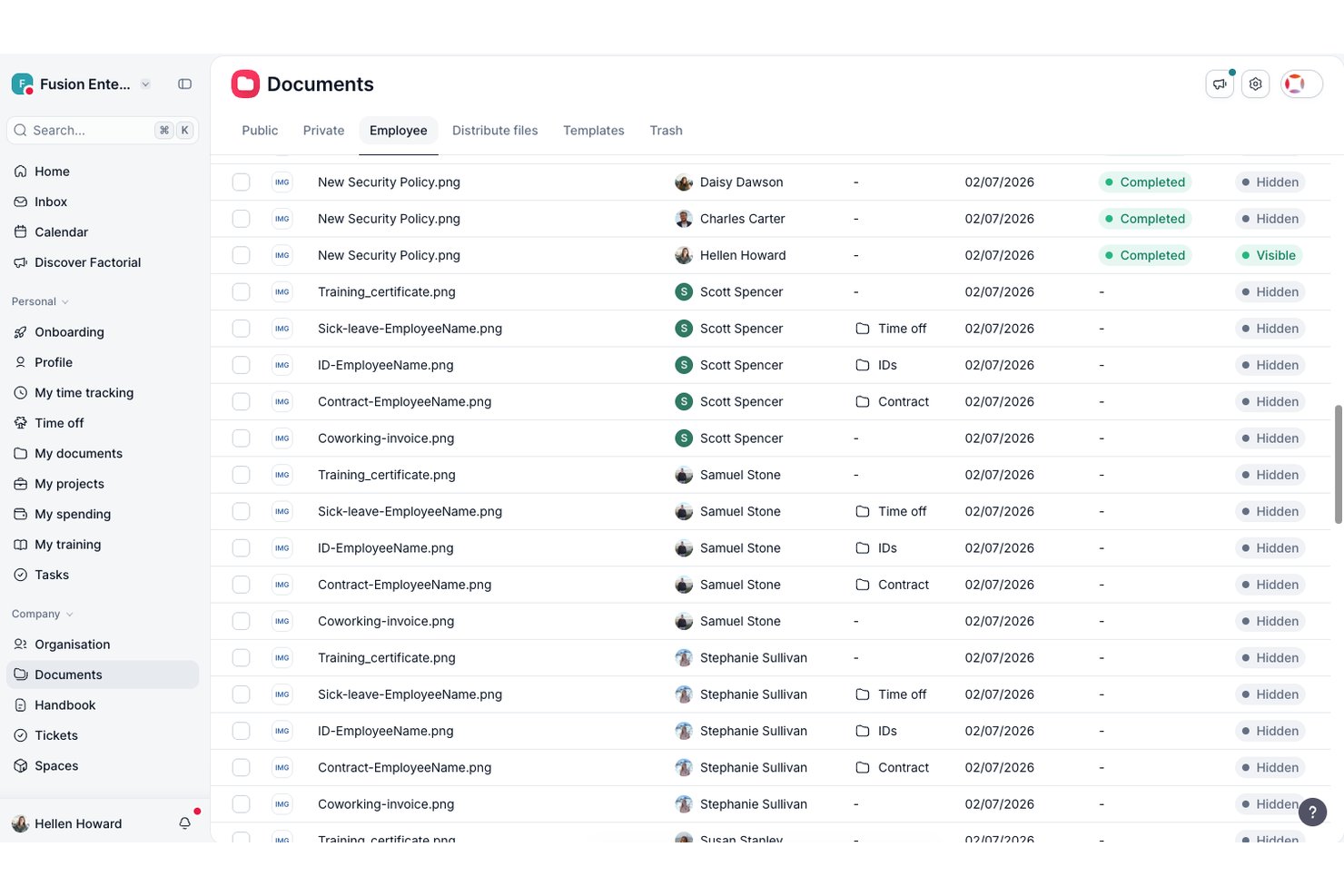
Factorial is an AI-driven HR management platform that covers employee records, time-off and leave tracking, onboarding and offboarding workflows, performance management, and reporting—with an AI assistant built into each area to handle tasks like scheduling, report generation, and policy questions.
Who Is Factorial Best For?
Factorial is a strong fit for small and mid-sized businesses, particularly those in Europe, that want AI woven into everyday HR tasks like scheduling, reporting, and answering employee policy questions.
Why I Picked Factorial
I picked Factorial as one of the best because its AI runs across every corner of the platform, not just as a chatbot add-on. In practice, that means I can ask it to build a shift schedule from an uploaded spreadsheet, generate a custom HR report in plain language, or get an instant answer to a leave policy question without digging through documentation. The AI also flags payroll anomalies before a run and writes performance review summaries, cutting the manual back-and-forth that slows down core HR work.
Factorial Key Features
- 360° feedback and review cycles: Factorial lets you run structured review periods with automatic reminders, competency tracking, and a 9-box talent matrix to assess and develop your team.
- Employee self-service portal: Employees can update their own details, view payslips and documents, e-sign files, and manage their schedules directly from the portal or mobile app.
- Custom HR reporting: Build standard or custom reports using plain-language prompts or SQL, pulling real-time data across performance, recruiting, training, and engagement.
- Configurable onboarding workflows: Assign tasks with due dates, share documents, collect e-signatures, and set up a new-hire welcome space—all from a centralized onboarding plan.
Factorial Integrations
Factorial offers integrations with Slack, Google Workspace, Microsoft Azure, Okta, Microsoft Power BI, LinkedIn, Recruitee, ZKTeco, DATEV LODAS, and Zapier. It also provides a public API for custom integrations.
Pros and Cons
Pros:
- AI assists reports, schedules, and policy answers
- Employee portal centralizes documents and e-signatures
- Simple leave requests and shared absence calendar
Cons:
- US payroll and compliance coverage is limited
- Reviewers report slow or unresponsive support
Gusto
Best for payroll-HR integration

Gusto offers a clean, all-in-one payroll and HR experience that can help you manage payroll, benefits, and employee data in one place — ideal if you want to simplify hiring, onboarding, and paying people without juggling multiple tools. It appeals especially to small-to-medium businesses, startups, and other teams where you may not have a full HR department but still need reliable payroll, benefits, and compliance support.
Why I Picked Gusto
I picked Gusto because it combines payroll, benefits, and HR functions into a single platform, which means your team doesn’t need separate systems for payroll and HR — you get direct deposit, tax filing, and benefits-deduction handling all under one roof. Gusto's automated payroll system ensures that all calculations and filings are handled accurately, reducing the risk of errors. Additionally, its comprehensive benefits management allows you to offer health and retirement plans seamlessly, aligning with your business goals. These features make Gusto an ideal choice for businesses looking to improve their HR processes.
Gusto Key Features
In addition to payroll and benefits management, Gusto provides several other valuable features:
- Time and Attendance: Manage employee hours and time-off requests with ease, ensuring accurate record-keeping.
- Hiring and Onboarding: Streamline the onboarding process with tools for creating offer letters and managing new hire paperwork.
- Talent Management: Conduct performance reviews and track employee development to foster a productive work environment.
- Insights and Reporting: Access data-driven reports to make informed decisions about your workforce and business strategies.
Gusto Integrations
Integrations include QuickBooks, Xero, FreshBooks, Clover, TSheets, Trainual, Deputy, Expensify, Homebase, and When I Work.
Pros and Cons
Pros:
- Employee self-service portal empowers staff to access pay and forms.
- Automatic tax filings and direct deposit simplify payroll compliance.
- Payroll, benefits, and HR in one unified platform.
Cons:
- SMBs that need advanced compliance or niche industry-specific HR modules may find Gusto limiti
- Per-person pricing can get expensive as team grows.
New Product Updates from Gusto
Gusto Adds Solo Advisory Tools and Mobile Money Features
Gusto adds Solo S-Corp Advisory Tools and Gusto Money on Mobile for tax guidance, invoicing, and bill payments. These updates help accountants advise solopreneurs and let users manage business finances from their phones. For more information, visit Gusto’s official site.
Best for payroll integration
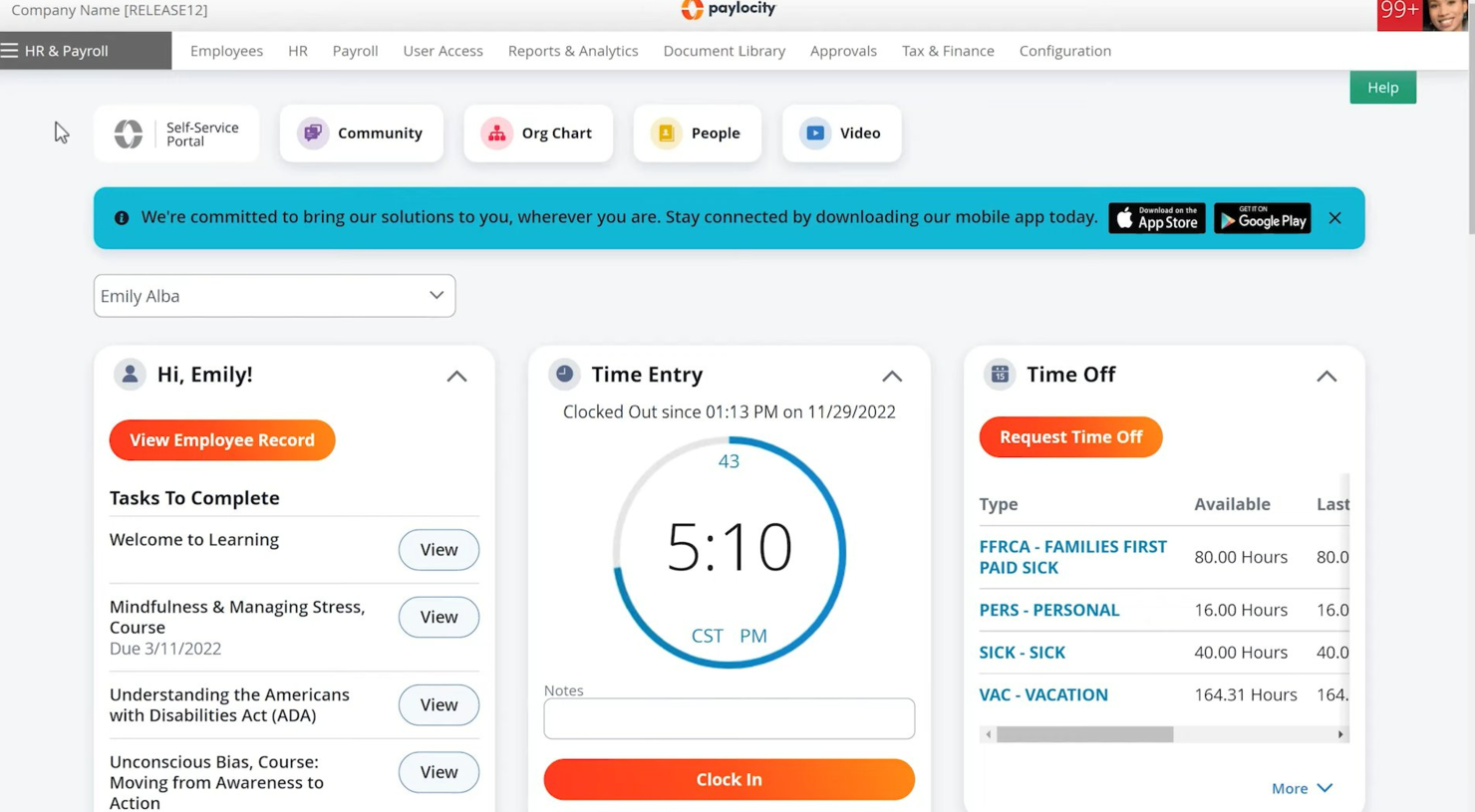
Paylocity is a human resources and payroll platform designed for businesses of all sizes. It offers payroll processing, benefits administration, and employee management solutions.
Why I picked Paylocity: Paylocity's strong payroll integration is a key feature, making it ideal if you need a reliable payroll solution. It provides automated payroll processing and tax filing, which simplifies financial management.
The software also offers employee self-service options, reducing the administrative burden on your HR team. You can manage benefits and track employee performance all in one place.
Standout features & integrations:
Features include a learning management system, survey tools, and performance reviews. These features help you develop and engage your workforce effectively. Paylocity’s survey tools allow you to gather valuable employee feedback.
Integrations include QuickBooks, ADP, Workday, Salesforce, Microsoft Dynamics, BambooHR, Xero, NetSuite, Oracle, and G Suite.
Pros and Cons
Pros:
- Learning management system
- Employee self-service options
- Automated tax filing
Cons:
- Limited offline access
- Occasional technical issues
New Product Updates from Paylocity

Paylocity Adds Candidate Engagement and Talent Rediscovery Agents
Paylocity adds Candidate Engagement and Talent Rediscovery Agents to automate candidate outreach, scheduling, and re-engagement. This helps recruiting teams move candidates through hiring faster. For more information, visit Paylocity’s official site.
 .
HiBob
Best for onboarding new hires
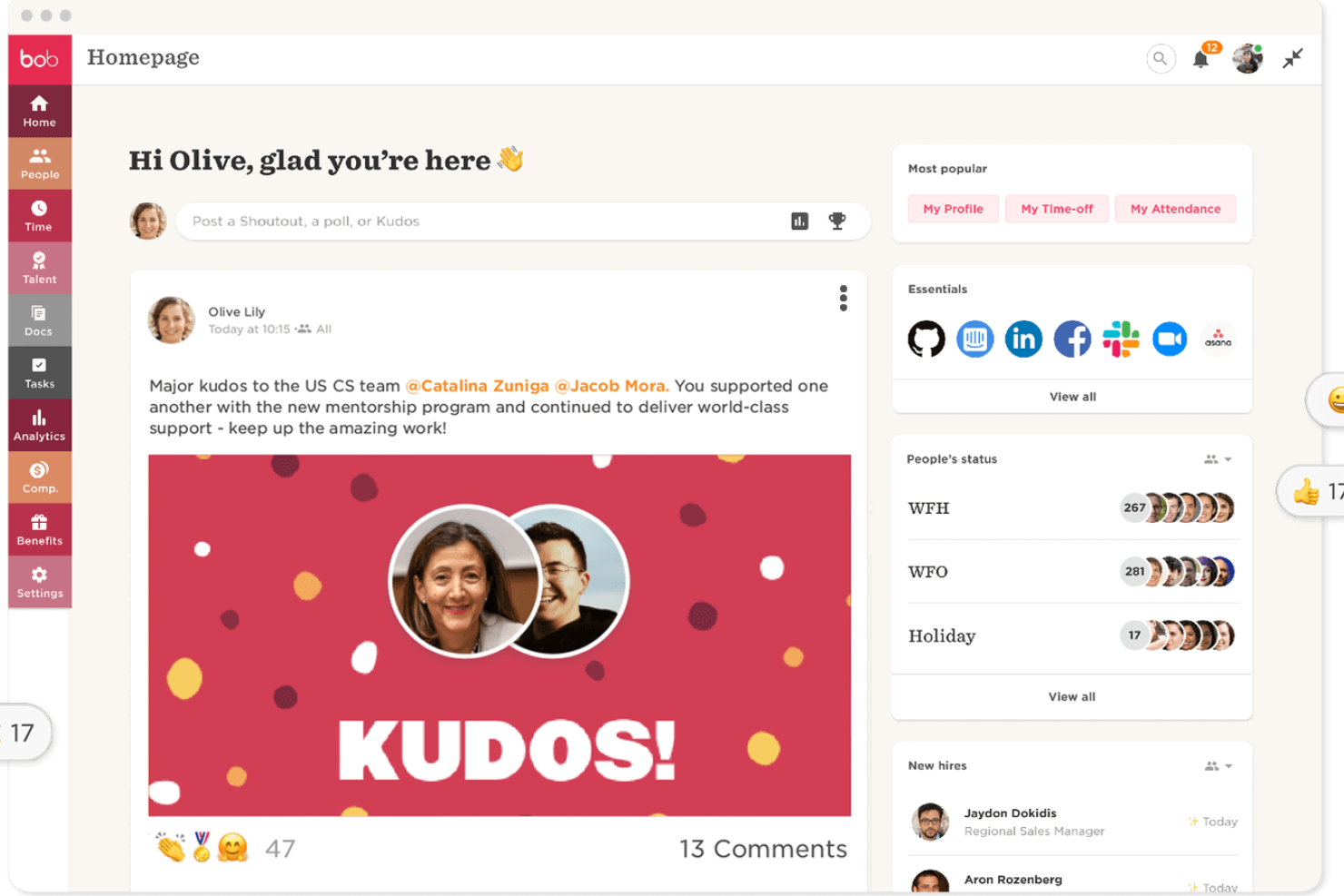
HiBob is designed for companies that want a modern, people-focused way to manage core HR tasks. It’s best suited for mid-sized and fast-growing teams that need clear onboarding workflows, reliable performance tools, and a single place to maintain employee data.
Why I Picked HiBob
I picked HiBob because it gives you practical tools to support the full employee lifecycle without adding administrative clutter. You can onboard new hires with guided steps that help your team set expectations, assign tasks, and track progress from day one.
Its goal-setting and review features help you tie individual performance to company objectives, giving managers a clear structure to work with, and I like that HiBob includes compensation planning tools, letting you compare salary data and manage increases in one place. Its built-in people analytics give you real workforce insights you can use to make informed HR decisions.
HiBob Key Features
Here are some key features worth highlighting:
- Payroll Hub: Centralizes payroll data and connects with leading payroll providers for consistent processing.
- Time & Attendance Tracking: Lets employees record hours and submit time-off requests, giving managers clear oversight.
- Customizable Workflows: Helps you automate recurring HR tasks such as approvals, reminders, and policy acknowledgments.
- Employee Engagement Tools: Supports recognition, updates, and surveys to help your team stay connected.
HiBob Integrations
Integrations include Slack, Microsoft Teams, Zoom, LinkedIn Learning, Deel, CloudPay, Culture Amp, Capdesk, ClickTime, and NetSuite.
Pros and Cons
Pros:
- Compensation modeling supports fair, consistent pay decisions
- Goal-setting tools help align teams with company objectives
- Guided onboarding workflows reduce admin work for managers
Cons:
- Reporting setup can take time for new admins
- Some features require add-ons depending on your plan
Paycor
Best for scaling HR needs

Paycor is designed for small and mid-sized businesses that need HR and payroll tools that can scale as they grow. It’s especially useful if your team wants a system that supports hiring, payroll, and compliance while letting you expand capabilities over time.
Why I Picked Paycor
I picked Paycor because it gives growing organizations the HR foundation they need without adding unnecessary complexity. You can run payroll confidently thanks to built-in tax calculations and automated filings, which help reduce manual errors.
Its hiring tools—such as applicant tracking and structured onboarding—make it easier to bring new employees onboard smoothly as your workforce expands. I also like that its workforce management tools, including scheduling and attendance tracking, give you visibility into staffing needs across different business sizes.
And because Paycor offers modular add-ons, you can extend functionality—like benefits, performance, or learning tools—whenever your team is ready.
Paycor Key Features
Here are some key features worth highlighting:
- Onboarding Checklists: Create consistent new-hire experiences with customizable, step-by-step tasks.
- Employee Self-Service: Let employees update personal details, view pay info, and manage time-off requests.
- Performance Management: Track goals and share feedback using built-in reviews and evaluation tools.
- Benefits Administration: Manage open enrollment, eligibility, and plan elections in one place.
Paycor Integrations
Integrations include QuickBooks, Xero, NetSuite, ADP, Salesforce, Indeed, Glassdoor, BambooHR, Microsoft Dynamics, and Workday.
Pros and Cons
Pros:
- Module add-ons let you expand HR capabilities as you grow
- User-friendly interface
- Effective compliance management
Cons:
- Limited customization for dashboards and reports
- Setup can take time for teams with complex payroll needs
Leapsome
Best for aligned HRIS-to-performance flow
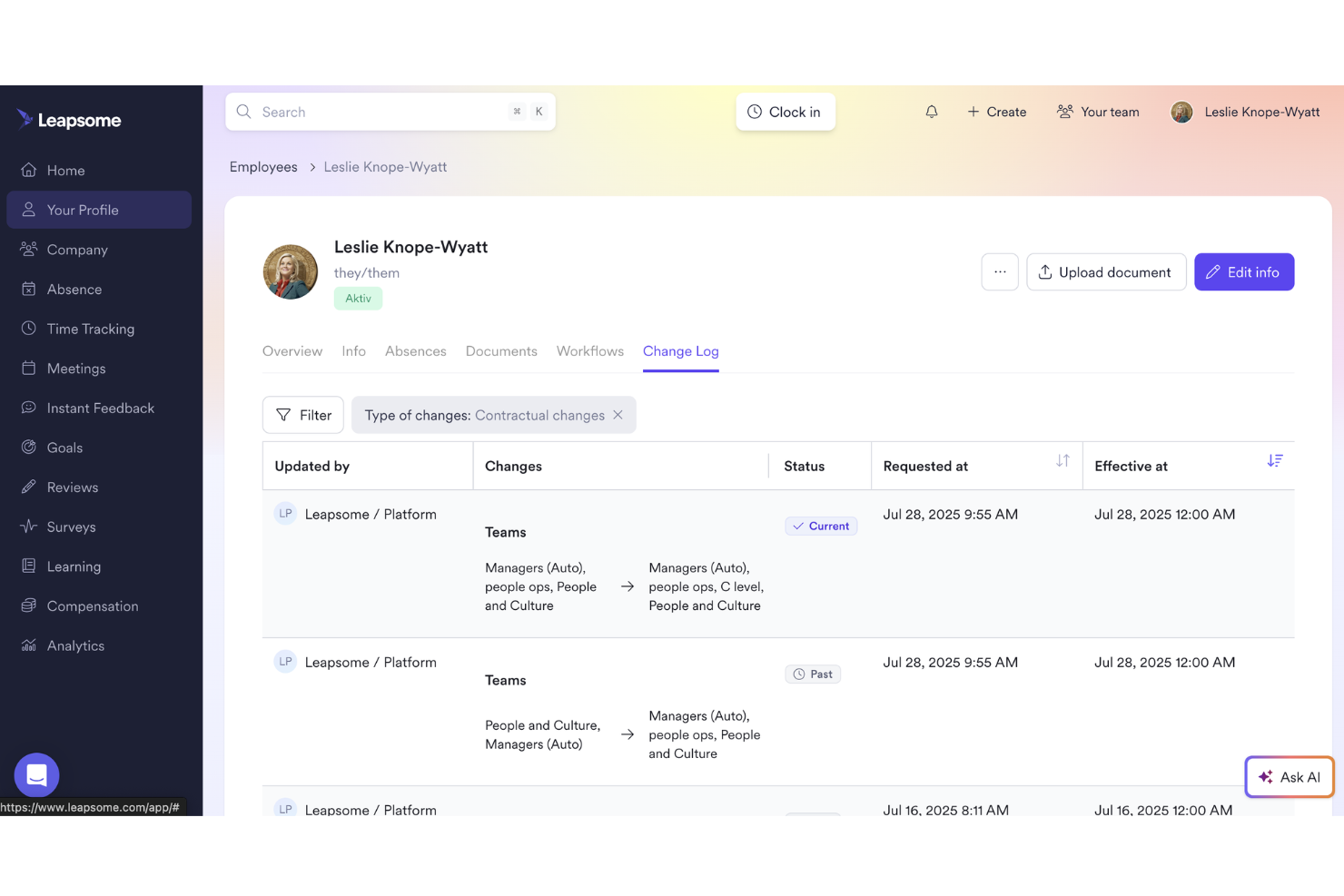
Leapsome is ideal for teams that want their HR data, performance processes, and development workflows connected in one place.
Why I Picked Leapsome
I picked Leapsome because it combines a modern HRIS with people-enablement tools in a way that keeps your operations compliant without sacrificing culture. You get a unified employee record system tied directly to goals, reviews, and development, meaning everything stays consistent and connected across the employee lifecycle.
I also appreciate its AI assistant, Leapy, which drafts policies, surfaces insights, and suggests next steps so you can cut down on manual work and focus on higher-value conversations.
Leapsome Key Features
Here are some key features work mentioning:
- Employee records & document management: Lets you store employee data, files, and signatures in one compliant, centralized location.
- Absence and time tracking: Gives your team clear visibility into time off, attendance, and scheduling without relying on spreadsheets.
- Onboarding & pre-boarding workflows: Provides guided workflows so new hires get consistent onboarding experiences with fewer manual tasks for HR.
- Payroll syncs & automated checks: Connects key employee data to payroll and runs automated validations to help reduce errors and administrative rework.
Leapsome Integrations
Integrations include Slack, Microsoft Teams, Google Workspace, Jira, BambooHR, Personio, Okta, OneLogin, Rippling, and Workday.
Pros and Cons
Pros:
- Engagement surveys include benchmarks and actionable recommended next steps
- Automates onboarding, time tracking, and payroll syncs to reduce manual tasks
- Connects HRIS data directly with goals, reviews, and development workflows
Cons:
- Limited customization for niche business requirements
- Mobile experience is less polished than the desktop environment
Annen programvare for HR-administrasjon
Her er noen flere alternativer innen programvare for HR-administrasjon som ikke kom med på kortlisten min, men som likevel er verdt å ta en titt på:
- monday AI Workspace
For detailed task management + automations
- Breathe HR
For SMEs seeking HR solutions
- Workable HR
For customizable onboarding workflows
- Sloneek
For 360 degree feedback
- RemoFirst
HR management systems for global benefits management
- Lattice
For customizable performance reviews
- factoHR
For compliance management
- GoCo
For small and mid-sized businesses
- IntelliHR
For advanced analytics and time-saving compliance management features
- edays
For shared team calendars
- Oracle HCM Cloud
For managing the workforce lifecycle
- Workleap
For real-time feedback and analytics
- Workday
For managing human capital
- Personio
For people workflow tools for productivity
- Kallidus Sapling
HR software with an integrated learning management system
- UKG Pro
Advanced HCM software with talent management tools and AI-backed employee feedback sentiment analysis
- OrangeHRM
For open-source flexibility
- Odoo (HR module)
For modular scalability
- Dayforce
For data-driven HR decisions
- Namely
For mid-sized companies
- Sage HR
Adaptable HRMS software with unlimited applicant pipelines and an expense management app
- SAP SuccessFactors
Enterprise-level HR management software suite focused on human experience management.
- Cezanne HR
For European markets
- Vault ERP
Scalable HR management software with add-ons for budgeting, operations, asset management, client management, and more
- Zoho People
For multi-language support
- Freshteam
Human resource management software well-suited for small business - available as a 21-day free trial.
- PeopleFluent
For talent management in enterprises
- peopleHum
For AI-driven HR insights
- Connecteam
HR management software for deskless workers, including employee scheduling, time clocking in/out, task management, checklists and forms.
- Arcoro
Core HR management software well-suited for compliance and health & safety focused industries.


How I Evaluate HR Management Software
I split my evaluation into baseline criteria—like employee database depth and leave management—and differentiators that separate vendors for specific team sizes or compliance needs.
Core Functionality (Table Stakes For This List)
When I'm selecting tools for my list, I rank each one on a scale from 0 (does not offer the functionality) to 5 (excels in this area) for each core functionality listed below. Then, I calculate the tool's total score into a percentage. Each tool needs to achieve a minimum total score of 75% to be considered for inclusion.
- Employee Database & Records: I look for a centralized employee directory where HR teams can store and retrieve profiles, documents, and employment histories without toggling between spreadsheets or file systems.
- Onboarding & Offboarding Workflows: Each tool should support structured task sequences for new hires and departures, including offer letter collection, e-signatures, IT provisioning checklists, and exit interview scheduling.
- Time & Leave Management: I evaluate how the platform handles PTO requests, accrual policies, and approval routing—especially for organizations juggling multiple leave types like parental leave, sick time, and floating holidays.
- Performance Management Tools: Goal setting, review cycles, and feedback mechanisms matter here. I check whether the tool supports formats like 360 reviews, 1:1 tracking, or OKR alignment rather than just annual review forms.
- Compliance & Reporting: The platform should generate workforce reports and support regulatory requirements like EEO-1 filings or audit-ready data exports, not just basic headcount summaries.
- Payroll & Benefits Integration: I look at whether payroll and benefits administration are built in or connected through integrations with providers like ADP, Gusto, or Paychex—and how smoothly data flows between systems.
Once I have a list of tools that meet this criteria, I consider what sets each platform apart.
Differentiating Factors (What Sets Vendors Apart)
Here's how I compare and contrast different vendors:
Standout Features
Employee self-service portals are a big differentiator. When employees can update their own addresses, download tax documents, or submit PTO requests without emailing HR, it frees up hours every week. I also look at mobile app quality—especially for teams with deskless or field workers who need to clock in, check schedules, or view pay stubs from their phones. Pulse surveys and eNPS tools are worth evaluating too, since they give people ops teams real-time sentiment data instead of relying on annual engagement surveys.
Beyond Features
Integration ecosystem matters a lot here. I check whether a platform connects with your existing payroll provider, ATS, and tools like Slack or Microsoft 365—because disconnected systems create duplicate data entry. Compliance and data security are equally important; I look for SOC 2 certification, role-based access controls, and audit logs that hold up during internal or external reviews. Implementation support is another factor I weigh, since migrating employee records from a legacy HRIS can be complex, and a dedicated onboarding team makes a real difference.
Slik velger du programvare for HR-administrasjon
Det er lett å gå seg vill i lange funksjonslister og kompliserte prisstrukturer. For å hjelpe deg med å holde fokus når du går gjennom den unike prosessen med å velge programvare, har jeg laget en sjekkliste over faktorer du bør ha i tankene:
| Faktor | Hva du bør vurdere |
|---|---|
| Skalerbarhet | Vil programvaren vokse sammen med virksomheten din? Vurder om den kan håndtere en økning i antall ansatte eller flere HR-funksjoner etter hvert som virksomheten utvides. |
| Integrasjoner | Fungerer den sammen med verktøyene du allerede bruker? Sjekk at den er kompatibel med den nåværende programvarepakken din for å unngå forstyrrelser i arbeidsflytene. |
| Tilpasningsmuligheter | Kan du tilpasse programvaren etter behovene dine? Se etter muligheter for å justere arbeidsflyter, felt og rapporter slik at de passer til HR-prosessene dine. |
| Brukervennlighet | Er den brukervennlig for teamet ditt? Sørg for at grensesnittet er intuitivt og krever minimal opplæring, slik at læringskurven for de ansatte blir kortere. |
| Implementering og oppstart | Hvor raskt kan du komme i gang? Vurder hvor mye tid og hvilke ressurser som kreves for implementering og innledende opplæring, og se etter alternativer for leverandørstøtte. |
| Kostnad | Holder den seg innenfor budsjettet ditt? Sammenlign prisplanene og vurder de totale eierkostnadene, inkludert eventuelle skjulte gebyrer eller kostnader for ekstra funksjoner. |
| Sikkerhetstiltak | Er dataene dine beskyttet? Kontroller at programvaren følger bransjestandarder og tilbyr kryptering, tilgangskontroller og regelmessige sikkerhetsoppdateringer. |
| Krav til regelverksetterlevelse | Oppfyller den juridiske standarder? Sørg for at programvaren følger lokale arbeidslover og forskrifter for å unngå potensielle juridiske problemer. |
Hva er programvare for HR-administrasjon?
Programvare for HR-administrasjon er et verktøy som er utviklet for å hjelpe organisasjoner med å administrere personalfunksjonene sine effektivt. HR-fagfolk, inkludert ledere og rekrutterere, bruker vanligvis disse verktøyene til å forenkle oppgaver som lønnsbehandling, administrasjon av personalgoder og håndtering av ansattdata. Funksjoner for tidsregistrering, medarbeidervurderinger og overholdelse av regelverk bidrar til å opprettholde registre og sikre juridisk etterlevelse. Disse verktøyene sparer til syvende og sist tid og reduserer feil, slik at HR-prosessene blir mer effektive.
Funksjoner
Når du velger programvare for HR-administrasjon, bør du se etter følgende nøkkelfunksjoner:
- Håndtering av ansattdata: Organiserer og lagrer informasjon om ansatte, slik at det blir enkelt å få tilgang til og oppdatere opplysninger.
- Lønnsbehandling: Automatiserer lønnsberegninger og skattetrekk, noe som reduserer feil og sparer tid.
- Registrering av arbeidstid og oppmøte: Overvåker de ansattes arbeidstid og oppmøte, slik at lønnsbehandling og etterlevelse blir nøyaktig.
- Administrasjon av personalgoder: Administrerer personalgoder, inkludert helseforsikring og pensjonsordninger, og forenkler påmelding og oppfølging.
- Medarbeidervurderinger: Tilrettelegger for regelmessige vurderinger av ansatte, slik at ledere kan følge fremgang og sette mål.
- Håndtering av regelverksetterlevelse: Sikrer overholdelse av arbeidslover og forskrifter, og reduserer risikoen for juridiske problemer.
- Verktøy for introduksjon av nyansatte: Effektiviserer ansettelsesprosessen og gjør det enklere å integrere nye ansatte i virksomheten.
- Selvbetjeningsportaler: Gir ansatte tilgang til og mulighet til å oppdatere egne opplysninger, noe som reduserer den administrative belastningen på HR-medarbeidere.
- Funksjonalitet for mobilapper: Gir tilgang til HR-verktøy på farten, noe som øker fleksibiliteten og brukervennligheten.
- Tilpassbare arbeidsflyter: Gjør det mulig å tilpasse prosesser og felt etter organisasjonens spesifikke behov.
Fordeler
Implementering av programvare for HR-administrasjon gir flere fordeler for teamet og virksomheten din. Her er noen av fordelene du kan se frem til:
- Økt effektivitet: Automatiserer oppgaver som lønnsbehandling og registrering av oppmøte, noe som sparer tid og reduserer manuelle feil.
- Bedre etterlevelse: Sikrer overholdelse av arbeidslover gjennom funksjoner for håndtering av regelverksetterlevelse, og minimerer juridisk risiko.
- Større engasjement blant ansatte: Tilbyr selvbetjeningsportaler og mobiltilgang, slik at ansatte kan administrere sine egne opplysninger.
- Effektivisert introduksjon av nyansatte: Forenkler ansettelsesprosessen med verktøy for introduksjon av nyansatte, slik at det blir enklere å integrere nyansatte.
- Bedre beslutningsgrunnlag: Gir innsikt gjennom medarbeidervurderinger og rapporteringsverktøy, slik at ledere kan ta datadrevne beslutninger.
- Kostnadsbesparelser: Reduserer administrative kostnader ved å automatisere og sentralisere HR-oppgaver, noe som kan føre til lavere kostnader.
- Skalerbarhet: Tilpasser seg virksomhetens voksende behov med tilpassbare arbeidsflyter og skalerbare alternativer, og sikrer nytte på lang sikt.
Kostnader og priser
Valg av programvare for HR-administrasjon krever en forståelse av de ulike prismodellene og abonnementene som er tilgjengelige. Kostnadene varierer basert på funksjoner, teamstørrelse, tillegg og mer. Tabellen nedenfor oppsummerer vanlige abonnementer, gjennomsnittsprisene deres og typiske funksjoner som inngår i løsninger for HR-administrasjon:
Sammenligningstabell for abonnementer for HR-administrasjon
| Abonnementstype | Gjennomsnittspris | Vanlige funksjoner |
|---|---|---|
| Gratisabonnement | $0 | Grunnleggende håndtering av ansattdata, begrenset rapportering og enkel tidsregistrering. |
| Personlig abonnement | $5-$25/bruker/måned | Håndtering av ansattdata, lønnsbehandling og grunnleggende håndtering av regelverksetterlevelse. |
| Virksomhetsabonnement | $30-$60/bruker/måned | Avansert rapportering, medarbeidervurderinger, administrasjon av personalgoder og tilgang til mobilapp. |
| Abonnement for store virksomheter | $70-$100/bruker/måned | Tilpassbare arbeidsflyter, dedikert kundestøtte, avanserte funksjoner for regelverksetterlevelse og integrasjonsmuligheter. |
Vanlige spørsmål om programvare for HR-administrasjon
Her er noen svar på vanlige spørsmål om programvare for HR-administrasjon:
Kan programvare for HR-administrasjon integreres med plattformer for lønn og personalgoder?
Ja, den ledende programvaren for HR-administrasjon tilbyr direkte integrasjon med populære leverandører av lønnstjenester og personalgoder. Dette reduserer manuell dataregistrering og bidrar til å unngå feil. Kontroller alltid om programvaren støtter leverandørene du bruker i dag, eller om den tilbyr enkel dataeksport og API-tilgang for egendefinerte integrasjoner.
Hvor enkelt er det å overføre eksisterende medarbeiderdata til en ny HR-plattform?
Det meste av programvaren for HR-administrasjon tilbyr trinnvise importverktøy eller veiledet innføring for å hjelpe deg med å overføre de nåværende oppføringene dine. Noen leverandører tilbyr dedikert støtte ved migrering eller tjenester for datatilordning, noe som kan spare deg for tid og forhindre feil. Planlegg en testimport før du bytter helt, slik at du sikrer at dataene overføres korrekt.
Hvor godt tilpasset mobile enheter er HR-administrasjonssystemer?
De fleste HR-administrasjonssystemer tilbyr mobilapper som lar medarbeidere få tilgang til informasjonen sin mens de er på farten. Denne funksjonen er nyttig ved fjernarbeid, siden ansatte kan håndtere oppgaver som permisjonssøknader og tidsregistrering fra smarttelefonen. Sørg for at appen er brukervennlig og kompatibel med enhetene dine.
Hvordan kan programvare for HR-administrasjon forbedre medarbeiderengasjement og -bevaring?
Programvare for HR-administrasjon tilbyr verktøy for hyppige tilbakemeldinger, anerkjennelsesprogrammer og pulsmålinger, noe som gjør det enkelt å følge opp innspill fra medarbeiderne. Automatiserte arbeidsflyter frigjør HR-team, slik at de kan fokusere på mer meningsfulle interaksjoner. Ved å følge med på engasjementsmålinger og risiko for turnover kan du håndtere bekymringer proaktivt og beholde de beste medarbeiderne.
Hva skjer videre:
Hvis du undersøker programvare for HR-administrasjon, kan du kontakte en SoftwareSelect-rådgiver for kostnadsfrie anbefalinger.
Du fyller ut et skjema og tar en kort samtale der de går gjennom behovene dine i detalj. Deretter får du en kortliste over programvare du kan vurdere. De støtter deg også gjennom hele kjøpsprosessen, inkludert prisforhandlinger.