

10 Best All-in-One HR Software Reviewed in 2026

10 Best All-in-One HR Software Shortlist


Managing HR across disconnected tools slows everything down. Payroll lives in one system. Recruiting lives in another. Performance reviews happen somewhere else entirely.
All-in-one HR software solves that by centralizing your core HR functions — from employee data and onboarding to payroll, benefits, compliance, and performance management — in a single platform.
But here’s the challenge: not every “all-in-one” solution is truly comprehensive. Some focus heavily on payroll. Others prioritize recruiting or global compliance. The right choice depends on your company's size, growth plans, and operational complexity.
I’ve independently tested and reviewed today’s leading all-in-one HR platforms to identify which ones actually deliver unified functionality.
Below, you’ll find a detailed breakdown of the best options, including strengths, trade-offs, and ideal fit. Whether you're consolidating tools or implementing your first HR system, this guide will help you choose with clarity.
Why Trust Our Software Reviews
Our team has been testing and reviewing software since 2012. As HR experts ourselves, we know how difficult—and important—it is to choose the right software.
For this guide, we evaluated tools using hands-on testing and independent research, scoring tools using our selection criteria. We also draw on insights from industry thought leaders and practicing HR experts.
Our reviews reflect our human editorial judgment, not a sales pitch.
Expert reviewers:
All-in-One HR Software Comparison Table
This comparison table summarizes pricing details for my top all-in-one HR software selections.
| Tool | Best For | Trial Info | Price | ||
|---|---|---|---|---|---|
| 1 | Best for unified payroll HRIS and compliance | Free demo available | From $5/employee/month | Website | |
| 2 | Best for broad business apps integrations | Free demo available | Pricing upon request | Website | |
| 3 | Best for benefits administration | Free demo available | From $8/user/month | Website | |
| 4 | Best for startups and SMEs | Free plan + free demo available | From $2/user/month (billed annually) | Website | |
| 5 | Best with advanced AI-powered HR automation | Free demo available | Pricing upon request | Website | |
| 6 | Best for talent acquisition features | Free demo available | Pricing upon request | Website | |
| 7 | Best for fast-growing companies | Free demo available | From $2.50/employee/month | Website | |
| 8 | Best for remote team management | Free demo available | Pricing upon request | Website | |
| 9 | Best for customizable workflows | Free demo available | From $5/employee/month | Website | |
| 10 | Best for small business HR needs | Free demo available | From $4/user/month + $50/month | Website |

Best All-in-One HR Software Review
Below are my detailed summaries of the best all-in-one HR software that made it onto my shortlist. My reviews offer a detailed look at the key features, pros and cons, integrations, and ideal use cases of each tool to help you find the best one for you.

Deel HR
Best for unified payroll HRIS and compliance
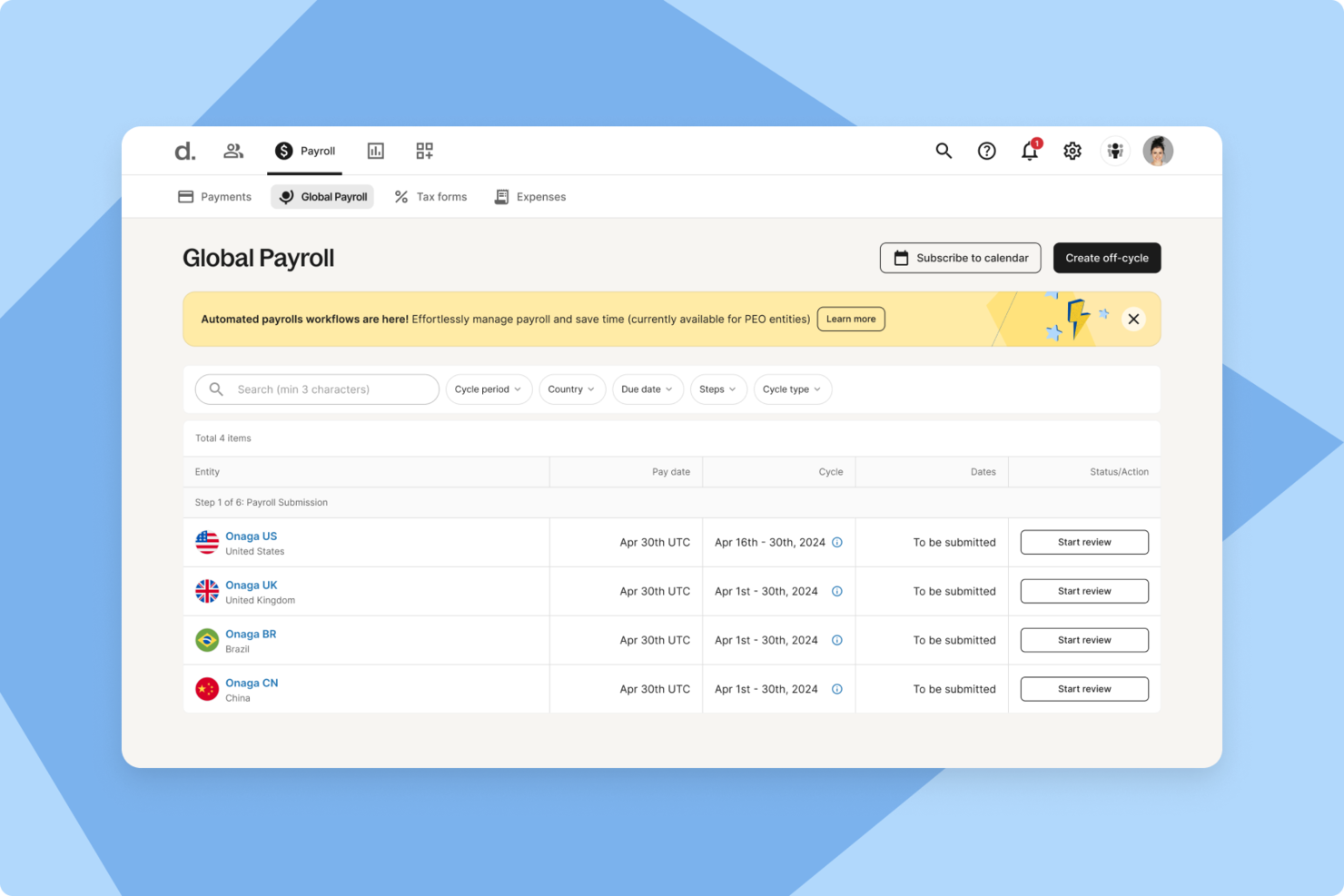
For companies managing international teams, Deel provides a centralized platform for handling global HR operations. It supports payroll, hiring, and compliance in more than 150 countries, helping businesses navigate varying labor laws and payment requirements. As a global HR solution, Deel is designed to reduce the administrative complexity that often comes with cross-border workforce management.
Why I Picked Deel
I picked Deel because it brings global hiring, payroll, and compliance into one system, which can make it easier for you to manage distributed teams. Its centralized employee management tools help you keep records organized while supporting compliance with local labor regulations. I also like that its automated multi-country payroll can help ensure employees and contractors are paid accurately and on time, with taxes and deductions calculated according to local requirements. For companies operating internationally, these capabilities can help address common administrative and compliance challenges.
Deel Key Features
In addition to its core functionalities, Deel provides several features that enhance its utility as an all-in-one HR software:
- Recruiting and Onboarding: Streamlined processes for hiring, including automated offer letters and structured onboarding workflows.
- Time Off and Attendance: Automated tracking of various leave types with self-service requests and approvals.
- Performance Management: Tools for goal setting, feedback cycles, and real-time check-ins to enhance employee development.
- Analytics and Reporting: Unified dashboards for real-time insights into HR metrics, improving decision-making and operational efficiency.
Deel Integrations
Integrations include QuickBooks, Xero, Workday, SAP, NetSuite, Greenhouse, BambooHR, Lever, Rippling, and Zenefits.
Pros and Cons
Pros:
- Integrates with major HR systems
- Built-in compliance and contract management
- Global payroll across 150 countries
Cons:
- Limited directory customization options
- Reporting features lack advanced filtering
New Product Updates from Deel HR

Deel Expands Stablecoin Wallet to 80+ Countries
Deel expands its Stablecoin Wallet to 80+ countries with dollar-backed balances and optional rewards. This gives eligible contractors more ways to hold and manage earnings inside Deel. For more information, visit Deel’s official site.
 .
.
Rippling
Best for broad business apps integrations
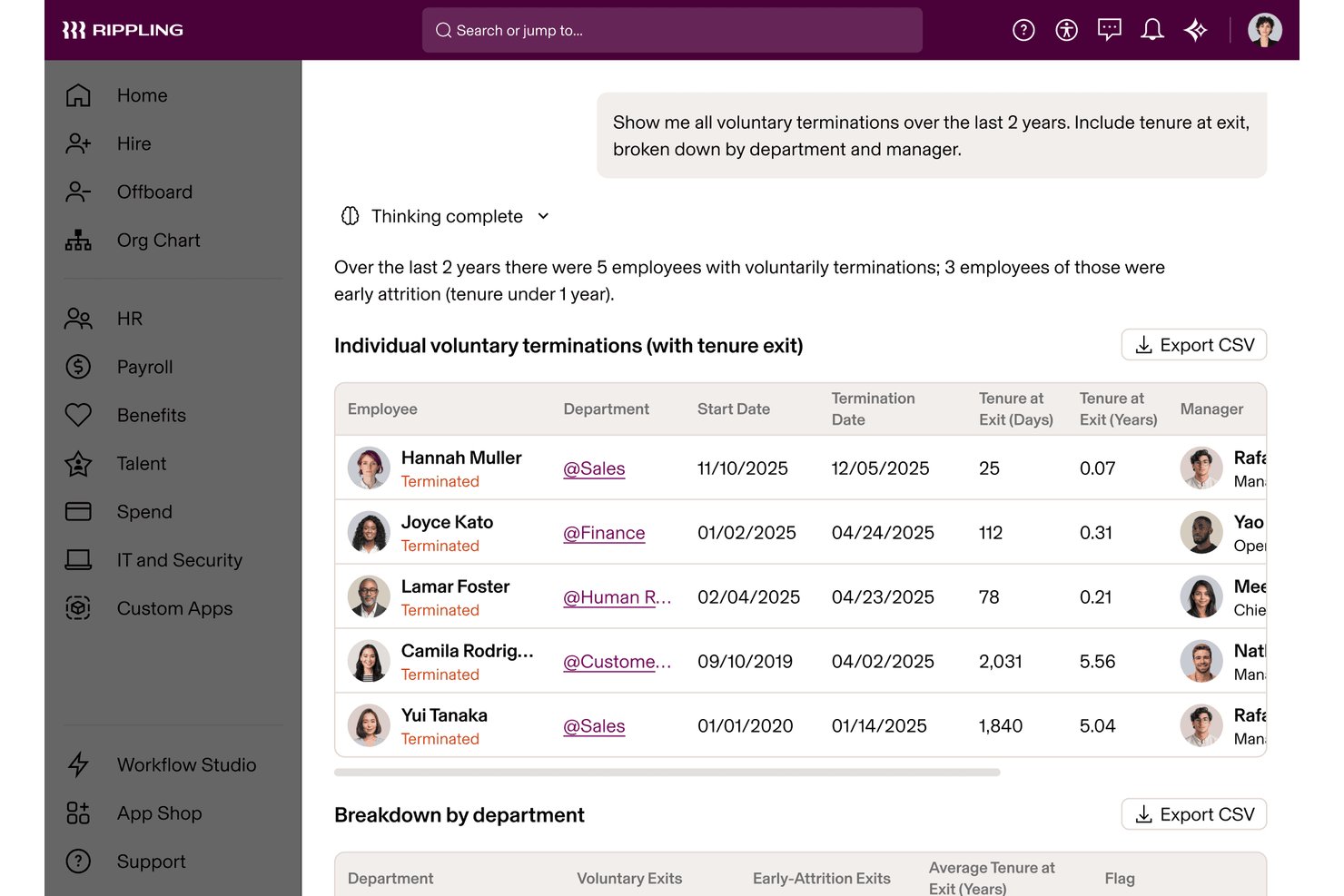
Rippling is an all-in-one HR platform that unifies HR, IT, and Finance management—covering payroll, benefits administration, time tracking, onboarding, performance, and device management through a single connected employee data layer.
Who Is Rippling Best For?
Rippling suits fast-growing businesses that need HR, IT, and Finance operations to scale together without managing separate platforms.
Why I Picked Rippling
Rippling earns its spot on my shortlist because its 650+ integrations are woven directly into its automation layer, not bolted on as passive connectors. When I onboard a new hire, Rippling simultaneously provisions their Slack, Google Workspace, and device access without a single manual step. I also use the Rippling API Platform to build custom workflows that pull HR, IT, and Finance data together in ways I'd otherwise need three separate systems to achieve.
Rippling Key Features
- Global Employee Graph: Centralizes employee data, documents, org charts, and lifecycle changes across all modules in one system.
- Learning management system: Assigns compliance courses and tracks completion for employee development and regulatory requirements.
- Compliance automation tools: Performs automated tax filings, document collection, and tracks changing federal, state, and international HR regulations.
- Role-based permissions: Lets you specify exactly who can access sensitive HR, payroll, or benefit details with fine-grained controls.
Rippling Integrations
Rippling offers a wide range of native integrations including Google Workspace, Microsoft 365, Slack, QuickBooks, NetSuite, Zoom, Okta, DocuSign, Greenhouse, Lever, and Xero. An API is also available for custom integrations.
Pros and Cons
Pros:
- Supports global payroll across 185+ countries
- Automates device provisioning during new hire onboarding
- Unifies HR, IT, and Finance natively
Cons:
- Initial setup demands significant configuration time
- Support quality varies by account tier
New Product Updates from Rippling

Rippling AI Adds Plugins, Skills, and Automations
Rippling AI now supports plugins, skills, and automations so employees can connect approved third-party tools, package repeatable work into reusable AI instructions, and run recurring workflows under existing Rippling policies and permissions. For more information, visit Rippling's official site.

Best for benefits administration
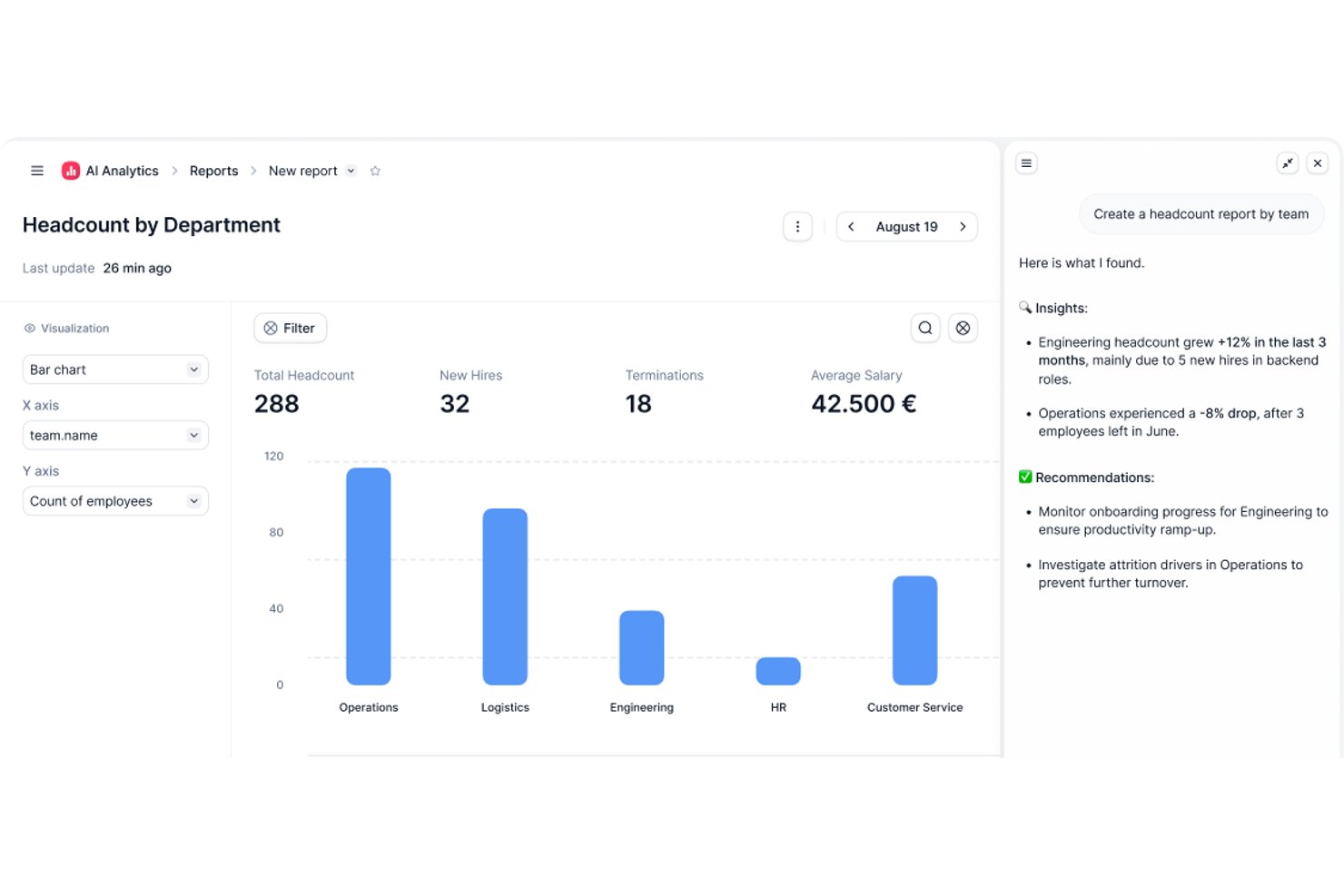
Factorial is an all-in-one HR software aimed at small to medium-sized businesses, and supports duties such as time tracking, payroll, and benefits administration. It offers tools for managing employee records and automating HR processes.
Why I picked Factorial: Factorial excels in benefits administration, making it ideal for businesses needing efficient management of employee perks. Its features include automated tracking and enrollment, which simplify your HR workload.
The software's intuitive dashboard provides easy access to employee information. Factorial's user-friendly design makes it easy to handle benefits administration.
Standout features and integrations:
Features include time-off management, which simplifies the process of tracking employee leave. The platform also offers customizable reports and onboarding tools to help integrate new hires.
Integrations include Google Workspace, Slack, Microsoft Teams, Zapier, and more.
Pros and Cons
Pros:
- Automated enrollment processes
- Intuitive dashboard design
- Easy benefits tracking
Cons:
- Possible steep learning curve for new users
- Basic customization features
TalentHR
Best for startups and SMEs
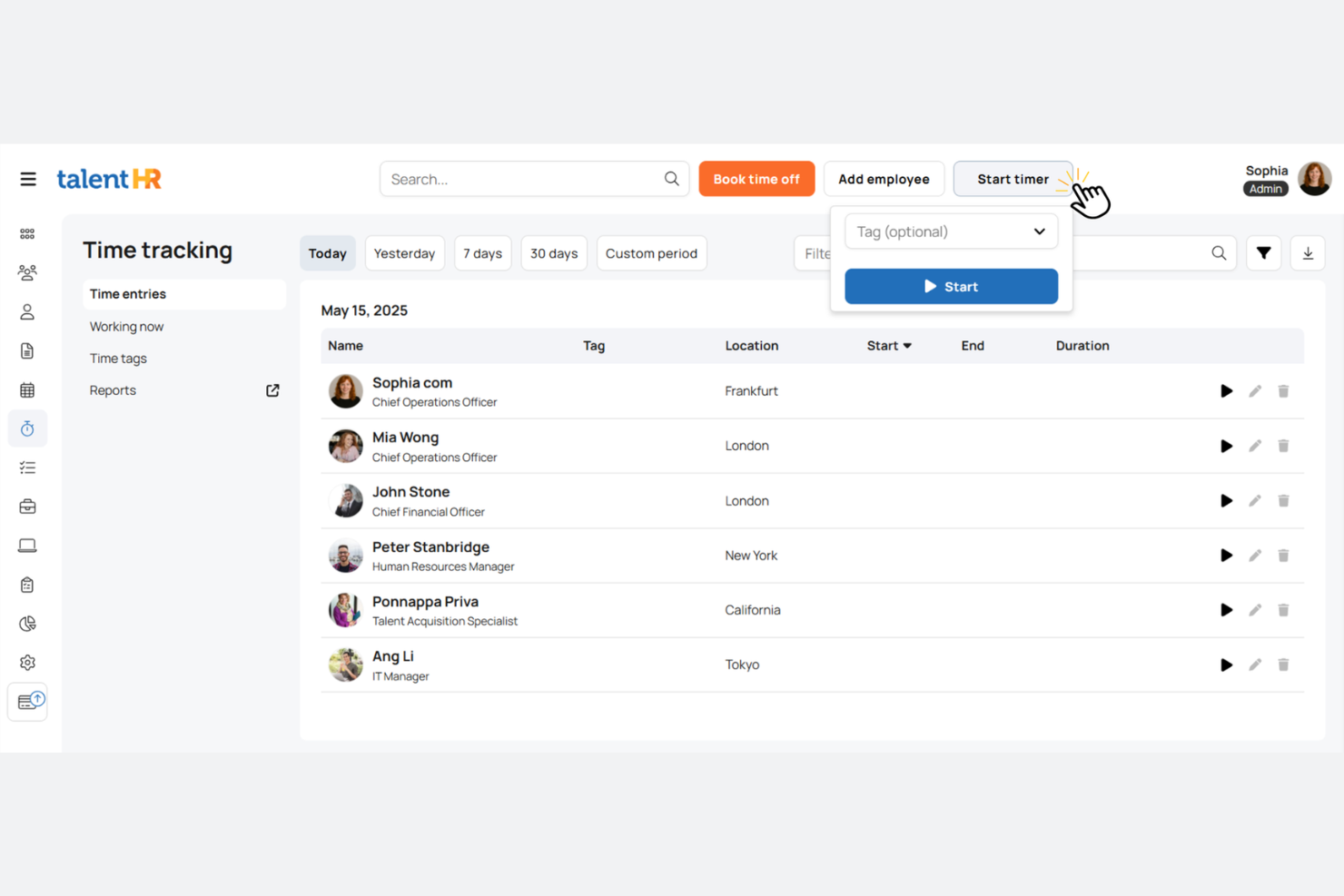
TalentHR is an all-in-one HR software designed for startups and SMBs. It focuses on employee management, time tracking, and performance management, providing essential tools for efficient HR operations.
Why I picked TalentHR: TalentHR is tailored for startups and small businesses that need effective HR solutions without complexity. It includes features such as automated time-off tracking and performance management.
The platform’s onboarding tools help you integrate new hires into your team. Its user-friendly interface ensures that all leaders can manage HR tasks effectively.
Standout features and integrations:
Features include people analytics, which provides insights into workforce metrics, and customizable reporting to meet your specific needs. The platform also offers documentation and compliance management, ensuring your HR processes are secure and up-to-date.
Integrations include Slack, Google Calendar, Microsoft Outlook, and more.
Pros and Cons
Pros:
- Customizable reporting features
- Flexible pricing options
- Easy setup for new users
Cons:
- May not scale well for large teams
- Limited advanced features

HiBob
Best with advanced AI-powered HR automation
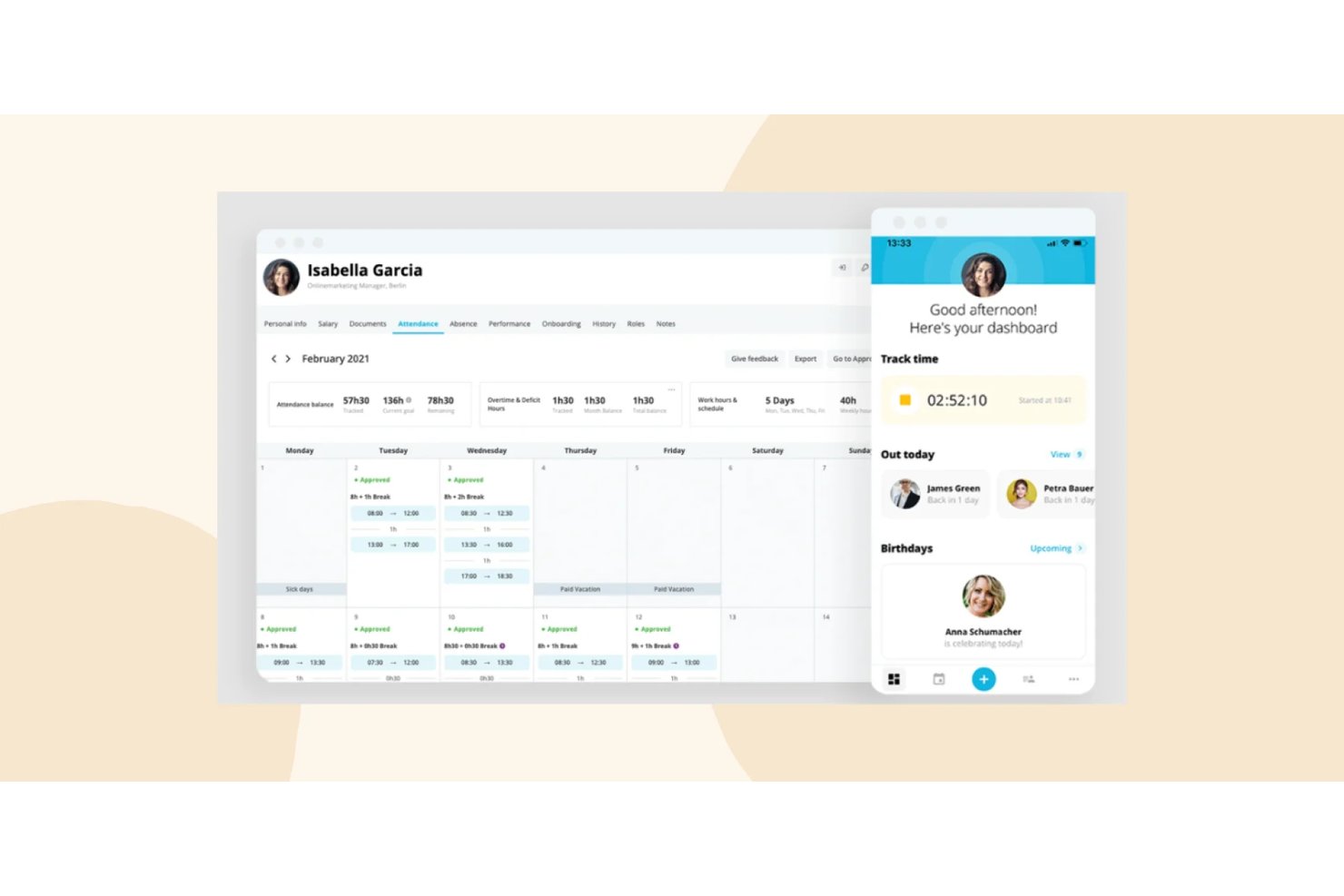
HiBob (Bob) is a modular, all-in-one HR platform covering core HRIS, payroll, time and attendance, benefits, onboarding, performance management, compensation, and workforce planning in a single system.
Who Is HiBob Best For?
HiBob is a strong fit for mid-market, globally distributed companies that need a scalable HR platform across multiple regions and employee populations.
Why I Picked HiBob
HiBob earns its spot as one of the best on my shortlist because AI is genuinely embedded across the platform, not bolted on. I like that the Bob AI Companion lets me query people data in plain language and auto-generate performance reviews and job descriptions on the spot. HiBob also holds ISO 42001 certification, the AI management standard, which very few HR platforms have achieved, and that gives me real confidence in how the AI is governed.
HiBob Key Features
- Employee self-service portal: Empowers employees to manage their own personal data, time off, documents, and benefits.
- Configurable onboarding workflows: Automates new hire onboarding tasks, document signing, and compliance steps for each role or location.
- People analytics and reporting: Provides customizable dashboards for headcount, DEI metrics, turnover, and compensation analysis.
- Integration marketplace: Offers pre-built connectors for tools like Slack, Microsoft 365, and HR systems to sync data across platforms.
HiBob Integrations
HiBob offers native integrations with Slack, Microsoft 365, Google Workspace, Greenhouse, Jira, Okta, and Workable. An API is available for custom integrations.
Pros and Cons
Pros:
- Highly configurable onboarding and offboarding workflows
- Strong people analytics and DEI reporting dashboards
- AI-powered features embedded natively across the platform
Cons:
- Reporting customization requires significant setup time
- Payroll not native in most regions

Best for talent acquisition features
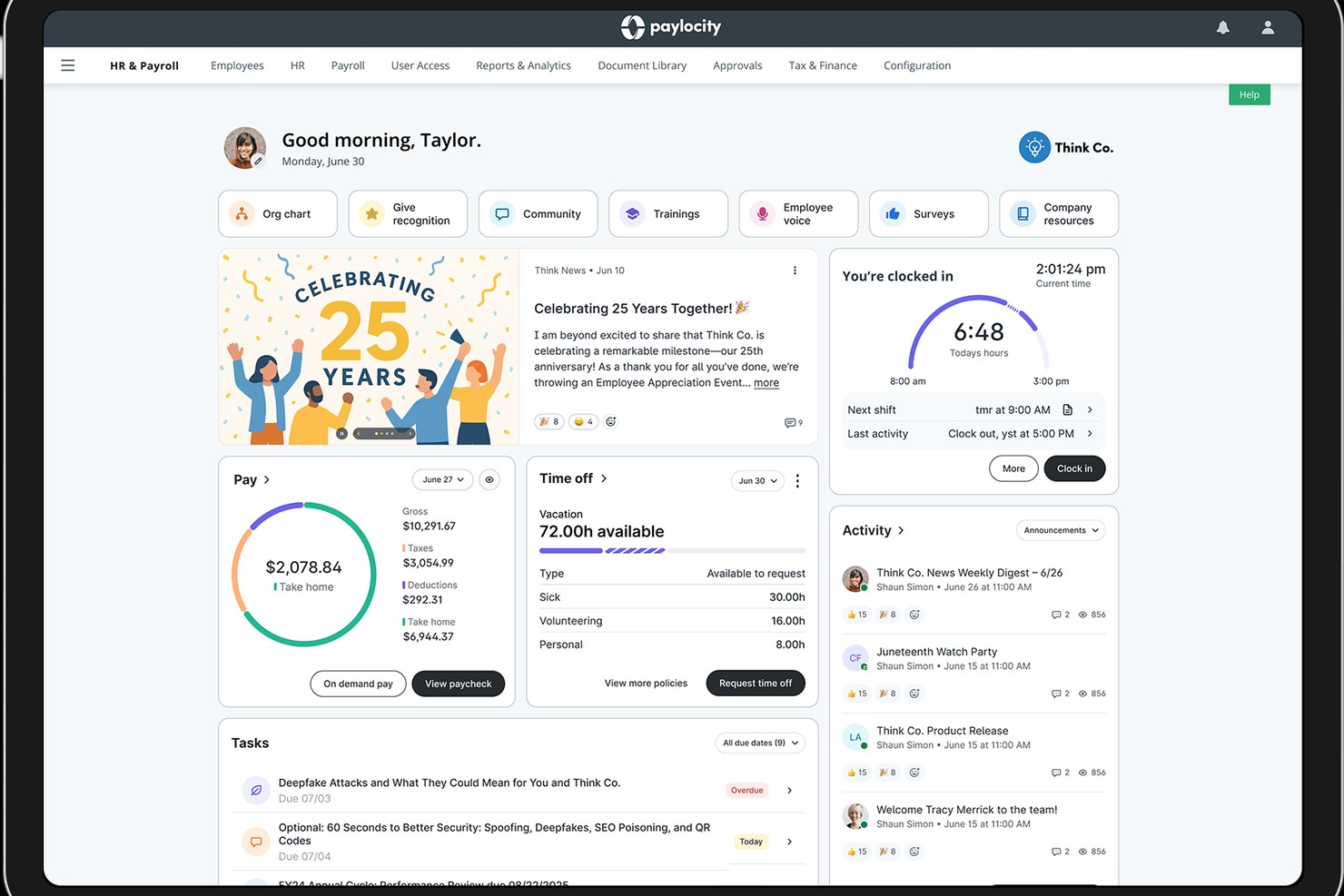
If you're part of a company that juggles payroll, talent acquisition, and benefits administration, Paylocity might just be what you need. This platform caters to diverse industries, including education, healthcare, and technology, and aims to simplify your HR processes while enhancing the employee experience.
Why I Picked Paylocity
I picked Paylocity because its unique ability to integrate HR, finance, and IT functions under one platform stands out as a significant advantage for businesses looking for an all-in-one HR solution. Paylocity's comprehensive payroll management ensures that you can handle payroll processing with ease and accuracy. Additionally, its talent acquisition features are designed to streamline recruiting efforts, making the hiring process more efficient. The platform also offers employee experience tools that empower your workforce and improve engagement, which is crucial for retaining top talent.
Paylocity Key Features
In addition to its standout capabilities, I also found several other features that enhance its all-in-one HR functionality:
- Expense Management: This feature allows you to automate and streamline the management of employee expenses, reducing manual errors and saving time.
- Corporate Cards: Paylocity's corporate card integration simplifies the process of issuing and managing company credit cards, providing real-time spending insights.
- Accounting Automation: With this feature, you can automate routine accounting tasks, improving accuracy and freeing up your finance team to focus on more strategic initiatives.
- Spend Analytics: This tool provides detailed insights into your company's spending patterns, helping you make informed financial decisions.
Paylocity Integrations
Integrations include Bank of America, Indeed, Fidelity, QuickBooks Online, NetSuite, Salesforce, ADP, BambooHR, Microsoft Dynamics, and Workday.
Pros and Cons
Pros:
- Built-in compliance tracking for labor laws
- Mobile app allows shift swaps and approvals
- Customizable scheduling workflows for complex organizations
Cons:
- No free plan for ongoing use
- Fewer industry-specific scheduling templates available
New Product Updates from Paylocity

Paylocity Expands Expense and Purchase Request Tools
Paylocity adds connected personal cards, smarter expense categorization, and a streamlined purchase request experience. This reduces manual entry and helps finance teams manage expenses and approvals more efficiently. For more information, visit Paylocity’s official site.
 .
.
Best for fast-growing companies
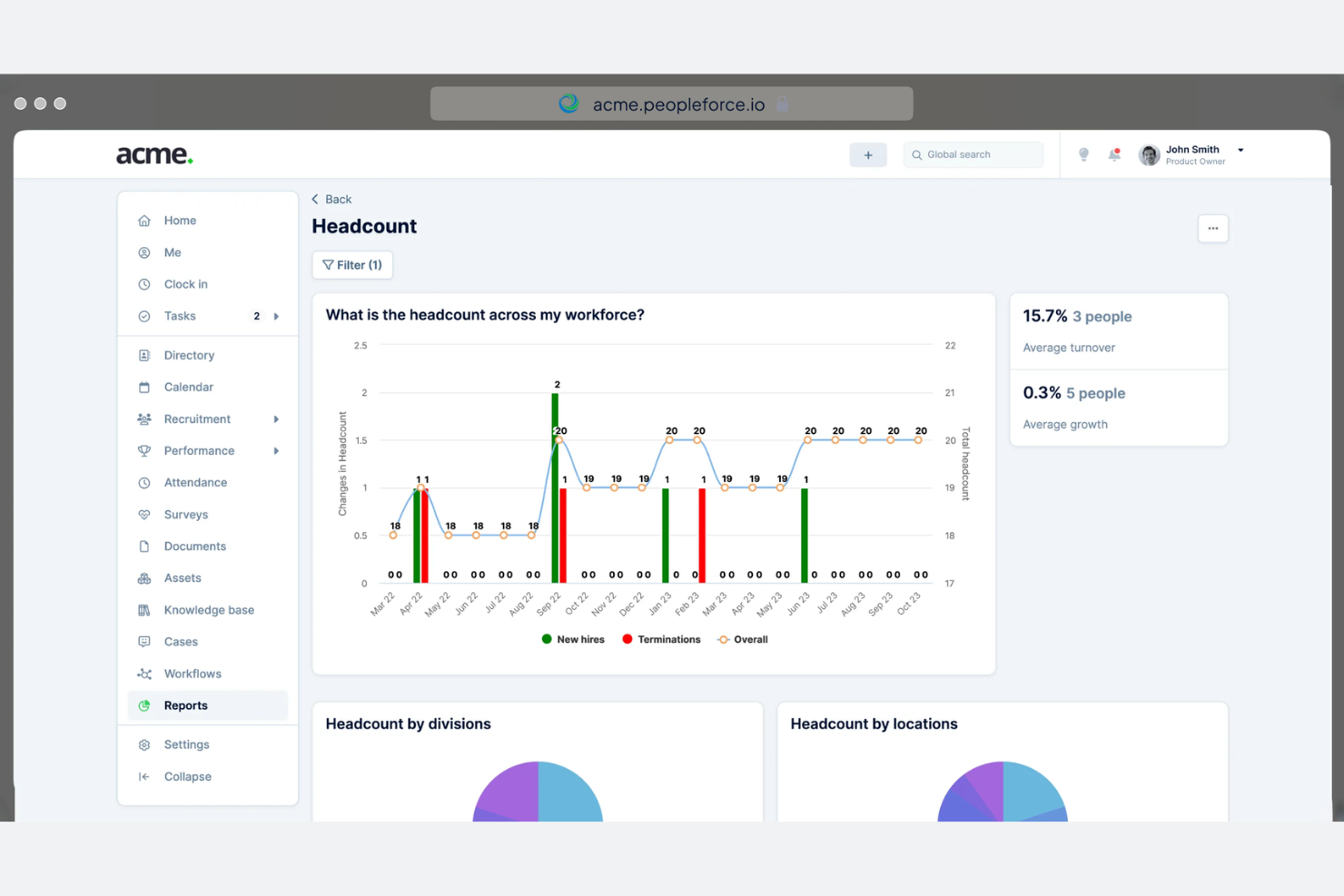
PeopleForce is tailored for fast-growing companies that need scalable and efficient HR management. It focuses on employee engagement, performance tracking, and recruitment, helping businesses manage their expanding teams effectively.
Why I picked PeopleForce: PeopleForce is ideal for companies experiencing rapid growth, as it offers features such as automated recruitment workflows and real-time performance analytics. These capabilities help your team keep up with hiring demands and monitor employee progress.
The tool's employee engagement tools ensure that your growing team remains motivated and aligned with company goals. Additionally, PeopleForce's scalable platform adapts to the changing needs of your business.
Standout features and integrations:
Features include customizable performance reviews, which allow you to tailor evaluations to your team's needs. The platform also offers an employee recognition system to boost morale and encourage productivity. Additionally, PeopleForce provides detailed analytics and reporting to give you insights into your HR operations.
Integrations include Slack, Google, Microsoft, Zoom, LinkedIn, and more.
Pros and Cons
Pros:
- Customizable performance reviews
- Employee engagement tools
- Real-time performance analytics
Cons:
- Interface can feel overwhelming at first
- Some features take time to configure properly
HR Cloud
Best for remote team management
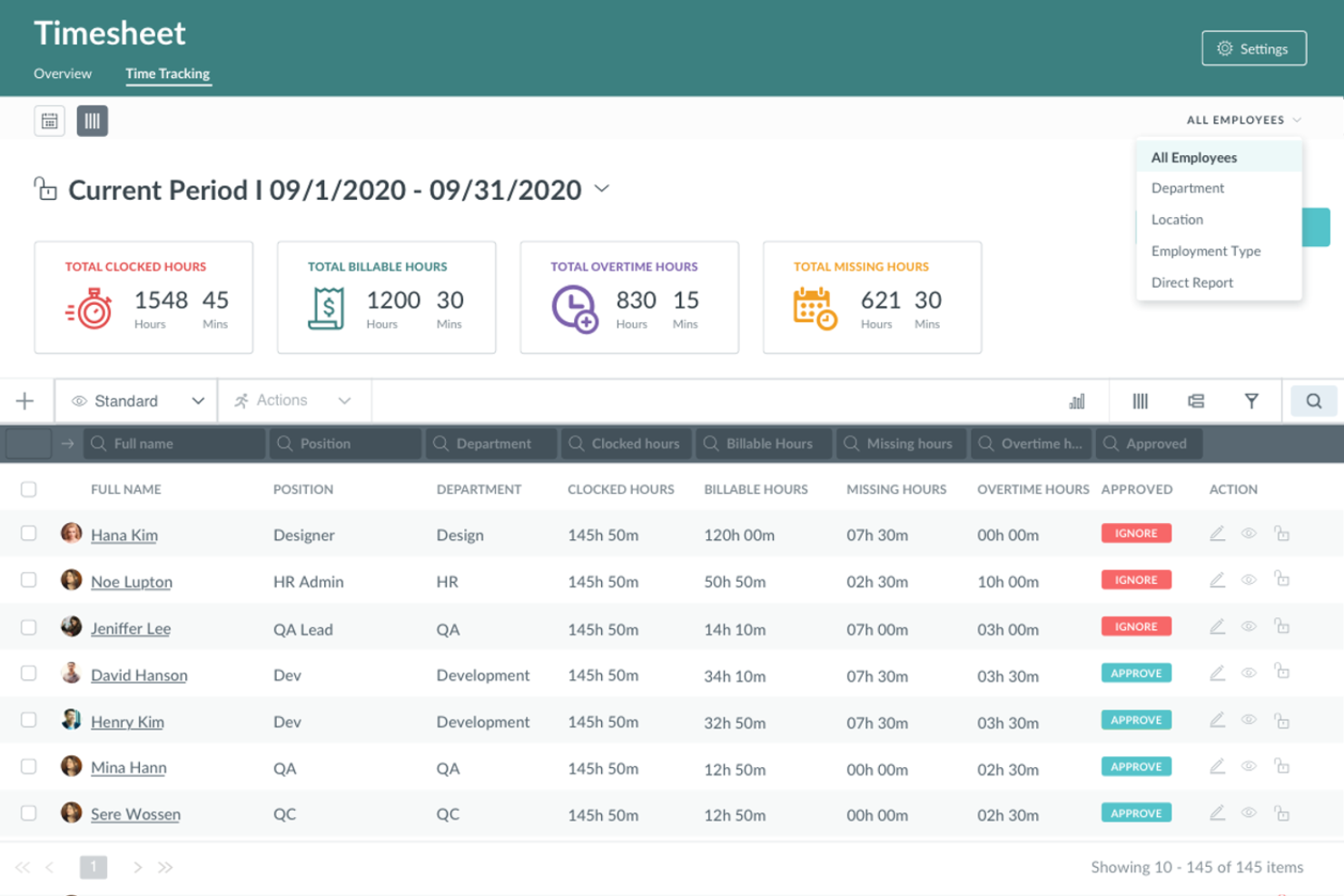
HR Cloud is an all-in-one HRIS designed for businesses looking to manage remote teams effectively. It serves enterprises and startups across various industries, focusing on virtual team management, HR automation, and employee engagement.
Why I picked HR Cloud: HR Cloud excels in remote team management by offering features such as automated onboarding and centralized HR data management. It includes tools for time-off tracking and performance reviews, making it easier to manage a distributed workforce in less time.
The tool's employee self-service options empower your team to handle their HR tasks independently. Additionally, mobile access ensures that your remote employees stay connected and engaged.
Standout features and integrations:
Features include automated onboarding, centralized HR data management, and time-off tracking. The platform also supports performance reviews and employee self-service options, which help your team manage their HR tasks independently. Additionally, mobile access ensures that remote employees stay connected and engaged.
Integrations include QuickBooks, ADP, Paylocity, Workday, and more.
Pros and Cons
Pros:
- Centralized HR data management
- Automated onboarding process
- Customizable HR workflows
Cons:
- Requires internet for full functionality
- Occasional technical glitches
GoCo
Best for customizable workflows
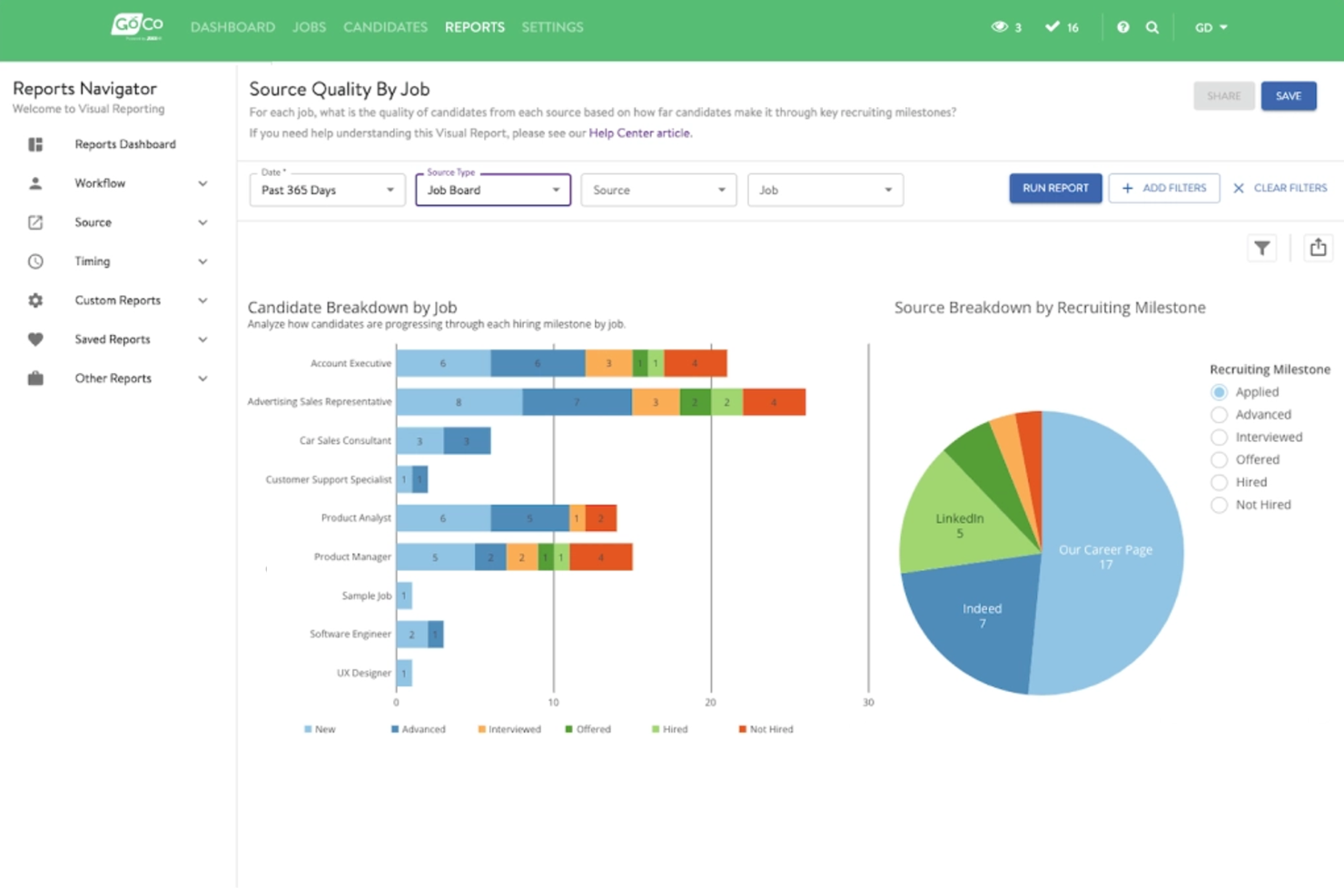
GoCo is an all-in-one HR software designed for small and medium-sized businesses seeking to automate their HR processes. It focuses on HR management, benefits administration, and payroll processing, providing flexibility and efficiency to its users.
Why I picked GoCo: GoCo offers customizable workflows that are ideal for businesses needing tailored HR solutions. With features such as automated onboarding and benefits management, it allows your team to simplify HR tasks according to your specific needs.
The software’s employee self-service portal empowers your team to manage their own HR information, reducing administrative burdens. GoCo's flexible approach ensures that you can adapt the software to fit your company's processes.
Standout features and integrations:
Features include automated compliance management, which helps you stay up-to-date with regulations. The platform also has digital document storage, ensuring all your HR documents are securely stored online. Additionally, GoCo offers performance tracking to help you monitor employee progress and development.
Integrations include QuickBooks, ADP, Paychex, and more.
Pros and Cons
Pros:
- Employee self-service portal
- Automated compliance management
- Digital document storage
Cons:
- New users may need help with workflows
- May need integration assistance

Eddy
Best for small business HR needs
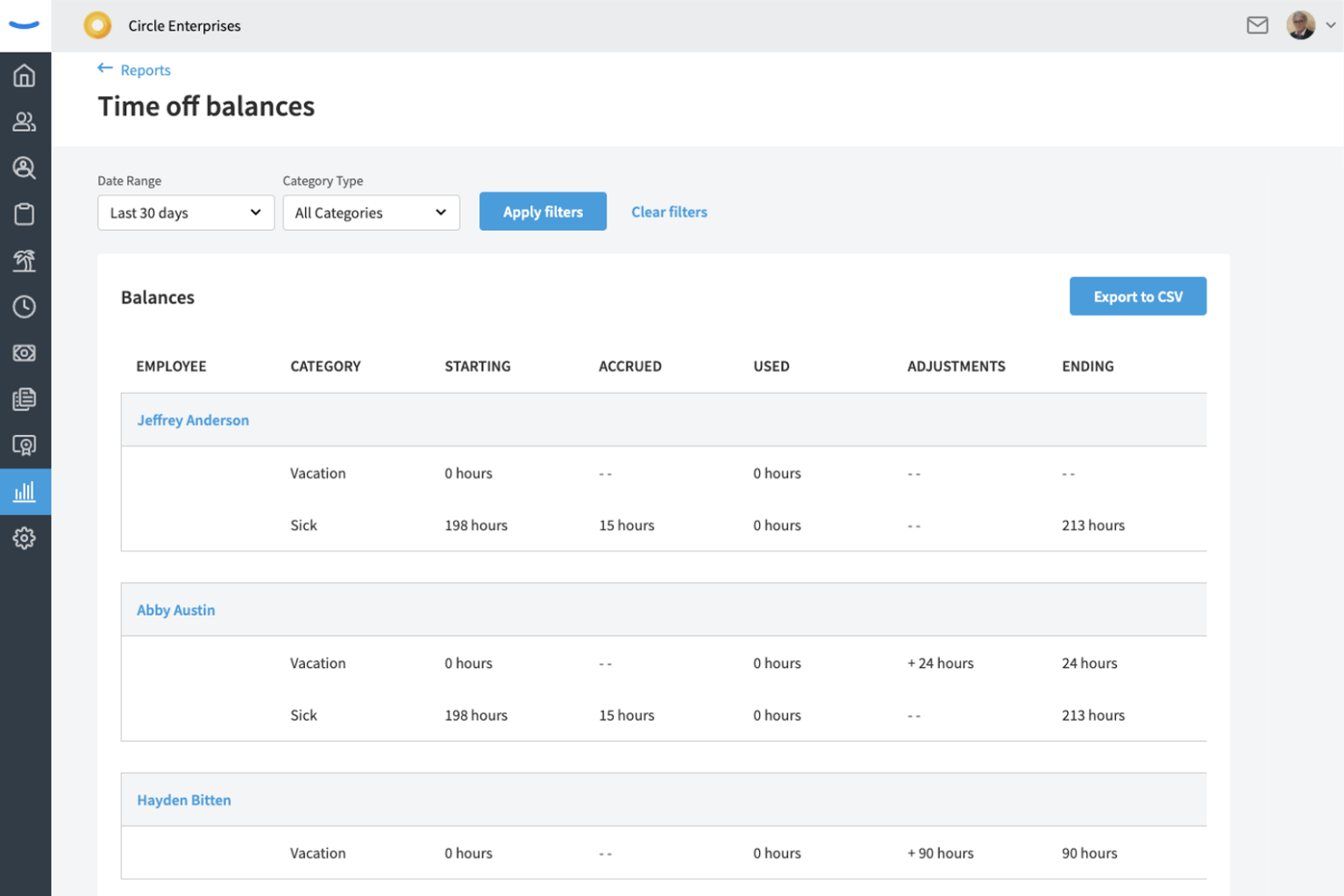
Eddy is an all-in-one HR platform designed for small and midsize businesses. It focuses on payroll, hiring, onboarding, and time and attendance management. It supports employee management and HR processes.
Why I picked Eddy: Eddy is tailored for small businesses that need efficient and straightforward HR solutions. It offers payroll processing and secure employee data storage, which are important for small teams managing HR tasks.
The platform’s recruitment tools allow you to post job openings across multiple channels, simplifying the hiring process. Eddy's user-friendly interface makes it accessible for teams without a dedicated HR department.
Standout features and integrations:
Features include candidate tracking, which makes managing job applicants easier, and customizable templates to tailor job offers to potential hires. The software also has geotagging for time tracking, ensuring accurate records for remote or mobile employees.
Integrations include QuickBooks, SmartPay, Indeed, Employee Navigator, Express Evaluations, and more.
Pros and Cons
Pros:
- Accurate time tracking
- Secure employee data storage
- Effective job posting tools
Cons:
- Basic reporting capabilities
- May lack scalability
Other All-in-One HR Software
Here are some additional all-in-one HR software options that didn’t make it onto my shortlist, but are still worth checking out:
- BambooHR
For employee satisfaction
- Keka HR
For integrated project & resource management
- Paycor
For payroll and analytics
- Rise
For Canadian businesses
- Sage HR
For shift scheduling
- Zoho People
For integrated HR services
- OrangeHRM
For open-source HR solutions
- BrightHR
For absence management
- Lattice
For performance reviews
- Remote
For managing global teams
- Employment Hero
For employee benefits
- Paycom
For payroll processing
- Deel Payroll
For global payroll management
- Breathe HR
For small businesses
- One Model
For data-driven HR insights


How I Evaluate All in One HR Software
I look at these platforms in two layers: whether they cover the core HR stack—payroll, employee records, benefits, and time—end to end, and then what separates the strongest options from the rest.
Core Functionality (Table Stakes For This List)
When I'm selecting tools for my list, I rank each one on a scale from 0 (does not offer the functionality) to 5 (excels in this area) for each core functionality listed below. Then, I calculate the tool's total score into a percentage. Each tool needs to achieve a minimum total score of 75% to be considered for inclusion.
- Core HRIS & Employee Records: I check whether the platform serves as a true system of record—org charts, custom fields, document storage, and audit trails, not just a contact list.
- Payroll Processing: Whether payroll runs natively or through a deep integration matters. I look at tax filing automation, direct deposit, and multi-jurisdiction support.
- Benefits Administration: I evaluate how enrollment, carrier connections, and deduction syncing work together—especially during open enrollment season when volume spikes.
- Time, Attendance & PTO: The time module should tie directly into payroll. I look at approval workflows, accrual tracking, and mobile clock-in options for frontline teams.
- Talent Management: From job postings and applicant tracking through onboarding and performance reviews, I evaluate how well each stage connects within one platform.
- Compliance & Reporting: I look for automated compliance support for common filings and configurable dashboards that let HR leaders pull workforce data without IT help.
Once I have a list of tools that meet this criteria, I consider what sets each platform apart.
Differentiating Factors (What Sets Vendors Apart)
Here's how I compare and contrast different vendors:
Standout Features
Employee self-service portals make a big difference in daily HR workload. I look for platforms where employees can pull their own pay stubs, update addresses, and submit PTO requests from a mobile app—freeing HR from routine back-and-forth. For teams hiring across borders, global workforce support is another major separator. Some platforms handle multi-country payroll and localized compliance natively, while others rely on EOR partnerships. I also evaluate how flexible each tool's workflow builder is, since every company has its own approval chains, onboarding steps, and offboarding sequences.
Beyond Features
Integration ecosystems matter a lot here. I check whether a platform connects natively with your accounting software, productivity suite, and SSO provider—or if you'll need custom API work to keep data flowing. Pricing transparency is another factor I weigh carefully, since some vendors bundle payroll and benefits into base pricing while others charge per module or per payroll run. I also evaluate implementation support, especially how the vendor handles historical payroll migration and whether dedicated onboarding help is included or sold as an add-on.
How to Choose All-in-One HR Software
It’s easy to get bogged down in long feature lists and complex pricing structures. To help you stay focused as you work through your unique software selection process, here’s a checklist of factors to keep in mind:
| Factor | What to Consider |
|---|---|
| Scalability | Can the software grow with your business? Look for tools that can handle increasing employee numbers without requiring a complete system overhaul. |
| Integrations | Does it work with your existing tools? Check for native integrations with your current software to avoid additional costs and complexity. |
| Customizability | Can you tailor the software to your workflows? Ensure the platform allows flexibility in creating processes that fit your team’s specific needs. |
| Ease of use | Is the software intuitive? Watch out for overly complex interfaces that slow down your team’s adoption and productivity. |
| Implementation and onboarding | How long will the setup take? Consider the time and resources required for a successful rollout, including training and support from the vendor. |
| Cost | What’s your budget? Compare pricing structures and watch for hidden fees, such as costs for additional users or premium features. |
| Security safeguards | Is your data protected? Ensure the software complies with industry standards for data security and offers features like encryption and regular audits. |
| Compliance requirements | Does it meet legal standards? Verify that the software supports compliance with relevant labor laws and regulations in your operating regions. |
What Is All-in-One HR Software?
All-in-one HR software combines various human resources functions into a single platform. HR professionals, managers, and business owners use these tools to manage employee data, payroll, benefits, and more. Features such as payroll processing and benefits administration help reduce administrative workloads and improve organization. Overall, these tools simplify HR tasks, making it easier for teams to focus on strategic initiatives.
Features
When selecting all-in-one HR software, keep an eye out for the following key features:
- Employee data management: Centralizes all employee information in one place, making it easy to access and update records.
- Payroll processing: Automates payroll calculations and payments, ensuring accuracy and saving time on manual tasks.
- Benefits administration: Manages employee benefits programs efficiently, helping to track enrollments and eligibility.
- Time and attendance tracking: Monitors employee hours and attendance, aiding in accurate payroll and compliance.
- Recruitment and onboarding: Optimizes the hiring process from job postings to new hire integration, improving the candidate's experience.
- Performance management: Tracks employee performance and goals, providing insights for development and reviews.
- Compliance management: Ensures adherence to labor laws and regulations, reducing the risk of legal issues.
- Customizable reporting: Allows for tailored reports to suit specific business needs, offering valuable insights into HR metrics.
- Employee self-service portal: Empowers employees to access and manage their own HR information, reducing administrative burden.
- Mobile app accessibility: Provides access to HR functions on the go, increasing flexibility and convenience for users.
Benefits
Implementing all-in-one HR software provides several benefits for your team and your business. Here are a few you can look forward to:
- Increased efficiency: Automates repetitive tasks such as payroll and benefits management, freeing up time for strategic activities.
- Improved accuracy: Reduces errors in data entry and calculations through centralized employee data management and automated processes.
- Better compliance: Helps ensure adherence to labor laws with compliance management features, minimizing legal risks.
- Enhanced employee engagement: Provides tools such as performance management and self-service portals, empowering employees and improving satisfaction.
- Streamlined recruitment: Simplifies hiring with recruitment and onboarding features, improving the candidate's experience and reducing time to hire.
- Data-driven insights: Offers customizable reporting and analytics, helping you make informed HR decisions based on real-time data.
- Flexibility and accessibility: Mobile app accessibility allows HR tasks to be managed on the go, providing convenience for both managers and employees.
Costs and Pricing
Selecting all-in-one HR software requires an understanding of the various pricing models and plans available. Costs vary based on features, team size, add-ons, and more. The table below summarizes common plans, their average prices, and typical features included in all-in-one HR software solutions:
Plan Comparison Table for All-in-One HR Software
| Plan Type | Average Price | Common Features |
|---|---|---|
| Free Plan | $0 | Basic employee data management, limited reporting, and self-service portal. |
| Personal Plan | $5-$25/user/month | Employee data management, payroll processing, time and attendance tracking, and basic support. |
| Business Plan | $30-$50/user/month | Advanced reporting, benefits administration, recruitment and onboarding, and compliance management. |
| Enterprise Plan | $60+/user/month | Customizable dashboards, dedicated support, advanced analytics, and full integration capabilities. |
All-in-One HR Software FAQs
Here are some answers to common questions about all-in-one HR software:
How do I choose the right all-in-one HR software for my business?
Start by assessing your business needs and identifying the features that would best support your team’s workflows. Consider factors such as scalability, ease of use, and integration with existing systems. Look at user reviews and request demos to see the software in action. This will help you understand how it fits into your daily operations. Also, weigh the cost against your budget and the value it brings to your team.
Can all-in-one HR software handle remote teams?
Yes, almost all of the all-in-one HR software solutions offer features that support remote team management. Look for tools with mobile app access, time tracking, and communication platforms that keep remote employees connected. These features allow you to manage tasks no matter where your team is located. Remote-friendly HR software helps maintain productivity and engagement across distributed workforces.
Is data security a concern with all-in-one HR software?
Yes, data security is a key concern. When selecting software, ensure it complies with industry standards such as GDPR or CCPA. Look for features such as encryption, regular security audits, and user access controls. These safeguards protect sensitive employee information and reduce the risk of data breaches. Always verify that the vendor prioritizes security in their platform.
How long does it take to implement all-in-one HR software?
Implementation time varies depending on the software’s complexity and your company’s size. It can range from a few weeks to several months. To speed up the process, prepare your team by organizing employee data and defining your HR processes beforehand. Work closely with the vendor’s support team during setup and training to ensure a smooth transition. This preparation helps minimize disruptions.