

10 Best Online Collaboration Tools For Teams In 2026

10 Best Online Collaboration Tools


According to Gartner, the use of collaboration tools increased from 50% in 2019 to 80% in 2021.
Although the COVID-19 pandemic was the main cause of it, its aftermath has left us with remote work and hybrid working models in almost every company. Therefore, we continue to rely on remote collaboration tools as we look for ways to improve productivity in geographically scattered teams.
The tools on this list provide you with different options for you and your team to communicate, share ideas, and interact with project stakeholders.
How I Picked The Best Collaboration Tools
I evaluated and compared the most popular team collaboration software on the market, both for its reviews and user interface. Then I weighed factors that make collaboration tools a good option for project management, such as the ones that follow.
- User Interface – Project collaboration tools should be clean and intuitive to navigate. They should have easy access to different communication channels, search functions, private notes, private messaging, and history logs.
- Usability – Everyone on your team needs to be on board or else collaboration tools will always fail. Therefore, I look for something that is easy to learn, with plenty of training resources and robust customer support.
- Integration – Collaboration in today’s work environment requires communication and sharing across multiple platforms. Your integration needs are specific, but a good collaboration tool should include a few basic integrations with other team software: resource scheduling apps, documentation apps from Google and Microsoft, time-tracking tools, and any project management or task management tools you’re using.
- Price – Pricing will be the first yay or nay criteria for your adoption of a new tool. Keep in mind that the average price for collaboration tools hovers around $8/user/month.
Why Trust Our Software Reviews
Our team has been testing and reviewing software since 2012. As HR experts ourselves, we know how difficult—and important—it is to choose the right software.
For this guide, we evaluated tools using hands-on testing and independent research, scoring tools using our selection criteria. We also draw on insights from industry thought leaders and practicing HR experts.
Our reviews reflect our human editorial judgment, not a sales pitch.
Expert reviewers:
Collaboration Tools Comparison Table
| Tool | Best For | Trial Info | Price | ||
|---|---|---|---|---|---|
| 1 | Best for connecting goals and projects | Free plan available | From $9/user/month (billed annually) | Website | |
| 2 | Best for agency document collaboration | 14-day free trial + free demo available | From $10/month (billed annually) | Website | |
| 3 | Best for automated collaborative flows | Free demo available | Pricing upon request | Website | |
| 4 | Best collaboration tool for enterprise | Free plan + free demo + 14-day trial available | From $5/user/month (billed annually) | Website | |
| 5 | Best for knowledge management | Free demo available | From $10/user/month | Website | |
| 6 | Best for application development | 30-day free trial | Pricing upon request | Website | |
| 7 | Best for collaborative inboxes | 30-day free trial | From $24/user/month (billed annually) | Website | |
| 8 | Best for AI-powered meeting notes | Free plan available | From $14.16/user/month (billed annually) | Website | |
| 9 | Best for online whiteboarding | Free plan + 14-day free trial available | From $8/user/month (billed annually) | Website | |
| 10 | Best for design collaboration | Free plan available | From $3/user/month | Website |


Overviews Of The Best Collaboration Tools
Here’s a list of project collaboration tools to get you started. We cover key differential of the software, followed by a look at its features and functions, and finally its integrations and pricing.

Best for connecting goals and projects

monday.com is a collaboration and task management software that's well-known for its simplistic design and user-friendly features. For many organizations, it serves as the backbone for teamwork and streamlined processes. Hasan Hanif, Founder & CEO of Colour Vistas, explained how it transformed his company’s operations: “The things I like most about Monday are that it enables us to work in union, in real depth. It provides information…that keeps everyone to the same pace. Automation has saved monotony in our operations and helped us automate a majority of our processes. … It’s made our routines more efficient and easier, making us more collaborative.”
Why I picked monday.com: I love how many collaboration tools this platform offers to help you work on your projects and tasks as a team. But the main reason it made my list is because of its goal-setting capabilities. You can develop your strategic goals, and then connect them to projects and tasks. This helps keep everyone aligned and on track in their work, and contributes to better teamwork.
As for project management, the platform is highly customizable, which is always a top priority for me when I look at project management tools. You can select from an array of views to keep track of progress. Shared documents allow users to co-create meeting minutes, brainstorm, and engage with others in the team. Everything related to your project can live in one place.
monday.com Standout Features & Integrations
Features include monday.com's Teamwork Hub, which is a dedicated space where team members can track dependencies, share updates, and resolve blockers in real time. Additionally, the platform supports guest access, which enables external collaborators like clients or contractors to work alongside your team while maintaining control over shared information.
Integrations include Slack, Google Drive, Gmail, Google Calendar, Jira, GitHub, Trello, Dropbox, Zoom, and Typeform. Many more are accessible via a paid Zapier account.
Pros and Cons
Pros:
- Free-forever plan available
- User-friendly and intuitive interface
- Complete work management platform
Cons:
- Limited reporting in basic and free plans
- Limited storage in basic and free plans
New Product Updates from monday AI Workspace
monday AI Workspace Adds Human Approval Routing
monday AI Workspace adds a human-in-the-loop approval block to AI Workflows, sending approval requests and routing workflow paths based on responses. For more information, visit monday AI Workspace's official site.

Best for agency document collaboration
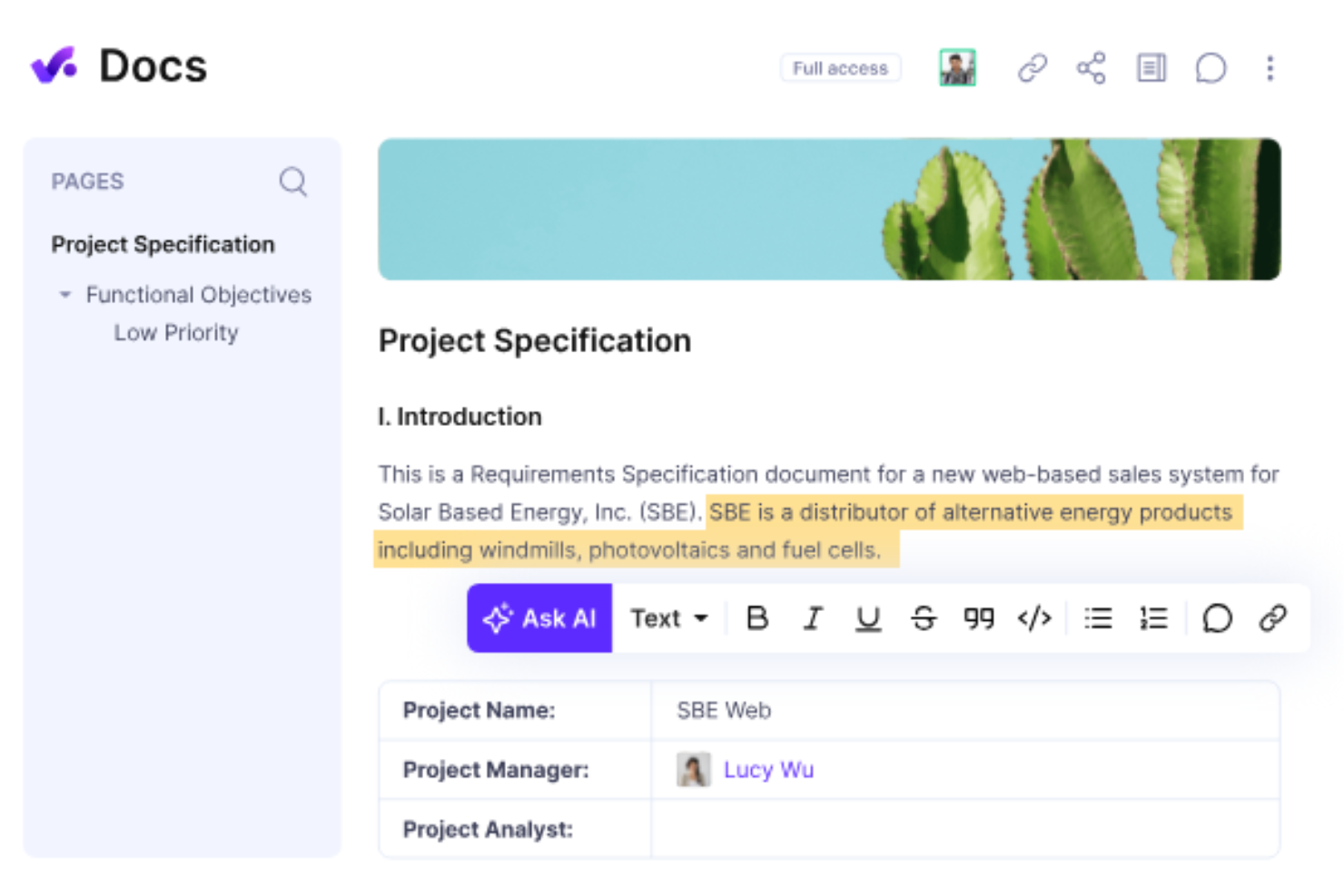
Productive is a robust, all-in-one platform designed to streamline project management and operations for agencies and professional services. It offers a comprehensive suite of tools for planning, tracking, and managing projects, resources, and finances.
Why I picked Productive: One of its key features is the real-time collaboration capabilities embedded within its project management tools. Teams can easily assign tasks, set deadlines, and track progress, ensuring everyone stays on the same page. The platform's chat and comment functions also allow for instant feedback and discussion.
Another significant feature that makes Productive ideal for online collaboration is its Docs functionality. This feature allows teams to create, share, and collaborate on documents directly within the platform. By centralizing document management, Productive ensures that all team members have access to the latest versions of files and can contribute to documents simultaneously.
Productive Standout Features & Integrations
Standout features include a shared team scheduling tool that enables managers to allocate resources and coordinate availability across multiple projects in real time. Its project-specific dashboards also provide a central space for teams to discuss updates, share insights, and track deliverables.
Integrations include Jira, Slack, QuickBooks, Xero, Trello, Zapier, Google Drive, Sage, BambooHR, Gusto, and HubSpot.
Pros and Cons
Pros:
- User-friendly interface
- Robust resource management tools
- Allows users to track the profitability of each project
Cons:
- Initial setup can be time-consuming
- Could offer a more comprehensive set of integrations
New Product Updates from Productive

Productive Adds Agent Triggers, Teams Integration, and Time Controls
Productive adds automated agent triggers, broader AI file support, Microsoft Teams integration, Resource Planner improvements, and new time entry controls. These updates expand automation while improving scheduling, collaboration, and time tracking. For more information, visit Productive’s official site.
Best for automated collaborative flows
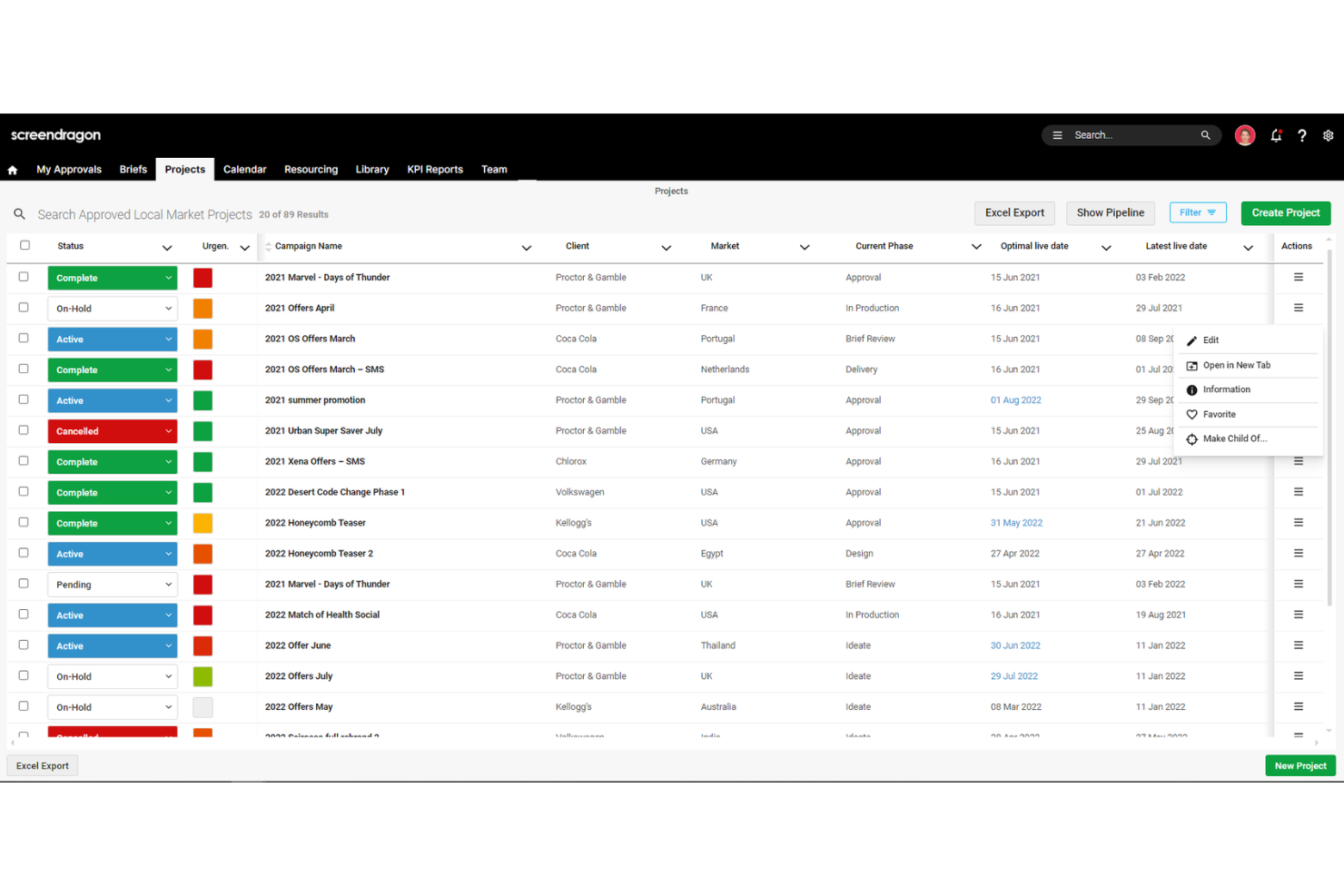
Screendragon is a work management platform designed for marketing, agency, and professional services teams. It combines project management, workflow automation, resource management, and budget management into one solution.
Why I picked Screendragon: Screendragon's smart briefs feature enhances the intake of work by using smart logic and automation to guide users on what information to provide and when. This ensures that your team starts projects with clear and comprehensive briefs, reducing misunderstandings and setting a strong foundation for successful collaboration.
You can also create custom proofing, review, and revision workflows that simplify feedback cycles and manage version control in one place. Instead of chasing scattered emails, all feedback is consolidated within the platform, ensuring decisions are tracked through automated audit trails.
Screendragon Standout Features & Integrations
Features include advanced task management capabilities offering Gantt charts and Kanban boards to create task lists, assign tasks, and adjust timelines. Screendragon also has integrated resource management tools providing a comprehensive view of your team's capacity, allowing you to identify bottlenecks and manage workloads.
Integrations include MS Power BI, Slack, MS Teams, Zapier, Google Drive, Trello, Microsoft 365, Box, Jira, Microsoft OneDrive, and PeopleSoft.
Pros and Cons
Pros:
- Can tailor the platform to your specific needs
- Good resource planning features
- Integrates various tools like project management and budget tracking
Cons:
- Time-consuming setup
- The platform's depth can lead to complexity
New Product Updates from Screendragon
Screendragon Unveils New AI Hub
Screendragon introduced AI Hub, a new capability that lets teams build and manage AI agents directly within workflows. The update helps marketing teams automate tasks, maintain governance controls, and scale AI-driven operations more efficiently. For more information, visit Screendragon's official site.
Hive
Best collaboration tool for enterprise

Hive is a project management tool and collaboration platform that powers companies like Starbucks, Uber, WeWork and IBM. With AI-based analytics, thousands of integrations, flexible project views, and more, Hive streamlines your work in one centralized platform. Used by teams of varying sizes, from 10 people to 1,000, Hive is a great option for a diverse range of companies and work styles.
Hive's time-tracking, analytics and flexible view capabilities allow for transparent understanding of other team-members work and upcoming projects. Hive also has one of the first full email integrations in any project management tool, which allows you to send and receive Gmail and Outlook messages from the app. Choose Hive if you're in the market for a well-laid-out, comprehensive collaboration tool that can be scaled up or down based on team needs.
The tool costs $12 per user per month when billed annually.
Axero
Best for knowledge management
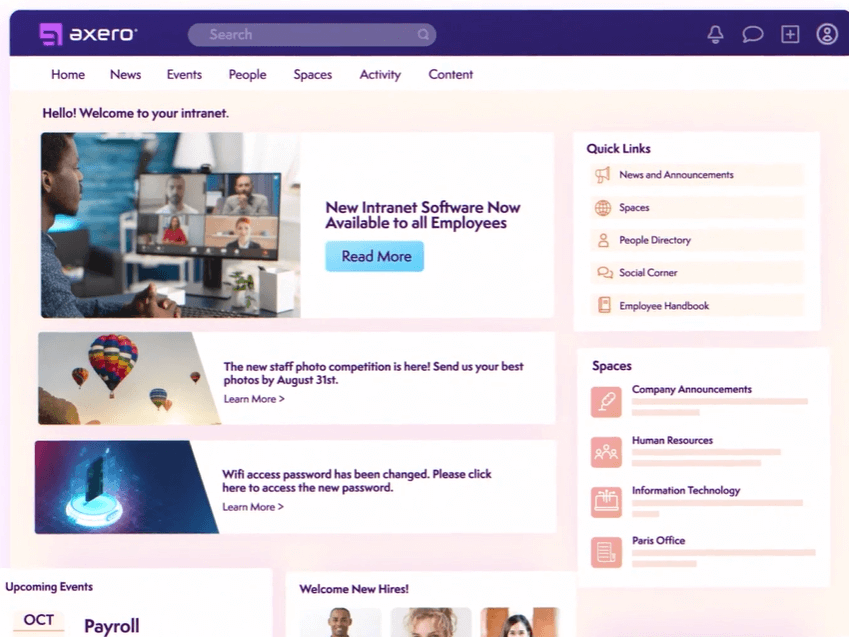
Axero is a knowledge sharing platform that can be used to build out content hubs for internal and external collaboration. It's a flexible solution that's adaptable to the needs of various types and sizes of businesses.
Why I picked Axero: I decided to give this platform a spot on my list for its capacity to build a knowledge base for either internal or external collaborators (or both). It's flexible enough to suit various contexts, yet provides the necessary structure to keep information organized, accessible, and accounted for.
You can create both public and private spaces in your company wiki, and build out content in various formats. Blog posts, forums, surveys, and broadcasts are among the supported content types. Meanwhile, commenting and like buttons allow for engagement and interaction, and live chat lets you keep all communications centralized in one space.
Axero Standout Features and Integrations
Features include a collaborative document editing feature that enables multiple team members to work on shared content in real time. Moreover, Axero’s activity feed aggregates updates from across the platform, ensuring that team members can stay informed about new content, comments, and project developments without switching between tools.
Integrations include Outlook 365, Sharepoint, OneDrive, Microsoft Teams, Google Workspace, Slack, Zoom, Dropbox, Box, Unsplash, and Twilio, among others.
Pros and Cons
Pros:
- Suitable to the needs of larger organizations
- Can be used for internal and external knowledge sharing
- Highly flexible and customizable to various contexts
Cons:
- Takes time to get familiar with all features
- Integrations not included in starter plan

Best for application development
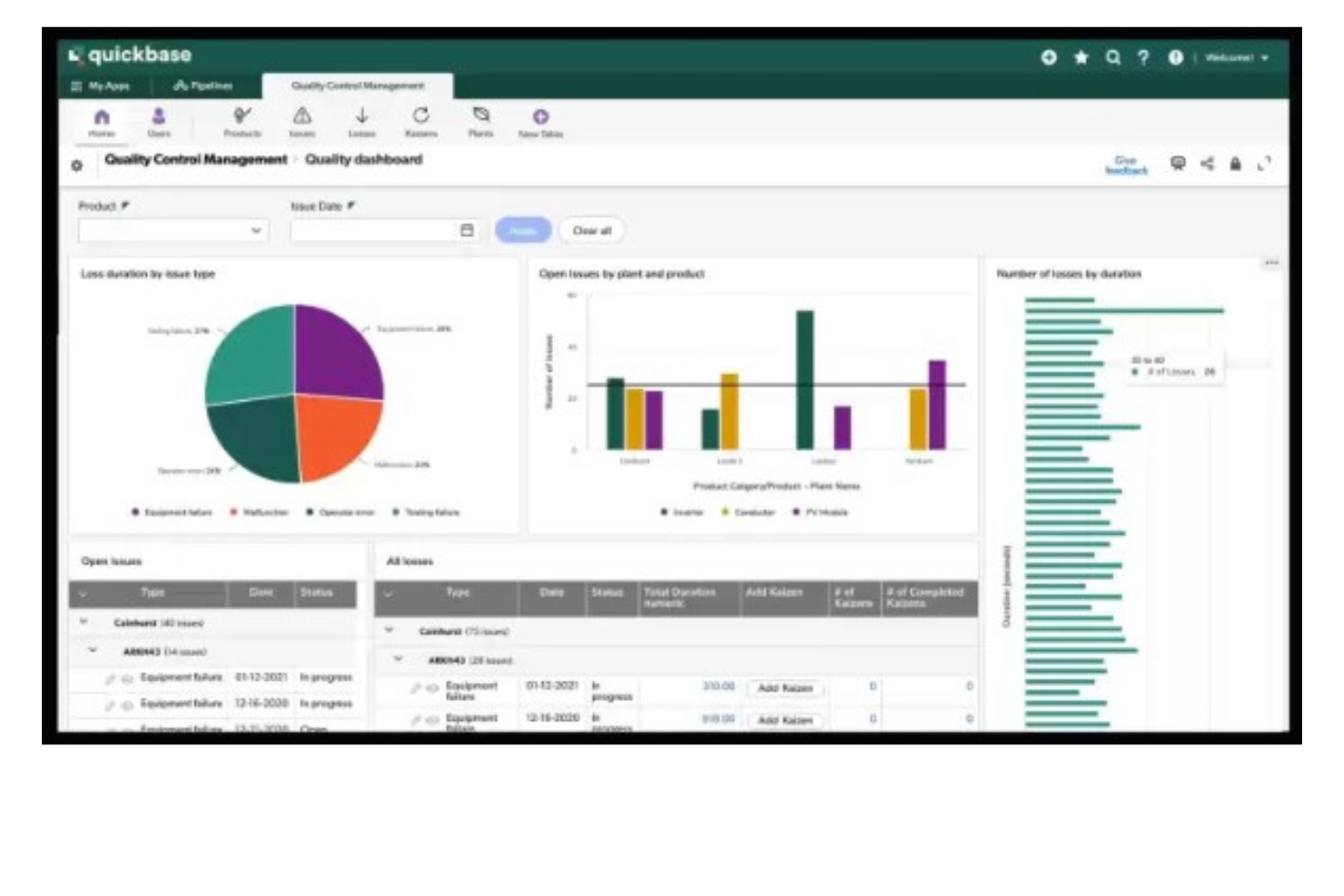
QuickBase is a platform that enables the development of custom applications without requiring deep coding skills. It stands out for its no-code approach, allowing users to build industry-specific solutions with features like integrations, automations, and mobile capabilities.
Why I picked QuickBase: I selected QuickBase as a collaboration tool after judging its capabilities to enable teams to create and customize applications without the need for extensive coding skills. What differentiates QuickBase is its user-friendly interface and the empowerment it offers to citizen developers, allowing them to automate workflows and connect data effortlessly. I believe QuickBase is best for no-code app development because of its flexibility and the comprehensive solutions it provides, which cater to a wide range of business needs without requiring deep technical expertise.
QuickBase stands out as an excellent tool for collaboration due to its user-friendly interface and customizable features that cater to a wide range of business needs. It enables teams to create and share interactive, data-driven applications without requiring extensive technical knowledge. This flexibility allows for seamless integration of data from various sources, fostering efficient teamwork and decision-making.
QuickBase Standout Features & Integrations
Features include a no-code platform that enables users to build custom applications tailored to their business needs. Moreover, QuickBase’s built-in audit logs provide a collaborative safety net by tracking changes and updates, allowing teams to review and revert actions when necessary.
Integrations include Salesforce, Microsoft Teams, Google Calendar, Tableau, QuickBase Pipelines, Slack and Zapier.
Pros and Cons
Pros:
- Robust notifications and reminders
- Workflows are easy to set up and customize
- Simple no-code platform is easy for non-tech people to learn
Cons:
- May be cost prohibitive for small businesses
- Team plan requires a minimum of 20 users

Missive
Best for collaborative inboxes

Missive is a collaborative inbox platform that unifies email, SMS, and social messaging channels with built-in internal chat, task management, and workflow automation.
Who Is Missive Best For?
Missive is a strong fit for client-facing and customer-ops teams that need to collaborate internally around high volumes of email and multi-channel messaging.
Why I Picked Missive
I've included Missive in my top picks because it's the only tool on this list that embeds team collaboration directly inside the inbox. I love how internal threads sit alongside live email conversations, so my team can co-draft a client reply, assign it to a teammate, and auto-link it to a task without ever leaving the thread. The multi-channel inbox pulling in WhatsApp, SMS, and Instagram alongside email makes it genuinely useful for any team where external communication is the core collaboration surface.
Missive Key Features
- Rules engine: Automate up to 1,000 inbox actions—including auto-assignment, auto-reply, and AI-triggered routing—without writing any code.
- Workload balancing: Distribute incoming conversations across teammates using round-robin, least-busy-first, or random assignment rules.
- Audit trail: Log every inbox action with timestamps and user attribution so team leads have full visibility into who did what.
- Guest access: Add external collaborators to specific conversations without consuming a paid seat.
- Missive MCP Server: Connect external AI tools (like Claude or ChatGPT) to query collaboration threads, check calendars, and draft replies—while keeping team review required before sending.
Missive Integrations
Missive offers 40+ native integrations, including Asana, ClickUp, Trello, Todoist, Google Drive, Dropbox, HubSpot, Zoom, Google Meet, and GitHub. It also provides an open REST API, webhooks, Zapier connectivity, and its new MCP Server on Productive and Business plans (requires admin activation).
Pros and Cons
Pros:
- Automation engine supports advanced workflow rules
- Multi-channel inbox unifies email and messaging
- Internal chat threads beside live conversations
Cons:
- File co-editing relies on external tools
- No native kanban or whiteboard features
New Product Updates from Missive
Missive Adds Conversation Pins
Missive now lets you pin key links, decisions, and notes inside a conversation, keeping them accessible in a dedicated Pins section in the Details sidebar. For more information, visit Missive's official site.
 .
.
Zoom
Best for AI-powered meeting notes

Zoom is a collaboration platform for video, voice, and chat that helps teams connect and work together in real time. It offers flexible meeting tools, persistent chat, and AI assistance, making it a fit for both small groups and large organizations.
Why I Picked Zoom: I picked Zoom because it makes virtual meetings more productive and inclusive. Its AI assistant can summarize discussions, highlight action items, and generate notes, so you don’t have to worry about missing key details. You can also enable translated captions in more than 30 languages, which helps make conversations accessible for global teams. Beyond meetings, Zoom supports ongoing collaboration through team chat channels and a cloud VoIP service, keeping communication centralized and organized.
Zoom Standout Features & Integrations
Features include interactive whiteboards, personalized meeting layouts, surveys and polls for engagement, and short video clips for asynchronous updates. It also supports continuous chat threads with pinned assets, plus appointment scheduling through Zoom Scheduler.
Integrations include Microsoft Teams, Salesforce, Google Workspace, Slack, HubSpot, Asana, Confluence for Zoom, Microsoft 365, Calendly, Kahoot!, Fathom, and Read AI.
Pros and Cons
Pros:
- Flexible for teams of any size
- Strong collaboration tools like breakout rooms and whiteboards
- Reliable audio and video quality
Cons:
- Some advanced features require a learning curve
- Free version has strict limits on meetings
Miro
Best for online whiteboarding
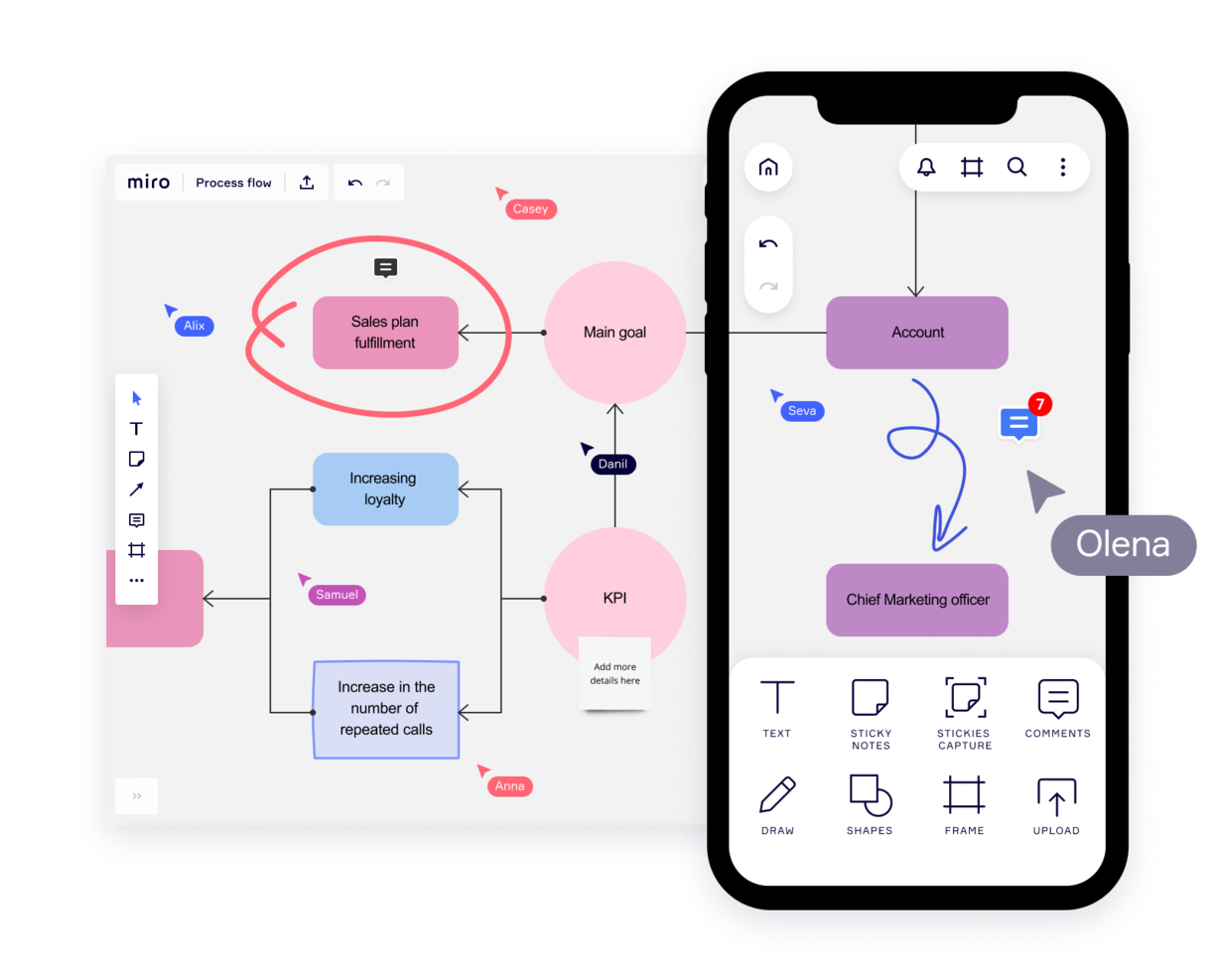
Miro is a collaborative online whiteboard built to facilitate brainstorming, ideation, team meetings, project planning, and other team activities. Marissa Taffer, Founder & President of M. Taffer Consulting, relies on it heavily for remote teamwork: “Miro is amazing for virtual collaboration. I use it pretty extensively for brainstorming and sprint retros. One team I managed loved having themed retros using themes from the Miroverse!”
Why I picked Miro: I decided to include this platform because of how versatile and flexible it is. Your team can start with a blank canvas or choose from the 1,000+ pre-built templates included. Miro supports a diverse expression of ideas, including numerical data and brand elements, alongside traditional visuals like sticky notes and videos.
Unique features such as Stickies Capture and TalkTrack can also help users convert physical notes to digital and recording explanatory videos for asynchronous collaboration, respectively. With integrations like Jira and Asana, plus Confluence and Notion, Miro bridges idea generation with project execution, facilitating a cohesive team collaboration environment.
Miro Standout Features & Integrations
Features include real-time voting and timer features that allow teams to prioritize ideas and stay on track during brainstorming sessions. Its "Digital Sticky Notes" tool supports infinite flexibility for organizing thoughts, while the "Mind Mapping" function encourages free-form ideation with structured visuals.
Integrations include Zoom, Figma, Asana, Microsoft Teams, Jira, Slack, Google Drive, monday.com, Confluence Box, Airtable, Notion, Azure, and Webex. Some integrations are limited to paid plans only.
Pros and Cons
Pros:
- Highly versatile and flexible solution
- Thousands of customizable templates
- Intuitive and easy setup
Cons:
- Zooming can be jumpy on larger projects
- No high-quality PDF export with free plan
New Product Updates from Miro
Miro Adds Japan Data Residency for Enterprise Customers
Miro has introduced Japan data residency for enterprise customers, offering in-region storage for production data, backups, and metadata, plus in-region compute infrastructure. For more information, visit Miro's official site.
FigJam
Best for design collaboration
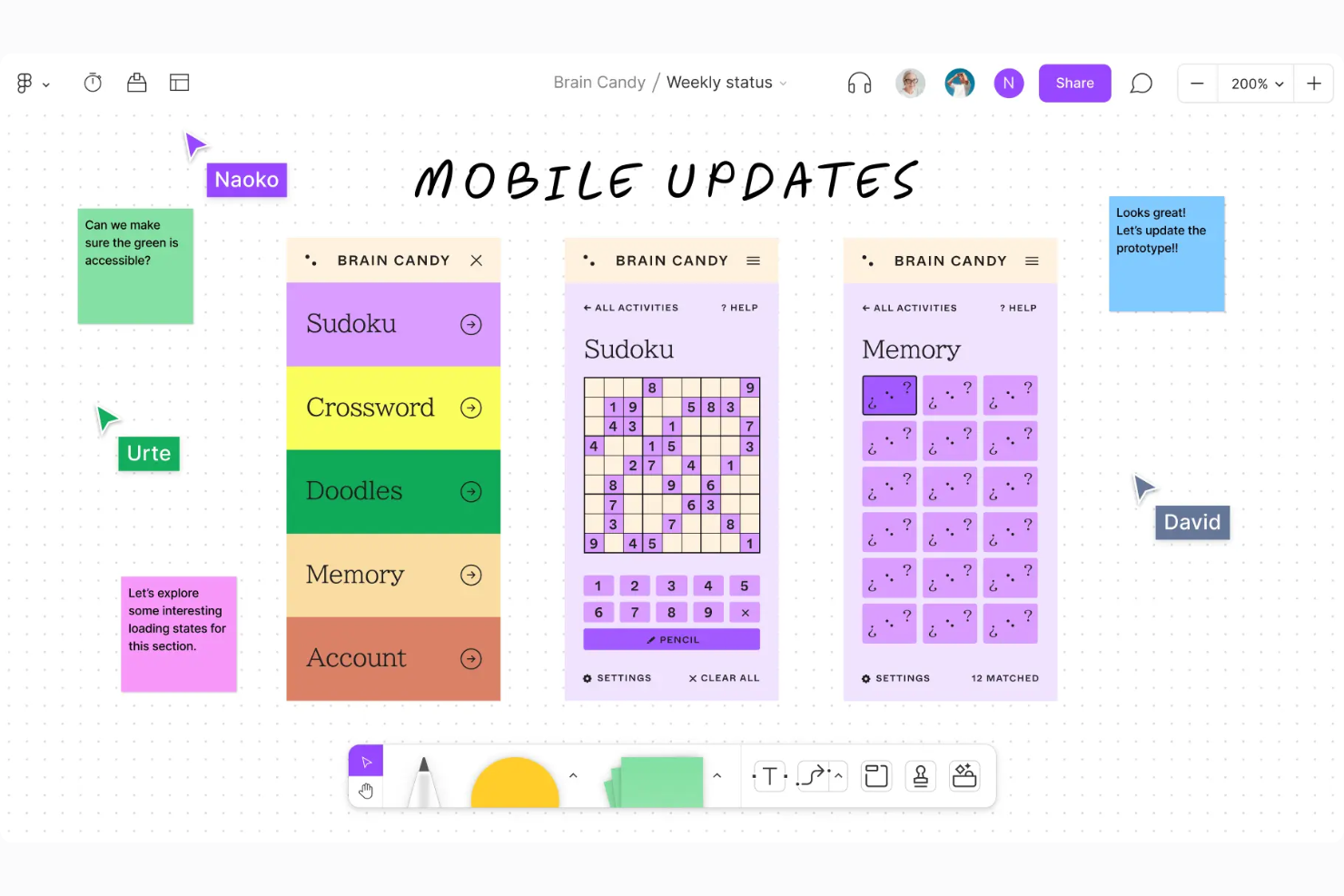
FigJam transforms your team's collaboration experience with a dynamic online whiteboard tailored for creativity and teamwork. Ideal for industries and professionals in product development, it supports activities like brainstorming and strategic planning, making it perfect for design teams and project managers. With real-time communication tools and integration with project management software, FigJam helps align team members on project goals and fosters innovative solutions.
Why I Picked FigJam
I picked FigJam because it excels in design collaboration, providing an intuitive space for real-time brainstorming and diagramming that enhances creative workflows. Its unique ability to support dynamic discussions through live chat and audio, combined with over 300 ready-made templates, makes it a versatile tool for aligning team efforts on design projects. The seamless integration with project management tools like Asana and Jira further streamlines the design process, addressing the challenge of coordinating across teams. FigJam's capability to include external contributors without requiring a login ensures that your design collaboration remains flexible and inclusive.
FigJam Key Features
In addition to its strengths in design collaboration, FigJam offers a range of features that enhance team interaction and creativity.
- Stamps and Emotes: Users can place stamps on the board and use emotes for temporary emoji reactions to express feelings or feedback.
- Audio Calls: Users can initiate or join audio conversations directly within FigJam for real-time discussions.
- Spotlight Feature: This allows users to highlight their view to collaborators, making it easier to guide discussions during meetings.
- Custom Templates: Teams can create and publish templates to streamline workflows and maintain consistency in projects.
FigJam Integrations
Integrations include Atlassian, Microsoft, Slack, Zoom, Dropbox, and Asana.
Pros and Cons
Pros:
- Freemium plan for up to 3 files
- User-friendly and intuitive
- Super helpful integration with Figma
Cons:
- Non-Figma users may not get all the benefits
- Onboarding and account support locked to enterprise plan
Other Online Collaboration Tools
Although we haven’t included these in the review, there are some other collaboration tools that we haven’t had the chance to dive into fully yet. Below is a list of a few additional collaboration tool options for your agency or studio:
- MeisterTask
For visual project boards
- Troop Messenger
For secure messaging
- Blink
For mobile collaboration
- Nifty
For team collaboration
- Approval Studio
For creative review
- Kintone
For dedicated workspace threads
- Backlog
For development teams
- Workzone
For granular permissions control
- Filestage
For feedback management
- Evernote
For organizing ideas
- Milanote
For team-built visual boards
- Teamwork.com
For company-wide chats
- Samepage
Collaboration mobile app
- Redbooth
For creating team dashboards
- Gmelius
Collaboration tool for Gmail
- MyHub
For internal communication
- Nutcache
For schedule collaboration
- Next Matter
For complex workflows
- Content Workflow
For collaborative content management
- Ideagen Huddle
Document collaboration tool
- Podio
For low-code automated workflows
- ProjectManager
With built-in employee onboarding
- Confluence
For flexible, customizable workflows
- Favro
For agile teams
- Hibox
For meeting management
- Workmates
For employee communications and intranet


Online Collaboration Tools FAQs
Find answers to common questions about this topic.
What are collaboration tools?
What features should I look for when selecting collaboration tools?
What are the benefits of collaboration software?
Online Collaboration Tools Buyer's Guide
How to pick the best collaboration tool for your team.