
14 Best Construction Employee Scheduling Software Reviewed in 2026

Best Construction Employee Scheduling Software Shortlist
Here’s my shortlist of the best construction scheduling software:


Managing your construction crew’s schedule can feel like a never-ending puzzle. Balancing project deadlines, worker availability, and unexpected changes isn’t easy. That’s where construction employee scheduling software comes into play.
In my experience, these tools help construction companies simplify scheduling tasks, reduce conflicts, and improve team communication. They let you focus on what really matters: completing projects efficiently and effectively.
I’ve independently tested and reviewed several solutions to give you an unbiased look at the best options available. You’ll find detailed insights into each tool’s features, pros, and cons. Whether you’re managing a small team or a large workforce, there’s something here to fit your needs.
Why Trust Our Software Reviews
Best Construction Employee Scheduling Software Summary
This comparison chart summarizes pricing details for my top construction employee scheduling software selections to help you find the best one for your budget and business needs.
| Tool | Best For | Trial Info | Price | ||
|---|---|---|---|---|---|
| 1 | Best for small contractor teams | Free demo available | Pricing upon request | Website | |
| 2 | Best for shift scheduling flexibility | 31-day free trial + free demo available | From $5/user/month | Website | |
| 3 | Best for project management integration | Free demo available | Pricing upon request | Website | |
| 4 | Best for on-site task management | Free plan available | From $39/user/month (billed annually) | Website | |
| 5 | Best for team communication tools | Free 15-day trial + free plan available | From $1.70/user/month (billed annually) | Website | |
| 6 | Best for precise labor cost tracking | 14-day free trial + free demo available | From $6/user/month (billed annually) | Website | |
| 7 | Best for easy schedule sharing | 30-day free trial + free demo available | From $10/month | Website | |
| 8 | Best for remote workforce management | 14-day free trial + free demo available | Pricing upon request | Website | |
| 9 | Best for automated scheduling features | 30-day free trial + free demo available | From $450/year | Website | |
| 10 | Best for attendance with face recognition | 14-day free trial + free demo available | From $2.25/user/month (billed annually) | Website |
-

Checkr
Visit WebsiteThis is an aggregated rating for this tool including ratings from Crozdesk users and ratings from other sites.4.5 -
Kudoboard
Visit WebsiteThis is an aggregated rating for this tool including ratings from Crozdesk users and ratings from other sites.4.8 -
Native Teams
Visit WebsiteThis is an aggregated rating for this tool including ratings from Crozdesk users and ratings from other sites.4.9





Best Construction Employee Scheduling Software Review
Below are my detailed summaries of the best construction employee scheduling software that made it onto my shortlist. My reviews offer a detailed look at the key features, pros and cons, integrations, and ideal use cases of each tool to help you find the best one for you.

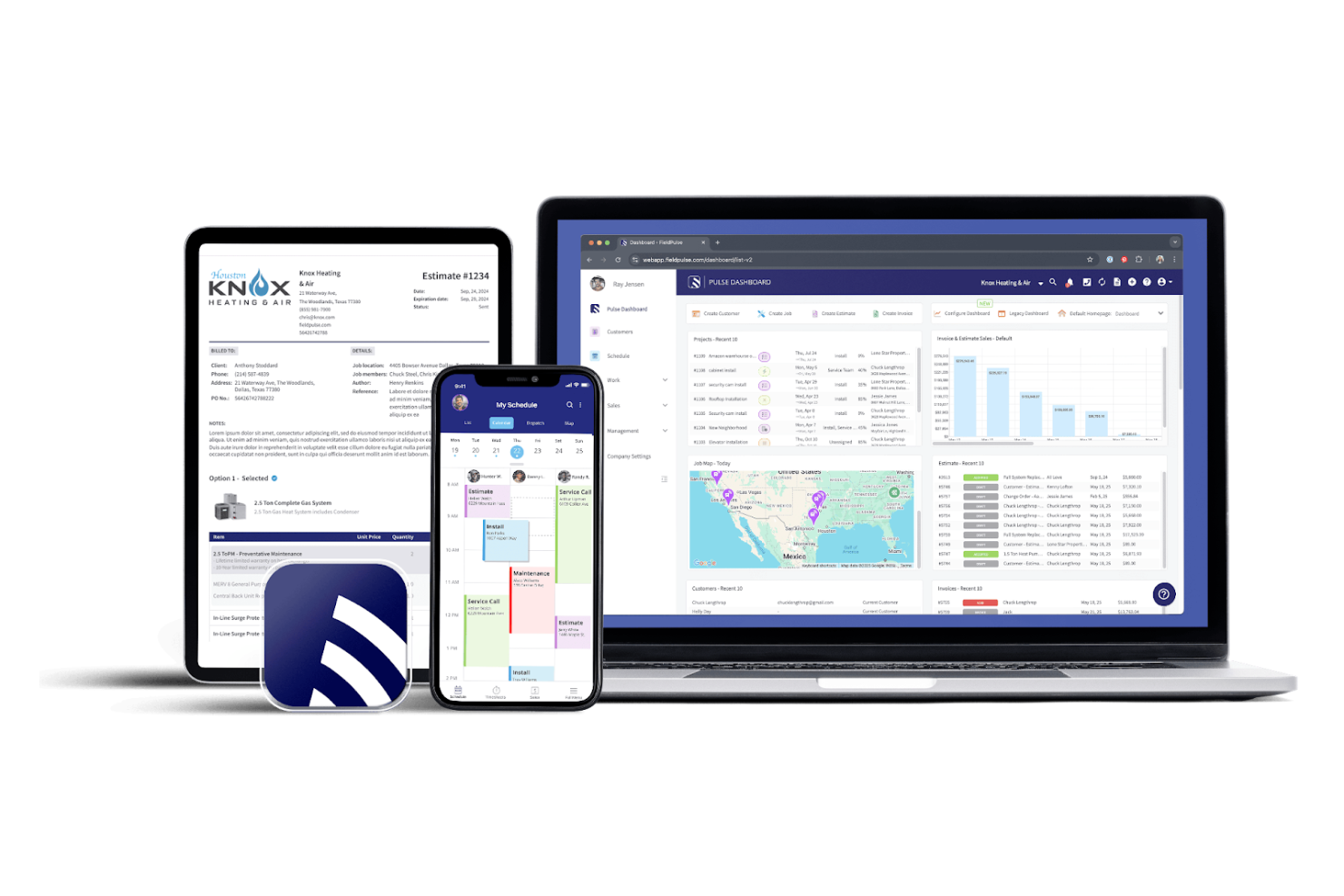
FieldPulse is a field service management software tailored for small contractor teams. It offers scheduling, dispatching, and customer management features to help small businesses operate smoothly.
Why I picked FieldPulse: Ideal for small teams, FieldPulse offers flexible scheduling and dispatching tools so you can manage jobs and track team availability with ease. The mobile app lets your team update job statuses remotely, and customer management tools help you maintain strong client relationships.
Standout Features and Integrations:
Features include a mobile app for on-the-go updates, invoicing tools to optimize billing, and customer management features to organize client information. You can smoothly assign tasks to team members and track their progress. The software’s reporting tools also give you insights into your business’s performance.
Integrations include QuickBooks, NiceJob, Xero, Square, and more.
Pros and Cons
Pros:
- Suitable for small teams
- Integrated customer management tools
- Built-in Invoicing and billing features
Cons:
- Customer support can be slow
- Mobile app can be laggy

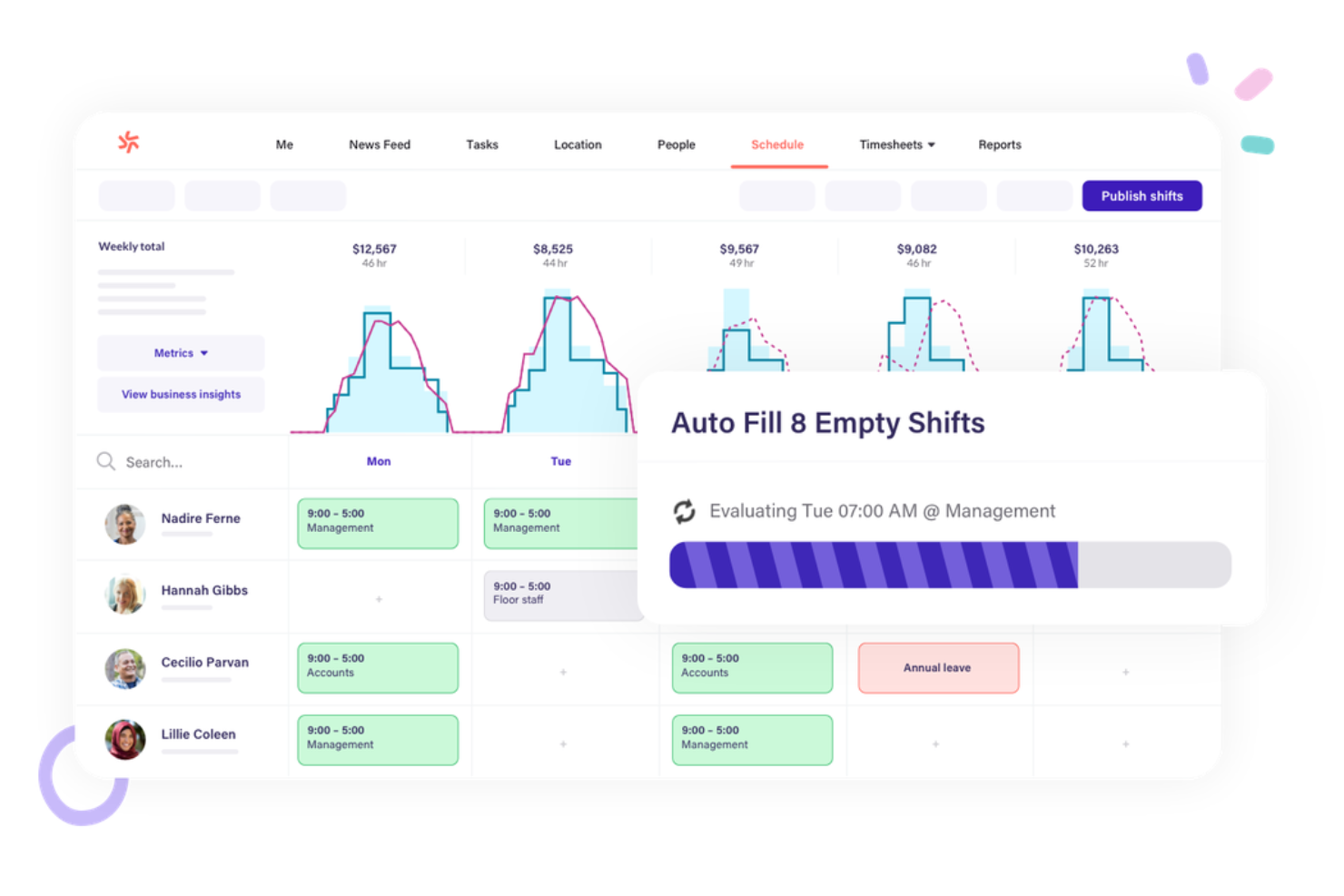
Deputy is a workforce management software designed for businesses that prioritize efficient scheduling and time tracking. It caters to managers and employees by simplifying shift planning and attendance monitoring.
Why I picked Deputy: Deputy’s flexible shift scheduler is a highlight. With it, you can create and adjust schedules to fit your team’s needs. Real-time notifications keep everyone informed of updates, and the mobile app lets your team view their shifts and swap with coworkers.
Standout Features and Integrations:
Features include a time clock to track hours accurately, task management to assign and monitor duties, and compliance tools to keep everything straightforward. You can also generate reports to analyze workforce data. The software offers a mobile app for on-the-go access.
Integrations include ADP (Workforce Now and Run), Xero, Gusto, and more.
Pros and Cons
Pros:
- Compliance tracking tools
- Mobile-friendly workforce management app accessibility
- Flexible shift management
Cons:
- Frequent notification glitches
- Advanced reporting and analytics can be complex

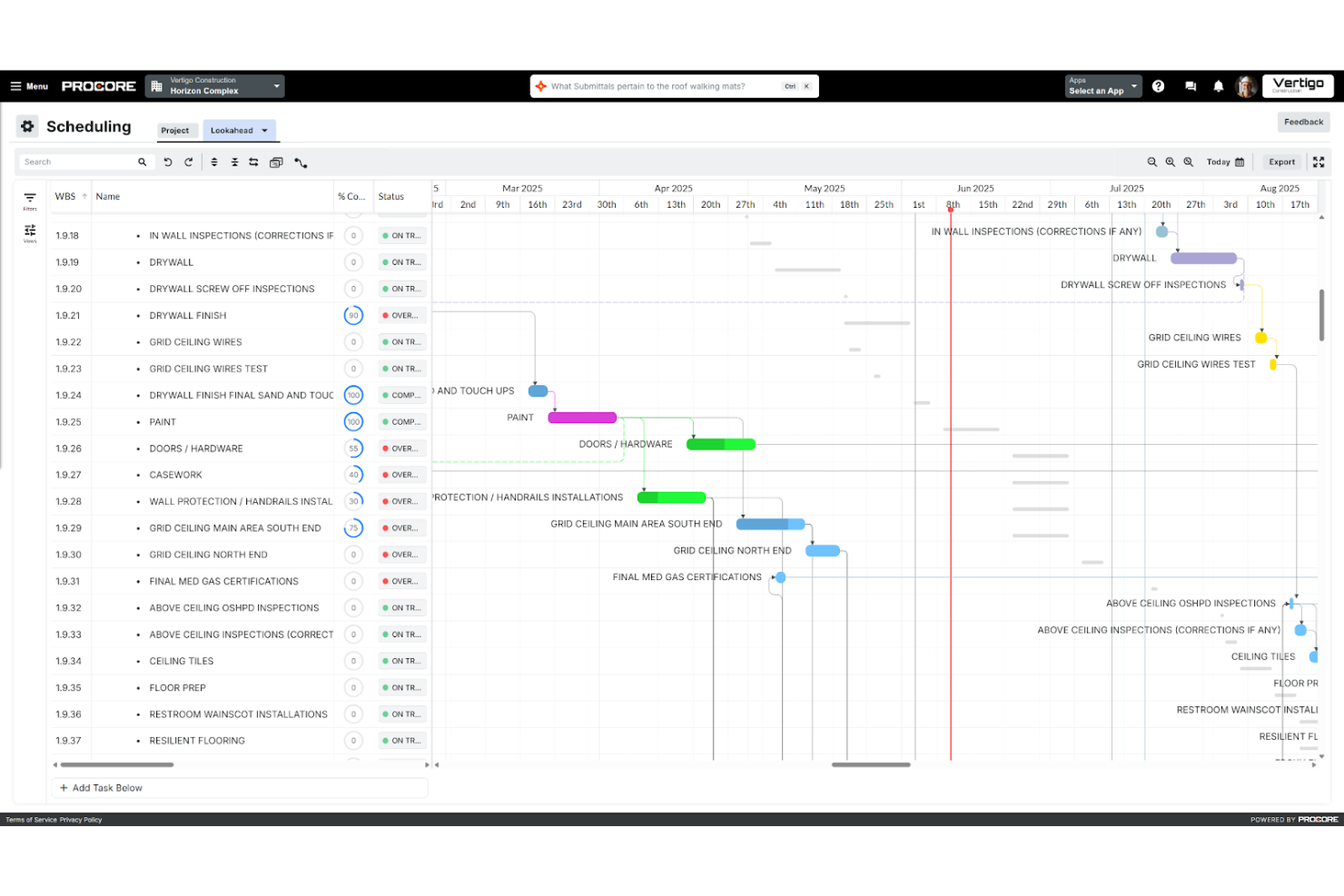
Procore is a construction project management software aimed at contractors and supervisors. It helps you organize project documentation, manage timesheets, and communicate with subcontractors and stakeholders.
Why I picked Procore: Project management integration is where Procore shines. Its all-in-one platform lets you manage documents and workflows efficiently in one location. You can track project dependencies, critical paths, and budgets with ease, and the communication tools keep your team connected and informed throughout the project lifecycle.
Standout Features and Integrations:
Features include a centralized dashboard for project visibility, document management for easy access to files, and budgeting tools to track finances. You can generate detailed reports to analyze project performance. The software also offers quality and safety management features to prevent issues before they become a problem.
Integrations include QuickBooks, Sage 300 CRE, Sage 100 Contractor, and more.
Pros and Cons
Pros:
- Real-time budget and cost tracking
- Secure document handling
- Centralized project management
Cons:
- High system requirements
- Complex configuration for large teams

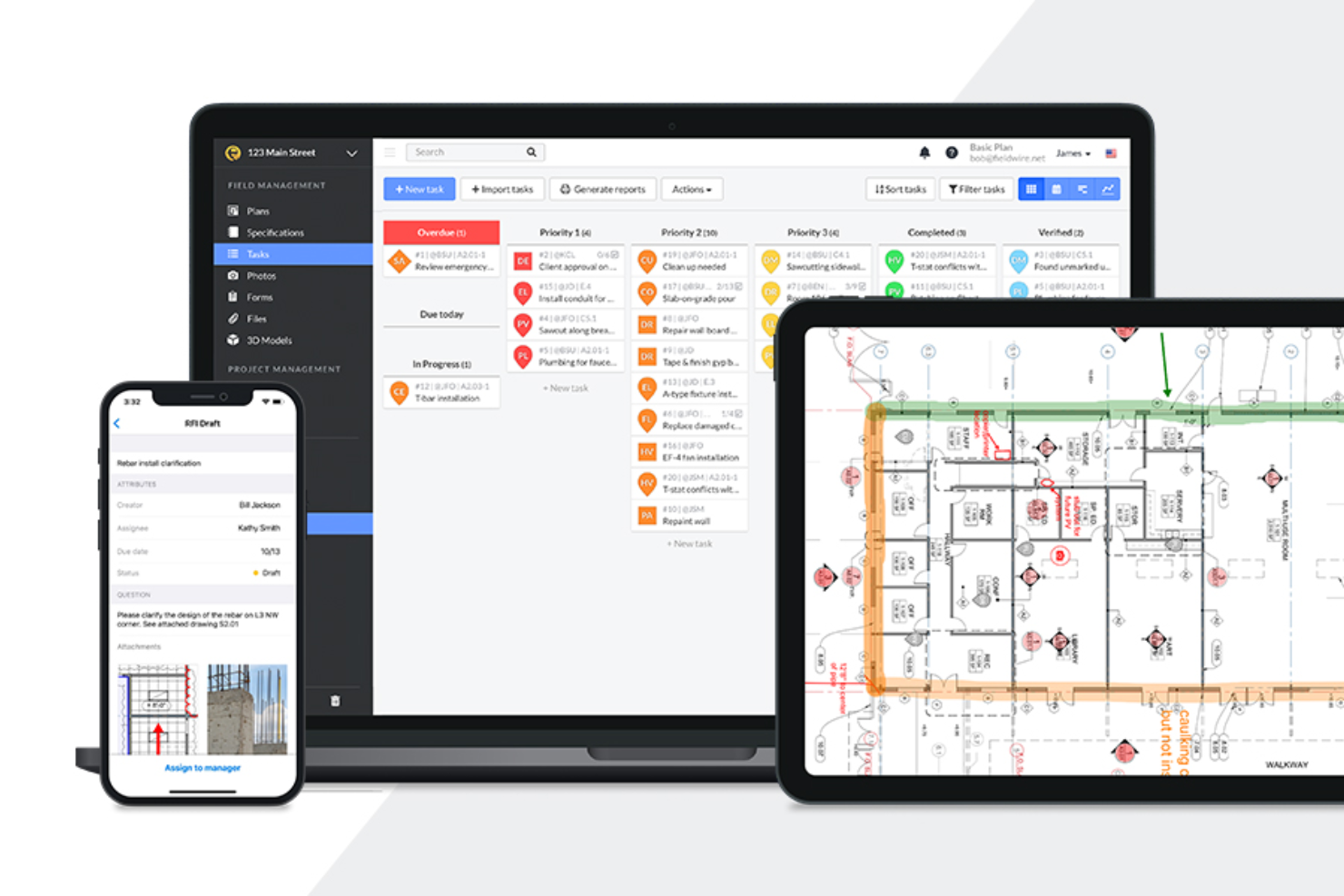
Fieldwire is a construction management software that helps project managers oversee tasks, work schedules, and blueprints, boosting on-site productivity and coordination.
Why I picked Fieldwire: Task management is at the core of Fieldwire’s offerings. You can schedule projects using Kanban boards and Gantt charts, as well as assign tasks with due dates and priorities directly on blueprints. The real-time messaging feature keeps everyone connected, and mobile accessibility lets your team update tasks anytime, anywhere.
Standout Features and Integrations:
Features such as mobile plan viewing, real-time messaging, and digitized forms simplify on-site operations, while task reports ensure your field crew is meeting milestones.
Integrations include Dropbox, Box, Microsoft OneDrive, Google Drive, Egnyte, and more.
Pros and Cons
Pros:
- Mobile-friendly interface
- Easy blueprint navigation
- Real-time task updates
Cons:
- Device compatibility limitations
- Limited offline functionality

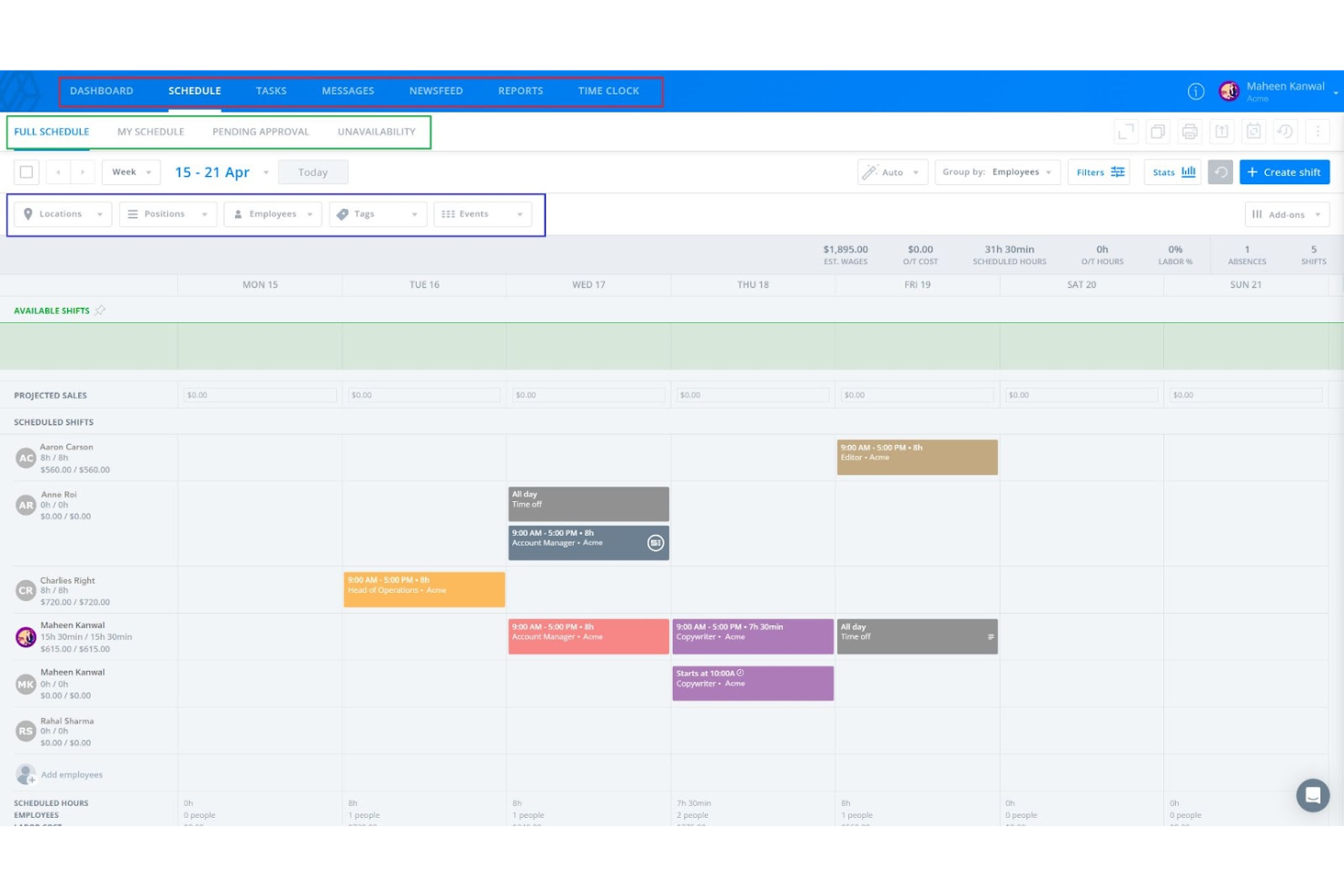
Sling is a scheduling and communication software designed for businesses looking to manage shifts and improve team collaboration. It focuses on helping managers and employees coordinate schedules and communicate effectively.
Why I picked Sling: Team communication tools are a highlight of Sling. You can send messages to individuals or groups, keeping everyone in the loop, and the newsfeed feature lets you share important updates with your team. You can also create and assign group tasks to increase collaboration.
Standout Features and Integrations:
Features include a built-in time clock to track hours, task management for assigning duties, and a newsfeed for sharing updates. You can create and rearrange shift schedules with its drag-and-drop interface, and you can import employee data from spreadsheet files directly onto the platform. The software also offers reporting tools to analyze workforce data.
Integrations include Shopify, Square, Gusto, Toast, and more.
Pros and Cons
Pros:
- Drag-and-drop scheduling
- Built-in time clock
- Instant team messaging
Cons:
- Notification settings are confusing
- Mobile app can be laggy at times

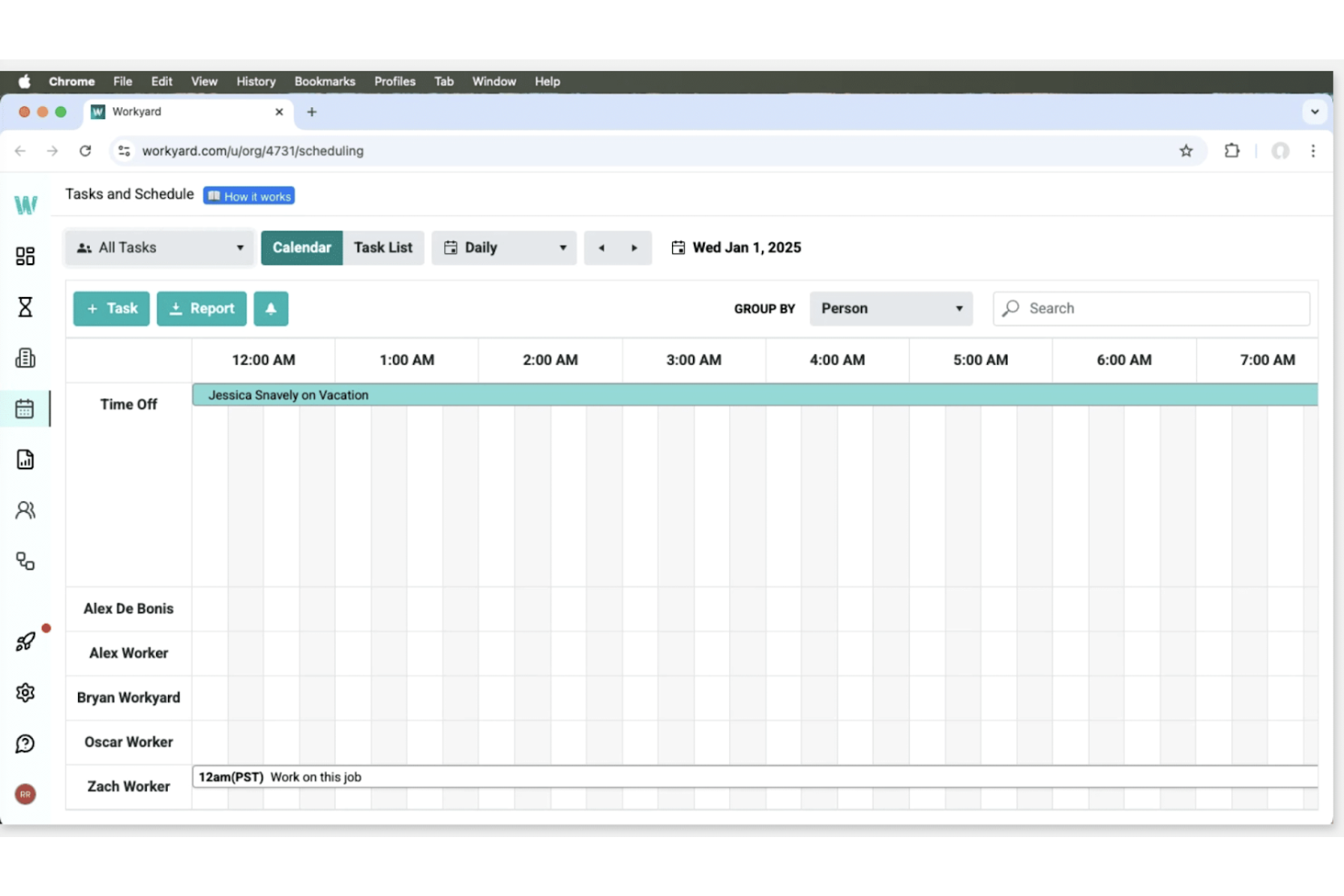
Workyard is a construction workforce management software tailored for contractors and field teams. It focuses on time tracking, job management, and expense management to improve project efficiency.
Why I picked Workyard: Workyard excels at precise labor cost monitoring. Its GPS-verified time tracking accurately logs your team’s hours, while real-time project scheduling helps you allocate resources effectively. Its expense management tools let you monitor project costs to stay within your budget. Workyard is also fully mobile-friendly, with dedicated apps for Android, iOS, and iPad (Kiosk mode), allowing field teams to track time, submit reports, and view schedules from anywhere.
Standout Features and Integrations:
Features include GPS-verified time tracking, mobile smart forms for easy data entry, real-time project scheduling to optimize resource management, and expense management tools to track costs efficiently. These features work together to give you detailed insights into your projects.
Integrations include ADP Run, ADP Workforce Now, QuickBooks, and more.
Pros and Cons
Pros:
- Mobile smart forms and expense tools
- Live crew visibility for managers
- GPS-verified time tracking
Cons:
- Some advanced features require higher-tier plans
- Reporting can be overwhelming for small teams

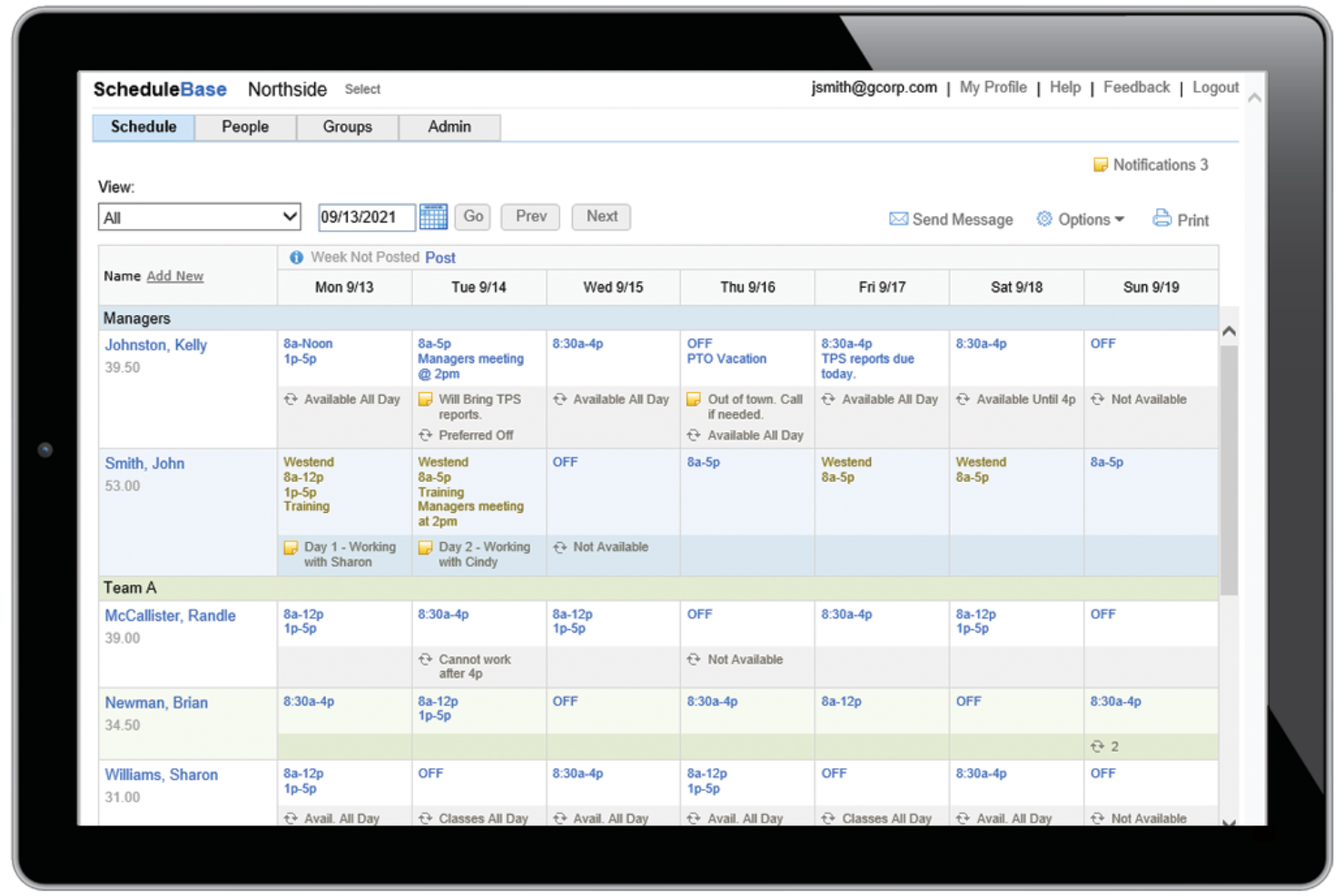
ScheduleBase is an online employee scheduling software designed for businesses that need simple and effective solutions. It helps managers create schedules and share them with employees without extra bells and whistles.
Why I picked ScheduleBase: ScheduleBase’s biggest appeal is its no-frills schedule sharing. You can send schedules to your team via email or text, so everyone stays informed. The software also lets you make last-minute changes and notify your team quickly. It’s straightforward and doesn’t require extensive training, making it ideal for busy managers. Plus, you can try it for a month with no credit card required.
Standout Features and Integrations:
Features include customizable scheduling templates to save time, real-time updates to keep schedules current, and the ability to manage multiple locations from one account. You can track employee availability and preferences, and the software includes reporting tools to analyze scheduling patterns.
Integrations include Microsoft Excel, Google Sheets, Outlook, and more.
Pros and Cons
Pros:
- Customizable templates
- Email and text notifications
- Quick schedule updates
Cons:
- Feature set is too simple for big teams
- Lacks built-in payroll processing

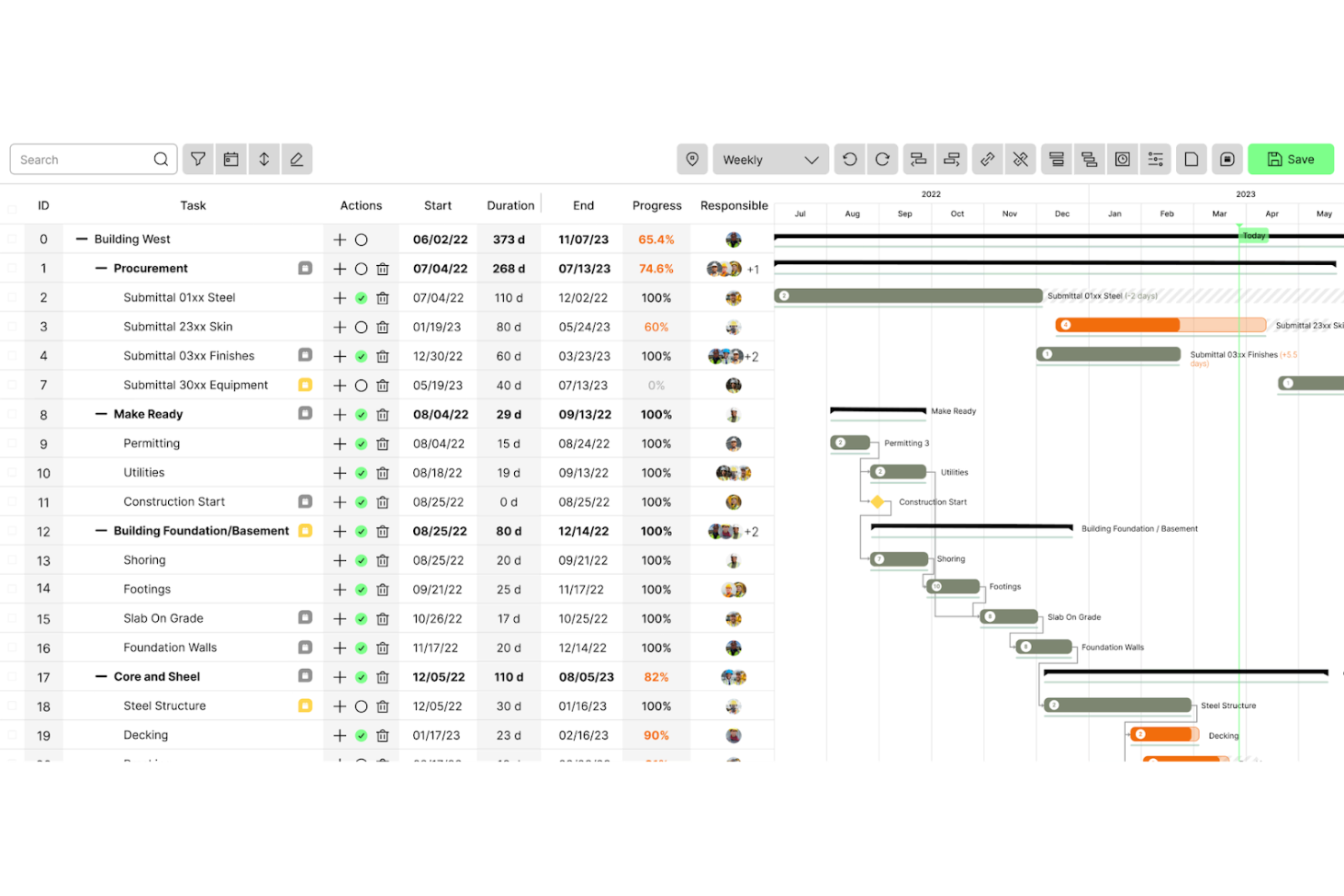
Outbuild is a construction scheduling and planning software tailored for project managers and field coordinators. It focuses on developing project management tools such as master schedules, risk management resources, and performance analytics.
Why I picked Outbuild: Outbuild’s key strength is its remote workforce management tools. The master schedule allows for quick updates, keeping everyone informed. Risk management tools help you anticipate and mitigate challenges, while real-time analytics help you make informed decisions.
Standout Features and Integrations:
Features include a company dashboard for project progress, lookahead scheduling to plan upcoming tasks, and weekly work plans to keep your team organized. You can customize the software to fit your needs. Outbuild also offers informational resources such as webinars and case studies.
Integrations include Procore, Autodesk, and more.
Pros and Cons
Pros:
- Detailed performance analytics
- Supports remote workforce
- Effective risk management tools
Cons:
- Occasional lag with large datasets
- Limited integrations beyond major platforms

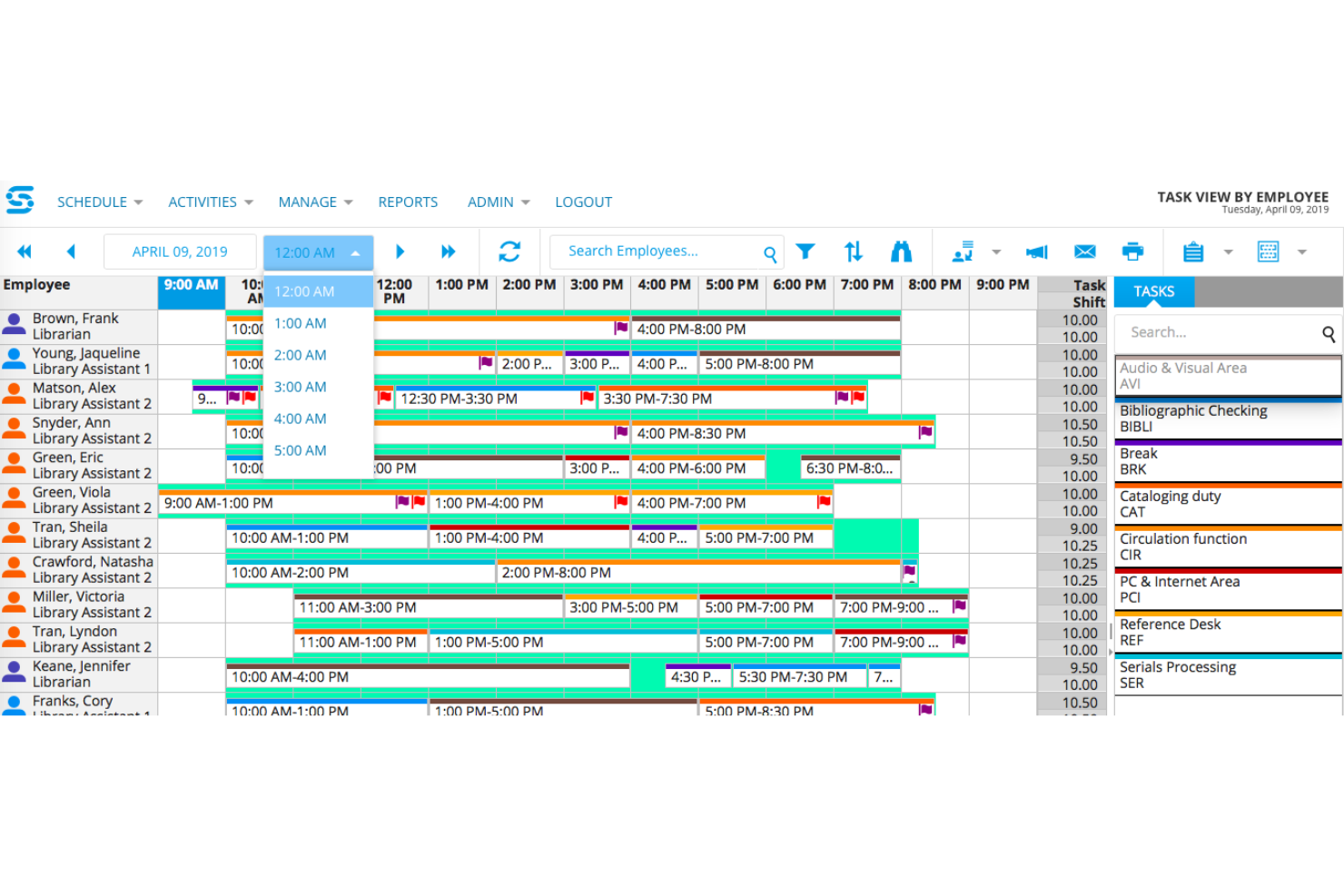
Snap Schedule is an employee scheduling software designed for businesses that need efficient, automated scheduling solutions. It gives managers tools for shift planning, time tracking, and workforce management.
Why I picked Snap Schedule: Automated scheduling features are a highlight of Snap Schedule. You can use templates to quickly generate schedules, saving time and reducing errors. The software also alerts potential scheduling conflicts. With its built-in automation, you can simplify scheduling and free up time to tackle more important tasks.
Standout Features and Integrations:
Features include drag-and-drop scheduling for ease of use, reporting tools to analyze workforce data, and shift assignment alerts to prevent conflicts. With Snap Schedule’s Calendar View, you can track employee availability and preferences, as well as manage PTO and absences.
Integrations include ADP Workforce Now, SAP, Microsoft Outlook, Google Calendar, and more.
Pros and Cons
Pros:
- Drag-and-drop interface
- Shift conflict alerts
- Automated scheduling templates
Cons:
- Interface can feel cluttered
- Limited custom reporting options

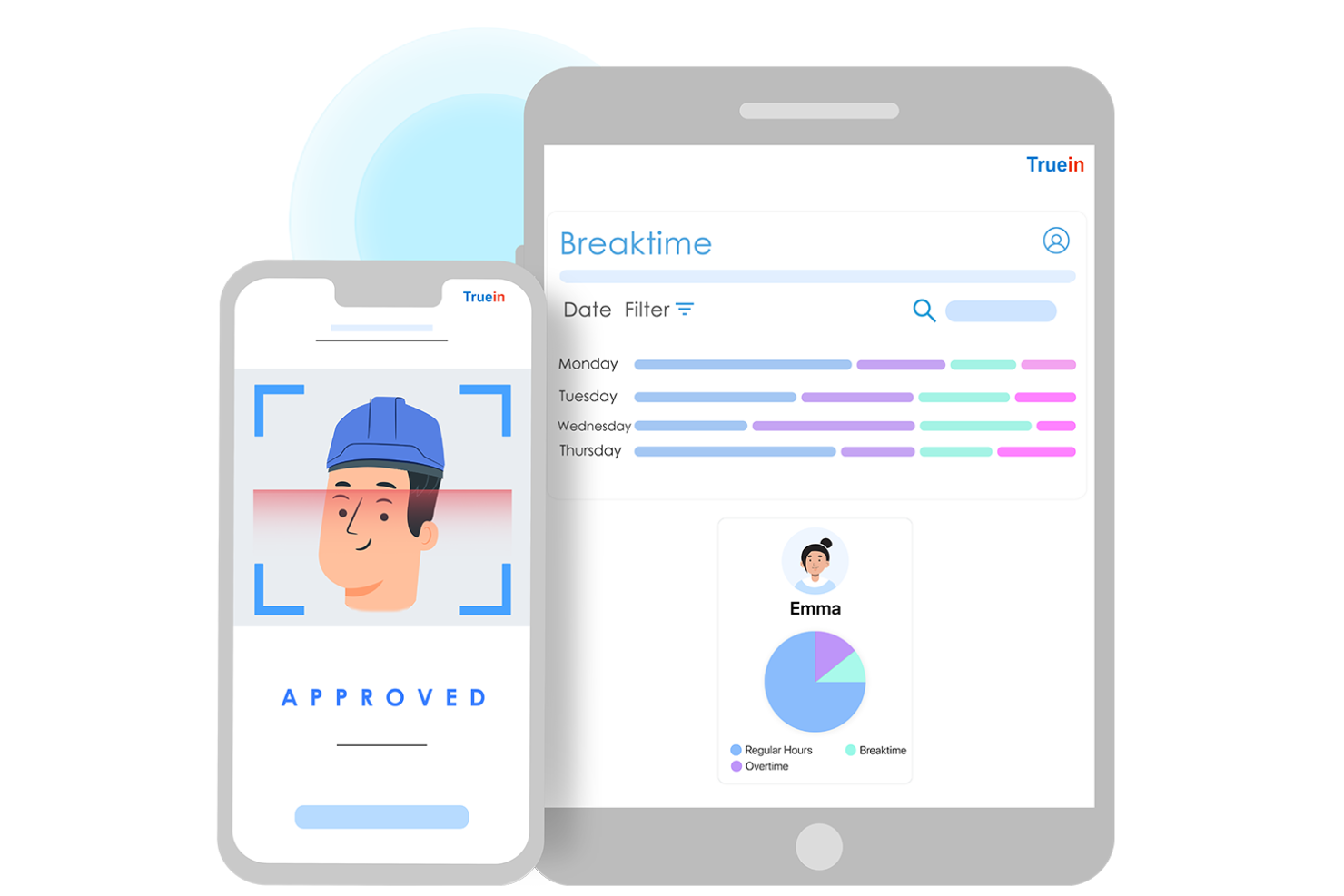
Truein is an attendance management software that uses face recognition technology to track employees. It’s ideal for businesses seeking a reliable solution to eliminate buddy punching and improve timekeeping accuracy.
Why I picked Truein: Truein’s face recognition feature takes tracking attendance to the next level. This software offers real-time attendance updates to keep your records current. It’s easy to use, so your team can quickly adapt to the system.
Standout Features and Integrations:
Features include shift scheduling to manage hours, geofencing to monitor clock-in locations, and detailed attendance reports. You can customize attendance policies to fit your company’s needs. The software also provides real-time dashboards for insights at a glance.
Integrations include SAP, Oracle, ADP, QuickBooks, Sage, Paychex, and more.
Pros and Cons
Pros:
- Customizable attendance policies
- Reduces buddy punching
- Accurate face recognition
Cons:
- Device compatibility limitations
- Frequent sync delays
Other Construction Employee Scheduling Software
Here are some additional construction employee scheduling software options that didn’t make it onto my shortlist, but are still worth checking out:
- Connecteam
For mobile-first scheduling
- TCP Software
For compliance management
- Plaky
For small team collaboration
- Buildxact
For cost estimation tools


Construction Employee Scheduling Software Selection Criteria
When selecting the best construction employee scheduling software to include in this list, I considered common buyer needs and pain points such as managing unpredictable shift changes and ensuring accurate time tracking. I also used the following framework to keep my evaluation structured and fair:
Core Functionality (25% of total score)
To be considered for inclusion in this list, each solution had to fulfill these common use cases:
- Create and manage employee schedules
- Track employee time and attendance
- Allow shift swaps and updates
- Generate scheduling reports
- Send notifications and alerts
Additional Standout Features (25% of total score)
To help further narrow down the competition, I also looked for unique features, such as:
- GPS location tracking
- Advanced reporting and analytics
- Integration with payroll systems
- Mobile app accessibility
- Customizable scheduling templates
Usability (10% of total score)
To get a sense of the usability of each system, I considered the following:
- Intuitive user interface
- Ease of navigation
- Minimal training required
- Quick access to key features
- Aesthetic and modern design
Onboarding (10% of total score)
To evaluate the onboarding experience for each platform, I considered the following:
- Availability of training videos
- Interactive product tours
- Access to webinars
- Use of chatbots for guidance
- Pre-built templates for quick setup
Customer Support (10% of total score)
To assess each software provider’s customer support services, I considered the following:
- Availability of live chat support
- 24/7 customer service
- Detailed help center resources
- Access to phone support
- Responsiveness to user inquiries
Value for Money (10% of total score)
To evaluate the value for money of each platform, I considered the following:
- Competitive pricing plans
- Features included in basic plans
- Flexibility of subscription options
- Discounts for annual commitments
- Comparison with similar tools
Customer Reviews (10% of total score)
To get a sense of overall customer satisfaction, I considered the following when reading customer reviews:
- Overall satisfaction ratings
- Feedback on customer support
- Comments on ease of use
- Mention of valuable features
- Reports of any common issues
How To Choose Construction Employee Scheduling Software
It’s easy to get bogged down in long feature lists and complex pricing structures. To help you stay focused as you work through your unique software selection process, here’s a checklist of factors to keep in mind:
| Factor | What To Consider |
|---|---|
| Scalability | Will the software grow with your company? Consider if it can handle more users or projects as your business expands. Look for flexible options that adapt over time. |
| Integrations | Does it work with your existing tools? Check for compatibility with payroll, HR, and communication platforms you currently use. Avoid complex manual data transfers. |
| Customizability | Can you tailor the software to your workflows? Ensure you can adjust settings and create custom fields to fit your team’s needs. |
| Ease of use | Is the user interface intuitive? Look for software that requires minimal training. A clean, simple design helps your team adopt it quickly. |
| Implementation and onboarding | How easy is it to get started? Consider the time and resources needed to set up and train your team. Look for software with guided onboarding processes. |
| Cost | Does the pricing fit your budget? Compare the cost against the features offered. Consider any hidden fees or long-term contracts that might affect your decision. |
| Security safeguards | Is your data protected? Ensure the software has encryption, regular backups, and compliance with data protection regulations to keep your information secure. |
| Support availability | Can you get help when needed? Look for 24/7 support and multiple contact options such as chat, phone, and email to resolve issues quickly. |
What Is Construction Employee Scheduling Software?
Construction employee scheduling software is a tool designed to help manage and organize construction workforce schedules. These tools are typically used by project managers and site supervisors to ensure efficient workforce allocation and time management. Scheduling, time-tracking, and shift-swapping features help with managing labor costs and improving project timelines. Overall, these tools provide value by enhancing productivity and reducing scheduling conflicts in construction projects.
Features
When selecting construction employee scheduling software, keep an eye out for the following key features:
- Shift scheduling: Allows managers to create and adjust employee schedules.
- Time tracking: Monitors employee hours, helping to maintain accurate payroll and reduce labor costs.
- Shift swapping: Lets employees exchange shifts with each other, providing flexibility and reducing scheduling conflicts.
- Mobile accessibility: Lets users access schedules and updates on mobile devices.
- Alerts and notifications: Send team members reminders and updates about schedule changes.
- GPS location tracking: Verifies employee locations during clock-ins, increasing accountability and preventing buddy punching.
- Reporting tools: Provide insights into scheduling patterns and labor costs, promoting data-driven decision-making.
- Compliance management: Ensures schedules adhere to labor laws and regulations to reduce the risk of compliance issues.
- Customizable templates: Offer pre-built, adjustable scheduling templates.
- Integration capabilities: Connect with existing payroll and HR systems, simplifying data management across platforms.
Benefits
Implementing construction scheduling software provides several benefits for your team and your business. Here are a few you can look forward to:
- Improved efficiency: Automating scheduling and time tracking reduces manual errors and saves time for managers.
- Cost savings: Accurate time tracking and shift management help lower labor costs by preventing overstaffing and unauthorized overtime.
- Improved communication: Alerts and notifications keep everyone updated on schedule changes, improving team coordination.
- Increased flexibility: Shift-swapping features let employees manage their schedules, leading to higher job satisfaction.
- Better compliance: Compliance management ensures your team is adhering to labor laws and construction industry regulations, minimizing legal liabilities.
- Data-driven decisions: Reporting tools provide valuable insights into labor patterns, helping managers make informed decisions.
- Remote access: Mobile accessibility lets team members view schedules and updates from anywhere, promoting productivity.
Costs and Pricing
Selecting construction employee scheduling software requires an understanding of the various pricing models and plans available. Costs vary based on features, team size, add-ons, and more. The table below summarizes common plans, their average prices, and typical features included in construction employee scheduling software solutions:
Plan Comparison Table for Construction Employee Scheduling Software
| Plan Type | Average Price | Common Features |
|---|---|---|
| Free Plan | $0 | Basic shift scheduling, time tracking, and limited reporting. |
| Personal Plan | $1.70-$39/user/month | Advanced scheduling, mobile app access, and notifications. |
| Business Plan | $9-$64/user/month | Extensive reporting, compliance management, and integration capabilities. |
| Enterprise Plan | $60+/user/month | Customizable templates, dedicated support, and upgraded security features. |
Construction Employee Scheduling Software FAQs
Here are some answers to common questions about construction employee scheduling software:
How do I choose the right construction employee scheduling software?
First, identify your team’s specific needs, such as your workforce’s size and any unique compliance requirements. Consider ease of use, integration with your existing systems, and the level of support you’ll receive. Look for software that offers a free trial so you can try it out before committing. Reading user reviews and comparing pricing plans can also help you make an informed decision.
Can construction employee scheduling software integrate with other tools?
Yes, many construction employee scheduling tools integrate with other systems, such as payroll, HR, and time-tracking software. Integrations help you optimize data management and reduce the time spent manually entering data. Before purchasing, confirm that the software can connect with the tools you already use. Integration capabilities vary, so check the vendor’s website to see which systems it supports.
Is training required to use construction employee scheduling software?
Most software is designed to be user-friendly, but some training might be necessary, especially if your team is new to digital scheduling tools. Vendors often provide resources such as tutorials, webinars, and help centers to assist with onboarding. Consider software with intuitive interfaces and easy navigation to minimize the learning curve.
Can I customize the scheduling templates in the software?
Yes, many scheduling tools let you customize templates to fit your specific needs. You can adjust fields, add notes, and modify layouts to align with your project requirements. Customizable templates save you time and ensure consistency across projects. Check if the software supports the level of customization your team requires before purchasing.
What’s Next:
If you’re in the process of researching construction employee scheduling software, connect with a SoftwareSelect advisor for free recommendations.
You fill out a form and have a quick chat where they get into the specifics of your needs. Then you’ll get a shortlist of software to review. They’ll even support you through the entire buying process, including price negotiations.