
14 Best Enterprise Generative AI Tools Reviewed in 2026

Best Enterprise Generative AI Tools Shortlist
Here’s my shortlist of the best enterprise GenAI tools:


Navigating the HR landscape can be tough. You're juggling talent management, compliance, and employee engagement. Enterprise generative AI tools can help ease burdens by automating tasks and providing insights.
In my experience, finding the right software can make all the difference. I've independently tested and reviewed various tools to give you an unbiased perspective. My goal is to guide you through the best options available.
In this article, you'll discover which tools can best support your team's unique needs. I'll break down features, benefits, and potential drawbacks so you can make an informed decision. Whether you're looking to increase productivity or improve decision-making, I've got you covered.
Why Trust Our Software Reviews
Best Enterprise Generative AI Tools Summary
This comparison chart summarizes pricing details for my top enterprise generative AI tool selections to help you find the best one for your budget and business needs.
| Tool | Best For | Trial Info | Price | ||
|---|---|---|---|---|---|
| 1 | Best for e-commerce personalization | Free demo available | Pricing upon request | Website | |
| 2 | Best for workflow automation | Free demo available | Pricing upon request | Website | |
| 3 | Best for natural language processing | Free plan available | From $17/month (billed annually) | Website | |
| 4 | Best for enterprise search solutions | Free demo available | Pricing upon request | Website | |
| 5 | Best for IT support automation | Free demo available | Pricing upon request | Website | |
| 6 | Best for conversational AI | Free trial available | Pricing upon request | Website | |
| 7 | Best for SAP environments | Free trial + free demo available | Pricing upon request | Website | |
| 8 | Best for language model customization | Free demo available | Pricing upon request | Website | |
| 9 | Best for Google Cloud users | 30-day free trial available | Pricing upon request | Website | |
| 10 | Best for data analytics | Free trial + free demo available | Pricing upon request | Website |
-

Checkr
Visit WebsiteThis is an aggregated rating for this tool including ratings from Crozdesk users and ratings from other sites.4.5 -
Kudoboard
Visit WebsiteThis is an aggregated rating for this tool including ratings from Crozdesk users and ratings from other sites.4.8 -
Native Teams
Visit WebsiteThis is an aggregated rating for this tool including ratings from Crozdesk users and ratings from other sites.4.9





Best Enterprise Generative AI Tool Reviews
Below are my detailed summaries of the best enterprise generative AI tools that made it onto my shortlist. My reviews offer a detailed look at the key features, pros and cons, integrations, and ideal use cases of each tool to help you find the best one for you.
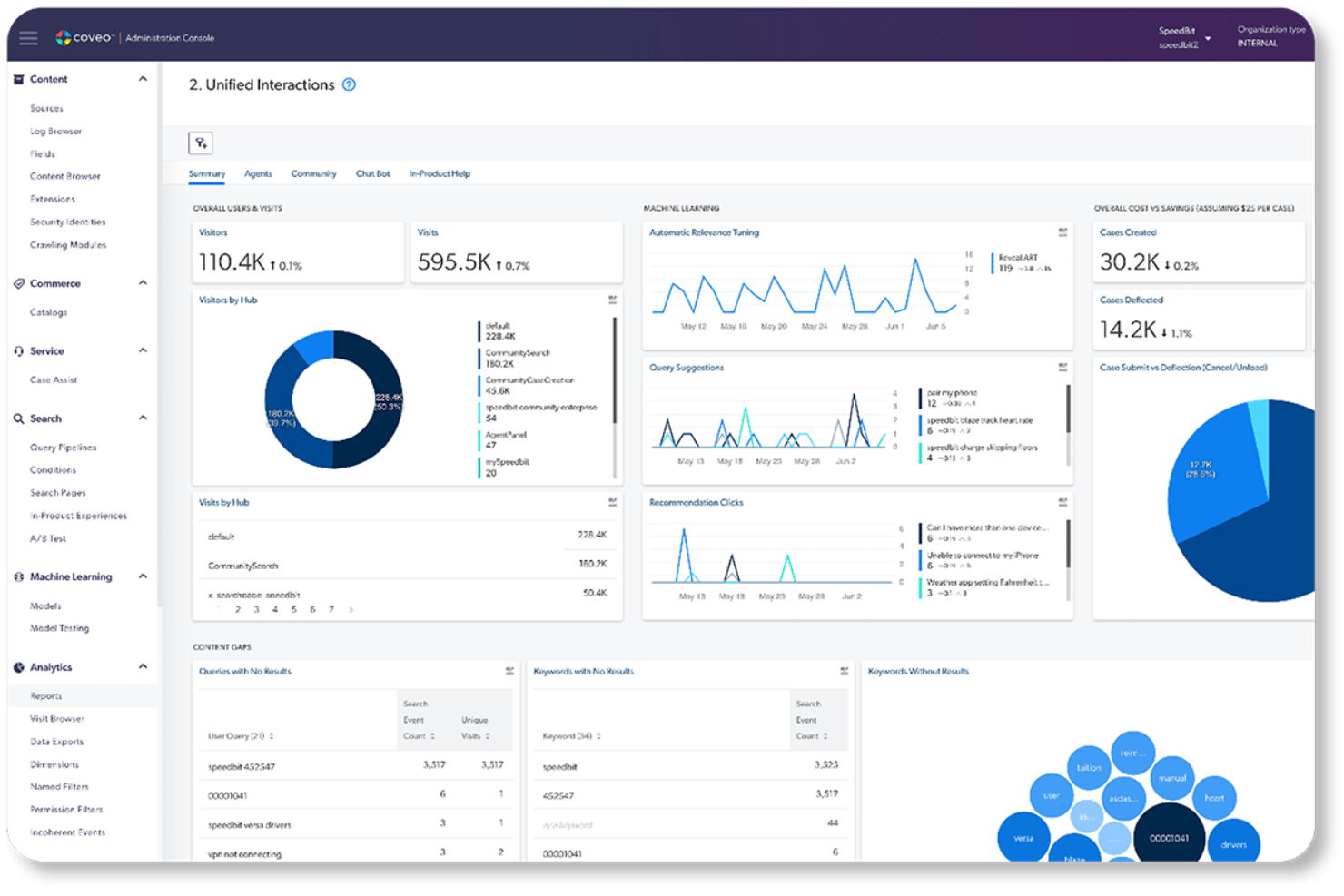
Coveo is a search and recommendation platform for businesses looking to refine their e-commerce personalization. It uses AI systems to deliver personalized, relevant search results and recommendations across digital experiences. Online retailers and marketing teams focused on delivering customized shopping experiences use this tool.
Why I picked Coveo: Coveo provides the tools to tailor customer interactions effectively. Its flexible search capabilities adapt to different user needs, making it a valuable tool if your business is aiming to boost customer engagement and sales.
Standout Features and Integrations:
Features include advanced analytics that offer insights into customer behavior and preferences alongside AI-driven dynamic content recommendations to keep your audience engaged. Coveo offers an efficient search engine to ensure prompt, relevant results.
Integrations include Salesforce, Adobe Experience Manager, Sitecore, and more.
Pros and Cons
Pros:
- Deep CRM and support integration
- Highly engineered for complexity
- Focus on AI-driven relevance
Cons:
- Technical resource-intensive
- High implementation and maintenance effort

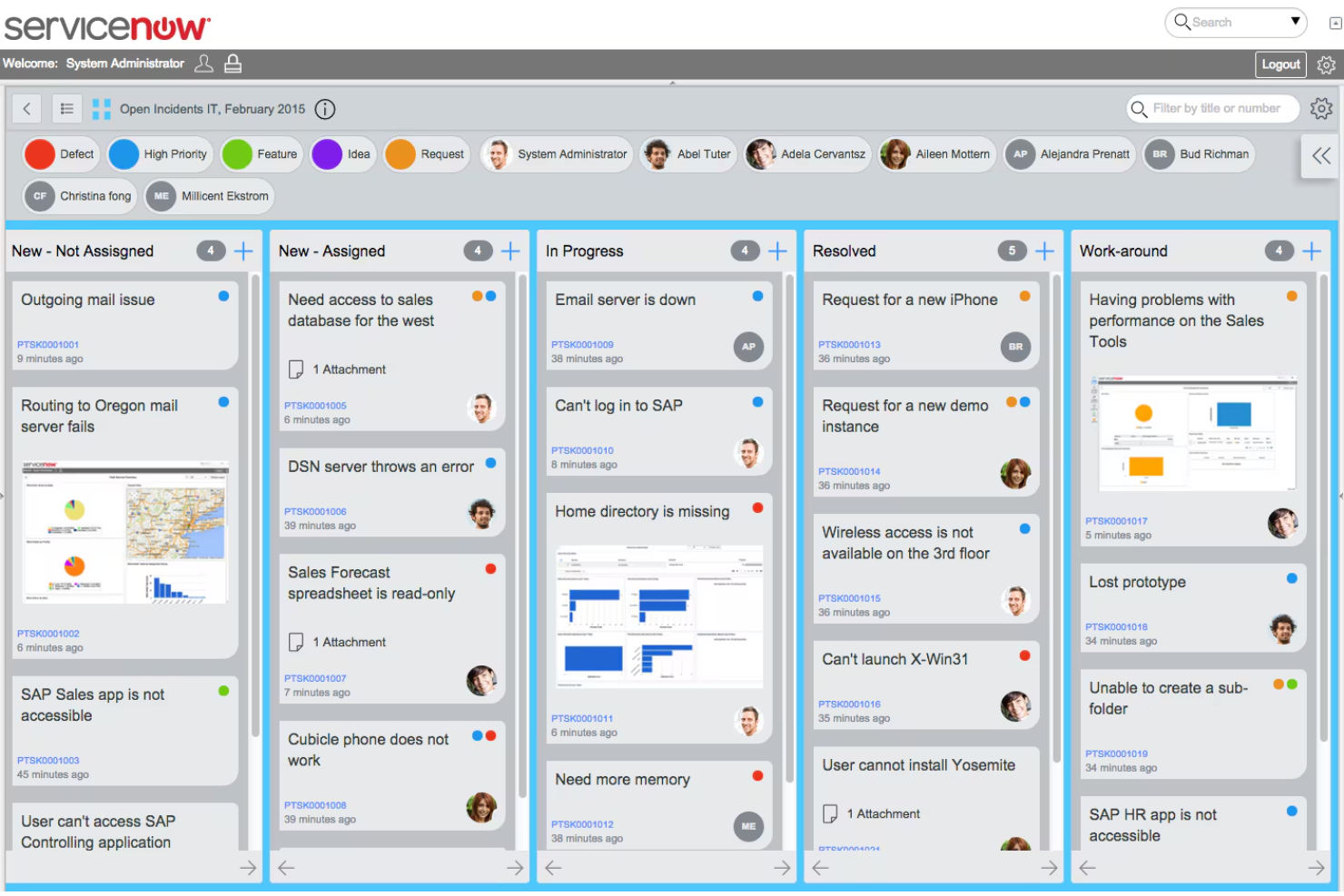
ServiceNow is a cloud-based platform that automates workflows and refines business processes. It uses AI orchestration to manage, coordinate, and govern multiple AI agents. Its primary users include IT departments and operations teams looking to improve overall operational speed.
Why I picked ServiceNow: ServiceNow provides tools to streamline various business processes. It uses AI to optimize workflow coordination and reduce manual effort. The platform's flexibility allows you to customize it to fit your unique business needs.
Standout Features and Integrations:
Features include advanced workflow automation capabilities to optimize task management, predictive analytics to help you anticipate and address potential issues, and an intuitive, user-friendly interface that provides a unified, persona-based experience for managing work.
Integrations include Microsoft Azure, AWS, Google Cloud Platform, and more.
Pros and Cons
Pros:
- Intuitive portals and virtual agents
- End-to-end automation
- Unified platform for digital transformation
Cons:
- Customization challenges
- Complex licensing

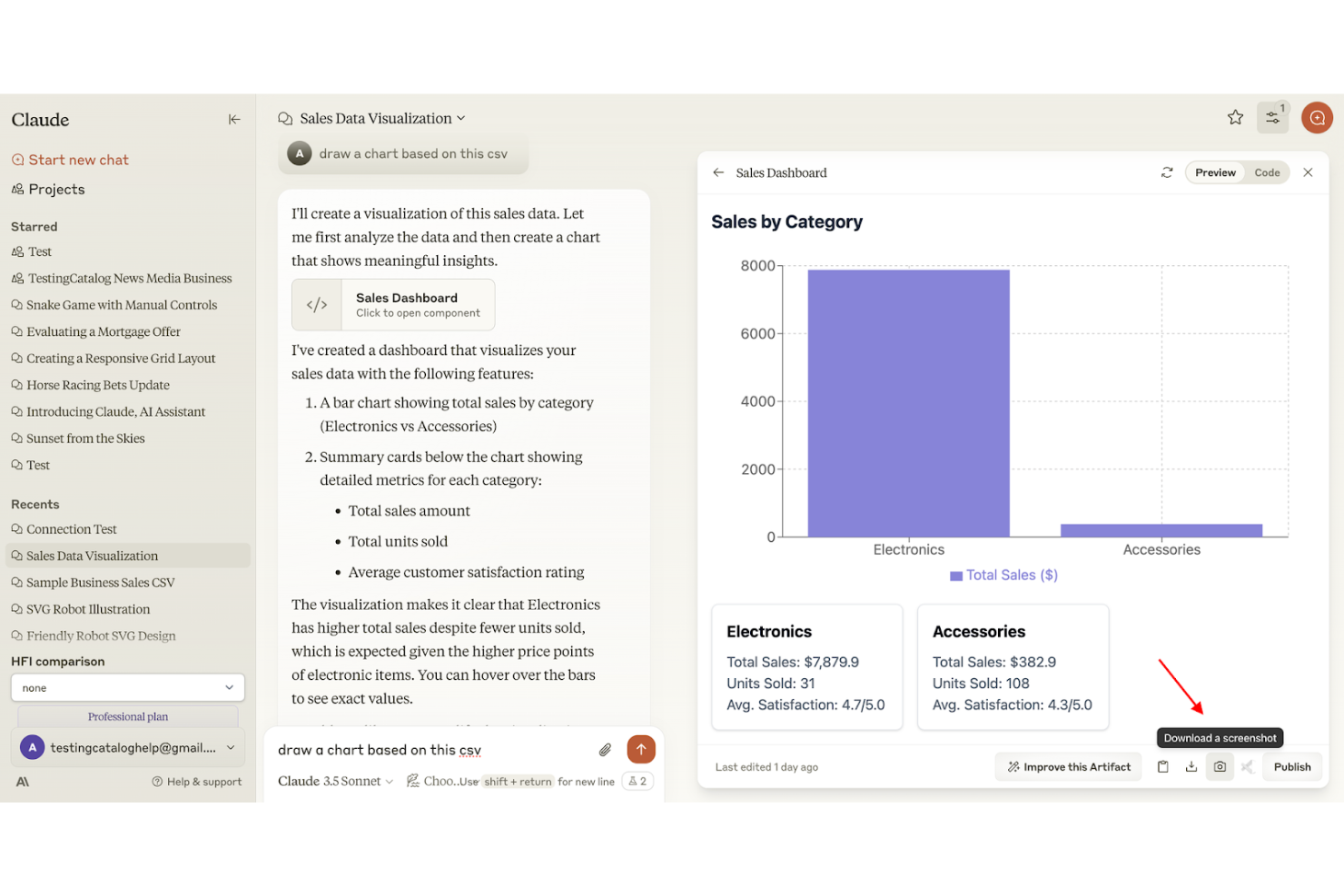
Claude is an AI-driven natural language processing tool to help businesses improve communication and information extraction. It utilizes highly advanced AI technology from Anthropic to handle complex tasks, deep research, and data analysis. It's ideal for customer service teams and content creators who need advanced conversational AI, text analysis, and content generation.
Why I picked Claude: Claude excels at natural language processing, making it highly effective for teams looking to process, analyze, and derive insights from text data. Its ability to generate human-like, nuanced text responses supports smooth customer interactions. The platform's sophisticated language understanding makes it a valuable asset if your team is focused on improving communication, offering a less robotic experience.
Standout Features and Integrations:
Features include advanced sentiment analysis capabilities to help your team understand customer emotions, tone, and feedback. It also offers text summarization and language translation functionalities, making it a strong tool for condensing information and facilitating global communication.
Integrations include Slack, Microsoft Teams, Google Workspace, Salesforce, HubSpot, Asana, Jira, and more.
Pros and Cons
Pros:
- Privacy-friendly data policy
- High-quality, human-like writing
- Focus on AI safety and ethics
Cons:
- High API costs
- No native image generation

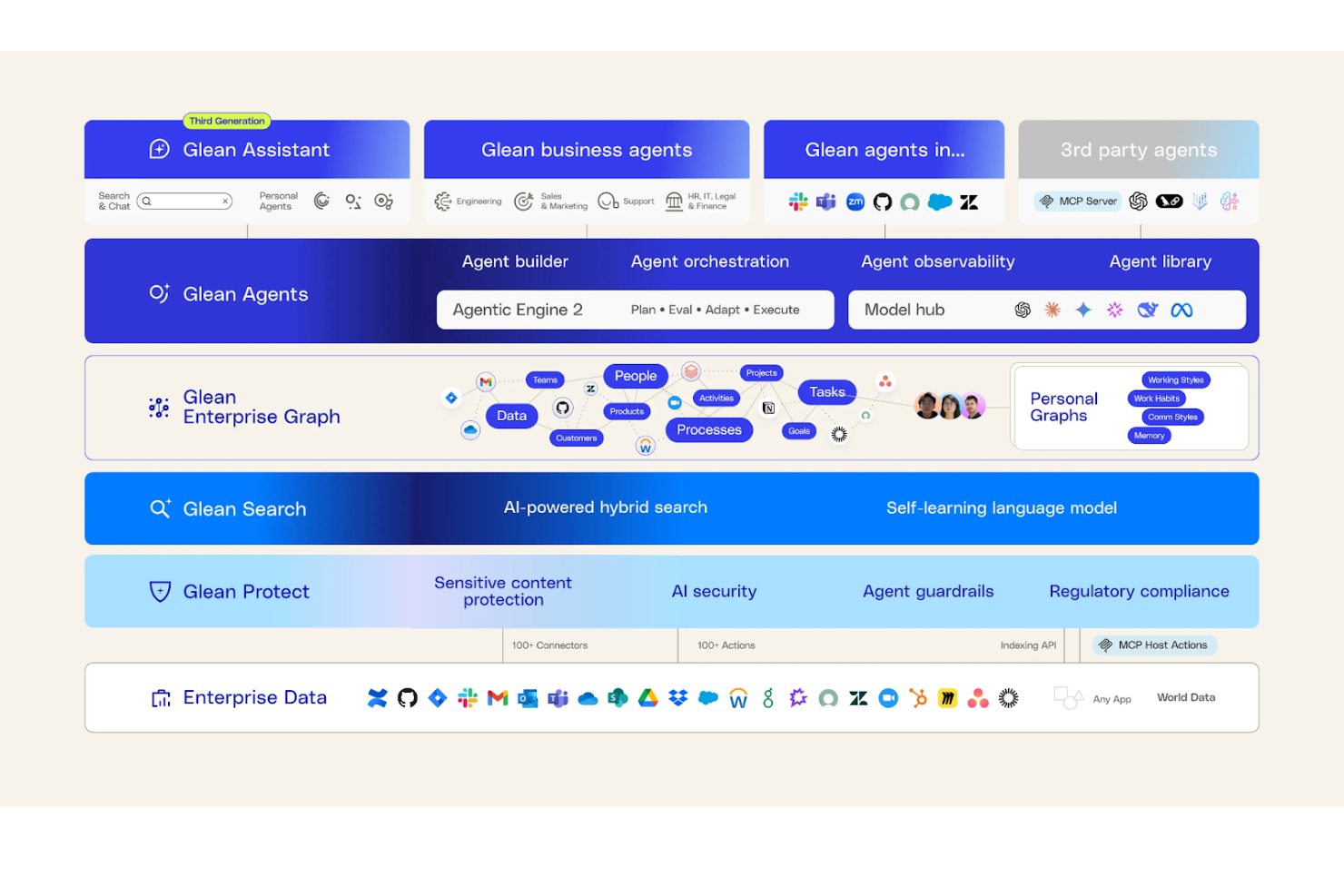
Glean provides high-quality, secure, and scalable AI capabilities for enterprises. The AI-powered enterprise search and knowledge management platform helps organizations locate, access, and utilize information across their internal systems. Its primary users include large businesses and IT departments focused on improving information retrieval and collaboration.
Why I picked Glean: Glean provides an effective search solution tailored for enterprise environments. It integrates with various data sources, ensuring a unified search experience across platforms. Glean's AI-driven search improves accuracy and relevance.
Standout Features and Integrations:
Features include automatic indexing for efficient data retrieval, personalized search results for each user, and analytics to help your team understand search patterns and behavior.
Integrations include Google Workspace, Microsoft 365, Salesforce, Slack, Jira, and more.
Pros and Cons
Pros:
- On-premises deployment options
- Actionable AI agents
- Unified enterprise search
Cons:
- No knowledge creation
- Mandatory support fees

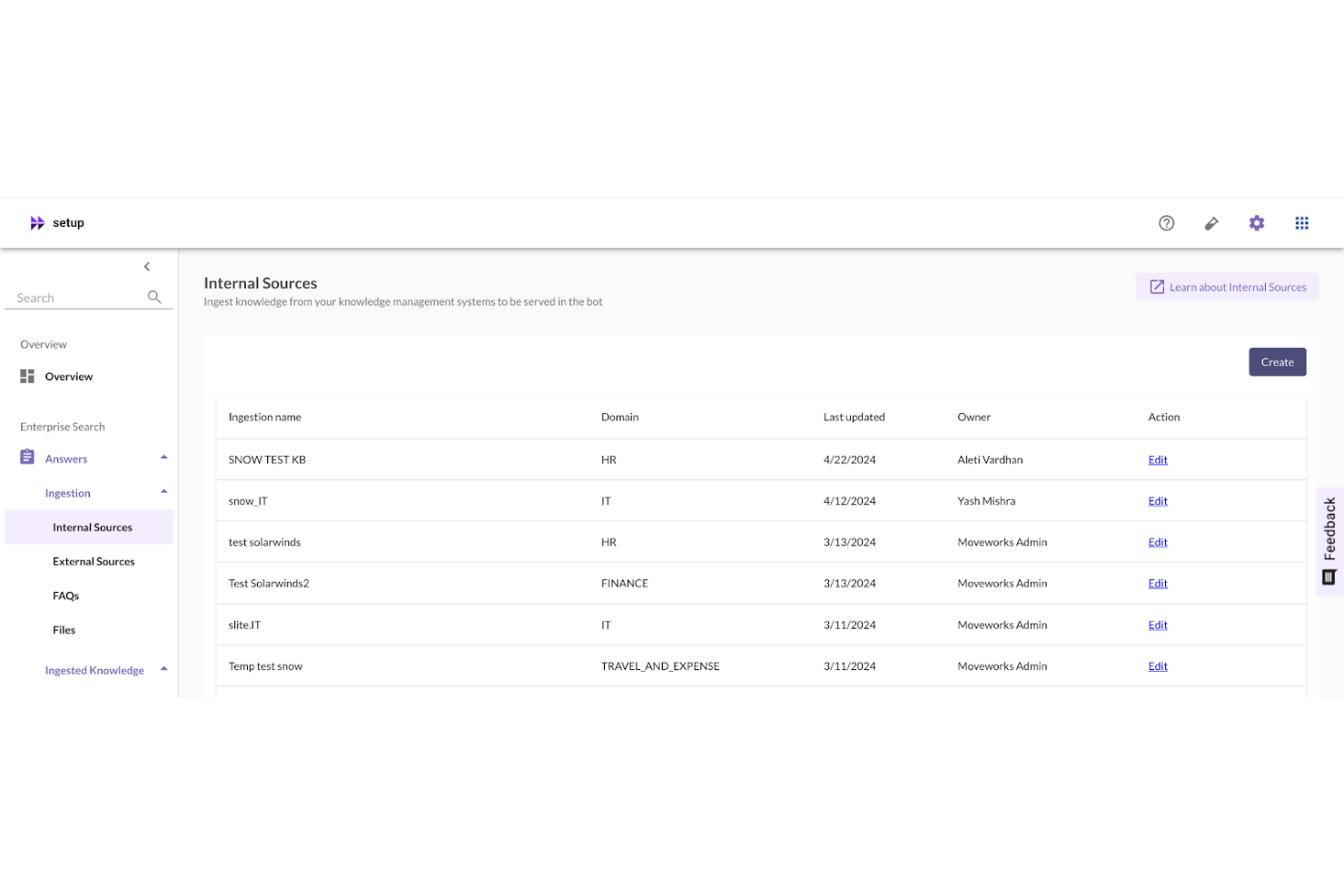
Moveworks is an AI-powered platform that automates support and optimizes business functions, specifically focusing on IT, HR, and finance tasks within large enterprises. It helps teams resolve issues efficiently and improve service delivery.
Why I picked Moveworks: Moveworks offers a specialized focus on IT support automation, providing your team with tools to manage and resolve support tickets effectively. It uses AI to understand and address user queries, reducing response times. The platform's ability to integrate with existing systems ensures a smooth transition to automated support.
Standout Features and Integrations:
Features include natural language processing to interpret user requests accurately and automated ticket routing to ensure the right issues reach the appropriate team members. Moveworks also provides real-time analytics to help you monitor support performance.
Integrations include ServiceNow, Microsoft Teams, Slack, Jira, and more.
Pros and Cons
Pros:
- Deep enterprise integrations
- No-code platform
- Agentic AI for full task automation
Cons:
- Limitations for highly niche automation tasks
- High internal resource requirement
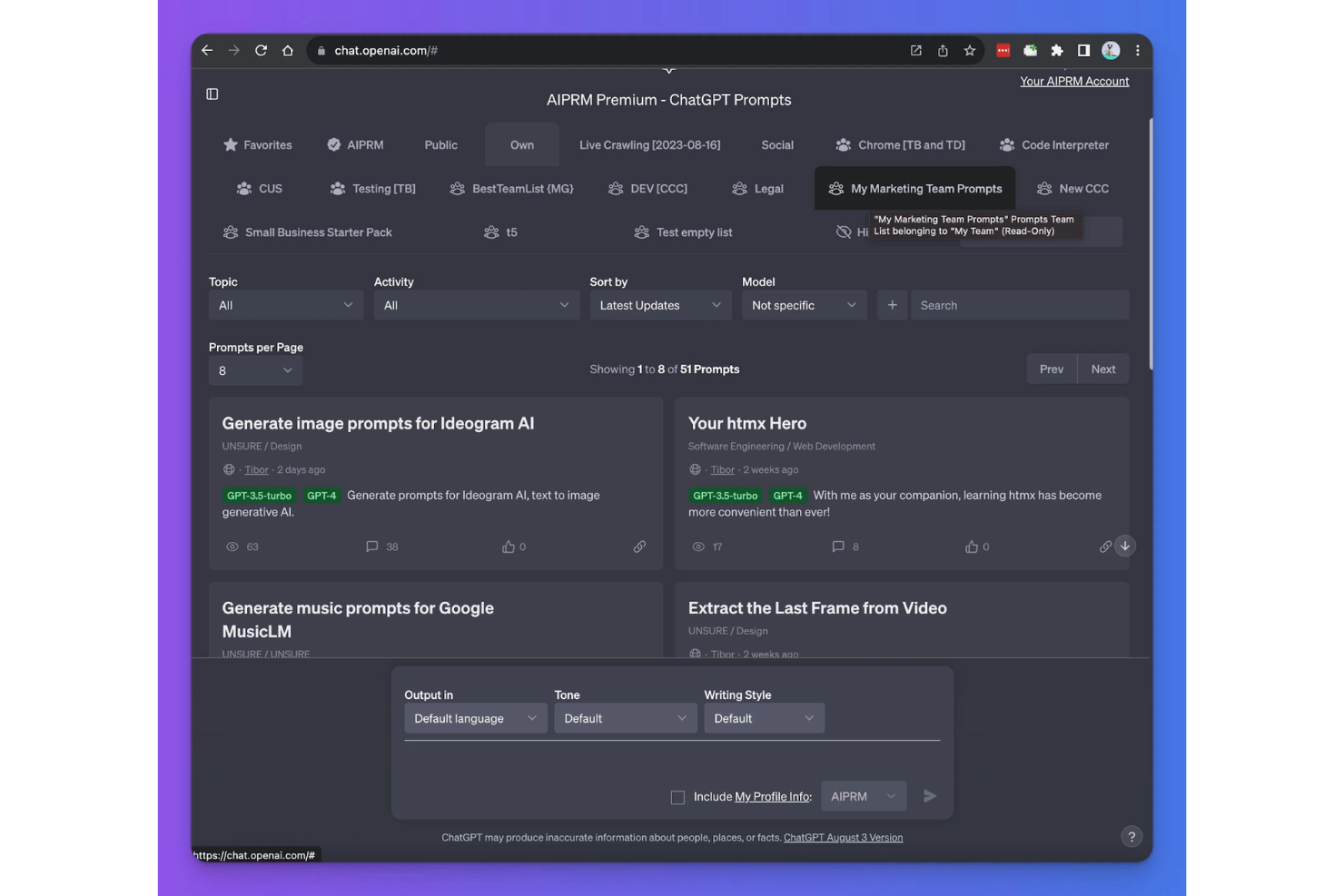
ChatGPT Enterprise is a premier generative AI application for business. It's a conversational AI tool that organizations use to automate customer interactions and facilitate communication. Its main user base includes customer support teams and marketing departments looking to improve engagement and efficiency. It provides organizations with full control and ownership over their business inputs and outputs.
Why I picked ChatGPT Enterprise: ChatGPT Enterprise is OpenAI's flagship product for businesses. It excels at understanding and generating human-like text through natural language processing, making it ideal for conversational AI, automated responses, and complex customer query management. The tool offers continuous performance improvements and high versatility in adapting to different industry needs, differentiating it from standard AI applications.
Standout Features and Integrations:
Features include real-time language translation, text summarization, and sentiment analysis. These features enable your team to communicate with global audiences effectively. ChatGPT Enterprise also provides context-based responses, ensuring accurate and relevant interactions.
Integrations include Slack, Microsoft Teams, SharePoint, Box, Outlook, and more.
Pros and Cons
Pros:
- Unlimited, high-speed access to top-tier models
- Enterprise-grade security and privacy
- Offers a highly interactive user experience
Cons:
- High cost and opaque pricing
- Does not directly support non-OpenAI models

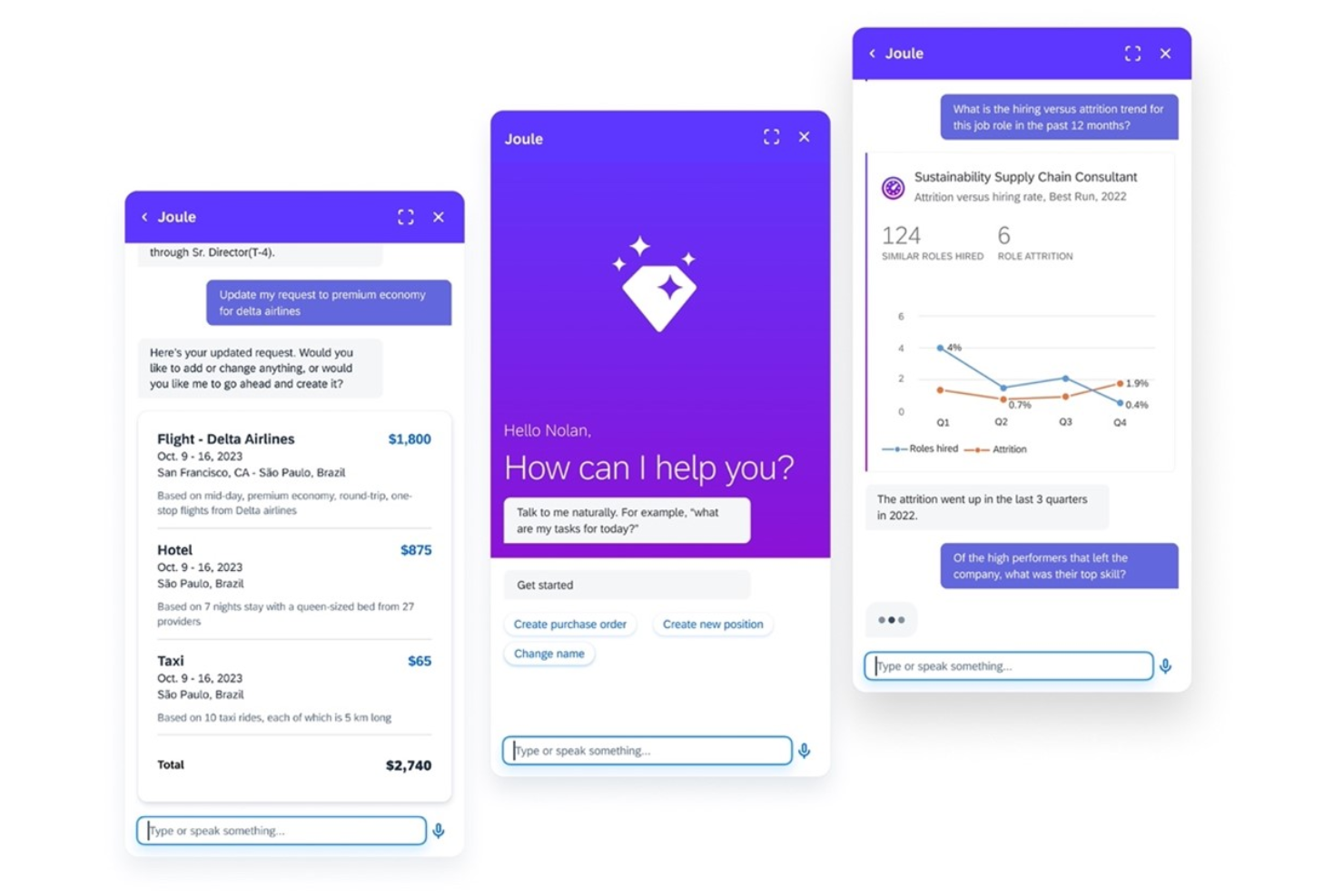
Joule is an AI-powered copilot that drives productivity gains within the SAP ecosystem. Businesses that rely on SAP for their operations use this platform to optimize workflow efficiency.
Why I picked SAP Joule: SAP Joule acts as an intelligent assistant for enterprise operations by simplifying complex workflows and boosting productivity. It integrates with SAP and non-SAP systems, provides contextual answers from company data, and is customizable to suit your business needs.
Standout Features and Integrations:
Features include task automation to reduce manual workload and predictive analytics to help forecast trends and outcomes. Personalized recommendations offer role-specific insights, aiding decision-making by summarizing data and suggesting next-best actions to users.
Integrations include SAP S/4HANA, SAP Ariba, SAP SuccessFactors, and more.
Pros and Cons
Pros:
- Prebuilt role-based scenarios
- Native integration with the SAP ecosystem
- Proactive workflow assistant
Cons:
- Data quality requirements
- Exclusion of on-premise SAP systems

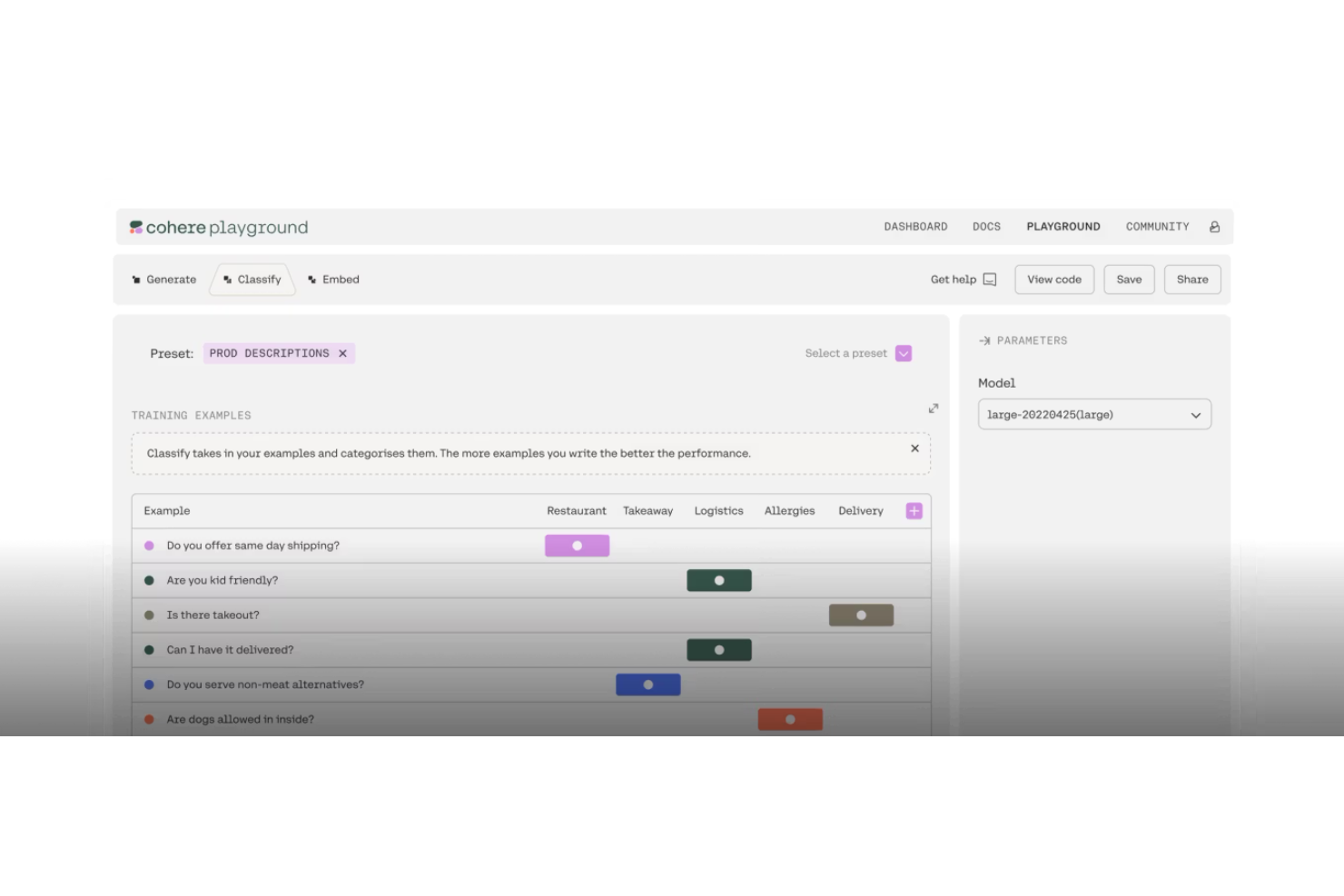
Cohere North is an enterprise AI platform for businesses seeking to customize language models to their specific needs. It facilitates the use of training data to fine-tune models, improve accuracy, and ensure data privacy through specialized enterprise-focused tools and deployment options.
Why I picked Cohere North: This platform enables extensive, enterprise-grade language model customization, offering high flexibility to tailor models to unique data and specific workflows. Cohere North provides tools for building, customizing, and deploying AI agents and models. The user-friendly workspace connects language models with retrieval tools and workflow automation.
Standout Features and Integrations:
Features include APIs and connectors for integrating language models and AI agents into your applications and real-time text processing to handle large volumes. It combines LLMs, automation, and advanced search to enable cross-language communication and data analysis.
Integrations include Google Cloud, AWS, Microsoft Azure, Zapier, and more.
Pros and Cons
Pros:
- Integrated AI workspace for productivity
- Enterprise-grade compliance
- Provides API access to LLMs
Cons:
- Complex implementation time
- Deployment limitations
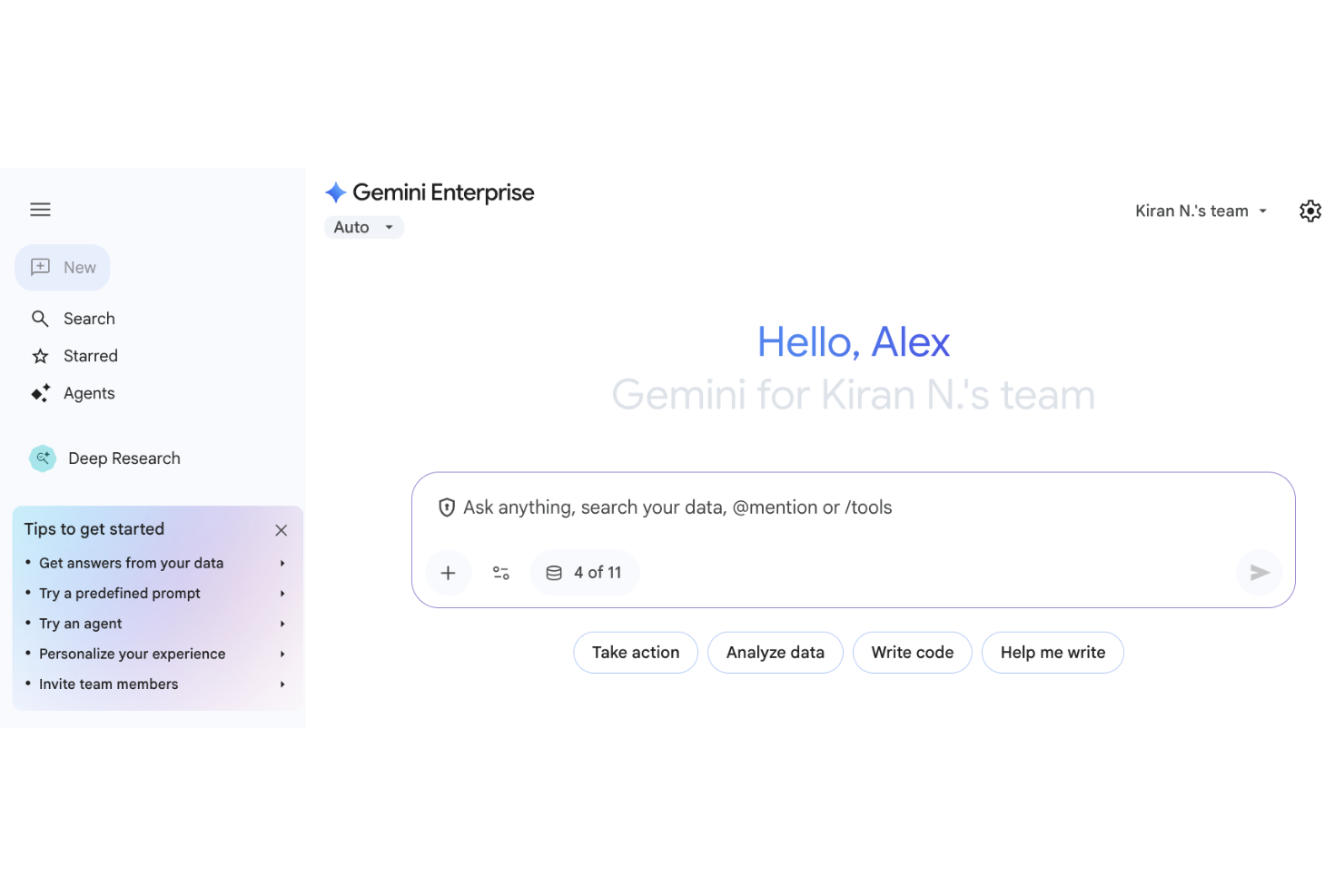
Gemini Enterprise is a cloud-based AI platform for businesses. It uses Google Cloud services to connect to, analyze, and act on organizational data securely. This agentic platform helps enterprises integrate AI solutions into their operations for optimized data analysis and decision-making.
Why I picked Gemini Enterprise: This platform integrates with Google Workspace and Google Cloud to automate workflows, reduce data silos, and improve productivity, which ensures smooth operations within the Google app ecosystem. Gemini Enterprise offers advanced data processing capabilities, enabling teams to analyze, visualize, and derive insights quickly. Its scalable architecture handles growing data needs without sacrificing speed or reliability. These features
Standout Features and Integrations:
Features include real-time data analytics, machine learning model support, and automated reporting to aid data-driven decision-making and provide clear, actionable insights into your business operations.
Integrations include Google Workplace, Google Cloud, and more.
Pros and Cons
Pros:
- Enables domain-specific, specialized AI
- Supports agentic workflows
- Centralized management and governance
Cons:
- Input and output limits
- Strict quotas on data resources
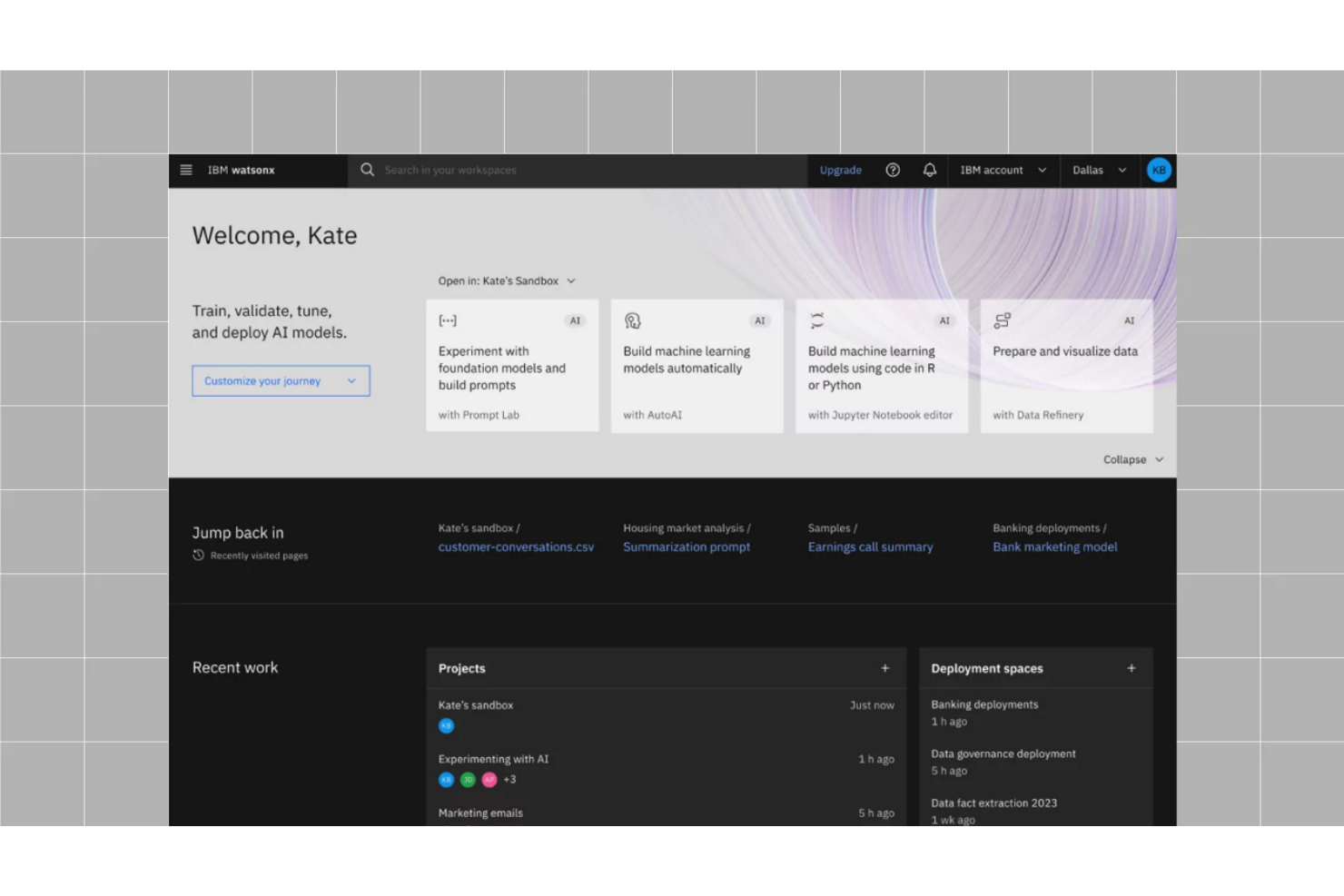
The IBM watsonx.ai GenAI toolset provides highly granular, enterprise-level metrics for monitoring and evaluating AI models. The IBM watsonx.ai platform helps large enterprises harness data for strategic decision-making, offering tools for both data scientists and business analysts to extract actionable insights from complex datasets.
Why I picked IBM watsonx.ai: The strength of IBM watsonx.ai lies in its advanced data analytics, AI-driven insights, and built-in governance, positioning it as a strong tool for businesses focused on data-led strategies. The platform's machine learning and AI capabilities automate repetitive, time-consuming tasks, allowing your team to concentrate on critical analysis, strategy, and high-value work.
Standout Features and Integrations:
Features include intuitive data visualization capabilities to help you understand complex, diverse, and large datasets. Predictive analytics enable you to forecast trends and outcomes, and natural language processing functionality augments data interaction.
Integrations include ABBYY, AWS, Dataloop, Cloudera, Domo, Intel, and more.
Pros and Cons
Pros:
- Specialized foundation models
- Supports open-source models
- Industry-specific code assistants
Cons:
- Requires highly skilled expertise
- Poor multi-cloud flexibility
Other Enterprise Generative AI Tools
Here are some additional enterprise generative AI tools options that didn’t make it onto my shortlist but are still worth checking out:
- Amazon Bedrock
For AWS integration
- Microsoft 365 Copilot
For contextual, data-grounded intelligence
- Jasper
For content generation
- GitHub Copilot
For coding assistance


Enterprise Generative AI Tool Selection Criteria
When selecting the best enterprise generative AI tools to include in this list, I considered common buyer needs and pain points such as data integration and scalability. I also used the following framework to keep my evaluation structured and fair:
Core Functionality (25% of total score)
To be considered for inclusion in this list, each solution had to fulfill these common use cases:
- Text generation
- Data analysis
- Language translation
- Sentiment analysis
- Predictive modeling
Additional Standout Features (25% of total score)
To help further narrow down the competition, I also looked for unique features, such as:
- Customizable AI models
- Real-time collaboration
- Industry-specific templates
- Advanced data visualization
- Natural language processing capabilities
Usability (10% of total score)
To get a sense of the usability of each system, I considered the following:
- Intuitive user interface
- Easy navigation
- Minimal learning curve
- Responsive design
- Customizable dashboards
Onboarding (10% of total score)
To evaluate the onboarding experience for each platform, I considered the following:
- Availability of training videos
- Interactive product tours
- Complex user manuals
- Onboarding webinars
- Access to support chatbots
Customer Support (10% of total score)
To assess each software provider's customer support services, I considered the following:
- 24/7 support availability
- Multiple support channels
- Access to a knowledge base
- Response time efficiency
- Personalized support options
Value For Money (10% of total score)
To evaluate the value for money of each platform, I considered the following:
- Competitive pricing
- Transparent pricing structure
- Range of features offered
- Flexibility in pricing plans
- Trial or demo availability
Customer Reviews (10% of total score)
To get a sense of overall customer satisfaction, I considered the following when reading customer reviews:
- Overall satisfaction ratings
- Feedback on functionality
- Comments on ease of use
- Opinions on customer support
- Reports on return on investment
How To Choose an Enterprise Generative AI Tool
It's easy to get bogged down in long feature lists and complex pricing structures. To help you stay focused as you work through your unique software selection process, here's a checklist of factors to keep in mind:
| Factor | What To Consider |
|---|---|
| Scalability | Can the tool grow with your business? Consider if it handles increasing data volumes and user numbers without a drop in performance. Look for scalability in both functionality and cost. |
| Integrations | Does it play well with your existing systems? Check for compatibility with your current software stack, and evaluate if the tool can integrate smoothly with your workflows. |
| Customizability | How can you tailor the tool to your needs? Assess if the tool allows customization to fit your specific business processes without requiring extensive technical support. |
| Ease of use | Is the tool user-friendly for your team? Consider the learning curve and how quickly your team can become proficient without extensive training. Look for intuitive interfaces and straightforward navigation. |
| Implementation and onboarding | How long will it take to get up and running? Evaluate the time and resources needed for setup and training. Check for support materials such as guides, videos, and onboarding sessions. |
| Cost | Does the pricing fit your budget? Compare the tool's cost against your budget and the features offered. Be aware of hidden fees or costs that might arise as your usage scales. |
| Security safeguards | Are your data and operations secure? Ensure the tool meets your security standards, including data encryption, access controls, and compliance with industry regulations. |
| Compliance requirements | Does the tool meet necessary legal standards? Check if it complies with regulations relevant to your industry, such as GDPR for data protection, to avoid legal issues. |
What Are Enterprise Generative AI Tools?
Enterprise generative AI tools are software solutions that use artificial intelligence to generate content and data insights and automate tasks for businesses. Professionals such as data scientists, marketing teams, and IT departments generally use these tools to boost productivity and decision-making. Features such as data analysis, text generation, and language translation help improve efficiency and provide valuable insights. Overall, these tools offer significant value by optimizing workflows and supporting informed business decisions.
Features
When selecting enterprise generative AI tools, consider the following key features:
- Text generation: Automatically creates content, saving time and effort for teams focused on writing and content creation.
- Data analysis: Provides insights by processing large volumes of data, helping businesses make informed decisions.
- Language translation: Enables communication across languages, supporting global operations and diverse teams.
- Predictive analytics: Forecast future trends and outcomes, aiding in strategic planning and risk management.
- Natural language processing: Enables computers to understand and respond to human language, strengthening user interactions and customer support.
- Customizable models: Allow businesses to tailor AI models to specific needs, ensuring relevance and accuracy.
- Real-time collaboration: Facilitates teamwork by allowing multiple users to work together simultaneously, improving productivity.
- Integration capabilities: Enable tools to connect with existing systems, ensuring a smooth workflow and data consistency.
- Security safeguards: Protect sensitive information through encryption and access controls, maintaining data integrity.
- User-friendly interface: Simplifies navigation and use, reducing the learning curve and increasing adoption among teams.
Benefits
Implementing enterprise generative AI tools provides several benefits for your team and your business. Here are a few you can look forward to:
- Increased efficiency: Automate repetitive tasks, allowing your team to focus on more strategic activities and improve productivity.
- Informed decision-making: Provide data analysis and predictive analytics, offering insights to inform business decisions.
- Improved communication: Support language translation and natural language processing to enable better communication across diverse teams and global markets.
- Cost savings: Reduce the need for manual labor and minimize errors, thereby lowering operational costs.
- Deeper customization and flexibility: Provide customizable models that allow your business to tailor solutions to specific needs and maximize relevance.
- Better collaboration: Facilitate real-time collaboration to help teams work together more effectively, regardless of location.
- Data security: Ensure information protection through security safeguards, maintaining trust and compliance with regulations.
Costs & Pricing
Selecting enterprise generative AI tools requires understanding the available pricing models and plans. Costs vary based on features, team size, add-ons, and more. The table below summarizes common plans, their average prices, and typical features included in enterprise generative AI tools solutions:
Plan Comparison Table for Enterprise Generative AI Tools
| Plan Type | Average Price | Common Features |
|---|---|---|
| Free Plan | $0 | Basic text generation, limited data analysis, and community support. |
| Personal Plan | $9.99-$30+/user/month | Text generation, data analysis, language translation, and email support. |
| Business Plan | $50-$150/user/month | Advanced data analysis, predictive analytics, custom models, and priority support. |
| Enterprise Plan | $200-$500/user/month | Full customization, real-time collaboration, dedicated account management, and extensive security features. |
Enterprise Generative AI Tools FAQs
Here are some answers to common questions about enterprise generative AI tools:
What industries benefit most from enterprise generative AI tools?
Yes, industries such as finance, healthcare, retail, and marketing see significant benefits from enterprise generative AI tools. These applications help automate tasks, analyze large datasets, and improve decision-making processes. For example, in healthcare, AI can analyze patient data to predict health trends, while in retail, it can personalize customer experiences. Evaluate your industry’s specific needs to determine how these tools can complement your operations.
Can enterprise generative AI tools integrate with existing systems?
Yes, most enterprise generative AI tools offer integration capabilities with existing systems. Look for software that supports APIs and has prebuilt connectors for popular platforms, such as CRM, ERP, and data analytics software. This ensures a smooth data flow and augments the overall functionality of your existing tech stack. Always verify compatibility with your current systems before purchasing.
How do I ensure data privacy with enterprise generative AI tools?
To ensure data privacy, choose tools that offer strong encryption, access controls, and compliance with industry regulations, such as GDPR or HIPAA. Evaluate the vendor’s privacy policies and data handling practices. Prioritize applications that provide audit trails and user activity logs to monitor data access. Engaging with vendors that offer regular security updates and support can further protect your data.
Are there trial versions available for enterprise generative AI tools?
Yes, many vendors offer trial versions or demos to help you evaluate their tools. These trials allow you to test features, assess usability, and determine whether the software application meets your needs. Utilize trial periods by involving key team members in testing and gathering feedback. This hands-on experience can guide your decision-making process and help you choose the right tool.
What's Next:
If you're in the process of researching enterprise generative AI tools, connect with a SoftwareSelect advisor for free recommendations.
You fill out a form and have a quick chat where they get into the specifics of your needs. Then you'll get a shortlist of software to review. They'll even support you through the entire buying process, including price negotiations.