
17 Best Learning Experience Platforms Reviewed in 2026

10 Best Learning Experience Platforms Shortlist
Here's my pick of the 10 best software from the 17 tools reviewed.


Finding the right learning experience platform can feel like navigating a maze. You need more than basic e-learning delivery; you want an all-in-one learning ecosystem that supports high-quality, on-demand learning without disrupting the flow of work or draining your resources. In my experience, the right platform makes all the difference in engagement and productivity.
The best platforms enhance both the user experience and the overall learner experience, making it easy for the end user to engage with content across formats such as video, podcasts, microlearning, and mobile learning. I've tested and reviewed various options, from platforms built for global enterprises to tools designed for small businesses or education.
In this article, you'll find a curated list of top picks, each with unique benefits. Whether you're looking for career development tools or solutions for K-12 education, there's something here for everyone. Let's dive in and find the perfect fit for your team.
Why Trust Our Software Reviews
Best Learning Experience Platforms Summary
This comparison chart summarizes pricing details for my top learning experience platform selections to help you find the best one for your budget and business needs.
| Tool | Best For | Trial Info | Price | ||
|---|---|---|---|---|---|
| 1 | Best for small businesses | Free plan + 7-day free trial + free demo available | From $9.71/license/month (billed annually) | Website | |
| 2 | Best for multimedia learning | Free 30-day trial + free demo available | Pricing upon request | Website | |
| 3 | Best for collaborative learning | Free 30-day trial + free demo available | From $8/user/month | Website | |
| 4 | Best for career development | Free one-month trial | From $26.99/user/month | Website | |
| 5 | Best for global enterprises | Free demo available | Pricing upon request | Website | |
| 6 | Best for higher education | Free 30-day trial | Pricing upon request | Website | |
| 7 | Best for skills tracking | Free demo available | Pricing upon request | Website | |
| 8 | Best for multilingual support | Free plan + free demo available | Pricing upon request | Website | |
| 9 | Best for K-12 education | Free demo available | Pricing upon request | Website | |
| 10 | Best for onsite training | Free demo available | Pricing upon request | Website |
-

Checkr
Visit WebsiteThis is an aggregated rating for this tool including ratings from Crozdesk users and ratings from other sites.4.5 -
Kudoboard
Visit WebsiteThis is an aggregated rating for this tool including ratings from Crozdesk users and ratings from other sites.4.8 -
Native Teams
Visit WebsiteThis is an aggregated rating for this tool including ratings from Crozdesk users and ratings from other sites.4.9





Best Learning Experience Platforms Review
Below are my detailed summaries of the best learning experience platforms that made it onto my shortlist. My reviews offer a detailed look at the key features, pros and cons, integrations, and ideal use cases of each tool to help you find the best one for you.

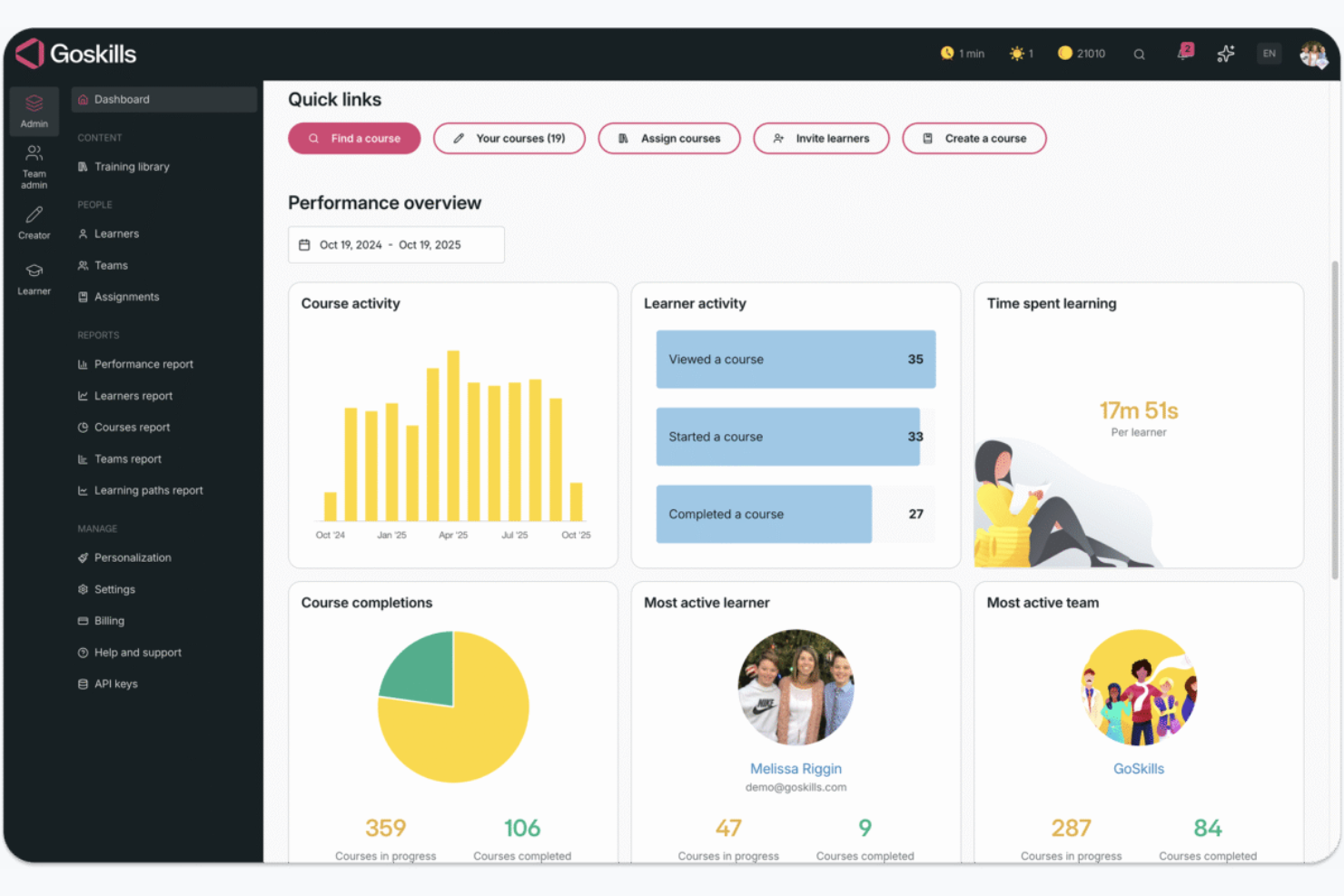
GoSkills is an online learning platform tailored for small businesses, offering courses on essential business skills, project management, and software training.
Why I picked GoSkills: It provides a focused range of expert-led video courses that are concise and easy to follow, ideal for small enterprises seeking practical skill development. GoSkills also offers personalized learning paths to suit different team needs. Its flexibility allows your team members to learn at their own pace.
Standout features and integrations:
Features include short and engaging expert-led video courses. The platform provides individualized learning to address specific needs. It also offers progress tracking to help you monitor your team's learning journey effectively.
Integrations are not publicly listed.
Pros and Cons
Pros:
- Clean, beginner-friendly interface
- Short, practical business skills courses
- Easy onboarding for small teams
Cons:
- Feature set is optimized for campus use rather than on-the-job learning
- UX leans educational, not corporate LXP-style
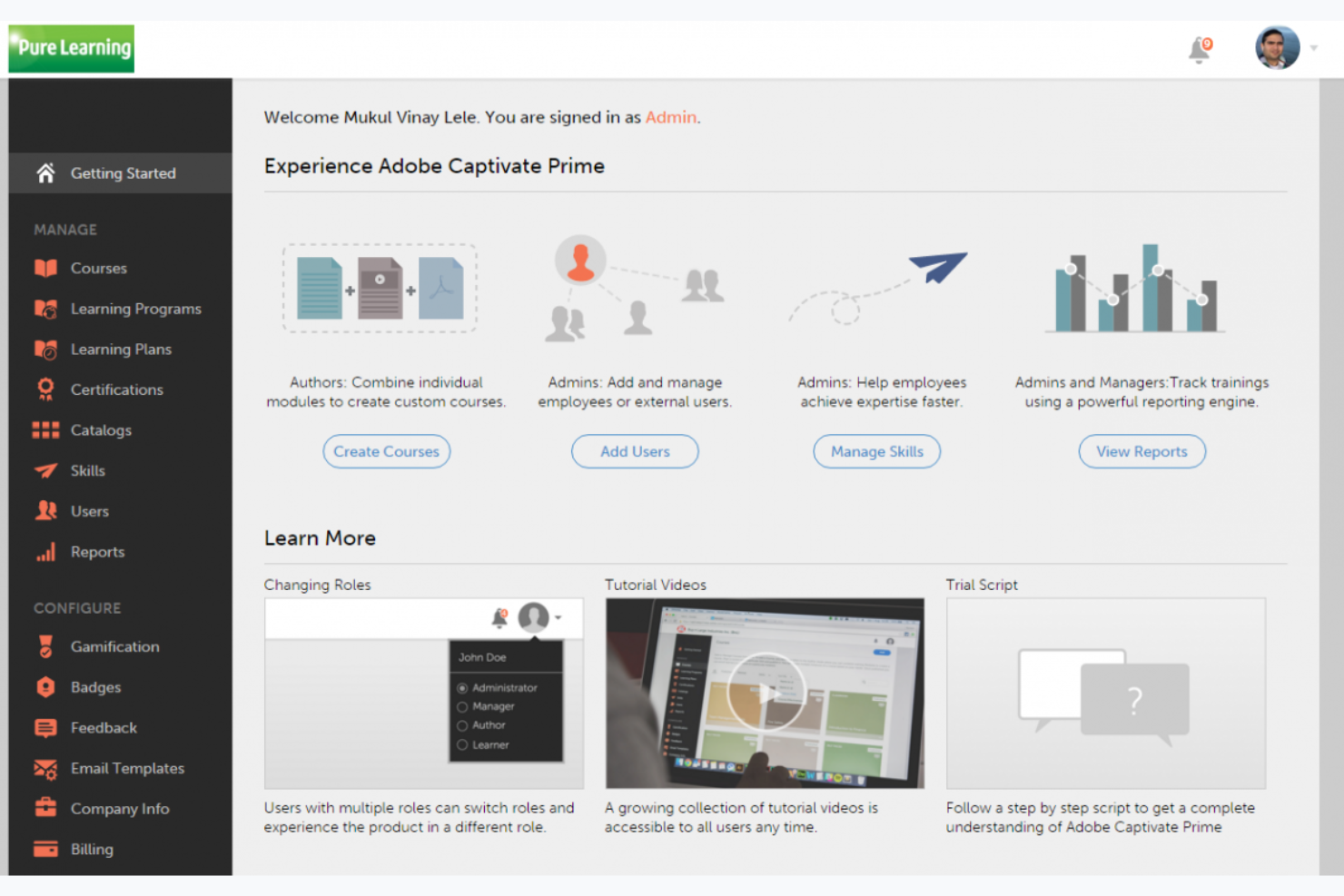
Adobe Learning Manager is an LMS with LXP-style personalization/content discovery functionalities that support content creation and personalized learning experiences. It is typically suited for industries focused on design and multimedia.
Why I picked Adobe Learning Manager: It offers a unique advantage with its integration of Adobe's suite of creative tools. The platform supports multimedia learning, making it easy to create engaging content. Its focus on creative courses and content curation stands out. Adobe Learning Manager's analytics provide insights into learner progress and engagement.
Standout features and integrations:
Features include content creation tools that support blended learning, AI-driven personalized learning paths, and analytics and reporting tools to understand learner progress and engagement.
Integrations include Adobe Creative Cloud, Adobe Connect, Microsoft Teams, Salesforce, Zoom, LinkedIn Learning, SCORM, xAPI, and more.
Pros and Cons
Pros:
- AI-driven personalized recommendations
- Native integration with Adobe tools
- Excels at video and rich media learning
Cons:
- Requires Adobe ecosystem familiarity
- Less value outside media-heavy training

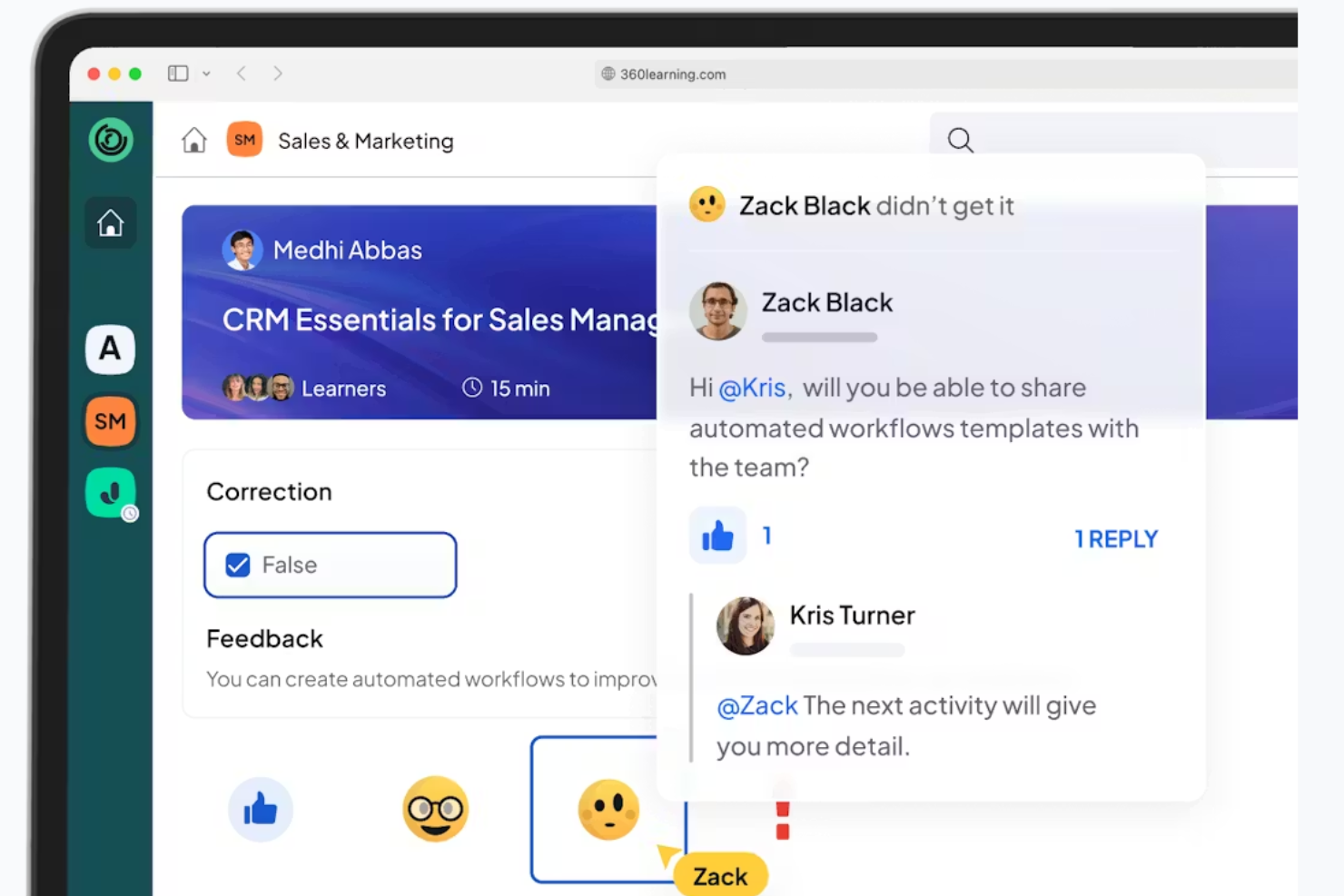
360Learning is an LXP designed for collaborative learning environments. It works well for organizations that prioritize team-based learning and peer collaboration.
Why I picked 360Learning: It emphasizes social learning by allowing team members to create and share content easily. The platform supports peer-driven learning paths, fostering a collaborative environment. With tools for feedback and discussion, your team can engage in meaningful learning experiences. This approach aligns perfectly with organizations that value knowledge sharing and teamwork.
Standout features and integrations:
Features include tools for creating and sharing learning content within your team. The platform offers peer-driven learning paths that encourage collaboration. It also includes feedback and discussion functionalities to support the learning process.
Integrations include Microsoft Teams, Slack, Zoom, Google Workspace, Salesforce, LinkedIn Learning, SAP SuccessFactors, Workday, and more.
Pros and Cons
Pros:
- Fast content creation
- Peer-driven learning paths
- Encourages team collaboration
Cons:
- Value drops if SMEs don’t contribute content
- Not suited to solo learning

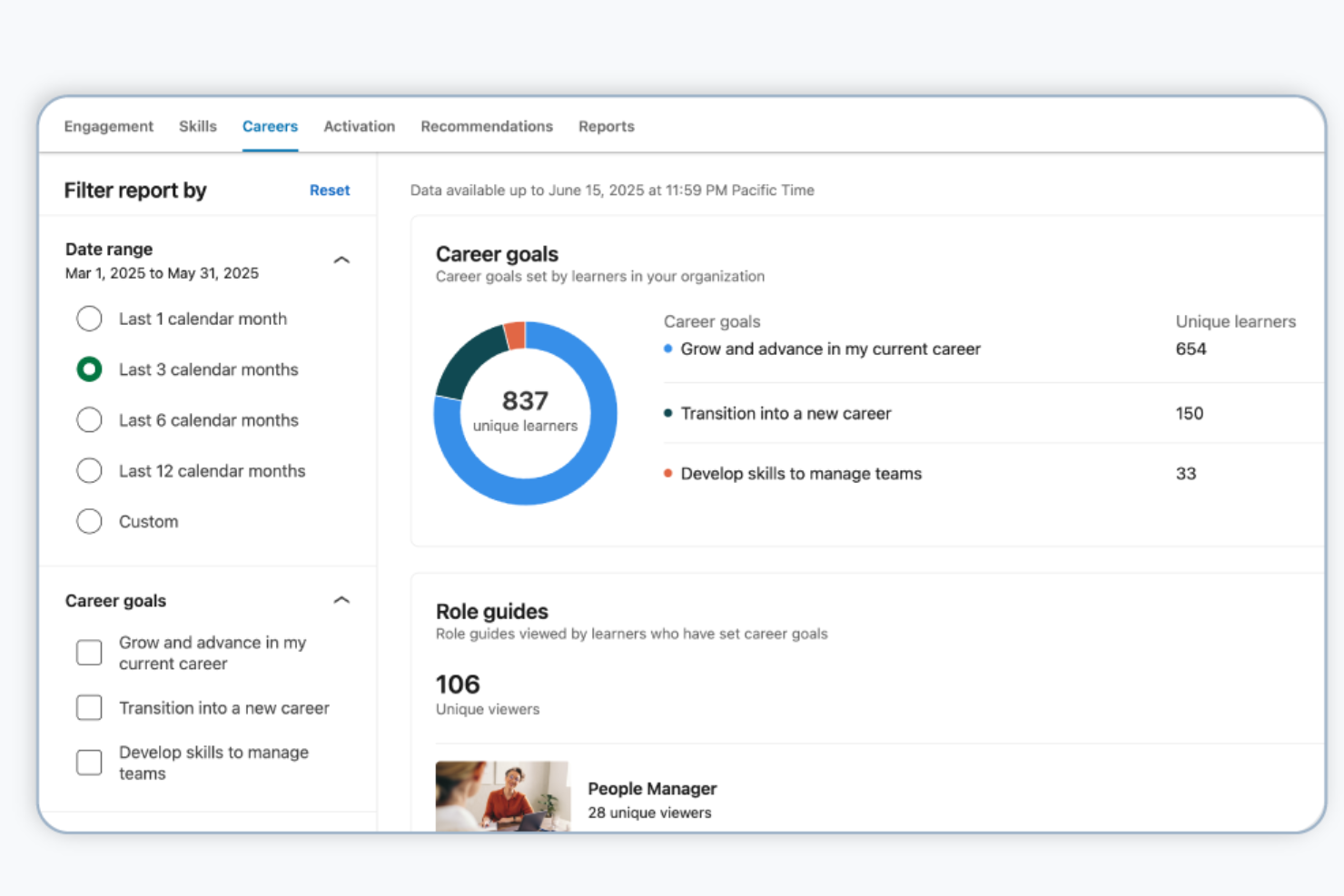
LinkedIn Learning is an online education platform designed for professionals seeking to advance their careers. It offers a wide range of courses in business, technology, and creative skills.
Why I picked LinkedIn Learning: It provides access to an extensive library of expert-led courses that are regularly updated. The platform's integration with LinkedIn allows for personalized course recommendations based on your career path. Certificates of completion can be added to your LinkedIn profile to enhance your professional image. With its focus on career development, LinkedIn Learning is ideal for individuals looking to gain relevant skills.
Standout features and integrations:
Features include expert-led courses that cover a variety of professional skills. The platform provides personalized recommendations that align with your career goals. You can share certificates of completion on your LinkedIn profile to showcase your achievements.
Integrations include Microsoft Teams, Zoom, Workday, Salesforce, Cornerstone, Degreed, SAP SuccessFactors, Saba, Skillsoft, Oracle Learning, and more.
Pros and Cons
Pros:
- LinkedIn profile integration
- Content aligned with job market trends
- Extensive professional course library
Cons:
- Weak team-level reporting
- Limited assessment depth

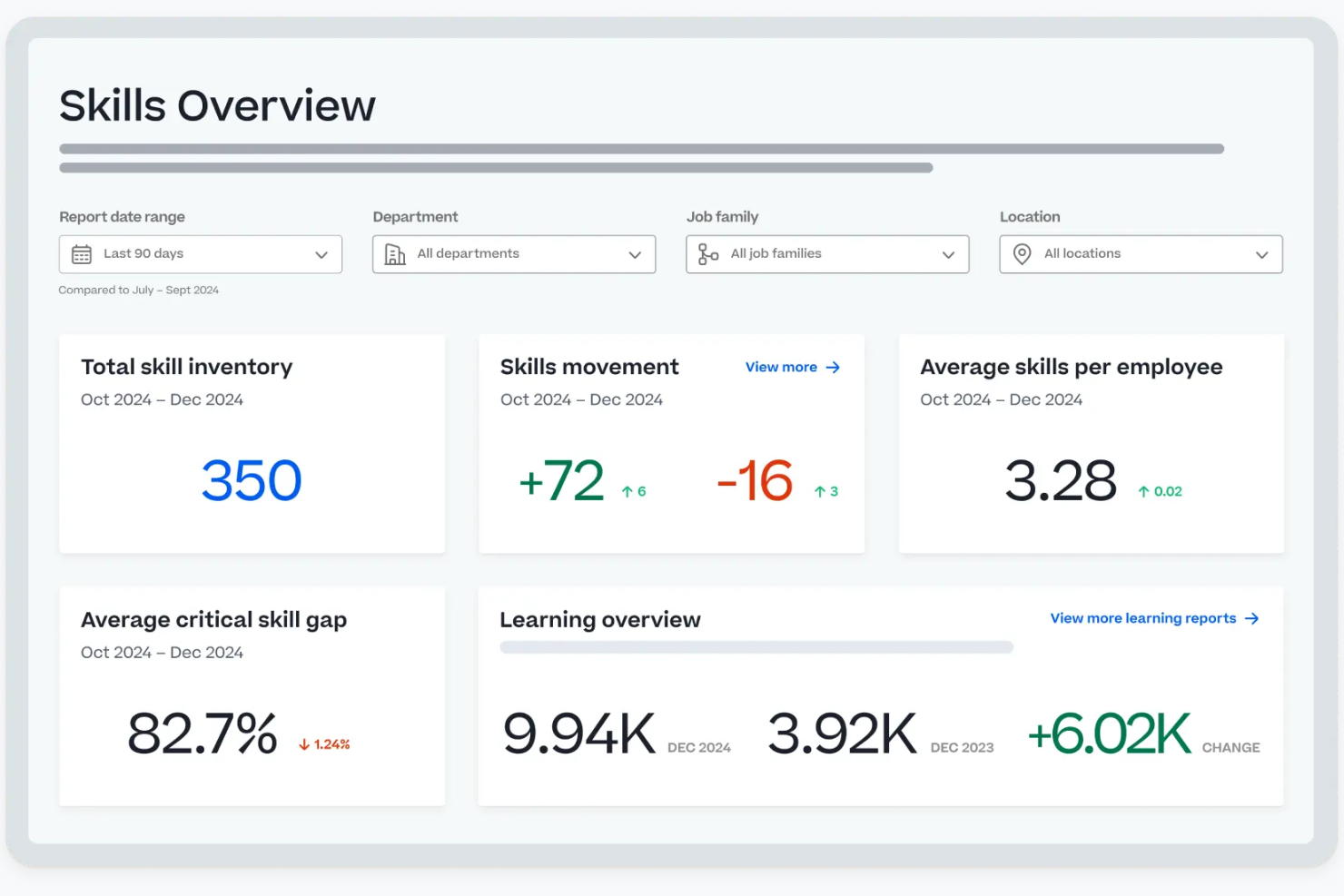
Cornerstone is a talent management platform tailored for large global enterprises. It helps manage workforce performance, learning, and compliance, providing tools for skill development and career mobility.
Why I picked Cornerstone: It caters to global companies with its centralized workforce tools and AI-driven personalization. The Galaxy Platform unifies workforce activities, making it ideal for large-scale operations. Cornerstone Learn focuses on compliance and upskilling, while Cornerstone Elevate supports talent management and career growth. The platform's workforce intelligence offers insights into skills and future workforce needs, aligning with its USP for global enterprises.
Standout features and integrations:
Features include AI-powered learning solutions for compliance and skill development. The platform offers tools for employee growth and career mobility through Cornerstone Elevate. Workforce intelligence provides insights into skills and workforce planning to adapt to changes.
Integrations include Workday, ADP, LinkedIn Learning, Microsoft Teams, Zoom, Salesforce, Slack, and more.
Pros and Cons
Pros:
- Proven support for global deployments
- Deep compliance and workforce analytics
- Configurable learning paths
Cons:
- High implementation cost
- Mobile experience lags competitors

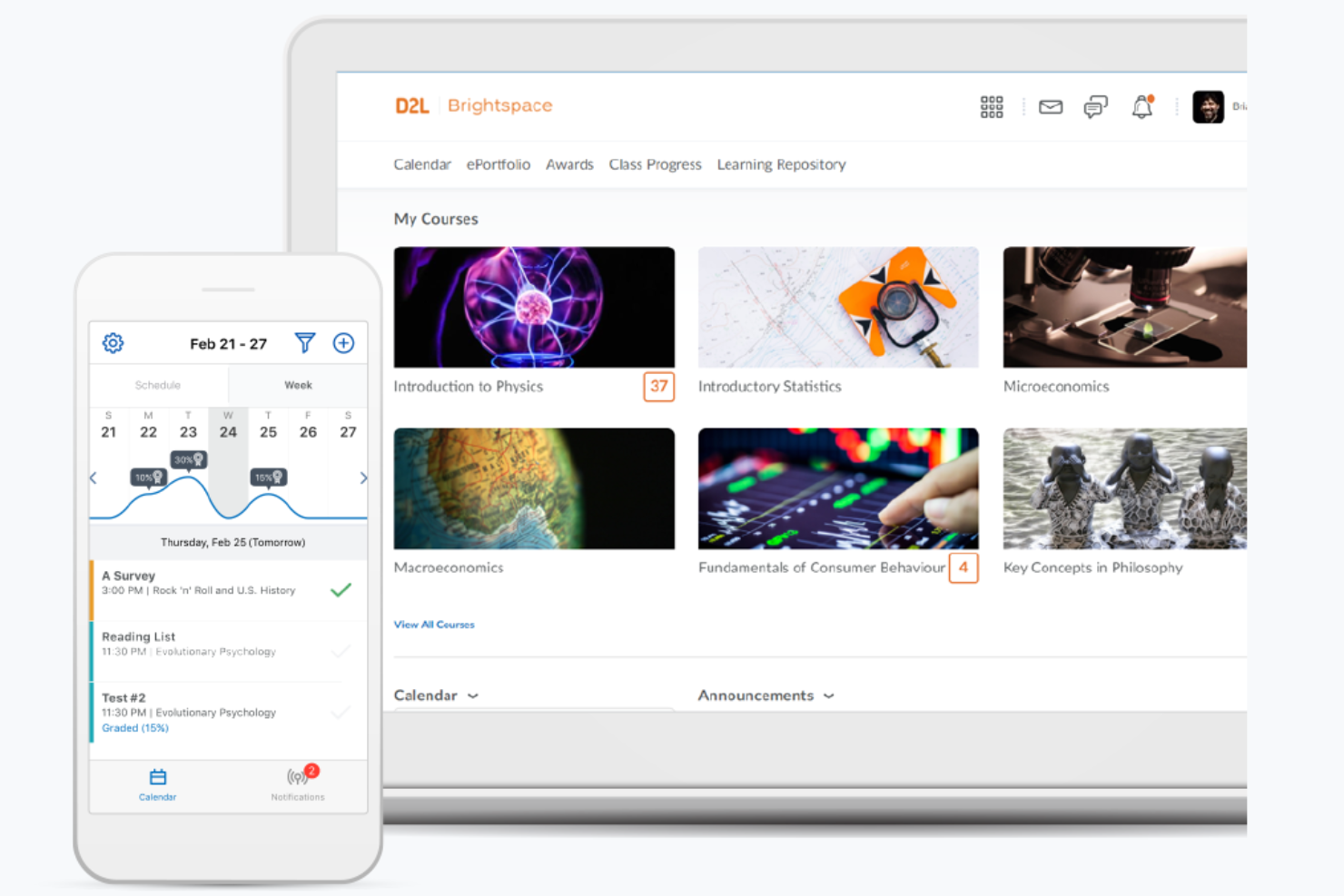
Brightspace is a learning management system by D2L that helps higher education institutions deliver engaging and flexible learning experiences. It supports a broad range of educational needs, including course management, student engagement, and assessment tools.
Why I picked D2L Brightspace: The platform provides extensive customization options for creating unique learning environments. Analytics tools help educators track student progress and adapt teaching methods accordingly. Brightspace's mobile-friendly design ensures students can access course materials anytime. Its focus on higher education makes it a strong choice for universities and colleges.
Standout features and integrations:
Features include advanced analytics tools that offer insights into student performance. The platform supports mobile access, allowing students to engage with content wherever they go. It also provides flexible course management options to tailor learning experiences to your institution's needs.
Integrations include Microsoft Teams, Zoom, Google Workspace, Salesforce, Ellucian, PeopleSoft, SAP, Turnitin, Respondus, Kaltura, and more.
Pros and Cons
Pros:
- Suitable for academic institutions
- Reliable mobile learning experience
- Strong accessibility compliance features
Cons:
- Complex initial configuration
- Corporate UX feels outdated

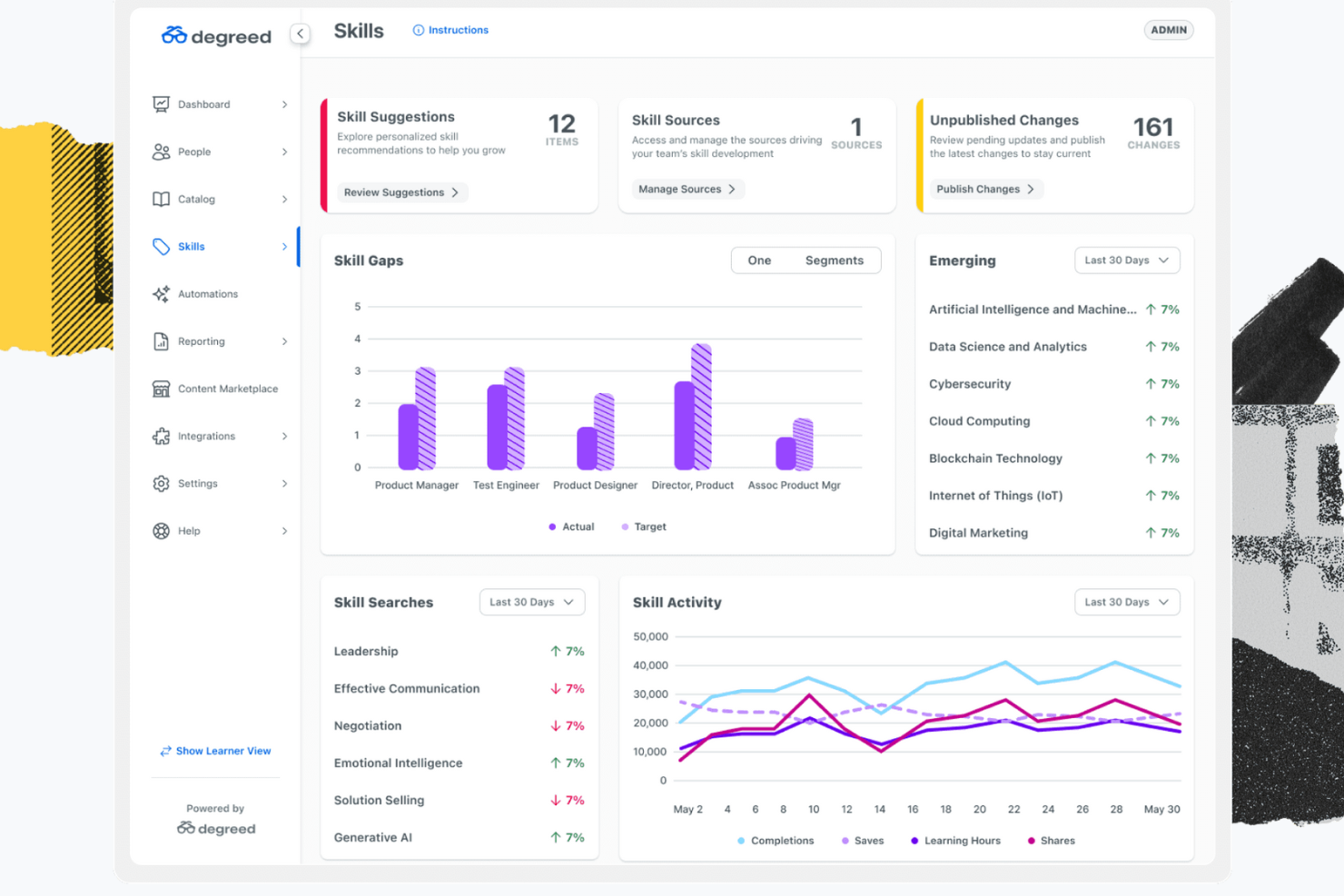
Degreed is a learning experience platform that helps businesses build employee skills. It supports personalized learning pathways, skill tracking, and AI-driven content curation.
Why I picked Degreed: This platform excels in tracking skills and progress with its AI-powered content recommendations and personalized learning paths. It supports onboarding, upskilling, and reskilling. Automation of learning workflows and data analysis tools further enhances its ability to measure learning outcomes. Degreed's user-friendly interface makes it accessible for teams looking to foster continuous learning.
Standout features and integrations:
Features include personalized learning pathways that adapt to your team’s needs. AI-driven content curation helps you find the most relevant learning materials. The platform also offers tools for onboarding, upskilling, and reskilling to support your workforce development.
Integrations include LinkedIn Learning, Udemy, Coursera, Pluralsight, Workday, SAP SuccessFactors, Cornerstone, and more.
Pros and Cons
Pros:
- Centralizes learning resources
- Supports continuous learning
- Effective skill development
Cons:
- Some dashboards feel cluttered with analytics depth
- Requires configuration/design expertise for optimal skills frameworks
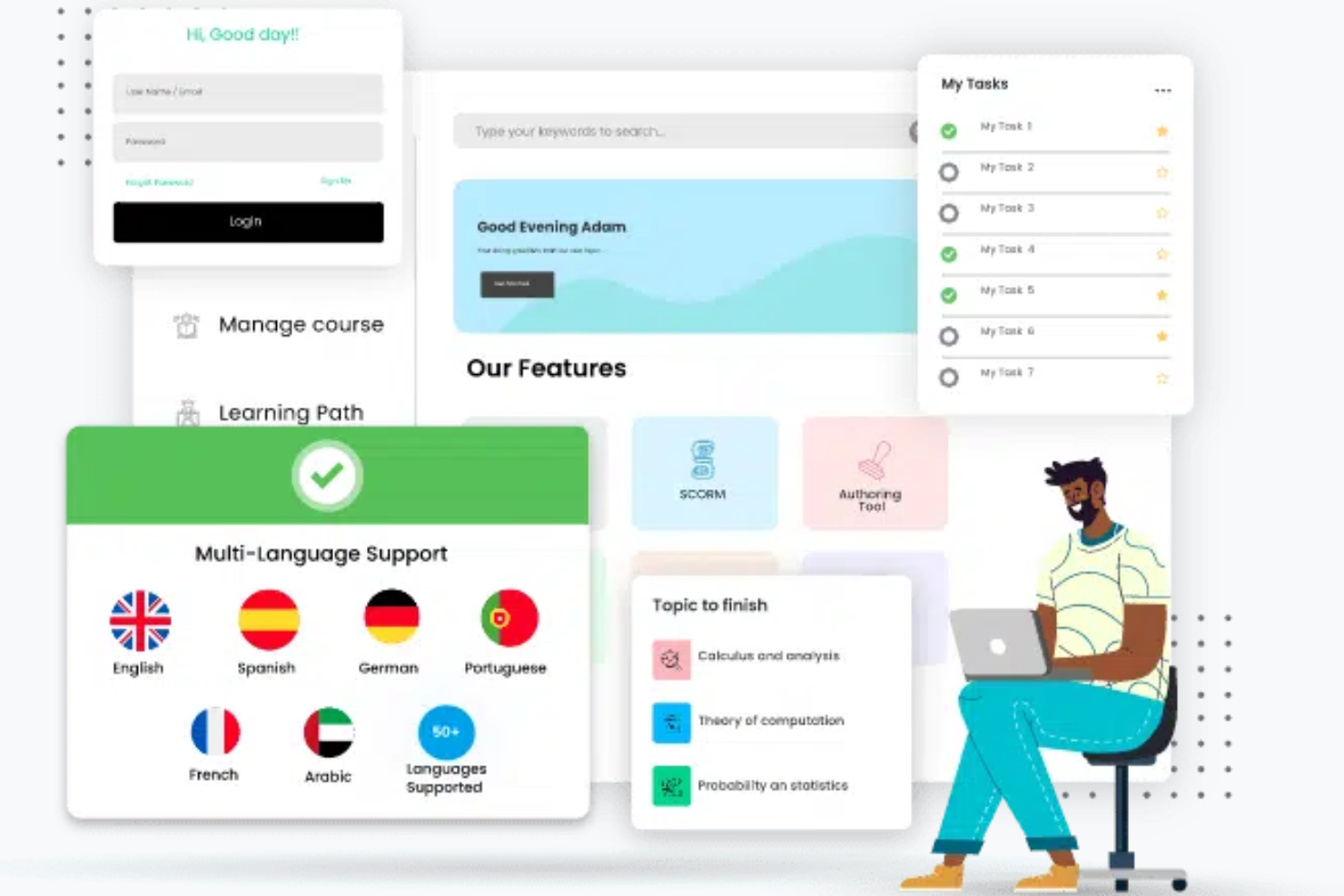
Paradiso is a training management system designed for organizations that require multilingual support. It serves businesses needing to deliver training programs across different languages and regions.
Why I picked Paradiso: It allows you to create and manage courses in various languages. The platform's localization features ensure training materials are culturally relevant and accessible. Paradiso provides tools for managing learners and tracking progress across multiple locations. This focus on multilingual support makes it ideal for global organizations.
Standout features and integrations:
Features include localization tools that ensure your training materials are culturally relevant. The platform supports a wide range of languages, making it accessible to global audiences. It also offers complete learner management and progress tracking.
Integrations include Salesforce, Zoom, Microsoft Teams, LinkedIn Learning, Shopify, Google Analytics, PayPal, Stripe, Okta, and more.
Pros and Cons
Pros:
- Thorough learner management
- Extensive third-party integrations
- Broad language and localization support
Cons:
- Interface can feel cluttered
- Setup often needs vendor help
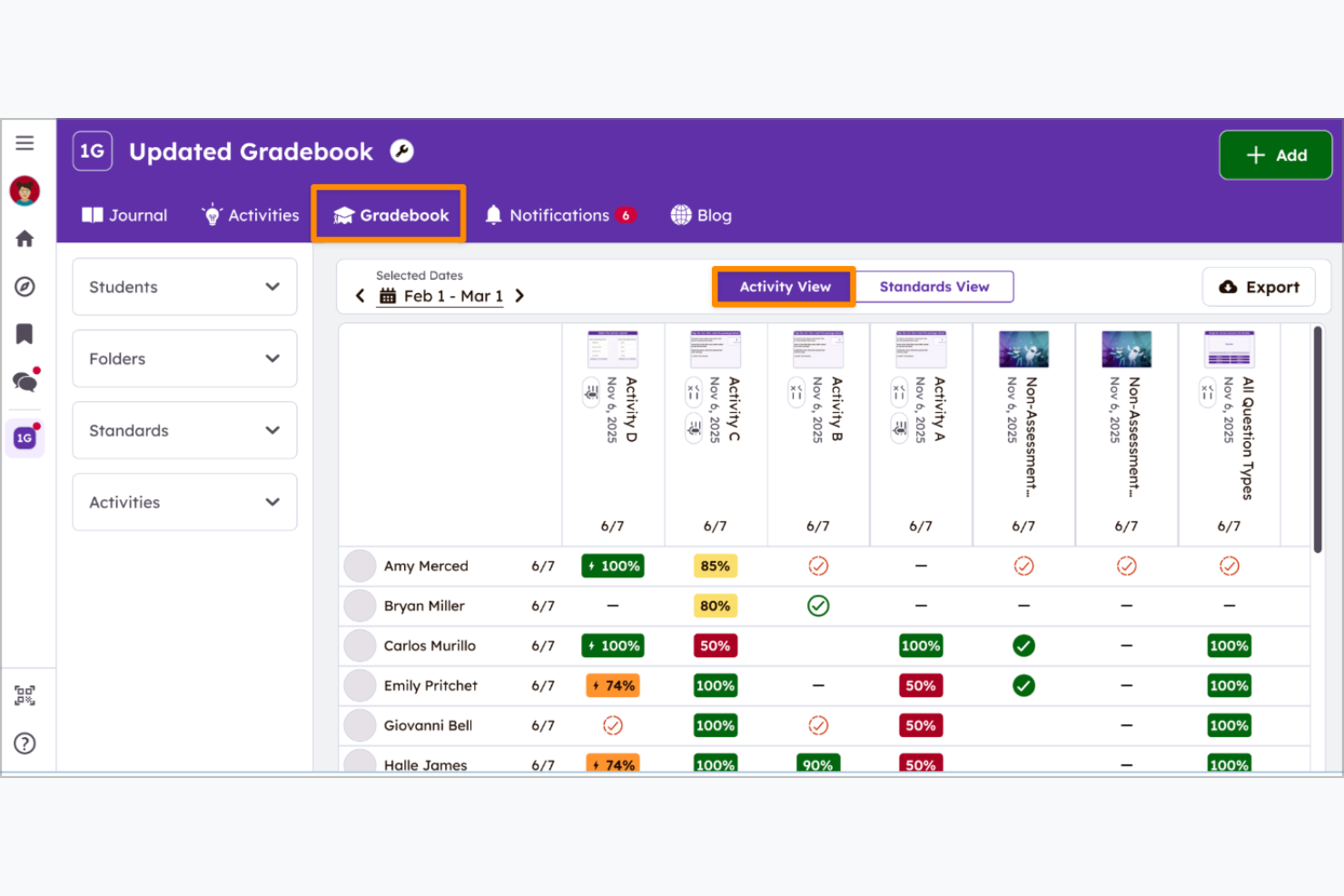
Seesaw is an educational platform designed for elementary grades, with a focus on student engagement and digital portfolios. It provides tools for teachers to create interactive lessons and for students to showcase their work.
Why I picked Seesaw: It creates a collaborative environment for students and teachers. Seesaw allows students to document their learning with photos, videos, and drawings, enhancing engagement. Teachers can easily assign activities and provide feedback, which supports personalized learning. Seesaw's user-friendly interface makes it accessible for young students and educators alike.
Standout features and integrations:
Features include interactive lessons that engage students in creative learning. The platform allows students to add multiple forms of media. Teachers can assign activities and provide feedback to support personalized learning experiences.
Integrations include Google Classroom, Google Drive, Clever, Canvas, Schoology, and more.
Pros and Cons
Pros:
- Highly engaging for early learners
- Simple content creation for teachers
- Strong parent-student interaction
Cons:
- Limited analytics for administrators
- Not designed for adult learning or corporate upskilling
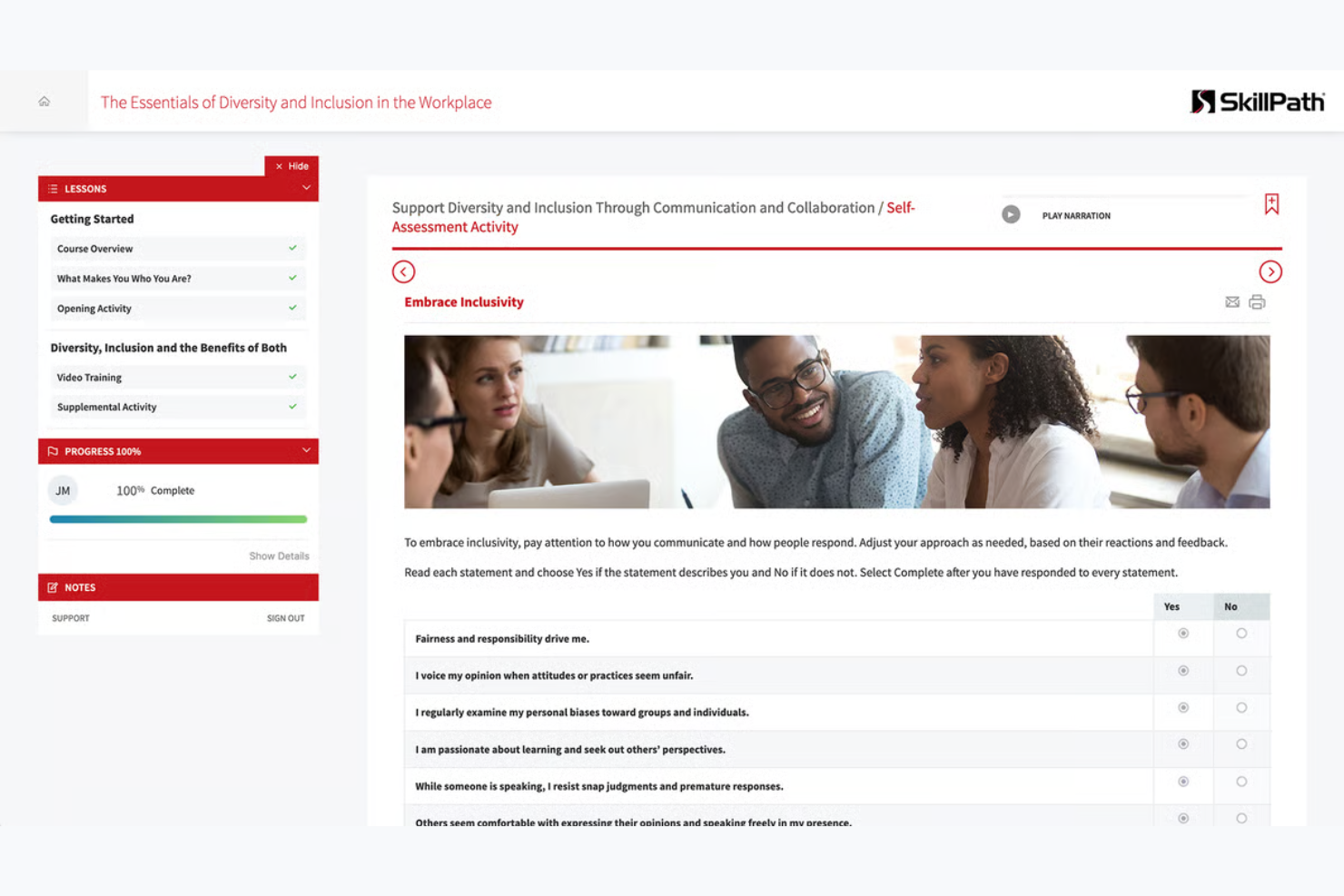
SkillPath is a training platform that enables organizations to provide on-site learning experiences. It caters to businesses that need customized training at their location, focusing on skill development and team building.
Why I picked SkillPath: It offers flexible, expert-led training that blends live instruction with on-demand content. The platform provides customizable workshops and seminars that address the skills your team needs most. This approach ensures training is relevant and immediately applicable to your work environment. SkillPath's ability to adapt to various industries makes it a versatile choice for professional development.
Standout features and integrations:
Features include customizable workshops that match your specific training needs. The platform offers seminars designed to enhance team building and communication skills. It also provides expert trainers who deliver hands-on learning experiences.
Integrations are not publicly listed.
Pros and Cons
Pros:
- Practical, workshop-style learning
- Expert-led instructor training sessions
- Strong focus on building soft skills and leadership qualities
Cons:
- Scheduling limits flexibility
- Requires in-person attendance
Other Learning Experience Platforms
Here are some additional learning experience platform options that didn’t make it onto my shortlist, but are still worth checking out:
- Absorb LMS
For compliance training
- Genially
For interactive content creation
- Thinkific
For course creators
- MapleLMS
For nonprofit organizations
- Riipen
For project-based learning
- CrossKnowledge
For leadership development
- Bealink
For remote team training


Learning Experience Platform Selection Criteria
When selecting the best learning experience platform to include in this list, I considered common buyer needs and pain points such as ease of integration and content customization. I also used the following framework to keep my evaluation structured and fair:
Core Functionality (25% of total score)
To be considered for inclusion in this list, each solution had to fulfill these common use cases:
- Delivering online courses
- Tracking learner progress
- Providing assessments and quizzes
- Supporting multimedia content
- Enabling user feedback
Additional Standout Features (25% of total score)
To help further narrow down the competition, I also looked for unique features, such as:
- Personalized learning paths
- Social learning capabilities
- Gamification elements
- Advanced analytics and reporting
- Mobile accessibility
Usability (10% of total score)
To get a sense of the usability of each system, I considered the following:
- Intuitive navigation
- Clean interface design
- Minimal learning curve
- Responsive design
- Customization options
Onboarding (10% of total score)
To evaluate the onboarding experience for each platform, I considered the following:
- Availability of training videos
- Interactive product tours
- Access to templates
- Webinars and live demos
- Chatbot assistance
Customer Support (10% of total score)
To assess each software provider’s customer support services, I considered the following:
- 24/7 support availability
- Multiple support channels
- Response time
- Availability of a knowledge base
- Personalized assistance `
Value for Money (10% of total score)
To evaluate the value for money of each platform, I considered the following:
- Competitive pricing
- Flexible pricing plans
- Features included in basic plans
- Discounts for volume purchases
- Transparent pricing structure
Customer Reviews (10% of total score)
To get a sense of overall customer satisfaction, I considered the following when reading customer reviews:
- User satisfaction ratings
- Feedback on functionality
- Comments on support quality
- Insights on ease of use
- Overall recommendations
How To Choose a Learning Experience Platform
It’s easy to get bogged down in long feature lists and complex pricing structures. To help you stay focused as you work through your unique software selection process, here’s a checklist of factors to keep in mind:
| Factor | What to Consider |
|---|---|
| Scalability | Will the platform grow with your team? Consider if it can handle more users or courses as your organization expands. Look for platforms that offer flexible plans or can scale without major upgrades. |
| Integrations | What existing tools do you use? Ensure the platform integrates smoothly with your current systems such as HR software or communication tools. This reduces disruption and enhances workflow efficiency. |
| Customizability | Does the platform allow you to tailor learning paths? Consider if you can adapt the interface or course content to fit your brand and training needs. Custom options should align with your processes. |
| Ease of use | How intuitive is the platform for users? Assess if your team can navigate it without extensive training. Look for user-friendly interfaces and straightforward navigation to minimize learning curves. |
| Implementation and onboarding | How quickly can you get started? Evaluate the support available during setup and initial training. Consider platforms with comprehensive onboarding resources, such as tutorials and dedicated support teams. |
| Cost | Does the pricing fit your budget? Compare the costs of different platforms, including hidden fees or additional charges for extra features. Ensure the value aligns with the price you pay. |
| Security safeguards | How secure is your data? Ensure the platform complies with data protection standards and offers features such as encryption and access controls. This is vital for protecting sensitive information. |
| Support availability | What support options are available? Consider the availability of customer support, including hours and contact methods. Reliable support can resolve issues quickly and keep your training on track. |
What Is a Learning Experience Platform?
A learning experience platform is a digital tool designed to facilitate and enhance learning and development within organizations. Professionals such as HR managers, training coordinators, and educational leaders generally use these tools to deliver and track learning activities. Personalized learning paths, content curation, and analytics features support user engagement, skill development, and progress tracking. Overall, these tools help organizations foster a culture of continuous learning and development.
Features
When selecting a learning experience platform, keep an eye out for the following key features:
- Personalized learning paths: Tailor learning experiences to individual needs, helping users engage with content that's relevant to their personal goals.
- Content curation: Aggregates and organizes content from various sources, providing learners with a diverse range of materials to enhance learning.
- Analytics and reporting: Track learner progress and performance, enabling organizations to measure the effectiveness of their training programs.
- Social learning capabilities: Facilitate collaboration and communication among learners, fostering a community-driven learning environment.
- Mobile accessibility: Allows learners to access training materials on the go, making learning flexible and convenient.
- Gamification elements: Incorporate game-like features to motivate and engage learners, improving participation and retention.
- Integration options: Ensure the platform works well with existing tools and systems, enhancing workflow and reducing disruptions.
- Security safeguards: Protect sensitive data through encryption and access controls, ensuring compliance with privacy standards.
- Feedback and assessment tools: Provide mechanisms for evaluating learner understanding and gathering input to improve the learning process.
Benefits
Implementing a learning experience platform provides several benefits for your team and your business. Here are a few you can look forward to:
- Enhanced engagement: Personalized learning paths and gamification elements keep learners motivated and invested in their education.
- Improved skills development: Content curation and analytics ensure that learners access relevant materials and track their progress effectively.
- Flexible learning: Mobile accessibility allows team members to learn at their own pace and on their own schedule.
- Collaboration and community: Social learning capabilities encourage interaction and knowledge sharing among team members.
- Efficient integration: Integration options ensure the platform fits smoothly into your existing systems, minimizing disruption.
- Data security: Security safeguards protect sensitive information, keeping your business compliant with data regulations.
- Informed decision-making: Feedback and assessment tools provide insights into learner performance, helping you refine your training strategies.
Costs and Pricing
Selecting a learning experience platform requires an understanding of the various pricing models and plans available. Costs vary based on features, team size, add-ons, and more. The table below summarizes common plans, their average prices, and typical features included in learning experience platform solutions:
Plan Comparison Table for Learning Experience Platforms
| Plan Type | Average Price | Common Features |
|---|---|---|
| Free Plan | $0 | Access to basic courses, limited analytics, and community support. |
| Personal Plan | $5-$25/user/month | Personalized learning paths, content curation, and mobile access. |
| Business Plan | $30-$75/user/month | Advanced analytics, integration options, and social learning capabilities. |
| Enterprise Plan | $100-$200/user/month | Customizable solutions, dedicated support, and full security safeguards. |
Learning Experience Platform FAQs
Here are some answers to common questions about learning experience platforms:
What is the difference between an LMS and a learning experience platform?
An LMS (learning management system) focuses on administrative tasks such as tracking and delivering educational courses. A learning experience platform enhances the learning process by curating content and providing personalized learning paths. If you’re looking for a tool that actively engages learners with tailored content, a learning experience platform is the way to go. It offers more flexibility and a user-centered approach to learning compared to a traditional LMS.
Can a learning experience platform integrate with existing software?
Yes, most learning experience platforms can integrate with existing tools such as HR software, CRM systems, and communication apps. When evaluating options, check for compatibility with your current systems. This ensures a smooth workflow and avoids disruptions. Many platforms offer APIs or pre-built integrations to help you connect with other tools. It’s a good idea to list out your current software and confirm integration capabilities during your purchasing journey.
How do I measure the success of a learning experience platform?
To measure success, track learner engagement, course completion rates, and improvements in skills or performance. Use the platform’s analytics and reporting features to gather data. Set clear goals for what you want to achieve with the platform, such as increased employee retention or faster onboarding. Regularly review these metrics to ensure the platform meets your objectives. Adjust your training strategies based on the insights gathered from these reports.
Are learning experience platforms suitable for small businesses?
Yes, learning experience platforms can be suitable for small businesses. Look for platforms offering flexible pricing plans that fit your budget. Smaller teams can benefit from personalized learning paths and content curation to address specific skills gaps. The right platform can help you train your team effectively without the need for a large HR department. Consider options that offer scalability so the platform grows with your business.
What’s Next:
If you're in the process of researching a learning experience platform, connect with a SoftwareSelect advisor for free recommendations.
You fill out a form and have a quick chat where they get into the specifics of your needs. Then you'll get a shortlist of software to review. They'll even support you through the entire buying process, including price negotiations.