
19 Best Mobile LMS Reviewed in 2026

Best Mobile LMS Tool Shortlist
Here’s my shortlist of the best mobile LMS tools:


Managing a team comes with constant demands, from training and onboarding to engagement and ongoing updates. A mobile-friendly learning management system (LMS) can help by making learning accessible anytime and anywhere, giving teams the flexibility they need to stay aligned and informed.
From my experience reviewing these platforms, finding the right solution starts with understanding how your team learns and what features actually support that workflow. I’ve evaluated a range of options, focusing on usability, accessibility, and meaningful learning tools.
In this article, I’ll share my top picks for the best mobile LMS tools, highlighting what each one does well and how it can support your team. By the end, you’ll have a clearer sense of which platform best fits your needs.
Why Trust Our Software Reviews
Best Mobile LMS tool Summary
This comparison chart summarizes pricing details for my top mobile LMS selections to help you find the best one for your budget and business needs.
| Tool | Best For | Trial Info | Price | ||
|---|---|---|---|---|---|
| 1 | Best for course creation | Free 30-day trial available | From $24/month (billed annually) | Website | |
| 2 | Best for collaborative learning | Free 30-day trial + free demo available | From $8/user/month | Website | |
| 3 | Best for multimedia content | Free 30-day trial + free demo available | Pricing upon request | Website | |
| 4 | Best for AI features | Free demo available | Pricing upon request | Website | |
| 5 | Best for virtual classrooms | Free 14-day trial available | From $49/month (billed annually) | Website | |
| 6 | Best for academic use | Free trial + free demo available | Pricing upon request | Website | |
| 7 | Best for compliance training | Free demo available | Pricing upon request | Website | |
| 8 | Best for higher education | Free trial + free demo available | Pricing upon request | Website | |
| 9 | Best for data analytics | Free demo available | Pricing upon request | Website | |
| 10 | Best for microlearning | Free plan + free 30-day trial + free demo available | From $5/learner/month (billed annually) | Website | |
| 11 | Best for customization options | Free plan + free demo available | Pricing upon request | Website | |
| 12 | Best for PowerPoint integration | Free 14-day trial + free demo available | From $970/author/year | Website | |
| 13 | Best for rapid deployment | Free 14-day trial + free demo available | Pricing upon request | Website | |
| 14 | Best for small teams | Free plan + free demo available | From $119/month (billed annually) | Website |

-

Checkr
Visit WebsiteThis is an aggregated rating for this tool including ratings from Crozdesk users and ratings from other sites.4.5 -
Kudoboard
Visit WebsiteThis is an aggregated rating for this tool including ratings from Crozdesk users and ratings from other sites.4.8 -
Native Teams
Visit WebsiteThis is an aggregated rating for this tool including ratings from Crozdesk users and ratings from other sites.4.9





Best Mobile LMS Tool Reviews
Below are my detailed summaries of the best mobile LMS that made it onto my shortlist. My reviews offer a detailed look at the key features, pros and cons, integrations, and ideal use cases for each tool, helping you find the best one for you.

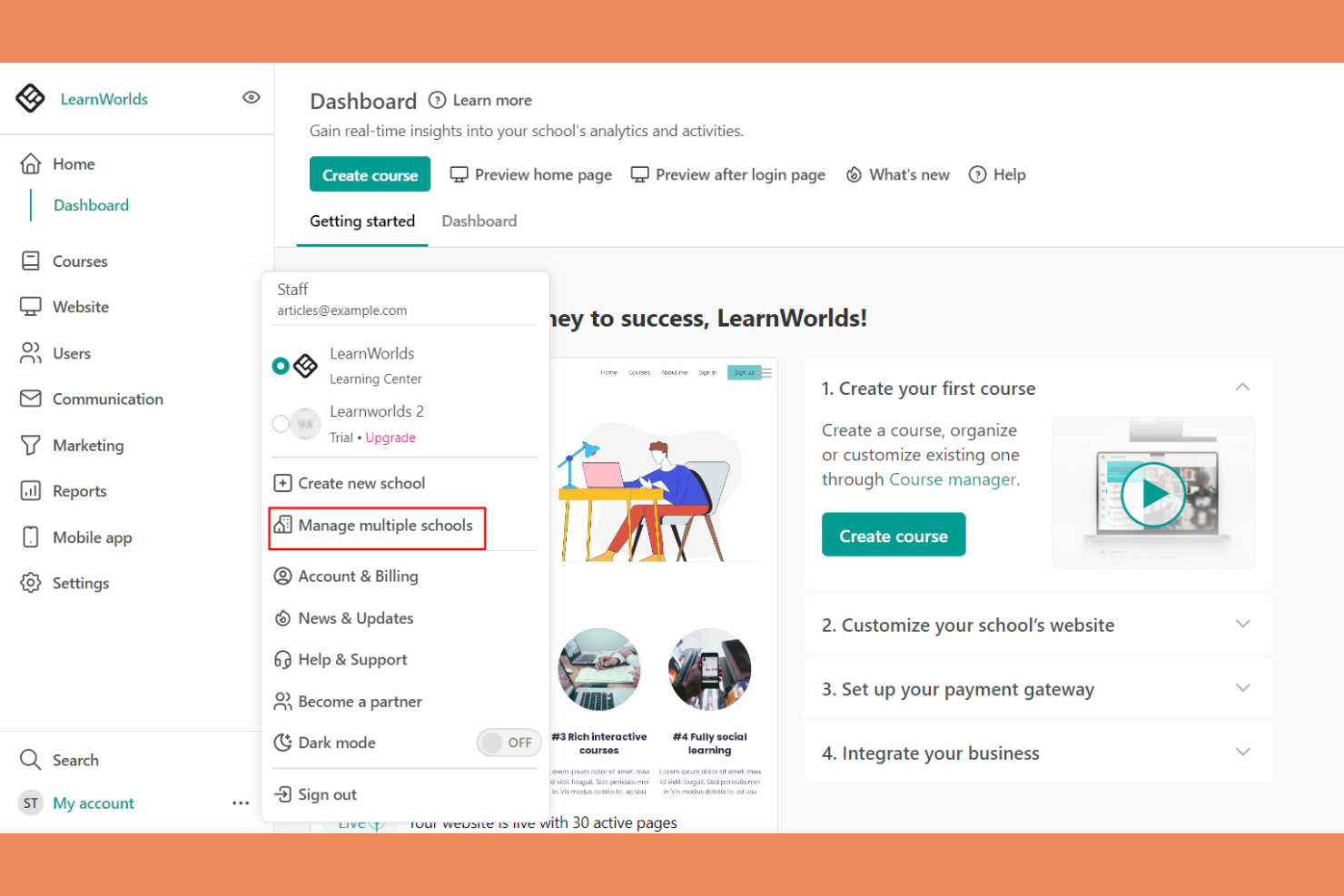
LearnWorlds is an online course platform designed for educators and businesses looking to create engaging learning experiences. It offers tools for course creation, video hosting, and student interaction.
Why I picked LearnWorlds: It excels at course creation with its intuitive drag-and-drop builder, making it easy to design courses. The platform’s interactive learning features improve retention by adding quizzes and notes directly into videos. You can also create branded mobile apps that provide a tailored experience for your learners. The analytics dashboard gives insights into learner engagement, helping you refine your courses.
Standout Features and Integrations:
Features include a built-in social network that encourages student interaction and community building. You can use customizable templates to quickly set up courses and landing pages. The platform also supports advanced eCommerce capabilities, allowing you to monetize your courses effectively.
Integrations include Zoom, Zapier, Mailchimp, Google Analytics, Shopify, Stripe, PayPal, HubSpot, ActiveCampaign, and more.
Pros and Cons
Pros:
- Flexible course templates and learning activities
- Interactive video capabilities
- Powerful drag-and-drop course builder
Cons:
- Marketing tool gaps
- Limited site customization

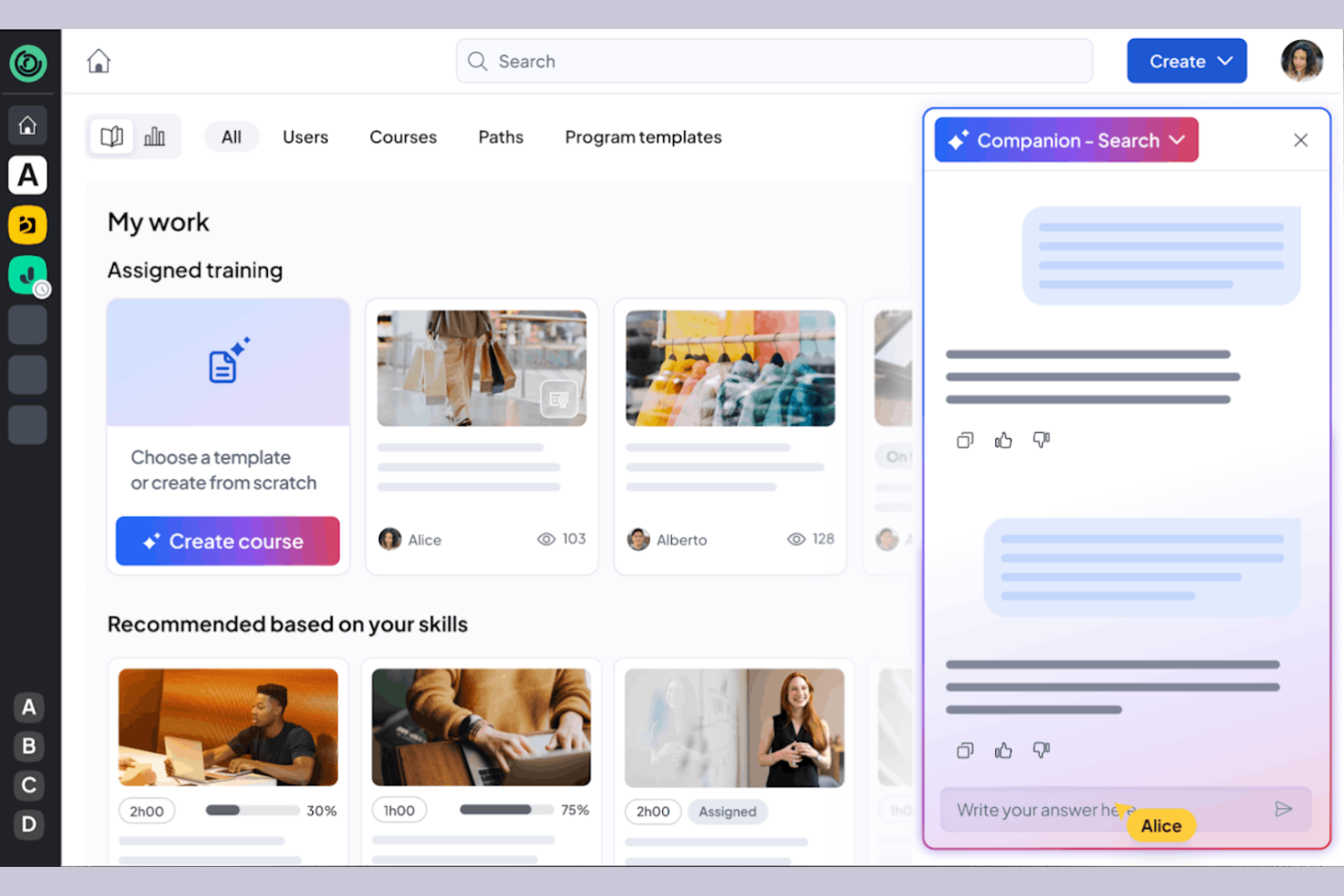
360learning is a learning management system tailored for businesses that prioritize collaborative learning and development. It caters to organizations by providing tools for team-based learning, course creation, and feedback collection.
Why I picked 360learning: It excels in promoting all-in-one collaborative learning, allowing your team to co-create courses and share knowledge. The platform enables peer feedback, fostering a culture of continuous improvement. You can create interactive courses using the built-in authoring tool, producing engaging content. 360learning also supports social learning features, making it easy for your team to connect and learn from each other.
Standout Features and Integrations:
Features include a mobile LMS app that provides learning access anytime, anywhere, and offers flexibility for remote teams. The learning platform supports gamification, adding a competitive edge to the learning experience. You can also use the analytics dashboard to track engagement and course performance.
Integrations include Salesforce, Slack, Microsoft Teams, Zoom, BambooHR, SAP SuccessFactors, Workday, and more.
Pros and Cons
Pros:
- Social learning features
- Supports peer feedback
- Strong focus on collaborative learning
Cons:
- Branding limits
- Weak SCORM support
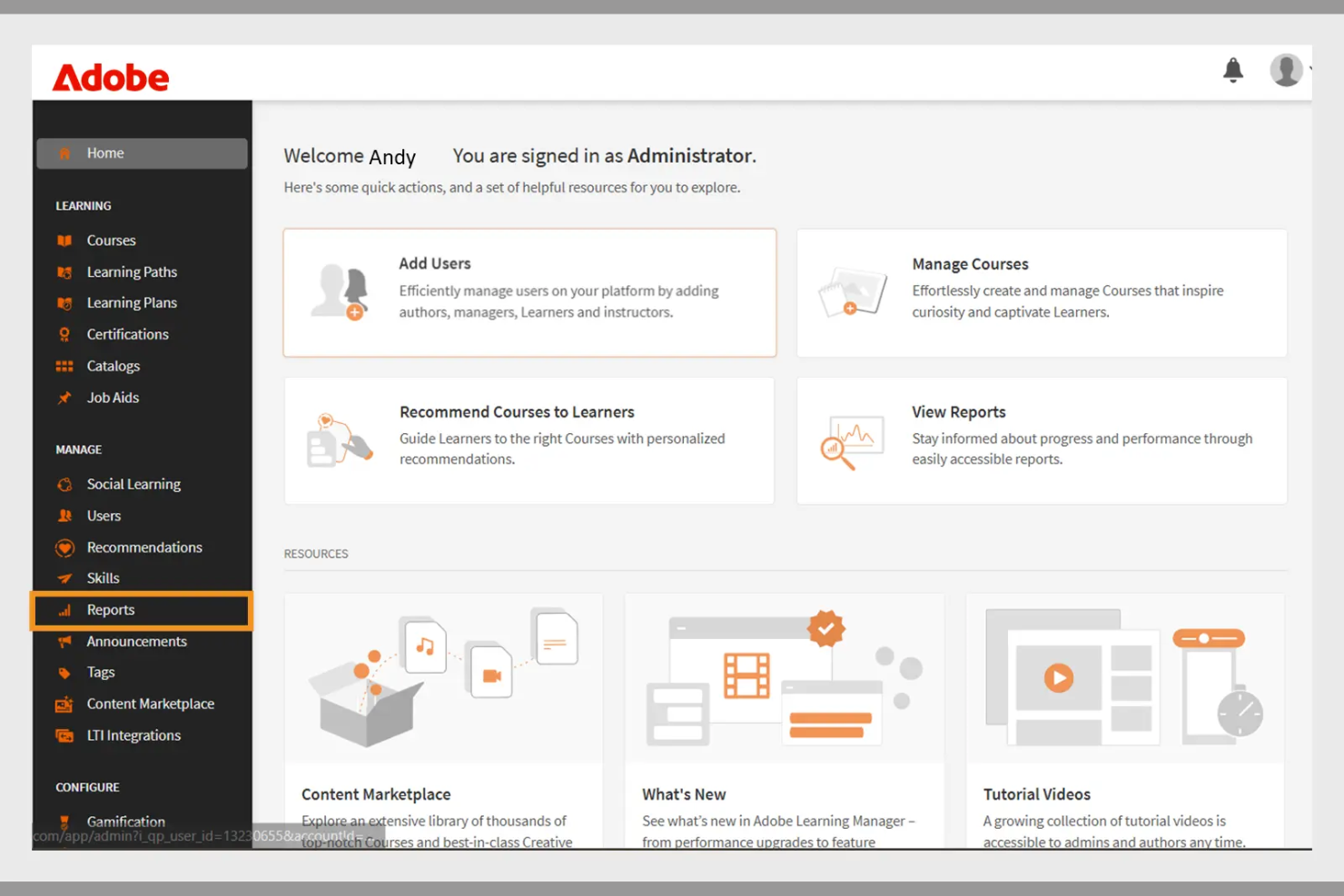
Adobe Learning Manager is a learning management system designed for businesses aiming to deliver engaging training programs. It focuses on multimedia content delivery, making it ideal for organizations that use rich media in their training.
Why I picked Adobe Learning Manager: It offers extensive multimedia support, allowing you to incorporate videos, interactive elements, and graphics into your training. The platform's content management features enable you to organize and deliver courses efficiently. You can track learner progress with detailed analytics, helping you refine your training strategies. Adobe Learning Manager also supports mobile learning, allowing your team to access courses anytime, anywhere.
Standout Features and Integrations:
Features include customizable learning paths that let you tailor courses to individual needs. The platform supports gamification, adding a fun and competitive element to learning. You can also use automated notifications to keep learners engaged and informed about their progress.
Integrations include Adobe Connect, Salesforce, Zoom, LinkedIn Learning, Microsoft Teams, Workday, and more.
Pros and Cons
Pros:
- Effective gamification features
- Customizable learning paths
- Strong multimedia content support
Cons:
- Requires ongoing technical support
- Can be slow to load
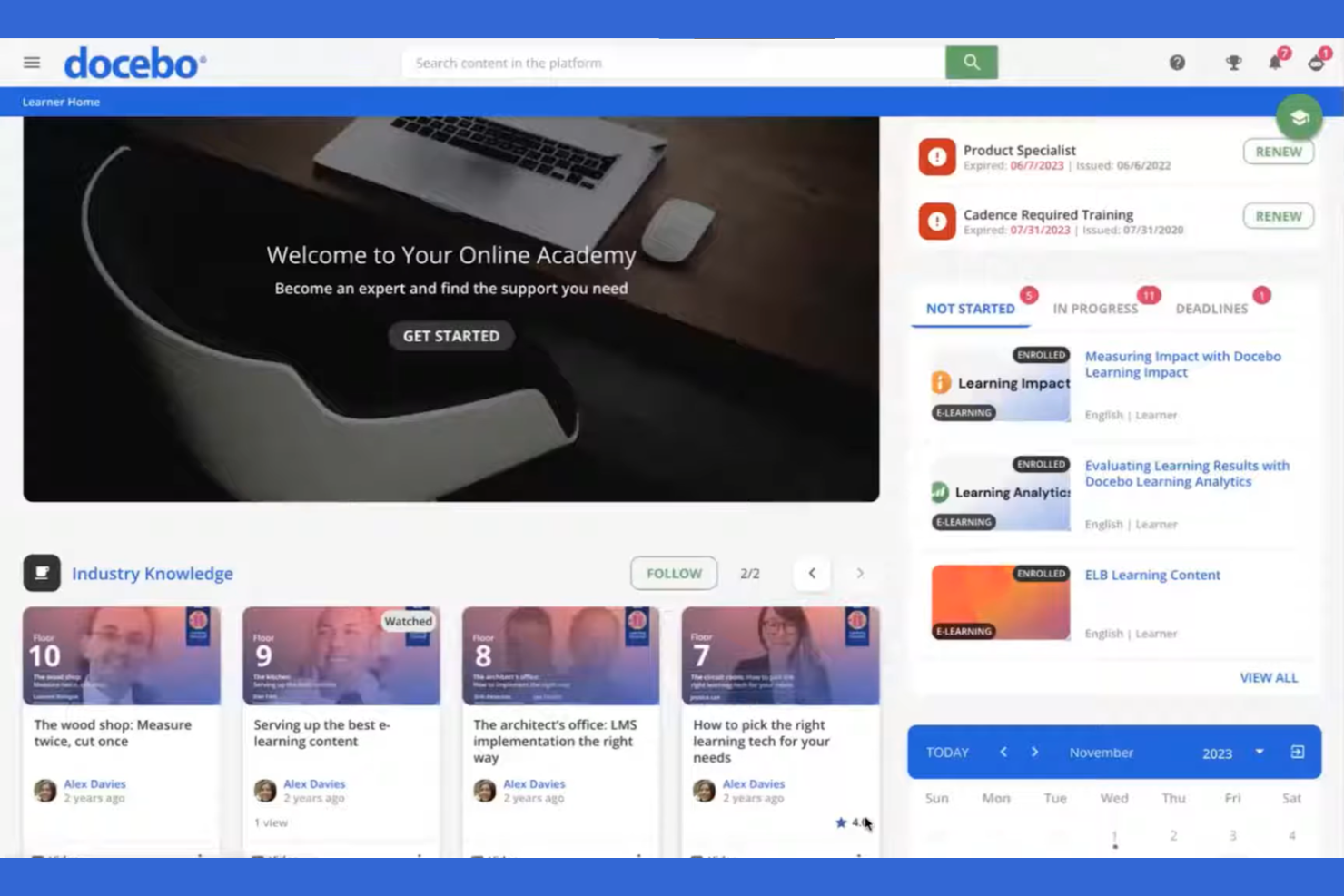
Docebo is a learning management system aimed at businesses looking to improve their corporate training programs. It serves industries by providing tools for content creation, learner engagement, and performance tracking.
Why I picked Docebo: Its AI-powered features make it unique in delivering personalized learning experiences. You can use AI to automate administrative tasks, saving your team time and effort. Docebo offers tools for content curation, helping your learners always have access to relevant materials. The platform's social learning capabilities also foster collaboration among users.
Standout Features and Integrations:
Features include a mobile app that allows learners to access courses on the go, which is great for remote teams. You can track learner performance with detailed reporting tools, helping you identify areas for improvement. The platform also supports gamification, adding an element of fun to learning.
Integrations include Salesforce, Zoom, Slack, Shopify, Google Workspace, Microsoft Teams, LinkedIn Learning, Adobe Connect, PayPal, Stripe, and more.
Pros and Cons
Pros:
- Social learning capabilities
- Strong content curation tools
- AI-powered learning personalization
Cons:
- Slow support responses
- UI inconsistencies
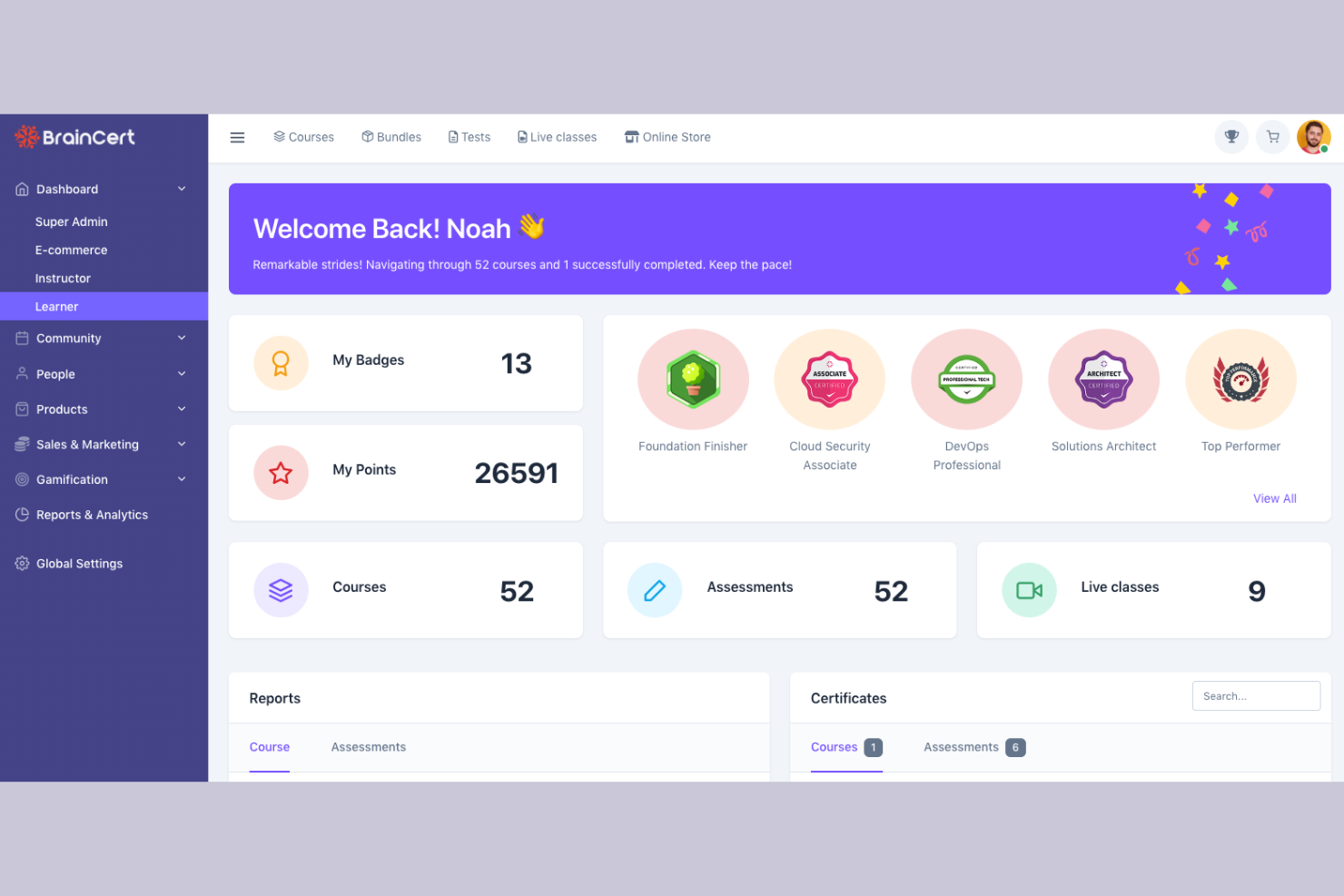
BrainCert is a learning management system designed for educational institutions and businesses looking to facilitate virtual learning. It provides tools for online classrooms, course creation, and assessments.
Why I picked BrainCert: It excels in virtual classroom capabilities, allowing you to conduct live sessions with ease. The platform offers interactive whiteboards and real-time collaboration tools, improving the learning experience. You can create and deliver quizzes to assess learner progress effectively. BrainCert also supports multimedia content, making lessons more engaging for your students.
Standout Features and Integrations:
Features include a mobile app that lets learners participate in sessions from anywhere, promoting flexibility. The platform supports gamification, adding a fun element to learning. You can also use the built-in eCommerce features to sell courses online.
Integrations include PayPal, Stripe, Moodle, and more.
Pros and Cons
Pros:
- Effective assessments and quizzes
- Interactive whiteboards available
- Excellent virtual classroom tools
Cons:
- Missing basic admin controls
- Unpolished mobile web view

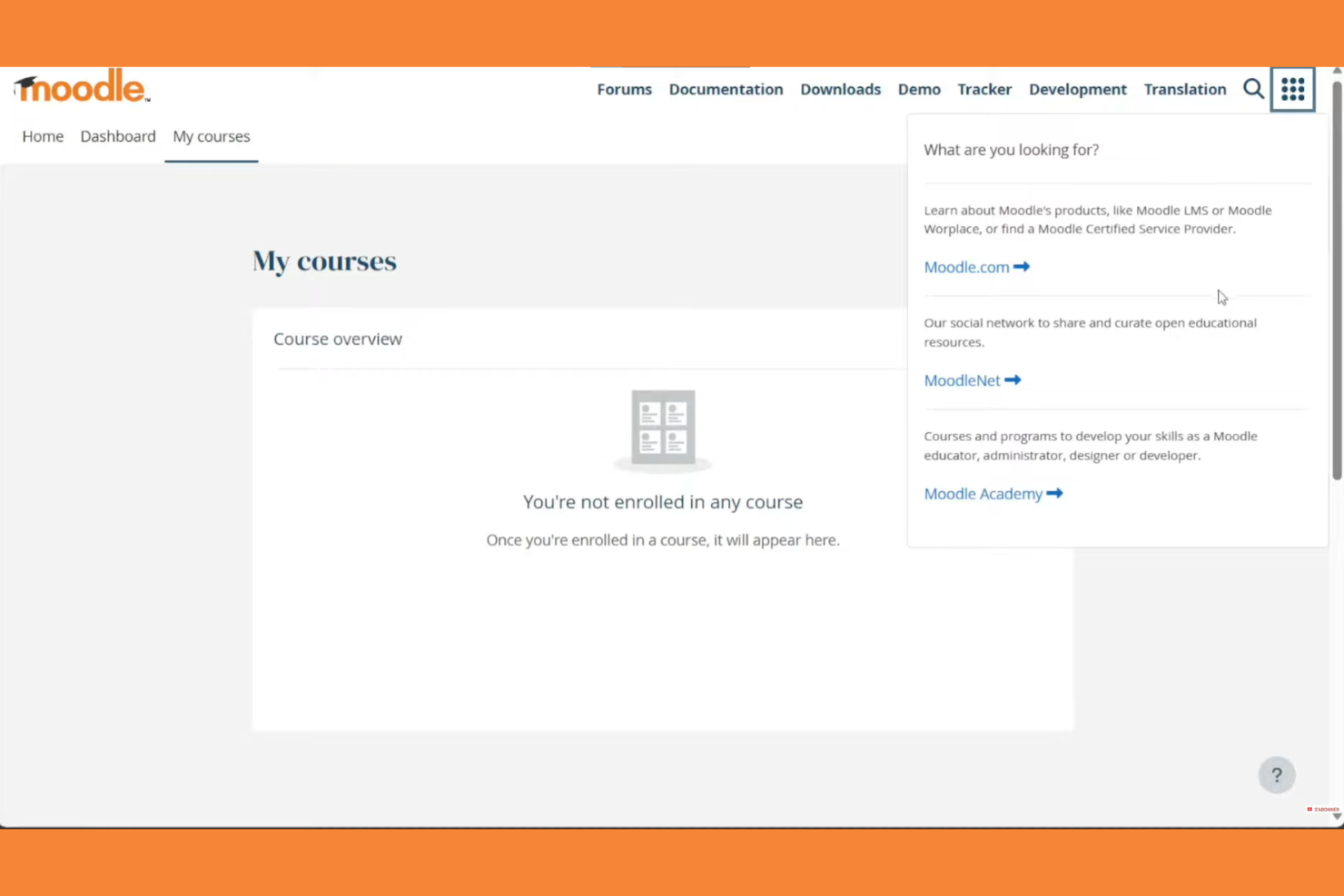
Moodle is an open-source learning management system widely used in educational institutions. It supports course creation, student engagement, and assessment management.
Why I picked Moodle: Moodle excels in academic settings with its flexible course management and wide array of plugins. Its open-source nature allows for extensive customization to fit specific educational needs. The platform supports various learning methodologies, making it versatile for different teaching styles. Moodle also offers strong community support and discussion forums, which can be invaluable for educators.
Standout Features and Integrations:
Features include a customizable dashboard that lets you organize courses and activities with ease. The platform supports multimedia integration, improving the learning experience with videos and interactive content. You can track student progress with detailed analytics, helping you identify areas for improvement.
Integrations include Microsoft Office 365, Google Workspace, Zoom, BigBlueButton, Mahara, Turnitin, Panopto, H5P, Jitsi, SCORM, and more.
Pros and Cons
Pros:
- Wide array of plugins
- Flexible course management
- Supports various teaching styles
Cons:
- Plugin dependency
- Outdated interface
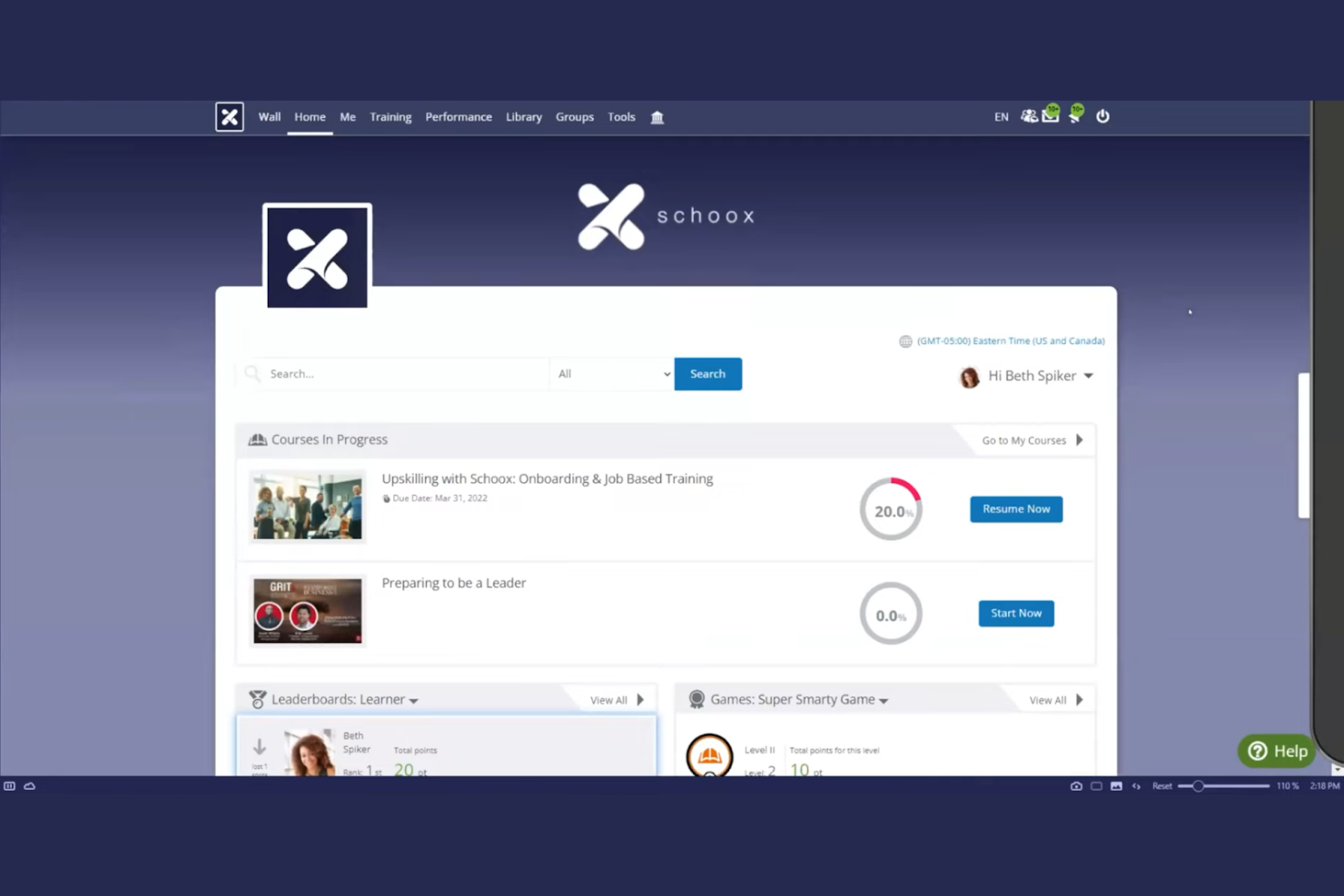
Schoox LMS software is tailored for businesses focused on compliance and skill development. It serves industries by providing tools for training, performance measurement, and certification management.
Why I picked Schoox: It offers specialized features for compliance training, helping your team meet industry standards. The platform provides customizable learning paths, allowing you to tailor training to individual needs. You can also track certifications and compliance status, keeping your organization on top of regulatory requirements. Schoox's reporting tools help you analyze training effectiveness and make data-driven improvements. The platform supports Tin Can (xAPI), enabling learning activity tracking beyond traditional course completion.
Standout Features and Integrations:
Features include a mobile app for on-the-go learning, which is ideal for remote teams. The platform supports gamification, adding an engaging element to training programs. You can also use the content library to access a variety of pre-built learning materials and resources.
Integrations include Salesforce, Microsoft Teams, Zoom, ADP, BambooHR, Google Workspace, SAP SuccessFactors, Workday, Oracle, and more.
Pros and Cons
Pros:
- Certification tracking
- Customizable learning paths
- Strong compliance training focus
Cons:
- Technical glitches
- The menu structure can feel overloaded

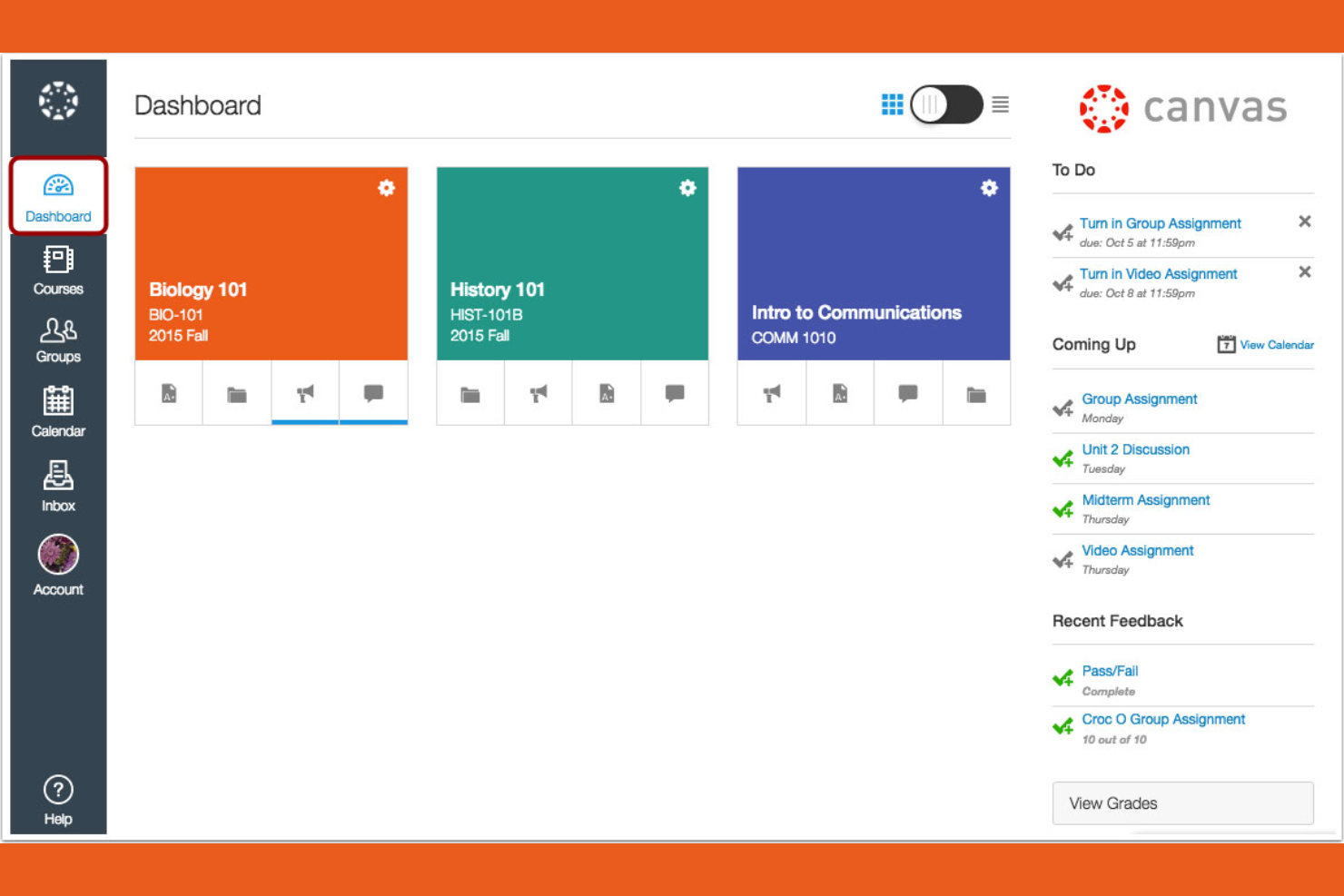
Canvas is a learning management system designed primarily for educational institutions, especially universities and colleges. It provides tools for course management, grading, and student engagement.
Why I picked Canvas: It's tailored for higher education, offering features that support both instructors and students. You can create and manage courses efficiently with its intuitive interface. The platform includes tools for online assessments, making it easier to evaluate student performance. Canvas also supports collaboration through discussion boards and group projects, improving the learning experience.
Standout Features and Integrations:
Features include a mobile app that lets students and instructors access courses from their smartphones, promoting flexibility. You can use analytics to track student performance and identify areas for improvement. The platform also supports multimedia content, enriching the learning experience with videos and other resources.
Integrations include Google Workspace, Microsoft Teams, Zoom, and more.
Pros and Cons
Pros:
- Strong online assessment tools
- Intuitive course management
- Tailored for higher education
Cons:
- Gradebook complexity
- Inconsistent course design

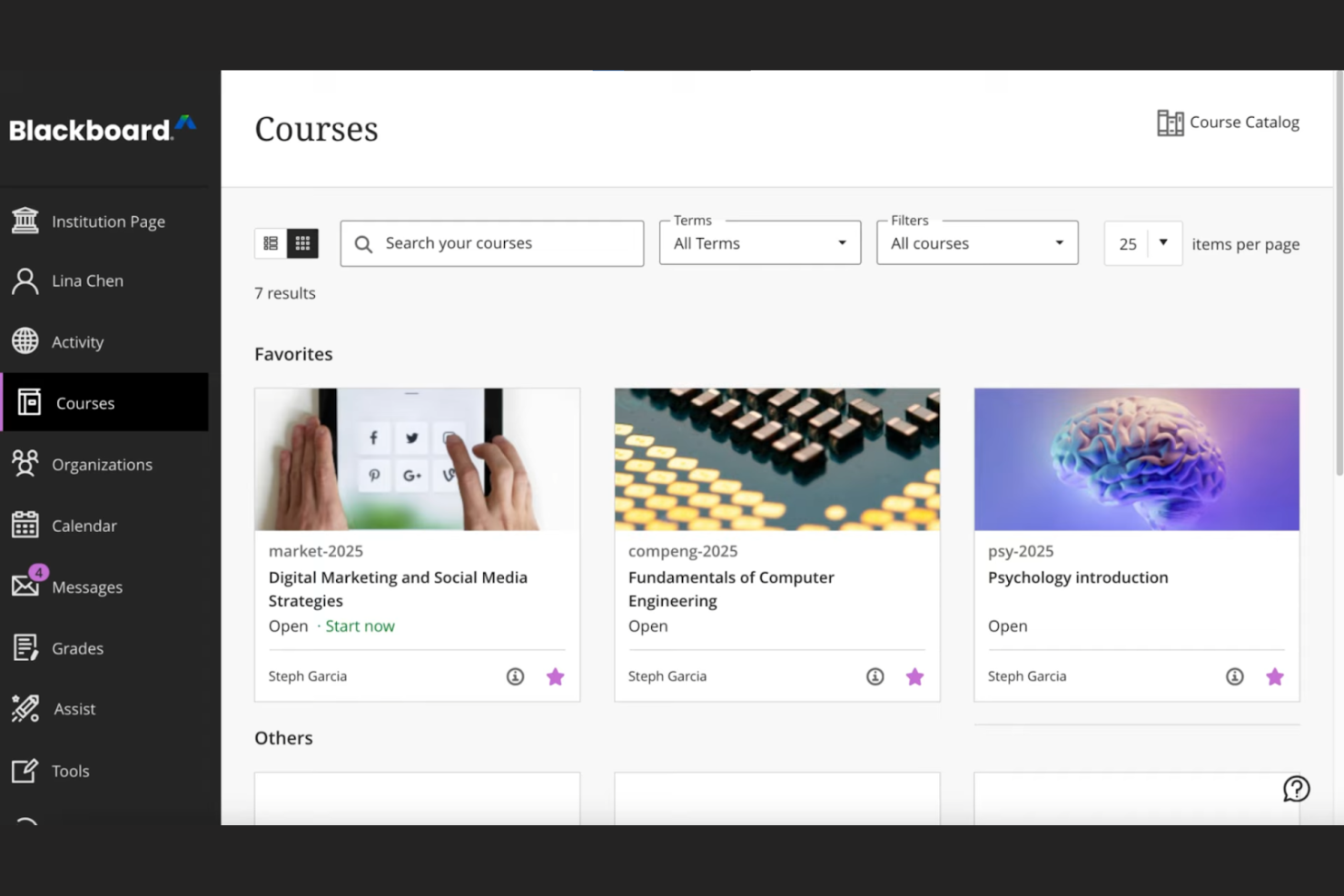
Blackboard by Anthology is a complete learning management system tailored for educational institutions, focusing on data-driven decision-making. It supports course management, student engagement, and performance analytics.
Why I picked Blackboard: Its strength lies in data analytics, offering institutions detailed insights into student performance and engagement. The platform allows you to create custom reports, helping you make informed decisions. You can track learning outcomes and identify trends, which is essential for improving educational strategies. Blackboard also provides tools for automating administrative tasks, freeing up your team for more critical work.
Standout Features and Integrations:
Features include an intuitive interface that simplifies course management, making it easy for instructors to navigate. The platform supports multimedia content, improving the learning experience with videos and interactive elements. You can also use built-in communication tools to foster collaboration between students and teachers.
Integrations include Google Workspace, Microsoft Teams, Zoom, Turnitin, Pearson, McGraw-Hill Education, and more.
Pros and Cons
Pros:
- Effective learning outcome tracking
- Custom report generation
- Strong data analytics capabilities
Cons:
- Dated interface
- Overkill for basic needs

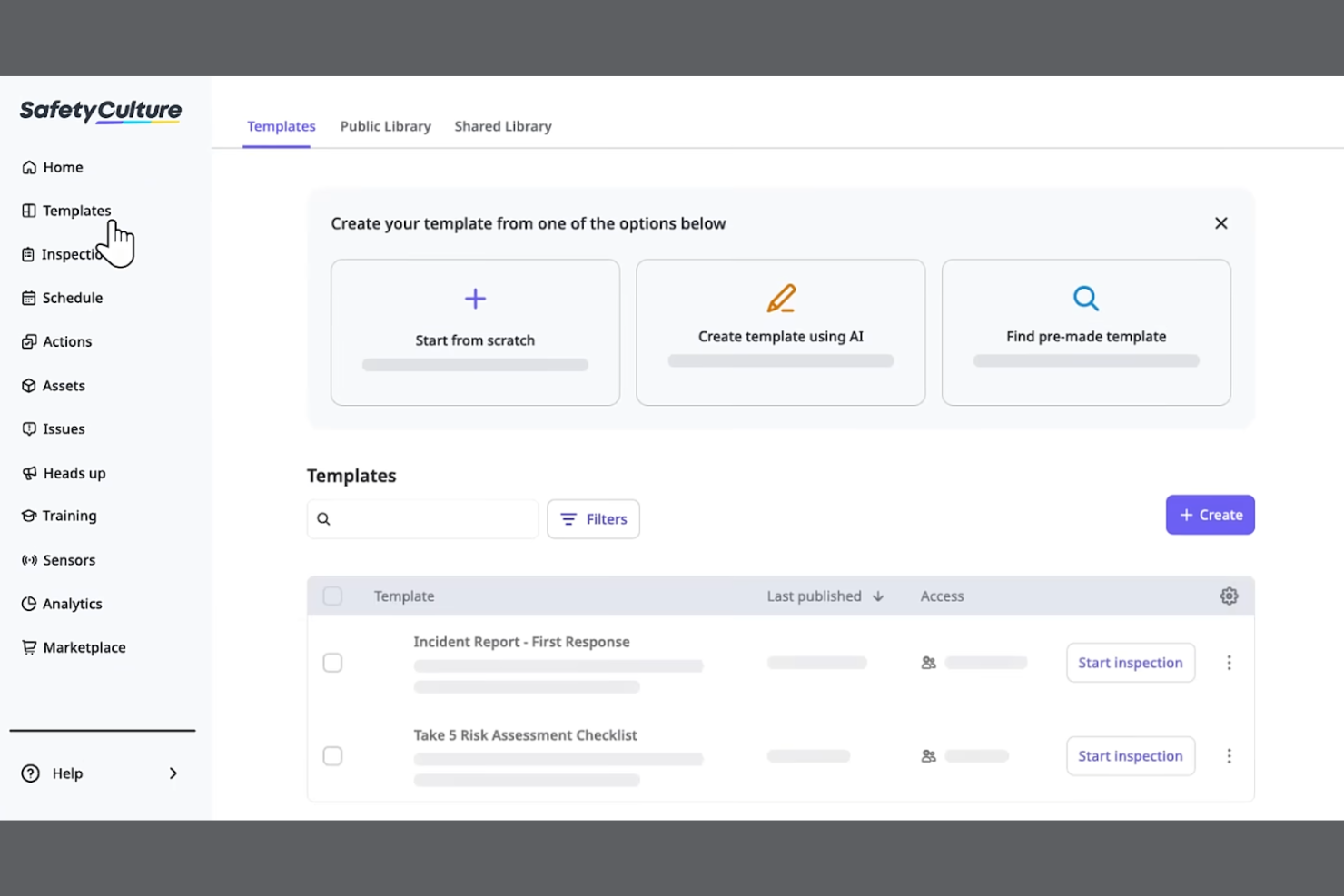
SC Training is a mobile-focused learning management system designed for businesses looking to deliver training in bite-sized modules for better retention. It serves industries by promoting effective learning through microlearning techniques and tools.
Why I picked SC Training: It specializes in microlearning, allowing you to create short, engaging lessons that fit into your team's schedule. The platform offers a built-in authoring tool for easy course materials creation, enabling you to develop content quickly. You can incorporate multimedia elements to make the learning experience more dynamic. SC Training also provides analytics to track learner progress, helping you measure the impact of your training.
Standout Features and Integrations:
Features include a mobile app that supports on-the-go enrollment and lets learners access courses anytime, anywhere. The platform supports gamification, adding a competitive edge to learning. You can also use the content library to access a variety of ready-made courses and templates.
Integrations include Microsoft Teams, Zoom, Slack, Salesforce, BambooHR, Shopify, Google Drive, Microsoft Azure, PayPal, Stripe, and more.
Pros and Cons
Pros:
- Wide content library
- Built-in authoring tool
- Effective microlearning techniques
Cons:
- Content "reset" risks
- Microlearning only
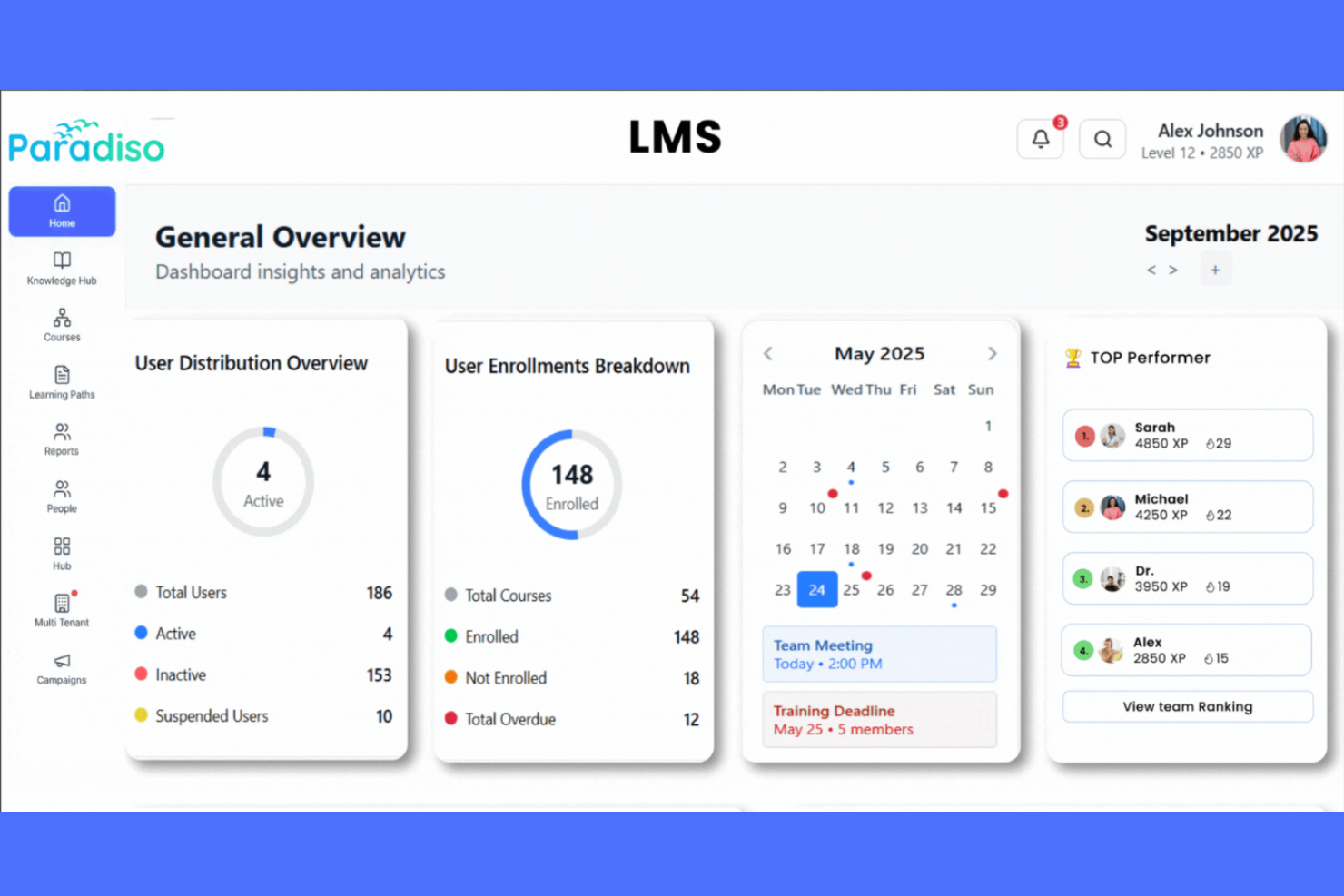
Paradiso is a learning management system designed for businesses seeking tailored training solutions. It serves various industries by offering tools for course creation, performance tracking, and employee engagement.
Why I picked Paradiso: Its strength lies in customization options, allowing you to tailor the platform to meet your organization's specific needs. You can create personalized learning paths that align with your team's goals. The platform supports multimedia content, improving the learning experience with videos and interactive elements. Paradiso also provides detailed analytics to help you track progress and make informed decisions.
Standout Features and Integrations:
Features include a mobile app that enables learning on the go, ideal for remote teams. The platform supports gamification, making training more engaging for your team. You can also access a vast content library to improve your courses with diverse materials.
Integrations include Salesforce, Zoom, Microsoft Teams, Google Workspace, LinkedIn Learning, SAP SuccessFactors, BambooHR, PayPal, Stripe, and more.
Pros and Cons
Pros:
- Supports multimedia content
- Personalized learning paths
- Extensive customization options
Cons:
- Mobile virtual classroom gaps
- Performance lags when navigating
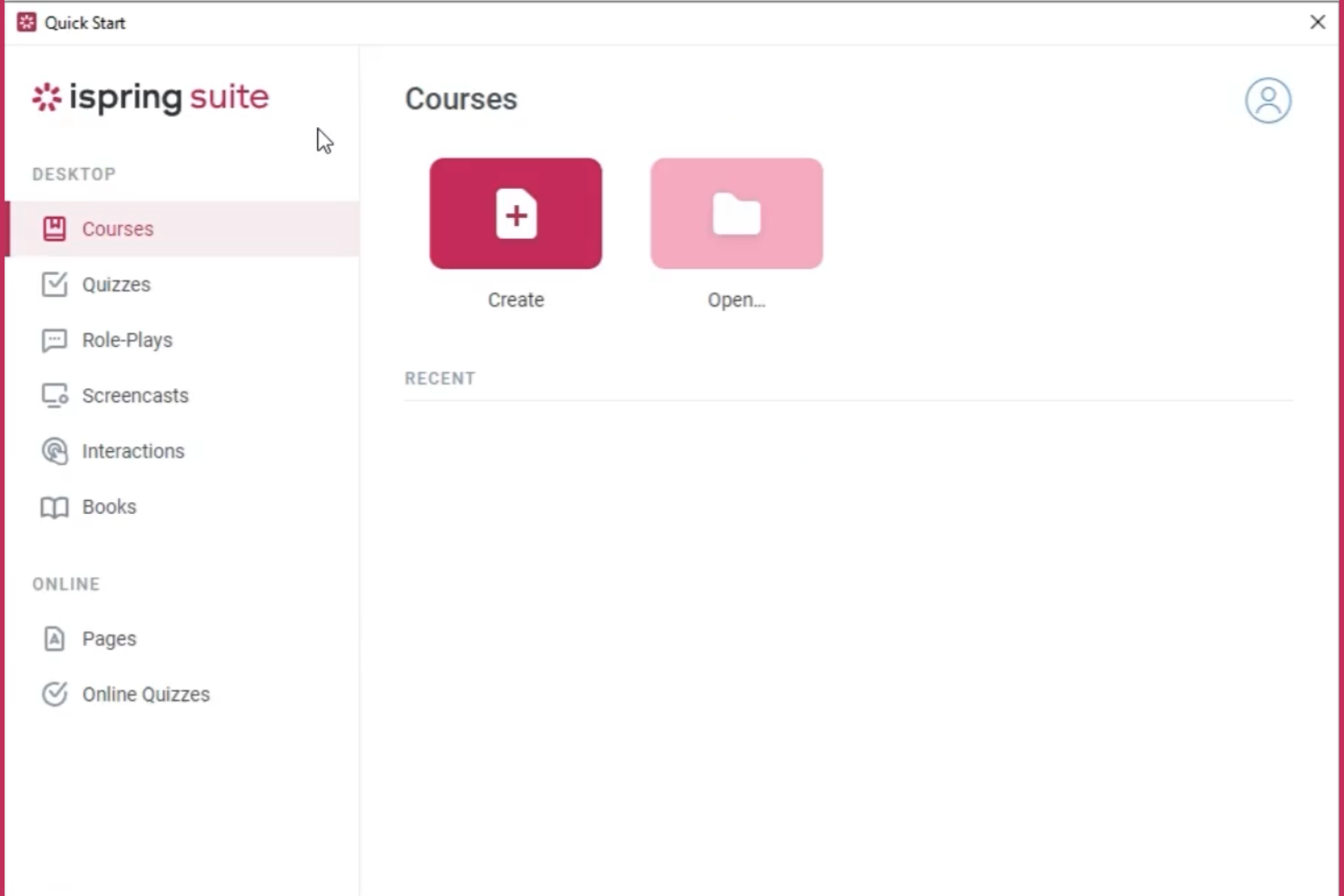
iSpring Suite AI is a learning management system designed for businesses looking to improve their training programs with interactive content. It is particularly popular among organizations that rely on PowerPoint for course creation and delivery.
Why I picked iSpring Suite AI: It integrates smoothly with PowerPoint, allowing you to convert presentations into engaging e-learning courses. You can add quizzes and interactive elements to your slides, making training more dynamic. The platform's content library offers a wide range of resources to improve your courses. iSpring Suite AI also provides analytics to track learner progress and identify areas for improvement.
Standout Features and Integrations:
Features include a mobile app that lets learners access courses from anywhere, promoting flexibility. You can use the platform's video studio to create professional-looking tutorials and presentations. The built-in quiz maker helps you assess learning outcomes effectively.
Integrations include Zoom, Microsoft Teams, Salesforce, Google Workspace, and more.
Pros and Cons
Pros:
- Video studio for tutorials
- Effective quiz maker
- Efficient PowerPoint integration
Cons:
- Limited standalone LMS
- Windows dependency

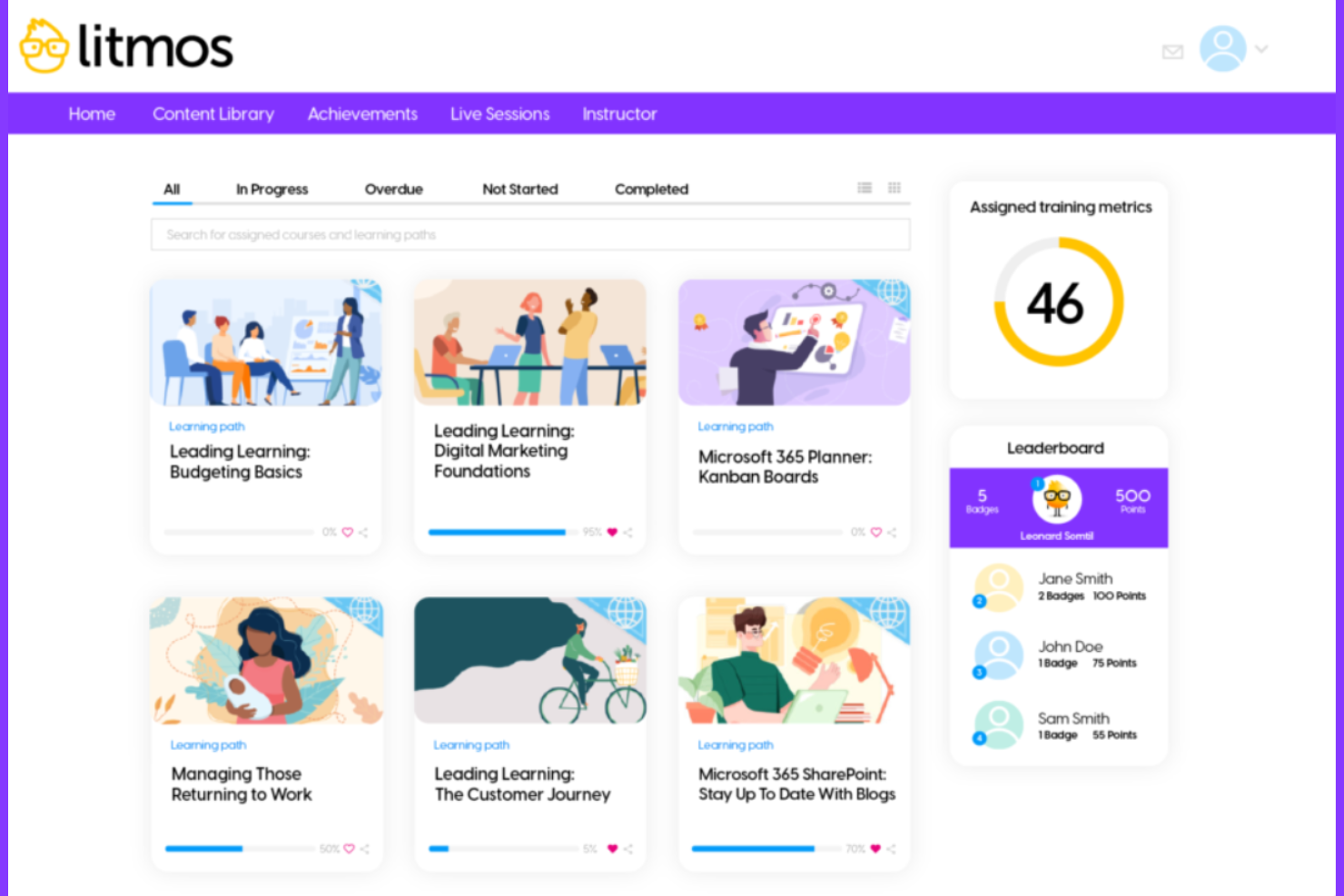
Litmos LMS is a cloud-based learning management system designed for businesses that need to quickly deploy training programs. It serves various industries by providing tools for employee training, compliance, and performance management.
Why I picked Litmos LMS: It excels in rapid deployment, allowing you to get your training courses up and running quickly. The platform offers pre-built courses, which can save you time in content creation. You can customize these courses to fit your specific needs, keeping them relevant for your team. Litmos LMS also provides analytics, so you can track learner progress and make data-driven decisions.
Standout Features and Integrations:
Features include a mobile app that allows learners to access courses on the go, providing flexibility. The platform supports gamification, making learning more engaging for your team. You can also use the built-in content library to access a wide range of training materials.
Integrations include Salesforce, Zoom, Shopify, Google Workspace, PayPal, SAP SuccessFactors, BambooHR, and more.
Pros and Cons
Pros:
- Wide content library
- Pre-built courses available
- Quick deployment of training
Cons:
- Limited bulk editing
- Rigid user permissions

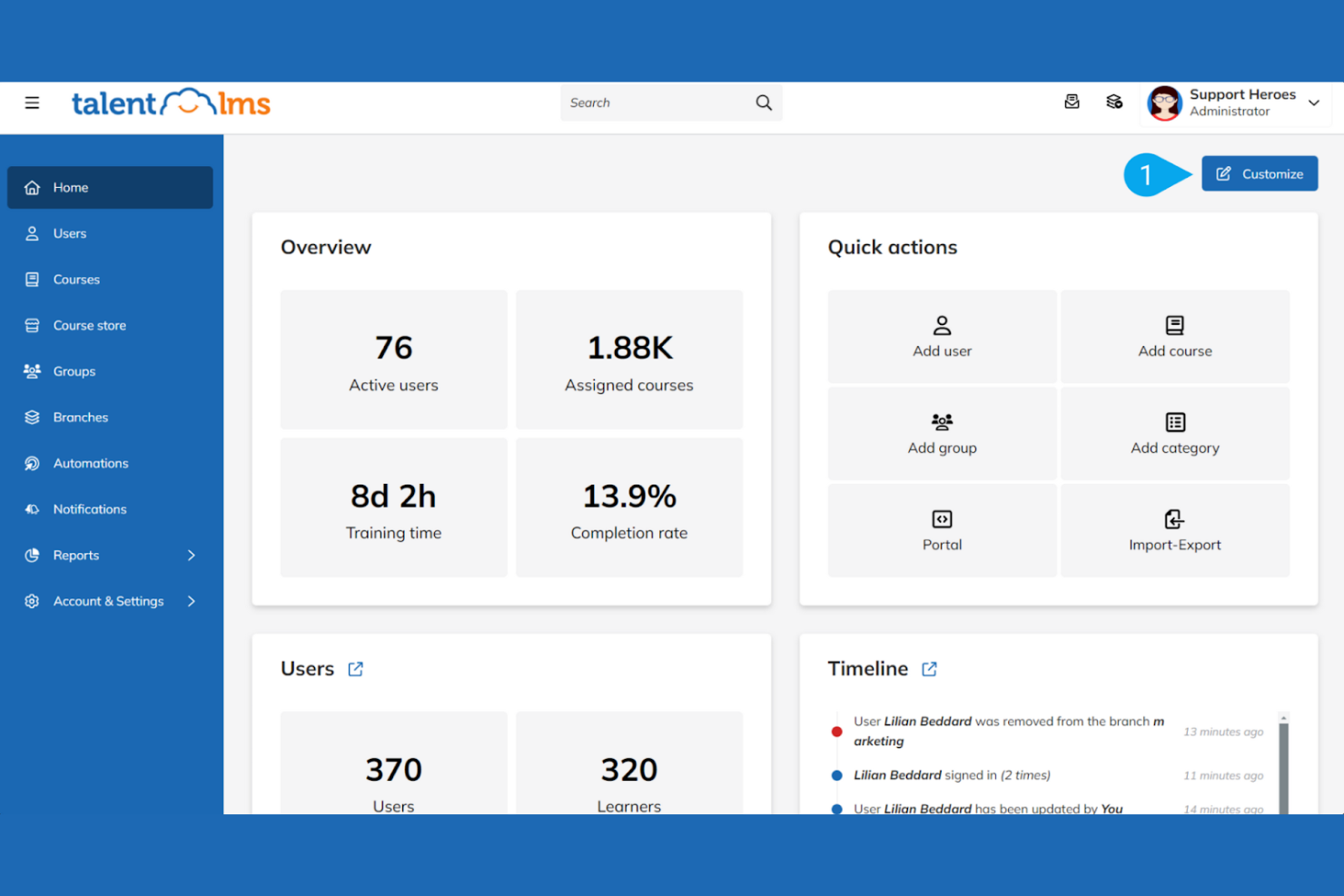
TalentLMS is a cloud-based learning management system designed for small to medium-sized businesses looking to improve their training programs. It offers tools for course creation, learner management, and progress tracking.
Why I picked TalentLMS: It's tailored for small teams and offers an intuitive, easy-to-navigate interface. The platform provides a range of customizable course templates, allowing you to quickly set up training sessions without technical hassle. Its reporting features give you insights into learner progress, helping you adjust training strategies as needed. TalentLMS also supports gamification, making learning more engaging for your team.
Standout Features and Integrations:
Features include a mobile app that lets learners access training on the go, which is perfect for remote teams. You can create assessments and quizzes to evaluate learning outcomes effectively. The platform supports multiple languages, making it ideal for diverse teams.
Integrations include Zoom, PayPal, Stripe, LinkedIn Learning, Shopify, Salesforce, Google Workspace, Microsoft Teams, Zapier, BambooHR, and more.
Pros and Cons
Pros:
- Supports multiple languages
- Engaging gamification features
- Customizable course templates
Cons:
- Limited AI formatting
- Basic reporting
Other Mobile LMS
Here are some additional mobile LMS options that didn’t make it onto my shortlist, but are still worth checking out:
- Gainsight
For customer education
- Bridge
For performance management
- Absorb LMS
For admin automation
- Open LMS
For managed Moodle
- Learnsoft
For healthcare compliance


Mobile LMS Selection Criteria
When selecting the best mobile LMS to include in this list, I considered common buyer needs and pain points, such as accessibility on various devices and ease of content updates. I also used the following framework to keep my evaluation structured and fair:
Core Functionality (25% of total score)
To be considered for inclusion in this list, each solution had to fulfill these common use cases:
- Delivering online courses
- Tracking learner progress
- Providing mobile access
- Supporting multimedia content
- Facilitating assessments and quizzes
Additional Standout Features (25% of total score)
To help further narrow down the competition, I also looked for unique features, such as:
- Gamification elements
- Customizable learning paths
- Social learning capabilities
- AI-driven insights
- Offline learning options
Usability (10% of total score)
To get a sense of the usability of each system, I considered the following:
- Intuitive interface design
- Easy navigation
- Minimal learning curve
- Responsive design across devices
- Clear user instructions
Onboarding (10% of total score)
To evaluate the onboarding experience for each platform, I considered the following:
- Availability of training videos
- Interactive product tours
- Access to templates
- Webinars for new users
- Chatbot support during setup
Customer Support (10% of total score)
To assess each software provider’s customer support services, I considered the following:
- 24/7 support availability
- Multiple support channels
- Response time to inquiries
- Access to a knowledge base
- Personalized support options
Value For Money (10% of total score)
To evaluate the value for money of each platform, I considered the following:
- Pricing compared to features
- Flexibility of pricing plans
- Discounts for long-term commitments
- Cost transparency
- Return on investment metrics
Customer Reviews (10% of total score)
To get a sense of overall customer satisfaction, I considered the following when reading customer reviews:
- Consistency of positive feedback
- Commonly mentioned pain points
- Frequency of updates and improvements
- User testimonials on support quality
- Overall satisfaction ratings
How To Choose a Mobile LMS
It’s easy to get bogged down in long feature lists and complex pricing structures. To help you stay focused as you work through your unique software selection process, here’s a checklist of factors to keep in mind:
| Factor | What To Consider |
|---|---|
| Scalability | Will the LMS grow with your team? Consider future needs and whether the tool can handle increased users and content. |
| Integrations | Does it work with your existing tools? Check compatibility with your current systems for a smooth workflow. |
| Customizability | Can you tailor it to your needs? Look for options to adjust the platform to fit your unique processes. |
| Ease of use | Is it straightforward for everyone? Verify that the interface is user-friendly for both admins and learners. |
| Implementation and onboarding | How quickly can you get started? Evaluate the support and resources available for a smooth transition. |
| Cost | Does it fit your budget? Compare pricing plans, hidden fees, and the value offered for your investment. |
| Security safeguards | Are your data and privacy protected? Verify compliance with industry standards and data protection regulations. |
| Support availability | Can you get help when needed? Verify access to timely and effective support through various channels. |
What Is a Mobile LMS?
A mobile LMS is a platform that delivers educational content and training through mobile devices. HR professionals, corporate trainers, and educators typically use these tools to provide flexible learning solutions. Features such as mobile access, multimedia support, and customizable learning paths help with delivering engaging and accessible training, with push notifications boosting completion. Overall, these tools improve learning by making it more adaptable and convenient for users.
Features
When selecting a mobile LMS, keep an eye out for the following key features:
- Mobile access: Enables learners to access courses anytime, anywhere there is an internet connection, improving flexibility and convenience.
- Multimedia support: Incorporates videos, audio, and interactive elements to create engaging learning experiences.
- Customizable learning paths: Allows tailoring of courses to fit individual learner needs and organizational goals.
- Gamification: Adds a fun, competitive element to learning, boosting engagement and motivation.
- Analytics and reporting: Tracks learner progress and performance, providing insights for improvement.
- Integration capabilities: Connects with existing tools to support smooth workflows and data sharing.
- Security safeguards: Protects data and privacy while maintaining compliance with industry standards.
- Content library: Offers pre-built courses and resources to improve training without starting from scratch.
- Virtual classroom: Facilitates live sessions and real-time collaboration, enriching the learning experience.
Benefits
Implementing a mobile LMS provides several benefits for your team and your business. Here are a few you can look forward to:
- Flexibility: Mobile access allows learners to engage with content at their convenience and at their own pace, fitting training into busy schedules.
- Engagement: Features such as gamification and multimedia support make learning more interactive and enjoyable, boosting participation.
- Personalization: Customizable learning paths tailor training to individual needs, improving relevance and effectiveness.
- Efficiency: Analytics and reporting provide insights into learner progress, helping identify areas for improvement and optimizing processes.
- Integration: Integrations with existing systems simplify workflows and maintain data consistency across platforms.
- Security: Strong safeguards protect sensitive information, maintaining trust and compliance with regulations.
- Collaboration: Virtual classroom features enable real-time interaction and teamwork, enriching the learning experience.
Costs and Pricing
Selecting a mobile LMS requires an understanding of the various pricing models and plans available. Costs vary based on features, team size, add-ons, and more. The table below summarizes common plans, their average prices, and typical features included in mobile LMS solutions:
Plan Comparison Table for Mobile LMS
| Plan Type | Average Price | Common Features |
|---|---|---|
| Free Plan | $0/user/month | Basic course access, limited storage, and community support. |
| Personal Plan | $5-$25/user/month | Customizable courses, basic analytics, and email support. |
| Business Plan | $25-$50/user/month | Advanced reporting, integrations, and priority support. |
| Enterprise Plan | $50-$100+/user/month | Full customization, dedicated account manager, and improved security features. |
Mobile LMS FAQs
Here are some answers to common questions about mobile LMS:
Can a mobile LMS track employee learning progress in real time?
Yes, a mobile LMS lets you track employee progress in real time. You can see course completion rates, quiz scores, and engagement metrics right from your dashboard, which helps you identify learning gaps quickly and follow up with the right training interventions.
Can a mobile LMS integrate with other software?
Yes, most mobile LMS platforms offer integration capabilities with other software. You can connect your LMS with tools such as CRM systems, HR platforms, and communication apps. This integration helps structure workflows and maintain data consistency across different systems. Check the LMS’s compatibility with your existing tools to support a smooth setup.
How secure is a mobile LMS?
Mobile LMS platforms prioritize security, offering features such as data encryption, user authentication, and compliance with industry standards. Look for an LMS that provides sturdy security measures to protect your data and privacy. It’s essential to confirm the platform complies with regulations such as GDPR if your team operates internationally.
Is it difficult to implement a mobile LMS?
Implementing a mobile LMS can vary in complexity depending on the platform and your organization’s needs. Some LMS providers offer onboarding support, including training videos, product tours, and webinars to ease the transition. Evaluate the resources and support available to support a smooth implementation process for your team.
What types of training work best on a mobile LMS?
Short, interactive courses, microlearning modules, onboarding checklists, and compliance training are especially effective on mobile LMS platforms. Employees can complete these bite-sized lessons anywhere—even between meetings—making learning convenient and engaging.
How can I encourage employees to use a mobile LMS regularly?
You can improve adoption by making training relevant, adding gamification elements (such as badges or leaderboards), and setting clear expectations around learning goals. Sending reminders or sharing progress updates also helps keep employees motivated and engaged.
What’s Next:
If you're in the process of researching mobile LMS, connect with a SoftwareSelect advisor for free recommendations.
You fill out a form and have a quick chat where they get into the specifics of your needs. Then you'll get a shortlist of software to review. They'll even support you through the entire buying process, including price negotiations.