

Betterworks vs. WorkBoard: Comparison and Expert Reviews for 2026


Choosing between Betterworks and WorkBoard means weighing two top OKR software platforms—Betterworks stands out for its intuitive goal alignment and performance management, while WorkBoard shines with real-time progress tracking, executive dashboards and workflows. If you’re feeling stuck between these options, you’re not alone. HR teams like yours need a solution that fits your culture, scales with your growth, and actually drives results—not just another tool to manage.
In this article, you’ll get a side-by-side look at Betterworks and WorkBoard, expert insights on where each excels, and practical guidance to help you make a confident, informed decision for your organization.
Betterworks vs. WorkBoard: An Overview
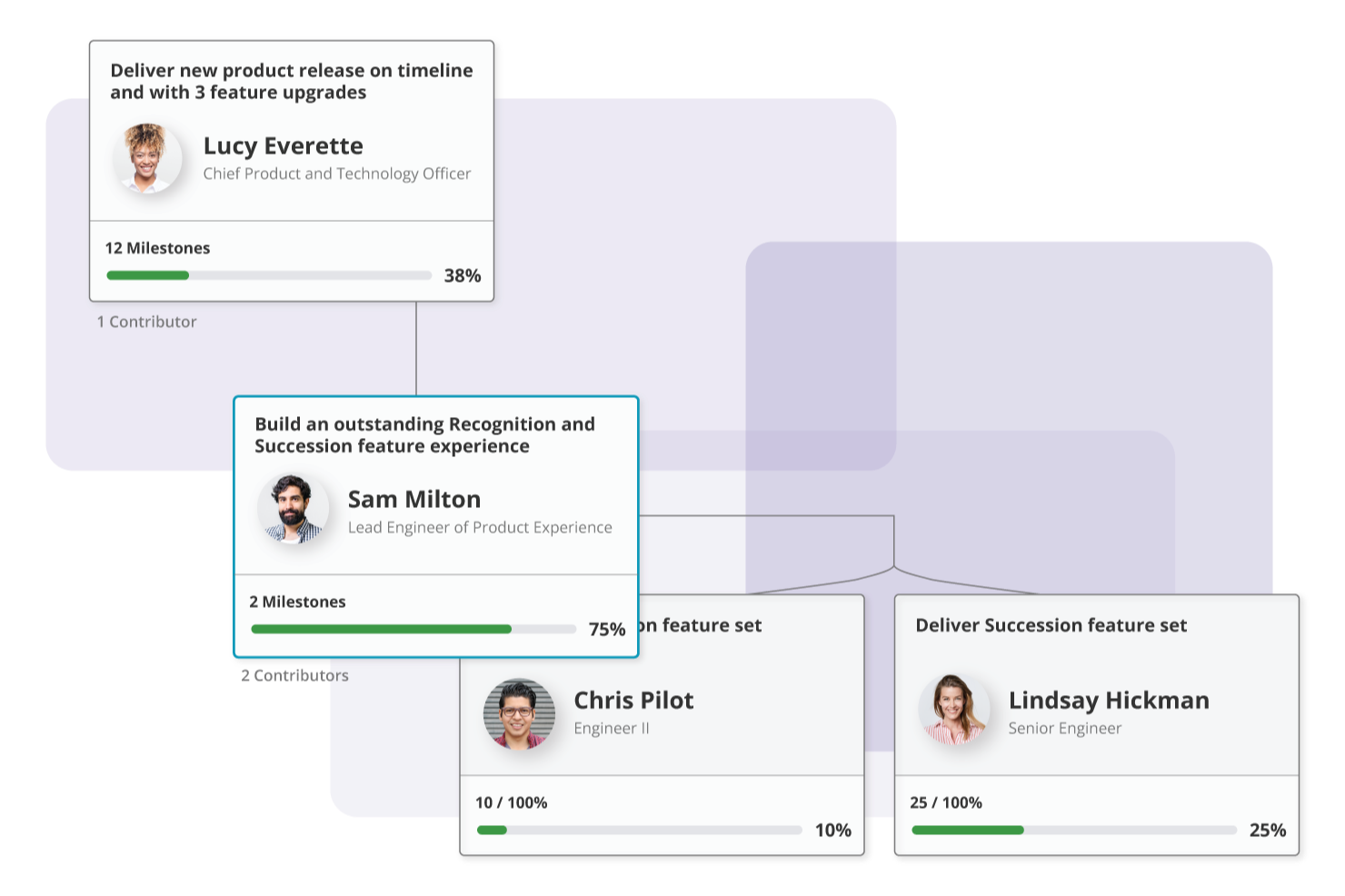
Betterworks
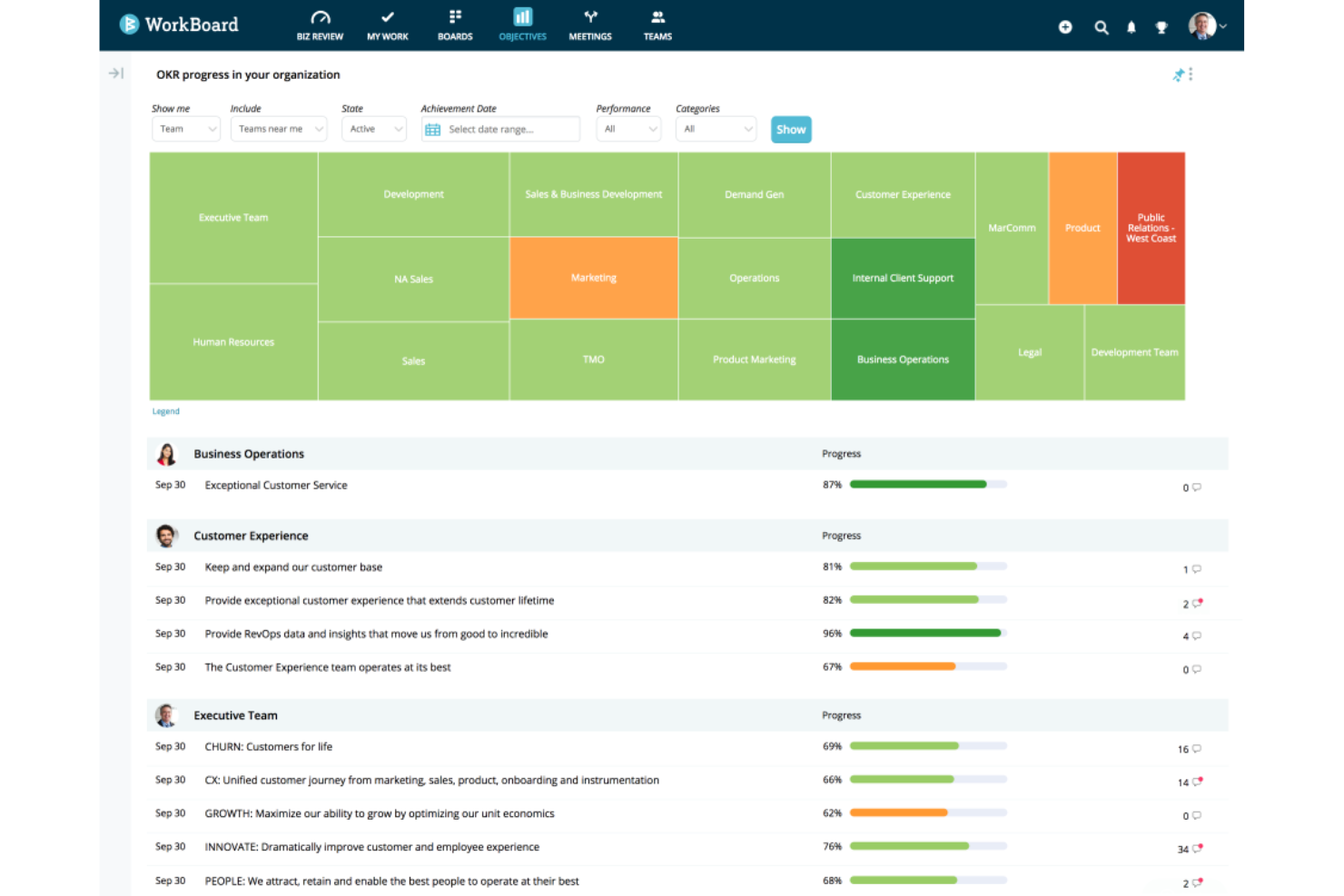
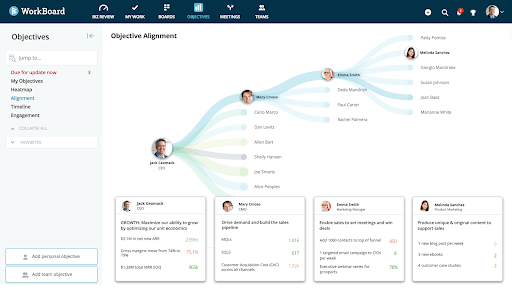
WorkBoard
Why Trust Our Software Reviews
We’ve been testing and reviewing HR software systems since 2019. As HR experts ourselves, we know how critical and difficult it is to make the right decision when selecting software.
We invest in deep research to help our audience make better software purchasing decisions. We’ve tested more than 2,000 tools for different HR management use cases and written over 1,000 comprehensive software reviews. Learn how we stay transparent & our software review methodology.
Betterworks vs. WorkBoard Pricing Comparison
| Betterworks | WorkBoard | |
|---|---|---|
| Free Trial | Free consultation + free demo available | Free demo available |
| Pricing | Pricing upon request | Pricing upon request |
Betterworks vs. WorkBoard Pricing & Hidden Costs
Betterworks uses a custom-quote pricing model based on organization size and needs, with separate plans for mid-market and enterprise customers. You’ll need to contact their sales team for a tailored quote. Their packages typically include core features like goal setting, feedback, analytics, and integrations, but advanced support, change management, or additional modules may come at an extra cost.
WorkBoard also follows a custom pricing approach, requiring you to reach out for a quote. Their pricing can vary depending on the number of users, modules, and level of professional services you need. Both platforms may charge extra for implementation, training, or premium support, so it’s important to clarify what’s included.
It’s helpful to note your must-have features and user count, then request detailed quotes that break down what’s included and what’s considered an add-on—especially in the context of your organization’s specific needs.
Betterworks vs. WorkBoard Feature Comparison
Betterworks and WorkBoard share key features like OKR platform management, real-time progress tracking, and alignment across teams and organizational levels. Both platforms offer dashboards, analytics, integrations, and AI-assisted insights to help organizations monitor and optimize goals, improve accountability, and maintain visibility into performance. They also support continuous updates, collaboration, and enterprise-scale deployment, making them comparable in core functionality.
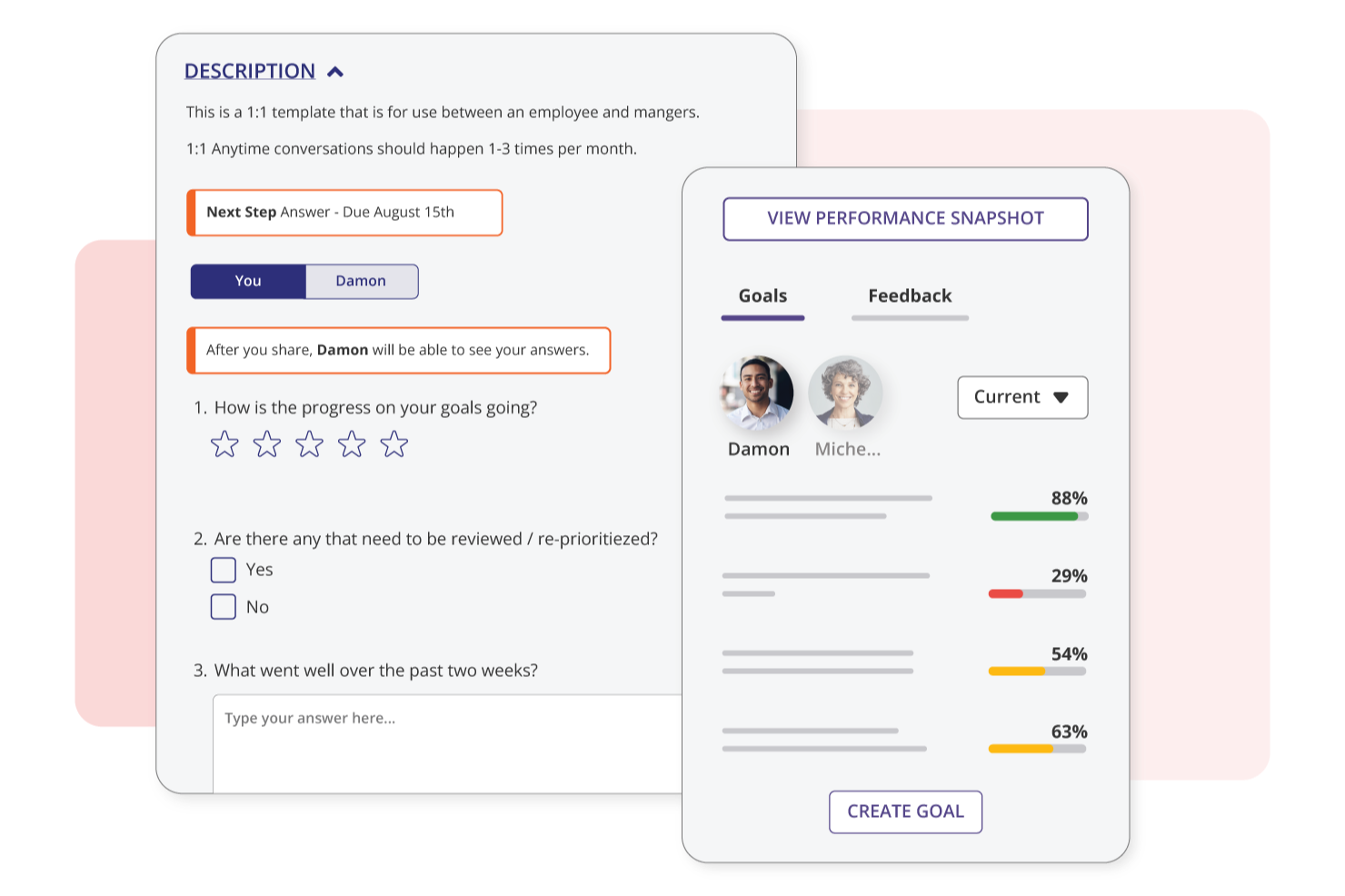
Betterworks stands out for its deep performance management and employee engagement features, including continuous feedback, check-ins, pulse surveys, and AI-assisted performance insights. In contrast, WorkBoard differentiates itself with a stronger focus on strategy execution—offering structured OKR frameworks, executive scorecards, workstreams, and built-in coaching to connect high-level strategic planning directly to execution and outcomes.
| Betterworks | WorkBoard | |
|---|---|---|
| 360 Degree Feedback | ||
| API | ||
| Application Tracking | ||
| Attendance Tracking | ||
| Dashboard | ||
| Data Export | ||
| Data Import | ||
| Data Visualization | ||
| Employee Database | ||
| Employee Engagement | ||
| Employee Incentive Management | ||
| Employee Onboarding | ||
| External Integrations | ||
| Feedback Management | ||
| Multi-User | ||
| Notifications | ||
| Scheduling | ||
| Timesheets | ||
| Vacation & Absence Calendar |
Betterworks vs. WorkBoard Integrations
| Integration | Betterworks | WorkBoard |
| Microsoft Teams | ✅ | ✅ |
| Slack | ✅ | ✅ |
| Jira | ✅ | ✅ |
| Salesforce | ✅ | ✅ |
| Workday | ✅ | ✅ |
| BambooHR | ✅ | ❌ |
| LinkedIn Learning | ✅ | ❌ |
| Power BI | ❌ | ✅ |
| monday.com | ❌ | ✅ |
| HubSpot | ❌ | ✅ |
| Asana | ✅ | ✅ |
| API | ✅ | ✅ |
| Zapier | ❌ | ✅ |
Both Betterworks and WorkBoard cover the most popular integrations like Microsoft Teams, Slack, Jira, Salesforce, and Workday, but WorkBoard stands out with connections to Power BI, monday.com, HubSpot, and Zapier, while Betterworks offers unique links to BambooHR and LinkedIn Learning. Each platform provides an API, so you can build custom connections if you need something more tailored. For most organizations, either tool will meet core integration needs, but if you prefer direct integrations with specific apps like Power BI or monday.com, WorkBoard may be the better fit.
Betterworks vs. WorkBoard Security, Compliance & Reliability
| Factor | Betterworks | WorkBoard |
| Data Encryption | Uses industry-standard encryption for data at rest and in transit. | Encrypts data both at rest and in transit using enterprise-grade protocols. |
| Regulatory Compliance | Complies with GDPR, SOC 2 Type II, and other major standards. | Meets GDPR, SOC 2 Type II, and additional compliance certifications. |
| Access Controls | Offers granular user permissions and SSO integration. | Provides role-based access controls and SSO options. |
| Uptime & Reliability | Guarantees high uptime with real-time status monitoring and SLAs. | Delivers high availability with uptime guarantees and transparent status updates. |
| Data Privacy | Maintains strict privacy policies and regular third-party audits. | Enforces strong privacy practices and undergoes independent security audits. |
Both Betterworks and WorkBoard provide strong, enterprise-grade security and compliance foundations. Betterworks emphasizes detailed access controls, strict privacy policies, and adherence to major regulatory standards, making it well-suited for organizations that prioritize governance and user-level permissions.
WorkBoard similarly delivers robust compliance coverage, along with reliable uptime, transparent system status communication, and enterprise-grade encryption practices. Together, they offer comparable levels of security and reliability, with each platform supporting the needs of organizations that require trusted, scalable performance management solutions.
Betterworks vs. WorkBoard Ease of Use
| Factor | Betterworks | WorkBoard |
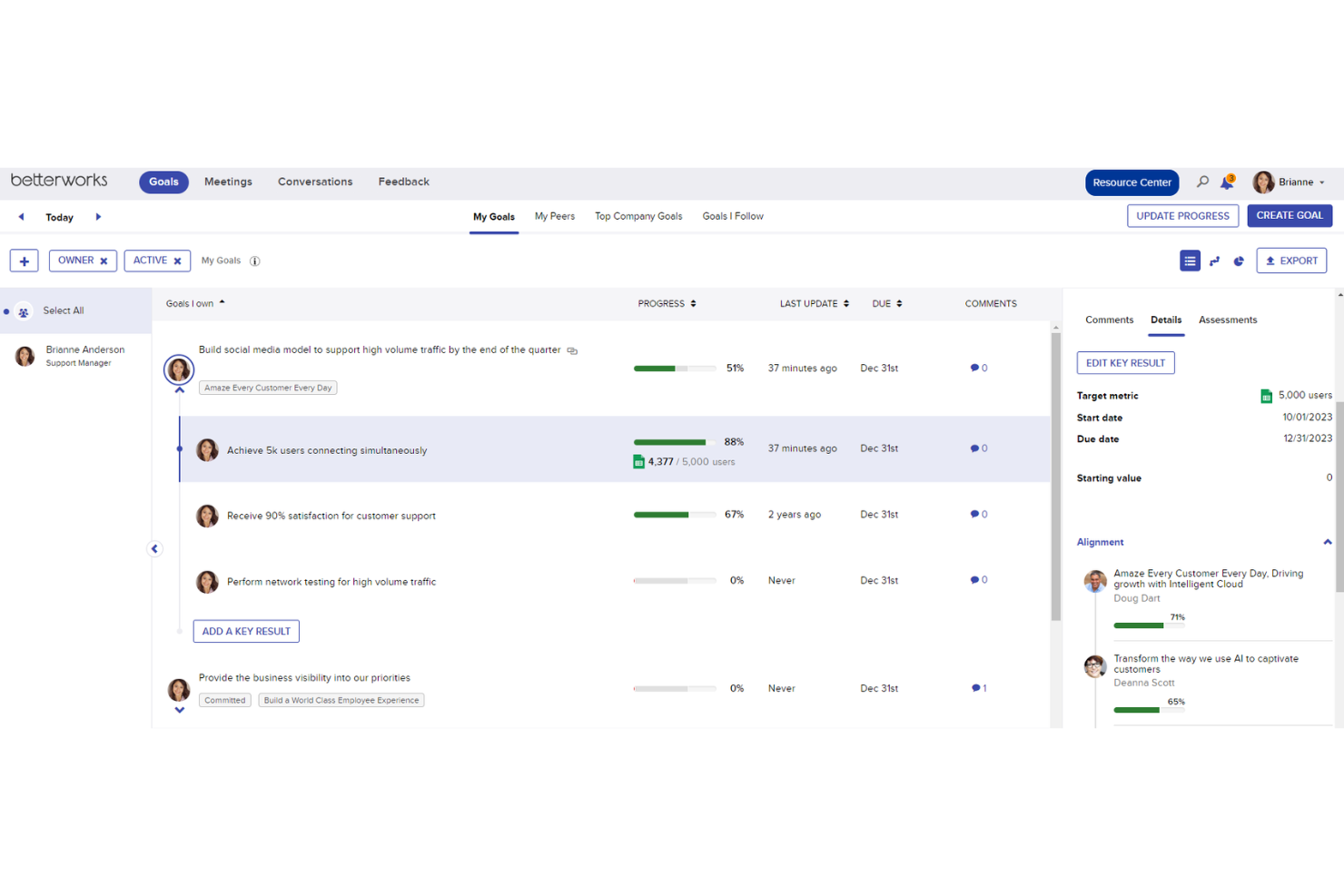
| User Interface | Clean, intuitive layout with clear navigation and visualization for goal tracking. | Modern, dashboard-driven design with customizable views and quick access to key metrics. |
| Onboarding | Guided onboarding with helpful tutorials and in-app tips for new users. | Step-by-step onboarding flows and live support to help teams get started fast. |
| Setup Process | Straightforward setup with templates for common OKR frameworks. | Quick setup with pre-built OKR templates and easy data import options. |
| Ongoing Support | Responsive support team and a comprehensive online help center. | Live chat, detailed documentation, and proactive customer success outreach. |
| Mobile Experience | Mobile app offers full access to goal management and check-ins. | Mobile app provides real-time updates and easy check-in functionality. |
Both Betterworks and WorkBoard are easy to use, but WorkBoard’s dashboard-driven design and proactive support make it especially approachable for new teams. Betterworks shines with its intuitive layout and strong onboarding resources, while WorkBoard stands out for its customizable dashboards and responsive live support.
Betterworks vs WorkBoard: Pros & Cons
Betterworks
- Provides a user-friendly interface that simplifies performance management tasks.
- Offers robust goal-setting and tracking features for clear visibility of progress.
- Aligns team goals with company objectives, enhancing productivity.
- Occasional delays in customer support response can be frustrating.
- The reporting features may not meet the needs of data-heavy teams.
- Some users find the customization options limited compared to other tools.
WorkBoard
- The OKR heatmaps make it easier to spot risks early.
- Reporting tools are robust and make tracking progress straightforward.
- The progress dashboards give your team a clear view of goal alignment.
- Some users find the onboarding process challenging at first.
- It has limited customization for niche use-cases.
- New users might face a learning curve due to its wide array of features.
Best Use Cases for Betterworks and WorkBoard
Betterworks
- Tech Companies Betterworks's goal-setting features help align your agile teams with company objectives.
- Finance Departments Its robust tracking tools ensure your financial goals are monitored effectively.
- Large Enterprises The software scales well, making it ideal for managing performance across large teams.
- HR Departments You’ll love its simplicity in tracking and evaluating employee performance.
- Sales Teams The clear progress visibility helps you hit your sales targets consistently.
- Project Management Betterworks helps keep your projects aligned with strategic business goals.
WorkBoard
- Tech Startups WorkBoard helps your startup align fast with business objectives and track progress efficiently.
- Agile Teams It supports your agile workflow with real-time updates and easy goal adjustments.
- SaaS Companies The software's reporting tools are ideal for your dynamic and fast-paced environment.
- Finance Teams WorkBoard's strategic planning features enhance your goal alignment with financial targets.
- Project Managers Its robust tools allow you to track project milestones and team performance effortlessly.
- HR Departments It aids in aligning your HR goals with company-wide objectives, boosting team accountability.
Who Should Use Betterworks, and Who Should Use WorkBoard?
Betterworks is a strong fit for HR and People Ops teams that want to combine OKRs with structured performance management. It’s particularly well-suited for organizations focused on employee engagement, continuous feedback, and talent development, with built-in tools like check-ins, reviews, and pulse surveys supporting workforce alignment and accountability.
WorkBoard is designed for executive, strategy, and operations teams that need to translate company strategy into measurable execution. It’s especially effective for organizations managing complex, cross-functional initiatives, offering structured OKR frameworks, real-time dashboards, and tools that connect strategic priorities directly to outcomes and progress tracking.
Differences Between Betterworks and WorkBoard
| Betterworks | WorkBoard | |
|---|---|---|
| Coaching & Enablement | Built-in feedback and conversation tools, including engagement surveys. | Dedicated OKR coaching programs and certifications for employee development. |
| Core Focus | Performance management + OKRs (HR-led). | Strategy execution + OKRs (business/exec-led). |
| Performance Management | Strong performance management automation (check-ins, performance reviews, calibration, feedback cycles). | Lighter, focused on execution and alignment. |
| Strategy Execution | Limited compared to WorkBoard. | Strategy is the core strength (it links strategy, execution, and results). |
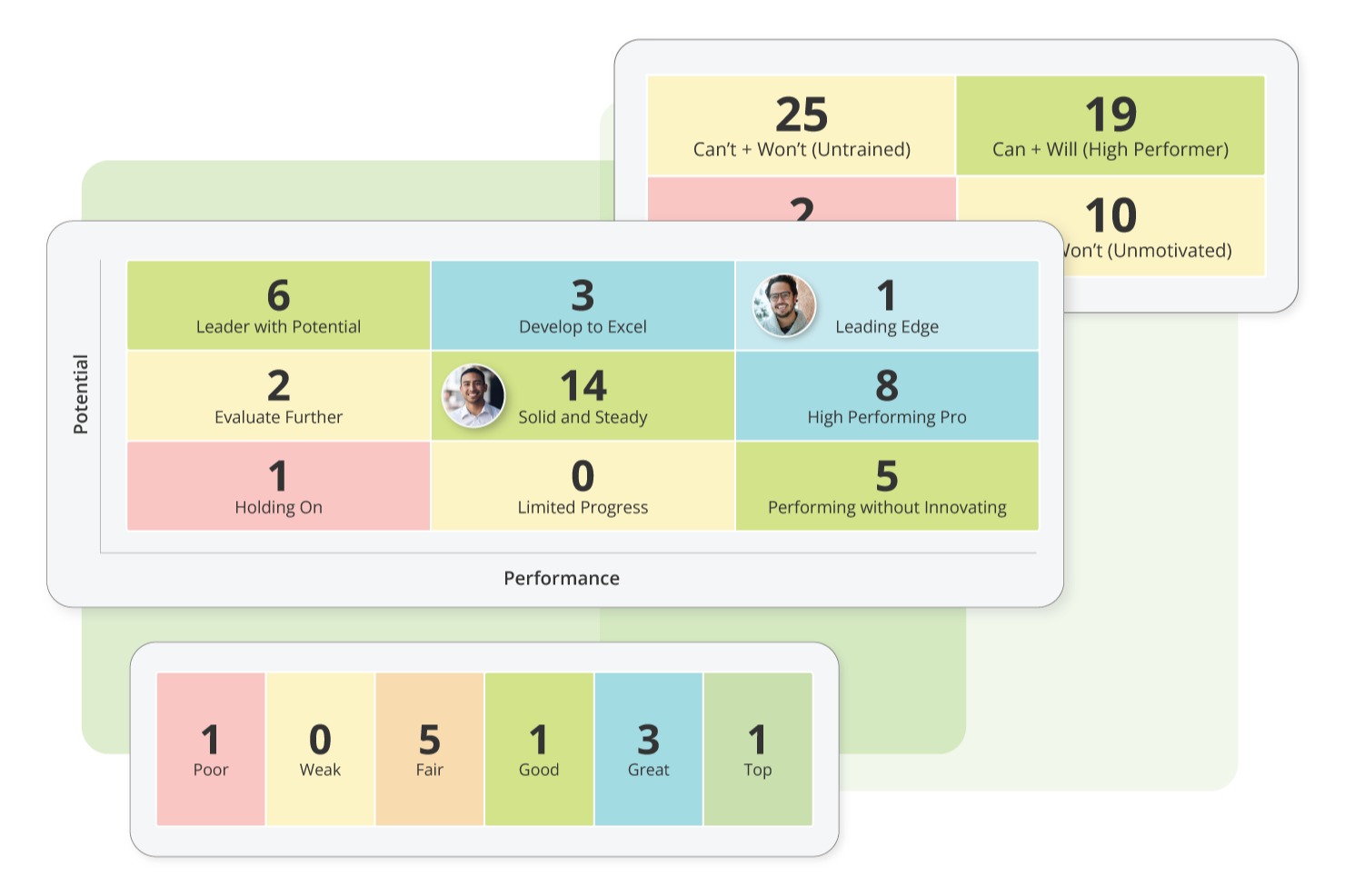
| Analytics | AI-assisted feedback, performance insights, engagement analytics. | Advanced scorecards, heatmaps, and executive dashboards. |
| Read Betterworks ReviewOpens new window | Read WorkBoard ReviewOpens new window |
Similarities Between Betterworks and WorkBoard
| Enterprise Focus | Both platforms are designed primarily for mid-market and enterprise organizations. |
|---|---|
| Integrations | Each platform integrates with common workplace tools like Slack, Microsoft Teams, and Jira. |
| Mobile Access | Betterworks and WorkBoard offer mobile apps (iOS and Android) that let users manage goals and check in from anywhere. |
| OKR Tracking | Both platforms support popular OKR frameworks and offer templates to help teams set and track objectives and promote employee performance. |
| Security Standards | Both meet high security standards, including data encryption and compliance with GDPR and SOC 2 Type II. |
| Read Betterworks ReviewOpens new window Read WorkBoard ReviewOpens new window | |