


FreshBooks vs. QuickBooks Payroll: Comparison and Expert Reviews for 2026


Struggling to find payroll software that actually makes payday painless and keeps compliance worries at bay? FreshBooks and QuickBooks Payroll both promise to simplify your payroll process, but each brings a unique approach to the table. FreshBooks stands out for its user-friendly design and seamless integration with invoicing, making it a favorite for small teams and freelancers. QuickBooks Payroll, on the other hand, is known for its robust automation, tax filing support, and scalability for growing businesses.
In this comparison, you’ll get a clear look at how these payroll software options stack up—so you can confidently choose the right fit for your team and your bottom line.
FreshBooks vs. QuickBooks Payroll: An Overview
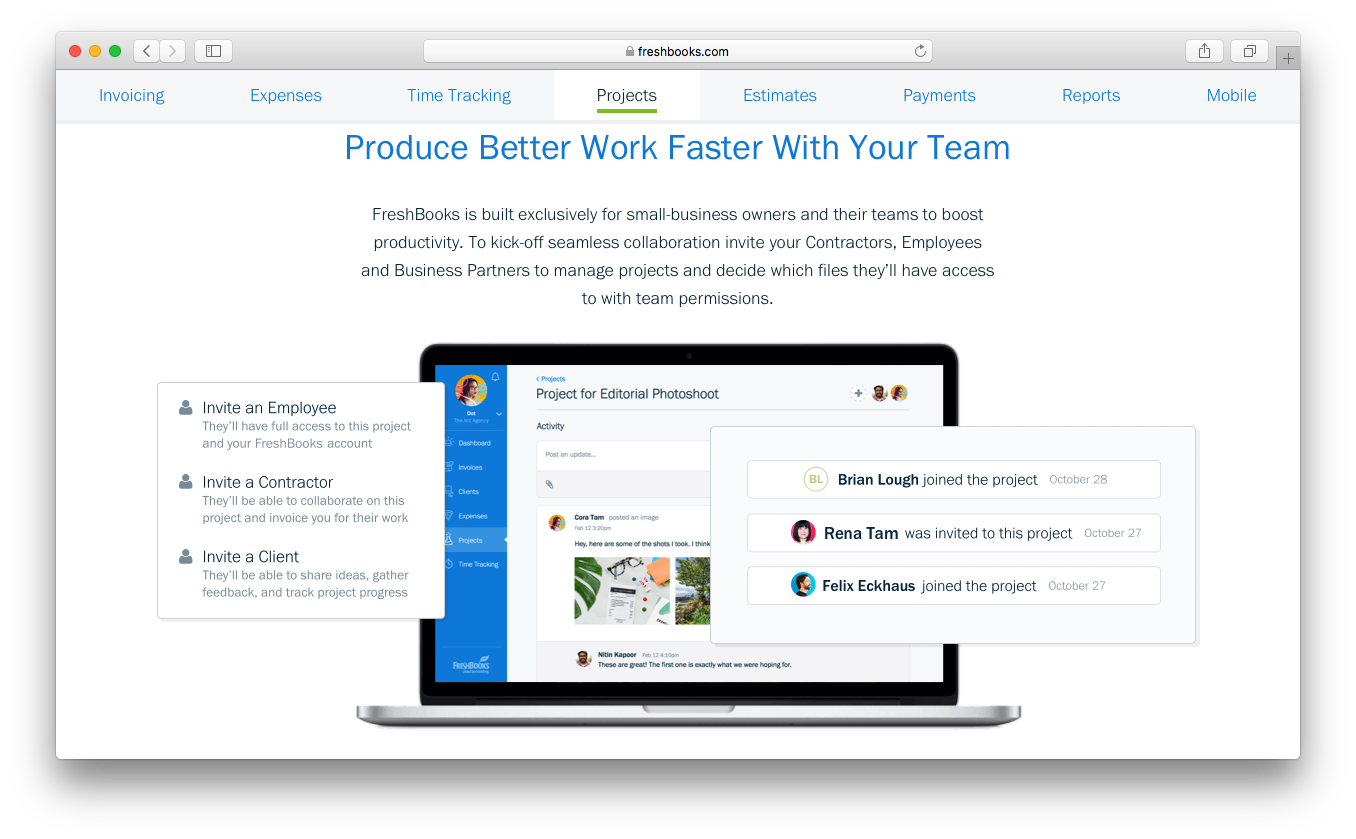
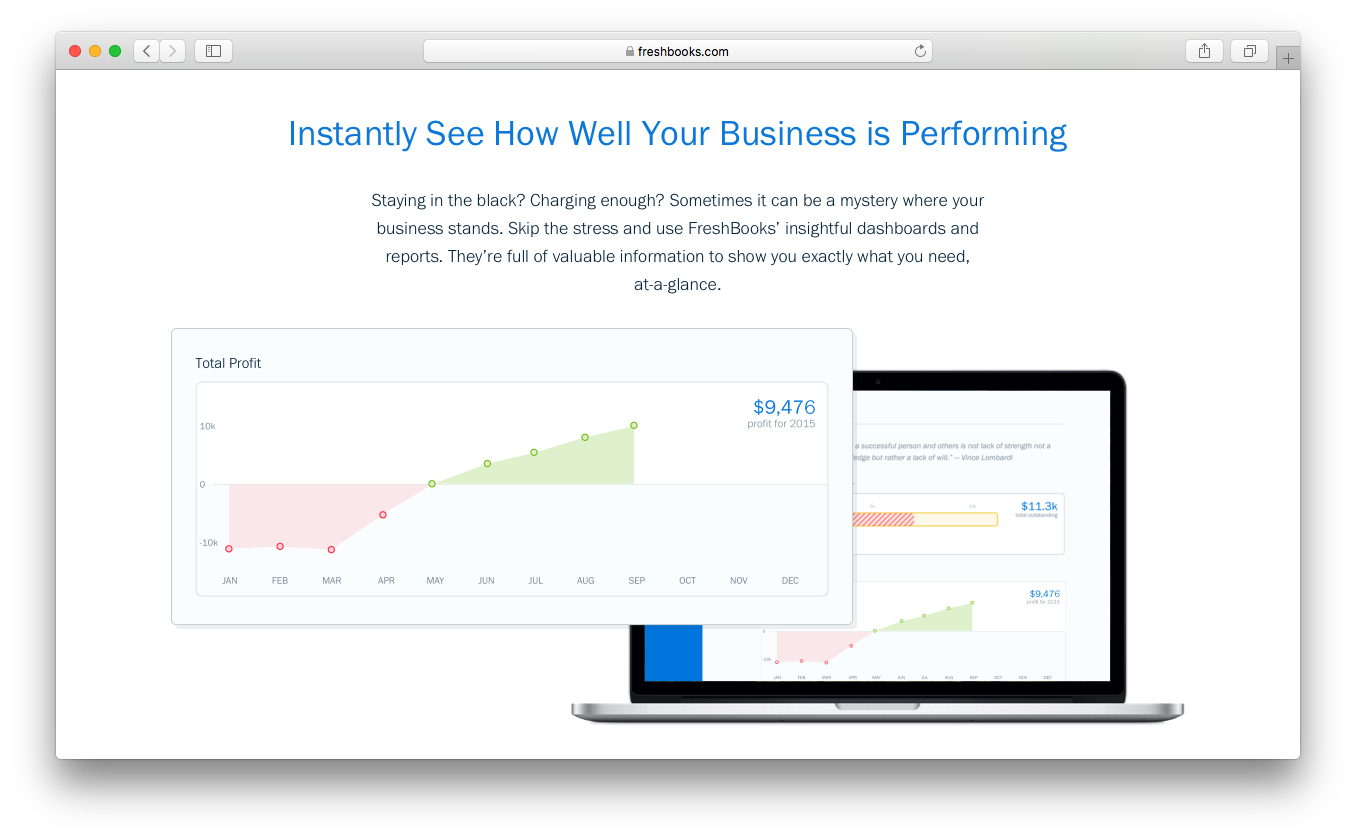
FreshBooks

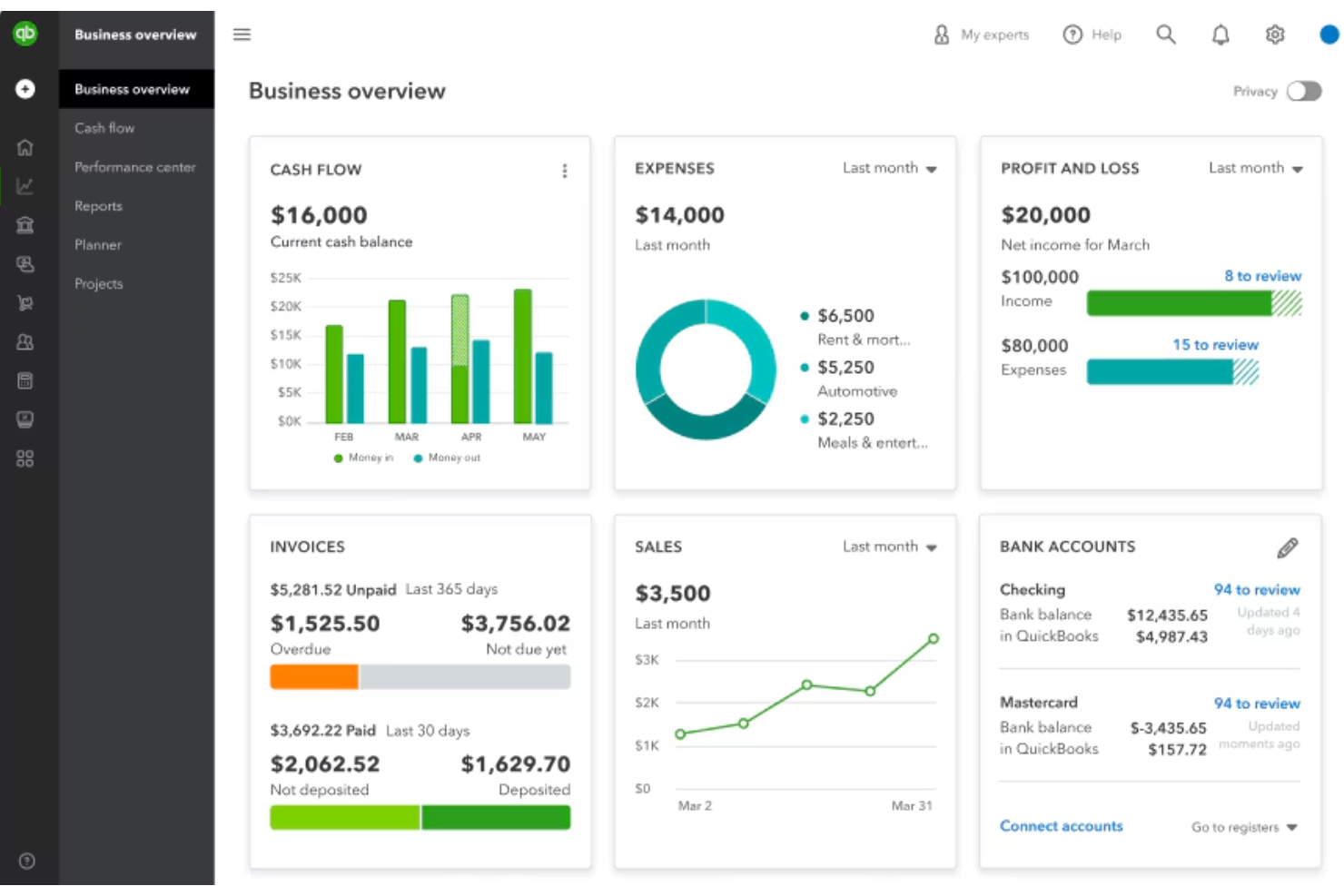
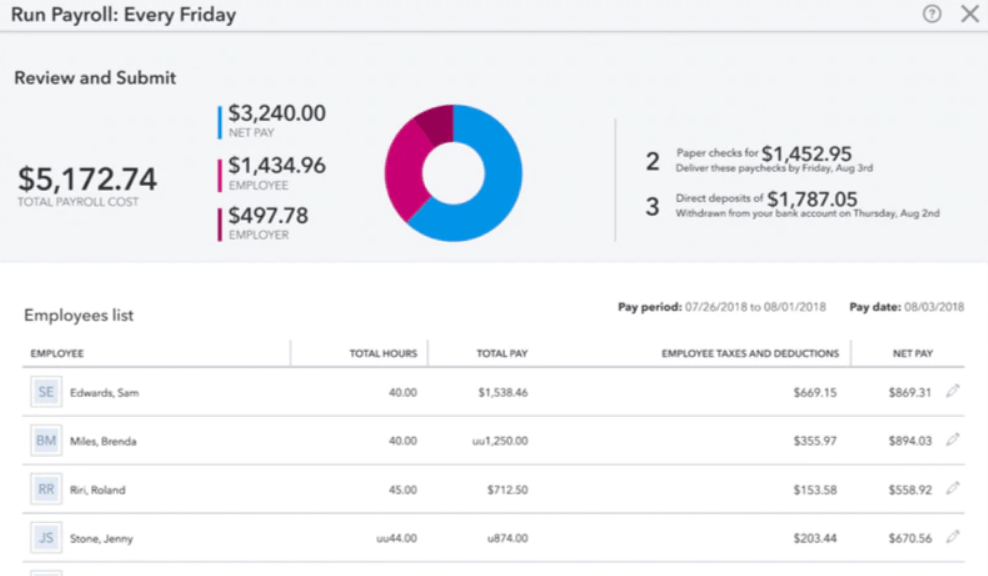
QuickBooks Payroll
Why Trust Our Software Reviews
We’ve been testing and reviewing HR software systems since 2019. As HR experts ourselves, we know how critical and difficult it is to make the right decision when selecting software.
We invest in deep research to help our audience make better software purchasing decisions. We’ve tested more than 2,000 tools for different HR management use cases and written over 1,000 comprehensive software reviews. Learn how we stay transparent & our software review methodology.
FreshBooks vs. QuickBooks Payroll Pricing Comparison
| FreshBooks | QuickBooks Payroll | |
|---|---|---|
| Free Trial | 30-day free trial available | 30-day free trial |
| Pricing | From $23/month | From $44/month |
FreshBooks vs. QuickBooks Payroll Pricing & Hidden Costs
FreshBooks offers payroll as an add-on to its core accounting software, so you’ll pay a base fee for accounting and an extra charge per employee for payroll services. QuickBooks Payroll uses a tiered subscription model, with different plans based on the level of automation, HR features, and support you need. Both platforms may charge extra for services like year-end tax filings, direct deposit, or multi-state payroll, so it’s important to watch for these potential add-ons.
To choose the right pricing model, start by mapping out your current and future payroll needs—think about how many employees you have, how often you run payroll, and whether you need advanced HR or compliance features. Ask each vendor for a detailed breakdown of all possible fees, including those for scaling up, adding features, or accessing support. This way, you can compare the true cost of ownership and avoid surprises as your business grows.
FreshBooks vs. QuickBooks Payroll Feature Comparison
FreshBooks and QuickBooks Payroll overlap in several core areas, particularly around essential accounting and payroll-adjacent workflows. Both platforms support invoicing, expense tracking, real-time financial reporting, and integrations that help businesses manage cash flow and pay employees or contractors more efficiently. They’re also cloud-based systems designed to centralize financial data, making it easier for small businesses to automate routine bookkeeping and payment processes.
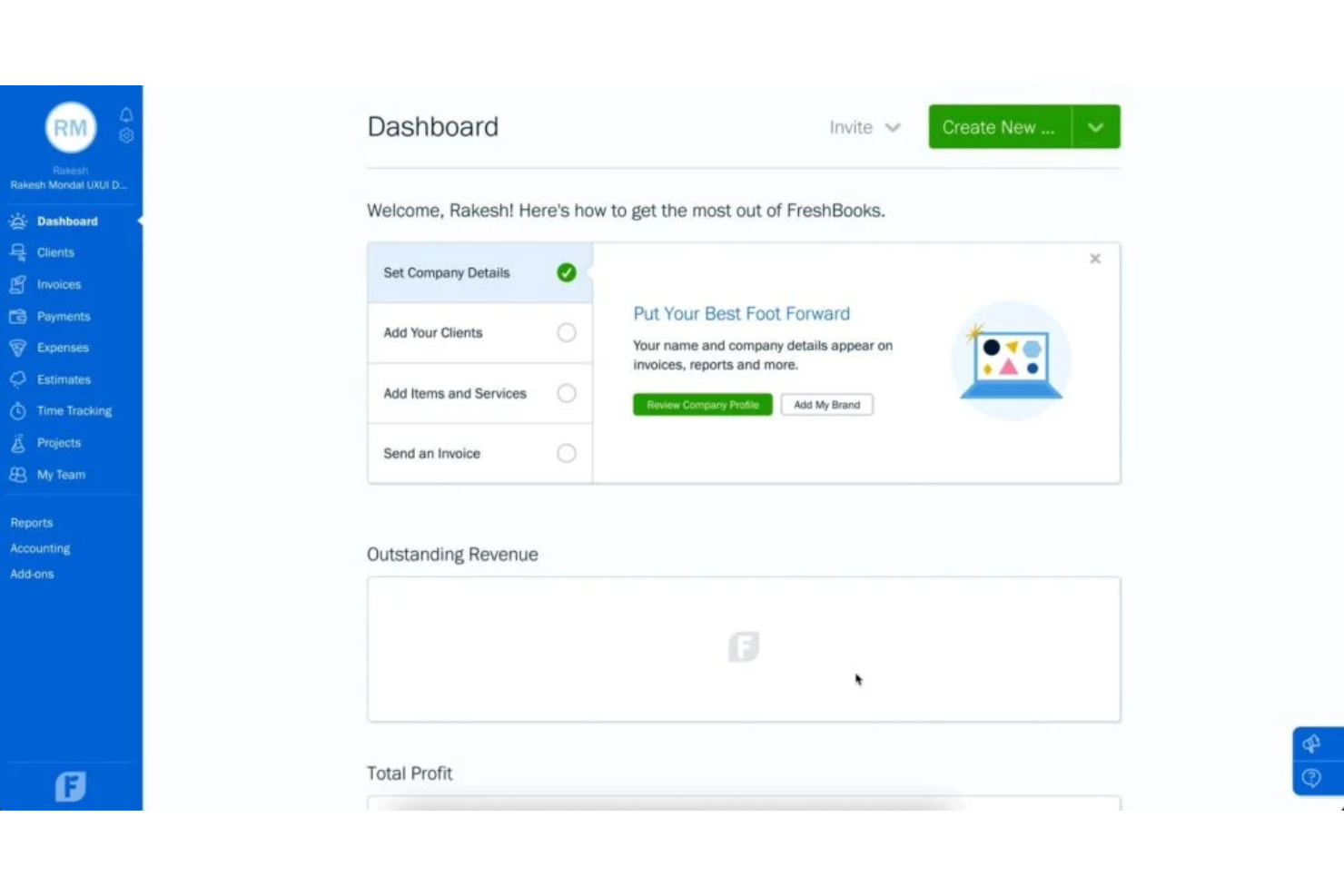
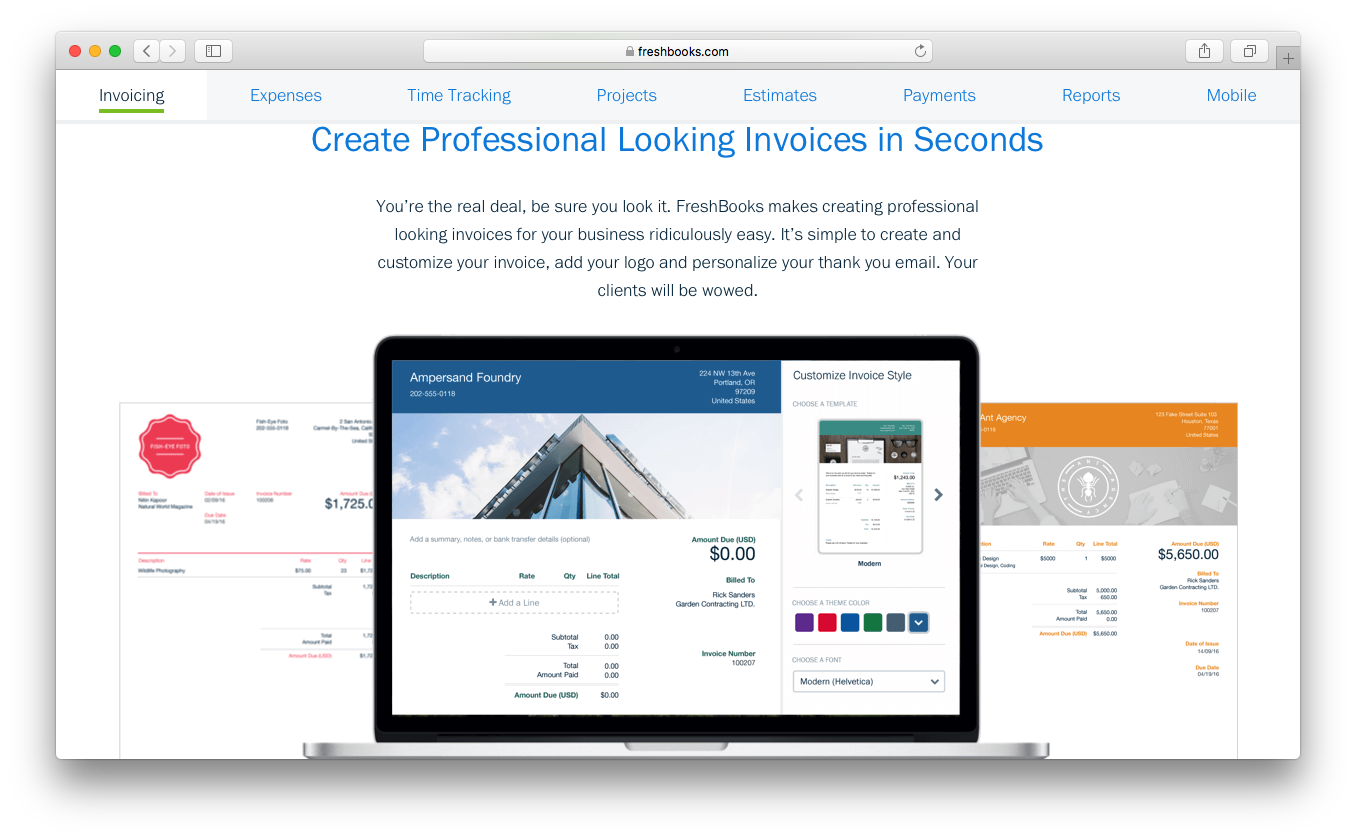
Where they diverge is in specialization and depth. FreshBooks stands out for its intuitive interface, built-in time tracking, and client-focused features like polished invoicing and project-based billing. QuickBooks Payroll, by contrast, is part of a more robust ecosystem with advanced payroll capabilities, tax handling, inventory tracking, and highly detailed reporting.
| FreshBooks | QuickBooks Payroll | |
|---|---|---|
| 2-Factor Authentication | ||
| API | ||
| Dashboard | ||
| Data Export | ||
| Data Import | ||
| Data Visualization | ||
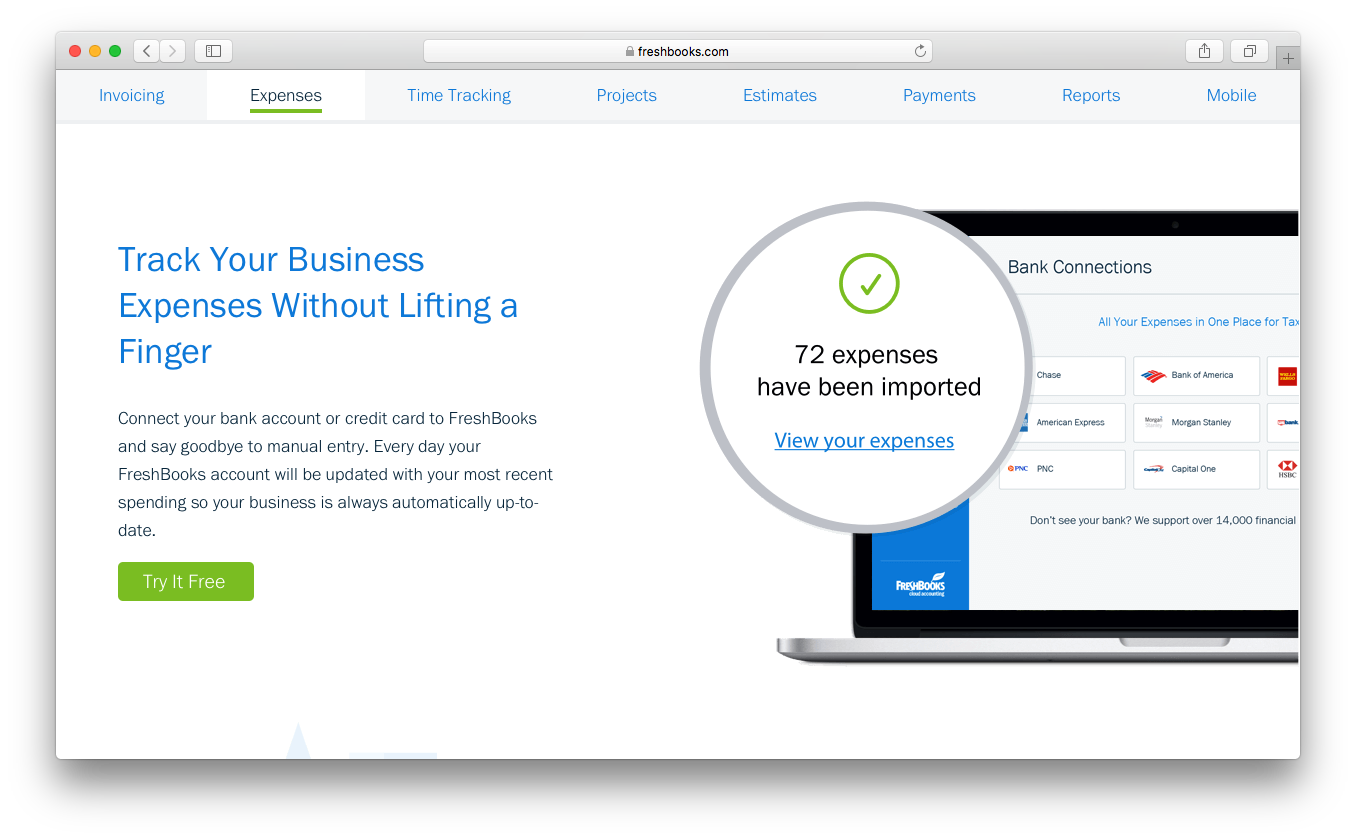
| Expense Tracking | ||
| External Integrations | ||
| Multi-User | ||
| Notifications | ||
| Payroll |
FreshBooks vs. QuickBooks Payroll Integrations
| Integration | FreshBooks | QuickBooks Payroll |
| Gusto | ✅ | ❌ |
| Xero | ❌ | ❌ |
| Shopify | ✅ | ✅ |
| Stripe | ✅ | ✅ |
| ADP | ❌ | ❌ |
| TSheets (QuickBooks Time) | ❌ | ✅ |
| HubSpot | ✅ | ❌ |
| PayPal | ✅ | ✅ |
| API | ✅ | ✅ |
| Zapier | ✅ | ✅ |
FreshBooks and QuickBooks Payroll both support key payment and ecommerce integrations like Stripe, Shopify, and PayPal, and both offer API and Zapier access for broader connectivity. However, QuickBooks Payroll benefits from a much larger integration ecosystem (800+ apps) and tighter native connections within Intuit’s own tools like QuickBooks Online, QuickBooks Desktop, and QuickBooks Time.
FreshBooks, on the other hand, leans more heavily on third-party integration platforms (like Zapier) and middleware tools to extend functionality, making it flexible but less deeply integrated natively.
FreshBooks vs. QuickBooks Payroll Security, Compliance & Reliability
| Factor | FreshBooks | QuickBooks Payroll |
| Data Encryption | Uses 256-bit SSL encryption to protect sensitive payroll and employee data. | Uses 256-bit TLS encryption with advanced security monitoring. |
| Regulatory Compliance | Maintains security and compliance standards including SOC 2 Type II certification, along with adherence to GDPR and PIPEDA for data protection. | Maintains certifications and compliance standards such as SOC 1, SOC 2, ISO 27001, and PCI DSS through its parent company, Intuit. |
| Access Controls | Offers basic user permissions for accounting tools and billing access. | Provides role-based access and audit trails for payroll activities. |
| Uptime & Reliability | High availability with secure cloud infrastructure and backups. | High availability with redundant systems and continuous monitoring. |
| Data Privacy | Complies with GDPR and PIPEDA; designed for global small businesses. | SOC 2 Type II compliant (Intuit platform) with strong internal controls. |
QuickBooks Payroll stands out with a broader set of formal certifications, including SOC 1, SOC 2, ISO 27001, and PCI DSS through Intuit, along with deeper built-in compliance features like automated tax filings and audit trails. FreshBooks, while also SOC 2 Type II certified and aligned with GDPR and PIPEDA, focuses more on secure accounting practices rather than full payroll compliance infrastructure.
FreshBooks vs. QuickBooks Payroll Ease of Use
| Factor | FreshBooks | QuickBooks Payroll |
| User Interface | Features a clean, intuitive dashboard designed for non-accountants. | QuickBooks offers a familiar, business-focused interface with customizable widgets. |
| Onboarding | Provides step-by-step setup guides and helpful tooltips for new users. | Includes guided setup, in-app checklists, and live onboarding support. |
| Payroll Setup | Streamlines employee entry and payroll runs with simple forms. | Automates payroll setup with data import and pre-filled templates. |
| Customer Support | Delivers responsive chat and email support with a helpful knowledge base. | Offers phone and chat support, plus a large online community. |
| Mobile Access | Lets you run payroll and manage employees from a user-friendly mobile app. | Supports payroll approvals and employee access through a robust mobile app. |
FreshBooks has a clean interface and straightforward workflows that make it a simple start for non-accountants. Its lightweight payroll-related processes and intuitive mobile experience are especially appealing to freelancers and small teams who value speed and ease over depth.
QuickBooks Payroll, on the other hand, offers a more structured and feature-rich experience, with guided onboarding, automation tools, and stronger support options like phone assistance and a large user community. While it may come with a slightly bigger learning curve, it ultimately provides a smoother experience for businesses managing larger teams or more advanced payroll requirements.
FreshBooks vs QuickBooks Payroll: Pros & Cons
FreshBooks
- FreshBooks provides reliable features for invoicing and expense tracking, saving you time.
- Its user-friendly interface makes it easy for anyone to manage accounting tasks.
- FreshBooks offers excellent customer support with quick and helpful responses.
- Reporting features may not be as robust as some competitors for detailed analytics.
- The system can be limited in customization for specific business needs.
- FreshBooks might lack some advanced features required by larger enterprises.
QuickBooks Payroll
- You get automatic pay reminders so you don’t miss deadlines.
- It calculates and files your payroll taxes for you.
- You can run payroll in just a few clicks.
- You might wait a while to get help from support.
- It struggles with handling complex pay structures.
- You can't easily customize reports to fit your needs.
Best Use Cases for FreshBooks and QuickBooks Payroll
FreshBooks
- Freelancers FreshBooks makes it easy for you to track expenses and send invoices, keeping your financials in order.
- Creative Agencies With its simple interface, FreshBooks lets your team manage accounting without pulling focus from creative projects.
- Consulting Firms FreshBooks's invoicing and expense tracking are ideal for consultants who need to bill clients accurately.
- Small Business Owners Its features help you manage payroll and accounting tasks efficiently, freeing up time for growth.
- Startups FreshBooks provides essential tools for managing finances without the complexity, perfect for your new business.
- Remote Teams The software allows your team to handle accounting tasks from anywhere, ensuring flexibility and ease.
QuickBooks Payroll
- Small Businesses It handles pay, taxes, and filings without needing a dedicated payroll team.
- Remote Teams It offers direct deposit and online access so everyone gets paid on time.
- Accountants It syncs with QuickBooks, helping you keep payroll and books in one place.
- Retail Stores It supports hourly workers, time tracking, and quick tax filing.
- Freelancer Clients It works well for contractors, handling 1099 filings with ease.
- Growing Teams It’s simple to scale payroll as you add more employees over time.
Who Should Use FreshBooks, and Who Should Use QuickBooks Payroll?
FreshBooks is best suited for freelancers, solopreneurs, self-employed workers, startups, and small service-based businesses that prioritize simplicity, invoicing, and ease of use over advanced payroll functionality. It’s ideal for users who need lightweight financial management and are comfortable relying on integrations for payroll rather than handling it natively. If your focus is client work, time tracking, and clean billing workflows, FreshBooks is a strong fit.
QuickBooks Payroll is better for small business owners and mid-sized teams that need built-in payroll with automated tax filings, compliance support, advanced features, and scalability. It’s especially useful for teams with employees, more complex payroll needs, or plans to grow, thanks to its deeper feature set and integration with the broader QuickBooks ecosystem. Businesses that want an all-in-one accounting and payroll solution will benefit most from QuickBooks Payroll.
Differences Between FreshBooks and QuickBooks Payroll
| FreshBooks | QuickBooks Payroll | |
|---|---|---|
| Automation Features | Limited native payroll automation; depends on integrations. | Advanced automation including auto-payroll, tax calculations, tax deductions, and filings. |
| HR Tools | Minimal HR features; primarily focused on customized invoices and business accounting features. | Includes HR features like employee self-service, onboarding, and compliance support. |
| Pricing Model | Payroll is handled via third-party integrations (e.g., Gusto) with separate pricing. | Uses tiered subscription plans based on features, automation, and number of employees. |
| Scalability | Limited scalability for growing teams. | Scales well with growing employee counts and complexity. |
| Tax Filing | No native payroll tax filing; handled through integrated payroll providers. | Automates federal, state, and local payroll tax filings in the U.S. |
| Read FreshBooks ReviewOpens new window | Read QuickBooks Payroll ReviewOpens new window |
Similarities Between FreshBooks and QuickBooks Payroll
| Accounting Tools | FreshBooks includes built-in accounting features like accounts receivable, balance sheets, bank reconciliation, and double-entry accounting. QuickBooks also offers similar functionality, except it relies on QuickBooks Online for full accounting tools. |
|---|---|
| Cloud-Based Access | Both are cloud-based platforms accessible from any browser without installation. |
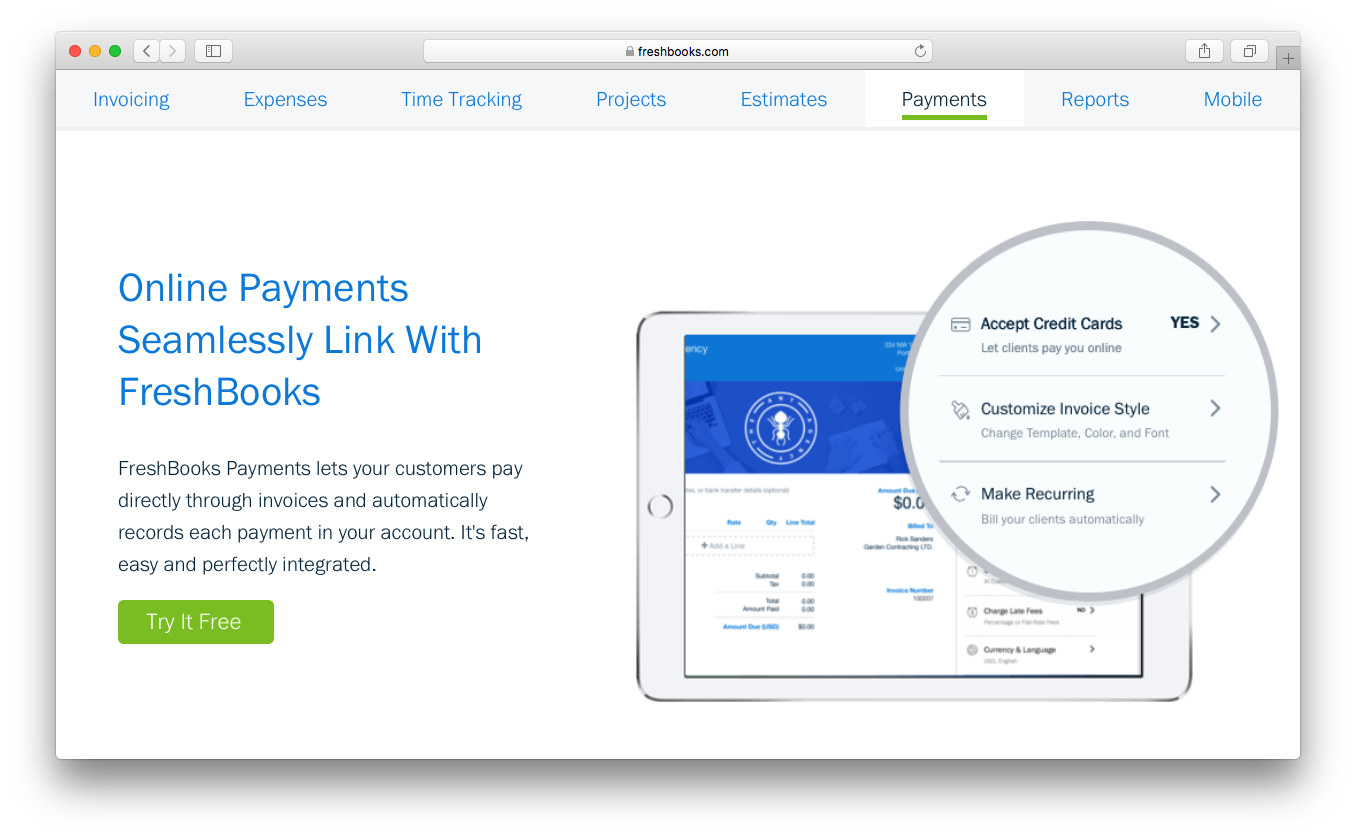
| Direct Deposit | Both support direct deposit to a bank account—FreshBooks via payroll integrations, QuickBooks Payroll natively. |
| Employee Management | Each platform allows you to add, edit, and track employee details and pay history in one place. |
| Read FreshBooks ReviewOpens new window Read QuickBooks Payroll ReviewOpens new window | |
| Expense Tracking | For both platforms, reporting capabilities extend tracking expenses alongside payroll/accounting data. |
| Mobile Access | Each provides a mobile app (Android and iOS) that lets you run payroll and manage team members on the go. |
| Read FreshBooks ReviewOpens new window Read QuickBooks Payroll ReviewOpens new window | |