


Patriot Software vs. QuickBooks: Comparison and Expert Reviews for 2026


Patriot Software gives you straightforward, budget-friendly payroll tools, while QuickBooks offers a feature-rich online payroll software suite that integrates tightly with accounting—so choosing between them means weighing simplicity against advanced capabilities. If you’re comparing online payroll software, this article breaks down how each platform stacks up on pricing, features, ease of use, and support, so you can confidently pick the right fit for your team and business goals.
Patriot Software vs. QuickBooks Payroll: An Overview
Patriot Software


QuickBooks Payroll
Why Trust Our Software Reviews
Patriot Software vs. QuickBooks Payroll Pricing Comparison
| Patriot Software | QuickBooks Payroll | |
|---|---|---|
| Free Trial | 30-day free trial + free demo available | 30-day free trial |
| Pricing | From $17/month + $4/worker paid | From $30/user/month |
Patriot Software vs. QuickBooks Pricing & Hidden Costs
Patriot Software uses a transparent, tiered pricing model with a base fee plus a per-employee charge, and it keeps add-on costs clear for features like time tracking or HR tools. QuickBooks payroll pricing is also tiered, but it often bundles payroll with accounting features and may include extra charges for tax filings, direct deposit, or customer support upgrades. Both platforms can introduce additional costs if you need advanced HR features or integrations, so it’s important to review what’s included at each tier.
To choose the right vendor, start by mapping out your current and future payroll needs—like employee count, pay schedules, and compliance requirements. Compare what’s included in each plan, and look for any fees tied to growth, such as adding new employees or accessing premium support. Ask for a detailed breakdown of all potential charges, and consider how each platform’s pricing structure will scale as your business changes.
Patriot Software vs. QuickBooks Payroll Feature Comparison
| Patriot Software | QuickBooks Payroll | |
|---|---|---|
| 2-Factor Authentication | ||
| API | ||
| Dashboard | ||
| Data Export | ||
| Data Import | ||
| Data Visualization | ||
| Expense Tracking | ||
| External Integrations | ||
| Multi-User | ||
| Notifications | ||
| Payroll |
Patriot Software vs. QuickBooks Integrations
| Integration | Patriot Software | QuickBooks |
|---|---|---|
| QuickBooks Online | ✅ | ✅ |
| Xero | ✅ | ❌ |
| Gusto | ❌ | ✅ |
| TSheets (QuickBooks Time) | ❌ | ✅ |
| FreshBooks | ✅ | ✅ |
| ADP | ❌ | ✅ |
| BambooHR | ✅ | ✅ |
| Deputy | ✅ | ✅ |
| API | ✅ | ✅ |
| Zapier | ✅ | ✅ |
Patriot Software’s integration with Xero lets users sync payroll data directly into their accounting system, saving time on manual entry. QuickBooks users often rely on the built-in QuickBooks Online integration, which keeps payroll and accounting data connected for smoother financial management.
Patriot Software vs. QuickBooks Security, Compliance & Reliability
| Factor | Patriot Software | QuickBooks |
|---|---|---|
| Data Encryption | Uses SSL encryption to protect sensitive payroll and employee data in transit. | Uses 128-bit SSL encryption and multi-factor authentication for all users. |
| Regulatory Compliance | Automates federal, state, and local tax filings to help meet compliance needs. | Supports automated tax calculations and filings for all 50 states. |
| Data Backups | Performs daily encrypted backups to secure payroll records and prevent data loss. | Runs automatic, redundant backups and offers disaster recovery protocols. |
| Access Controls | Offers customizable user roles and permissions for payroll and HR access. | Provides granular user permissions and audit trails for all payroll actions. |
| Uptime Guarantee | Maintains a 99.9% uptime SLA for payroll processing and access. | Delivers a 99.9% uptime SLA and real-time system status updates. |
Both Patriot Software and QuickBooks deliver strong security and compliance, but QuickBooks offers more advanced access controls and authentication options. Patriot Software’s straightforward compliance tools are easy to manage, while QuickBooks stands out for its layered security features and detailed audit trails.
Patriot Software vs. QuickBooks Ease of Use
| Factor | Patriot Software | QuickBooks |
|---|---|---|
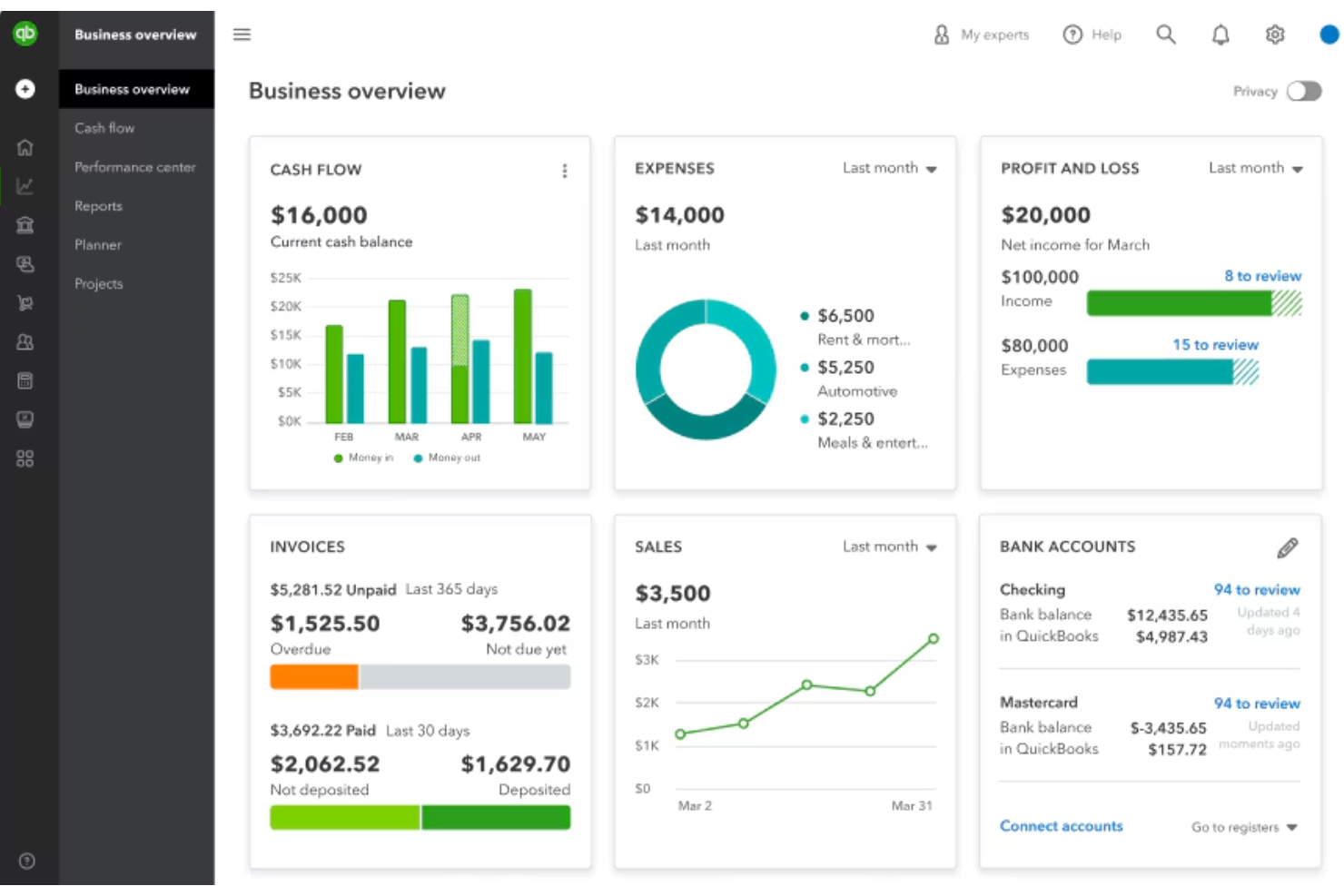
| User Interface | Features a clean, uncluttered dashboard with simple navigation menus. | Offers a modern interface with more features visible on the main screen. |
| Onboarding | Provides step-by-step setup guides and in-app checklists for new users. | Includes guided setup, but the process can feel lengthy due to more options. |
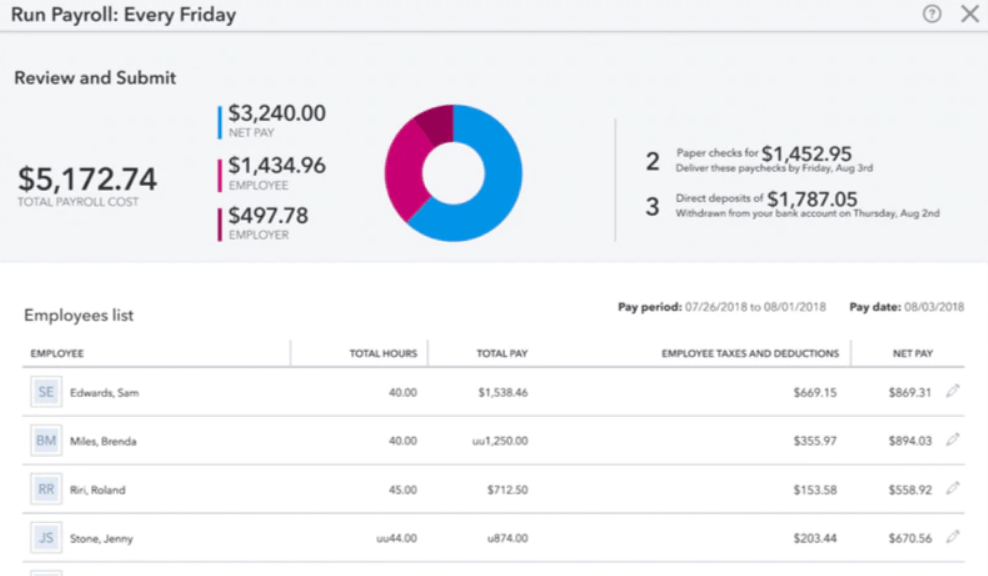
| Payroll Setup | Streamlines payroll setup with pre-filled templates and clear prompts. | Allows detailed customization, which can be overwhelming for beginners. |
| Customer Support | Offers live chat, phone, and email support with quick response times. | Provides 24/7 chat support and a large online knowledge base. |
| Mobile Access | Mobile-friendly site for payroll tasks, but no dedicated app. | Dedicated mobile app for payroll and employee self-service. |
Patriot Software tends to be simpler and more straightforward for small businesses: reviewers consistently highlight its intuitive interface, easy onboarding, and minimal setup steps, making it quick to learn even for users without payroll experience. QuickBooks Payroll also has a user-friendly design, but because it offers more advanced features and tighter integration with QuickBooks accounting tools, setup and navigation can feel more complex initially and may take longer to configure for some users.
Patriot Software vs QuickBooks Payroll: Pros & Cons
Patriot Software
- Patriot offers tax filing services to help companies handle federal, state, and local payroll tax calculations and filings.
- The employee self-service portal helps staff view pay stubs, update information, and access tax documents.
- Patriot allows teams to process unlimited payroll runs each month for no extra cost.
- Patriot’s basic reporting options cover essentials but have limited customization compared to some alternatives.
- With no mobile app, users can't access the software or run payroll on the go from a smartphone app.
- The software lacks advanced HR features like performance management, employee directories, and org charts.
QuickBooks Payroll
- You get automatic pay reminders so you don’t miss deadlines.
- It calculates and files your payroll taxes for you.
- You can run payroll in just a few clicks.
- You might wait a while to get help from support.
- It struggles with handling complex pay structures.
- You can't easily customize reports to fit your needs.
Best Use Cases for Patriot Software and QuickBooks Payroll
Patriot Software
- Accounting firms Patriot's dedicated accountant features and wholesale pricing facilitate efficient client payroll management for accounting practices.
- Startups The core feature set and low price point of Patriot payroll match the needs and financial constraints of many early-stage startups.
- Household employers The software provides the necessary payroll and tax functionality for individuals employing nannies, caregivers, or other household staff.
- Nonprofits Patriot effectively manages the payroll needs of nonprofit organizations by supporting key tax filings and forms specific to this sector.
- Restaurants Features like integrated tip tracking and reporting simplify payroll processing for restaurant owners and managers using Patriot.
- Small businesses Patriot offers an affordable and user-friendly payroll solution that aligns well with the straightforward needs and limited budgets of small businesses.
QuickBooks Payroll
- Growing Teams It’s simple to scale payroll as you add more employees over time.
- Freelancer Clients It works well for contractors, handling 1099 filings with ease.
- Retail Stores It supports hourly workers, time tracking, and quick tax filing.
- Accountants It syncs with QuickBooks, helping you keep payroll and books in one place.
- Remote Teams It offers direct deposit and online access so everyone gets paid on time.
- Small Businesses It handles pay, taxes, and filings without needing a dedicated payroll team.
Who Should Use Patriot Software, and Who Should Use QuickBooks?
Patriot Software is a great fit for small businesses, startups, and teams that want a simple, affordable payroll solution without extra complexity. It’s especially well-suited for owners or HR professionals who value clear pricing and a straightforward user experience. QuickBooks is better for growing companies, accountants, or teams that need more advanced payroll features, deep accounting integrations, and mobile access. If your business requires detailed reporting, custom workflows, or plans to scale quickly, QuickBooks is the stronger choice.
Differences Between Patriot Software and QuickBooks Payroll
| Patriot Software | QuickBooks Payroll | |
|---|---|---|
| Accounting Integration | Integrates with Xero and FreshBooks, but not as deeply as QuickBooks. | Deep, native integration with QuickBooks Online for seamless syncing. |
| Automation | Automates payroll runs and tax filings with minimal setup. | Offers advanced automation, including custom workflows and reminders. |
| Reporting | Limited to basic payroll reporting. | Robust, customizable reporting across payroll and data trends. |
| Target Business Size | Mostly designed for small-to-medium-sized businesses. | Suited for small to larger businesses with scalable plans. |
| User Interface | Simple, uncluttered dashboard designed for quick payroll runs. | Feature-rich interface with more customization and reporting options. |
| Read Patriot Software ReviewOpens new window | Read QuickBooks Payroll ReviewOpens new window |
Similarities Between Patriot Software and QuickBooks Payroll
| Cloud-Based Access | Each solution is fully cloud-based, enabling users to run payroll and access data from any device with an internet connection. |
|---|---|
| Compliance Assistance | Both offer built-in compliance tools and updates to help businesses stay aligned with changing federal and state payroll regulations. |
| Employee Self-Service | Both offer employee portals for pay stub access and personal info updates, though QuickBooks extends this to its mobile app. |
| Payroll Processing | Both platforms allow businesses to run payroll, calculate wages, withhold taxes, and generate paychecks accurately for employees and contractors. |
| Tax Filing Capabilities | Both Patriot and QuickBooks Payroll calculate federal, state, and local payroll taxes and offer options for tax filing and payment submission. |
| Read Patriot Software ReviewOpens new window Read QuickBooks Payroll ReviewOpens new window | |