
24 Best Small Business Management Software Reviewed in 2026

Best Small Business Management Software Shortlist
Here's my pick of the 12 best software from the 24 tools reviewed.


Running a small business is challenging. You manage multiple tasks and wear many hats. The right small business management tool can help you handle everything from scheduling to finances efficiently.
I've spent years in the HR industry, testing and reviewing various tools. I know the challenges you face, and I’m here to share my insights on the best solutions available. My goal is to guide you through the top picks, highlighting the features that set each one apart.
In this article, you’ll find unbiased reviews that focus on features, usability, and how each tool can benefit your team. Let’s dive into the options that can help you and your business thrive.
Why Trust Our Software Reviews
Best Small Business Management Software Summary
This comparison chart summarizes pricing details for my top small business management software selections to help you find the best one for your budget and business needs.
| Tool | Best For | Trial Info | Price | ||
|---|---|---|---|---|---|
| 1 | Best for customizable workflows | Free plan + free demo available | From $7/user/month (billed annually) | Website | |
| 2 | Best for visual project tracking | Free plan available | From $5/month (billed annually) | Website | |
| 3 | Best for financial management | 30-day free trial available | From $3.75/month | Website | |
| 4 | Best for client management | 14-day free trial + free demo available | From $29/month (billed annually) | Website | |
| 5 | Best for small business CRM | 14-day free trial available | From $299/month (billed annually) | Website | |
| 6 | Best for business insights | 7-day free trial available | From $35/user/month (billed annually) | Website | |
| 7 | Best for free collaboration tools | Free plan + 15-day free trial + free demo available | From $49/month (billed annually) | Website | |
| 8 | Best for all-in-one suite | 30-day free trial available | From $37/user/month (billed annually) | Website | |
| 9 | Best for task management | 30-day free trial + free plan available | From $10.99/user/month (billed annually) | Website | |
| 10 | Best for sales teams | Free plan available | From $25/user/month | Website | |
| 11 | Best for AI-powered team collaboration | Free plan available | From $9/user/month (billed annually) | Website | |
| 12 | Best for creative professionals | 7-day free trial + free demo available | From $29/month (billed annually) | Website |

-

Checkr
Visit WebsiteThis is an aggregated rating for this tool including ratings from Crozdesk users and ratings from other sites.4.5 -
Kudoboard
Visit WebsiteThis is an aggregated rating for this tool including ratings from Crozdesk users and ratings from other sites.4.8 -
Native Teams
Visit WebsiteThis is an aggregated rating for this tool including ratings from Crozdesk users and ratings from other sites.4.9





Best Small Business Management Software Review
Below are my detailed summaries of the best small business management software that made it onto my shortlist. My reviews offer a detailed look at the key features, pros and cons, integrations, and ideal use cases for each tool to help you find the best one for you.
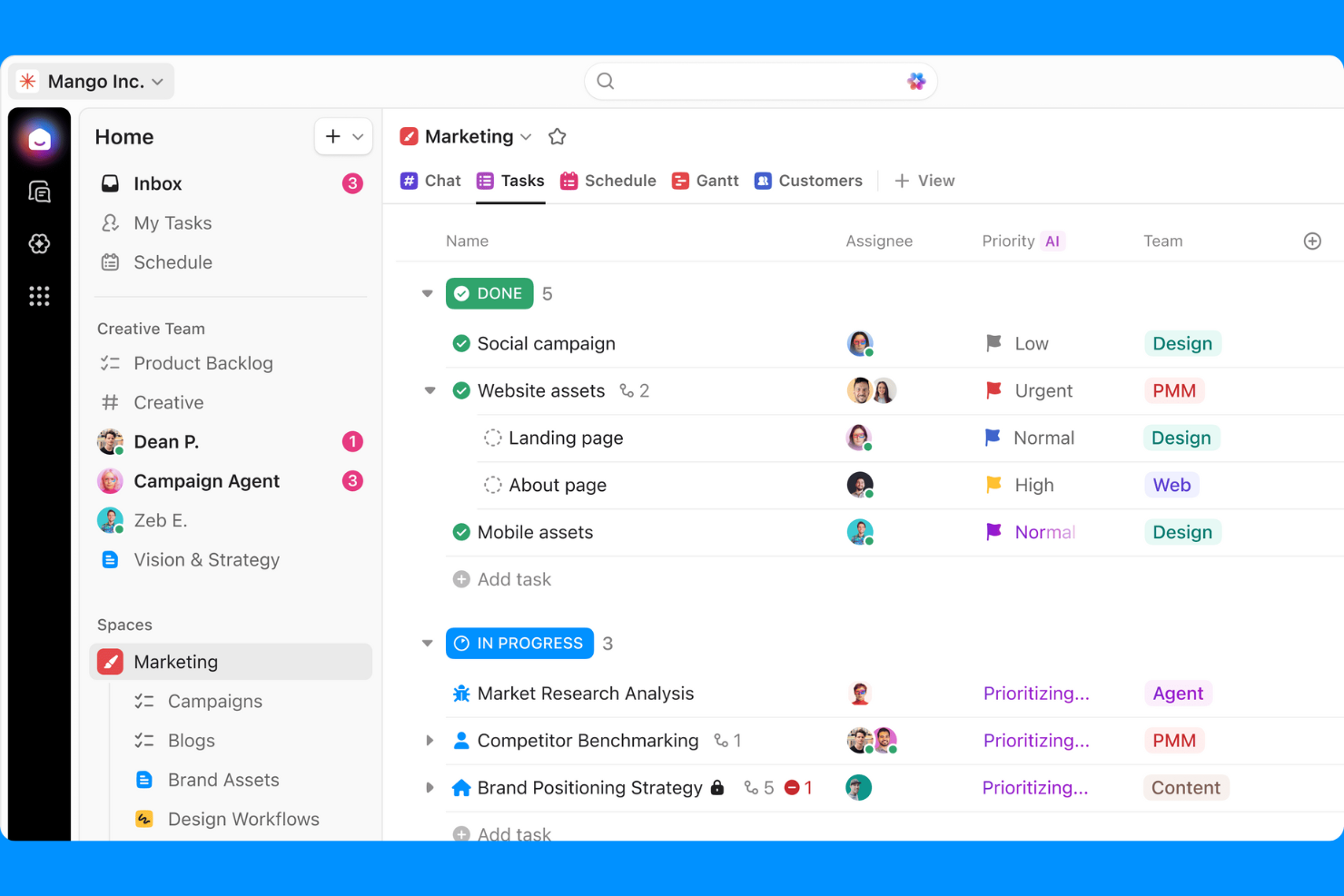
ClickUp is a project management tool designed for teams that need flexibility in organizing tasks and projects. It caters to various business functions, including task management, time tracking, and goal setting, making it suitable for teams of any size.
Why I picked ClickUp: ClickUp offers customizable workflows, allowing your team to tailor task management to fit your specific needs. Its task management feature enables you to create tasks with custom fields and statuses. You can use time tracking to monitor how long tasks take, helping improve productivity. Additionally, the goal-setting feature aligns your team's efforts with overall business objectives.
Standout Features and Integrations:
Features include a document collaboration tool that enables your team to work on documents in real time. The mind map view helps visualize project plans and relationships between tasks. You can also automate repetitive tasks, saving time and reducing manual work.
Integrations include Slack, Google Drive, Microsoft Teams, Zoom, Outlook, and more.
Pros and Cons
Pros:
- Visual project planning with mind maps
- Real-time document collaboration
- Supports goal setting and alignment
Cons:
- Occasional performance slowdowns
- Frequent updates can slow workflow
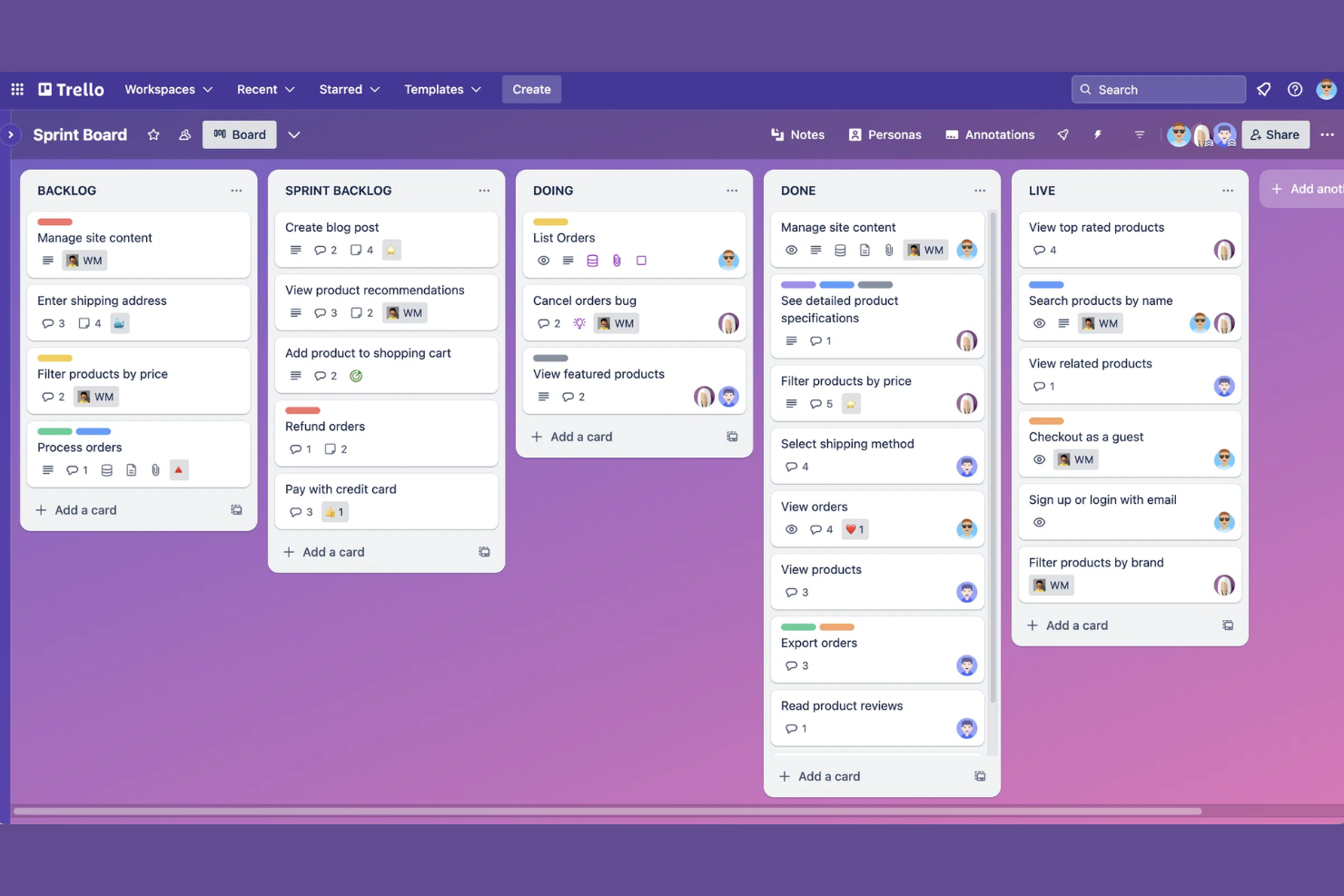
Trello is a project management tool designed for teams that need a straightforward way to organize tasks and projects visually. It uses boards, lists, and cards to help you manage tasks, track progress, and collaborate with your team efficiently.
Why I picked Trello: Trello is ideal for visual project tracking, offering an intuitive interface that lets you see your projects at a glance. Its boards and cards allow you to organize tasks flexibly and adapt to your team's workflow. You can drag and drop cards to update task statuses or assign responsibilities.
Standout Features and Integrations:
Features include a calendar view that provides a timeline of deadlines and milestones, keeping your team on track. Trello also supports automation with Butler, reducing repetitive tasks and saving time.
Integrations include Slack Power-Up, Google Drive, Dropbox, Evernote, and more.
Pros and Cons
Pros:
- Easy to customize planning boards
- Visual timeline with calendar view
- Powerful workflows with Butler
Cons:
- Can become cluttered with many cards
- Lack of timeline and calendar views
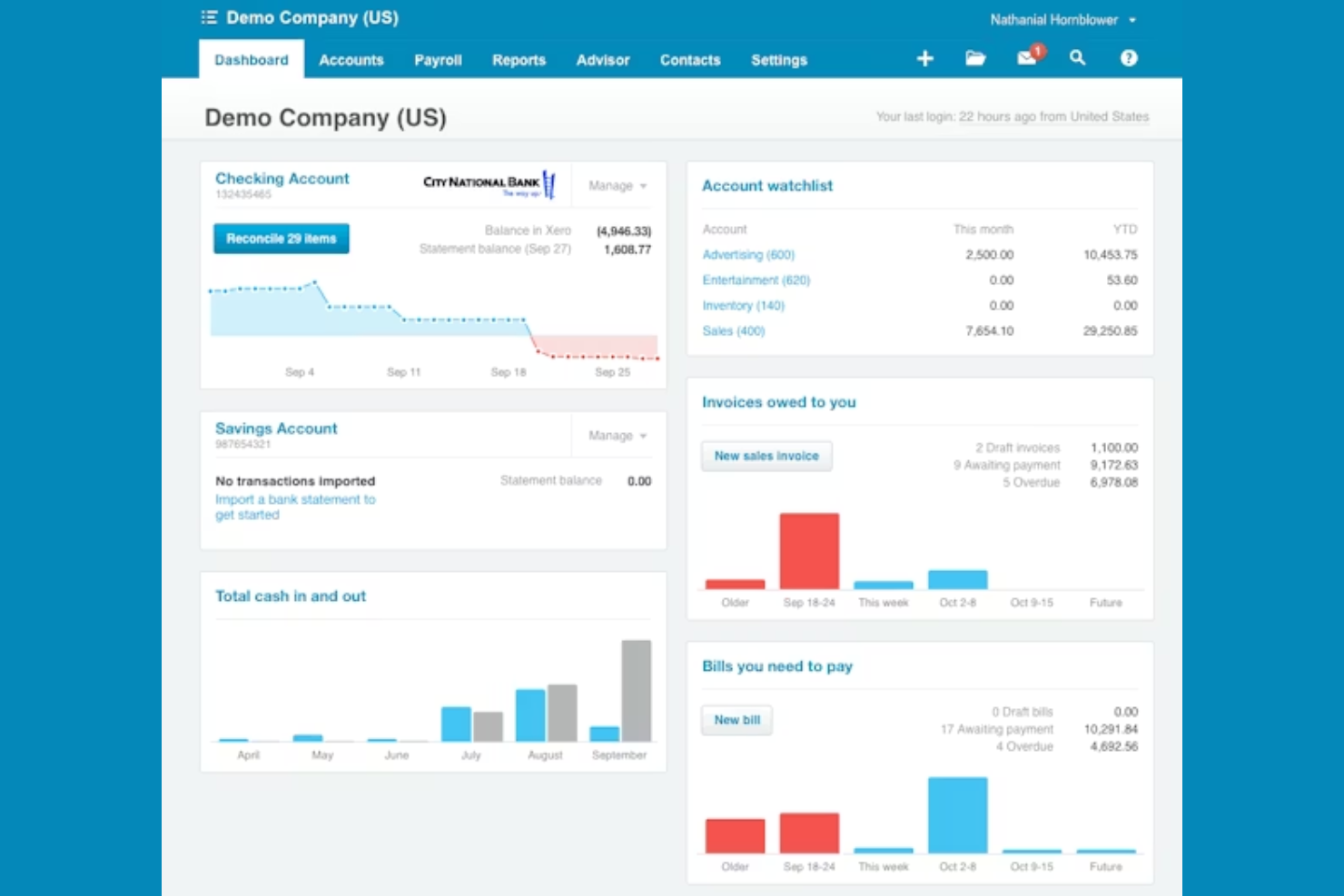
Xero is an online accounting software designed for small to medium-sized businesses seeking efficient financial management. It offers tools for invoicing, bank reconciliation, and expense tracking to help you manage your finances.
Why I picked Xero: Xero excels in financial management, making it a go-to choice for businesses that need to handle accounting tasks smoothly. Its invoicing feature lets you create and send invoices quickly, while bank reconciliation simplifies matching transactions. The expense tracking tool helps you monitor spending and manage budgets. Additionally, Xero's intuitive interface makes it easy for your team to navigate and use.
Standout Features and Integrations:
Features include a payroll function that automates employee payments and tax calculations. You can generate financial reports to gain insights into your business performance. A fixed asset management tool helps you keep track of company assets and depreciation.
Integrations include PayPal, Stripe, Data Sync by HubSpot, Shopify, Square, and more.
Pros and Cons
Pros:
- Effective bank reconciliation
- Strong invoicing capabilities
- Extensive expense tracking
Cons:
- Limited customizability of key financial reports
- Limited payroll functionality in the U.S. market
New Product Updates from Xero

Xero Unveils New Analytics Features
Xero introduces new analytics dashboards and reporting features. These updates help small businesses better understand performance, trends, and financial health at a glance. For more information, visit Xero's official site.
 .
.
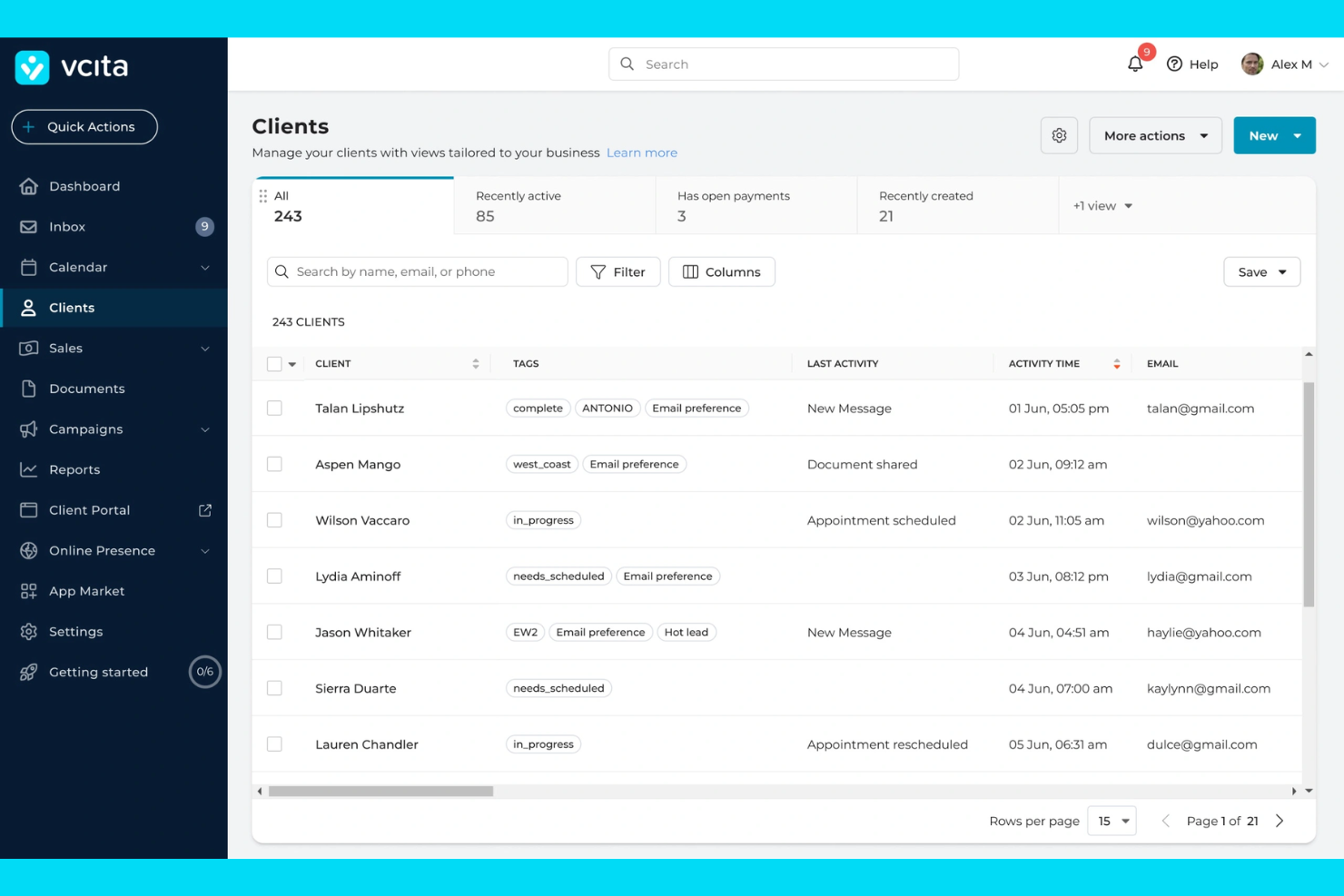
vCita is a small business management solution designed for service-based professionals, such as consultants and wellness providers. It offers features such as client management, online scheduling, and payment processing to help simplify business operations.
Why I picked vCita: vCita is tailored for client management, making it ideal for service-oriented businesses. Its features include a client portal that allows clients to book, pay, and communicate. Automated scheduling ensures you never miss an appointment, while payment processing lets you handle transactions smoothly. Additionally, it provides marketing tools to help you engage with clients.
Standout Features and Integrations:
Features include an AI-powered customer relationship management (CRM) system to store client information, billing and invoicing capabilities for timely payments, and a client portal to facilitate interaction. Online scheduling helps your team manage appointments efficiently. Marketing campaigns allow you to nurture client relationships.
Integrations include QuickBooks, Zapier, PayPal, Stripe, Zoom, and more.
Pros and Cons
Pros:
- Built-in marketing tools
- Extensive payment processing
- Automated appointment reminders
Cons:
- Restrictive customization of workflows
- Reporting and deep analytics are limited
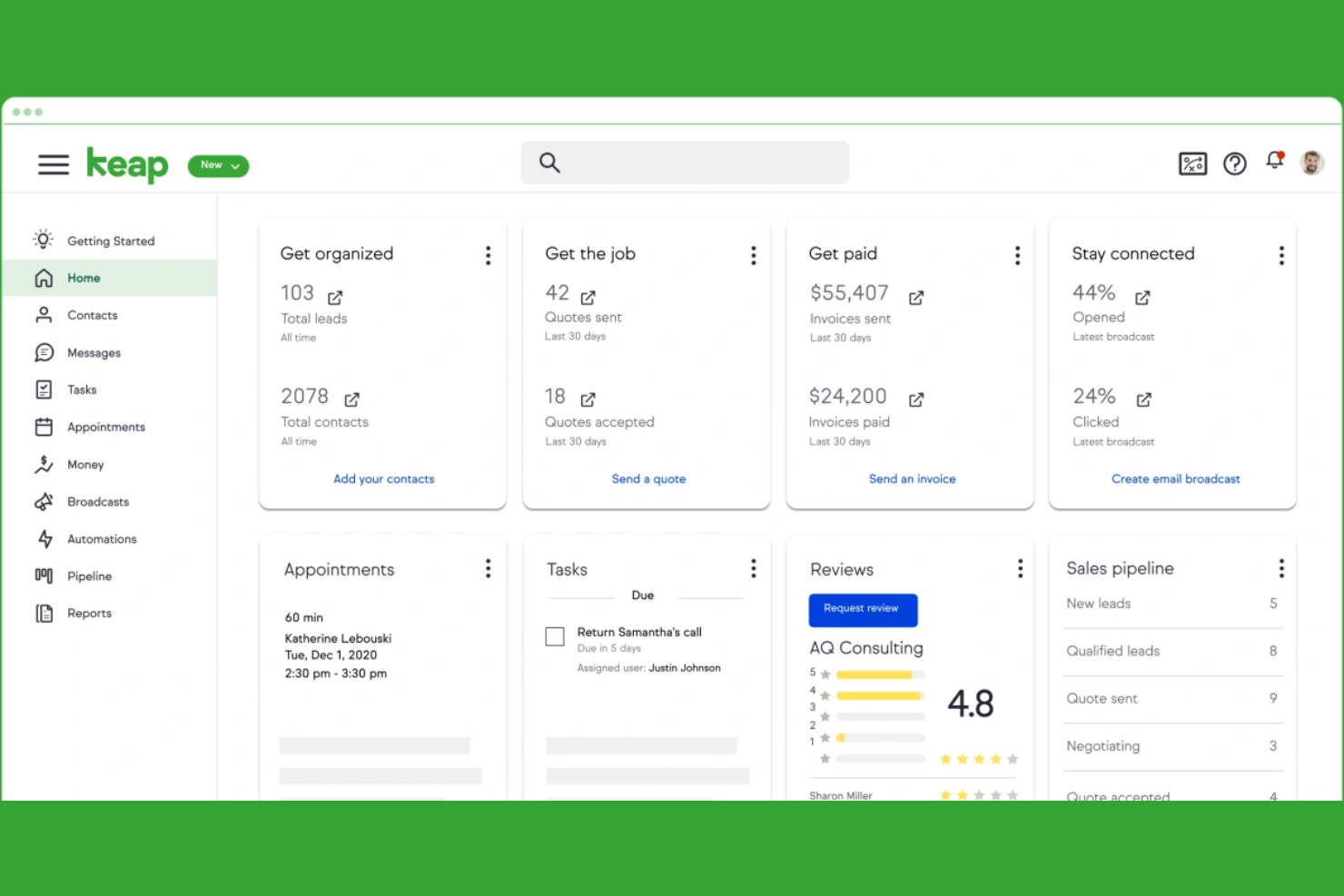
Keap is a CRM tool designed for small businesses looking to manage sales and client relationships efficiently. It offers features such as contact management, email marketing, and sales automation to help you grow your business.
Why I picked Keap: Keap is tailored for small businesses that need a CRM to manage customer interactions. Its contact management feature lets you store and access client information. The sales automation tools help you simplify your sales process, ensuring no opportunities are missed. Additionally, the email marketing functionality helps your team reach out to clients and nurture leads.
Standout Features and Integrations:
Features include appointment scheduling, which simplifies setting up meetings with clients. The invoicing tool ensures you can bill clients promptly and track payments. A lead capture feature helps you gather and organize potential customer information, boosting your sales efforts.
Integrations include Zapier, Gmail, Outlook, WordPress, and more.
Pros and Cons
Pros:
- Supports appointment scheduling
- Customizable email templates
- Helpful lead capture tools
Cons:
- Occasional software glitches
- High monthly subscription costs

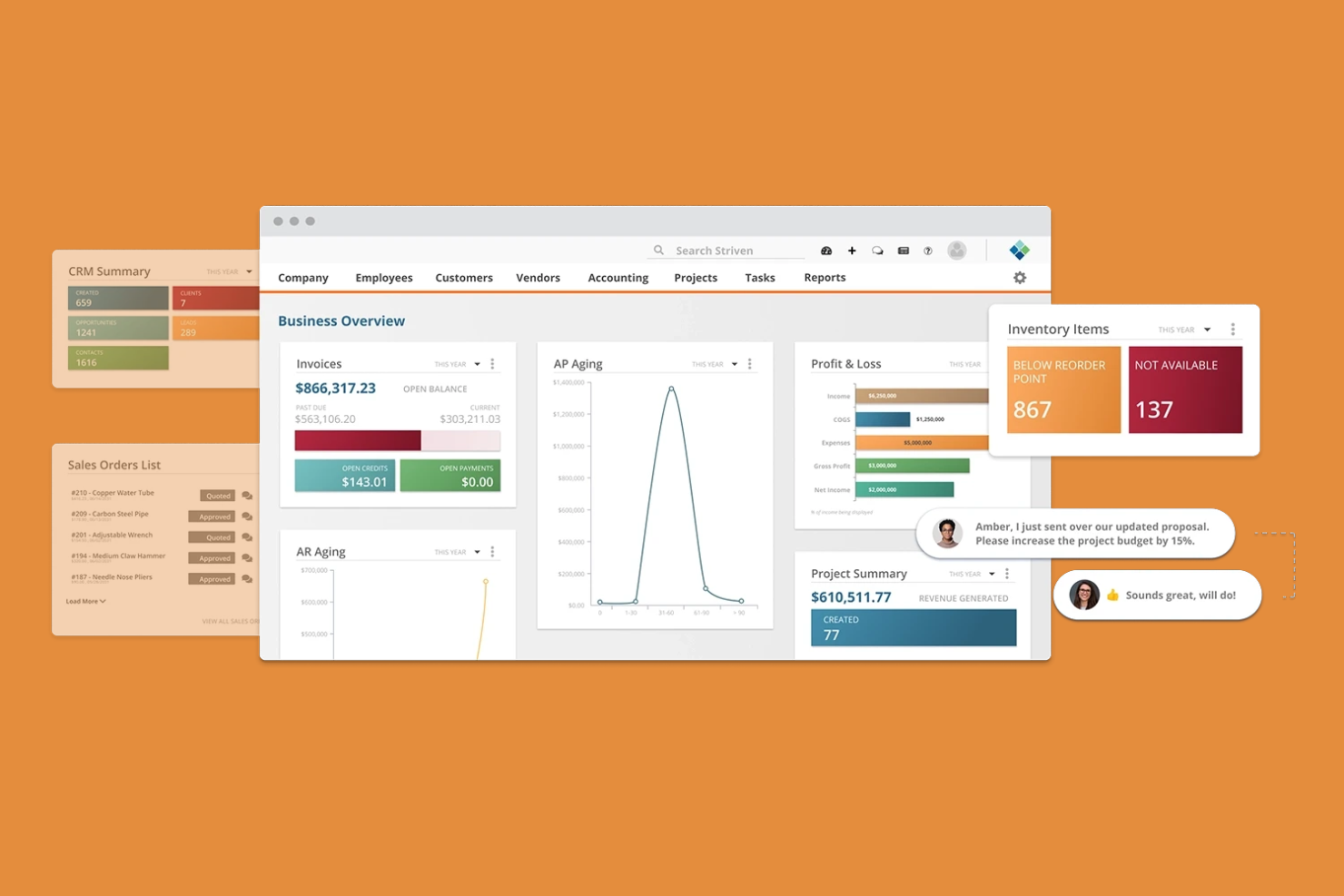
Striven is an all-in-one business management software designed for small to midsize businesses in industries such as construction, retail, and manufacturing. It covers key business functions, including accounting, CRM, project management, inventory, and HR, to simplify operations.
Why I picked Striven: Striven excels at providing business insights, making it a valuable tool for data-driven decisions. It offers real-time data access, helping your team stay informed and competitive. The integrated accounting and CRM features ensure you can manage finances and client relationships effectively. Additionally, project management tools help improve your team's productivity and collaboration.
Standout Features and Integrations:
Features include inventory management to keep track of stock levels, HR tools to manage employee metrics, and a customer portal for client messaging. The software provides analytics to help you understand business trends. Workflow automation reduces manual tasks.
Integrations include Google Workspace, Microsoft Calendar, Twilio, and more.
Pros and Cons
Pros:
- Effective inventory management
- Strong customer support
- Flexible customization options
Cons:
- Limited third-party integrations
- Outdated user interface

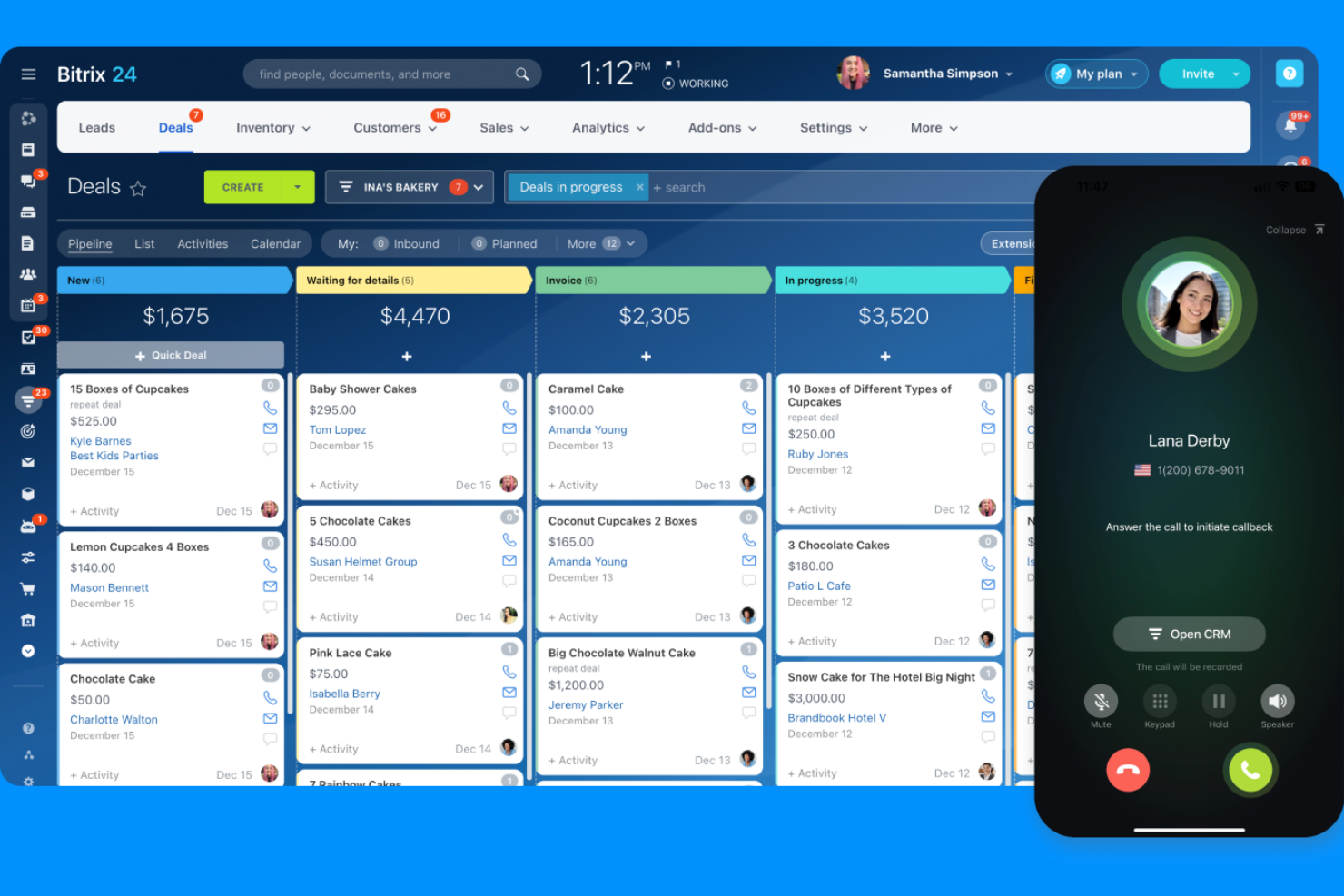
Bitrix24 is a business management platform with built-in e-commerce capabilities designed for teams that need in-depth collaboration and communication tools. It provides features, such as task management, CRM, and document sharing, to facilitate teamwork and project management.
Why I picked Bitrix24: Bitrix24 offers free collaboration tools that make it an attractive option for small teams on a budget. Its task management feature allows you to organize and assign tasks efficiently. The integrated CRM helps manage customer relationships without additional costs. Additionally, Bitrix24's document sharing capabilities ensure your team can collaborate on files in real time.
Standout Features and Integrations:
Features include a built-in telephony system that lets you make calls directly from the platform. The time tracking tool monitors productivity and billable hours. You can also set up custom workflows to automate repetitive tasks and streamline processes.
Integrations include Mailchimp Exporter, Zapier Dashboard, Slack, and more.
Pros and Cons
Pros:
- Real-time document collaboration
- Built-in telephony system
- Extensive free features
Cons:
- High cost for advanced tier levels
- Customer support can be slow
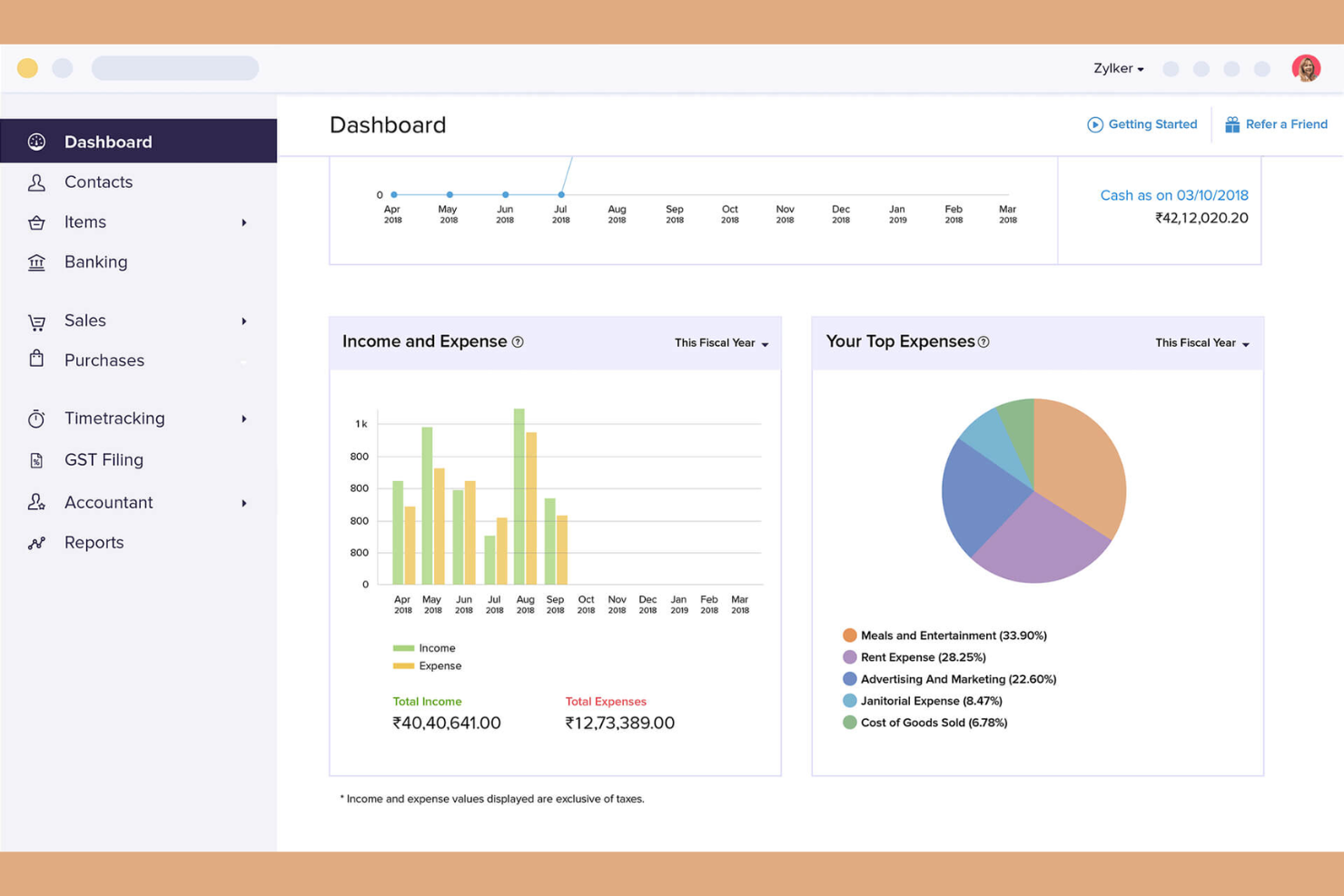
Zoho One is a single-platform business management suite designed for businesses of all sizes. It offers over 45 integrated applications to optimize various business functions, including CRM, finance, and human resources (HR).
Why I picked Zoho One: Zoho One provides a unified platform for managing diverse business operations, making it ideal for businesses seeking an all-in-one solution. Its CRM feature helps you manage customer relationships. The finance module ensures you can handle accounting tasks confidently. Additionally, the HR management tools support your team in recruitment and workforce management.
Standout Features and Integrations:
Features include advanced analytics to gain insights into your business, a project management tool to keep teams on track, and a social media management app to boost your online presence. The email marketing tool helps you reach your audience. An integrated help desk supports your customer service efforts.
Integrations include Google Workspace, Microsoft Office 365, Zapier, and more.
Pros and Cons
Pros:
- Scalable for growing businesses
- Strong customization options
- Wide range of applications
Cons:
- Glitches occur between different apps
- Deep integration takes significant time

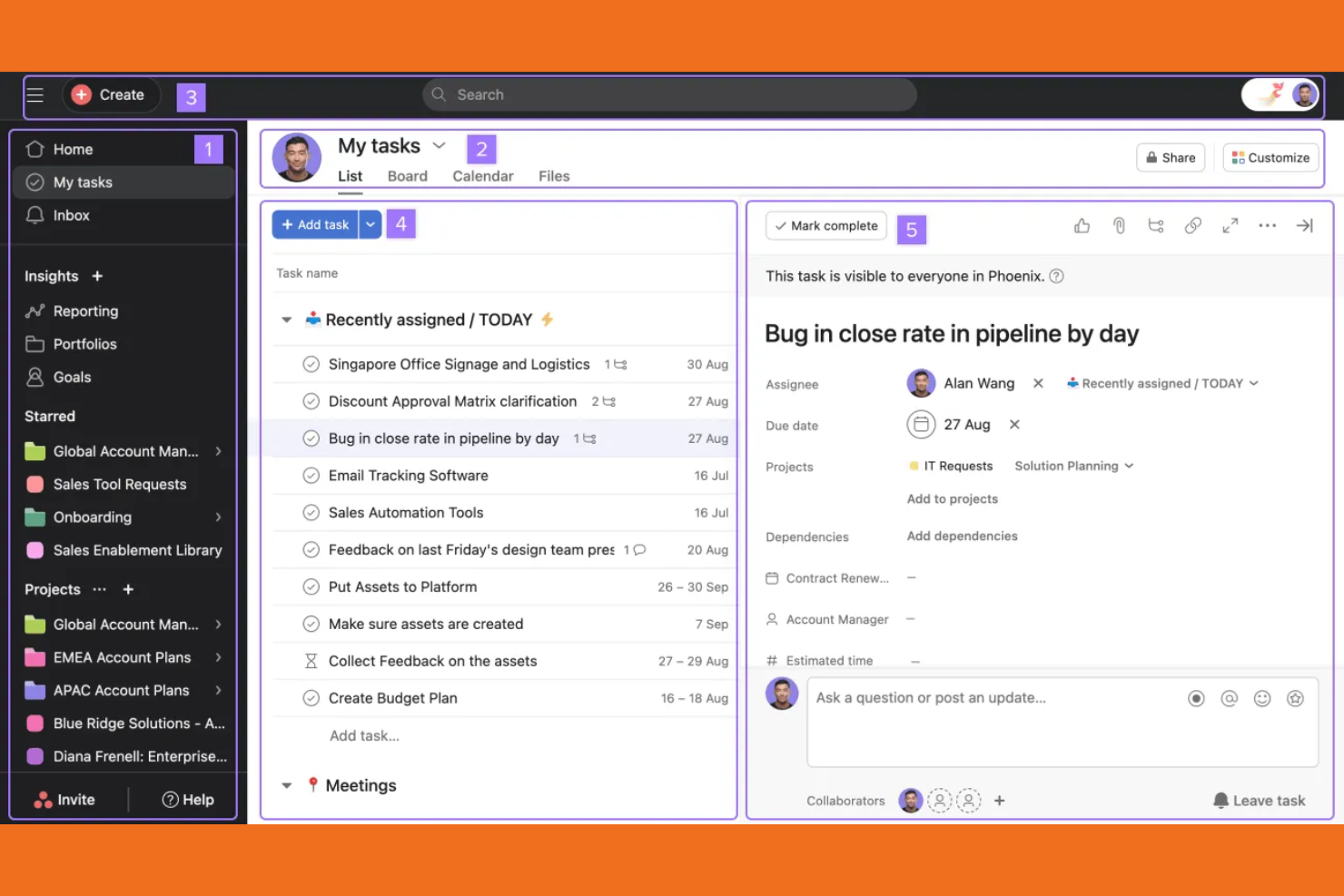
Asana is a project management software designed for teams looking to organize work and manage projects efficiently. It helps you track tasks, set deadlines, and collaborate with team members to ensure projects stay on track.
Why I picked Asana: Asana excels at task management, making it ideal for teams needing to organize and prioritize work. Its task tracking feature lets you assign responsibilities and set deadlines. The project timeline view provides a clear overview of project progress. Additionally, Asana's collaboration tools enable your team to communicate and share updates.
Standout Features and Integrations:
Features include customizable task boards that let you organize tasks visually. You can set up automated workflows to reduce manual updates and save time. Reporting tools provide insights into project performance, helping your team make informed decisions.
Integrations include Slack, Microsoft Teams, Google Drive, Dropbox, and more.
Pros and Cons
Pros:
- Helps improve team collaboration
- Effective project timeline view
- Flexible task organization
Cons:
- Limited native tools for complex resource management
- Can be overwhelming for new users

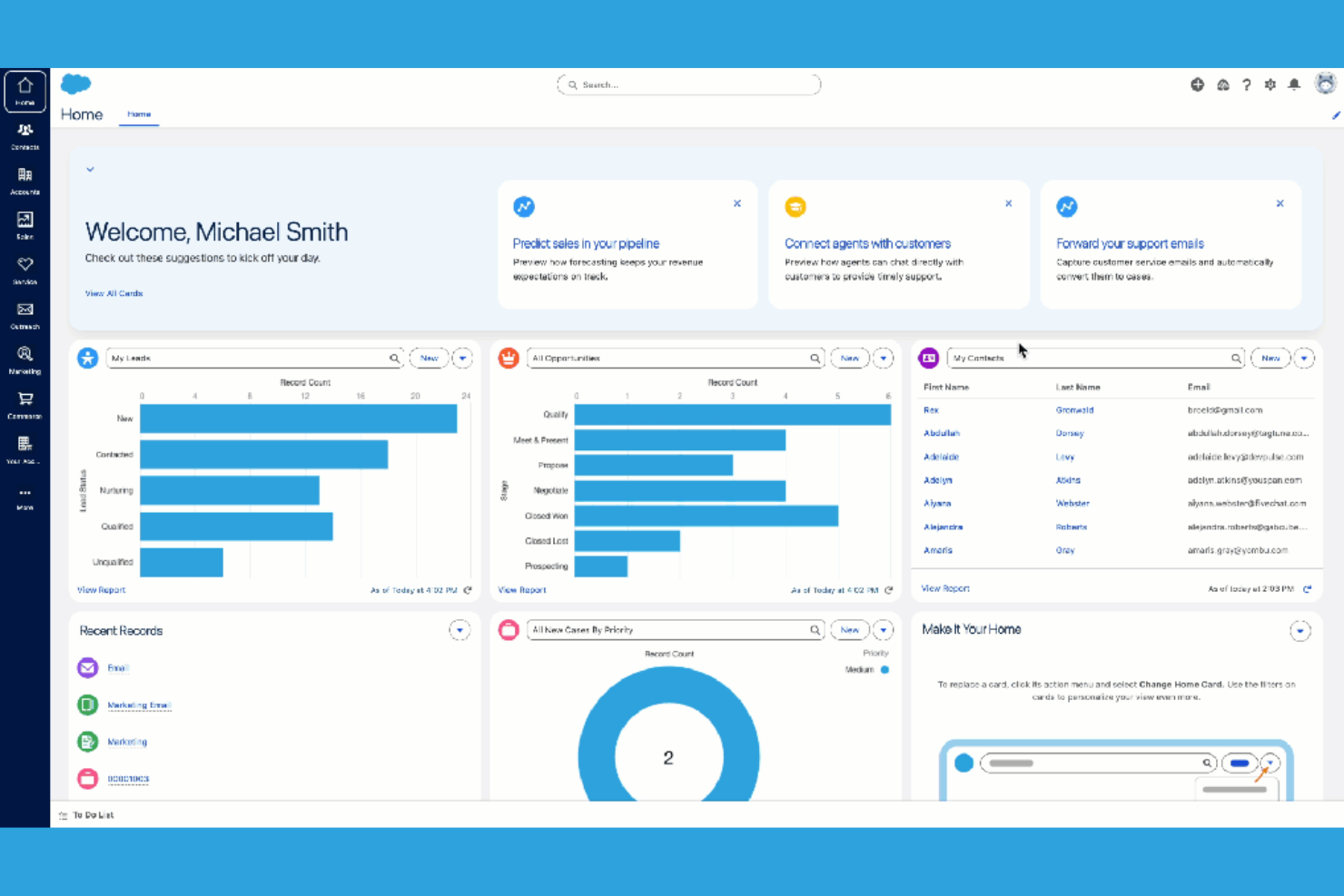
Salesforce is a CRM platform designed primarily for sales teams looking to improve customer interactions and sales processes. It offers tools for lead management, sales forecasting, and customer support to boost your team's efficiency and effectiveness.
Why I picked Salesforce: Salesforce provides extensive tools to manage leads and opportunities for sales teams. Its lead management feature allows you to track and nurture prospects. The sales forecasting tool predicts future sales, helping you make informed decisions. Additionally, Salesforce's customer support capabilities ensure your team can provide excellent service and build strong client relationships.
Standout Features and Integrations:
Features include an analytics dashboard that provides insights into sales performance. The mobile app ensures your team can access CRM data on the go. Salesforce also offers customizable dashboards to tailor views to your business needs.
Integrations include Zapier, LinkedIn Sales Navigator, Docusign, Dropbox Sign, and more.
Pros and Cons
Pros:
- Industry-specific solutions
- In-depth reporting tools
- Mobile app for on-the-go access
Cons:
- High level of technical knowledge needed
- Reduced performance with high data volumes

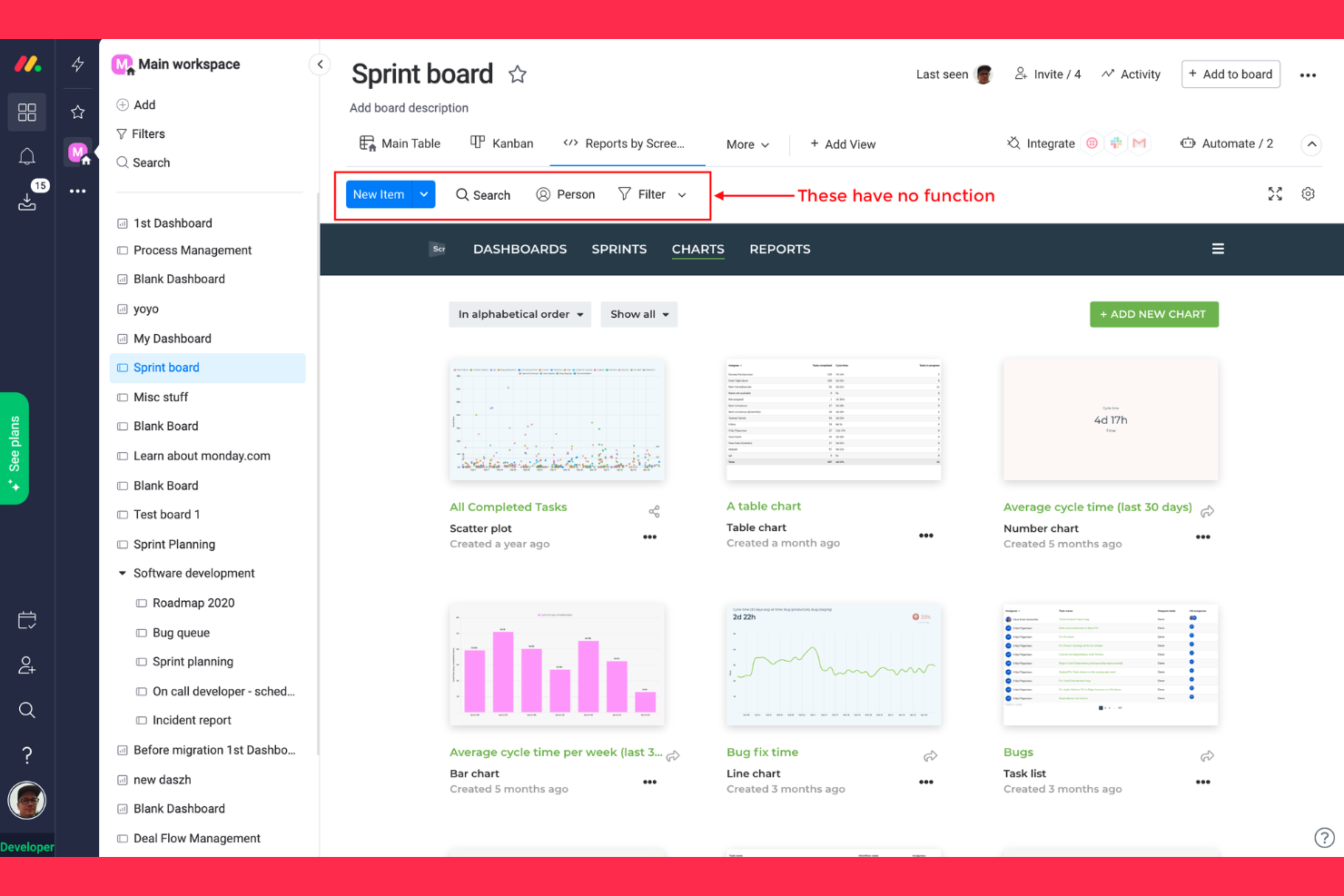
monday.com is a work operating system designed for teams that need to manage projects and workflows collaboratively. It caters to various business functions, including project management, task tracking, and team communication, making it suitable for teams of all sizes.
Why I picked monday.com: monday.com is perfect for team collaboration, offering a flexible platform and an AI assistant to manage and customize workflows. It lets you create boards to visualize project progress and assign tasks efficiently. The timeline feature helps your team plan and track deadlines. Additionally, communication tools within monday.com keep your team connected and updated on project developments.
Standout Features and Integrations:
Features include a dashboard view that provides a high-level overview of project status. The automation options allow you to reduce manual work and focus on critical tasks. You can also use the file storage feature to keep all project-related documents in one place, ensuring easy access for your team.
Integrations include Slack, Zoom, Microsoft Teams, Google Drive, and more.
Pros and Cons
Pros:
- Supports file storage and sharing
- Thorough dashboard overview
- Highly customizable workflows
Cons:
- Slow customer support response
- Price details are not transparent

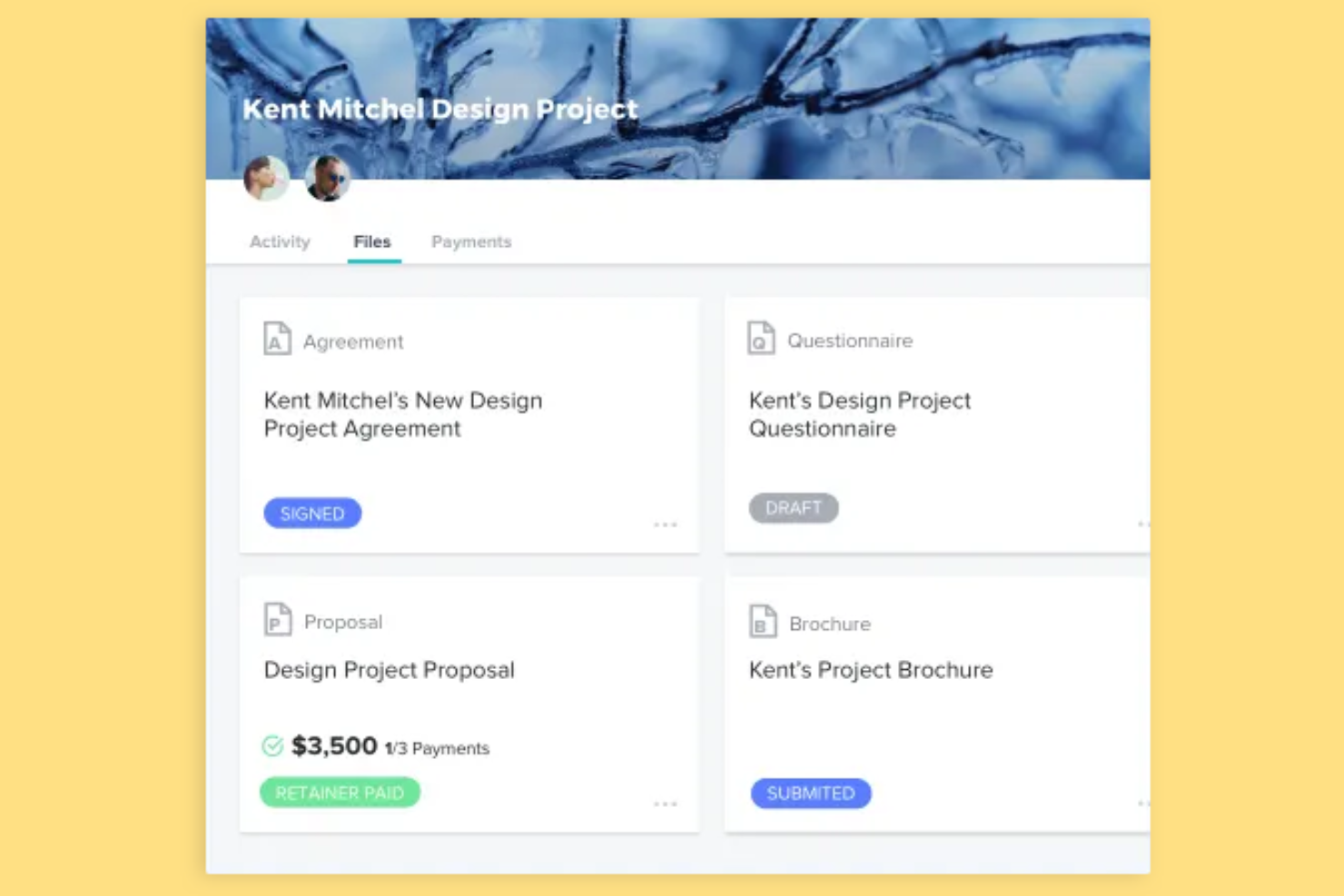
HoneyBook is a client management software tailored for creative professionals, such as photographers, designers, and event planners. It helps manage projects, book clients, send invoices, and handle contracts, making it an all-in-one solution for freelancers and small businesses.
Why I picked HoneyBook: HoneyBook is designed specifically for creative professionals, offering tools to manage client interactions. Its project management feature lets you track progress and deadlines. It allows clients to pay with a credit card, and the invoicing system ensures you get paid on time. The contract management functionality simplifies agreements with clients. Additionally, the user-friendly interface makes it easy for you to navigate and use daily.
Standout Features and Integrations:
Features include proposal templates to quickly create professional-looking proposals. The task management tool helps you organize your workload efficiently.
Integrations include QuickBooks, Zapier, Calendly, Gmail, Slack, Zoom, and more.
Pros and Cons
Pros:
- Helpful time-tracking feature
- Efficient contract management
- Tailored for creative industries
Cons:
- Limited scalability for growing businesses
- Limited project management features
Other Small Business Management Software
Here are some additional small business management software options that didn’t make it onto my shortlist, but are still worth checking out:
- Slack
For team communication
- Shopify
For online store setup
- HubSpot
For inbound marketing
- OneDesk
For helpdesk management
- Airtable
For database customization
- WordPress
For website creation
- Wave
For free accounting tools
- Toggl
For time tracking
- Intuit Quickbooks
For small business accounting
- CAFLOU
For financial insights
- BookingKoala
For service scheduling
- SAP Business One
For ERP integration


Small Business Management Software Selection Criteria
When selecting the best small business management software to include in this list, I considered common buyer needs and pain points, such as budget constraints and ease of use. I also used the following framework to keep my evaluation structured and fair:
Core Functionality (25% of total score)
To be considered for inclusion in this list, each solution had to fulfill these common use cases:
- Manage projects and tasks
- Track time and expenses
- Facilitate team communication
- Generate reports and analytics
- Handle client and customer management
Additional Standout Features (25% of total score)
To help further narrow down the competition, I also looked for unique features, such as:
- Customizable dashboards
- Advanced automation capabilities
- Integration with third-party apps
- Mobile app functionality
- Real-time collaboration tools
Usability (10% of total score)
To get a sense of the usability of each system, I considered the following:
- Intuitive interface design
- Ease of navigation
- Minimal learning curve
- Customization options
- Responsiveness of the platform
Onboarding (10% of total score)
To evaluate the onboarding experience for each platform, I considered the following:
- Availability of training videos
- Access to interactive product tours
- Use of onboarding templates
- Availability of webinars and live demos
- Presence of chatbots for guidance
Customer Support (10% of total score)
To assess each software provider’s customer support services, I considered the following:
- Availability of live chat support
- Access to email and phone support
- Extensive knowledge base
- Responsiveness of support team
- Availability of community forums
Value for Money (10% of total score)
To evaluate the value for money of each platform, I considered the following:
- Competitive pricing against similar tools
- Range of features offered at each price point
- Availability of free trials or demos
- Transparency of pricing structure
- Flexibility of subscription plans
Customer Reviews (10% of total score)
To get a sense of overall customer satisfaction, I considered the following when reading customer reviews:
- Overall satisfaction ratings
- Feedback on customer support experiences
- Comments on software reliability
- User feedback on feature effectiveness
- Frequency of updates and improvements
How To Choose Small Business Management Software
It’s easy to get bogged down in long feature lists and complex pricing structures. To help you stay focused as you work through your unique software selection process, here’s a checklist of factors to keep in mind:
| Factor | What To Consider |
|---|---|
| Scalability | Will the software grow with your business? Consider if it can handle more users or increased data without extra costs or performance issues. |
| Integrations | Does it connect with your existing tools? Check for compatibility with your CRM, email, or accounting systems to avoid manual data entry. |
| Customizability | Can you tailor it to fit your needs? Look for options to customize dashboards or workflows to match your team’s processes. |
| Ease of use | Is it intuitive for your team? A user-friendly interface reduces training time and boosts adoption among team members. |
| Implementation and onboarding | How quickly can you get started? Evaluate the availability of setup assistance, training materials, and support during the initial stages. |
| Cost | Is it within your budget? Compare subscription fees, hidden costs, and long-term pricing to ensure it fits your financial plan. |
| Security safeguards | Is your data protected? Check for encryption, access controls, and regular security updates to safeguard sensitive information. |
| Support availability | Will you get help when needed? Consider the provider's support hours, response times, and available support channels to ensure assistance is accessible. |
What Is Small Business Management Software?
Small business management software is a set of digital tools designed to help small businesses manage operations, finances, and customer relationships. These tools are generally used by small business owners, managers, and team leaders to improve efficiency and organization. Project management, invoicing, and CRM capabilities help with tracking tasks, managing budgets, and maintaining customer interactions. Overall, these cloud-based tools simplify business processes, allowing teams to focus on growth and customer satisfaction.
Features
When selecting small business management software, keep an eye out for the following key features:
- Project management: Organizes tasks and timelines, ensuring projects are completed on schedule.
- Invoicing: Automates billing processes, making it easier to send invoices and track payments.
- CRM: Manages customer interactions and relationships, improving customer service and retention.
- Time tracking: Monitors employee hours and productivity, aiding in payroll and project management.
- Customizable dashboards: Allow users to tailor views to match their specific business needs and preferences.
- Automation: Automates repetitive processes to reduce manual tasks, and save time and effort.
- Reporting and analytics: Provide insights into business performance, helping with strategic decision-making.
- Document collaboration: Enables teams to work on documents in real-time, helping improve collaboration and efficiency.
- Security safeguards: Provide encryption and access controls to protect sensitive business data.
- Integration capabilities: Connect with other tools and platforms to create a unified workflow and reduce data silos.
Benefits
Implementing small business management software provides several benefits for your team and your business. Here are a few you can look forward to:
- Improved organization: Keeps tasks and projects in order, making it easier to manage workloads and deadlines.
- Increased efficiency: Automates repetitive tasks, saving time and allowing your team to focus on more important activities.
- Improved collaboration: Facilitates communication and document sharing, helping teams work together more effectively.
- Better customer relationships: Manages interactions and provides insights, leading to improved customer service and satisfaction.
- Cost savings: Reduces manual processes and errors, helping cut down on operational costs over time.
- Data-driven decisions: Offers analytics and reporting tools that provide insights into business performance, aiding strategic planning.
- Scalability: Features that can adapt to increasing demands and complexity to support business growth.
Costs & Pricing
Selecting small business management software requires an understanding of the various pricing models and plans available. Costs vary based on features, team size, add-ons, and more. The table below summarizes common plans, their average prices, and typical features included in small business management software solutions:
Plan Comparison Table for Small Business Management Software
| Plan Type | Average Price | Common Features |
|---|---|---|
| Plan Type | Average Price | Common Features |
| Free Plan | $0 | Basic task management, limited integrations, and basic reporting. |
| Personal Plan | $2.50-$49/user/month | Task management, time tracking, and basic automation. |
| Business Plan | $18-$299/user/month | Project management, advanced integrations, and better security features. |
| Enterprise Plan | $17.50-$359/user/month | Customizable workflows, dedicated support, and extensive analytics and reporting. |
Small Business Management Software FAQs
Here are some answers to common questions about small business management software:
What is the best way to evaluate software demos?
Focusing on the features that are most important to your business. Make a checklist of must-have capabilities and see how the demo aligns with your needs. Pay attention to the user interface to ensure it’s intuitive for your team. Try to involve key team members in the demo to get diverse feedback. Consider how well the software integrates with your existing tools. Lastly, take note of any limitations or challenges you encounter during the demo, as these could affect your decision.
How long does it usually take to implement new software?
Implementation time varies depending on the software’s complexity and your team’s readiness. Generally, it can take anywhere from a few days to several weeks. Setting clear goals and timelines. Make sure your team is trained and comfortable with the new system before going live. Communicate with the software provider to understand their support options during the transition. Being prepared and proactive can help you minimize disruptions and get up and running smoothly.
Do I need technical expertise to manage the software?
No. Most small business management software is user-friendly. However, having some technical knowledge can be beneficial. Look for software with strong support resources, such as tutorials, FAQs, and customer service. If your team lacks technical skills, consider choosing a provider that offers onboarding assistance or training sessions. The goal is to ensure your team can use the software efficiently without needing constant technical support.
How can I ensure data security with new software?
Choose software that offers encryption, access permissions controls, and regular security updates. Ask the provider about their data protection policies and compliance with industry standards. It’s also wise to train your team on best practices for data security, including using strong passwords and recognizing phishing attempts. Regularly review and update your security settings to protect sensitive business information. Taking these steps can help you maintain a secure environment for your data.
What’s Next:
If you're in the process of researching small business management software, connect with a SoftwareSelect advisor for free recommendations.
You fill out a form and have a quick chat where they get into the specifics of your needs. Then you'll get a shortlist of software to review. They'll even support you through the entire buying process, including price negotiations.