Teramind Review: Pros, Cons, Features, and Pricing Explained


Teramind is a workforce analytics and employee monitoring software designed to help HR teams monitor productivity, identify risks, and gain actionable insights into employee activity and user behavior. For HR professionals who need more than basic reporting, Teramind offers advanced monitoring capabilities, detailed analytics, and customizable alerts to address compliance, security, and performance challenges.
In this review, I'll break down Teramind features, best and worst use cases, pros and cons, and pricing—so you can decide if it's the right fit for your organization's workforce analytics needs.
Teramind Evaluation Summary
- From $14/seat/month (billed annually)
- Free trial + free demo available
Why Trust Our Software Reviews
We’ve been testing and reviewing HR software systems since 2019. As HR experts ourselves, we know how critical and difficult it is to make the right decision when selecting software.
We invest in deep research to help our audience make better software purchasing decisions. We’ve tested more than 2,000 tools for different HR management use cases and written over 1,000 comprehensive software reviews. Learn how we stay transparent & our software review methodology.
Teramind Overview
If you're judging Teramind against other workforce analytics software, you'll notice its monitoring depth and real-time alerts set it apart, especially for organizations with strict compliance or insider threat concerns. The interface is detailed but can feel overwhelming at first, so onboarding may take some adjustment. Price is competitive for the feature set, and support is responsive. I think Teramind is best for teams that need granular tracking and customizable behavior rules—like finance or healthcare—rather than those seeking a lightweight, plug-and-play analytics tool. If you value detailed oversight, Teramind is a strong contender.
pros
-
Real-time alerts help quickly identify risky behavior
-
Detailed productivity metrics support data-driven HR decisions
-
Customizable policies fit strict compliance environments
cons
-
Monitoring features can feel invasive to employees
-
Interface complexity may overwhelm new users
-
Advanced analytics require time to configure and interpret
-

Justworks
Visit WebsiteThis is an aggregated rating for this tool including ratings from Crozdesk users and ratings from other sites.4.6 -
Native Teams
Visit WebsiteThis is an aggregated rating for this tool including ratings from Crozdesk users and ratings from other sites.4.6 -
Paycom
Visit WebsiteThis is an aggregated rating for this tool including ratings from Crozdesk users and ratings from other sites.4.3





How We Test & Score Our Tools
We’ve spent years building, refining, and improving our software testing and scoring system. The rubric is designed to capture the nuances of software selection and what makes a tool effective, focusing on critical aspects of the decision-making process.
Below, you can see exactly how our testing and scoring works across seven criteria. It allows us to provide an unbiased evaluation of the software based on core functionality, standout features, ease of use, onboarding, customer support, integrations, customer reviews, and value for money.
Core Functionality (25% of final score)
The starting point of our evaluation is always the core functionality of the tool. Does it have the basic features and functions that a user would expect to see? Are any of those core features locked to higher-tiered pricing plans? At its core, we expect a tool to stand up against the baseline capabilities of its competitors.
Standout Features (25% of final score)
Next, we evaluate uncommon standout features that go above and beyond the core functionality typically found in tools of its kind. A high score reflects specialized or unique features that make the product faster, more efficient, or offer additional value to the user.
We also evaluate how easy it is to integrate with other tools typically found in the tech stack to expand the functionality and utility of the software. Tools offering plentiful native integrations, 3rd party connections, and API access to build custom integrations score best.
Ease of Use (10% of final score)
We consider how quick and easy it is to execute the tasks defined in the core functionality using the tool. High scoring software is well designed, intuitive to use, offers mobile apps, provides templates, and makes relatively complex tasks seem simple.
Onboarding (10% of final score)
We know how important rapid team adoption is for a new platform, so we evaluate how easy it is to learn and use a tool with minimal training. We evaluate how quickly a team member can get set up and start using the tool with no experience. High scoring solutions indicate little or no support is required.
Customer Support (10% of final score)
We review how quick and easy it is to get unstuck and find help by phone, live chat, or knowledge base. Tools and companies that provide real-time support score best, while chatbots score worst.
Customer Reviews (10% of final score)
Beyond our own testing and evaluation, we consider the net promoter score from current and past customers. We review their likelihood, given the option, to choose the tool again for the core functionality. A high scoring software reflects a high net promoter score from current or past customers.
Value for Money (10% of final score)
Lastly, in consideration of all the other criteria, we review the average price of entry level plans against the core features and consider the value of the other evaluation criteria. Software that delivers more, for less, will score higher.
Core Features
User Activity Monitoring
Track application usage, websites visited, social media access, and file transfers in real time. Spot risky behavior and optimize workflows fast.
Productivity Analysis
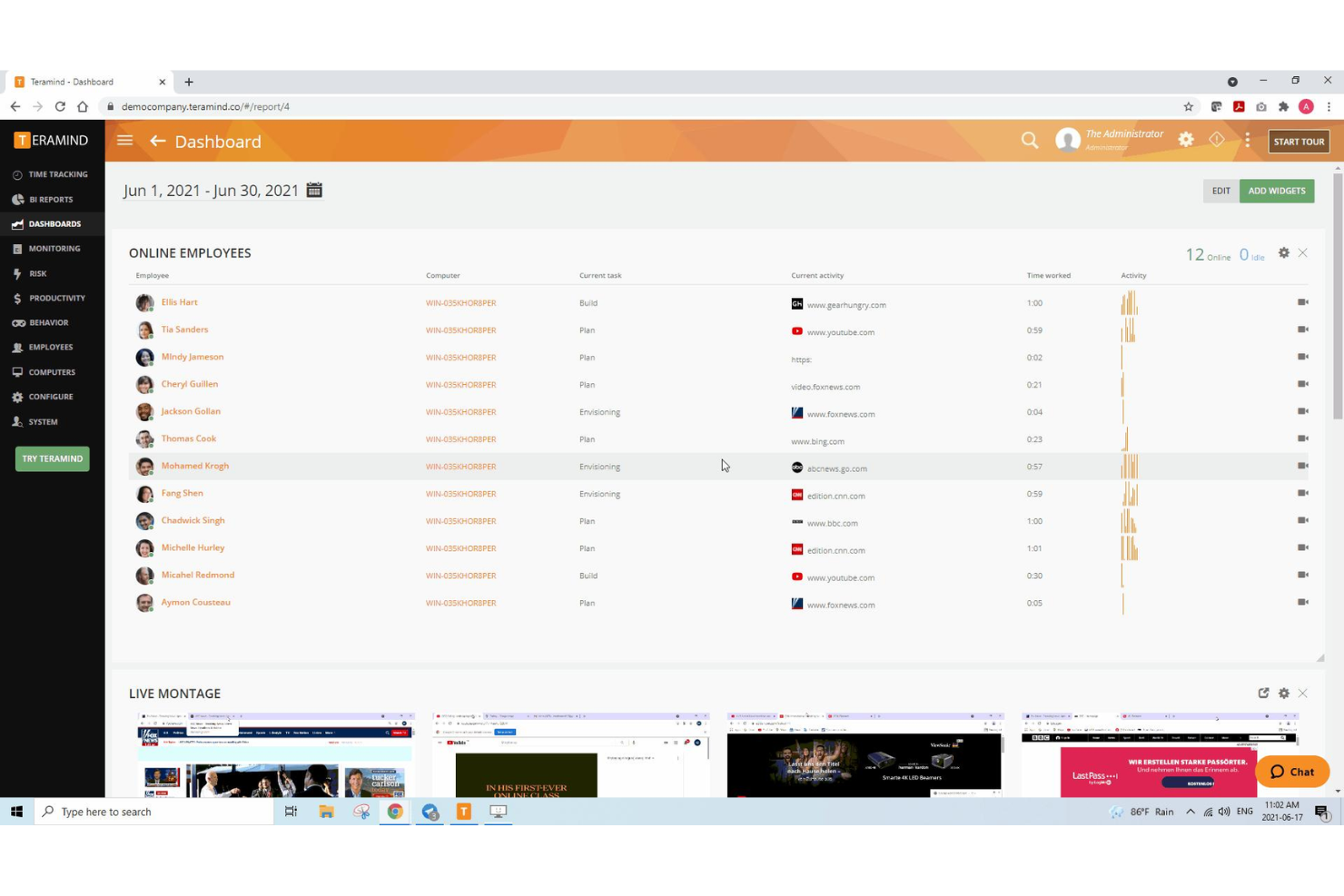
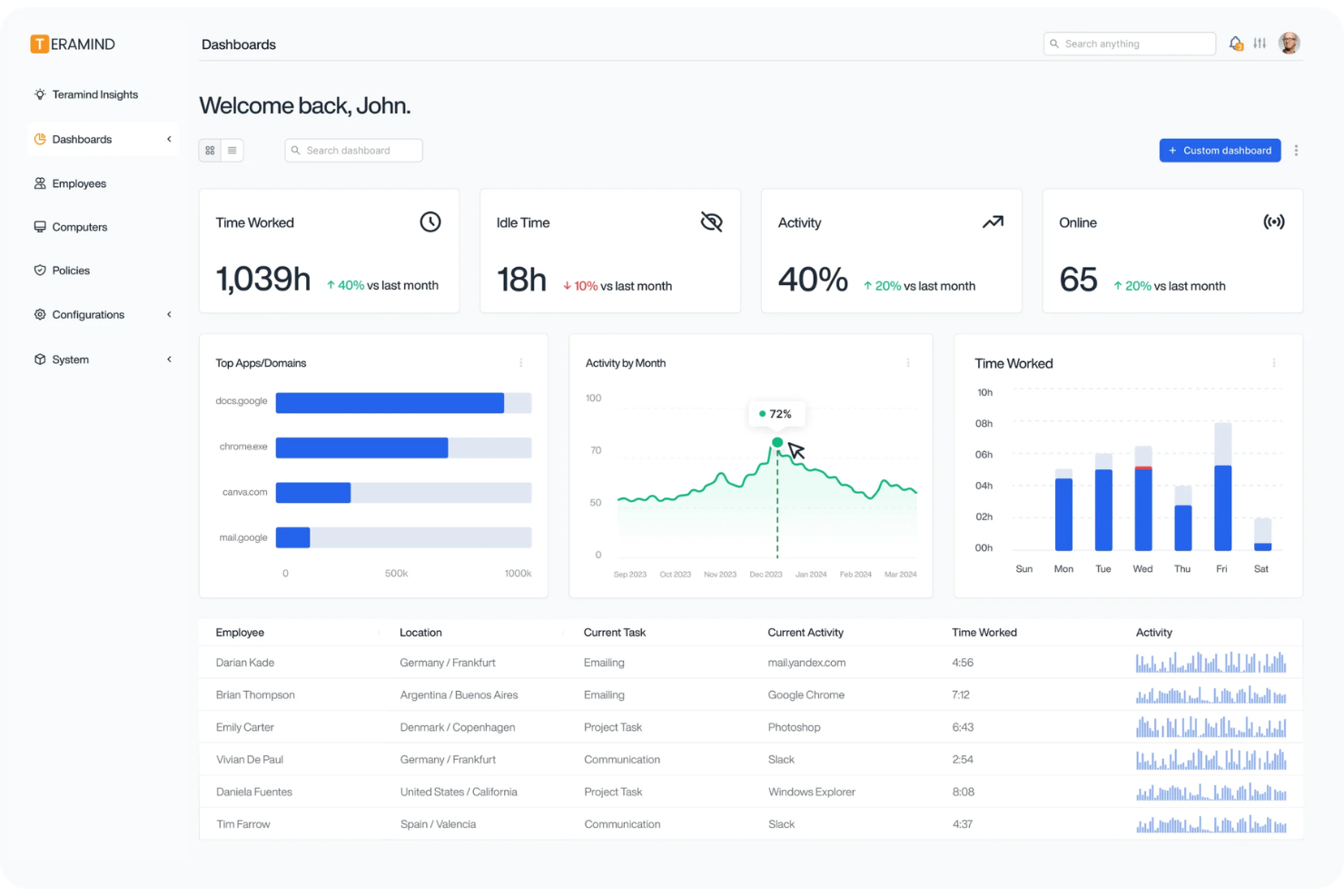
Measure employee productivity with detailed reports on active and idle time. Visual dashboards make comparing productivity metrics across teams easy.
Behavioral Alerts
Set behavior rules to trigger instant notifications for suspicious actions. Respond quickly to policy violations or security threats.
Session Recording
Record user sessions—screen recording, keystrokes, clipboard activity, and audio—for audits, investigations, or training with full playback support.
Insider Threat Detection
Identify potential data leaks with automated risk scoring. Flags unusual user behavior patterns for further investigation.
Policy and Rule Management
Create and enforce custom monitoring policies for different roles. Flexible templates let you tailor oversight to your organization's needs.
Ease of Use
Teramind offers a feature-rich dashboard, but the sheer depth of options can feel overwhelming for new users. Many reviewers mention that setup and navigation require a learning period, especially when configuring custom policies or advanced analytics. However, once you're familiar with the interface, the detailed controls and visualizations make it easy to drill down into workforce data. Teams with technical resources will adapt quickly; smaller teams may find it less user-friendly at first.
Integrations
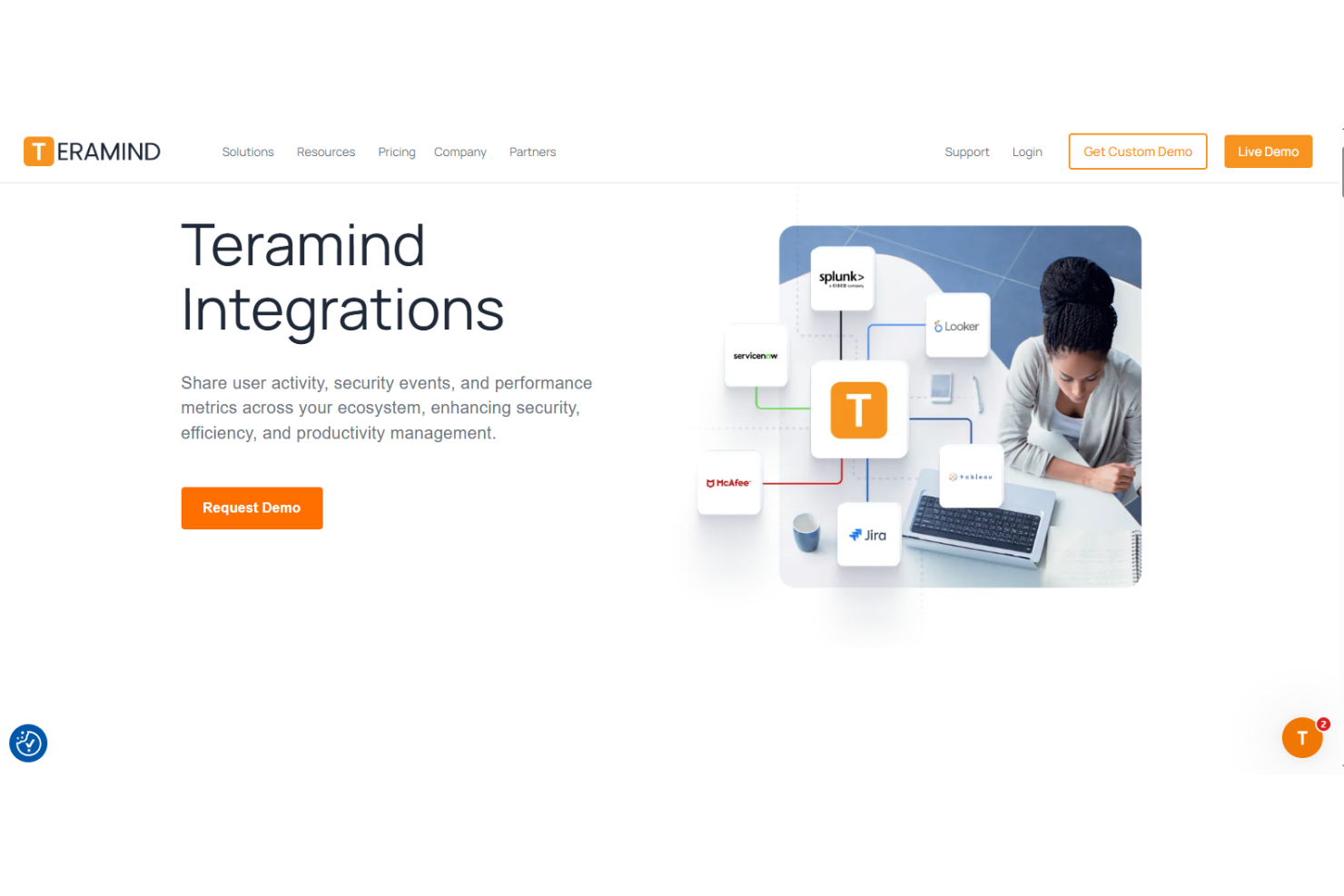
Teramind integrates with ServiceNow, Splunk, IBM QRadar, Jira, and Zendesk, among others.
Teramind also offers a robust API for custom integrations and supports data export in JSON and CEF formats for connecting with third-party tools.
New Product Updates from Teramind

Teramind Enhances Tracking Flexibility, Mac Parity, and Security Controls
Teramind introduces flexible tracking configuration, enhanced Mac monitoring capabilities, and upgraded security and rules engine features to improve monitoring precision and data protection. These updates increase control, strengthen compliance, and ensure more consistent monitoring across Windows and Mac environments. Highlights include:
- Smarter Monitoring with Independent Tracking Configurations: Offers customizable tracking abilities for different users or departments, ensuring tailored monitoring as needed.
- Enhanced Geolocation with New Network Parameters: Provides improved location tracking accuracy based on network settings.
- MS Teams Multi-Account Support: Allows the integration and monitoring of multiple Microsoft Teams accounts for comprehensive team collaboration insights.
- Expanded Content Definitions in Behavior Rules: Enriches behavior monitoring by adding detailed content guidelines for more accurate detections.
- FAT/exFAT External Drive Scanning: Enhances data security by scanning external drives formatted with FAT or exFAT.
- Improved Keystroke Alert Clarity: Delivers clearer notifications and reporting regarding keystroke-based alerts.
Visit Teramind's official site for more details.
 for more details.
Teramind Expands LLM Monitoring and Platform Capabilities
Teramind’s latest platform update delivers over 470 improvements, including AI usage reporting, smarter screen capture handling, and broader hardware and application compatibility. Together, these upgrades increase monitoring accuracy while maintaining stronger security and privacy controls. Some of the highlights include:
- LLM BI Report: Tracks AI usage, prompts, and interaction trends across supported AI platforms.
- AI File Upload Detection: Identifies file sharing activity with AI tools to prevent sensitive data exposure.
- Windows on ARM Support: Enables agent deployment on ARM-based Windows devices.
- High-Resolution Screen Recording Optimization: Improves playback quality while reducing bandwidth usage.
- Enhanced Dynamic Blackout: Masks sensitive content in background windows, dev tools, and certificate viewers.
- Improved Microsoft Teams Monitoring: Enhances message attribution and destination tracking accuracy.
- RDP Activity Tracking: Captures user activity even when remote desktop sessions run in the background.
Visit Teramind’s official site for more details.
Teramind Specs
- API
- Batch Permissions & Access
- Behavioral Tracking
- Big Data
- Competency Assessment
- Compliance Tracking
- Dashboard
- Data Export
- Data Import
- Data Visualization
- Database
- Employee Database
- Employee Engagement
- Employee Onboarding
- External Integrations
- Feedback Management
- Multi-User
- Notifications
- Password & Access Management
- Performance Appraisal
- Site Access Management
- Social-Media Integration
- Workflow Management