



Gusto vs Patriot Software: 2026 Expertenvergleich



Gusto bietet eine benutzerfreundliche Lohnabrechnungslösung, die darauf ausgelegt ist, die finanziellen Verwaltungsaufgaben Ihres Teams zu vereinfachen. Patriot Software hingegen stellt eine unkomplizierte Plattform zur Verfügung, die Wert auf Erschwinglichkeit und Benutzerfreundlichkeit legt.
Der Hauptunterschied zwischen Gusto und Patriot Software liegt in ihrem Ansatz beim Benutzererlebnis und der Preisgestaltung, was sich je nach Ihren geschäftlichen Anforderungen erheblich auf Ihre Wahl auswirken kann. In diesem Artikel vergleichen wir die Tools und ihre Funktionen, Vor- und Nachteile, Preise und mehr, damit Sie die passende Lohnabrechnungssoftware für Ihr Unternehmen finden.
Gusto vs. Patriot Software: An Overview
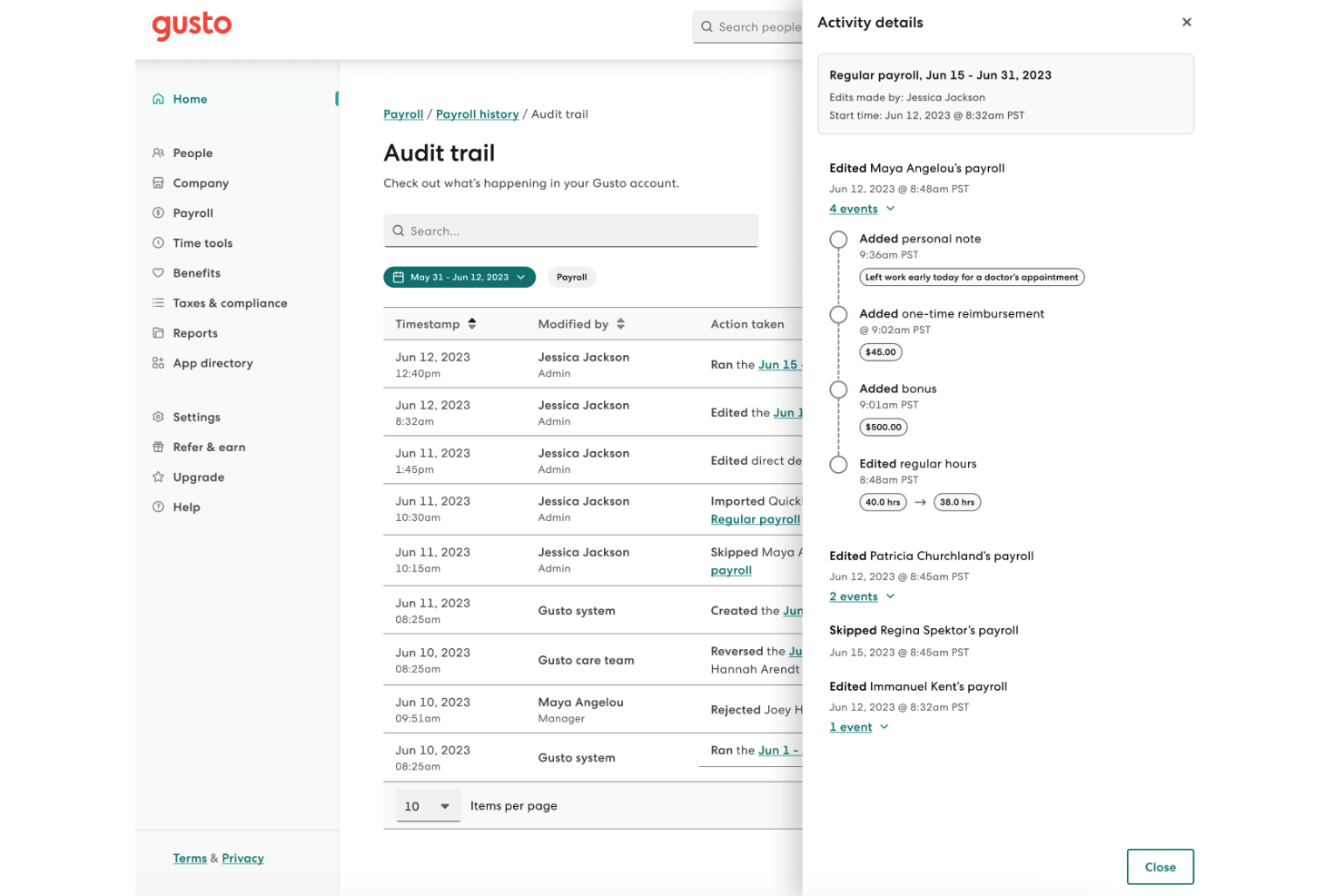
Gusto
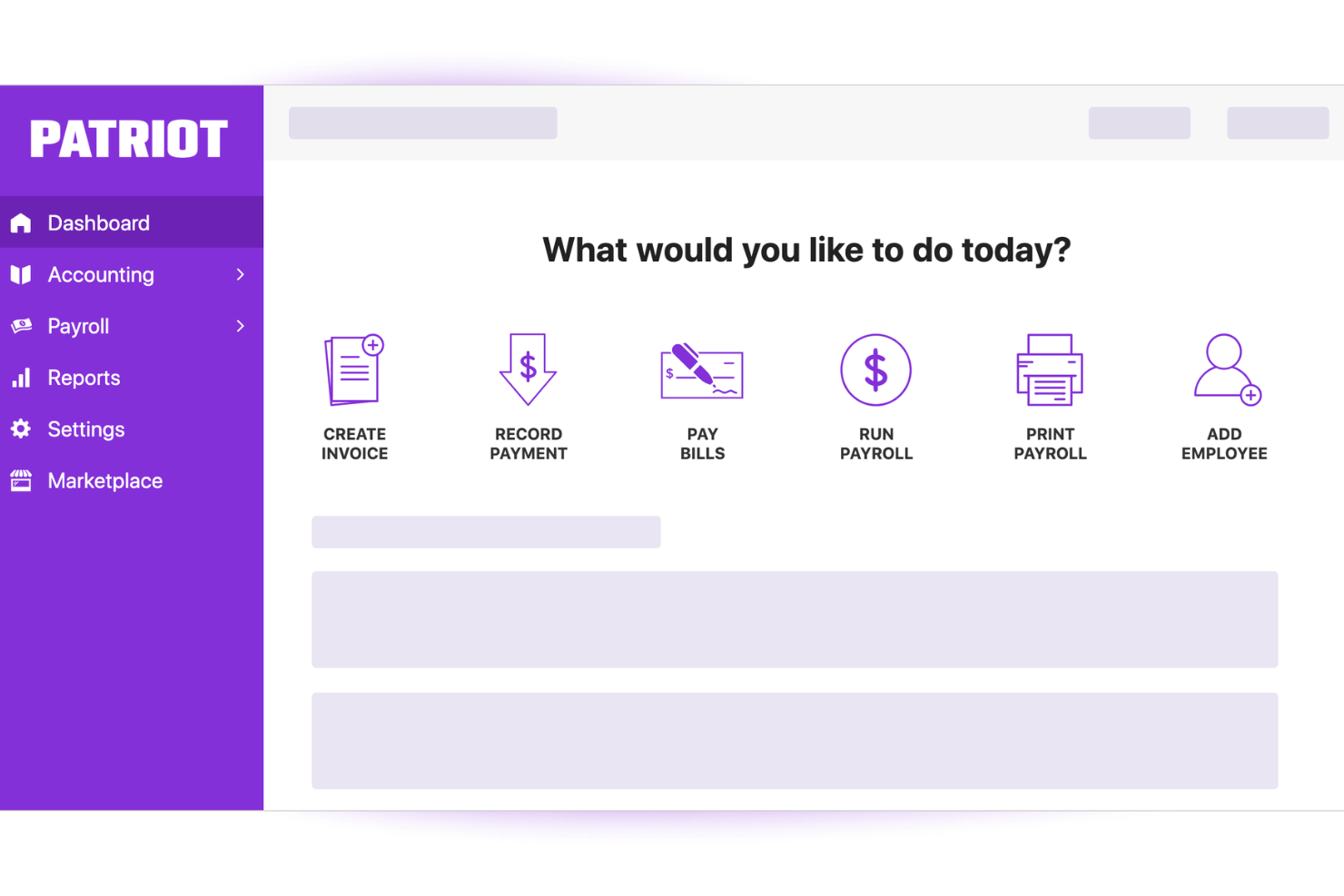
Patriot Software

Weshalb Sie unseren Software-Bewertungen vertrauen können
Wir testen und bewerten HR-Software-Systeme seit 2019. Als HR-Experten wissen wir, wie kritisch und schwierig es ist, bei der Softwareauswahl die richtige Entscheidung zu treffen. Wir investieren viel Zeit in gründliche Recherchen, um unserer Zielgruppe bei besseren Software-Kaufentscheidungen zu helfen. Wir haben mehr als 2.000 Tools für verschiedene Anwendungsfälle im HR-Management getestet und über 1.000 umfassende Software-Bewertungen verfasst. Erfahren Sie, wie wir Transparenz garantieren & unsere Methodik für Softwarebewertungen.
Gusto vs. Patriot Software Pricing Comparison
| Gusto | Patriot Software | |
|---|---|---|
| Free Trial | Free demo available | 30-day free trial |
| Pricing | From $49/month | From $17/month |
Gusto vs. Patriot Software: Preise & Versteckte Kosten
Die Preise von Gusto basieren auf einer monatlichen Abonnementgebühr, die von der Anzahl der Mitarbeitenden abhängt, wobei für bestimmte Funktionen wie die Verwaltung von Zusatzleistungen zusätzliche Gebühren anfallen können.
Das Preismodell von Patriot Software ist einfacher aufgebaut: Es gibt eine Grundgebühr und einen Betrag pro Mitarbeitenden, jedoch sollten Nutzer*innen auf mögliche Zusatzkosten für Erweiterungen wie Zeiterfassung achten.
Um das richtige Preismodell für Ihre Lohnabrechnung zu wählen, sollten Sie die Kernfunktionen bewerten, die im Grundpreis enthalten sind, und überlegen, welche zusätzlichen Tools Ihr Team eventuell benötigt. Mit diesem Ansatz passen Sie die Angebote der Software an Ihre Finanzplanung an und stellen sicher, dass Sie den größten Nutzen aus Ihrer Investition ziehen.
Gusto vs. Patriot Software Feature Comparison
Mit Gustos automatisierter Steuererklärung behalten Sie die Einhaltung von Vorschriften mühelos im Griff, sparen Zeit während der Steuerzeit und reduzieren Fehler bei der Lohnabrechnung. Patriot Softwares leistungsstarkes Direktüberweisungs-Feature sorgt für pünktliche und korrekte Zahlungen an die Mitarbeitenden – besonders vorteilhaft für kleine Unternehmen, die einen engen Lohnabrechnungszeitplan haben.
Beide Tools bieten einzigartige Vorteile: Während Gusto sich bei der Automatisierung der Einhaltung von Vorschriften auszeichnet, punktet Patriot Software mit zuverlässiger Zahlungsabwicklung.
| Gusto | Patriot Software | |
|---|---|---|
| API | ||
| Budgeting | ||
| Calendar Management | ||
| Dashboard | ||
| Data Export | ||
| Data Import | ||
| Data Visualization | ||
| Expense Tracking | ||
| External Integrations | ||
| Forecasting | ||
| Multi-Currency | ||
| Multi-User | ||
| Notifications | ||
| Payroll | ||
| Tax Management |
Gusto vs. Patriot Software Integrationen
| Integration | Gusto | Patriot Software |
| QuickBooks | ✅ | ✅ |
| Xero | ✅ | ❌ |
| Slack | ✅ | ❌ |
| Microsoft Teams | ❌ | ❌ |
| Google Workspace | ✅ | ❌ |
| Trello | ❌ | ❌ |
| Asana | ❌ | ❌ |
| DocuSign | ❌ | ❌ |
| API | ✅ | ✅ |
| Zapier | ✅ | ✅ |
Gustos Integration mit QuickBooks ermöglicht Ihnen eine effizientere Finanzberichterstattung, was besonders bei Monatsabschlüssen von Vorteil ist. Die Zapier-Integration von Patriot Software eignet sich hervorragend, um wiederkehrende Aufgaben zu automatisieren und ermöglicht es Ihnen, sich auf strategischere Aufgaben im Bereich der Lohnabrechnung zu konzentrieren.
Beide Integrationen bieten unterschiedliche Vorteile: Gusto verbessert das Finanzmanagement, während Patriot Software die Automatisierung von Arbeitsabläufen vereinfacht.
Gusto vs. Patriot Software Sicherheit, Compliance & Zuverlässigkeit
| Faktor | Gusto | Patriot Software |
| Datenverschlüsselung | Gusto verschlüsselt sensible Daten sowohl im Ruhezustand als auch bei der Übertragung mithilfe von AES-256-Verschlüsselung, um Ihre Lohn- und Gehaltsdaten zu schützen. | Patriot Software verwendet SSL-Verschlüsselung, um die Datensicherheit während der Übertragung zu gewährleisten. |
| Regulatorische Compliance | Gusto automatisiert Steuererklärungen und Compliance-Updates, damit Sie Bundes- und Landesvorschriften mühelos erfüllen. | Patriot Software unterstützt die Einhaltung von Vorschriften durch integrierte Steuerberechnungen und Erinnerung an die Einreichung. |
| Datenschutz | Gusto verfolgt strenge Datenschutzrichtlinien und bietet rollenbasierte Zugriffskontrollen, um die Informationen Ihres Teams zu schützen. | Patriot Software gewährleistet Datenschutz durch sichere Login-Protokolle und Benutzerberechtigungsverwaltung. |
Gusto bietet umfassendere Sicherheitsfunktionen im Vergleich zu Patriot Software, insbesondere bei der Datenverschlüsselung und den Datenschutzmaßnahmen.
Wenn Sie diese Tools vergleichen, sollten Sie beachten, welche spezifischen Sicherheitsfunktionen zu den Prioritäten Ihres Unternehmens passen, wie z. B. Verschlüsselungsstandards und automatisierte Compliance, um einen Anbieter zu wählen, der Ihren Sicherheits- und betrieblichen Anforderungen entspricht.
Gusto vs. Patriot Software Benutzerfreundlichkeit
| Faktor | Gusto | Patriot Software |
| Benutzeroberfläche | Gusto bietet ein übersichtliches, intuitives Dashboard, das die Navigation und Lohnabrechnungsaufgaben vereinfacht. | Patriot Software bietet eine unkomplizierte Oberfläche, kann aber für fortgeschrittene Anforderungen etwas zu einfach wirken. |
| Onboarding-Erfahrung | Der Onboarding-Prozess von Gusto beinhaltet eine geführte Einrichtung und personalisierten Support, um den Einstieg zu erleichtern. | Patriot Software bietet Schritt-für-Schritt-Anleitungen, erfordert jedoch möglicherweise mehr manuelle Eingaben während der Einrichtung. |
| Kundensupport | Gusto bietet Unterstützung über mehrere Kanäle, darunter Chat und Telefon, um Anfragen schnell zu lösen. | Patriot Software bietet Support per E-Mail und Telefon, aber die Antwortzeiten können variieren. |
Gusto überzeugt durch eine benutzerfreundliche Oberfläche und umfassende Supportmöglichkeiten, was die Navigation und Problemlösung erleichtert.
Patriot Software ist zwar unkompliziert, kann aber in der Funktionalität eingeschränkt wirken und erfordert mehr manuelle Einrichtung, was herausfordernd sein kann, wenn Sie eine stärker automatisierte Lösung suchen.
Gusto vs Patriot Software: Pros & Cons
Gusto
- You can run payroll using guided steps, even without prior payroll experience.
- Employees can access pay stubs, tax forms, and update personal details without HR help.
- Health insurance premiums and 401(k) contributions are automatically deducted and synced with payroll.
- Support response times can be slower outside standard business hours.
- Costs can rise quickly as you add employees and features.
- May feel limiting if you need enterprise-level scalability and controls.
Patriot Software
- Transparent pricing with no hidden fees for payroll runs
- Free USA-based support available via phone, chat, and email
- Guided payroll setup with step-by-step onboarding tools
- No mobile app for processing payroll on the go
- Limited international payroll and contractor options
- Some reports lack customization for advanced analytics
Best Use Cases for Gusto and Patriot Software
Gusto
- Small Businesses Good fit if you want an easy way to run payroll, file taxes, and manage employee records without needing payroll expertise.
- Mid-Sized Business Works well for growing teams that need automated payroll, benefits management, and support for multiple pay schedules.
- Contractor Business Useful if you pay freelancers or contractors regularly and need simple 1099 generation and payment tracking.
- Accountants Helps accountants manage payroll for multiple clients from one system with automated tax filing and reporting.
- New Businesses Ideal if you want to set up payroll quickly, stay compliant from the start, and avoid manual payroll processing.
- One Employee Teams Suitable for solo employers who need to run compliant payroll and handle taxes without complex HR tools.
Patriot Software
- Family-Owned Businesses Patriot Software’s easy setup and hands-on support are ideal for owners new to payroll or handling it in-house for the first time.
- U.S. Nonprofits Nonprofits appreciate Patriot’s transparent fees and the ability to customize deductions and time tracking for grant compliance.
- Construction Firms Job costing and multiple pay schedules help construction teams pay hourly, project-based, or seasonal workers without switching tools.
- Accounting Departments The deep integration with Patriot Accounting eliminates double entry and speeds up reconciliation for accounting teams.
- Local Retail Stores Unlimited payroll runs and flexible pay schedules help retail operators manage turnover and fluctuating staffing needs.
- Franchise Operators Patriot’s straightforward reporting and multi-location support help franchises handle payroll across different locations or entities.
Wer sollte Gusto nutzen und wer Patriot Software?
Meiner Meinung nach eignet sich Gusto am besten für Unternehmen, die eine umfassende Lohnabrechnungslösung mit leistungsstarken Funktionen und exzellentem Support benötigen – ideal für wachsende Teams in verschiedenen Branchen. Patriot Software hingegen halte ich für eine gute Lösung für kleine Unternehmen oder Start-ups, die ein kostengünstiges und unkompliziertes Lohnabrechnungssystem suchen, das die grundlegenden Anforderungen ohne zusätzliche Extras erfüllt.
Wenn Sie Benutzerfreundlichkeit und eine große Auswahl an Integrationen priorisieren, könnte Gusto die richtige Wahl sein. Liegt Ihr Hauptaugenmerk jedoch auf dem Budget, ist Patriot Software womöglich die bessere Option für Ihr Team.
Differences Between Gusto and Patriot Software
| Gusto | Patriot Software | |
|---|---|---|
| Automation | Gusto automates tax filings and compliance updates, reducing manual work. | Patriot Software requires more manual input for compliance tasks. |
| Integrations | Gusto integrates with a wide range of software, enhancing functionality. | Patriot Software has fewer integrations, focusing on core payroll functions. |
| Pricing | Gusto uses a subscription model with additional fees for extra features. | Patriot Software offers a base fee plus a per-employee charge, with optional add-ons. |
| Support | Gusto offers multi-channel support, including chat and phone help. | Patriot Software provides email and phone support, with varying response times. |
| User Interface | Gusto provides a visually appealing and intuitive dashboard for easy navigation. | Patriot Software's interface is straightforward but less visually engaging. |
| Visit GustoOpens new window | Read Patriot Software ReviewOpens new window |
Similarities Between Gusto and Patriot Software
| Cost-Effective | Both Gusto and Patriot Software provide cost-effective payroll solutions, catering to small and medium-sized businesses. |
|---|---|
| Direct Deposit | They both support direct deposit, allowing you to pay employees electronically and save time. |
| Employee Portal | Each offers an employee portal for accessing pay stubs and personal information, enhancing transparency. |
| Payroll | Both Gusto and Patriot Software offer efficient payroll processing, ensuring your team gets paid accurately and on time. |
| Tax Compliance | Both solutions assist with tax compliance, with Gusto automating filings and Patriot Software providing calculation support. |
| Visit GustoOpens new window Read Patriot Software ReviewOpens new window | |