
Paychex Test: Vorteile, Nachteile, Funktionen und Preise erklärt


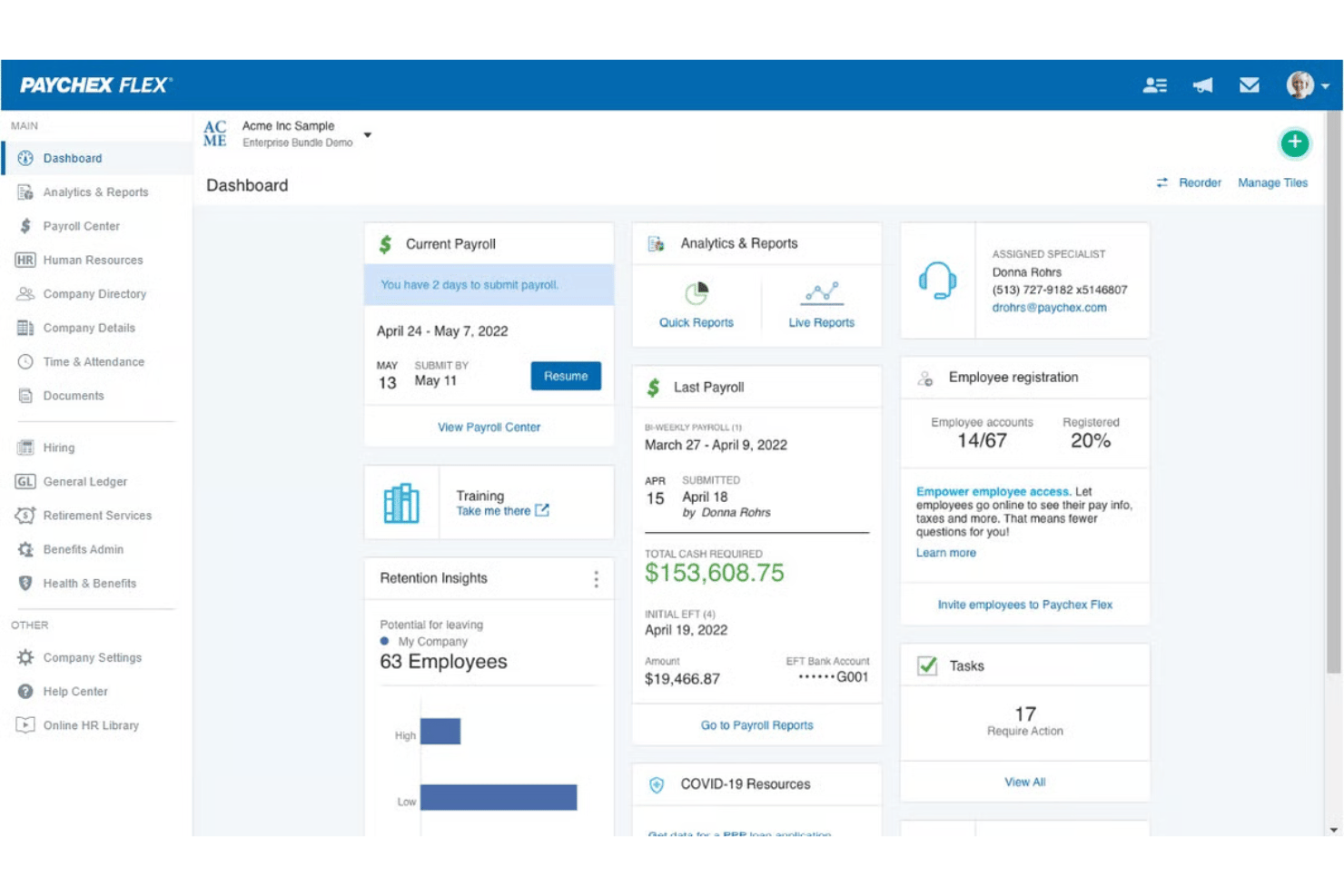
Paychex is a payroll software built for businesses that need to handle payroll processing, tax compliance, and HR administration together. I'd consider it if your organization has grown past what a tool like Gusto can support—particularly if you're managing multi-state payroll, need dedicated specialist access, or want more depth in HR services alongside your payroll workflows.
Paychex Evaluation Summary
- Pricing upon request
- Free demo available
Warum Sie unseren Software-Bewertungen vertrauen können
Unser Team testet und bewertet Software seit 2012. Als HR-Experten wissen wir selbst, wie schwierig – und wichtig – es ist, die richtige Software auszuwählen.
Für diesen Leitfaden haben wir Tools mithilfe von praktischen Tests und unabhängiger Recherche bewertet und dabei unsere Bewertungskriterien angewendet. Zudem greifen wir auf Erkenntnisse von Branchenvordenkern und praktizierenden HR-Experten zurück.
Unsere Bewertungen spiegeln unser menschliches redaktionelles Urteilsvermögen wider, keine Verkaufsstrategie.
Expertenprüfer:
Paychex Overview
When I judge Paychex as an invoicing and payroll software, I think its robust feature set, extensive support, and detailed compliance tools set it apart for established businesses with growing teams. The interface feels a bit dated compared to some, yet onboarding is straightforward and integrations are solid, especially for HR and accounting systems. Pricing can trend higher, but you get granular payroll options out of the box. If you’re choosing for reliability and need both payroll and invoicing in one place, Paychex is a strong pick—especially for HR teams that value live support and step-by-step onboarding.
pros
-
Handles multi-state payroll and tax compliance automatically
-
Offers live support from payroll specialists and HR advisors
-
Provides detailed, customizable payroll and invoice reports
cons
-
Mobile app has limited invoicing features and options
-
Initial setup can be time-intensive for complex businesses
-
Some users report inconsistent direct deposit timing
-

Justworks
Visit WebsiteThis rating combines scores from multiple user review sites to reflect overall customer sentiment about the product.4.6 -
Prevue Assessments
Visit WebsiteThis rating combines scores from multiple user review sites to reflect overall customer sentiment about the product.4.6 -
Small Improvements
Visit WebsiteThis rating combines scores from multiple user review sites to reflect overall customer sentiment about the product.4.3





Wie wir unsere Tools testen und bewerten
Wir haben jahrelang unser System zur Überprüfung und Bewertung von Software aufgebaut, verfeinert und verbessert. Das Bewertungsschema ist darauf ausgelegt, die Nuancen der Softwareauswahl und die Wirksamkeit eines Tools abzubilden, wobei der Fokus auf wesentlichen Aspekten des Entscheidungsprozesses liegt. Unten sehen Sie genau, wie unsere Tests und Bewertungen anhand von sieben Kriterien funktionieren. Damit können wir eine unvoreingenommene Bewertung der Software hinsichtlich zentraler Funktionen, herausragender Merkmale, Benutzerfreundlichkeit, Onboarding, Kundensupport, Integrationen, Kundenrezensionen und Preis-Leistungs-Verhältnis bieten.
Kernfunktionen (25% der Endnote)
Der Ausgangspunkt unserer Beurteilung ist immer die Kernfunktionalität des Tools. Verfügt es über die grundlegenden Funktionen, die ein Benutzer erwarten würde? Sind einige dieser Funktionen in teureren Tarifen eingeschlossen? Im Kern erwarten wir, dass ein Tool den grundlegenden Fähigkeiten seiner Mitbewerber standhält.
Herausragende Funktionen (25% der Endnote)
Danach bewerten wir außergewöhnliche Funktionen, die über das Übliche hinausgehen, das normalerweise in ähnlicher Software zu finden ist. Eine hohe Punktzahl spiegelt spezialisierte oder einzigartige Funktionen wider, die das Produkt schneller, effizienter oder für den Benutzer wertvoller machen. Wir bewerten auch, wie einfach es ist, sich mit anderen im technischen Ökosystem üblichen Tools zu integrieren, um die Funktionalität und Nützlichkeit der Software zu erweitern. Tools mit vielen nativen Integrationen, Drittanbieter-Anbindungen und API-Zugängen für individuelle Integrationen erhalten die beste Bewertung.
Benutzerfreundlichkeit (10% der Endnote)
Wir betrachten, wie schnell und einfach die Aufgaben im Bereich der Kernfunktionen mit dem Tool erledigt werden können. Hoch bewertete Software ist gut designt, intuitiv zu bedienen, bietet mobile Apps, Vorlagen und macht komplexe Aufgaben einfach.
Onboarding (10% der Endnote)
Uns ist bewusst, wie wichtig eine schnelle Einführung eines neuen Systems im Team ist. Deshalb bewerten wir, wie leicht ein Tool mit minimalem Training erlernt und genutzt werden kann. Wir prüfen, wie schnell ein Teammitglied ohne Vorerfahrung mit dem Tool starten kann. Lösungen mit hoher Bewertung erfordern wenig bis keine Unterstützung.
Kundensupport (10% der Endnote)
Wir überprüfen, wie schnell und einfach Hilfe telefonisch, per Live-Chat oder Wissensdatenbank erhalten werden kann. Tools und Unternehmen, die Echtzeit-Support bieten, schneiden am besten ab – Chatbots am schlechtesten.
Kundenrezensionen (10% der Endnote)
Zusätzlich zu unseren eigenen Tests berücksichtigen wir den Net Promoter Score aktueller und ehemaliger Kunden. Wir prüfen, wie wahrscheinlich sie, falls es zur Wahl käme, das Tool für die Kernfunktionen erneut wählen würden. Eine hohe Bewertung der Software spiegelt einen hohen Net Promoter Score wider.
Preis-Leistungs-Verhältnis (10% der Endnote)
Abschließend berücksichtigen wir unter Einbeziehung aller anderen Kriterien den durchschnittlichen Preis der Einstiegstarife im Vergleich zu den Kernfunktionen und zum Wert der anderen Bewertungskriterien. Software, die mehr für weniger bietet, erhält höhere Bewertungen.
Core Features
Automated Payroll Processing
Paychex automatically calculates wages, taxes, and deductions using time and attendance data for each pay period. Overtime alerts and built-in checks minimize manual data entry and help reduce mistakes.
Tax Filing and Compliance
The platform handles federal, state, and local payroll tax calculations and filings. It updates tax rates, handles new-hire reporting, and issues year-end tax documents like W-2s and 1099s.
Invoicing and Payment Management
You can create, send, and track invoices directly from your Paychex dashboard. Payment processing links to payroll data for faster reconciliation and reporting.
Employee Self-Service Portal
Employees access pay stubs, update information, and review tax documents online anytime. This reduces routine HR questions and increases transparency.
Direct Deposit and Payment Options
Paychex offers direct deposit, paper checks, and paycards for flexible employee payments. Funds are distributed quickly based on your payroll run.
Customizable Payroll Reports
Generate detailed payroll, time tracking, and deduction reports tailored to your business needs. Export reports in multiple formats for accounting or audits.
Ease of Use
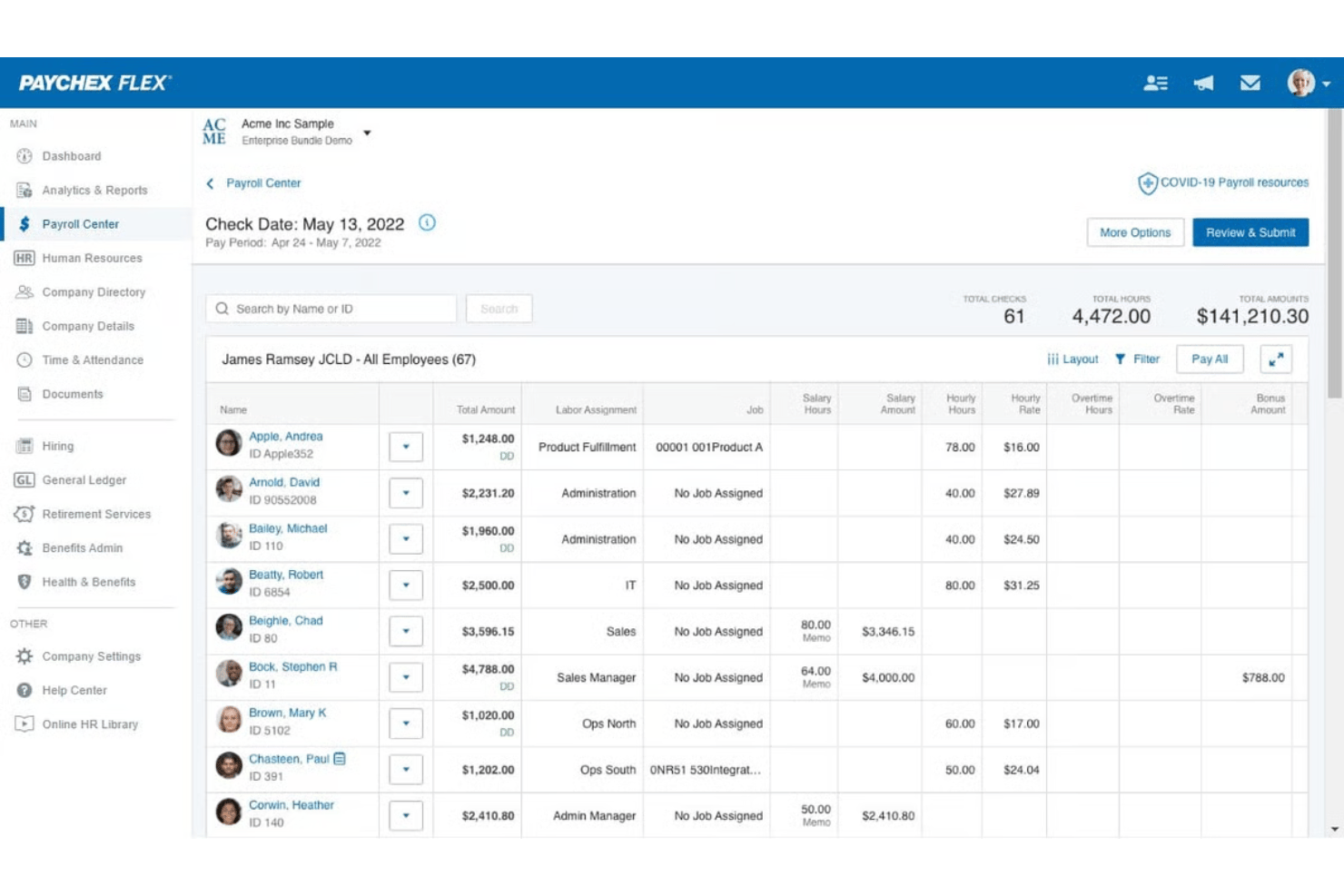
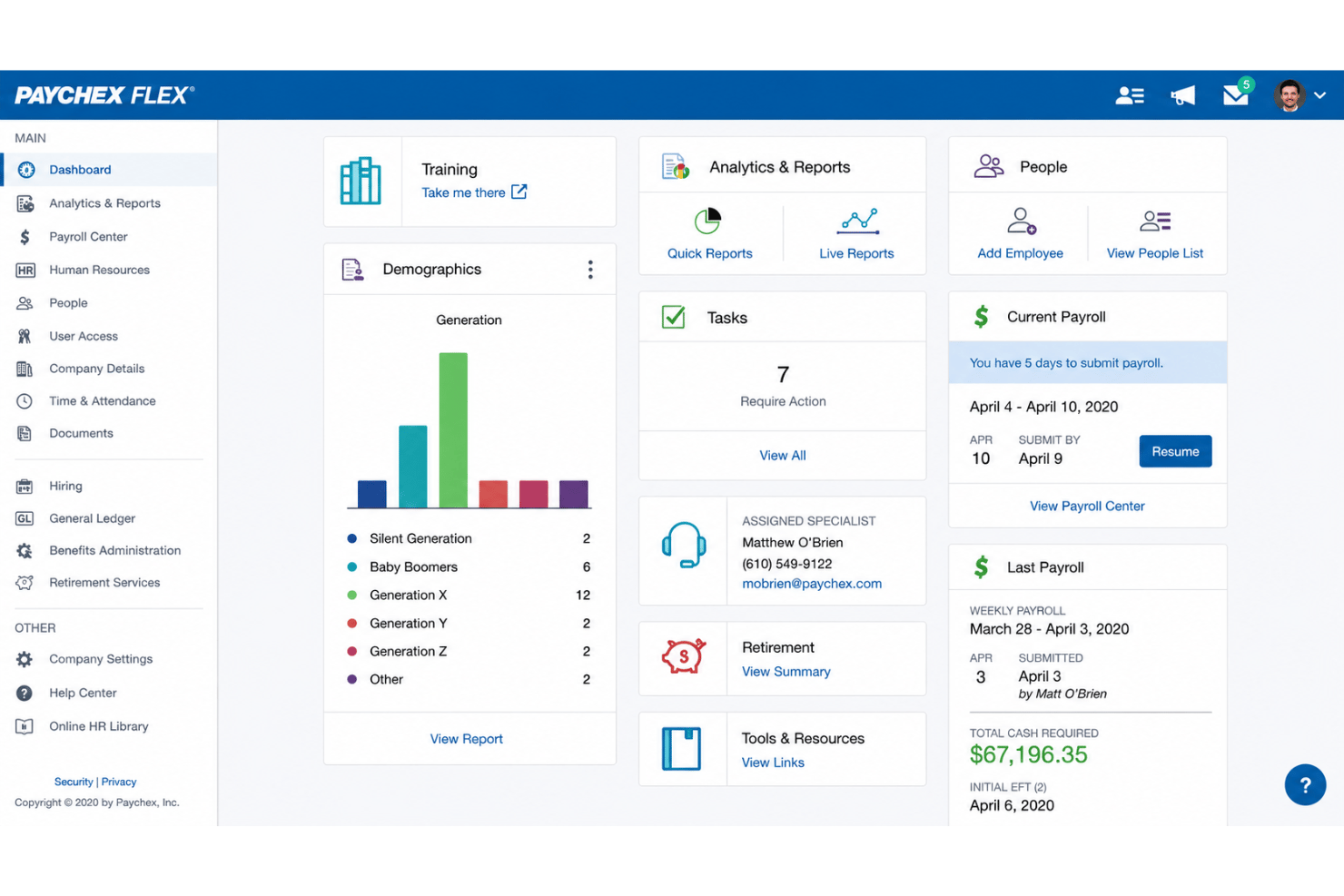
From my point of view, Paychex offers a straightforward payroll run and invoice management process, but the interface can feel outdated and menu-heavy. Many users appreciate quick access to support and onboarding resources, which offsets a steeper learning curve. Features like the employee self-service portal and customizable dashboards make day-to-day management more intuitive once you’re familiar with the layout.
Integrations
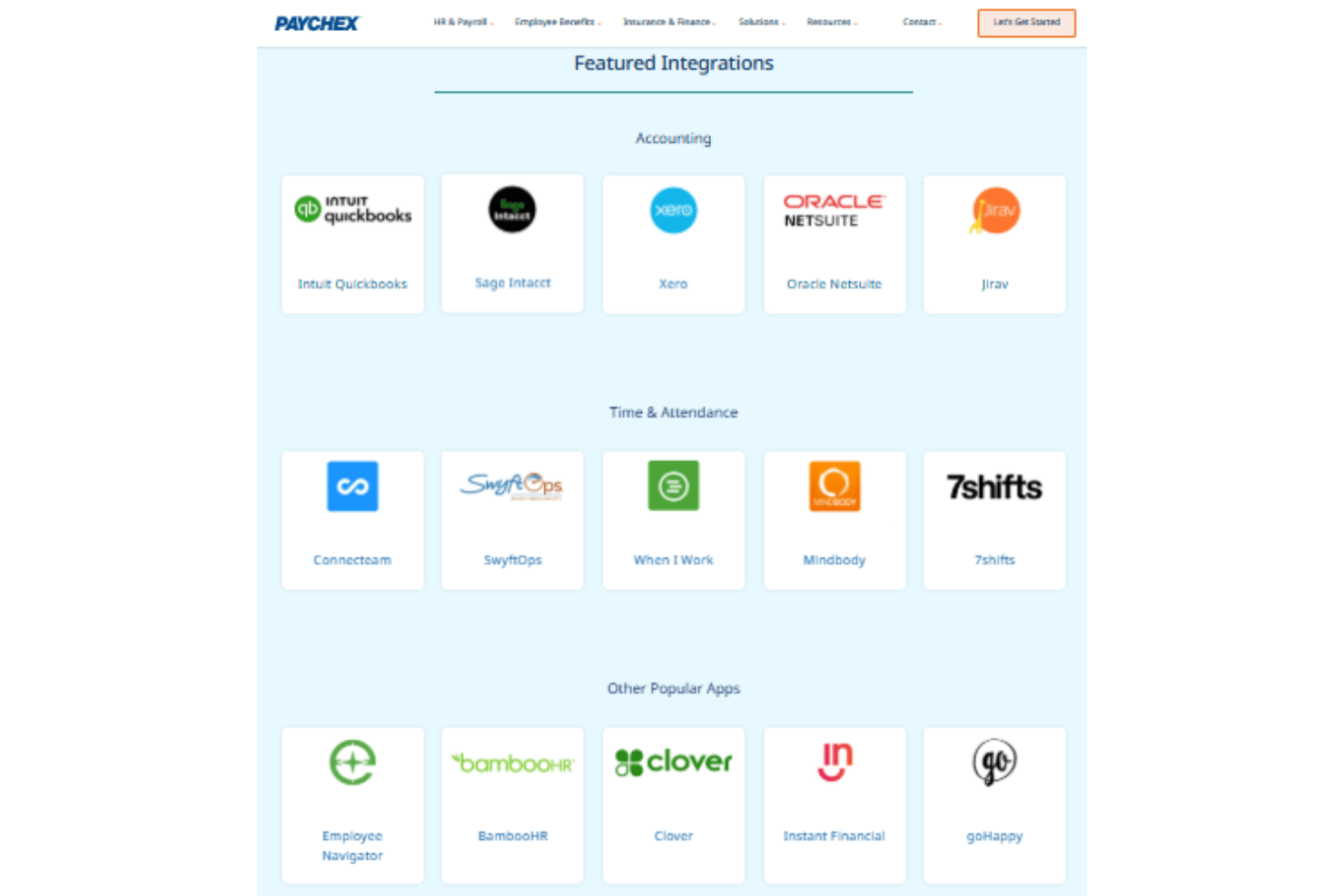
Paychex integrates with QuickBooks Online, Xero, Sage Intacct, BambooHR, Clover, Indeed, Jobvite, 7Shifts and iCIMS, among others.
Paychex also offers an API and connects with several third-party integration platforms.
Paychex Specs
- 2-Factor Authentication
- 360 Degree Feedback
- API
- Application Tracking
- Attendance Tracking
- Batch Permissions & Access
- Compliance Tracking
- Dashboard
- Data Export
- Data Import
- Data Visualization
- Employee Database
- Employee Engagement
- Employee Incentive Management
- Employee Onboarding
- Employee Training
- Expense Tracking
- External Integrations
- Feedback Management
- Multi-User
- Notifications
- Payroll
- Performance Appraisal
- Scheduling
- Time Management
- Timesheets
- Travel Management
- Vacation & Absence Calendar