


OfficeSpace Review: Pros, Cons, Features & Pricing


OfficeSpace is a workplace and office space management platform that helps teams organize, book, and optimize their workplaces. It’s a great fit for HR and workplace managers in hybrid offices, corporate environments, and fast-growing teams juggling space, seating, and collaboration needs. With OfficeSpace, you get a clear, easy way to manage your workspace so your people can focus on doing great work together.
In this review, you’ll get a full look at OfficeSpace’s features, pros and cons, pricing, and best and worst use cases. If you’re looking to create a more efficient, flexible, and people-first workplace, this guide is for you.
OfficeSpace Evaluation Summary
- Pricing upon request
- Free demo available
Why Trust Our Software Recommendations
Our team has been testing and reviewing software since 2012. As HR experts ourselves, we know how difficult—and important—it is to choose the right software.
For this guide, we evaluated tools using hands-on testing and independent research, scoring tools using our selection criteria. We also draw on insights from industry thought leaders and practicing HR experts.
Our reviews reflect our human editorial judgment, not a sales pitch.
Expert reviewers:
OfficeSpace Overview
OfficeSpace is a solid contender in the office management space — it shines at helping hybrid and mid-sized to large workplaces bring order to their seating, bookings, and space planning. It beats many rivals in usability, support, and polished visual tools, though it can feel tricky when setups get very complex or when you need deep customization. Overall, it’s best suited for organizations that want an out-of-the-box, scalable solution rather than building everything themselves.
pros
-
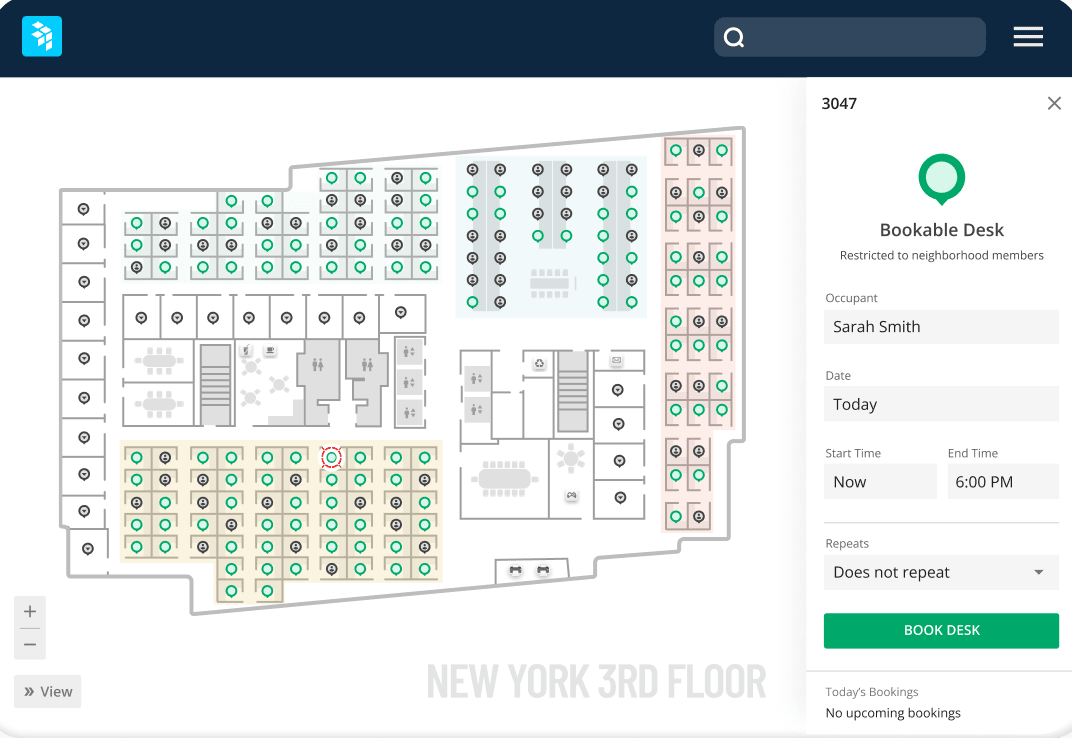
You get clear, visual floor plans and maps so your team can see where desks and rooms are.
-
Wayfinding features help staff and visitors find rooms, desks, or people easily.
-
Scenario planning and move management let you test layout options before committing.
cons
-
The mobile app can feel limited compared to the desktop version.
-
May offer more features than necessary for super small business needs
-
You can’t always customize dashboards or workflows for very niche needs.
-

Justworks
Visit WebsiteThis rating combines scores from multiple user review sites to reflect overall customer sentiment about the product.4.6 -
Eletive
Visit WebsiteThis rating combines scores from multiple user review sites to reflect overall customer sentiment about the product.4.6 -
Prevue Assessments
Visit WebsiteThis rating combines scores from multiple user review sites to reflect overall customer sentiment about the product.4.6



How We Test & Score Our Tools
We’ve spent years building, refining, and improving our software testing and scoring system. The rubric is designed to capture the nuances of software selection and what makes a tool effective, focusing on critical aspects of the decision-making process.
Below, you can see exactly how our testing and scoring works across seven criteria. It allows us to provide an unbiased evaluation of the software based on core functionality, standout features, ease of use, onboarding, customer support, integrations, customer reviews, and value for money.
Core Functionality (25% of final score)
The starting point of our evaluation is always the core functionality of the tool. Does it have the basic features and functions that a user would expect to see? Are any of those core features locked to higher-tiered pricing plans? At its core, we expect a tool to stand up against the baseline capabilities of its competitors.
Standout Features (25% of final score)
Next, we evaluate uncommon standout features that go above and beyond the core functionality typically found in tools of its kind. A high score reflects specialized or unique features that make the product faster, more efficient, or offer additional value to the user.
We also evaluate how easy it is to integrate with other tools typically found in the tech stack to expand the functionality and utility of the software. Tools offering plentiful native integrations, 3rd party connections, and API access to build custom integrations score best.
Ease of Use (10% of final score)
We consider how quick and easy it is to execute the tasks defined in the core functionality using the tool. High scoring software is well designed, intuitive to use, offers mobile apps, provides templates, and makes relatively complex tasks seem simple.
Onboarding (10% of final score)
We know how important rapid team adoption is for a new platform, so we evaluate how easy it is to learn and use a tool with minimal training. We evaluate how quickly a team member can get set up and start using the tool with no experience. High scoring solutions indicate little or no support is required.
Customer Support (10% of final score)
We review how quick and easy it is to get unstuck and find help by phone, live chat, or knowledge base. Tools and companies that provide real-time support score best, while chatbots score worst.
Customer Reviews (10% of final score)
Beyond our own testing and evaluation, we consider the net promoter score from current and past customers. We review their likelihood, given the option, to choose the tool again for the core functionality. A high scoring software reflects a high net promoter score from current or past customers.
Value for Money (10% of final score)
Lastly, in consideration of all the other criteria, we review the average price of entry level plans against the core features and consider the value of the other evaluation criteria. Software that delivers more, for less, will score higher.
Core Features
Wayfinding
OfficeSpace offers indoor navigation to assist employees and visitors in finding their way around the office. This feature is accessible through a directory, where users can locate various 'Space Types' that can be assigned custom colours for easy identification on the floor plan. This function is particularly useful in large or complex buildings.
Space Management
OfficeSpace allows companies to manage their office space and facilities. It provides tools for space allocation, move management, desk booking, and more.
Desk and Meeting Room Booking
Employees can easily reserve desks or workspaces through OfficeSpace. The software shows real-time desk and room availability, so those “hot spots” are easily bookable for rotating meetings or scoring the best window seat. You can even see who is in the office that day, so you can swing by their desk.
Visitor Management
OfficeSpace enables contactless visitor check-in and screening. It prints visitor badges, notifies hosts when guests arrive, and is able to track and log visitors. OfficeSpace also allows you to easily book desks for guests and coworkers.
Maintenance Management
Companies can manage work orders and maintenance requests with OfficeSpace. It allows these tasks to be assigned to team members.
Reporting and Analytics
You can access easy-to-read reports on occupancy, bookings, and space trends. It gives you the data you need to make smarter real estate decisions.
Ease of Use
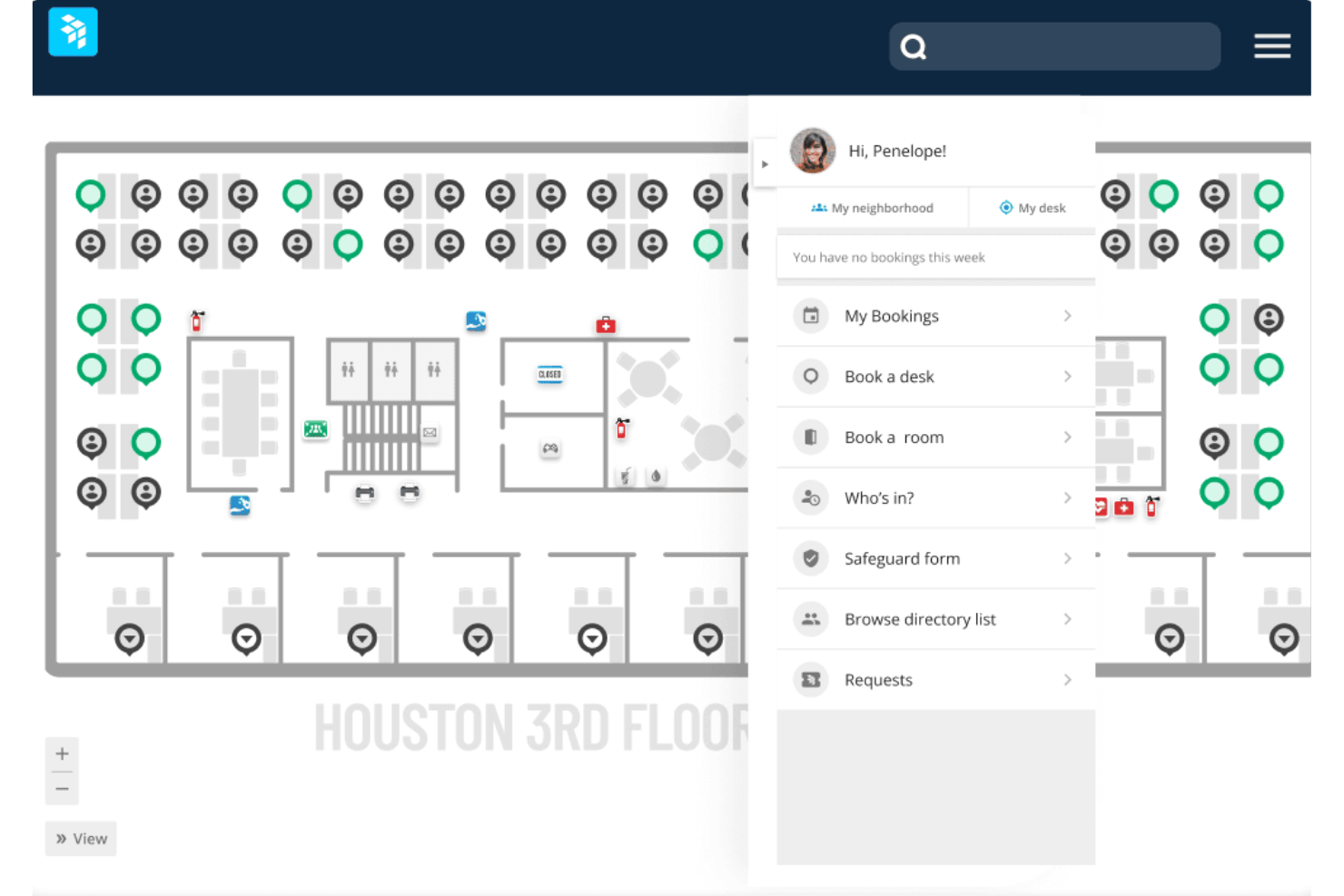
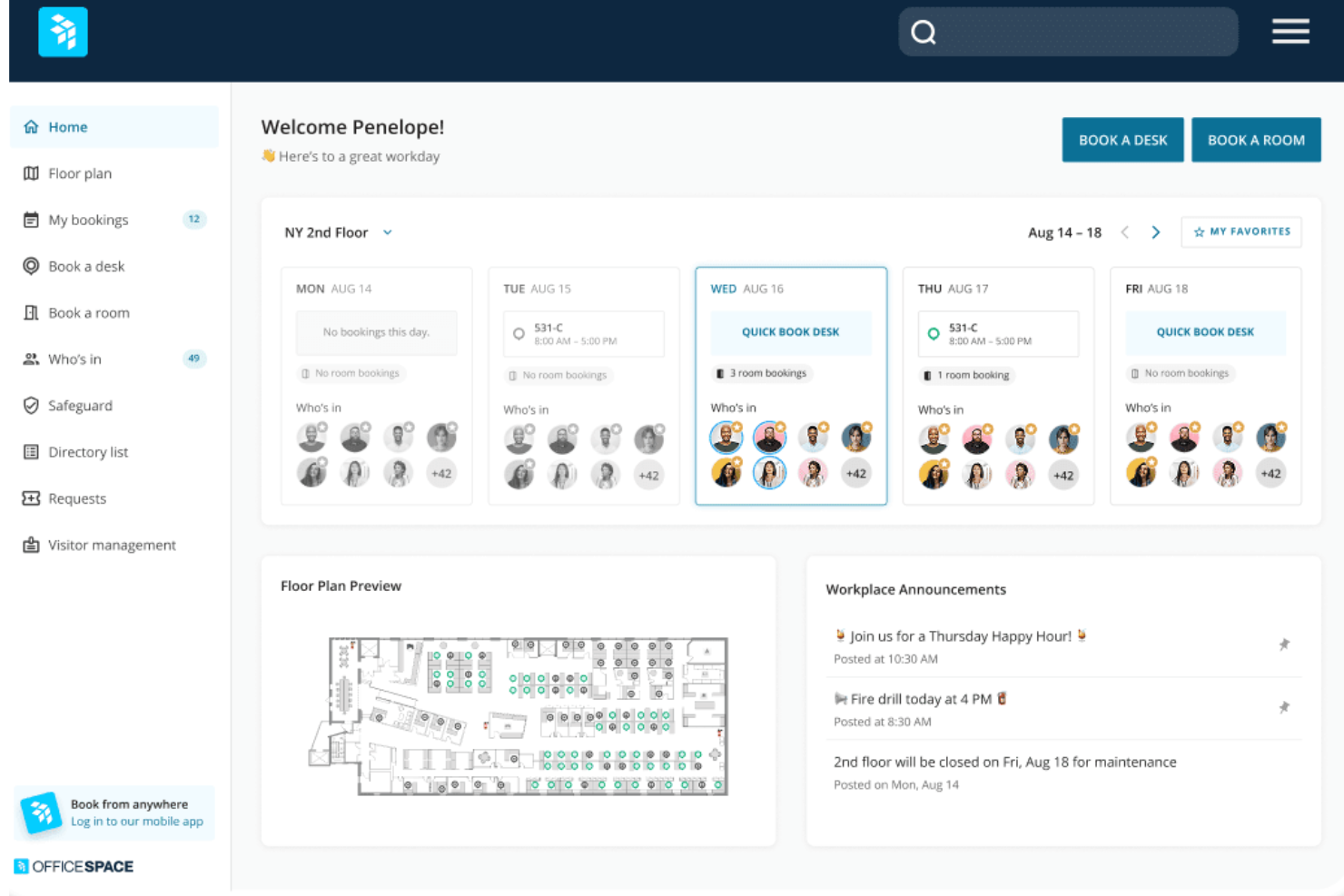
I find OfficeSpace has an intuitive interface and is relatively easy to use compared to some other office management systems. Core functions like desk booking, visitor check-in, and space allocation are straightforward for end users and administrators. The mobile app also provides a simple way for employees to access key features.
New Product Updates from OfficeSpace

OfficeSpace Adds Work Order Status and Cost Reports
OfficeSpace adds Work Order Status and Work Order Cost reports under the Reports menu. The new reports give facilities and operations teams built-in visibility into maintenance activity and spending for easier performance tracking. Highlights include:
- Work Order Status Report: Provides visibility into maintenance activity and work order status.
- Work Order Cost Report: Helps teams review maintenance costs directly within OfficeSpace.
- Built-In Reporting: Reduces reliance on manual spreadsheets for work order analysis.
Visit OfficeSpace’s official site for more details.
 for more details.
OfficeSpace Adds a Three-Level Space Types Hierarchy
OfficeSpace replaces its flat space type structure with a three-level hierarchy of Function → Category → Space Type. The new taxonomy helps organizations standardize space classification while supporting more consistent reporting, visualization, and space management. Highlights include:
- Three-Level Space Hierarchy: Organize spaces using standardized Functions with customizable Categories and Space Types.
- Improved Space Classification: Classify office, collaboration, amenity, technical, and other space types using a structured taxonomy.
- Enhanced Reporting: Analyze and filter workplace data by Function and Category across Insights Hub and other reporting tools.
- Floor Plan Visualization: Color floor plans by Function or Space Type for clearer space allocation and utilization insights.
Visit OfficeSpace's official site for more details.

OfficeSpace Adds Early Booking Access for Desk Reservations
OfficeSpace adds Early Booking Access for bookable desks, enabling admins to configure advance booking windows for different employee groups. The feature helps organizations prioritize desk reservations while keeping desks available for broader employee access as booking windows open. Highlights include:
- Group-Based Booking Windows: Set different advance booking windows for employee groups based on existing restrictions and custom employee fields.
- Multiple Restriction Tiers: Apply up to 10 booking tiers per desk, with the longest booking window automatically applied when employees belong to multiple groups.
- Bulk Configuration: Update Early Booking Access settings across multiple desks using the bulk editor.
Visit OfficeSpace's official site for more details.****
OfficeSpace Specs
- Access Management
- API
- Appointment Scheduling
- Batch Permissions & Access
- Calendar Management
- Chat
- Click-to-Dial
- Contact Management
- Custom Data Forms
- Custom Reports
- Customer Management
- Dashboard
- Dashboards
- Data Export
- Data Import
- Data Visualization
- Email Integration
- External Integrations
- Forecasting
- Google Apps Integration
- Lead Management
- Map Visualization
- Marketing Automation
- Mobile App
- Multi-User
- Notifications
- Resource Management
- Scheduling
- Self-service Portal
- Workflow Management
Alternatives to OfficeSpace




OfficeSpace FAQs
How quickly can your team get up and running with OfficeSpace?
Is there a mobile app for OfficeSpace?
Can OfficeSpace handle hybrid work schedules?
How secure is OfficeSpace for sensitive workplace data?
Does OfficeSpace support global or multi-location teams?
How does OfficeSpace’s AI help your team?
What kind of support does OfficeSpace provide after implementation?
What's Next?
To remain up to date on all the latest in people management, subscribe to our newsletter for leaders and managers. You'll receive insights and offerings tailored to leaders and HR professionals straight to your inbox.