

I 10 migliori software per la gestione delle paghe dei ristoranti recensiti nel 2026

Elenco dei migliori software paghe per ristoranti


I migliori software per la gestione delle paghe nei ristoranti ti aiutano a gestire salari orari, mance, straordinari e conformità, senza lo stress dei calcoli manuali o di costosi errori.
La gestione delle paghe nei ristoranti comporta sfide specifiche, dai turni spezzati e dalla condivisione delle mance alle normative sul lavoro in costante cambiamento e all'elevato ricambio del personale. Senza il sistema giusto, l'elaborazione delle paghe può diventare rapidamente dispendiosa in termini di tempo e soggetta a errori. Il software giusto automatizza queste complessità, garantendo paghe accurate, una corretta gestione fiscale e la conformità alle normative su salari e orario di lavoro.
Per aiutare proprietari e responsabili di ristoranti a trovare soluzioni che funzionino davvero, ho analizzato e recensito le principali piattaforme per la gestione delle paghe sviluppate specificamente per il settore dell'ospitalità. In questa guida scoprirai software per le paghe dei ristoranti che semplificano il monitoraggio delle mance, velocizzano l'elaborazione delle paghe e ti permettono di concentrarti su ciò che conta di più: gestire il tuo ristorante.
Perché fidarsi delle nostre recensioni sui software
Il nostro team testa e recensisce software dal 2012. In quanto esperti HR noi stessi, sappiamo quanto sia difficile — e importante — scegliere il software giusto.
Per questa guida, abbiamo valutato gli strumenti attraverso test pratici e ricerche indipendenti, assegnando un punteggio agli strumenti in base ai nostri criteri di selezione. Ci basiamo inoltre sulle competenze di leader di pensiero del settore e di professionisti HR attivi.
Le nostre recensioni riflettono il nostro giudizio editoriale umano, non un discorso di vendita.
Revisori esperti:
Tabella di confronto dei software per le paghe dei ristoranti
Questa tabella di confronto riassume prezzi, prove gratuite e dettagli delle demo delle mie migliori selezioni di software per la gestione delle paghe destinate ai proprietari di ristoranti.
| Tool | Best For | Trial Info | Price | ||
|---|---|---|---|---|---|
| 1 | Ideale per piani benefit personalizzabili | Demo gratuita disponibile | Da $8/dipendente/mese + $50/mese di tariffa base | Website | |
| 2 | Ideale per la gestione paghe multi-sede con conformità | Demo gratuita disponibile | Da $29/dipendente/mese | Website | |
| 3 | Ideale per l'elaborazione automatizzata delle buste paga | Demo gratuita disponibile | Prezzo su richiesta | Website | |
| 4 | Ideale per la rendicontazione delle mance | Demo gratuita disponibile | Da $49/mese + $6/mese per persona | Website | |
| 5 | Ideale per pacchetti paghe scalabili per PMI | Demo gratuita disponibile | Prezzo su richiesta | Website | |
| 6 | Ideale per il calcolo automatico delle mance | Prova gratuita di 14 giorni + piano gratuito disponibile | Da CAD$39.99/sede/mese | Website | |
| 7 | Ideale per pagamenti integrati | Prova gratuita di 30 giorni + piano gratuito + demo gratuita disponibile | Da $49/località/mese | Website | |
| 8 | Ideale per l'integrazione con il sistema POS | Piano gratuito disponibile | Da $69/mese | Website | |
| 9 | Ideale per il supporto alla conformità | Demo gratuita disponibile | Prezzo su richiesta | Website | |
| 10 | Ideale per la gestione del team | Not available | A partire da $65/mese per postazione + costo una tantum di attivazione | Website |


Recensioni dei migliori software per le paghe dei ristoranti
Scopri tutti i dettagli sulle mie migliori scelte di software per le paghe dei ristoranti. Di seguito analizzo ciò che ogni strumento fa meglio, gli aspetti in cui potrebbe essere carente e i tipi di team di ristorazione per cui è stato progettato, così potrai capire rapidamente quale soluzione si adatta alle tue esigenze.

Ideale per piani benefit personalizzabili

Justworks è una soluzione pratica per i ristoranti che necessitano di un sistema di gestione delle paghe con supporto HR aggiuntivo. Si distingue per i piani di benefit personalizzabili, offrendo ai titolari di ristoranti maggiore flessibilità nella gestione dell'assicurazione sanitaria e di altri vantaggi per i dipendenti. Oltre all'elaborazione delle buste paga e alla gestione delle imposte, aiuta i ristoranti a gestire i propri team restando conformi ai requisiti normativi.
Perché ho scelto Justworks
Ho scelto Justworks perché affronta le sfide uniche dei titolari di ristoranti, come la gestione di diversi ruoli dei dipendenti e la conformità alle leggi sul lavoro. Justworks offre un servizio completo di elaborazione delle buste paga, che garantisce pagamenti accurati e puntuali sia per i dipendenti stipendiati che per quelli orari, una caratteristica fondamentale per i ristoranti con turni variabili. Apprezzo inoltre il suo solido supporto in materia di conformità, che aiuta la tua attività a evitare multe costose tenendoti aggiornato sulle normative relative alle paghe. Queste caratteristiche rendono Justworks una scelta pratica per i titolari di ristoranti che desiderano semplificare le attività amministrative.
Caratteristiche principali di Justworks
Oltre ai piani di benefit personalizzabili, Justworks offre:
- Rilevazione presenze: include strumenti per monitorare le ore lavorate dai dipendenti, garantendo buste paga accurate e facilitando la gestione degli straordinari.
- Gestione PTO: semplifica il monitoraggio e la gestione delle ferie retribuite, fondamentale per mantenere alto il morale del personale e una buona programmazione dei turni.
- Supporto onboarding: mette a disposizione specialisti dedicati per assistere nella configurazione, assicurando una transizione senza intoppi alla piattaforma.
Integrazioni di Justworks
Le integrazioni includono QuickBooks, Xero, BambooHR, JazzHR, Guideline e Mineral. È disponibile anche un'API per integrazioni personalizzate.
Pros and Cons
Pros:
- Processo di onboarding semplice per i nuovi assunti
- Dashboard chiara per dipendenti con informazioni su benefit e pagamenti
- Gestione automatica delle imposte sui salari
Cons:
- Meno funzionalità HR avanzate rispetto alle piattaforme enterprise più grandi
- Gli strumenti di reportistica offrono informazioni aziendali approfondite limitate

Ideale per la gestione paghe multi-sede con conformità

Per i proprietari di ristoranti che cercano un software per le paghe multi-sede in grado di supportare una forza lavoro distribuita, Deel offre strumenti per gestire team globali rispettando le normative del lavoro locali. È particolarmente utile per i ristoranti che operano in più paesi, poiché aiuta a gestire pagamenti internazionali e requisiti di conformità specifici per regione su un'unica piattaforma. Questo può ridurre l'onere amministrativo nel pagare il personale in diverse valute e giurisdizioni, consentendoti di dedicare più tempo alla gestione del tuo ristorante.
Perché ho scelto Deel
Ho scelto Deel perché ti permette di gestire una combinazione di dipendenti a tempo pieno e collaboratori in regioni diverse senza necessità di sistemi paga separati. Le sue funzionalità di conformità integrate possono agevolare il rispetto delle normative locali in materia di lavoro, particolarmente importante se assumi lavoratori stagionali o internazionali. Apprezzo anche il fatto che l'elaborazione automatica delle paghe e i pagamenti in più valute possano ridurre il lavoro manuale, aiutandoti così a mantenere l'efficienza durante i periodi di servizio più intensi.
Caratteristiche principali di Deel
Oltre alle sue funzionalità principali, ho trovato anche diverse funzioni aggiuntive che aumentano l'idoneità di Deel per la gestione delle paghe dei ristoranti:
- Assunzione immediata: Consente l'inserimento rapido di personale in oltre 150 paesi, aiutandoti a coprire le posizioni velocemente.
- Calcoli fiscali automatizzati: Garantisce la conformità fiscale accurata in diverse giurisdizioni, riducendo il rischio di errori.
- Analisi in tempo reale: Offre strumenti di analisi e reportistica per aiutarti a prendere decisioni finanziarie informate.
- Supporto multi-valuta: Agevola i pagamenti in varie valute, permettendo transazioni agevoli con personale internazionale.
Integrazioni di Deel
Le integrazioni includono Workday, SAP, NetSuite, Xero, QuickBooks, Gusto, BambooHR, Greenhouse, Lever e Slack.
Pros and Cons
Pros:
- Gestione paghe globale in 150 paesi
- Gestione contratti e conformità integrata
- Si integra con i principali sistemi HR
Cons:
- Le funzionalità di reportistica non hanno filtri avanzati
- Opzioni di personalizzazione della directory limitate

Ideale per l'elaborazione automatizzata delle buste paga
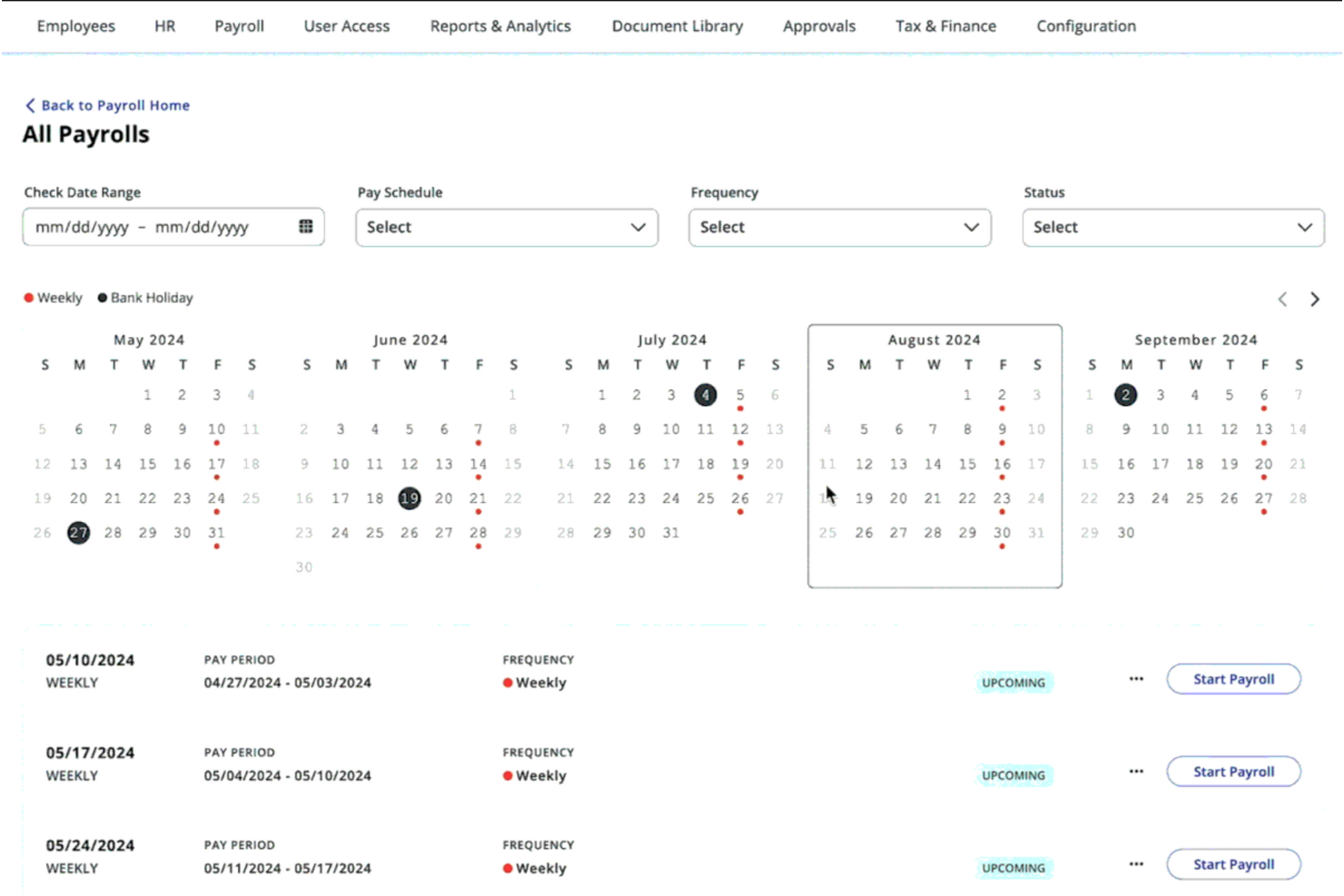
Per i proprietari di ristoranti che cercano una soluzione affidabile per la gestione delle paghe, Paylocity supporta l'elaborazione automatizzata delle buste paga in ambienti della ristorazione ad alta intensità. Questa piattaforma aiuta i ristoranti di tutte le dimensioni a gestire esigenze complesse come stipendi con mance e tariffe orarie differenti per più ruoli. Riducendo il lavoro manuale e supportando la conformità alle leggi sul lavoro, Paylocity consente ai manager di concentrarsi maggiormente sulle operazioni quotidiane e sul servizio allo staff.
Perché ho scelto Paylocity
Ho scelto Paylocity per il suo supporto all'elaborazione automatica delle buste paga per i team di ristorazione. Gestisce i calcoli degli stipendi con mance e le tariffe per molteplici ruoli, contribuendo a ridurre il lavoro manuale e gli errori nelle paghe. Le sue integrazioni POS facilitano inoltre l'acquisizione di dati accurati su ore e mance, mantenendo i registri delle paghe coerenti e aggiornati.
Caratteristiche principali di Paylocity
Oltre all'elaborazione automatizzata delle paghe, Paylocity offre diverse funzioni che migliorano la gestione dei ristoranti.
- Pianificazione dei turni: Consente ai manager di creare e gestire i turni dei dipendenti, garantendo livelli di personale ottimali e riducendo conflitti di programmazione.
- Rilevazione delle presenze: Offre strumenti per tracciare con precisione le ore lavorate dai dipendenti, inclusi straordinari e pause, fondamentali per la conformità e la precisione delle buste paga.
- Gestione della conformità: Aiuta i ristoranti a rispettare le leggi e i regolamenti sul lavoro, inclusi requisiti su salario minimo e straordinari.
- App mobile: Consente ai dipendenti di accedere a turni, cedolini e altre informazioni HR ovunque si trovino, migliorando comunicazione e coinvolgimento.
Integrazioni Paylocity
Le integrazioni includono QuickBooks, Xero, NetSuite, Sage Intacct, Microsoft Dynamics, Kronos, SAP, Oracle, ADP e Workday.
Pros and Cons
Pros:
- Offre il supporto integrato per la conformità alle normative sul lavoro
- L'integrazione con software di contabilità semplifica la gestione finanziaria
- La funzionalità di pianificazione dei dipendenti riduce i conflitti di personale e le inefficienze
Cons:
- Opzioni di personalizzazione limitate per esigenze specifiche della ristorazione
- Alcuni utenti trovano l'interfaccia meno intuitiva rispetto ai concorrenti
New Product Updates from Paylocity

Paylocity Expands Expense and Purchase Request Tools
Paylocity adds connected personal cards, smarter expense categorization, and a streamlined purchase request experience. This reduces manual entry and helps finance teams manage expenses and approvals more efficiently. For more information, visit Paylocity’s official site.
 .
.
Gusto
Ideale per la rendicontazione delle mance

Gusto è una piattaforma per le paghe e le risorse umane che unisce l’elaborazione automatica delle buste paga, la gestione delle dichiarazioni fiscali, il monitoraggio delle mance e le attività HR di base in un unico posto, rendendolo una scelta solida per i ristoranti che gestiscono personale a ore, dipendenti con mance e requisiti di conformità.
Perché ho scelto Gusto
Ho scelto Gusto perché permette ai titolari di ristoranti di gestire paghe e conformità da un unico strumento invece di dover utilizzare diverse applicazioni. È possibile elaborare paghe illimitate e calcolare automaticamente le imposte federali, statali e locali, aiutando a garantire che il personale venga pagato correttamente e puntualmente.
La rilevazione integrata delle mance e il supporto per i crediti FICA assicurano che il personale con mance venga gestito correttamente senza necessità di aggiustamenti manuali. I dati di rilevazione presenze vengono trasferiti direttamente nella gestione delle buste paga, così le ore lavorate confluiscono nei cicli di pagamento riducendo gli errori. Inoltre, il sistema self-service di Gusto consente allo staff di accedere autonomamente a cedolini e documenti fiscali senza sovraccaricare l’ufficio HR.
Caratteristiche principali di Gusto
Ecco alcune funzionalità chiave da evidenziare:
- Buste paga automatiche e dichiarazione delle tasse: Elabora le paghe e invia le dichiarazioni fiscali federali/statali/locali senza calcoli manuali.
- Rendicontazione mance e supporto credito FICA: Registra correttamente le mance e supporta i calcoli di conformità necessari.
- Integrazione rilevazione presenze: Collega le ore dei dipendenti alle paghe per ridurre gli errori.
- Self-service per i dipendenti: Permette allo staff di visualizzare cedolini e documenti fiscali online o tramite app.
Integrazioni Gusto
Le integrazioni includono QuickBooks Online, Xero, FreshBooks, TSheets (QuickBooks Time), When I Work, Clover, Shopify, Expensify, BambooHR e Deputy — oltre a più di 100 altre soluzioni nei settori contabilità e rilevazione delle presenze.
Pros and Cons
Pros:
- La rilevazione presenze è collegata direttamente ai cicli buste paga
- La rendicontazione integrata delle mance soddisfa le esigenze delle paghe per ristoranti
- Il self-service per i dipendenti riduce il carico di lavoro HR
Cons:
- Il prezzo base non include tutte le funzionalità
- Potrebbe essere necessario integrare servizi supplementari per la gestione HR completa
New Product Updates from Gusto
Gusto Adds Solo Advisory Tools and Mobile Money Features
Gusto adds Solo S-Corp Advisory Tools and Gusto Money on Mobile for tax guidance, invoicing, and bill payments. These updates help accountants advise solopreneurs and let users manage business finances from their phones. For more information, visit Gusto’s official site.
Ideale per pacchetti paghe scalabili per PMI
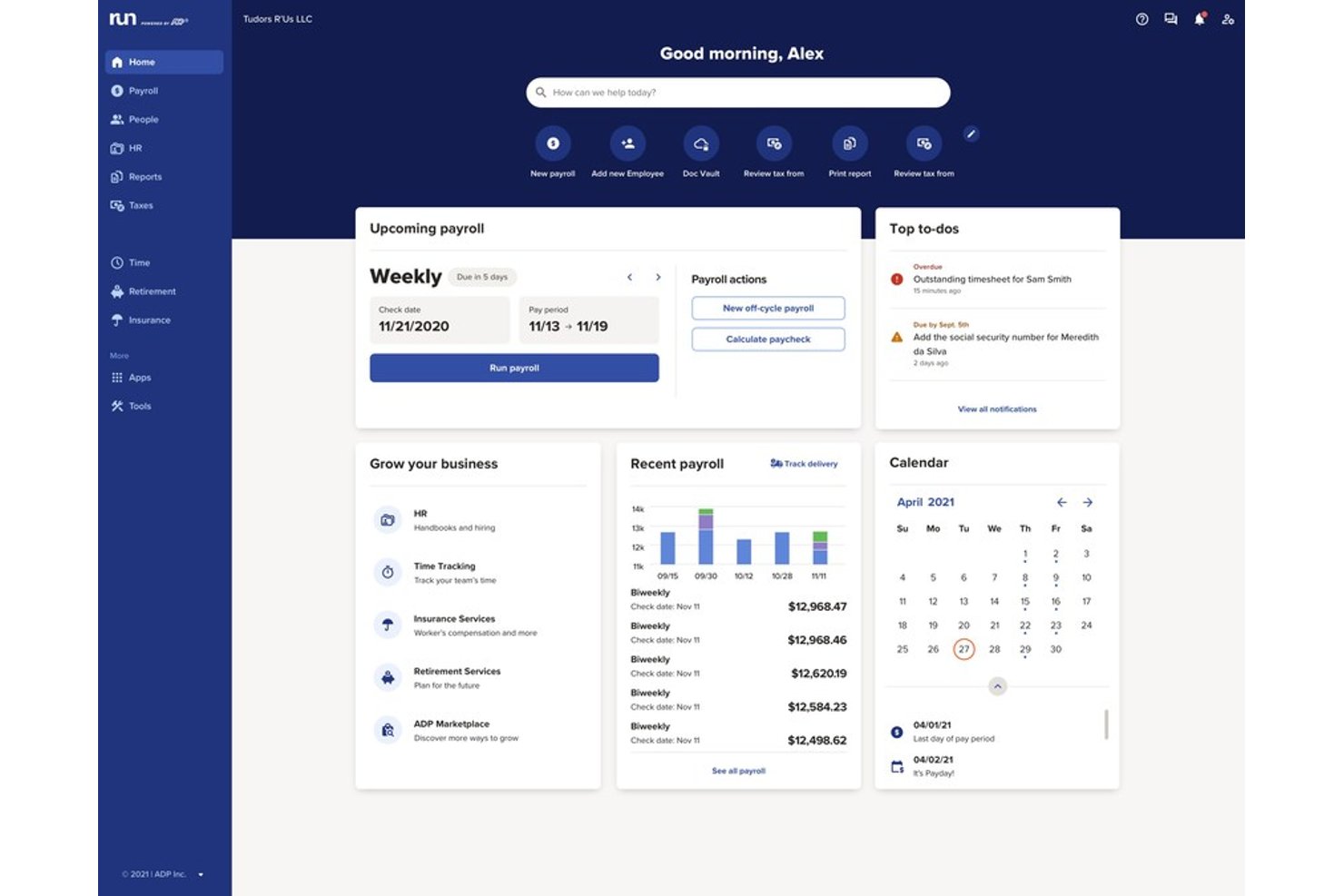
RUN Powered by ADP è un software cloud per la gestione delle paghe e delle risorse umane pensato per ristoranti e attività nel settore dell’ospitalità che necessitano di elaborazione affidabile delle buste paga, conformità fiscale automatizzata, gestione delle mance e integrazione con strumenti di punto vendita e contabilità.
Per chi è ideale RUN Powered by ADP?
Responsabili paghe e HR di catene di ristoranti in crescita o aziende nel settore dell’ospitalità con team in espansione e necessità multi-sede.
Perché ho scelto RUN Powered by ADP
Ho scelto RUN Powered by ADP tra i migliori perché posso impostare pacchetti paghe flessibili per team di ristoranti di varie dimensioni, gestire le buste paga dei dipendenti che percepiscono mance e automatizzare la conformità man mano che aumentano le sedi. Questa scalabilità è fondamentale per le aziende in espansione.
Caratteristiche principali di RUN Powered by ADP
- Compilazione automatica delle tasse: Gestisce imposte sui salari federali, statali e locali per tutte le tipologie di dipendenti.
- Portale self-service per i dipendenti: Consente ai dipendenti di accedere a cedolini, W-2 e aggiornare online i dati personali.
- App mobile per le paghe: Permette allo staff del ristorante e ai responsabili di elaborare paghe e visualizzare informazioni dal proprio telefono.
- Calcolo del credito sulle mance: Supporta il calcolo e la rendicontazione automatizzati per i salari con mance e la conformità FICA sulle mance.
Integrazioni di RUN Powered by ADP
RUN Powered by ADP offre integrazioni native con QuickBooks, Xero, Wave, Clover e Square, e mette a disposizione ulteriori applicazioni tramite l’ADP Marketplace. È disponibile un’API per integrazioni personalizzate.
Pros and Cons
Pros:
- Supporto avanzato alle paghe per dipendenti con mance
- Conformità fiscale e sul lavoro automatizzata per la ristorazione
- Scalabile per operazioni multi-sede nei ristoranti
Cons:
- I layout standard dei report non possono essere modificati
- Richiede aggiornamenti manuali della pagina su alcuni browser

7shifts
Ideale per il calcolo automatico delle mance

7shifts aiuta le organizzazioni a gestire un libro paga accurato senza monitoraggio manuale delle mance o fogli di calcolo. È particolarmente adatto per attività con un alto volume di mance come ristoranti con servizio completo e gruppi con più sedi che desiderano che il libro paga rifletta le ore e i guadagni reali.
Perché ho scelto 7shifts
Ho scelto 7shifts perché gestisce le sfide specifiche del libro paga per i ristoranti—soprattutto le mance—meglio degli strumenti di busta paga generici. È possibile calcolare automaticamente le mance in contanti e con carta di credito in base alle ore effettivamente lavorate, il che riduce gli errori nel libro paga e i rischi di non conformità.
Mi piace il fatto che le ore dei dipendenti passino direttamente dal rilevamento delle presenze al libro paga, così non è necessario reinserire i dati o riconciliare registrazioni discordanti. Per i manager, questo significa gestione del libro paga più veloce; per il personale, stipendio più preciso e puntuale. È una scelta molto valida se la precisione sulle mance è essenziale per il tuo processo di gestione stipendi.
Funzionalità Principali di 7shifts
Ecco alcune funzionalità chiave da evidenziare:
- Strumenti di previsione del personale: Confronta i costi del lavoro programmati con le vendite per controllare la spesa salariale.
- Registro del manager: Conserva note di turno e aggiornamenti operativi collegati a giorni e sedi specifici.
- Strumenti per il coinvolgimento dei dipendenti: Permetti allo staff di scambiarsi i turni, richiedere ferie e comunicare in un unico luogo.
- App mobile per dipendenti: I dipendenti timbrano l'ingresso, visualizzano i turni e monitorano i guadagni dal proprio telefono.
Integrazioni di 7shifts
Le integrazioni includono Toast, Square, TouchBistro, Clover, CAKE, DoorDash, Gusto, QuickBooks, ADP Workforce Now e UKG Pro.
Pros and Cons
Pros:
- Conformità alle normative sul lavoro
- Calcolo automatico delle mance e pagamenti facili
- Processo di pianificazione efficiente e reportistica del personale
Cons:
- Limitato ad aziende operative solamente negli Stati Uniti
- Funzionalità di busta paga disponibili solo come extra
Ideale per pagamenti integrati
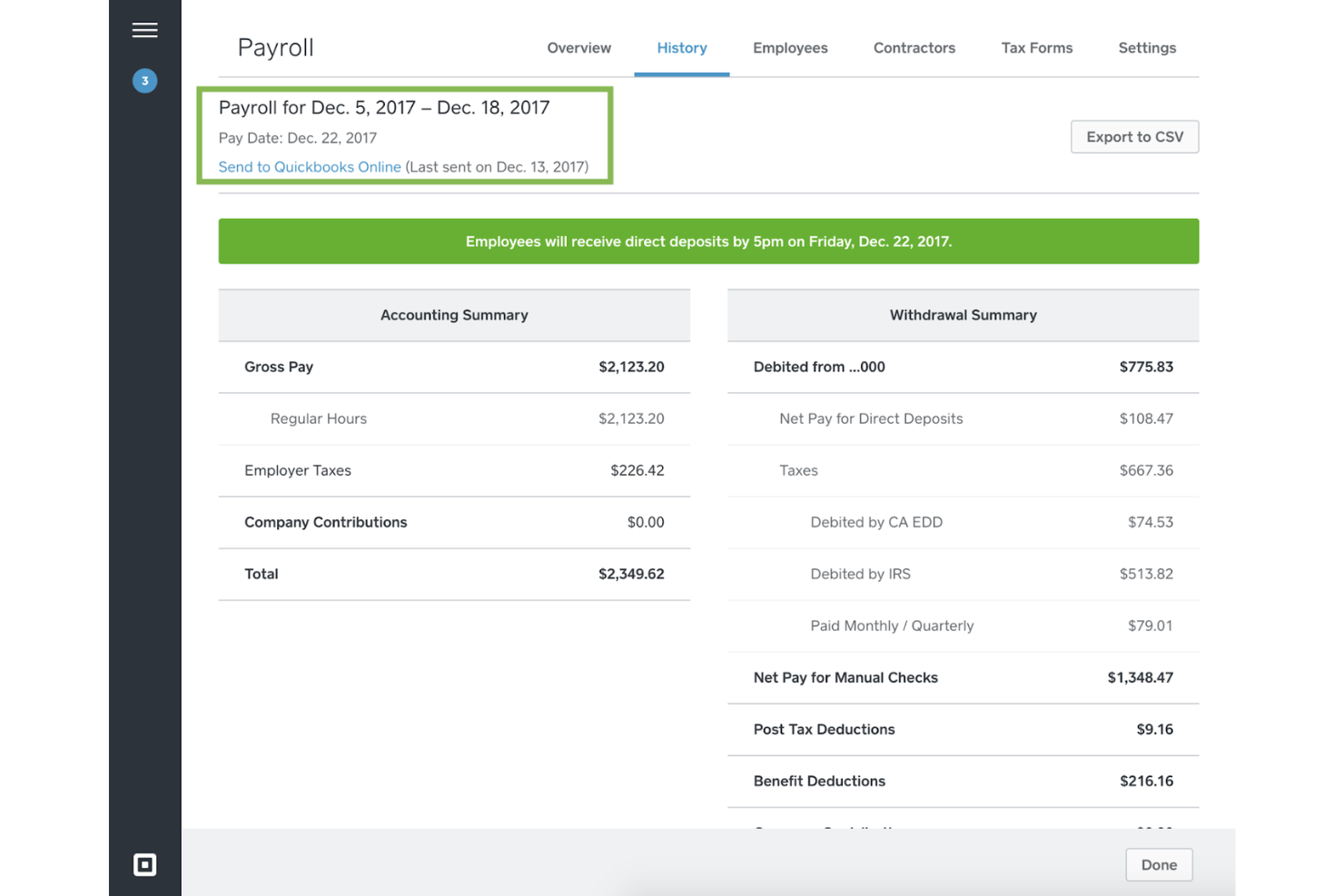
Square Payroll è un servizio di gestione delle paghe online progettato per semplificare i processi di gestione delle retribuzioni e aiutare i proprietari di ristoranti a gestire le buste paga direttamente dalla loro dashboard.
Perché ho scelto Square Payroll:
Ho scelto Square Payroll per questa lista grazie al suo approccio completo alla gestione delle paghe, in particolare per la sua capacità di integrarsi con altri prodotti Square. Questa integrazione semplifica il processo di gestione delle retribuzioni per i ristoratori che utilizzano Square POS.
Ritengo che Square Payroll sia il migliore per i pagamenti integrati grazie alla possibilità di importare direttamente i cartellini orari e le mance dal sistema Square POS, garantendo elaborazioni delle retribuzioni accurate ed efficienti.
Funzionalità e integrazioni principali:
Le funzionalità principali di Square Payroll includono dichiarazioni fiscali automatiche, supporto per la conformità e opzioni di deposito diretto, che rendono la gestione delle paghe più semplice. Offre inoltre assistenza aggiuntiva da parte di esperti HR certificati e copertura assicurativa 'pay-as-you-go' che si sincronizza con il sistema di gestione delle paghe.
Square Payroll si integra con QuickBooks Online, Square POS, Square Team App, Square Dashboard, Square Checking, Cash App e diverse soluzioni per assicurazione sanitaria, previdenza e contabilità.
Pros and Cons
Pros:
- Integrato con Square POS per una gestione delle paghe semplificata
- Dichiarazioni fiscali automatiche e supporto per la conformità
- Prezzi flessibili con retribuzioni illimitate e senza contratti a lungo termine
Cons:
- Il prezzo potrebbe essere più elevato per le aziende con molti dipendenti a causa del costo per persona
- Alcune funzionalità richiedono acquisti aggiuntivi

Toast
Ideale per l'integrazione con il sistema POS
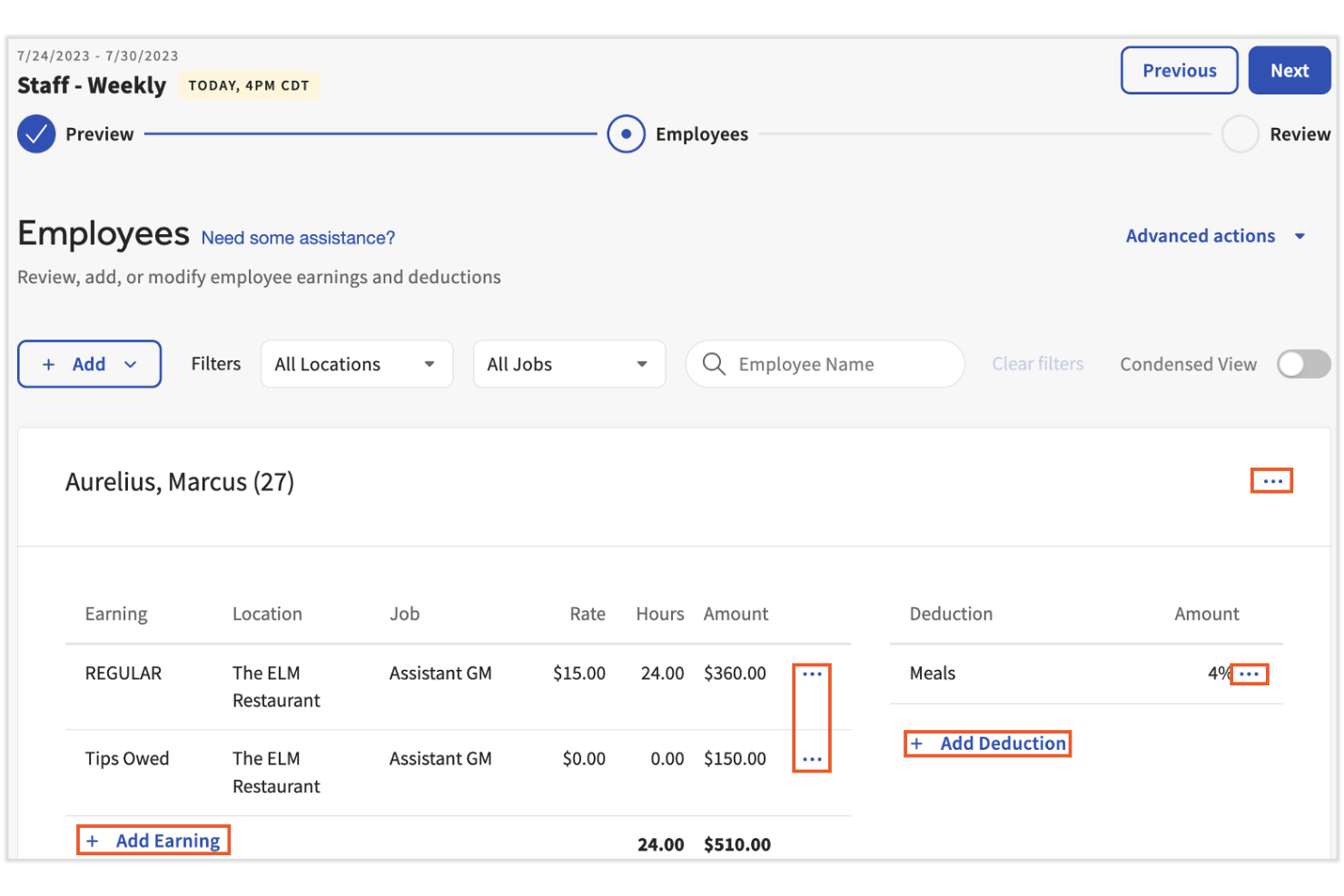
Toast è ideale per i ristoranti che desiderano una gestione delle buste paga strettamente collegata al proprio sistema di punto vendita (POS). È progettato per gli operatori che necessitano che salari, mance e ore di lavoro fluiscano direttamente dai dati del POS alla gestione delle buste paga senza riconciliazione manuale.
Perché ho scelto Toast
Ho scelto Toast perché collega direttamente la gestione delle buste paga ai fogli presenze del POS, riducendo l’inserimento manuale dei dati e gli errori nella busta paga per i team dei ristoranti. Puoi sincronizzare automaticamente ore lavorate, mance e straordinari dal POS al libro paga, così i manager non devono incrociare i dati tra più sistemi.
Mi piace che la gestione delle buste paga sia più veloce perché rilevazione presenze, calcolo dei salari e dei report sulle mance sono gestiti in un unico luogo; inoltre, Toast supporta scenari di pagamento specifici per la ristorazione, come i dipendenti che ricevono mance e coloro che ricoprono più ruoli, utilizzando i dati sul lavoro provenienti dal POS. Per chi già utilizza Toast POS, questa integrazione rende la gestione delle buste paga molto più semplice settimana dopo settimana.
Funzionalità principali di Toast
Ecco alcune funzionalità chiave da evidenziare:
- Gestione delle buste paga sincronizzata con POS: Importa ore lavorate, mance e salari direttamente dai fogli presenze di Toast POS.
- Gestione mance specifica per la ristorazione: Supporta mance condivise, crediti sulle mance e reportistica conforme sulle mance.
- Onboarding mobile dei dipendenti: Permette al personale di completare l’attivazione della busta paga dal proprio telefono.
- Accesso a HR Toolkit: Fornisce modelli HR e risorse di conformità pensate per la ristorazione.
Integrazioni di Toast
Le integrazioni includono QuickBooks, Xero, 7shifts, HotSchedules, Restaurant365, Tock, ADP, Paychex, Square e Aloha.
Pros and Cons
Pros:
- Gestione integrata delle buste paga con i dati dei fogli presenze del POS
- Semplificazione del processo di onboarding e gestione delle buste paga
- Accesso a un toolkit HR completo per esigenze specifiche della ristorazione
Cons:
- La piattaforma può presentare una curva di apprendimento per i nuovi utenti
- Alcune funzionalità potrebbero essere più adatte a grandi strutture che a piccole imprese

ADP
Ideale per il supporto alla conformità
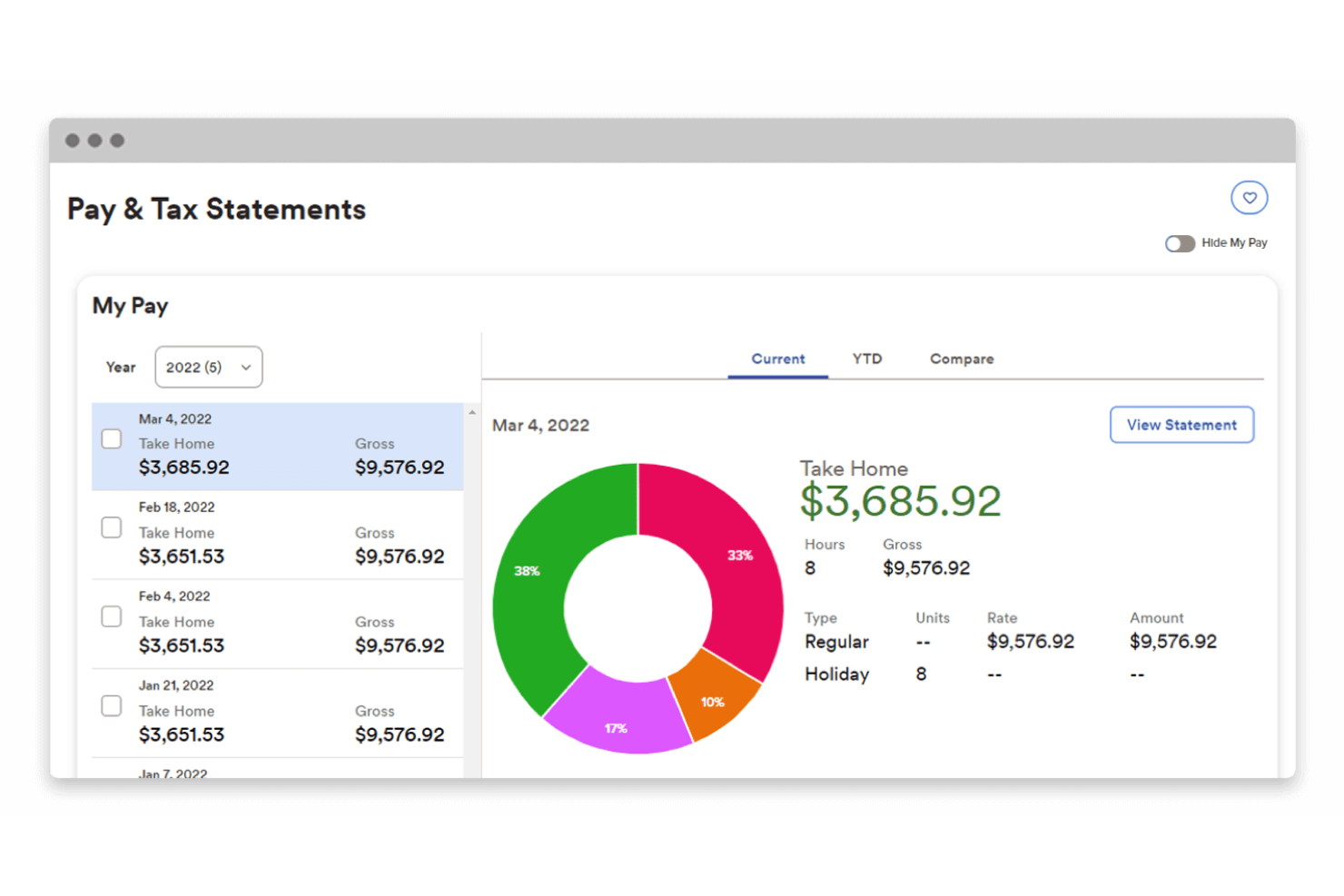
ADP semplifica le attività di gestione delle buste paga e delle risorse umane per i ristoranti. Si distingue per il supporto alla conformità grazie a strumenti progettati per le normative specifiche del settore.
Perché ho scelto ADP: Ho scelto ADP per la sua reputazione e le offerte specializzate dedicate al settore della ristorazione. L'attenzione alla conformità lo rende unico, assicurando che i ristoranti possano rispettare regolamentazioni complesse.
Ritengo che ADP sia il migliore per il supporto alla conformità perché fornisce alle aziende le risorse necessarie per gestire efficacemente leggi sul lavoro, regole salariali e obblighi fiscali.
Caratteristiche e integrazioni principali:
ADP offre diverse funzionalità utili come l'integrazione con i sistemi POS, la gestione di diversi ruoli lavorativi e tariffe orarie, e dettagliate analisi sui costi del lavoro. Fornisce inoltre metodi di pagamento flessibili, inclusa Wisely by ADP, e si integra con i principali sistemi di contabilità e risorse umane.
ADP si integra nativamente con una vasta gamma di strumenti per potenziare le sue capacità di gestione paghe e HR, tra cui QuickBooks, Xero, Wave, Workday, Microsoft Dynamics, Oracle NetSuite, SAP, Salesforce, Slack e TSheets.
Pros and Cons
Pros:
- Supporto alla conformità su misura per il settore della ristorazione
- Si integra con i principali software POS e di contabilità
- Offre opzioni flessibili di pagamento ai dipendenti, inclusa Wisely by ADP
Cons:
- Mancanza di informazioni trasparenti sui prezzi sul sito web
- Costi potenzialmente più elevati per attività di piccole dimensioni
- L'ampia gamma di funzionalità può scoraggiare chi cerca semplicità

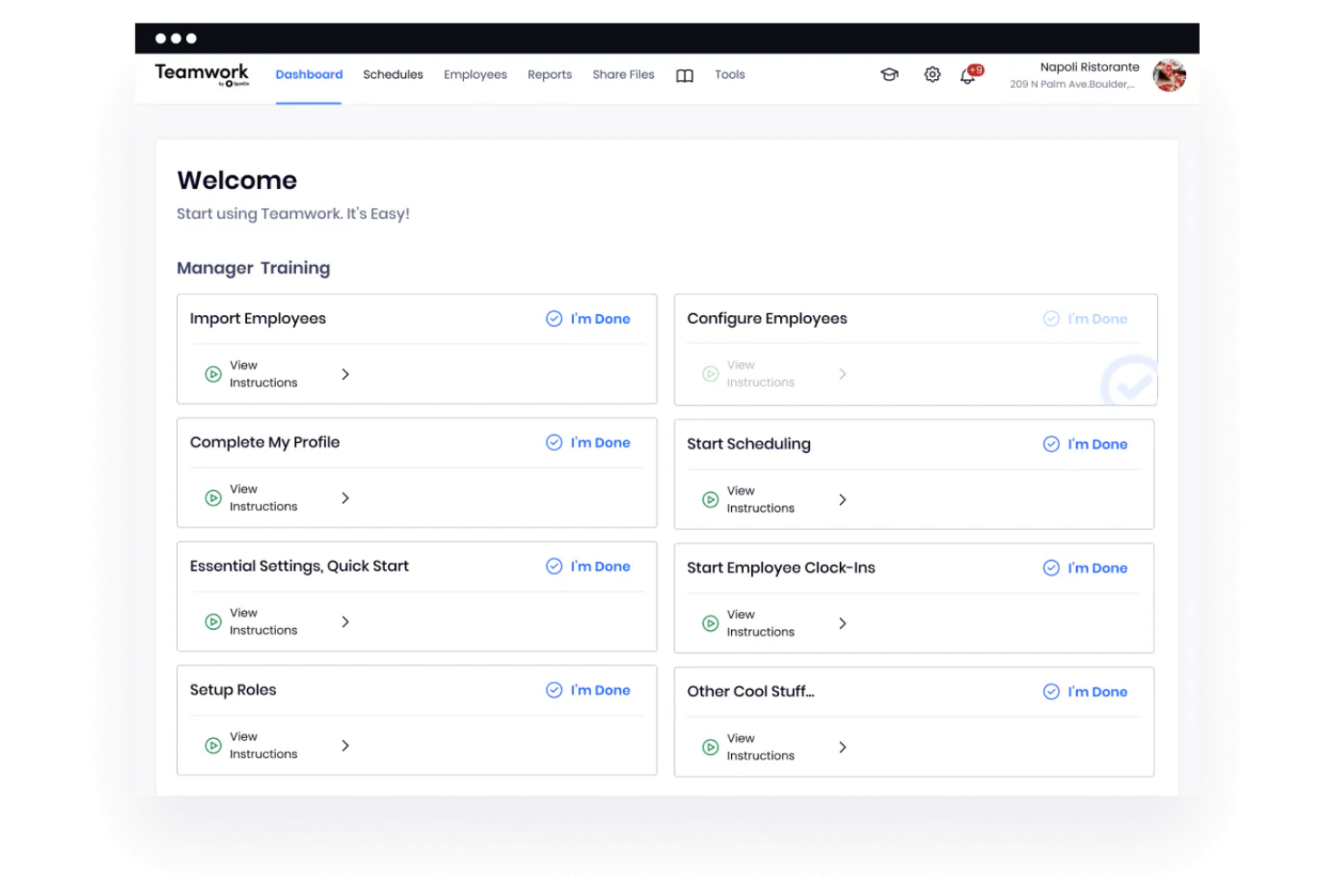
SpotOn Teamwork è una soluzione completa per la gestione della forza lavoro nei ristoranti. Semplifica i processi di elaborazione delle paghe, garantendo precisione e conformità alle normative sul lavoro.
Perché ho scelto SpotOn Teamwork: Ho scelto SpotOn Teamwork per il suo ricco set di funzionalità pensato per il settore della ristorazione. L'integrazione con i sistemi di punto vendita e i processi automatici di gestione delle paghe lo distinguono dagli altri software di gestione paghe.
Ritengo che SpotOn Teamwork sia il migliore per la gestione del team perché semplifica le operazioni di payroll, include potenti strumenti di pianificazione dei turni e gestione delle mance, e offre un approccio globale alla gestione del personale dei ristoranti.
Funzionalità e integrazioni principali:
Tra le principali funzionalità troviamo la preparazione automatizzata delle paghe, integrazione con POS, conformità alle normative sul lavoro, visibilità sui guadagni e opzioni di payroll personalizzabili. Colma il divario tra sistemi di payroll e POS, garantendo accuratezza dei dati e conformità alle leggi federali e statali.
Il software consente anche al personale di consultare i propri guadagni attuali e passati, promuovendo trasparenza e fiducia.
SpotOn Teamwork si integra con i principali sistemi di punto vendita, consentendo la sincronizzazione automatica di mance, salari, registri orari e dati sulle vendite, tra cui QuickBooks, Xero, Gusto, ADP Workforce Now, BambooHR, Zenefits, Paylocity, Paycom, Paychex e Rippling.
Pros and Cons
Pros:
- La preparazione automatizzata delle paghe fa risparmiare tempo e riduce gli errori
- L'integrazione con il POS garantisce accuratezza dei dati e informazioni aggiornate
- Opzioni di payroll personalizzabili pensate per le esigenze specifiche dei ristoranti
Cons:
- Funzionalità di personalizzazione limitate
- È richiesto un costo di attivazione una tantum in aggiunta alla tariffa mensile
Altri software per le paghe dei ristoranti da prendere in considerazione
Di seguito trovi un elenco di ulteriori software per le paghe dei ristoranti che non sono rientrati nella mia selezione dei 10 migliori, ma che vale comunque la pena esaminare:
- Paychex
Ideale per soluzioni di payroll personalizzate
- Push Payroll
Ideale per la gestione del personale
- Rippling
Ideale per la gestione di scenari di buste paga complessi
- Homebase
Ideale per forza lavoro oraria
- QuickBooks Payroll
Ideale per chi già utilizza QuickBooks
- Paycom
Ideale per l’inserimento diretto dei dati da parte dei dipendenti
- OnPay
Ideale per le buste paga delle piccole imprese


Recensioni correlate dei software HR
Se non hai ancora trovato ciò che cerchi, dai un'occhiata a questi altri strumenti correlati che abbiamo testato e valutato:
- Software HR
- Software per la gestione delle paghe
- Software per il reclutamento
- Servizi di datore di lavoro registrato
- Sistemi di tracciamento dei candidati
- Software per la gestione della forza lavoro
Come Valuto i Software Payroll per Ristoranti
Divido la mia valutazione in criteri di base—gestione delle mance, sincronizzazione con POS, conformità ai salari con mance—e fattori differenzianti che distinguono una buona scelta da quella ideale per l’attività del tuo ristorante.
Funzionalità Core (Requisiti Minimi per Questa Lista)
Quando seleziono gli strumenti per la mia lista, do un punteggio a ciascuno su una scala da 0 (non offre la funzionalità) a 5 (eccelle in quest’area) per ogni funzionalità core elencata qui sotto. Poi calcolo il punteggio totale dello strumento come percentuale. Ogni strumento deve raggiungere un punteggio totale minimo del 55% per essere considerato per l’inclusione.
- Monitoraggio & Distribuzione delle Mance: Controllo se la piattaforma gestisce mance comuni, ripartizione delle mance per ruolo e calcoli dei crediti su mance, non solo campi di inserimento manuale semplici.
- Integrazione POS per Ristoranti: Le connessioni native di ciascuno strumento ai principali sistemi POS come Toast, Square e Clover sono importanti, perché importare manualmente ore e mance genera errori nel payroll.
- Gestione Paghe a Più Tariffe & con Mance: Camerieri che svolgono mansioni diverse a tariffe diverse necessitano di straordinari calcolati in modo misto. Valuto come ogni piattaforma gestisce più tariffe per dipendente.
- Conformità alle Normative sul Lavoro: Cerco la reportistica automatica sul credito FICA sulle mance, l’aggiornamento automatico dei salari minimi, e l’attenzione alle regole di programmazione del lavoro predittivo a livello statale e locale.
- Onboarding & Raccolta Documenti: L’elevato turnover comporta assunzioni frequenti. La raccolta digitale di I-9/W-4, la firma elettronica e il supporto E-Verify impediscono che i nuovi assunti si blocchino sulla burocrazia.
- Supporto Payroll Multi-Sede: I gestori di franchising e multi-unità hanno bisogno di EIN separati, dichiarazioni fiscali specifiche per giurisdizione e report consolidati da un’unica dashboard.
Una volta che dispongo di un elenco di strumenti che soddisfano i criteri, considero cosa distingue ogni piattaforma.
Fattori Differenzianti (Cosa Distingue i Fornitori)
Ecco come confronto e metto a confronto i diversi fornitori:
Funzionalità Distintive
L’accesso anticipato al salario guadagnato è un grande elemento differenziante nella ristorazione—pagamenti delle mance lo stesso giorno o pagamenti su richiesta possono evitare che il personale orario passi alla concorrenza vicina. Valuto anche le analisi sui costi del lavoro, in particolare se la piattaforma collega i dati del payroll alle vendite così che i gestori possano monitorare il personale come una percentuale delle entrate per sede. Pianificazione e rilevazione orari integrate completano il quadro, soprattutto le timbrature geolocalizzate e l’applicazione delle pause che finiscono direttamente nel payroll senza bisogno di uno strumento separato.
Oltre le Funzionalità
La trasparenza dei prezzi conta molto qui—i ristoranti operano su margini ridotti, quindi verifico se i fornitori applicano costi per dipendente, per ciclo paga o una tariffa mensile fissa e se le implementazioni multi-sede prevedono costi nascosti per EIN. Valuto anche la disponibilità dell’assistenza. Molti gestori chiudono il payroll la sera o nei weekend e hanno bisogno di assistenza live anche fuori dai classici orari d’ufficio. Guardo anche alle garanzie di conformità, in particolare se il fornitore copre le sanzioni per errori fiscali e si mantiene aggiornato sulle evoluzioni delle normative riguardanti lavoro equo e salario con mance.
Come scegliere il software per le paghe dei ristoranti
Mentre porti avanti il tuo processo decisionale per scegliere il software per le paghe, tieni a mente i seguenti aspetti:
- Gestione della conformità: I ristoranti devono rispettare diverse leggi sul lavoro e normative fiscali. Il software paghe giusto dovrebbe aggiornarsi automaticamente per riflettere le aliquote fiscali e le modifiche normative in vigore, riducendo il rischio di non conformità. Ad esempio, dovrebbe gestire i crediti per le mance e i requisiti relativi al salario minimo specifici del settore della ristorazione.
- Capacità di integrazione: Il software dovrebbe integrarsi facilmente con i sistemi esistenti, come i sistemi di punto vendita (POS) e le soluzioni per il rilevamento delle ore lavorate. Questa integrazione consente un trasferimento dei dati accurato ed efficiente, garantendo che le ore e le mance dei dipendenti siano riportate correttamente nelle buste paga.
- Scalabilità: Con la crescita dei ristoranti, le loro esigenze relative alle paghe possono diventare più complesse. Scegli un software in grado di crescere insieme alla tua attività, supportando nuovi dipendenti, sedi e potenzialmente diverse strutture retributive senza richiedere una revisione completa del sistema.
- Interfaccia intuitiva: I responsabili e il personale dei ristoranti spesso hanno poco tempo da dedicare alle attività amministrative. Un software paghe dotato di un'interfaccia intuitiva semplifica il processo di elaborazione delle paghe, rendendo più rapida la gestione delle attività e riducendo la probabilità di errori.
- Assistenza clienti e formazione: Considerati gli elevati tassi di ricambio del personale nel settore della ristorazione, la formazione e l'assistenza continuative sono fondamentali. Il software scelto dovrebbe offrire un servizio clienti completo e risorse formative per garantire che il personale nuovo e quello già in servizio possano utilizzare efficacemente il sistema.
Tendenze del software paghe per ristoranti nel 2025
Ecco le ultime tendenze che stanno attualmente plasmando il settore dei software paghe per ristoranti:
- Integrazione con i sistemi di punto vendita: I software paghe per ristoranti si integrano sempre più con i sistemi di punto vendita (POS). Questa integrazione consente il trasferimento dei dati in tempo reale, semplificando il calcolo delle retribuzioni in base alle ore lavorate. È importante perché riduce gli errori e fa risparmiare tempo.
- Utilizzo dell'intelligenza artificiale: L'intelligenza artificiale (IA) viene integrata nei sistemi per la gestione delle paghe. L'IA può prevedere le esigenze di personale e gestire le paghe in modo più efficiente. Questa tendenza è interessante per il suo potenziale di ridurre i costi del lavoro e migliorare la gestione finanziaria.
- Accessibilità da dispositivi mobili: L'accessibilità da dispositivi mobili per i software paghe sta diventando uno standard. Utilizzando le app mobili, i dipendenti possono visualizzare i cedolini e gestire i propri dati ovunque si trovino, un aspetto importante per migliorare l'accessibilità e dare maggiore autonomia alla forza lavoro.
- Conformità alle normative in evoluzione: I software paghe si stanno adattando per rispettare le leggi sul lavoro in rapido cambiamento. Gli aggiornamenti automatici garantiscono che i ristoranti rimangano conformi senza interventi manuali. Questo è fondamentale per evitare sanzioni legali e preservare l'integrità operativa.
- Maggiore sicurezza dei dati: Le misure di sicurezza dei dati nei software paghe vengono rafforzate. La crittografia e l'autenticazione a più fattori proteggono le informazioni sensibili dei dipendenti. Questa tendenza è importante a causa delle crescenti minacce informatiche nell'era digitale.
Queste tendenze indicano un passaggio verso una gestione delle paghe nei ristoranti più efficiente, sicura e conforme.
Che cos'è il software paghe per ristoranti?
Il software paghe per ristoranti è una soluzione specializzata progettata per gestire e automatizzare il processo di elaborazione delle paghe per le aziende del settore dell'ospitalità. Viene utilizzato dai proprietari dei ristoranti, dai responsabili e dal personale contabile per calcolare le retribuzioni, gestire le ore dei dipendenti e garantire la conformità alle leggi fiscali.
Il software comprende funzionalità come il rilevamento delle ore lavorate, la distribuzione delle mance, il calcolo delle imposte e la reportistica sulle paghe. Questi componenti lavorano insieme per gestire i requisiti specifici delle paghe dei ristoranti, come i crediti per le mance e i turni spezzati, garantendo accuratezza e conformità nella retribuzione dei dipendenti.
Funzionalità del software paghe per ristoranti
Quando si seleziona un software paghe per un ristorante, è fondamentale considerare le esigenze specifiche del settore dell'ospitalità. Il software giusto può semplificare i processi di elaborazione delle paghe, garantendo che il personale venga pagato correttamente e puntualmente. Ecco le funzionalità più importanti del software paghe da ricercare:
- Paga oraria e gestione delle paghe basata sui turni: Il software per la gestione delle paghe dei ristoranti è progettato per gestire dipendenti pagati a ore, turni suddivisi, orari variabili e fluttuazioni delle ore lavorate. I calcoli automatizzati garantiscono una retribuzione accurata per ogni turno lavorato.
- Gestione e condivisione delle mance: Il software tiene traccia delle mance provenienti dai sistemi POS, supporta le regole di accorpamento o condivisione delle mance e garantisce che vengano distribuite in modo equo e conforme alle normative, riducendo controversie e riconciliazioni manuali.
- Calcolo degli straordinari e delle maggiorazioni: Gli strumenti per la gestione delle paghe dei ristoranti calcolano automaticamente gli straordinari, il doppio delle ore e le maggiorazioni in base alle leggi locali sul lavoro, alle regole sindacali o alle politiche aziendali, contribuendo a prevenire costose violazioni delle norme retributive.
- Integrazione con POS e sistemi di rilevazione delle presenze: Le integrazioni perfettamente sincronizzate con i sistemi POS e gli strumenti di rilevazione delle presenze garantiscono che ore, mance e dati sulle vendite confluiscano direttamente nella gestione delle paghe, eliminando l'inserimento duplicato e riducendo gli errori.
- Supporto per la dichiarazione delle imposte e la conformità: Il software per la gestione delle paghe dei ristoranti gestisce le imposte federali, statali e locali sulle retribuzioni, comprese le imposte e i crediti relativi alle mance, aiutandoti a rispettare le normative su retribuzioni e orario di lavoro.
- Portale self-service per i dipendenti: I dipendenti possono accedere ai cedolini, ai prospetti delle mance, ai moduli fiscali, ai turni e ai dettagli dell'accredito diretto, riducendo le domande amministrative rivolte ai responsabili.
- Supporto per la gestione delle paghe in più sedi: Per i gruppi di ristoranti o i franchising, i sistemi di gestione delle paghe supportano più sedi, livelli retributivi e giurisdizioni fiscali da un'unica piattaforma.
- Inserimento dei nuovi assunti e documentazione: Gli strumenti integrati per l'inserimento semplificano i moduli I-9, i moduli W-4, la configurazione dell'accredito diretto e la presa visione delle politiche aziendali, aiutando i ristoranti a inserire rapidamente il personale nonostante l'elevato ricambio.
- Pianificazione dei turni e visibilità sui costi del lavoro: Molte piattaforme collegano la gestione delle paghe agli strumenti di pianificazione dei turni per mostrare i costi del lavoro in tempo reale come percentuale delle vendite, aiutando i responsabili a controllare le spese.
- Reportistica e preparazione agli audit: Report dettagliati sulle paghe e sul lavoro supportano la definizione del budget, gli audit, la conformità nella gestione delle mance e l'analisi dei costi del lavoro, aspetti fondamentali per le attività di ristorazione.
Funzionalità comuni dell'intelligenza artificiale nei software per la gestione delle paghe dei ristoranti
Le moderne piattaforme per la gestione delle paghe dei ristoranti utilizzano sempre più l'intelligenza artificiale per ridurre gli errori, migliorare la conformità e ottimizzare i costi del lavoro, ad esempio:
- Rilevamento degli errori nelle paghe basato sull'intelligenza artificiale: L'intelligenza artificiale analizza i cicli di elaborazione delle paghe alla ricerca di anomalie, come ore mancanti, straordinari errati, assegnazioni inesatte delle mance o schemi retributivi insoliti, prima che le paghe vengano finalizzate.
- Previsione dei costi del lavoro: L'intelligenza artificiale analizza i dati storici sulle vendite, i modelli di impiego del personale e la stagionalità per prevedere i costi del lavoro e aiutare i responsabili a pianificare i turni con maggiore precisione.
- Monitoraggio intelligente della conformità: L'intelligenza artificiale monitora i cambiamenti nelle leggi sul salario minimo, nelle regole sui crediti per le mance, nelle soglie per gli straordinari e nelle normative locali sul lavoro, segnalando automaticamente ai ristoranti i rischi di non conformità.
- Rilevamento automatizzato delle anomalie nelle mance: L'intelligenza artificiale segnala schemi irregolari nelle mance che potrebbero indicare problemi di rendicontazione, di sincronizzazione con il POS o di conformità.
- Raccomandazioni intelligenti per la pianificazione dei turni: L'intelligenza artificiale suggerisce livelli ottimali di personale sulla base della domanda prevista, riducendo il sovradimensionamento, la carenza di personale e gli straordinari non necessari.
- Analisi dei rischi di ricambio e di personale: L'intelligenza artificiale identifica i modelli associati a un elevato ricambio, come straordinari eccessivi, pianificazione incoerente dei turni o variabilità della retribuzione, aiutando i responsabili a migliorare la fidelizzazione.
- Chatbot di supporto ai dipendenti basati sull'intelligenza artificiale: I chatbot rispondono alle domande comuni dei dipendenti sulle date di pagamento, sulla distribuzione delle mance, sui moduli fiscali e sui turni, riducendo le interruzioni durante l'orario di servizio.
- Analisi avanzata della reportistica: L'intelligenza artificiale mette in evidenza le tendenze relative all'efficienza del lavoro, alla distribuzione delle mance, all'utilizzo degli straordinari e ai rischi di non conformità, trasformando i dati sulle paghe in informazioni operative utili.
Vantaggi del software per la gestione delle paghe dei ristoranti
Il software per la gestione delle paghe dei ristoranti può migliorare significativamente il modo in cui vengono gestite le paghe, offrendo una serie di vantaggi che semplificano il processo. Ecco cinque vantaggi principali che il software per la gestione delle paghe dei ristoranti può offrire agli utenti e alle organizzazioni:
- Presentazione semplificata delle dichiarazioni fiscali: Il software per la gestione delle paghe dei ristoranti automatizza i calcoli e la presentazione delle dichiarazioni fiscali, riducendo la probabilità di errori e facendo risparmiare tempo. Questa automazione garantisce che i ristoranti rimangano conformi alle leggi fiscali senza richiedere un notevole lavoro manuale.
- Rilevazione integrata delle ore: Il software integra la rilevazione delle ore, semplificando il calcolo della retribuzione in base alle ore lavorate. Questa integrazione contribuisce a compensare accuratamente i dipendenti per il loro tempo, inclusi gli straordinari e i turni spezzati, comuni nel settore della ristorazione.
- Maggiore conformità alle leggi sul lavoro: Il software per la gestione delle paghe aiuta i ristoranti a rispettare le leggi sul lavoro applicando automaticamente le normative pertinenti ai calcoli delle paghe. Questa funzionalità è particolarmente utile per evitare costose sanzioni legali e garantire pratiche di lavoro eque.
- Maggiore accuratezza delle paghe: Automatizzando i processi di gestione delle paghe, il software riduce al minimo gli errori umani, garantendo paghe più accurate. L'elaborazione accurata delle paghe è essenziale per mantenere la fiducia dei dipendenti ed evitare discrepanze che possono causare perdite finanziarie.
- Gestione efficiente delle paghe: La gestione semplificata delle paghe consente di apportare rapidamente modifiche quando necessario, ad esempio aggiungendo bonus o mance. Questa efficienza permette agli amministratori delle paghe di gestire velocemente i cambiamenti, garantendo che i dipendenti vengano pagati correttamente e puntualmente.
Il software per la gestione delle paghe dei ristoranti è uno strumento prezioso per qualsiasi ristorante che desideri migliorare i propri processi di gestione delle paghe. Fa risparmiare tempo, riduce gli errori e aiuta a mantenere la conformità a complesse normative fiscali e sul lavoro. Investendo in questo software, i ristoranti possono offrire al proprio personale un ambiente di lavoro migliore e una gestione finanziaria più stabile.
Costi e prezzi del software per la gestione delle paghe dei ristoranti
Quando si prende in considerazione un software per la gestione delle paghe dei ristoranti, è importante conoscere i diversi piani tariffari generalmente disponibili. Il software offre solitamente una gamma di piani adatti a ristoranti di diverse dimensioni, dai piani gratuiti o di base per piccoli esercizi ai piani più ampi e avanzati, adatti ad aziende di grandi dimensioni.
Di seguito è riportata una tabella riepilogativa dei tipi di piano, dei prezzi medi e delle funzionalità comuni dei software per la gestione delle paghe dei ristoranti.
Tabella comparativa dei piani per il software di gestione delle paghe dei ristoranti
| Tipo di piano | Prezzo medio | Funzionalità comuni |
| Opzione gratuita | $0 (Funzionalità limitate) | Elaborazione di base delle paghe, funzionalità limitate per la presentazione delle dichiarazioni fiscali e assistenza clienti minima |
| Base | $20 - $40 al mese | Elaborazione delle paghe, presentazione delle dichiarazioni fiscali per alcuni stati, accredito diretto, reportistica di base e portale per i dipendenti |
| Standard | $35 - $59 al mese | Gestione completa delle paghe, presentazione e pagamento delle imposte, più tariffe retributive e assistenza clienti |
| Plus | $39 - $99 al mese | Reportistica avanzata, assistenza per la conformità, gestione dei benefit, strumenti per le risorse umane e molteplici integrazioni |
| Premium | $45 - $199 al mese | Tutte le funzionalità dei piani Standard e Plus, ulteriori funzionalità per le risorse umane, configurazione assistita da esperti e analisi avanzate |
| Enterprise | Prezzi personalizzati | Piani personalizzabili, soluzioni scalabili, assistenza dedicata, suite completa per le risorse umane e strumenti di analisi strategica |
Quando scegli un piano per il software di gestione delle paghe dei ristoranti, considera le dimensioni del tuo ristorante, la complessità delle tue esigenze relative alle paghe e il livello di assistenza di cui hai bisogno. Ogni piano offre un insieme diverso di funzionalità e prezzi, quindi scegline uno in linea con gli obiettivi della tua attività e i vincoli del tuo budget.
Domande frequenti sul software paghe per ristoranti
Ecco alcune risposte alle domande frequenti che potresti avere sul software paghe per ristoranti e sul suo funzionamento:
In che modo il software paghe per ristoranti gestisce le mance?
Il software paghe per ristoranti include generalmente funzionalità per gestire efficacemente le mance. Dovrebbe consentire l’inserimento degli importi delle mance ricevute dai dipendenti, sia tramite carta di credito sia in contanti. Il software dovrebbe inoltre essere in grado di distribuire le mance in modo appropriato tra il personale, garantendo una ripartizione accurata secondo la politica sulle mance del ristorante.
Il software paghe per ristoranti può gestire diversi tipi di dipendenti?
Sì, un buon software paghe per ristoranti può gestire vari tipi di dipendenti, inclusi quelli a tempo pieno, a tempo parziale e temporanei. Dovrebbe supportare diverse tariffe e pianificazioni retributive e gestire le complessità delle leggi salariali applicabili ai dipendenti che ricevono mance rispetto a quelli che non le ricevono.
È possibile integrare il software paghe per ristoranti con altri sistemi?
Le funzionalità di integrazione sono una caratteristica fondamentale di un software paghe per ristoranti efficace. Dovrebbe potersi integrare con i sistemi di punto vendita (POS), i software di contabilità e i sistemi di rilevazione delle presenze e degli orari. Questa integrazione contribuisce a semplificare i processi di elaborazione delle paghe e garantisce accuratezza nella gestione dei dati.
Che tipo di assistenza posso aspettarmi con il software paghe per ristoranti?
Le opzioni di assistenza variano in base al fornitore del software, ma dovresti aspettarti di poter contattare il servizio clienti per la risoluzione dei problemi e ricevere assistenza nell’utilizzo del software. Molti fornitori offrono risorse online, come articoli della guida e tutorial, oltre all’assistenza telefonica, via e-mail o tramite chat.
In che modo il software paghe per ristoranti garantisce la conformità fiscale?
Il software paghe per ristoranti dovrebbe includere funzionalità che assistano nel calcolo delle imposte, nelle detrazioni e nella presentazione delle dichiarazioni. Dovrebbe essere aggiornato con le aliquote fiscali e le normative più recenti per garantire la conformità. Il software dovrebbe inoltre generare i moduli fiscali necessari e supportare l’invio elettronico alle autorità fiscali competenti.
Il software paghe per ristoranti funziona per un'attività di ristorazione con più sedi?
Molte soluzioni software per le paghe dei ristoranti sono progettate per supportare le aziende con più sedi. Possono gestire le operazioni di elaborazione delle paghe in sedi diverse, mantenendo al contempo un database centralizzato per semplificare l’amministrazione e la reportistica.
Quanto è sicuro il software paghe per ristoranti?
La sicurezza è un aspetto fondamentale di qualsiasi software per le paghe. Un software paghe per ristoranti affidabile dovrebbe offrire solide misure di sicurezza, tra cui la crittografia dei dati, protocolli di accesso sicuri e audit di sicurezza regolari. È importante assicurarsi che il software sia conforme alle normative sulla protezione dei dati per tutelare le informazioni sensibili dei dipendenti.
Cosa distingue il software paghe progettato per i ristoranti dalle soluzioni generiche per le paghe?
Il software paghe progettato per i ristoranti include generalmente funzionalità specifiche del settore, come la rendicontazione delle mance, il monitoraggio dei costi del lavoro per diversi ruoli professionali e la conformità alle leggi sul lavoro applicabili alla ristorazione.
Altre recensioni di software per le paghe
Se questo elenco non includeva esattamente ciò che cercavi, non preoccuparti. Esistono altri tipi di software per le paghe che potrebbero adattarsi meglio alle tue esigenze: