Atlas Review: Pros, Cons, Features and Pricing Explained



Agency recruitment gets messy real fast when the detail that matters lives in calls, inboxes, and message threads nobody has time to write up. The right platform should hold that context for you and give leaders a clear view of the desk without creating another admin job.
Atlas is an AI-native recruitment platform built for staffing, recruitment, and executive search firms that want a CRM which records itself. I’d look at it if your team loses hours to data entry and candidate write-ups, and you want conversations, pipeline, and business development tracked automatically, rather than a legacy system with AI features fitted on top years after the fact.
Atlas Evaluation Summary
- Pricing upon request
- Free demo available
Why Trust Our Software Reviews
We’ve been testing and reviewing HR software systems since 2019. As HR experts ourselves, we know how critical and difficult it is to make the right decision when selecting software.
We invest in deep research to help our audience make better software purchasing decisions. We’ve tested more than 2,000 tools for different HR management use cases and written over 1,000 comprehensive software reviews. Learn how we stay transparent & our software review methodology.
Atlas Overview
If you’re judging Atlas as a recruitment platform, I think the automatic capture of calls, emails, and messages is what separates it from tools that still depend on recruiters typing their notes up. Plain-language search across your own database, a built-in copilot, and client-ready candidate reports all draw on that same record. Pricing is quote based, and onboarding is guided rather than something you work through alone. Atlas underperforms if you need a long list of native connections to older tools, or if you’re an in-house talent team shopping for a general ATS. I’d select Atlas for agencies running permanent and contract desks, where recording the relationship matters as much as closing the placement.
pros
-
Calls, emails, and messages are logged and made searchable without manual entry
-
Plain-language search pulls answers from past conversations, not just CV fields
-
Client-ready candidate reports are produced from data already in the platform
cons
-
Fewer native integrations than vendors that have been building them for a decade
-
Smaller pool of public reviews and reference customers than incumbent platforms
-
Workflows are tailored to agencies, not in-house talent acquisition teams
-

Justworks
Visit WebsiteThis rating combines scores from multiple user review sites to reflect overall customer sentiment about the product.4.6 -
HiBob
Visit WebsiteThis rating combines scores from multiple user review sites to reflect overall customer sentiment about the product.4.5 -
Homebase
Visit WebsiteThis rating combines scores from multiple user review sites to reflect overall customer sentiment about the product.4.2




How We Test & Score Our Tools
We’ve spent years building, refining, and improving our software testing and scoring system. The rubric is designed to capture the nuances of software selection and what makes a tool effective, focusing on critical aspects of the decision-making process.
Below, you can see exactly how our testing and scoring works across seven criteria. It allows us to provide an unbiased evaluation of the software based on core functionality, standout features, ease of use, onboarding, customer support, integrations, customer reviews, and value for money.
Core Functionality (25% of final score)
The starting point of our evaluation is always the core functionality of the tool. Does it have the basic features and functions that a user would expect to see? Are any of those core features locked to higher-tiered pricing plans? At its core, we expect a tool to stand up against the baseline capabilities of its competitors.
Standout Features (25% of final score)
Next, we evaluate uncommon standout features that go above and beyond the core functionality typically found in tools of its kind. A high score reflects specialized or unique features that make the product faster, more efficient, or offer additional value to the user.
We also evaluate how easy it is to integrate with other tools typically found in the tech stack to expand the functionality and utility of the software. Tools offering plentiful native integrations, 3rd party connections, and API access to build custom integrations score best.
Ease of Use (10% of final score)
We consider how quick and easy it is to execute the tasks defined in the core functionality using the tool. High scoring software is well designed, intuitive to use, offers mobile apps, provides templates, and makes relatively complex tasks seem simple.
Onboarding (10% of final score)
We know how important rapid team adoption is for a new platform, so we evaluate how easy it is to learn and use a tool with minimal training. We evaluate how quickly a team member can get set up and start using the tool with no experience. High scoring solutions indicate little or no support is required.
Customer Support (10% of final score)
We review how quick and easy it is to get unstuck and find help by phone, live chat, or knowledge base. Tools and companies that provide real-time support score best, while chatbots score worst.
Customer Reviews (10% of final score)
Beyond our own testing and evaluation, we consider the net promoter score from current and past customers. We review their likelihood, given the option, to choose the tool again for the core functionality. A high scoring software reflects a high net promoter score from current or past customers.
Value for Money (10% of final score)
Lastly, in consideration of all the other criteria, we review the average price of entry level plans against the core features and consider the value of the other evaluation criteria. Software that delivers more, for less, will score higher.
Core Features
Advanced Workflow Customization
Set up pipelines and stages that match how your desk actually runs, then let AI agents handle the repetitive steps in between. Tagging, syncing, and follow-ups happen in the background, so work moves forward without anyone stopping to update a field.
Centralized Reporting and Analytics
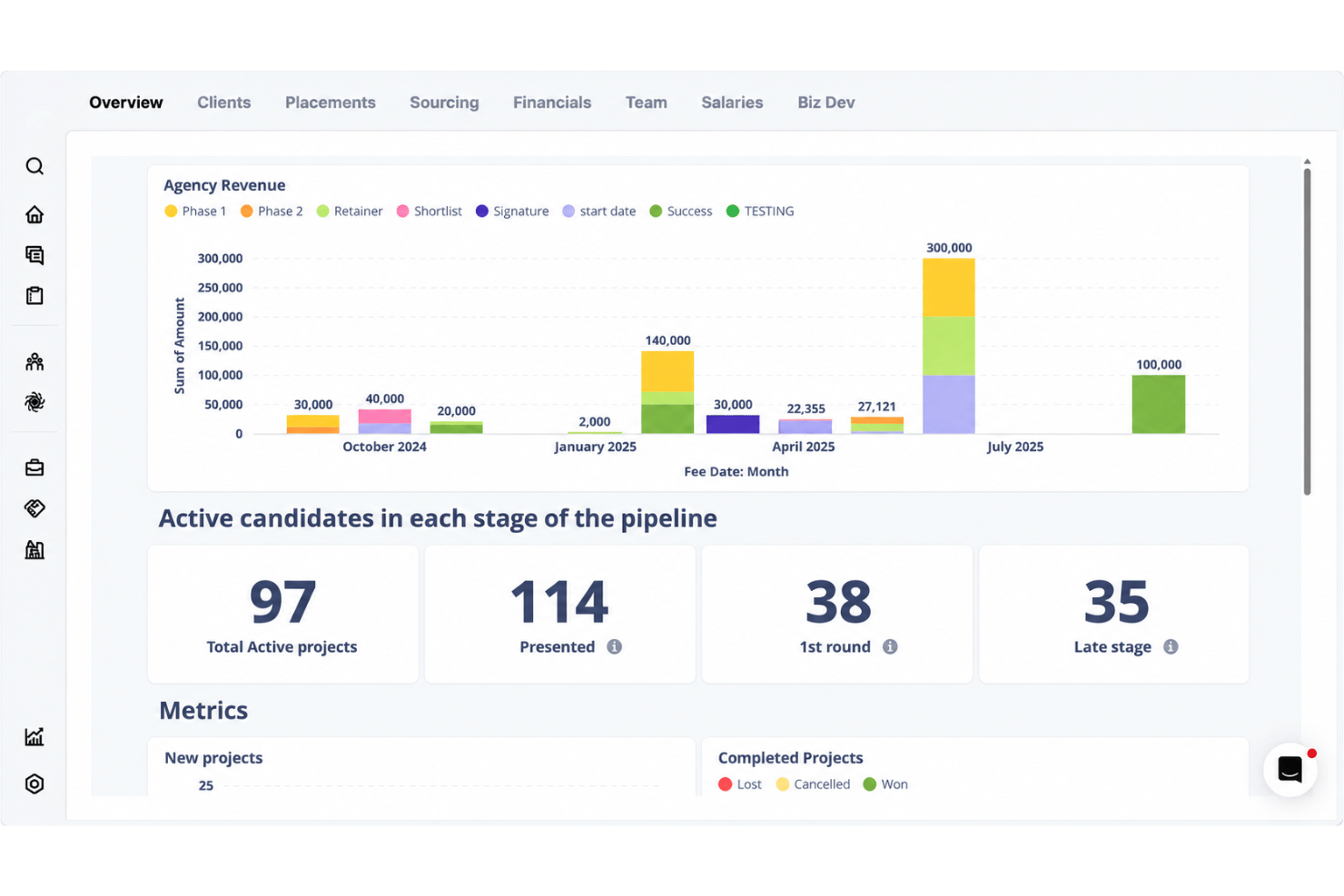
Dashboards pull live activity, pipeline, and performance into a single view across desks and offices. Leaders can watch revenue, placements, and time-to-fill without stitching reports together by hand.
Global Sourcing Tools
People Search runs across your own database and returns matches with the evidence behind them, drawn from real conversations rather than CV keywords alone. Multi-touch outreach then works across email, phone, and social channels to reach candidates wherever they actually reply.
Bulk Candidate Management
Tag, update, and contact large groups of candidates at once, with AI agents applying changes as records move. Outreach sequences and follow-ups can be triggered for a whole talent pool rather than one profile at a time.
Magic Search
Describe your ideal candidate in plain language or by voice, and Atlas searches your existing database plus context from resumes, notes, calls, messages, and research. It returns a ranked shortlist with match scores and evidence explaining why each person fits, so recruiters can refine searches without relying on Boolean strings or manual filtering.
Automated Candidate Communications
Outreach, interview scheduling, and follow-up messages run from templates and connected calendars. The built-in note taker writes up calls and interviews on its own, so the record of every conversation stays attached to the candidate.
Ease of Use
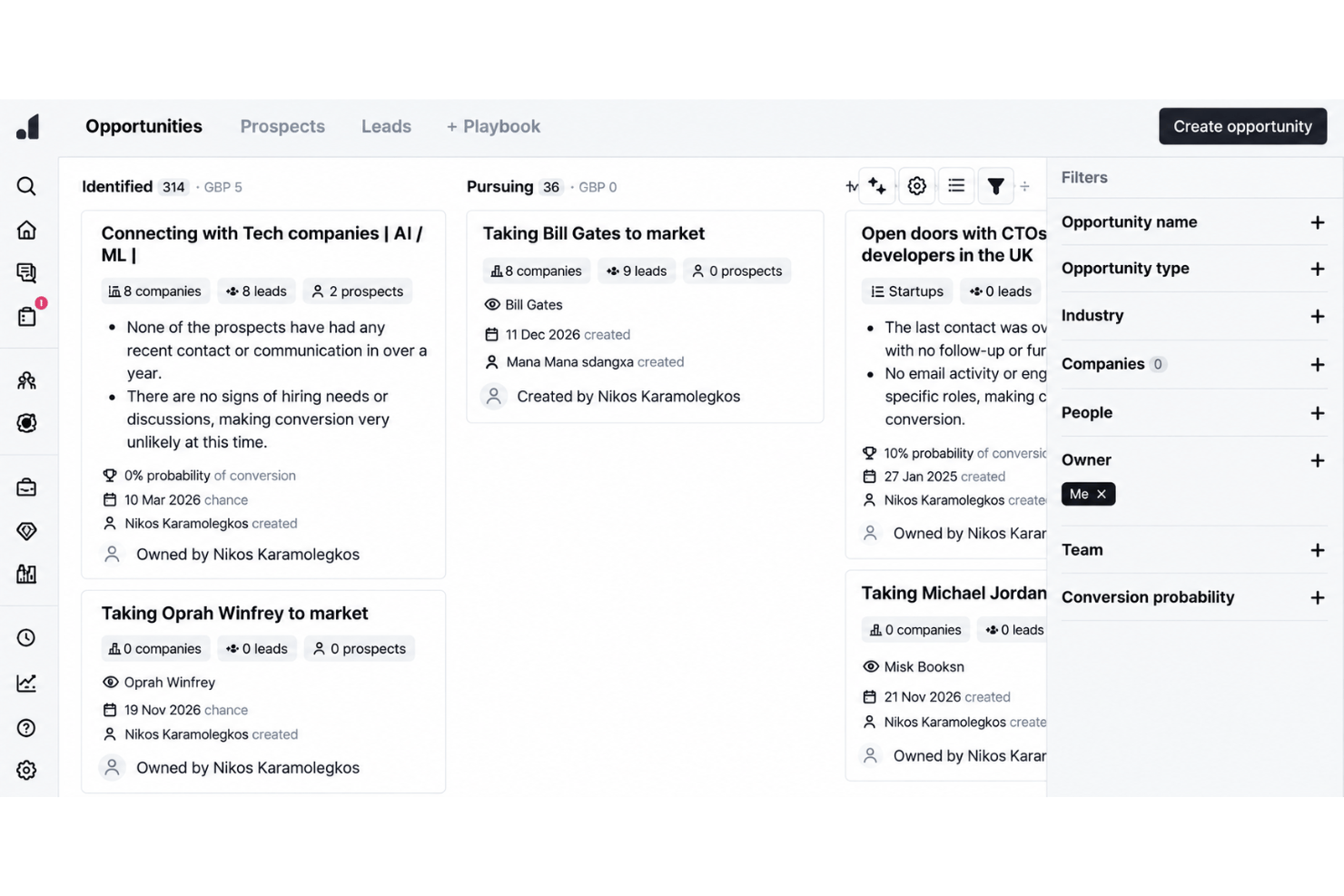
Atlas strikes a practical balance between depth and ease-of-use for agency teams. The interface is organized around how a desk works, and because the record builds itself from calls and messages, there is less to configure and far less to keep updated. Public feedback from agency founders keeps landing on the same point: it behaves the way recruiters already think, rather than asking them to adapt. The platform doesn’t overwhelm with feature sprawl, but gives enough control and visibility for busy firms running several desks at once.
Integrations
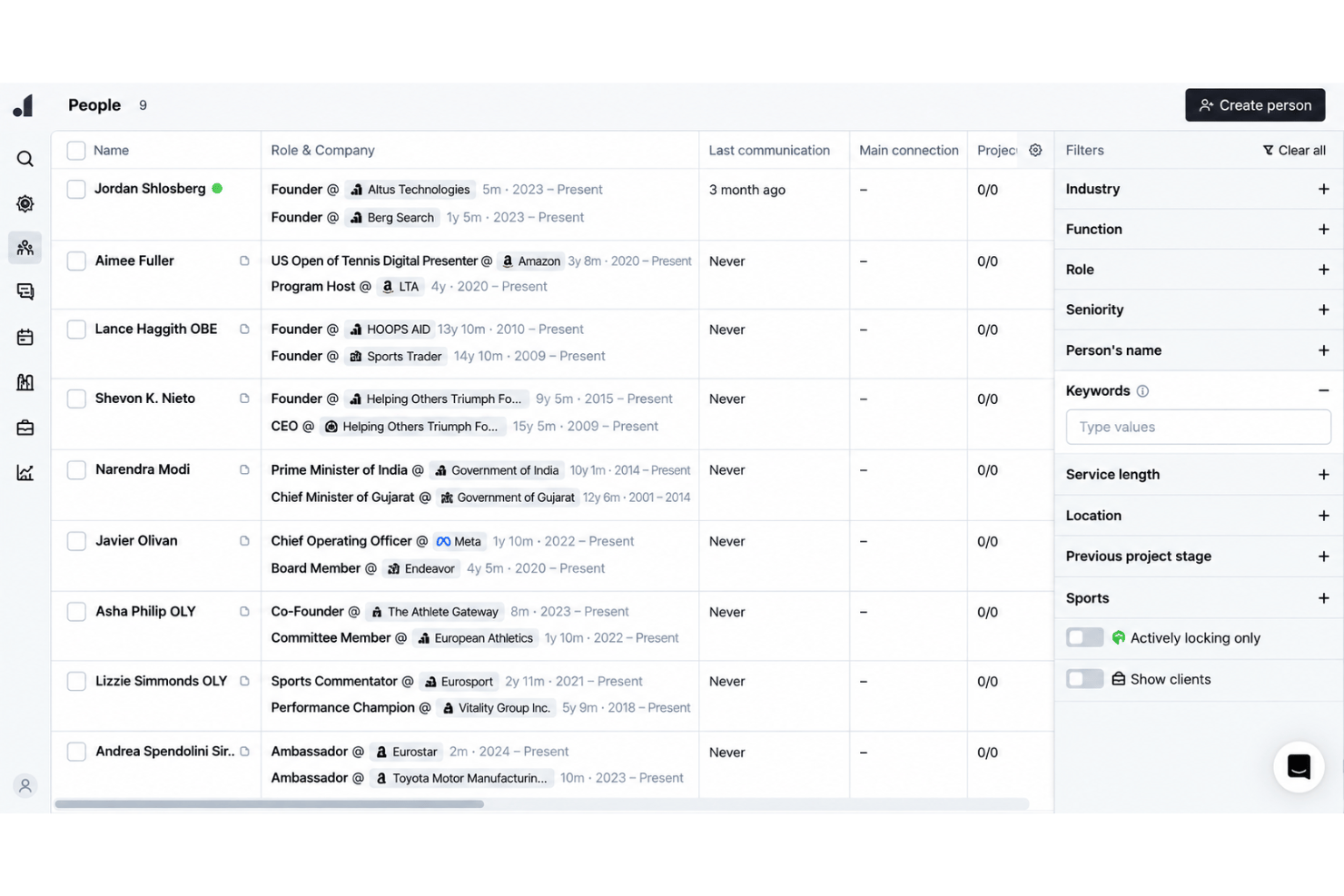
Atlas integrates with CoRecruit Broadbean, Talin, Claude MCP, Xero, RingCentral, Zoom, Microsoft Teams, and Microsoft Outlook among others.
Atlas also has an open API and connects with third-party integration tools.
Atlas Specs
- 360 Degree Feedback
- API
- Application Tracking
- Batch Permissions & Access
- Behavioral Testing
- Budgeting
- Calendar Management
- Candidate Database
- Cognitive Testing
- Compliance Tracking
- Dashboard
- Data Export
- Data Import
- Data Visualization
- Email Integration
- Employee Database
- Employee Engagement
- Employee Incentive Management
- Employee Onboarding
- External Integrations
- Feedback Management
- Forecasting
- Interview Scheduling
- Multi-User
- Notifications
- Onboarding
- Personality Testing
- Psychometric Testing
- Referral Tracking
- Scheduling
- Soft Skill Testing
- Softphone
- Status Notifications
- Travel Management