
24 Best Employee Directory Software Reviewed in 2026

Best Employee Directory Software Shortlist
Here’s my shortlist of the best employee directory software:


Managing team information can become difficult as your company grows. Spreadsheets and outdated contact lists make it harder to find the right person or understand the team’s structure. Employee directory software solves this by centralizing profiles, job details, and reporting lines in a single location, giving everyone quick access to accurate information.
In this guide, I reviewed a range of employee directory tools to help you compare options with confidence. Each tool has been evaluated for its usability, core features, integrations, and pricing so you can identify the best fit for your team’s size, structure, and communication needs. Below, you’ll find a breakdown of the top solutions to help you make a clear, well-informed decision.
Why Trust Our Software Reviews
Best Employee Directory Software Summary
This comparison chart summarizes pricing details for my top employee directory software selections to help you find the best one for your budget and business needs.
| Tool | Best For | Trial Info | Price | ||
|---|---|---|---|---|---|
| 1 | Best for global workforce directories | Free demo available | Pricing upon request | Website | |
| 2 | Best for dynamic org charts and profiles | Free trial available | From $1.50/user/month | Website | |
| 3 | Best for core HR functions | 21-day free trial | From $1.20/user/month + $71/month base fee | Website | |
| 4 | Best for internal communication | Expert consultation available | Pricing upon request | Website | |
| 5 | Best for social intranets | Free demo available | Pricing upon request | Website | |
| 6 | Best for small businesses | Free demo available | From $8/employee/month + $49 base fee/month | Website | |
| 7 | Best for visual org charts | 14-day free trial | From $5/user/month (25 user minimum) | Website | |
| 8 | Best for user-friendly interface | Free demo available + 14-day free trial | From $4/user/month (billed annually) | Website | |
| 9 | Best for enterprise solutions | Free demo available | Pricing upon request | Website | |
| 10 | Best for digital workplaces | Free demo available | Pricing upon request | Website |
-

Checkr
Visit WebsiteThis is an aggregated rating for this tool including ratings from Crozdesk users and ratings from other sites.4.5 -
Kudoboard
Visit WebsiteThis is an aggregated rating for this tool including ratings from Crozdesk users and ratings from other sites.4.8 -
Native Teams
Visit WebsiteThis is an aggregated rating for this tool including ratings from Crozdesk users and ratings from other sites.4.9





Best Employee Directory Software Reviews
Below are my detailed summaries of the best employee directory software on my shortlist. My reviews offer a thorough look at the key features, pros & cons, integrations, and ideal use cases for each tool, helping you find the best one for you.

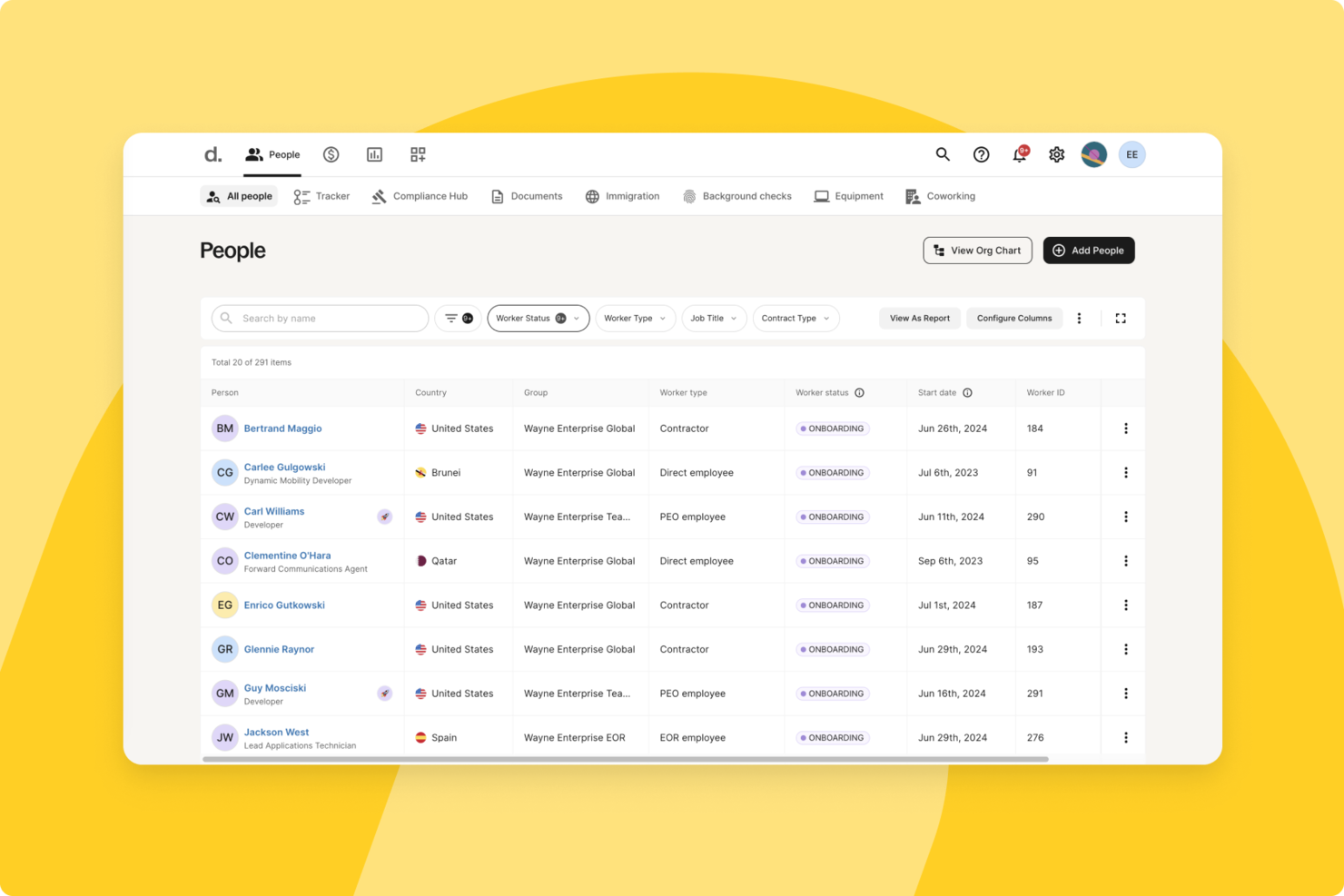
Deel offers a practical solution for businesses looking for employee directory software, particularly those managing distributed or international teams. It supports organizations of various sizes that need a centralized way to manage employee information while staying compliant with local labor laws. By combining core HR functions like onboarding and global payroll, Deel helps you maintain an accurate, up-to-date employee directory across multiple regions.
Why I Picked Deel
I picked Deel because it goes beyond basic directory functionality and supports the operational realities of managing a global workforce. If you hire across borders, you can use Deel to onboard employees in over 150 countries while keeping documentation and records aligned with local requirements. Its global payroll capabilities also help you manage multiple currencies and tax regulations, which supports more accurate employee records and compliance. This makes it especially useful if your directory needs to reflect complex, international workforce data.
Deel Key Features
In addition to the robust onboarding and payroll management, I also found other features that enhance Deel's functionality as an employee directory software:
- Compliance Tracking: Deel ensures your team complies with local employment laws, reducing the risk of legal issues.
- Contract Management: Easily create and manage contracts across different jurisdictions, ensuring all agreements are up-to-date and compliant.
- Expense Management: Streamline the process of managing employee expenses with integrated tracking and reporting tools.
- Organizational Structure Visualization: Visualize your company's hierarchy and team structure, facilitating better communication and management.
Deel Integrations
Integrations include Slack, QuickBooks, Xero, BambooHR, Greenhouse, Workday, Lever, Gusto, Okta, and Microsoft Teams.
Pros and Cons
Pros:
- Integrates with major HR systems
- Built-in compliance and contract management
- Global payroll across 150 countries
Cons:
- Limited directory customization options
- Reporting features lack advanced filtering
New Product Updates from Deel HR

Deel Expands Workplace Integrations With Microsoft Teams and Slack Alerts
Deel introduces Microsoft Teams HR approvals and consolidated Slack alerts for payouts, security, and compliance notifications. These updates help teams act faster and stay informed without leaving their communication tools. For more information, visit Deel’s official site.
 .
.
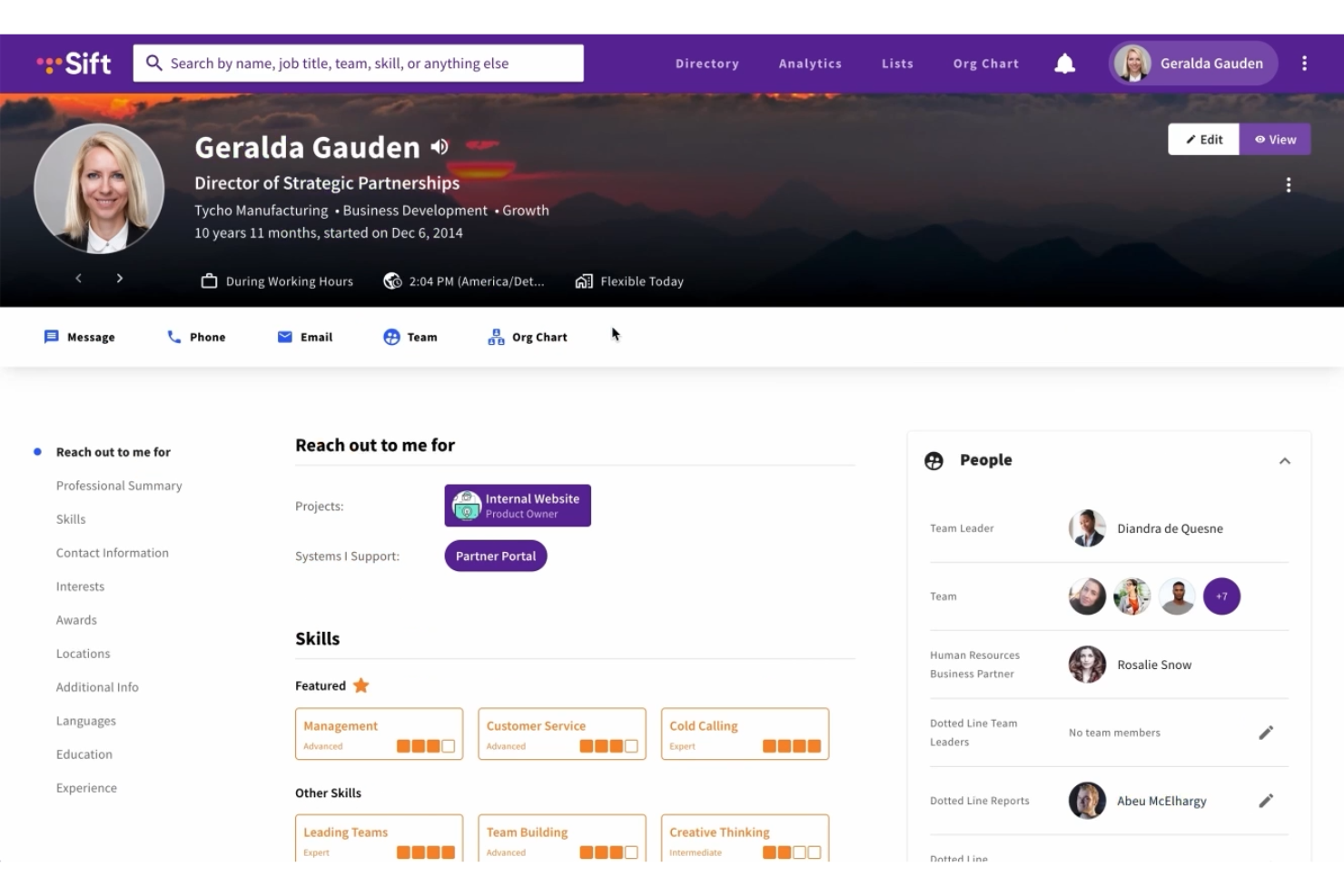
Sift empowers your organization by facilitating connections and enhancing transparency with its intuitive employee directory software. It's ideal for businesses aiming to foster collaboration and visibility across teams, making it easier to find colleagues and access essential information. Sift addresses challenges such as the need for improved communication and organizational understanding, ensuring your team stays connected and informed.
Why I Picked Sift
I picked Sift because its dynamic org chart and detailed employee profiles make it a standout choice if you're looking for employee directory software. The org chart allows your team to visualize the company structure, while the profiles provide insights into colleagues' skills and interests, fostering better collaboration. Additionally, Sift's integration with Microsoft Teams ensures that these features are accessible within the tools your team already uses, addressing the need for efficient workplace communication.
Sift Key Features
In addition, Sift offers several other features that enhance its value as an employee directory solution.
- Advanced Search Capabilities: This feature allows you to locate colleagues based on various criteria, making it easier to connect with the right people in your organization.
- Customizable Pages: Create pages for finding and storing knowledge, whether it's for projects or company-wide resources.
- Data Analytics: Sift offers analytics capabilities that help you visualize skills, roles, and departments, improving organizational transparency.
- Mobile Accessibility: With access on web, desktop, and mobile devices, Sift ensures your team can stay connected wherever they are.
Sift Integrations
Integrations include Microsoft Teams, Azure Active Directory, and SharePoint, and API support is available for custom integrations.
Pros and Cons
Pros:
- Rich, customizable employee profiles support collaboration
- Fast and powerful search functionality enhances connectivity
- Dynamic org charts update automatically with organizational changes
Cons:
- Limited native integration options.
- Mobile app is not available on all plans.
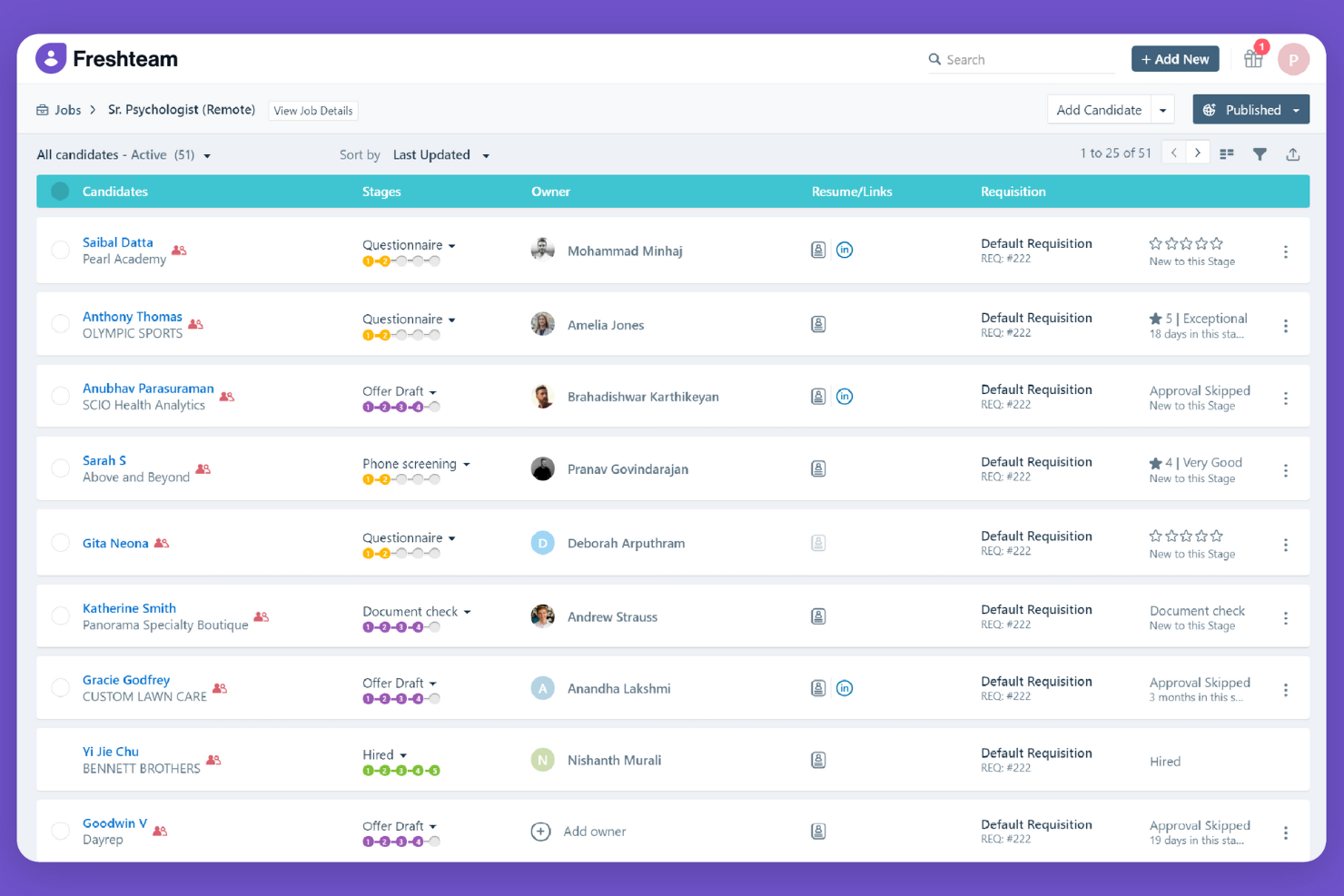
Freshteam is an HR software solution for hiring teams, offering tools for recruitment, onboarding, and employee information management. It helps businesses simplify their hiring processes and manage employee data efficiently.
Why I picked Freshteam: While it is primarily an applicant tracking and onboarding platform, it includes an employee information database that works as a lightweight directory. Once employees are hired, their profiles store essential details such as role, department, reporting manager, and contact information. This makes Freshteam useful for smaller teams that want their hiring and employee directory in one place rather than across multiple tools.
Standout features & integrations:
Features include applicant tracking, job posting management, and onboarding tools. You can also manage employee data and time-off requests in one place. The platform provides a centralized view of your hiring pipeline, enhancing visibility and control.
Integrations include G Suite, Office 365, Slack, Zoom, LinkedIn, Indeed, Glassdoor, ZipRecruiter, and Facebook.
Pros and Cons
Pros:
- Supports time-off management
- Enhanced hiring pipeline visibility
- Effective recruitment tools
Cons:
- Basic reporting features
- Limited customization options

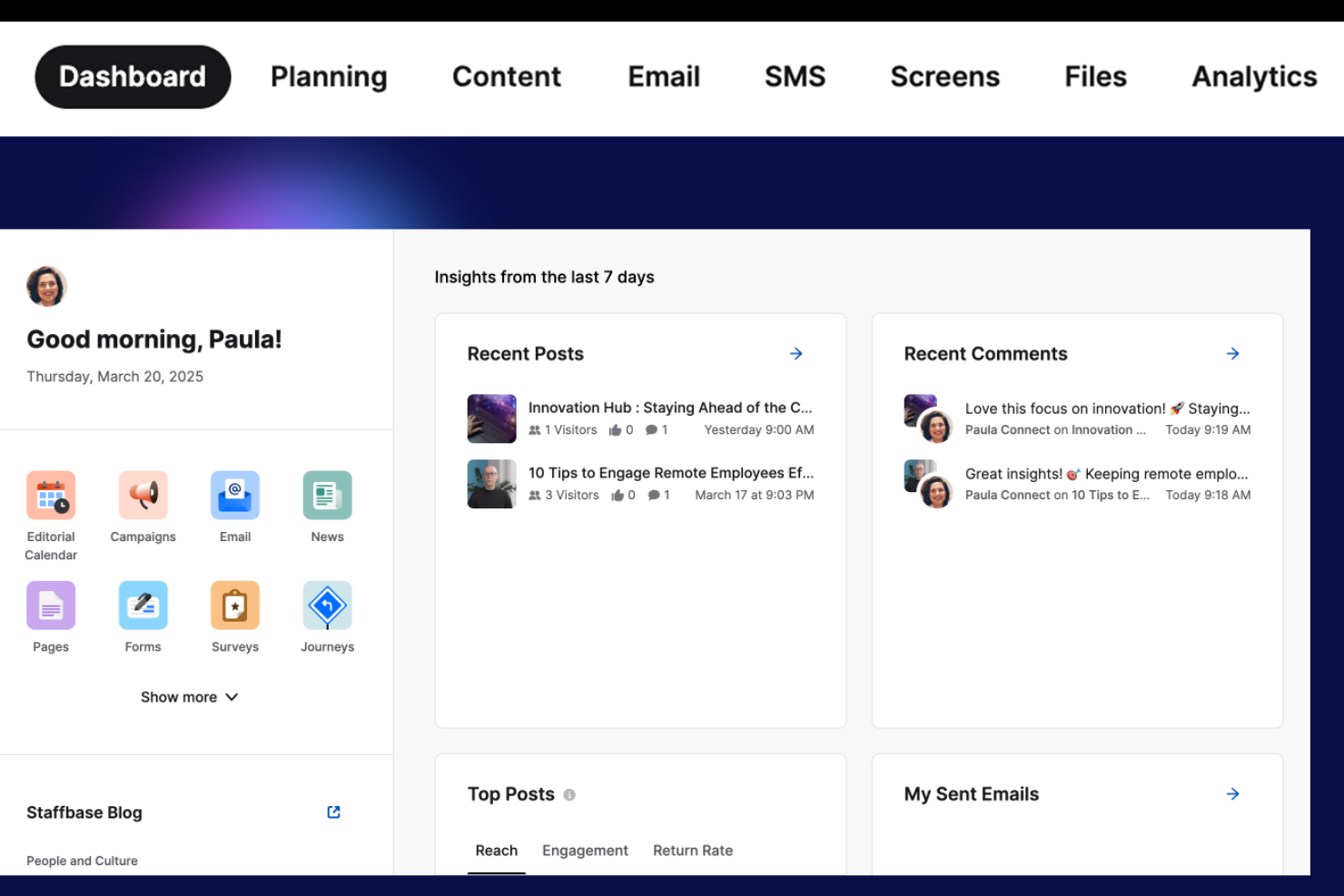
Staffbase is a platform focused on improving internal communication within organizations, serving businesses that need to keep their workforces informed and engaged. It offers tools for creating and sharing content, managing employee communications, and fostering connectivity across teams.
Why I picked Staffbase: Its internal communication platform includes a structured employee directory, great for large or distributed teams. Profiles show job roles, departments, contact information, and team membership so employees can quickly identify who to reach out to. Staffbase works well for organizations that want directory functionality embedded directly within their communication channels, ensuring people search is always accessible alongside company news and updates.
Standout features & integrations:
Features include customizable news feeds, personalized content delivery, and employee surveys. You can also create mobile apps to reach your team wherever they are. The platform supports event management to enhance team engagement.
Integrations include Microsoft Office 365, Google Workspace, Slack, SharePoint, Teams, Yammer, Salesforce, Workday, Dropbox, and Okta.
Pros and Cons
Pros:
- Supports mobile app creation
- Enhances team engagement
- Customizable content delivery
Cons:
- Learning curve for new users
- Implementation takes time

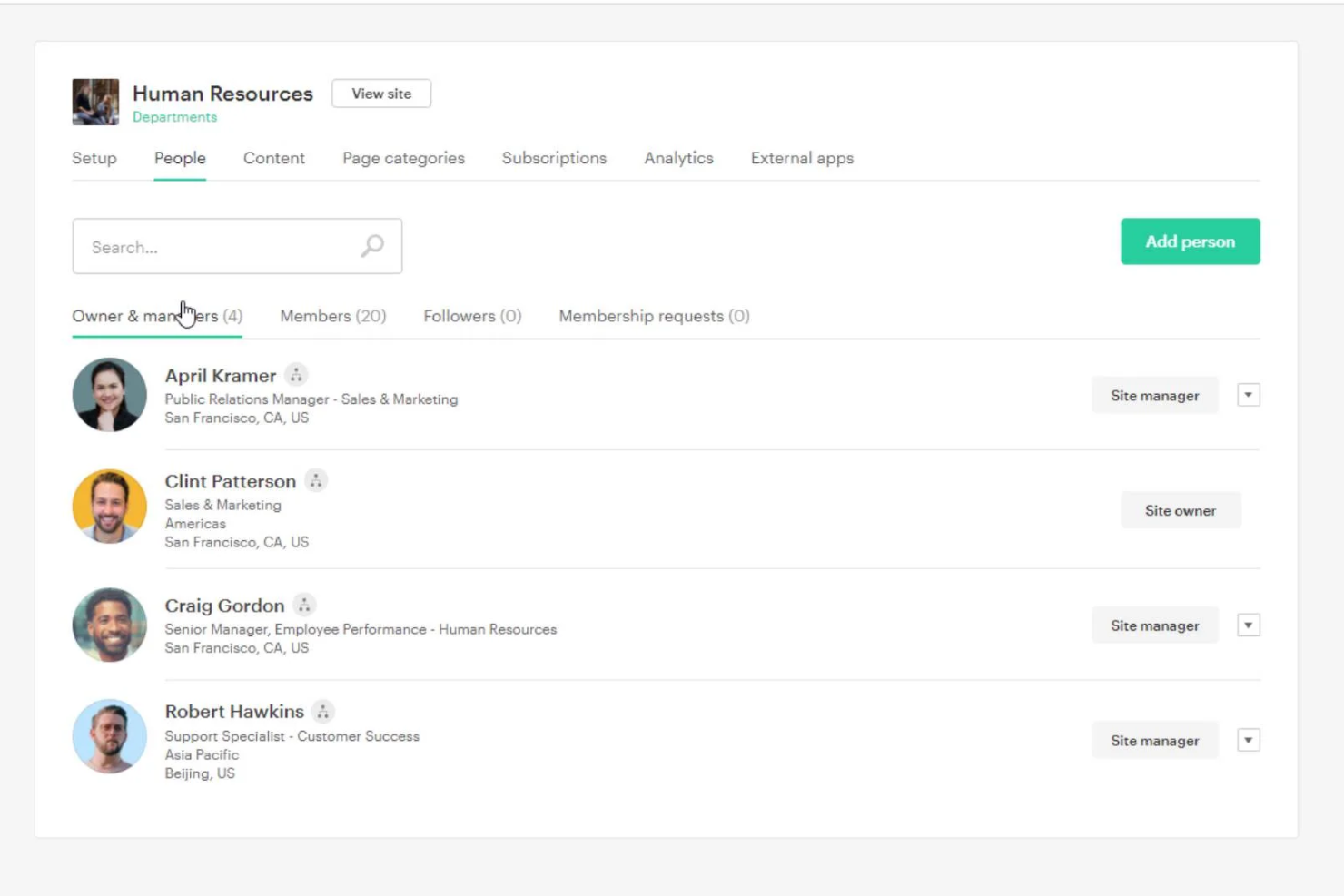
Simpplr is a modern intranet platform designed to enhance employee engagement and communication within organizations. It serves businesses looking to connect their workforce and simplify internal communications through a user-friendly interface.
Why I picked Simpplr: Its social intranet includes a well-structured employee directory that supports easy people search and visibility into team structure. Employees can view roles, reporting lines, and basic profile information, which helps teams stay connected across functions. Simpplr also ties directory information into its content and collaboration features, making it valuable for organizations looking to combine people search with a fuller intranet experience.
Standout features & integrations:
Features include content publishing, personalized user experiences, and social feeds. You can also create and manage events to keep your team engaged. The platform supports detailed analytics to help you measure engagement.
Integrations include Salesforce, Microsoft Office 365, Google Workspace, Slack, Zoom, SharePoint, Microsoft Teams, Okta, Workday, and ServiceNow.
Pros and Cons
Pros:
- Easy content publishing
- Supports social features
- Enhances employee connectivity
Cons:
- Limited offline access
- Initial setup complexity

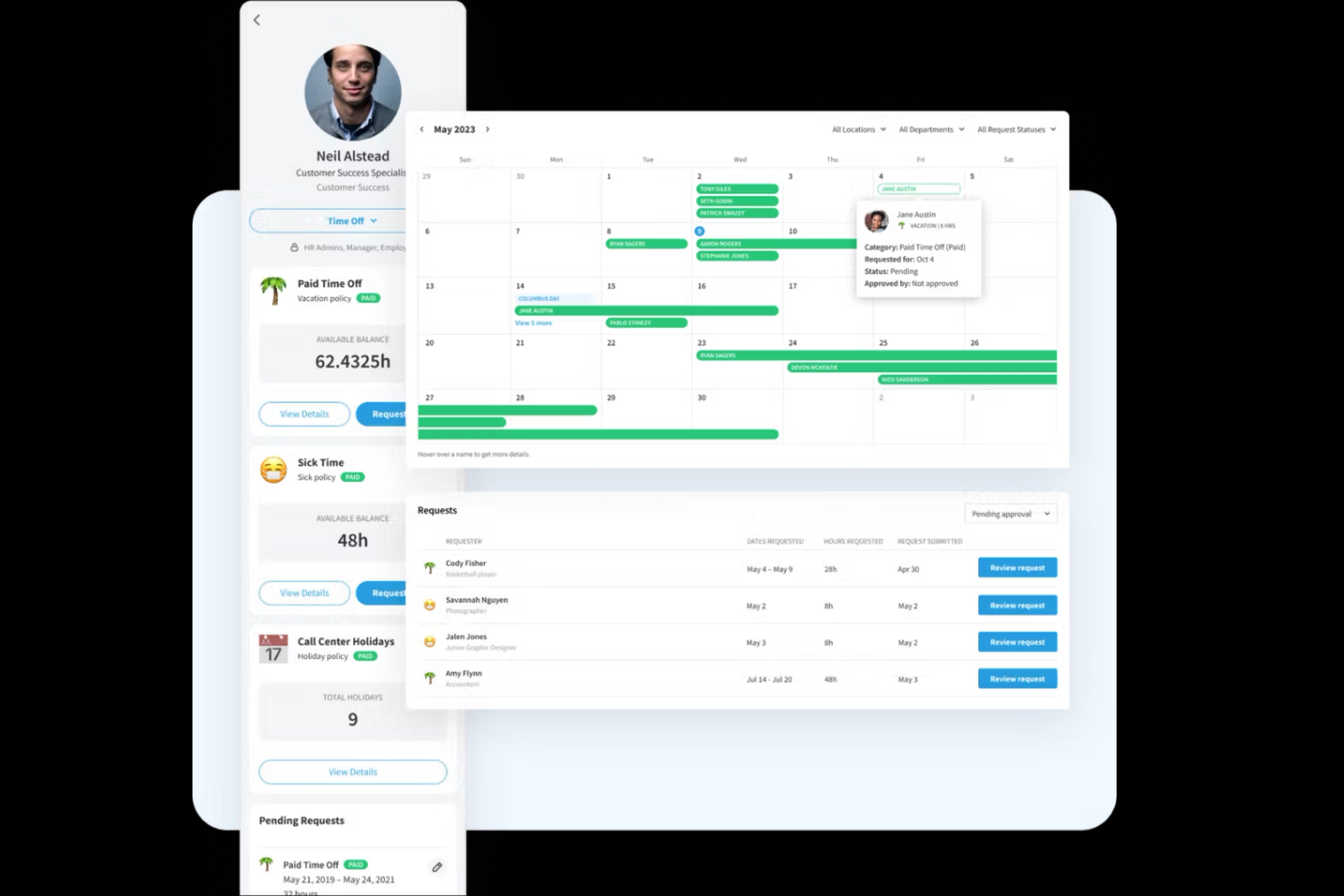
Eddy is an HR software platform designed specifically for small businesses, offering solutions for hiring, onboarding, and employee management. It simplifies HR tasks by providing an easy-to-use interface and essential tools for managing a small workforce.
Why I picked Eddy: It offers a straightforward employee directory designed for small businesses. Its profiles consolidate essential details such as job roles, documents, and contact information, making it easier for small teams to keep employee records organized. While Eddy is an HR system, its clean interface and centralized directory make it a practical option for businesses that want a lightweight, easy-to-use people database.
Standout features & integrations:
Features include applicant tracking, employee onboarding, and time tracking. You can also manage document storage and create custom workflows. The platform provides a centralized employee directory for easy access to information.
Integrations include QuickBooks, Gusto, Slack, Google Workspace, Microsoft Teams, and Zapier.
Pros and Cons
Pros:
- Simple interface for new users
- Centralized employee directory
- Efficient onboarding process
Cons:
- Basic reporting tools
- Not ideal for complex HR needs

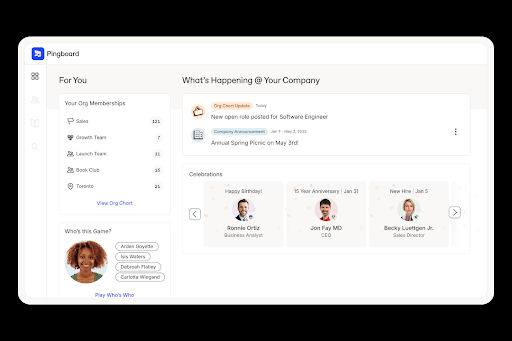
Pingboard is a cloud-based employee directory and organizational chart solution tailored for remote and distributed teams. It enhances team visibility and connectivity by providing dynamic org charts and employee profiles.
Why I picked Pingboard: It builds dynamic org charts and employee profiles, making it a strong fit for teams that need clear visibility into reports. Its directory tools highlight role, skills, and contact details in a format that’s easy for employees to navigate. Pingboard also includes shared calendars and simple engagement features, which add context without overwhelming users. This combination makes it a practical choice for organizations that want a directory tool rather than a full HR suite.
Standout features & integrations:
Features include dynamic org charts, custom employee profiles, and a company calendar. You can also plan resources with private org charts and engage employees through surveys and feedback.
Integrations include BambooHR, G Suite, Okta, Microsoft Azure, Slack, ADP, Workday, Namely, and OneLogin.
Pros and Cons
Pros:
- Private org charts
- Engaging employee surveys
- Company calendar
Cons:
- Limited reporting features
- Limited customization options

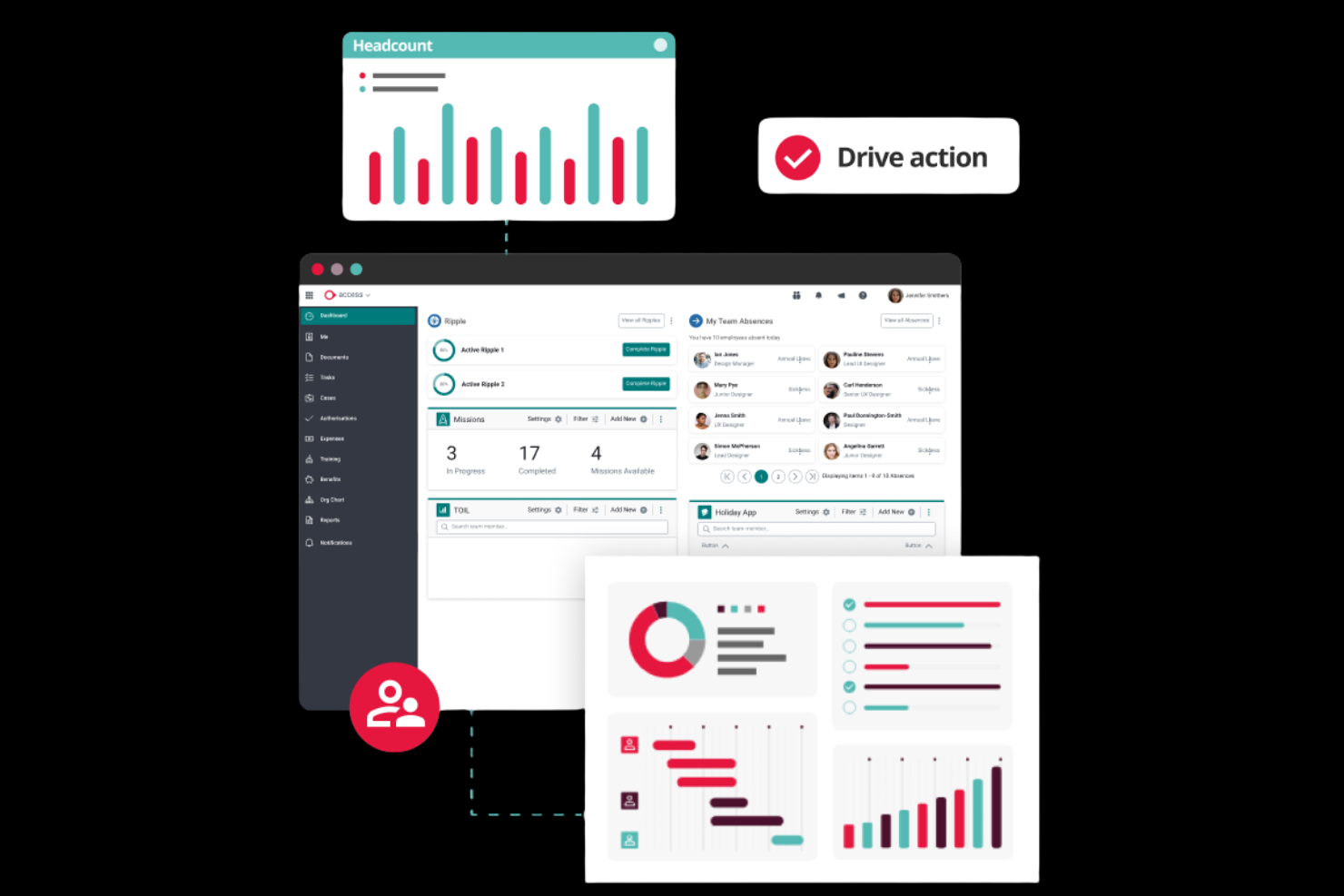
PeopleHR is a cloud-based HR software designed for small to medium-sized businesses, offering tools for managing employee data, recruitment, and performance. It simplifies HR processes, making it easier to manage your workforce efficiently.
Why I picked PeopleHR: It offers an employee directory that’s easy for small and mid-sized businesses to navigate. Its profile pages display job details, reporting lines, documents, and performance data, giving teams a clear view of employee information in a simple interface. PeopleHR is a good fit for organizations that want a user-friendly HR system with the directory tightly integrated with everyday HR tasks.
Standout features & integrations:
Features include performance tracking, recruitment management, and employee data management. You can also benefit from automated workflows to save time on repetitive tasks. The platform provides analytics to help you make informed HR decisions.
Integrations include Microsoft Office 365, Google Workspace, Slack, LinkedIn, Indeed, ZipRecruiter, Xero, QuickBooks, Sage, and Dropbox.
Pros and Cons
Pros:
- Provides useful analytics
- Automated workflows
- Effective recruitment tools
Cons:
- Basic reporting features
- Limited customization options

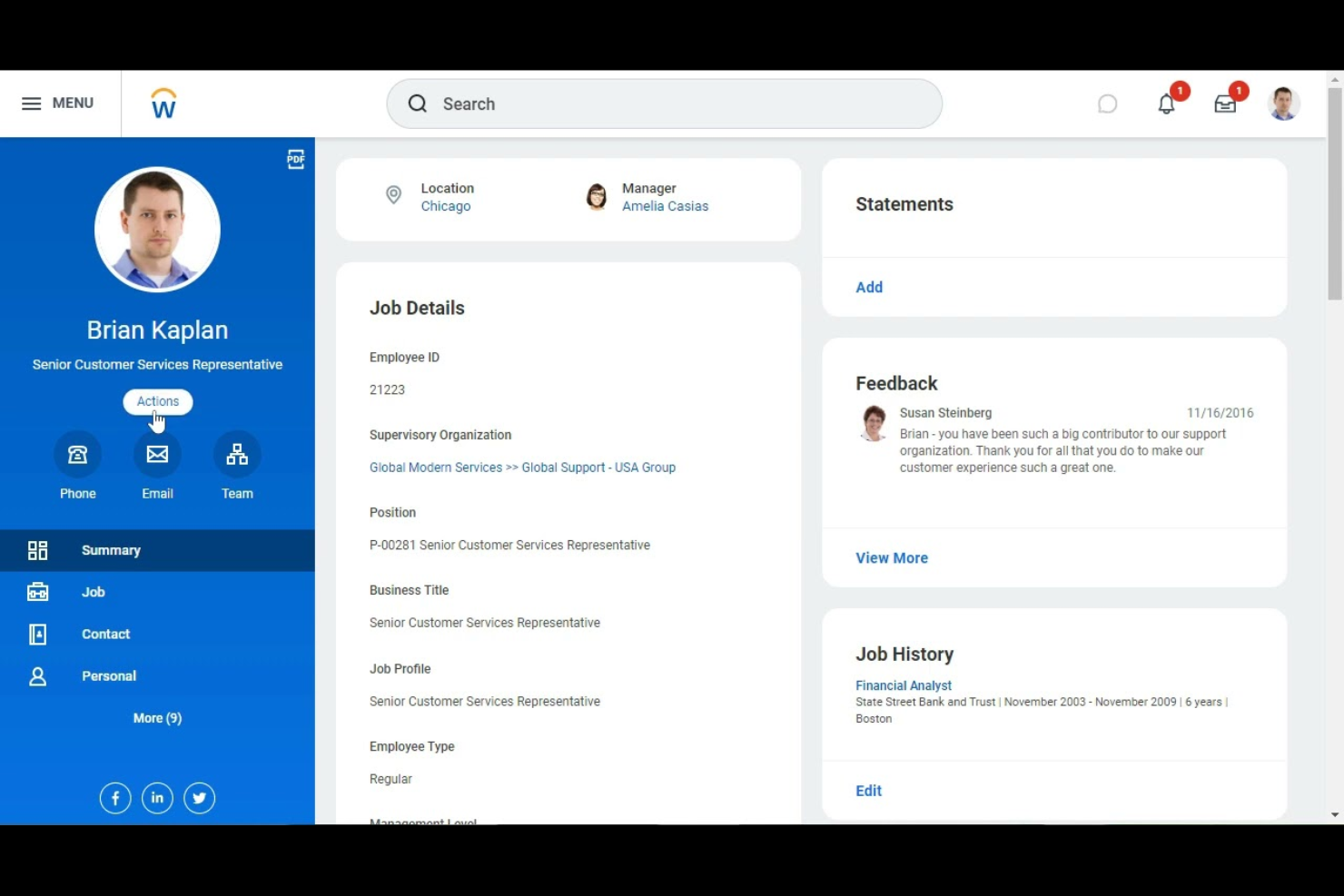
Workday is an enterprise-level human capital management software designed for large organizations. It offers tools for managing finances, HR, and planning, helping businesses simplify their operations and make data-driven decisions.
Why I picked Workday: Its employee directory is part of a larger system built for enterprise organizations that need visibility into job roles, reporting relationships, and workforce data. Large companies benefit from Workday’s unified employee records, which appear across its HR, payroll, and finance modules. Its directory connects to analytics, talent data, and organizational planning tools, making it a suitable choice for enterprises needing more than a basic employee lookup.
Standout features & integrations:
Features include real-time analytics, customizable dashboards, and financial management tools. You can also manage talent acquisition and development within the platform. Its scalability supports growing enterprises effectively.
Integrations include Salesforce, Microsoft Azure, ServiceNow, Okta, Slack, Google Workspace, ADP, SAP, NetSuite, and Coupa.
Pros and Cons
Pros:
- Talent management features
- Powerful financial tools
- Scalable for large enterprises
Cons:
- High learning curve
- Requires extensive training

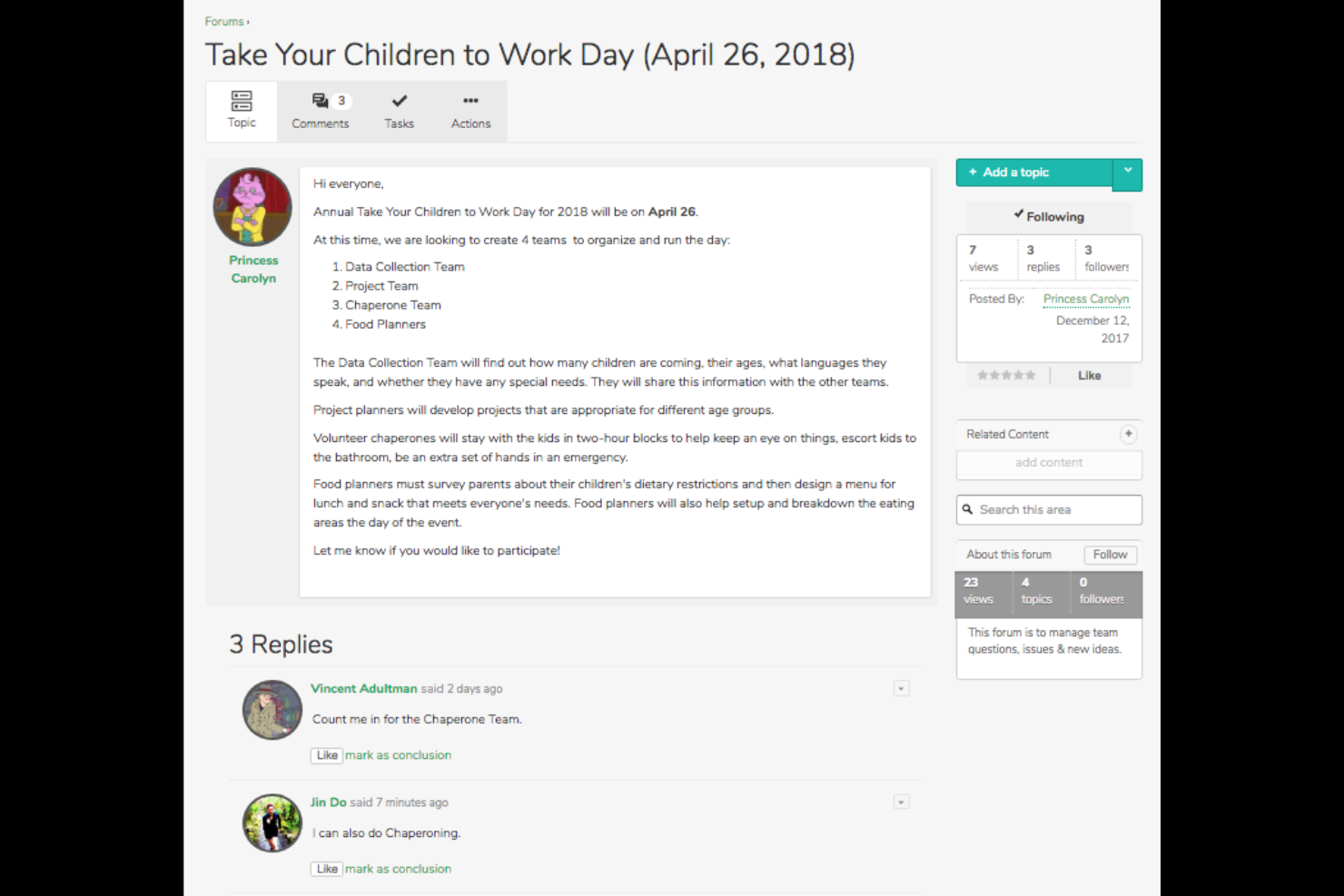
Igloo Software is a digital workplace platform designed to help organizations improve collaboration and communication among remote teams. It provides tools for document management, team collaboration, and internal communication, enhancing overall workplace efficiency.
Why I picked Igloo Software: It includes a directory within its digital workplace platform, allowing teams to access employee profiles, skills, and contact information in one place. Its directory ties into collaboration spaces, knowledge hubs, and document repositories, helping employees quickly identify subject-matter experts or locate colleagues working on related projects. This makes Igloo a strong option for remote or hybrid teams building a centralized knowledge environment.
Standout features & integrations:
Features include document management, team collaboration spaces, and knowledge base creation. You can also use the platform to facilitate internal communication through customizable dashboards. It supports project management with task tracking features.
Integrations include Microsoft Office 365, Google Workspace, Slack, Zoom, Salesforce, SharePoint, Dropbox, Box, OneDrive, and Zendesk.
Pros and Cons
Pros:
- Knowledge base creation
- Supports document management
- Enhances digital collaboration
Cons:
- Basic analytics tools
- Initial setup complexity
Other Employee Directory Software
Here are some additional employee directory software options that didn’t make it onto my shortlist, but are still worth checking out:
- Namely
For mid-sized companies
- Zoho People
For custom workflows
- GlideApps
For building custom mobile directories
- OneDirectory
For Microsoft integration
- GoProfiles
For custom branding
- HR365
For Office 365 users
- Connecteam
For deskless workers
- ADP Workforce Now
For large enterprises
- ChartHop
For data visualization
- Happeo
For Google Workspace users
- BambooHR
For small to medium businesses
- HR Cloud
For customizable profiles
- LumApps
For internal communication
- HR365 Employee Directory
For Microsoft Teams integration


Employee Directory Software Selection Criteria
When selecting the best employee directory software for this list, I considered common buyer needs and pain points, such as maintaining accurate employee records and improving internal communication. I also used the following framework to keep my evaluation structured and fair:
Core Functionality (25% of total score)
To be considered for inclusion in this list, each solution had to fulfill these common use cases:
- Maintain accurate employee records
- Provide organizational charts
- Offer search and filter options
- Support contact information updates
- Integrate with HR systems
Additional Standout Features (25% of total score)
To help further narrow down the competition, I also looked for unique features, such as:
- Customizable employee profiles
- Mobile app availability
- Analytics and reporting tools
- Employee engagement features
- Integration with collaboration tools
Usability (10% of total score)
To get a sense of the usability of each system, I considered the following:
- Intuitive interface design
- Easy navigation
- Speed of task completion
- Minimal learning curve
- Aesthetic appeal
Onboarding (10% of total score)
To evaluate the onboarding experience for each platform, I considered the following:
- Availability of training videos
- Interactive product tours
- Access to templates
- Availability of webinars
- Support from chatbots
Customer Support (10% of total score)
To assess each software provider’s customer support services, I considered the following:
- Availability of live chat
- Response time to inquiries
- Quality of support documentation
- Availability of phone support
- Access to a dedicated account manager
Value For Money (10% of total score)
To evaluate the value for money of each platform, I considered the following:
- Competitive pricing
- Features offered at each pricing tier
- Flexibility of pricing plans
- Cost of additional features
- Discounts for annual contracts
Customer Reviews (10% of total score)
To get a sense of overall customer satisfaction, I considered the following when reading customer reviews:
- Overall satisfaction ratings
- Feedback on ease of use
- Comments on customer support
- Insights into feature effectiveness
- Reports on system reliability
How to Choose Employee Directory Software
It’s easy to get bogged down in long feature lists and complex pricing structures. To help you stay focused as you work through your unique software selection process, here’s a checklist of factors to keep in mind:
| Factor | What to Consider |
|---|---|
| Scalability | Can the software grow with your team? Look for solutions that handle increased users and data without performance issues. Consider future expansion plans. |
| Integrations | Does it integrate with your current systems? Ensure compatibility with existing HR, payroll, and communication tools to avoid data silos. |
| Customizability | Can you tailor the software to your needs? Look for options to customize fields and layouts to fit your team's specific requirements. |
| Ease of use | Is it user-friendly for your team? Test the interface and navigation to ensure it won't slow down daily tasks or require extensive training. |
| Implementation and onboarding | How quickly can you get started? Check for resources like training videos and product tours that ease the transition and reduce downtime. |
| Cost | Does it fit your budget? Compare pricing plans and consider hidden fees. Look for transparent pricing and evaluate the value provided at each tier. |
| Security safeguards | How does it protect your data? Verify encryption standards, access controls, and compliance with data protection regulations to keep sensitive info secure. |
| Support availability | What support is offered? Check for 24/7 support options and the quality of resources like FAQs and live chat to assist your team when needed. |
What Is Employee Directory Software?
Employee directory software is a tool for organizing and managing employee information within an organization. HR professionals, managers, and team leaders generally use these tools to improve communication and access to employee data. Search capabilities, organizational charts, and customizable profiles help maintain accurate records and foster team connections. Overall, these tools enhance workplace efficiency by providing easy access to essential employee information.
Features
When selecting employee directory software, keep an eye out for the following key features:
- Search capabilities: Allows users to find employee information, improving efficiency and communication.
- Organizational charts: Provide a visual representation of the company hierarchy, helping teams understand reporting lines and structure.
- Customizable profiles: Enable personalization of employee information, allowing teams to tailor profiles to fit specific needs.
- Integration options: Connects with existing HR and communication tools to ensure smooth data flow and avoid silos.
- Mobile accessibility: Offers access to employee data on the go, making it convenient for remote and field workers.
- Data security: Protects sensitive employee information with encryption and access controls, ensuring compliance with data protection regulations.
- Analytics and reporting: Provides insights into employee data to help HR teams make informed decisions.
- Onboarding support: Facilitates easy setup with resources like training videos and product tours, reducing downtime during implementation.
- Employee engagement tools: Includes features like peer recognition and social feeds to enhance team morale and connectivity.
Benefits
Implementing employee directory software provides several benefits for your team and your business. Here are a few you can look forward to:
- Improved communication: Helps employees connect with the right colleagues faster, reducing delays caused by unclear responsibilities or outdated contact lists.
- Enhanced organization: Provides teams with a clearer understanding of how departments fit together, helping employees understand roles, relationships, and collaboration paths across the company.
- Increased efficiency: Reduces time spent searching for people or information by centralizing key details in one place, minimizing back-and-forth communication and duplicate inquiries.
- Stronger data protection practices: Help teams maintain consistent control over employee information by centralizing it in a single system, reducing the risk of scattered or outdated records.
- Higher employee engagement: Helps people feel more connected to coworkers by making profiles, interests, and team details more discoverable.
- Better decision-making: Provides managers with quicker visibility into team structure and staffing needs, helping them make more informed decisions about workloads, hiring, and internal movement.
- Improved remote-work experience: Ensures employees always know who to contact and how teams are structured, enabling smoother collaboration across locations.
Costs & Pricing
Selecting employee directory software requires an understanding of the various pricing models and plans available. Costs vary based on features, team size, add-ons, and more. The table below summarizes common plans, their average prices, and typical features included in employee directory software solutions:
Plan Comparison Table for Employee Directory Software
| Plan Type | Average Price | Common Features |
|---|---|---|
| Free Plan | $0 | Basic search capabilities, limited profiles, and minimal support. |
| Personal Plan | $5-$12/user/month | Enhanced search, customizable profiles, and basic reporting. |
| Business Plan | $12-$40/user/month | Organizational charts, mobile access, and integration options. |
| Enterprise Plan | $40-$100+/user/month | Advanced analytics, employee engagement tools, and premium support. |
Employee Directory Software FAQs
Here are some answers to common questions about employee directory software:
What is the primary purpose of employee directory software?
The primary purpose is to organize and manage employee information in a centralized system, much like a modern company directory or staff directory. This helps access contact details, job title information, and organizational structures. It also supports a clearer company culture by making it easier to understand how team members fit together. Strong search functionality helps people find colleagues by name, phone number, skills, or even user profile details. Some tools also surface helpful context, such as birthdays or work anniversary dates. Overall, it improves communication and collaboration by making it easy to find colleagues and navigate an interactive organizational chart when needed.
How do I ensure data security with employee directory software?
Ensuring data security involves checking the software’s encryption standards and access controls, especially if you’re using an employee directory app that stores sensitive information. Look for solutions that comply with data protection regulations like GDPR. You should also verify whether the system offers user permissions to control who can access sensitive information in your people directory. Regularly updating passwords, enabling security notifications, and conducting security audits can further protect your data.
Can employee directory software integrate with existing HR systems?
Yes, most company directory software solutions offer integration options with existing HR systems. This ensures smooth data flow and eliminates the need for duplicate data entry. Many platforms connect to payroll, communication tools, and core HR systems to keep new hires and profile updates in sync in an all-in-one environment. Before purchasing, check whether the software integrates with the tools your organization already uses to ensure a consistent employee experience.
What should I consider when migrating to a new employee directory software?
Consider the ease of data migration, support during transition, and training resources. Look for systems that offer import tools for existing records. Step-by-step guidance, training videos, and product tours help your team adapt quickly. It’s also helpful to check whether the platform can maintain custom fields, such as employee directory app profile details or other data points your teams rely on.
What’s Next:
If you're in the process of researching employee directory software, connect with a SoftwareSelect advisor for free recommendations.
You fill out a form and have a quick chat where they get into the specifics of your needs. Then you'll get a shortlist of software to review. They'll even support you through the entire buying process, including price negotiations.