
18 Best PTO Tracking Software Reviewed in 2026

Best PTO Tracking Software Shortlist
Here's my pick of the 10 best software from the 18 tools reviewed.


Tracking employee PTO can be a headache for any human resources (HR) team. With countless requests and compliance issues, it's easy to feel overwhelmed. PTO tracking software can help by simplifying the process and keeping everything organized.
I've spent time testing and reviewing various PTO tracking solutions, and I'm here to share my top picks. My goal is to offer you an unbiased, well-researched guide to help you make an informed decision.
In this article, you'll find a selection of the best PTO tracking tools, each with unique features to fit your needs. Whether you're managing a small team or a large organization, there's a solution for you. Let's dive in and find the right tool for your team.
Why Trust Our Software Reviews
Best PTO Tracking Software Summary
This comparison chart summarizes pricing details for my top PTO tracking software selections to help you find the best one for your budget and business needs.
| Tool | Best For | Trial Info | Price | ||
|---|---|---|---|---|---|
| 1 | Best for integration with Slack and Teams | Free demo available | Pricing upon request | Website | |
| 2 | Best for real-time PTO balance updates | Free plan available | From $1.50/user/month (billed annually) | Website | |
| 3 | Best for payroll integration | 30-day free trial available | From $38/user/month | Website | |
| 4 | Best for unlimited users | Free 7-day trial + free plan + free demo available | From $3.99/seat/month (billed annually) | Website | |
| 5 | Best free option | Free | Free forever plan | Website | |
| 6 | Best for large enterprises | Free demo available | Pricing upon request | Website | |
| 7 | Best for customization | Free demo available | Pricing upon request | Website | |
| 8 | Best for small businesses | Free demo available | From $10/employee/month | Website | |
| 9 | Best for remote teams | 14-day free trial + free plan available | From $2/user/month (billed annually) | Website | |
| 10 | Best for simplicity | Free demo + 30-day free trial available | From $1/user/month | Website |
-

Checkr
Visit WebsiteThis is an aggregated rating for this tool including ratings from Crozdesk users and ratings from other sites.4.5 -
Kudoboard
Visit WebsiteThis is an aggregated rating for this tool including ratings from Crozdesk users and ratings from other sites.4.8 -
Native Teams
Visit WebsiteThis is an aggregated rating for this tool including ratings from Crozdesk users and ratings from other sites.4.9





Best PTO Tracking Software Reviews
Below are my detailed summaries of the best PTO tracking software that made it onto my shortlist. My reviews offer a detailed look at the key features, pros and cons, integrations, and ideal use cases of each tool to help you find the best one for you.

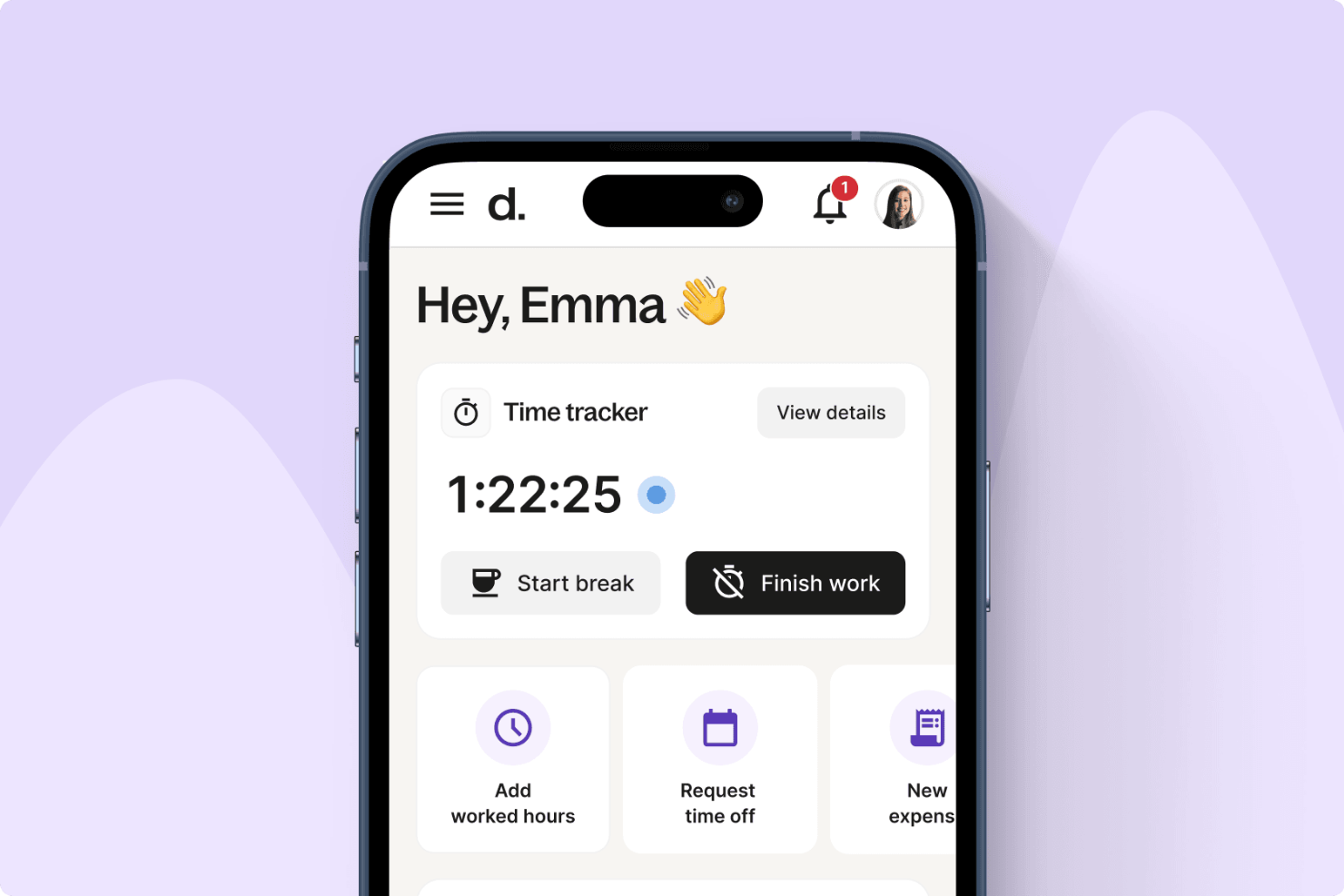
For companies managing global teams, Deel provides PTO tracking that integrates with collaboration tools like Slack and Microsoft Teams. Employees can submit and manage leave requests directly within the platforms they already use, helping reduce back-and-forth communication. Deel also supports compliance with local labor laws and can reflect approved time off in payroll, which may be especially useful for internationally distributed workforces.
Why I Picked Deel
I picked Deel because it lets you manage PTO directly inside Slack and Microsoft Teams, which can make leave management more accessible for distributed teams. I also like that approved time off syncs automatically with payroll, helping you keep records accurate across regions. If you operate internationally, Deel can help you track different leave types while staying aligned with local regulations and internal policies.
Deel Key Features
In addition to its integration with communication platforms, Deel offers several other key features for PTO tracking:
- Time Off Requests: Employees can request and approve time off instantly within the platform, streamlining the approval process.
- Employee Data Updates: Approve employee updates in seconds, ensuring that records are always current.
- Time Tracking: Track hours effortlessly, providing insights into employee work patterns and PTO usage.
- Expense Management: Reimburse expenses faster, integrating financial management with HR processes.
Deel Integrations
Integrations include Slack, Microsoft Teams, BambooHR, Greenhouse, QuickBooks, Xero, Workday, Gusto, Lever, and Expensify.
Pros and Cons
Pros:
- Integrates with major HR systems
- Built-in compliance and contract management
- Global payroll across 150 countries
Cons:
- Limited directory customization options
- Reporting features lack advanced filtering
New Product Updates from Deel HR

Deel Expands Workplace Integrations With Microsoft Teams and Slack Alerts
Deel introduces Microsoft Teams HR approvals and consolidated Slack alerts for payouts, security, and compliance notifications. These updates help teams act faster and stay informed without leaving their communication tools. For more information, visit Deel’s official site.
 .
.
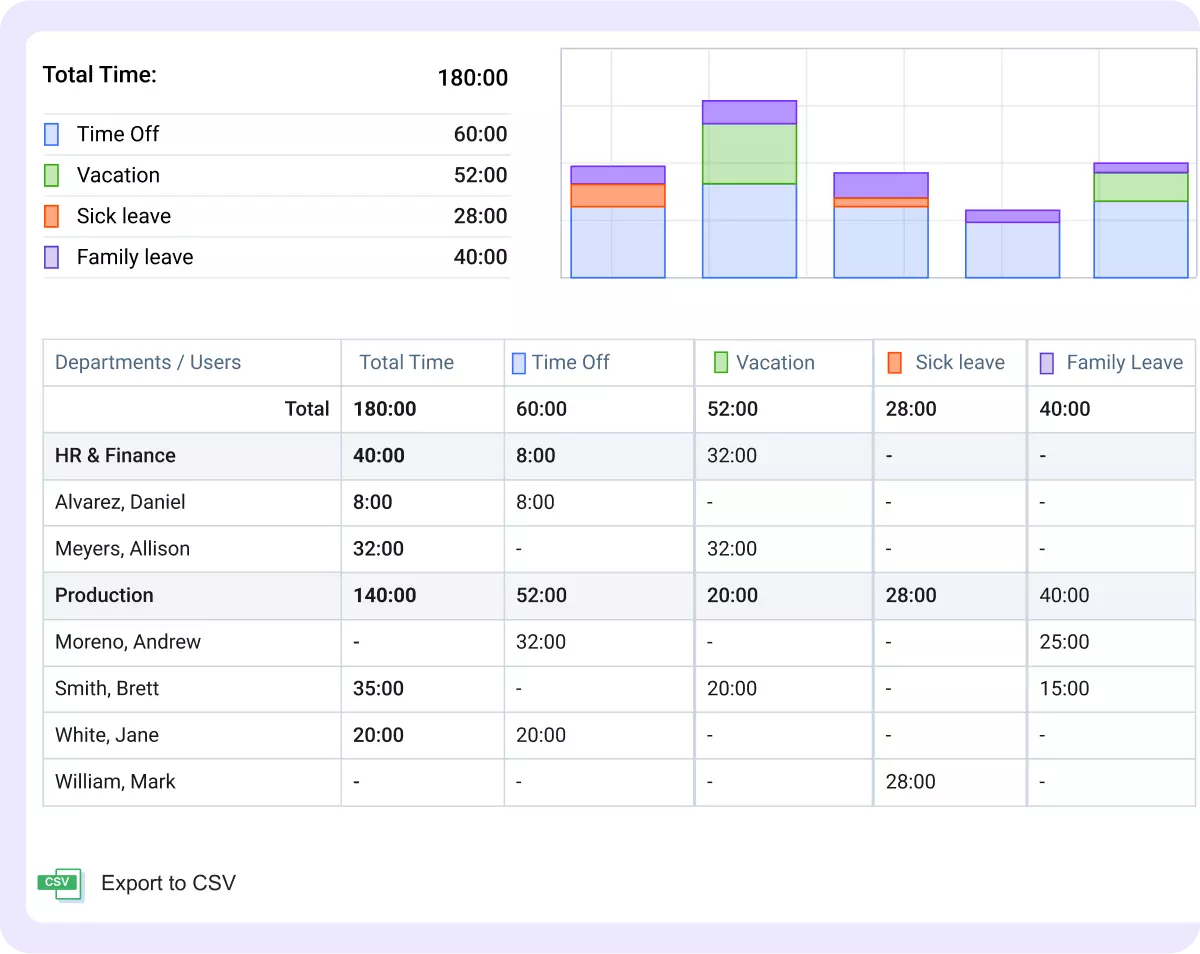
actiPLANS simplifies the process of managing your team's PTO. Designed for organizations of all sizes, actiPLANS is perfect for HR and payroll teams looking to automate leave management and simplify scheduling. Whether you're dealing with complex leave policies or simply want a more efficient way to track PTO, actiPLANS offers the solutions you need to keep your team organized and informed.
Why I Picked actiPLANS
I picked actiPLANS for its ability to provide real-time PTO balance updates, a feature that addresses the challenge of keeping both employees and management informed. The platform's automated PTO routines reduce manual tasks, freeing up time for HR professionals. Additionally, its centralized time-off data ensures that all information is easily accessible, making it a practical choice for those looking to improve their PTO tracking processes.
actiPLANS Key Features
In addition to its automated routines and real-time updates, I also found several other features that make actiPLANS stand out:
- Visual Activity Planning: Allows you to see and manage employee schedules and availability at a glance.
- Effortless Shift Allocation: Simplifies the process of assigning shifts, ensuring that your team is always adequately staffed.
- Simple Event Scheduling: Helps organize team events and meetings without overlapping with leave schedules.
- Unlimited Team Member Grouping: Enables you to categorize employees into groups for easier management and reporting.
actiPLANS Integrations
Integrations include iCal, Microsoft Outlook, Google Calendar, and more.
Pros and Cons
Pros:
- Customizable rules cater to specific organizational policies
- Visual activity planning aids in effective resource scheduling
- Automated PTO routines reduce manual workload for HR teams
Cons:
- PTO balances aren't available on the free plan
- Lack of native integrations could limit connectivity options

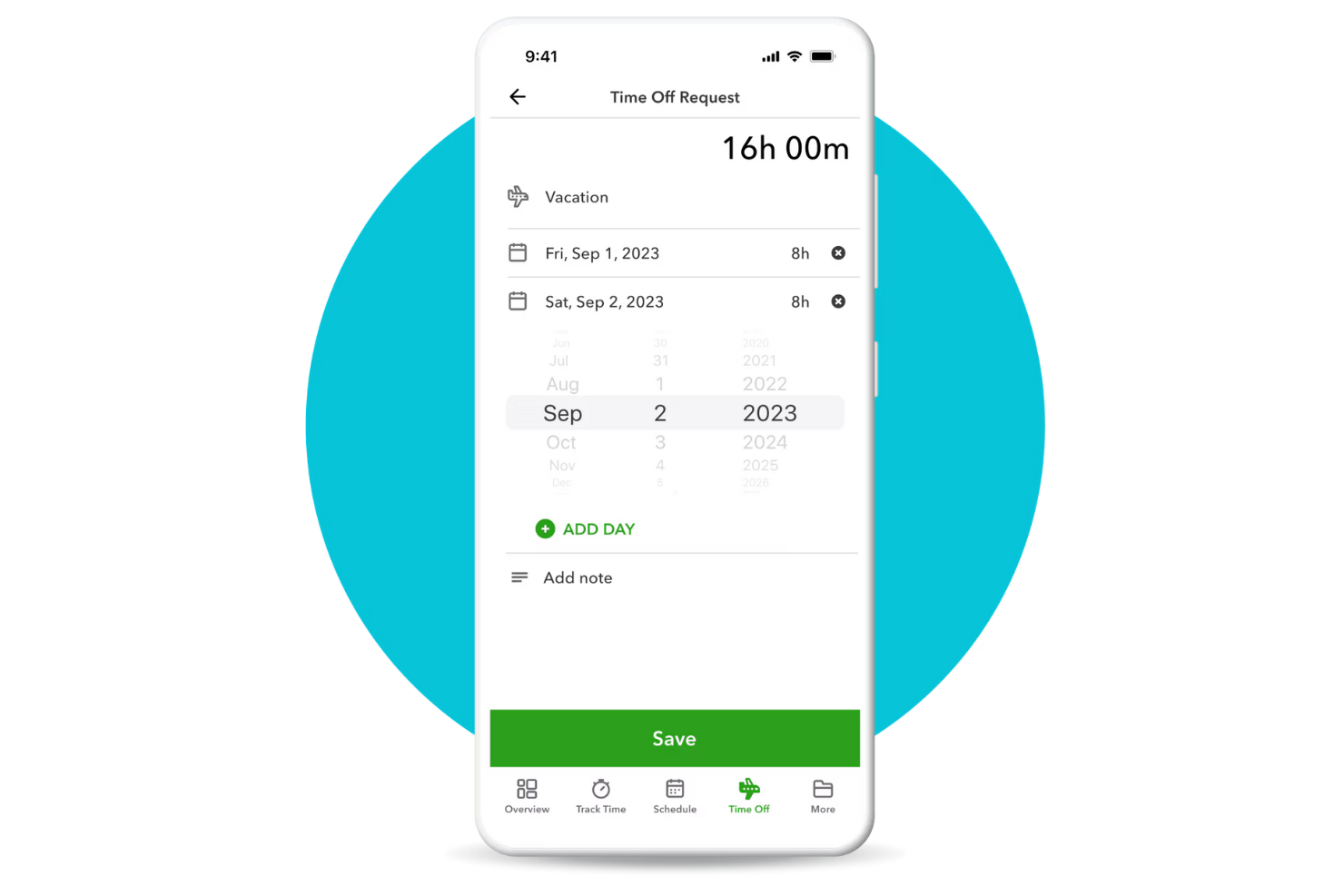
QuickBooks is a financial management software primarily used by small to midsize businesses. It offers PTO tracking features that integrate directly with payroll, simplifying the process of managing employee time-off and ensuring accurate pay calculations.
Why I picked QuickBooks: QuickBooks is ideal for businesses that want to integrate PTO tracking with payroll processing. The tool automatically updates payroll with approved time-off, reducing errors and saving time. Its integration with payroll ensures that you maintain accurate records and compliance.
Standout Features and Integrations:
Features include customizable leave policies that allow you to define rules according to your company's requirements. The tool provides real-time updates on leave balances, so your team always knows their available time-off. Additionally, automated notifications keep managers and employees informed of leave status changes.
Integrations include QuickBooks Time, Shopify, Square, PayPal, Amazon, HubSpot, Salesforce, Mailchimp, Etsy, Stripe, and more.
Pros and Cons
Pros:
- Employee self-service capabilities
- Automated notifications
- Simplified payroll integration
Cons:
- No direct professional support
- PTO accrual setup limited to yearly policies

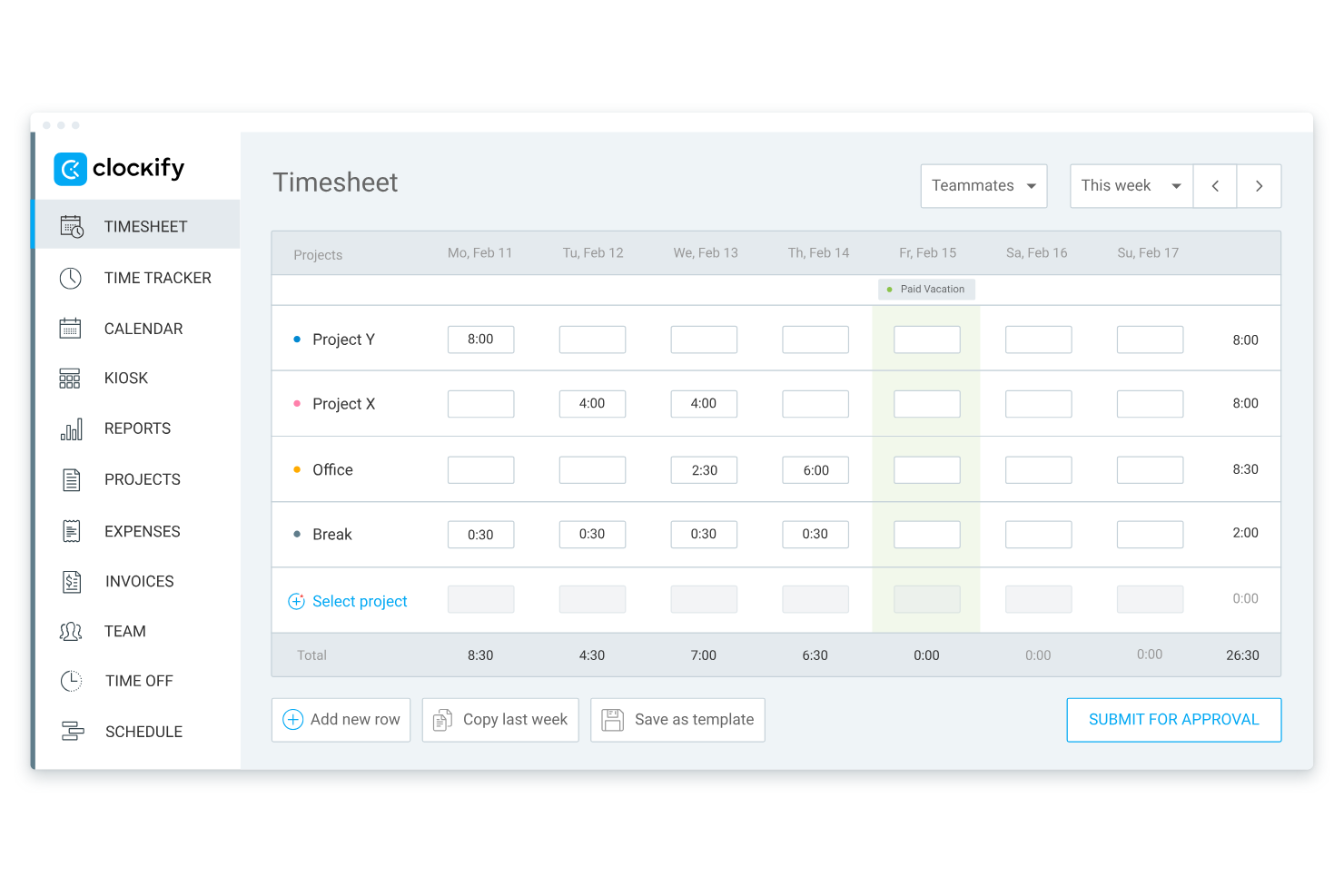
Clockify is a time tracking and PTO management tool designed for teams of all sizes, especially those that require unlimited user access. It helps businesses track employee hours and manage vacation requests efficiently.
Why I picked Clockify: Clockify offers unlimited user access, which is perfect for growing teams that need flexibility. You can manage PTO requests and approvals without worrying about user limits. The tool provides real-time updates on leave balances, so your team always knows where they stand. Its simple interface ensures that both managers and employees can navigate the system with ease.
Standout Features and Integrations:
Features include detailed reporting tools that help you understand time-off trends and manage resources effectively. You can also use customizable leave policies to align with your company's specific needs. The tool's reminders ensure that no PTO requests go unnoticed, keeping everyone informed.
Integrations include Trello, Asana, Jira, monday.com, Google Calendar, Outlook, QuickBooks, Salesforce, and more.
Pros and Cons
Pros:
- Detailed reporting tools
- Integrations with many third-party apps
- Unlimited user access
Cons:
- No built-in payroll integration
- Limited PTO reporting
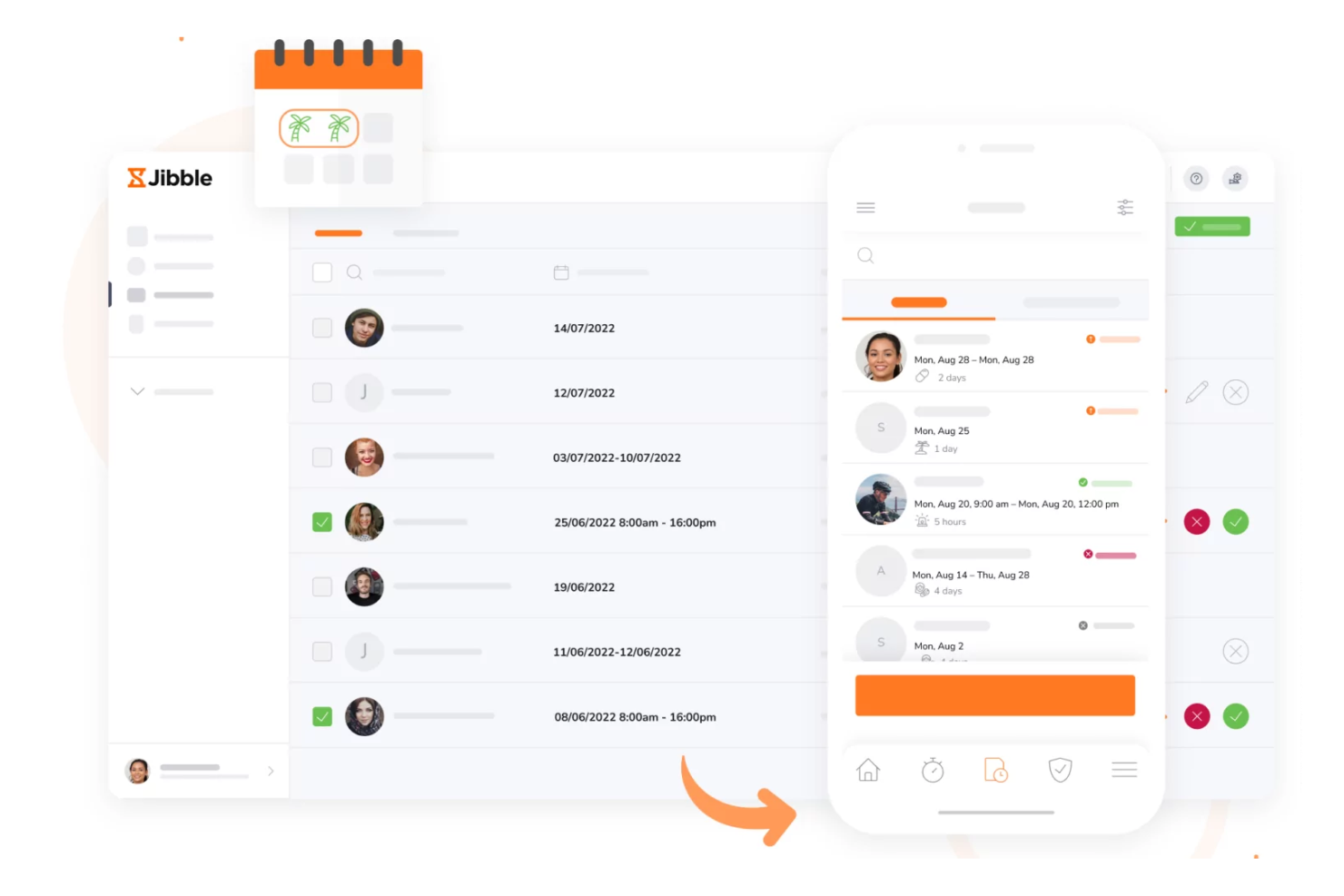
Jibble is a time tracking and attendance management tool aimed at businesses of all sizes. It offers a PTO tracker as part of its suite, allowing teams to manage time-off requests efficiently.
Why I picked Jibble: Jibble offers a free plan, making it a great choice for budget-conscious teams. You can track PTO alongside work hours to save time. The tool provides automated reminders for pending approvals, keeping everyone informed. Its user-friendly interface simplifies the process for both managers and employees.
Standout Features and Integrations:
Features include detailed reporting that helps you analyze time-off patterns and make informed decisions. You can also set up customizable approval workflows to fit your team's specific needs. The tool supports biometric attendance, adding a layer of security to time tracking.
Integrations include Slack, Microsoft Teams, Google Workspace, Asana, Trello, monday.com, Xero, QuickBooks Online, Salesforce, and more.
Pros and Cons
Pros:
- Biometric attendance support
- Multi-device accessibility
- Free plan for unlimited users
Cons:
- No built-in communication tool
- Limited advanced customization

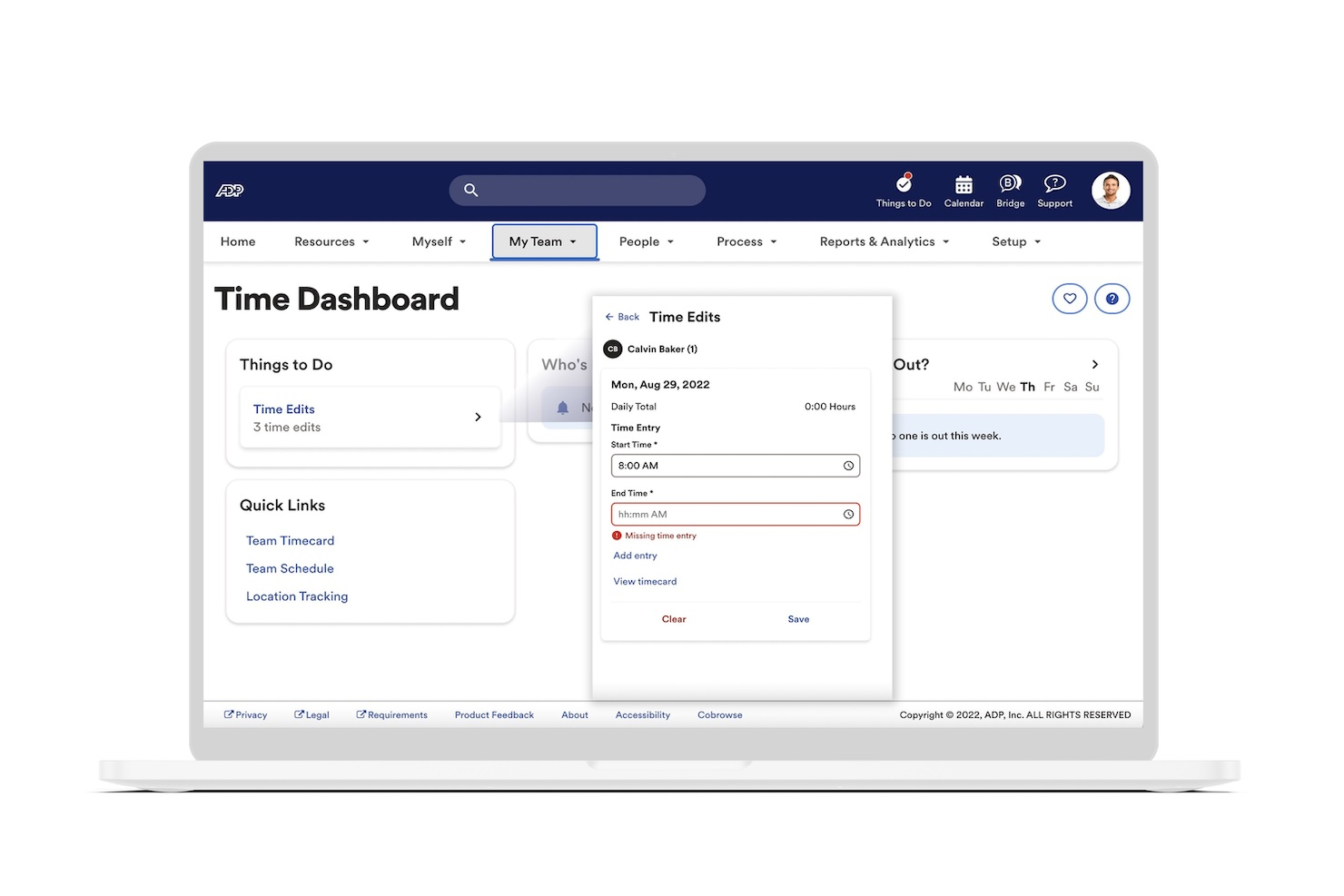
ADP is a workforce management solution designed for large enterprises. It handles time and attendance tracking, payroll, and PTO management, providing a unified platform for HR operations.
Why I picked ADP: ADP is suitable for large enterprises that need a scalable PTO tracking solution. Its ability to handle complex payroll requirements alongside PTO tracking ensures smooth HR operations. You can configure custom leave policies to match your organizational needs.
Standout Features and Integrations:
Features include advanced scheduling capabilities that allow you to manage shifts and time-off requests with ease. The tool also offers real-time analytics that provide insights into attendance and leave data. Its compliance management ensures your team adheres to labor regulations.
Integrations include Workday, Oracle, SAP SuccessFactors, Microsoft Dynamics, QuickBooks, Salesforce, Xero, BambooHR, Netsuite, and more.
Pros and Cons
Pros:
- Automated compliance management
- Advanced scheduling capabilities
- Scalable for large enterprises
Cons:
- Mobile and web interfaces can be out of sync
- Pricing details are not transparent
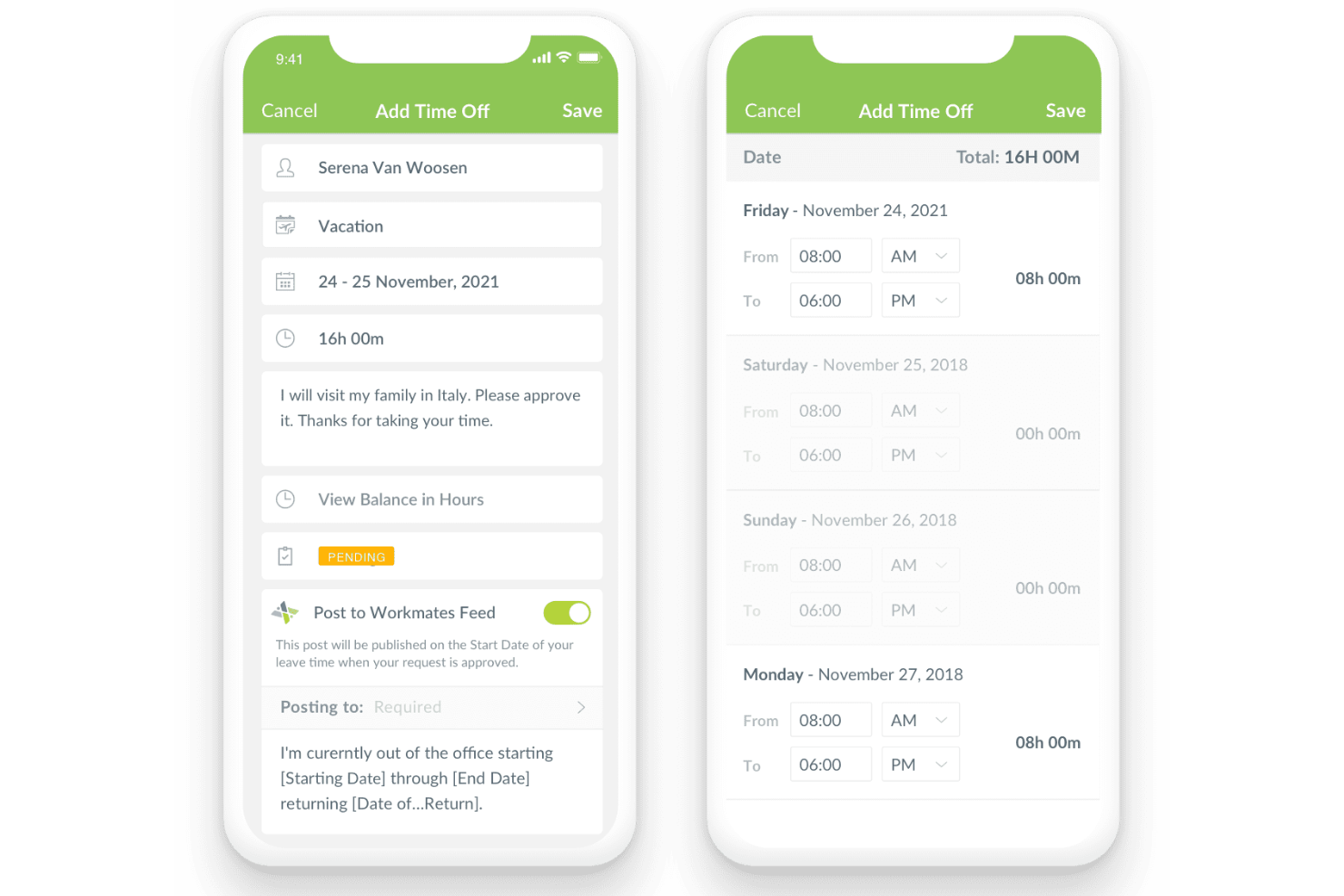
HR Cloud is an HR management platform designed for businesses that need customizable solutions. It offers tools for PTO tracking, onboarding, and employee engagement, catering to diverse organizational needs.
Why I picked HR Cloud: HR Cloud provides extensive customization options, making it ideal for businesses with unique requirements. You can tailor PTO policies to match your specific needs, and the platform's adaptability ensures it fits various organizational structures. Its analytics tools provide insights into employee engagement and leave patterns, helping you make informed decisions.
Standout Features and Integrations:
Features include customizable workflows that allow you to automate repetitive tasks. This reduces human error, and helps prevent administrative burnout. You can also use the platform's engagement tools to boost team morale and communication. Detailed analytics provide insights into PTO usage and employee trends, helping you optimize your HR strategies.
Integrations include Slack, Microsoft Teams, Google Workspace, QuickBooks, and more.
Pros and Cons
Pros:
- Supports diverse organizational structures
- Includes engagement tools
- Provides automated workflows
Cons:
- Complex niche reporting capabilities
- Limited mobile functionality

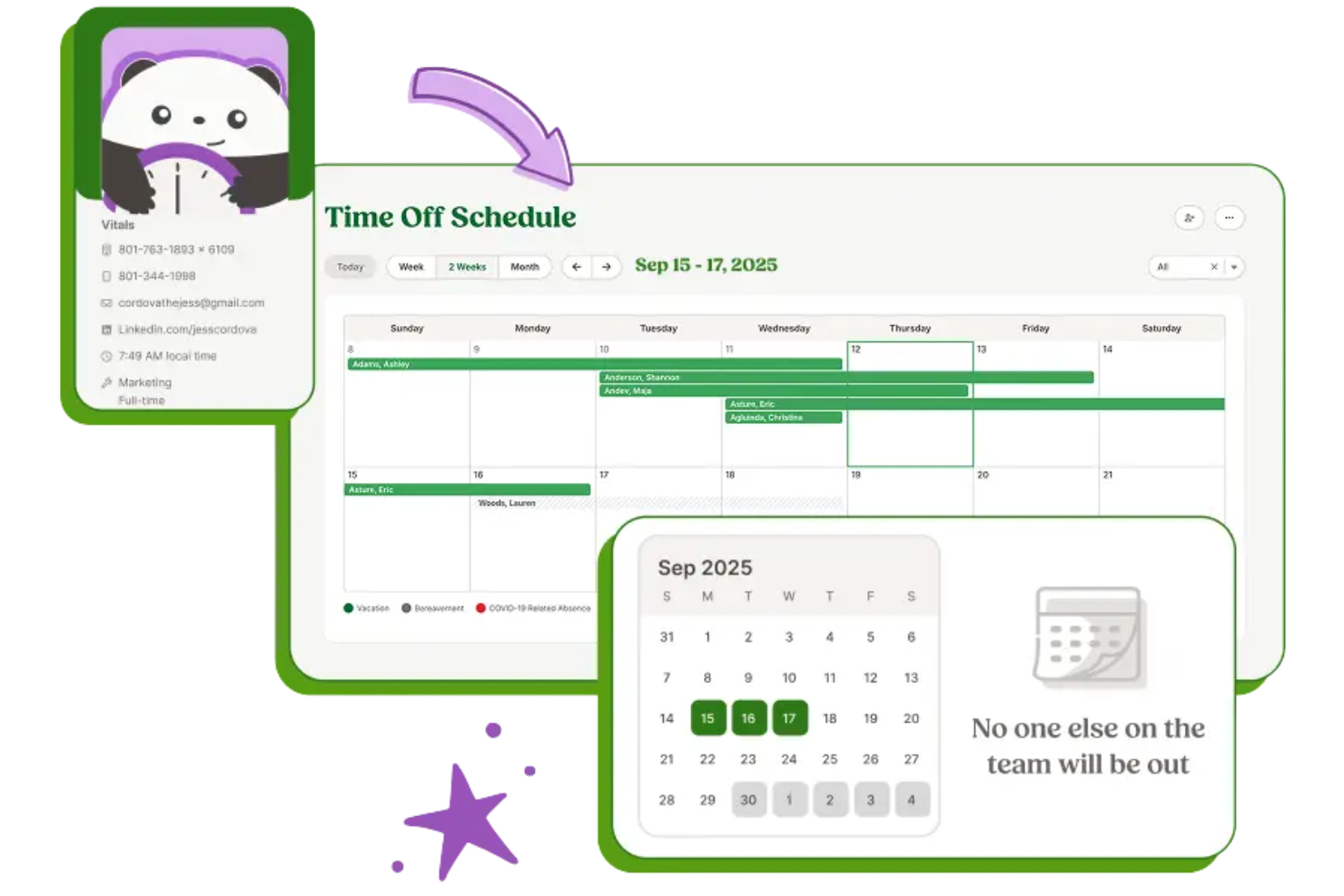
BambooHR is an HR software solution tailored for small to midsize businesses. It offers time-off tracking, employee data management, and performance evaluations to simplify HR functions.
Why I picked BambooHR: BambooHR is perfect for small businesses looking for an all-in-one HR platform. It provides easy PTO requests and approvals, helping you manage team members' days off. Automated reminders ensure no leave requests are missed, and its reporting tools offer insights into leave trends. The platform's user-friendly interface makes it accessible for teams without dedicated HR staff.
Standout Features and Integrations:
Features include customizable employee records, allowing you to store essential information in one place and reduce reliance on spreadsheets. You can also track employee performance with built-in evaluation tools. Detailed analytics provide insights into various HR metrics, helping you make informed decisions.
Integrations include QuickBooks, Xero, Slack, Okta, Google Workspace, LinkedIn, and more.
Pros and Cons
Pros:
- Customizable records
- Flexible reporting options
- Mobile app available on Android
Cons:
- Limited PTO workflow customization
- No native shift scheduling

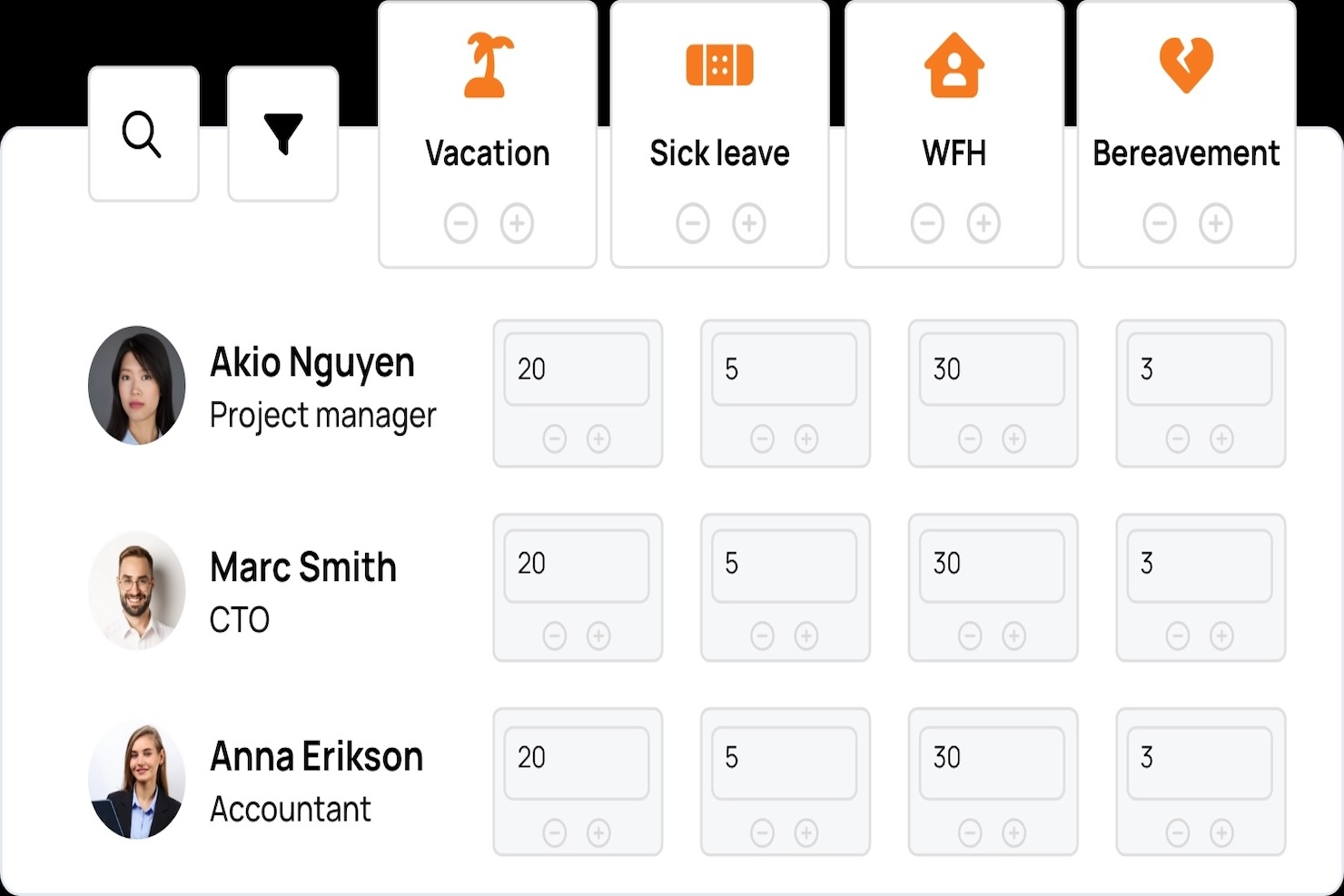
TalentHR is an HR management platform tailored for remote teams. It provides tools for managing PTO, employee data, and performance, making it ideal for distributed workforces.
Why I picked TalentHR: TalentHR excels in supporting remote teams with its intuitive vacation tracking features. The platform's analytics provide insights into leave patterns, and its user-friendly design makes it accessible to teams without a dedicated HR department.
Standout Features and Integrations:
Features include real-time notifications that keep your team informed about leave status changes. You can set up multiple leave types to accommodate various employee needs. The platform also offers performance tracking, helping you keep tabs on employee growth and development.
Integrations include Slack, Microsoft Teams, Google Workspace, WordPress, and more.
Pros and Cons
Pros:
- Transparent pricing
- Built-in reporting tools
- Centralized employee and leave information
Cons:
- Requires high initial setup time
- Limited partial-day leave tracking
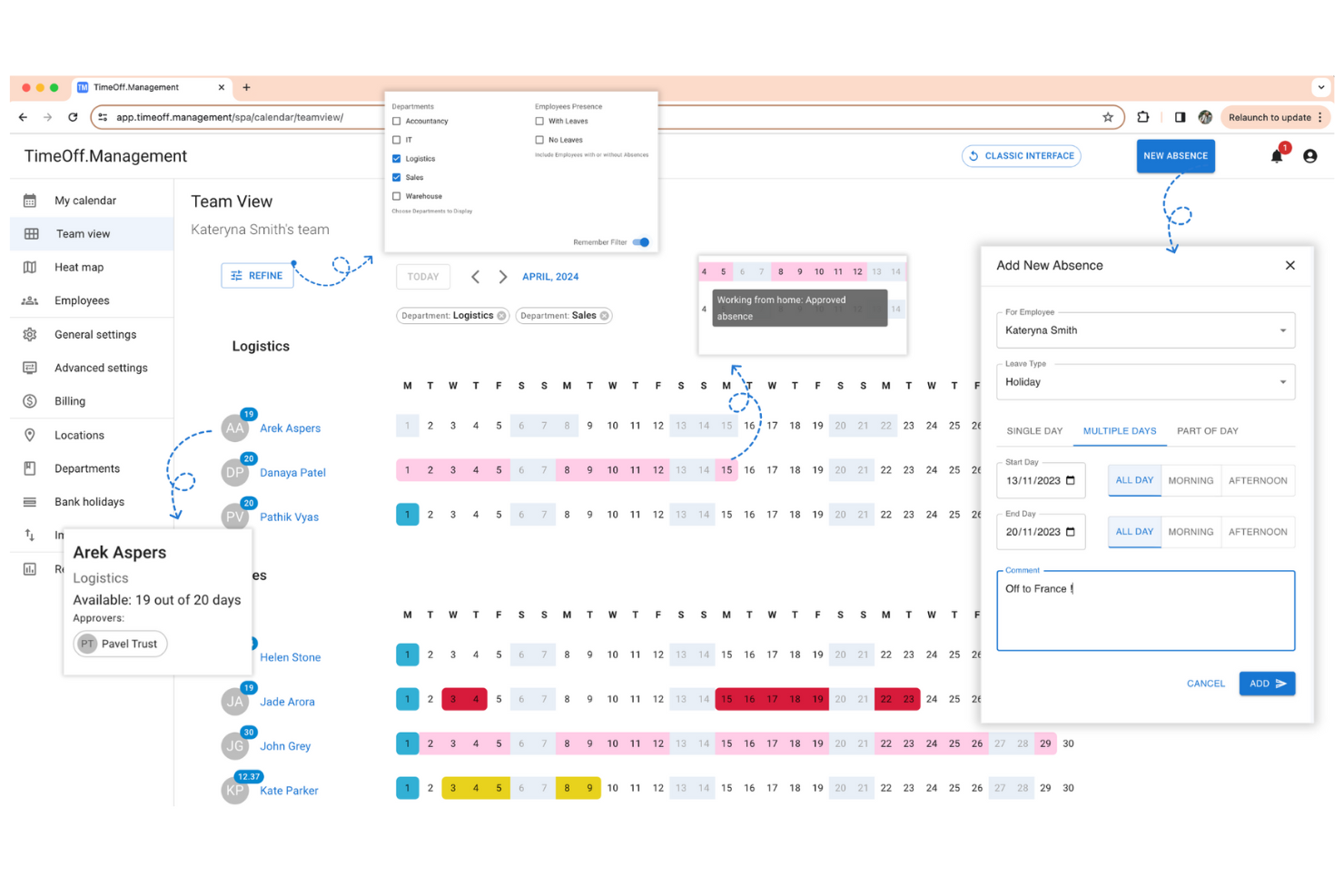
TimeOff is a straightforward PTO tracking tool designed for small to medium-sized businesses. It allows users to manage and track employee leave, supporting efficient time-off management without unnecessary complexity.
Why I picked TimeOff: This tool is ideal for teams looking for a simple, effective way to handle PTO requests. With clear interfaces and straightforward functionality, it simplifies absence management.
Standout Features and Integrations:
Features include customizable leave policies that fit your business requirements. You can track leave balances with real-time updates, ensuring transparency for your team. The tool also provides automatic email notifications to keep managers and employees informed of team availability changes.
Integrations include Google Cloud, Slack, Stripe, and more.
Pros and Cons
Pros:
- Automated leave balance calculations
- Flat-rate pricing
- Simple, visually intuitive interface
Cons:
- Manual approval delays
- No mobile app
Other PTO Tracking Software
Here are some additional PTO tracking software options that didn’t make it onto my shortlist, but are still worth checking out:
- Flamingo
For Slack integration
- Buddy Punch
For ease of use
- Connecteam
For mobile teams
- Vacation Tracker
For unlimited PTO
- Workstatus
For remote workforce management
- GoCo
For HR integration
- Timetastic
For visual calendar view
- Calamari
For biometric attendance


PTO Tracking Software Selection Criteria
When selecting the best PTO tracking software to include in this list, I considered common buyer needs and pain points like managing compliance with labor laws and simplifying leave approvals. I also used the following framework to keep my evaluation structured and fair:
Core Functionality (25% of total score)
To be considered for inclusion in this list, each solution had to fulfill these common use cases:
- Track employee leave balances
- Manage leave requests and approvals
- Generate leave reports
- Integrate with payroll systems
- Notify employees of leave status
Additional Standout Features (25% of total score)
To help further narrow down the competition, I also looked for unique features, such as:
- Customizable leave policies
- Biometric attendance tracking
- Real-time analytics dashboards
- Mobile app accessibility
- Integration with collaboration tools
Usability (10% of total score)
To get a sense of the usability of each system, I considered the following:
- Intuitive user interface
- Ease of navigation
- Minimal learning curve
- Accessibility on multiple devices
- Aesthetic design of the platform
Onboarding (10% of total score)
To evaluate the onboarding experience for each platform, I considered the following:
- Availability of training videos
- Interactive product tours
- Access to templates and guides
- Supportive webinars and workshops
- Onboarding chatbots or virtual assistants
Customer Support (10% of total score)
To assess each software provider's customer support services, I considered the following:
- Availability of live chat support
- Thorough FAQs and help center
- Responsive email support
- Phone support availability
- Access to a dedicated account manager
Value For Money (10% of total score)
To evaluate the value for money of each platform, I considered the following:
- Competitive pricing structure
- Features included in the base price
- Flexibility of pricing plans
- Availability of a free trial or demo
- Discounts for annual subscriptions
Customer Reviews (10% of total score)
To get a sense of overall customer satisfaction, I considered the following when reading customer reviews:
- Overall satisfaction ratings
- Feedback on customer service
- Reports on software reliability
- User comments on feature effectiveness
- Testimonials on ease of use
How to Choose PTO Tracking Software
It's easy to get bogged down in long feature lists and complex pricing structures. To help you stay focused as you work through your unique software selection process, here's a checklist of factors to keep in mind:
| Factor | What To Consider |
|---|---|
| Scalability | Can the software grow with your team? Consider future expansions and whether the tool can handle increased users and data without additional costs or technical issues. |
| Integrations | Does it integrate with your existing tools? Check compatibility with payroll, HR systems, and communication platforms to avoid workflow disruptions. |
| Customizability | Can you tailor the software to your needs? Look for tools that let you customize leave policies, approval workflows, and user roles to fit your company's processes. |
| Ease of Use | Is the interface intuitive for all users? Choose software with a straightforward design to reduce training time and increase adoption. |
| Implementation and onboarding | How long does it take to set up? Evaluate the vendor's onboarding support, such as training resources and customer assistance, to ensure a smooth transition. |
| Cost | What's the total cost of ownership? Consider not just the subscription price, but also hidden fees, such as charges for additional users or premium support. |
| Security safeguards | How does the software protect your data? Ensure it complies with data protection regulations and offers encryption, user permissions, and regular security updates to safeguard sensitive information. |
| Support Availability | Is help readily available when you need it? Look for vendors that offer 24/7 support, multiple contact options, and a responsive customer service team to assist with any issues. |
What Is PTO Tracking Software?
PTO tracking software is a tool that manages and tracks employee PTO. HR professionals and managers generally use these tools to simplify leave management and ensure compliance with company policies.
Automated leave requests, balance tracking, and integration capabilities help with record-keeping, reducing errors, and improving efficiency. Overall, these tools provide a centralized solution for managing employee time-off effectively.
Features
When selecting PTO tracking software, keep an eye out for the following key features:
- Leave balance tracking: Automatically updates and displays employee leave balances, helping managers and employees stay informed.
- Automated leave requests: Simplify the request and approval process, reducing administrative tasks and minimizing errors.
- Customizable leave policies: Tailor policies to your organization's unique needs, ensuring compliance with company rules.
- Real-time notifications: Keep everyone informed about leave status changes, ensuring transparency and reducing miscommunication.
- Integration capabilities: Connect with existing HR systems and payroll, ensuring smooth data flow and reducing manual entry.
- Detailed reporting: Provides insights into leave patterns and trends, helping managers make informed decisions.
- Mobile accessibility: Enables employees and managers to access PTO information and requests on the go, improving flexibility.
- Security safeguards: Protect sensitive employee data with encryption and compliance with data protection regulations.
- User-friendly interface: Ensures ease of use for all employees, reducing the learning curve and encouraging adoption.
- Biometric attendance tracking: Adds a layer of security and accuracy to time tracking by verifying employee presence.
Benefits
Implementing PTO tracking software provides several benefits for your team and your business. Here are a few you can look forward to:
- Improved accuracy: Automated leave balance tracking reduces errors and ensures accurate records.
- Time savings: Automated leave requests and approvals free up time for HR and managers by reducing manual tasks.
- Better compliance: Customizable leave policies help ensure your organization adheres to labor laws and company rules.
- Improved communication: Real-time notifications keep everyone informed, reducing misunderstandings and improving transparency.
- Informed decision-making: Detailed reporting provides insights into leave trends, helping managers make data-driven decisions.
- Increased flexibility: Mobile access enables employees and managers to conveniently submit PTO requests on the go.
- Data security: Security safeguards protect sensitive employee information and ensure compliance with data protection regulations.
Costs and Pricing
Selecting PTO tracking software requires an understanding of the various pricing models and plans available. Costs vary based on features, team size, add-ons, and more. The table below summarizes common plans, their average prices, and typical features included in PTO tracking software solutions:
Plan Comparison Table for PTO Tracking Software
| Plan Type | Average Price | Common Features |
|---|---|---|
| Free Plan | $0 | Basic leave tracking, limited user access, and simple reporting. |
| Personal Plan | $1-$19/user/month | Leave tracking, mobile access, customizable leave policies, and basic integrations. |
| Business Plan | $25-$57.50/month | Advanced reporting, automated notifications, multiple integrations, and priority support. |
| Enterprise Plan | $8.99+/user/month | Full customizability, dedicated account management, extensive security features, and advanced analytics. |
PTO Tracking Software FAQs
Here are some answers to common questions about PTO tracking software.
How can PTO tracking software integrate with existing systems?
PTO tracking software can integrate with existing systems, such as payroll and HR platforms, to simplify data flow and reduce manual entry. When choosing a software tool, check its compatibility with the tools your team already uses. This ensures a smooth transition and helps maintain data accuracy. Many providers offer APIs or direct integrations with popular platforms such as QuickBooks, ADP, and Google Workspace.
Do I need technical expertise to set up PTO tracking software?
No, most PTO tracking software solutions are designed with user-friendliness in mind, so you don’t need extensive technical expertise. However, having basic computer skills can be helpful. Vendors often provide setup guides, tutorials, and support to assist you. If you’re unsure, ask the provider about their onboarding process and available resources.
Can PTO tracking software handle different types of leave?
Yes, PTO tracking software can manage various types of leave, such as vacation, sick leave, and personal days. You can customize leave categories and policies to match your company’s specific needs. This flexibility helps ensure compliance with company policies and labor laws. When evaluating software, check if it provides easy customization and supports multiple leave types.
Is data stored in PTO tracking software secure?
Yes, reputable PTO tracking software providers prioritize data security. They implement measures such as encryption, access controls, and regular security updates to protect sensitive employee information. Before purchasing, review the vendor’s security protocols and compliance with data protection regulations.
What’s Next:
If you're in the process of researching PTO tracking software, connect with a SoftwareSelect advisor for free recommendations.
You fill out a form and have a quick chat where they get into the specifics of your needs. Then, you'll get a shortlist of software to review. They'll even support you through the entire buying process, including price negotiations.