


Absorb Bewertung: Vorteile, Nachteile, Funktionen & Preise


Absorb is a cloud-based learning management system built for organizations that need to train employees, customers, and partners from a single platform. I'd consider it over something like TalentLMS if your training program has grown beyond basic course delivery and you need stronger reporting, ecommerce capabilities, or support for external learner audiences at scale.
Absorb Evaluation Summary
- Pricing upon request
- Free demo available
Warum Sie unseren Software-Bewertungen vertrauen können
Unser Team testet und bewertet Software seit 2012. Als HR-Experten wissen wir selbst, wie schwierig – und wichtig – es ist, die richtige Software auszuwählen.
Für diesen Leitfaden haben wir Tools mithilfe von praktischen Tests und unabhängiger Recherche bewertet und dabei unsere Bewertungskriterien angewendet. Zudem greifen wir auf Erkenntnisse von Branchenvordenkern und praktizierenden HR-Experten zurück.
Unsere Bewertungen spiegeln unser menschliches redaktionelles Urteilsvermögen wider, keine Verkaufsstrategie.
Expertenprüfer:
Absorb Overview
Summary:
In my opinion, Absorb is a strong pick if you’re choosing an LMS for multi-audience training at scale. It beats many competitors on admin control, multi-portal branding, and selling courses to customers and partners, though ad hoc reporting and some admin paths can feel click-heavy.
If you run compliance, manager training, or customer education, you’ll likely judge Absorb as worth the price—especially when you need reliable uptime, clean UI, and solid integrations.
If you want highly customized analytics without extra setup, or you’re on a tight SMB budget, you may find better fits.
For most HR and L&D teams, especially in mid-market and enterprise environments, I’d select Absorb when I need dependable delivery, fast learner adoption, and room to grow.
pros
-
You get a clean, intuitive learner UI that boosts completion.
-
You can brand learner dashboards and tailor experiences for each audience.
-
You can automate enrollments and reminders to cut admin time.
cons
-
Admin paths can feel click-heavy and take time to learn.
-
Reporting can lack the depth you need for ad hoc questions.
-
You may hit occasional bugs or mobile hiccups that slow your team.
-

Justworks
Visit WebsiteThis rating combines scores from multiple user review sites to reflect overall customer sentiment about the product.4.6 -
Prevue Assessments
Visit WebsiteThis rating combines scores from multiple user review sites to reflect overall customer sentiment about the product.4.6 -
Small Improvements
Visit WebsiteThis rating combines scores from multiple user review sites to reflect overall customer sentiment about the product.4.3





Wie wir unsere Tools testen und bewerten
Wir haben jahrelang unser System zur Überprüfung und Bewertung von Software aufgebaut, verfeinert und verbessert. Das Bewertungsschema ist darauf ausgelegt, die Nuancen der Softwareauswahl und die Wirksamkeit eines Tools abzubilden, wobei der Fokus auf wesentlichen Aspekten des Entscheidungsprozesses liegt. Unten sehen Sie genau, wie unsere Tests und Bewertungen anhand von sieben Kriterien funktionieren. Damit können wir eine unvoreingenommene Bewertung der Software hinsichtlich zentraler Funktionen, herausragender Merkmale, Benutzerfreundlichkeit, Onboarding, Kundensupport, Integrationen, Kundenrezensionen und Preis-Leistungs-Verhältnis bieten.
Kernfunktionen (25% der Endnote)
Der Ausgangspunkt unserer Beurteilung ist immer die Kernfunktionalität des Tools. Verfügt es über die grundlegenden Funktionen, die ein Benutzer erwarten würde? Sind einige dieser Funktionen in teureren Tarifen eingeschlossen? Im Kern erwarten wir, dass ein Tool den grundlegenden Fähigkeiten seiner Mitbewerber standhält.
Herausragende Funktionen (25% der Endnote)
Danach bewerten wir außergewöhnliche Funktionen, die über das Übliche hinausgehen, das normalerweise in ähnlicher Software zu finden ist. Eine hohe Punktzahl spiegelt spezialisierte oder einzigartige Funktionen wider, die das Produkt schneller, effizienter oder für den Benutzer wertvoller machen. Wir bewerten auch, wie einfach es ist, sich mit anderen im technischen Ökosystem üblichen Tools zu integrieren, um die Funktionalität und Nützlichkeit der Software zu erweitern. Tools mit vielen nativen Integrationen, Drittanbieter-Anbindungen und API-Zugängen für individuelle Integrationen erhalten die beste Bewertung.
Benutzerfreundlichkeit (10% der Endnote)
Wir betrachten, wie schnell und einfach die Aufgaben im Bereich der Kernfunktionen mit dem Tool erledigt werden können. Hoch bewertete Software ist gut designt, intuitiv zu bedienen, bietet mobile Apps, Vorlagen und macht komplexe Aufgaben einfach.
Onboarding (10% der Endnote)
Uns ist bewusst, wie wichtig eine schnelle Einführung eines neuen Systems im Team ist. Deshalb bewerten wir, wie leicht ein Tool mit minimalem Training erlernt und genutzt werden kann. Wir prüfen, wie schnell ein Teammitglied ohne Vorerfahrung mit dem Tool starten kann. Lösungen mit hoher Bewertung erfordern wenig bis keine Unterstützung.
Kundensupport (10% der Endnote)
Wir überprüfen, wie schnell und einfach Hilfe telefonisch, per Live-Chat oder Wissensdatenbank erhalten werden kann. Tools und Unternehmen, die Echtzeit-Support bieten, schneiden am besten ab – Chatbots am schlechtesten.
Kundenrezensionen (10% der Endnote)
Zusätzlich zu unseren eigenen Tests berücksichtigen wir den Net Promoter Score aktueller und ehemaliger Kunden. Wir prüfen, wie wahrscheinlich sie, falls es zur Wahl käme, das Tool für die Kernfunktionen erneut wählen würden. Eine hohe Bewertung der Software spiegelt einen hohen Net Promoter Score wider.
Preis-Leistungs-Verhältnis (10% der Endnote)
Abschließend berücksichtigen wir unter Einbeziehung aller anderen Kriterien den durchschnittlichen Preis der Einstiegstarife im Vergleich zu den Kernfunktionen und zum Wert der anderen Bewertungskriterien. Software, die mehr für weniger bietet, erhält höhere Bewertungen.
Core Features
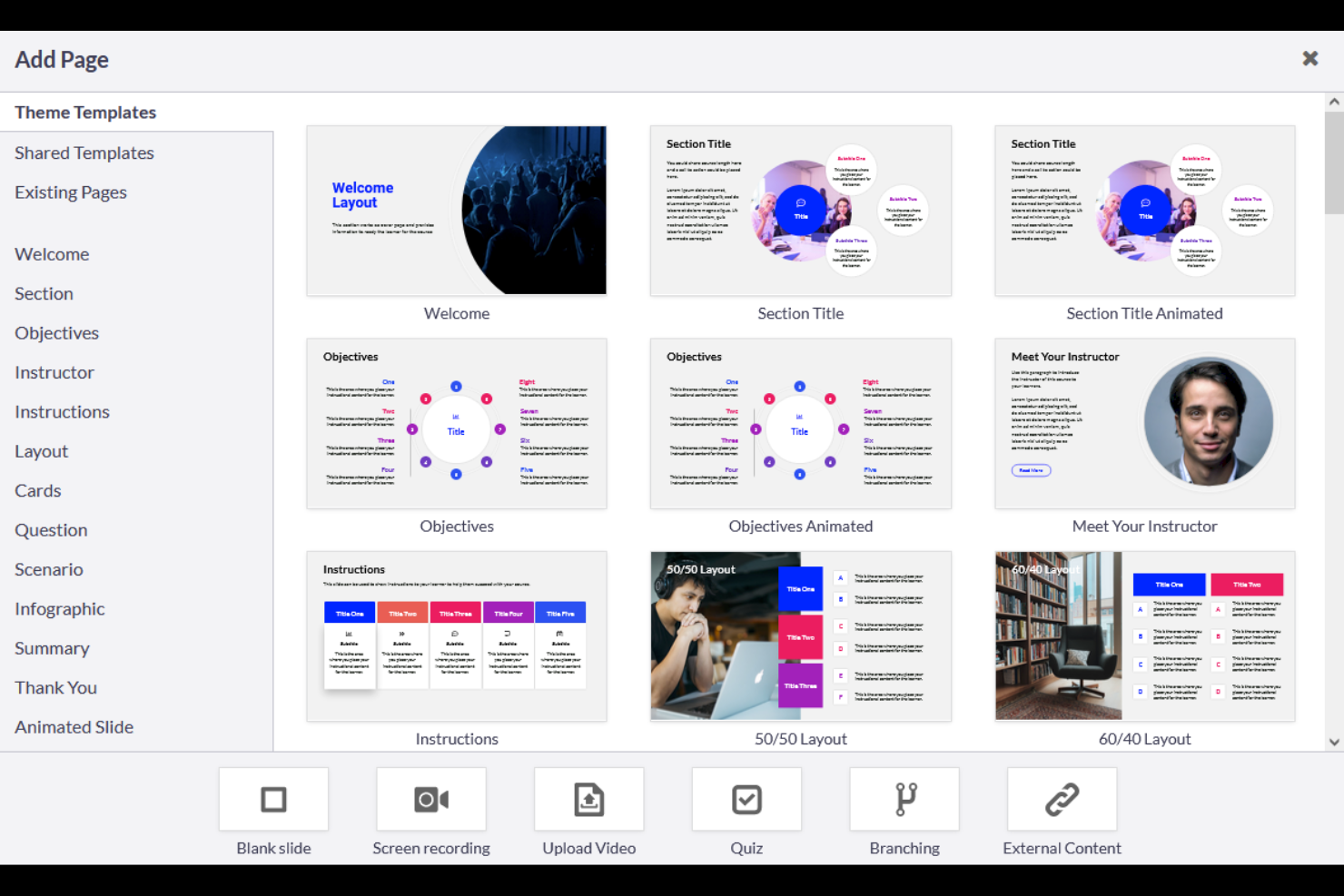
Course Creation: You build courses with simple authoring and templates, then publish to your catalogs fast. You keep versions tidy and push updates without hassle.
Learning Paths: You chain courses into role-based paths with prerequisites and due dates. You guide learners step by step and track progress in one view.
Assessments: You create quizzes and exams, set scoring, and control retakes. You see who passes, where they struggle, and fix gaps in your content.
Certifications: You issue certificates with expirations and auto-renew rules. You keep compliance tight and prove completion during audits.
Reporting and Analytics: You use dashboards and Absorb Analyze to track completions, time spent, and risk areas. You schedule reports to hit inboxes so leaders stay informed.
Automation: You auto-enroll by role or location and send reminders before deadlines. You cut manual work and keep your team on track.
Ease of Use
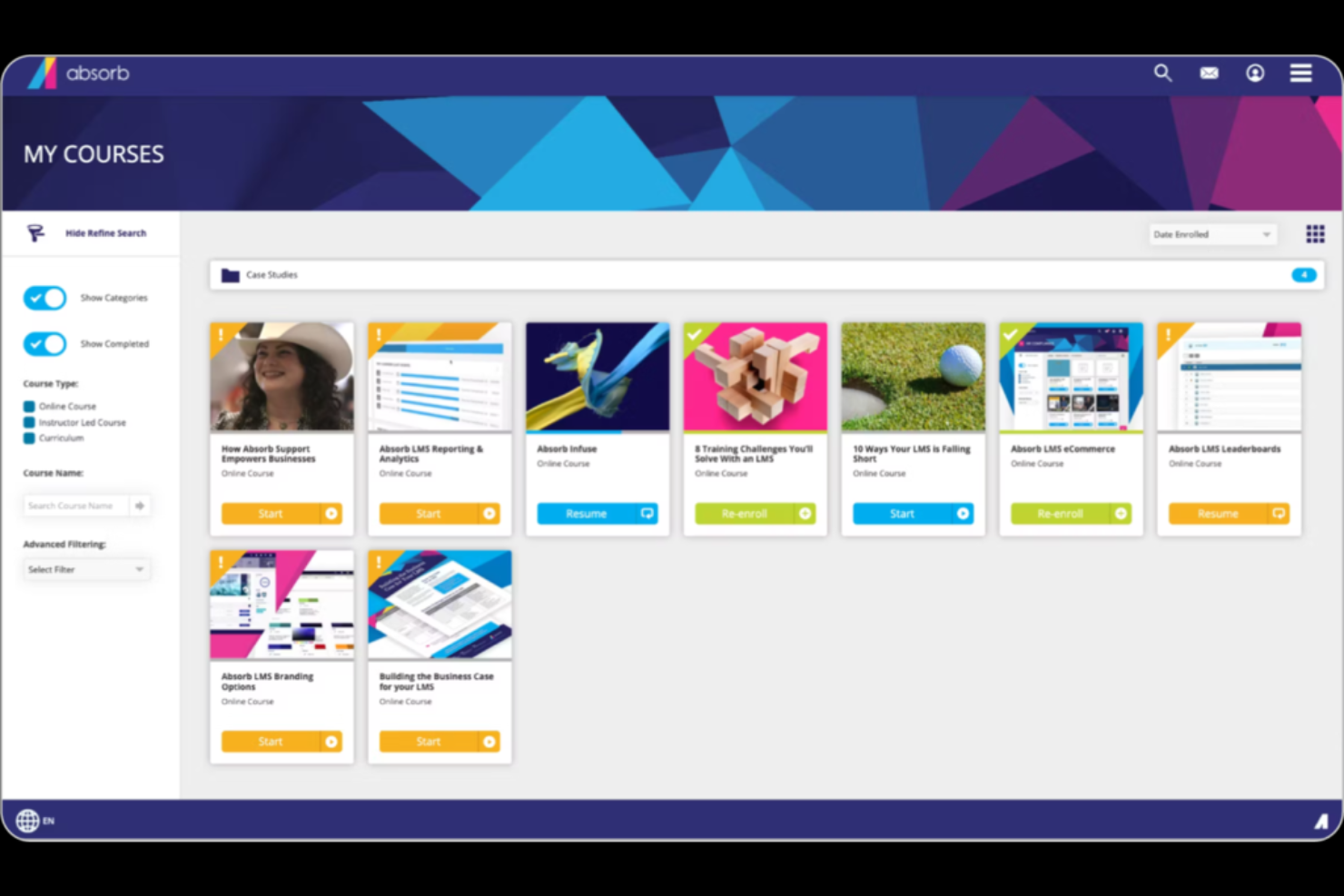
Absorb feels easy for learners: clean UI, clear dashboards, and straightforward course launch boost completion.
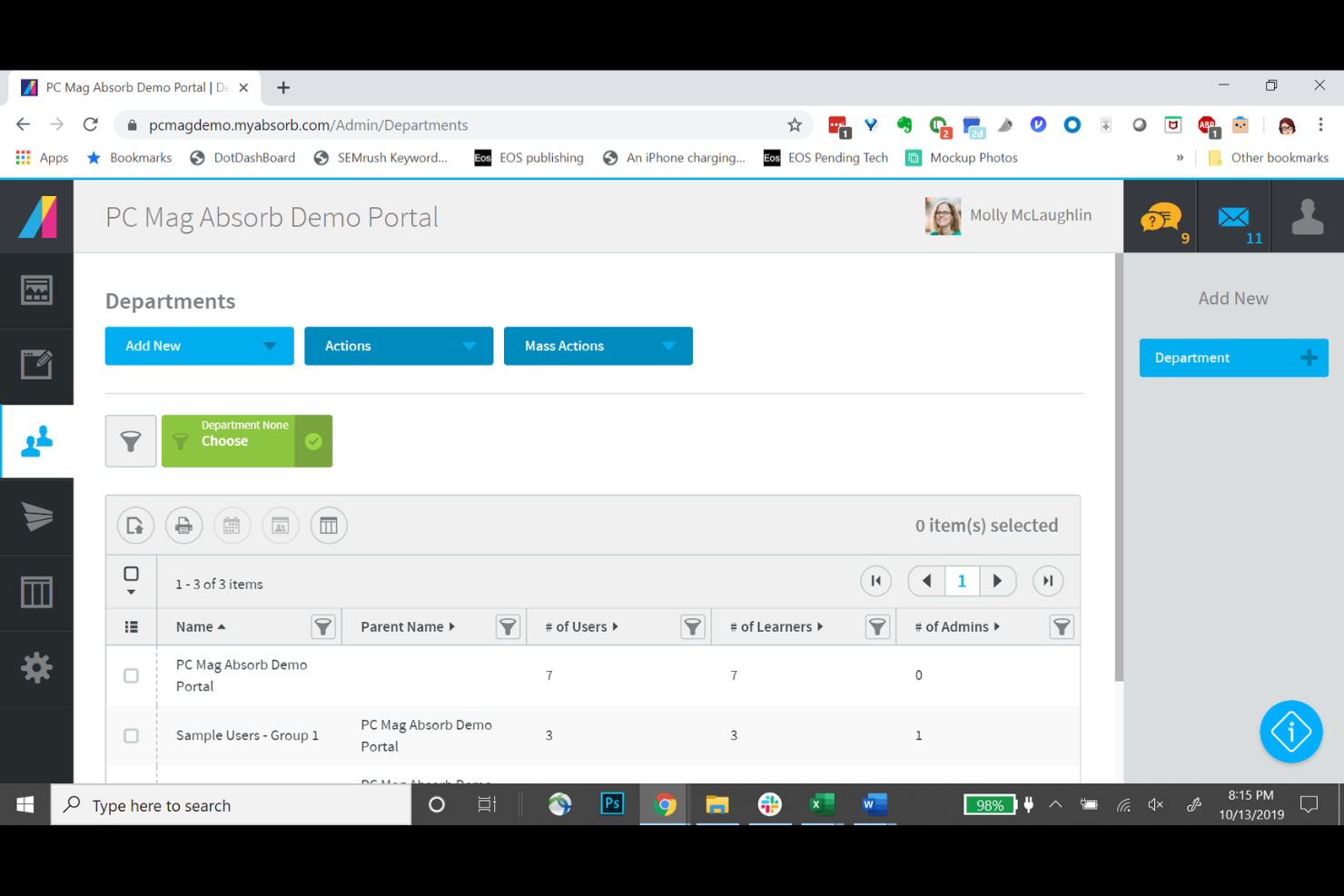
Admins get strong controls without heavy setup, but some workflows—like building reports or bulk edits—take too many clicks.
Once you set rules and automation, daily work stays light and predictable. If you run multi-audience training, the portal model keeps things tidy, though it adds a small learning curve at first.
Integrations
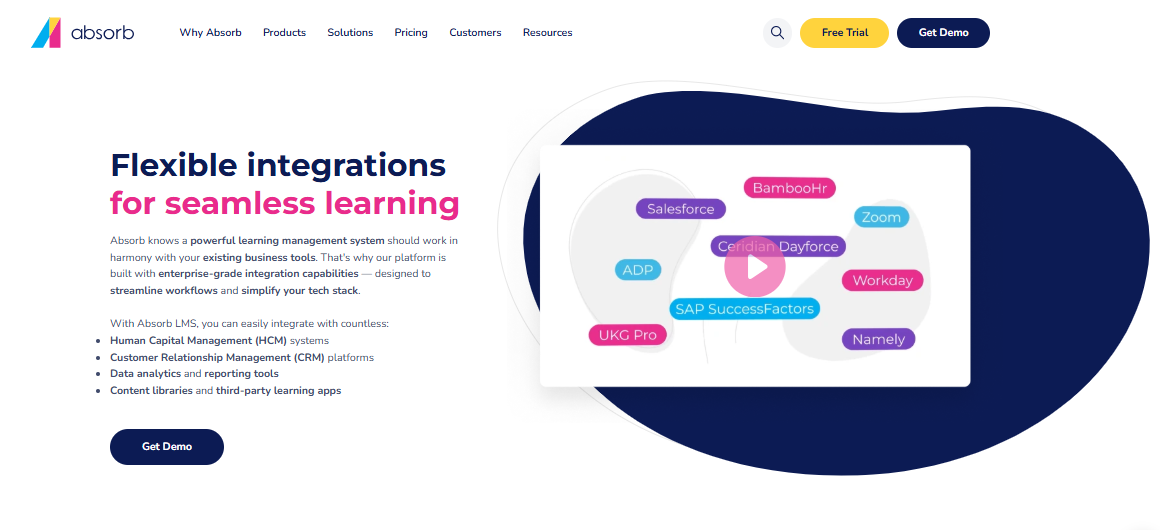
Absorb LMS integrates with Workday, SAP SuccessFactors, ADP, UKG Pro, BambooHR, Salesforce, HubSpot, Zoom, WebEx, and more, covering CRM use cases and supporting ecommerce training scenarios.
Absorb LMS also offers an API and supports connections with third-party integration tools to enhance its functionality.
New Product Updates from Absorb
Absorb Expands Instructor-Led Course Session Management
Absorb redesigns instructor-led course session management so admins can create multiple classes within one session, generate recurring schedules, flag instructor and venue conflicts, and enroll learners during setup. The update also adds class-level notifications and a new instructor merge tag. Highlights include:
- Multi-Class Sessions: Create multiple classes within one session with separate schedules, instructors, venues, and break times.
- Recurring Classes: Generate recurring classes using repeat rules, selected days, and end dates or occurrence limits.
- Conflict Indicators: Flag instructor and venue scheduling conflicts before selection.
- Learner Enrollment: Enroll learners while setting up a session and save selections with the draft.
- Class Instructor Merge Tag: Add class-specific instructor details to supported session notifications.
- Class-Level Notifications: Update calendar attachments and notifications based on individual class changes.
Visit Absorb’s official site for more details.
 for more details.
Absorb Adds Full Learner Experience to Microsoft Teams
Absorb Learn lets learners view their dashboard, browse the course catalog, enroll in and complete courses, resume training, and review transcripts inside Microsoft Teams. Training uses the same enrollment records as the browser-based LMS, so learners can switch between environments without losing progress. Highlights include:
- Absorb Learn Tab: Access the full Absorb learner experience directly inside Microsoft Teams.
- Course Catalog: Browse and search courses, including details such as duration, ratings, and prerequisites.
- Course Access: Enroll in, launch, and complete courses without leaving Teams.
- Progress Sync: Resume in-progress courses using the same enrollment records as the browser LMS.
- Transcripts: Review completed training and certificates from within Teams.
- Cross-Device Support: Use the experience across Teams desktop, web, and supported mobile devices.
Visit Absorb’s official site for more details.

Absorb Adds Aura Rehearse for AI Conversation Practice
Absorb adds Aura Rehearse, which lets learners practice conversations with an AI persona, receive scored feedback, and request manual score reviews. The release also adds Rehearsal reporting and credit tracking while removing credit usage from Course Extraction, Aura Learner chats, and Aura Create chat interactions. Highlights include:
- Aura Rehearse: Practice conversations with an AI persona for scenarios such as customer calls and job interviews.
- Scored Feedback: Evaluate completed attempts against a defined rubric and provide written feedback.
- Manual Reviews: Let learners request one manual score review per attempt.
- Rehearsal Reporting: Track attempts, pass and fail results, average scores, and completion time.
- Credit Tracking: Monitor credit usage for text and voice Rehearsal attempts.
- Aura Credit Changes: Course Extraction, Aura Learner chats, and Aura Create chat interactions no longer consume credits.
Visit Absorb’s official site for more details.
Absorb Aura Adds Claude and ChatGPT Connections
Absorb Aura now integrates with Claude and ChatGPT via MCP, letting learners and admins bring LMS-aware Q&A into the AI tools they already use. This makes it faster to get answers about learning progress and LMS information without switching contexts. Highlights include:
- Claude and ChatGPT Connections: Access Absorb Aura directly from supported AI tools through MCP.
- Content Search: Search courses, resources, and available documents using natural-language questions.
- Learning Context: Find assigned, mandatory, due, or expiring courses without opening the LMS.
- Admin LMS Queries: Let admins ask questions about LMS data and configuration from their AI assistant.
- Permission-Aware Access: Apply each user’s existing Absorb roles and permissions to AI responses.
Visit Absorb’s official site for more details.

Absorb Adds Multiple API Keys and Modern Authentication
Absorb has introduced expanded Integration API management to better support organizations running multiple integrations. With multiple named keys and optional modern authentication, teams can keep concurrent integrations connected more reliably and with clearer administration. Highlights include:
- Multiple API Keys: Create and manage up to 10 named API keys per portal.
- Integration API Page: Manage keys and authentication settings directly in Client Settings.
- Modern Authentication: Use Bearer tokens to keep multiple integrations connected at the same time.
- Independent Credentials: Assign separate labeled keys to different integrations.
- Self-Service Management: Rename or delete keys without contacting Absorb Support.
Visit Absorb’s official site for more details.

Absorb Adds Webhook Delivery Dashboard and Retry Tools
Absorb adds a new Webhooks page with an Events tab for reviewing delivery history, filtering results, inspecting failed payloads and errors, and retrying deliveries. These tools help admins monitor integrations and resolve webhook issues without contacting support. Highlights include:
- Delivery History: Review webhook delivery activity across the portal from one Events tab.
- Filtering Tools: Filter results by date range, event name, delivery status, or response code.
- Failure Details: Inspect error messages, payloads, event types, and response status codes.
- Manual Retry: Retry failed deliveries directly from the dashboard or event details.
- Per-Webhook Views: Open individual webhook pages with configuration details and scoped delivery history.
Visit Absorb’s official site for more details.

Absorb Adds Department-Level Message Branding
Absorb adds Department Message Branding so departments can override portal defaults for message branding, contact details, and sender identity. This helps multi-brand organizations tailor learner communications without changing the parent portal setup. Highlights include:
- Department Branding: Lets departments use custom colors and message header logos.
- Sender Identity: Supports department-specific sender details for learner communications.
- Contact Details: Lets departments manage their own communication information.
- Footer Text: Allows custom footer content with company-name placeholders.
- Admin Permission: Restricts setup to admins with the Manage Message Branding permission.
Visit Absorb’s official site for more details.

Absorb Adds Report Deep Links and Backdated Task Completions
Absorb lets admins share saved report layouts through permission-checked links and assign past completion dates when marking tasks Complete or Failed. These updates improve report access and task record accuracy. Highlights include:
- Report Deep Links: Opens saved report layouts with columns, filters, sorting, and pagination already applied.
- Permission Checks: Revalidates recipient access each time a shared report link is opened.
- Backdated Task Completions: Lets admins set a past completion date when marking tasks Complete or Failed.
Visit Absorb’s official site for more details.

Absorb Aura Adds Department Controls for External Knowledge
Absorb Aura’s External Knowledge setup is now more flexible and easier to maintain. Teams can scope access by department and update connected content without rebuilding connections, helping keep knowledge current while preserving governance. Highlights include:
- Department Selector: Lets admins enable External Knowledge for selected departments and optional sub-departments.
- Edit Connections: Allows files and folders to be added or removed from existing connections.
- Availability Rules: Keeps existing connection settings and access rules when content is updated.
Visit Absorb’s official site for more details.

Absorb Adds Aura Access Controls and Usage Insights
Absorb adds department-based Learner Agent access, role-based permissions for Aura Chats, and new Admin Hub widgets for Aura usage. These updates help admins manage who can use Aura and track how learners engage with it. Highlights include:
- Department Selector: Lets admins enable the Aura Learner Agent for selected departments and optionally include sub-departments.
- Aura Chats Permissions: Allows admins to control Aura Chats report access by role.
- Aura Usage Widgets: Adds Total Chats, Unique Users, Average Chat Turns, and Chat Activity widgets to Admin Hub dashboards.
Visit Absorb’s official site for more details.
Absorb Specs
- API
- Class Management
- Comparative Reporting
- Corporate/Business
- Dashboards
- Data Export
- Data Import
- Data Visualization
- Document Comparison
- Employee Training
- External Integrations
- Feedback Management
- Gamification
- Gradebook
- Mobile App
- Multi-User
- Notifications
- Personal Learning
- Report & Compliance
- Report Cards
- Scheduling
- SCORM
- Student Registration
- Video Courses



Absorb FAQs
How does Absorb meet enterprise data security and compliance requirements?
Will learners be able to take training offline and sync progress later?
How does Absorb support accessibility for learners with disabilities?
What should you expect during implementation and onboarding?
How does Absorb handle GDPR data requests and contractual safeguards?
How does Absorb support training for multiple audiences without mixing content?
What should admins know about reporting and analytics depth?
What safeguards does Absorb use for uptime and disaster recovery?
Wie geht es weiter?
Wenn Sie aktuell nach Dienstleistungen für Mitarbeiter-Hintergrundüberprüfungen suchen, verbinden Sie sich kostenlos mit einem Software Select-Berater für passende Empfehlungen.
Sie füllen ein Formular aus und führen ein kurzes Gespräch, in dem Ihre spezifischen Anforderungen geklärt werden. Anschließend erhalten Sie eine Auswahl an Software-Lösungen zur Überprüfung. Die Experten unterstützen Sie während des gesamten Kaufprozesses, einschließlich Preisverhandlungen.