ChartHop Test: Vorteile, Nachteile, Funktionen und Preise


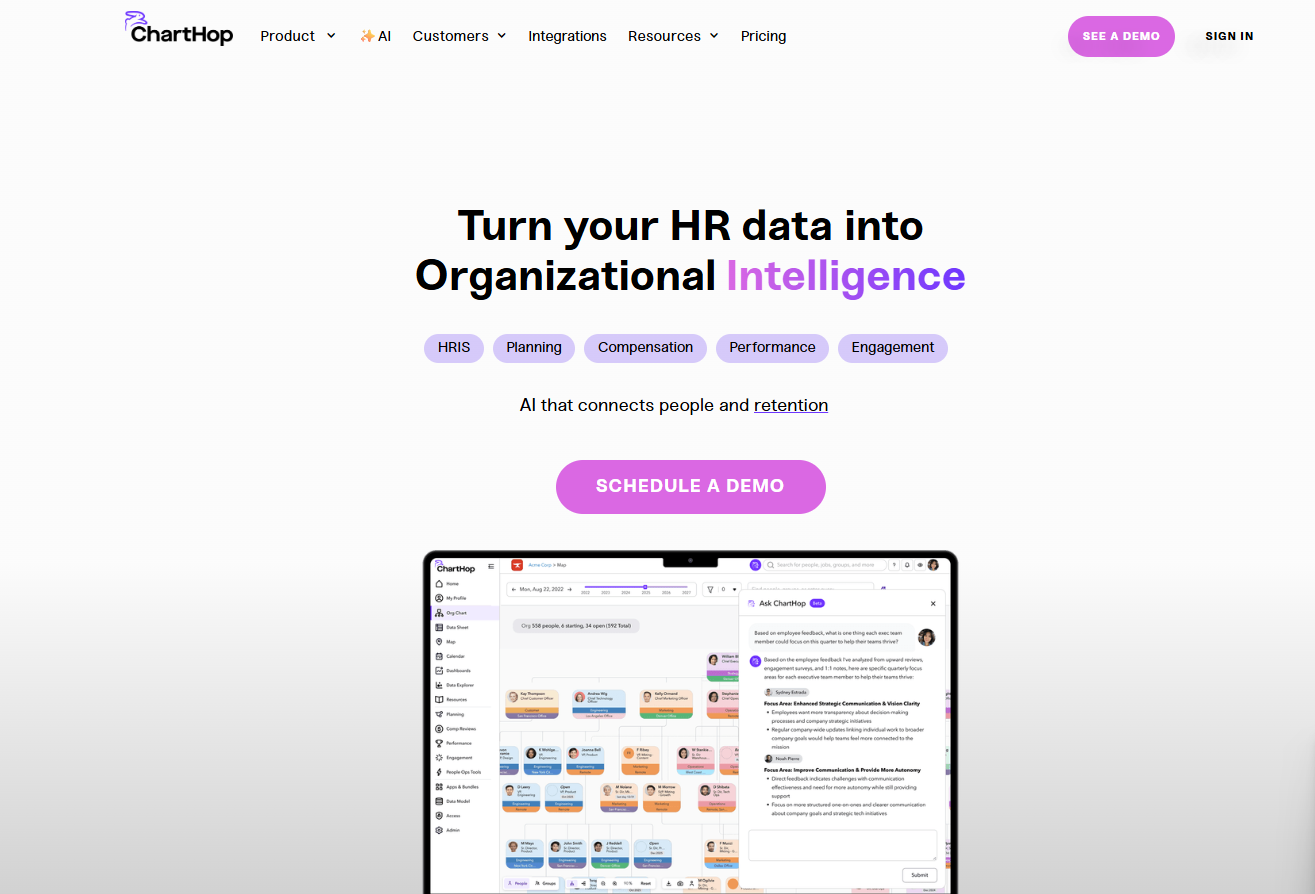
ChartHop is an HR software that combines org chart management, headcount planning, and people analytics in one platform. It's a good fit for growing companies that need deeper workforce visibility than a standard HRIS provides. If you've looked at Workday for people analytics but found the implementation scope and cost too heavy for where your organization is right now, ChartHop gives you comparable planning and analytics depth without the enterprise overhead.
ChartHop Evaluation Summary
- From $5/employee/month (billed annually)
- Free demo + free plan available
Warum Sie unseren Software-Bewertungen vertrauen können
Unser Team testet und bewertet Software seit 2012. Als HR-Experten wissen wir selbst, wie schwierig – und wichtig – es ist, die richtige Software auszuwählen.
Für diesen Leitfaden haben wir Tools mithilfe von praktischen Tests und unabhängiger Recherche bewertet und dabei unsere Bewertungskriterien angewendet. Zudem greifen wir auf Erkenntnisse von Branchenvordenkern und praktizierenden HR-Experten zurück.
Unsere Bewertungen spiegeln unser menschliches redaktionelles Urteilsvermögen wider, keine Verkaufsstrategie.
Expertenprüfer:
ChartHop Overview
In my opinion, ChartHop is a solid HR software choice for tech-savvy teams needing advanced data visualization and workforce planning. Its standout features like dynamic org charts and real-time data insights set it apart from competitors. However, onboarding can be a bit challenging, and it's not the most budget-friendly option out there.
I think it's ideal for fast-growing startups and tech companies that value detailed data analytics and integrations. If your team seeks a user-friendly interface, you might find other options more suitable. But for those prioritizing data-driven HR decisions, ChartHop is worth considering.
pros
-
It offers dynamic org charts for better workforce visualization.
-
You get real-time data insights for informed decision-making.
-
Its advanced data analytics tools enhance your HR planning.
cons
-
Onboarding can be challenging and time-consuming for your team.
-
The interface might not be the most user-friendly for everyone.
-
Some users find the customization options limited for their needs.
-

Justworks
Visit WebsiteThis rating combines scores from multiple user review sites to reflect overall customer sentiment about the product.4.6 -
Prevue Assessments
Visit WebsiteThis rating combines scores from multiple user review sites to reflect overall customer sentiment about the product.4.6 -
Small Improvements
Visit WebsiteThis rating combines scores from multiple user review sites to reflect overall customer sentiment about the product.4.3





Wie wir unsere Tools testen und bewerten
Wir haben jahrelang unser System zur Überprüfung und Bewertung von Software aufgebaut, verfeinert und verbessert. Das Bewertungsschema ist darauf ausgelegt, die Nuancen der Softwareauswahl und die Wirksamkeit eines Tools abzubilden, wobei der Fokus auf wesentlichen Aspekten des Entscheidungsprozesses liegt. Unten sehen Sie genau, wie unsere Tests und Bewertungen anhand von sieben Kriterien funktionieren. Damit können wir eine unvoreingenommene Bewertung der Software hinsichtlich zentraler Funktionen, herausragender Merkmale, Benutzerfreundlichkeit, Onboarding, Kundensupport, Integrationen, Kundenrezensionen und Preis-Leistungs-Verhältnis bieten.
Kernfunktionen (25% der Endnote)
Der Ausgangspunkt unserer Beurteilung ist immer die Kernfunktionalität des Tools. Verfügt es über die grundlegenden Funktionen, die ein Benutzer erwarten würde? Sind einige dieser Funktionen in teureren Tarifen eingeschlossen? Im Kern erwarten wir, dass ein Tool den grundlegenden Fähigkeiten seiner Mitbewerber standhält.
Herausragende Funktionen (25% der Endnote)
Danach bewerten wir außergewöhnliche Funktionen, die über das Übliche hinausgehen, das normalerweise in ähnlicher Software zu finden ist. Eine hohe Punktzahl spiegelt spezialisierte oder einzigartige Funktionen wider, die das Produkt schneller, effizienter oder für den Benutzer wertvoller machen. Wir bewerten auch, wie einfach es ist, sich mit anderen im technischen Ökosystem üblichen Tools zu integrieren, um die Funktionalität und Nützlichkeit der Software zu erweitern. Tools mit vielen nativen Integrationen, Drittanbieter-Anbindungen und API-Zugängen für individuelle Integrationen erhalten die beste Bewertung.
Benutzerfreundlichkeit (10% der Endnote)
Wir betrachten, wie schnell und einfach die Aufgaben im Bereich der Kernfunktionen mit dem Tool erledigt werden können. Hoch bewertete Software ist gut designt, intuitiv zu bedienen, bietet mobile Apps, Vorlagen und macht komplexe Aufgaben einfach.
Onboarding (10% der Endnote)
Uns ist bewusst, wie wichtig eine schnelle Einführung eines neuen Systems im Team ist. Deshalb bewerten wir, wie leicht ein Tool mit minimalem Training erlernt und genutzt werden kann. Wir prüfen, wie schnell ein Teammitglied ohne Vorerfahrung mit dem Tool starten kann. Lösungen mit hoher Bewertung erfordern wenig bis keine Unterstützung.
Kundensupport (10% der Endnote)
Wir überprüfen, wie schnell und einfach Hilfe telefonisch, per Live-Chat oder Wissensdatenbank erhalten werden kann. Tools und Unternehmen, die Echtzeit-Support bieten, schneiden am besten ab – Chatbots am schlechtesten.
Kundenrezensionen (10% der Endnote)
Zusätzlich zu unseren eigenen Tests berücksichtigen wir den Net Promoter Score aktueller und ehemaliger Kunden. Wir prüfen, wie wahrscheinlich sie, falls es zur Wahl käme, das Tool für die Kernfunktionen erneut wählen würden. Eine hohe Bewertung der Software spiegelt einen hohen Net Promoter Score wider.
Preis-Leistungs-Verhältnis (10% der Endnote)
Abschließend berücksichtigen wir unter Einbeziehung aller anderen Kriterien den durchschnittlichen Preis der Einstiegstarife im Vergleich zu den Kernfunktionen und zum Wert der anderen Bewertungskriterien. Software, die mehr für weniger bietet, erhält höhere Bewertungen.
Core Features
Dynamic Org Charts: ChartHop lets you create visual organization charts that update in real-time, helping your team see changes instantly. These charts make workforce planning easier and more transparent.
Real-Time Data Insights: You get access to up-to-date analytics, allowing you to make informed HR decisions quickly. This feature helps your team stay agile and responsive.
Advanced Data Analytics: ChartHop offers tools to analyze workforce data, including performance review insights, providing deeper visibility into how teams and individuals perform.
Employee Directory: Easily access detailed employee profiles, helping you manage your workforce with a personal touch. This feature keeps your team connected and informed.
Compensation Planning: Plan and manage compensation with ChartHop's tools, ensuring fairness and transparency. This feature supports strategic financial planning for your team.
Custom Reporting: Generate reports tailored to your needs, giving you insights that matter most to your organization. This flexibility helps your team focus on relevant data.

Ease of Use
ChartHop offers a decent user experience but may require a learning curve for some users. Its interface is powerful, with features like dynamic org charts and real-time data insights, but these can be complex to navigate initially. Your team might need some time to get comfortable with the advanced analytics tools. Once familiar, you'll find the platform enhances your HR planning and workflow with its detailed visualization and data-driven capabilities.
Integrations
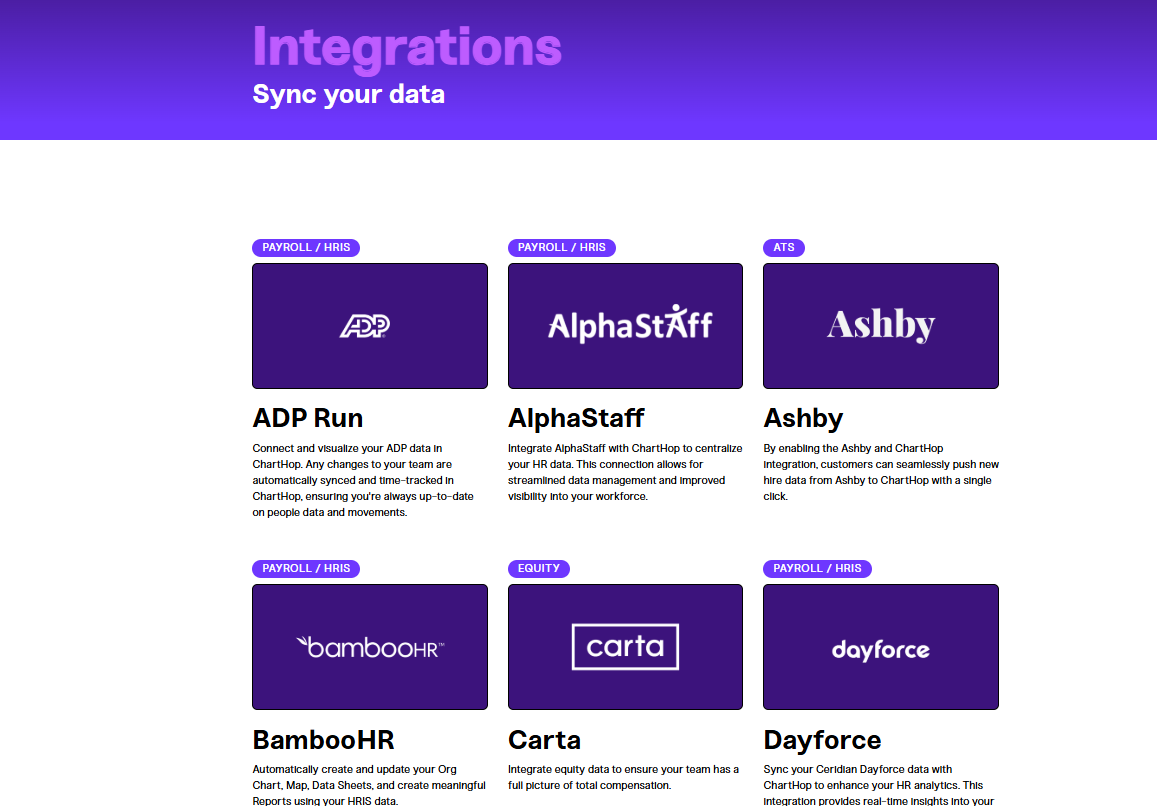
ChartHop integrates with Ashby, BambooHR, Carta, Dayforce, Deel, Greenhouse, Gusto, Jobvite, Lever, Slack, and Workday. ChartHop also provides an API and connects with third-party integration tools to enhance its functionality.
New Product Updates from ChartHop
ChartHop Adds Role and Filter Controls for Ask ChartHop
AI Pro customers now have more control over who can use Ask ChartHop, making it easier to roll out AI assistance responsibly. These new guardrails help ensure the right people get access while keeping usage aligned with internal policies. Benefits include:
- Ask ChartHop Access Controls in AI Settings: Configure guardrails directly from AI settings without needing separate setup.
- Role-Based Eligibility for AI Assistant Access: Limit Ask ChartHop usage to specific roles to match permission and governance needs.
- Filter-Based Eligibility Criteria: Use filter criteria to precisely target which users can access the AI assistant.
Visit ChartHop's official site for more details.
 for more details.
ChartHop Adds Saved Views and Exports for Calibration Sessions
ChartHop has added saved views and exports for calibration sessions to simplify how teams organize and review calibration data. This update helps managers keep consistent views, collaborate faster, and access session data when needed. Highlights include:
- Saved Views: Save custom column layouts and filters for calibration sessions and share them with managers.
- Calibration Exports: Export calibration data directly from the calibration page for easier reporting and review.
Visit ChartHop’s official site for more details.
ChartHop Improves Scenario Approval Workflows
ChartHop introduces new approval-chain improvements for scenario workflows. The updates help teams manage approver routing and simplify approval processes across hiring and scenario management workflows. Highlights include:
- Flexible Approver Logic: Approval chains now support a “relative to” toggle so approver fields can resolve based on the created job or the scenario submitter.
- Auto-Approve Matching Approvers: Approval stages can now automatically approve requests when the submitter and approver are the same person.
- Improved Scenario Configuration: Teams can build more flexible and efficient approval workflows for hiring and job creation scenarios.
Visit ChartHop’s official site for more details.
ChartHop Improves Compensation Exports and Signature Notifications
ChartHop introduces new reporting and notification improvements across compensation and signature workflows. The updates help admins improve visibility into compensation history and signature request activity. Highlights include:
- Compensation Export: Teams can now view and export full compensation-change history with filtering, search, infinite scroll, and CSV export.
- Signature Decline Notifications: Requesters now always receive email notifications when signature requests are declined, even when Slack or Teams is the primary notification channel.
- Additional Notification Recipients: Admins can now add extra recipients for signature action updates and notifications.
Visit ChartHop’s official site for more details.
ChartHop Adds AI Job Code Matching and Description Editor
ChartHop introduces new AI-powered and editing improvements for job code management workflows. The updates help admins speed up job code assignment and improve documentation management. Highlights include:
- AI Job Code Matching: Admins can now generate AI-powered job code suggestions for positions missing job codes and apply recommendations in bulk.
- Dedicated Description Editor: Job codes now include a dedicated Description tab with a rich text editor for easier editing and formatting.
- Improved Spreadsheet Editing: The spreadsheet description column now opens the side drawer editor, rather than inline editing, for a more streamlined workflow.
Visit ChartHop’s official site for more details.
ChartHop Introduces Natural Language Filtering
ChartHop introduces natural language filtering, allowing users to type queries in plain language that are automatically converted into structured filters. This update improves usability by speeding up data exploration and making it more intuitive. Highlights include:
- Natural Language Queries: Enter plain-language requests to filter data without using complex query logic.
- Automatic Filter Conversion: Translate user input into structured filters for accurate results.
Visit ChartHop’s official site for more details.
ChartHop Adds Same-Day Deactivation for Departures
ChartHop adds same-day deactivation for Okta and Google during employee departures. These updates help teams immediately revoke access and streamline offboarding processes. Here are the details of the update:
- Same-Day Deactivation in Okta: Administrators can now deactivate user accounts in Okta immediately upon voluntary departure, reducing the risk of unauthorized access.
- Same-Day Deactivation in Google: Similar functionality is available for Google accounts, ensuring that departing employees no longer have access post departure, maintaining data integrity.
Visit ChartHop's official site for more details.
ChartHop Enhances Time Off Policies and Requests
ChartHop adds support for ‘next year’ time off policies and AM/PM selection for partial day requests. These updates help teams better manage leave balances and make absence requests clearer for planning. Highlights include:
- Next Year Policy Support: Allow employees to request time off from previously accrued balances.
- AM/PM Selection: Specify half-day requests with AM or PM options for clearer scheduling.
Visit ChartHop’s official site for more details.
ChartHop Specs
- 2-Factor Authentication
- 360 Degree Feedback
- API
- Application Tracking
- Attendance Tracking
- Batch Permissions & Access
- Budgeting
- Calendar Management
- Dashboard
- Data Export
- Data Import
- Data Visualization
- Employee Database
- Employee Engagement
- Employee Incentive Management
- Employee Onboarding
- Expense Tracking
- External Integrations
- Feedback Management
- Forecasting
- Multi-User
- Notifications
- Onboarding
- Payroll
- Project Management
- Scheduling
- Time Management
- Timesheets
- Travel Management
- Vacation & Absence Calendar