Skedda Test 2026: Vorteile, Nachteile, Funktionen und Preise


Skedda is a hot desk booking software for teams managing hybrid workplaces where employees share desks, meeting rooms, or other bookable spaces. It's a strong fit if your organization needs self-service space reservations with interactive floor maps and booking rules, but doesn't need the full enterprise overhead of a tool like Robin. Where Robin can feel heavy for mid-sized teams, Skedda keeps setup and day-to-day management lean without sacrificing the customization that workplace coordinators actually need.
Skedda Evaluation Summary
- From $249/month (billed annually)
- 30-day free trial + free demo available
Warum Sie unseren Software-Bewertungen vertrauen können
Unser Team testet und bewertet Software seit 2012. Als HR-Experten wissen wir selbst, wie schwierig – und wichtig – es ist, die richtige Software auszuwählen.
Für diesen Leitfaden haben wir Tools mithilfe von praktischen Tests und unabhängiger Recherche bewertet und dabei unsere Bewertungskriterien angewendet. Zudem greifen wir auf Erkenntnisse von Branchenvordenkern und praktizierenden HR-Experten zurück.
Unsere Bewertungen spiegeln unser menschliches redaktionelles Urteilsvermögen wider, keine Verkaufsstrategie.
Expertenprüfer:
Skedda Overview
In my experience, Skedda stands out for its clean interface, flexible booking rules, and visual floor plans, which make desk management intuitive. While its pricing feels fair for the automation and integrations offered, some features—like advanced analytics—require a higher tier.
I think Skedda is best for midsize businesses or hybrid offices that need self-service desk booking and simple onboarding. Compared to others, it’s easier to set up and integrates with popular calendar tools, but support response times can be slower. If you value control and ease of use, Skedda deserves strong consideration.
pros
-
Visual floor plans display real-time desk availability
-
Customizable booking rules support hybrid workplace policies
-
Automated reminders help reduce no-shows and conflicts
cons
-
Reporting features are limited without upgrading tiers
-
No mobile app for on-the-go desk booking
-
Support response times can lag during peak hours
-

Justworks
Visit WebsiteThis rating combines scores from multiple user review sites to reflect overall customer sentiment about the product.4.6 -
Small Improvements
Visit WebsiteThis rating combines scores from multiple user review sites to reflect overall customer sentiment about the product.4.3 -
HiBob
Visit WebsiteThis rating combines scores from multiple user review sites to reflect overall customer sentiment about the product.4.5





Wie wir unsere Tools testen und bewerten
Wir haben jahrelang unser System zur Überprüfung und Bewertung von Software aufgebaut, verfeinert und verbessert. Das Bewertungsschema ist darauf ausgelegt, die Nuancen der Softwareauswahl und die Wirksamkeit eines Tools abzubilden, wobei der Fokus auf wesentlichen Aspekten des Entscheidungsprozesses liegt. Unten sehen Sie genau, wie unsere Tests und Bewertungen anhand von sieben Kriterien funktionieren. Damit können wir eine unvoreingenommene Bewertung der Software hinsichtlich zentraler Funktionen, herausragender Merkmale, Benutzerfreundlichkeit, Onboarding, Kundensupport, Integrationen, Kundenrezensionen und Preis-Leistungs-Verhältnis bieten.
Kernfunktionen (25% der Endnote)
Der Ausgangspunkt unserer Beurteilung ist immer die Kernfunktionalität des Tools. Verfügt es über die grundlegenden Funktionen, die ein Benutzer erwarten würde? Sind einige dieser Funktionen in teureren Tarifen eingeschlossen? Im Kern erwarten wir, dass ein Tool den grundlegenden Fähigkeiten seiner Mitbewerber standhält.
Herausragende Funktionen (25% der Endnote)
Danach bewerten wir außergewöhnliche Funktionen, die über das Übliche hinausgehen, das normalerweise in ähnlicher Software zu finden ist. Eine hohe Punktzahl spiegelt spezialisierte oder einzigartige Funktionen wider, die das Produkt schneller, effizienter oder für den Benutzer wertvoller machen. Wir bewerten auch, wie einfach es ist, sich mit anderen im technischen Ökosystem üblichen Tools zu integrieren, um die Funktionalität und Nützlichkeit der Software zu erweitern. Tools mit vielen nativen Integrationen, Drittanbieter-Anbindungen und API-Zugängen für individuelle Integrationen erhalten die beste Bewertung.
Benutzerfreundlichkeit (10% der Endnote)
Wir betrachten, wie schnell und einfach die Aufgaben im Bereich der Kernfunktionen mit dem Tool erledigt werden können. Hoch bewertete Software ist gut designt, intuitiv zu bedienen, bietet mobile Apps, Vorlagen und macht komplexe Aufgaben einfach.
Onboarding (10% der Endnote)
Uns ist bewusst, wie wichtig eine schnelle Einführung eines neuen Systems im Team ist. Deshalb bewerten wir, wie leicht ein Tool mit minimalem Training erlernt und genutzt werden kann. Wir prüfen, wie schnell ein Teammitglied ohne Vorerfahrung mit dem Tool starten kann. Lösungen mit hoher Bewertung erfordern wenig bis keine Unterstützung.
Kundensupport (10% der Endnote)
Wir überprüfen, wie schnell und einfach Hilfe telefonisch, per Live-Chat oder Wissensdatenbank erhalten werden kann. Tools und Unternehmen, die Echtzeit-Support bieten, schneiden am besten ab – Chatbots am schlechtesten.
Kundenrezensionen (10% der Endnote)
Zusätzlich zu unseren eigenen Tests berücksichtigen wir den Net Promoter Score aktueller und ehemaliger Kunden. Wir prüfen, wie wahrscheinlich sie, falls es zur Wahl käme, das Tool für die Kernfunktionen erneut wählen würden. Eine hohe Bewertung der Software spiegelt einen hohen Net Promoter Score wider.
Preis-Leistungs-Verhältnis (10% der Endnote)
Abschließend berücksichtigen wir unter Einbeziehung aller anderen Kriterien den durchschnittlichen Preis der Einstiegstarife im Vergleich zu den Kernfunktionen und zum Wert der anderen Bewertungskriterien. Software, die mehr für weniger bietet, erhält höhere Bewertungen.
Core Features
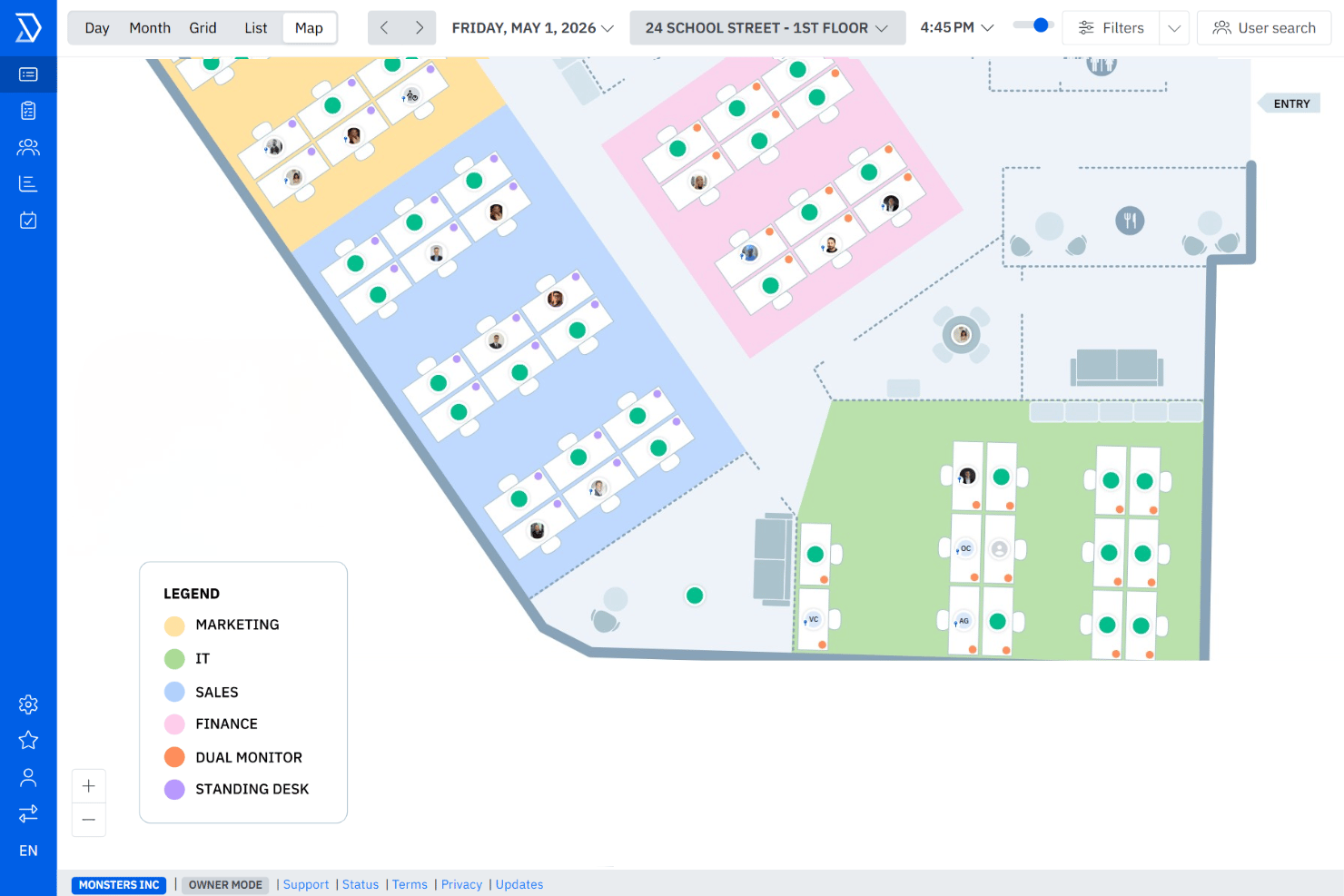
Interactive Floor Plans
See available desks in real time on a visual office map. Drag-and-drop editing lets you quickly update the layout for reconfigurations.
Smart Booking Rules
Set booking windows, booking buffer times, and access rules for teams or individuals. Automate compliance with hybrid work policies like team-only zones or maximum booking durations.
Automated Notifications
Get email confirmations and reminders for every reservation. These alerts help reduce no-shows and stop double-booking.
Desk Utilization Analytics
Track who is booking which desks, how often, and identify underused spaces. Use these insights to optimize office layouts or adjust hybrid schedules.
User Self-Service Portal
Employees book, modify, or cancel their own desks through a secure, browser-based portal. Admins stay hands-off while teams manage day-to-day reservations.
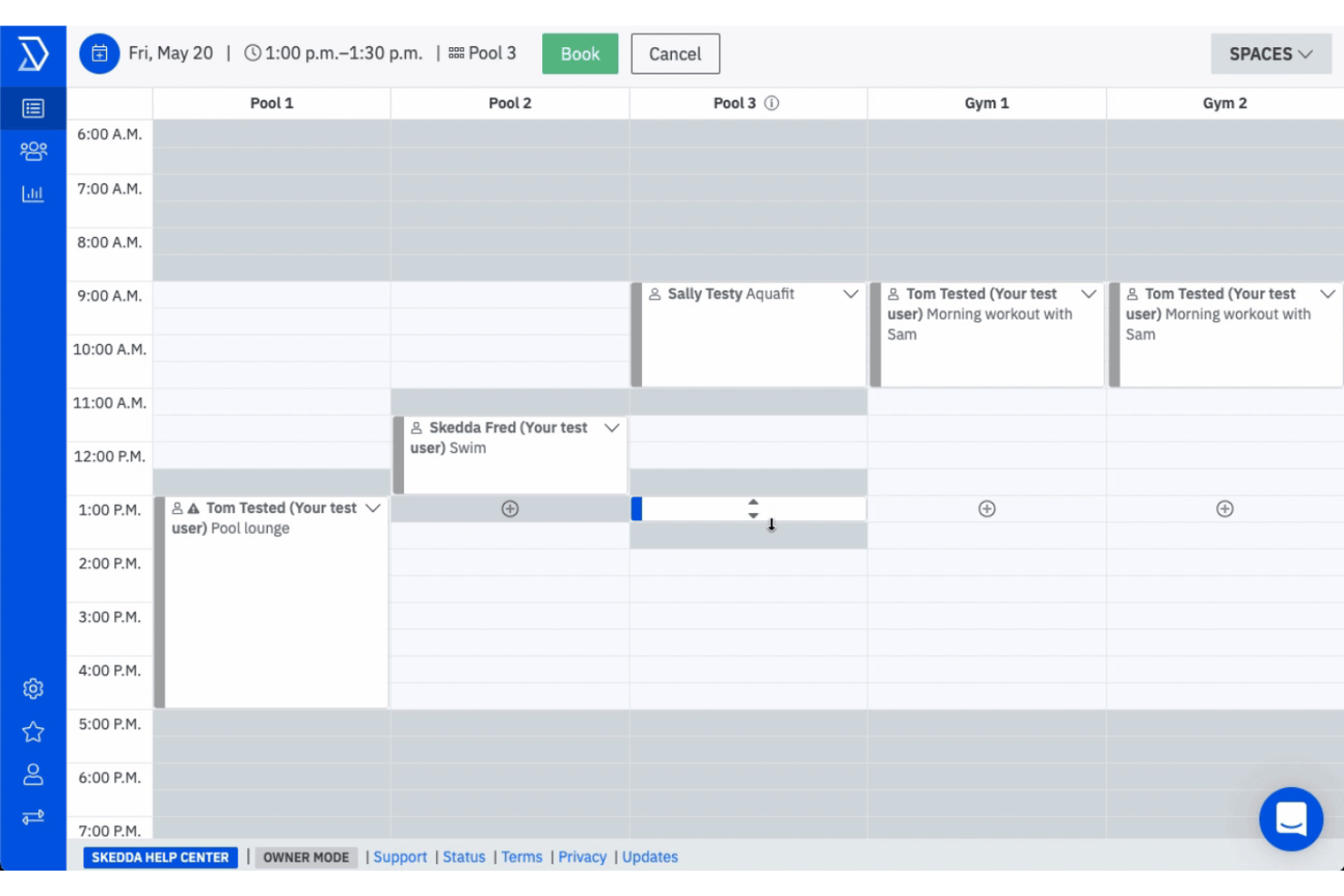
Check-In and Check-Out Tracking
Prompt users to check in or out of bookings to confirm desk usage. No-shows are automatically freed up for others to reserve, keeping space usage accurate.
Ease of Use
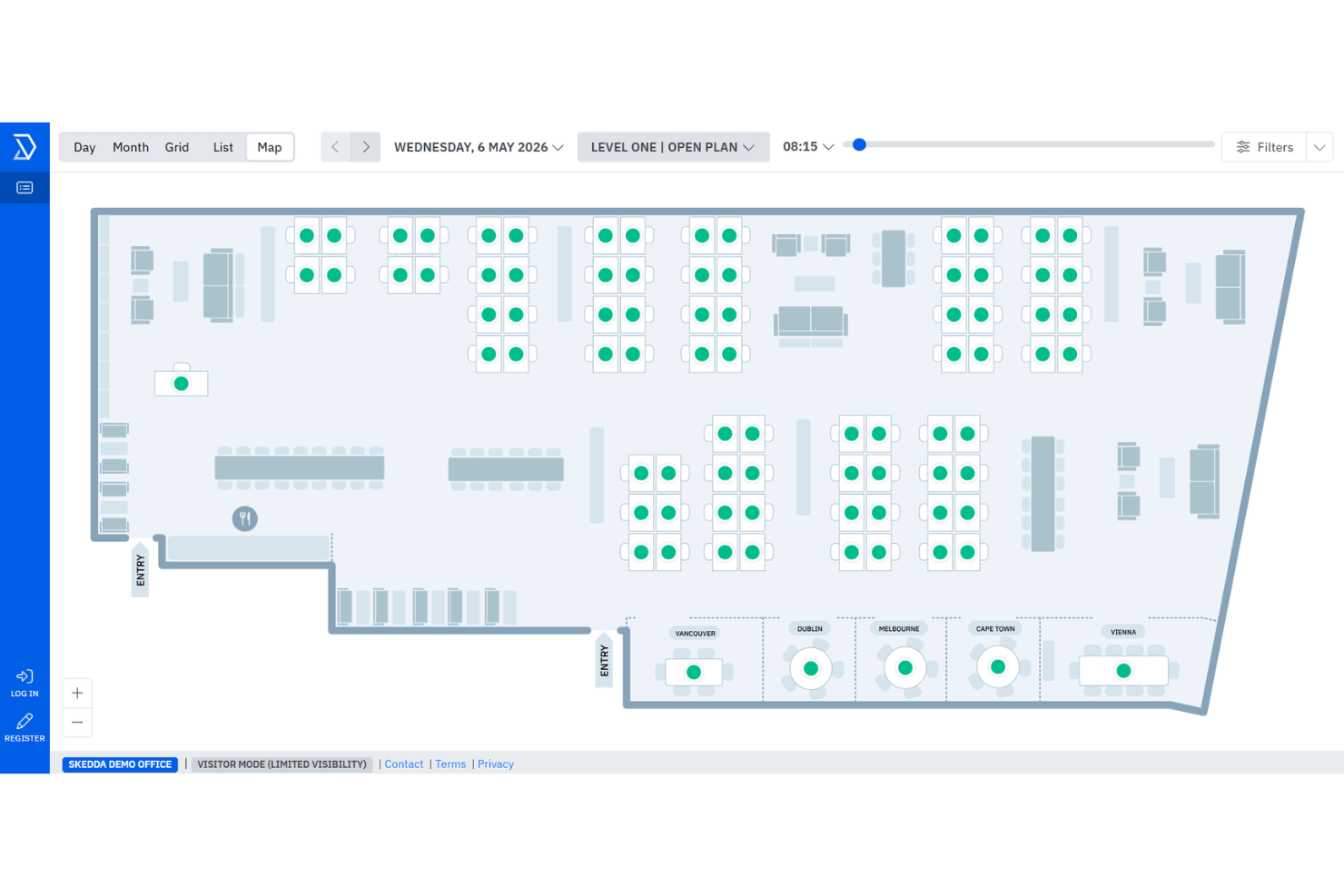
Skedda’s visual floor plans, quick booking interface, and clear navigation make it one of the easiest hot desk platforms to adopt.
I think most users find they can set up and manage desk policies without IT help, and HR teams appreciate how easily staff can reserve, modify, or cancel bookings from any browser.
Integrations
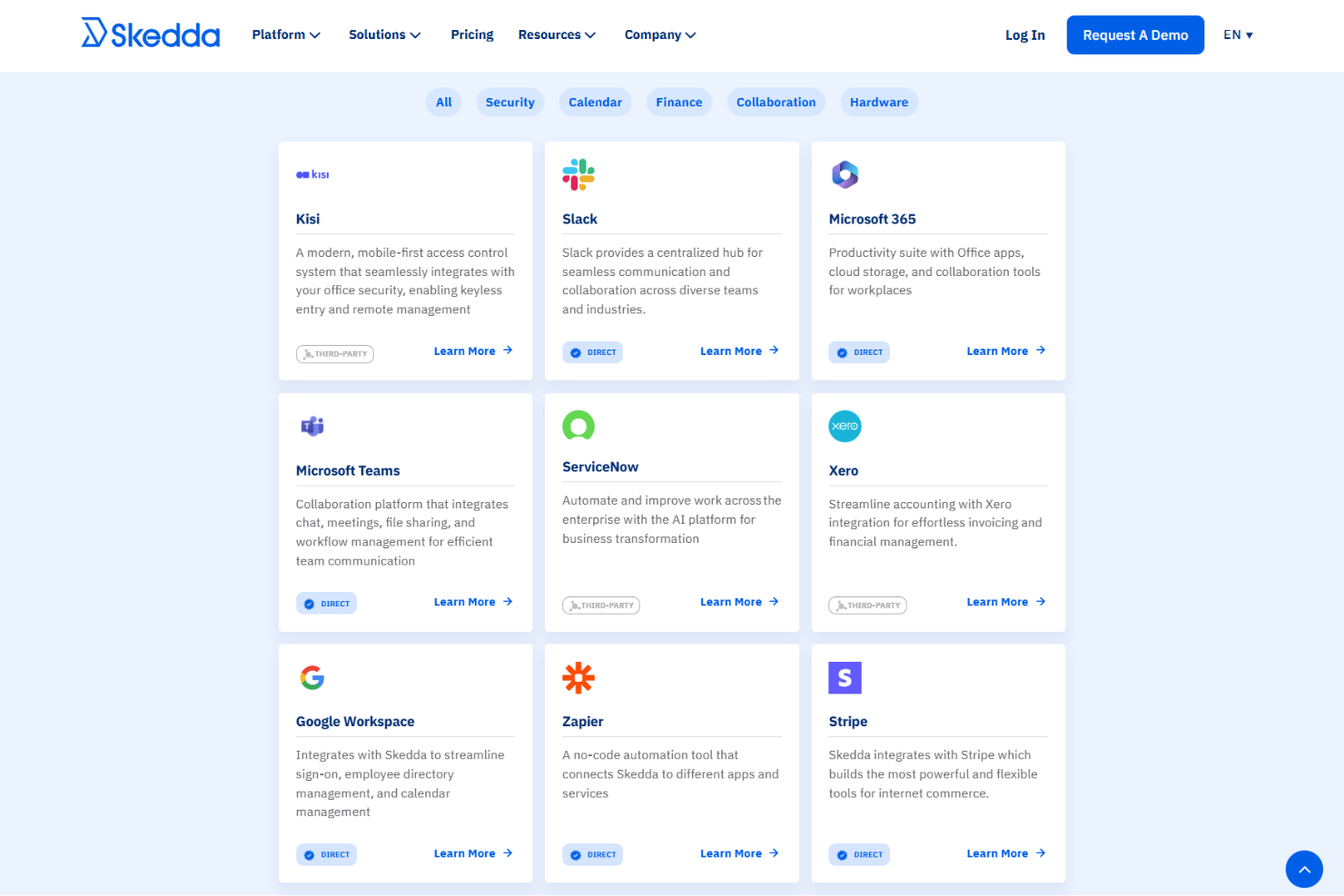
Skedda integrates with Microsoft 365, Google Workspace, Microsoft Teams, Slack, Azure Active Directory, Okta, Zapier, iCal, Apple Calendar, and Outlook Calendar.
Skedda also offers an API and can connect through third-party integration tools like Zapier.
New Product Updates from Skedda

Skedda Expands Visit Exports With Custom Field Data
Skedda adds Summary and Breakdown formats to Visits page exports, with custom field data and support for current filters. The new formats let teams export either visit-level or individual visitor-level information as XLSX or CSV files. Highlights include:
- Summary Export: Provides one row per visit with visit type, host details, visitor count, and invite-time custom fields.
- Breakdown Export: Provides one row per visitor with check-in and check-out times plus invite-time and check-in custom fields.
- Filtered Exports: Applies currently selected Visits page filters to exported data.
- XLSX and CSV Support: Lets users download either export format as XLSX or CSV.
Visit Skedda’s official site for more details.
 for more details.
Skedda Adds Microsoft Sync Approvals
Skedda adds Microsoft two-way sync support to booking approval rules. This update keeps requested bookings tentative in Outlook until they are approved in Skedda. Highlights include:
- Microsoft Sync Approvals: Manage approval requests for spaces connected through Microsoft two-way sync.
- Calendar Status Sync: Keep Outlook bookings tentative until approval and automatically update accepted bookings.
Visit Skedda’s official site for more details.

Skedda Adds Priority Booking Filters
Skedda improves priority booking rules with new day and time-based filters. This update allows admins to customize booking windows by specific schedules and improve space availability. Highlights include:
- Day and Time Filters: Apply priority booking rules to specific weekdays and time ranges.
- Team-Based Priority Access: Set different booking windows for teams based on their assigned schedules.
Visit Skedda’s official site for more details.

Skedda Adds Issue Reporting for Space Management
Skedda has introduced Issue Reporting to make it easier to capture and resolve problems in shared spaces. Users can report issues at the moment they notice them, and admins can ensure the right team is alerted automatically. Highlights include:
- Issue Reporting: Report space problems like broken equipment, IT issues, or maintenance needs directly from booking pages.
- Custom Issue Categories: Create categories to organize and track different types of space issues.
- Email Routing Rules: Send reports to specific people or teams based on category, space tag, or space name.
Visit Skedda’s official site for more details.
Skedda Adds Check-in Insights to Venue Analytics
Skedda adds check-in analytics to the Insights dashboard for venues with check-in rules enabled. The update helps teams monitor space usage and analyze check-in activity more effectively. Highlights include:
- Check-in Rate Summary: Teams can view overall venue check-in rates at a glance.
- Check-in Method Breakdown: Insights now show how users check in through methods like WiFi, QR codes, and email.
- Per-User and Per-Space Insights: Teams can drill down into check-in rates for individual users and spaces.
Visit Skedda’s official site for more details.

Skedda Adds Visit Types for Visitor Booking Management
Skedda adds Visit Types for categorizing visits such as interviews, client meetings, and contractors with custom configurations and fields. The update helps teams standardize visitor management workflows and improve visitor tracking. Highlights include:
- Custom Visit Categories: Admins can create visit types with custom fields and required or optional rules.
- Flexible Data Collection: Visitor information can be collected during invites, check-in, or both.
- Visitor Data Insights: Visit Types now appear in exports for better visitor reporting and analysis.
Visit Skedda’s official site for more details.
Skedda Specs
- Appointment Scheduling
- Budgeting
- Contact Management
- Customer Management
- Dashboard
- Data Export
- Data Import
- Data Visualization
- Email Integration
- External Integrations
- Forecasting
- Google Apps Integration
- Inventory Tracking
- Multi-User
- Notifications
- Order Management
- Project Management
- Scheduling
- Supplier Management
- Task Scheduling/Tracking
- Third-Party Plugins/Add-Ons