
Trainual Testbericht: Vorteile, Nachteile, Funktionen und Preise


Trainual is an employee training software built for small to mid-sized businesses that need to document processes, assign role-based training, and track completion. If your team is scaling and you need everyone following the same playbook, this is worth a close look. I'd consider it over TalentLMS if you want to build process-driven training content without managing the complexity of a full LMS.
Trainual Evaluation Summary
- Pricing upon request
- Free demo available
Warum Sie unseren Software-Bewertungen vertrauen können
Unser Team testet und bewertet Software seit 2012. Als HR-Experten wissen wir selbst, wie schwierig – und wichtig – es ist, die richtige Software auszuwählen.
Für diesen Leitfaden haben wir Tools mithilfe von praktischen Tests und unabhängiger Recherche bewertet und dabei unsere Bewertungskriterien angewendet. Zudem greifen wir auf Erkenntnisse von Branchenvordenkern und praktizierenden HR-Experten zurück.
Unsere Bewertungen spiegeln unser menschliches redaktionelles Urteilsvermögen wider, keine Verkaufsstrategie.
Expertenprüfer:
Trainual Overview
In my opinion, Trainual is a solid choice for businesses seeking to streamline their training and onboarding processes. It excels in ease of use and offers strong features like AI-generated content summaries and comprehensive training program creation. Compared to other platforms, Trainual stands out with its user-friendly interface and effective organization of training materials, making it ideal for small to medium-sized teams or startups. However, it may underperform in environments requiring extensive mobile application features or detailed reporting metrics. If you're looking to enhance team alignment and simplify information sharing, Trainual could be the right fit for your organization.
pros
-
It's easy to use, making it simple for your team to get started quickly.
-
You can customize training content to fit your business needs.
-
It's great for organizing and documenting processes clearly.
cons
-
It lacks detailed reporting metrics, which might limit your insights.
-
The mobile app features aren't as extensive as some competitors.
-
It might not suit larger enterprises needing more complex solutions.
-

Justworks
Visit WebsiteThis rating combines scores from multiple user review sites to reflect overall customer sentiment about the product.4.6 -
Prevue Assessments
Visit WebsiteThis rating combines scores from multiple user review sites to reflect overall customer sentiment about the product.4.6 -
Small Improvements
Visit WebsiteThis rating combines scores from multiple user review sites to reflect overall customer sentiment about the product.4.3





Wie wir unsere Tools testen und bewerten
Wir haben jahrelang unser System zur Überprüfung und Bewertung von Software aufgebaut, verfeinert und verbessert. Das Bewertungsschema ist darauf ausgelegt, die Nuancen der Softwareauswahl und die Wirksamkeit eines Tools abzubilden, wobei der Fokus auf wesentlichen Aspekten des Entscheidungsprozesses liegt. Unten sehen Sie genau, wie unsere Tests und Bewertungen anhand von sieben Kriterien funktionieren. Damit können wir eine unvoreingenommene Bewertung der Software hinsichtlich zentraler Funktionen, herausragender Merkmale, Benutzerfreundlichkeit, Onboarding, Kundensupport, Integrationen, Kundenrezensionen und Preis-Leistungs-Verhältnis bieten.
Kernfunktionen (25% der Endnote)
Der Ausgangspunkt unserer Beurteilung ist immer die Kernfunktionalität des Tools. Verfügt es über die grundlegenden Funktionen, die ein Benutzer erwarten würde? Sind einige dieser Funktionen in teureren Tarifen eingeschlossen? Im Kern erwarten wir, dass ein Tool den grundlegenden Fähigkeiten seiner Mitbewerber standhält.
Herausragende Funktionen (25% der Endnote)
Danach bewerten wir außergewöhnliche Funktionen, die über das Übliche hinausgehen, das normalerweise in ähnlicher Software zu finden ist. Eine hohe Punktzahl spiegelt spezialisierte oder einzigartige Funktionen wider, die das Produkt schneller, effizienter oder für den Benutzer wertvoller machen. Wir bewerten auch, wie einfach es ist, sich mit anderen im technischen Ökosystem üblichen Tools zu integrieren, um die Funktionalität und Nützlichkeit der Software zu erweitern. Tools mit vielen nativen Integrationen, Drittanbieter-Anbindungen und API-Zugängen für individuelle Integrationen erhalten die beste Bewertung.
Benutzerfreundlichkeit (10% der Endnote)
Wir betrachten, wie schnell und einfach die Aufgaben im Bereich der Kernfunktionen mit dem Tool erledigt werden können. Hoch bewertete Software ist gut designt, intuitiv zu bedienen, bietet mobile Apps, Vorlagen und macht komplexe Aufgaben einfach.
Onboarding (10% der Endnote)
Uns ist bewusst, wie wichtig eine schnelle Einführung eines neuen Systems im Team ist. Deshalb bewerten wir, wie leicht ein Tool mit minimalem Training erlernt und genutzt werden kann. Wir prüfen, wie schnell ein Teammitglied ohne Vorerfahrung mit dem Tool starten kann. Lösungen mit hoher Bewertung erfordern wenig bis keine Unterstützung.
Kundensupport (10% der Endnote)
Wir überprüfen, wie schnell und einfach Hilfe telefonisch, per Live-Chat oder Wissensdatenbank erhalten werden kann. Tools und Unternehmen, die Echtzeit-Support bieten, schneiden am besten ab – Chatbots am schlechtesten.
Kundenrezensionen (10% der Endnote)
Zusätzlich zu unseren eigenen Tests berücksichtigen wir den Net Promoter Score aktueller und ehemaliger Kunden. Wir prüfen, wie wahrscheinlich sie, falls es zur Wahl käme, das Tool für die Kernfunktionen erneut wählen würden. Eine hohe Bewertung der Software spiegelt einen hohen Net Promoter Score wider.
Preis-Leistungs-Verhältnis (10% der Endnote)
Abschließend berücksichtigen wir unter Einbeziehung aller anderen Kriterien den durchschnittlichen Preis der Einstiegstarife im Vergleich zu den Kernfunktionen und zum Wert der anderen Bewertungskriterien. Software, die mehr für weniger bietet, erhält höhere Bewertungen.
Core Features
Customizable Training Modules: You can tailor training formats to support specific content creation, ensuring your team gets relevant information. This flexibility makes it easy to update and adapt training materials as your processes evolve.
Process Documentation: Trainual helps you document your company’s processes and standard operating procedures (SOPs) clearly, so your team can easily access them. This feature supports training and reduces onboarding time.
User-Friendly Interface: The platform's intuitive design means your team can get started with minimal training. It simplifies navigation, allowing users to focus on learning instead of figuring out the software.
Content Organization: Trainual organizes training materials in a structured way, making it easy for your team to find what they need. This organization enhances learning efficiency and saves time.
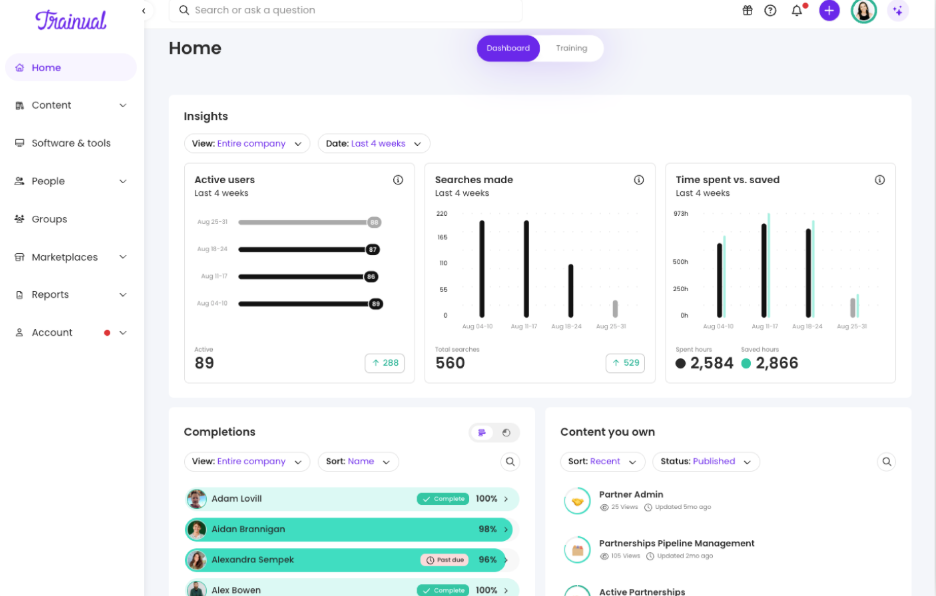
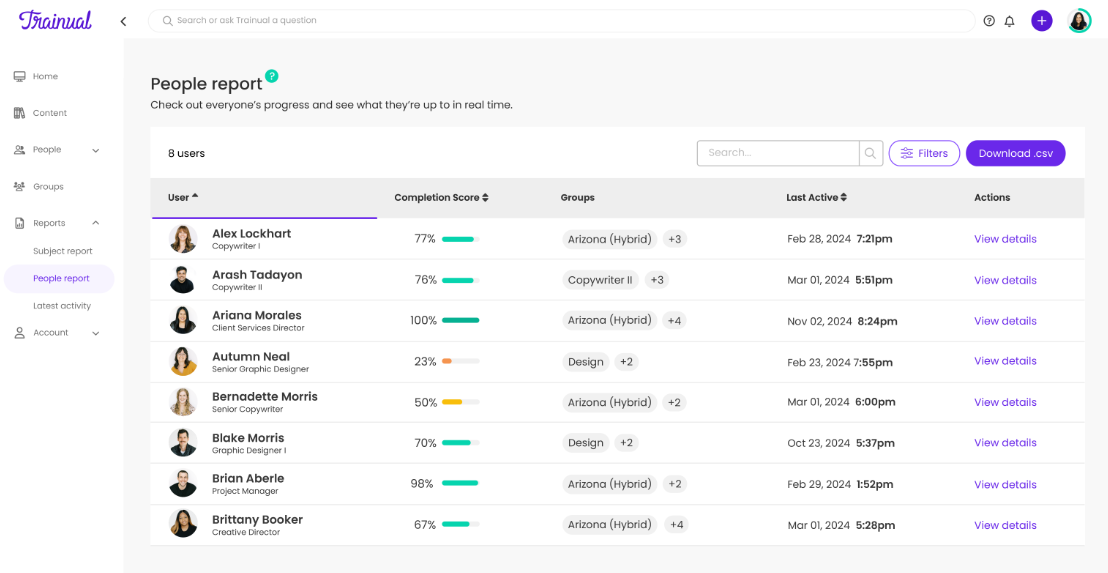
Basic Reporting: While not extensive, Trainual’s reporting features provide real-time progress tracking through a simple dashboard. You can quickly see who's completed what, keeping your team accountable.
Access Control: You can set permissions to control who sees what content, ensuring information is shared with the right people. This feature helps maintain privacy and focus within your training programs.

Ease of Use
Trainual is incredibly user-friendly, making it easy for your team to navigate and use without much guidance. Its intuitive design means you can focus on creating and consuming content rather than figuring out the software. With straightforward features like customizable modules and clear process documentation, your team can quickly get up to speed. Compared to other training tools, Trainual stands out for its simplicity and efficiency, allowing you to spend more time on actual training and less on setup.
Integrations
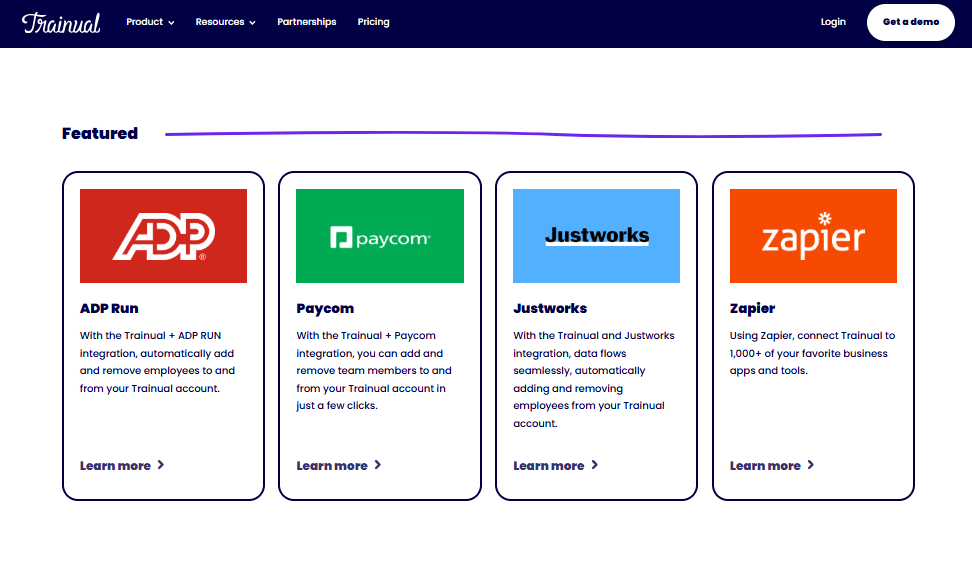
Trainual integrates with ADP Run, Paycom, Workday, Namely, TriNet, Quickbooks, Justworks, Gusto, Loom, and Slack.
Trainual also offers an API, allowing for custom integrations, and connects with third-party integration tools like Zapier.
Trainual Specs
- 360 Degree Feedback
- API
- Application Tracking
- Attendance Tracking
- Batch Permissions & Access
- Calendar Management
- Data Export
- Data Import
- Email Integration
- Employee Database
- Employee Engagement
- Employee Incentive Management
- Employee Onboarding
- Employee Training
- External Integrations
- Feedback Management
- Gamification
- Google Apps Integration
- Multi-User
- Notifications
- Onboarding
- Password & Access Management
- Scheduling
- Time Management
- Timesheets
- Travel Management
- Vacation & Absence Calendar
- Video Courses